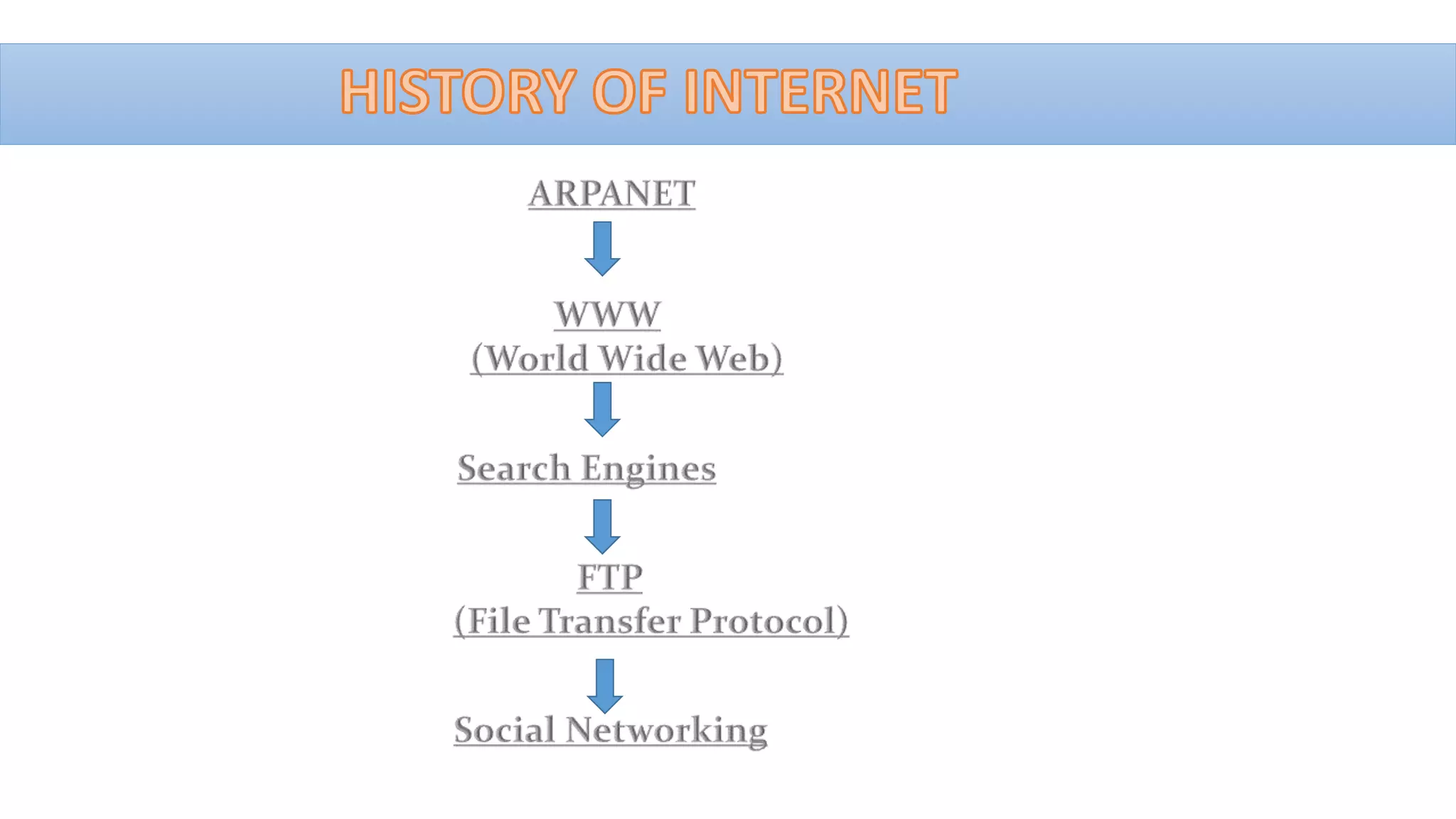
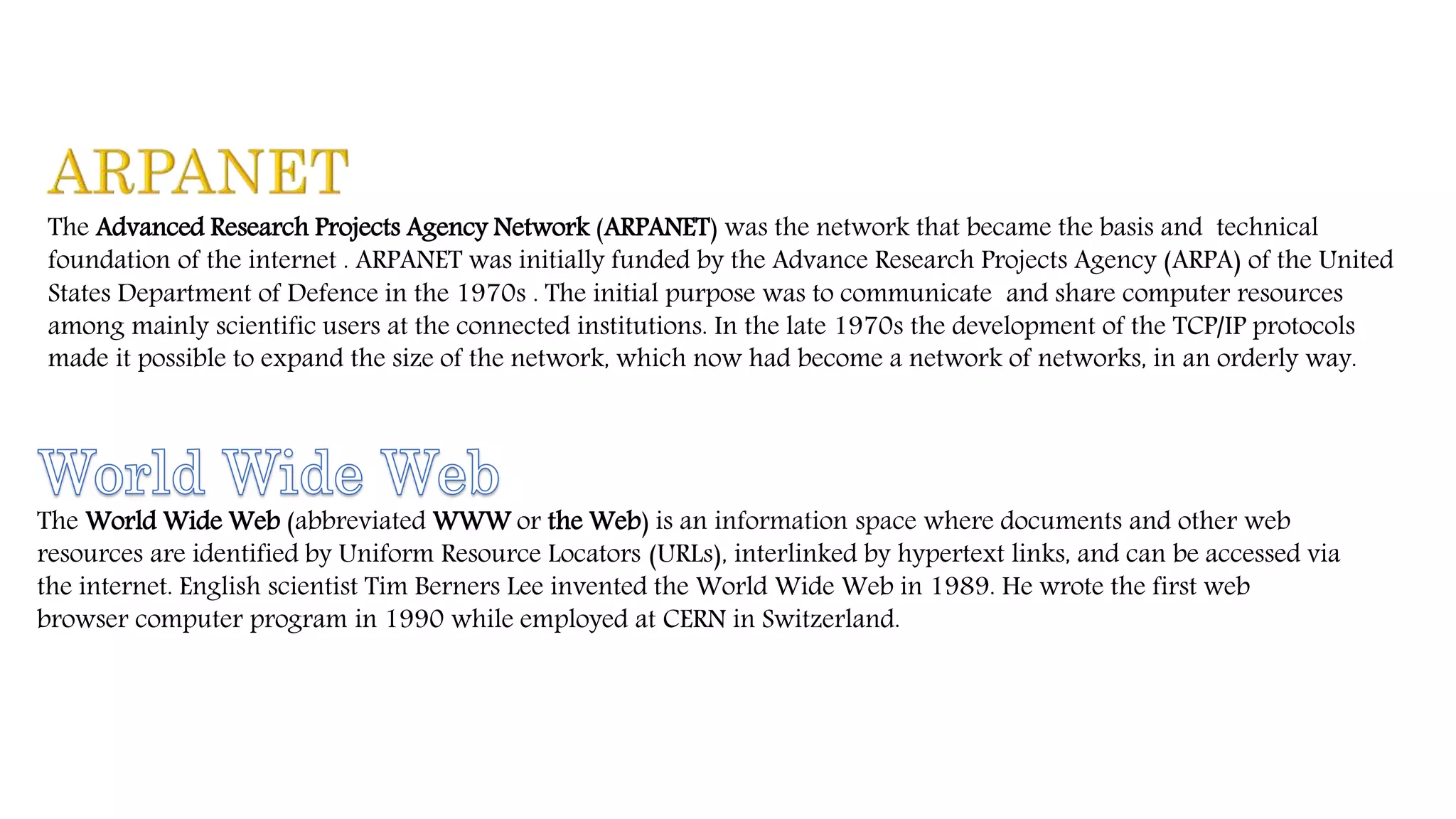


The Advanced Research Projects Agency Network (ARPANET) was the network that became the basis and technical
foundation of the internet . ARPANET was initially funded by the Advance Research Projects Agency (ARPA) of the United
States Department of Defence in the 1970s . The initial purpose was to communicate and share computer resources
among mainly scientific users at the connected institutions. In the late 1970s the development of the TCP/IP protocols
made it possible to expand the size of the network, which now had become a network of networks, in an orderly way.
The World Wide Web (abbreviated WWW or the Web) is an information space where documents and other web
resources are identified by Uniform Resource Locators (URLs), interlinked by hypertext links, and can be accessed via
the internet. English scientist Tim Berners Lee invented the World Wide Web in 1989. He wrote the first web
browser computer program in 1990 while employed at CERN in Switzerland.
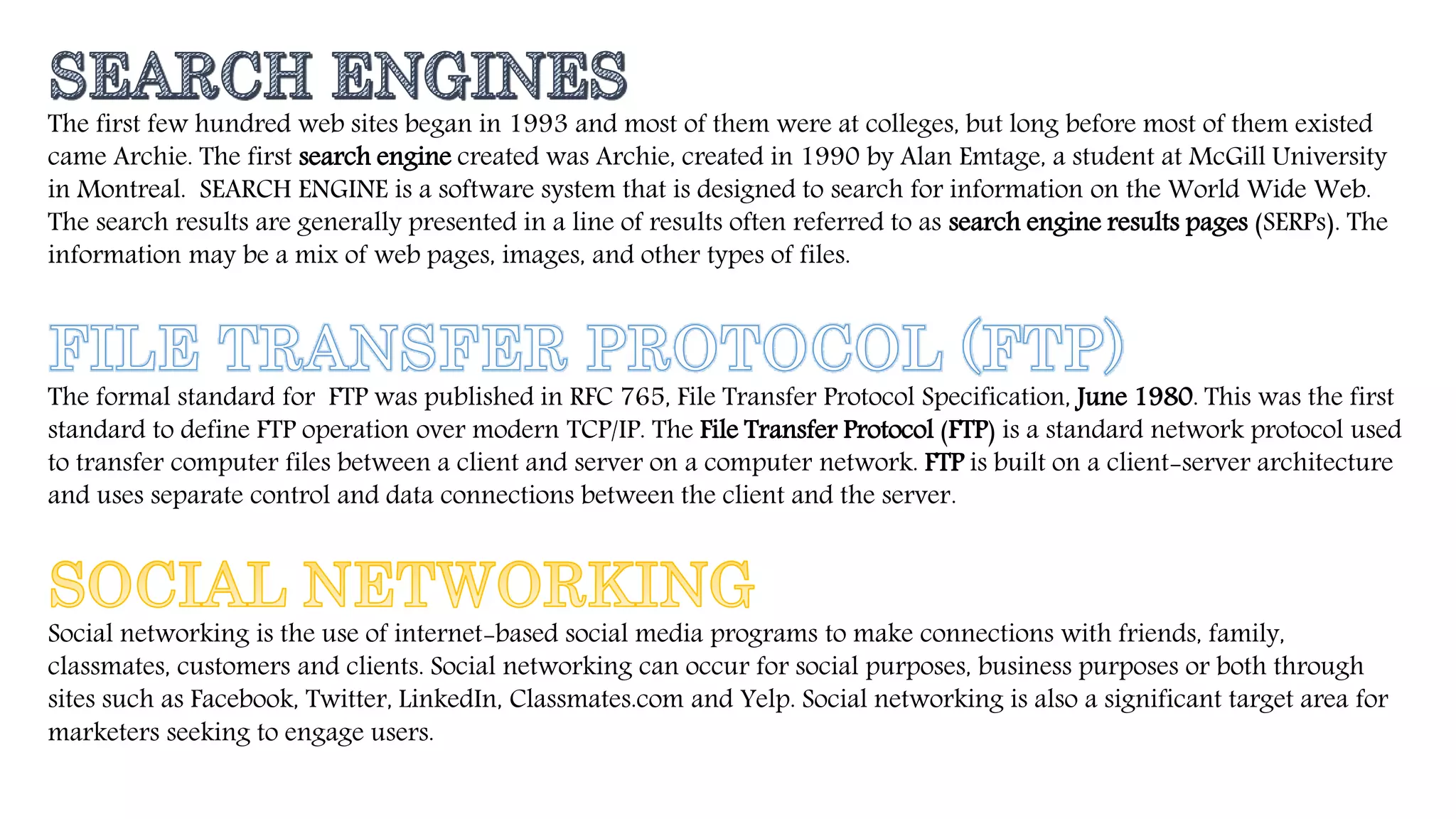
The first few hundred web sites began in 1993 and most of them were at colleges, but long before most of them existed
came Archie. The first search engine created was Archie, created in 1990 by Alan Emtage, a student at McGill University
in Montreal. SEARCH ENGINE is a software system that is designed to search for information on the World Wide Web.
The search results are generally presented in a line of results often referred to as search engine results pages (SERPs). The
information may be a mix of web pages, images, and other types of files.
The formal standard for FTP was published in RFC 765, File Transfer Protocol Specification, June 1980. This was the first
standard to define FTP operation over modern TCP/IP. The File Transfer Protocol (FTP) is a standard network protocol used
to transfer computer files between a client and server on a computer network. FTP is built on a client-server architecture
and uses separate control and data connections between the client and the server.
Social networking is the use of internet-based social media programs to make connections with friends, family,
classmates, customers and clients. Social networking can occur for social purposes, business purposes or both through
sites such as Facebook, Twitter, LinkedIn, Classmates.com and Yelp. Social networking is also a significant target area for
marketers seeking to engage users.
INTERNET MANAGEMENT
•Naming and Addressing
• IP ADDRESSES:- An Internet Protocol address (IP address) is a numerical label assigned to each
device (e.g., computer, printer) participating in a computer network that uses the Internet Protocol for
communication. An IP address serves two principal functions: host or network
interface identification and location addressing. Its role has been characterized as follows:
A name indicates what we seek. An address indicates where it is. A route indicates how to get there.
• GENERIC TOP LEVEL DOMAINS (gTLDS):-
• A gTLD (generic top-level domain name) is the top-level domain name of an Internet address that
identifies it generically as associated with some domain class, such as .com (commercial), .net
(originally intended for Internet service providers, but now used for many purposes), .org (for non-
profit organizations, industry groups, and others),.edu (for educational institutions); and many other.
• Shared Global Services and Operations
• ROOT SERVERS :-
A root name server is a name server for the root zone of the Domain Name System (DNS) of the Internet. It directly answers
requests for records in the root zone and answers other requests by returning a list of the authoritative name servers for the
appropriate top-level domain (TLD). The root name servers are a critical part of the Internet infrastructure because they are
the first step in translating (resolving) human readable host names into IP addresses that are used in communication
between Internet hosts.
• Country code Top Level Domains (ccTLDs):-
A country code top-level domain (ccTLD) is an Internet top-level domain generally used or reserved for a country,
sovereign state, or dependent territory identified with a country code. The ccTLD identifies a specific national domicile
for an address. (For instance, .fr for France and .mx for Mexico.)
TCP/IP
• TCP/IP (Transmission Control Protocol/Internet Protocol) is the basic communication language or protocol of
the Internet. It can also be used as a communications protocol in a private network (either an intranet or
an extranet). When you are set up with direct access to the Internet, your computer is provided with a copy
of the TCP/IP program just as every other computer that you may send messages to or get information from
also has a copy of TCP/IP.
• TCP/IP is a two-layer program. The higher layer, Transmission Control Protocol, manages the assembling of
a message or file into smaller packets that are transmitted over the Internet and received by a TCP layer that
reassembles the packets into the original message. The lower layer, Internet Protocol, handles
the address part of each packet so that it gets to the right destination.
• TCP/IP uses the client/server model of communication in which a computer user (a client) requests and is
provided a service (such as sending a Web page) by another computer (a server) in the network.
INTERNET PROTOCOL(IP)
• The Internet Protocol (IP) is the method or protocol by which data is sent from one computer to another on
the Internet. Each computer (known as a host) on the Internet has at least one IP address that uniquely
identifies it from all other computers on the Internet.
• The Internet Protocol is responsible for addressing hosts and for routing datagrams (packets) from a source
host to a destination host across one or more IP networks. For this purpose, the Internet Protocol defines the
format of packets and provides an addressing system that has two functions: Identifying hosts and
providing a logical location service.
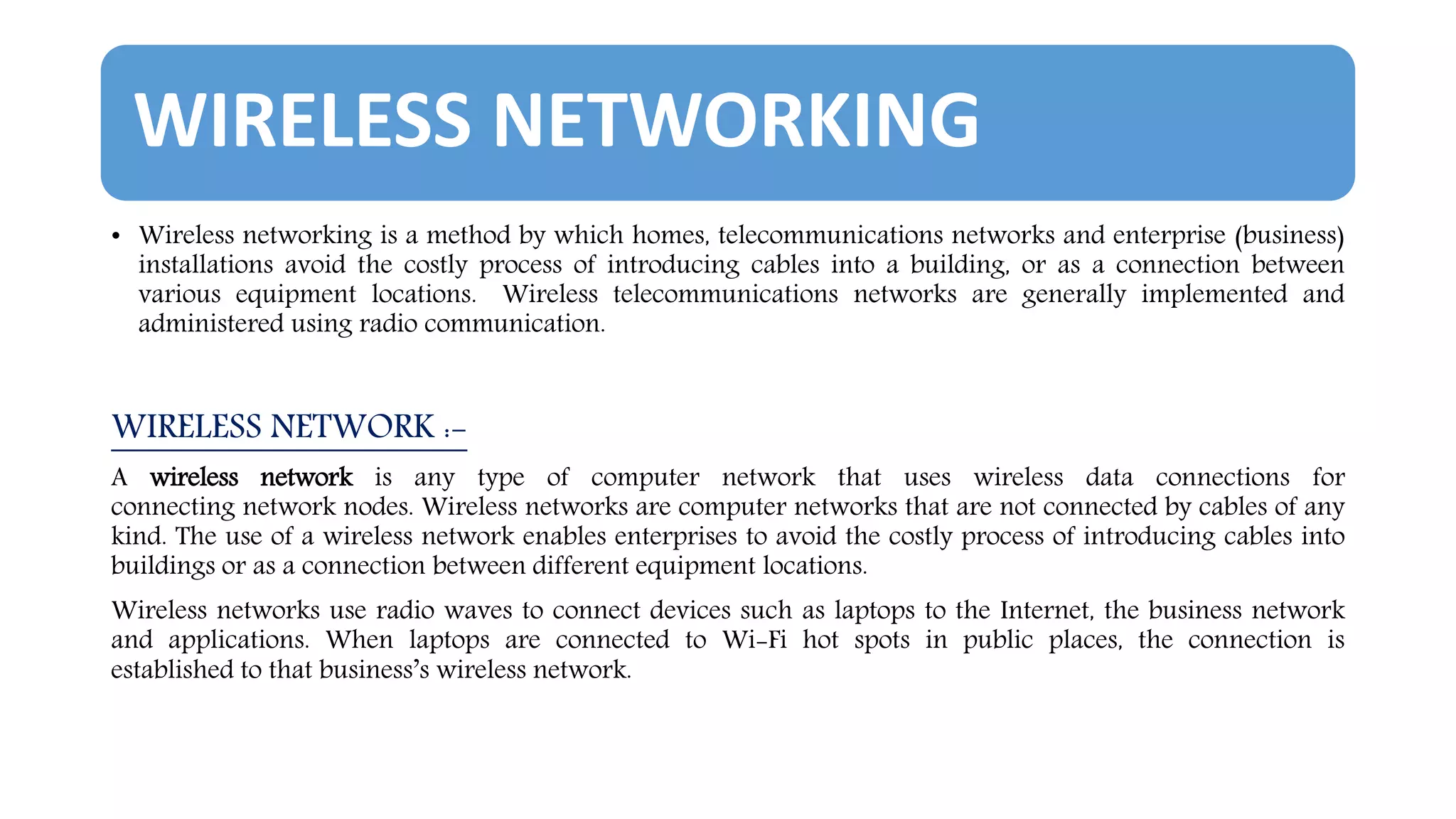
WIRELESS NETWORKING
• Wireless networking is a method by which homes, telecommunications networks and enterprise (business)
installations avoid the costly process of introducing cables into a building, or as a connection between
various equipment locations. Wireless telecommunications networks are generally implemented and
administered using radio communication.
WIRELESS NETWORK :-
A wireless network is any type of computer network that uses wireless data connections for
connecting network nodes. Wireless networks are computer networks that are not connected by cables of any
kind. The use of a wireless network enables enterprises to avoid the costly process of introducing cables into
buildings or as a connection between different equipment locations.
Wireless networks use radio waves to connect devices such as laptops to the Internet, the business network
and applications. When laptops are connected to Wi-Fi hot spots in public places, the connection is
established to that business’s wireless network.
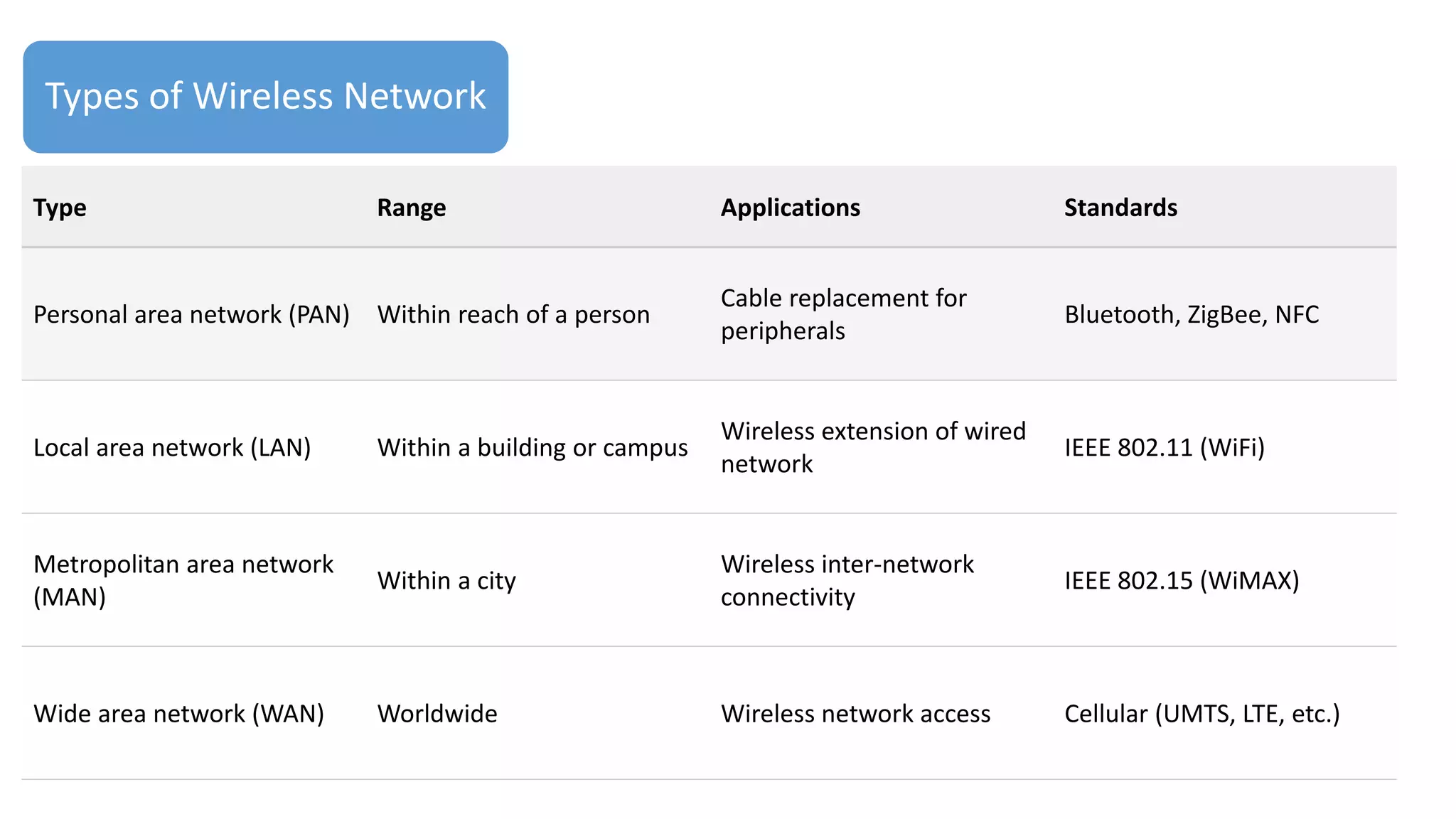
Types of Wireless Network
Type Range Applications Standards
Personal area network (PAN) Within reach of a person
Cable replacement for
peripherals
Bluetooth, ZigBee, NFC
Local area network (LAN) Within a building or campus
Wireless extension of wired
network
IEEE 802.11 (WiFi)
Metropolitan area network
(MAN)
Within a city
Wireless inter-network
connectivity
IEEE 802.15 (WiMAX)
Wide area network (WAN) Worldwide Wireless network access Cellular (UMTS, LTE, etc.)
PACKET SWITCHING
• Packet switching is a digital networking communications method that groups all transmitted
data into suitably sized blocks, called packets, which are transmitted via a medium that may be
shared by multiple simultaneous communication sessions. Packet switching increases network
efficiency, robustness and enables technological convergence of many applications operating on the
same network.
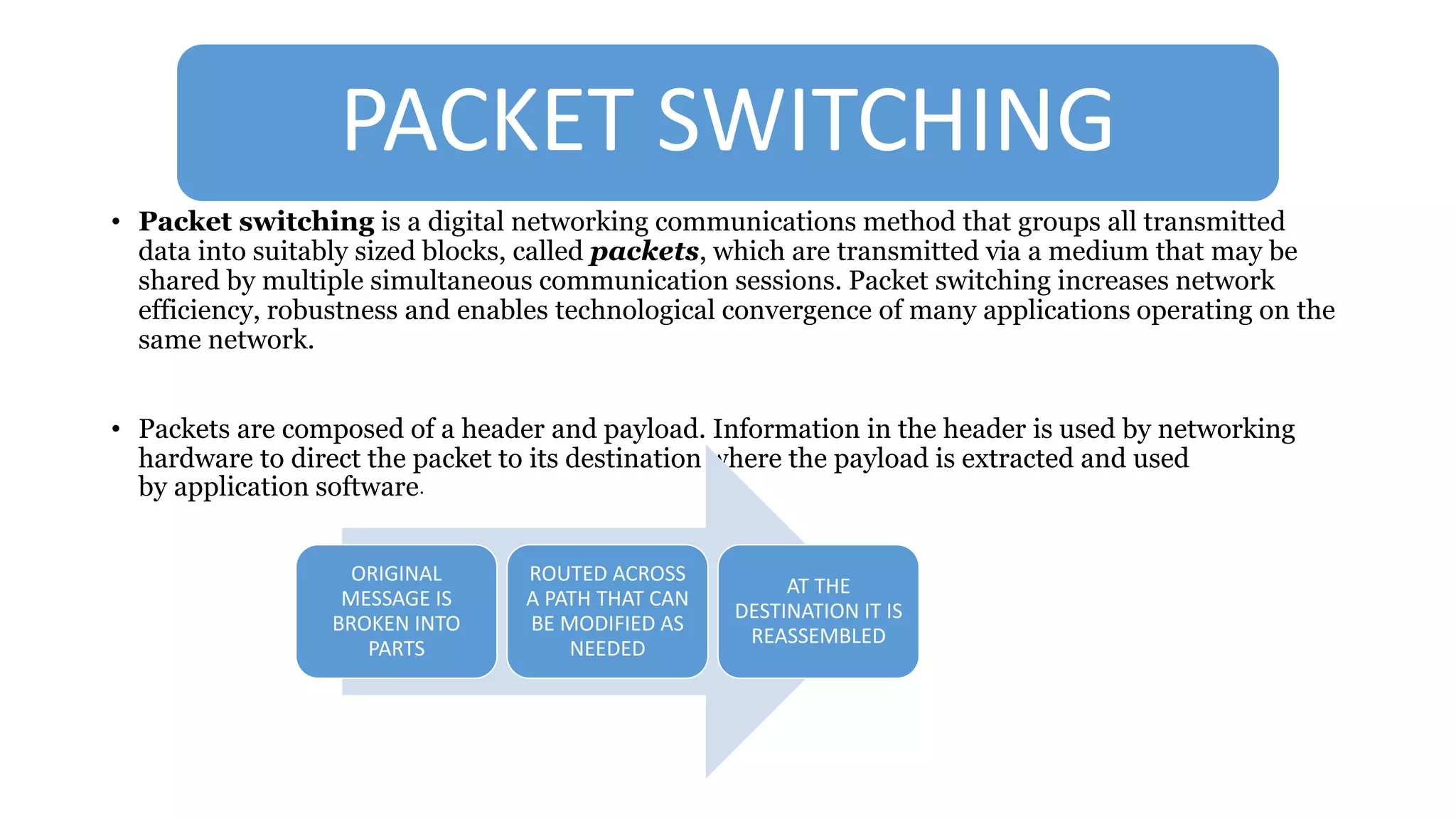
• Packets are composed of a header and payload. Information in the header is used by networking
hardware to direct the packet to its destination where the payload is extracted and used
by application software.
ORIGINAL
MESSAGE IS
BROKEN INTO
PARTS
ROUTED ACROSS
A PATH THAT CAN
BE MODIFIED AS
NEEDED
AT THE
DESTINATION IT IS
REASSEMBLED
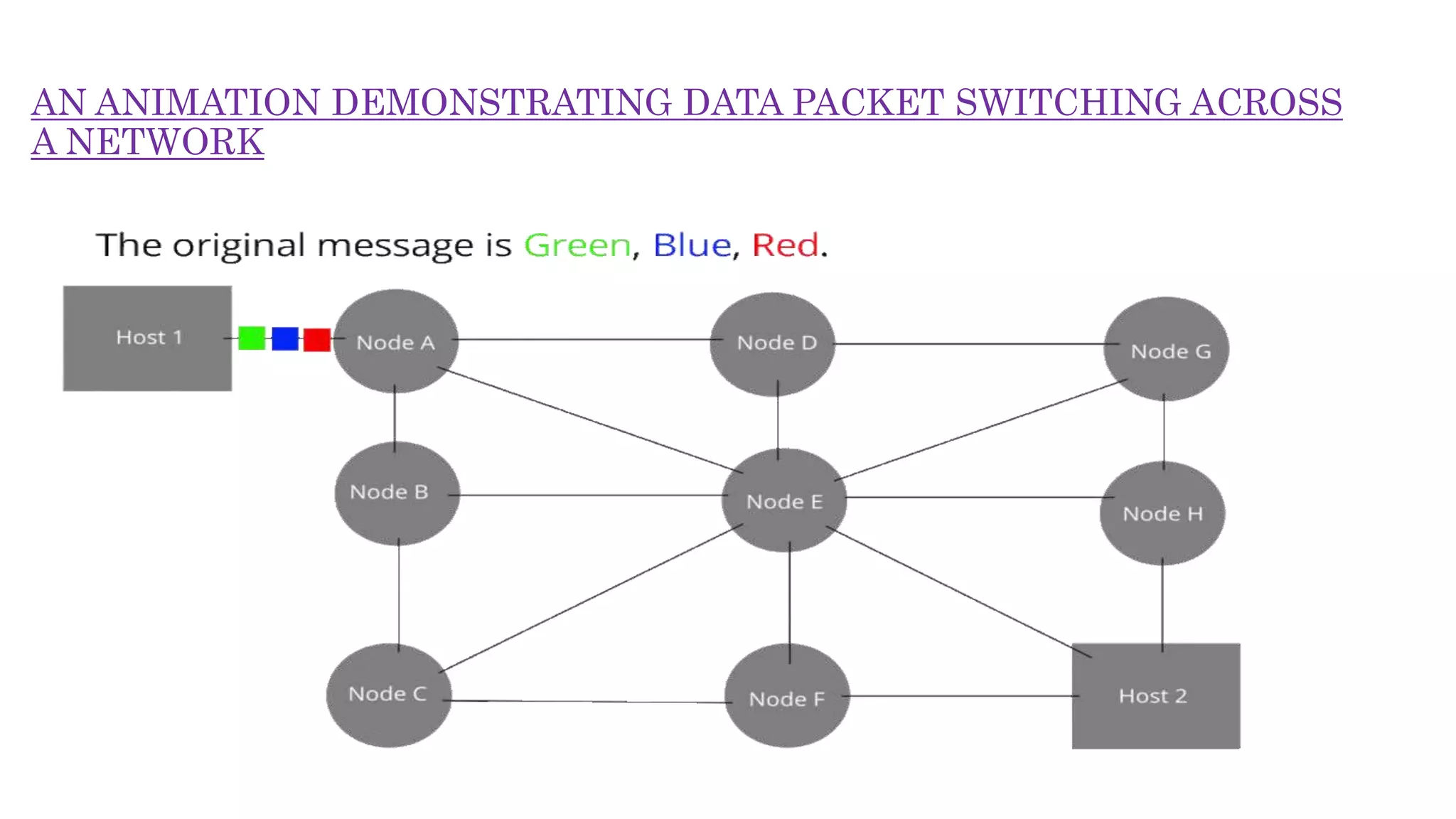
AN ANIMATION DEMONSTRATING DATA PACKET SWITCHING ACROSS
A NETWORK
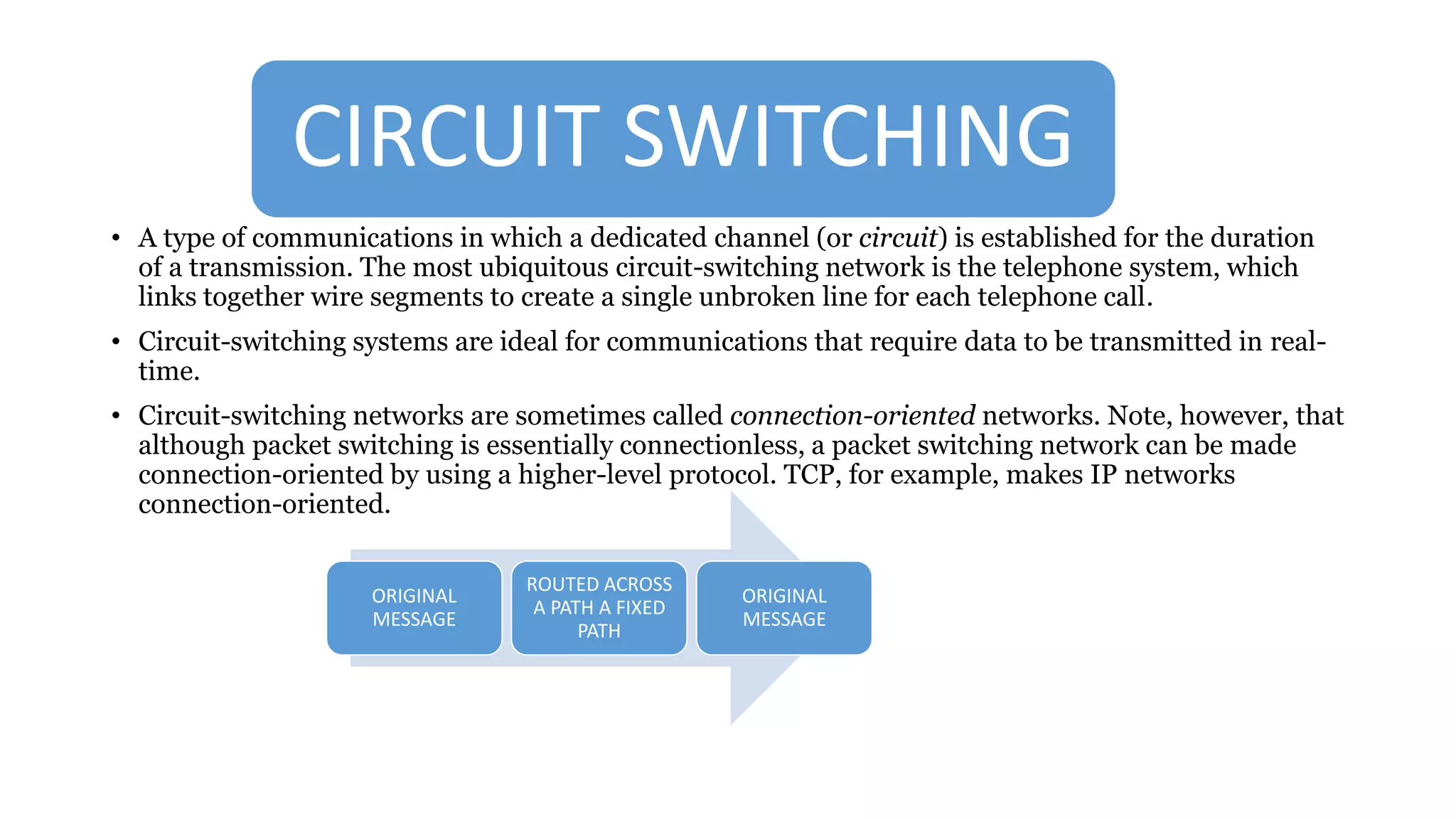
CIRCUIT SWITCHING
• A type of communications in which a dedicated channel (or circuit) is established for the duration
of a transmission. The most ubiquitous circuit-switching network is the telephone system, which
links together wire segments to create a single unbroken line for each telephone call.
• Circuit-switching systems are ideal for communications that require data to be transmitted in real-
time.
• Circuit-switching networks are sometimes called connection-oriented networks. Note, however, that
although packet switching is essentially connectionless, a packet switching network can be made
connection-oriented by using a higher-level protocol. TCP, for example, makes IP networks
connection-oriented.
ORIGINAL
MESSAGE
ROUTED ACROSS
A PATH A FIXED
PATH
ORIGINAL
MESSAGE
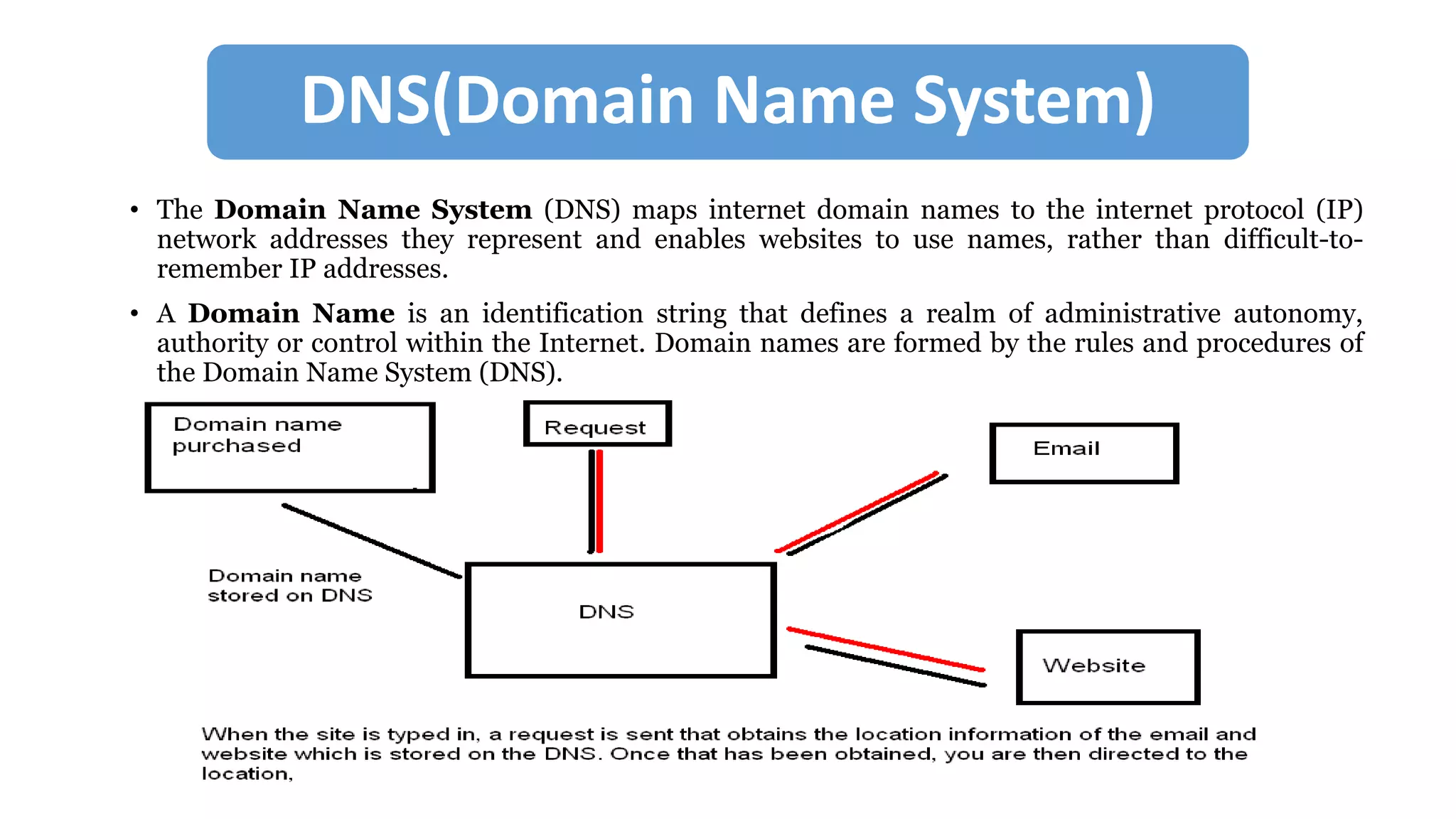
DNS(Domain Name System)
• The Domain Name System (DNS) maps internet domain names to the internet protocol (IP)
network addresses they represent and enables websites to use names, rather than difficult-to-
remember IP addresses.
• A Domain Name is an identification string that defines a realm of administrative autonomy,
authority or control within the Internet. Domain names are formed by the rules and procedures of
the Domain Name System (DNS).
INTERNET SECURITY
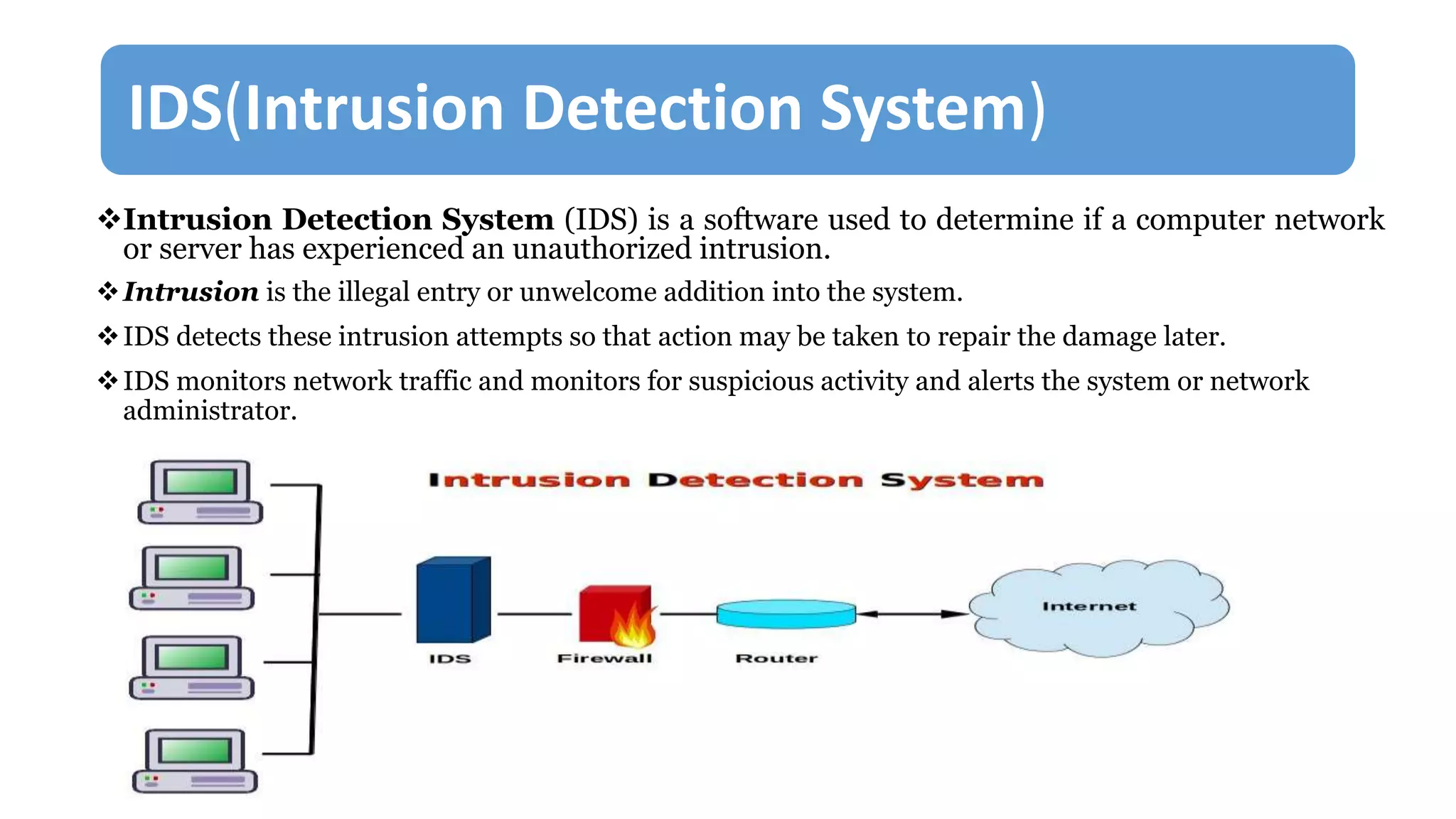
IDS(Intrusion Detection System)
Intrusion Detection System (IDS) is a software used to determine if a computer network
or server has experienced an unauthorized intrusion.
Intrusion is the illegal entry or unwelcome addition into the system.
IDS detects these intrusion attempts so that action may be taken to repair the damage later.
IDS monitors network traffic and monitors for suspicious activity and alerts the system or network
administrator.
How IDS works ?
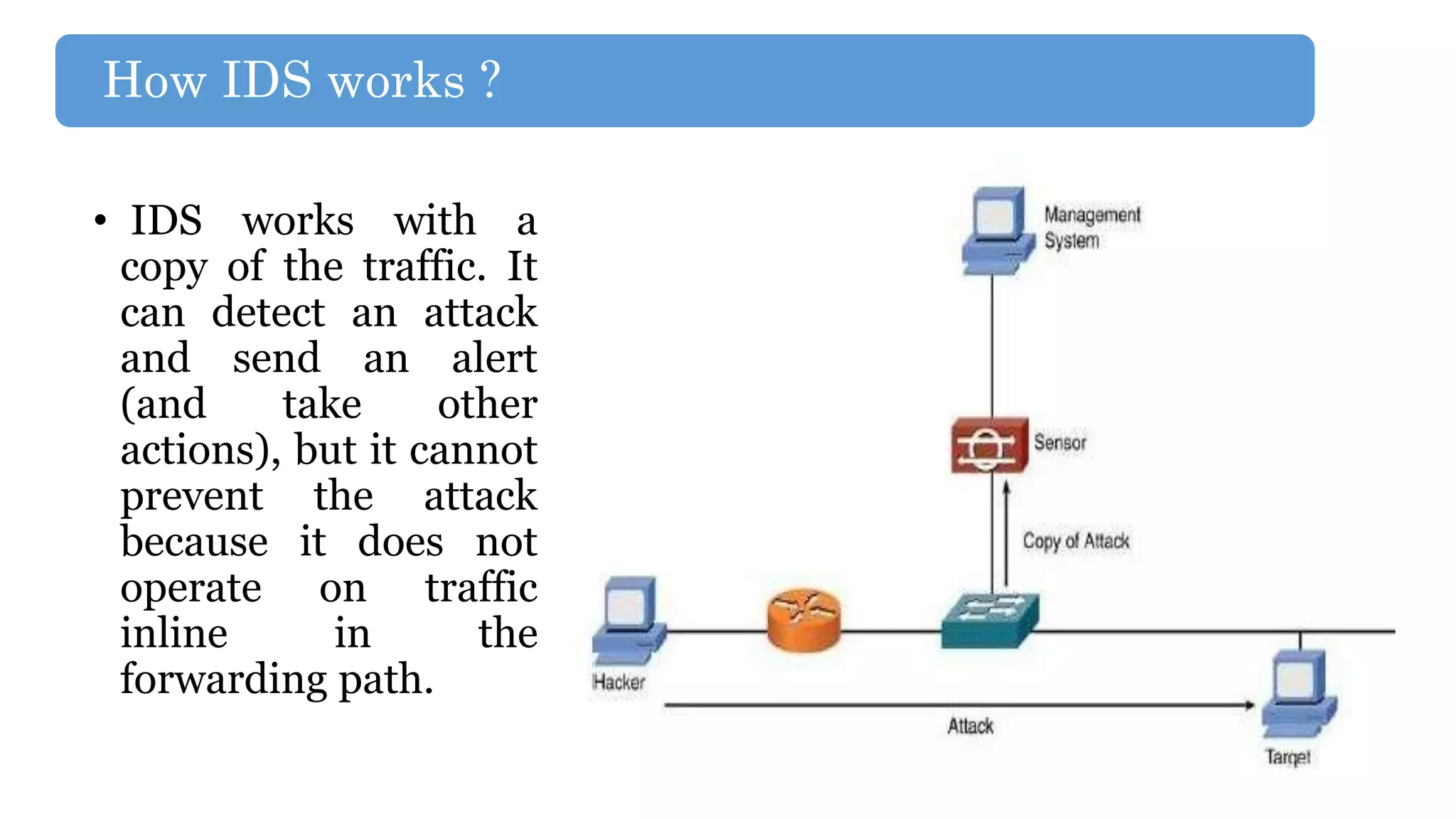
• IDS works with a
copy of the traffic. It
can detect an attack
and send an alert
(and take other
actions), but it cannot
prevent the attack
because it does not
operate on traffic
inline in the
forwarding path.
TYPES OF IDS
1. Host Based IDS
2. Network Based IDS
3. Stack Based IDS
4. Signature Based IDS
5. Anomaly Based IDS
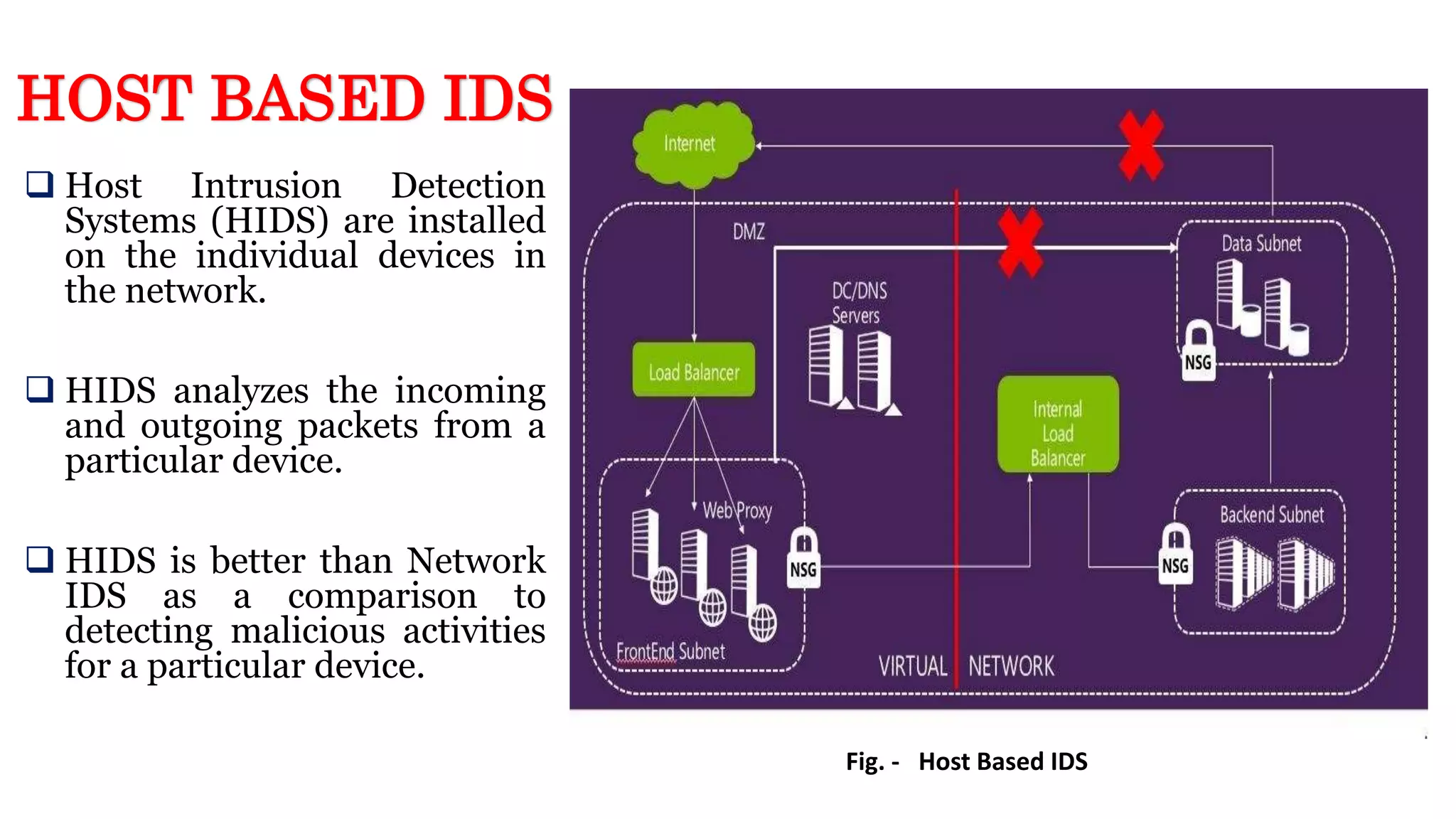
 Host Intrusion Detection
Systems (HIDS) are installed
on the individual devices in
the network.
 HIDS analyzes the incoming
and outgoing packets from a
particular device.
 HIDS is better than Network
IDS as a comparison to
detecting malicious activities
for a particular device.
Fig. - Host Based IDS
HOST BASED IDS
NETWORK BASED IDS
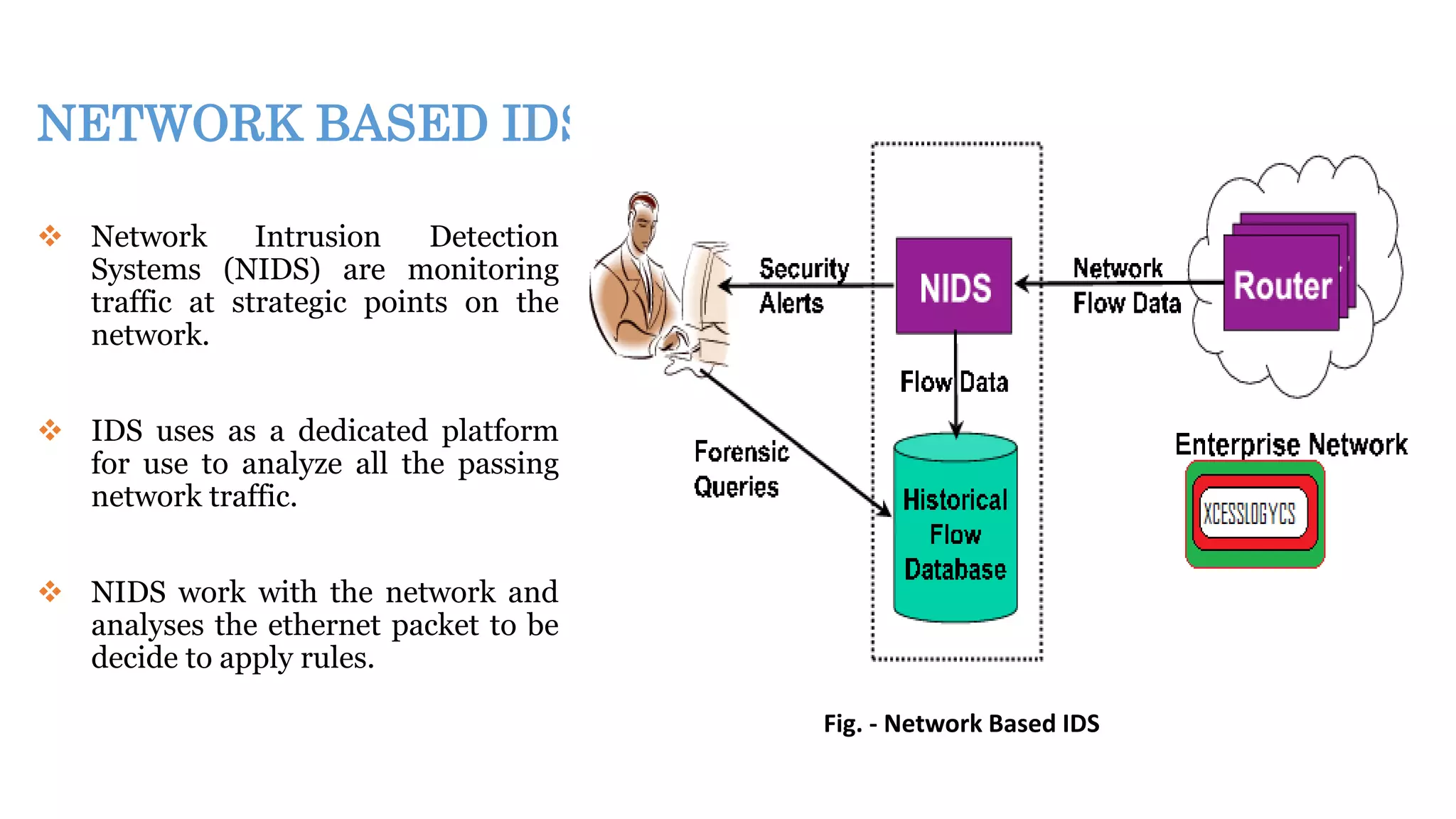
 Network Intrusion Detection
Systems (NIDS) are monitoring
traffic at strategic points on the
network.
 IDS uses as a dedicated platform
for use to analyze all the passing
network traffic.
 NIDS work with the network and
analyses the ethernet packet to be
decide to apply rules.
Fig. - Network Based IDS
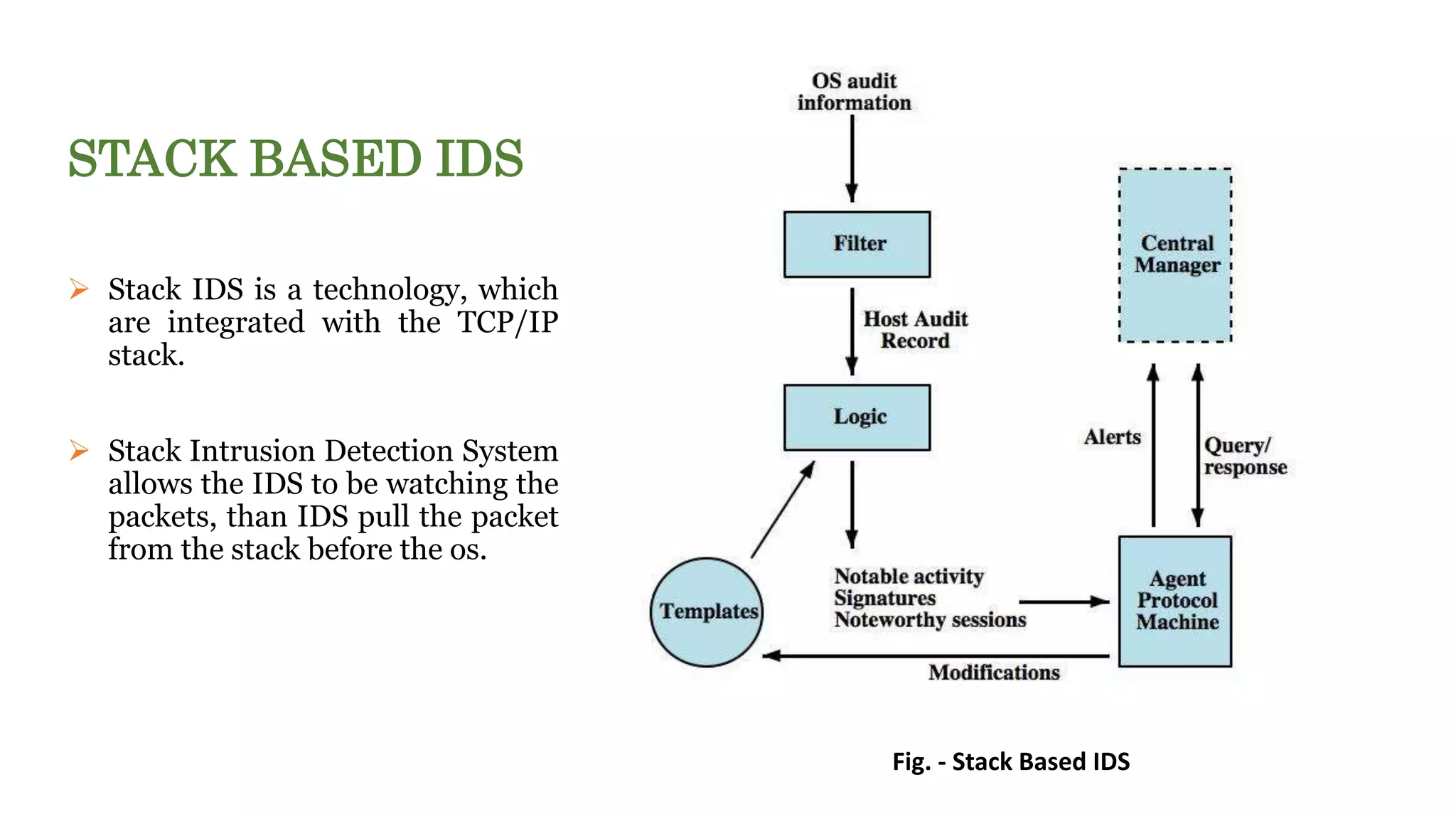
STACK BASED IDS
 Stack IDS is a technology, which
are integrated with the TCP/IP
stack.
 Stack Intrusion Detection System
allows the IDS to be watching the
packets, than IDS pull the packet
from the stack before the os.
Fig. - Stack Based IDS
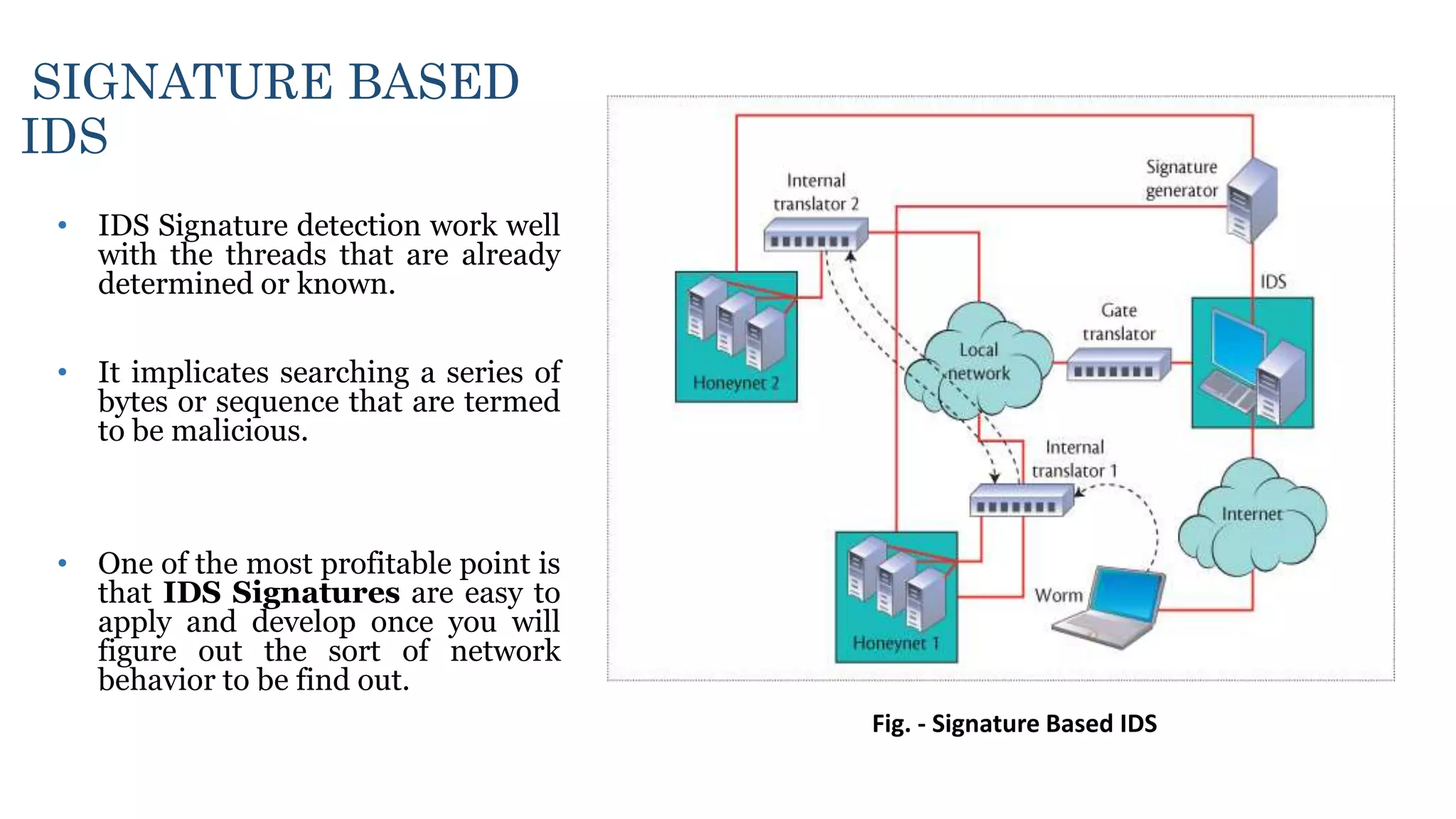
SIGNATURE BASED
IDS
• IDS Signature detection work well
with the threads that are already
determined or known.
• It implicates searching a series of
bytes or sequence that are termed
to be malicious.
• One of the most profitable point is
that IDS Signatures are easy to
apply and develop once you will
figure out the sort of network
behavior to be find out.
Fig. - Signature Based IDS
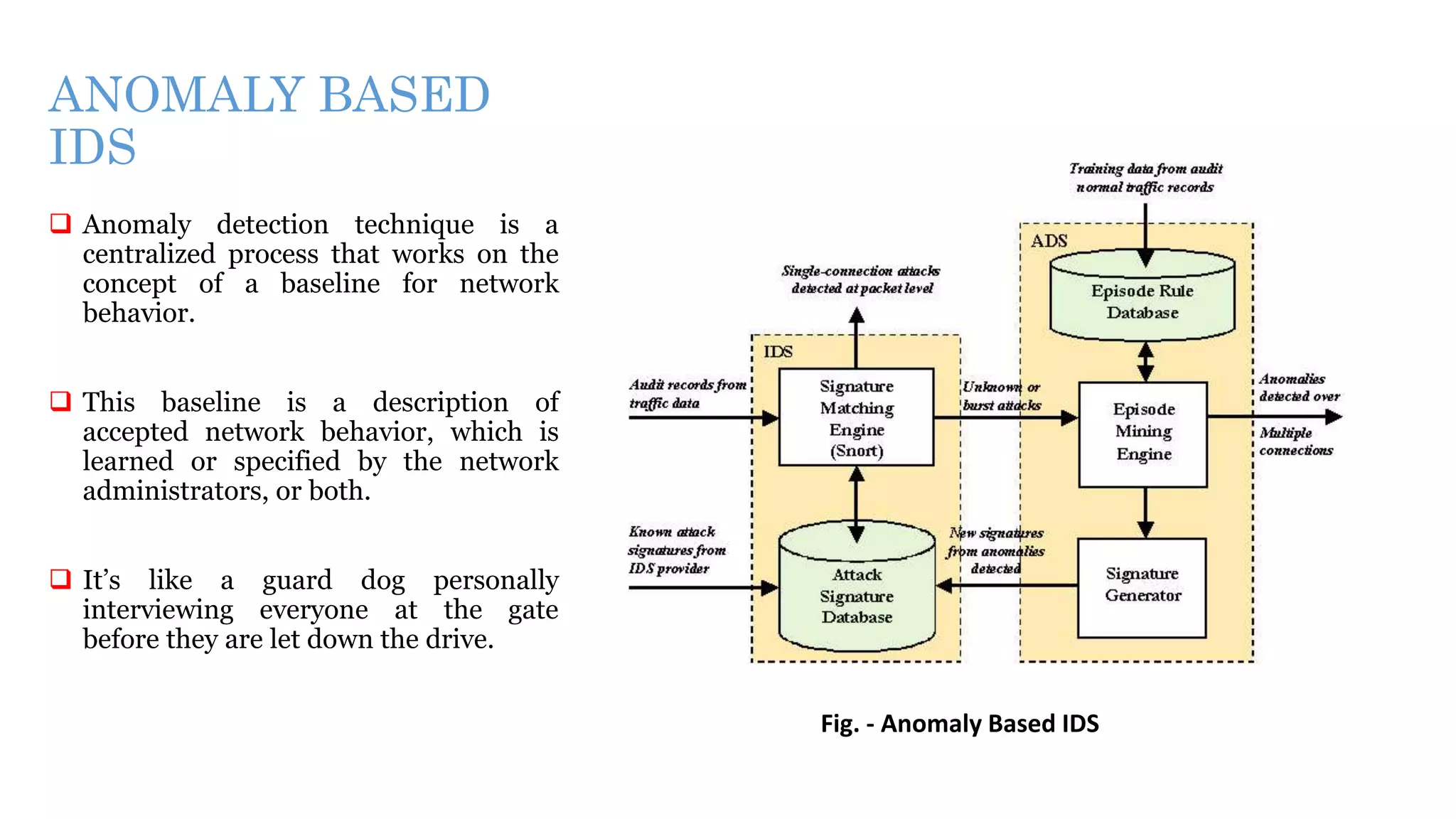
ANOMALY BASED
IDS
 Anomaly detection technique is a
centralized process that works on the
concept of a baseline for network
behavior.
 This baseline is a description of
accepted network behavior, which is
learned or specified by the network
administrators, or both.
 It’s like a guard dog personally
interviewing everyone at the gate
before they are let down the drive.
Fig. - Anomaly Based IDS
Intrusion prevention systems (IPS)
o Intrusion prevention systems (IPS) also known as intrusion detection and prevention
systems (IDPS), are network security appliances that monitor network and system activities for
malicious or harmful activity.
o The main objectives of intrusion prevention systems are:
 Identification of malicious activity
 Log information about said activity
 Attempt to block/stop harmful activity
 Report malevolent activity.
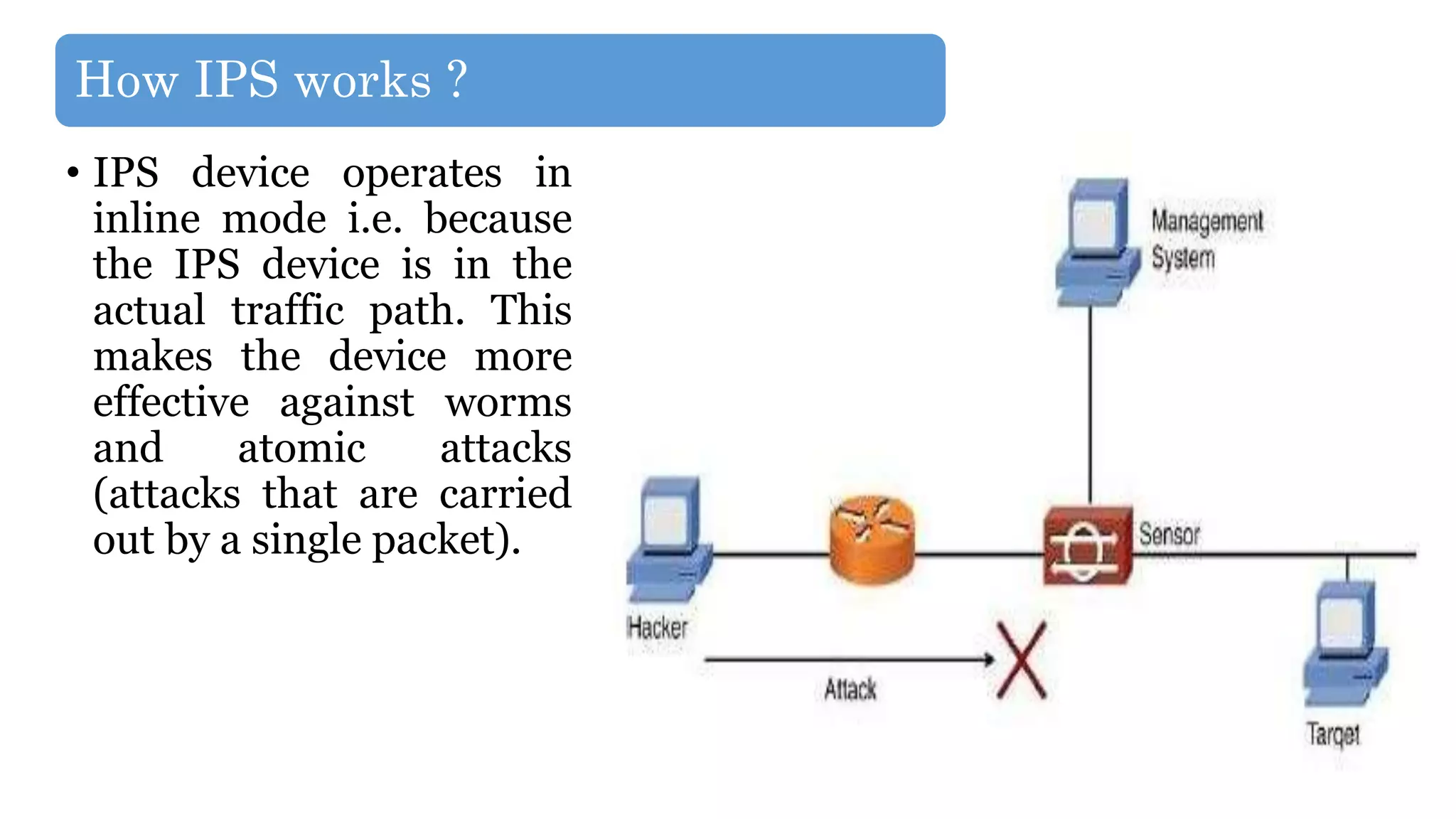
How IPS works ?
• IPS device operates in
inline mode i.e. because
the IPS device is in the
actual traffic path. This
makes the device more
effective against worms
and atomic attacks
(attacks that are carried
out by a single packet).
IPS’S DETECTION METHODS
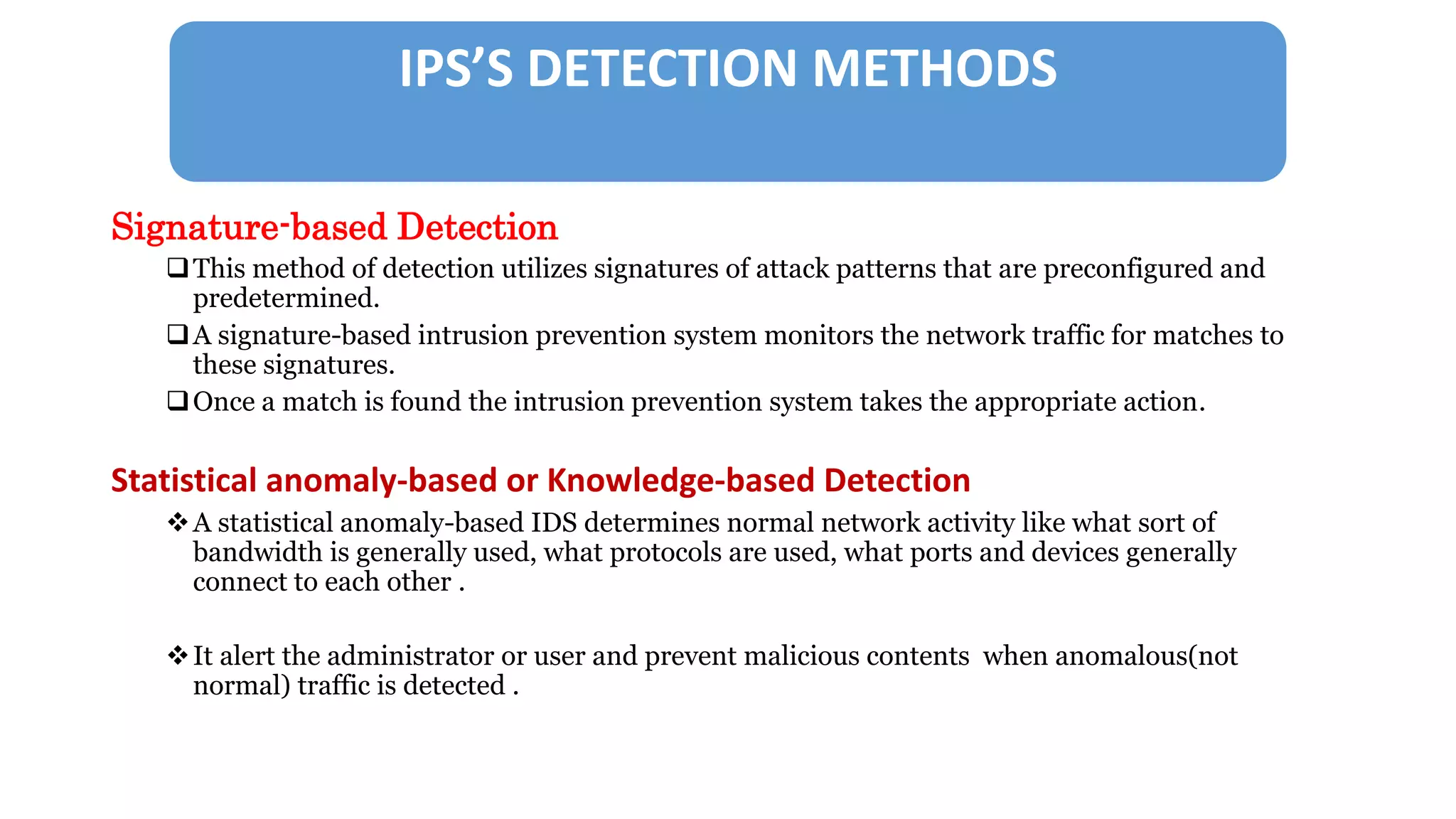
Signature-based Detection
This method of detection utilizes signatures of attack patterns that are preconfigured and
predetermined.
A signature-based intrusion prevention system monitors the network traffic for matches to
these signatures.
Once a match is found the intrusion prevention system takes the appropriate action.
Statistical anomaly-based or Knowledge-based Detection
A statistical anomaly-based IDS determines normal network activity like what sort of
bandwidth is generally used, what protocols are used, what ports and devices generally
connect to each other .
It alert the administrator or user and prevent malicious contents when anomalous(not
normal) traffic is detected .
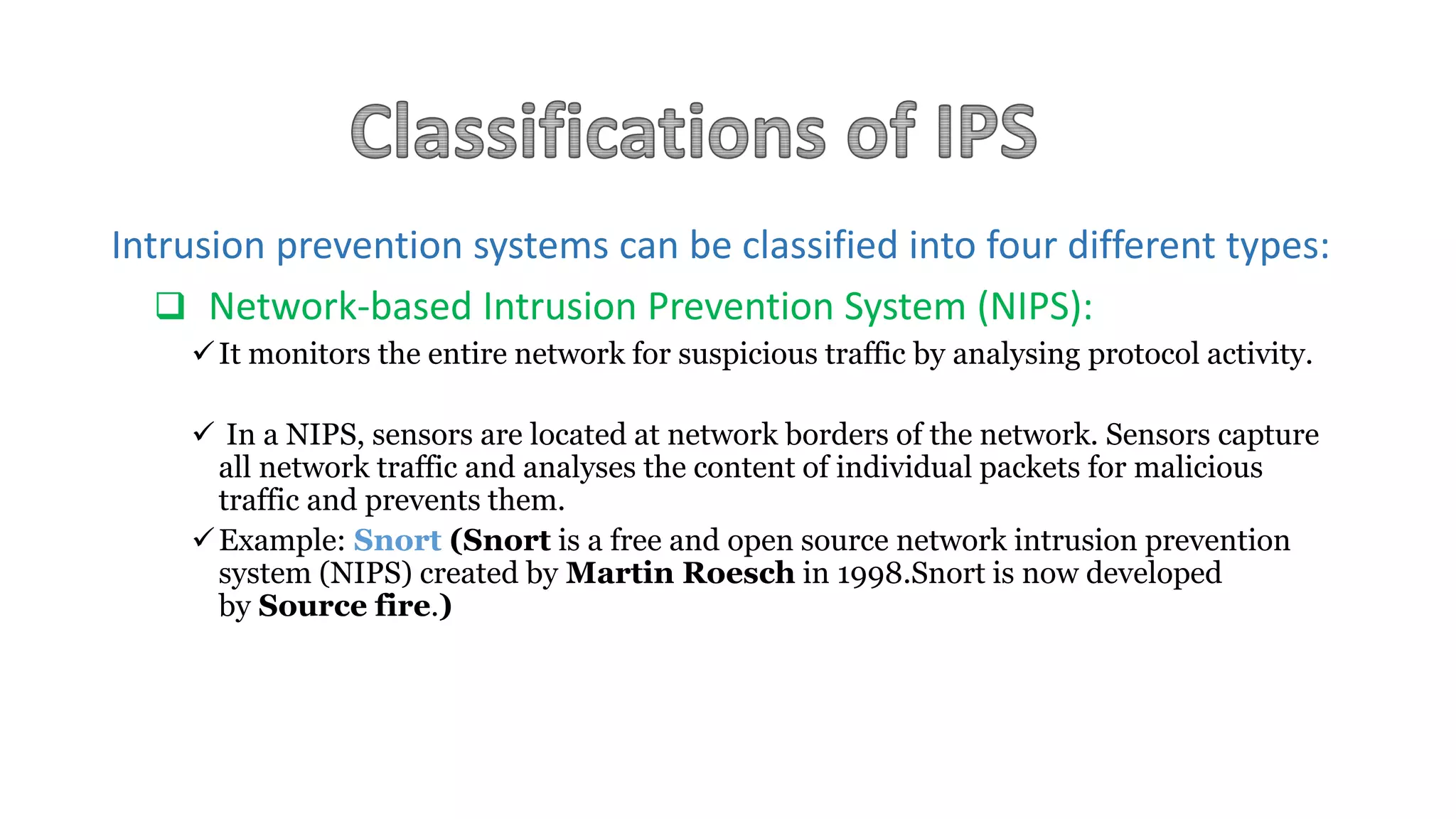
Intrusion prevention systems can be classified into four different types:
 Network-based Intrusion Prevention System (NIPS):
It monitors the entire network for suspicious traffic by analysing protocol activity.
 In a NIPS, sensors are located at network borders of the network. Sensors capture
all network traffic and analyses the content of individual packets for malicious
traffic and prevents them.
Example: Snort (Snort is a free and open source network intrusion prevention
system (NIPS) created by Martin Roesch in 1998.Snort is now developed
by Source fire.)
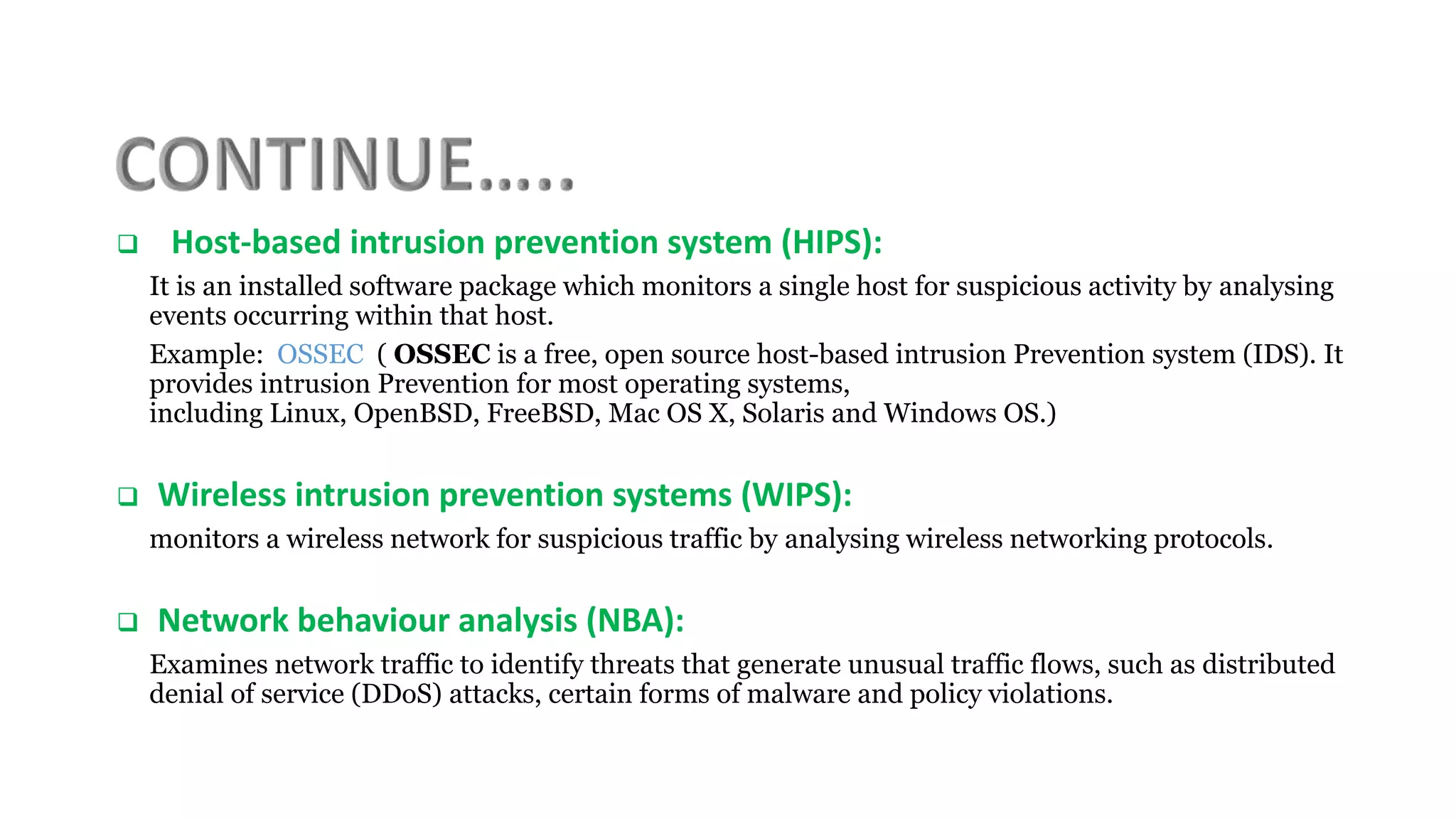
 Host-based intrusion prevention system (HIPS):
It is an installed software package which monitors a single host for suspicious activity by analysing
events occurring within that host.
Example: OSSEC ( OSSEC is a free, open source host-based intrusion Prevention system (IDS). It
provides intrusion Prevention for most operating systems,
including Linux, OpenBSD, FreeBSD, Mac OS X, Solaris and Windows OS.)
 Wireless intrusion prevention systems (WIPS):
monitors a wireless network for suspicious traffic by analysing wireless networking protocols.
 Network behaviour analysis (NBA):
Examines network traffic to identify threats that generate unusual traffic flows, such as distributed
denial of service (DDoS) attacks, certain forms of malware and policy violations.
VPN(Virtual Private Network)
• What is a VPN ?
 A technology that creates a network that is physically public, but virtually private.
 VPNs typically require remote users of the network to be authenticated, and often secure data
with encryption technologies to prevent disclosure of private information to unauthorized
parties.
 A virtual private network (VPN) is a secure way of connecting to a private Local Area Network
at a remote location, using the Internet or any unsecure public network to transport the
network data packets privately, using encryption. The VPN uses authentication to deny access
to unauthorized users, and encryption to prevent unauthorized users from reading the private
network packets. The VPN can be used to send any kind of network traffic securely, including
voice, video or data.
Types of VPNs
Remote access VPN
Intranet VPN
Extranet VPN
REMOTE ACCESS VPN
• A remote-access VPN allows individual users to establish secure
connections with a remote computer network.
• There are two components required in a remote-access VPN. The first
is a network access server(NAS).
• The other required component of remote-access VPNs is client
software
INTRANET VPN
• Intranet VPNs link corporate headquarters, remote
offices, and branch offices over a shared
infrastructure using dedicated connections.
• The benefits of an intranet VPN are as follows:
- Reduces WAN bandwidth costs
- Connect new sites easily
Extranet VPN
• Extranet VPNs link customers, suppliers, partners, or
communities of interest to a corporate intranet over a shared
infrastructure using dedicated connections. In this example, the
VPN is often an alternative to fax, snail mail, or EDI. The
extranet VPN facilitates e-commerce.
VPN ADVANTAGES
• Security -- The VPN should protect data while it's traveling on the public network. If intruders attempt to
capture the data, they should be unable to read or use it.
• Reliability --
• Employees and remote offices should be able to connect to the VPN with no trouble at any time (unless hours are
restricted), and the VPN should provide the same quality of connection for each user even when it is handling its
maximum number of simultaneous connections.
• Cost Savings
 Eliminating the need for expensive long-distance leased lines
 Reducing the long-distance telephone charges for remote access.
 Transferring the support burden to the service providers
 Operational costs
Disadvantages of VPN
VPNs require detailed understanding of network security
issues and careful installation / configuration to ensure
sufficient protection on a public network like the Internet.
 The reliability and performance of an Internet-based VPN
is not under an organization's direct control. Instead, the
solution relies on an ISP and their quality of service.
WEB CREATION & HOSTING
REGISTERING A DOMAIN NAME
 Select a Domain Registrar
 Check domain availability, register it providing domain owner details
 Configure Name Server for your domain that contains the host details
for the domain or sub-domains.
HOSTING THE WEBSITE
•Choose a hosting provider. You would get the IP address host
computer.
•Open DNS server settings that you used while registering the
domain.
•Map your domain and sub-domains to different hosts (IP
Addresses) in DNS Server.
WEBSITE CREATION & HOSTING
CREATE A SIMPLE WEB PAGE
UPLOADING CONTENT TO THE WEBSITE
ENABLING ONLINE PAYMENT
INTERNET FUNDAMENTALS

INTERNET FUNDAMENTALS

  • 3.
    The Advanced ResearchProjects Agency Network (ARPANET) was the network that became the basis and technical foundation of the internet . ARPANET was initially funded by the Advance Research Projects Agency (ARPA) of the United States Department of Defence in the 1970s . The initial purpose was to communicate and share computer resources among mainly scientific users at the connected institutions. In the late 1970s the development of the TCP/IP protocols made it possible to expand the size of the network, which now had become a network of networks, in an orderly way. The World Wide Web (abbreviated WWW or the Web) is an information space where documents and other web resources are identified by Uniform Resource Locators (URLs), interlinked by hypertext links, and can be accessed via the internet. English scientist Tim Berners Lee invented the World Wide Web in 1989. He wrote the first web browser computer program in 1990 while employed at CERN in Switzerland.
  • 4.
    The first fewhundred web sites began in 1993 and most of them were at colleges, but long before most of them existed came Archie. The first search engine created was Archie, created in 1990 by Alan Emtage, a student at McGill University in Montreal. SEARCH ENGINE is a software system that is designed to search for information on the World Wide Web. The search results are generally presented in a line of results often referred to as search engine results pages (SERPs). The information may be a mix of web pages, images, and other types of files. The formal standard for FTP was published in RFC 765, File Transfer Protocol Specification, June 1980. This was the first standard to define FTP operation over modern TCP/IP. The File Transfer Protocol (FTP) is a standard network protocol used to transfer computer files between a client and server on a computer network. FTP is built on a client-server architecture and uses separate control and data connections between the client and the server. Social networking is the use of internet-based social media programs to make connections with friends, family, classmates, customers and clients. Social networking can occur for social purposes, business purposes or both through sites such as Facebook, Twitter, LinkedIn, Classmates.com and Yelp. Social networking is also a significant target area for marketers seeking to engage users.
  • 5.
    INTERNET MANAGEMENT •Naming andAddressing • IP ADDRESSES:- An Internet Protocol address (IP address) is a numerical label assigned to each device (e.g., computer, printer) participating in a computer network that uses the Internet Protocol for communication. An IP address serves two principal functions: host or network interface identification and location addressing. Its role has been characterized as follows: A name indicates what we seek. An address indicates where it is. A route indicates how to get there. • GENERIC TOP LEVEL DOMAINS (gTLDS):- • A gTLD (generic top-level domain name) is the top-level domain name of an Internet address that identifies it generically as associated with some domain class, such as .com (commercial), .net (originally intended for Internet service providers, but now used for many purposes), .org (for non- profit organizations, industry groups, and others),.edu (for educational institutions); and many other.
  • 6.
    • Shared GlobalServices and Operations • ROOT SERVERS :- A root name server is a name server for the root zone of the Domain Name System (DNS) of the Internet. It directly answers requests for records in the root zone and answers other requests by returning a list of the authoritative name servers for the appropriate top-level domain (TLD). The root name servers are a critical part of the Internet infrastructure because they are the first step in translating (resolving) human readable host names into IP addresses that are used in communication between Internet hosts. • Country code Top Level Domains (ccTLDs):- A country code top-level domain (ccTLD) is an Internet top-level domain generally used or reserved for a country, sovereign state, or dependent territory identified with a country code. The ccTLD identifies a specific national domicile for an address. (For instance, .fr for France and .mx for Mexico.)
  • 7.
    TCP/IP • TCP/IP (TransmissionControl Protocol/Internet Protocol) is the basic communication language or protocol of the Internet. It can also be used as a communications protocol in a private network (either an intranet or an extranet). When you are set up with direct access to the Internet, your computer is provided with a copy of the TCP/IP program just as every other computer that you may send messages to or get information from also has a copy of TCP/IP. • TCP/IP is a two-layer program. The higher layer, Transmission Control Protocol, manages the assembling of a message or file into smaller packets that are transmitted over the Internet and received by a TCP layer that reassembles the packets into the original message. The lower layer, Internet Protocol, handles the address part of each packet so that it gets to the right destination. • TCP/IP uses the client/server model of communication in which a computer user (a client) requests and is provided a service (such as sending a Web page) by another computer (a server) in the network.
  • 8.
    INTERNET PROTOCOL(IP) • TheInternet Protocol (IP) is the method or protocol by which data is sent from one computer to another on the Internet. Each computer (known as a host) on the Internet has at least one IP address that uniquely identifies it from all other computers on the Internet. • The Internet Protocol is responsible for addressing hosts and for routing datagrams (packets) from a source host to a destination host across one or more IP networks. For this purpose, the Internet Protocol defines the format of packets and provides an addressing system that has two functions: Identifying hosts and providing a logical location service.
  • 9.
    WIRELESS NETWORKING • Wirelessnetworking is a method by which homes, telecommunications networks and enterprise (business) installations avoid the costly process of introducing cables into a building, or as a connection between various equipment locations. Wireless telecommunications networks are generally implemented and administered using radio communication. WIRELESS NETWORK :- A wireless network is any type of computer network that uses wireless data connections for connecting network nodes. Wireless networks are computer networks that are not connected by cables of any kind. The use of a wireless network enables enterprises to avoid the costly process of introducing cables into buildings or as a connection between different equipment locations. Wireless networks use radio waves to connect devices such as laptops to the Internet, the business network and applications. When laptops are connected to Wi-Fi hot spots in public places, the connection is established to that business’s wireless network.
  • 10.
    Types of WirelessNetwork Type Range Applications Standards Personal area network (PAN) Within reach of a person Cable replacement for peripherals Bluetooth, ZigBee, NFC Local area network (LAN) Within a building or campus Wireless extension of wired network IEEE 802.11 (WiFi) Metropolitan area network (MAN) Within a city Wireless inter-network connectivity IEEE 802.15 (WiMAX) Wide area network (WAN) Worldwide Wireless network access Cellular (UMTS, LTE, etc.)
  • 11.
    PACKET SWITCHING • Packetswitching is a digital networking communications method that groups all transmitted data into suitably sized blocks, called packets, which are transmitted via a medium that may be shared by multiple simultaneous communication sessions. Packet switching increases network efficiency, robustness and enables technological convergence of many applications operating on the same network. • Packets are composed of a header and payload. Information in the header is used by networking hardware to direct the packet to its destination where the payload is extracted and used by application software. ORIGINAL MESSAGE IS BROKEN INTO PARTS ROUTED ACROSS A PATH THAT CAN BE MODIFIED AS NEEDED AT THE DESTINATION IT IS REASSEMBLED
  • 12.
    AN ANIMATION DEMONSTRATINGDATA PACKET SWITCHING ACROSS A NETWORK
  • 13.
    CIRCUIT SWITCHING • Atype of communications in which a dedicated channel (or circuit) is established for the duration of a transmission. The most ubiquitous circuit-switching network is the telephone system, which links together wire segments to create a single unbroken line for each telephone call. • Circuit-switching systems are ideal for communications that require data to be transmitted in real- time. • Circuit-switching networks are sometimes called connection-oriented networks. Note, however, that although packet switching is essentially connectionless, a packet switching network can be made connection-oriented by using a higher-level protocol. TCP, for example, makes IP networks connection-oriented. ORIGINAL MESSAGE ROUTED ACROSS A PATH A FIXED PATH ORIGINAL MESSAGE
  • 14.
    DNS(Domain Name System) •The Domain Name System (DNS) maps internet domain names to the internet protocol (IP) network addresses they represent and enables websites to use names, rather than difficult-to- remember IP addresses. • A Domain Name is an identification string that defines a realm of administrative autonomy, authority or control within the Internet. Domain names are formed by the rules and procedures of the Domain Name System (DNS).
  • 15.
  • 16.
    IDS(Intrusion Detection System) IntrusionDetection System (IDS) is a software used to determine if a computer network or server has experienced an unauthorized intrusion. Intrusion is the illegal entry or unwelcome addition into the system. IDS detects these intrusion attempts so that action may be taken to repair the damage later. IDS monitors network traffic and monitors for suspicious activity and alerts the system or network administrator.
  • 17.
    How IDS works? • IDS works with a copy of the traffic. It can detect an attack and send an alert (and take other actions), but it cannot prevent the attack because it does not operate on traffic inline in the forwarding path.
  • 18.
    TYPES OF IDS 1.Host Based IDS 2. Network Based IDS 3. Stack Based IDS 4. Signature Based IDS 5. Anomaly Based IDS
  • 19.
     Host IntrusionDetection Systems (HIDS) are installed on the individual devices in the network.  HIDS analyzes the incoming and outgoing packets from a particular device.  HIDS is better than Network IDS as a comparison to detecting malicious activities for a particular device. Fig. - Host Based IDS HOST BASED IDS
  • 20.
    NETWORK BASED IDS Network Intrusion Detection Systems (NIDS) are monitoring traffic at strategic points on the network.  IDS uses as a dedicated platform for use to analyze all the passing network traffic.  NIDS work with the network and analyses the ethernet packet to be decide to apply rules. Fig. - Network Based IDS
  • 21.
    STACK BASED IDS Stack IDS is a technology, which are integrated with the TCP/IP stack.  Stack Intrusion Detection System allows the IDS to be watching the packets, than IDS pull the packet from the stack before the os. Fig. - Stack Based IDS
  • 22.
    SIGNATURE BASED IDS • IDSSignature detection work well with the threads that are already determined or known. • It implicates searching a series of bytes or sequence that are termed to be malicious. • One of the most profitable point is that IDS Signatures are easy to apply and develop once you will figure out the sort of network behavior to be find out. Fig. - Signature Based IDS
  • 23.
    ANOMALY BASED IDS  Anomalydetection technique is a centralized process that works on the concept of a baseline for network behavior.  This baseline is a description of accepted network behavior, which is learned or specified by the network administrators, or both.  It’s like a guard dog personally interviewing everyone at the gate before they are let down the drive. Fig. - Anomaly Based IDS
  • 24.
    Intrusion prevention systems(IPS) o Intrusion prevention systems (IPS) also known as intrusion detection and prevention systems (IDPS), are network security appliances that monitor network and system activities for malicious or harmful activity. o The main objectives of intrusion prevention systems are:  Identification of malicious activity  Log information about said activity  Attempt to block/stop harmful activity  Report malevolent activity.
  • 25.
    How IPS works? • IPS device operates in inline mode i.e. because the IPS device is in the actual traffic path. This makes the device more effective against worms and atomic attacks (attacks that are carried out by a single packet).
  • 26.
    IPS’S DETECTION METHODS Signature-basedDetection This method of detection utilizes signatures of attack patterns that are preconfigured and predetermined. A signature-based intrusion prevention system monitors the network traffic for matches to these signatures. Once a match is found the intrusion prevention system takes the appropriate action. Statistical anomaly-based or Knowledge-based Detection A statistical anomaly-based IDS determines normal network activity like what sort of bandwidth is generally used, what protocols are used, what ports and devices generally connect to each other . It alert the administrator or user and prevent malicious contents when anomalous(not normal) traffic is detected .
  • 27.
    Intrusion prevention systemscan be classified into four different types:  Network-based Intrusion Prevention System (NIPS): It monitors the entire network for suspicious traffic by analysing protocol activity.  In a NIPS, sensors are located at network borders of the network. Sensors capture all network traffic and analyses the content of individual packets for malicious traffic and prevents them. Example: Snort (Snort is a free and open source network intrusion prevention system (NIPS) created by Martin Roesch in 1998.Snort is now developed by Source fire.)
  • 28.
     Host-based intrusionprevention system (HIPS): It is an installed software package which monitors a single host for suspicious activity by analysing events occurring within that host. Example: OSSEC ( OSSEC is a free, open source host-based intrusion Prevention system (IDS). It provides intrusion Prevention for most operating systems, including Linux, OpenBSD, FreeBSD, Mac OS X, Solaris and Windows OS.)  Wireless intrusion prevention systems (WIPS): monitors a wireless network for suspicious traffic by analysing wireless networking protocols.  Network behaviour analysis (NBA): Examines network traffic to identify threats that generate unusual traffic flows, such as distributed denial of service (DDoS) attacks, certain forms of malware and policy violations.
  • 29.
    VPN(Virtual Private Network) •What is a VPN ?  A technology that creates a network that is physically public, but virtually private.  VPNs typically require remote users of the network to be authenticated, and often secure data with encryption technologies to prevent disclosure of private information to unauthorized parties.  A virtual private network (VPN) is a secure way of connecting to a private Local Area Network at a remote location, using the Internet or any unsecure public network to transport the network data packets privately, using encryption. The VPN uses authentication to deny access to unauthorized users, and encryption to prevent unauthorized users from reading the private network packets. The VPN can be used to send any kind of network traffic securely, including voice, video or data.
  • 30.
    Types of VPNs Remoteaccess VPN Intranet VPN Extranet VPN
  • 31.
    REMOTE ACCESS VPN •A remote-access VPN allows individual users to establish secure connections with a remote computer network. • There are two components required in a remote-access VPN. The first is a network access server(NAS). • The other required component of remote-access VPNs is client software
  • 32.
    INTRANET VPN • IntranetVPNs link corporate headquarters, remote offices, and branch offices over a shared infrastructure using dedicated connections. • The benefits of an intranet VPN are as follows: - Reduces WAN bandwidth costs - Connect new sites easily
  • 33.
    Extranet VPN • ExtranetVPNs link customers, suppliers, partners, or communities of interest to a corporate intranet over a shared infrastructure using dedicated connections. In this example, the VPN is often an alternative to fax, snail mail, or EDI. The extranet VPN facilitates e-commerce.
  • 34.
    VPN ADVANTAGES • Security-- The VPN should protect data while it's traveling on the public network. If intruders attempt to capture the data, they should be unable to read or use it. • Reliability -- • Employees and remote offices should be able to connect to the VPN with no trouble at any time (unless hours are restricted), and the VPN should provide the same quality of connection for each user even when it is handling its maximum number of simultaneous connections. • Cost Savings  Eliminating the need for expensive long-distance leased lines  Reducing the long-distance telephone charges for remote access.  Transferring the support burden to the service providers  Operational costs
  • 35.
    Disadvantages of VPN VPNsrequire detailed understanding of network security issues and careful installation / configuration to ensure sufficient protection on a public network like the Internet.  The reliability and performance of an Internet-based VPN is not under an organization's direct control. Instead, the solution relies on an ISP and their quality of service.
  • 36.
    WEB CREATION &HOSTING REGISTERING A DOMAIN NAME  Select a Domain Registrar  Check domain availability, register it providing domain owner details  Configure Name Server for your domain that contains the host details for the domain or sub-domains. HOSTING THE WEBSITE •Choose a hosting provider. You would get the IP address host computer. •Open DNS server settings that you used while registering the domain. •Map your domain and sub-domains to different hosts (IP Addresses) in DNS Server. WEBSITE CREATION & HOSTING
  • 37.
    CREATE A SIMPLEWEB PAGE UPLOADING CONTENT TO THE WEBSITE ENABLING ONLINE PAYMENT

Editor's Notes

  • #32 In other words, employees who want to use the VPN from their computers require software on those computers that can establish and maintain a connection to the VPN Employee to Business…..