Chapter 2 
Fundamentals of the World Wide Web 
and Internet 
Discovering 
Computers 2012 
Your Interactive Guide 
to the Digital World
Objectives Overview 
Discovering Computers 2012: Chapter 2 See Page 73 2 
for Detailed Objectives
Objectives Overview 
Discovering Computers 2012: Chapter 2 See Page 73 3 
for Detailed Objectives
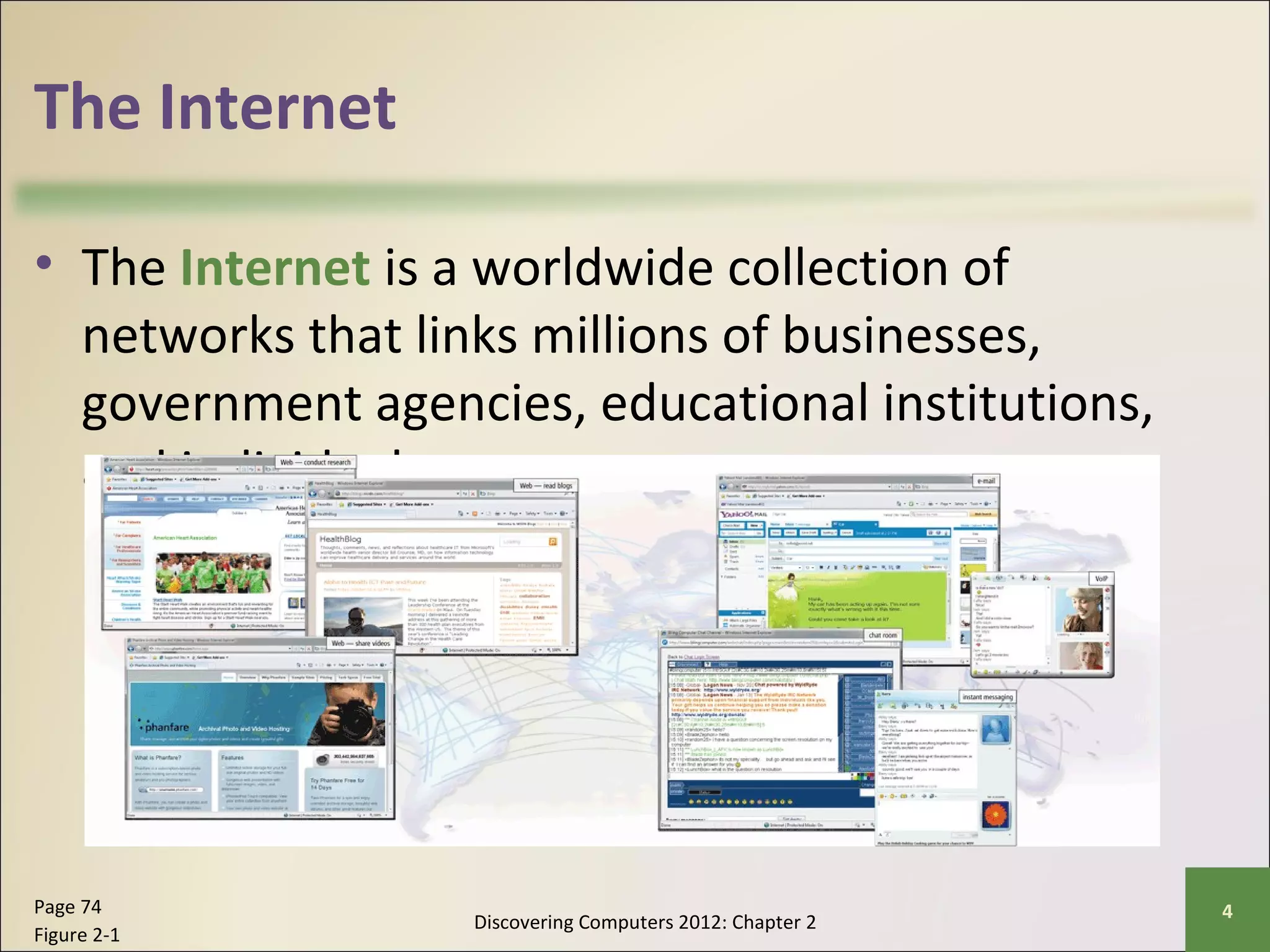
The Internet 
• The Internet is a worldwide collection of 
networks that links millions of businesses, 
government agencies, educational institutions, 
and individuals 
Discovering Computers 2012: Chapter 2 Page 74 4 
Figure 2-1
Evolution of the Internet 
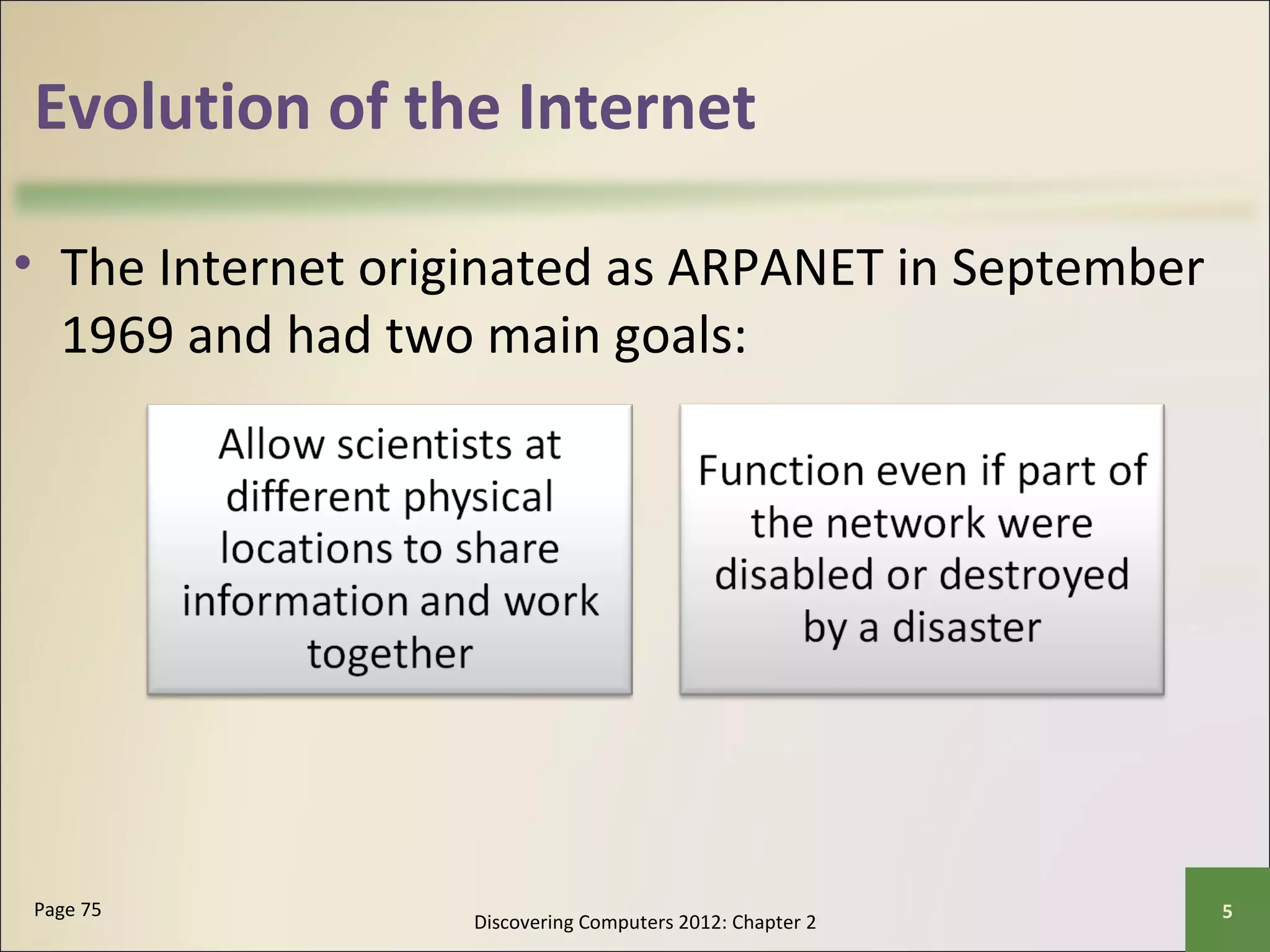
• The Internet originated as ARPANET in September 
1969 and had two main goals: 
Discovering Computers 2012: Chapter 2 Page 75 5
Evolution of the Internet 
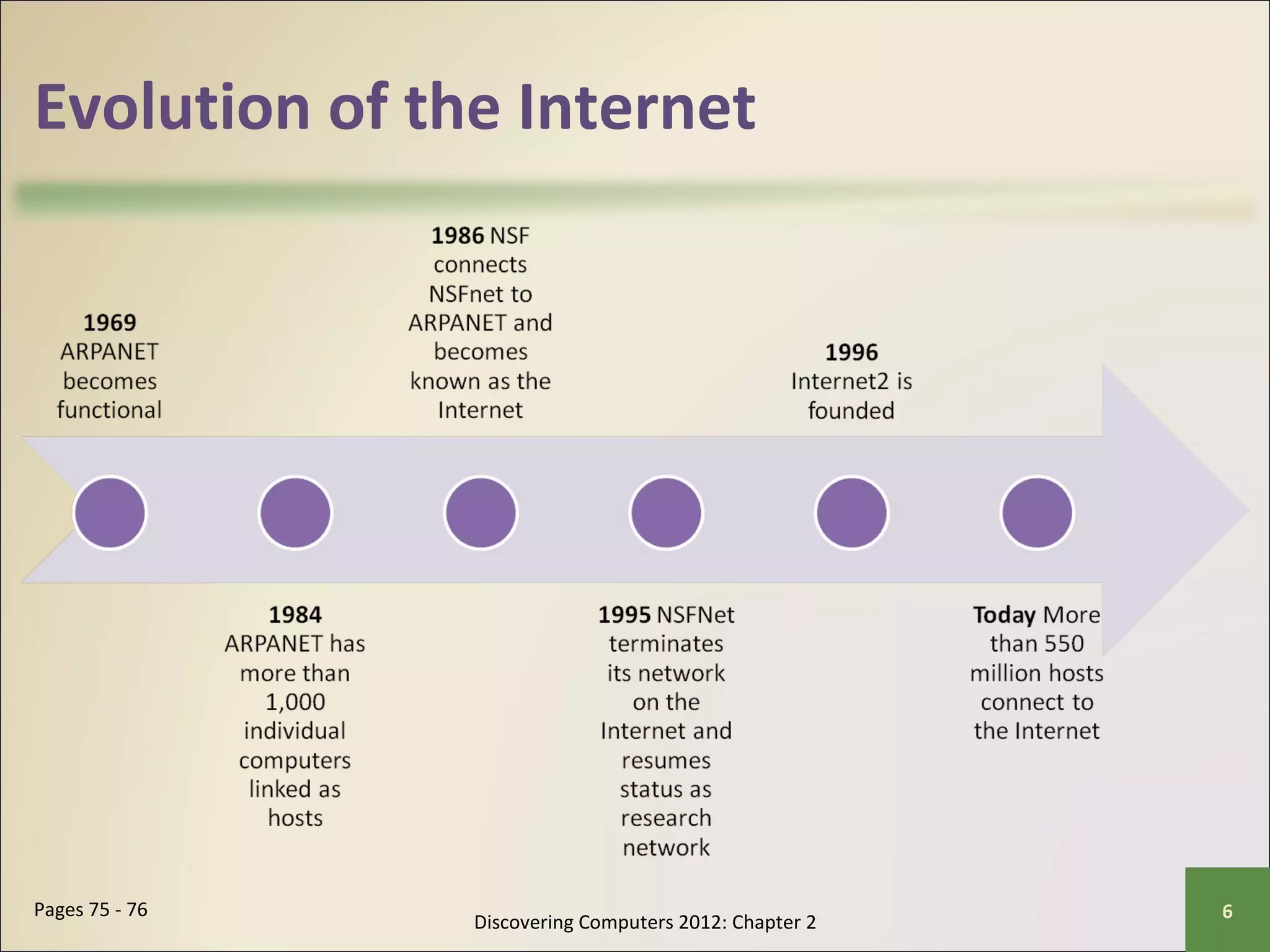
Discovering Computers 2012: Chapter 2 Pages 75 - 76 6
Evolution of the Internet 
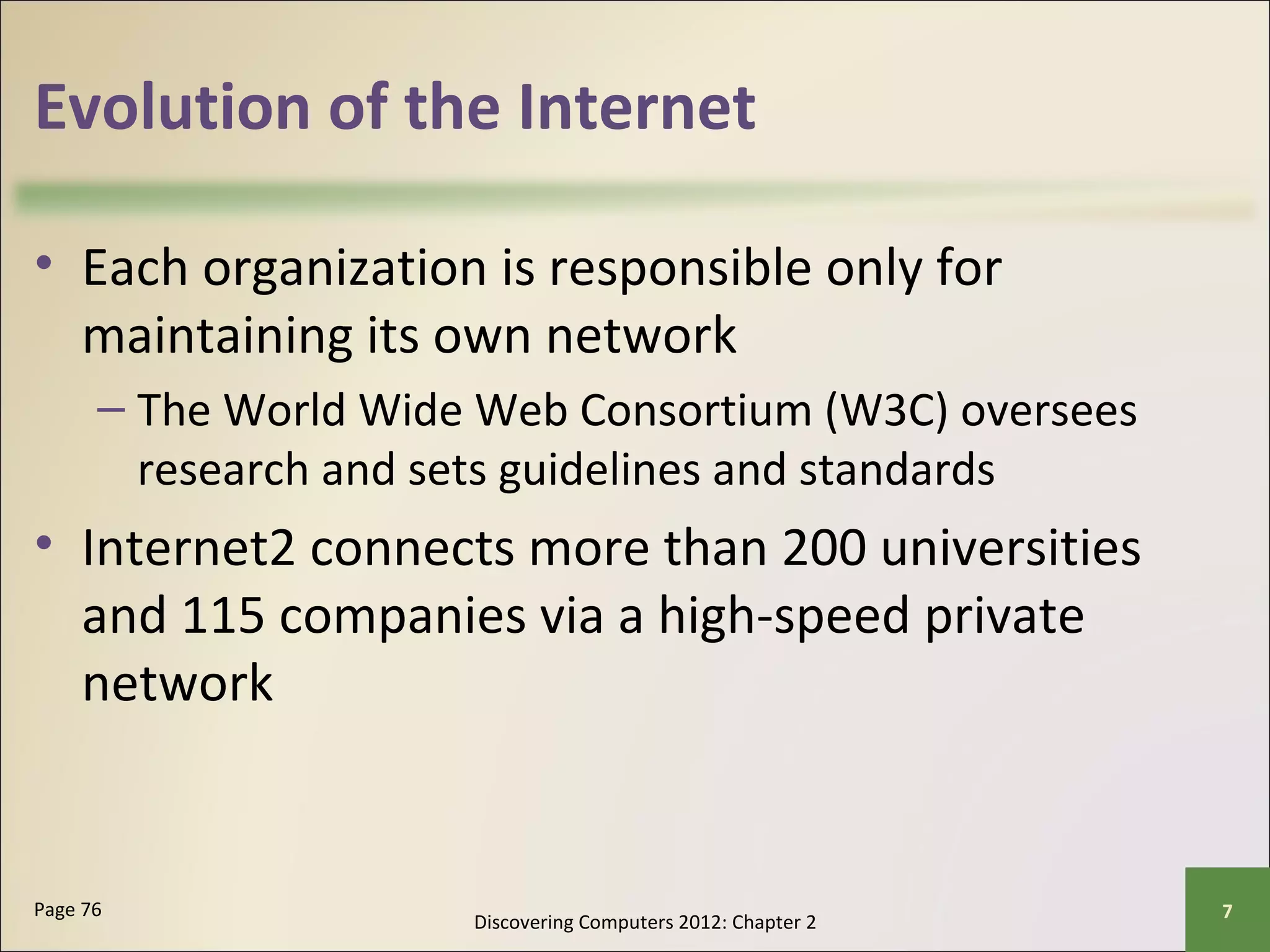
• Each organization is responsible only for 
maintaining its own network 
– The World Wide Web Consortium (W3C) oversees 
research and sets guidelines and standards 
• Internet2 connects more than 200 universities 
and 115 companies via a high-speed private 
network 
Discovering Computers 2012: Chapter 2 Page 76 7
Evolution of the Internet 
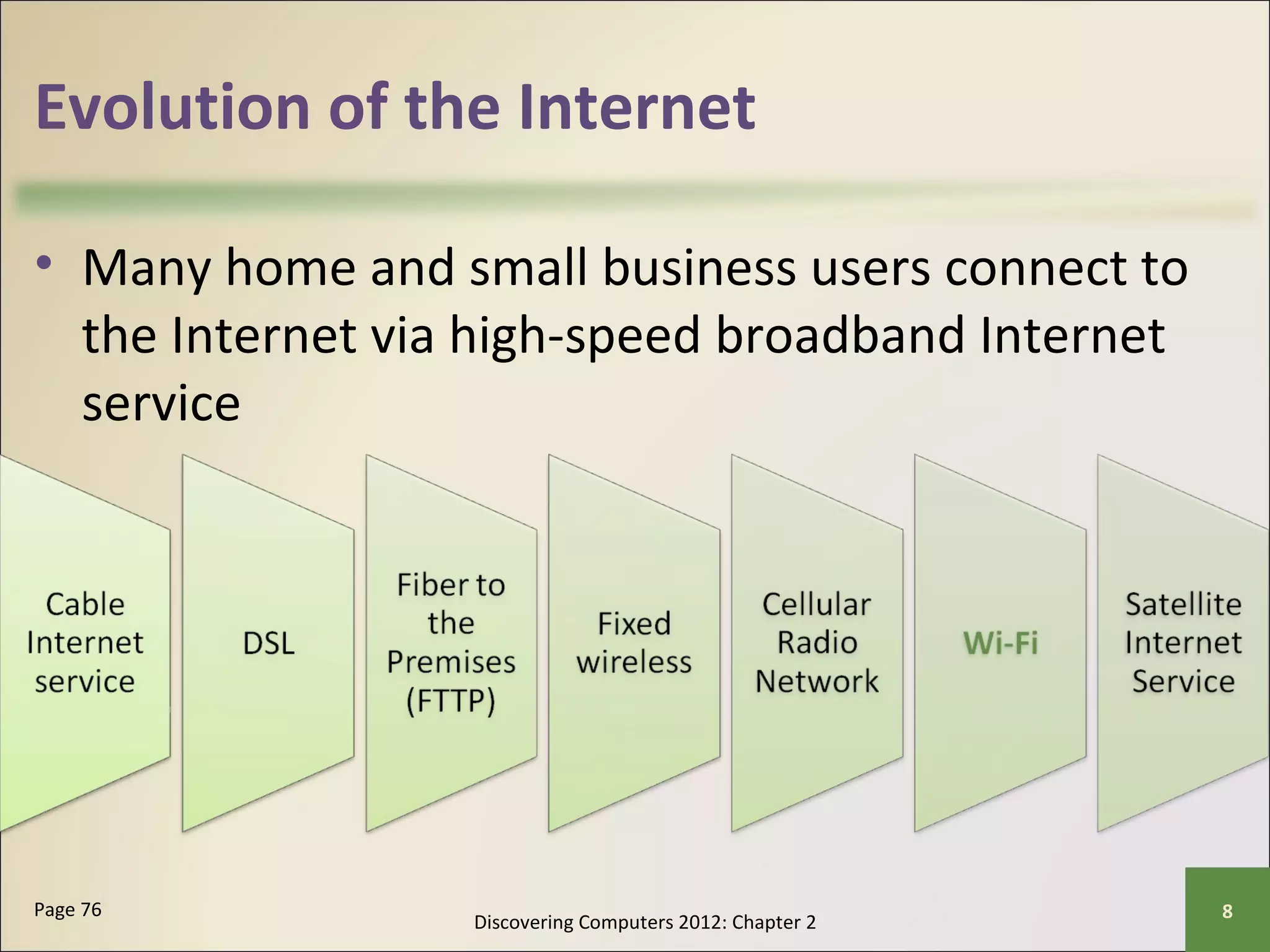
• Many home and small business users connect to 
the Internet via high-speed broadband Internet 
service 
Discovering Computers 2012: Chapter 2 Page 76 8
Evolution of the Internet 
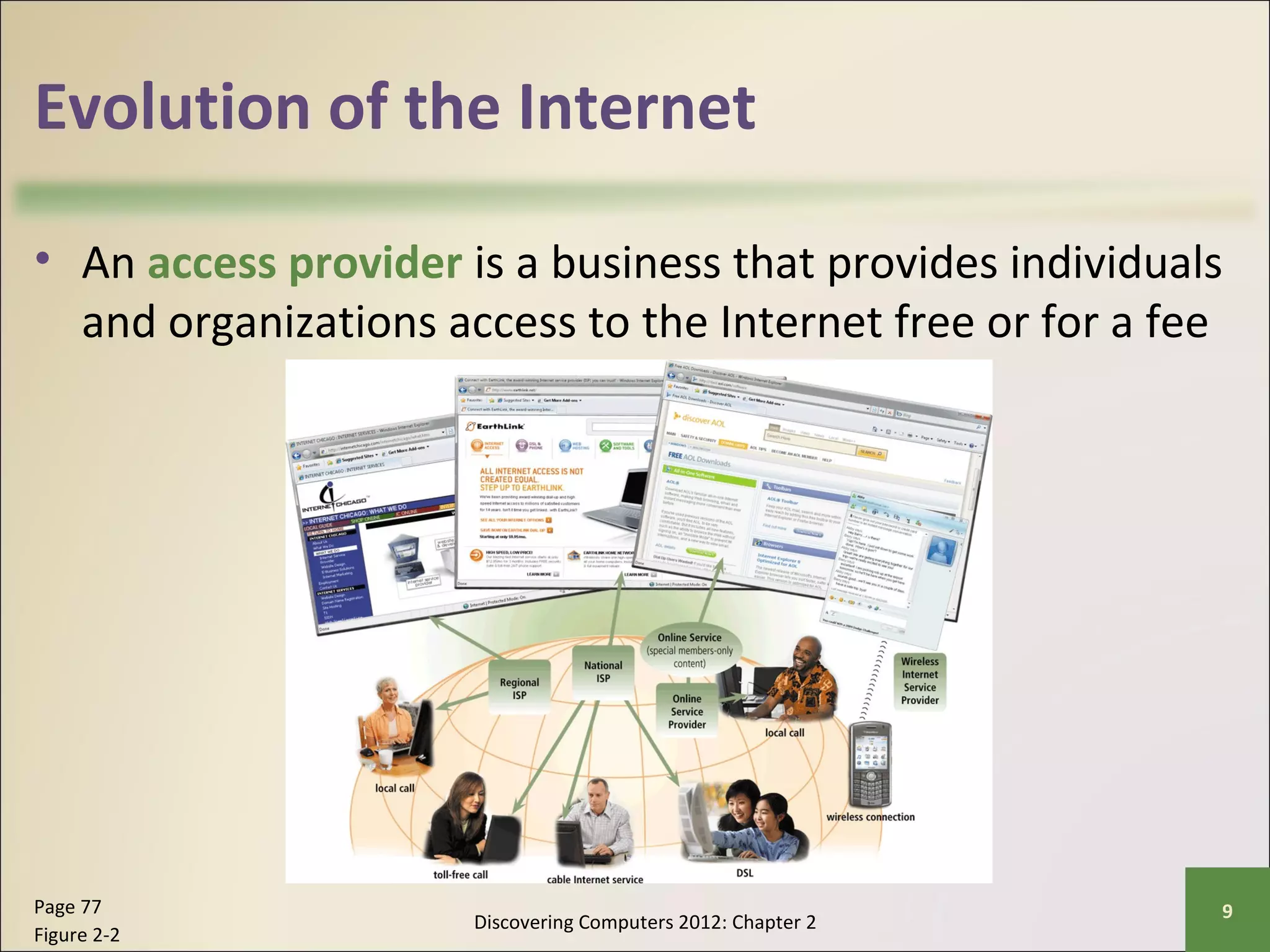
• An access provider is a business that provides individuals 
and organizations access to the Internet free or for a fee 
Discovering Computers 2012: Chapter 2 Page 77 9 
Figure 2-2
Evolution of the Internet 
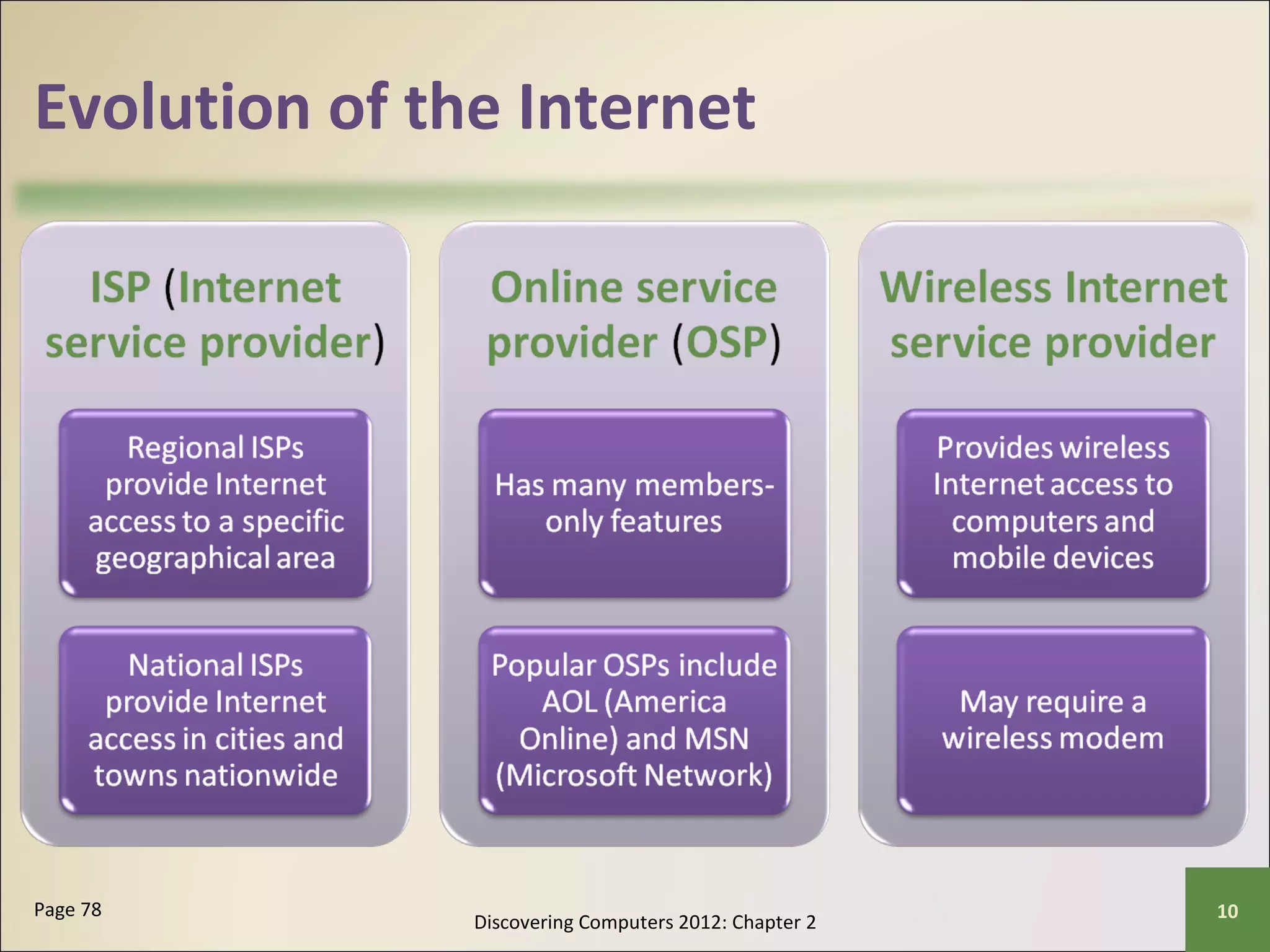
Discovering Computers 2012: Chapter 2 Page 78 10
Evolution of the Internet 
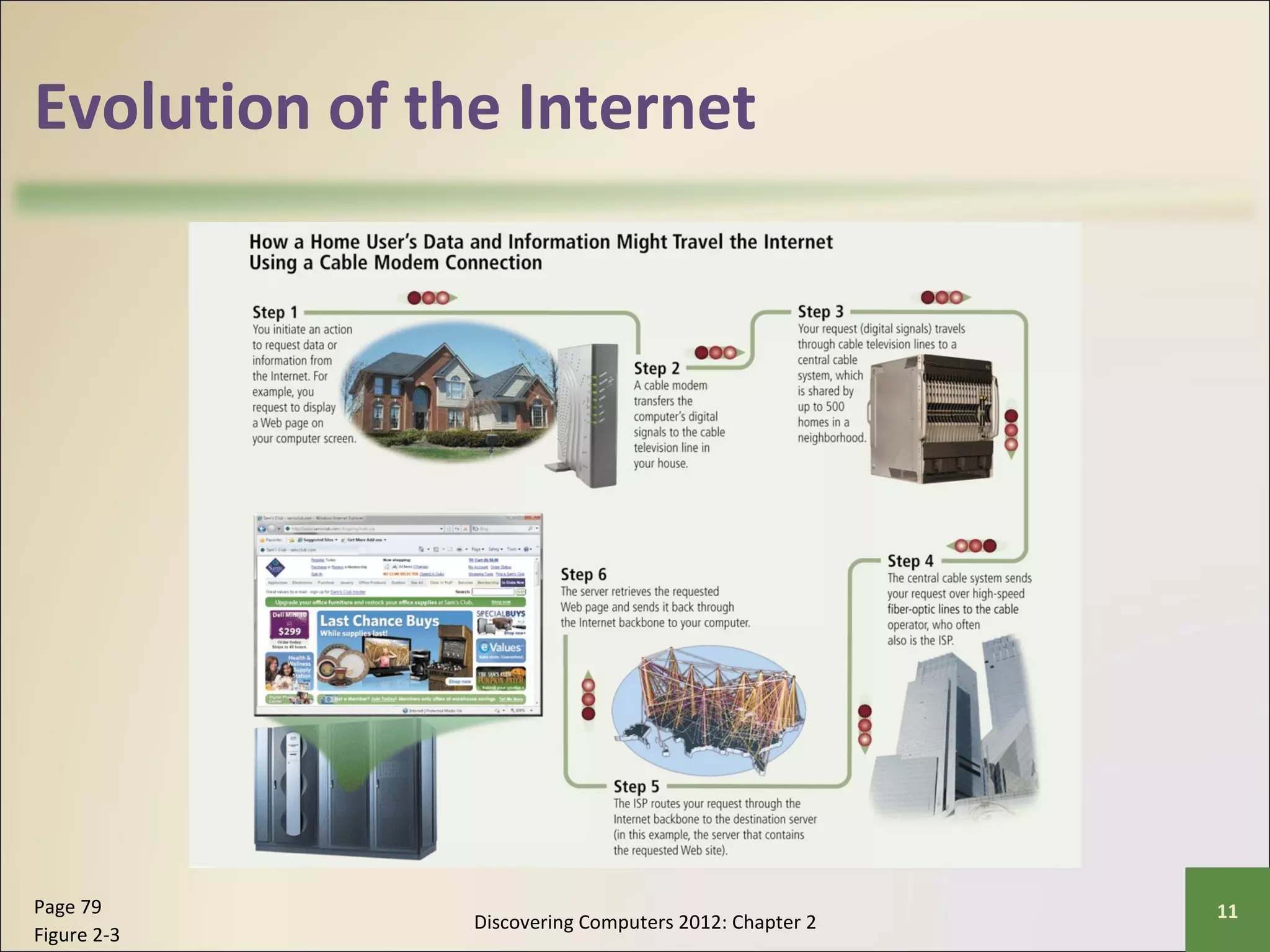
Discovering Computers 2012: Chapter 2 Page 79 11 
Figure 2-3
Evolution of the Internet 
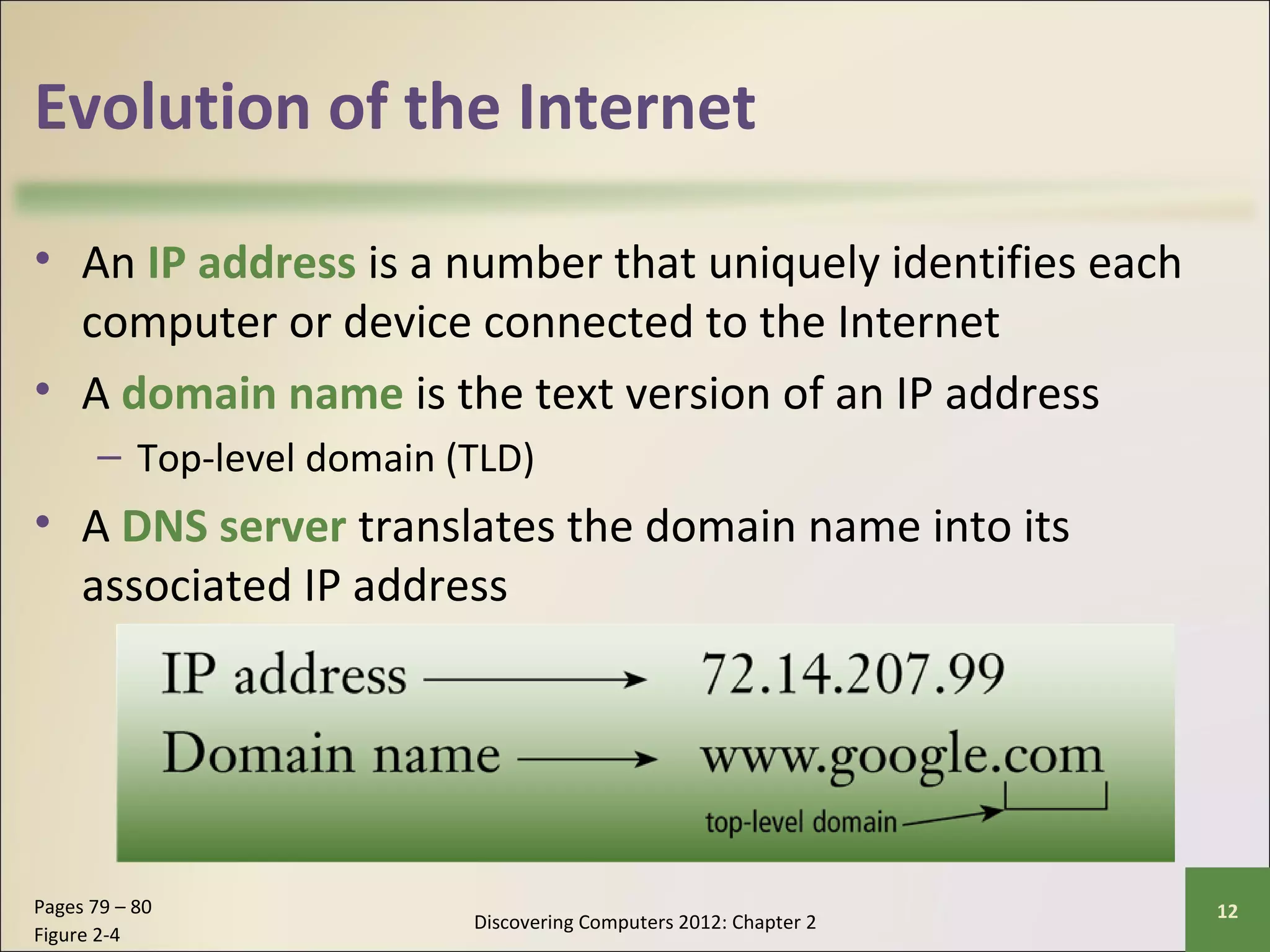
• An IP address is a number that uniquely identifies each 
computer or device connected to the Internet 
• A domain name is the text version of an IP address 
– Top-level domain (TLD) 
• A DNS server translates the domain name into its 
associated IP address 
Discovering Computers 2012: Chapter 2 Pages 79 – 80 12 
Figure 2-4
The World Wide Web 
• The World Wide Web, or Web, consists of a 
worldwide collection of electronic documents 
(Web pages) 
• A Web site is a collection of related Web pages 
and associated items 
• A Web server is a computer that delivers 
requested Web pages to your computer 
• Web 2.0 refers to Web sites that provide a means 
for users to interact 
Discovering Computers 2012: Chapter 2 Pages 80 - 81 13
The World Wide Web 
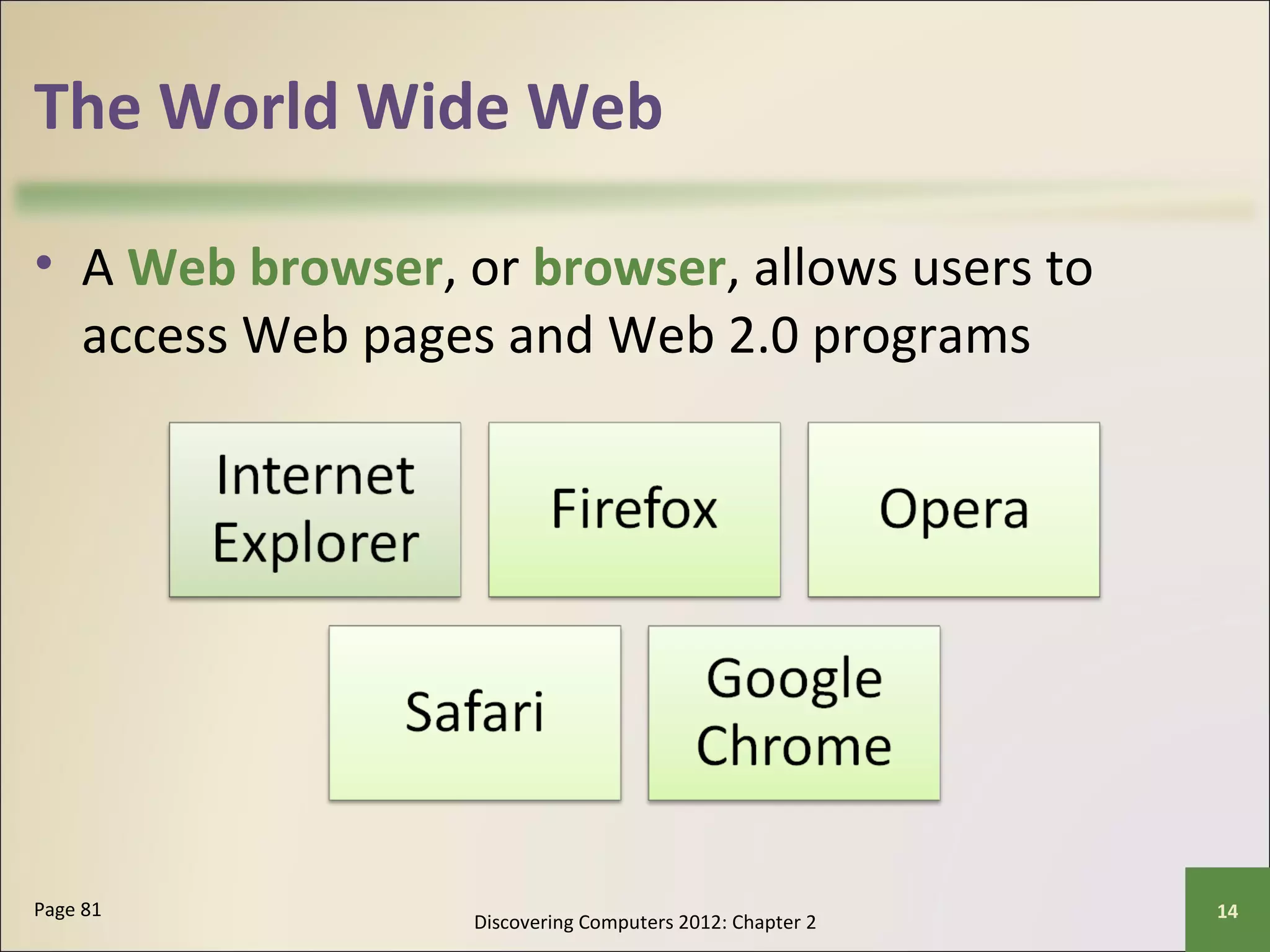
• A Web browser, or browser, allows users to 
access Web pages and Web 2.0 programs 
Discovering Computers 2012: Chapter 2 Page 81 14
The World Wide Web 
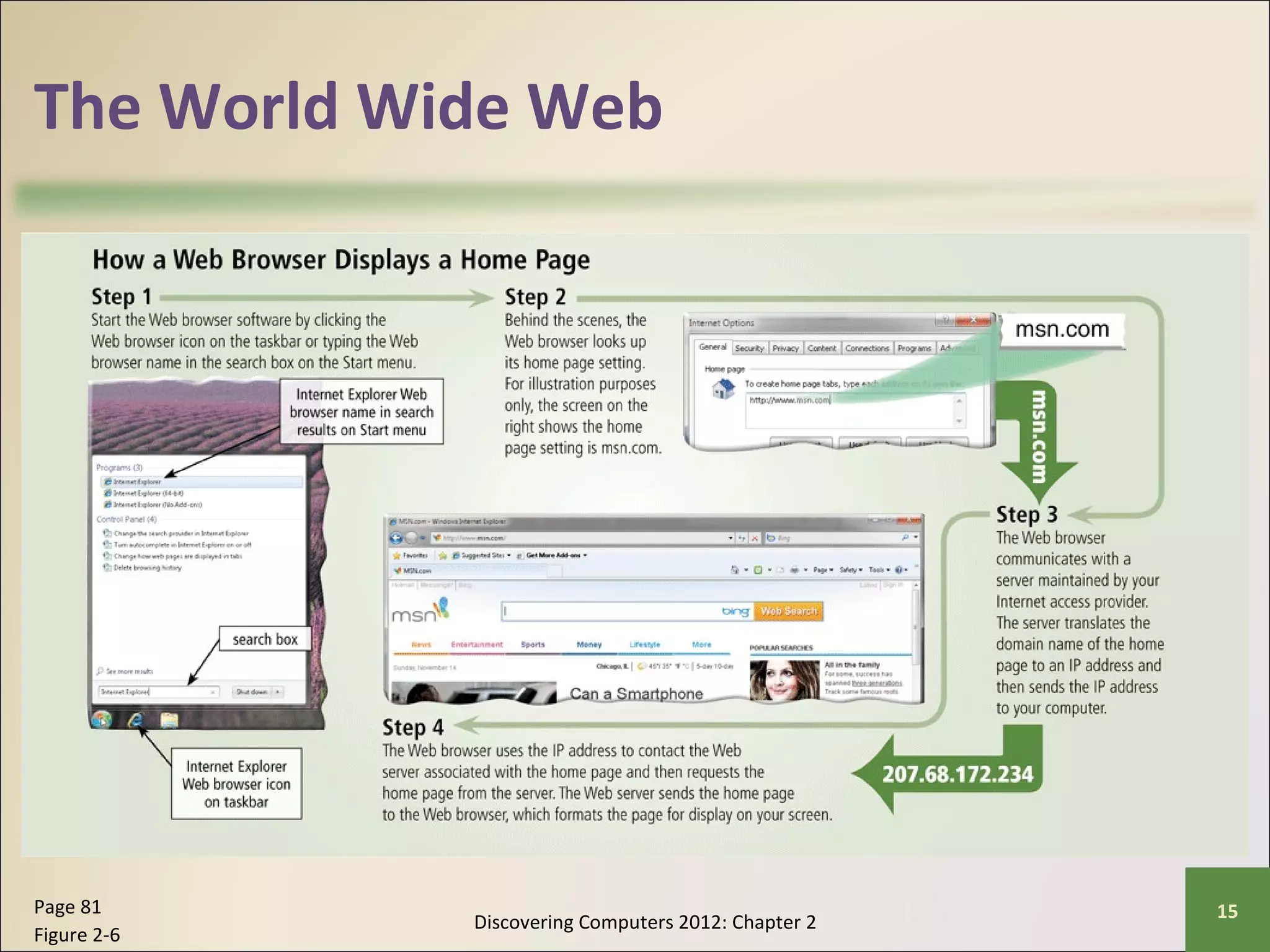
Discovering Computers 2012: Chapter 2 Page 81 15 
Figure 2-6
The World Wide Web 
• A home page is the first 
page that a Web site 
displays 
• Web pages provide links to 
other related Web pages 
– Surfing the Web 
• Downloading is the 
process of receiving 
information 
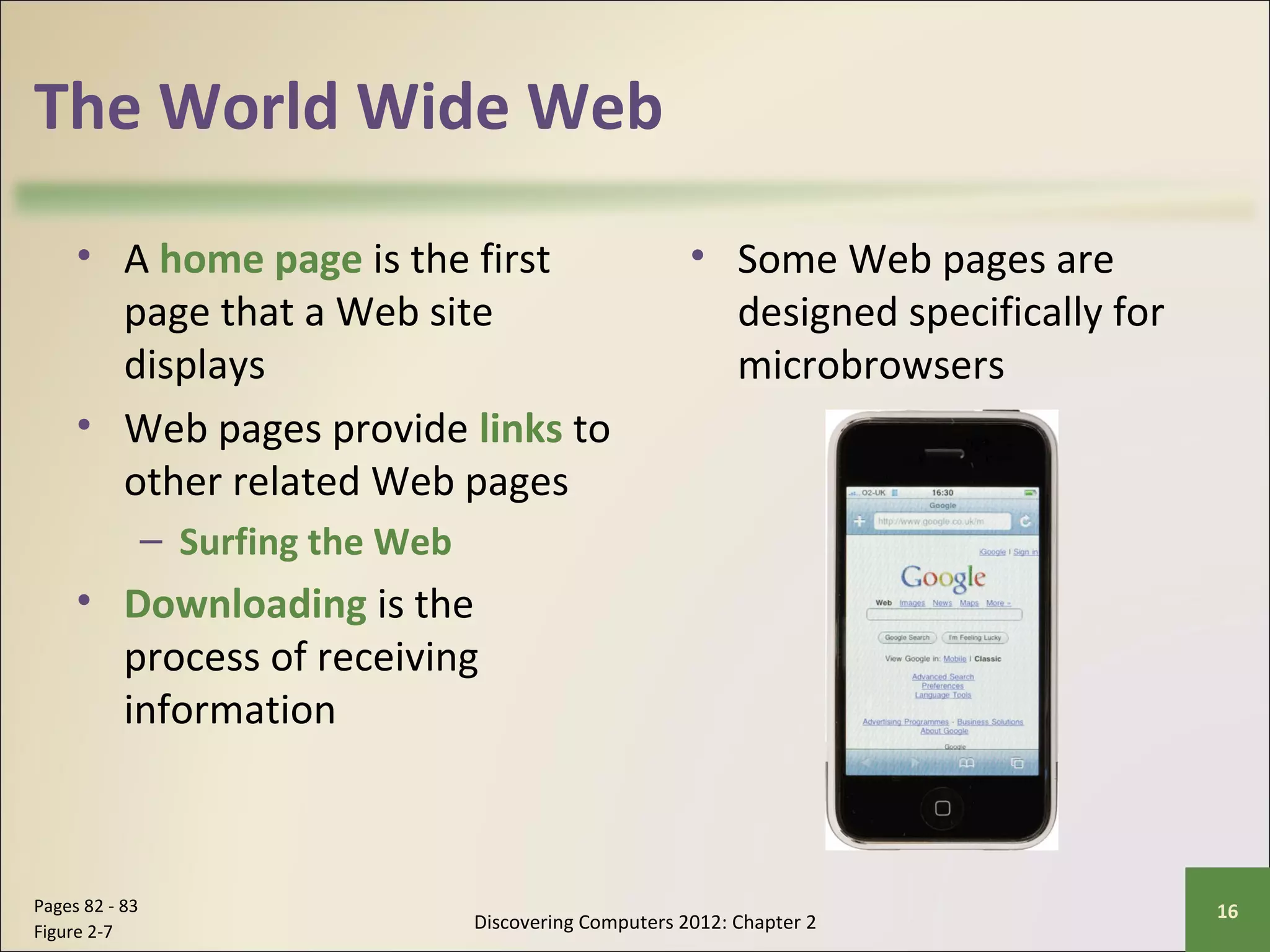
• Some Web pages are 
designed specifically for 
microbrowsers 
Discovering Computers 2012: Chapter 2 Pages 82 - 83 16 
Figure 2-7
The World Wide Web 
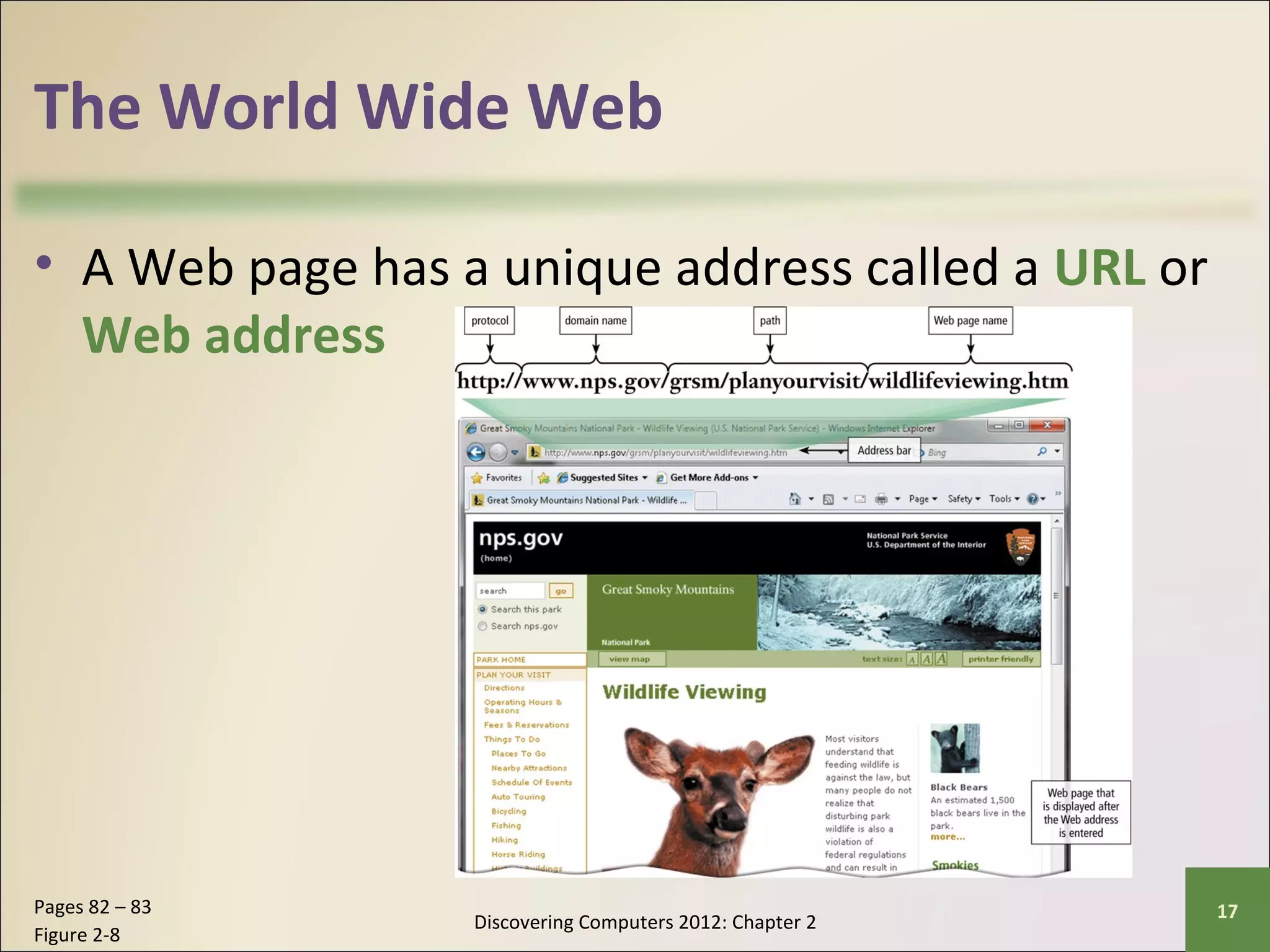
• A Web page has a unique address called a URL or 
Web address 
Discovering Computers 2012: Chapter 2 Pages 82 – 83 17 
Figure 2-8
The World Wide Web 
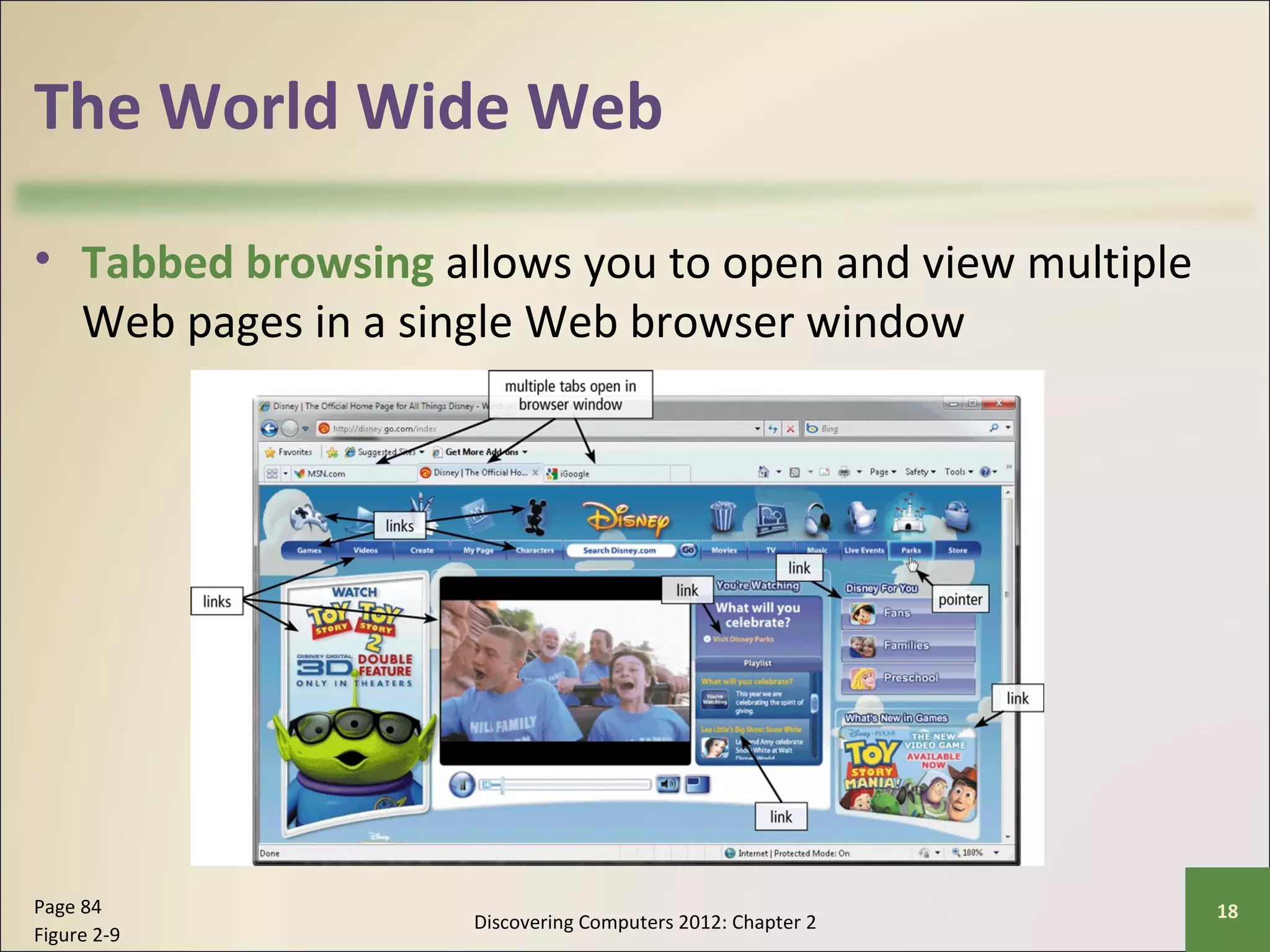
• Tabbed browsing allows you to open and view multiple 
Web pages in a single Web browser window 
Discovering Computers 2012: Chapter 2 Page 84 18 
Figure 2-9
The World Wide Web 
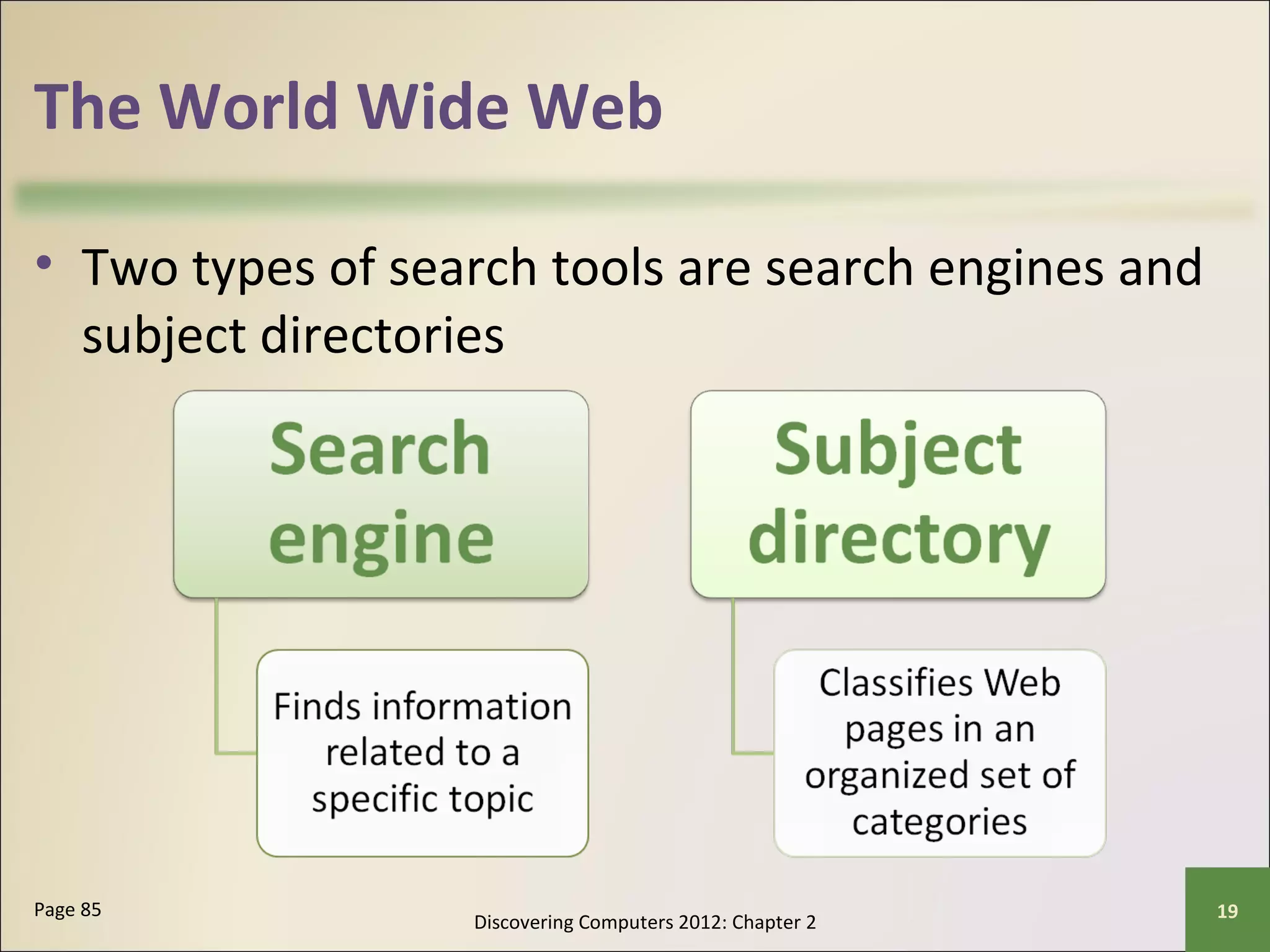
• Two types of search tools are search engines and 
subject directories 
Discovering Computers 2012: Chapter 2 Page 85 19
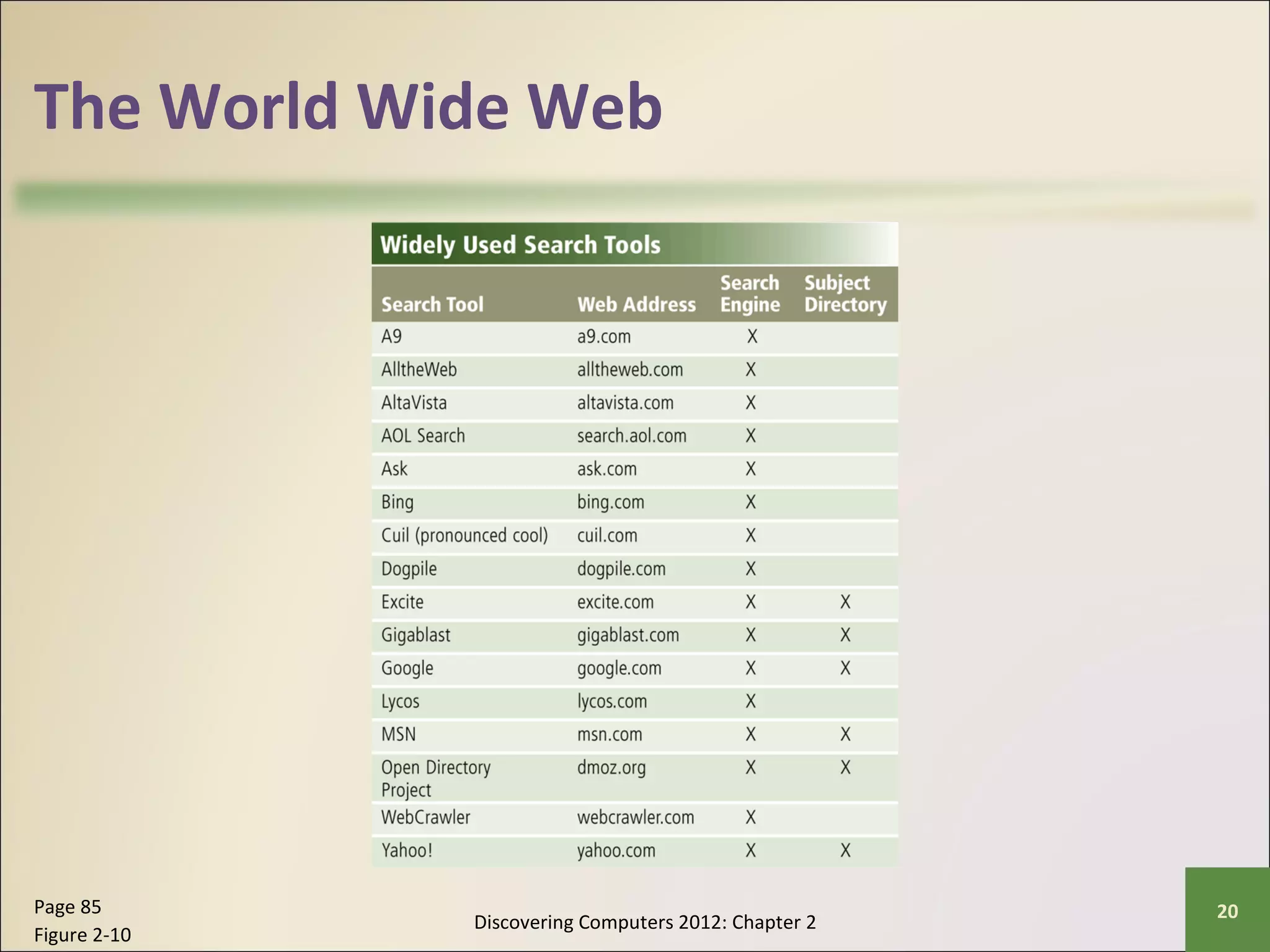
The World Wide Web 
Discovering Computers 2012: Chapter 2 Page 85 20 
Figure 2-10
The World Wide Web 
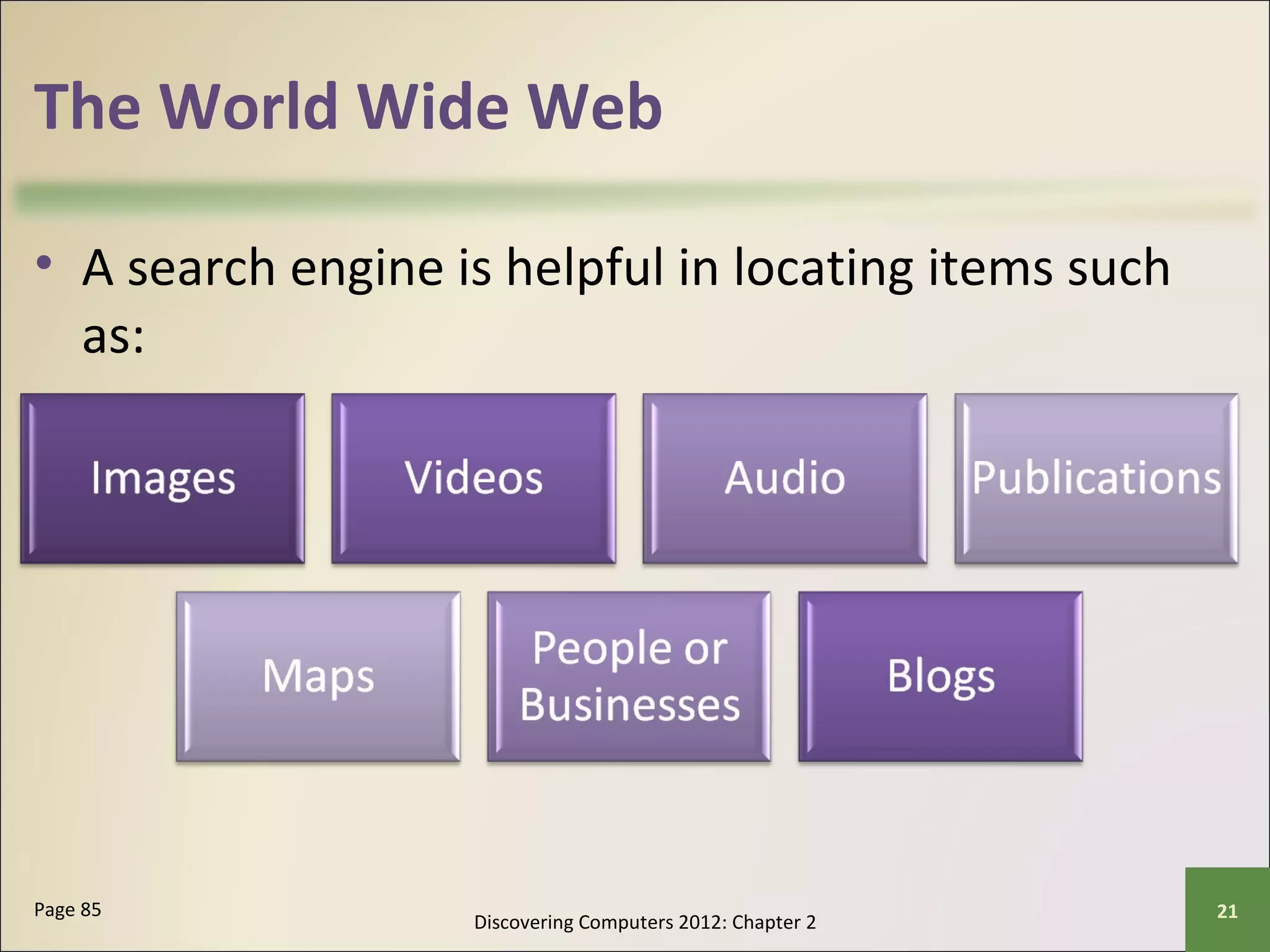
• A search engine is helpful in locating items such 
as: 
Discovering Computers 2012: Chapter 2 Page 85 21
The World Wide Web 
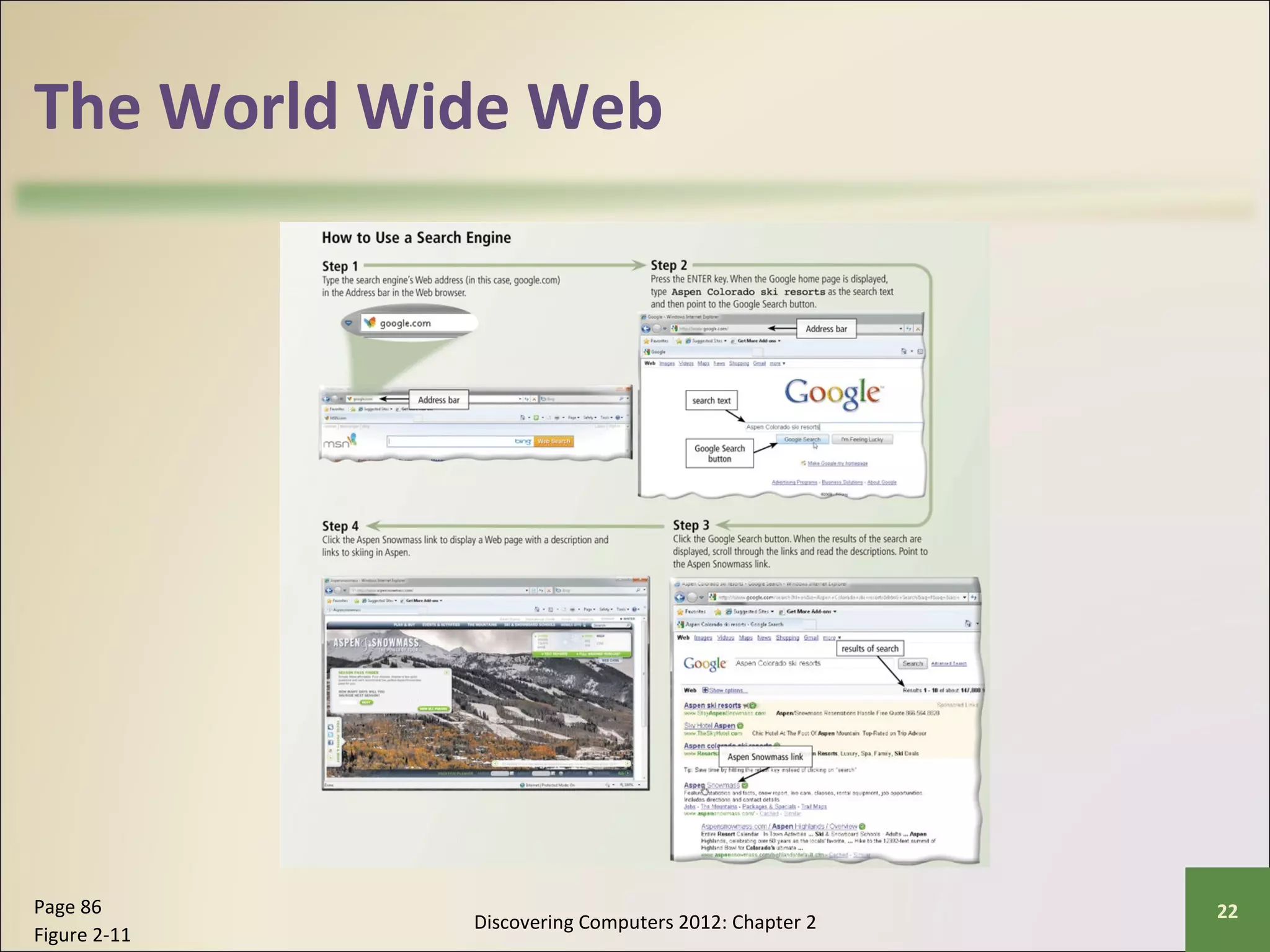
Discovering Computers 2012: Chapter 2 Page 86 22 
Figure 2-11
The World Wide Web 
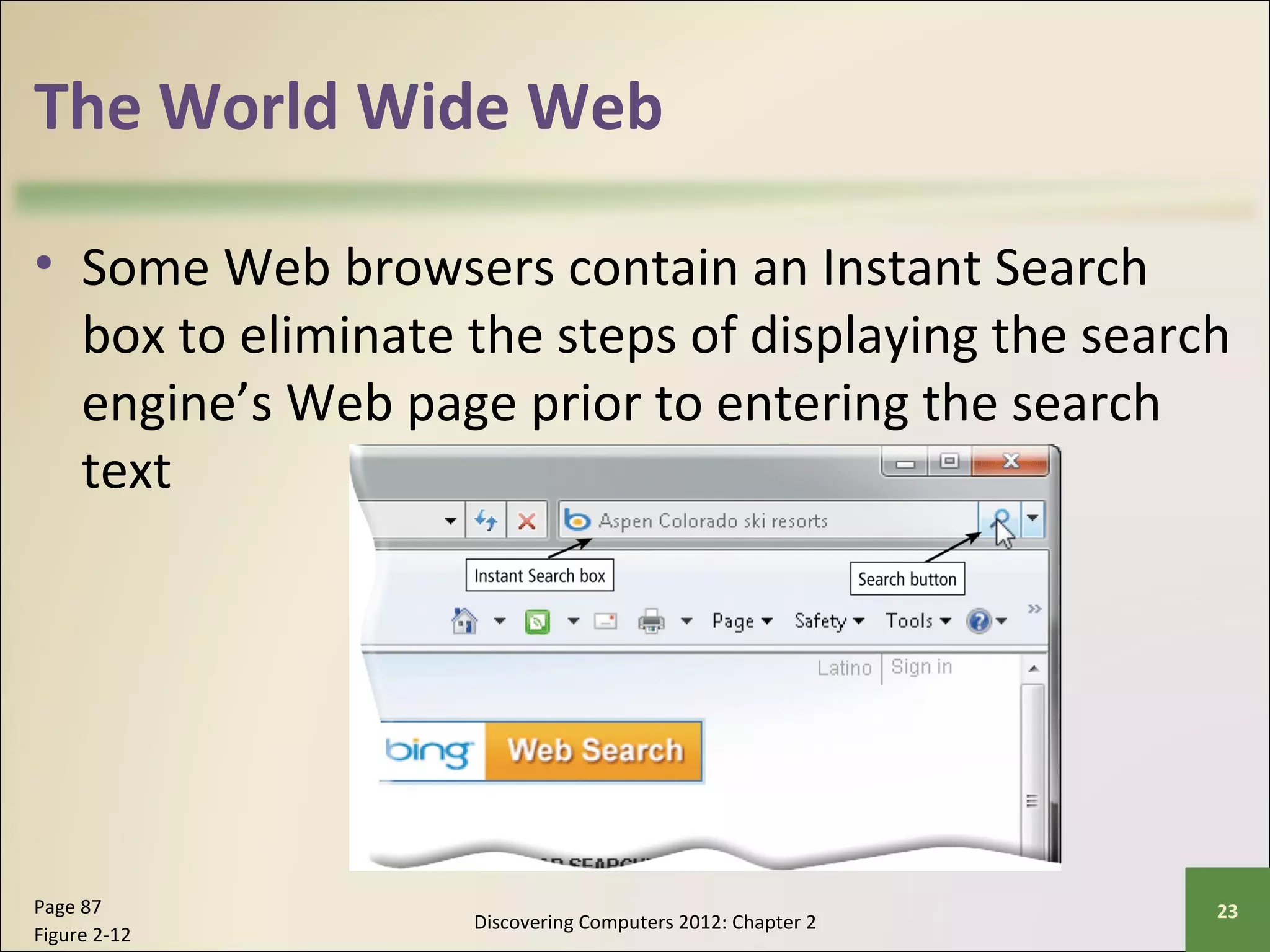
• Some Web browsers contain an Instant Search 
box to eliminate the steps of displaying the search 
engine’s Web page prior to entering the search 
text 
Discovering Computers 2012: Chapter 2 Page 87 23 
Figure 2-12
The World Wide Web 
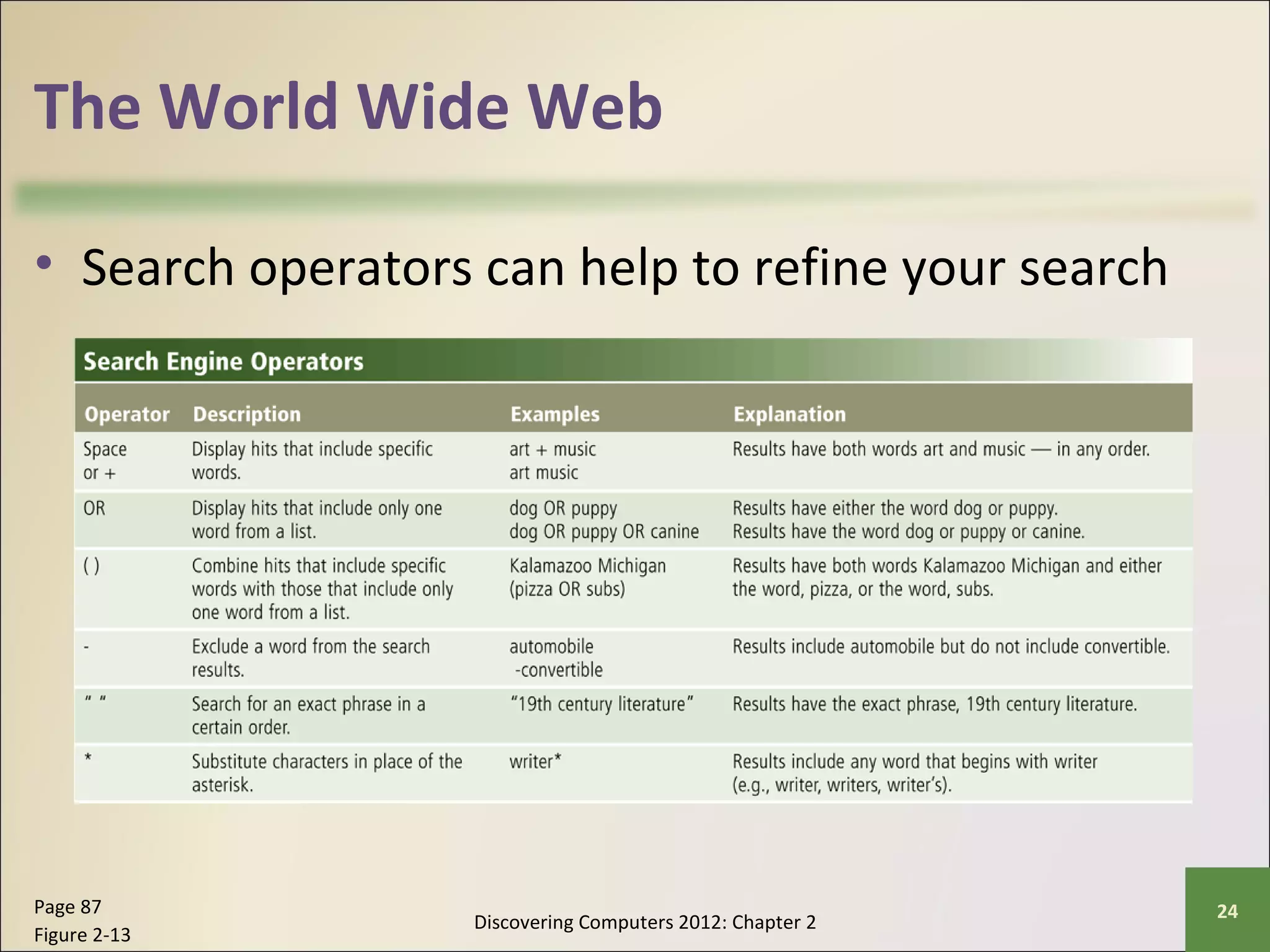
• Search operators can help to refine your search 
Discovering Computers 2012: Chapter 2 Page 87 24 
Figure 2-13
The World Wide Web 
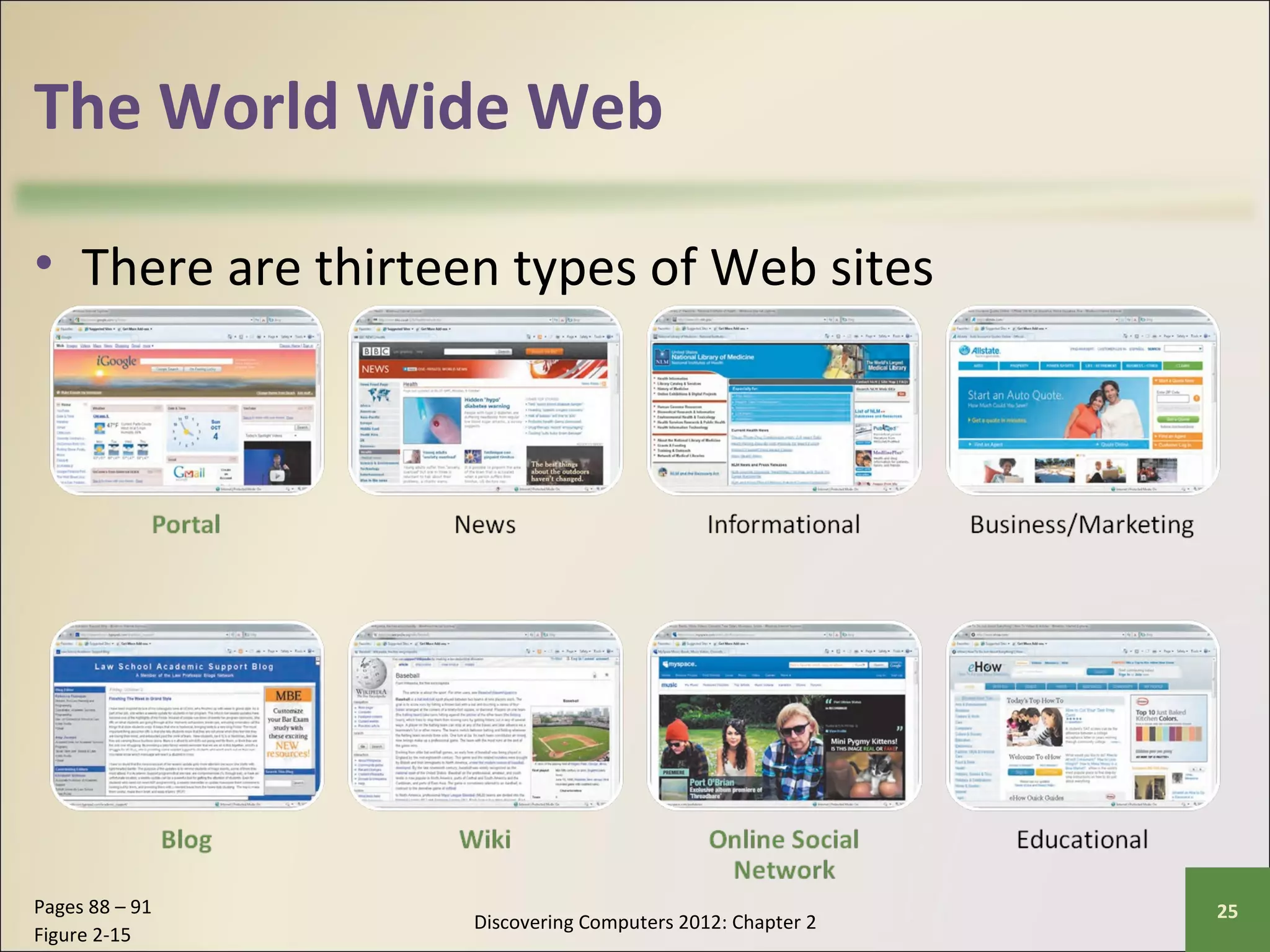
• There are thirteen types of Web sites 
Discovering Computers 2012: Chapter 2 Pages 88 – 91 25 
Figure 2-15
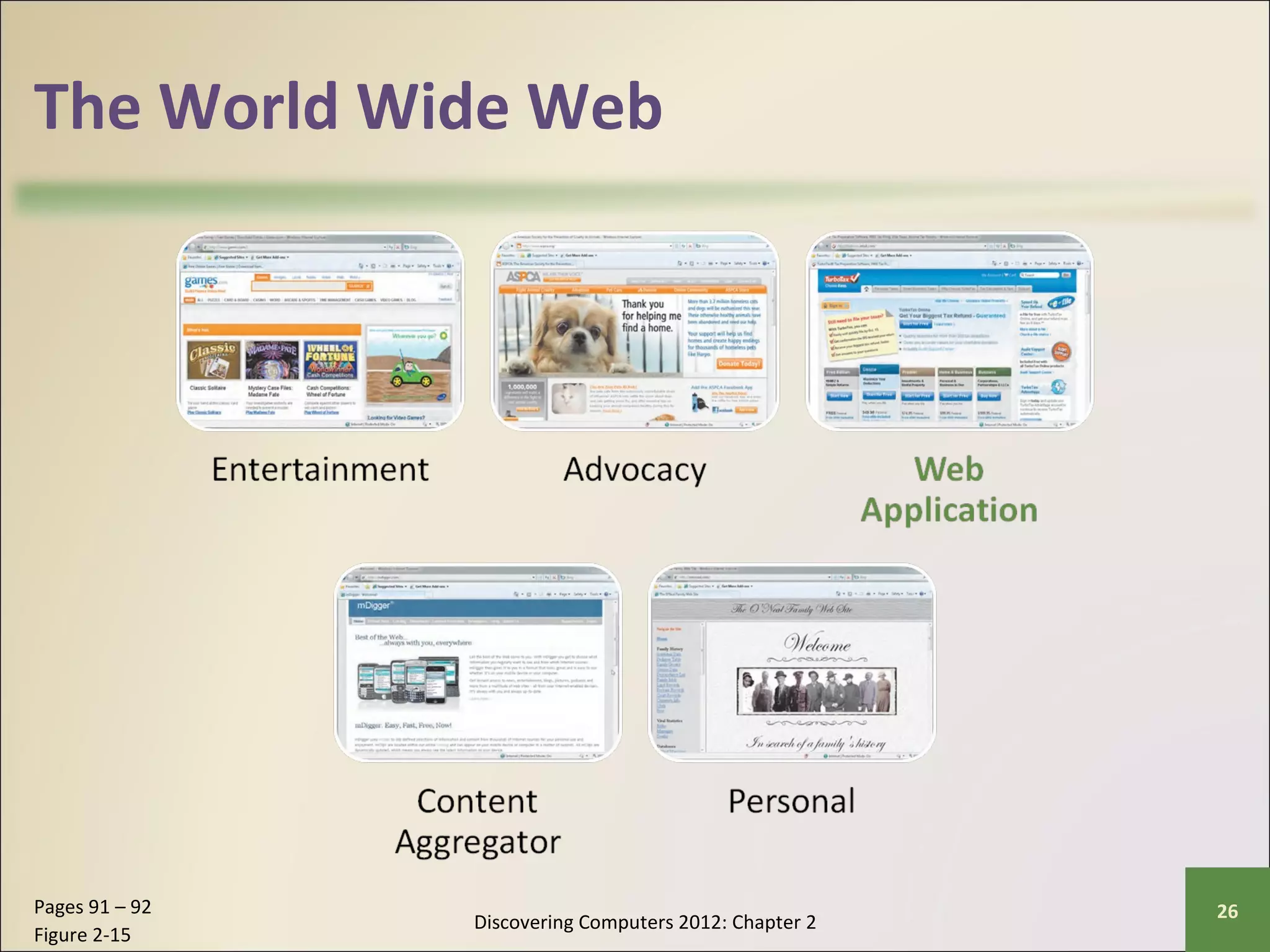
The World Wide Web 
Discovering Computers 2012: Chapter 2 Pages 91 – 92 26 
Figure 2-15
Video: Tell Your Stories via Vlog 
CLICK TO START 
Discovering Computers 2012: Chapter 2 27
The World Wide Web 
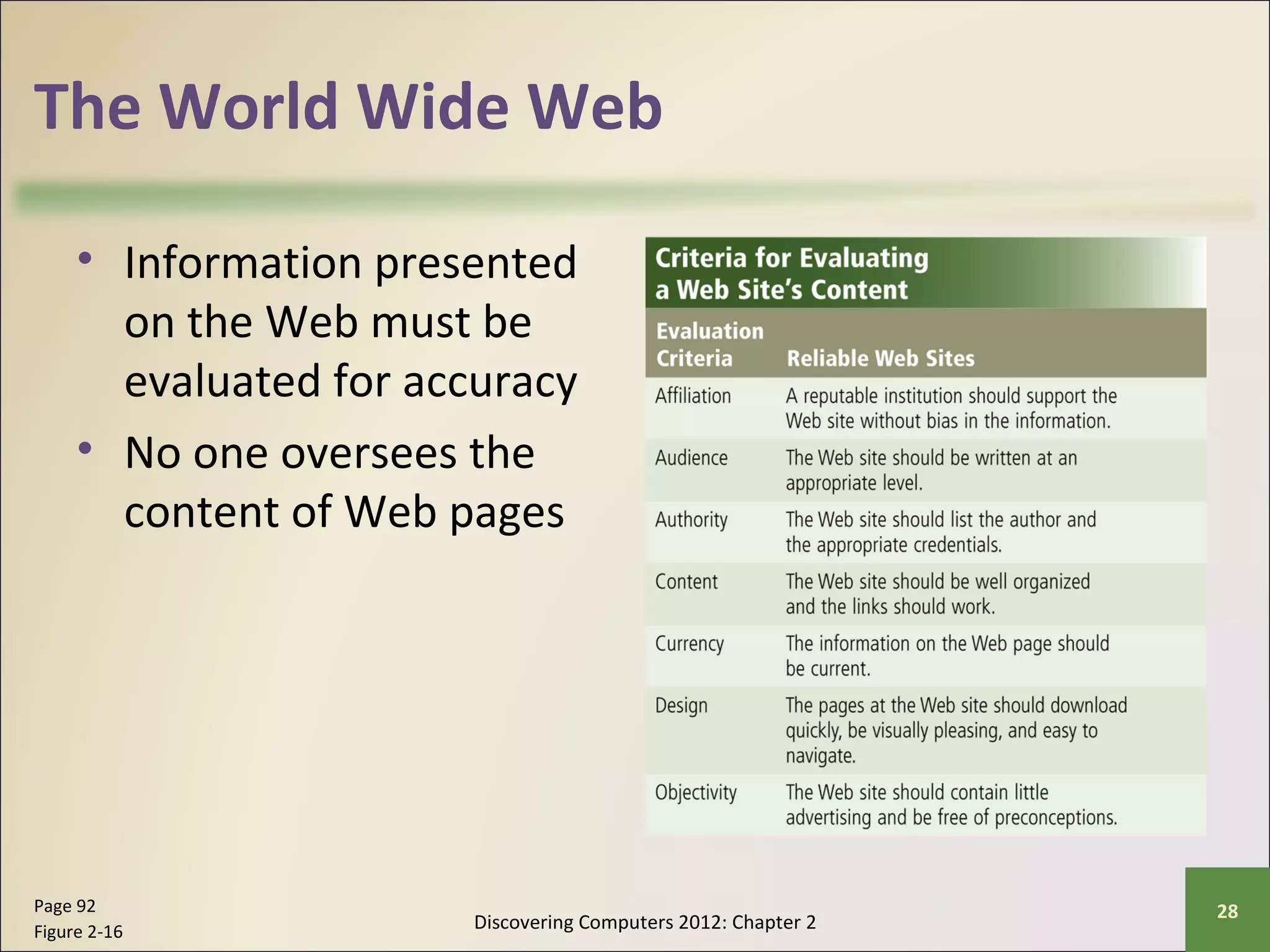
• Information presented 
on the Web must be 
evaluated for accuracy 
• No one oversees the 
content of Web pages 
Discovering Computers 2012: Chapter 2 Page 92 28 
Figure 2-16
The World Wide Web 
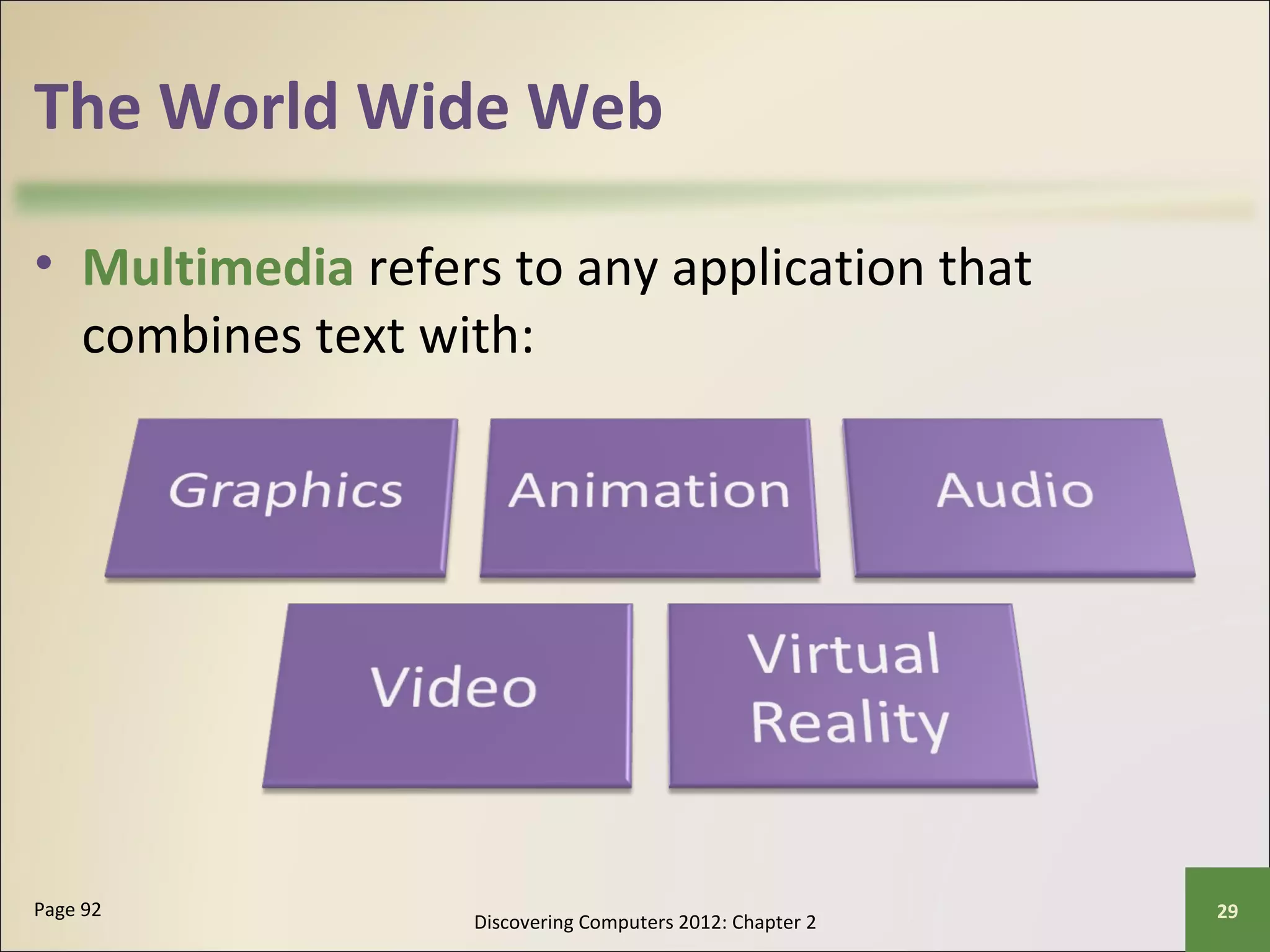
• Multimedia refers to any application that 
combines text with: 
Discovering Computers 2012: Chapter 2 Page 92 29
The World Wide Web 
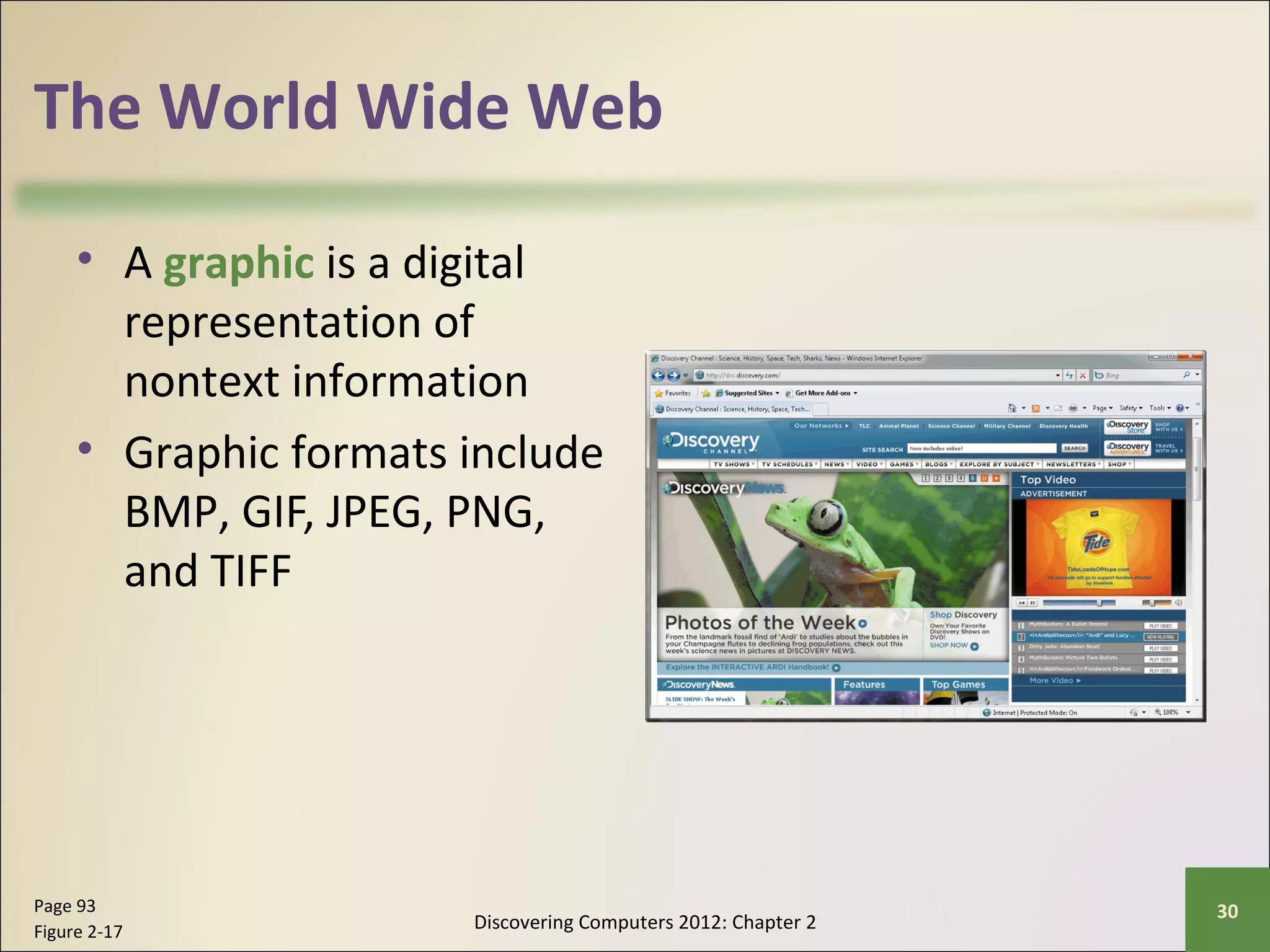
• A graphic is a digital 
representation of 
nontext information 
• Graphic formats include 
BMP, GIF, JPEG, PNG, 
and TIFF 
Discovering Computers 2012: Chapter 2 Page 93 30 
Figure 2-17
The World Wide Web 
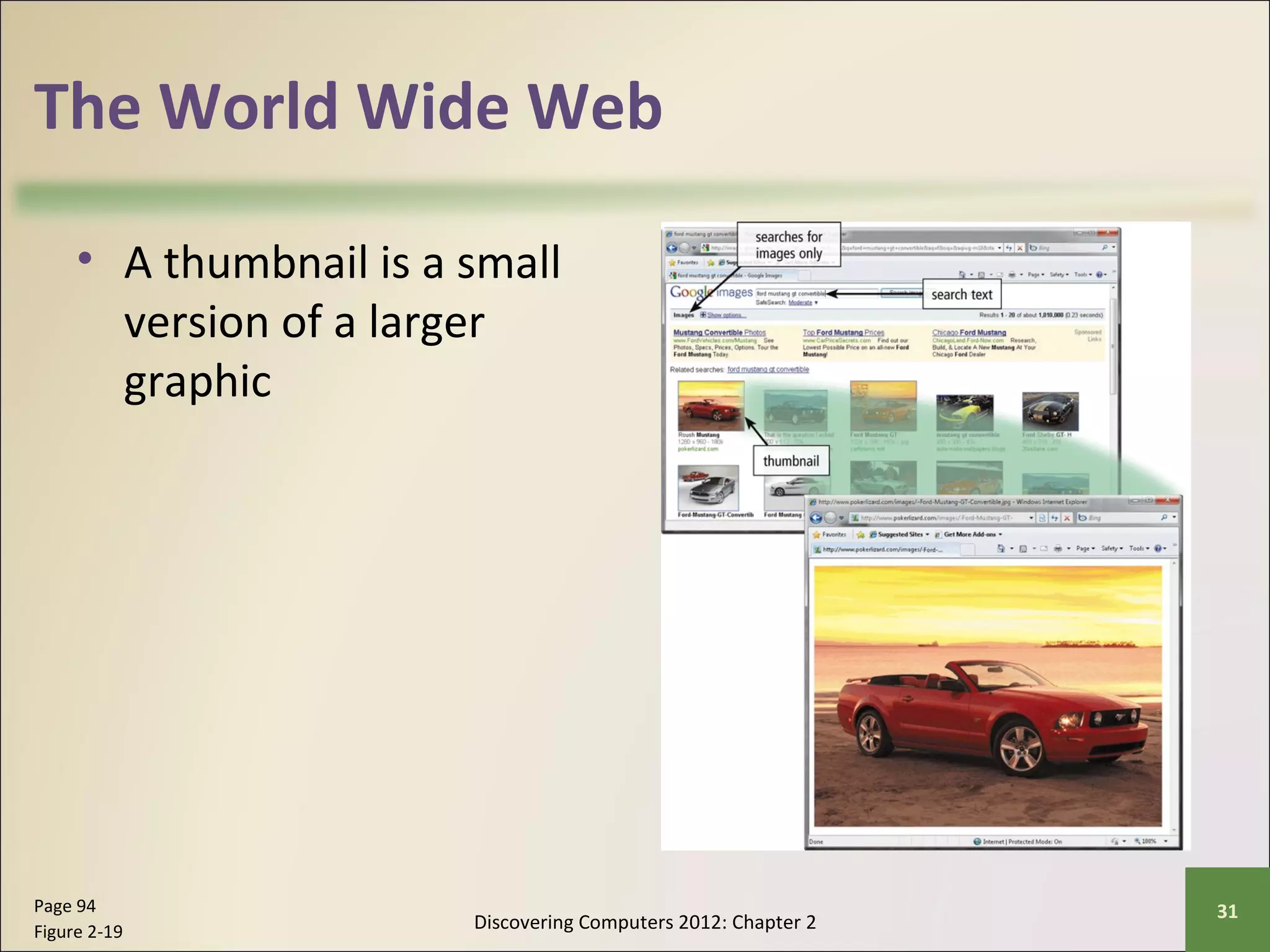
• A thumbnail is a small 
version of a larger 
graphic 
Discovering Computers 2012: Chapter 2 Page 94 31 
Figure 2-19
The World Wide Web 
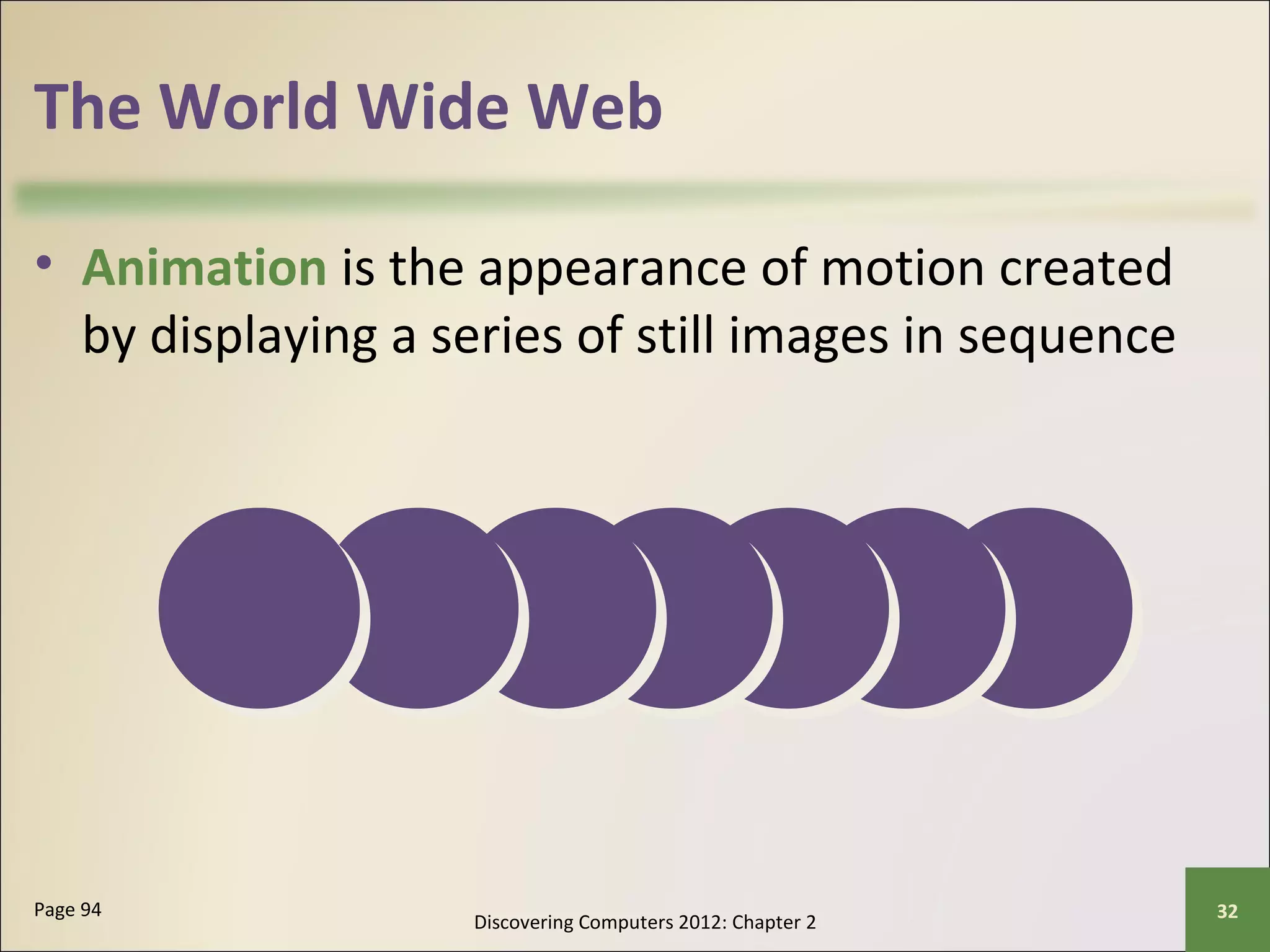
• Animation is the appearance of motion created 
by displaying a series of still images in sequence 
Discovering Computers 2012: Chapter 2 Page 94 32
The World Wide Web 
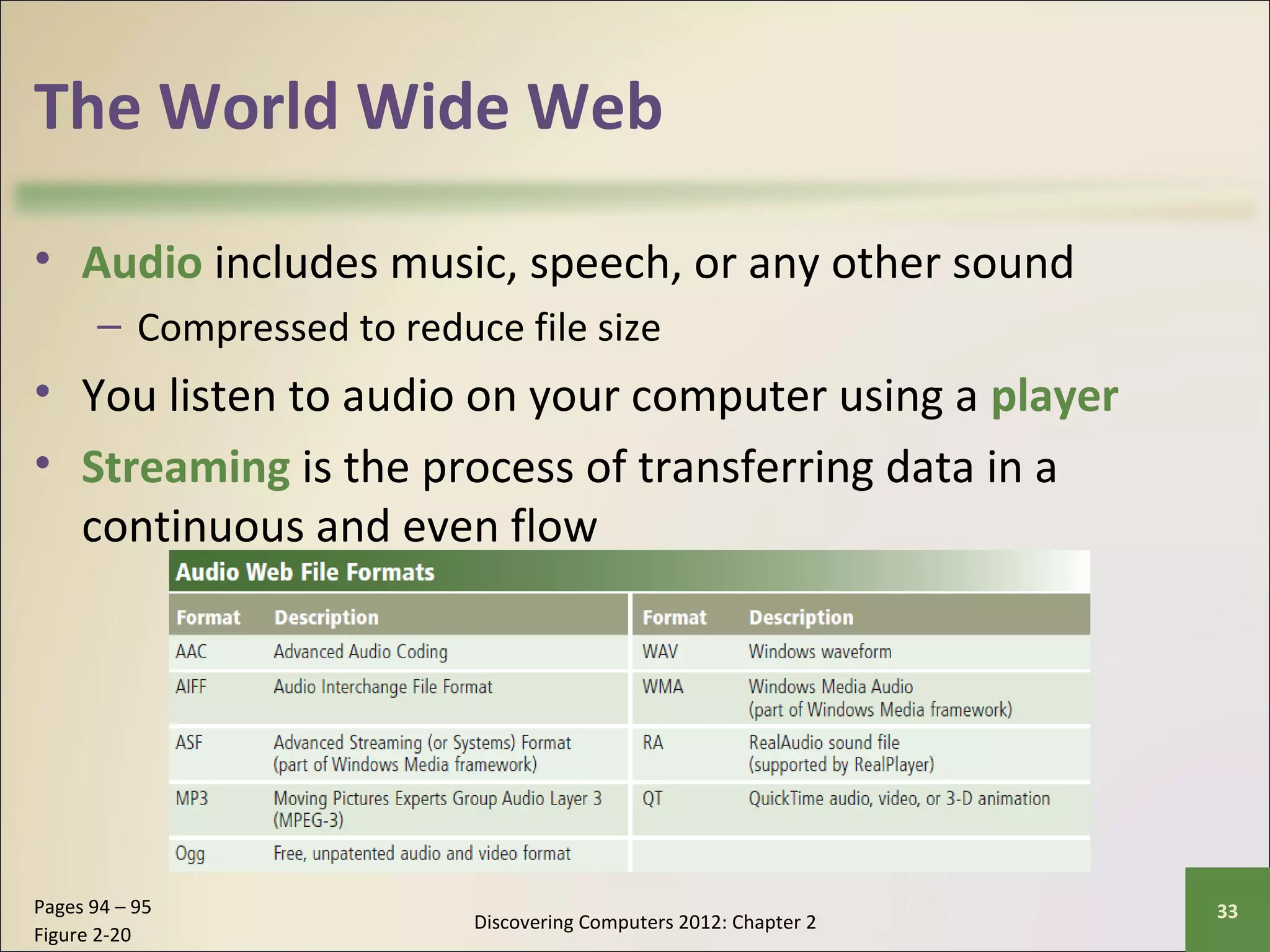
• Audio includes music, speech, or any other sound 
– Compressed to reduce file size 
• You listen to audio on your computer using a player 
• Streaming is the process of transferring data in a 
continuous and even flow 
Discovering Computers 2012: Chapter 2 Pages 94 – 95 33 
Figure 2-20
The World Wide Web 
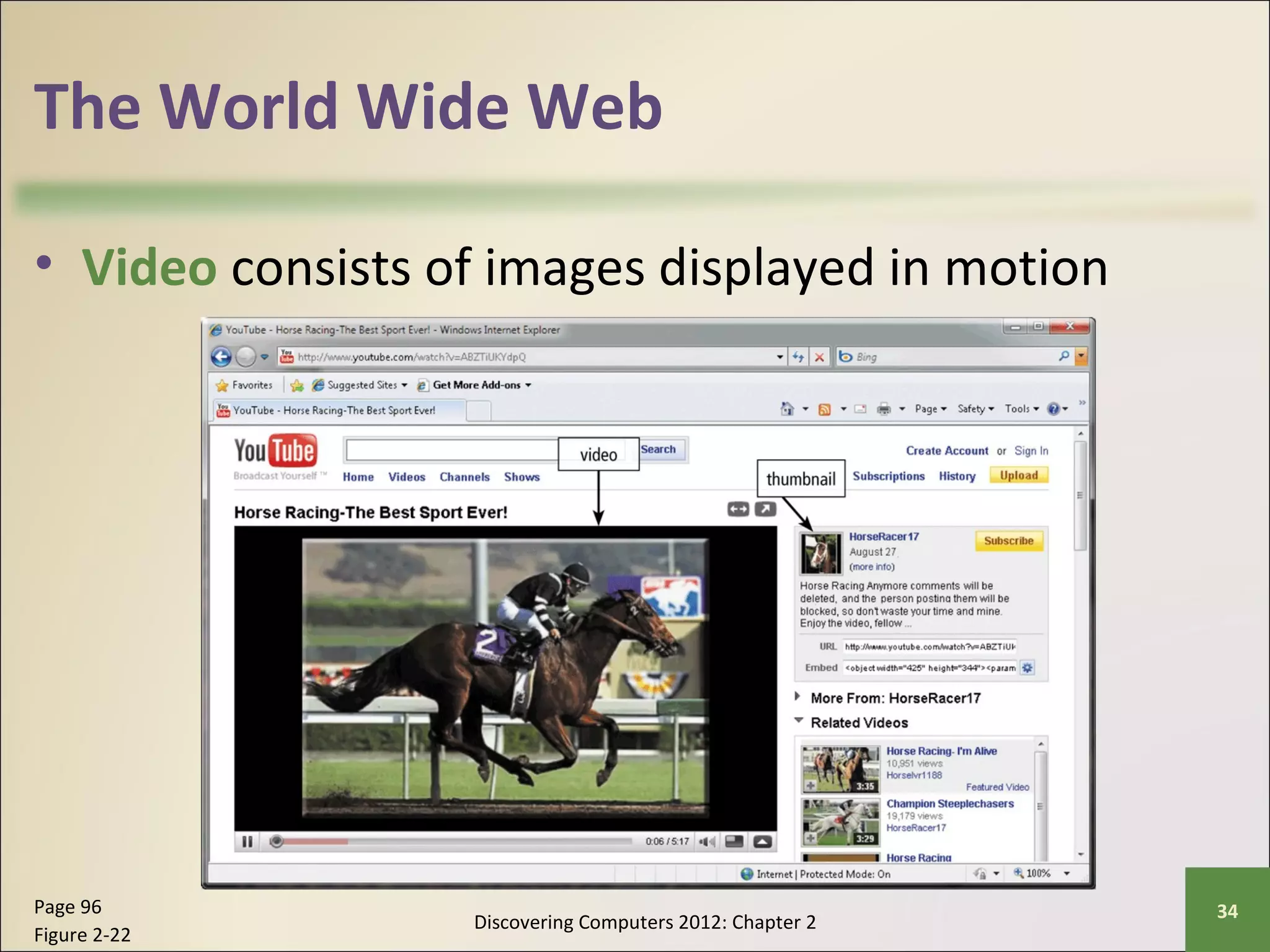
• Video consists of images displayed in motion 
Discovering Computers 2012: Chapter 2 Page 96 34 
Figure 2-22
The World Wide Web 
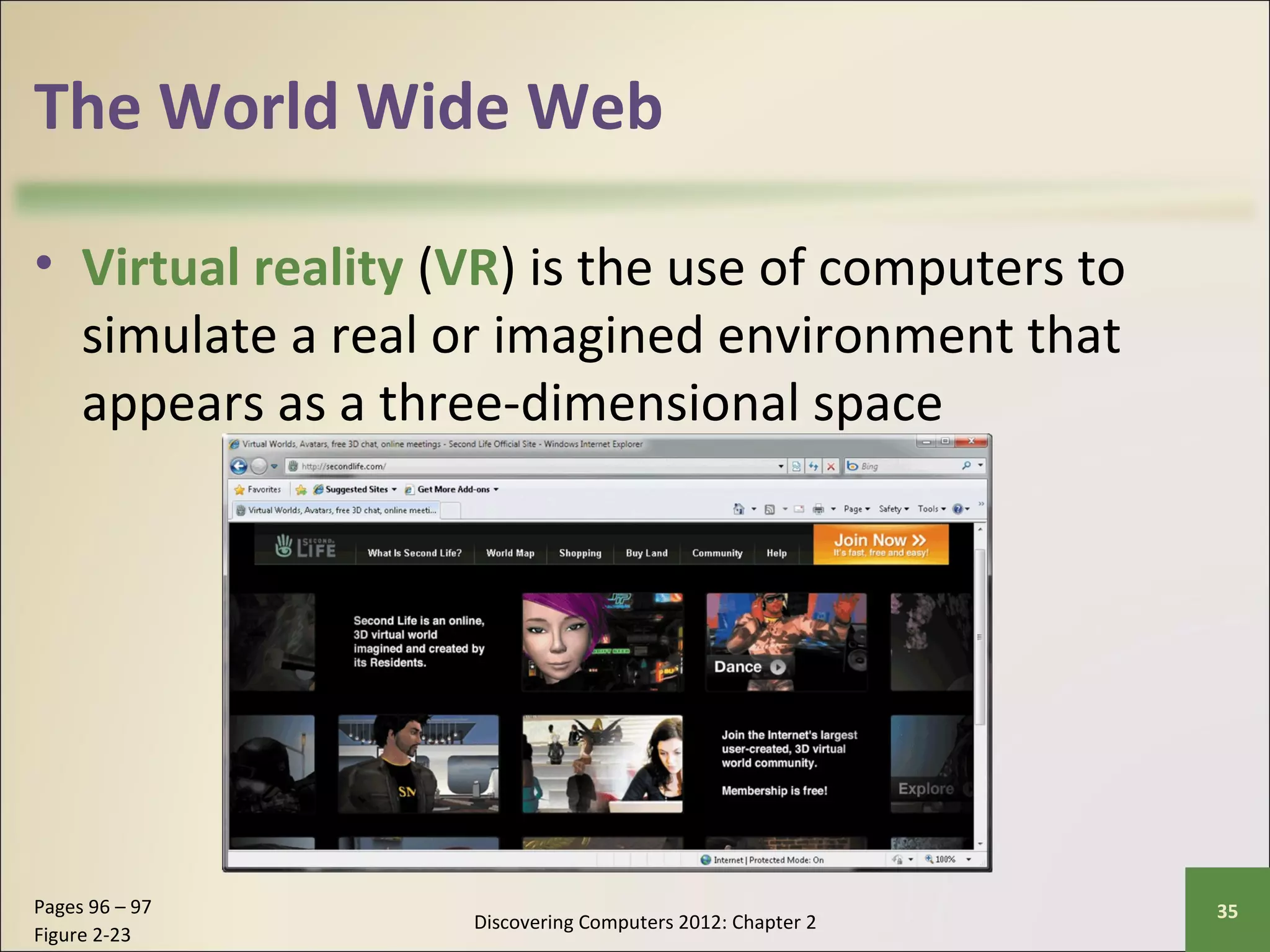
• Virtual reality (VR) is the use of computers to 
simulate a real or imagined environment that 
appears as a three-dimensional space 
Discovering Computers 2012: Chapter 2 Pages 96 – 97 35 
Figure 2-23
The World Wide Web 
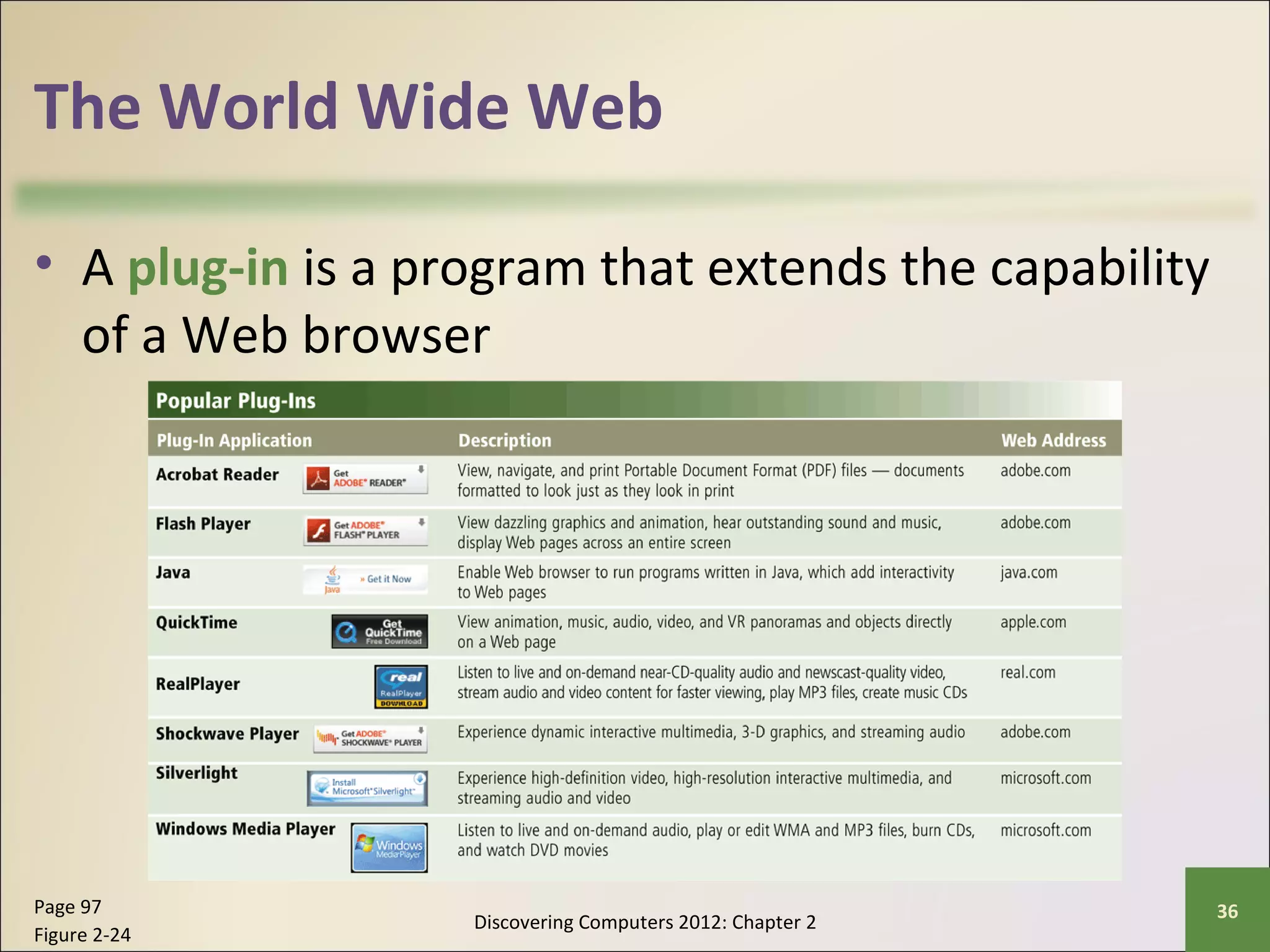
• A plug-in is a program that extends the capability 
of a Web browser 
Discovering Computers 2012: Chapter 2 Page 97 36 
Figure 2-24
The World Wide Web 
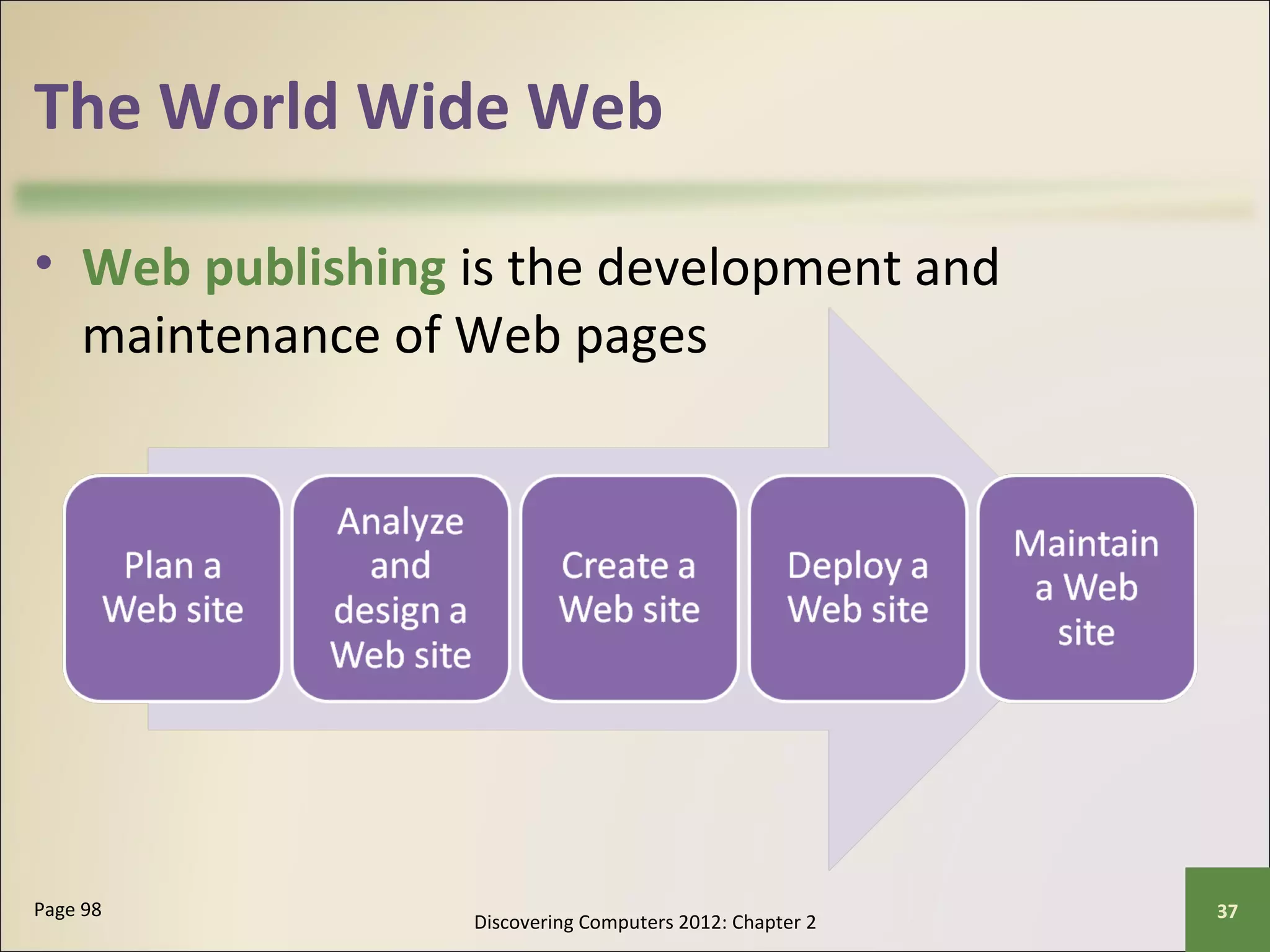
• Web publishing is the development and 
maintenance of Web pages 
Discovering Computers 2012: Chapter 2 Page 98 37
E-Commerce 
• E-commerce is a business transaction that occurs 
over an electronic network 
– M-commerce identifies e-commerce that takes place 
using mobile devices 
Discovering Computers 2012: Chapter 2 Page 98 38
Other Internet Services 
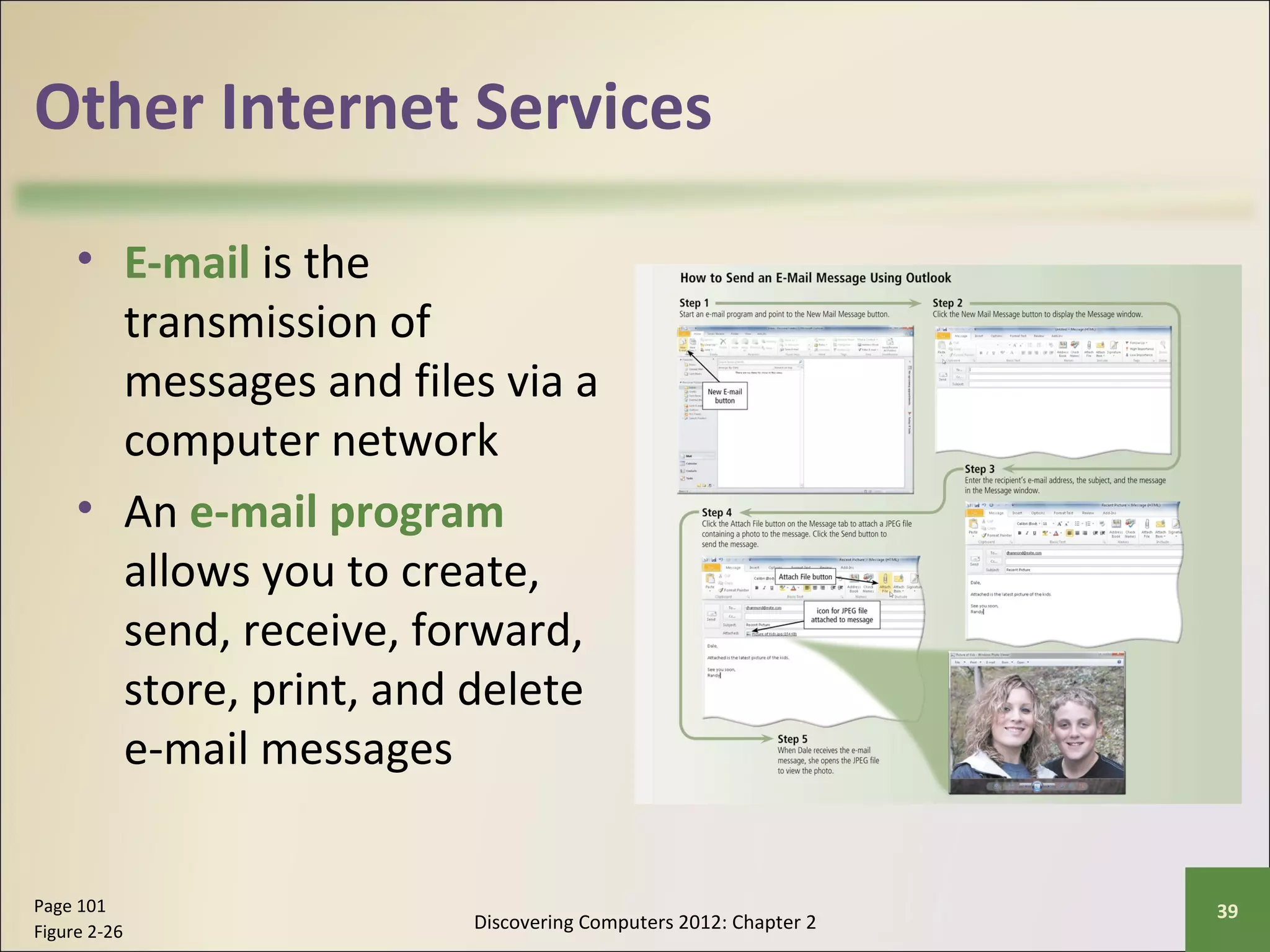
• E-mail is the 
transmission of 
messages and files via a 
computer network 
• An e-mail program 
allows you to create, 
send, receive, forward, 
store, print, and delete 
e-mail messages 
Discovering Computers 2012: Chapter 2 Page 101 39 
Figure 2-26
Other Internet Services 
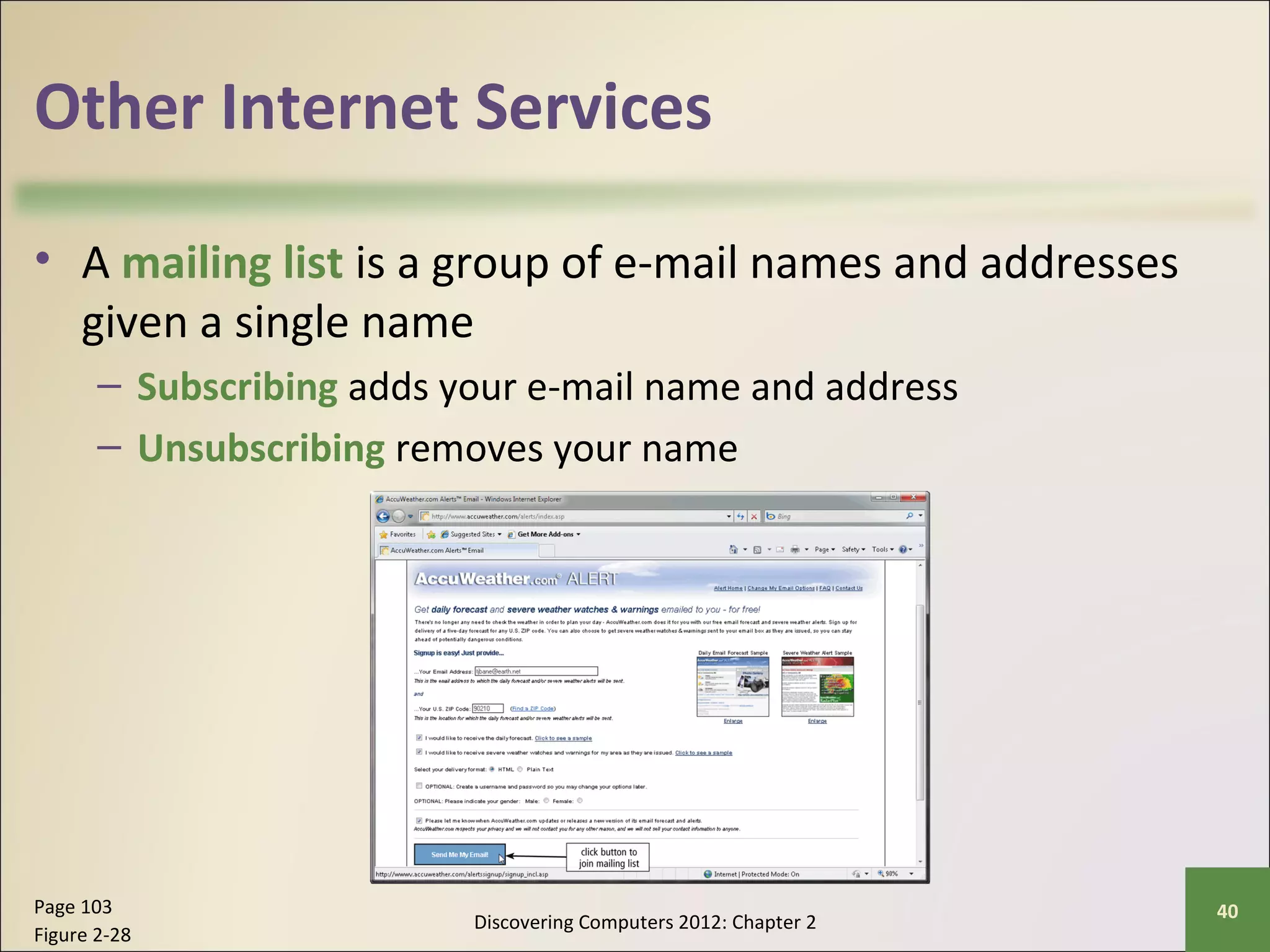
• A mailing list is a group of e-mail names and addresses 
given a single name 
– Subscribing adds your e-mail name and address 
– Unsubscribing removes your name 
Discovering Computers 2012: Chapter 2 Page 103 40 
Figure 2-28
Other Internet Services 
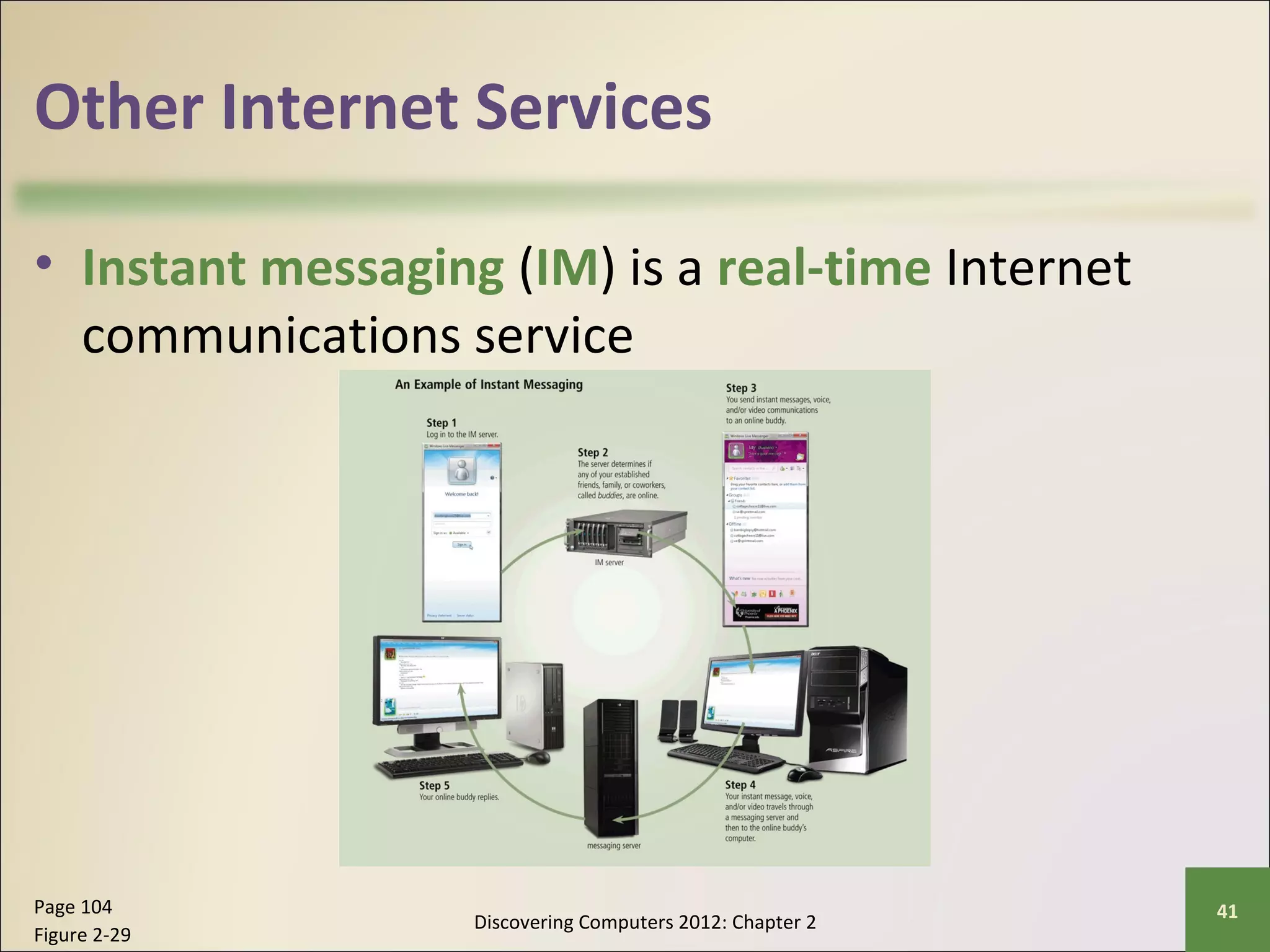
• Instant messaging (IM) is a real-time Internet 
communications service 
Discovering Computers 2012: Chapter 2 Page 104 41 
Figure 2-29
Other Internet Services 
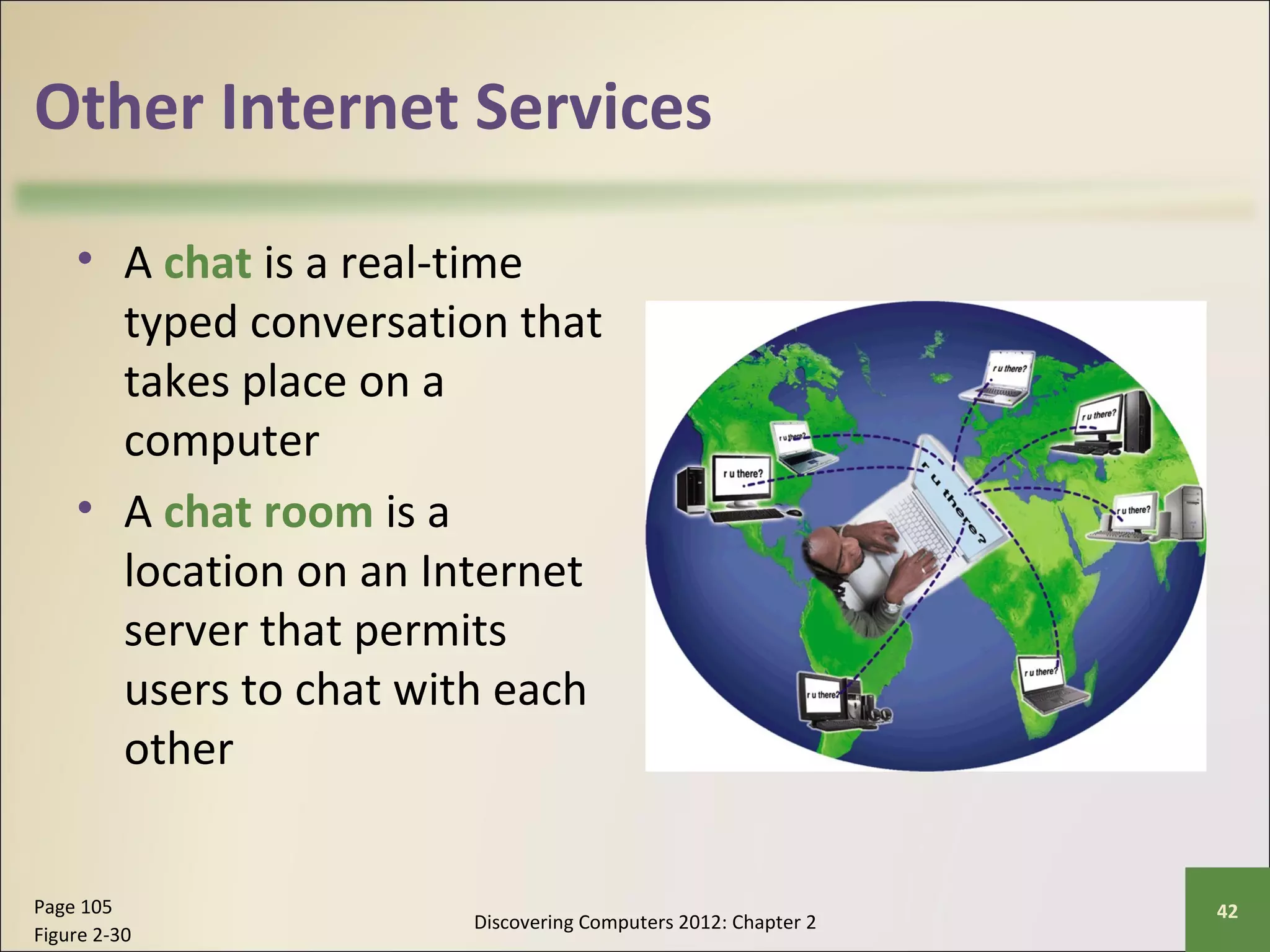
• A chat is a real-time 
typed conversation that 
takes place on a 
computer 
• A chat room is a 
location on an Internet 
server that permits 
users to chat with each 
other 
Discovering Computers 2012: Chapter 2 Page 105 42 
Figure 2-30
Other Internet Services 
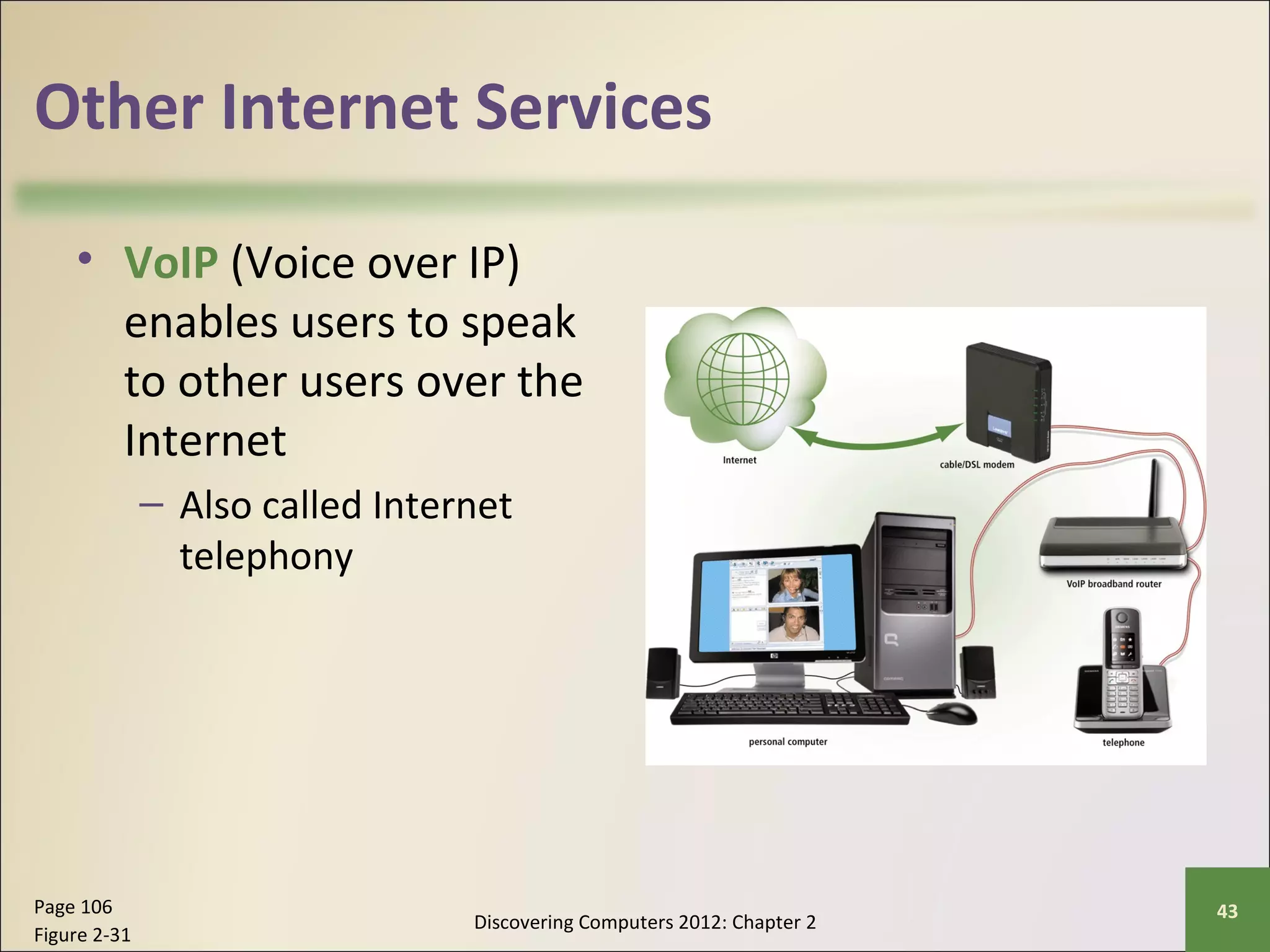
• VoIP (Voice over IP) 
enables users to speak 
to other users over the 
Internet 
– Also called Internet 
telephony 
Discovering Computers 2012: Chapter 2 Page 106 43 
Figure 2-31
Other Internet Services 
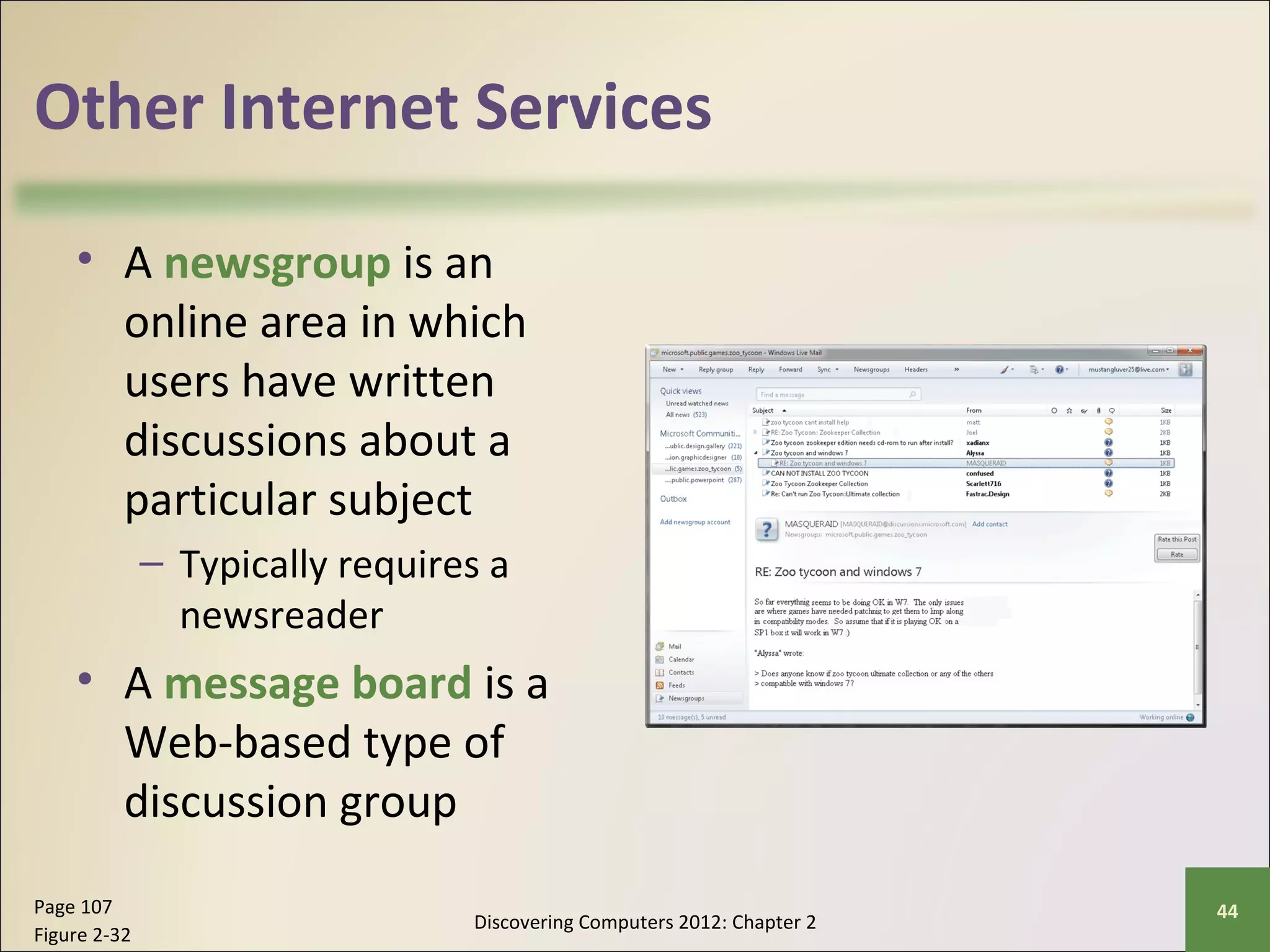
• A newsgroup is an 
online area in which 
users have written 
discussions about a 
particular subject 
– Typically requires a 
newsreader 
• A message board is a 
Web-based type of 
discussion group 
Discovering Computers 2012: Chapter 2 Page 107 44 
Figure 2-32
Other Internet Services 
• FTP (File Transfer Protocol) is an Internet standard 
that permits file uploading and downloading with 
other computers on the Internet 
• Many operating systems include FTP capabilities 
• An FTP server is a computer that allows users to 
upload and/or download files using FTP 
Discovering Computers 2012: Chapter 2 Page 107 45
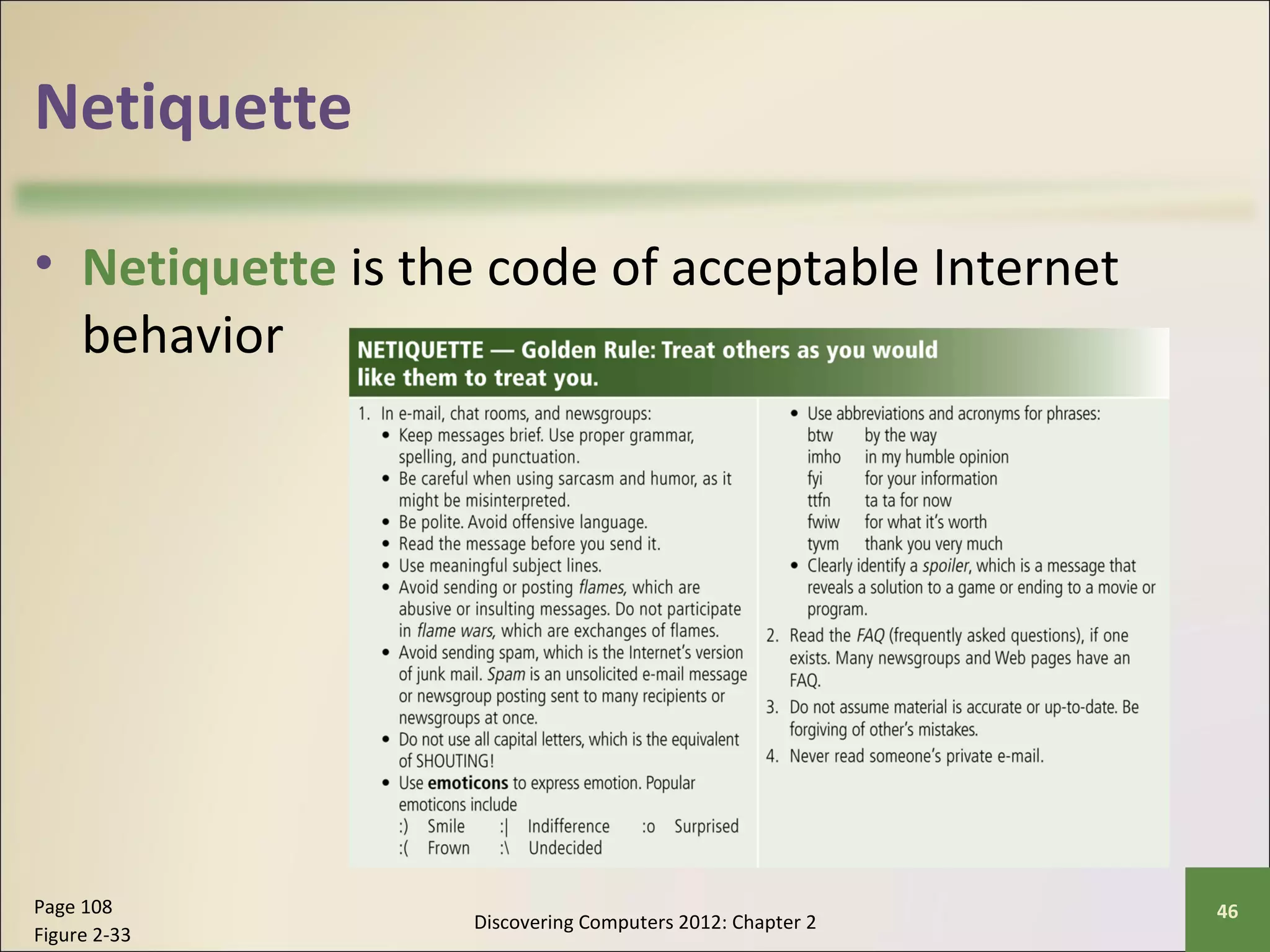
Netiquette 
• Netiquette is the code of acceptable Internet 
behavior 
Discovering Computers 2012: Chapter 2 Page 108 46 
Figure 2-33
Summary 
Discovering Computers 2012: Chapter 2 Page 109 47
Chapter 2 
Fundamentals of the World Wide Web 
and Internet 
Discovering 
Computers 2012 
Your Interactive Guide 
to the Digital World 
Chapter 2 Complete

fundamentals of Internet

  • 1.
    Chapter 2 Fundamentalsof the World Wide Web and Internet Discovering Computers 2012 Your Interactive Guide to the Digital World
  • 2.
    Objectives Overview DiscoveringComputers 2012: Chapter 2 See Page 73 2 for Detailed Objectives
  • 3.
    Objectives Overview DiscoveringComputers 2012: Chapter 2 See Page 73 3 for Detailed Objectives
  • 4.
    The Internet •The Internet is a worldwide collection of networks that links millions of businesses, government agencies, educational institutions, and individuals Discovering Computers 2012: Chapter 2 Page 74 4 Figure 2-1
  • 5.
    Evolution of theInternet • The Internet originated as ARPANET in September 1969 and had two main goals: Discovering Computers 2012: Chapter 2 Page 75 5
  • 6.
    Evolution of theInternet Discovering Computers 2012: Chapter 2 Pages 75 - 76 6
  • 7.
    Evolution of theInternet • Each organization is responsible only for maintaining its own network – The World Wide Web Consortium (W3C) oversees research and sets guidelines and standards • Internet2 connects more than 200 universities and 115 companies via a high-speed private network Discovering Computers 2012: Chapter 2 Page 76 7
  • 8.
    Evolution of theInternet • Many home and small business users connect to the Internet via high-speed broadband Internet service Discovering Computers 2012: Chapter 2 Page 76 8
  • 9.
    Evolution of theInternet • An access provider is a business that provides individuals and organizations access to the Internet free or for a fee Discovering Computers 2012: Chapter 2 Page 77 9 Figure 2-2
  • 10.
    Evolution of theInternet Discovering Computers 2012: Chapter 2 Page 78 10
  • 11.
    Evolution of theInternet Discovering Computers 2012: Chapter 2 Page 79 11 Figure 2-3
  • 12.
    Evolution of theInternet • An IP address is a number that uniquely identifies each computer or device connected to the Internet • A domain name is the text version of an IP address – Top-level domain (TLD) • A DNS server translates the domain name into its associated IP address Discovering Computers 2012: Chapter 2 Pages 79 – 80 12 Figure 2-4
  • 13.
    The World WideWeb • The World Wide Web, or Web, consists of a worldwide collection of electronic documents (Web pages) • A Web site is a collection of related Web pages and associated items • A Web server is a computer that delivers requested Web pages to your computer • Web 2.0 refers to Web sites that provide a means for users to interact Discovering Computers 2012: Chapter 2 Pages 80 - 81 13
  • 14.
    The World WideWeb • A Web browser, or browser, allows users to access Web pages and Web 2.0 programs Discovering Computers 2012: Chapter 2 Page 81 14
  • 15.
    The World WideWeb Discovering Computers 2012: Chapter 2 Page 81 15 Figure 2-6
  • 16.
    The World WideWeb • A home page is the first page that a Web site displays • Web pages provide links to other related Web pages – Surfing the Web • Downloading is the process of receiving information • Some Web pages are designed specifically for microbrowsers Discovering Computers 2012: Chapter 2 Pages 82 - 83 16 Figure 2-7
  • 17.
    The World WideWeb • A Web page has a unique address called a URL or Web address Discovering Computers 2012: Chapter 2 Pages 82 – 83 17 Figure 2-8
  • 18.
    The World WideWeb • Tabbed browsing allows you to open and view multiple Web pages in a single Web browser window Discovering Computers 2012: Chapter 2 Page 84 18 Figure 2-9
  • 19.
    The World WideWeb • Two types of search tools are search engines and subject directories Discovering Computers 2012: Chapter 2 Page 85 19
  • 20.
    The World WideWeb Discovering Computers 2012: Chapter 2 Page 85 20 Figure 2-10
  • 21.
    The World WideWeb • A search engine is helpful in locating items such as: Discovering Computers 2012: Chapter 2 Page 85 21
  • 22.
    The World WideWeb Discovering Computers 2012: Chapter 2 Page 86 22 Figure 2-11
  • 23.
    The World WideWeb • Some Web browsers contain an Instant Search box to eliminate the steps of displaying the search engine’s Web page prior to entering the search text Discovering Computers 2012: Chapter 2 Page 87 23 Figure 2-12
  • 24.
    The World WideWeb • Search operators can help to refine your search Discovering Computers 2012: Chapter 2 Page 87 24 Figure 2-13
  • 25.
    The World WideWeb • There are thirteen types of Web sites Discovering Computers 2012: Chapter 2 Pages 88 – 91 25 Figure 2-15
  • 26.
    The World WideWeb Discovering Computers 2012: Chapter 2 Pages 91 – 92 26 Figure 2-15
  • 27.
    Video: Tell YourStories via Vlog CLICK TO START Discovering Computers 2012: Chapter 2 27
  • 28.
    The World WideWeb • Information presented on the Web must be evaluated for accuracy • No one oversees the content of Web pages Discovering Computers 2012: Chapter 2 Page 92 28 Figure 2-16
  • 29.
    The World WideWeb • Multimedia refers to any application that combines text with: Discovering Computers 2012: Chapter 2 Page 92 29
  • 30.
    The World WideWeb • A graphic is a digital representation of nontext information • Graphic formats include BMP, GIF, JPEG, PNG, and TIFF Discovering Computers 2012: Chapter 2 Page 93 30 Figure 2-17
  • 31.
    The World WideWeb • A thumbnail is a small version of a larger graphic Discovering Computers 2012: Chapter 2 Page 94 31 Figure 2-19
  • 32.
    The World WideWeb • Animation is the appearance of motion created by displaying a series of still images in sequence Discovering Computers 2012: Chapter 2 Page 94 32
  • 33.
    The World WideWeb • Audio includes music, speech, or any other sound – Compressed to reduce file size • You listen to audio on your computer using a player • Streaming is the process of transferring data in a continuous and even flow Discovering Computers 2012: Chapter 2 Pages 94 – 95 33 Figure 2-20
  • 34.
    The World WideWeb • Video consists of images displayed in motion Discovering Computers 2012: Chapter 2 Page 96 34 Figure 2-22
  • 35.
    The World WideWeb • Virtual reality (VR) is the use of computers to simulate a real or imagined environment that appears as a three-dimensional space Discovering Computers 2012: Chapter 2 Pages 96 – 97 35 Figure 2-23
  • 36.
    The World WideWeb • A plug-in is a program that extends the capability of a Web browser Discovering Computers 2012: Chapter 2 Page 97 36 Figure 2-24
  • 37.
    The World WideWeb • Web publishing is the development and maintenance of Web pages Discovering Computers 2012: Chapter 2 Page 98 37
  • 38.
    E-Commerce • E-commerceis a business transaction that occurs over an electronic network – M-commerce identifies e-commerce that takes place using mobile devices Discovering Computers 2012: Chapter 2 Page 98 38
  • 39.
    Other Internet Services • E-mail is the transmission of messages and files via a computer network • An e-mail program allows you to create, send, receive, forward, store, print, and delete e-mail messages Discovering Computers 2012: Chapter 2 Page 101 39 Figure 2-26
  • 40.
    Other Internet Services • A mailing list is a group of e-mail names and addresses given a single name – Subscribing adds your e-mail name and address – Unsubscribing removes your name Discovering Computers 2012: Chapter 2 Page 103 40 Figure 2-28
  • 41.
    Other Internet Services • Instant messaging (IM) is a real-time Internet communications service Discovering Computers 2012: Chapter 2 Page 104 41 Figure 2-29
  • 42.
    Other Internet Services • A chat is a real-time typed conversation that takes place on a computer • A chat room is a location on an Internet server that permits users to chat with each other Discovering Computers 2012: Chapter 2 Page 105 42 Figure 2-30
  • 43.
    Other Internet Services • VoIP (Voice over IP) enables users to speak to other users over the Internet – Also called Internet telephony Discovering Computers 2012: Chapter 2 Page 106 43 Figure 2-31
  • 44.
    Other Internet Services • A newsgroup is an online area in which users have written discussions about a particular subject – Typically requires a newsreader • A message board is a Web-based type of discussion group Discovering Computers 2012: Chapter 2 Page 107 44 Figure 2-32
  • 45.
    Other Internet Services • FTP (File Transfer Protocol) is an Internet standard that permits file uploading and downloading with other computers on the Internet • Many operating systems include FTP capabilities • An FTP server is a computer that allows users to upload and/or download files using FTP Discovering Computers 2012: Chapter 2 Page 107 45
  • 46.
    Netiquette • Netiquetteis the code of acceptable Internet behavior Discovering Computers 2012: Chapter 2 Page 108 46 Figure 2-33
  • 47.
    Summary Discovering Computers2012: Chapter 2 Page 109 47
  • 48.
    Chapter 2 Fundamentalsof the World Wide Web and Internet Discovering Computers 2012 Your Interactive Guide to the Digital World Chapter 2 Complete