Internal Components
for Intermediate
Learners
Ross Walker
About
• This presentation is designed for those who are mostly
  computer literate, it describes most parts of a computer in an
  easy to read presentational format. Enjoy.
Memory Cards
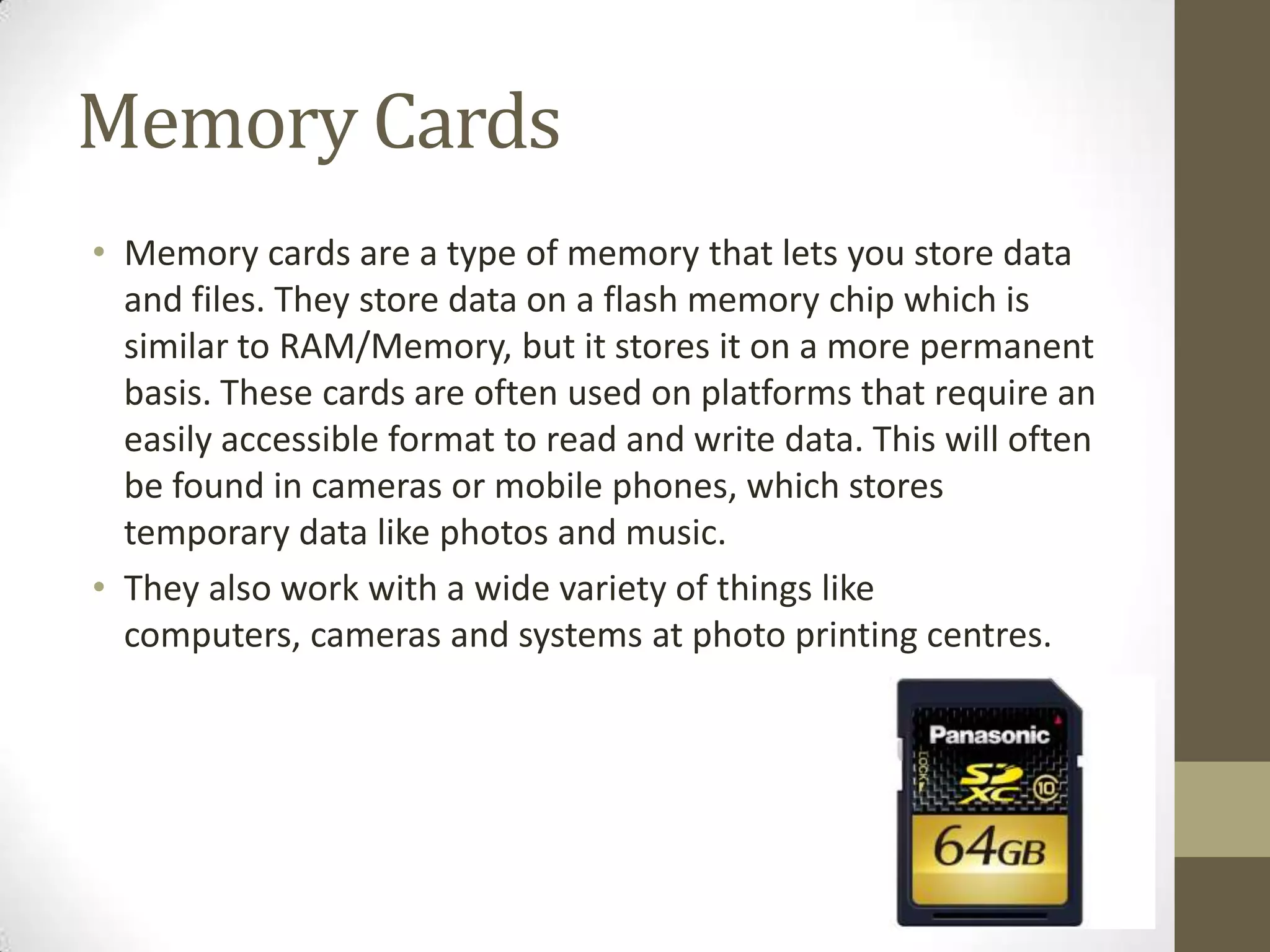
• Memory cards are a type of memory that lets you store data
  and files. They store data on a flash memory chip which is
  similar to RAM/Memory, but it stores it on a more permanent
  basis. These cards are often used on platforms that require an
  easily accessible format to read and write data. This will often
  be found in cameras or mobile phones, which stores
  temporary data like photos and music.
• They also work with a wide variety of things like
  computers, cameras and systems at photo printing centres.
Flash Memory/RAM
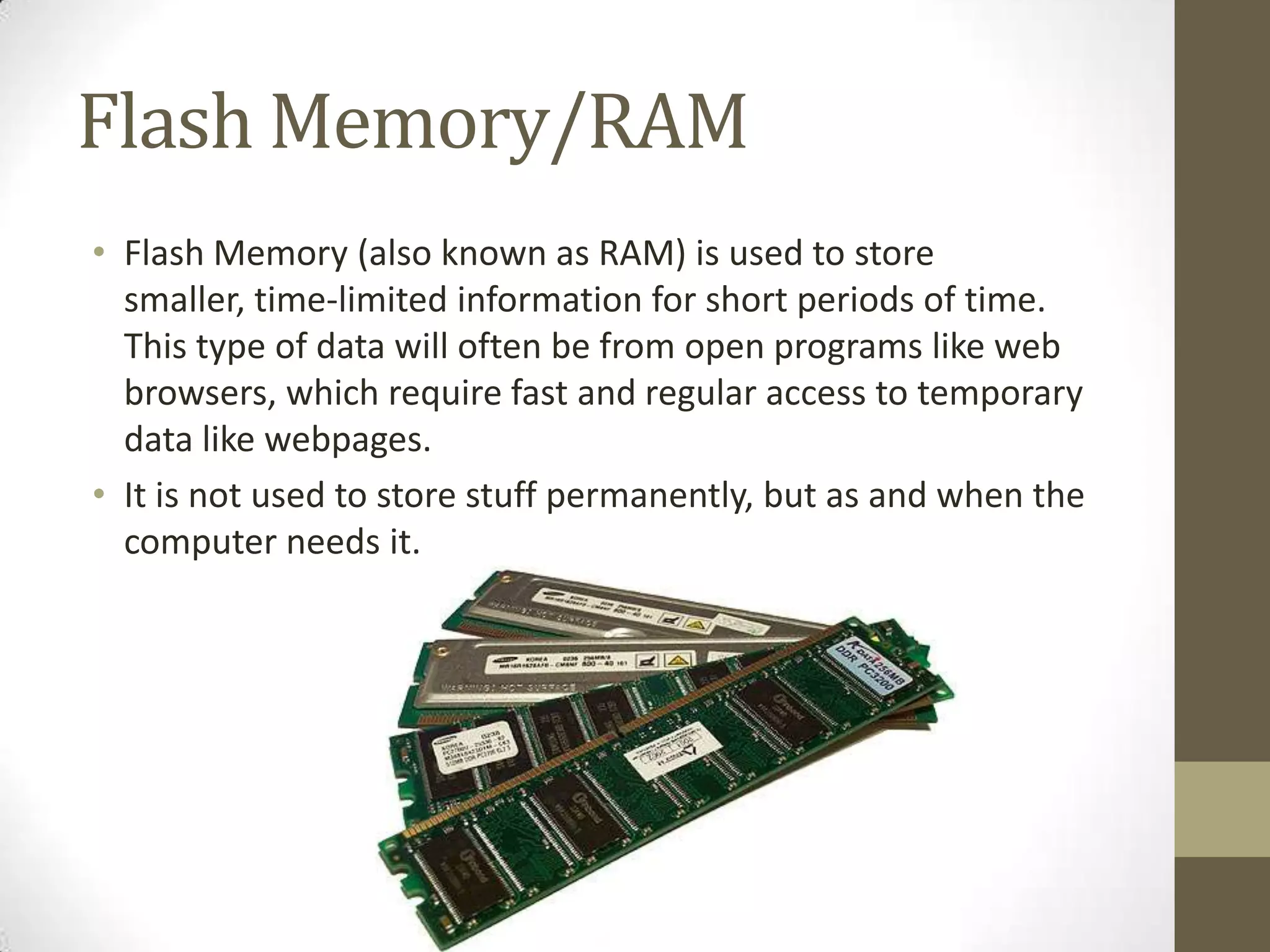
• Flash Memory (also known as RAM) is used to store
  smaller, time-limited information for short periods of time.
  This type of data will often be from open programs like web
  browsers, which require fast and regular access to temporary
  data like webpages.
• It is not used to store stuff permanently, but as and when the
  computer needs it.
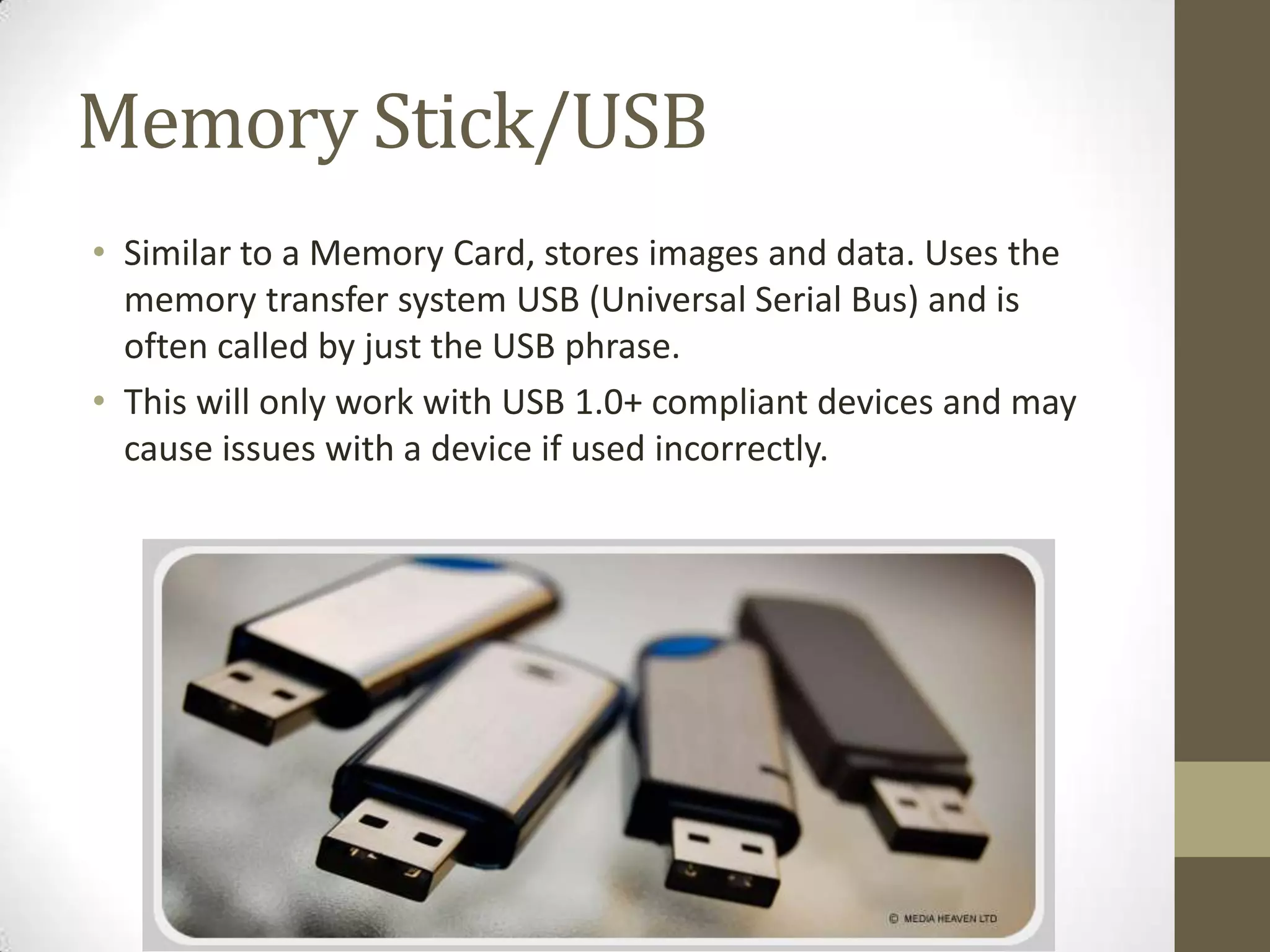
Memory Stick/USB
• Similar to a Memory Card, stores images and data. Uses the
  memory transfer system USB (Universal Serial Bus) and is
  often called by just the USB phrase.
• This will only work with USB 1.0+ compliant devices and may
  cause issues with a device if used incorrectly.
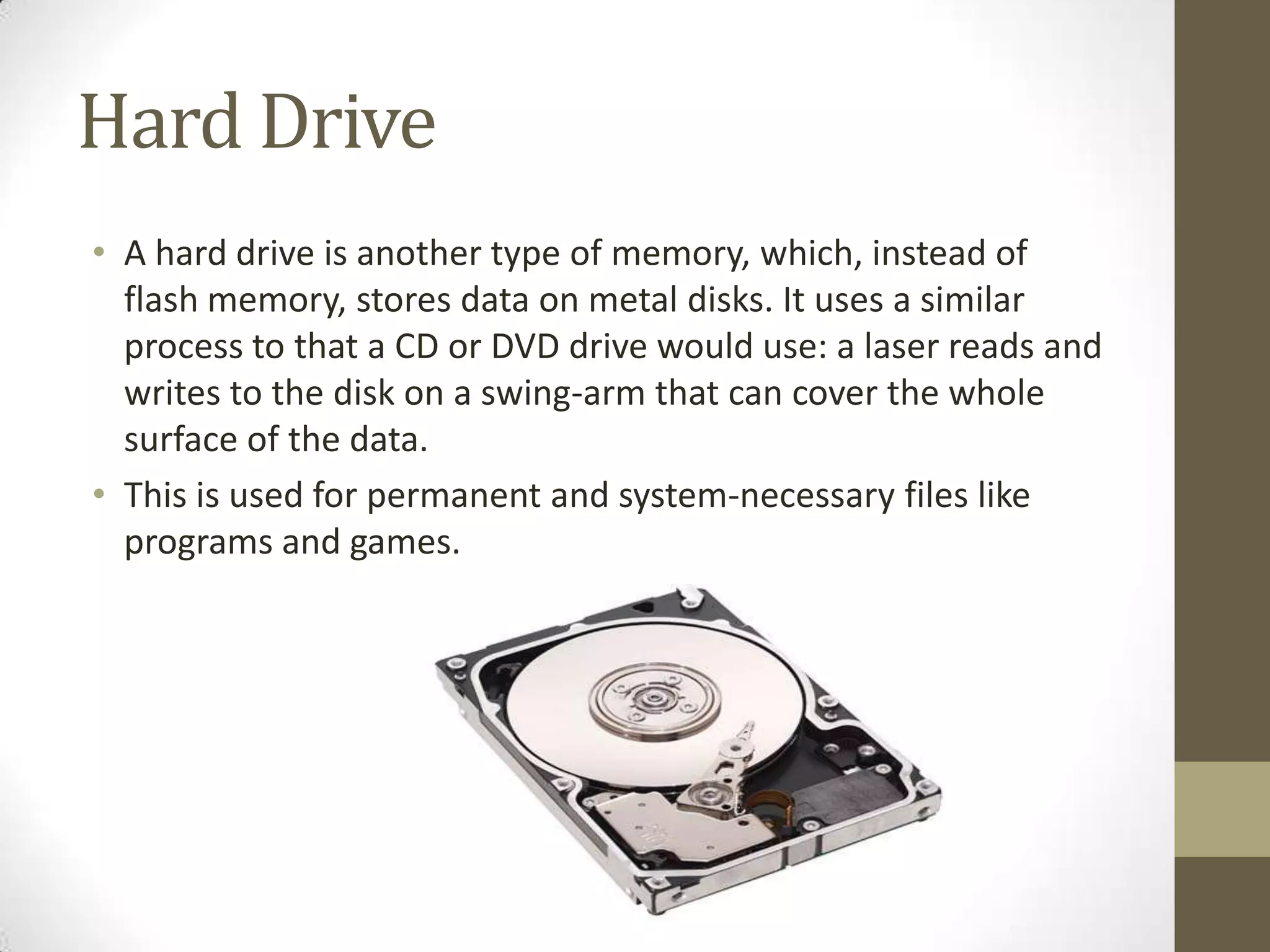
Hard Drive
• A hard drive is another type of memory, which, instead of
  flash memory, stores data on metal disks. It uses a similar
  process to that a CD or DVD drive would use: a laser reads and
  writes to the disk on a swing-arm that can cover the whole
  surface of the data.
• This is used for permanent and system-necessary files like
  programs and games.
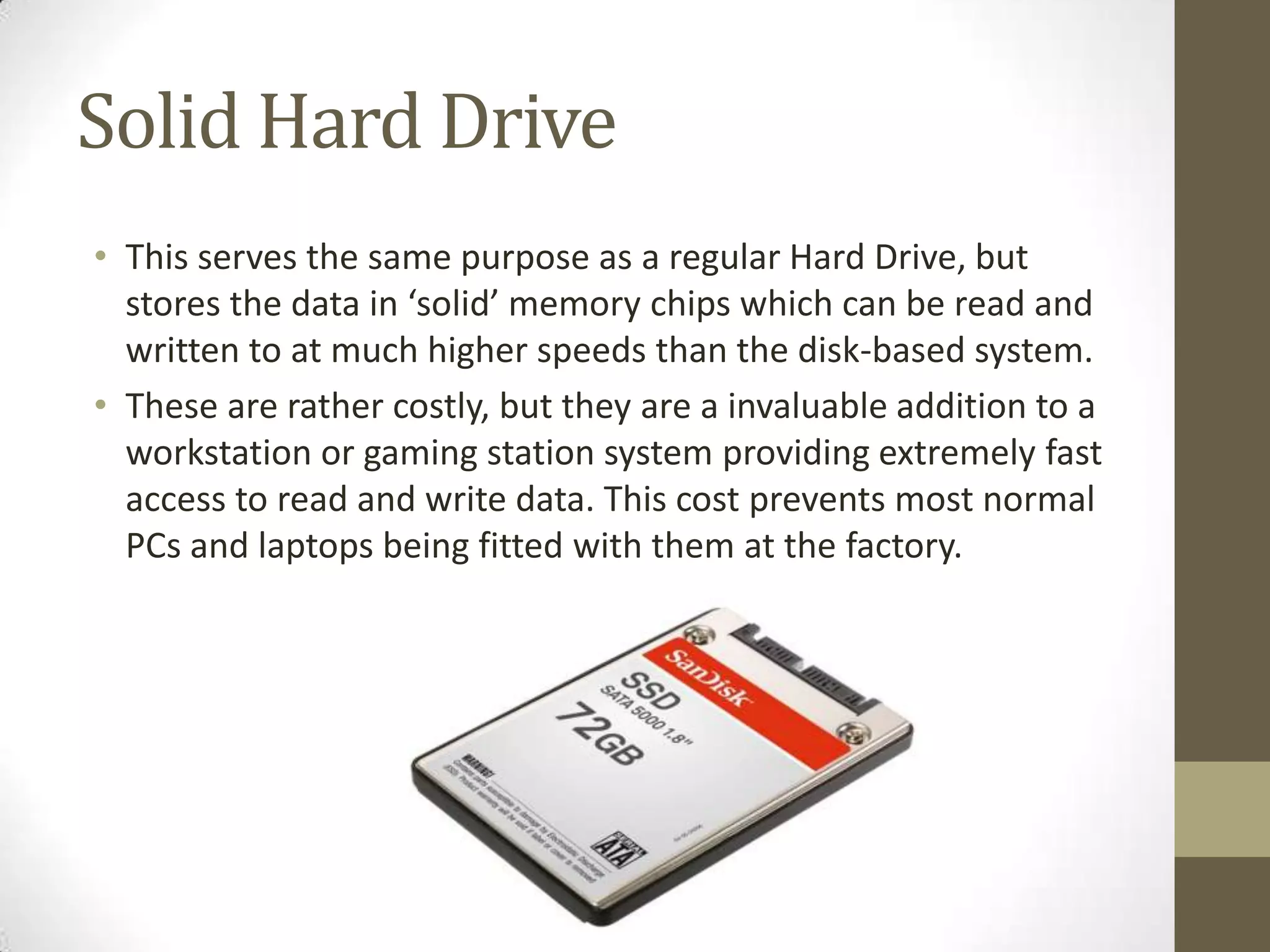
Solid Hard Drive
• This serves the same purpose as a regular Hard Drive, but
  stores the data in ‘solid’ memory chips which can be read and
  written to at much higher speeds than the disk-based system.
• These are rather costly, but they are a invaluable addition to a
  workstation or gaming station system providing extremely fast
  access to read and write data. This cost prevents most normal
  PCs and laptops being fitted with them at the factory.
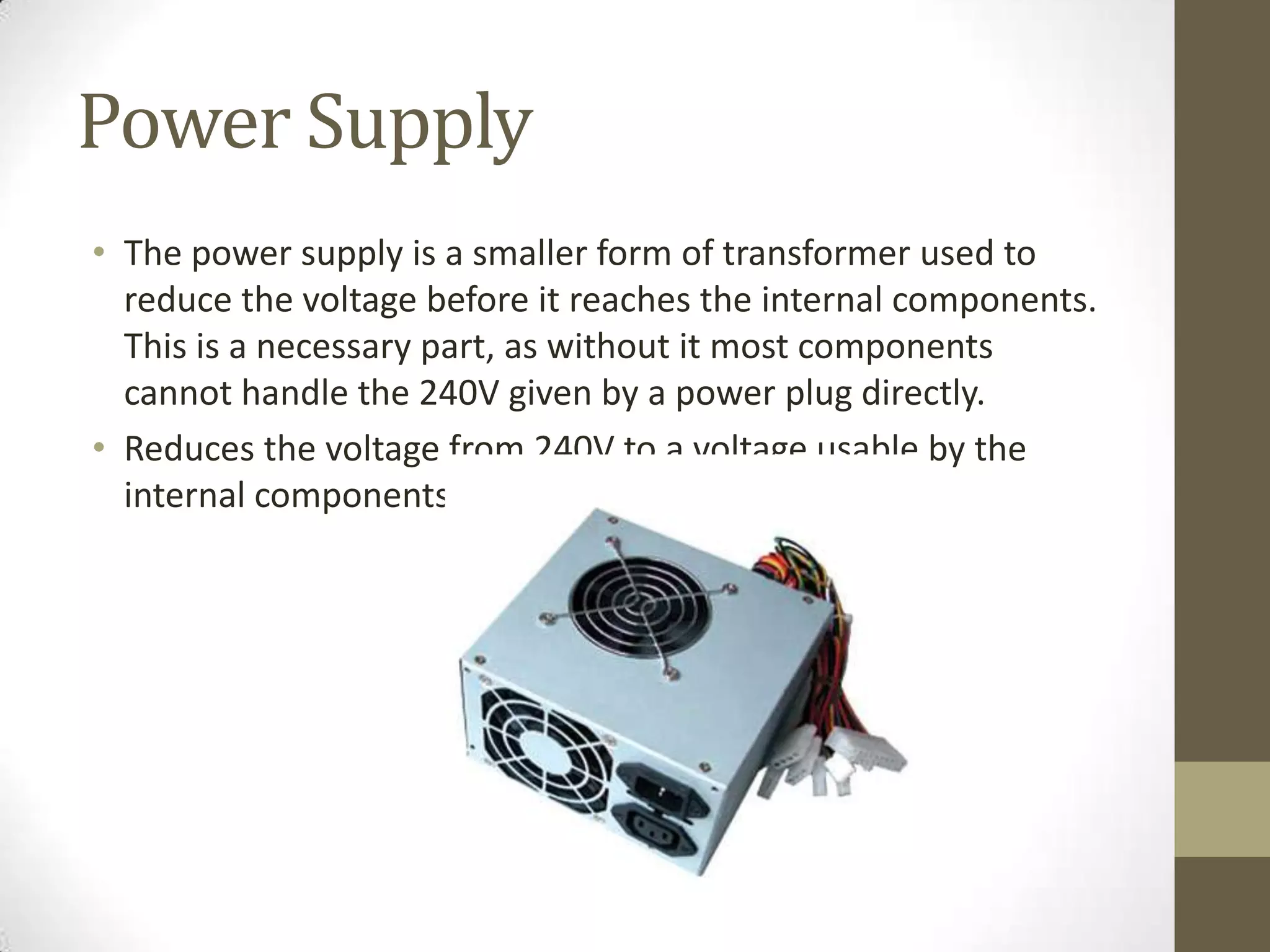
Power Supply
• The power supply is a smaller form of transformer used to
  reduce the voltage before it reaches the internal components.
  This is a necessary part, as without it most components
  cannot handle the 240V given by a power plug directly.
• Reduces the voltage from 240V to a voltage usable by the
  internal components.
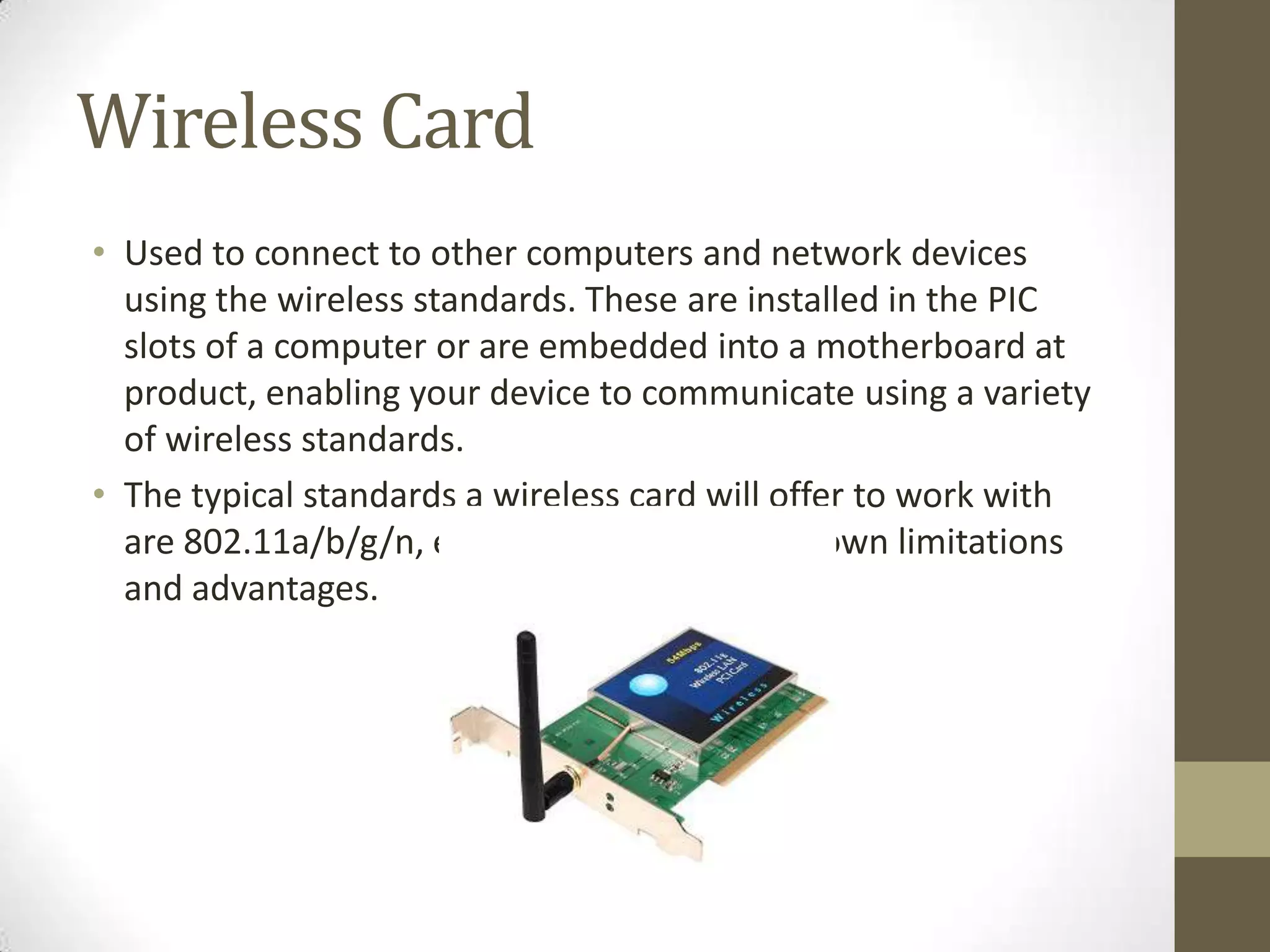
Wireless Card
• Used to connect to other computers and network devices
  using the wireless standards. These are installed in the PIC
  slots of a computer or are embedded into a motherboard at
  product, enabling your device to communicate using a variety
  of wireless standards.
• The typical standards a wireless card will offer to work with
  are 802.11a/b/g/n, each standard having its own limitations
  and advantages.
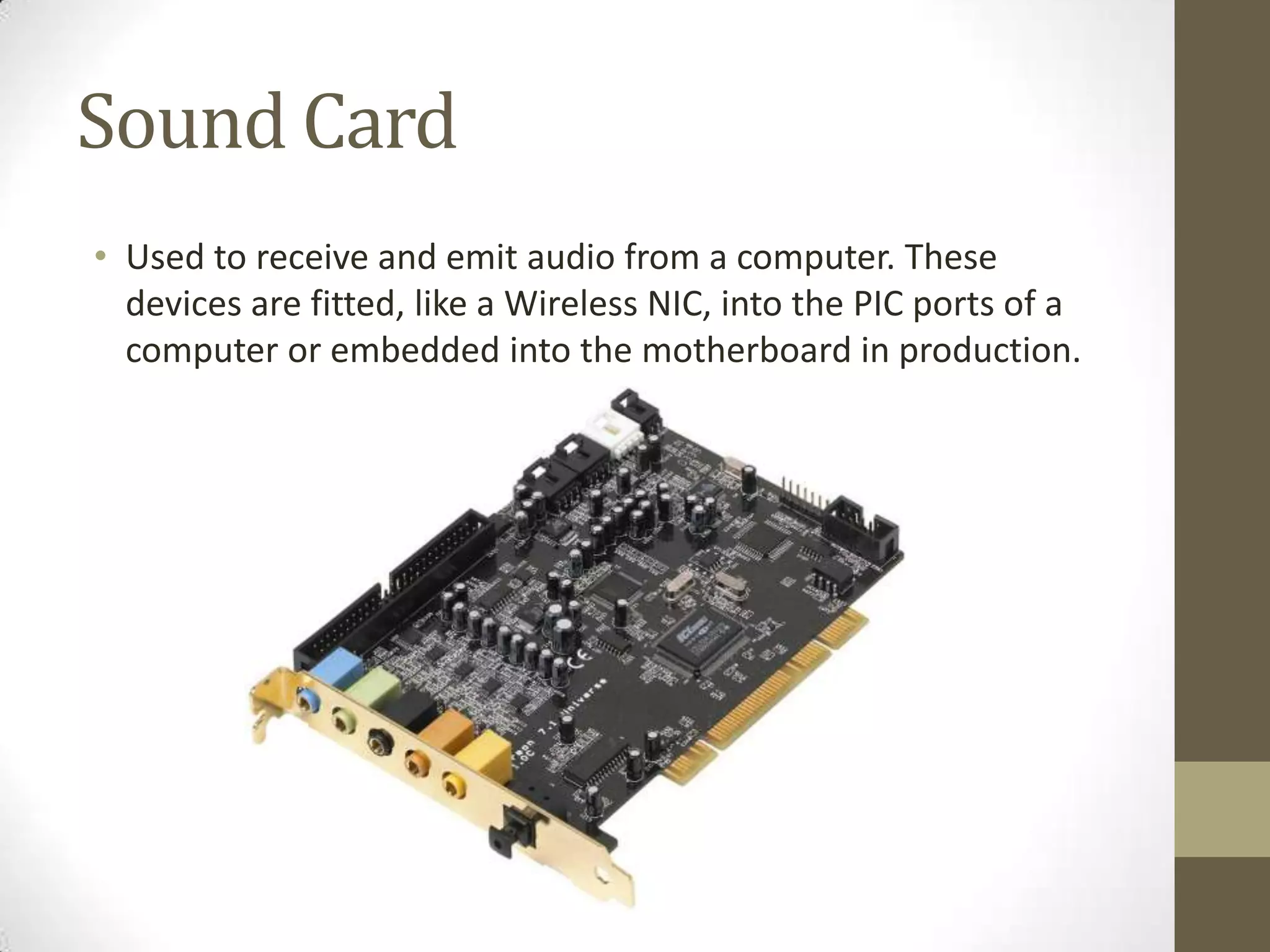
Sound Card
• Used to receive and emit audio from a computer. These
  devices are fitted, like a Wireless NIC, into the PIC ports of a
  computer or embedded into the motherboard in production.
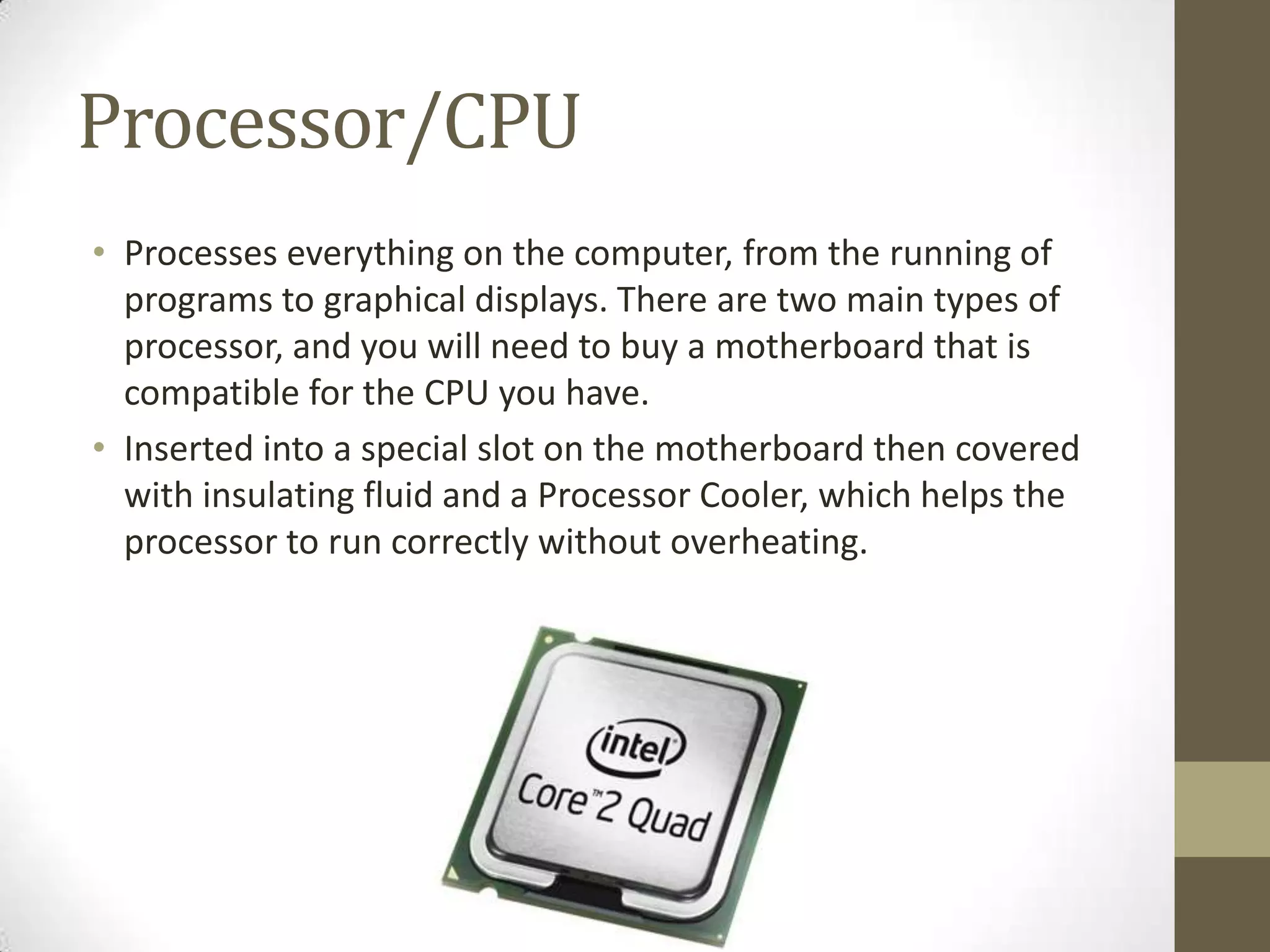
Processor/CPU
• Processes everything on the computer, from the running of
  programs to graphical displays. There are two main types of
  processor, and you will need to buy a motherboard that is
  compatible for the CPU you have.
• Inserted into a special slot on the motherboard then covered
  with insulating fluid and a Processor Cooler, which helps the
  processor to run correctly without overheating.
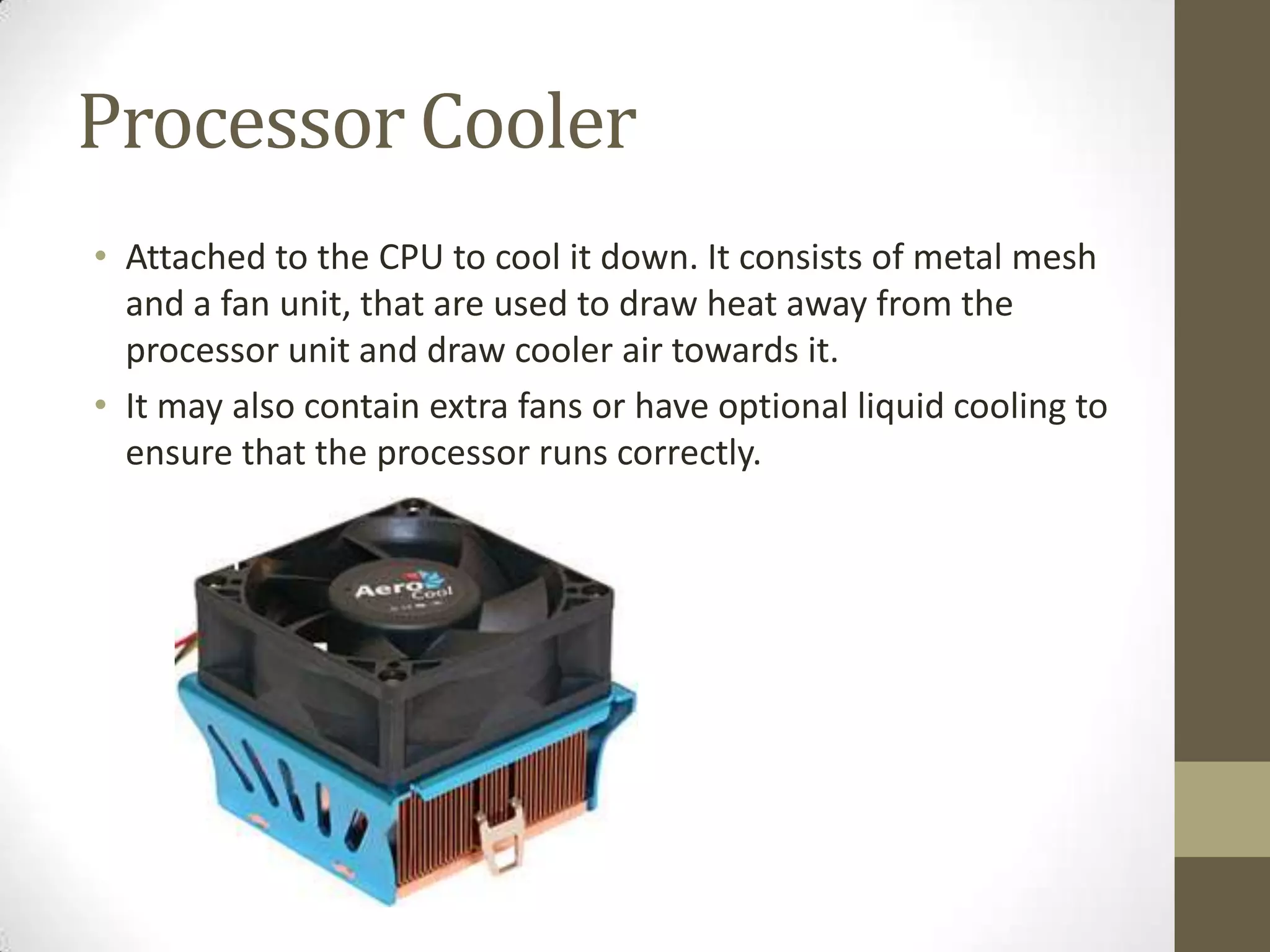
Processor Cooler
• Attached to the CPU to cool it down. It consists of metal mesh
  and a fan unit, that are used to draw heat away from the
  processor unit and draw cooler air towards it.
• It may also contain extra fans or have optional liquid cooling to
  ensure that the processor runs correctly.
Motherboard
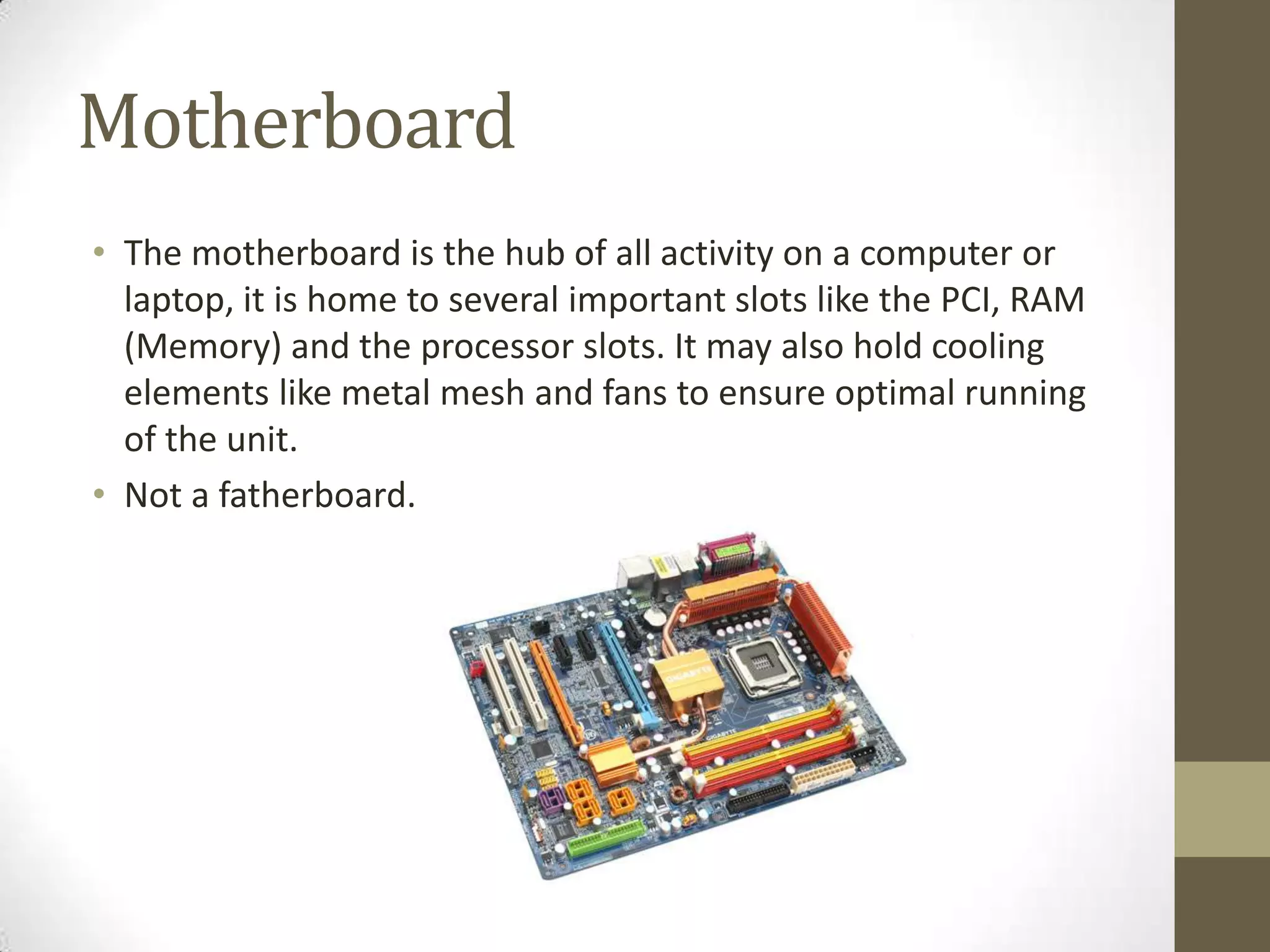
• The motherboard is the hub of all activity on a computer or
  laptop, it is home to several important slots like the PCI, RAM
  (Memory) and the processor slots. It may also hold cooling
  elements like metal mesh and fans to ensure optimal running
  of the unit.
• Not a fatherboard.
CD/DVD Drive
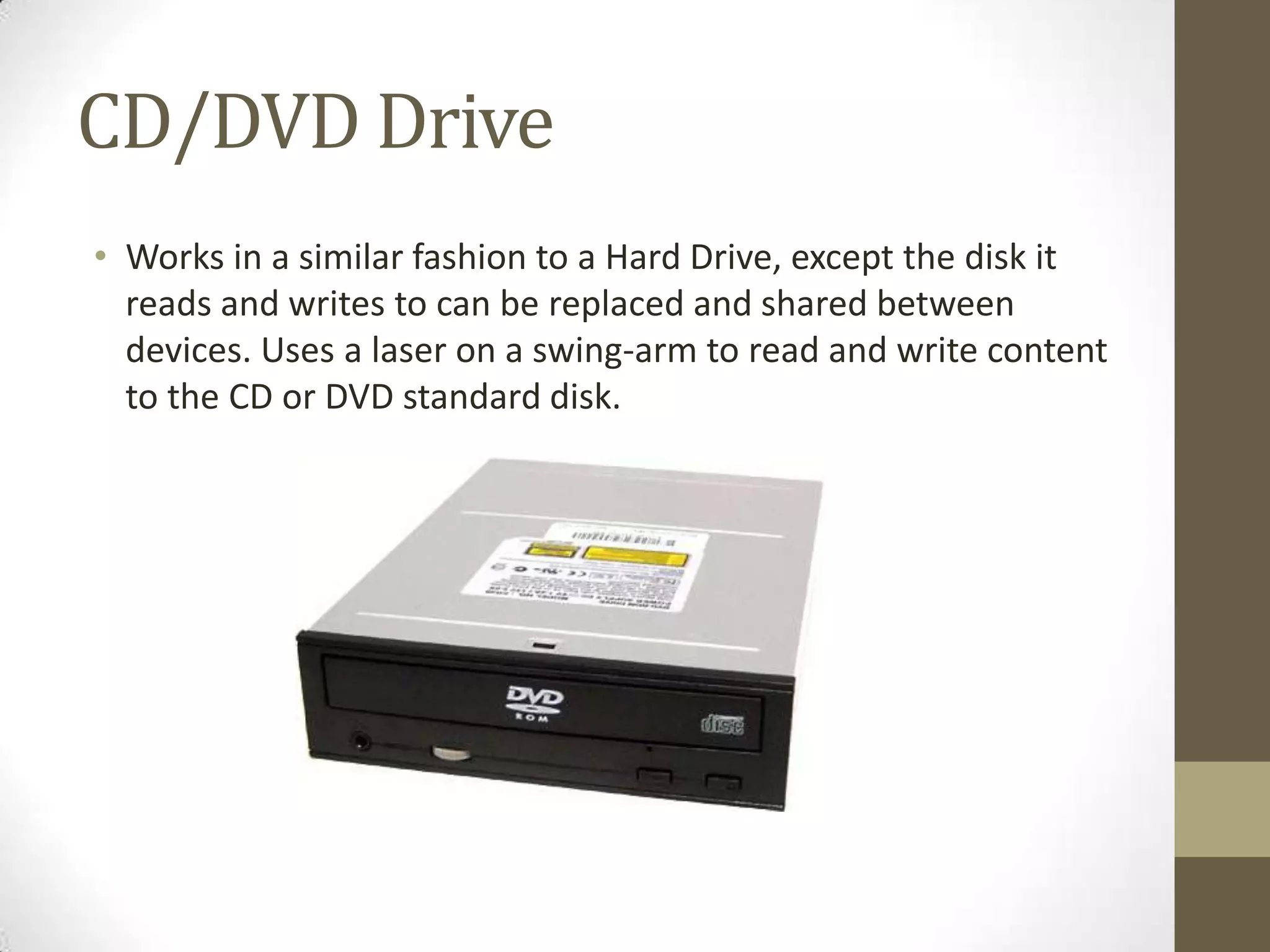
• Works in a similar fashion to a Hard Drive, except the disk it
  reads and writes to can be replaced and shared between
  devices. Uses a laser on a swing-arm to read and write content
  to the CD or DVD standard disk.
Computer Case
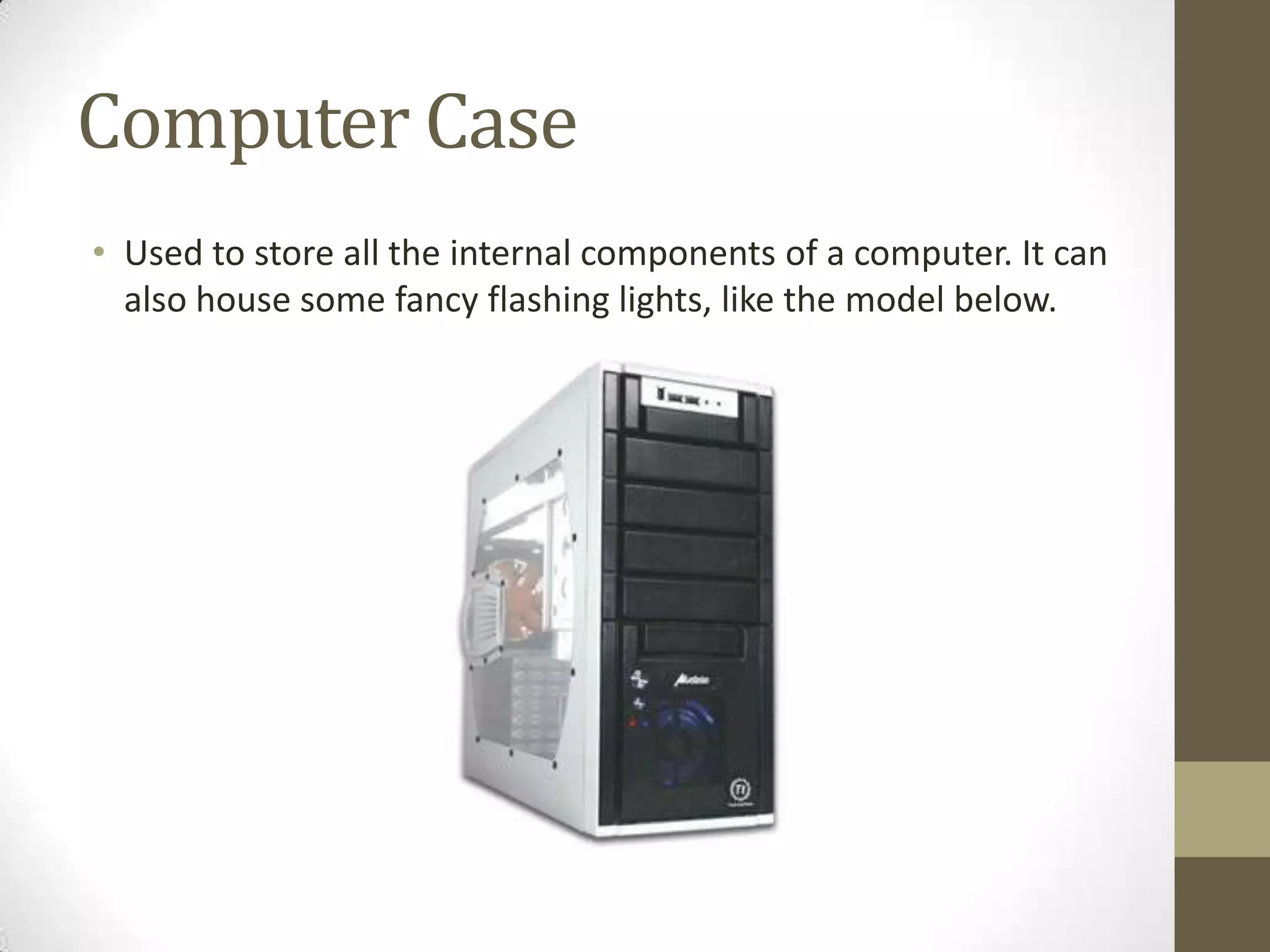
• Used to store all the internal components of a computer. It can
  also house some fancy flashing lights, like the model below.

Internal Components for Intermediate Learners

  • 1.
  • 2.
    About • This presentationis designed for those who are mostly computer literate, it describes most parts of a computer in an easy to read presentational format. Enjoy.
  • 3.
    Memory Cards • Memorycards are a type of memory that lets you store data and files. They store data on a flash memory chip which is similar to RAM/Memory, but it stores it on a more permanent basis. These cards are often used on platforms that require an easily accessible format to read and write data. This will often be found in cameras or mobile phones, which stores temporary data like photos and music. • They also work with a wide variety of things like computers, cameras and systems at photo printing centres.
  • 4.
    Flash Memory/RAM • FlashMemory (also known as RAM) is used to store smaller, time-limited information for short periods of time. This type of data will often be from open programs like web browsers, which require fast and regular access to temporary data like webpages. • It is not used to store stuff permanently, but as and when the computer needs it.
  • 5.
    Memory Stick/USB • Similarto a Memory Card, stores images and data. Uses the memory transfer system USB (Universal Serial Bus) and is often called by just the USB phrase. • This will only work with USB 1.0+ compliant devices and may cause issues with a device if used incorrectly.
  • 6.
    Hard Drive • Ahard drive is another type of memory, which, instead of flash memory, stores data on metal disks. It uses a similar process to that a CD or DVD drive would use: a laser reads and writes to the disk on a swing-arm that can cover the whole surface of the data. • This is used for permanent and system-necessary files like programs and games.
  • 7.
    Solid Hard Drive •This serves the same purpose as a regular Hard Drive, but stores the data in ‘solid’ memory chips which can be read and written to at much higher speeds than the disk-based system. • These are rather costly, but they are a invaluable addition to a workstation or gaming station system providing extremely fast access to read and write data. This cost prevents most normal PCs and laptops being fitted with them at the factory.
  • 8.
    Power Supply • Thepower supply is a smaller form of transformer used to reduce the voltage before it reaches the internal components. This is a necessary part, as without it most components cannot handle the 240V given by a power plug directly. • Reduces the voltage from 240V to a voltage usable by the internal components.
  • 9.
    Wireless Card • Usedto connect to other computers and network devices using the wireless standards. These are installed in the PIC slots of a computer or are embedded into a motherboard at product, enabling your device to communicate using a variety of wireless standards. • The typical standards a wireless card will offer to work with are 802.11a/b/g/n, each standard having its own limitations and advantages.
  • 10.
    Sound Card • Usedto receive and emit audio from a computer. These devices are fitted, like a Wireless NIC, into the PIC ports of a computer or embedded into the motherboard in production.
  • 11.
    Processor/CPU • Processes everythingon the computer, from the running of programs to graphical displays. There are two main types of processor, and you will need to buy a motherboard that is compatible for the CPU you have. • Inserted into a special slot on the motherboard then covered with insulating fluid and a Processor Cooler, which helps the processor to run correctly without overheating.
  • 12.
    Processor Cooler • Attachedto the CPU to cool it down. It consists of metal mesh and a fan unit, that are used to draw heat away from the processor unit and draw cooler air towards it. • It may also contain extra fans or have optional liquid cooling to ensure that the processor runs correctly.
  • 13.
    Motherboard • The motherboardis the hub of all activity on a computer or laptop, it is home to several important slots like the PCI, RAM (Memory) and the processor slots. It may also hold cooling elements like metal mesh and fans to ensure optimal running of the unit. • Not a fatherboard.
  • 14.
    CD/DVD Drive • Worksin a similar fashion to a Hard Drive, except the disk it reads and writes to can be replaced and shared between devices. Uses a laser on a swing-arm to read and write content to the CD or DVD standard disk.
  • 15.
    Computer Case • Usedto store all the internal components of a computer. It can also house some fancy flashing lights, like the model below.