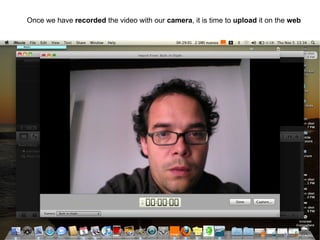
Once we have  recorded  the video with our  camera , it is time to  upload  it on the  web
 
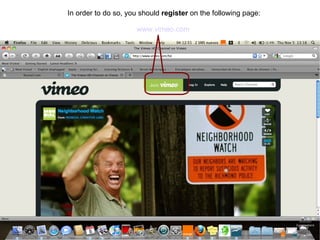
In order to do so, you should  register  on the following page: www.vimeo.com
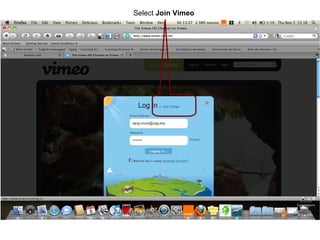
Select  Join Vimeo
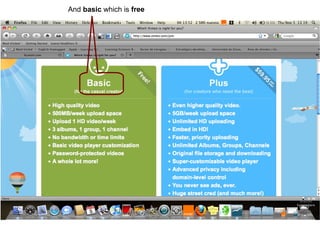
And  basic  which is  free
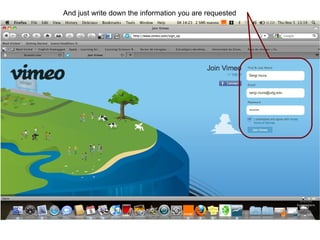
And just write down the information you are requested
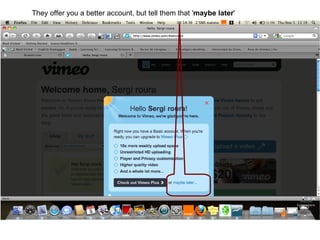
They offer you a better account, but tell them that ' maybe later '
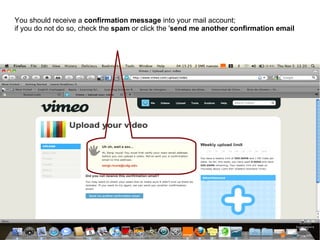
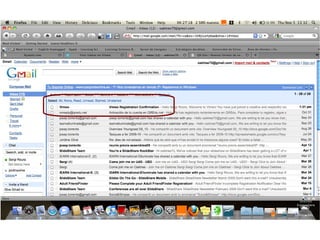
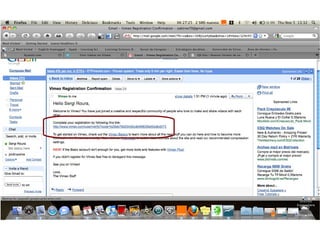
You should receive a  confirmation message  into your mail account;  if you do not do so, check the  spam  or click the ' send me another confirmation email
 
 
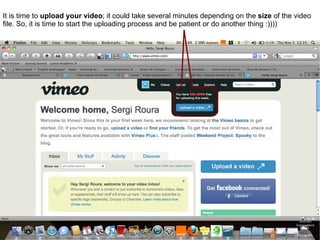
It is time to  upload your video ; it could take several minutes depending on the  size  of the video file. So, it is time to start the uploading process and be patient or do another thing :))))‏
 
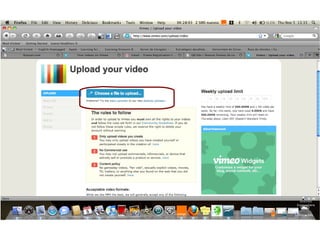
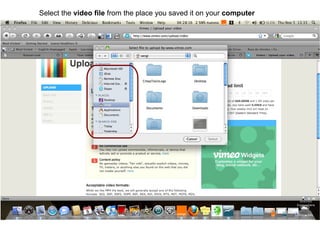
Select the  video   file  from the place you saved it on your  computer
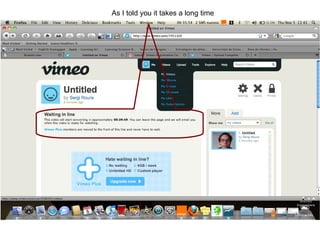
As I told you it takes a long time
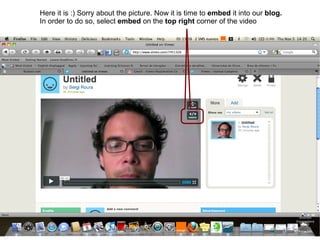
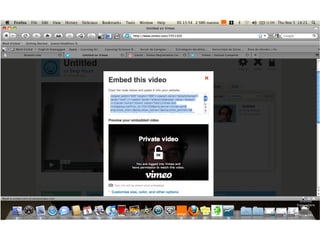
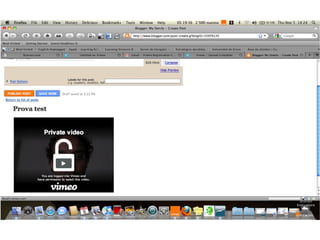
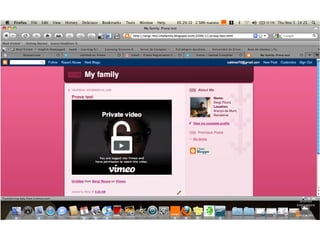
Here it is :) Sorry about the picture. Now it is time to  embed  it into our  blog.  In order to do so, select  embed  on the  top right  corner of the video
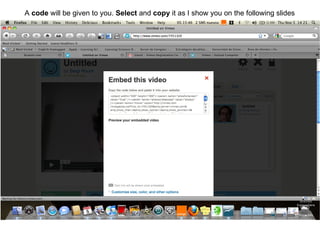
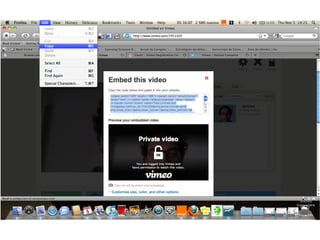
A  code  will be given to you.  Select  and  copy  it as I show you on the following slides
 
 
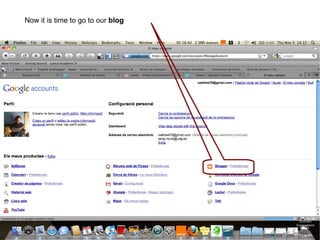
Now it is time to go to our  blog
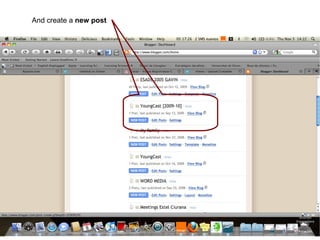
And create a  new post
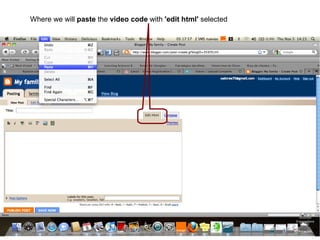
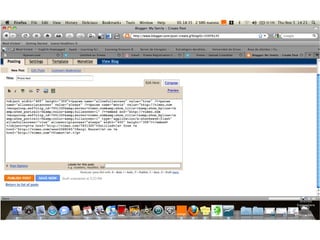
Where we will  paste  the  video code  with  'edit html'  selected


Vimeo tutorial

  • 1.
    Once we have recorded the video with our camera , it is time to upload it on the web
  • 2.
  • 3.
    In order todo so, you should register on the following page: www.vimeo.com
  • 4.
  • 5.
    And basic which is free
  • 6.
    And just writedown the information you are requested
  • 7.
    They offer youa better account, but tell them that ' maybe later '
  • 8.
    You should receivea confirmation message into your mail account; if you do not do so, check the spam or click the ' send me another confirmation email
  • 9.
  • 10.
  • 11.
    It is timeto upload your video ; it could take several minutes depending on the size of the video file. So, it is time to start the uploading process and be patient or do another thing :))))‏
  • 12.
  • 13.
    Select the video file from the place you saved it on your computer
  • 14.
    As I toldyou it takes a long time
  • 15.
    Here it is:) Sorry about the picture. Now it is time to embed it into our blog. In order to do so, select embed on the top right corner of the video
  • 16.
    A code will be given to you. Select and copy it as I show you on the following slides
  • 17.
  • 18.
  • 19.
    Now it istime to go to our blog
  • 20.
    And create a new post
  • 21.
    Where we will paste the video code with 'edit html' selected
  • 22.
  • 23.
  • 24.
  • 25.
  • 26.