Presentation on
 Input Devices
INDEX


•   Introduction
•   Mouse
•   Keyboard
•   Scanner
•   Game input devices
•   Other devices
What is Input Device ?

• An input device is any hardware
  device that sends data to the
  computer, without any input devices, a
  computer would only be a display
  device and not allow users to interact
  with it, much like a TV.
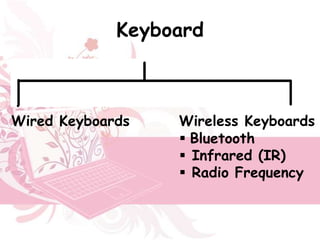
Keyboard
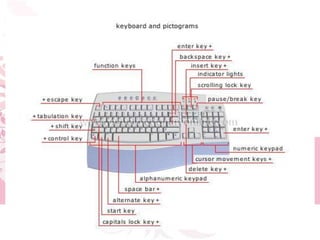
• The keyboard contains a group of keys
  that correspond to characters and
  functions.
Wired Keyboards        Wireless Keyboards
                         Bluetooth
                         Infrared (IR)
                         Radio Frequency
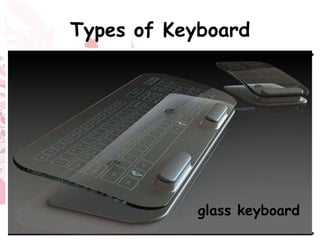
Types of Keyboard


        Optimus Tactus Keyboard
 Touch ScreenKeyboard         glass keyboard
CombimouseFlexible Illuminated FullIlluminatedKeyboard
              keyboardKeyboardSized Keyboard
           Projection        Flexible
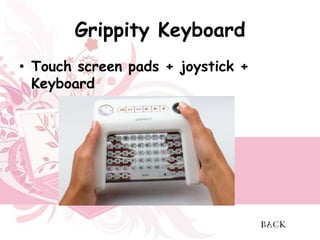
Grippity Keyboard
• Touch screen pads + joystick +
  Keyboard
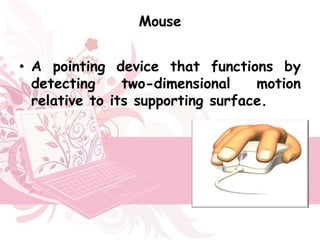
Mouse


• A pointing device that functions by
  detecting     two-dimensional    motion
  relative to its supporting surface.
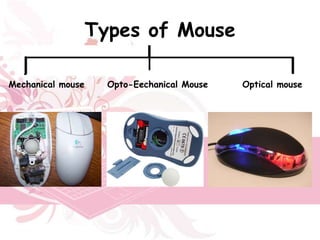
Types of Mouse

Mechanical mouse     Opto-Eechanical Mouse   Optical mouse
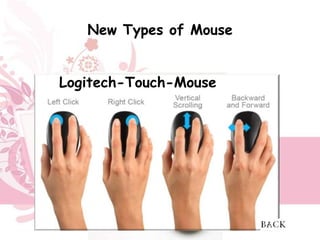
New Types of Mouse


Logitech-Touch-Mouse
     Ring Mouse Slim Mouse
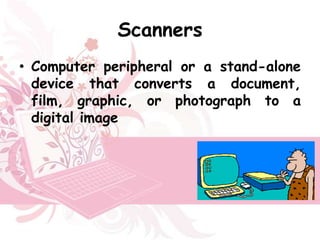
Scanners
• Computer peripheral or a stand-alone
  device that converts a document,
  film, graphic, or photograph to a
  digital image
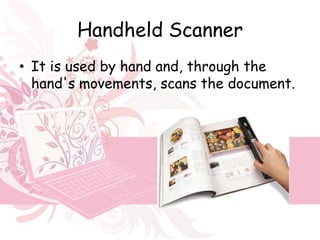
Handheld Scanner
• It is used by hand and, through the
  hand's movements, scans the document.
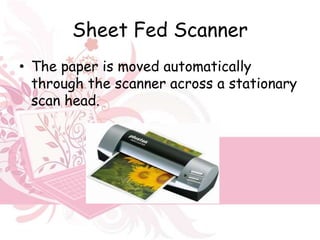
Sheet Fed Scanner
• The paper is moved automatically
  through the scanner across a stationary
  scan head.
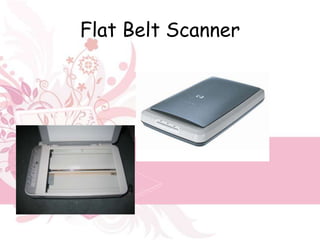
Flat Belt Scanner
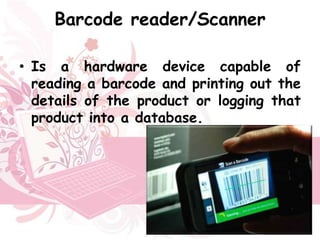
Barcode reader/Scanner

• Is a hardware device capable of
  reading a barcode and printing out the
  details of the product or logging that
  product into a database.
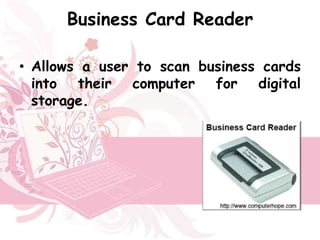
Business Card Reader

• Allows a user to scan business cards
  into their computer for digital
  storage.
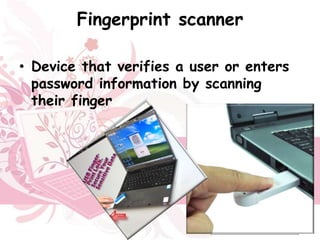
Fingerprint scanner

• Device that verifies a user or enters
  password information by scanning
  their finger
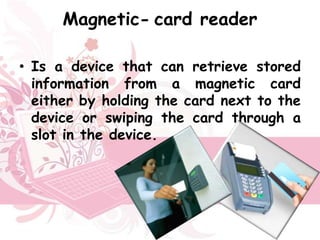
Magnetic- card reader

• Is a device that can retrieve stored
  information from a magnetic card
  either by holding the card next to the
  device or swiping the card through a
  slot in the device.
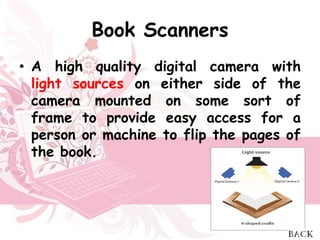
Book Scanners
• A high quality digital camera with
  light sources on either side of the
  camera mounted on some sort of
  frame to provide easy access for a
  person or machine to flip the pages of
  the book.
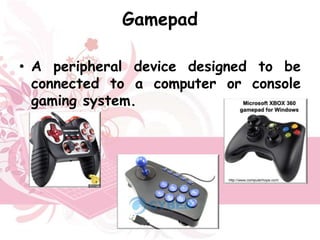
Gamepad

• A peripheral device designed to be
  connected to a computer or console
  gaming system.
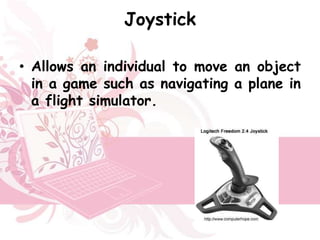
Joystick

• Allows an individual to move an object
  in a game such as navigating a plane in
  a flight simulator.
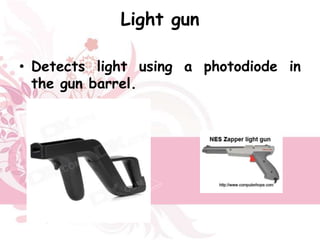
Light gun

• Detects light using a photodiode in
  the gun barrel.
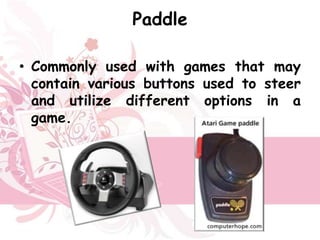
Paddle

• Commonly used with games that may
  contain various buttons used to steer
  and utilize different options in a
  game.
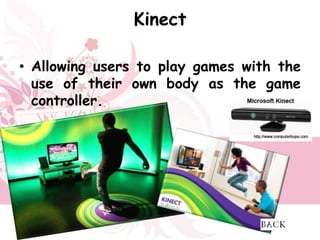
Kinect

• Allowing users to play games with the
  use of their own body as the game
  controller.
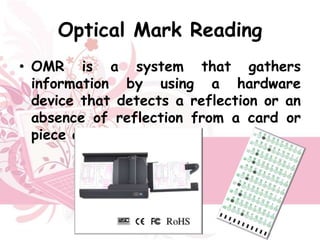
Optical Mark Reading
• OMR is a system that gathers
  information by using a hardware
  device that detects a reflection or an
  absence of reflection from a card or
  piece of paper.
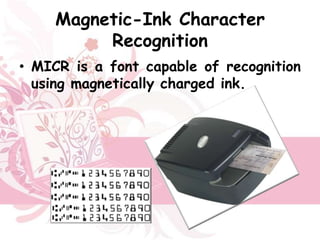
Magnetic-Ink Character
         Recognition
• MICR is a font capable of recognition
  using magnetically charged ink.
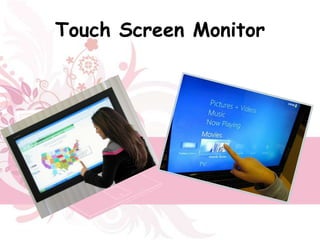
Touch Screen Monitor
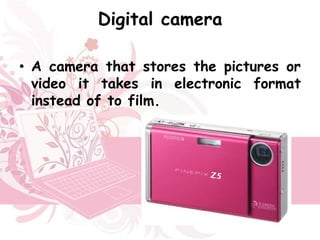
Digital camera

• A camera that stores the pictures or
  video it takes in electronic format
  instead of to film.
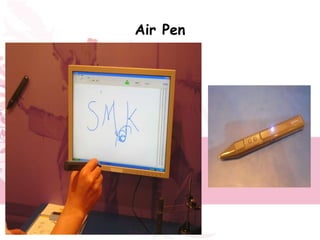
Air Pen
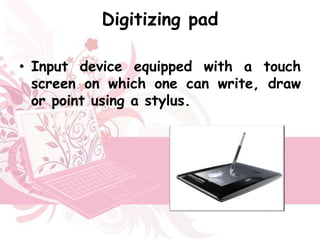
Digitizing pad

• Input device equipped with a touch
  screen on which one can write, draw
  or point using a stylus.
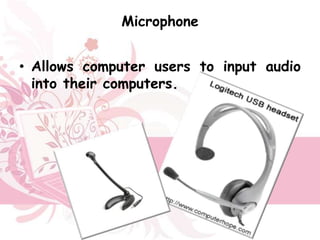
Microphone


• Allows computer users to input audio
  into their computers.
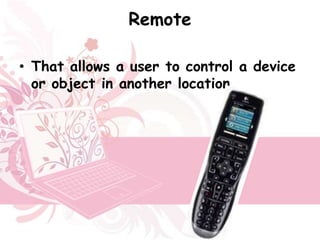
Remote

• That allows a user to control a device
  or object in another location.
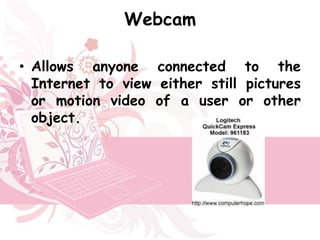
Webcam

• Allows anyone connected to the
  Internet to view either still pictures
  or motion video of a user or other
  object.
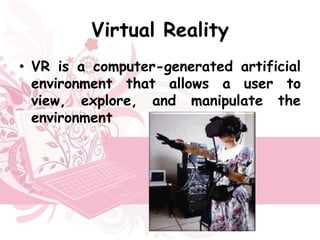
Virtual Reality
• VR is a computer-generated artificial
  environment that allows a user to
  view, explore, and manipulate the
  environment
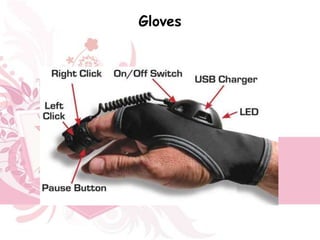
Gloves
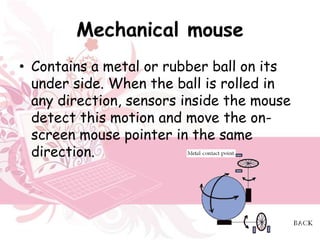
Mechanical mouse
• Contains a metal or rubber ball on its
  under side. When the ball is rolled in
  any direction, sensors inside the mouse
  detect this motion and move the on-
  screen mouse pointer in the same
  direction.
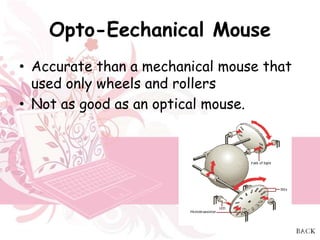
Opto-Eechanical Mouse
• Accurate than a mechanical mouse that
  used only wheels and rollers
• Not as good as an optical mouse.
Optical mouse
• That utilizes light-emitting diodes (LED)
  or laser as a method of tracking
  movement, which make them more
  proficient than earlier mice.

• These mice are identified by examining
  the bottom of the mouse.

Presentation on ip

  • 1.
  • 2.
    INDEX • Introduction • Mouse • Keyboard • Scanner • Game input devices • Other devices
  • 3.
    What is InputDevice ? • An input device is any hardware device that sends data to the computer, without any input devices, a computer would only be a display device and not allow users to interact with it, much like a TV.
  • 4.
    Keyboard • The keyboardcontains a group of keys that correspond to characters and functions. Wired Keyboards Wireless Keyboards  Bluetooth  Infrared (IR)  Radio Frequency
  • 6.
    Types of Keyboard Optimus Tactus Keyboard Touch ScreenKeyboard glass keyboard CombimouseFlexible Illuminated FullIlluminatedKeyboard keyboardKeyboardSized Keyboard Projection Flexible
  • 7.
    Grippity Keyboard • Touchscreen pads + joystick + Keyboard
  • 8.
    Mouse • A pointingdevice that functions by detecting two-dimensional motion relative to its supporting surface.
  • 9.
    Types of Mouse Mechanicalmouse Opto-Eechanical Mouse Optical mouse
  • 10.
    New Types ofMouse Logitech-Touch-Mouse Ring Mouse Slim Mouse
  • 11.
    Scanners • Computer peripheralor a stand-alone device that converts a document, film, graphic, or photograph to a digital image
  • 12.
    Handheld Scanner • Itis used by hand and, through the hand's movements, scans the document.
  • 13.
    Sheet Fed Scanner •The paper is moved automatically through the scanner across a stationary scan head.
  • 14.
  • 15.
    Barcode reader/Scanner • Isa hardware device capable of reading a barcode and printing out the details of the product or logging that product into a database.
  • 16.
    Business Card Reader •Allows a user to scan business cards into their computer for digital storage.
  • 17.
    Fingerprint scanner • Devicethat verifies a user or enters password information by scanning their finger
  • 18.
    Magnetic- card reader •Is a device that can retrieve stored information from a magnetic card either by holding the card next to the device or swiping the card through a slot in the device.
  • 19.
    Book Scanners • Ahigh quality digital camera with light sources on either side of the camera mounted on some sort of frame to provide easy access for a person or machine to flip the pages of the book.
  • 20.
    Gamepad • A peripheraldevice designed to be connected to a computer or console gaming system.
  • 21.
    Joystick • Allows anindividual to move an object in a game such as navigating a plane in a flight simulator.
  • 22.
    Light gun • Detectslight using a photodiode in the gun barrel.
  • 23.
    Paddle • Commonly usedwith games that may contain various buttons used to steer and utilize different options in a game.
  • 24.
    Kinect • Allowing usersto play games with the use of their own body as the game controller.
  • 25.
    Optical Mark Reading •OMR is a system that gathers information by using a hardware device that detects a reflection or an absence of reflection from a card or piece of paper.
  • 26.
    Magnetic-Ink Character Recognition • MICR is a font capable of recognition using magnetically charged ink.
  • 27.
  • 28.
    Digital camera • Acamera that stores the pictures or video it takes in electronic format instead of to film.
  • 29.
  • 30.
    Digitizing pad • Inputdevice equipped with a touch screen on which one can write, draw or point using a stylus.
  • 31.
    Microphone • Allows computerusers to input audio into their computers.
  • 32.
    Remote • That allowsa user to control a device or object in another location.
  • 33.
    Webcam • Allows anyoneconnected to the Internet to view either still pictures or motion video of a user or other object.
  • 34.
    Virtual Reality • VRis a computer-generated artificial environment that allows a user to view, explore, and manipulate the environment
  • 35.
  • 37.
    Mechanical mouse • Containsa metal or rubber ball on its under side. When the ball is rolled in any direction, sensors inside the mouse detect this motion and move the on- screen mouse pointer in the same direction.
  • 38.
    Opto-Eechanical Mouse • Accuratethan a mechanical mouse that used only wheels and rollers • Not as good as an optical mouse.
  • 39.
    Optical mouse • Thatutilizes light-emitting diodes (LED) or laser as a method of tracking movement, which make them more proficient than earlier mice. • These mice are identified by examining the bottom of the mouse.

Editor's Notes

  • #4 1
  • #5 1The radio frequency keyboards get the required power from batteries or have a USB cable for charging, while the infrared oness are to be kept in the line of sight of the receiver. On the other hand, the radio frequency keyboards provides a greater range than the infrared ones. The bluetooth keyboards use a bluetooth technology, which provides a greater range than the radio frequency and infrared keyboards. The radio frequency keyboards offer a greater mobility than the bluetooth and the infrared ones.
  • #6 1
  • #7 1
  • #8 1
  • #9 2
  • #10 2
  • #11 3
  • #12 3
  • #13 3
  • #14 4
  • #15 4
  • #16 4
  • #17 4
  • #18 5
  • #19 5
  • #20 5
  • #21 6
  • #22 6
  • #23 6
  • #24 6
  • #25 7
  • #26 7
  • #27 7
  • #28 8
  • #29 8
  • #30 8
  • #31 8
  • #32 9
  • #33 9
  • #34 10
  • #35 10
  • #36 10
  • #39 consists of a ball that rolls one of two wheels inside the mouse. Each wheel contains a circle of holes or notches, which allow a LED light to be shined through and detected by a sensor, as the wheel spins they represent an X or Y axis for the mouse pointer on your screen. This mouse is much more accurate than a mechanical mouse that used only wheels and rollers, however, is not as good as an optical mouse.