Internet and Computing
Fundamentals 7
Prepared by:
CHONY F. FORONDA
Teacher III/ICT Teacher
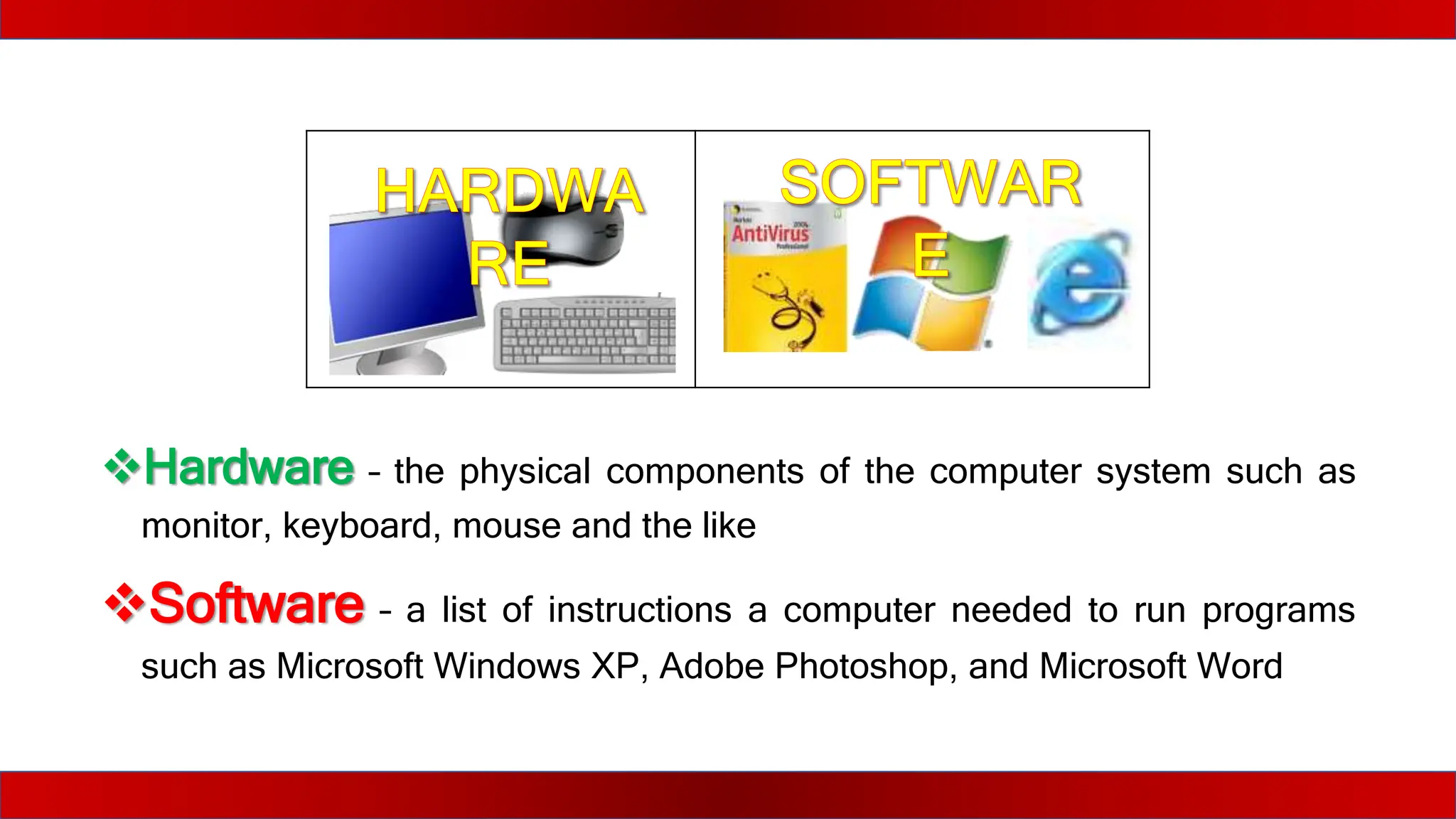
Hardware – the physical components of the computer system such as
monitor, keyboard, mouse and the like
Software – a list of instructions a computer needed to run programs
such as Microsoft Windows XP, Adobe Photoshop, and Microsoft Word
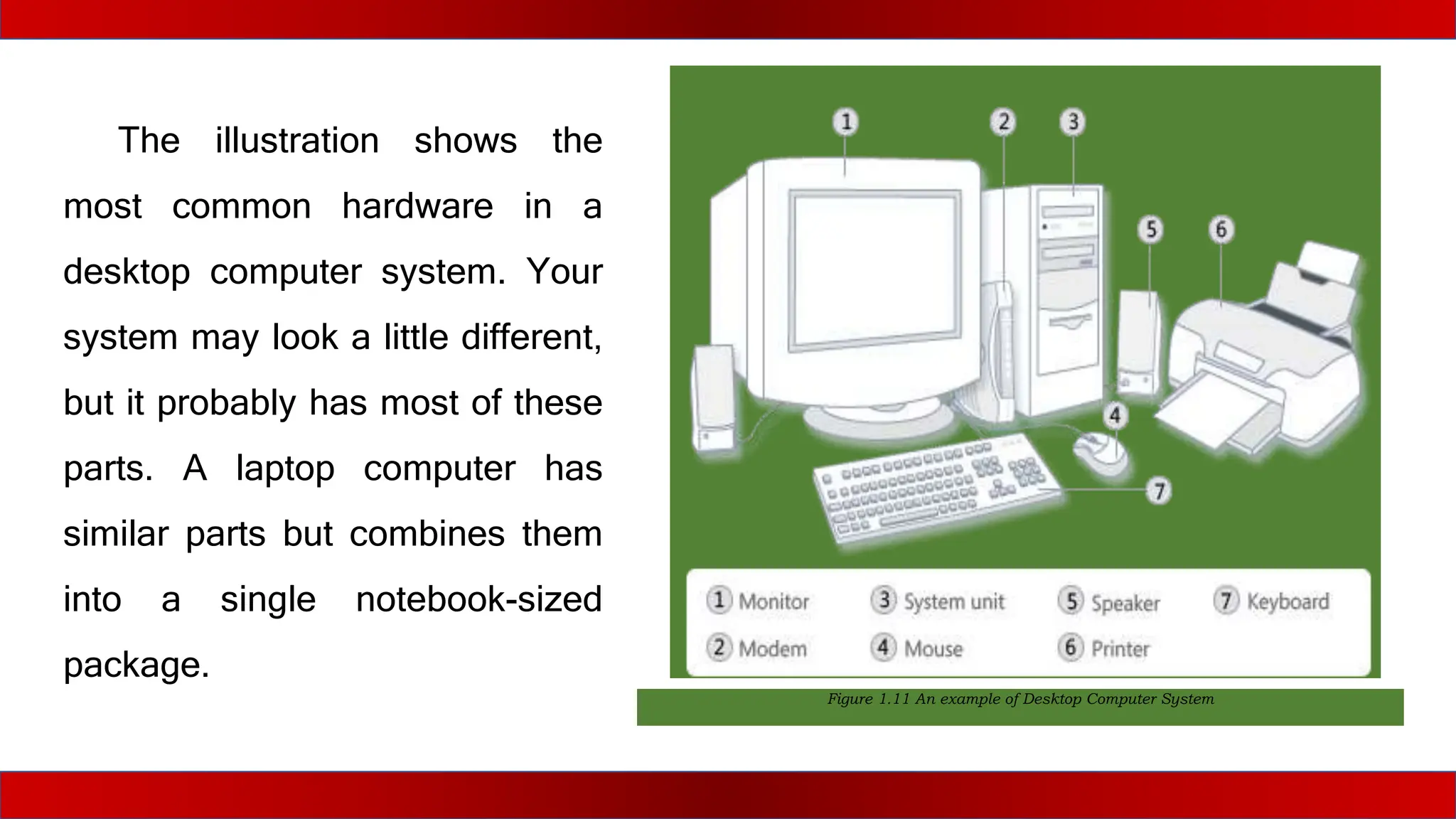
Figure 1.11 An example of Desktop Computer System
The illustration shows the
most common hardware in a
desktop computer system. Your
system may look a little different,
but it probably has most of these
parts. A laptop computer has
similar parts but combines them
into a single notebook-sized
package.
Let us focus on the personal computer (PC). The
PC has four (4) types of devices that work together to
produce results namely the input, processing, storage,
and output devices.
1. Answer the guide questions and reflection that follows in a separate sheet
of paper.
a. Computer system is comprised of what different devices?
b. Why do you need to determine the parts and uses of a computer
system?
Home Activities
2. Reflection
Directions: Complete the statement below:
As a 21st century learner I need to familiarize the functions of each computer devices because
________________________________________________________________________________________________________________
________________________________________________________________________________________________________________
________________________________________________________________________________________________________________
____________________________________
INPUT
DEVICES
These refer to equipment or devices that interact with
the computer because they accept instructions from
the users. There are two (2) basic input devices
which are commonly used in personal computers, the
keyboard and the mouse.
BASIC INPUT DEVICES
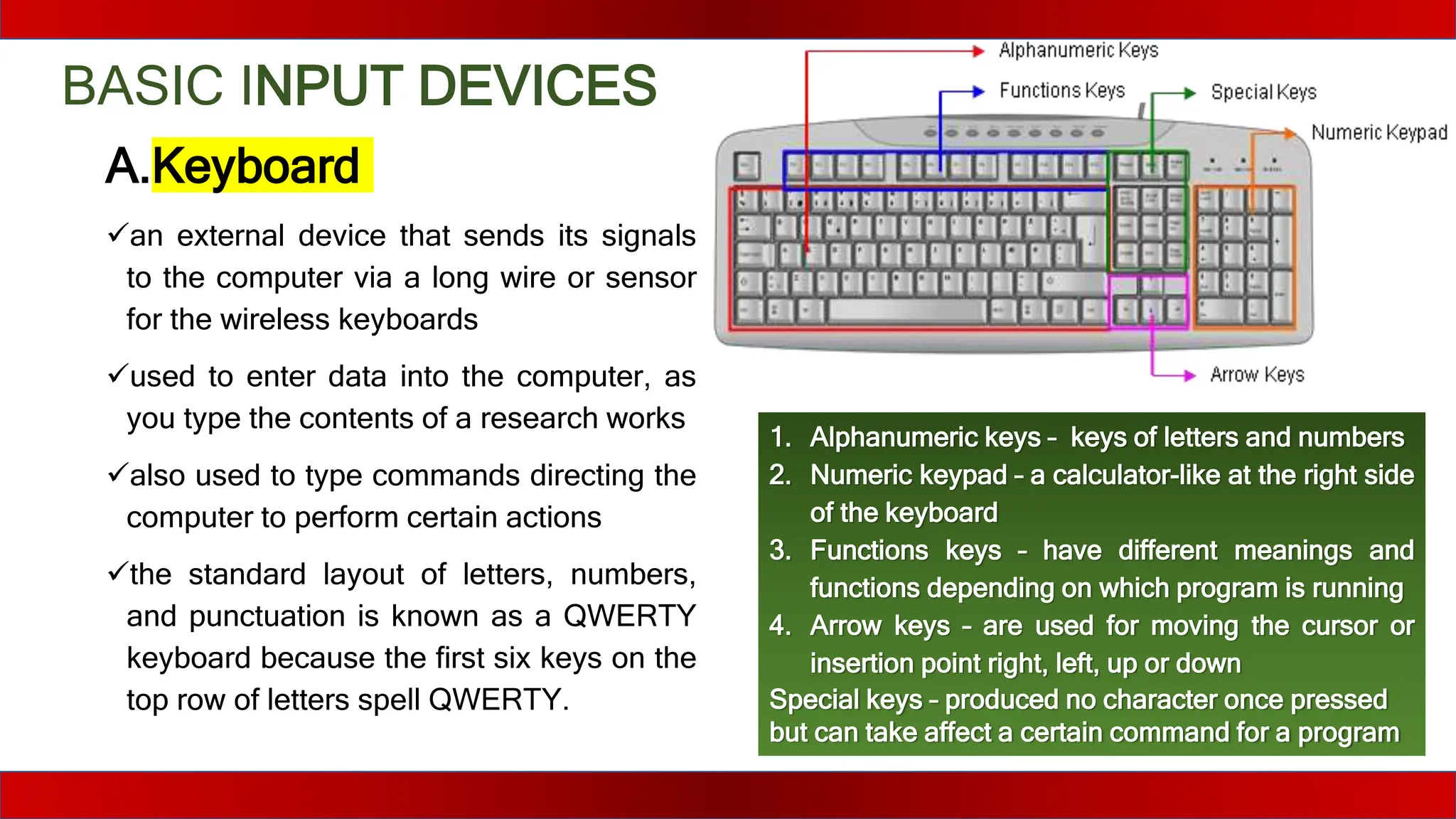
A.Keyboard
an external device that sends its signals
to the computer via a long wire or sensor
for the wireless keyboards
used to enter data into the computer, as
you type the contents of a research works
also used to type commands directing the
computer to perform certain actions
the standard layout of letters, numbers,
and punctuation is known as a QWERTY
keyboard because the first six keys on the
top row of letters spell QWERTY.
1. Alphanumeric keys – keys of letters and numbers
2. Numeric keypad – a calculator-like at the right side
of the keyboard
3. Functions keys – have different meanings and
functions depending on which program is running
4. Arrow keys – are used for moving the cursor or
insertion point right, left, up or down
Special keys – produced no character once pressed
but can take affect a certain command for a program
Basic INPUT DEVICES
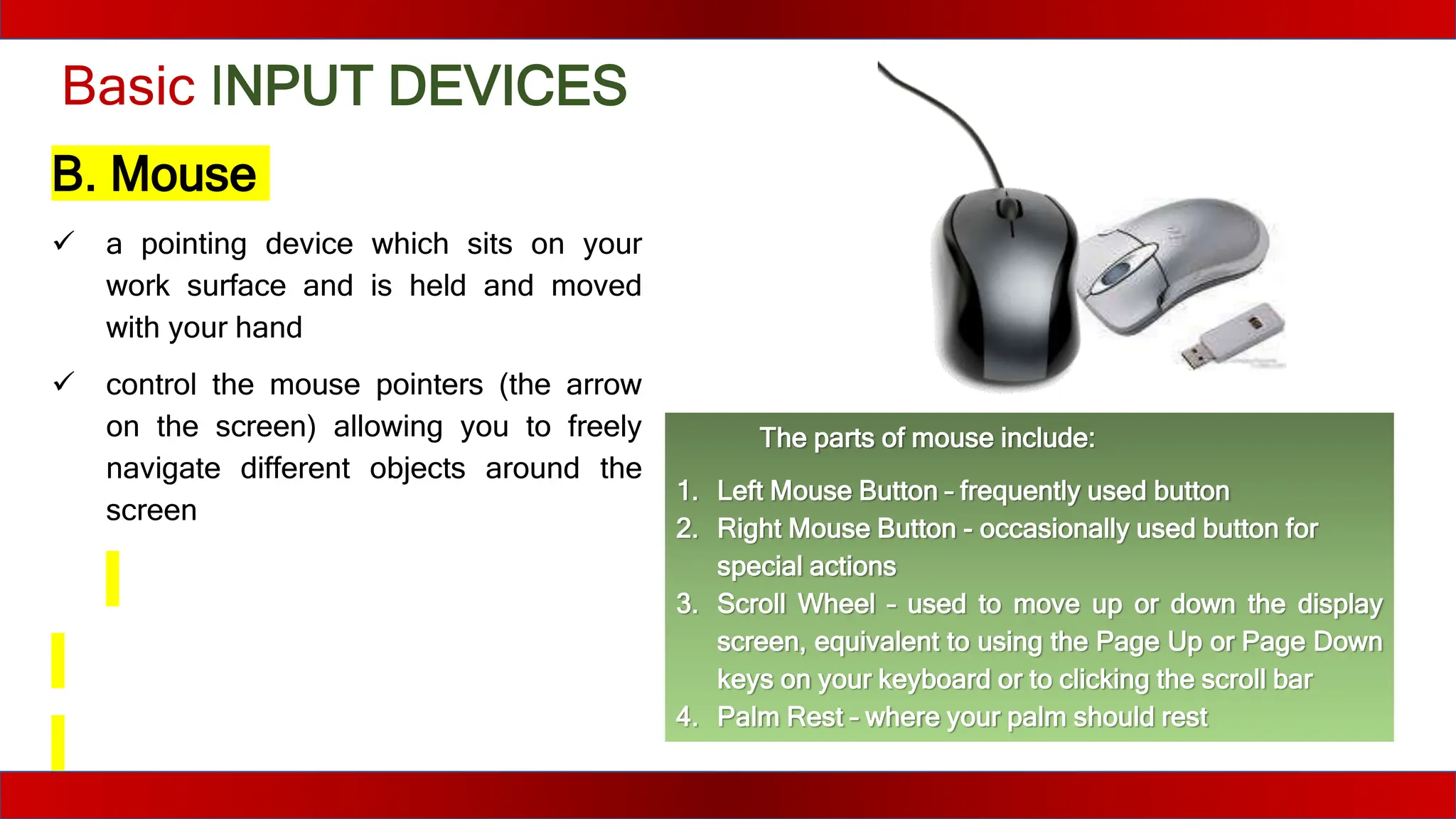
B. Mouse
 a pointing device which sits on your
work surface and is held and moved
with your hand
 control the mouse pointers (the arrow
on the screen) allowing you to freely
navigate different objects around the
screen
The parts of mouse include:
1. Left Mouse Button – frequently used button
2. Right Mouse Button - occasionally used button for
special actions
3. Scroll Wheel – used to move up or down the display
screen, equivalent to using the Page Up or Page Down
keys on your keyboard or to clicking the scroll bar
4. Palm Rest – where your palm should rest
New released software increased its features;
thus, there is a need for specialized input devices
for such applications. Moreover, the devices you
are going to use will depend on the form of data
they can accept (be it text, sound, artwork, etc.).
Specialized INPUT
DEVICES
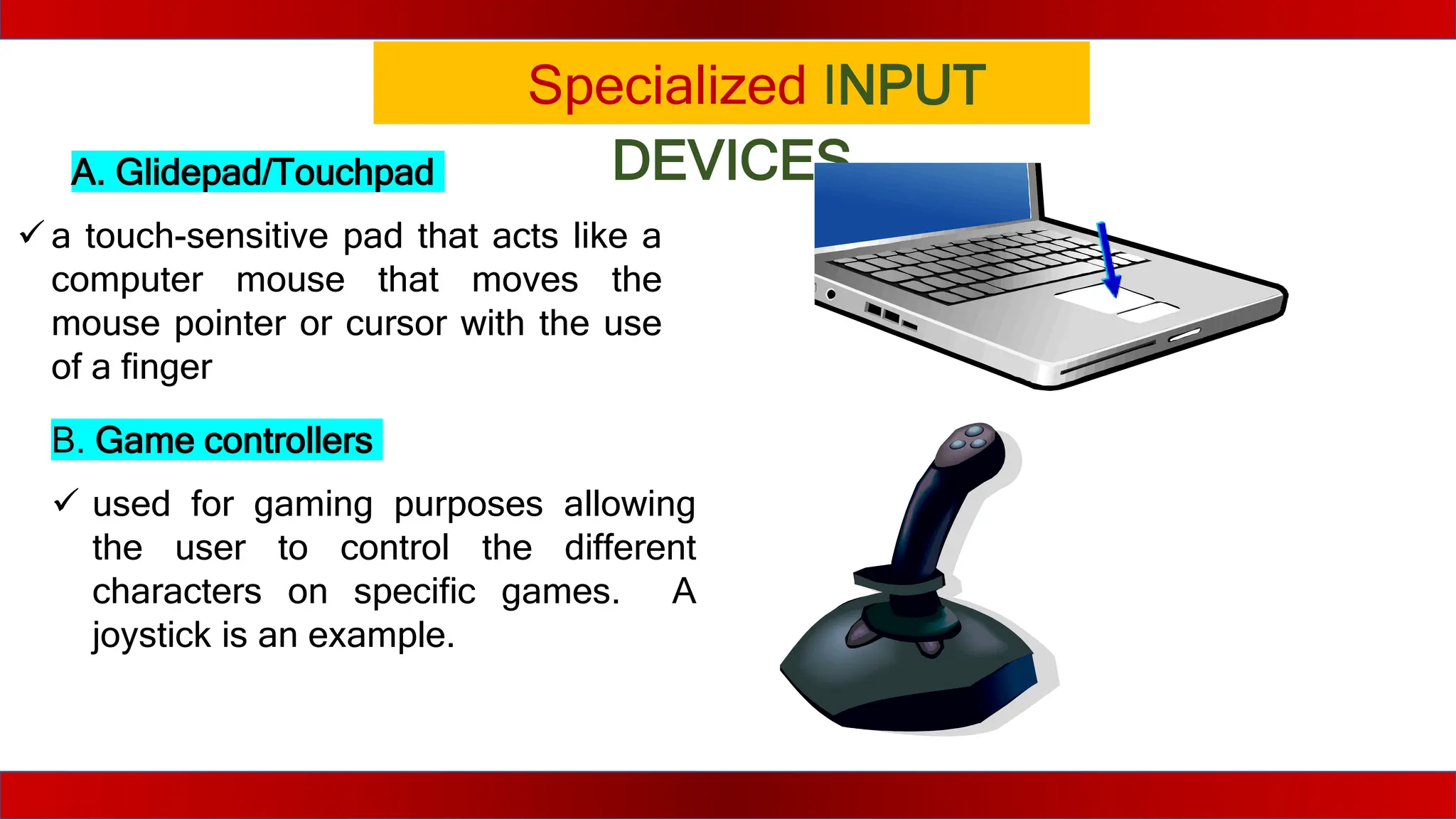
A. Glidepad/Touchpad
 a touch-sensitive pad that acts like a
computer mouse that moves the
mouse pointer or cursor with the use
of a finger
B. Game controllers
 used for gaming purposes allowing
the user to control the different
characters on specific games. A
joystick is an example.
Specialized INPUT DEVICES
C. Touchscreen
 a computer display that is sensitive to
pressure making it possible for the
user to send commands by touching
pictures or words on the screen, such
as PDA’s (personal digital assistants),
ATM's, car navigation screens, cell
phones, gaming consoles and other
types of appliances that require you
to input and receive information
Specialized INPUT DEVICES
C. Touchscreen
 a computer display that is sensitive to
pressure making it possible for the
user to send commands by touching
pictures or words on the screen, such
as PDA’s (personal digital assistants),
ATM's, car navigation screens, cell
phones, gaming consoles and other
types of appliances that require you
to input and receive information
Specialized INPUT DEVICES
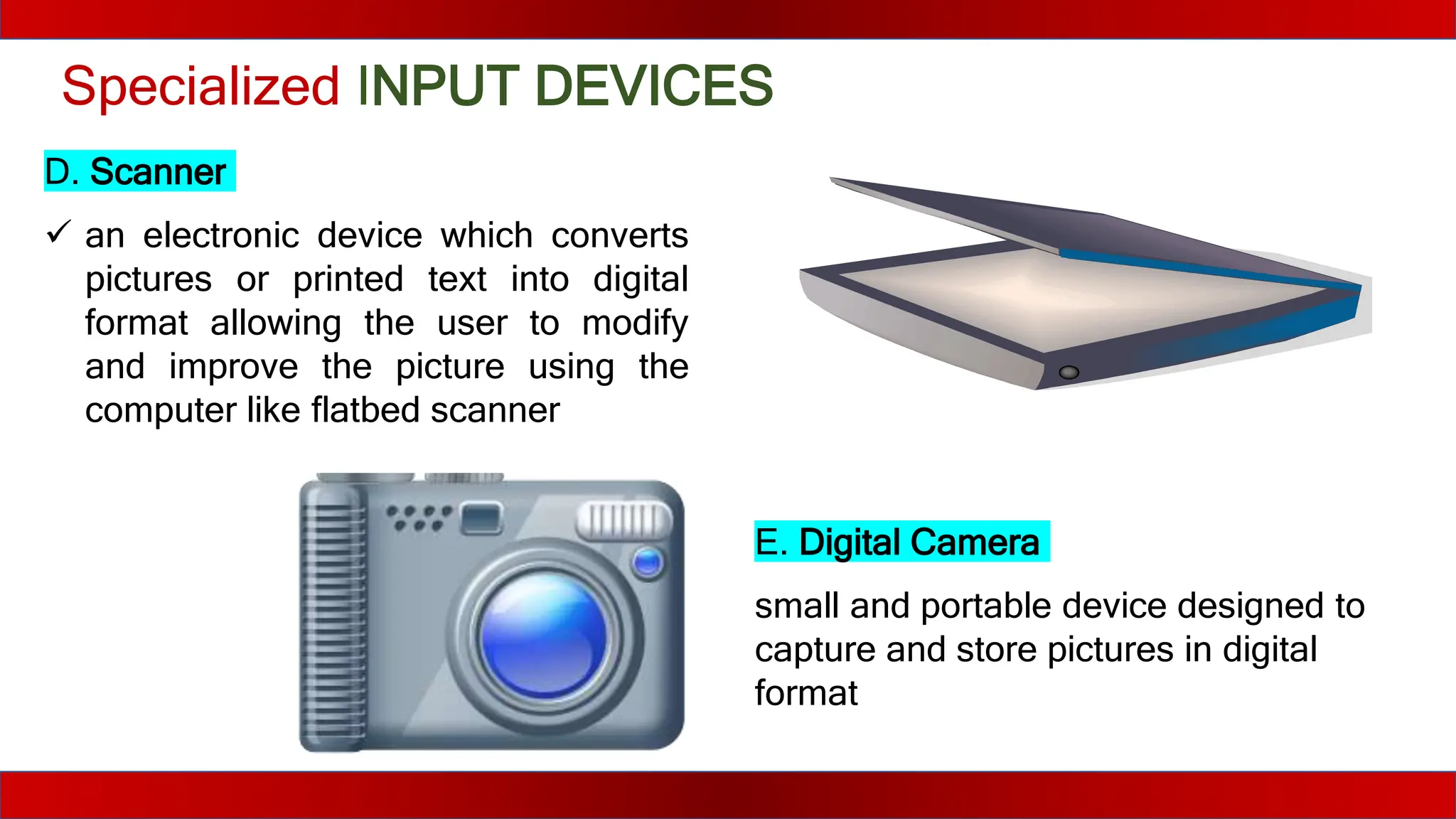
D. Scanner
 an electronic device which converts
pictures or printed text into digital
format allowing the user to modify
and improve the picture using the
computer like flatbed scanner
E. Digital Camera
small and portable device designed to
capture and store pictures in digital
format
Specialized INPUT DEVICES
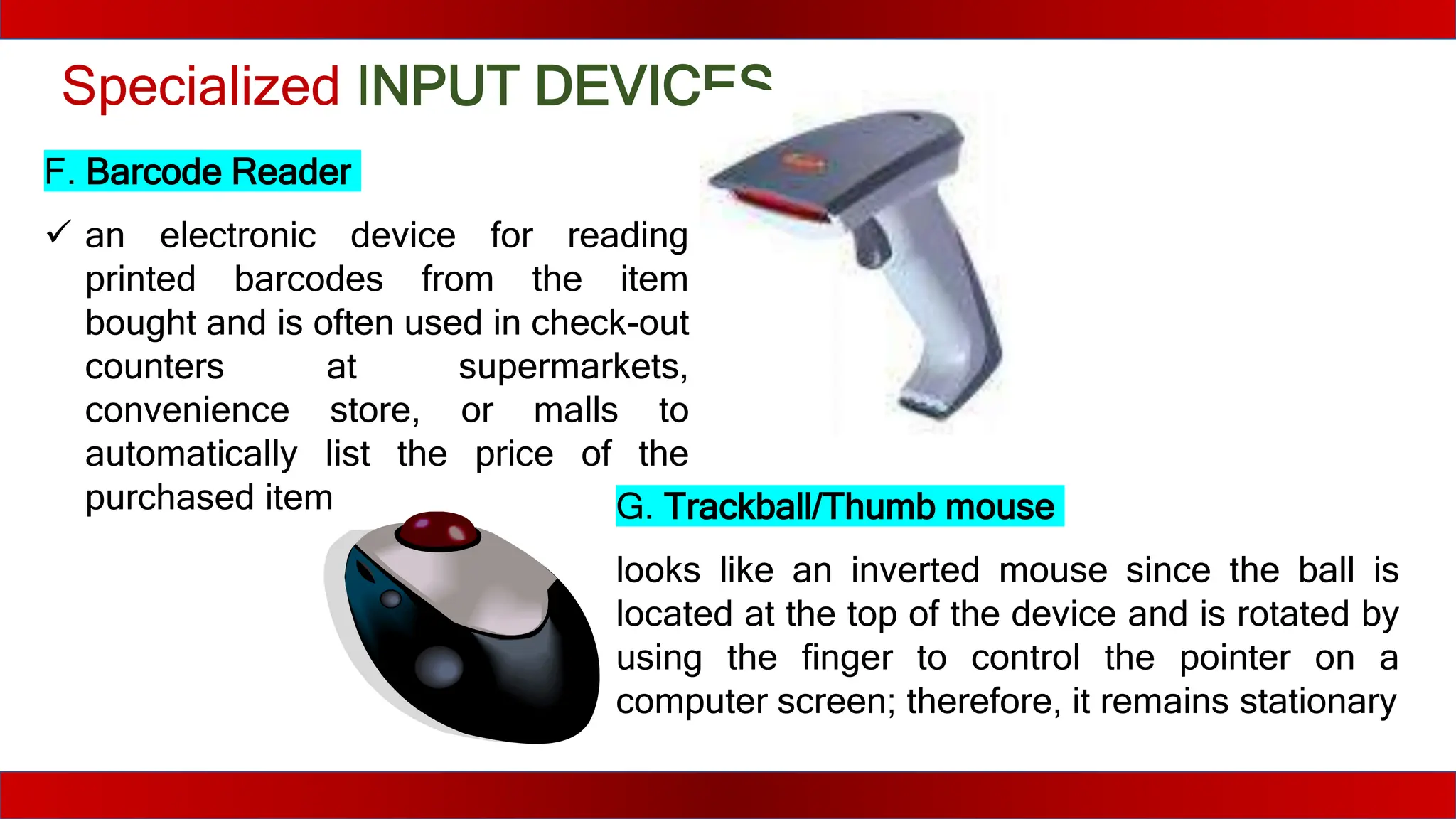
F. Barcode Reader
 an electronic device for reading
printed barcodes from the item
bought and is often used in check-out
counters at supermarkets,
convenience store, or malls to
automatically list the price of the
purchased item G. Trackball/Thumb mouse
looks like an inverted mouse since the ball is
located at the top of the device and is rotated by
using the finger to control the pointer on a
computer screen; therefore, it remains stationary
Specialized INPUT DEVICES
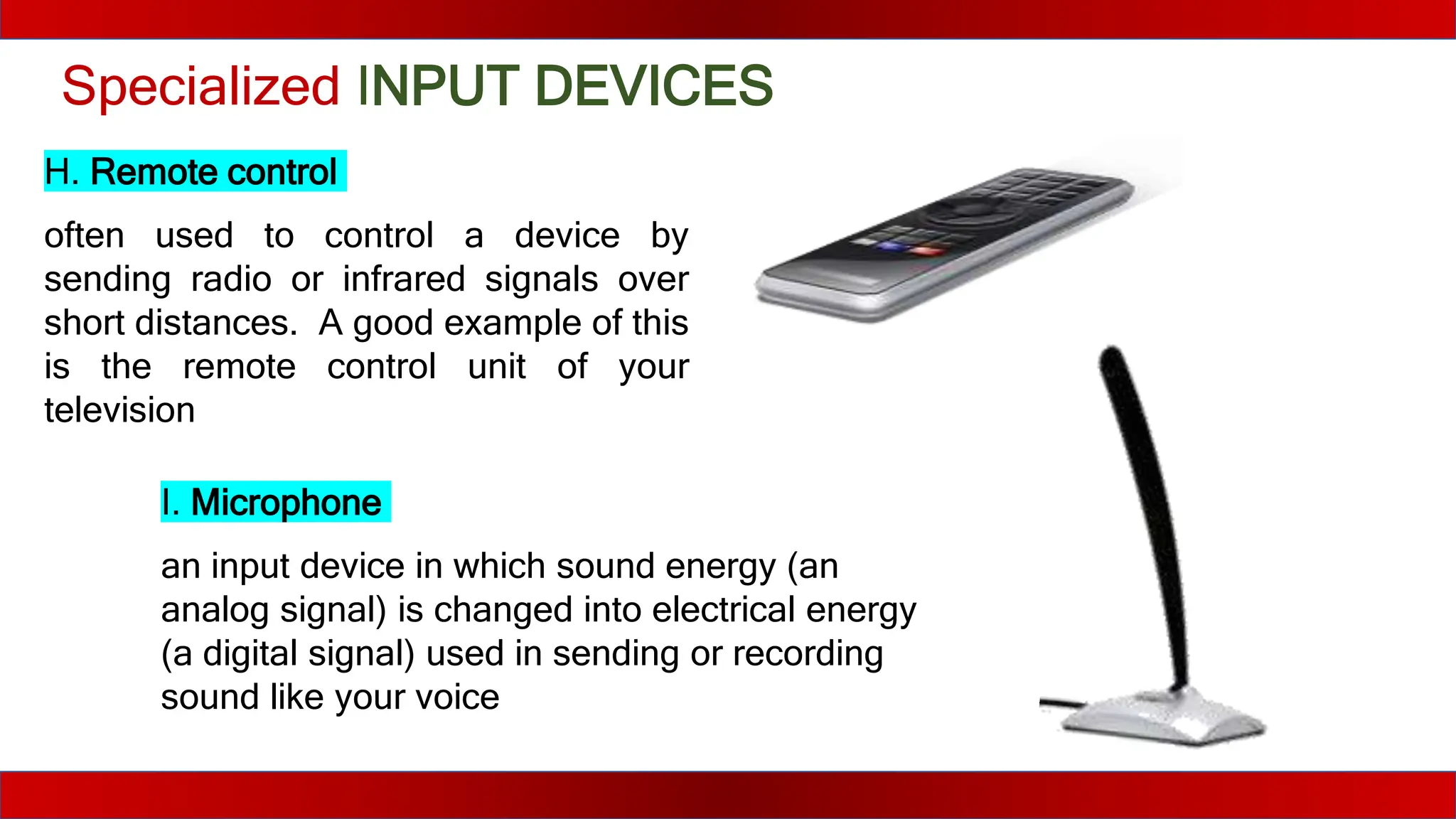
H. Remote control
often used to control a device by
sending radio or infrared signals over
short distances. A good example of this
is the remote control unit of your
television
I. Microphone
an input device in which sound energy (an
analog signal) is changed into electrical energy
(a digital signal) used in sending or recording
sound like your voice
Specialized INPUT DEVICES
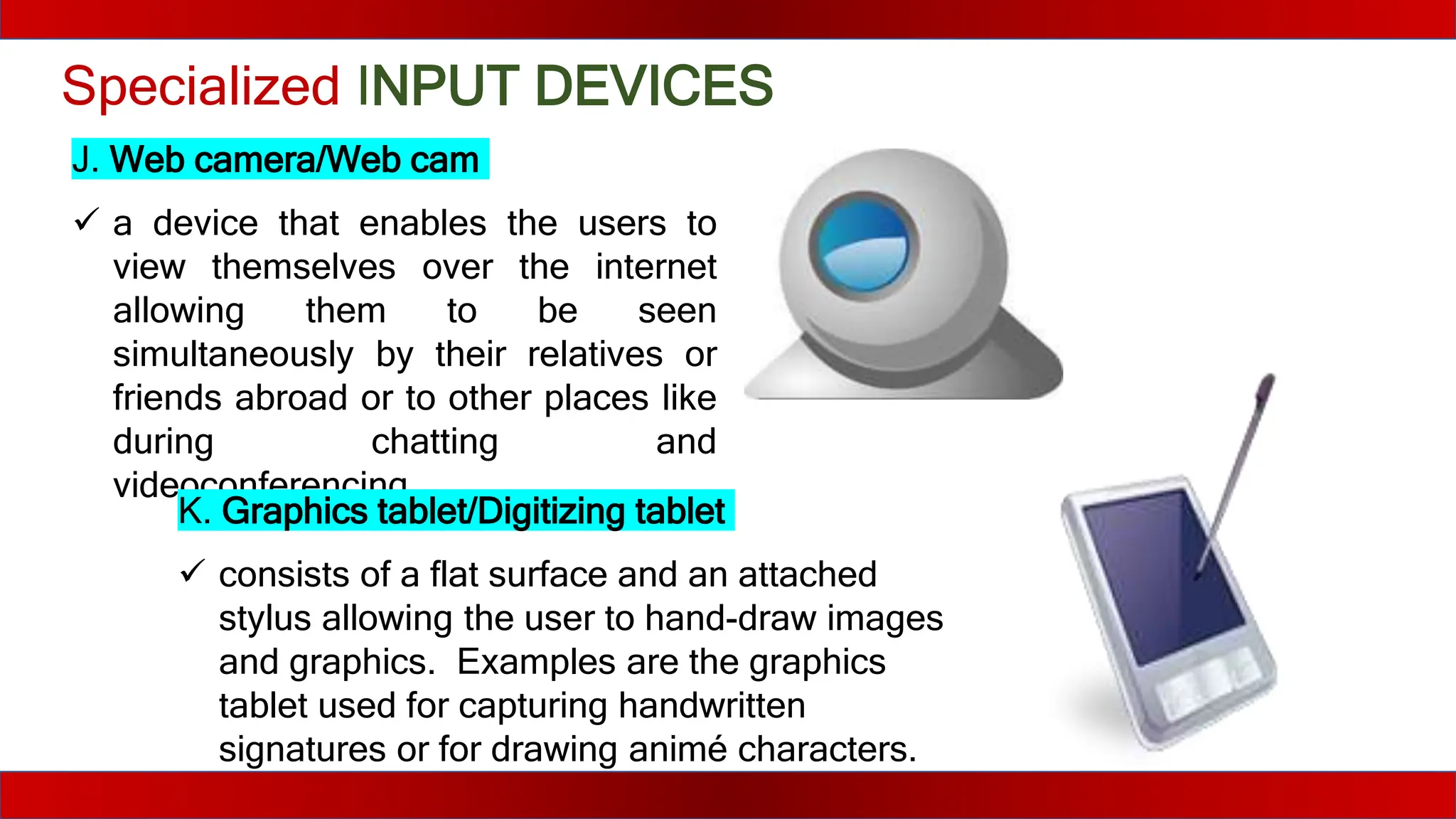
J. Web camera/Web cam
 a device that enables the users to
view themselves over the internet
allowing them to be seen
simultaneously by their relatives or
friends abroad or to other places like
during chatting and
videoconferencing
K. Graphics tablet/Digitizing tablet
 consists of a flat surface and an attached
stylus allowing the user to hand-draw images
and graphics. Examples are the graphics
tablet used for capturing handwritten
signatures or for drawing animé characters.
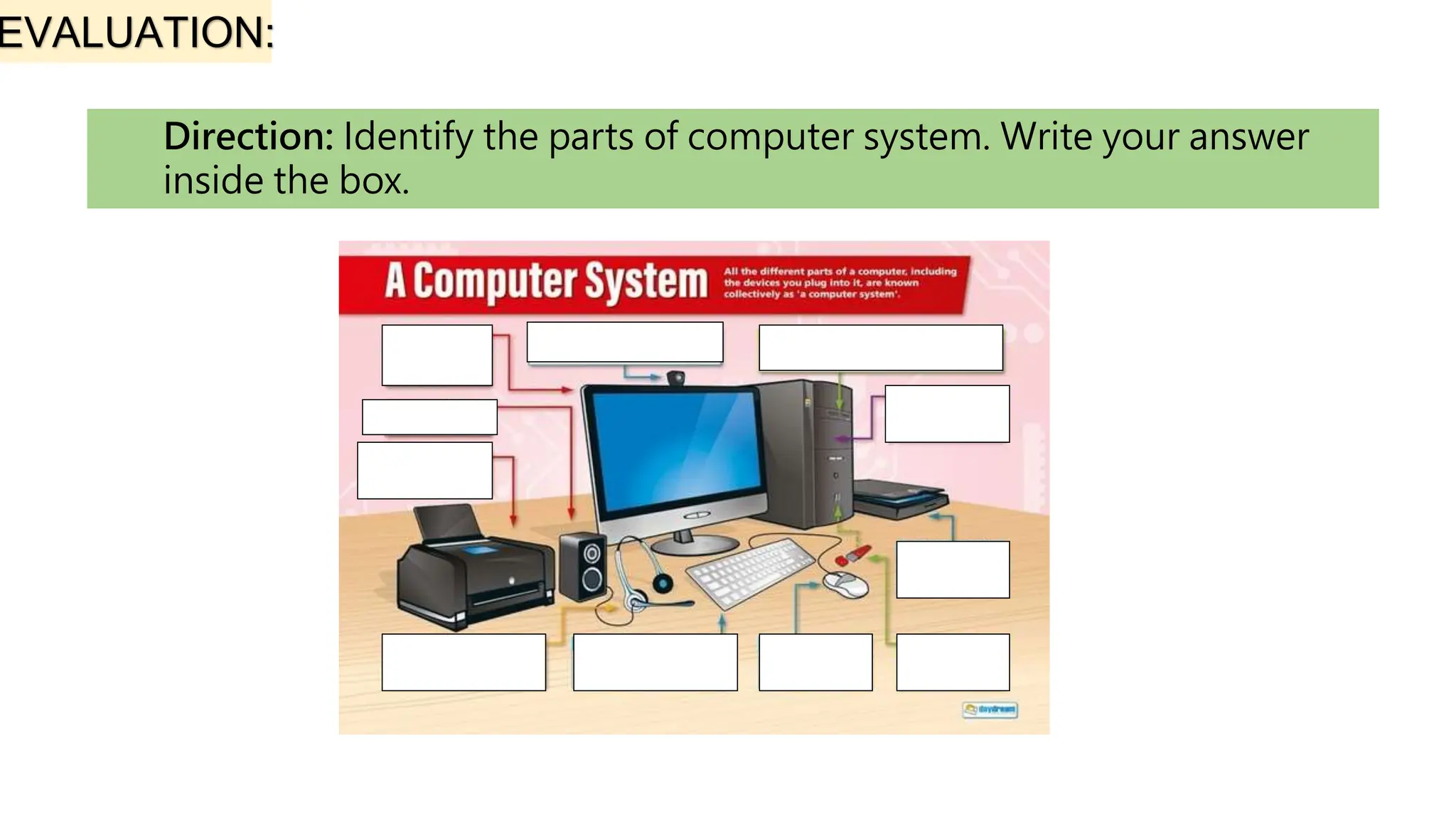
EVALUATION:
Direction: Identify the parts of computer system. Write your answer
inside the box.

Internet and Computing Fundamentals_week 6 icf7 - Copy.pptx

  • 1.
    Internet and Computing Fundamentals7 Prepared by: CHONY F. FORONDA Teacher III/ICT Teacher
  • 2.
    Hardware – thephysical components of the computer system such as monitor, keyboard, mouse and the like Software – a list of instructions a computer needed to run programs such as Microsoft Windows XP, Adobe Photoshop, and Microsoft Word
  • 3.
    Figure 1.11 Anexample of Desktop Computer System The illustration shows the most common hardware in a desktop computer system. Your system may look a little different, but it probably has most of these parts. A laptop computer has similar parts but combines them into a single notebook-sized package.
  • 4.
    Let us focuson the personal computer (PC). The PC has four (4) types of devices that work together to produce results namely the input, processing, storage, and output devices.
  • 5.
    1. Answer theguide questions and reflection that follows in a separate sheet of paper. a. Computer system is comprised of what different devices? b. Why do you need to determine the parts and uses of a computer system? Home Activities 2. Reflection Directions: Complete the statement below: As a 21st century learner I need to familiarize the functions of each computer devices because ________________________________________________________________________________________________________________ ________________________________________________________________________________________________________________ ________________________________________________________________________________________________________________ ____________________________________
  • 6.
    INPUT DEVICES These refer toequipment or devices that interact with the computer because they accept instructions from the users. There are two (2) basic input devices which are commonly used in personal computers, the keyboard and the mouse.
  • 7.
    BASIC INPUT DEVICES A.Keyboard anexternal device that sends its signals to the computer via a long wire or sensor for the wireless keyboards used to enter data into the computer, as you type the contents of a research works also used to type commands directing the computer to perform certain actions the standard layout of letters, numbers, and punctuation is known as a QWERTY keyboard because the first six keys on the top row of letters spell QWERTY. 1. Alphanumeric keys – keys of letters and numbers 2. Numeric keypad – a calculator-like at the right side of the keyboard 3. Functions keys – have different meanings and functions depending on which program is running 4. Arrow keys – are used for moving the cursor or insertion point right, left, up or down Special keys – produced no character once pressed but can take affect a certain command for a program
  • 8.
    Basic INPUT DEVICES B.Mouse  a pointing device which sits on your work surface and is held and moved with your hand  control the mouse pointers (the arrow on the screen) allowing you to freely navigate different objects around the screen The parts of mouse include: 1. Left Mouse Button – frequently used button 2. Right Mouse Button - occasionally used button for special actions 3. Scroll Wheel – used to move up or down the display screen, equivalent to using the Page Up or Page Down keys on your keyboard or to clicking the scroll bar 4. Palm Rest – where your palm should rest
  • 9.
    New released softwareincreased its features; thus, there is a need for specialized input devices for such applications. Moreover, the devices you are going to use will depend on the form of data they can accept (be it text, sound, artwork, etc.).
  • 10.
    Specialized INPUT DEVICES A. Glidepad/Touchpad a touch-sensitive pad that acts like a computer mouse that moves the mouse pointer or cursor with the use of a finger B. Game controllers  used for gaming purposes allowing the user to control the different characters on specific games. A joystick is an example.
  • 11.
    Specialized INPUT DEVICES C.Touchscreen  a computer display that is sensitive to pressure making it possible for the user to send commands by touching pictures or words on the screen, such as PDA’s (personal digital assistants), ATM's, car navigation screens, cell phones, gaming consoles and other types of appliances that require you to input and receive information
  • 12.
    Specialized INPUT DEVICES C.Touchscreen  a computer display that is sensitive to pressure making it possible for the user to send commands by touching pictures or words on the screen, such as PDA’s (personal digital assistants), ATM's, car navigation screens, cell phones, gaming consoles and other types of appliances that require you to input and receive information
  • 13.
    Specialized INPUT DEVICES D.Scanner  an electronic device which converts pictures or printed text into digital format allowing the user to modify and improve the picture using the computer like flatbed scanner E. Digital Camera small and portable device designed to capture and store pictures in digital format
  • 14.
    Specialized INPUT DEVICES F.Barcode Reader  an electronic device for reading printed barcodes from the item bought and is often used in check-out counters at supermarkets, convenience store, or malls to automatically list the price of the purchased item G. Trackball/Thumb mouse looks like an inverted mouse since the ball is located at the top of the device and is rotated by using the finger to control the pointer on a computer screen; therefore, it remains stationary
  • 15.
    Specialized INPUT DEVICES H.Remote control often used to control a device by sending radio or infrared signals over short distances. A good example of this is the remote control unit of your television I. Microphone an input device in which sound energy (an analog signal) is changed into electrical energy (a digital signal) used in sending or recording sound like your voice
  • 16.
    Specialized INPUT DEVICES J.Web camera/Web cam  a device that enables the users to view themselves over the internet allowing them to be seen simultaneously by their relatives or friends abroad or to other places like during chatting and videoconferencing K. Graphics tablet/Digitizing tablet  consists of a flat surface and an attached stylus allowing the user to hand-draw images and graphics. Examples are the graphics tablet used for capturing handwritten signatures or for drawing animé characters.
  • 17.
    EVALUATION: Direction: Identify theparts of computer system. Write your answer inside the box.