7

                                                                     CHAPTER
                                                   INPUT AND
                                                     OUTPUT


  McGraw-Hill Technology Education
Page 150                             © 2006 by the McGraw-Hill Companies, Inc. All rights reserved.
Competencies (Page 1 of 2)

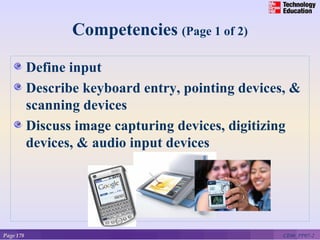
           Define input
           Describe keyboard entry, pointing devices, &
           scanning devices
           Discuss image capturing devices, digitizing
           devices, & audio input devices


Page 178                                            CE06_PP07-2
Competencies (Page 2 of 2)

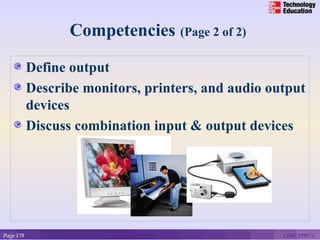
           Define output
           Describe monitors, printers, and audio output
           devices
           Discuss combination input & output devices


Page 178                                            CE06_PP07-3
What is Input?

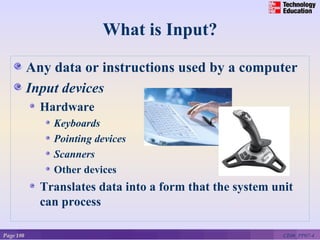
           Any data or instructions used by a computer
           Input devices
             Hardware
               Keyboards
               Pointing devices
               Scanners
               Other devices
             Translates data into a form that the system unit
             can process

Page 180                                                   CE06_PP07-4
Keyboard Entry (Page 1 of 2)
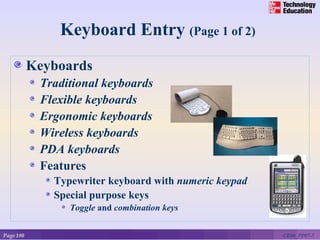
           Keyboards
            Traditional keyboards
            Flexible keyboards
            Ergonomic keyboards
            Wireless keyboards
            PDA keyboards
            Features
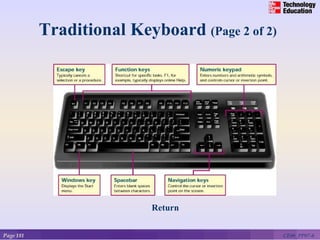
              Typewriter keyboard with numeric keypad
              Special purpose keys
                 Toggle and combination keys


Page 180                                                CE06_PP07-5
Traditional Keyboard (Page 2 of 2)


                           Return


Page 181                                        CE06_PP07-6
Pointing Devices (Page 1 of 2)

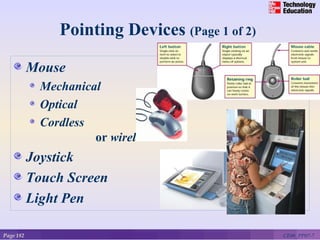
           Mouse
             Mechanical
             Optical
             Cordless
                      or wireless
           Joystick
           Touch Screen
           Light Pen

Page 182                                         CE06_PP07-7
Digitizing Devices (Page 2 of 2)
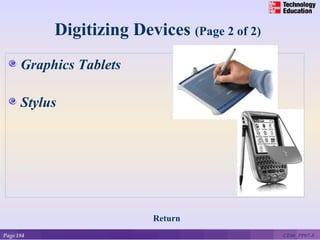
      Graphics Tablets

      Stylus


                          Return
Page 184                                      CE06_PP07-8
Scanning Devices (Page 1 of 2)

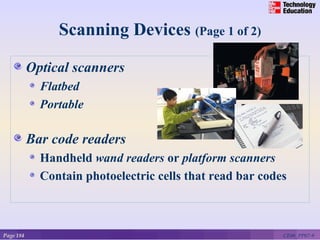
           Optical scanners
             Flatbed
             Portable

           Bar code readers
             Handheld wand readers or platform scanners
             Contain photoelectric cells that read bar codes


Page 184                                                   CE06_PP07-9
Scanning Devices (Page 2 of 2)
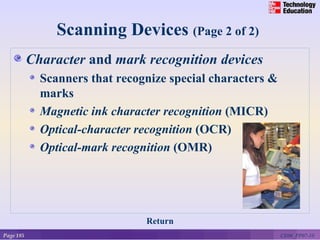
           Character and mark recognition devices
             Scanners that recognize special characters &
             marks
             Magnetic ink character recognition (MICR)
             Optical-character recognition (OCR)
             Optical-mark recognition (OMR)


                                Return
Page 185                                                    CE06_PP07-10
Image Capturing Devices (Page 1 of 3)

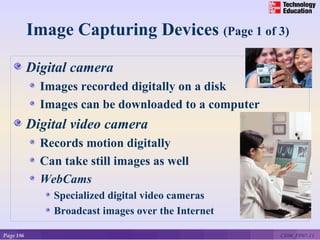
           Digital camera
             Images recorded digitally on a disk
             Images can be downloaded to a computer
           Digital video camera
             Records motion digitally
             Can take still images as well
             WebCams
               Specialized digital video cameras
               Broadcast images over the Internet

Page 186                                              CE06_PP07-11
Audio-Input Devices (Page 2 of 3)
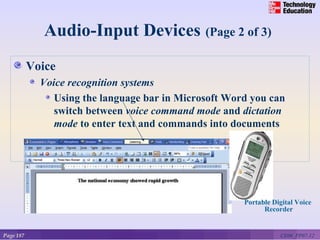
           Voice
             Voice recognition systems
                Using the language bar in Microsoft Word you can
                switch between voice command mode and dictation
                mode to enter text and commands into documents


                                                       Portable Digital Voice
                                                             Recorder


Page 187                                                          CE06_PP07-12
Audio-Input Devices (Page 3 of 3)
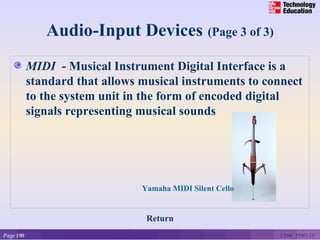
           MIDI - Musical Instrument Digital Interface is a
           standard that allows musical instruments to connect
           to the system unit in the form of encoded digital
           signals representing musical sounds


                                Yamaha MIDI Silent Cello

                                Yamaha MIDI Silent Cello


                                 Return
Page 190                                                   CE06_PP07-13
What is Output?
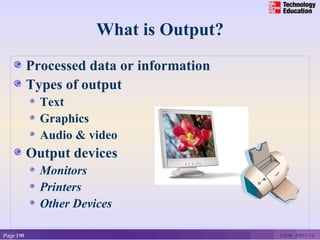
           Processed data or information
           Types of output
             Text
             Graphics
             Audio & video
           Output devices
             Monitors
             Printers
             Other Devices

Page 190                                   CE06_PP07-14
Monitors (Page 1 of 2)

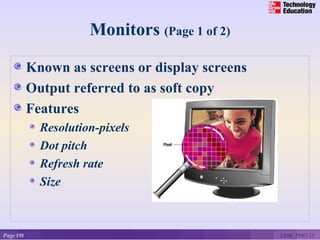
           Known as screens or display screens
           Output referred to as soft copy
           Features
             Resolution-pixels
             Dot pitch
             Refresh rate
             Size


Page 191                                         CE06_PP07-15
Monitors (Page 2 of 2)
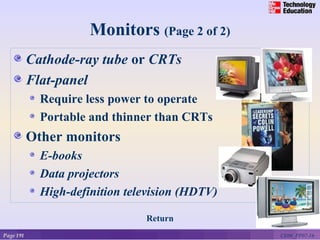
           Cathode-ray tube or CRTs
           Flat-panel
             Require less power to operate
             Portable and thinner than CRTs
           Other monitors
             E-books
             Data projectors
             High-definition television (HDTV)

                                Return
Page 191                                         CE06_PP07-16
Printers (Page 1 of 2)

           Translates information that has been
           processed by the system unit
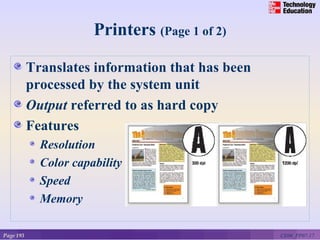
           Output referred to as hard copy
           Features
             Resolution
             Color capability
             Speed
             Memory

Page 193                                          CE06_PP07-17
Printers (Page 2 of 2)
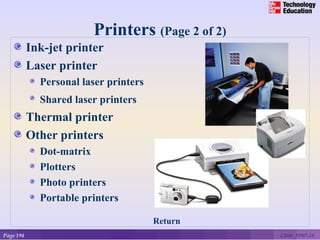
           Ink-jet printer
           Laser printer
             Personal laser printers
             Shared laser printers
           Thermal printer
           Other printers
             Dot-matrix
             Plotters
             Photo printers
             Portable printers

                                       Return
Page 194                                         CE06_PP07-18
Audio-Output Devices

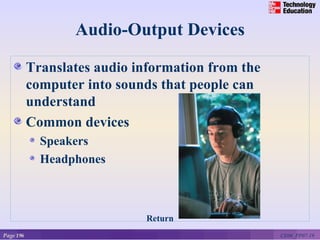
           Translates audio information from the
           computer into sounds that people can
           understand
           Common devices
             Speakers
             Headphones


                              Return
Page 196                                           CE06_PP07-19
Combination Input and Output
                       Devices
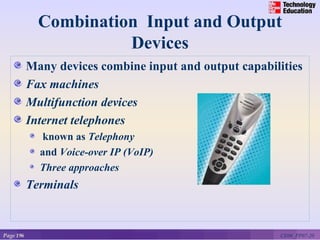
           Many devices combine input and output capabilities
           Fax machines
           Multifunction devices
           Internet telephones
              known as Telephony
             and Voice-over IP (VoIP)
             Three approaches
           Terminals


Page 196                                                 CE06_PP07-20
Internet Telephone
       Computer-to computer
           Place free phone calls when using a computer to send and
           also to receive via the Internet
           Software is available for free or very low cost
       Computer-to traditional telephone
           Place the call from a computer to a phone using an
           Internet phone service provider that supplies the software
           for a small monthly fee and/or airtime fee
       Traditional telephone-to-traditional telephone
           Subscription to an Internet phone service provider that
           supplies a special hardware adapter to connect a
           traditional phone to the Internet with a fee connected to
           service

                                   Return

Page 197                                                         CE06_PP07-21
Terminals

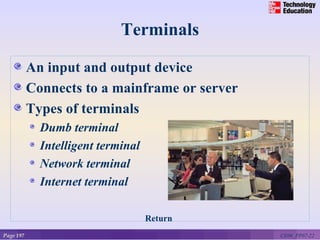
           An input and output device
           Connects to a mainframe or server
           Types of terminals
             Dumb terminal
             Intelligent terminal
             Network terminal
             Internet terminal

                                    Return
Page 197                                       CE06_PP07-22
A Look to the Future
                 Electronic Translators May Be in Your Future

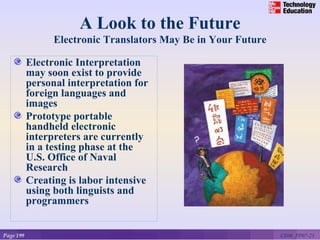
           Electronic Interpretation
           may soon exist to provide
           personal interpretation for
           foreign languages and
           images
           Prototype portable
           handheld electronic
           interpreters are currently
           in a testing phase at the
           U.S. Office of Naval
           Research
           Creating is labor intensive
           using both linguists and
           programmers


Page 199                                                        CE06_PP07-23
Discussion Questions (Page 1 of 2)

           Define input and output devices.
           Describe the different types of pointing,
           scanning, image capturing, and audio-input
           devices.
           Describe the three categories of output
           devices.


Page 206                                           CE06_PP07-24
Discussion Questions (Page 2 of 2)

           Define input and output devices.
           What are combination input and output
           devices? Describe four such devices.


Page 206                                           CE06_PP07-25

Input and outputs devices

  • 1.
    7 CHAPTER INPUT AND OUTPUT McGraw-Hill Technology Education Page 150 © 2006 by the McGraw-Hill Companies, Inc. All rights reserved.
  • 2.
    Competencies (Page 1of 2) Define input Describe keyboard entry, pointing devices, & scanning devices Discuss image capturing devices, digitizing devices, & audio input devices Page 178 CE06_PP07-2
  • 3.
    Competencies (Page 2of 2) Define output Describe monitors, printers, and audio output devices Discuss combination input & output devices Page 178 CE06_PP07-3
  • 4.
    What is Input? Any data or instructions used by a computer Input devices Hardware Keyboards Pointing devices Scanners Other devices Translates data into a form that the system unit can process Page 180 CE06_PP07-4
  • 5.
    Keyboard Entry (Page1 of 2) Keyboards Traditional keyboards Flexible keyboards Ergonomic keyboards Wireless keyboards PDA keyboards Features Typewriter keyboard with numeric keypad Special purpose keys Toggle and combination keys Page 180 CE06_PP07-5
  • 6.
    Traditional Keyboard (Page2 of 2) Return Page 181 CE06_PP07-6
  • 7.
    Pointing Devices (Page1 of 2) Mouse Mechanical Optical Cordless or wireless Joystick Touch Screen Light Pen Page 182 CE06_PP07-7
  • 8.
    Digitizing Devices (Page2 of 2) Graphics Tablets Stylus Return Page 184 CE06_PP07-8
  • 9.
    Scanning Devices (Page1 of 2) Optical scanners Flatbed Portable Bar code readers Handheld wand readers or platform scanners Contain photoelectric cells that read bar codes Page 184 CE06_PP07-9
  • 10.
    Scanning Devices (Page2 of 2) Character and mark recognition devices Scanners that recognize special characters & marks Magnetic ink character recognition (MICR) Optical-character recognition (OCR) Optical-mark recognition (OMR) Return Page 185 CE06_PP07-10
  • 11.
    Image Capturing Devices(Page 1 of 3) Digital camera Images recorded digitally on a disk Images can be downloaded to a computer Digital video camera Records motion digitally Can take still images as well WebCams Specialized digital video cameras Broadcast images over the Internet Page 186 CE06_PP07-11
  • 12.
    Audio-Input Devices (Page2 of 3) Voice Voice recognition systems Using the language bar in Microsoft Word you can switch between voice command mode and dictation mode to enter text and commands into documents Portable Digital Voice Recorder Page 187 CE06_PP07-12
  • 13.
    Audio-Input Devices (Page3 of 3) MIDI - Musical Instrument Digital Interface is a standard that allows musical instruments to connect to the system unit in the form of encoded digital signals representing musical sounds Yamaha MIDI Silent Cello Yamaha MIDI Silent Cello Return Page 190 CE06_PP07-13
  • 14.
    What is Output? Processed data or information Types of output Text Graphics Audio & video Output devices Monitors Printers Other Devices Page 190 CE06_PP07-14
  • 15.
    Monitors (Page 1of 2) Known as screens or display screens Output referred to as soft copy Features Resolution-pixels Dot pitch Refresh rate Size Page 191 CE06_PP07-15
  • 16.
    Monitors (Page 2of 2) Cathode-ray tube or CRTs Flat-panel Require less power to operate Portable and thinner than CRTs Other monitors E-books Data projectors High-definition television (HDTV) Return Page 191 CE06_PP07-16
  • 17.
    Printers (Page 1of 2) Translates information that has been processed by the system unit Output referred to as hard copy Features Resolution Color capability Speed Memory Page 193 CE06_PP07-17
  • 18.
    Printers (Page 2of 2) Ink-jet printer Laser printer Personal laser printers Shared laser printers Thermal printer Other printers Dot-matrix Plotters Photo printers Portable printers Return Page 194 CE06_PP07-18
  • 19.
    Audio-Output Devices Translates audio information from the computer into sounds that people can understand Common devices Speakers Headphones Return Page 196 CE06_PP07-19
  • 20.
    Combination Input andOutput Devices Many devices combine input and output capabilities Fax machines Multifunction devices Internet telephones known as Telephony and Voice-over IP (VoIP) Three approaches Terminals Page 196 CE06_PP07-20
  • 21.
    Internet Telephone Computer-to computer Place free phone calls when using a computer to send and also to receive via the Internet Software is available for free or very low cost Computer-to traditional telephone Place the call from a computer to a phone using an Internet phone service provider that supplies the software for a small monthly fee and/or airtime fee Traditional telephone-to-traditional telephone Subscription to an Internet phone service provider that supplies a special hardware adapter to connect a traditional phone to the Internet with a fee connected to service Return Page 197 CE06_PP07-21
  • 22.
    Terminals An input and output device Connects to a mainframe or server Types of terminals Dumb terminal Intelligent terminal Network terminal Internet terminal Return Page 197 CE06_PP07-22
  • 23.
    A Look tothe Future Electronic Translators May Be in Your Future Electronic Interpretation may soon exist to provide personal interpretation for foreign languages and images Prototype portable handheld electronic interpreters are currently in a testing phase at the U.S. Office of Naval Research Creating is labor intensive using both linguists and programmers Page 199 CE06_PP07-23
  • 24.
    Discussion Questions (Page1 of 2) Define input and output devices. Describe the different types of pointing, scanning, image capturing, and audio-input devices. Describe the three categories of output devices. Page 206 CE06_PP07-24
  • 25.
    Discussion Questions (Page2 of 2) Define input and output devices. What are combination input and output devices? Describe four such devices. Page 206 CE06_PP07-25

Editor's Notes

  • #2 Most of the electronic devices used in daily life involve input or output. Connecting to the information in a computer always involves input or output. Input devices translate our knowledge into computer language. Output devices present computer language in a format we can understand.
  • #5 Input devices are hardware used to translate words, sounds, images, and actions that people understand into a form that the computer can understand Input allows user to put their information into computer language Most common are keyboard, mouse, “light” pens, and increasingly voice!
  • #6 Keyboards come in a variety of designs Range from full-sized to miniature and from rigid to flexible Common types Traditional Flexible – fold or roll up fore easy packing or storage Ergonomic keyboards – similar to traditional Keyboard arrangement is not rectangular and a palm rest is provided Wireless PDA - miniature keyboards
  • #7 Features Numeric key pad – used to enter numbers and arithmetic symbols Toggle keys Cap Locks Combination keys – perform an action when used with other keys CTRL key
  • #8 Direct entry creates machine-readable data that can go directly to the CPU. Pointing devices mouse, joystick, touch screen, light pen, and stylus Mouse Mechanical – traditional type; left/right button and mouse ball Optical – has no moving parts Emits and senses light to detect mouse movement Can be used on any surface Cordless – battery powered Uses radio waves or infrared light waves Joystick – input for computer games Touch Screen – a kind of monitor with a clear plastic outer layer Easy to use Commonly used at restaurants, ATMs, and information centers Light pen – a light sensitive pen-like device
  • #9 Graphics tablets – use a special graphics surface or tablet and a stylus; record sketches and tracings of maps and other drawings Used by artist, mapmakers, and engineers Stylus – uses pressure to draw images on a screen; interacts with a computer through handwriting recognition software
  • #10 Scanners move across text and images Devices convert scanned data into a form the system unit can process Types Optical – known as a scanner Recognizes light, dark, and colored areas that make up individual letters or images Types Flatbed – much like a copy machine Portable – typically a handheld device that slides across the image making direct contact Bar Code Readers You see these devices at the grocery store Wand scanner or platform scanner Reads bar codes or vertical zebra striped marks printed on product containers Products have a UPC (Universal Product Code)
  • #11 Character and mark recognition devices MICR – used by banks to read magnetically encoded characters OCR – specially preprinted characters are read by OCR devices such as wand scanners OMR (also called mark sensing) – devices sense the presence or absence of marks, common for test scoring
  • #12 These devices create or capture original images Digital camera – similar to traditional cameras except images are recorded digitally on disk or camera’s memory Digital video camera – records motion digitally on a disk or camera’s memory Can take still photos as well Web-cams – specialized digital video cameras that capture images and send them to a computer to broadcast over the Internet
  • #13 Convert speech into digital code; most common device is the microphone; gaining in popularity are the portable digital voice recorders used with voice recognition systems Voice recognition systems Microphone, bundled with sound card and software Some voice recognition systems must be trained for user’s voice Some can translate from one language to another Language bar in Microsoft Word Voice command mode – allows the user to select menu items, toolbars, and dialog box options Dictation mode – allows the user to dictate text directly into a Word document
  • #14 MIDI – a standard that allows musical instruments to connect to the system unit using MIDI ports
  • #15 Converts machine-readable information into people-readable form Four most common output types – text, graphics, audio, and video Monitors are commonly called display screens and the output is referred to as soft copy
  • #16 Standards indicate screen quality (resolution). Some monitors are used on the desktop, others are portable. Features Resolution – one of the most important features; images are formed on a monitor by a series of dots or pixels (picture elements) Dot pitch – the distance between each pixel; most newer monitors have a dot pitch of .31 mm (31/100 th of a millimeter) or less Refresh rate – indicates how often a displayed image is updated or redrawn on the monitor; most monitors operate at a rate of 75 hertz which means that the monitor is redrawn 75 times each second; flickering indicates that the monitor rates are lower than 75 hertz Size – or viewable size is measured by the diagonal length of a monitor’s viewing area Common sizes are 15, 17, 19, and 21 inches
  • #17 Cathode-Ray Tubes – similar to television technology; are bulky Flat-Panel Monitors – or liquid display (LCD) monitors Passive-matrix or dual-scan – images created by scanning the entire screen Active-matrix or thin film transistor (TFT) – each pixel is individually activated eBook – also called e-book readers; handheld, book sized; cost less than publishing and delivery of printed matter Data projectors – similar to slide projectors; extension of monitor HDTV – merger of microcomputer and TV called PC/TV; output is digital so can freeze video sequences to create high-quality still images
  • #18 Printers translate information that has been processed by the system unit and present the information on paper Output is called hard copy Features Resolution – measures the clarity of images produced Measured in dpi (dots per inch) Most printers use an average of 1200 dpi; the higher the dpi, the better the quality of image produced Color capability – more expensive to print in color; usually have the option to print in either color or b/w Speed – measured in the number of pages printed per minute 10-15 pages per minute is the average for a single color page (black); 5 to 10 pages per minute for color Memory – used to store printing instructions and documents waiting to be printed
  • #19 Three major types of printers: ink-jet, laser, and thermal; most people are familiar with these Inkjet printers spray ink at high speed onto the surface of paper Laser printers uses a laser light beam to produce images More expensive than ink jet printers Thermal printers – uses heat elements to produce images on heat sensitive paper Used to produce high quality art work Other Printers Dot-matrix – slow and not used much any more; poor quality but faster than some of newer printers Very noisy Inexpensive Plotters – special purpose for maps, images, architectural & engineering drawings Photo printers – designed to print photographs from digital cameras Portable printers – usually small/lightweight and designed to work with a notebook computers; may be ink-jet or laser printer that prints in either b/w or color
  • #20 These devices produce sounds for people Connected to a sound card in the system unit Voice output is quite common; creating voice output is not as difficult as recognizing and interpreting voice input
  • #21 Combination devices include fax machines, multifunction devices, Internet telephones, and terminals Internet telephone – specialized input and output devices for receiving and sending voice communication Connect to the system unit through a USB port Telephony – the transmission of telephone calls over computer networks Known as Voice over IP Uses Internet rather than traditional Requires Internet telephone Internet Special service provider Sound card Special software Terminal is an input and output device that connects to a mainframe or a host computer
  • #23 Terminals – input and output device connecting users to mainframe computers Dumb terminal – no processor or local storage Intelligent terminal – CPU, memory and storage; Net PC, or Net Personal Computer Network terminal – low cost alternative to intelligent terminal Internet terminal – or Web terminal or Web appliance, accesses and displays Web pages on a television set
  • #24 Researchers have begun human trials that allow humans to control machines with their thoughts Brain machine interface is currently pursued as a way to allow those with certain disabilities to become functional
  • #25 Have students turn to the end of Chapter 7 in their textbooks to view the same “Open-Ended” questions/statements
  • #26 Have students turn to the end of Chapter 7 in their textbooks to view the same “Open-Ended” questions/statements