MODULE 3
use the Online Public Access Catalogue (OPAC) of the Campus Libraries in order to find information resources for research create effective search statements in order to find relevant information on their topic refine search statements using Boolean logic to find relevant information sources
The OPAC is the key to the Libraries’ collections. The Catalogue is a full description of most items in the Libraries and these descriptions are called records.  It does  NOT  provide a list of websites, journal articles or search engines
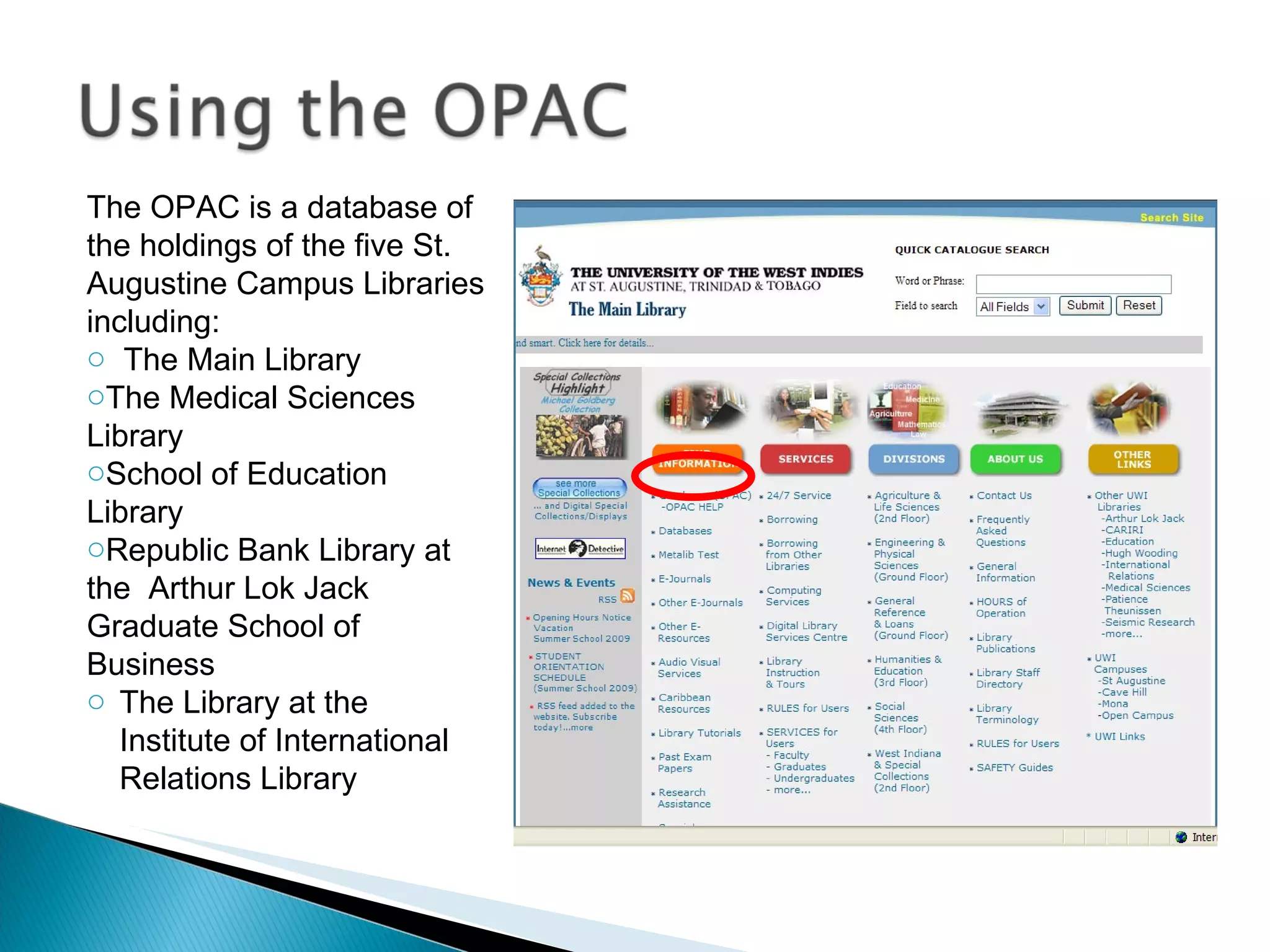
The OPAC is a database of the holdings of the five St. Augustine Campus Libraries including: The Main Library The Medical Sciences  Library School of Education Library Republic Bank Library at the  Arthur Lok Jack Graduate School of Business  The Library at the Institute of International Relations Library
Navigating the OPAC How to Login Collections Searching Types Options Search Results
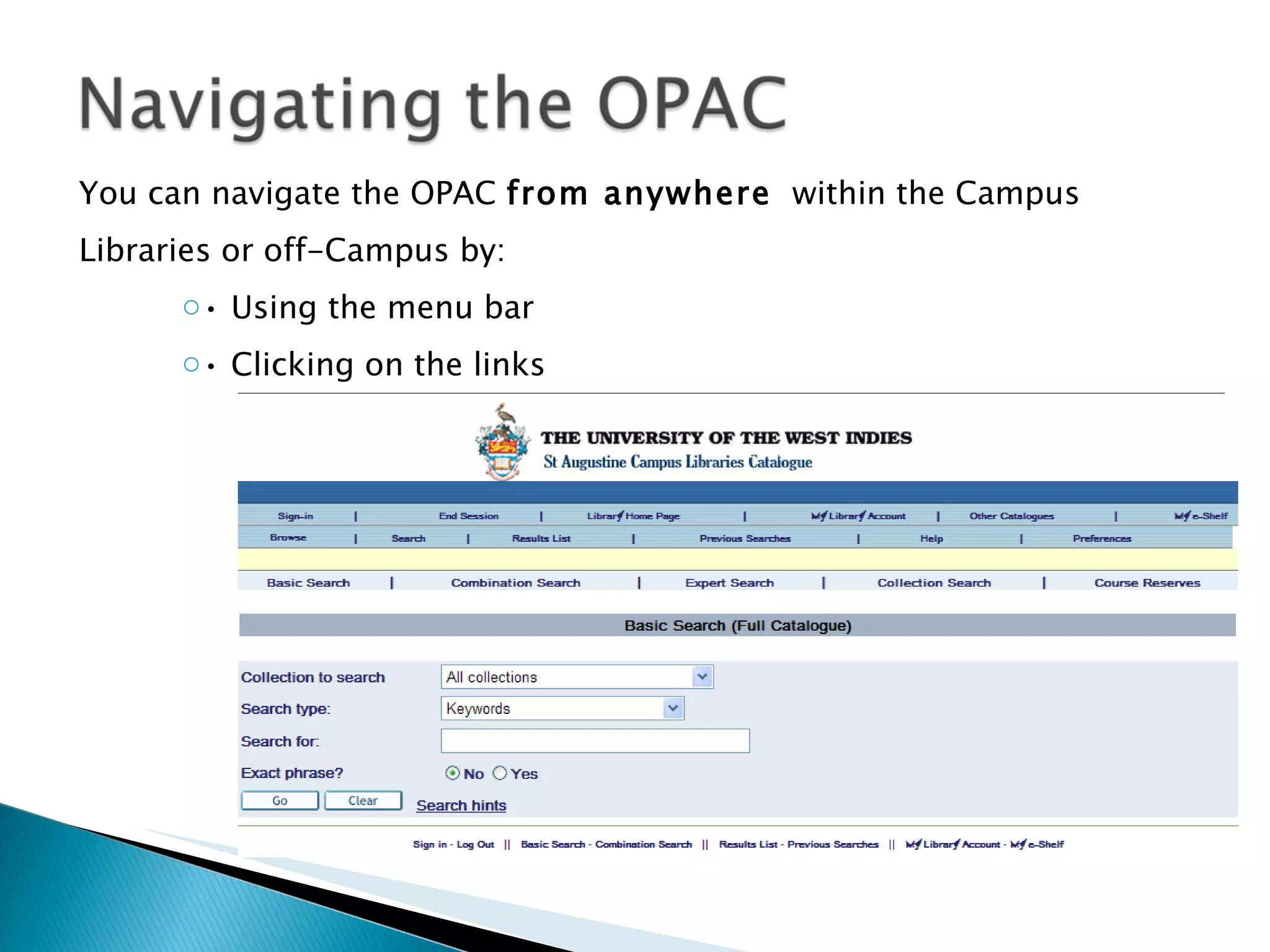
You can navigate the OPAC  from anywhere   within the Campus Libraries or off-Campus by: •  Using the menu bar •  Clicking on the links
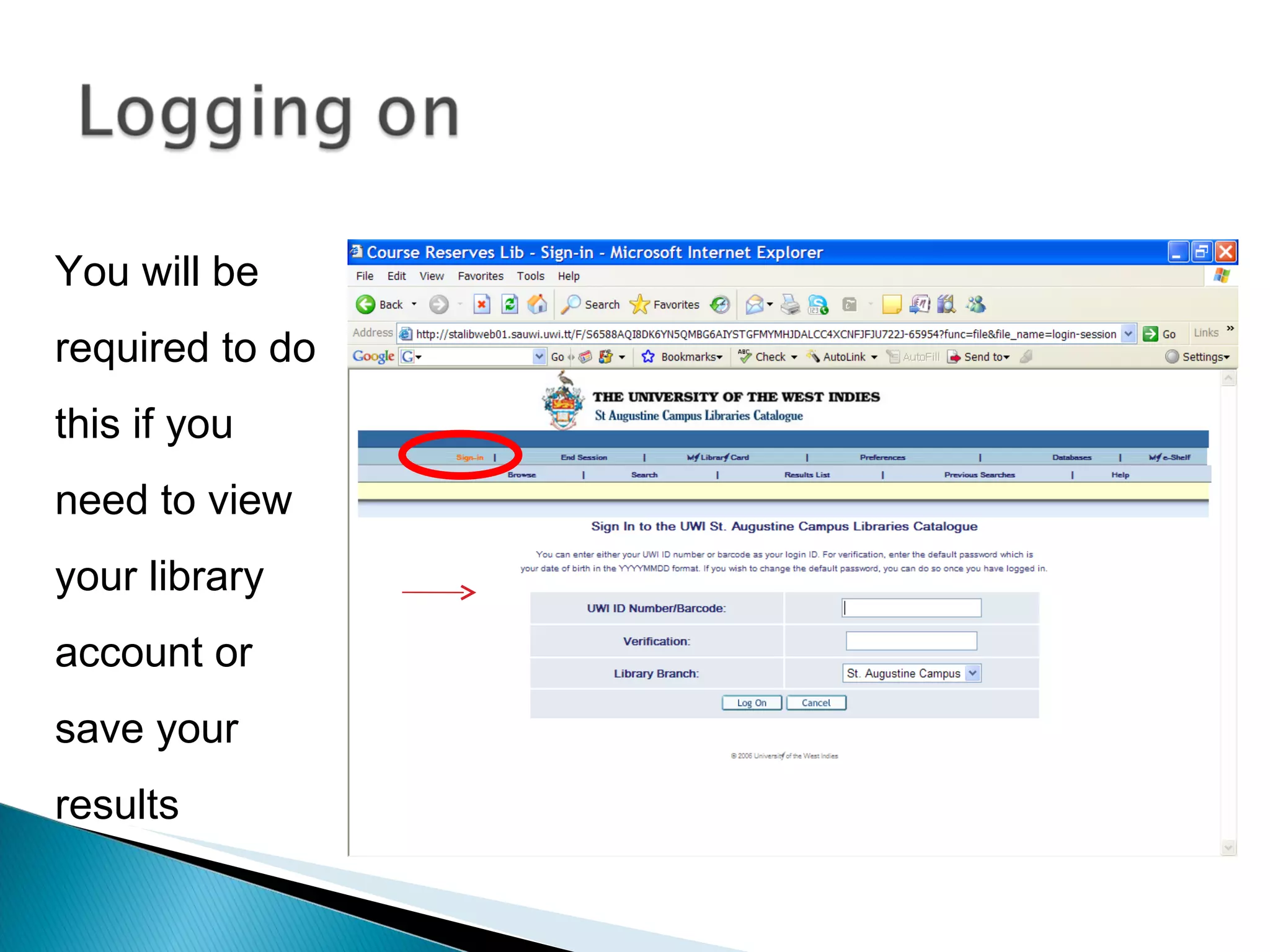
You will be required to do this if you need to view your library account or save your results
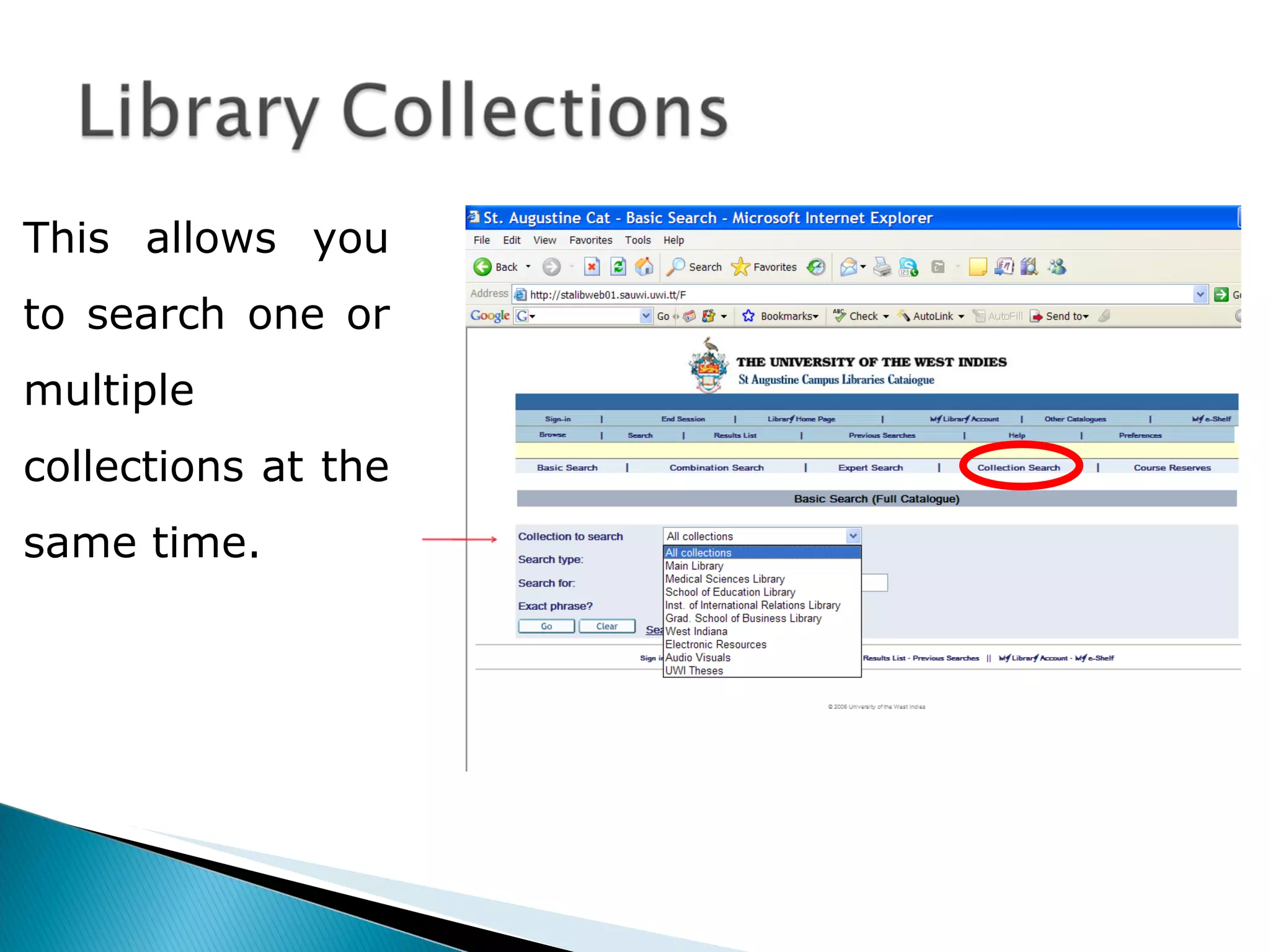
This allows you to search one or multiple collections at the same time.
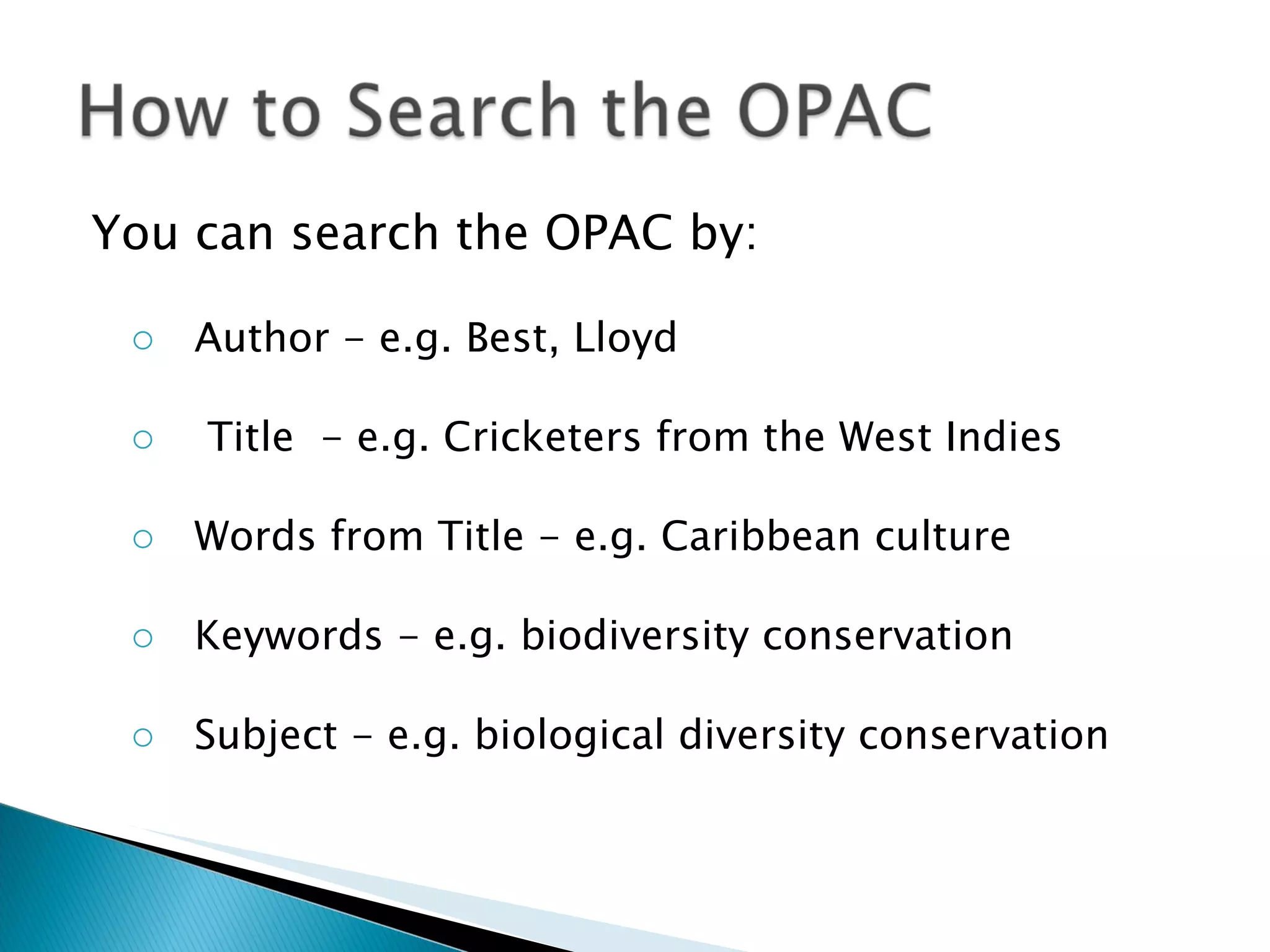
You can search the OPAC by: Author - e.g. Best, Lloyd Title  - e.g. Cricketers from the West Indies Words from Title - e.g. Caribbean culture Keywords - e.g. biodiversity conservation Subject - e.g. biological diversity conservation
There are four ways to search the catalogue –  Basic search Combination search Collection search Course Reserves
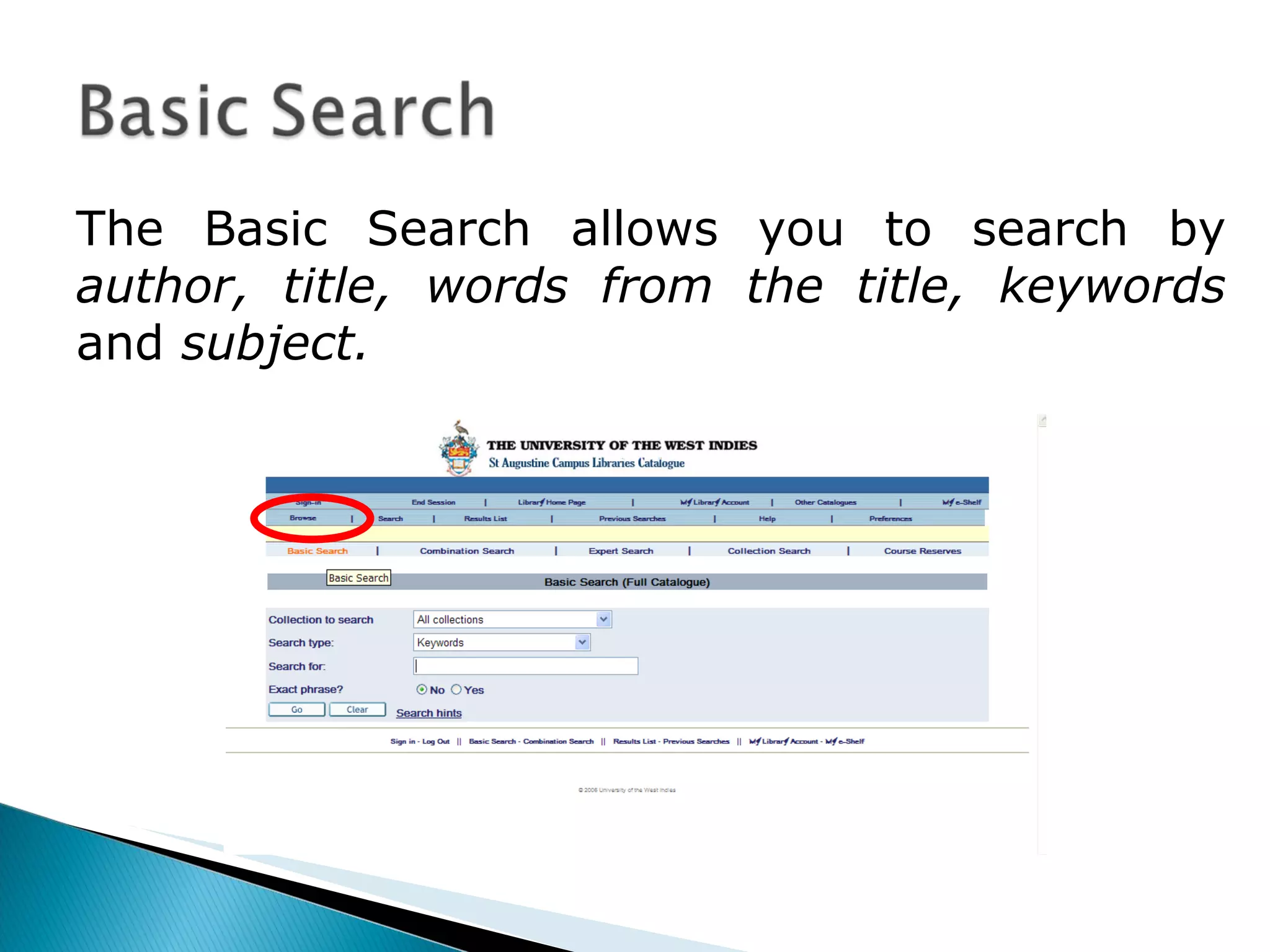
The Basic Search allows you to search by  author, title, words from the title, keywords  and  subject.
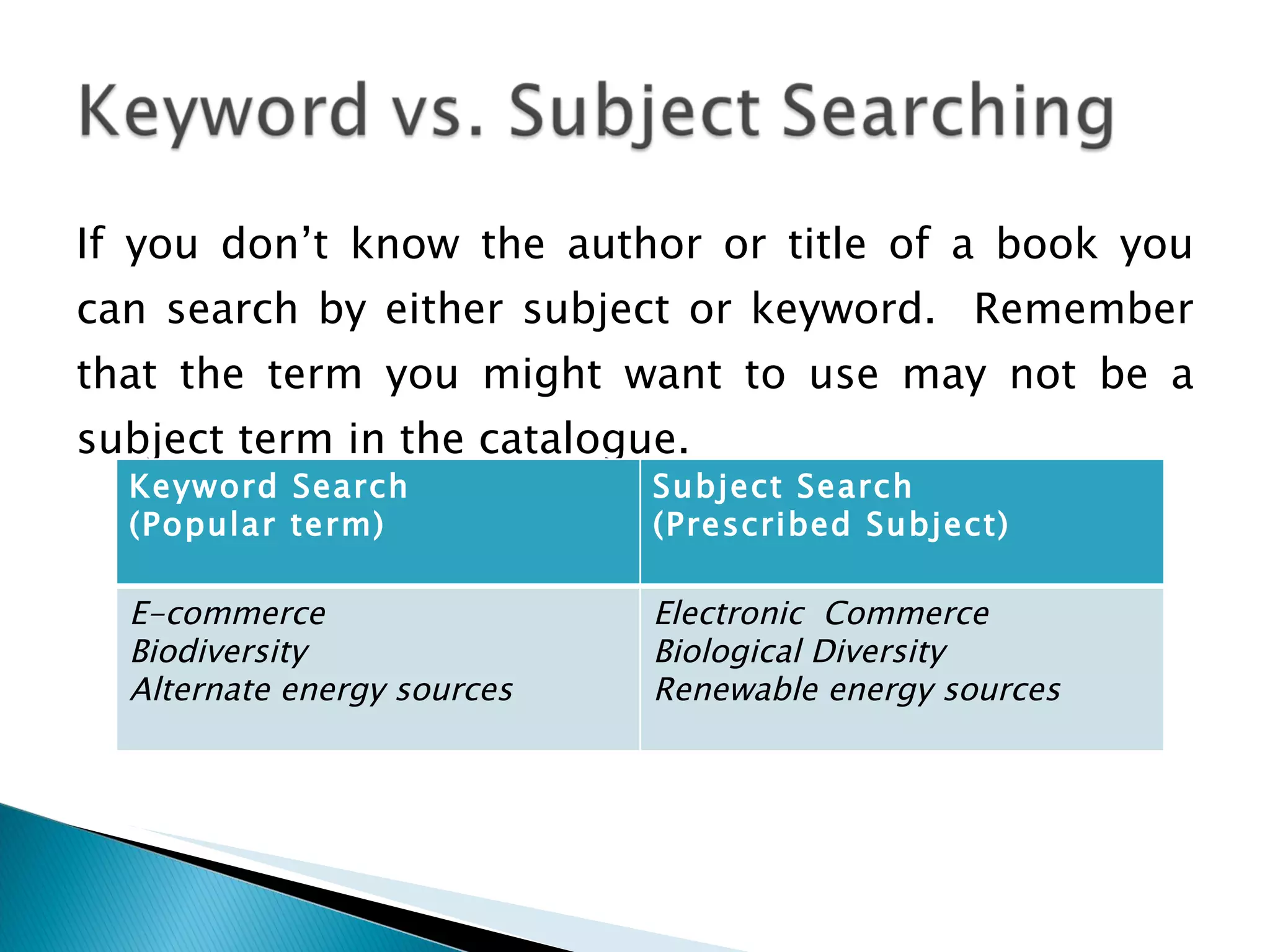
If you don’t know the author or title of a book you can search by either subject or keyword.  Remember that the term you might want to use may not be a subject term in the catalogue. Keyword Search  (Popular term) Subject Search (Prescribed Subject) E-commerce Biodiversity Alternate energy sources Electronic  Commerce Biological Diversity Renewable energy sources
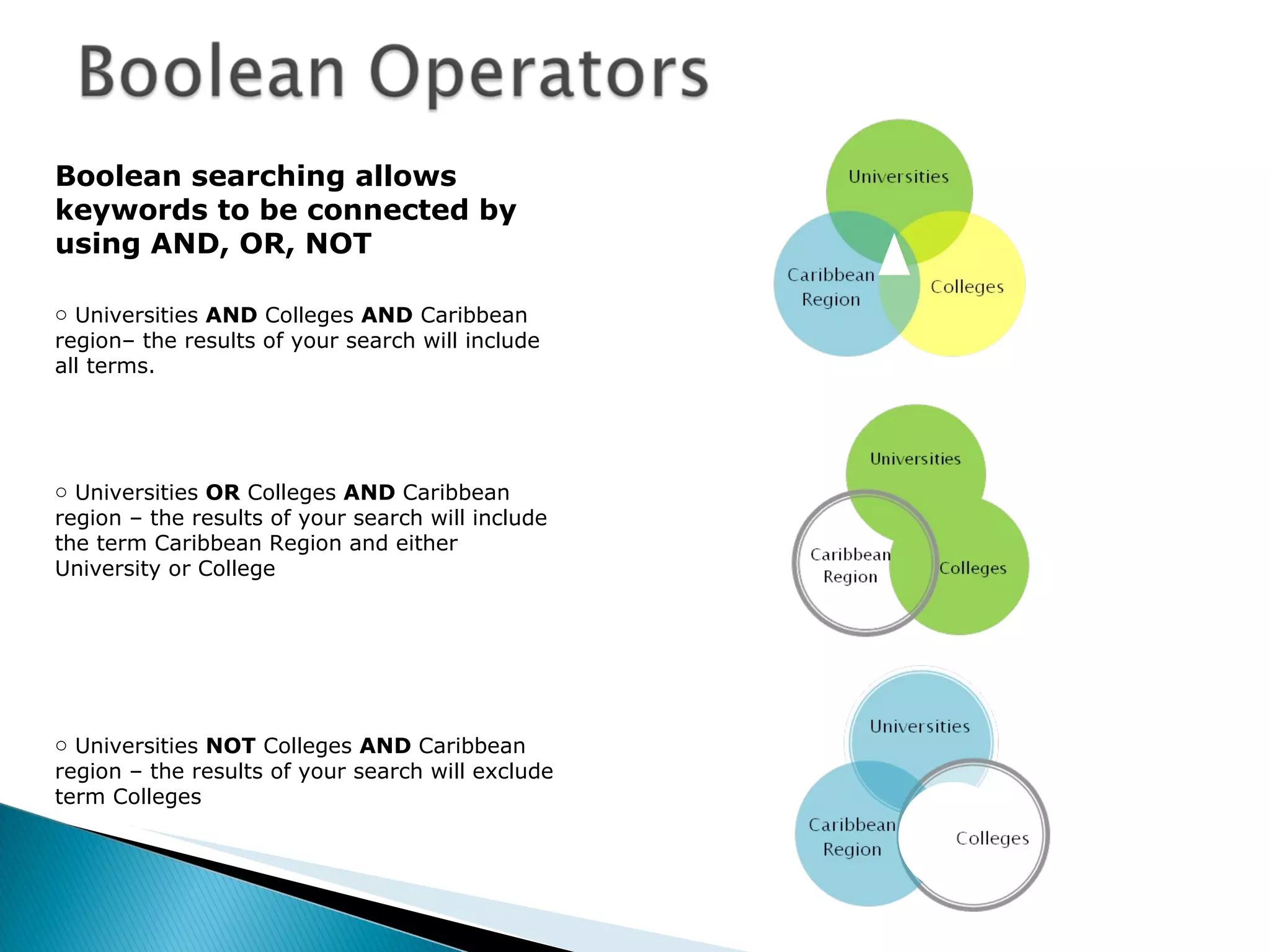
Boolean searching allows keywords to be connected by using AND, OR, NOT  Universities  AND  Colleges  AND  Caribbean region– the results of your search will include all terms.  Universities  OR  Colleges  AND  Caribbean region – the results of your search will include the term Caribbean Region and either University or College Universities  NOT  Colleges  AND  Caribbean region – the results of your search will exclude term Colleges
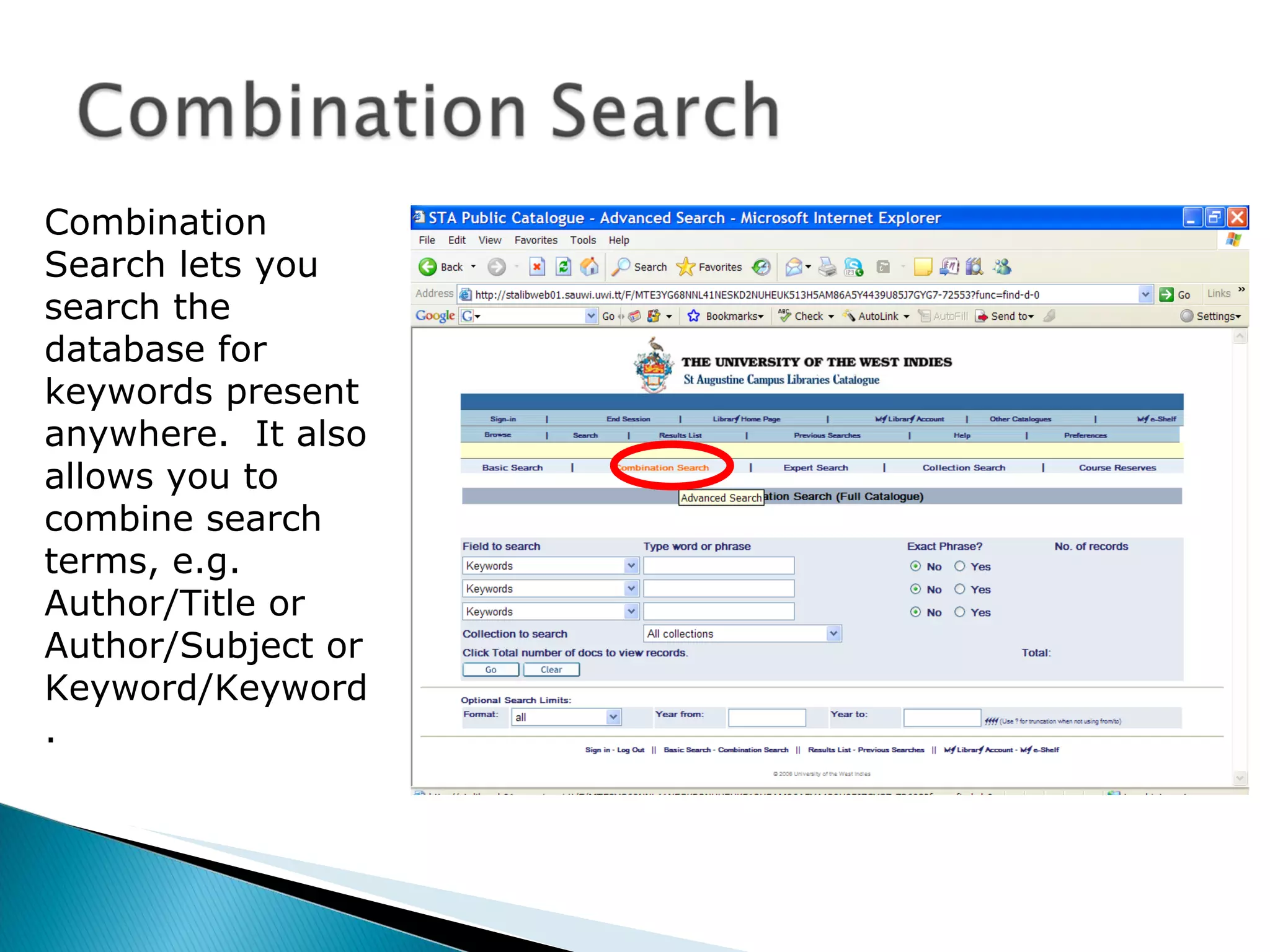
Combination Search lets you search the database for keywords present anywhere.  It also allows you to combine search terms, e.g. Author/Title or Author/Subject or Keyword/Keyword.
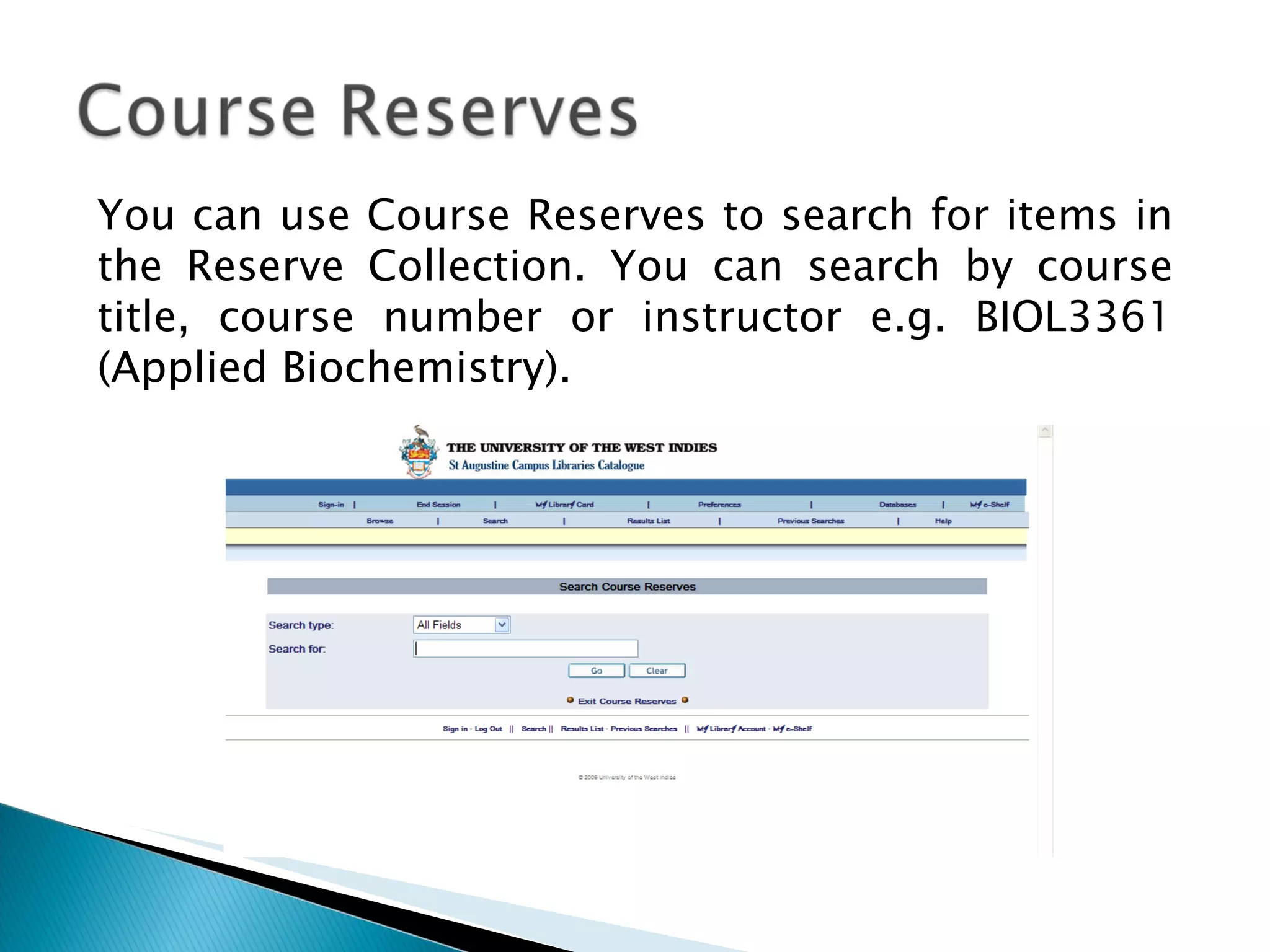
You can use Course Reserves to search for items in the Reserve Collection.  You can search by course title, course number or instructor e.g. BIOL3361 (Applied Biochemistry).
 
Results should be examined using criteria such as: Authority – is the author an expert in this area Credibility  - is the source objective or biased Relevance – is it pertinent to the research being conducted Timeliness – is it current or dated Accuracy –  is the information correct and can you find cited references.

INformation LIteracy - Module 3

  • 1.
  • 2.
    use the OnlinePublic Access Catalogue (OPAC) of the Campus Libraries in order to find information resources for research create effective search statements in order to find relevant information on their topic refine search statements using Boolean logic to find relevant information sources
  • 3.
    The OPAC isthe key to the Libraries’ collections. The Catalogue is a full description of most items in the Libraries and these descriptions are called records. It does NOT provide a list of websites, journal articles or search engines
  • 4.
    The OPAC isa database of the holdings of the five St. Augustine Campus Libraries including: The Main Library The Medical Sciences Library School of Education Library Republic Bank Library at the Arthur Lok Jack Graduate School of Business The Library at the Institute of International Relations Library
  • 5.
    Navigating the OPACHow to Login Collections Searching Types Options Search Results
  • 6.
    You can navigatethe OPAC from anywhere within the Campus Libraries or off-Campus by: • Using the menu bar • Clicking on the links
  • 7.
    You will berequired to do this if you need to view your library account or save your results
  • 8.
    This allows youto search one or multiple collections at the same time.
  • 9.
    You can searchthe OPAC by: Author - e.g. Best, Lloyd Title - e.g. Cricketers from the West Indies Words from Title - e.g. Caribbean culture Keywords - e.g. biodiversity conservation Subject - e.g. biological diversity conservation
  • 10.
    There are fourways to search the catalogue – Basic search Combination search Collection search Course Reserves
  • 11.
    The Basic Searchallows you to search by author, title, words from the title, keywords and subject.
  • 12.
    If you don’tknow the author or title of a book you can search by either subject or keyword. Remember that the term you might want to use may not be a subject term in the catalogue. Keyword Search (Popular term) Subject Search (Prescribed Subject) E-commerce Biodiversity Alternate energy sources Electronic Commerce Biological Diversity Renewable energy sources
  • 13.
    Boolean searching allowskeywords to be connected by using AND, OR, NOT Universities AND Colleges AND Caribbean region– the results of your search will include all terms. Universities OR Colleges AND Caribbean region – the results of your search will include the term Caribbean Region and either University or College Universities NOT Colleges AND Caribbean region – the results of your search will exclude term Colleges
  • 14.
    Combination Search letsyou search the database for keywords present anywhere. It also allows you to combine search terms, e.g. Author/Title or Author/Subject or Keyword/Keyword.
  • 15.
    You can useCourse Reserves to search for items in the Reserve Collection. You can search by course title, course number or instructor e.g. BIOL3361 (Applied Biochemistry).
  • 16.
  • 17.
    Results should beexamined using criteria such as: Authority – is the author an expert in this area Credibility - is the source objective or biased Relevance – is it pertinent to the research being conducted Timeliness – is it current or dated Accuracy – is the information correct and can you find cited references.