RESEARCH 101
  This is a self-paced tutorial to provide you with the necessary
  skills to find and use information and to evaluate and use it
  wisely for writing research papers and essays.


You will learn how to answer this question:
1. How do I search?
Using Search Tools
Now that you have an understanding of the different types of information available, you
are ready to explore the search tools and apply strategies that will help you located the
information you need.

   • In this section you will:
        • Apply search strategies to maximize relevant results
        • Search OASIS – the library catalog to find encyclopedias and
          books
        • Search EBSCO and ProQuest databases to quickly find journal,
          magazine and newspaper articles
        • Understand how the internet can be used for academic research
Basics of searching
• Search tools help you locate information. Knowing how
 best to use them can save you time when looking for
 material for an assignment.
 • What is a search tool?
 • What is a search statement?
 • What are Boolean Operators?
 • What is phrase searching?
 • What is truncation?
 • What is field searching?
 • How do I use parenthesis?
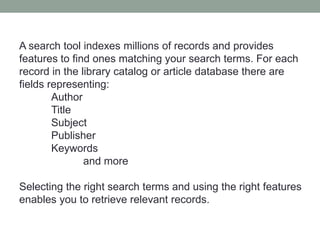
A search tool indexes millions of records and provides
features to find ones matching your search terms. For each
record in the library catalog or article database there are
fields representing:
        Author
        Title
        Subject
        Publisher
        Keywords
               and more

Selecting the right search terms and using the right features
enables you to retrieve relevant records.
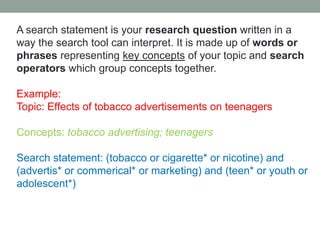
A search statement is your research question written in a
way the search tool can interpret. It is made up of words or
phrases representing key concepts of your topic and search
operators which group concepts together.

Example:
Topic: Effects of tobacco advertisements on teenagers

Concepts: tobacco advertising; teenagers

Search statement: (tobacco or cigarette* or nicotine) and
(advertis* or commerical* or marketing) and (teen* or youth or
adolescent*)
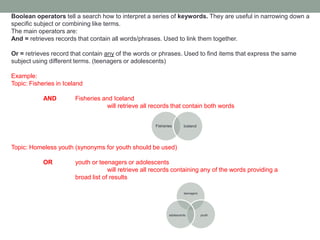
Boolean operators tell a search how to interpret a series of keywords. They are useful in narrowing down a
specific subject or combining like terms.
The main operators are:
And = retrieves records that contain all words/phrases. Used to link them together.

Or = retrieves record that contain any of the words or phrases. Used to find items that express the same
subject using different terms. (teenagers or adolescents)

Example:
Topic: Fisheries in Iceland

            AND         Fisheries and Iceland
                                   will retrieve all records that contain both words


                                                      Fisheries       Iceland


Topic: Homeless youth (synonyms for youth should be used)

            OR          youth or teenagers or adolescents
                                     will retrieve all records containing any of the words providing a
                        broad list of results

                                                                      teenagers


                                                             adolescents          youth
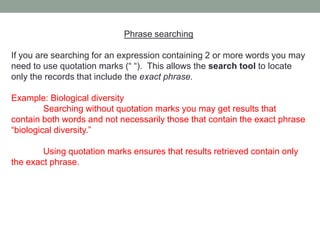
Phrase searching

If you are searching for an expression containing 2 or more words you may
need to use quotation marks (“ “). This allows the search tool to locate
only the records that include the exact phrase.

Example: Biological diversity
         Searching without quotation marks you may get results that
contain both words and not necessarily those that contain the exact phrase
“biological diversity.”

        Using quotation marks ensures that results retrieved contain only
the exact phrase.
Truncation allows for the retrieval of records showing words with
alternate endings. The asterisk (*) is a popular symbol and works in most
search tools.

Example: If your topic deals with the environment, using the truncation symbol in a
search tool may retrieve additional records that might have been overlooked and
will save you time in your research.

         environment* will retrieve:
                 environmentally
                 environmentalism
                 environments
                 environmentalist
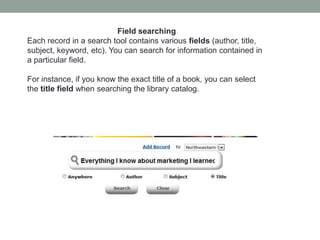
Field searching
Each record in a search tool contains various fields (author, title,
subject, keyword, etc). You can search for information contained in
a particular field.

For instance, if you know the exact title of a book, you can select
the title field when searching the library catalog.
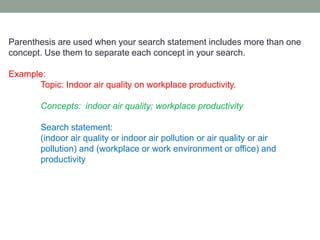
Parenthesis are used when your search statement includes more than one
concept. Use them to separate each concept in your search.

Example:
      Topic: Indoor air quality on workplace productivity.

        Concepts: indoor air quality; workplace productivity

        Search statement:
        (indoor air quality or indoor air pollution or air quality or air
        pollution) and (workplace or work environment or office) and
        productivity
Oasis Library Catalog
Northwestern College’s catalog is known as Oasis. It is used to find items the
library owns.

 • What is in Oasis?                       • How do I search?
      • Books, magazines,                    • Search using anywhere
        journals, encyclopedias,               will look for keywords in
        newspapers, textbooks.
        Oasis does not index                   a variety of fields. This is
        articles and should not be             a good starting point for
        used to search for journal             finding books on your
        articles. Connect to Oasis             topic.
        directly:
        http://www.tiny.cc/blf8j             • Search using subject
                                               will give you more
                                               focused results than a
                                               keyword search
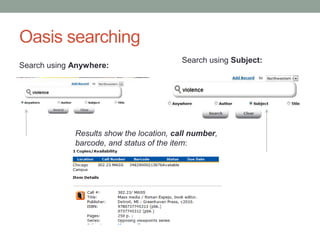
Oasis searching
                                          Search using Subject:
Search using Anywhere:


             Results show the location, call number,
             barcode, and status of the item:
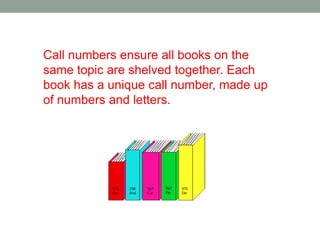
Call numbers ensure all books on the
same topic are shelved together. Each
book has a unique call number, made up
of numbers and letters.
Databases
Finding articles is an important part of the information research process. EBSCO
and ProQuest will allow you to search for articles for your assignments.

• What is in a database?                  • How do I choose the right
  • Articles from newspapers,              database?
    magazines, academic                     • Select a database that best
    journals, trade publications,            corresponds to your topic
    government documents, book               from the list provided by
    reviews, and book chapters.              EBSCO and ProQuest
  • Just like encyclopedias, there
    are:                                    • Ask the librarian at the
     • General databases that cover a        reference desk for assistance
       broad range of topics and
       thousands of journals                 or call extension 2304
     • Subject-specific databases that
       focus on a particular subject or
       topic and provide results form
       relevant journals.
Searching Databases
  • Search using keywords                                   • Search using subject terms
      • Databases index thousands of                            • Some databases use
        articles. Using a keyword search                          standardized subject terms and
        is often the best way to begin                            phrases to describe difference
        identifying relevant results.                             topics. Using standard
      • Take time to explore the features                         terminology can be helpful
        of the database and familiarize                           when searching for a concept
        yourself with the layout, menu,                           that can be expressed many
        options, and help sections of                             different ways.
        each one                                                • Look for a thesaurus or index
                                                                  feature to take advantage of this
                                                                  search option.


Some databases provide direct access to full-text articles
while others provide only a citation and abstract. When full
text is not available ask your librarian about inter-library loan.
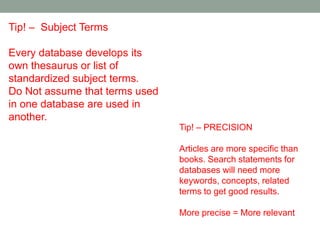
Tip! – Subject Terms

Every database develops its
own thesaurus or list of
standardized subject terms.
Do Not assume that terms used
in one database are used in
another.
                                Tip! – PRECISION

                                Articles are more specific than
                                books. Search statements for
                                databases will need more
                                keywords, concepts, related
                                terms to get good results.

                                More precise = More relevant
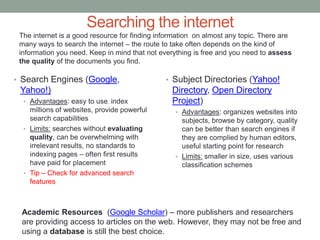
Searching the internet
 The internet is a good resource for finding information on almost any topic. There are
 many ways to search the internet – the route to take often depends on the kind of
 information you need. Keep in mind that not everything is free and you need to assess
 the quality of the documents you find.

• Search Engines (Google,                      • Subject Directories (Yahoo!
 Yahoo!)                                         Directory, Open Directory
  • Advantages: easy to use, index               Project)
    millions of websites, provide powerful        • Advantages: organizes websites into
    search capabilities                             subjects, browse by category, quality
  • Limits: searches without evaluating             can be better than search engines if
    quality, can be overwhelming with               they are complied by human editors,
    irrelevant results, no standards to             useful starting point for research
    indexing pages – often first results          • Limits: smaller in size, uses various
    have paid for placement                         classification schemes
  • Tip – Check for advanced search
    features


 Academic Resources (Google Scholar) – more publishers and researchers
 are providing access to articles on the web. However, they may not be free and
 using a database is still the best choice.
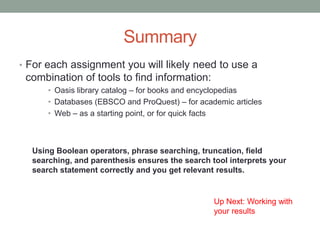
Summary
• For each assignment you will likely need to use a
 combination of tools to find information:
      • Oasis library catalog – for books and encyclopedias
      • Databases (EBSCO and ProQuest) – for academic articles
      • Web – as a starting point, or for quick facts


  Using Boolean operators, phrase searching, truncation, field
  searching, and parenthesis ensures the search tool interprets your
  search statement correctly and you get relevant results.


                                                 Up Next: Working with
                                                 your results

Using search tools

  • 1.
    RESEARCH 101 This is a self-paced tutorial to provide you with the necessary skills to find and use information and to evaluate and use it wisely for writing research papers and essays. You will learn how to answer this question: 1. How do I search?
  • 2.
    Using Search Tools Nowthat you have an understanding of the different types of information available, you are ready to explore the search tools and apply strategies that will help you located the information you need. • In this section you will: • Apply search strategies to maximize relevant results • Search OASIS – the library catalog to find encyclopedias and books • Search EBSCO and ProQuest databases to quickly find journal, magazine and newspaper articles • Understand how the internet can be used for academic research
  • 3.
    Basics of searching •Search tools help you locate information. Knowing how best to use them can save you time when looking for material for an assignment. • What is a search tool? • What is a search statement? • What are Boolean Operators? • What is phrase searching? • What is truncation? • What is field searching? • How do I use parenthesis?
  • 4.
    A search toolindexes millions of records and provides features to find ones matching your search terms. For each record in the library catalog or article database there are fields representing: Author Title Subject Publisher Keywords and more Selecting the right search terms and using the right features enables you to retrieve relevant records.
  • 5.
    A search statementis your research question written in a way the search tool can interpret. It is made up of words or phrases representing key concepts of your topic and search operators which group concepts together. Example: Topic: Effects of tobacco advertisements on teenagers Concepts: tobacco advertising; teenagers Search statement: (tobacco or cigarette* or nicotine) and (advertis* or commerical* or marketing) and (teen* or youth or adolescent*)
  • 6.
    Boolean operators tella search how to interpret a series of keywords. They are useful in narrowing down a specific subject or combining like terms. The main operators are: And = retrieves records that contain all words/phrases. Used to link them together. Or = retrieves record that contain any of the words or phrases. Used to find items that express the same subject using different terms. (teenagers or adolescents) Example: Topic: Fisheries in Iceland AND Fisheries and Iceland will retrieve all records that contain both words Fisheries Iceland Topic: Homeless youth (synonyms for youth should be used) OR youth or teenagers or adolescents will retrieve all records containing any of the words providing a broad list of results teenagers adolescents youth
  • 7.
    Phrase searching If youare searching for an expression containing 2 or more words you may need to use quotation marks (“ “). This allows the search tool to locate only the records that include the exact phrase. Example: Biological diversity Searching without quotation marks you may get results that contain both words and not necessarily those that contain the exact phrase “biological diversity.” Using quotation marks ensures that results retrieved contain only the exact phrase.
  • 8.
    Truncation allows forthe retrieval of records showing words with alternate endings. The asterisk (*) is a popular symbol and works in most search tools. Example: If your topic deals with the environment, using the truncation symbol in a search tool may retrieve additional records that might have been overlooked and will save you time in your research. environment* will retrieve: environmentally environmentalism environments environmentalist
  • 9.
    Field searching Each recordin a search tool contains various fields (author, title, subject, keyword, etc). You can search for information contained in a particular field. For instance, if you know the exact title of a book, you can select the title field when searching the library catalog.
  • 10.
    Parenthesis are usedwhen your search statement includes more than one concept. Use them to separate each concept in your search. Example: Topic: Indoor air quality on workplace productivity. Concepts: indoor air quality; workplace productivity Search statement: (indoor air quality or indoor air pollution or air quality or air pollution) and (workplace or work environment or office) and productivity
  • 11.
    Oasis Library Catalog NorthwesternCollege’s catalog is known as Oasis. It is used to find items the library owns. • What is in Oasis? • How do I search? • Books, magazines, • Search using anywhere journals, encyclopedias, will look for keywords in newspapers, textbooks. Oasis does not index a variety of fields. This is articles and should not be a good starting point for used to search for journal finding books on your articles. Connect to Oasis topic. directly: http://www.tiny.cc/blf8j • Search using subject will give you more focused results than a keyword search
  • 12.
    Oasis searching Search using Subject: Search using Anywhere: Results show the location, call number, barcode, and status of the item:
  • 13.
    Call numbers ensureall books on the same topic are shelved together. Each book has a unique call number, made up of numbers and letters.
  • 14.
    Databases Finding articles isan important part of the information research process. EBSCO and ProQuest will allow you to search for articles for your assignments. • What is in a database? • How do I choose the right • Articles from newspapers, database? magazines, academic • Select a database that best journals, trade publications, corresponds to your topic government documents, book from the list provided by reviews, and book chapters. EBSCO and ProQuest • Just like encyclopedias, there are: • Ask the librarian at the • General databases that cover a reference desk for assistance broad range of topics and thousands of journals or call extension 2304 • Subject-specific databases that focus on a particular subject or topic and provide results form relevant journals.
  • 15.
    Searching Databases • Search using keywords • Search using subject terms • Databases index thousands of • Some databases use articles. Using a keyword search standardized subject terms and is often the best way to begin phrases to describe difference identifying relevant results. topics. Using standard • Take time to explore the features terminology can be helpful of the database and familiarize when searching for a concept yourself with the layout, menu, that can be expressed many options, and help sections of different ways. each one • Look for a thesaurus or index feature to take advantage of this search option. Some databases provide direct access to full-text articles while others provide only a citation and abstract. When full text is not available ask your librarian about inter-library loan.
  • 16.
    Tip! – SubjectTerms Every database develops its own thesaurus or list of standardized subject terms. Do Not assume that terms used in one database are used in another. Tip! – PRECISION Articles are more specific than books. Search statements for databases will need more keywords, concepts, related terms to get good results. More precise = More relevant
  • 17.
    Searching the internet The internet is a good resource for finding information on almost any topic. There are many ways to search the internet – the route to take often depends on the kind of information you need. Keep in mind that not everything is free and you need to assess the quality of the documents you find. • Search Engines (Google, • Subject Directories (Yahoo! Yahoo!) Directory, Open Directory • Advantages: easy to use, index Project) millions of websites, provide powerful • Advantages: organizes websites into search capabilities subjects, browse by category, quality • Limits: searches without evaluating can be better than search engines if quality, can be overwhelming with they are complied by human editors, irrelevant results, no standards to useful starting point for research indexing pages – often first results • Limits: smaller in size, uses various have paid for placement classification schemes • Tip – Check for advanced search features Academic Resources (Google Scholar) – more publishers and researchers are providing access to articles on the web. However, they may not be free and using a database is still the best choice.
  • 18.
    Summary • For eachassignment you will likely need to use a combination of tools to find information: • Oasis library catalog – for books and encyclopedias • Databases (EBSCO and ProQuest) – for academic articles • Web – as a starting point, or for quick facts Using Boolean operators, phrase searching, truncation, field searching, and parenthesis ensures the search tool interprets your search statement correctly and you get relevant results. Up Next: Working with your results