INTRODUCTION TO MACHINEVISION
Machine vision is the computational process of converting images captured by
cameras into meaningful information that can be used for decision-making,
measurement, automation, and control. Unlike computer graphics, which synthesizes
images, machine vision analyzes them.
Machine vision systems are widely used in:
Industrial automation
Robotics and navigation
Quality inspection
Medical imaging
Metrology
Surveillance
3.
A MACHINE VISIONPIPELINE
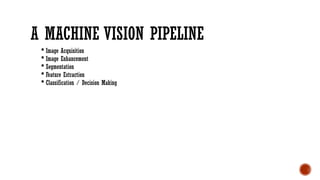
Image Acquisition
Image Enhancement
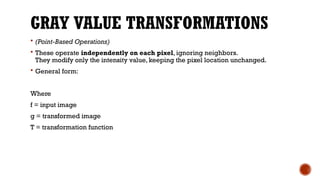
Segmentation
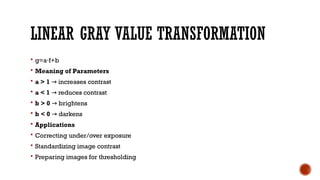
Feature Extraction
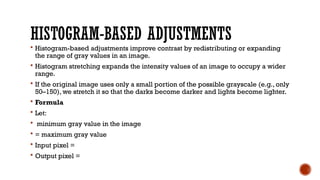
Classification / Decision Making
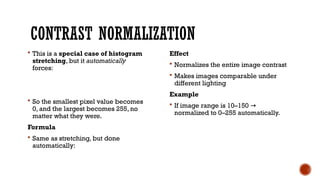
4.
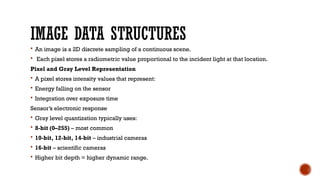
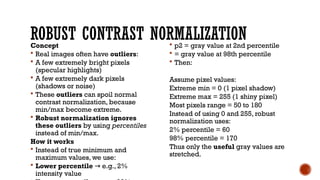
IMAGE DATA STRUCTURES
An image is a 2D discrete sampling of a continuous scene.
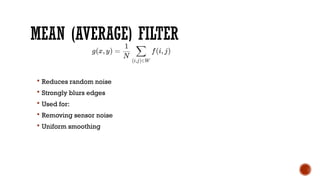
Each pixel stores a radiometric value proportional to the incident light at that location.
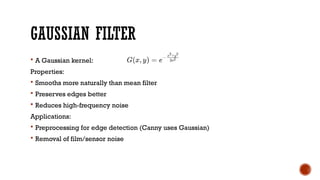
Pixel and Gray Level Representation
A pixel stores intensity values that represent:
Energy falling on the sensor
Integration over exposure time
Sensor’s electronic response
Gray level quantization typically uses:
8-bit (0–255) – most common
10-bit, 12-bit, 14-bit – industrial cameras
16-bit – scientific cameras
Higher bit depth = higher dynamic range.
5.
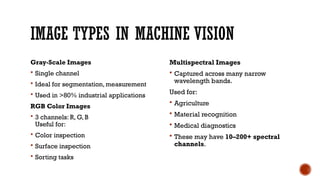
IMAGE TYPES INMACHINE VISION
Gray-Scale Images
Single channel
Ideal for segmentation, measurement
Used in >80% industrial applications
RGB Color Images
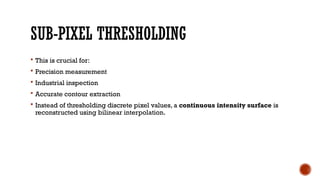
3 channels: R, G, B
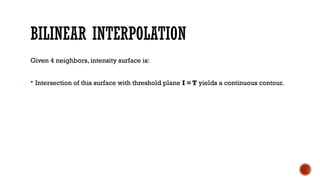
Useful for:
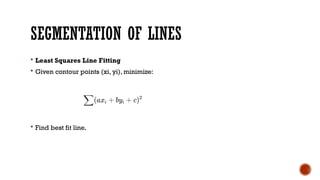
Color inspection
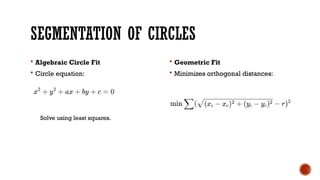
Surface inspection
Sorting tasks
Multispectral Images
Captured across many narrow
wavelength bands.
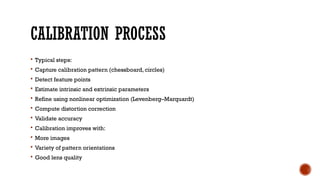
Used for:
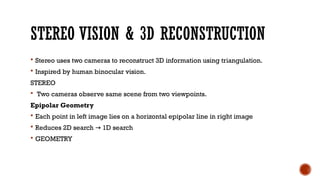
Agriculture
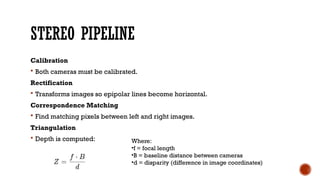
Material recognition
Medical diagnostics
These may have 10–200+ spectral
channels.
6.
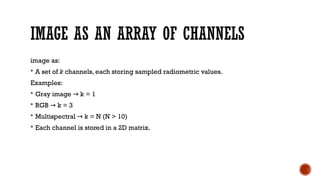
IMAGE AS ANARRAY OF CHANNELS
image as:
A set of k channels, each storing sampled radiometric values.
Examples:
Gray image k = 1
→
RGB k = 3
→
Multispectral k = N (N > 10)
→
Each channel is stored in a 2D matrix.
7.
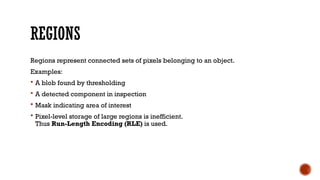
REGIONS
Regions represent connectedsets of pixels belonging to an object.
Examples:
A blob found by thresholding
A detected component in inspection
Mask indicating area of interest
Pixel-level storage of large regions is inefficient.
Thus Run-Length Encoding (RLE) is used.
8.
RUN-LENGTH ENCODING (RLE)
Each run is a continuous horizontal segment of pixels belonging to the region.
For example:
Row 5: pixels from column 20 to 40 form a run
Stored as (row = 5, start = 20, end = 40)
→
Thus a region is simply a list of runs.
9.
ADVANTAGES OF RLE
MemoryEfficiency
A rectangle of 1000×1000 = 1,000,000 pixels
RLE stores only 1000 runs.
Fast Membership Tests
Checking if a pixel belongs to a region involves only scanning runs for its row.
Efficient Boolean Operations
Union, intersection, difference can be performed run-by-run.
Shape Computations Become Easy
Area = sum of run lengths
Perimeter = transitions between runs
Moments = computed efficiently
10.
SUB-PIXEL PRECISE CONTOURS
High-precision applications need accuracy better than ±1 pixel.
Examples:
Measuring hole diameter to ±0.01 mm
Locating object centers with micron precision
Industrial metrology
PCB inspection
Pixel grid alignment is too coarse.
Thus sub-pixel contours are used.
11.
WHY PIXEL PRECISIONIS NOT ENOUGH
A pixel is a sample of an underlying continuous signal.
Real edges:
Do not align with pixel locations
Fall between pixels
Must be interpolated for accuracy
If edges are used directly at pixel accuracy, measurement errors accumulate.
12.
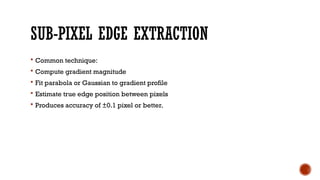
SUB-PIXEL EDGE EXTRACTION
Common technique:
Compute gradient magnitude
Fit parabola or Gaussian to gradient profile
Estimate true edge position between pixels
Produces accuracy of ±0.1 pixel or better.
13.
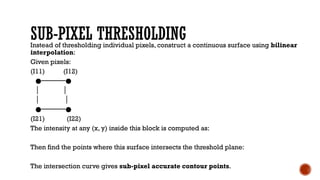
SUB-PIXEL THRESHOLDING
Instead ofthresholding individual pixels, construct a continuous surface using bilinear
interpolation:
Given pixels:
(I11) (I12)
●──────●
│ │
│ │
●──────●
(I21) (I22)
The intensity at any (x, y) inside this block is computed as:
Then find the points where this surface intersects the threshold plane:
The intersection curve gives sub-pixel accurate contour points.
14.
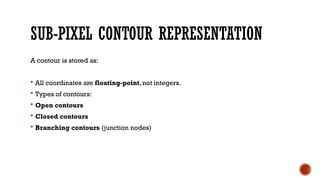
SUB-PIXEL CONTOUR REPRESENTATION
Acontour is stored as:
All coordinates are floating-point, not integers.
Types of contours:
Open contours
Closed contours
Branching contours (junction nodes)
15.
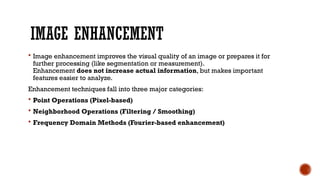
IMAGE ENHANCEMENT
Imageenhancement improves the visual quality of an image or prepares it for
further processing (like segmentation or measurement).
Enhancement does not increase actual information, but makes important
features easier to analyze.
Enhancement techniques fall into three major categories:
Point Operations (Pixel-based)
Neighborhood Operations (Filtering / Smoothing)
Frequency Domain Methods (Fourier-based enhancement)
16.
GRAY VALUE TRANSFORMATIONS
(Point-Based Operations)
These operate independently on each pixel, ignoring neighbors.
They modify only the intensity value, keeping the pixel location unchanged.
General form:
Where
f = input image
g = transformed image
T = transformation function
17.
LINEAR GRAY VALUETRANSFORMATION
g=a f+b
⋅
Meaning of Parameters
a > 1 increases contrast
→
a < 1 reduces contrast
→
b > 0 brightens
→
b < 0 darkens
→
Applications
Correcting under/over exposure
Standardizing image contrast
Preparing images for thresholding
18.
HISTOGRAM-BASED ADJUSTMENTS
Histogram-basedadjustments improve contrast by redistributing or expanding
the range of gray values in an image.
Histogram stretching expands the intensity values of an image to occupy a wider
range.
If the original image uses only a small portion of the possible grayscale (e.g., only
50–150), we stretch it so that the darks become darker and lights become lighter.
Formula
Let:
minimum gray value in the image
= maximum gray value
Input pixel =
Output pixel =
19.
CONTRAST NORMALIZATION
Thisis a special case of histogram
stretching, but it automatically
forces:
So the smallest pixel value becomes
0, and the largest becomes 255, no
matter what they were.
Formula
Same as stretching, but done
automatically:
Effect
Normalizes the entire image contrast
Makes images comparable under
different lighting
Example
If image range is 10–150 →
normalized to 0–255 automatically.
20.
ROBUST CONTRAST NORMALIZATION
Concept
Real images often have outliers:
A few extremely bright pixels
(specular highlights)
A few extremely dark pixels
(shadows or noise)
These outliers can spoil normal
contrast normalization, because
min/max become extreme.
Robust normalization ignores
these outliers by using percentiles
instead of min/max.
How it works
Instead of true minimum and
maximum values, we use:
Lower percentile e.g., 2%
→
intensity value
p2= gray value at 2nd percentile
= gray value at 98th percentile
Then:
Assume pixel values:
Extreme min = 0 (1 pixel shadow)
Extreme max = 255 (1 shiny pixel)
Most pixels range = 50 to 180
Instead of using 0 and 255, robust
normalization uses:
2% percentile = 60
98% percentile = 170
Thus only the useful gray values are
stretched.
21.
IMAGE SMOOTHING
Usedto reduce noise and small variations.
Essential before segmentation or edge detection.
Neighborhood-Based Operations
Linear Filters
Linear filters replace each pixel with a weighted sum of neighboring pixels.
22.
MEAN (AVERAGE) FILTER
Reduces random noise
Strongly blurs edges
Used for:
Removing sensor noise
Uniform smoothing
23.
GAUSSIAN FILTER
AGaussian kernel:
Properties:
Smooths more naturally than mean filter
Preserves edges better
Reduces high-frequency noise
Applications:
Preprocessing for edge detection (Canny uses Gaussian)
Removal of film/sensor noise
24.
NON-LINEAR FILTERS
Non-linearfilters preserve edges better.
Median Filter
Replaces pixel value with the median of neighbors.
Excellent for:
Salt-and-pepper noise
Impulse noise
Binary image cleaning
Does NOT blur edges best filter for industrial images with impulse noise.
→
25.
RANK FILTERS
Rankfilters find:
Minimum
Maximum
Percentile value
Used in:
Morphological operations
Removing isolated bright/dark spots
Industrial defect masking
26.
FREQUENCY DOMAIN ENHANCEMENT
Image enhancement in the frequency domain modifies an image by changing its
frequency components (low frequencies, high frequencies, periodic patterns).
To do this, we use the Fourier Transform.
27.
WHY FREQUENCY DOMAINENHANCEMENT?
In images:
Low frequencies = smooth regions
High frequencies = edges and fine details
Periodic frequencies = textures, patterns
By transforming the image into the frequency domain, we can:
Remove noise
Enhance edges
Extract textures
Smooth or sharpen the image
28.
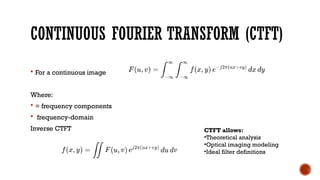
CONTINUOUS FOURIER TRANSFORM(CTFT)
For a continuous image
Where:
= frequency components
frequency-domain
Inverse CTFT CTFT allows:
•Theoretical analysis
•Optical imaging modeling
•Ideal filter definitions
29.
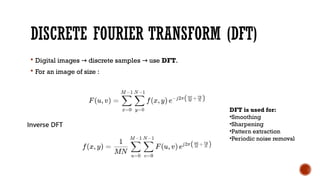
DISCRETE FOURIER TRANSFORM(DFT)
Digital images discrete samples use
→ → DFT.
For an image of size :
DFT is used for:
•Smoothing
•Sharpening
•Pattern extraction
•Periodic noise removal
30.
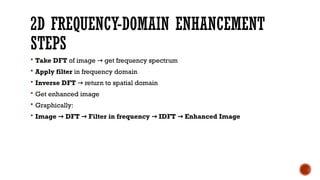
2D FREQUENCY-DOMAIN ENHANCEMENT
STEPS
Take DFT of image get frequency spectrum
→
Apply filter in frequency domain
Inverse DFT return to spatial domain
→
Get enhanced image
Graphically:
Image DFT Filter in frequency IDFT Enhanced Image
→ → → →
31.
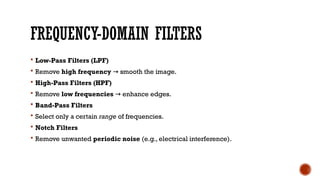
FREQUENCY-DOMAIN FILTERS
Low-PassFilters (LPF)
Remove high frequency smooth the image.
→
High-Pass Filters (HPF)
Remove low frequencies enhance edges.
→
Band-Pass Filters
Select only a certain range of frequencies.
Notch Filters
Remove unwanted periodic noise (e.g., electrical interference).
32.
GEOMETRIC TRANSFORMATIONS
Geometrictransformations change the spatial arrangement of pixels without
affecting their intensity.
Used in:
Registration
Image stitching
Rectification
Rotation/Scaling
Perspective correction
Normalization for pattern recognition
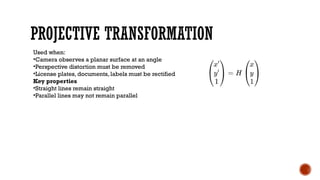
PROJECTIVE TRANSFORMATION
Used when:
•Cameraobserves a planar surface at an angle
•Perspective distortion must be removed
•License plates, documents, labels must be rectified
Key properties
•Straight lines remain straight
•Parallel lines may not remain parallel
36.
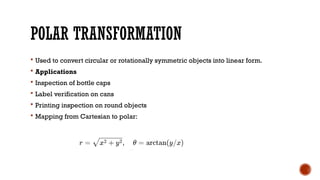
POLAR TRANSFORMATION
Usedto convert circular or rotationally symmetric objects into linear form.
Applications
Inspection of bottle caps
Label verification on cans
Printing inspection on round objects
Mapping from Cartesian to polar:
37.
INTRODUCTION TO SEGMENTATION
Segmentation divides an image into meaningful units such as:
Objects
Background
Edges
Contours
Regions
Two main classes:
Region-Based Segmentation
Contour-Based Segmentation
38.
THRESHOLDING
Thresholding isone of the simplest and most widely used segmentation
techniques.
Global Thresholding
A constant threshold T is applied:
Used when:
Object and background have distinct intensities
Illumination is uniform
39.
AUTOMATIC THRESHOLD SELECTION
When illumination varies, fixed threshold fails.
Automatic thresholding uses histogram analysis to select best threshold.
Common methods:
Valley detection in histogram
Isodata method (iterative)
Otsu’s method (maximizes inter-class variance)
40.
SUB-PIXEL THRESHOLDING
Thisis crucial for:
Precision measurement
Industrial inspection
Accurate contour extraction
Instead of thresholding discrete pixel values, a continuous intensity surface is
reconstructed using bilinear interpolation.
41.
BILINEAR INTERPOLATION
Given 4neighbors, intensity surface is:
Intersection of this surface with threshold plane I = T yields a continuous contour.
42.
SEGMENTATION OF LINES
Least Squares Line Fitting
Given contour points (xi, yi), minimize:
Find best fit line.
43.
SEGMENTATION OF CIRCLES
Algebraic Circle Fit
Circle equation:
Geometric Fit
Minimizes orthogonal distances:
Solve using least squares.
44.
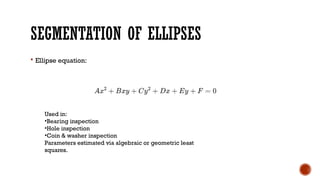
SEGMENTATION OF ELLIPSES
Ellipse equation:
Used in:
•Bearing inspection
•Hole inspection
•Coin & washer inspection
Parameters estimated via algebraic or geometric least
squares.
45.
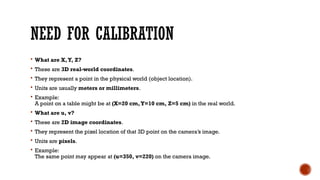
NEED FOR CALIBRATION
What are X,Y, Z?
These are 3D real-world coordinates.
They represent a point in the physical world (object location).
Units are usually meters or millimeters.
Example:
A point on a table might be at (X=20 cm,Y=10 cm, Z=5 cm) in the real world.
What are u, v?
These are 2D image coordinates.
They represent the pixel location of that 3D point on the camera’s image.
Units are pixels.
Example:
The same point may appear at (u=350, v=220) on the camera image.
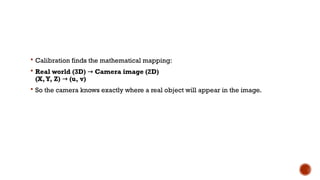
46.
Calibration findsthe mathematical mapping:
Real world (3D) → Camera image (2D)
(X,Y, Z) → (u, v)
So the camera knows exactly where a real object will appear in the image.
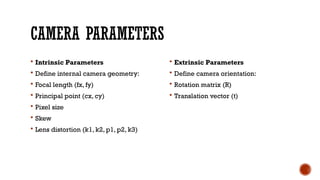
47.
CAMERA PARAMETERS
IntrinsicParameters
Define internal camera geometry:
Focal length (fx, fy)
Principal point (cx, cy)
Pixel size
Skew
Lens distortion (k1, k2, p1, p2, k3)
Extrinsic Parameters
Define camera orientation:
Rotation matrix (R)
Translation vector (t)
48.
CALIBRATION PROCESS
Typicalsteps:
Capture calibration pattern (chessboard, circles)
Detect feature points
Estimate intrinsic and extrinsic parameters
Refine using nonlinear optimization (Levenberg–Marquardt)
Compute distortion correction
Validate accuracy
Calibration improves with:
More images
Variety of pattern orientations
Good lens quality
49.
STEREO VISION &3D RECONSTRUCTION
Stereo uses two cameras to reconstruct 3D information using triangulation.
Inspired by human binocular vision.
STEREO
Two cameras observe same scene from two viewpoints.
Epipolar Geometry
Each point in left image lies on a horizontal epipolar line in right image
Reduces 2D search 1D search
→
GEOMETRY
50.
STEREO PIPELINE
Calibration
Bothcameras must be calibrated.
Rectification
Transforms images so epipolar lines become horizontal.
Correspondence Matching
Find matching pixels between left and right images.
Triangulation
Depth is computed: Where:
•f = focal length
•B = baseline distance between cameras
•d = disparity (difference in image coordinates)
51.
APPLICATIONS OF STEREOVISION
3D measurement
Robot navigation
Obstacle detection
Autonomous vehicles
3D scanning
Industrial inspection
52.
VISION SENSORS
Visionsensors are compact devices combining:
Imaging optics
Sensor
On-board image processing
Output interfaces
They function as “smart cameras.”
53.
COMPONENTS OF AVISION SENSOR
Lens
Image sensor (CCD/CMOS)
Processor (DSP/FPGA)
Illumination
Software for detection/measurement
Communication (Ethernet, RS-485, Fieldbus)