IFI7184.DT – Lesson 6
2015 @ Sonia Sousa 1
Lesson 6 - Outline
22015 @ Sonia Sousa
Creating Objects
The while Statement
The do while Statement
The for Statement
The for each Statement
Lesson 5
3@ Sonia Sousa
Anatomy of a Method
Anatomy of a Class
Creating Objects
Instantiation
2015
Recall
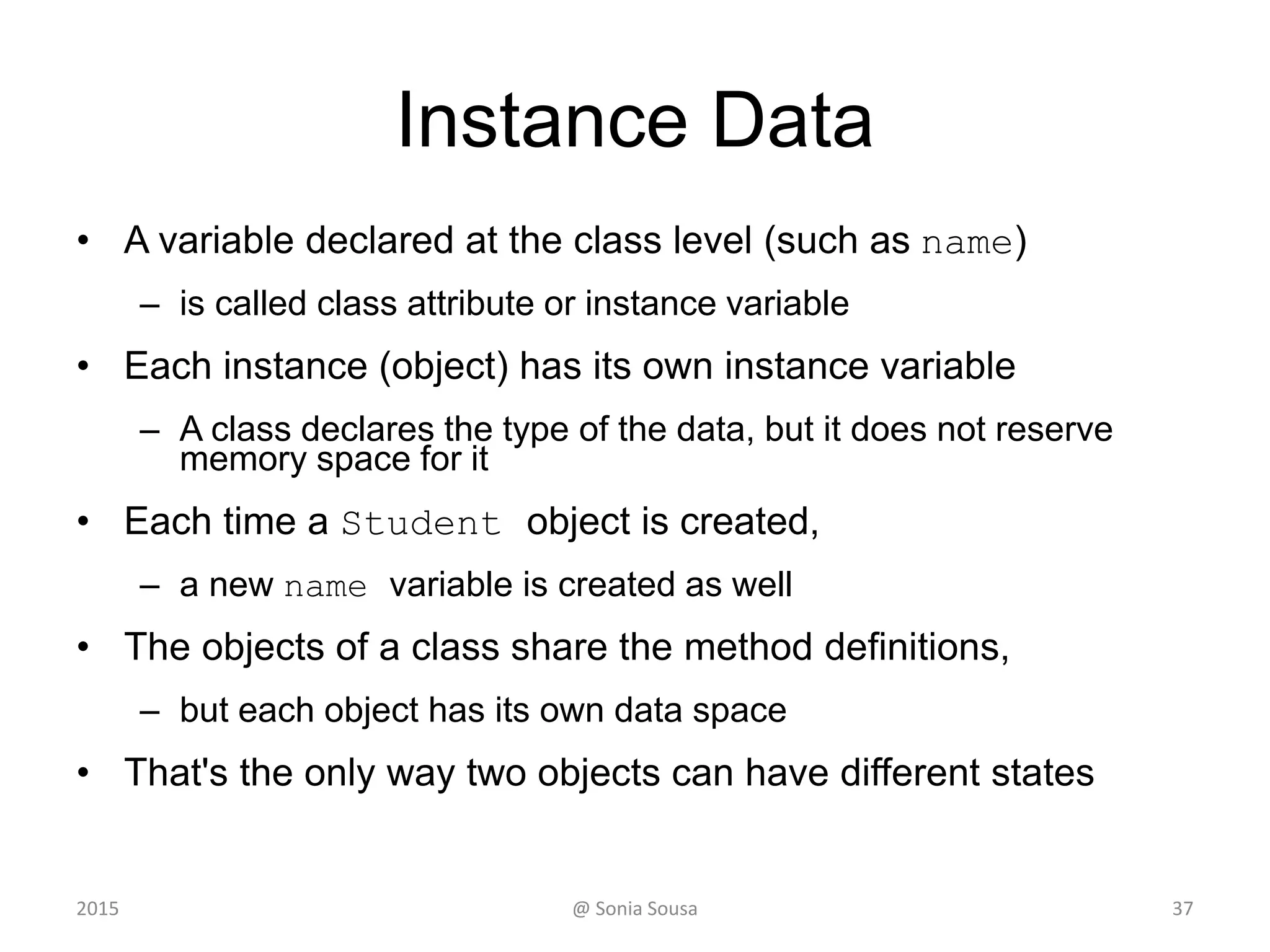
• Instantiation is creating a object instance
– This is Important to work with more complex
objects
• So far we’ve learn to declare a methods
– Class methods; or Instance methods.
• learn how to create complex objects
– An object instance of a particular class
@ Sonia Sousa 4
title = new String (”Let’s learn Java");
This calls the String constructor, which is
a special method that sets up the object
2015
Recall
• We can define
– Primitive data type or objects data type
• Objects data type is done when we instantiate
– This object contains a reference variable
• That holds the address of an object
– The object itself must be created separately
• Usually we use the new operator to create an object
5@ Sonia Sousa
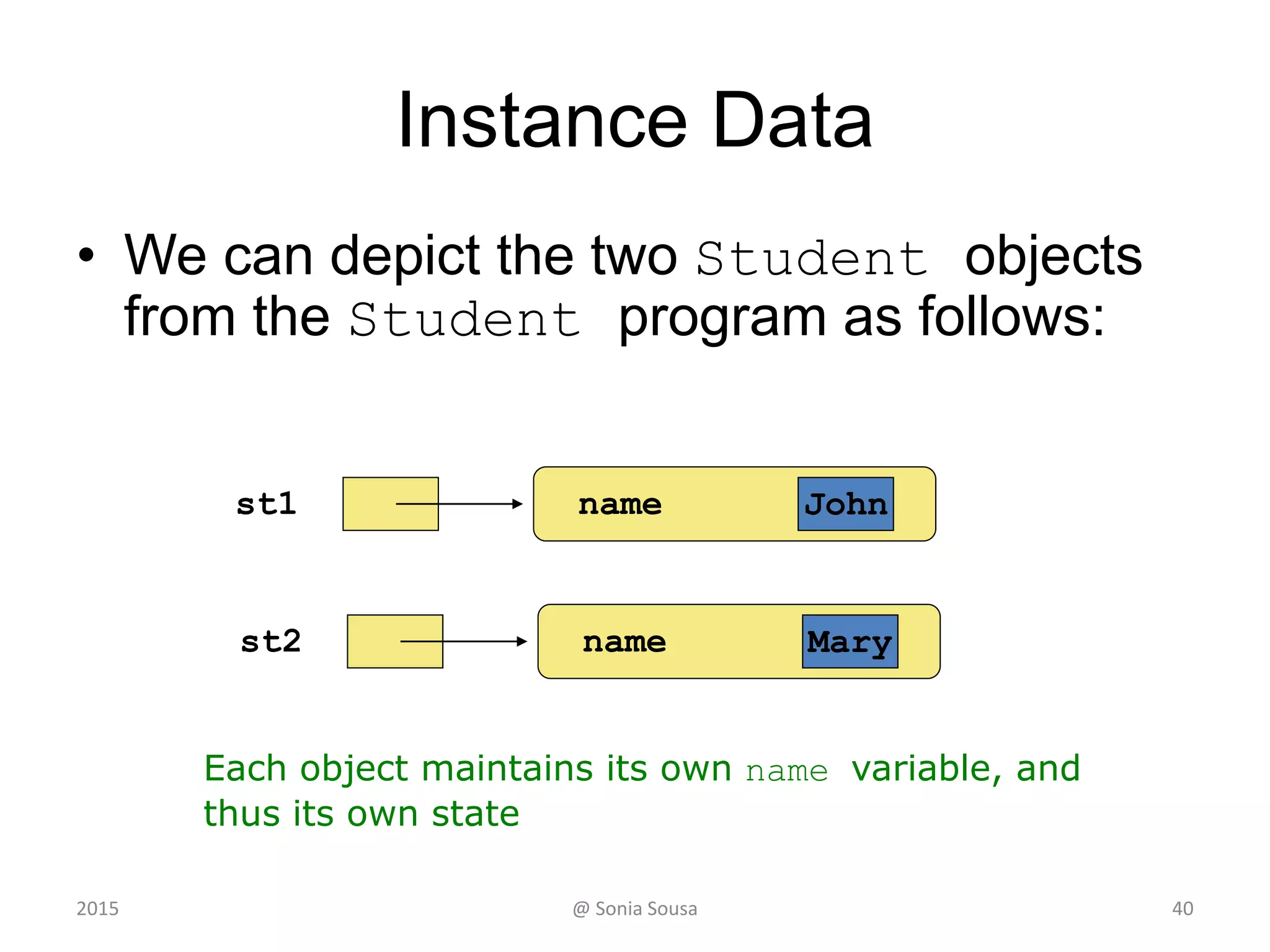
"Steve Jobs"name1
2015
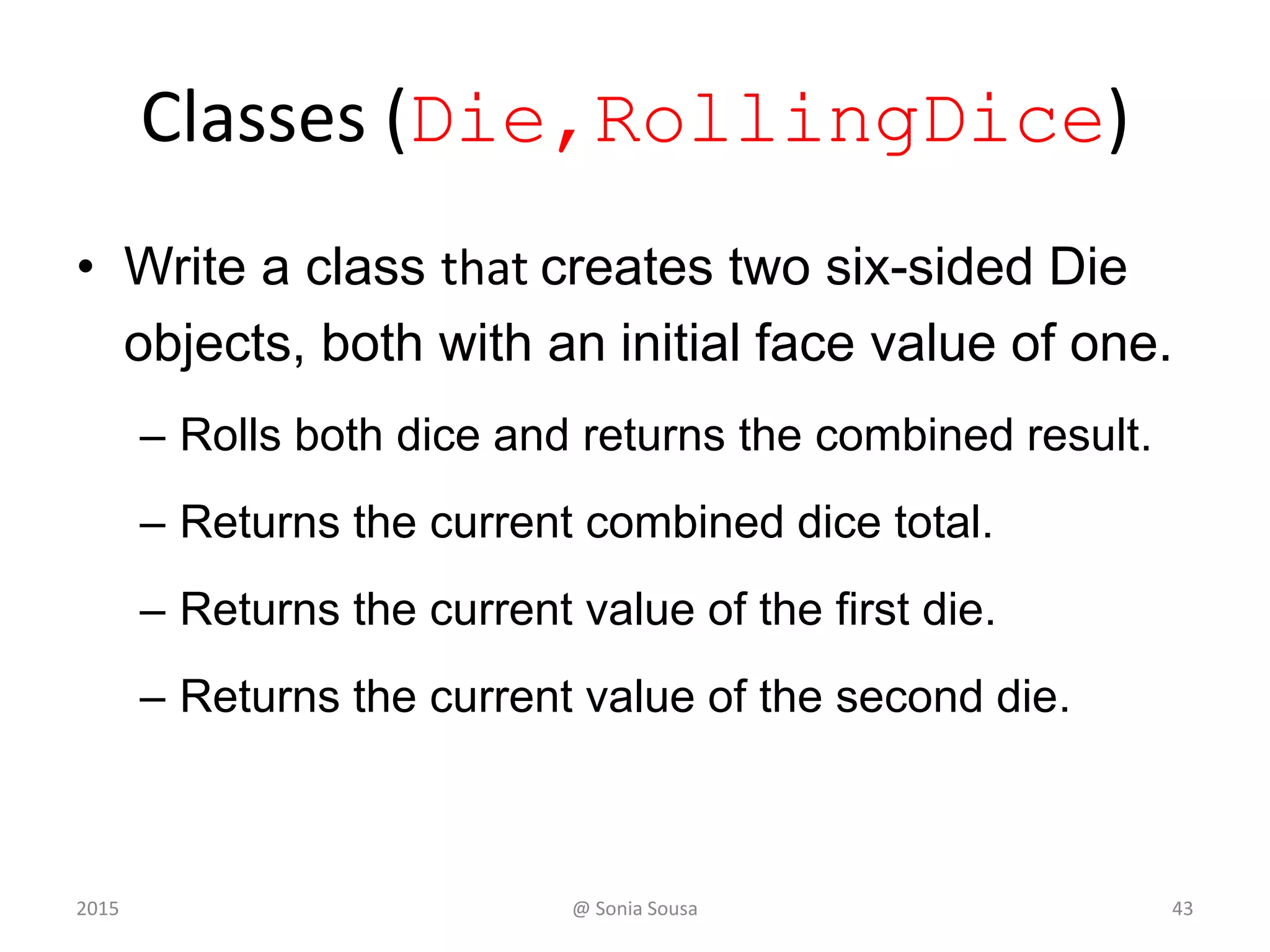
Create 2 classes (Main, Olive)
• To create instance methods we will use 2 classes
– named Main and Olive
• To create an instance method on the Olive class
– We will write a method named crush and print out
“ouch”
Public void crush()
• It becomes an instance method if we do not use static
– Then in the main application
• We call the Olive class
Olive x = new Olive();
x.crush();
• To call a instance method we need first to create an instance of
Olive class
– Create a new complex Object variable of Olive class
@ Sonia Sousa 6
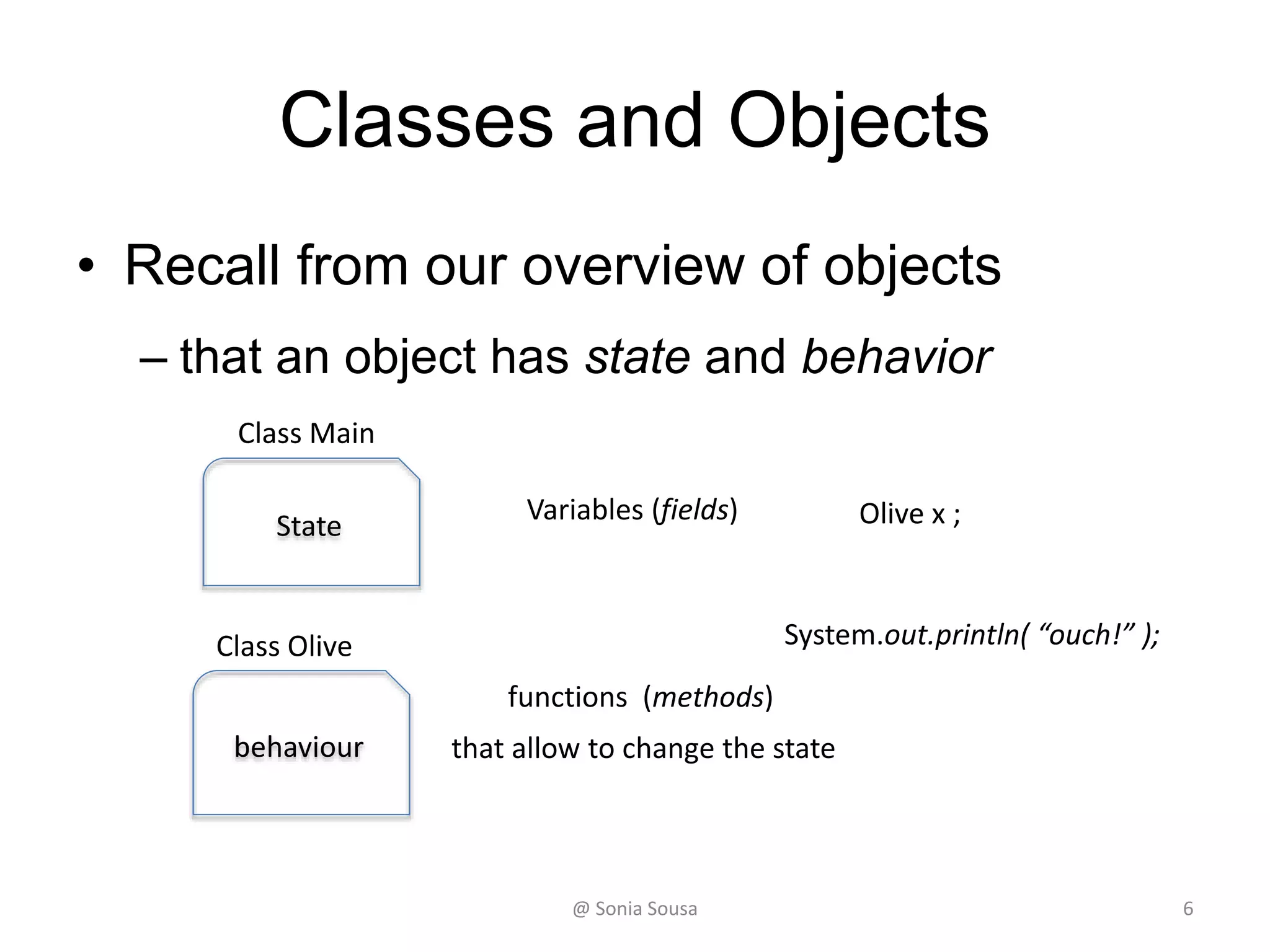
Classes and Objects
• Recall from our overview of objects
– that an object has state and behavior
State
Variables (fields)
behaviour
functions (methods)
that allow to change the state
System.out.println( “ouch!” );
Olive x ;
Class Olive
Class Main
@ Sonia Sousa 7
Instance Variables
Storing data in instance Variables
2015 @ Sonia Sousa 8
Creating instance Variables
• An object has:
– state (attributes)
• descriptive characteristics
– behaviors
• what it can do (or what can be done to it)
9
OliveInstance
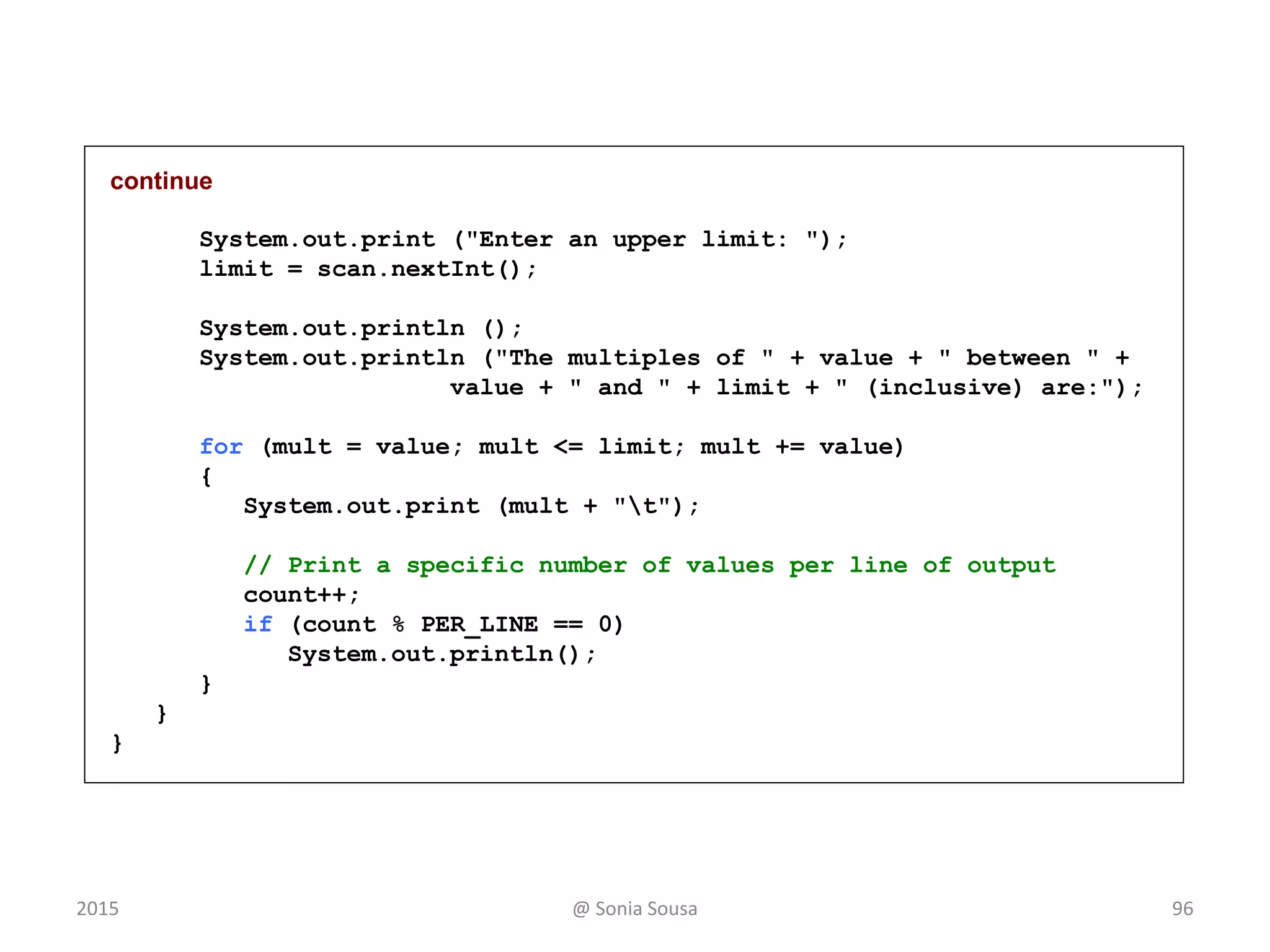
Name
num
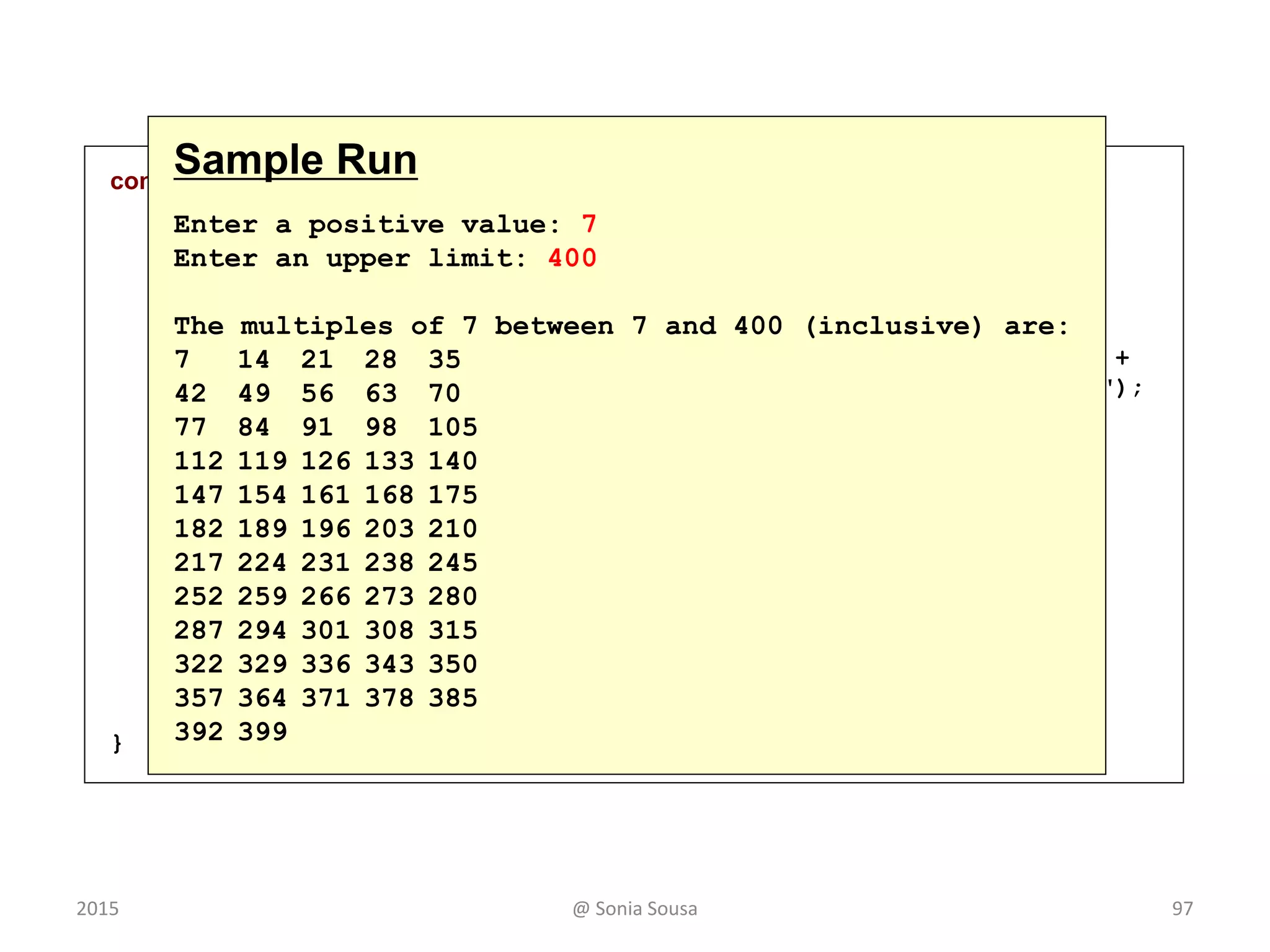
Print name
Print num
State
behaviours
Main
@ Sonia Sousa2015
Constructor method
• A constructor is used to set up an object when it is
initially created
• When you create your own custom class
– That class has a constructor method
• Those are special method called when you create a instance of a
class
• If you don’t do that the java compiler add a no argument
constructor method for you
• A constructor starts with a
– Public access modifier; and
– Has the same name as the class.
@ Sonia Sousa 102015
Constructor method
• Create a custom constructor method
–In the OliveInstance
• Create a constructor method that
–accept no values and outputs olive name
“Constructor with ” + this.name
–Accepts an value (int num) and pass a value
6 to the field defined in the main method
@ Sonia Sousa 112015
public OliveInstance(){
System.out.println(this.name);
}
public OliveInstance(int num) {
this.num = num;
}
Constructor method
(OliveInstance)
@ Sonia Sousa 122015
package Olive;
public class Main {
public static void main(String[] args) {
Olive x= new Olive();
x.crush();
OliveInstance valuex= new OliveInstance(6);
System.out.println("the value add is: " + valuex.num);
}
}
@ Sonia Sousa 13
Main method (Main)
Examples of Classes
14@ Sonia Sousa2015
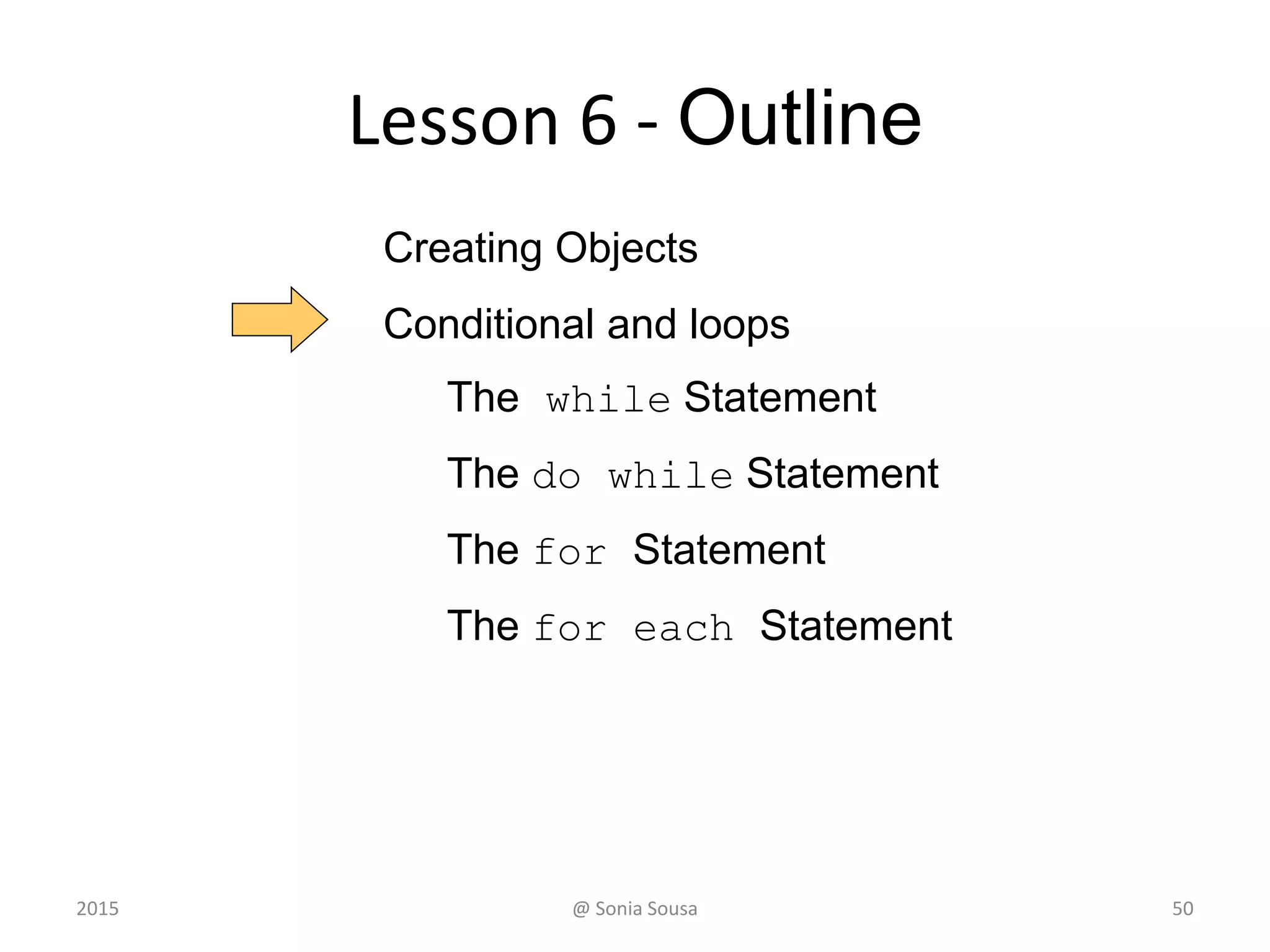
Lesson 6 - Outline
152015 @ Sonia Sousa
Creating Objects
The while Statement
The do while Statement
The for Statement
The for each Statement
Bank Account Example
• Let’s look at bank Account example
– that demonstrates the implementation details of
classes and methods
• We’ll represent a bank account by a class
named Account
• It’s state can include the account number,
– the current balance, and the name of the owner
• An account’s behaviors (or services) include
– deposits and withdrawals, and adding interest
@ Sonia Sousa 162015
Creating Objects
• An object has:
– state (attributes) - bankAccount
– AccountNumber
– Name
– Balance
• descriptive characteristics
– behaviors (what he can do)
– Deposit
– Withraw
– Tranfer
• the ability to make deposits and withdrawals
• Note that the behavior of an object might change its
state 17
BankAcount
AccounNumber
Name
Balance
Deposit
Withdraw
Transfer
@ Sonia Sousa2015
Classes (Account, Transactions)
• On Account declare:
– 3 instance variables
long acctNumber;
double balance;
String name = "Ted Murphy”;
• Write custom constructors
– one that accept no values and outputs the name
“Hello ” + this.name
– Another that accepts two values
acctNumber, balance
– And passes those values to the field I defined in
the main method
• For acctNumber the value is 72354
• For Balance the value is 102.56
@ Sonia Sousa 182015
New behavior deposit
• Create a method called deposit
–This method should returns the new
balance.
– balance = balance + amount
– Output the new balance in the main method
• acct1.name + “ balance after deposit: ” + acct1.deposit(25.85)
@ Sonia Sousa 192015
public class Transactions {
public static void main(String[] args) {
Account acct1 = new Account(72354);
System.out.println( " final balance after deposit is: " +
acct1.acctNumber);
System.out.println(acct1.name + "balance after deposit: " +
acct1.deposit(25.85));
}
}
continue
@ Sonia Sousa 20
Main method (Transactions)
public class Account {
long acctNumber;
double balance;
String name = "Ted Murphy";
public Account()
{
System.out.print("hello " + this.name);
}
public Account( long acctNumber)
{
this.acctNumber = acctNumber;
}
public double deposit(double amount)
{
// Deposits the specified amount into the account. Returns the
new balance.
balance = balance + amount;
return balance;
}
}
Constructor and method
(Account)
@ Sonia Sousa 212015
New behavior Withdraw
• Create a method called Withdraw
–This method should returns the new
balance.
• balance = balance - amount;
– Output the new balance.
acct1.name + " final balance after withdraw is : ” acct1.withdraw(25.85, 0.5)
@ Sonia Sousa 222015
Classes
• An object is defined by a class
– A class is the blueprint of an object
• The class uses methods
– to define the behaviors of the object
• The class contains the main method of a Java program
– represents the entire program
• A class represents a concept
• An object represents the embodiment of that concept
• Multiple objects can be created from the same class
23@ Sonia Sousa2015
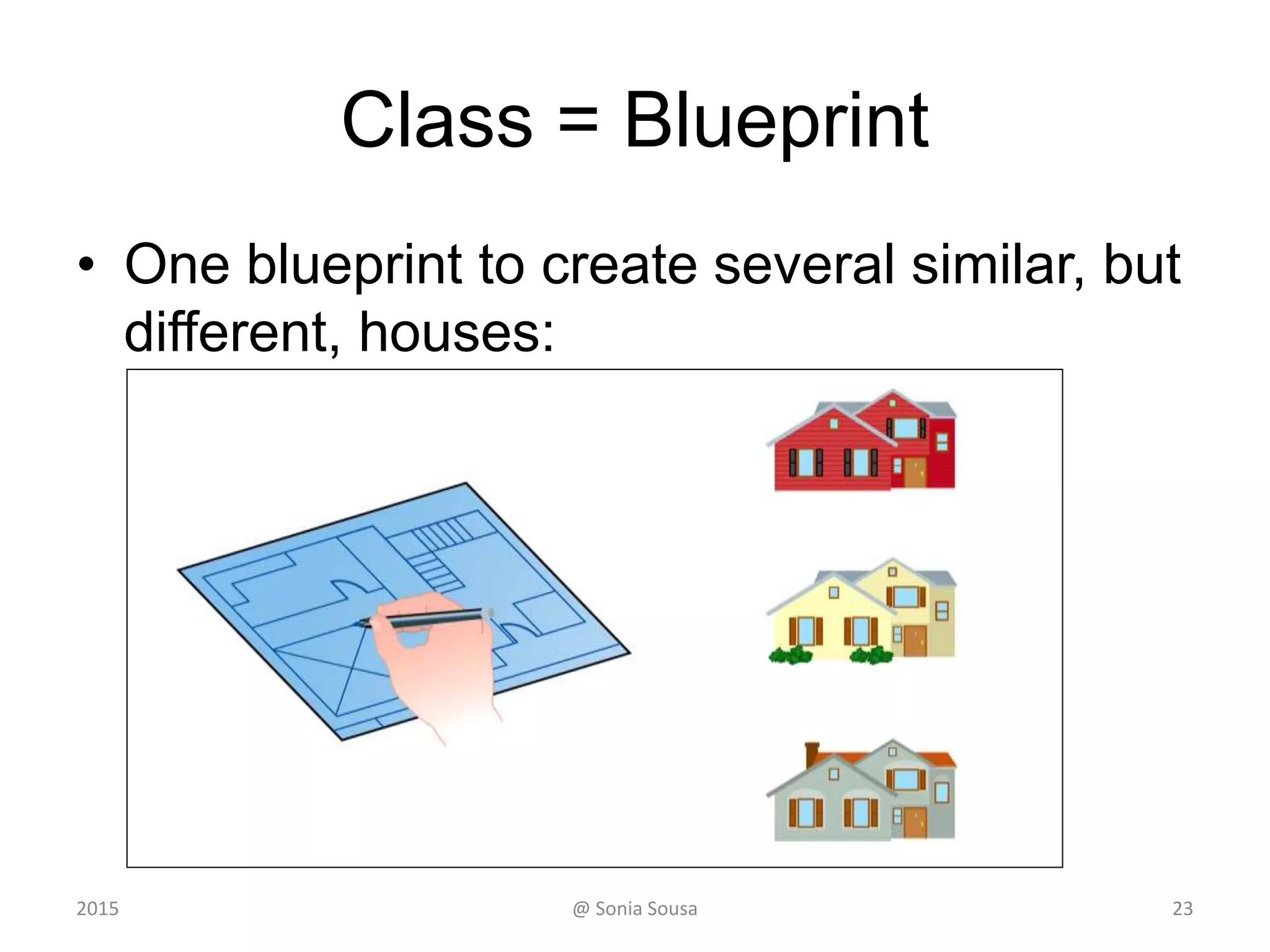
Class = Blueprint
• One blueprint to create several similar, but
different, houses:
24@ Sonia Sousa2015
Objects and Classes
Bank
Account
A class
(the concept)
John’s Bank Account
Balance: € 5,257
An object
(the realization)
Bill’s Bank Account
Balance: € 1,245,069
Mary’s Bank Account
Balance: € 16,833
Multiple objects
from the same class
25@ Sonia Sousa2015
Multiple objects
• Storing data in instance variables
– Write 3 custom constructor for methods in
(Account) that
• Accepts 3 values (name, acctNumber and
balance)
• and passes the following values to the main field
– acct1 = "Ted Murphy", 72354, 102.56
– acct2 = "Jane Smith", 69713, 40.00
– acct3 = "Edward Demsey", 93757, 759.32
@ Sonia Sousa 262015
Bank Account Example
acct1 72354acctNumber
102.56balance
name "Ted Murphy"
acct2 69713acctNumber
40.00balance
name "Jane Smith"
@ Sonia Sousa 272015
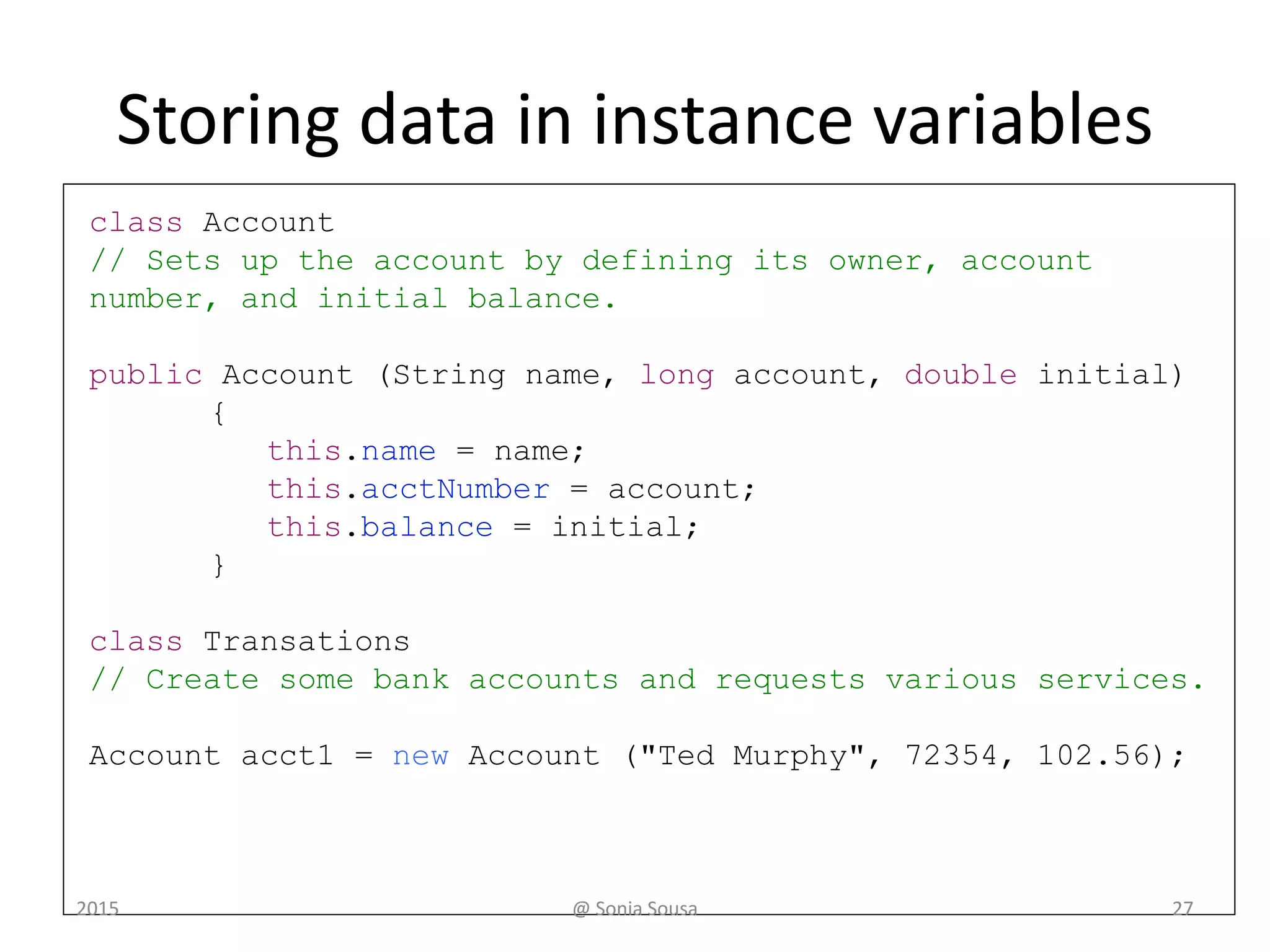
class Account
// Sets up the account by defining its owner, account
number, and initial balance.
public Account (String name, long account, double initial)
{
this.name = name;
this.acctNumber = account;
this.balance = initial;
}
class Transations
// Create some bank accounts and requests various services.
Account acct1 = new Account ("Ted Murphy", 72354, 102.56);
Storing data in instance variables
@ Sonia Sousa 282015
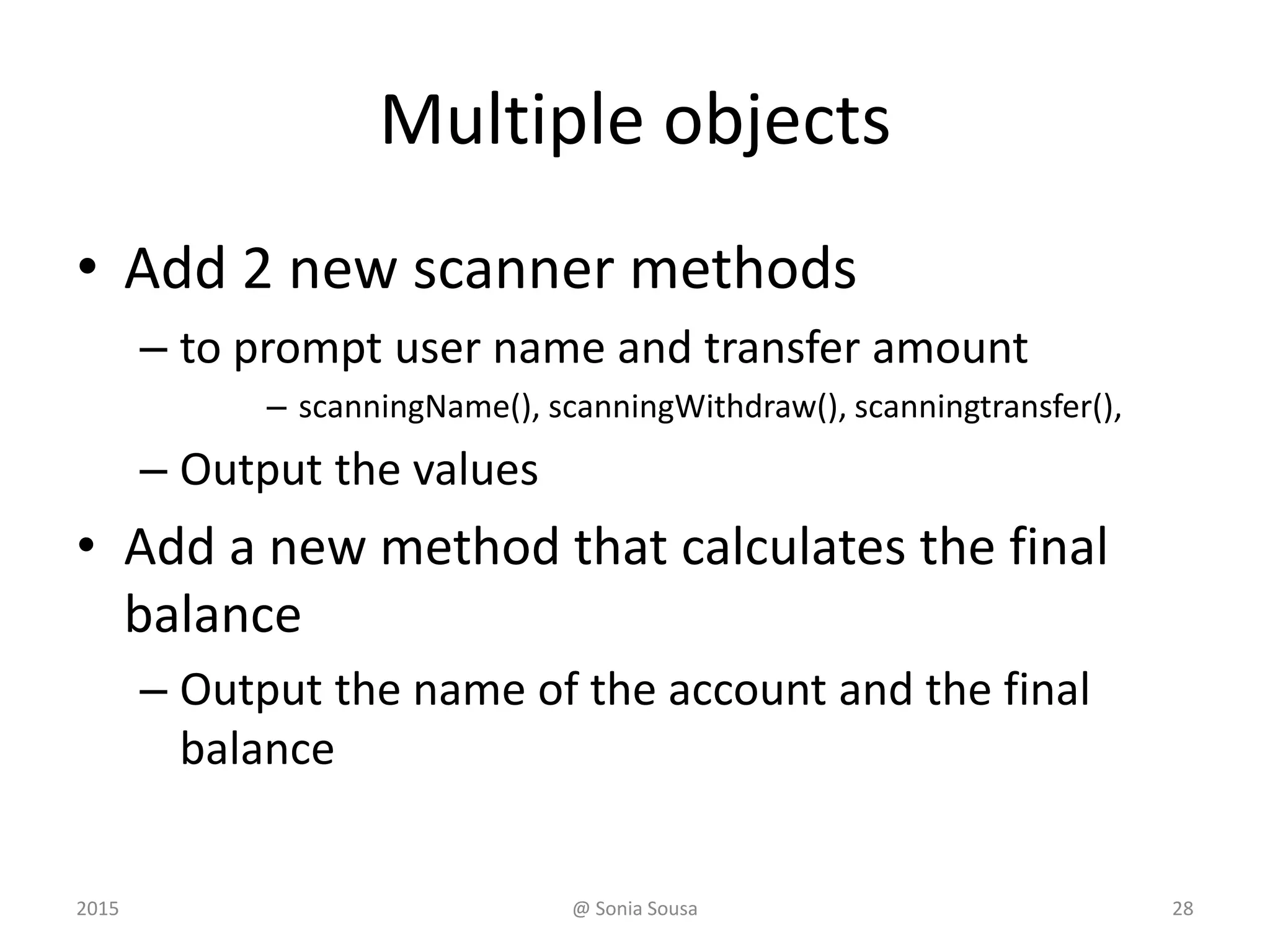
Multiple objects
• Add 2 new scanner methods
– to prompt user name and transfer amount
– scanningName(), scanningWithdraw(), scanningtransfer(),
– Output the values
• Add a new method that calculates the final
balance
– Output the name of the account and the final
balance
@ Sonia Sousa 292015
New behavior Transfer
• Create a method called tranfer
– Ask the use how much he wont to transfer
– and offers the option to to transfer to his
account or to another account
– This method should returns calculate a new
balance.
• Transfer for your account ( balance = balance + amount)
• Transfer to another account (balance = balance – amount)
• Output the new balance after transfer
@ Sonia Sousa 302015
public class Account {
private double balance;
public String name;
private int option;
// Sets up the account by defining its owner, account number,
// and initial balance.
public Account (String name, long acctNumber, double balance, int
option)
{
this.name = name;
this.balance = balance;
this.option = option;
}
public double deposit(double amount){
// Deposits the specified amount into the account. Returns the
new balance.
balance = balance + amount;
return balance;
}
continue
@ Sonia Sousa 31
public double withdraw (double amount)
{
balance = balance - amount;
return balance;
}
public double transfer (double amount)
{
switch (option) {
case 1:
balance = balance + amount;
break;
default:
balance = balance - amount;
break;
}
return balance;
}
}
@ Sonia Sousa 32
continue
import account.*;
public class Transations {
public static void main(String[] args) {
Account acct1 = new Account (Input.scanningName(), 72354,
102.56, Input.transferOption());
System.out.println( " final balance after deposit is: " +
acct1.deposit(Input.scanningDesposit()));
System.out.println(acct1.name + " final balance after withdraw
is : " + acct1.withdraw(Input.scanningWithdraw() ));
System.out.println(acct1.name + " final balance after transfer
is : " + acct1.transfer(Input.scanningTransfer()));
}
continue
@ Sonia Sousa 33
Quick Check
How do we express which Account object's balance
is updated when a deposit is made?
Each account is referenced by an object
reference variable:
Account myAcct = new Account(…);
and when a method is called, you call it through
a particular object:
myAcct.deposit(50);
@ Sonia Sousa 342015
Lesson 6 - Outline
352015 @ Sonia Sousa
Creating Objects
Conditional and loops
The while Statement
The do while Statement
The for Statement
The for each Statement
Conditionals and Loops
• It is time to review Java conditional and repetition statements
• We’ve learn already how to use conditional statements:
– the switch statement
– the conditional operator
• We need to how to use repetition statements
– the do loop
– the for loop
– The while statement
2015 @ Sonia Sousa 36
Recall
• The switch statement helps us to find
– The correct statement case and execute it
• Starts by evaluating an expression (case value1 :)
• Then if the result matches (case value3 : execute)
switch ( expression )
{
case value1 :
statement-list1
case value2 :
statement-list2
case value3 :
statement-list3
case ...
}
switch
and
case
are
reserved
words
If expression
matches value2,
control jumps
to here
2015 @ Sonia Sousa 37
Recall
• The conditional operator evaluates
– One of two expressions based on a boolean condition
if (val <= 10)
System.out.println("It is not greater than 10.");
else
System.out.println("It is greater than 10.");
• If the val <= 10 is true,
– print("It is not greater than 10.")
• if it is false,
– print("It is greater than 10.");
@ Sonia Sousa2015 38
Loops Statements
• Loops or Repetition statements
– allow us to execute a statement multiple times
• Like conditional statements, (if, then, else)
– Loops are controlled by boolean expressions
• Java has three kinds of repetition
statements: while, do, and for loops
392015 @ Sonia Sousa
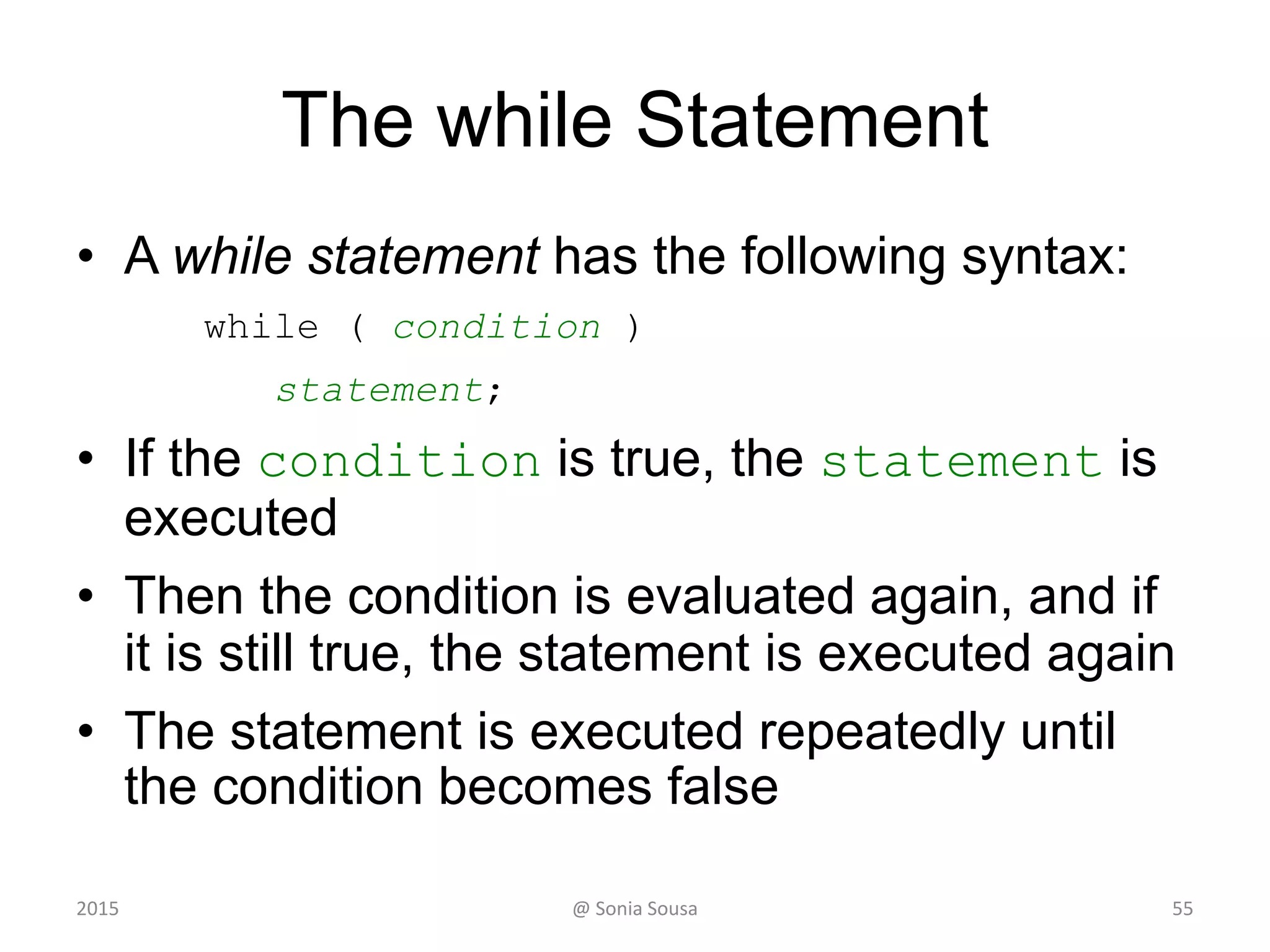
The while Statement
• A while statement has the following syntax:
while ( condition )
statement;
• If the condition is true, the statement is
executed
• Then the condition is evaluated again, and if
it is still true, the statement is executed again
• The statement is executed repeatedly until
the condition becomes false
402015 @ Sonia Sousa
Lesson 6 - Outline
412015 @ Sonia Sousa
Creating Objects
The while Statement
The do while Statement
The for Statement
The for each Statement
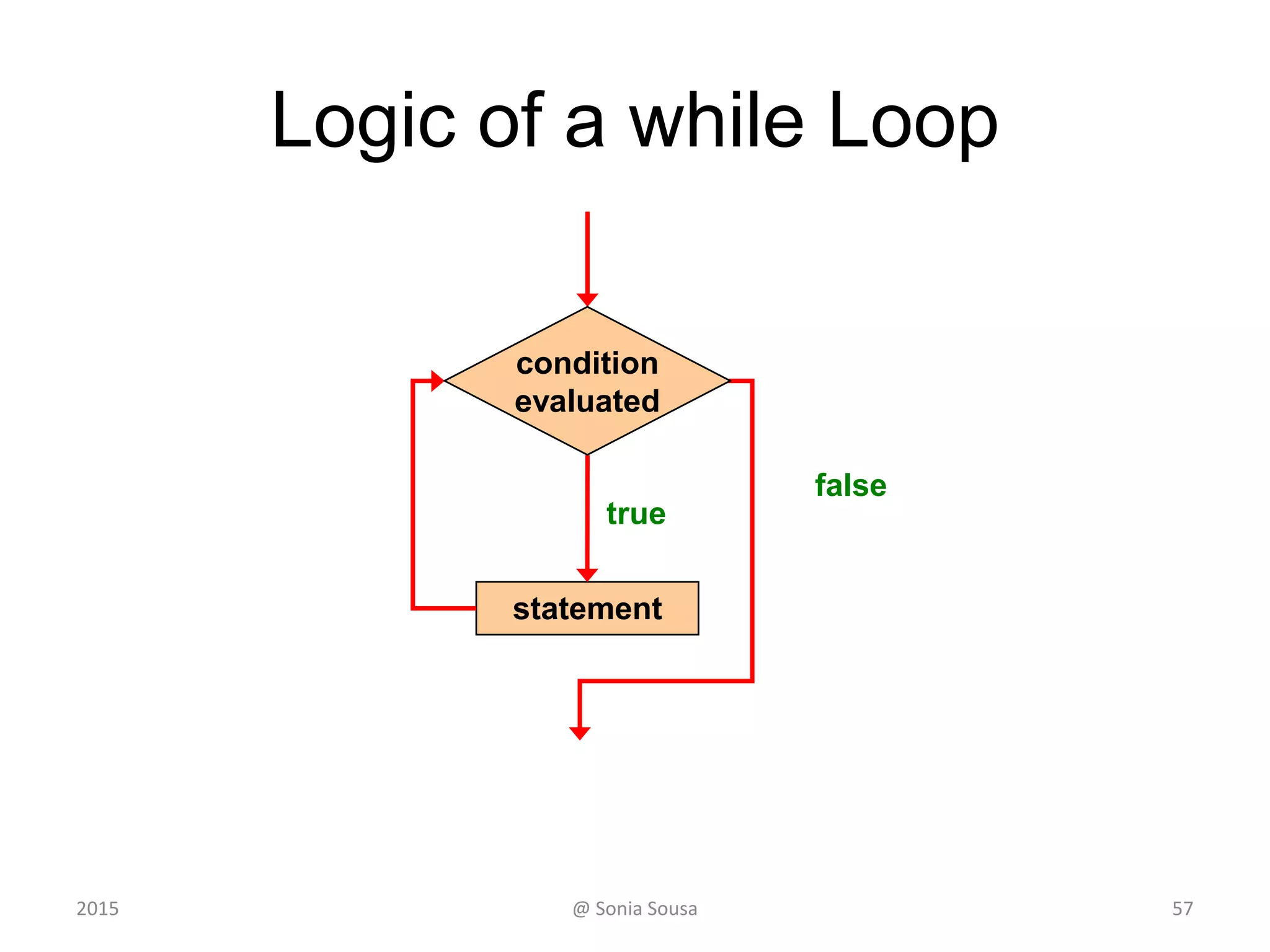
Logic of a while Loop
statement
true
false
condition
evaluated
422015 @ Sonia Sousa
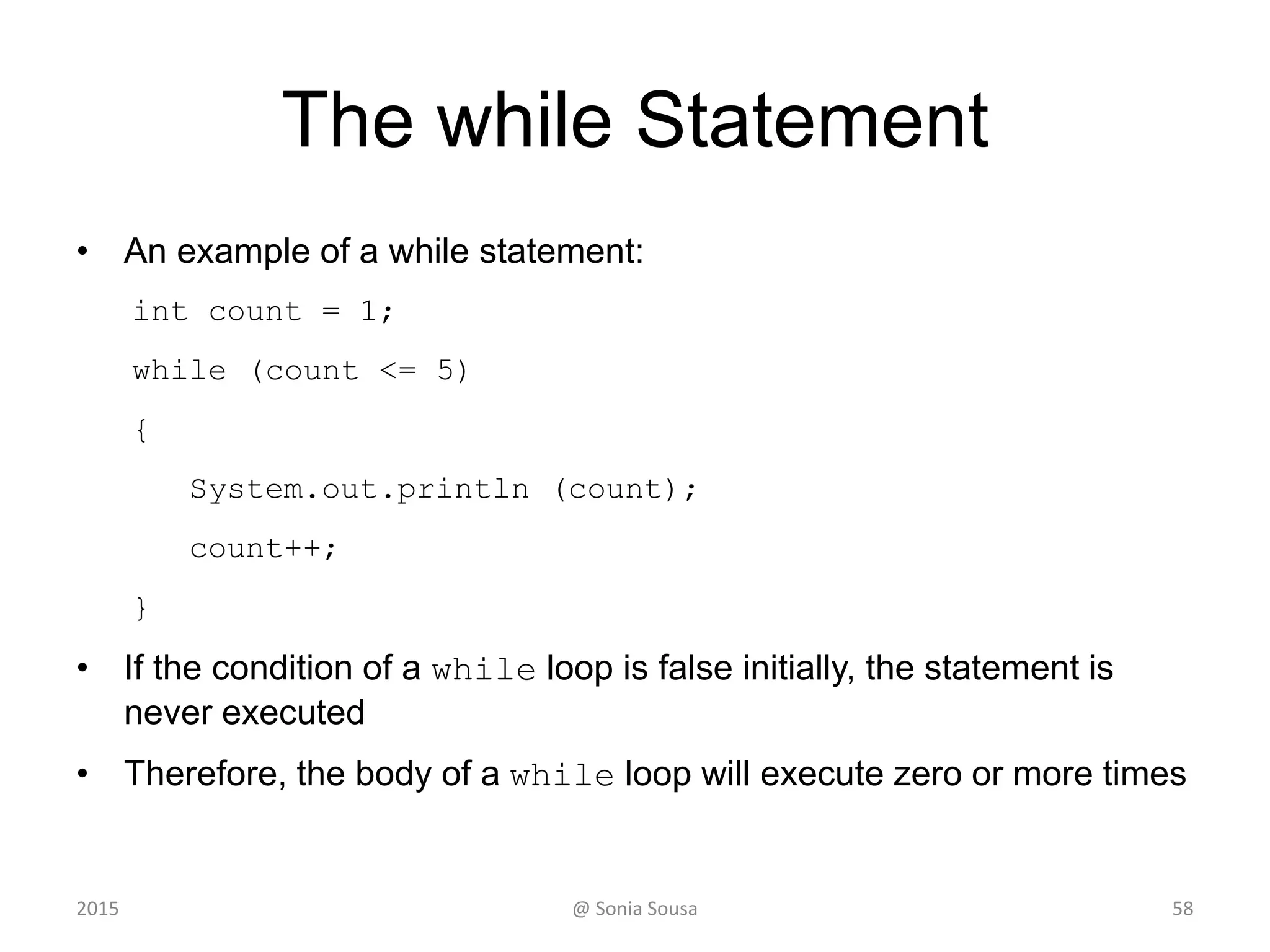
The while Statement
• An example of a while statement:
int count = 1;
while (count <= 5)
{
System.out.println (count);
count++;
}
• If the condition of a while loop is false initially, the statement is
never executed
• Therefore, the body of a while loop will execute zero or more times
432015 @ Sonia Sousa
The while Statement
Demonstrating a while loop
2015 @ Sonia Sousa 44
Main class (WhileLoop) inside a package (loop)
• Create a Java application that…
– Print a set of values entered by the user.
• In a decreasing order until it reach 0
• we need to use
– A temporary variable or counter variable
– A variable that save user values
Int temp = 0; value
– print the results using a While loop with condition
• Don’t forget to decrease the value number
Value --;
While(condition){ statement;}
2015 @ Sonia Sousa 45
The while Statement
Demonstrating a while loop with a
sentinel value
2015 @ Sonia Sousa 46
Sentinel Values
• Let's practice this time using
– A loop that can maintain a running sum
• For that we need to add a sentinel value
– is a special input value that represents the end of input
• See WhileLoop2.java
472015 @ Sonia Sousa
Main class (WhileLoop2) inside a package (loop)
• Create a Java application that…
– Computes the average of a set of values entered by the user.
And prints the running sum as the numbers are entered.
– You will also need to add a sentinel value to quit (o to quit)
• Start by
– importing Scanner class;
– Creating the variables and initialize them
int sum = 0, value;
– Create a while loop that
• Keeps scanning values from the user and print the sum those values
sum += value;
"The sum so far is " + sum
• Until he wont’s to quit
"Enter an integer (0 to quit): ”
@ Sonia Sousa 482015
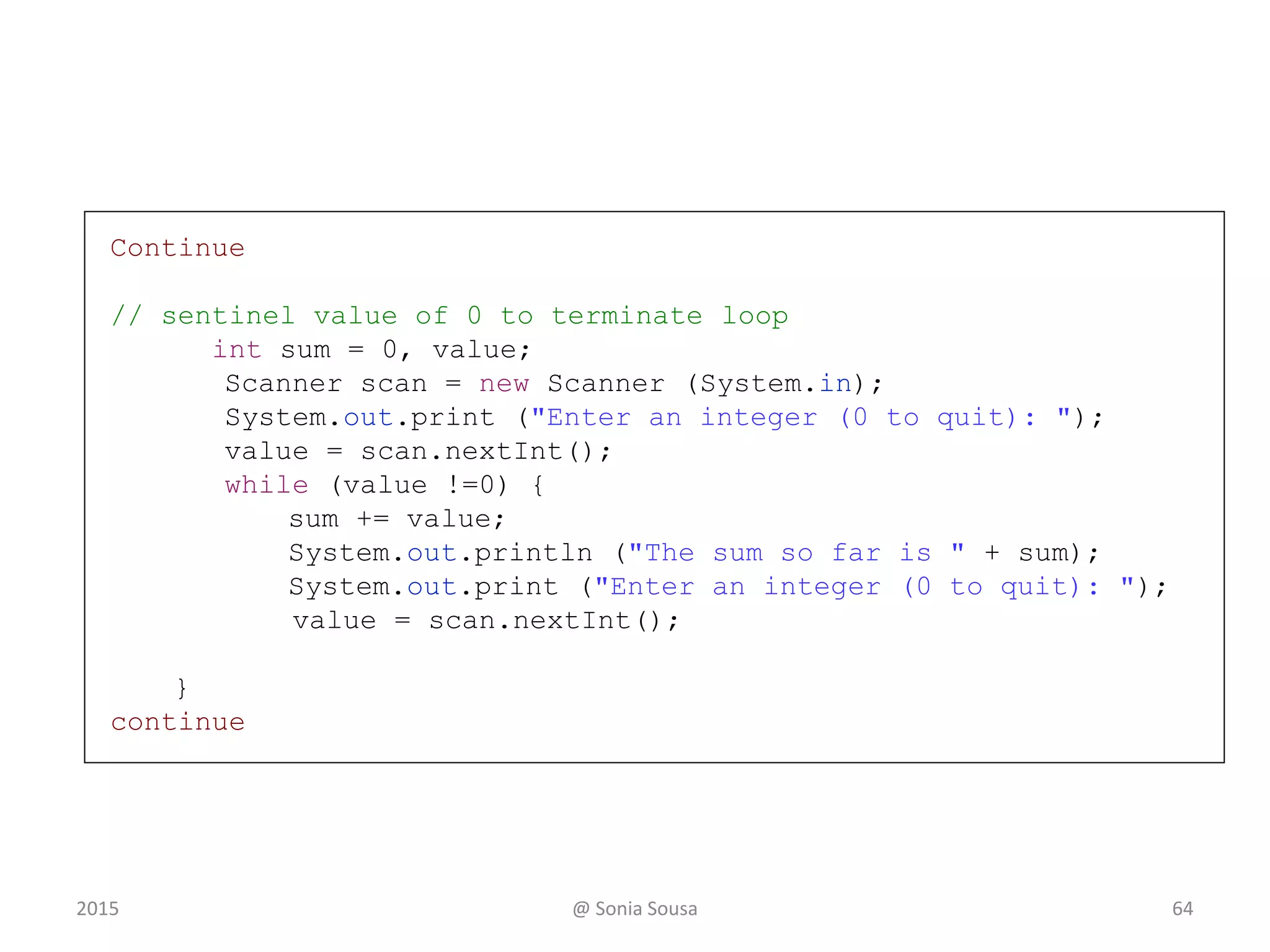
Continue
// sentinel value of 0 to terminate loop
int sum = 0, value;
Scanner scan = new Scanner (System.in);
System.out.print ("Enter an integer (0 to quit): ");
value = scan.nextInt();
while (value !=0) {
sum += value;
System.out.println ("The sum so far is " + sum);
System.out.print ("Enter an integer (0 to quit): ");
value = scan.nextInt();
}
continue
492015 @ Sonia Sousa
The while Statement
Demonstrates the use of a while loop
for input validation
2015 @ Sonia Sousa 50
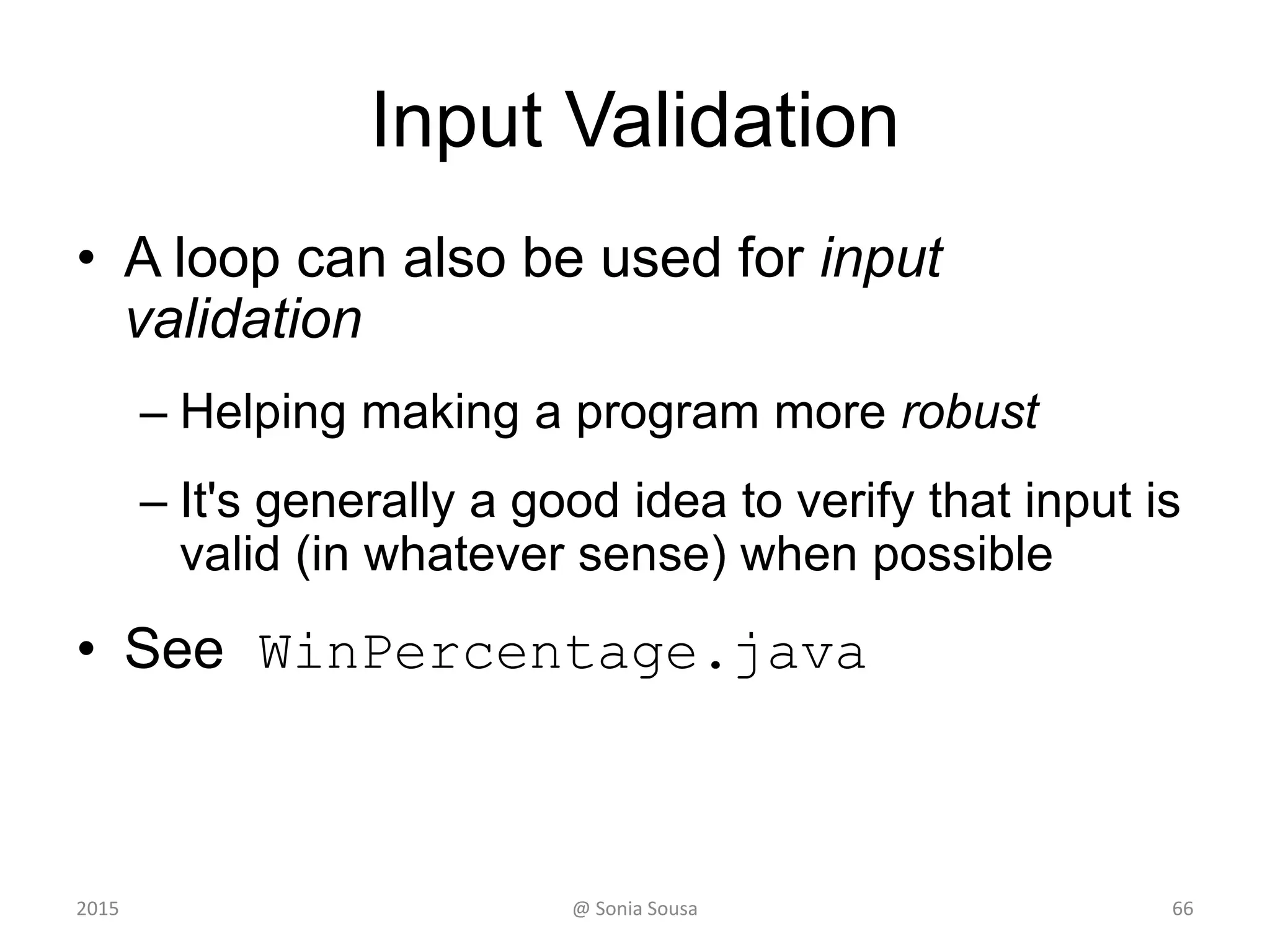
Input Validation
• A loop can also be used for input
validation
– Helping making a program more robust
– It's generally a good idea to verify that input is
valid (in whatever sense) when possible
• See WinPercentage.java
512015 @ Sonia Sousa
Main class (WinPercentage) package (loop)
• Create a Java application that…
– Ask for how many games you played and computes the
percentage of games won by the teacm.
• Start by
– Creating the variables int NUM_GAMES, won; double ratio;
– Ask from the user
”How many games your team played: “
"Enter the number of games won (0 to " + NUM_GAMES + "): "
– Create a while loop condition that
• Verify if the number is valid
won < 0 || won > NUM_GAMES
"Invalid input. Please reenter: ”
• Keep the loop running until user adds the correct number
– Then calculate the percentage of games won by the team
ratio = (double)won / NUM_GAMES;
– Print the results formatted in percentage
@ Sonia Sousa 522015
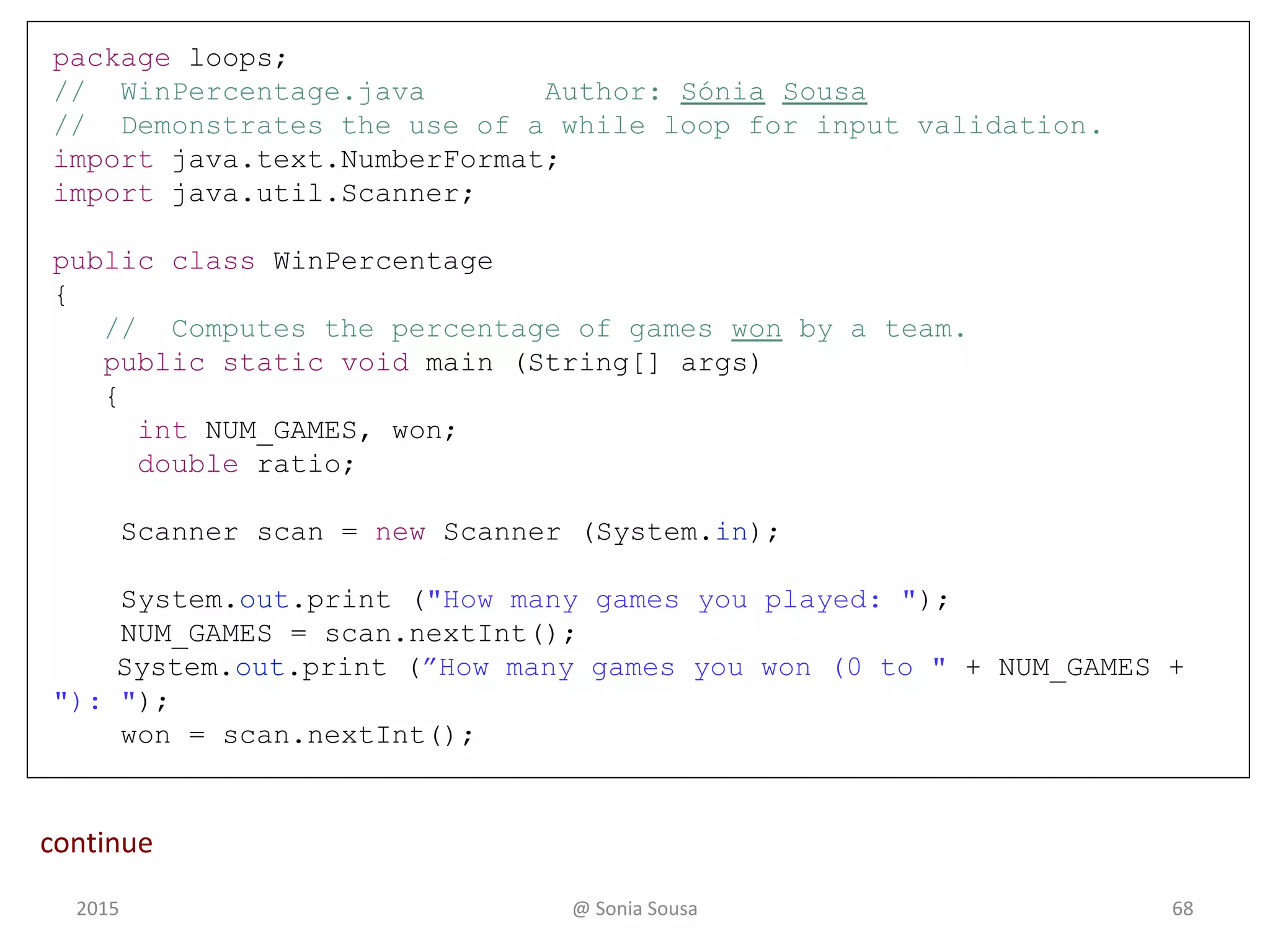
package loops;
// WinPercentage.java Author: Sónia Sousa
// Demonstrates the use of a while loop for input validation.
import java.text.NumberFormat;
import java.util.Scanner;
public class WinPercentage
{
// Computes the percentage of games won by a team.
public static void main (String[] args)
{
int NUM_GAMES, won;
double ratio;
Scanner scan = new Scanner (System.in);
System.out.print ("How many games you played: ");
NUM_GAMES = scan.nextInt();
System.out.print (”How many games you won (0 to " + NUM_GAMES +
"): ");
won = scan.nextInt();
53
continue
2015 @ Sonia Sousa
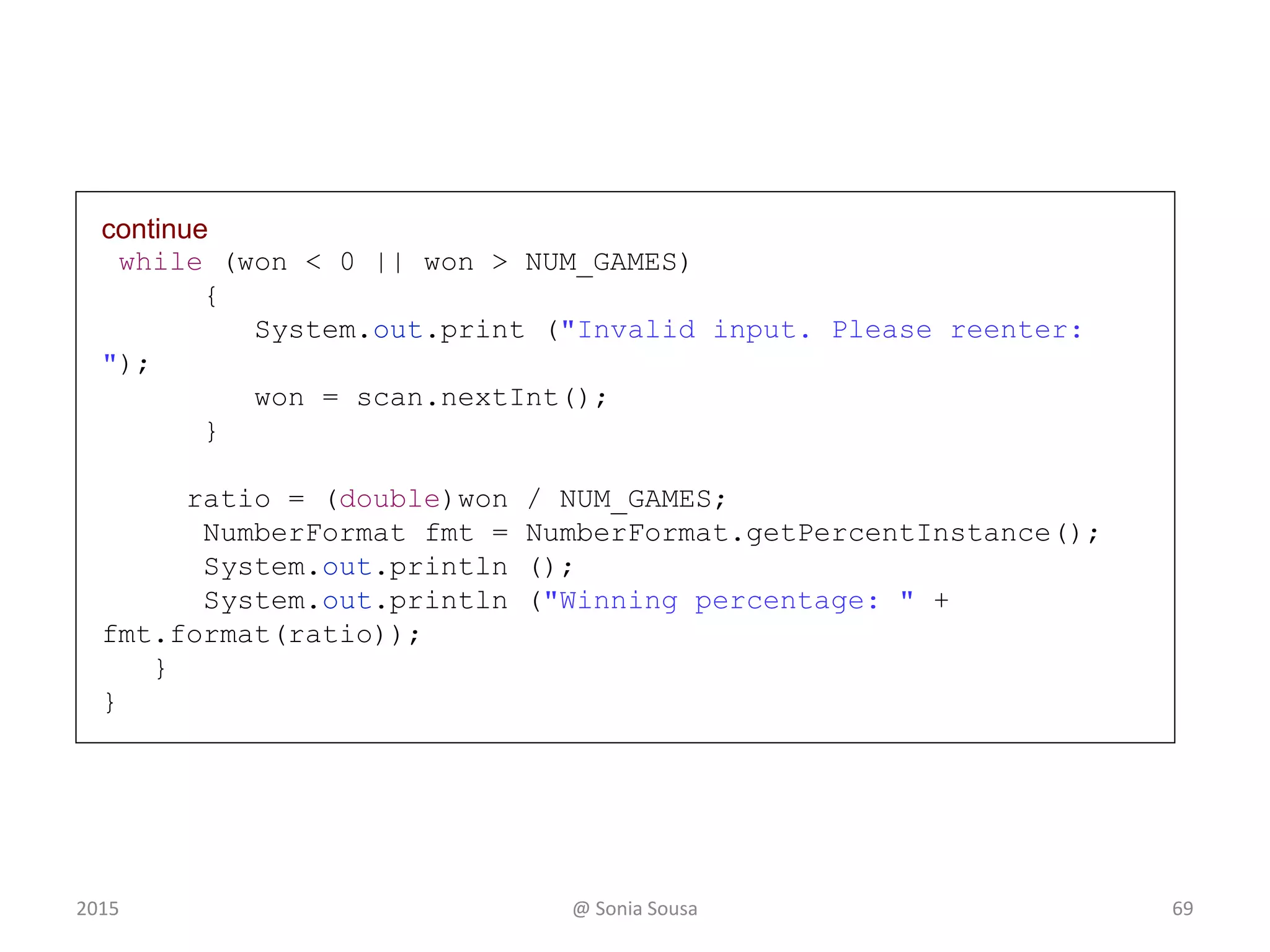
continue
while (won < 0 || won > NUM_GAMES)
{
System.out.print ("Invalid input. Please reenter:
");
won = scan.nextInt();
}
ratio = (double)won / NUM_GAMES;
NumberFormat fmt = NumberFormat.getPercentInstance();
System.out.println ();
System.out.println ("Winning percentage: " +
fmt.format(ratio));
}
}
542015 @ Sonia Sousa
continue
while (won < 0 || won > NUM_GAMES)
{
System.out.print ("Invalid input. Please reenter: ");
won = scan.nextInt();
}
ratio = (double)won / NUM_GAMES;
NumberFormat fmt = NumberFormat.getPercentInstance();
System.out.println ();
System.out.println ("Winning percentage: " + fmt.format(ratio));
}
}
Sample Run
How many games you played: 12
How many games you won (0 to 12): 20
Invalid input. Please reenter: 13
Invalid input. Please reenter: 12
Winning percentage: 100%
552015 @ Sonia Sousa
Infinite Loops
• The body of a while loop eventually must
make the condition false
• If not, it is called an infinite loop, which will
execute until the user interrupts the program
• This is a common logical error
• You should always double check the logic of
a program to ensure that your loops will
terminate normally
562015 @ Sonia Sousa
An example of an infinite loop:
int count = 1;
while (count <= 25)
{
System.out.println (count);
count = count - 1;
}
• This loop will continue executing until
interrupted (Control-C) or until an
underflow error occurs
2015 @ Sonia Sousa 57
Lesson 6 - Outline
582015 @ Sonia Sousa
Creating Objects
The while Statement
Nested statement
The do while Statement
The for Statement
The for each Statement
Nested Loops
• Similar to nested if statements, loops can
be nested as well
• That is, the body of a loop can contain
another loop
• For each iteration of the outer loop, the
inner loop iterates completely
592015 @ Sonia Sousa
Quick Check
How many times will the string "Here" be printed?
count1 = 1;
while (count1 <= 3)
{
count2 = 1;
while (count2 < 5)
{
System.out.println ("Here");
count2++;
}
count1++;
}
602015 @ Sonia Sousa
Quick Check
61
How many times will the string "Here" be printed?
count1 = 1;
while (count1 <= 3)
{
count2 = 1;
while (count2 < 5)
{
System.out.println ("Here");
count2++;
}
count1++;
}
3* 4 = 12
2015 @ Sonia Sousa
Lesson 6 - Outline
622015 @ Sonia Sousa
Creating Objects
The while Statement
The do while Statement
The for Statement
The for each Statement
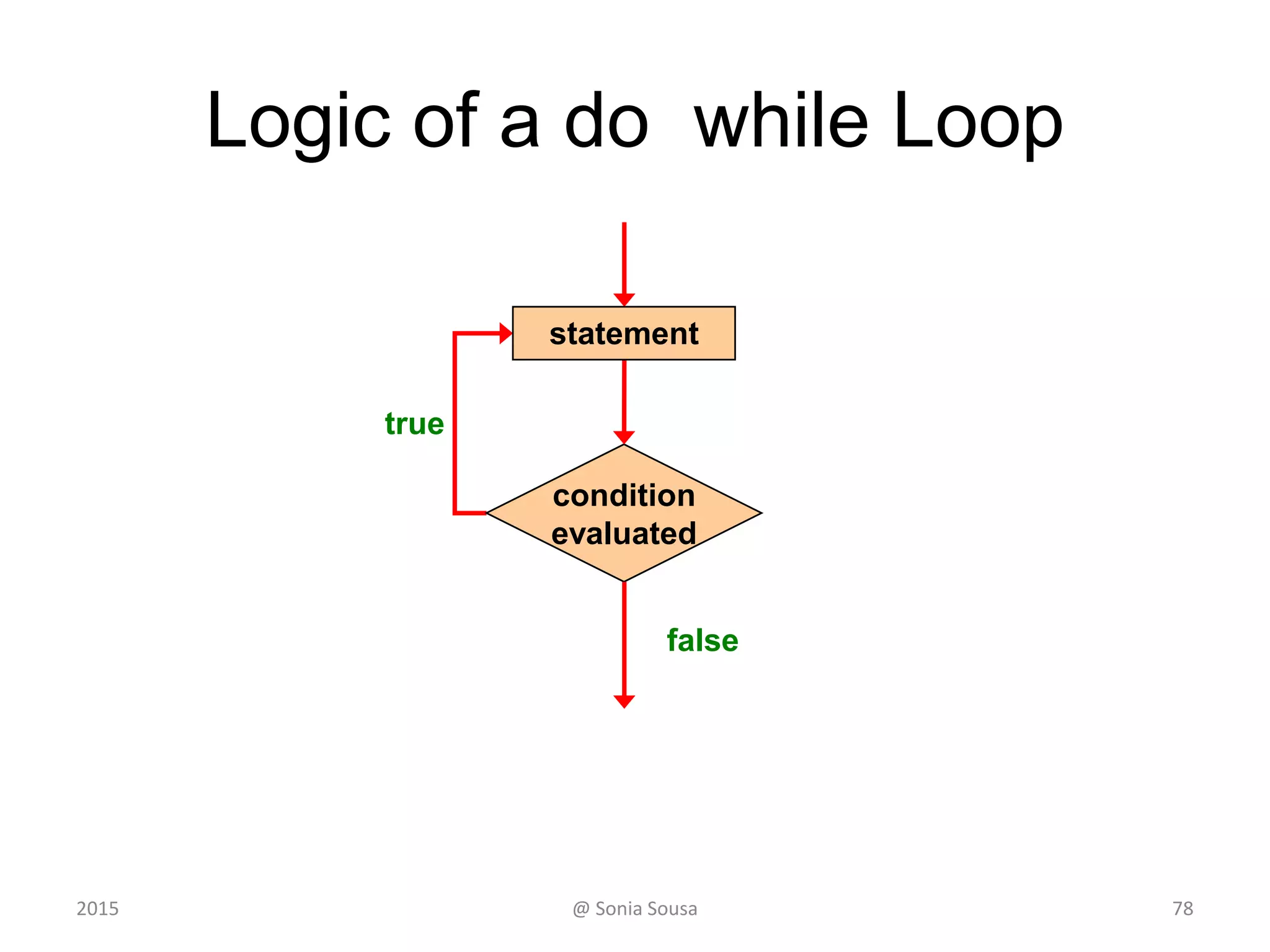
Logic of a do while Loop
63
true
condition
evaluated
statement
false
2015 @ Sonia Sousa
Comparing while and do
statement
true false
condition
evaluated
The while Loop
true
condition
evaluated
statement
false
The do Loop
642015 @ Sonia Sousa
The do Statement
• An example of a do loop:
• The body of a do loop executes at least once
• See ReverseNumber.java
65
int count = 0;
do
{
count++;
System.out.println (count);
} while (count < 5);
2015 @ Sonia Sousa
The do Statement
Demonstrating a do loop
2015 @ Sonia Sousa 66
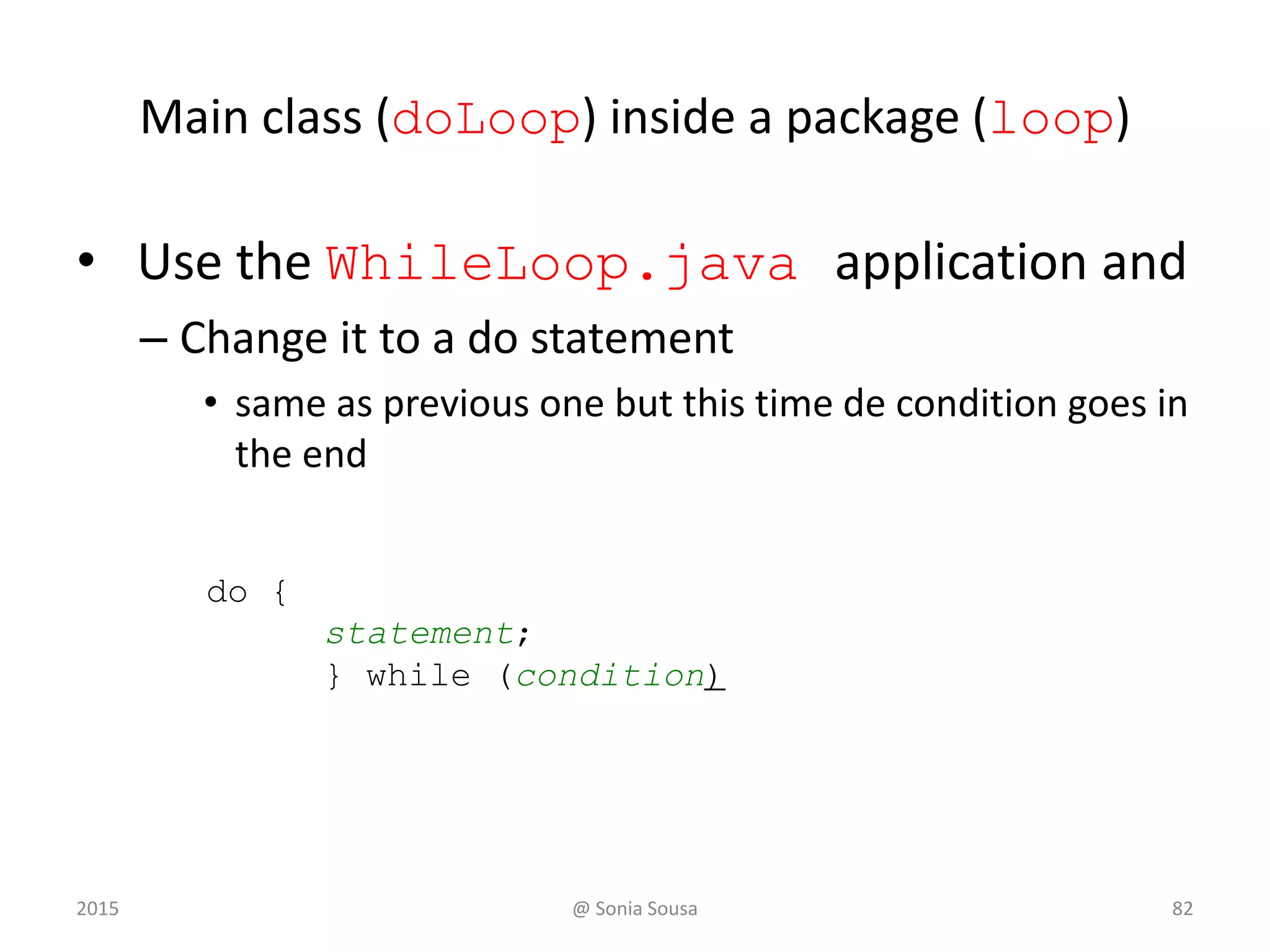
Main class (doLoop) inside a package (loop)
• Use the WhileLoop.java application and
– Change it to a do statement
• same as previous one but this time de condition goes in
the end
do {
statement;
} while (condition)
2015 @ Sonia Sousa 67
Continue
// WhileLoop.java Author: Sónia Sousa
//
// Demonstrates the use of a while loop
//*************************************************************
while ( temp < value ) {
System.out.println("The values are: " + value);
value --;
}
continue
682015 @ Sonia Sousa
Lesson 6 - Outline
692015 @ Sonia Sousa
Creating Objects
The while Statement
The do while Statement
The for Statement
The for each Statement
The for Statement
• A for statement has the following syntax:
for ( initialization ; condition ; increment )
statement;
The initialization
is executed once
before the loop begins
The statement is
executed until the
condition becomes false
The increment portion is executed at
the end of each iteration
2015 @ Sonia Sousa 70
Logic of a for loop
statement
true
condition
evaluated
false
increment
initialization
2015 @ Sonia Sousa 71
The for Statement
• A for loop is functionally equivalent to the
following while loop structure:
initialization;
while ( condition )
{
statement;
increment;
}
2015 @ Sonia Sousa 72
The for Statement
• The initialization section can be used to
declare a variable
for (int count=1; count <= 5; count++)
System.out.println (count);
• Like a while loop, the condition of a for
loop is tested prior to executing the loop body
• Therefore, the body of a for loop will
execute zero or more times
2015 @ Sonia Sousa 73
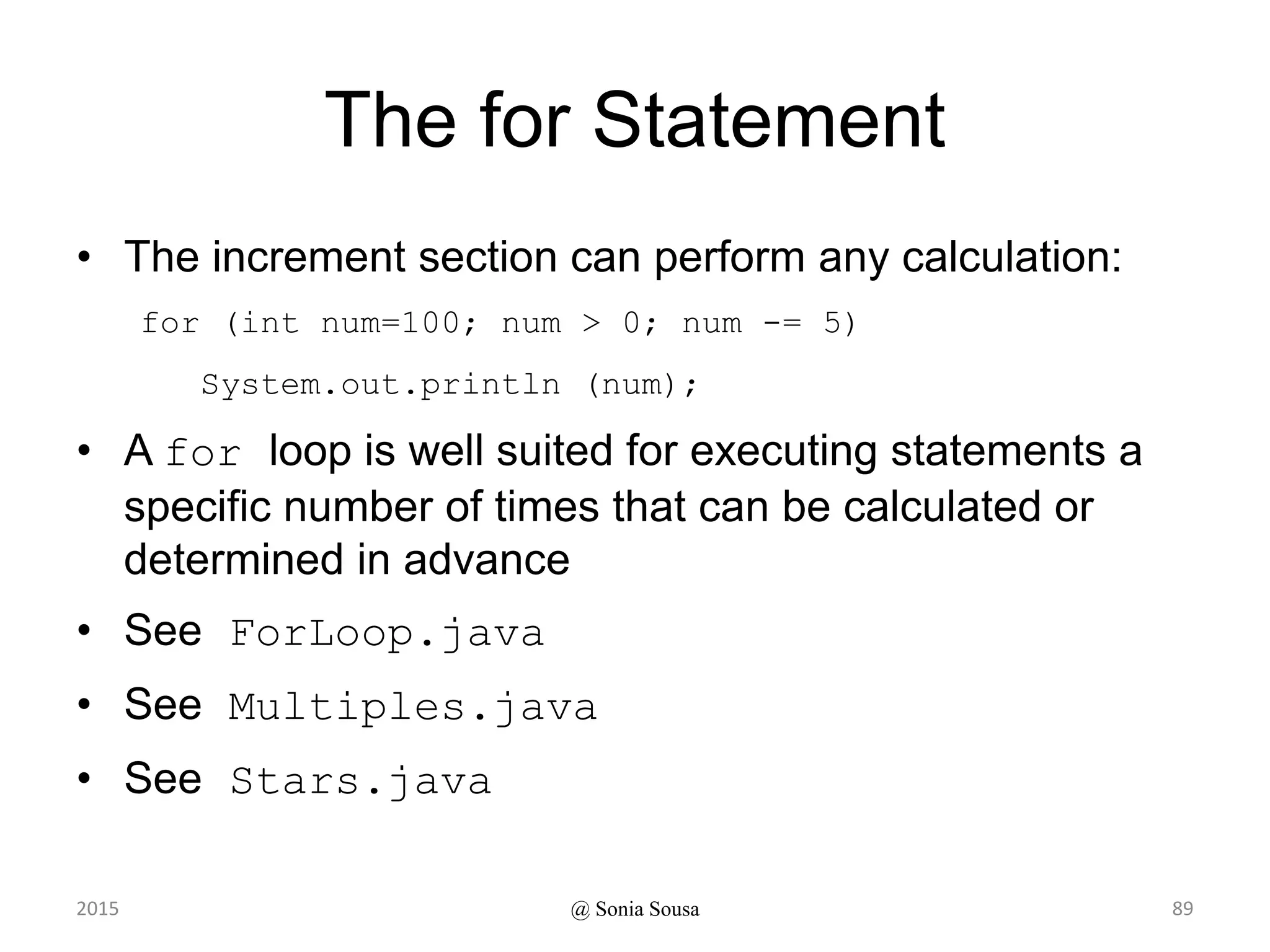
The for Statement
• The increment section can perform any calculation:
for (int num=100; num > 0; num -= 5)
System.out.println (num);
• A for loop is well suited for executing statements a
specific number of times that can be calculated or
determined in advance
• See ForLoop.java
• See Multiples.java
• See Stars.java
@ Sonia Sousa2015 74
The For Statement
Demonstrating a for loop using an array
of Strings
2015 @ Sonia Sousa 75
Main class (ForLoop) package (loop)
• Start by creating the object array
– with the days of the week
static private String[] weekDays= {"Monday", "Tuesday”,
"Wednesday", "Thursday", "Friday", "Saturday", "Sunday"};
– Then print the results using a for iterate over an
array
• For loop that iterate over an array to print the String[]
for (int i = 0; i < weekDays.length; i++) {
System.out.println(weekDays[i]);
}
for ( initialization ; condition ; increment )
statement;
2015 @ Sonia Sousa 76
// ForLoop.java Author: Sónia Sousa
package loops;
public class repeatedLoop {
static private String[] weekDays= {"Monday",
"Tuesday", "Wednesday", "Thursday", "Friday", "Saturday",
"Sunday"};
public static void main(String[] args) {
// Demonstrates the use of a For loop
for (int i = 0; i < weekDays.length; i++) {
System.out.println(weekDays[i]);
}
}
}
772015 @ Sonia Sousa
The For Statement
Demonstrates the use of a for loop to
print a sequence of numbers.
2015 @ Sonia Sousa 78
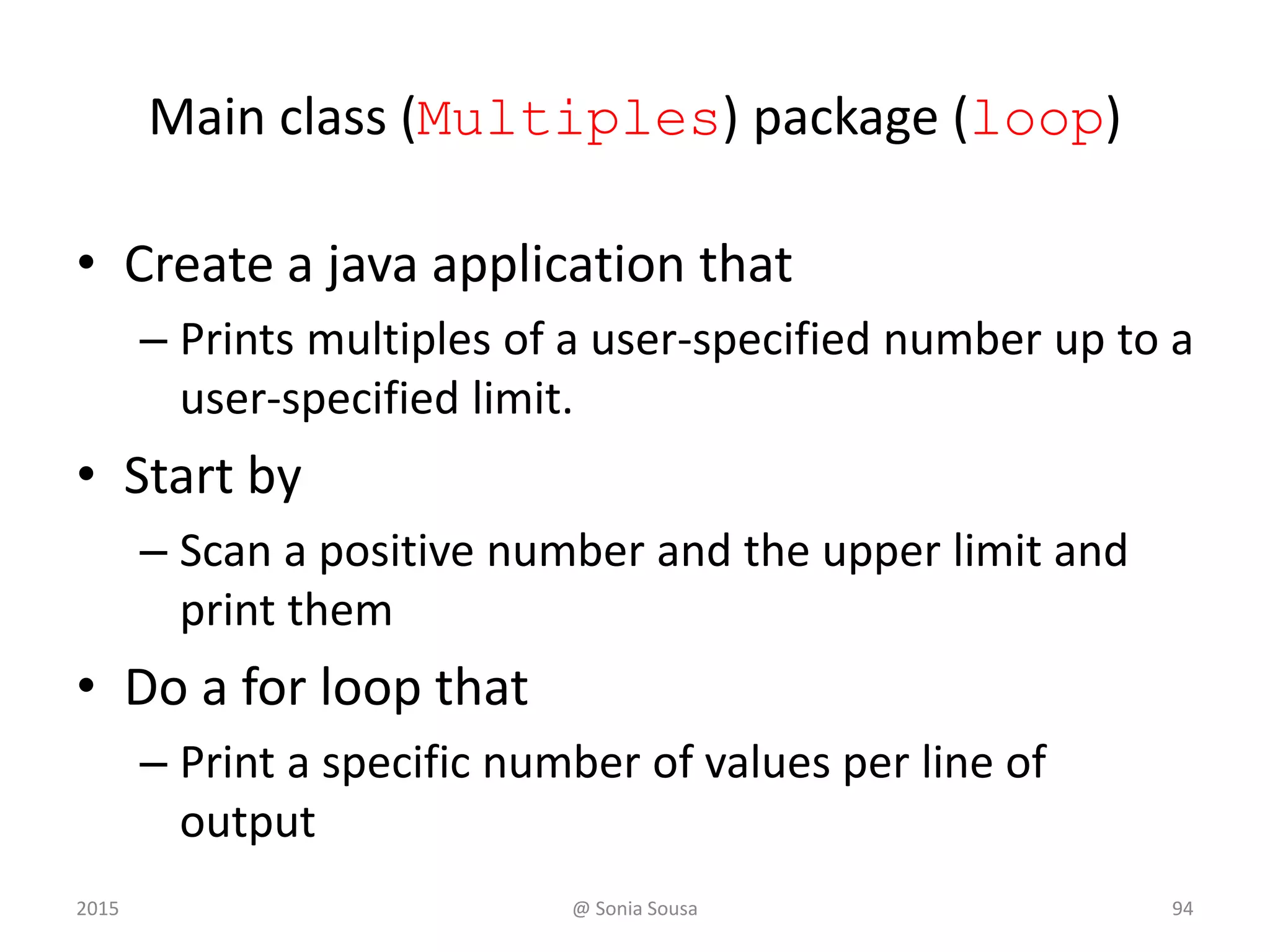
Main class (Multiples) package (loop)
• Create a java application that
– Prints multiples of a user-specified number up to a
user-specified limit.
• Start by
– Scan a positive number and the upper limit and
print them
• Do a for loop that
– Print a specific number of values per line of
output
2015 @ Sonia Sousa 79
//********************************************************************
// Multiples.java Author: Lewis/Loftus
//
// Demonstrates the use of a for loop.
//********************************************************************
import java.util.Scanner;
public class Multiples
{
//-----------------------------------------------------------------
// Prints multiples of a user-specified number up to a user-
// specified limit.
//-----------------------------------------------------------------
public static void main (String[] args)
{
final int PER_LINE = 5;
int value, limit, mult, count = 0;
Scanner scan = new Scanner (System.in);
System.out.print ("Enter a positive value: ");
value = scan.nextInt();
continue
2015 @ Sonia Sousa 80
continue
System.out.print ("Enter an upper limit: ");
limit = scan.nextInt();
System.out.println ();
System.out.println ("The multiples of " + value + " between " +
value + " and " + limit + " (inclusive) are:");
for (mult = value; mult <= limit; mult += value)
{
System.out.print (mult + "t");
// Print a specific number of values per line of output
count++;
if (count % PER_LINE == 0)
System.out.println();
}
}
}
2015 @ Sonia Sousa 81
continue
System.out.print ("Enter an upper limit: ");
limit = scan.nextInt();
System.out.println ();
System.out.println ("The multiples of " + value + " between " +
value + " and " + limit + " (inclusive) are:");
for (mult = value; mult <= limit; mult += value)
{
System.out.print (mult + "t");
// Print a specific number of values per line of output
count++;
if (count % PER_LINE == 0)
System.out.println();
}
}
}
Sample Run
Enter a positive value: 7
Enter an upper limit: 400
The multiples of 7 between 7 and 400 (inclusive) are:
7 14 21 28 35
42 49 56 63 70
77 84 91 98 105
112 119 126 133 140
147 154 161 168 175
182 189 196 203 210
217 224 231 238 245
252 259 266 273 280
287 294 301 308 315
322 329 336 343 350
357 364 371 378 385
392 399
2015 @ Sonia Sousa 82
The For Statement
Demonstrates the use of nested for
loops.
2015 @ Sonia Sousa 83
Main class (Stars) package (loop)
• Create a java application that
– Prints a triangle shape using asterisk (star)
characters.
• Start by
– Create and initialize MAX_ROWS variable to 10
• Do a for loop that
– Print a specific number of values per line of
output
2015 @ Sonia Sousa 84
//********************************************************************
// Stars.java Author: Lewis/Loftus
//
// Demonstrates the use of nested for loops.
//********************************************************************
public class Stars
{
//-----------------------------------------------------------------
// Prints a triangle shape using asterisk (star) characters.
//-----------------------------------------------------------------
public static void main (String[] args)
{
final int MAX_ROWS = 10;
for (int row = 1; row <= MAX_ROWS; row++)
{
for (int star = 1; star <= row; star++)
System.out.print ("*");
System.out.println();
}
}
}
2015 @ Sonia Sousa 85
@ Sonia Sousa
//********************************************************************
// Stars.java Author: Lewis/Loftus
//
// Demonstrates the use of nested for loops.
//********************************************************************
public class Stars
{
//-----------------------------------------------------------------
// Prints a triangle shape using asterisk (star) characters.
//-----------------------------------------------------------------
public static void main (String[] args)
{
final int MAX_ROWS = 10;
for (int row = 1; row <= MAX_ROWS; row++)
{
for (int star = 1; star <= row; star++)
System.out.print ("*");
System.out.println();
}
}
}
Output
*
**
***
****
*****
******
*******
********
*********
**********
2015 86
Quick Check
• Write a code fragment that rolls a die 100 times
and counts the number of times a 3 comes up.
Die die = new Die();
int count = 0;
for (int num=1; num <= 100; num++)
if (die.roll() == 3)
count++;
Sytem.out.println (count);
2015 @ Sonia Sousa 87
The for Statement
• Each expression in the header of a for loop
is optional
• If the initialization is left out, no initialization is
performed
• If the condition is left out, it is always
considered to be true, and therefore creates
an infinite loop
• If the increment is left out, no increment
operation is performed
2015 @ Sonia Sousa 88
Lesson 6 - Outline
892015 @ Sonia Sousa
Creating Objects
The while Statement
The do while Statement
The for Statement
The for each Statement
For-each Loops
• A variant of the for loop simplifies the repetitive
processing of items in an iterator
• For example, suppose bookList is an
ArrayList<Book> object
• The following loop will print each book:
for (Book myBook : bookList)
System.out.println (myBook);
• This version of a for loop is often called a for-each
loop
2015 @ Sonia Sousa 90
Quick Check
• Write a for-each loop that prints all of the
daysOfWeek using the String weekDays
array list
2015 @ Sonia Sousa 91
for ( data type ; variable; array that you loop)
statement;
for (String daysOfWeek:
weekDays) {
System.out.println(weekDays[
i]);
}
Recall ForLoop.java
• Using a temporary variable or counter variable
– Start by creating an array of strings
static private String[] weekDays= {"Monday",
"Tuesday", "Wednesday", "Thursday", "Friday",
"Saturday", "Sunday"};
– Then print the results using
• For loop that iterate over an array to print the String[]
for (int i=0; i< weekDays.length;
i++){System.out.println(weekDays[i]);}
for ( initialization ; condition ; increment )
statement;
2015 @ Sonia Sousa 92
Anatomy of a Class
Additional examples
2015 @ Sonia Sousa 93
Driver Programs
• A driver program drives the use of other, more
interesting parts of a program
• Driver programs are often used to test other parts
of the software
• The Transactions class contains a main
method that drives the use of the Account class,
exercising its services
• See Transactions.java
• See Account.java
@ Sonia Sousa 942015
// Transactions.java Author: Lewis/Loftus
// Demonstrates the creation and use of multiple Account objects.
public class Transactions
{
// Creates some bank accounts and requests various services.
public static void main (String[] args)
{
Account acct1 = new Account ("Ted Murphy", 72354, 102.56);
Account acct2 = new Account ("Jane Smith", 69713, 40.00);
Account acct3 = new Account ("Edward Demsey", 93757, 759.32);
acct1.deposit (25.85);
double smithBalance = acct2.deposit (500.00);
System.out.println ("Smith balance after deposit: " +
smithBalance);
continue
@ Sonia Sousa 952015
continue
System.out.println ("Smith balance after withdrawal: " +
acct2.withdraw (430.75, 1.50));
acct1.addInterest();
acct2.addInterest();
acct3.addInterest();
System.out.println ();
System.out.println (acct1);
System.out.println (acct2);
System.out.println (acct3);
}
}
@ Sonia Sousa 962015
continue
System.out.println ("Smith balance after withdrawal: " +
acct2.withdraw (430.75, 1.50));
acct1.addInterest();
acct2.addInterest();
acct3.addInterest();
System.out.println ();
System.out.println (acct1);
System.out.println (acct2);
System.out.println (acct3);
}
}
Output
Smith balance after deposit: 540.0
Smith balance after withdrawal: 107.55
72354 Ted Murphy $132.90
69713 Jane Smith $111.52
93757 Edward Demsey $785.90
97
// Account.java Author: Lewis/Loftus
//
// Represents a bank account with basic services such as deposit
// and withdraw.
import java.text.NumberFormat;
public class Account
{
private final double RATE = 0.035; // interest rate of 3.5%
private long acctNumber;
private double balance;
private String name;
// Sets up the account by defining its owner, account number,
// and initial balance.
public Account (String owner, long account, double initial)
{
name = owner;
acctNumber = account;
balance = initial;
}
continue @ Sonia Sousa 982015
Continue
// Deposits the specified amount into the account. Returns the
// new balance.
public double deposit (double amount)
{
balance = balance + amount;
return balance;
}
// Withdraws the specified amount from the account and applies
// the fee. Returns the new balance.
public double withdraw (double amount, double fee)
{
balance = balance - amount - fee;
return balance;
}
continue
@ Sonia Sousa 992015
Continue
// Adds interest to the account and returns the new balance.
public double addInterest ()
{
balance += (balance * RATE);
return balance;
}
// Returns the current balance of the account.
public double getBalance ()
{
return balance;
}
// Returns a one-line description of the account as a string.
public String toString ()
{
NumberFormat fmt = NumberFormat.getCurrencyInstance();
return (acctNumber + "t" + name + "t" +
fmt.format(balance));
}
} @ Sonia Sousa 1002015
Bank Account Example
• There are some improvements that can be
made to the Account class
• Formal getters and setters could have
been defined for all data
• The design of some methods could also
be more robust, such as verifying that the
amount parameter to the withdraw
method is positive
@ Sonia Sousa 1012015

Ifi7184 lesson6

  • 1.
    IFI7184.DT – Lesson6 2015 @ Sonia Sousa 1
  • 2.
    Lesson 6 -Outline 22015 @ Sonia Sousa Creating Objects The while Statement The do while Statement The for Statement The for each Statement
  • 3.
    Lesson 5 3@ SoniaSousa Anatomy of a Method Anatomy of a Class Creating Objects Instantiation 2015
  • 4.
    Recall • Instantiation iscreating a object instance – This is Important to work with more complex objects • So far we’ve learn to declare a methods – Class methods; or Instance methods. • learn how to create complex objects – An object instance of a particular class @ Sonia Sousa 4 title = new String (”Let’s learn Java"); This calls the String constructor, which is a special method that sets up the object 2015
  • 5.
    Recall • We candefine – Primitive data type or objects data type • Objects data type is done when we instantiate – This object contains a reference variable • That holds the address of an object – The object itself must be created separately • Usually we use the new operator to create an object 5@ Sonia Sousa "Steve Jobs"name1 2015
  • 6.
    Create 2 classes(Main, Olive) • To create instance methods we will use 2 classes – named Main and Olive • To create an instance method on the Olive class – We will write a method named crush and print out “ouch” Public void crush() • It becomes an instance method if we do not use static – Then in the main application • We call the Olive class Olive x = new Olive(); x.crush(); • To call a instance method we need first to create an instance of Olive class – Create a new complex Object variable of Olive class @ Sonia Sousa 6
  • 7.
    Classes and Objects •Recall from our overview of objects – that an object has state and behavior State Variables (fields) behaviour functions (methods) that allow to change the state System.out.println( “ouch!” ); Olive x ; Class Olive Class Main @ Sonia Sousa 7
  • 8.
    Instance Variables Storing datain instance Variables 2015 @ Sonia Sousa 8
  • 9.
    Creating instance Variables •An object has: – state (attributes) • descriptive characteristics – behaviors • what it can do (or what can be done to it) 9 OliveInstance Name num Print name Print num State behaviours Main @ Sonia Sousa2015
  • 10.
    Constructor method • Aconstructor is used to set up an object when it is initially created • When you create your own custom class – That class has a constructor method • Those are special method called when you create a instance of a class • If you don’t do that the java compiler add a no argument constructor method for you • A constructor starts with a – Public access modifier; and – Has the same name as the class. @ Sonia Sousa 102015
  • 11.
    Constructor method • Createa custom constructor method –In the OliveInstance • Create a constructor method that –accept no values and outputs olive name “Constructor with ” + this.name –Accepts an value (int num) and pass a value 6 to the field defined in the main method @ Sonia Sousa 112015
  • 12.
    public OliveInstance(){ System.out.println(this.name); } public OliveInstance(intnum) { this.num = num; } Constructor method (OliveInstance) @ Sonia Sousa 122015
  • 13.
    package Olive; public classMain { public static void main(String[] args) { Olive x= new Olive(); x.crush(); OliveInstance valuex= new OliveInstance(6); System.out.println("the value add is: " + valuex.num); } } @ Sonia Sousa 13 Main method (Main)
  • 14.
    Examples of Classes 14@Sonia Sousa2015
  • 15.
    Lesson 6 -Outline 152015 @ Sonia Sousa Creating Objects The while Statement The do while Statement The for Statement The for each Statement
  • 16.
    Bank Account Example •Let’s look at bank Account example – that demonstrates the implementation details of classes and methods • We’ll represent a bank account by a class named Account • It’s state can include the account number, – the current balance, and the name of the owner • An account’s behaviors (or services) include – deposits and withdrawals, and adding interest @ Sonia Sousa 162015
  • 17.
    Creating Objects • Anobject has: – state (attributes) - bankAccount – AccountNumber – Name – Balance • descriptive characteristics – behaviors (what he can do) – Deposit – Withraw – Tranfer • the ability to make deposits and withdrawals • Note that the behavior of an object might change its state 17 BankAcount AccounNumber Name Balance Deposit Withdraw Transfer @ Sonia Sousa2015
  • 18.
    Classes (Account, Transactions) •On Account declare: – 3 instance variables long acctNumber; double balance; String name = "Ted Murphy”; • Write custom constructors – one that accept no values and outputs the name “Hello ” + this.name – Another that accepts two values acctNumber, balance – And passes those values to the field I defined in the main method • For acctNumber the value is 72354 • For Balance the value is 102.56 @ Sonia Sousa 182015
  • 19.
    New behavior deposit •Create a method called deposit –This method should returns the new balance. – balance = balance + amount – Output the new balance in the main method • acct1.name + “ balance after deposit: ” + acct1.deposit(25.85) @ Sonia Sousa 192015
  • 20.
    public class Transactions{ public static void main(String[] args) { Account acct1 = new Account(72354); System.out.println( " final balance after deposit is: " + acct1.acctNumber); System.out.println(acct1.name + "balance after deposit: " + acct1.deposit(25.85)); } } continue @ Sonia Sousa 20 Main method (Transactions)
  • 21.
    public class Account{ long acctNumber; double balance; String name = "Ted Murphy"; public Account() { System.out.print("hello " + this.name); } public Account( long acctNumber) { this.acctNumber = acctNumber; } public double deposit(double amount) { // Deposits the specified amount into the account. Returns the new balance. balance = balance + amount; return balance; } } Constructor and method (Account) @ Sonia Sousa 212015
  • 22.
    New behavior Withdraw •Create a method called Withdraw –This method should returns the new balance. • balance = balance - amount; – Output the new balance. acct1.name + " final balance after withdraw is : ” acct1.withdraw(25.85, 0.5) @ Sonia Sousa 222015
  • 23.
    Classes • An objectis defined by a class – A class is the blueprint of an object • The class uses methods – to define the behaviors of the object • The class contains the main method of a Java program – represents the entire program • A class represents a concept • An object represents the embodiment of that concept • Multiple objects can be created from the same class 23@ Sonia Sousa2015
  • 24.
    Class = Blueprint •One blueprint to create several similar, but different, houses: 24@ Sonia Sousa2015
  • 25.
    Objects and Classes Bank Account Aclass (the concept) John’s Bank Account Balance: € 5,257 An object (the realization) Bill’s Bank Account Balance: € 1,245,069 Mary’s Bank Account Balance: € 16,833 Multiple objects from the same class 25@ Sonia Sousa2015
  • 26.
    Multiple objects • Storingdata in instance variables – Write 3 custom constructor for methods in (Account) that • Accepts 3 values (name, acctNumber and balance) • and passes the following values to the main field – acct1 = "Ted Murphy", 72354, 102.56 – acct2 = "Jane Smith", 69713, 40.00 – acct3 = "Edward Demsey", 93757, 759.32 @ Sonia Sousa 262015
  • 27.
    Bank Account Example acct172354acctNumber 102.56balance name "Ted Murphy" acct2 69713acctNumber 40.00balance name "Jane Smith" @ Sonia Sousa 272015
  • 28.
    class Account // Setsup the account by defining its owner, account number, and initial balance. public Account (String name, long account, double initial) { this.name = name; this.acctNumber = account; this.balance = initial; } class Transations // Create some bank accounts and requests various services. Account acct1 = new Account ("Ted Murphy", 72354, 102.56); Storing data in instance variables @ Sonia Sousa 282015
  • 29.
    Multiple objects • Add2 new scanner methods – to prompt user name and transfer amount – scanningName(), scanningWithdraw(), scanningtransfer(), – Output the values • Add a new method that calculates the final balance – Output the name of the account and the final balance @ Sonia Sousa 292015
  • 30.
    New behavior Transfer •Create a method called tranfer – Ask the use how much he wont to transfer – and offers the option to to transfer to his account or to another account – This method should returns calculate a new balance. • Transfer for your account ( balance = balance + amount) • Transfer to another account (balance = balance – amount) • Output the new balance after transfer @ Sonia Sousa 302015
  • 31.
    public class Account{ private double balance; public String name; private int option; // Sets up the account by defining its owner, account number, // and initial balance. public Account (String name, long acctNumber, double balance, int option) { this.name = name; this.balance = balance; this.option = option; } public double deposit(double amount){ // Deposits the specified amount into the account. Returns the new balance. balance = balance + amount; return balance; } continue @ Sonia Sousa 31
  • 32.
    public double withdraw(double amount) { balance = balance - amount; return balance; } public double transfer (double amount) { switch (option) { case 1: balance = balance + amount; break; default: balance = balance - amount; break; } return balance; } } @ Sonia Sousa 32 continue
  • 33.
    import account.*; public classTransations { public static void main(String[] args) { Account acct1 = new Account (Input.scanningName(), 72354, 102.56, Input.transferOption()); System.out.println( " final balance after deposit is: " + acct1.deposit(Input.scanningDesposit())); System.out.println(acct1.name + " final balance after withdraw is : " + acct1.withdraw(Input.scanningWithdraw() )); System.out.println(acct1.name + " final balance after transfer is : " + acct1.transfer(Input.scanningTransfer())); } continue @ Sonia Sousa 33
  • 34.
    Quick Check How dowe express which Account object's balance is updated when a deposit is made? Each account is referenced by an object reference variable: Account myAcct = new Account(…); and when a method is called, you call it through a particular object: myAcct.deposit(50); @ Sonia Sousa 342015
  • 35.
    Lesson 6 -Outline 352015 @ Sonia Sousa Creating Objects Conditional and loops The while Statement The do while Statement The for Statement The for each Statement
  • 36.
    Conditionals and Loops •It is time to review Java conditional and repetition statements • We’ve learn already how to use conditional statements: – the switch statement – the conditional operator • We need to how to use repetition statements – the do loop – the for loop – The while statement 2015 @ Sonia Sousa 36
  • 37.
    Recall • The switchstatement helps us to find – The correct statement case and execute it • Starts by evaluating an expression (case value1 :) • Then if the result matches (case value3 : execute) switch ( expression ) { case value1 : statement-list1 case value2 : statement-list2 case value3 : statement-list3 case ... } switch and case are reserved words If expression matches value2, control jumps to here 2015 @ Sonia Sousa 37
  • 38.
    Recall • The conditionaloperator evaluates – One of two expressions based on a boolean condition if (val <= 10) System.out.println("It is not greater than 10."); else System.out.println("It is greater than 10."); • If the val <= 10 is true, – print("It is not greater than 10.") • if it is false, – print("It is greater than 10."); @ Sonia Sousa2015 38
  • 39.
    Loops Statements • Loopsor Repetition statements – allow us to execute a statement multiple times • Like conditional statements, (if, then, else) – Loops are controlled by boolean expressions • Java has three kinds of repetition statements: while, do, and for loops 392015 @ Sonia Sousa
  • 40.
    The while Statement •A while statement has the following syntax: while ( condition ) statement; • If the condition is true, the statement is executed • Then the condition is evaluated again, and if it is still true, the statement is executed again • The statement is executed repeatedly until the condition becomes false 402015 @ Sonia Sousa
  • 41.
    Lesson 6 -Outline 412015 @ Sonia Sousa Creating Objects The while Statement The do while Statement The for Statement The for each Statement
  • 42.
    Logic of awhile Loop statement true false condition evaluated 422015 @ Sonia Sousa
  • 43.
    The while Statement •An example of a while statement: int count = 1; while (count <= 5) { System.out.println (count); count++; } • If the condition of a while loop is false initially, the statement is never executed • Therefore, the body of a while loop will execute zero or more times 432015 @ Sonia Sousa
  • 44.
    The while Statement Demonstratinga while loop 2015 @ Sonia Sousa 44
  • 45.
    Main class (WhileLoop)inside a package (loop) • Create a Java application that… – Print a set of values entered by the user. • In a decreasing order until it reach 0 • we need to use – A temporary variable or counter variable – A variable that save user values Int temp = 0; value – print the results using a While loop with condition • Don’t forget to decrease the value number Value --; While(condition){ statement;} 2015 @ Sonia Sousa 45
  • 46.
    The while Statement Demonstratinga while loop with a sentinel value 2015 @ Sonia Sousa 46
  • 47.
    Sentinel Values • Let'spractice this time using – A loop that can maintain a running sum • For that we need to add a sentinel value – is a special input value that represents the end of input • See WhileLoop2.java 472015 @ Sonia Sousa
  • 48.
    Main class (WhileLoop2)inside a package (loop) • Create a Java application that… – Computes the average of a set of values entered by the user. And prints the running sum as the numbers are entered. – You will also need to add a sentinel value to quit (o to quit) • Start by – importing Scanner class; – Creating the variables and initialize them int sum = 0, value; – Create a while loop that • Keeps scanning values from the user and print the sum those values sum += value; "The sum so far is " + sum • Until he wont’s to quit "Enter an integer (0 to quit): ” @ Sonia Sousa 482015
  • 49.
    Continue // sentinel valueof 0 to terminate loop int sum = 0, value; Scanner scan = new Scanner (System.in); System.out.print ("Enter an integer (0 to quit): "); value = scan.nextInt(); while (value !=0) { sum += value; System.out.println ("The sum so far is " + sum); System.out.print ("Enter an integer (0 to quit): "); value = scan.nextInt(); } continue 492015 @ Sonia Sousa
  • 50.
    The while Statement Demonstratesthe use of a while loop for input validation 2015 @ Sonia Sousa 50
  • 51.
    Input Validation • Aloop can also be used for input validation – Helping making a program more robust – It's generally a good idea to verify that input is valid (in whatever sense) when possible • See WinPercentage.java 512015 @ Sonia Sousa
  • 52.
    Main class (WinPercentage)package (loop) • Create a Java application that… – Ask for how many games you played and computes the percentage of games won by the teacm. • Start by – Creating the variables int NUM_GAMES, won; double ratio; – Ask from the user ”How many games your team played: “ "Enter the number of games won (0 to " + NUM_GAMES + "): " – Create a while loop condition that • Verify if the number is valid won < 0 || won > NUM_GAMES "Invalid input. Please reenter: ” • Keep the loop running until user adds the correct number – Then calculate the percentage of games won by the team ratio = (double)won / NUM_GAMES; – Print the results formatted in percentage @ Sonia Sousa 522015
  • 53.
    package loops; // WinPercentage.javaAuthor: Sónia Sousa // Demonstrates the use of a while loop for input validation. import java.text.NumberFormat; import java.util.Scanner; public class WinPercentage { // Computes the percentage of games won by a team. public static void main (String[] args) { int NUM_GAMES, won; double ratio; Scanner scan = new Scanner (System.in); System.out.print ("How many games you played: "); NUM_GAMES = scan.nextInt(); System.out.print (”How many games you won (0 to " + NUM_GAMES + "): "); won = scan.nextInt(); 53 continue 2015 @ Sonia Sousa
  • 54.
    continue while (won <0 || won > NUM_GAMES) { System.out.print ("Invalid input. Please reenter: "); won = scan.nextInt(); } ratio = (double)won / NUM_GAMES; NumberFormat fmt = NumberFormat.getPercentInstance(); System.out.println (); System.out.println ("Winning percentage: " + fmt.format(ratio)); } } 542015 @ Sonia Sousa
  • 55.
    continue while (won <0 || won > NUM_GAMES) { System.out.print ("Invalid input. Please reenter: "); won = scan.nextInt(); } ratio = (double)won / NUM_GAMES; NumberFormat fmt = NumberFormat.getPercentInstance(); System.out.println (); System.out.println ("Winning percentage: " + fmt.format(ratio)); } } Sample Run How many games you played: 12 How many games you won (0 to 12): 20 Invalid input. Please reenter: 13 Invalid input. Please reenter: 12 Winning percentage: 100% 552015 @ Sonia Sousa
  • 56.
    Infinite Loops • Thebody of a while loop eventually must make the condition false • If not, it is called an infinite loop, which will execute until the user interrupts the program • This is a common logical error • You should always double check the logic of a program to ensure that your loops will terminate normally 562015 @ Sonia Sousa
  • 57.
    An example ofan infinite loop: int count = 1; while (count <= 25) { System.out.println (count); count = count - 1; } • This loop will continue executing until interrupted (Control-C) or until an underflow error occurs 2015 @ Sonia Sousa 57
  • 58.
    Lesson 6 -Outline 582015 @ Sonia Sousa Creating Objects The while Statement Nested statement The do while Statement The for Statement The for each Statement
  • 59.
    Nested Loops • Similarto nested if statements, loops can be nested as well • That is, the body of a loop can contain another loop • For each iteration of the outer loop, the inner loop iterates completely 592015 @ Sonia Sousa
  • 60.
    Quick Check How manytimes will the string "Here" be printed? count1 = 1; while (count1 <= 3) { count2 = 1; while (count2 < 5) { System.out.println ("Here"); count2++; } count1++; } 602015 @ Sonia Sousa
  • 61.
    Quick Check 61 How manytimes will the string "Here" be printed? count1 = 1; while (count1 <= 3) { count2 = 1; while (count2 < 5) { System.out.println ("Here"); count2++; } count1++; } 3* 4 = 12 2015 @ Sonia Sousa
  • 62.
    Lesson 6 -Outline 622015 @ Sonia Sousa Creating Objects The while Statement The do while Statement The for Statement The for each Statement
  • 63.
    Logic of ado while Loop 63 true condition evaluated statement false 2015 @ Sonia Sousa
  • 64.
    Comparing while anddo statement true false condition evaluated The while Loop true condition evaluated statement false The do Loop 642015 @ Sonia Sousa
  • 65.
    The do Statement •An example of a do loop: • The body of a do loop executes at least once • See ReverseNumber.java 65 int count = 0; do { count++; System.out.println (count); } while (count < 5); 2015 @ Sonia Sousa
  • 66.
    The do Statement Demonstratinga do loop 2015 @ Sonia Sousa 66
  • 67.
    Main class (doLoop)inside a package (loop) • Use the WhileLoop.java application and – Change it to a do statement • same as previous one but this time de condition goes in the end do { statement; } while (condition) 2015 @ Sonia Sousa 67
  • 68.
    Continue // WhileLoop.java Author:Sónia Sousa // // Demonstrates the use of a while loop //************************************************************* while ( temp < value ) { System.out.println("The values are: " + value); value --; } continue 682015 @ Sonia Sousa
  • 69.
    Lesson 6 -Outline 692015 @ Sonia Sousa Creating Objects The while Statement The do while Statement The for Statement The for each Statement
  • 70.
    The for Statement •A for statement has the following syntax: for ( initialization ; condition ; increment ) statement; The initialization is executed once before the loop begins The statement is executed until the condition becomes false The increment portion is executed at the end of each iteration 2015 @ Sonia Sousa 70
  • 71.
    Logic of afor loop statement true condition evaluated false increment initialization 2015 @ Sonia Sousa 71
  • 72.
    The for Statement •A for loop is functionally equivalent to the following while loop structure: initialization; while ( condition ) { statement; increment; } 2015 @ Sonia Sousa 72
  • 73.
    The for Statement •The initialization section can be used to declare a variable for (int count=1; count <= 5; count++) System.out.println (count); • Like a while loop, the condition of a for loop is tested prior to executing the loop body • Therefore, the body of a for loop will execute zero or more times 2015 @ Sonia Sousa 73
  • 74.
    The for Statement •The increment section can perform any calculation: for (int num=100; num > 0; num -= 5) System.out.println (num); • A for loop is well suited for executing statements a specific number of times that can be calculated or determined in advance • See ForLoop.java • See Multiples.java • See Stars.java @ Sonia Sousa2015 74
  • 75.
    The For Statement Demonstratinga for loop using an array of Strings 2015 @ Sonia Sousa 75
  • 76.
    Main class (ForLoop)package (loop) • Start by creating the object array – with the days of the week static private String[] weekDays= {"Monday", "Tuesday”, "Wednesday", "Thursday", "Friday", "Saturday", "Sunday"}; – Then print the results using a for iterate over an array • For loop that iterate over an array to print the String[] for (int i = 0; i < weekDays.length; i++) { System.out.println(weekDays[i]); } for ( initialization ; condition ; increment ) statement; 2015 @ Sonia Sousa 76
  • 77.
    // ForLoop.java Author:Sónia Sousa package loops; public class repeatedLoop { static private String[] weekDays= {"Monday", "Tuesday", "Wednesday", "Thursday", "Friday", "Saturday", "Sunday"}; public static void main(String[] args) { // Demonstrates the use of a For loop for (int i = 0; i < weekDays.length; i++) { System.out.println(weekDays[i]); } } } 772015 @ Sonia Sousa
  • 78.
    The For Statement Demonstratesthe use of a for loop to print a sequence of numbers. 2015 @ Sonia Sousa 78
  • 79.
    Main class (Multiples)package (loop) • Create a java application that – Prints multiples of a user-specified number up to a user-specified limit. • Start by – Scan a positive number and the upper limit and print them • Do a for loop that – Print a specific number of values per line of output 2015 @ Sonia Sousa 79
  • 80.
    //******************************************************************** // Multiples.java Author:Lewis/Loftus // // Demonstrates the use of a for loop. //******************************************************************** import java.util.Scanner; public class Multiples { //----------------------------------------------------------------- // Prints multiples of a user-specified number up to a user- // specified limit. //----------------------------------------------------------------- public static void main (String[] args) { final int PER_LINE = 5; int value, limit, mult, count = 0; Scanner scan = new Scanner (System.in); System.out.print ("Enter a positive value: "); value = scan.nextInt(); continue 2015 @ Sonia Sousa 80
  • 81.
    continue System.out.print ("Enter anupper limit: "); limit = scan.nextInt(); System.out.println (); System.out.println ("The multiples of " + value + " between " + value + " and " + limit + " (inclusive) are:"); for (mult = value; mult <= limit; mult += value) { System.out.print (mult + "t"); // Print a specific number of values per line of output count++; if (count % PER_LINE == 0) System.out.println(); } } } 2015 @ Sonia Sousa 81
  • 82.
    continue System.out.print ("Enter anupper limit: "); limit = scan.nextInt(); System.out.println (); System.out.println ("The multiples of " + value + " between " + value + " and " + limit + " (inclusive) are:"); for (mult = value; mult <= limit; mult += value) { System.out.print (mult + "t"); // Print a specific number of values per line of output count++; if (count % PER_LINE == 0) System.out.println(); } } } Sample Run Enter a positive value: 7 Enter an upper limit: 400 The multiples of 7 between 7 and 400 (inclusive) are: 7 14 21 28 35 42 49 56 63 70 77 84 91 98 105 112 119 126 133 140 147 154 161 168 175 182 189 196 203 210 217 224 231 238 245 252 259 266 273 280 287 294 301 308 315 322 329 336 343 350 357 364 371 378 385 392 399 2015 @ Sonia Sousa 82
  • 83.
    The For Statement Demonstratesthe use of nested for loops. 2015 @ Sonia Sousa 83
  • 84.
    Main class (Stars)package (loop) • Create a java application that – Prints a triangle shape using asterisk (star) characters. • Start by – Create and initialize MAX_ROWS variable to 10 • Do a for loop that – Print a specific number of values per line of output 2015 @ Sonia Sousa 84
  • 85.
    //******************************************************************** // Stars.java Author:Lewis/Loftus // // Demonstrates the use of nested for loops. //******************************************************************** public class Stars { //----------------------------------------------------------------- // Prints a triangle shape using asterisk (star) characters. //----------------------------------------------------------------- public static void main (String[] args) { final int MAX_ROWS = 10; for (int row = 1; row <= MAX_ROWS; row++) { for (int star = 1; star <= row; star++) System.out.print ("*"); System.out.println(); } } } 2015 @ Sonia Sousa 85
  • 86.
    @ Sonia Sousa //******************************************************************** //Stars.java Author: Lewis/Loftus // // Demonstrates the use of nested for loops. //******************************************************************** public class Stars { //----------------------------------------------------------------- // Prints a triangle shape using asterisk (star) characters. //----------------------------------------------------------------- public static void main (String[] args) { final int MAX_ROWS = 10; for (int row = 1; row <= MAX_ROWS; row++) { for (int star = 1; star <= row; star++) System.out.print ("*"); System.out.println(); } } } Output * ** *** **** ***** ****** ******* ******** ********* ********** 2015 86
  • 87.
    Quick Check • Writea code fragment that rolls a die 100 times and counts the number of times a 3 comes up. Die die = new Die(); int count = 0; for (int num=1; num <= 100; num++) if (die.roll() == 3) count++; Sytem.out.println (count); 2015 @ Sonia Sousa 87
  • 88.
    The for Statement •Each expression in the header of a for loop is optional • If the initialization is left out, no initialization is performed • If the condition is left out, it is always considered to be true, and therefore creates an infinite loop • If the increment is left out, no increment operation is performed 2015 @ Sonia Sousa 88
  • 89.
    Lesson 6 -Outline 892015 @ Sonia Sousa Creating Objects The while Statement The do while Statement The for Statement The for each Statement
  • 90.
    For-each Loops • Avariant of the for loop simplifies the repetitive processing of items in an iterator • For example, suppose bookList is an ArrayList<Book> object • The following loop will print each book: for (Book myBook : bookList) System.out.println (myBook); • This version of a for loop is often called a for-each loop 2015 @ Sonia Sousa 90
  • 91.
    Quick Check • Writea for-each loop that prints all of the daysOfWeek using the String weekDays array list 2015 @ Sonia Sousa 91 for ( data type ; variable; array that you loop) statement; for (String daysOfWeek: weekDays) { System.out.println(weekDays[ i]); }
  • 92.
    Recall ForLoop.java • Usinga temporary variable or counter variable – Start by creating an array of strings static private String[] weekDays= {"Monday", "Tuesday", "Wednesday", "Thursday", "Friday", "Saturday", "Sunday"}; – Then print the results using • For loop that iterate over an array to print the String[] for (int i=0; i< weekDays.length; i++){System.out.println(weekDays[i]);} for ( initialization ; condition ; increment ) statement; 2015 @ Sonia Sousa 92
  • 93.
    Anatomy of aClass Additional examples 2015 @ Sonia Sousa 93
  • 94.
    Driver Programs • Adriver program drives the use of other, more interesting parts of a program • Driver programs are often used to test other parts of the software • The Transactions class contains a main method that drives the use of the Account class, exercising its services • See Transactions.java • See Account.java @ Sonia Sousa 942015
  • 95.
    // Transactions.java Author:Lewis/Loftus // Demonstrates the creation and use of multiple Account objects. public class Transactions { // Creates some bank accounts and requests various services. public static void main (String[] args) { Account acct1 = new Account ("Ted Murphy", 72354, 102.56); Account acct2 = new Account ("Jane Smith", 69713, 40.00); Account acct3 = new Account ("Edward Demsey", 93757, 759.32); acct1.deposit (25.85); double smithBalance = acct2.deposit (500.00); System.out.println ("Smith balance after deposit: " + smithBalance); continue @ Sonia Sousa 952015
  • 96.
    continue System.out.println ("Smith balanceafter withdrawal: " + acct2.withdraw (430.75, 1.50)); acct1.addInterest(); acct2.addInterest(); acct3.addInterest(); System.out.println (); System.out.println (acct1); System.out.println (acct2); System.out.println (acct3); } } @ Sonia Sousa 962015
  • 97.
    continue System.out.println ("Smith balanceafter withdrawal: " + acct2.withdraw (430.75, 1.50)); acct1.addInterest(); acct2.addInterest(); acct3.addInterest(); System.out.println (); System.out.println (acct1); System.out.println (acct2); System.out.println (acct3); } } Output Smith balance after deposit: 540.0 Smith balance after withdrawal: 107.55 72354 Ted Murphy $132.90 69713 Jane Smith $111.52 93757 Edward Demsey $785.90 97
  • 98.
    // Account.java Author:Lewis/Loftus // // Represents a bank account with basic services such as deposit // and withdraw. import java.text.NumberFormat; public class Account { private final double RATE = 0.035; // interest rate of 3.5% private long acctNumber; private double balance; private String name; // Sets up the account by defining its owner, account number, // and initial balance. public Account (String owner, long account, double initial) { name = owner; acctNumber = account; balance = initial; } continue @ Sonia Sousa 982015
  • 99.
    Continue // Deposits thespecified amount into the account. Returns the // new balance. public double deposit (double amount) { balance = balance + amount; return balance; } // Withdraws the specified amount from the account and applies // the fee. Returns the new balance. public double withdraw (double amount, double fee) { balance = balance - amount - fee; return balance; } continue @ Sonia Sousa 992015
  • 100.
    Continue // Adds interestto the account and returns the new balance. public double addInterest () { balance += (balance * RATE); return balance; } // Returns the current balance of the account. public double getBalance () { return balance; } // Returns a one-line description of the account as a string. public String toString () { NumberFormat fmt = NumberFormat.getCurrencyInstance(); return (acctNumber + "t" + name + "t" + fmt.format(balance)); } } @ Sonia Sousa 1002015
  • 101.
    Bank Account Example •There are some improvements that can be made to the Account class • Formal getters and setters could have been defined for all data • The design of some methods could also be more robust, such as verifying that the amount parameter to the withdraw method is positive @ Sonia Sousa 1012015