
Basic Object-Oriented concepts
Concept: An object has behaviors
• In old style programming, you had:
– data, which was completely passive
– functions, which could manipulate any data
• An object contains both data and methods that
manipulate that data
– An object is active, not passive; it does things
– An object is responsible for its own data
• But: it can expose that data to other objects
Concept: An object has state
• An object contains both data and methods that
manipulate that data
– The data represent the state of the object
– Data can also describe the relationships between this
object and other objects
• Example: A CheckingAccount might have
– A balance (the internal state of the account)
– An owner (some object representing a person)
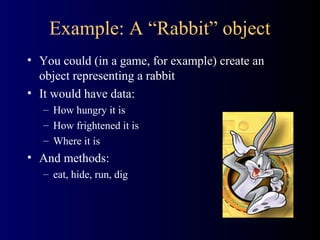
Example: A “Rabbit” object
• You could (in a game, for example) create an
object representing a rabbit
• It would have data:
– How hungry it is
– How frightened it is
– Where it is
• And methods:
– eat, hide, run, dig
Concept: Classes describe objects
• Every object belongs to (is an instance of) a class
• An object may have fields, or variables
– The class describes those fields
• An object may have methods
– The class describes those methods
• A class is like a template, or cookie cutter
Concept: Classes are like
Abstract Data Types
• An Abstract Data Type (ADT) bundles together:
– some data, representing an object or "thing"
– the operations on that data
• Example: a CheckingAccount, with operations
deposit, withdraw, getBalance, etc.
• Classes enforce this bundling together
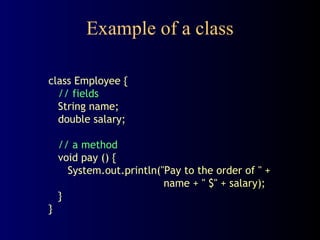
Example of a class
class Employee {
// fields
String name;
double salary;
// a method
void pay () {
System.out.println("Pay to the order of " +
name + " $" + salary);
}
}
Approximate Terminology
• instance = object
• field = instance variable
• method = function
• sending a message to an object =
calling a function
• These are all approximately true
Concept: Classes form a hierarchy
• Classes are arranged in a treelike structure called a
hierarchy
• The class at the root is named Object
• Every class, except Object, has a superclass
• A class may have several ancestors, up to Object
• When you define a class, you specify its superclass
– If you don’t specify a superclass, Object is assumed
• Every class may have one or more subclasses
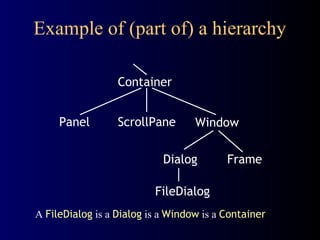
Example of (part of) a hierarchy
A FileDialog is a Dialog is a Window is a Container
Container
Panel ScrollPane Window
Dialog Frame
FileDialog
C++ is different
• In C++ there may be more than one root
– but not in Java!
• In C++ an object may have more than one parent
(immediate superclass)
– but not in Java!
• Java has a single, strict hierarchy
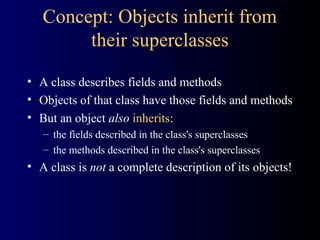
Concept: Objects inherit from
their superclasses
• A class describes fields and methods
• Objects of that class have those fields and methods
• But an object also inherits:
– the fields described in the class's superclasses
– the methods described in the class's superclasses
• A class is not a complete description of its objects!
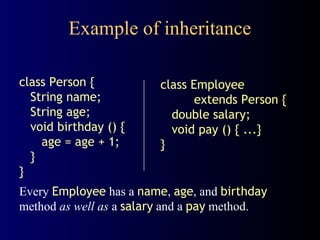
Example of inheritance
class Person {
String name;
String age;
void birthday () {
age = age + 1;
}
}
class Employee
extends Person {
double salary;
void pay () { ...}
}
Every Employee has a name, age, and birthday
method as well as a salary and a pay method.
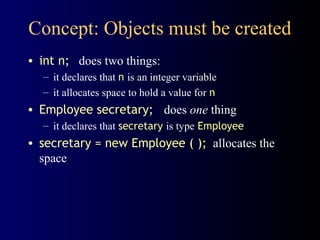
Concept: Objects must be created
• int n; does two things:
– it declares that n is an integer variable
– it allocates space to hold a value for n
• Employee secretary; does one thing
– it declares that secretary is type Employee
• secretary = new Employee ( ); allocates the
space
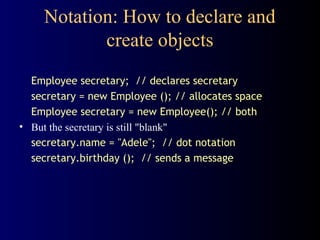
Notation: How to declare and
create objects
Employee secretary; // declares secretary
secretary = new Employee (); // allocates space
Employee secretary = new Employee(); // both
• But the secretary is still "blank"
secretary.name = "Adele"; // dot notation
secretary.birthday (); // sends a message
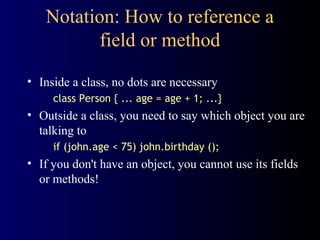
Notation: How to reference a
field or method
• Inside a class, no dots are necessary
class Person { ... age = age + 1; ...}
• Outside a class, you need to say which object you are
talking to
if (john.age < 75) john.birthday ();
• If you don't have an object, you cannot use its fields
or methods!
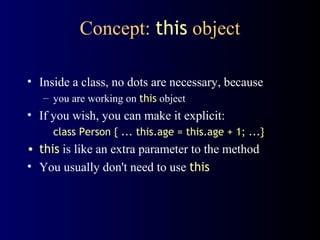
Concept: this object
• Inside a class, no dots are necessary, because
– you are working on this object
• If you wish, you can make it explicit:
class Person { ... this.age = this.age + 1; ...}
• this is like an extra parameter to the method
• You usually don't need to use this
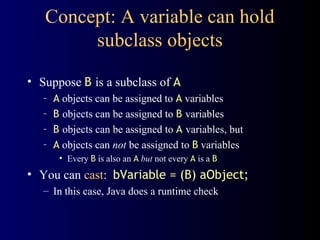
Concept: A variable can hold
subclass objects
• Suppose B is a subclass of A
– A objects can be assigned to A variables
– B objects can be assigned to B variables
– B objects can be assigned to A variables, but
– A objects can not be assigned to B variables
• Every B is also an A but not every A is a B
• You can cast: bVariable = (B) aObject;
– In this case, Java does a runtime check
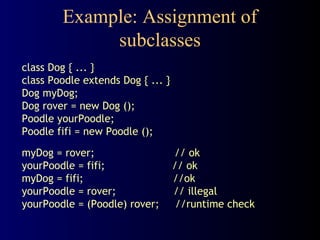
Example: Assignment of
subclasses
class Dog { ... }
class Poodle extends Dog { ... }
Dog myDog;
Dog rover = new Dog ();
Poodle yourPoodle;
Poodle fifi = new Poodle ();
myDog = rover; // ok
yourPoodle = fifi; // ok
myDog = fifi; //ok
yourPoodle = rover; // illegal
yourPoodle = (Poodle) rover; //runtime check
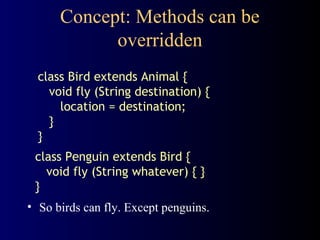
Concept: Methods can be
overridden
• So birds can fly. Except penguins.
class Bird extends Animal {
void fly (String destination) {
location = destination;
}
}
class Penguin extends Bird {
void fly (String whatever) { }
}
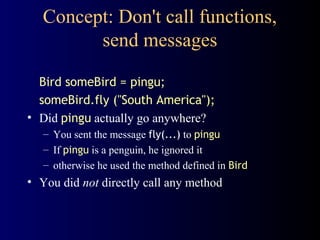
Concept: Don't call functions,
send messages
Bird someBird = pingu;
someBird.fly ("South America");
• Did pingu actually go anywhere?
– You sent the message fly(...) to pingu
– If pingu is a penguin, he ignored it
– otherwise he used the method defined in Bird
• You did not directly call any method
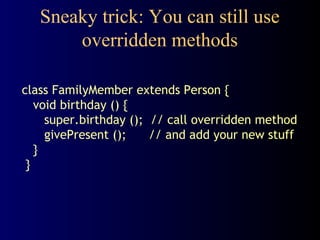
Sneaky trick: You can still use
overridden methods
class FamilyMember extends Person {
void birthday () {
super.birthday (); // call overridden method
givePresent (); // and add your new stuff
}
}
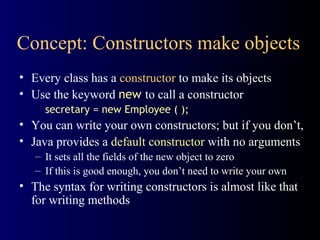
Concept: Constructors make objects
• Every class has a constructor to make its objects
• Use the keyword new to call a constructor
secretary = new Employee ( );
• You can write your own constructors; but if you don’t,
• Java provides a default constructor with no arguments
– It sets all the fields of the new object to zero
– If this is good enough, you don’t need to write your own
• The syntax for writing constructors is almost like that
for writing methods
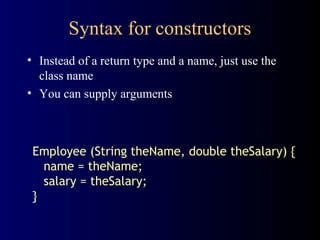
Syntax for constructors
• Instead of a return type and a name, just use the
class name
• You can supply arguments
Employee (String theName, double theSalary) {
name = theName;
salary = theSalary;
}
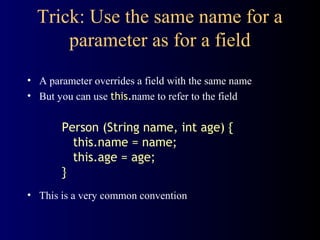
Trick: Use the same name for a
parameter as for a field
• A parameter overrides a field with the same name
• But you can use this.name to refer to the field
Person (String name, int age) {
this.name = name;
this.age = age;
}
• This is a very common convention
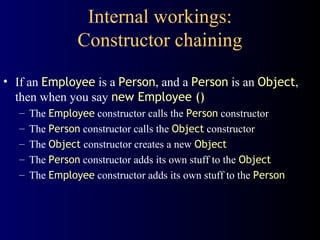
Internal workings:
Constructor chaining
• If an Employee is a Person, and a Person is an Object,
then when you say new Employee ()
– The Employee constructor calls the Person constructor
– The Person constructor calls the Object constructor
– The Object constructor creates a new Object
– The Person constructor adds its own stuff to the Object
– The Employee constructor adds its own stuff to the Person
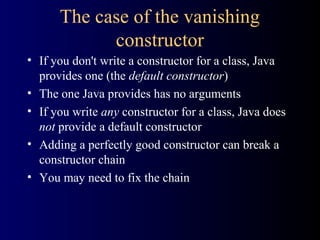
The case of the vanishing
constructor
• If you don't write a constructor for a class, Java
provides one (the default constructor)
• The one Java provides has no arguments
• If you write any constructor for a class, Java does
not provide a default constructor
• Adding a perfectly good constructor can break a
constructor chain
• You may need to fix the chain
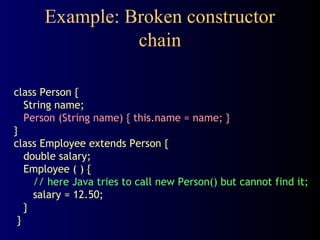
Example: Broken constructor
chain
class Person {
String name;
Person (String name) { this.name = name; }
}
class Employee extends Person {
double salary;
Employee ( ) {
// here Java tries to call new Person() but cannot find it;
salary = 12.50;
}
}
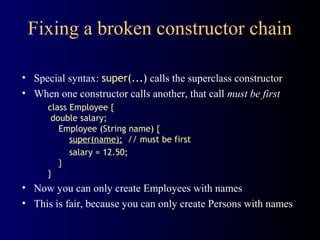
Fixing a broken constructor chain
• Special syntax: super(...) calls the superclass constructor
• When one constructor calls another, that call must be first
class Employee {
double salary;
Employee (String name) {
super(name); // must be first
salary = 12.50;
}
}
• Now you can only create Employees with names
• This is fair, because you can only create Persons with names
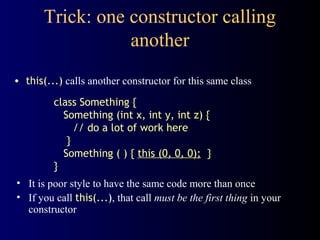
Trick: one constructor calling
another
• this(...) calls another constructor for this same class
• It is poor style to have the same code more than once
• If you call this(...), that call must be the first thing in your
constructor
class Something {
Something (int x, int y, int z) {
// do a lot of work here
}
Something ( ) { this (0, 0, 0); }
}
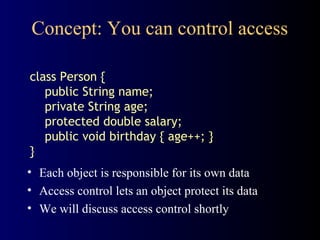
Concept: You can control access
class Person {
public String name;
private String age;
protected double salary;
public void birthday { age++; }
}
• Each object is responsible for its own data
• Access control lets an object protect its data
• We will discuss access control shortly
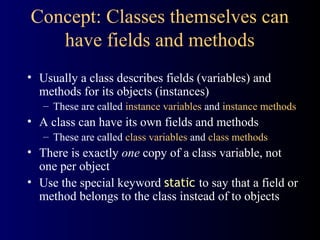
Concept: Classes themselves can
have fields and methods
• Usually a class describes fields (variables) and
methods for its objects (instances)
– These are called instance variables and instance methods
• A class can have its own fields and methods
– These are called class variables and class methods
• There is exactly one copy of a class variable, not
one per object
• Use the special keyword static to say that a field or
method belongs to the class instead of to objects
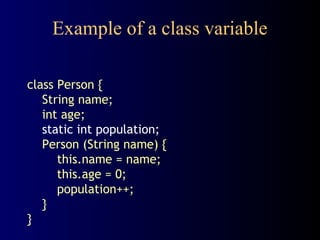
Example of a class variable
class Person {
String name;
int age;
static int population;
Person (String name) {
this.name = name;
this.age = 0;
population++;
}
}
Advice: Restrict access
• Always, always strive for a narrow interface
• Follow the principle of information hiding:
– the caller should know as little as possible about how
the method does its job
– the method should know little or nothing about where
or why it is being called
• Make as much as possible private
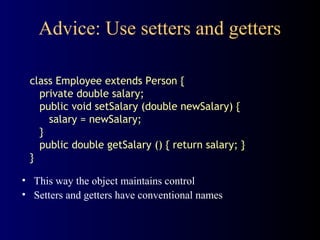
Advice: Use setters and getters
• This way the object maintains control
• Setters and getters have conventional names
class Employee extends Person {
private double salary;
public void setSalary (double newSalary) {
salary = newSalary;
}
public double getSalary () { return salary; }
}
Kinds of access
• Java provides four levels of access:
– public: available everywhere
– protected: available within the package (in the same
subdirectory) and to all subclasses
– [default]: available within the package
– private: only available within the class itself
• The default is called package visibility
• In small programs this isn't important...right?
The End

Object concepts

  • 1.
  • 2.
    Concept: An objecthas behaviors • In old style programming, you had: – data, which was completely passive – functions, which could manipulate any data • An object contains both data and methods that manipulate that data – An object is active, not passive; it does things – An object is responsible for its own data • But: it can expose that data to other objects
  • 3.
    Concept: An objecthas state • An object contains both data and methods that manipulate that data – The data represent the state of the object – Data can also describe the relationships between this object and other objects • Example: A CheckingAccount might have – A balance (the internal state of the account) – An owner (some object representing a person)
  • 4.
    Example: A “Rabbit”object • You could (in a game, for example) create an object representing a rabbit • It would have data: – How hungry it is – How frightened it is – Where it is • And methods: – eat, hide, run, dig
  • 5.
    Concept: Classes describeobjects • Every object belongs to (is an instance of) a class • An object may have fields, or variables – The class describes those fields • An object may have methods – The class describes those methods • A class is like a template, or cookie cutter
  • 6.
    Concept: Classes arelike Abstract Data Types • An Abstract Data Type (ADT) bundles together: – some data, representing an object or "thing" – the operations on that data • Example: a CheckingAccount, with operations deposit, withdraw, getBalance, etc. • Classes enforce this bundling together
  • 7.
    Example of aclass class Employee { // fields String name; double salary; // a method void pay () { System.out.println("Pay to the order of " + name + " $" + salary); } }
  • 8.
    Approximate Terminology • instance= object • field = instance variable • method = function • sending a message to an object = calling a function • These are all approximately true
  • 9.
    Concept: Classes forma hierarchy • Classes are arranged in a treelike structure called a hierarchy • The class at the root is named Object • Every class, except Object, has a superclass • A class may have several ancestors, up to Object • When you define a class, you specify its superclass – If you don’t specify a superclass, Object is assumed • Every class may have one or more subclasses
  • 10.
    Example of (partof) a hierarchy A FileDialog is a Dialog is a Window is a Container Container Panel ScrollPane Window Dialog Frame FileDialog
  • 11.
    C++ is different •In C++ there may be more than one root – but not in Java! • In C++ an object may have more than one parent (immediate superclass) – but not in Java! • Java has a single, strict hierarchy
  • 12.
    Concept: Objects inheritfrom their superclasses • A class describes fields and methods • Objects of that class have those fields and methods • But an object also inherits: – the fields described in the class's superclasses – the methods described in the class's superclasses • A class is not a complete description of its objects!
  • 13.
    Example of inheritance classPerson { String name; String age; void birthday () { age = age + 1; } } class Employee extends Person { double salary; void pay () { ...} } Every Employee has a name, age, and birthday method as well as a salary and a pay method.
  • 14.
    Concept: Objects mustbe created • int n; does two things: – it declares that n is an integer variable – it allocates space to hold a value for n • Employee secretary; does one thing – it declares that secretary is type Employee • secretary = new Employee ( ); allocates the space
  • 15.
    Notation: How todeclare and create objects Employee secretary; // declares secretary secretary = new Employee (); // allocates space Employee secretary = new Employee(); // both • But the secretary is still "blank" secretary.name = "Adele"; // dot notation secretary.birthday (); // sends a message
  • 16.
    Notation: How toreference a field or method • Inside a class, no dots are necessary class Person { ... age = age + 1; ...} • Outside a class, you need to say which object you are talking to if (john.age < 75) john.birthday (); • If you don't have an object, you cannot use its fields or methods!
  • 17.
    Concept: this object •Inside a class, no dots are necessary, because – you are working on this object • If you wish, you can make it explicit: class Person { ... this.age = this.age + 1; ...} • this is like an extra parameter to the method • You usually don't need to use this
  • 18.
    Concept: A variablecan hold subclass objects • Suppose B is a subclass of A – A objects can be assigned to A variables – B objects can be assigned to B variables – B objects can be assigned to A variables, but – A objects can not be assigned to B variables • Every B is also an A but not every A is a B • You can cast: bVariable = (B) aObject; – In this case, Java does a runtime check
  • 19.
    Example: Assignment of subclasses classDog { ... } class Poodle extends Dog { ... } Dog myDog; Dog rover = new Dog (); Poodle yourPoodle; Poodle fifi = new Poodle (); myDog = rover; // ok yourPoodle = fifi; // ok myDog = fifi; //ok yourPoodle = rover; // illegal yourPoodle = (Poodle) rover; //runtime check
  • 20.
    Concept: Methods canbe overridden • So birds can fly. Except penguins. class Bird extends Animal { void fly (String destination) { location = destination; } } class Penguin extends Bird { void fly (String whatever) { } }
  • 21.
    Concept: Don't callfunctions, send messages Bird someBird = pingu; someBird.fly ("South America"); • Did pingu actually go anywhere? – You sent the message fly(...) to pingu – If pingu is a penguin, he ignored it – otherwise he used the method defined in Bird • You did not directly call any method
  • 22.
    Sneaky trick: Youcan still use overridden methods class FamilyMember extends Person { void birthday () { super.birthday (); // call overridden method givePresent (); // and add your new stuff } }
  • 23.
    Concept: Constructors makeobjects • Every class has a constructor to make its objects • Use the keyword new to call a constructor secretary = new Employee ( ); • You can write your own constructors; but if you don’t, • Java provides a default constructor with no arguments – It sets all the fields of the new object to zero – If this is good enough, you don’t need to write your own • The syntax for writing constructors is almost like that for writing methods
  • 24.
    Syntax for constructors •Instead of a return type and a name, just use the class name • You can supply arguments Employee (String theName, double theSalary) { name = theName; salary = theSalary; }
  • 25.
    Trick: Use thesame name for a parameter as for a field • A parameter overrides a field with the same name • But you can use this.name to refer to the field Person (String name, int age) { this.name = name; this.age = age; } • This is a very common convention
  • 26.
    Internal workings: Constructor chaining •If an Employee is a Person, and a Person is an Object, then when you say new Employee () – The Employee constructor calls the Person constructor – The Person constructor calls the Object constructor – The Object constructor creates a new Object – The Person constructor adds its own stuff to the Object – The Employee constructor adds its own stuff to the Person
  • 27.
    The case ofthe vanishing constructor • If you don't write a constructor for a class, Java provides one (the default constructor) • The one Java provides has no arguments • If you write any constructor for a class, Java does not provide a default constructor • Adding a perfectly good constructor can break a constructor chain • You may need to fix the chain
  • 28.
    Example: Broken constructor chain classPerson { String name; Person (String name) { this.name = name; } } class Employee extends Person { double salary; Employee ( ) { // here Java tries to call new Person() but cannot find it; salary = 12.50; } }
  • 29.
    Fixing a brokenconstructor chain • Special syntax: super(...) calls the superclass constructor • When one constructor calls another, that call must be first class Employee { double salary; Employee (String name) { super(name); // must be first salary = 12.50; } } • Now you can only create Employees with names • This is fair, because you can only create Persons with names
  • 30.
    Trick: one constructorcalling another • this(...) calls another constructor for this same class • It is poor style to have the same code more than once • If you call this(...), that call must be the first thing in your constructor class Something { Something (int x, int y, int z) { // do a lot of work here } Something ( ) { this (0, 0, 0); } }
  • 31.
    Concept: You cancontrol access class Person { public String name; private String age; protected double salary; public void birthday { age++; } } • Each object is responsible for its own data • Access control lets an object protect its data • We will discuss access control shortly
  • 32.
    Concept: Classes themselvescan have fields and methods • Usually a class describes fields (variables) and methods for its objects (instances) – These are called instance variables and instance methods • A class can have its own fields and methods – These are called class variables and class methods • There is exactly one copy of a class variable, not one per object • Use the special keyword static to say that a field or method belongs to the class instead of to objects
  • 33.
    Example of aclass variable class Person { String name; int age; static int population; Person (String name) { this.name = name; this.age = 0; population++; } }
  • 34.
    Advice: Restrict access •Always, always strive for a narrow interface • Follow the principle of information hiding: – the caller should know as little as possible about how the method does its job – the method should know little or nothing about where or why it is being called • Make as much as possible private
  • 35.
    Advice: Use settersand getters • This way the object maintains control • Setters and getters have conventional names class Employee extends Person { private double salary; public void setSalary (double newSalary) { salary = newSalary; } public double getSalary () { return salary; } }
  • 36.
    Kinds of access •Java provides four levels of access: – public: available everywhere – protected: available within the package (in the same subdirectory) and to all subclasses – [default]: available within the package – private: only available within the class itself • The default is called package visibility • In small programs this isn't important...right?
  • 37.