Decision making
1
Shyam N. Chawda +91 78 74 39 11 91
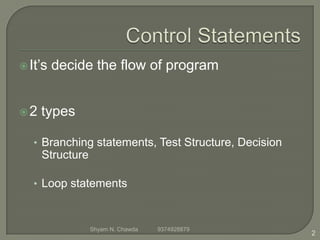
It’s decide the flow of program
2 types
• Branching statements, Test Structure, Decision
Structure
• Loop statements
2
Shyam N. Chawda 9374928879
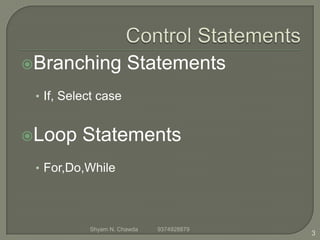
Branching Statements
• If, Select case
Loop Statements
• For,Do,While
3
Shyam N. Chawda 9374928879
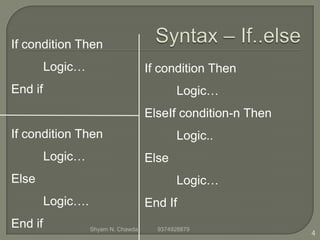
If condition Then
Logic…
End if
If condition Then
Logic…
Else
Logic….
End if
If condition Then
Logic…
ElseIf condition-n Then
Logic..
Else
Logic…
End If
4
Shyam N. Chawda 9374928879
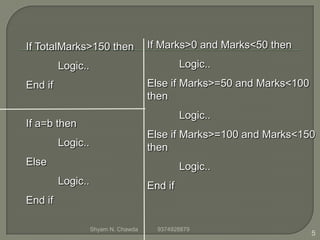
If TotalMarks>150 then
Logic..
End if
If a=b then
Logic..
Else
Logic..
End if
If Marks>0 and Marks<50 then
Logic..
Else if Marks>=50 and Marks<100
then
Logic..
Else if Marks>=100 and Marks<150
then
Logic..
End if
5
Shyam N. Chawda 9374928879
When it finds a True condition
Else statement block, which Visual
Basic.net executes if none of the conditions
are True.
You can have any number of ElseIf
6
Shyam N. Chawda 9374928879
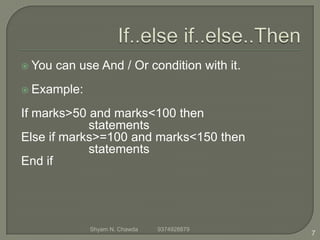
 You can use And / Or condition with it.
 Example:
If marks>50 and marks<100 then
statements
Else if marks>=100 and marks<150 then
statements
End if
7
Shyam N. Chawda 9374928879
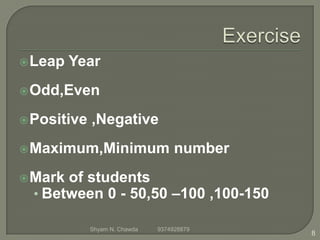
Leap Year
Odd,Even
Positive ,Negative
Maximum,Minimum number
Mark of students
• Between 0 - 50,50 –100 ,100-150
8
Shyam N. Chawda 9374928879
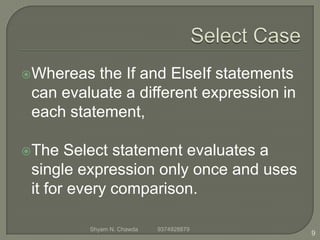
Whereas the If and ElseIf statements
can evaluate a different expression in
each statement,
The Select statement evaluates a
single expression only once and uses
it for every comparison.
9
Shyam N. Chawda 9374928879
Select Case testexpression
[Case expressionlist-n
[statements-n]] ...
[Case Else
[elsestatements]]
End Select
10
Shyam N. Chawda 9374928879
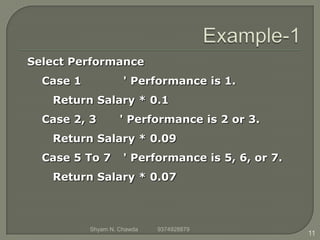
Select Performance
Case 1 ' Performance is 1.
Return Salary * 0.1
Case 2, 3 ' Performance is 2 or 3.
Return Salary * 0.09
Case 5 To 7 ' Performance is 5, 6, or 7.
Return Salary * 0.07
11
Shyam N. Chawda 9374928879
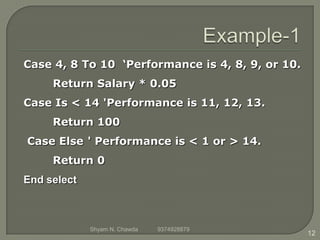
Case 4, 8 To 10 ‘Performance is 4, 8, 9, or 10.
Return Salary * 0.05
Case Is < 14 'Performance is 11, 12, 13.
Return 100
Case Else ' Performance is < 1 or > 14.
Return 0
End select
12
Shyam N. Chawda 9374928879
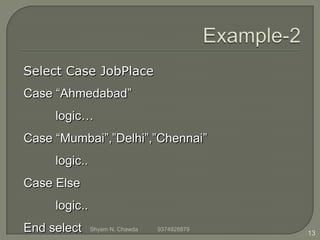
Select Case JobPlace
Case “Ahmedabad”
logic…
Case “Mumbai”,”Delhi”,”Chennai”
logic..
Case Else
logic..
End select 13
Shyam N. Chawda 9374928879
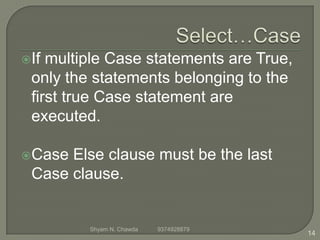
If multiple Case statements are True,
only the statements belonging to the
first true Case statement are
executed.
Case Else clause must be the last
Case clause.
14
Shyam N. Chawda 9374928879
Use the To keyword to specify a
range of values.
The Is keyword is used to precede
any comparison operators.
15
Shyam N. Chawda 9374928879
Enter Color name and according
to it textbox color will change
Enter student no according to no
display message “Good”,”Try best
in next exam”,”Need to improve”
16
Shyam N. Chawda 9374928879
Any questions?
www.shyamsir.com
Shyam N. Chawda 9374928879 17

If Else .. Select Case in VB.NET

  • 1.
    Decision making 1 Shyam N.Chawda +91 78 74 39 11 91
  • 2.
    It’s decide theflow of program 2 types • Branching statements, Test Structure, Decision Structure • Loop statements 2 Shyam N. Chawda 9374928879
  • 3.
    Branching Statements • If,Select case Loop Statements • For,Do,While 3 Shyam N. Chawda 9374928879
  • 4.
    If condition Then Logic… Endif If condition Then Logic… Else Logic…. End if If condition Then Logic… ElseIf condition-n Then Logic.. Else Logic… End If 4 Shyam N. Chawda 9374928879
  • 5.
    If TotalMarks>150 then Logic.. Endif If a=b then Logic.. Else Logic.. End if If Marks>0 and Marks<50 then Logic.. Else if Marks>=50 and Marks<100 then Logic.. Else if Marks>=100 and Marks<150 then Logic.. End if 5 Shyam N. Chawda 9374928879
  • 6.
    When it findsa True condition Else statement block, which Visual Basic.net executes if none of the conditions are True. You can have any number of ElseIf 6 Shyam N. Chawda 9374928879
  • 7.
     You canuse And / Or condition with it.  Example: If marks>50 and marks<100 then statements Else if marks>=100 and marks<150 then statements End if 7 Shyam N. Chawda 9374928879
  • 8.
    Leap Year Odd,Even Positive ,Negative Maximum,Minimumnumber Mark of students • Between 0 - 50,50 –100 ,100-150 8 Shyam N. Chawda 9374928879
  • 9.
    Whereas the Ifand ElseIf statements can evaluate a different expression in each statement, The Select statement evaluates a single expression only once and uses it for every comparison. 9 Shyam N. Chawda 9374928879
  • 10.
    Select Case testexpression [Caseexpressionlist-n [statements-n]] ... [Case Else [elsestatements]] End Select 10 Shyam N. Chawda 9374928879
  • 11.
    Select Performance Case 1' Performance is 1. Return Salary * 0.1 Case 2, 3 ' Performance is 2 or 3. Return Salary * 0.09 Case 5 To 7 ' Performance is 5, 6, or 7. Return Salary * 0.07 11 Shyam N. Chawda 9374928879
  • 12.
    Case 4, 8To 10 ‘Performance is 4, 8, 9, or 10. Return Salary * 0.05 Case Is < 14 'Performance is 11, 12, 13. Return 100 Case Else ' Performance is < 1 or > 14. Return 0 End select 12 Shyam N. Chawda 9374928879
  • 13.
    Select Case JobPlace Case“Ahmedabad” logic… Case “Mumbai”,”Delhi”,”Chennai” logic.. Case Else logic.. End select 13 Shyam N. Chawda 9374928879
  • 14.
    If multiple Casestatements are True, only the statements belonging to the first true Case statement are executed. Case Else clause must be the last Case clause. 14 Shyam N. Chawda 9374928879
  • 15.
    Use the Tokeyword to specify a range of values. The Is keyword is used to precede any comparison operators. 15 Shyam N. Chawda 9374928879
  • 16.
    Enter Color nameand according to it textbox color will change Enter student no according to no display message “Good”,”Try best in next exam”,”Need to improve” 16 Shyam N. Chawda 9374928879
  • 17.