iPad uses
         for
      Teachers
resources to enhance your classroom
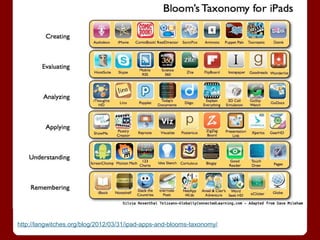
http://langwitches.org/blog/2012/03/31/ipad-apps-and-blooms-taxonomy/
Organize and Plan
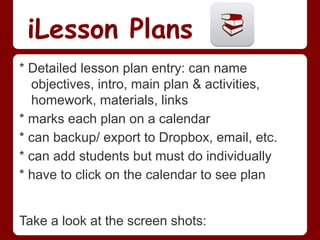
iLesson Plans
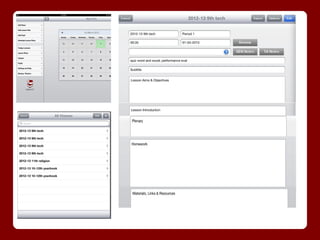
* Detailed lesson plan entry: can name
  objectives, intro, main plan & activities,
  homework, materials, links
* marks each plan on a calendar
* can backup/ export to Dropbox, email, etc.
* can add students but must do individually
* have to click on the calendar to see plan


Take a look at the screen shots:
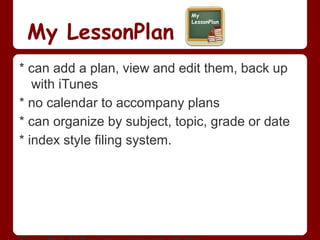
My LessonPlan
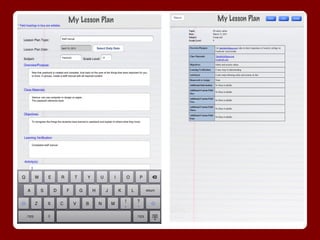
* can add a plan, view and edit them, back up
   with iTunes
* no calendar to accompany plans
* can organize by subject, topic, grade or date
* index style filing system.
Other Organizing tools
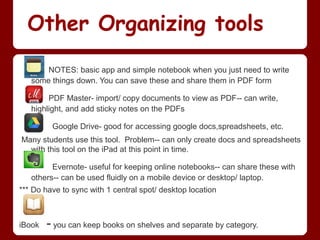
       NOTES: basic app and simple notebook when you just need to write
   some things down. You can save these and share them in PDF form

        PDF Master- import/ copy documents to view as PDF-- can write,
   highlight, and add sticky notes on the PDFs

         Google Drive- good for accessing google docs,spreadsheets, etc.
Many students use this tool. Problem-- can only create docs and spreadsheets
  with this tool on the iPad at this point in time.

         Evernote- useful for keeping online notebooks-- can share these with
   others-- can be used fluidly on a mobile device or desktop/ laptop.
*** Do have to sync with 1 central spot/ desktop location


iBook   - you can keep books on shelves and separate by category.
Present and Share
Educrations
* voice over info as you create on a
  whiteboard
* Insert pictures
* you can roam a classroom while using
* you can insert product to your website
* you cannot save your creation without
  recording it
Sample:
 http://www.educreations.com/lesson/view/ipad-conferences/5575247/?s=BNOIpw&ref=appemail
Other Presentation tools

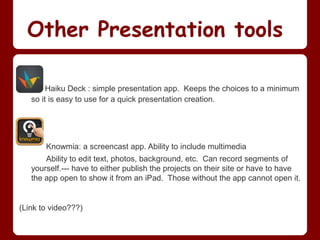
        Haiku Deck : simple presentation app. Keeps the choices to a minimum
   so it is easy to use for a quick presentation creation.


       Knowmia: a screencast app. Ability to include multimedia
       Ability to edit text, photos, background, etc. Can record segments of
   yourself.--- have to either publish the projects on their site or have to have
   the app open to show it from an iPad. Those without the app cannot open it.


(Link to video???)
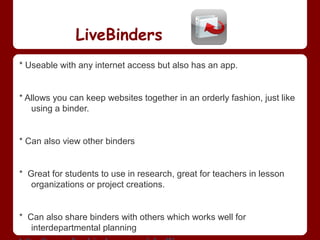
LiveBinders
* Useable with any internet access but also has an app.


* Allows you can keep websites together in an orderly fashion, just like
   using a binder.


* Can also view other binders


* Great for students to use in research, great for teachers in lesson
   organizations or project creations.


* Can also share binders with others which works well for
   interdepartmental planning
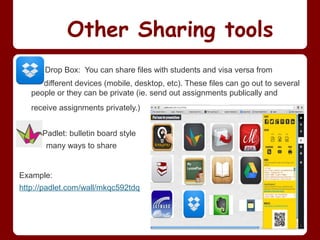
Other Sharing tools
       Drop Box: You can share files with students and visa versa from
      different devices (mobile, desktop, etc). These files can go out to several
   people or they can be private (ie. send out assignments publically and
   receive assignments privately.)


      Padlet: bulletin board style
       many ways to share


Example:
http://padlet.com/wall/mkqc592tdq
Professional
Development & FYI
Professional Development Tools

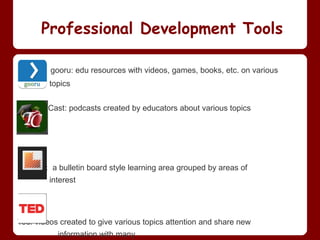
         gooru: edu resources with videos, games, books, etc. on various
         topics


Teacher Cast: podcasts created by educators about various topics


Learnist: a bulletin board style learning area grouped by areas of
         interest


Ted: videos created to give various topics attention and share new
           information with many
Not an app but pretty
interesting.....

MOOC: Massive Open Online Course
http://www.mooc-list.com/
* online learning opportunities for anyone for
  free
* can choose an area of interest and learn more
  about it
* not for college credit but you can get a
  certificate of completion from many.
Example:
  http://www.mooc-list.com/course/inspiring-leadership-through-emotional-intelligenc
FYI: Some things to know about

             Skyward App: This app does allow you access to your skyward
             account but it does not allow you to do all that you can on a desk top.
     It is useful for taking attendance but not easy to use for entering grades,
    assignments, etc.
--------------------------------------------------------------------------------------------------------
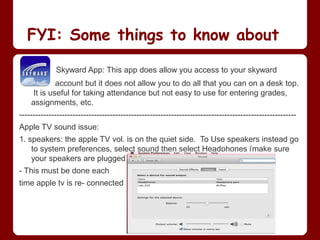
Apple TV sound issue:
1. speakers: the apple TV vol. is on the quiet side. To Use speakers instead go
    to system preferences, select sound then select Headphones (make sure
    your speakers are plugged in)
- This must be done each
time apple tv is re- connected
Works Cited
Apple,Inc. "App Store." iTunes Preview for Apps. 2013. http://www.apple.com/ipad/from-the-app-store/. April 15, 2013.


Johnson, Jenna. "What in the World is a MOOC?"Post Local. Washington Post. September 24,
     2012. http://www.washingtonpost.com/blogs/campus-overload/post/what-in-the-world-is-a-
     mooc/2012/09/24/50751600-0662-11e2-858a-5311df86ab04_blog.html. April 16, 2013.


Tolisano, Silvia R. "iPad Apps and Bloom's Taxonomy." Langwitches Blog. March 31, 2012.
     http://langwitches.org/blog/2012/03/31/ipad-apps-and-blooms-taxonomy/. March 8, 2013.

iPad for teachers

  • 1.
    iPad uses for Teachers resources to enhance your classroom
  • 2.
  • 3.
  • 4.
    iLesson Plans * Detailedlesson plan entry: can name objectives, intro, main plan & activities, homework, materials, links * marks each plan on a calendar * can backup/ export to Dropbox, email, etc. * can add students but must do individually * have to click on the calendar to see plan Take a look at the screen shots:
  • 6.
    My LessonPlan * canadd a plan, view and edit them, back up with iTunes * no calendar to accompany plans * can organize by subject, topic, grade or date * index style filing system.
  • 8.
    Other Organizing tools NOTES: basic app and simple notebook when you just need to write some things down. You can save these and share them in PDF form PDF Master- import/ copy documents to view as PDF-- can write, highlight, and add sticky notes on the PDFs Google Drive- good for accessing google docs,spreadsheets, etc. Many students use this tool. Problem-- can only create docs and spreadsheets with this tool on the iPad at this point in time. Evernote- useful for keeping online notebooks-- can share these with others-- can be used fluidly on a mobile device or desktop/ laptop. *** Do have to sync with 1 central spot/ desktop location iBook - you can keep books on shelves and separate by category.
  • 9.
  • 10.
    Educrations * voice overinfo as you create on a whiteboard * Insert pictures * you can roam a classroom while using * you can insert product to your website * you cannot save your creation without recording it Sample: http://www.educreations.com/lesson/view/ipad-conferences/5575247/?s=BNOIpw&ref=appemail
  • 11.
    Other Presentation tools Haiku Deck : simple presentation app. Keeps the choices to a minimum so it is easy to use for a quick presentation creation. Knowmia: a screencast app. Ability to include multimedia Ability to edit text, photos, background, etc. Can record segments of yourself.--- have to either publish the projects on their site or have to have the app open to show it from an iPad. Those without the app cannot open it. (Link to video???)
  • 12.
    LiveBinders * Useable withany internet access but also has an app. * Allows you can keep websites together in an orderly fashion, just like using a binder. * Can also view other binders * Great for students to use in research, great for teachers in lesson organizations or project creations. * Can also share binders with others which works well for interdepartmental planning
  • 13.
    Other Sharing tools Drop Box: You can share files with students and visa versa from different devices (mobile, desktop, etc). These files can go out to several people or they can be private (ie. send out assignments publically and receive assignments privately.) Padlet: bulletin board style many ways to share Example: http://padlet.com/wall/mkqc592tdq
  • 14.
  • 15.
    Professional Development Tools gooru: edu resources with videos, games, books, etc. on various topics Teacher Cast: podcasts created by educators about various topics Learnist: a bulletin board style learning area grouped by areas of interest Ted: videos created to give various topics attention and share new information with many
  • 16.
    Not an appbut pretty interesting..... MOOC: Massive Open Online Course http://www.mooc-list.com/ * online learning opportunities for anyone for free * can choose an area of interest and learn more about it * not for college credit but you can get a certificate of completion from many. Example: http://www.mooc-list.com/course/inspiring-leadership-through-emotional-intelligenc
  • 17.
    FYI: Some thingsto know about Skyward App: This app does allow you access to your skyward account but it does not allow you to do all that you can on a desk top. It is useful for taking attendance but not easy to use for entering grades, assignments, etc. -------------------------------------------------------------------------------------------------------- Apple TV sound issue: 1. speakers: the apple TV vol. is on the quiet side. To Use speakers instead go to system preferences, select sound then select Headphones (make sure your speakers are plugged in) - This must be done each time apple tv is re- connected
  • 18.
    Works Cited Apple,Inc. "AppStore." iTunes Preview for Apps. 2013. http://www.apple.com/ipad/from-the-app-store/. April 15, 2013. Johnson, Jenna. "What in the World is a MOOC?"Post Local. Washington Post. September 24, 2012. http://www.washingtonpost.com/blogs/campus-overload/post/what-in-the-world-is-a- mooc/2012/09/24/50751600-0662-11e2-858a-5311df86ab04_blog.html. April 16, 2013. Tolisano, Silvia R. "iPad Apps and Bloom's Taxonomy." Langwitches Blog. March 31, 2012. http://langwitches.org/blog/2012/03/31/ipad-apps-and-blooms-taxonomy/. March 8, 2013.

Editor's Notes

  • #3 just a handful of apps that can help students on all different levels of learning. As you can see, there are many apps out there to use with students. If you follow the link, it will take you to a blog page that links information about these apps. These can give you an idea of understanding and looking at different levels of thinking through the idea of activities/ apps you may want to use with your students
  • #5 This would be a great tool for a teacher that likes to be very organized. It is very detailed. I decided for me it was more than I wanted to worry about but I know there are some that would love to have all of this electronically in a very organized format.
  • #7 I prefer this lesson plan app over the previous one. It is a data base for your lesson plans but not a daily planner for plans
  • #9 open each app