Kaye Carraway
eCruiser Safety Program
D-139-A Poole Ag Center
Clemson University
Clemson, SC 29634-0931
  email: kayec@clemson.edu
  656-0410
Using Technology to
     Empower and Engage
           Students
There is a plethora of technology available to
 students and teachers. I can help identify tools
 that “work” in school settings. More importantly, I
 can teach teachers to use these tools and suggest
 meaningful points of departure for using them.

 ***eCruisers Safety Program***
What is eCruisers?
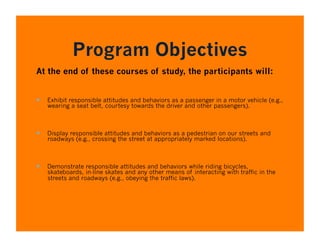
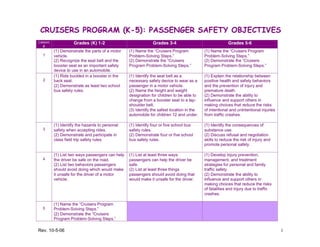
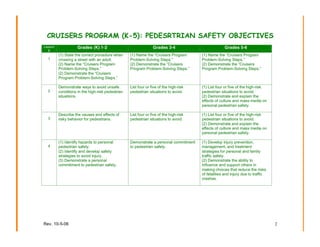
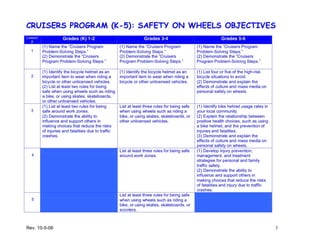
Program Objectives
At the end of these courses of study, the participants will:


  Exhibit responsible attitudes and behaviors as a passenger in a motor vehicle (e.g.,
   wearing a seat belt, courtesy towards the driver and other passengers).


  Display responsible attitudes and behaviors as a pedestrian on our streets and
   roadways (e.g., crossing the street at appropriately marked locations).


  Demonstrate responsible attitudes and behaviors while riding bicycles,
   skateboards, in-line skates and any other means of interacting with traffic in the
   streets and roadways (e.g., obeying the traffic laws).
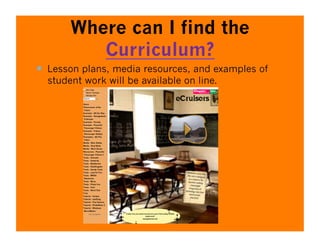
Where can I find the
          Curriculum?
  Lesson plans, media resources, and examples of
  student work will be available on line.
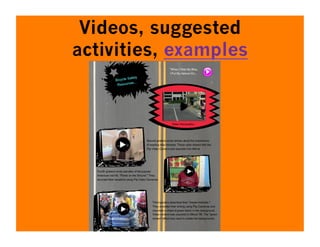
Videos, suggested
activities, examples
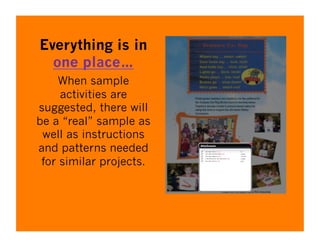
Everything is in
  one place…
     When sample
     activities are
suggested, there will
be a “real” sample as
 well as instructions
and patterns needed
 for similar projects.
Individualized Professional
       Development
  Available equipment/in some cases equipment we
  may be able to “loan” to your school

  Identify processes you would like to introduce
  (podcasting, movies, web 2.0 tools)

  Flexible schedule – during school, after school,
  during district-scheduled in-service time

  Complete paper work to assist with “Technology
  Proficiency” requirements
What have you agreed to
                  do?
  Teach the Cruiser Curriculum in a way that you find appropriate
  Attend Professional Development sessions designed to meet
  your needs

  Engage your students in the use of some sort of technology –
  whether you are teaching with the technology to support
  Cruisers or engaging your students in the production of
  products

  Share digital/electronic examples you create with your students
  so that we can use these as models for other teachers

  Administer the post test
Possible Topics
  PBL: What is it & how can I use it to
     advance 21st Century Learning Skills
  Organizing instruction
 
     http://livebinders.com/play/play/
     23915
Tools of the Trade
 Digital voice recorders
 Flip Cameras
 Digital video and still photos
 Web 2.0 Tools
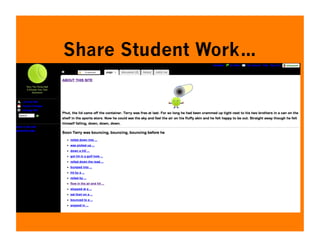
Share Student Work…
**Student work…**


Projects can be as simple as creating slideshows that can be displayed
in class, linked to a teacher’s web site, or emailed home to parents.
As simple as providing a
real audience for student
        writing…


Great starting point…let children video their writing.
…practice fluency, work on speaking skills, and so much more…
Other


Use iMovie, Moviemaker, or iPhoto to add music and a bit
of “flair” to student writing…
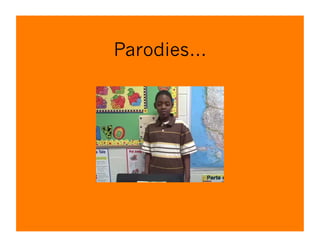
Parodies…
Web Cams & Avatars
All this and so much more…
  Our #1 goal is always to help students develop safe,
  responsible attitudes when they are passengers,
  when they are pedestrians, and when they are in
  charge of the wheel.
  Help students interact, safely, using free web based
  tools…
  Provide teachers with resources they can actually
  use…without infinite searching.
  Provide one-on-one mentoring for interested
  teachers
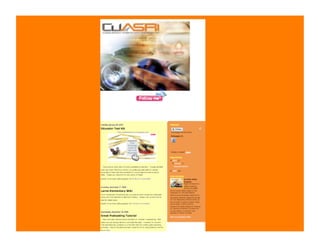
Check out my “Blogspot”
 This will be a site that I can
 use for sharing ideas, web
 sites, and information with
 you.
      eCruiser Blogspot
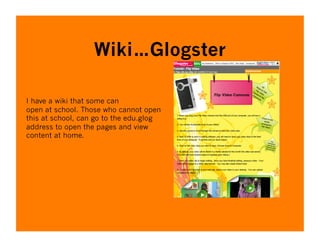
Wiki…Glogster

I have a wiki that some can
open at school. Those who cannot open
this at school, can go to the edu.glog
address to open the pages and view
content at home.
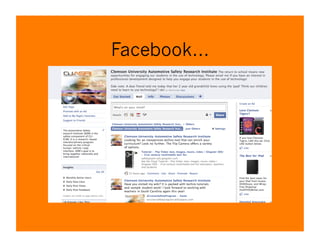
Facebook…
Where Do We Go From
            Here?
  1. Decide whether or not you would like for your school
  to be a part of this program.

  2. Speak with your teachers, or invite me back to do so.
  Establish a core group of participants & plan a date for
  initial contact – training, etc.

  Set up a schedule – pre tests/working with curriculum/
  professional development/

  Plan professional development…I would like feedback –
  what interests teachers, etc.
Suggested Topics

  1) Presentation Description: Learn to use avatars
  and vokis to enhance classroom presentations and
  engage students in sharing ideas related to
  curriculum content. Try out tools available on line
  as well as software available from Logitech
  Examples of student work will be provided.
Topic #2
  2) Presentation Description: Try out a variety of
  Web 2.0 video and slideshow presenting tools.
  These can be exciting tools for sharing student
  engagement in projects as well as for sharing
  research. Be sure to bring your laptop and your
  photo files! Creating these projects takes only a
  few mouse clicks!
Topic #3
  3) Presentation Description: Move beyond one
  dimensional projects! Bring your laptops and
  discover exciting web 2.0 interactive tools
  including Glogster, ScreenToaster, and Voki that
  can be used to create and enhance wikis. Discover
  how teachers have used these tools to enhance
  instruction.
Topic #3
  Neat tools that can enhance learning and support
     your instructional programs.

       For example:
     http://nlvm.usu.edu/en/nav/
     category_g_2_t_1.html

2011 eCruisers Introduction

  • 1.
    Kaye Carraway eCruiser SafetyProgram D-139-A Poole Ag Center Clemson University Clemson, SC 29634-0931 email: kayec@clemson.edu 656-0410
  • 2.
    Using Technology to Empower and Engage Students There is a plethora of technology available to students and teachers. I can help identify tools that “work” in school settings. More importantly, I can teach teachers to use these tools and suggest meaningful points of departure for using them. ***eCruisers Safety Program***
  • 3.
  • 4.
    Program Objectives At theend of these courses of study, the participants will:   Exhibit responsible attitudes and behaviors as a passenger in a motor vehicle (e.g., wearing a seat belt, courtesy towards the driver and other passengers).   Display responsible attitudes and behaviors as a pedestrian on our streets and roadways (e.g., crossing the street at appropriately marked locations).   Demonstrate responsible attitudes and behaviors while riding bicycles, skateboards, in-line skates and any other means of interacting with traffic in the streets and roadways (e.g., obeying the traffic laws).
  • 5.
    Where can Ifind the Curriculum?   Lesson plans, media resources, and examples of student work will be available on line.
  • 6.
  • 7.
    Everything is in one place… When sample activities are suggested, there will be a “real” sample as well as instructions and patterns needed for similar projects.
  • 8.
    Individualized Professional Development   Available equipment/in some cases equipment we may be able to “loan” to your school   Identify processes you would like to introduce (podcasting, movies, web 2.0 tools)   Flexible schedule – during school, after school, during district-scheduled in-service time   Complete paper work to assist with “Technology Proficiency” requirements
  • 9.
    What have youagreed to do?   Teach the Cruiser Curriculum in a way that you find appropriate   Attend Professional Development sessions designed to meet your needs   Engage your students in the use of some sort of technology – whether you are teaching with the technology to support Cruisers or engaging your students in the production of products   Share digital/electronic examples you create with your students so that we can use these as models for other teachers   Administer the post test
  • 13.
    Possible Topics   PBL:What is it & how can I use it to advance 21st Century Learning Skills   Organizing instruction   http://livebinders.com/play/play/ 23915
  • 14.
    Tools of theTrade  Digital voice recorders  Flip Cameras  Digital video and still photos  Web 2.0 Tools
  • 15.
  • 16.
    **Student work…** Projects canbe as simple as creating slideshows that can be displayed in class, linked to a teacher’s web site, or emailed home to parents.
  • 17.
    As simple asproviding a real audience for student writing… Great starting point…let children video their writing. …practice fluency, work on speaking skills, and so much more…
  • 18.
    Other Use iMovie, Moviemaker,or iPhoto to add music and a bit of “flair” to student writing…
  • 19.
  • 20.
    Web Cams &Avatars
  • 21.
    All this andso much more…   Our #1 goal is always to help students develop safe, responsible attitudes when they are passengers, when they are pedestrians, and when they are in charge of the wheel.   Help students interact, safely, using free web based tools…   Provide teachers with resources they can actually use…without infinite searching.   Provide one-on-one mentoring for interested teachers
  • 22.
    Check out my“Blogspot”  This will be a site that I can use for sharing ideas, web sites, and information with you. eCruiser Blogspot
  • 24.
    Wiki…Glogster I have awiki that some can open at school. Those who cannot open this at school, can go to the edu.glog address to open the pages and view content at home.
  • 25.
  • 26.
    Where Do WeGo From Here?   1. Decide whether or not you would like for your school to be a part of this program.   2. Speak with your teachers, or invite me back to do so.   Establish a core group of participants & plan a date for initial contact – training, etc.   Set up a schedule – pre tests/working with curriculum/ professional development/   Plan professional development…I would like feedback – what interests teachers, etc.
  • 27.
    Suggested Topics   1)Presentation Description: Learn to use avatars and vokis to enhance classroom presentations and engage students in sharing ideas related to curriculum content. Try out tools available on line as well as software available from Logitech Examples of student work will be provided.
  • 28.
    Topic #2   2)Presentation Description: Try out a variety of Web 2.0 video and slideshow presenting tools. These can be exciting tools for sharing student engagement in projects as well as for sharing research. Be sure to bring your laptop and your photo files! Creating these projects takes only a few mouse clicks!
  • 29.
    Topic #3   3)Presentation Description: Move beyond one dimensional projects! Bring your laptops and discover exciting web 2.0 interactive tools including Glogster, ScreenToaster, and Voki that can be used to create and enhance wikis. Discover how teachers have used these tools to enhance instruction.
  • 30.
    Topic #3   Neattools that can enhance learning and support your instructional programs.   For example: http://nlvm.usu.edu/en/nav/ category_g_2_t_1.html