Learning with Apps
El incremento de las tablets ofrece interesantes
oportunidades para aproximarnos a un universo casi
ilimitado de nuevas herramientas para la gestión de
la información, la creación distribuida de
conocimiento y el aprendizaje auto-administrado.
El workshop incluye un dossier de herramientas
digitales, incluye un brainstorming de
aplicaciones que ofrecen un verdadero valor
añadido al aprendizaje (ya sea formal o informal).
Por último, se analiza la creciente adopción de
tablets en bibliotecas y posibles escenarios futuros
para los eBooks. ¿Cuáles son las mejores
aplicaciones? ¿Cómo aprender a utilizarlas? ¿Cómo
incorporarlas en mi clase?
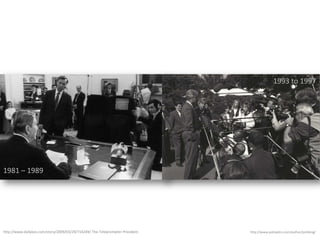
1993 to 1997

1981 – 1989

http://www.dailykos.com/story/2009/03/29/714249/-The-Teleprompter-President

http://www.polioptics.com/author/joshking/
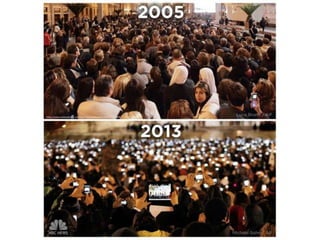
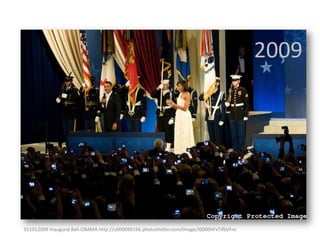
2009

011012009 Inaugural Ball-OBAMA http://u000090166.photoshelter.com/image/I0000HFxTifbVFnc
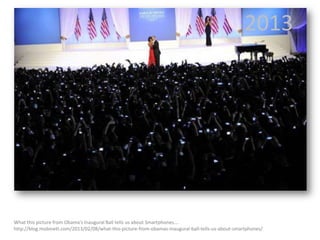
2013

What this picture from Obama’s Inaugural Ball tells us about Smartphones….
http://blog.mobinett.com/2013/02/08/what-this-picture-from-obamas-inaugural-ball-tells-us-about-smartphones/
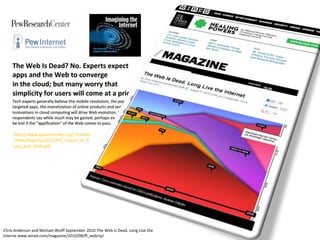
http://www.pewinternet.org/~/media
/Files/Reports/2012/PIP_Future_of_A
pps_and_Web.pdf

Chris Anderson and Michael Wolff September 2010 The Web Is Dead. Long Live the
Interne www.wired.com/magazine/2010/08/ff_webrip/
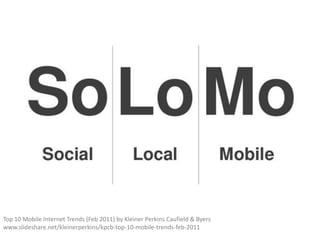
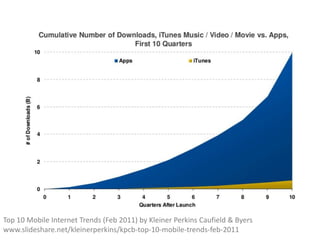
Top 10 Mobile Internet Trends (Feb 2011) by Kleiner Perkins Caufield & Byers
www.slideshare.net/kleinerperkins/kpcb-top-10-mobile-trends-feb-2011
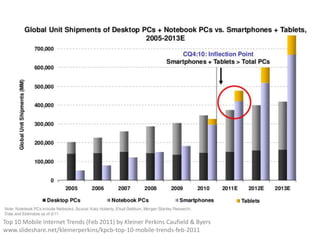
Top 10 Mobile Internet Trends (Feb 2011) by Kleiner Perkins Caufield & Byers
www.slideshare.net/kleinerperkins/kpcb-top-10-mobile-trends-feb-2011
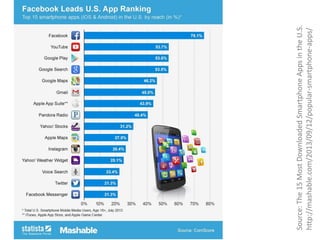
Source: The 15 Most Downloaded Smartphone Apps in the U.S.
http://mashable.com/2013/09/12/popular-smartphone-apps/
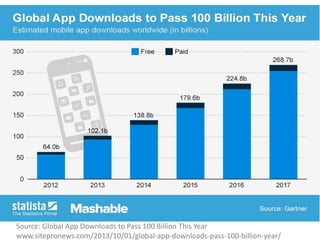
Source: Global App Downloads to Pass 100 Billion This Year
www.sitepronews.com/2013/10/01/global-app-downloads-pass-100-billion-year/
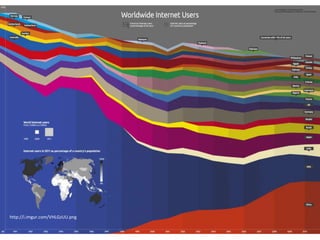
http://i.imgur.com/VHLGzUU.png
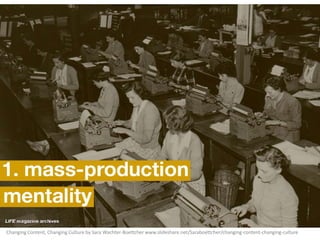
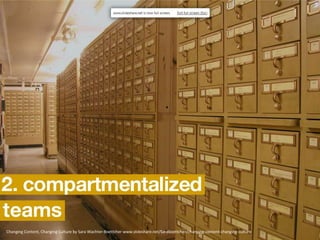
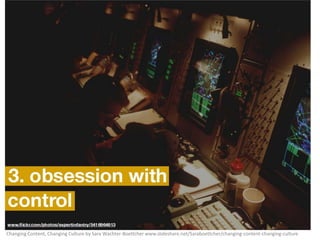
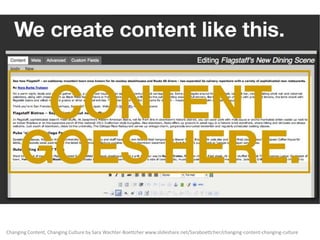
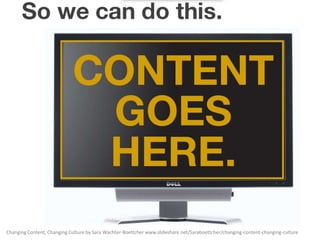
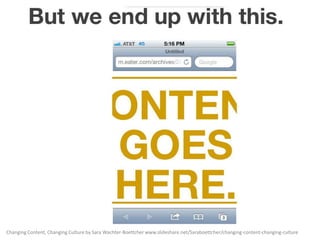
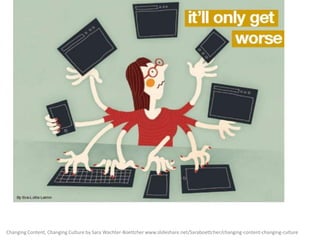
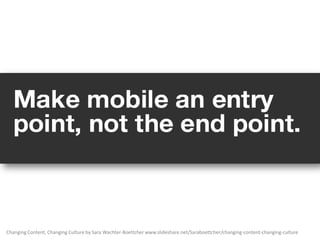
Changing Content, Changing Culture by Sara Wachter-Boettcher www.slideshare.net/Saraboettcher/changing-content-changing-culture
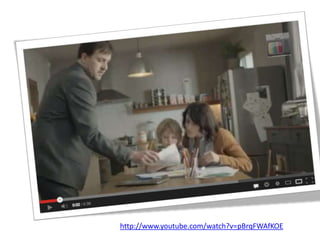
http://www.youtube.com/watch?v=pBrqFWAfKOE
18
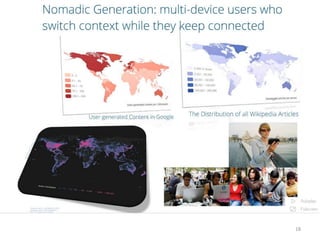
http://www.ragtag.info/2011/feb/2/history-world-100-seconds/

telegeography.com

Access only 2 every 7

One (random) day in
Wikipedia…

Digital divide+> connectivity
424,000 articles 14,200 geo-tagged events.
[by Gareth Lloyd and Tom Martin.]
Graham, M., Hale, S. A. and Stephens, M. (2011) Geographies of the World’s Knowledge. London,
Convoco! Edition. Oxford Internet Institute.

84% articles from EU and US

More Articles of Antarctica than any other
country in South America or Africa 19
Top 10 Mobile Internet Trends (Feb 2011) by Kleiner Perkins Caufield & Byers
www.slideshare.net/kleinerperkins/kpcb-top-10-mobile-trends-feb-2011
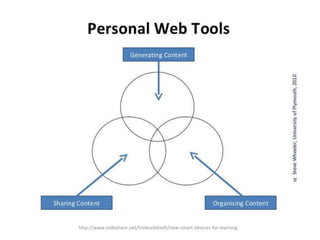
http://www.slideshare.net/timbuckteeth/new-smart-devices-for-learning
http://www.mobypicture.com/user/vicentedepablo/view/14953449
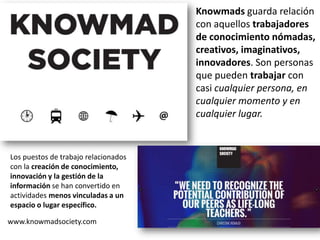
Knowmads guarda relación
con aquellos trabajadores
de conocimiento nómadas,
creativos, imaginativos,
innovadores. Son personas
que pueden trabajar con
casi cualquier persona, en
cualquier momento y en
cualquier lugar.

Los puestos de trabajo relacionados
con la creación de conocimiento,
innovación y la gestión de la
información se han convertido en
actividades menos vinculadas a un
espacio o lugar específico.
www.knowmadsociety.com
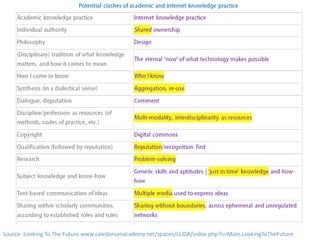
Source: Looking To The Future www.caledonianacademy.net/spaces/LLiDA/index.php?n=Main.LookingToTheFuture
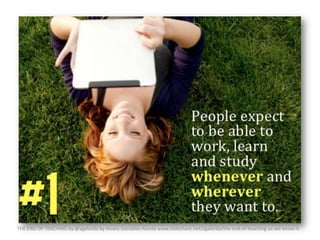
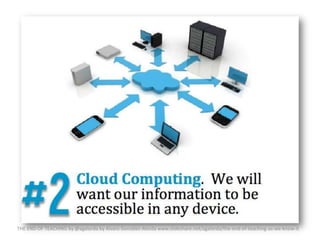
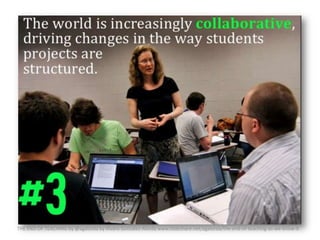
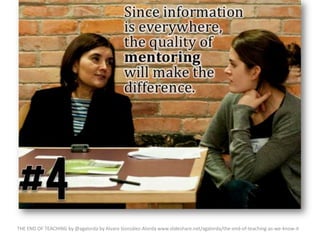
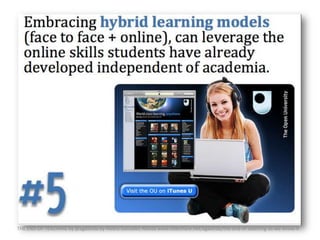
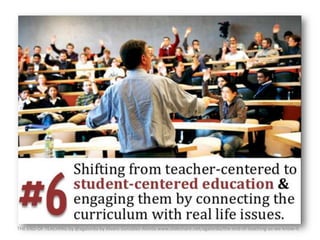
THE END OF TEACHING by @agalorda by Alvaro González-Alorda www.slideshare.net/agalorda/the-end-of-teaching-as-we-know-it
Changing Content, Changing Culture by Sara Wachter-Boettcher www.slideshare.net/Saraboettcher/changing-content-changing-culture
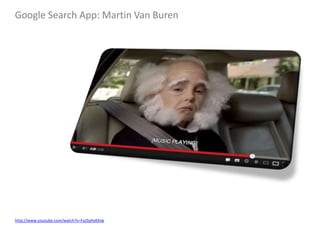
Google Search App: Martin Van Buren

http://www.youtube.com/watch?v=FyJZqHyKKIw
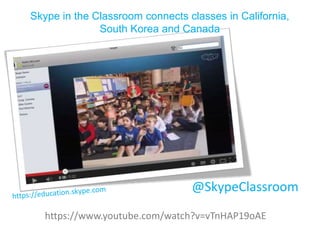
Skype in the Classroom connects classes in California,
South Korea and Canada

@SkypeClassroom
https://www.youtube.com/watch?v=vTnHAP19oAE
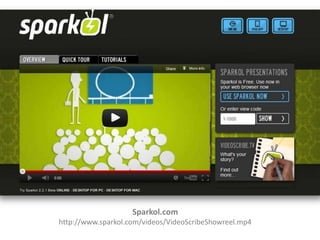
Sparkol.com
http://www.sparkol.com/videos/VideoScribeShowreel.mp4
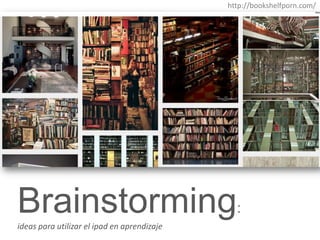
http://bookshelfporn.com/

Brainstorming:
ideas para utilizar el ipad en aprendizaje
Some rights reserved by César Poyatos
www.flickr.com/photos/cpoyatos/6803255704/sizes/z/in/photostream/
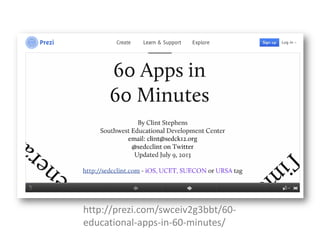
http://prezi.com/swceiv2g3bbt/60educational-apps-in-60-minutes/
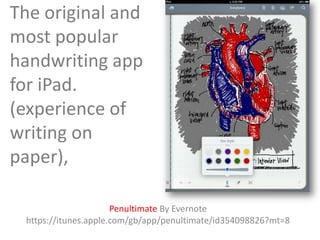
The original and
most popular
handwriting app
for iPad.
(experience of
writing on
paper),
Penultimate By Evernote
https://itunes.apple.com/gb/app/penultimate/id354098826?mt=8
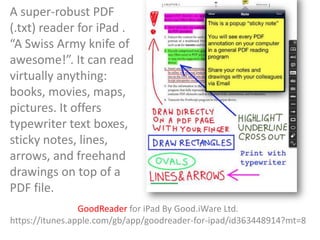
A super-robust PDF
(.txt) reader for iPad .
“A Swiss Army knife of
awesome!”. It can read
virtually anything:
books, movies, maps,
pictures. It offers
typewriter text boxes,
sticky notes, lines,
arrows, and freehand
drawings on top of a
PDF file.
GoodReader for iPad By Good.iWare Ltd.
https://itunes.apple.com/gb/app/goodreader-for-ipad/id363448914?mt=8
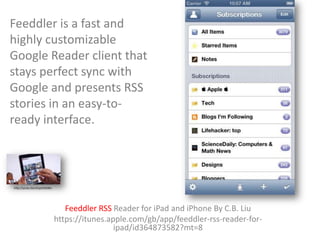
Feeddler is a fast and
highly customizable
Google Reader client that
stays perfect sync with
Google and presents RSS
stories in an easy-toready interface.

http://youtu.be/v2vpvEDS00o

Feeddler RSS Reader for iPad and iPhone By C.B. Liu
https://itunes.apple.com/gb/app/feeddler-rss-reader-foripad/id364873582?mt=8
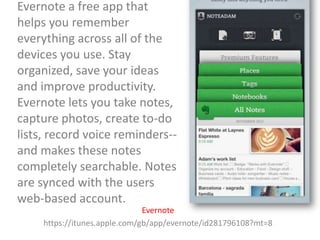
Evernote a free app that
helps you remember
everything across all of the
devices you use. Stay
organized, save your ideas
and improve productivity.
Evernote lets you take notes,
capture photos, create to-do
lists, record voice reminders-and makes these notes
completely searchable. Notes
are synced with the users
web-based account.
Evernote
https://itunes.apple.com/gb/app/evernote/id281796108?mt=8
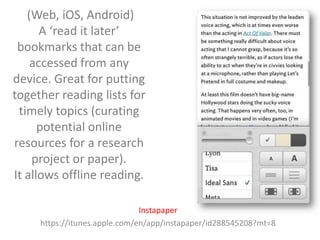
(Web, iOS, Android)
A ‘read it later’
bookmarks that can be
accessed from any
device. Great for putting
together reading lists for
timely topics (curating
potential online
resources for a research
project or paper).
It allows offline reading.
Instapaper
https://itunes.apple.com/en/app/instapaper/id288545208?mt=8
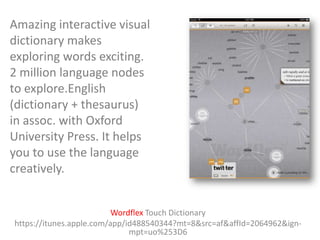
Amazing interactive visual
dictionary makes
exploring words exciting.
2 million language nodes
to explore.English
(dictionary + thesaurus)
in assoc. with Oxford
University Press. It helps
you to use the language
creatively.
Wordflex Touch Dictionary
https://itunes.apple.com/app/id488540344?mt=8&src=af&affId=2064962&ignmpt=uo%253D6
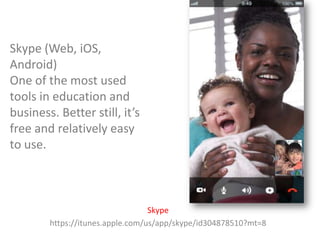
Skype (Web, iOS,
Android)
One of the most used
tools in education and
business. Better still, it’s
free and relatively easy
to use.

Skype
https://itunes.apple.com/us/app/skype/id304878510?mt=8
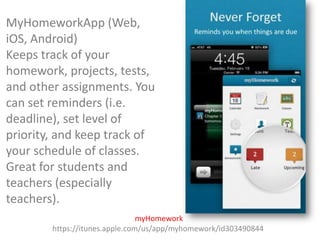
MyHomeworkApp (Web,
iOS, Android)
Keeps track of your
homework, projects, tests,
and other assignments. You
can set reminders (i.e.
deadline), set level of
priority, and keep track of
your schedule of classes.
Great for students and
teachers (especially
teachers).
myHomework
https://itunes.apple.com/us/app/myhomework/id303490844
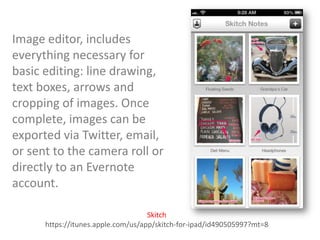
Image editor, includes
everything necessary for
basic editing: line drawing,
text boxes, arrows and
cropping of images. Once
complete, images can be
exported via Twitter, email,
or sent to the camera roll or
directly to an Evernote
account.
Skitch
https://itunes.apple.com/us/app/skitch-for-ipad/id490505997?mt=8
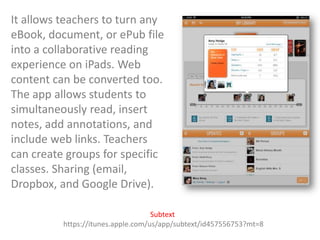
It allows teachers to turn any
eBook, document, or ePub file
into a collaborative reading
experience on iPads. Web
content can be converted too.
The app allows students to
simultaneously read, insert
notes, add annotations, and
include web links. Teachers
can create groups for specific
classes. Sharing (email,
Dropbox, and Google Drive).
Subtext
https://itunes.apple.com/us/app/subtext/id457556753?mt=8
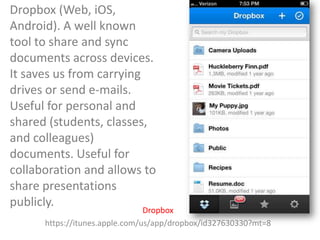
Dropbox (Web, iOS,
Android). A well known
tool to share and sync
documents across devices.
It saves us from carrying
drives or send e-mails.
Useful for personal and
shared (students, classes,
and colleagues)
documents. Useful for
collaboration and allows to
share presentations
publicly.

Dropbox
https://itunes.apple.com/us/app/dropbox/id327630330?mt=8
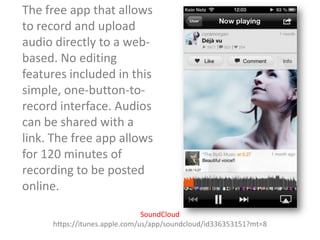
The free app that allows
to record and upload
audio directly to a webbased. No editing
features included in this
simple, one-button-torecord interface. Audios
can be shared with a
link. The free app allows
for 120 minutes of
recording to be posted
online.
SoundCloud
https://itunes.apple.com/us/app/soundcloud/id336353151?mt=8
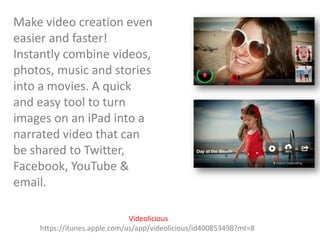
Make video creation even
easier and faster!
Instantly combine videos,
photos, music and stories
into a movies. A quick
and easy tool to turn
images on an iPad into a
narrated video that can
be shared to Twitter,
Facebook, YouTube &
email.
Videolicious
https://itunes.apple.com/us/app/videolicious/id400853498?mt=8
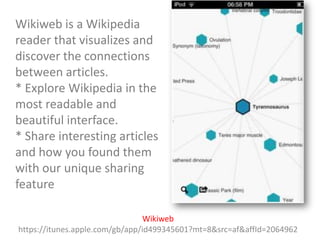
Wikiweb is a Wikipedia
reader that visualizes and
discover the connections
between articles.
* Explore Wikipedia in the
most readable and
beautiful interface.
* Share interesting articles
and how you found them
with our unique sharing
feature
Wikiweb
https://itunes.apple.com/gb/app/id499345601?mt=8&src=af&affId=2064962
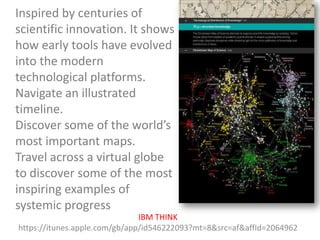
Inspired by centuries of
scientific innovation. It shows
how early tools have evolved
into the modern
technological platforms.
Navigate an illustrated
timeline.
Discover some of the world’s
most important maps.
Travel across a virtual globe
to discover some of the most
inspiring examples of
systemic progress
IBM THINK
https://itunes.apple.com/gb/app/id546222093?mt=8&src=af&affId=2064962
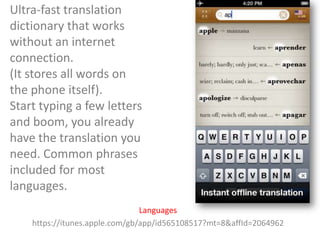
Ultra-fast translation
dictionary that works
without an internet
connection.
(It stores all words on
the phone itself).
Start typing a few letters
and boom, you already
have the translation you
need. Common phrases
included for most
languages.
Languages
https://itunes.apple.com/gb/app/id565108517?mt=8&affId=2064962
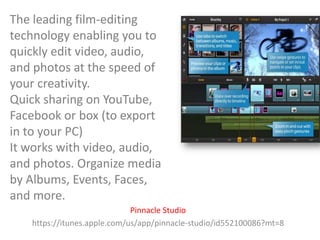
The leading film-editing
technology enabling you to
quickly edit video, audio,
and photos at the speed of
your creativity.
Quick sharing on YouTube,
Facebook or box (to export
in to your PC)
It works with video, audio,
and photos. Organize media
by Albums, Events, Faces,
and more.
Pinnacle Studio
https://itunes.apple.com/us/app/pinnacle-studio/id552100086?mt=8
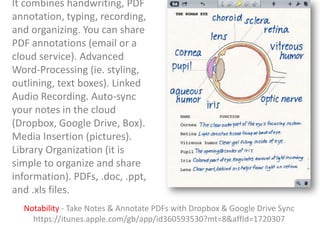
It combines handwriting, PDF
annotation, typing, recording,
and organizing. You can share
PDF annotations (email or a
cloud service). Advanced
Word-Processing (ie. styling,
outlining, text boxes). Linked
Audio Recording. Auto-sync
your notes in the cloud
(Dropbox, Google Drive, Box).
Media Insertion (pictures).
Library Organization (it is
simple to organize and share
information). PDFs, .doc, .ppt,
and .xls files.
Notability - Take Notes & Annotate PDFs with Dropbox & Google Drive Sync
https://itunes.apple.com/gb/app/id360593530?mt=8&affId=1720307
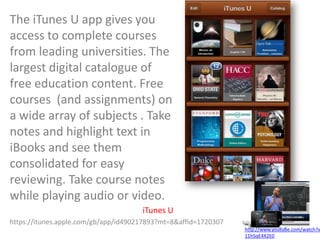
The iTunes U app gives you
access to complete courses
from leading universities. The
largest digital catalogue of
free education content. Free
courses (and assignments) on
a wide array of subjects . Take
notes and highlight text in
iBooks and see them
consolidated for easy
reviewing. Take course notes
while playing audio or video.
iTunes U
https://itunes.apple.com/gb/app/id490217893?mt=8&affId=1720307

http://www.youtube.com/watch?v
11hSqE4X2E0
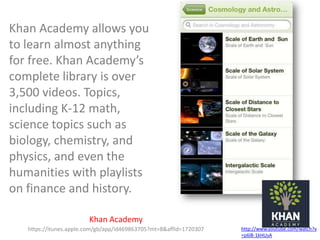
Khan Academy allows you
to learn almost anything
for free. Khan Academy’s
complete library is over
3,500 videos. Topics,
including K-12 math,
science topics such as
biology, chemistry, and
physics, and even the
humanities with playlists
on finance and history.
Khan Academy
https://itunes.apple.com/gb/app/id469863705?mt=8&affId=1720307

http://www.youtube.com/watch?v
=p6l8-1kHUsA
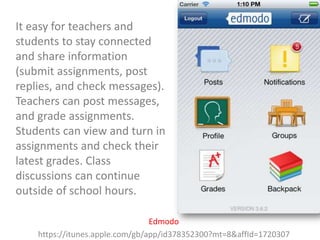
It easy for teachers and
students to stay connected
and share information
(submit assignments, post
replies, and check messages).
Teachers can post messages,
and grade assignments.
Students can view and turn in
assignments and check their
latest grades. Class
discussions can continue
outside of school hours.
Edmodo
https://itunes.apple.com/gb/app/id378352300?mt=8&affId=1720307
Find more than 1,400
TED Talk videos.
Watch TEDTalks with
subtitles in over 90
languages. Curate your
own playlist. Download
full videos to your
device and watch them
when you’re offline.
TED Conferences
https://itunes.apple.com/us/app/ted/id376183339?mt=8&ign-mpt=uo%3D2
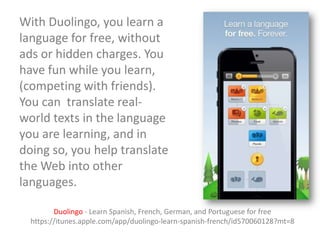
With Duolingo, you learn a
language for free, without
ads or hidden charges. You
have fun while you learn,
(competing with friends).
You can translate realworld texts in the language
you are learning, and in
doing so, you help translate
the Web into other
languages.
Duolingo - Learn Spanish, French, German, and Portuguese for free
https://itunes.apple.com/app/duolingo-learn-spanish-french/id570060128?mt=8
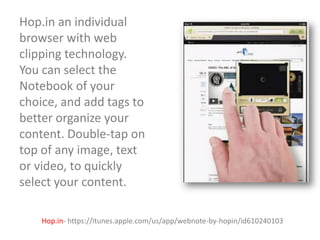
Hop.in an individual
browser with web
clipping technology.
You can select the
Notebook of your
choice, and add tags to
better organize your
content. Double-tap on
top of any image, text
or video, to quickly
select your content.
Hop.in- https://itunes.apple.com/us/app/webnote-by-hopin/id610240103
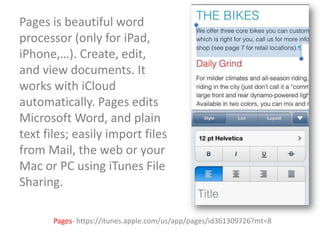
Pages is beautiful word
processor (only for iPad,
iPhone,…). Create, edit,
and view documents. It
works with iCloud
automatically. Pages edits
Microsoft Word, and plain
text files; easily import files
from Mail, the web or your
Mac or PC using iTunes File
Sharing.
Pages- https://itunes.apple.com/us/app/pages/id361309726?mt=8
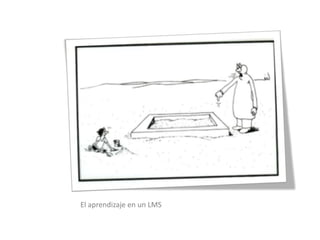
El aprendizaje en un LMS
teams of 4-5
• Share and discuss some of the most useful
Apps (make a 'shareable' directory).
• Make a "map" of post-it with the best Apps,
explaining their interaction. Choose the 3 most
useful educational tools.
• Design (in group) a learning activity (i.e. class,
workshop) using at least 3 App.
Equipos de 4-5
• Discutir en grupo las Apps que se utilizan
(hacer un directorio con las mejores).
• De las Apps expuestas (taller) compartir las 3
herramientas más útiles para educación. Hacer
un mapa de post-it con las mejores Apps
organizadas por según utilidad.
• En equipo diseñar una actividad de aprendizaje
usando 3 o más App.
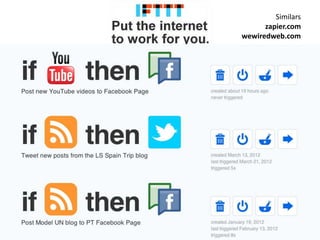
Similars
zapier.com
wewiredweb.com
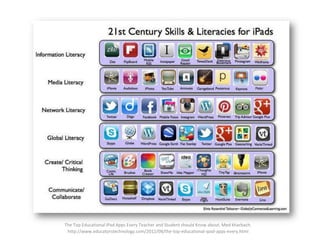
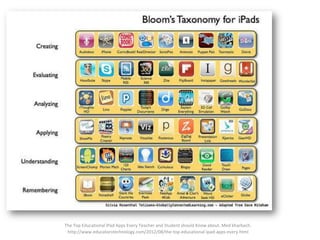
The Top Educational iPad Apps Every Teacher and Student should Know about. Med kharbach.
http://www.educatorstechnology.com/2012/08/the-top-educational-ipad-apps-every.html
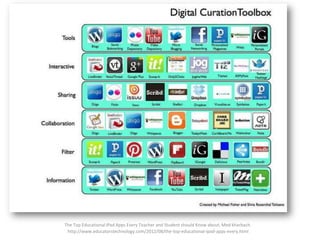
The Top Educational iPad Apps Every Teacher and Student should Know about. Med kharbach.
http://www.educatorstechnology.com/2012/08/the-top-educational-ipad-apps-every.html
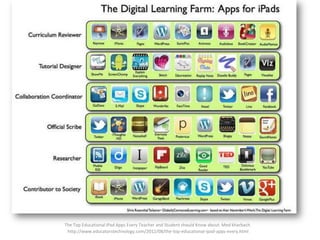
The Top Educational iPad Apps Every Teacher and Student should Know about. Med kharbach.
http://www.educatorstechnology.com/2012/08/the-top-educational-ipad-apps-every.html
The Top Educational iPad Apps Every Teacher and Student should Know about. Med kharbach.
http://www.educatorstechnology.com/2012/08/the-top-educational-ipad-apps-every.html
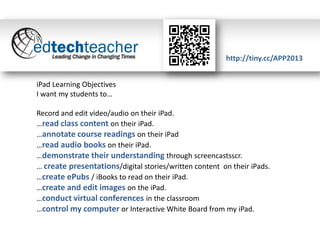
http://tiny.cc/APP2013
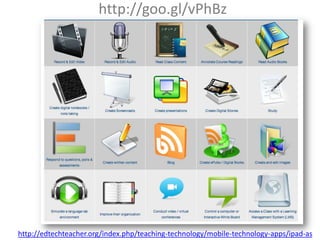
iPad Learning Objectives
I want my students to…

Record and edit video/audio on their iPad.
…read class content on their iPad.
…annotate course readings on their iPad
…read audio books on their iPad.
…demonstrate their understanding through screencastsscr.
… create presentations/digital stories/written content on their iPads.
…create ePubs / iBooks to read on their iPad.
…create and edit images on the iPad.
…conduct virtual conferences in the classroom
…control my computer or Interactive White Board from my iPad.
http://goo.gl/vPhBz

http://edtechteacher.org/index.php/teaching-technology/mobile-technology-apps/ipad-as
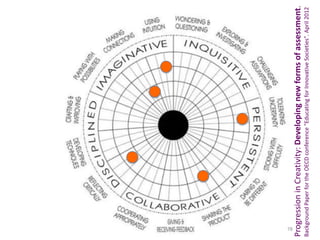
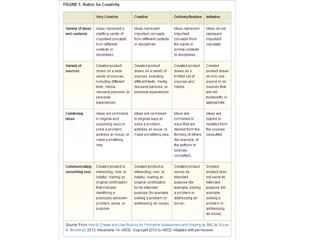
Background Paper for the OECD conference "Educating for Innovative Societies". April 2012

Progression in Creativity: Developing new forms of assessment.

78
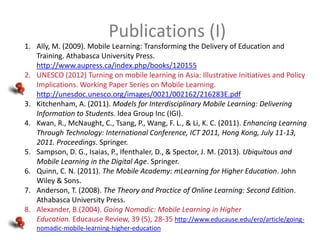
Publications (I)
1. Ally, M. (2009). Mobile Learning: Transforming the Delivery of Education and
Training. Athabasca University Press.
http://www.aupress.ca/index.php/books/120155
2. UNESCO (2012) Turning on mobile learning in Asia: Illustrative Initiatives and Policy
Implications. Working Paper Series on Mobile Learning.
http://unesdoc.unesco.org/images/0021/002162/216283E.pdf
3. Kitchenham, A. (2011). Models for Interdisciplinary Mobile Learning: Delivering
Information to Students. Idea Group Inc (IGI).
4. Kwan, R., McNaught, C., Tsang, P., Wang, F. L., & Li, K. C. (2011). Enhancing Learning
Through Technology: International Conference, ICT 2011, Hong Kong, July 11-13,
2011. Proceedings. Springer.
5. Sampson, D. G., Isaias, P., Ifenthaler, D., & Spector, J. M. (2013). Ubiquitous and
Mobile Learning in the Digital Age. Springer.
6. Quinn, C. N. (2011). The Mobile Academy: mLearning for Higher Education. John
Wiley & Sons.
7. Anderson, T. (2008). The Theory and Practice of Online Learning: Second Edition.
Athabasca University Press.
8. Alexander, B.(2004). Going Nomadic: Mobile Learning in Higher
Education. Educause Review, 39 (5), 28-35 http://www.educause.edu/ero/article/goingnomadic-mobile-learning-higher-education
Publications (II)
1. Kukulska-Hulme, A., & Traxler, J. (2005). Mobile Learning: A Handbook for
Educators and Trainers. Routledge.
2. BSc, P. D. M. S., (Hons), P. D. J. T. B., & Dr. Giasemi Vavoula BSc, Ms. (2010). A
Theory of Learning for the Mobile Age. In P. D. B. Bachmair (Ed.), Medienbildung
in neuen Kulturräumen (pp. 87–99). VS Verlag für Sozialwissenschaften.
Retrieved from http://link.springer.com/chapter/10.1007/978-3-531-92133-4_6
3. Cochrane, T., & Bateman, R. (2010). Smartphones give you wings: Pedagogical
affordances of mobile Web 2.0. Australasian Journal of Educational Technology,
26(1), 1–14. http://www.ascilite.org.au/ajet/ajet26/cochrane.html
4. Hwang, G.-J., & Chang, H.-F. (2011). A formative assessment-based mobile
learning approach to improving the learning attitudes and achievements of
students. Computers & Education, 56(4), 1023–1031.
doi:10.1016/j.compedu.2010.12.002
5. Johnson, L. F., Adams, S., & Cummins, M. (2012). Horizon report: 2012 higher
education edition. Retrieved from http://www.voced.edu.au/content/ngv53771
6. Rudy De Waele. (2010, January 6). Mobile Trends 2020. Business & Mgmt.
Retrieved from http://www.slideshare.net/rudydw/mobile-trends-2020
new tools

http://www.kickstarter.com/projects/1351910088/3doodler
-the-worlds-first-3d-printing-pen

http://vimeo.com/24302498
@cristobalcobo
http://tiny.cc/ppts

Oxford Internet Institute Research Fellow.

Apps en tablets para el aprendizaje (formal e informal)

  • 1.
  • 2.
    El incremento delas tablets ofrece interesantes oportunidades para aproximarnos a un universo casi ilimitado de nuevas herramientas para la gestión de la información, la creación distribuida de conocimiento y el aprendizaje auto-administrado. El workshop incluye un dossier de herramientas digitales, incluye un brainstorming de aplicaciones que ofrecen un verdadero valor añadido al aprendizaje (ya sea formal o informal). Por último, se analiza la creciente adopción de tablets en bibliotecas y posibles escenarios futuros para los eBooks. ¿Cuáles son las mejores aplicaciones? ¿Cómo aprender a utilizarlas? ¿Cómo incorporarlas en mi clase?
  • 3.
    1993 to 1997 1981– 1989 http://www.dailykos.com/story/2009/03/29/714249/-The-Teleprompter-President http://www.polioptics.com/author/joshking/
  • 4.
    2009 011012009 Inaugural Ball-OBAMAhttp://u000090166.photoshelter.com/image/I0000HFxTifbVFnc
  • 5.
    2013 What this picturefrom Obama’s Inaugural Ball tells us about Smartphones…. http://blog.mobinett.com/2013/02/08/what-this-picture-from-obamas-inaugural-ball-tells-us-about-smartphones/
  • 6.
    http://www.pewinternet.org/~/media /Files/Reports/2012/PIP_Future_of_A pps_and_Web.pdf Chris Anderson andMichael Wolff September 2010 The Web Is Dead. Long Live the Interne www.wired.com/magazine/2010/08/ff_webrip/
  • 7.
    Top 10 MobileInternet Trends (Feb 2011) by Kleiner Perkins Caufield & Byers www.slideshare.net/kleinerperkins/kpcb-top-10-mobile-trends-feb-2011
  • 8.
    Top 10 MobileInternet Trends (Feb 2011) by Kleiner Perkins Caufield & Byers www.slideshare.net/kleinerperkins/kpcb-top-10-mobile-trends-feb-2011
  • 9.
    Source: The 15Most Downloaded Smartphone Apps in the U.S. http://mashable.com/2013/09/12/popular-smartphone-apps/
  • 10.
    Source: Global AppDownloads to Pass 100 Billion This Year www.sitepronews.com/2013/10/01/global-app-downloads-pass-100-billion-year/
  • 11.
  • 12.
    Changing Content, ChangingCulture by Sara Wachter-Boettcher www.slideshare.net/Saraboettcher/changing-content-changing-culture
  • 13.
    Changing Content, ChangingCulture by Sara Wachter-Boettcher www.slideshare.net/Saraboettcher/changing-content-changing-culture
  • 14.
    Changing Content, ChangingCulture by Sara Wachter-Boettcher www.slideshare.net/Saraboettcher/changing-content-changing-culture
  • 15.
    Changing Content, ChangingCulture by Sara Wachter-Boettcher www.slideshare.net/Saraboettcher/changing-content-changing-culture
  • 16.
    Changing Content, ChangingCulture by Sara Wachter-Boettcher www.slideshare.net/Saraboettcher/changing-content-changing-culture
  • 17.
  • 18.
  • 19.
    http://www.ragtag.info/2011/feb/2/history-world-100-seconds/ telegeography.com Access only 2every 7 One (random) day in Wikipedia… Digital divide+> connectivity 424,000 articles 14,200 geo-tagged events. [by Gareth Lloyd and Tom Martin.] Graham, M., Hale, S. A. and Stephens, M. (2011) Geographies of the World’s Knowledge. London, Convoco! Edition. Oxford Internet Institute. 84% articles from EU and US More Articles of Antarctica than any other country in South America or Africa 19
  • 20.
    Top 10 MobileInternet Trends (Feb 2011) by Kleiner Perkins Caufield & Byers www.slideshare.net/kleinerperkins/kpcb-top-10-mobile-trends-feb-2011
  • 21.
  • 22.
  • 23.
    Knowmads guarda relación conaquellos trabajadores de conocimiento nómadas, creativos, imaginativos, innovadores. Son personas que pueden trabajar con casi cualquier persona, en cualquier momento y en cualquier lugar. Los puestos de trabajo relacionados con la creación de conocimiento, innovación y la gestión de la información se han convertido en actividades menos vinculadas a un espacio o lugar específico. www.knowmadsociety.com
  • 24.
    Source: Looking ToThe Future www.caledonianacademy.net/spaces/LLiDA/index.php?n=Main.LookingToTheFuture
  • 25.
    THE END OFTEACHING by @agalorda by Alvaro González-Alorda www.slideshare.net/agalorda/the-end-of-teaching-as-we-know-it
  • 26.
    THE END OFTEACHING by @agalorda by Alvaro González-Alorda www.slideshare.net/agalorda/the-end-of-teaching-as-we-know-it
  • 27.
    THE END OFTEACHING by @agalorda by Alvaro González-Alorda www.slideshare.net/agalorda/the-end-of-teaching-as-we-know-it
  • 28.
    THE END OFTEACHING by @agalorda by Alvaro González-Alorda www.slideshare.net/agalorda/the-end-of-teaching-as-we-know-it
  • 29.
    THE END OFTEACHING by @agalorda by Alvaro González-Alorda www.slideshare.net/agalorda/the-end-of-teaching-as-we-know-it
  • 30.
    THE END OFTEACHING by @agalorda by Alvaro González-Alorda www.slideshare.net/agalorda/the-end-of-teaching-as-we-know-it
  • 31.
    THE END OFTEACHING by @agalorda by Alvaro González-Alorda www.slideshare.net/agalorda/the-end-of-teaching-as-we-know-it
  • 32.
    Changing Content, ChangingCulture by Sara Wachter-Boettcher www.slideshare.net/Saraboettcher/changing-content-changing-culture
  • 33.
    Changing Content, ChangingCulture by Sara Wachter-Boettcher www.slideshare.net/Saraboettcher/changing-content-changing-culture
  • 34.
    Changing Content, ChangingCulture by Sara Wachter-Boettcher www.slideshare.net/Saraboettcher/changing-content-changing-culture
  • 35.
    Changing Content, ChangingCulture by Sara Wachter-Boettcher www.slideshare.net/Saraboettcher/changing-content-changing-culture
  • 36.
    Google Search App:Martin Van Buren http://www.youtube.com/watch?v=FyJZqHyKKIw
  • 37.
    Skype in theClassroom connects classes in California, South Korea and Canada @SkypeClassroom https://www.youtube.com/watch?v=vTnHAP19oAE
  • 38.
  • 39.
  • 40.
    Some rights reservedby César Poyatos www.flickr.com/photos/cpoyatos/6803255704/sizes/z/in/photostream/
  • 41.
  • 42.
    The original and mostpopular handwriting app for iPad. (experience of writing on paper), Penultimate By Evernote https://itunes.apple.com/gb/app/penultimate/id354098826?mt=8
  • 43.
    A super-robust PDF (.txt)reader for iPad . “A Swiss Army knife of awesome!”. It can read virtually anything: books, movies, maps, pictures. It offers typewriter text boxes, sticky notes, lines, arrows, and freehand drawings on top of a PDF file. GoodReader for iPad By Good.iWare Ltd. https://itunes.apple.com/gb/app/goodreader-for-ipad/id363448914?mt=8
  • 44.
    Feeddler is afast and highly customizable Google Reader client that stays perfect sync with Google and presents RSS stories in an easy-toready interface. http://youtu.be/v2vpvEDS00o Feeddler RSS Reader for iPad and iPhone By C.B. Liu https://itunes.apple.com/gb/app/feeddler-rss-reader-foripad/id364873582?mt=8
  • 45.
    Evernote a freeapp that helps you remember everything across all of the devices you use. Stay organized, save your ideas and improve productivity. Evernote lets you take notes, capture photos, create to-do lists, record voice reminders-and makes these notes completely searchable. Notes are synced with the users web-based account. Evernote https://itunes.apple.com/gb/app/evernote/id281796108?mt=8
  • 46.
    (Web, iOS, Android) A‘read it later’ bookmarks that can be accessed from any device. Great for putting together reading lists for timely topics (curating potential online resources for a research project or paper). It allows offline reading. Instapaper https://itunes.apple.com/en/app/instapaper/id288545208?mt=8
  • 47.
    Amazing interactive visual dictionarymakes exploring words exciting. 2 million language nodes to explore.English (dictionary + thesaurus) in assoc. with Oxford University Press. It helps you to use the language creatively. Wordflex Touch Dictionary https://itunes.apple.com/app/id488540344?mt=8&src=af&affId=2064962&ignmpt=uo%253D6
  • 48.
    Skype (Web, iOS, Android) Oneof the most used tools in education and business. Better still, it’s free and relatively easy to use. Skype https://itunes.apple.com/us/app/skype/id304878510?mt=8
  • 49.
    MyHomeworkApp (Web, iOS, Android) Keepstrack of your homework, projects, tests, and other assignments. You can set reminders (i.e. deadline), set level of priority, and keep track of your schedule of classes. Great for students and teachers (especially teachers). myHomework https://itunes.apple.com/us/app/myhomework/id303490844
  • 50.
    Image editor, includes everythingnecessary for basic editing: line drawing, text boxes, arrows and cropping of images. Once complete, images can be exported via Twitter, email, or sent to the camera roll or directly to an Evernote account. Skitch https://itunes.apple.com/us/app/skitch-for-ipad/id490505997?mt=8
  • 51.
    It allows teachersto turn any eBook, document, or ePub file into a collaborative reading experience on iPads. Web content can be converted too. The app allows students to simultaneously read, insert notes, add annotations, and include web links. Teachers can create groups for specific classes. Sharing (email, Dropbox, and Google Drive). Subtext https://itunes.apple.com/us/app/subtext/id457556753?mt=8
  • 52.
    Dropbox (Web, iOS, Android).A well known tool to share and sync documents across devices. It saves us from carrying drives or send e-mails. Useful for personal and shared (students, classes, and colleagues) documents. Useful for collaboration and allows to share presentations publicly. Dropbox https://itunes.apple.com/us/app/dropbox/id327630330?mt=8
  • 53.
    The free appthat allows to record and upload audio directly to a webbased. No editing features included in this simple, one-button-torecord interface. Audios can be shared with a link. The free app allows for 120 minutes of recording to be posted online. SoundCloud https://itunes.apple.com/us/app/soundcloud/id336353151?mt=8
  • 54.
    Make video creationeven easier and faster! Instantly combine videos, photos, music and stories into a movies. A quick and easy tool to turn images on an iPad into a narrated video that can be shared to Twitter, Facebook, YouTube & email. Videolicious https://itunes.apple.com/us/app/videolicious/id400853498?mt=8
  • 55.
    Wikiweb is aWikipedia reader that visualizes and discover the connections between articles. * Explore Wikipedia in the most readable and beautiful interface. * Share interesting articles and how you found them with our unique sharing feature Wikiweb https://itunes.apple.com/gb/app/id499345601?mt=8&src=af&affId=2064962
  • 56.
    Inspired by centuriesof scientific innovation. It shows how early tools have evolved into the modern technological platforms. Navigate an illustrated timeline. Discover some of the world’s most important maps. Travel across a virtual globe to discover some of the most inspiring examples of systemic progress IBM THINK https://itunes.apple.com/gb/app/id546222093?mt=8&src=af&affId=2064962
  • 57.
    Ultra-fast translation dictionary thatworks without an internet connection. (It stores all words on the phone itself). Start typing a few letters and boom, you already have the translation you need. Common phrases included for most languages. Languages https://itunes.apple.com/gb/app/id565108517?mt=8&affId=2064962
  • 58.
    The leading film-editing technologyenabling you to quickly edit video, audio, and photos at the speed of your creativity. Quick sharing on YouTube, Facebook or box (to export in to your PC) It works with video, audio, and photos. Organize media by Albums, Events, Faces, and more. Pinnacle Studio https://itunes.apple.com/us/app/pinnacle-studio/id552100086?mt=8
  • 59.
    It combines handwriting,PDF annotation, typing, recording, and organizing. You can share PDF annotations (email or a cloud service). Advanced Word-Processing (ie. styling, outlining, text boxes). Linked Audio Recording. Auto-sync your notes in the cloud (Dropbox, Google Drive, Box). Media Insertion (pictures). Library Organization (it is simple to organize and share information). PDFs, .doc, .ppt, and .xls files. Notability - Take Notes & Annotate PDFs with Dropbox & Google Drive Sync https://itunes.apple.com/gb/app/id360593530?mt=8&affId=1720307
  • 60.
    The iTunes Uapp gives you access to complete courses from leading universities. The largest digital catalogue of free education content. Free courses (and assignments) on a wide array of subjects . Take notes and highlight text in iBooks and see them consolidated for easy reviewing. Take course notes while playing audio or video. iTunes U https://itunes.apple.com/gb/app/id490217893?mt=8&affId=1720307 http://www.youtube.com/watch?v 11hSqE4X2E0
  • 61.
    Khan Academy allowsyou to learn almost anything for free. Khan Academy’s complete library is over 3,500 videos. Topics, including K-12 math, science topics such as biology, chemistry, and physics, and even the humanities with playlists on finance and history. Khan Academy https://itunes.apple.com/gb/app/id469863705?mt=8&affId=1720307 http://www.youtube.com/watch?v =p6l8-1kHUsA
  • 62.
    It easy forteachers and students to stay connected and share information (submit assignments, post replies, and check messages). Teachers can post messages, and grade assignments. Students can view and turn in assignments and check their latest grades. Class discussions can continue outside of school hours. Edmodo https://itunes.apple.com/gb/app/id378352300?mt=8&affId=1720307
  • 63.
    Find more than1,400 TED Talk videos. Watch TEDTalks with subtitles in over 90 languages. Curate your own playlist. Download full videos to your device and watch them when you’re offline. TED Conferences https://itunes.apple.com/us/app/ted/id376183339?mt=8&ign-mpt=uo%3D2
  • 64.
    With Duolingo, youlearn a language for free, without ads or hidden charges. You have fun while you learn, (competing with friends). You can translate realworld texts in the language you are learning, and in doing so, you help translate the Web into other languages. Duolingo - Learn Spanish, French, German, and Portuguese for free https://itunes.apple.com/app/duolingo-learn-spanish-french/id570060128?mt=8
  • 65.
    Hop.in an individual browserwith web clipping technology. You can select the Notebook of your choice, and add tags to better organize your content. Double-tap on top of any image, text or video, to quickly select your content. Hop.in- https://itunes.apple.com/us/app/webnote-by-hopin/id610240103
  • 66.
    Pages is beautifulword processor (only for iPad, iPhone,…). Create, edit, and view documents. It works with iCloud automatically. Pages edits Microsoft Word, and plain text files; easily import files from Mail, the web or your Mac or PC using iTunes File Sharing. Pages- https://itunes.apple.com/us/app/pages/id361309726?mt=8
  • 67.
  • 68.
    teams of 4-5 •Share and discuss some of the most useful Apps (make a 'shareable' directory). • Make a "map" of post-it with the best Apps, explaining their interaction. Choose the 3 most useful educational tools. • Design (in group) a learning activity (i.e. class, workshop) using at least 3 App.
  • 69.
    Equipos de 4-5 •Discutir en grupo las Apps que se utilizan (hacer un directorio con las mejores). • De las Apps expuestas (taller) compartir las 3 herramientas más útiles para educación. Hacer un mapa de post-it con las mejores Apps organizadas por según utilidad. • En equipo diseñar una actividad de aprendizaje usando 3 o más App.
  • 70.
  • 72.
    The Top EducationaliPad Apps Every Teacher and Student should Know about. Med kharbach. http://www.educatorstechnology.com/2012/08/the-top-educational-ipad-apps-every.html
  • 73.
    The Top EducationaliPad Apps Every Teacher and Student should Know about. Med kharbach. http://www.educatorstechnology.com/2012/08/the-top-educational-ipad-apps-every.html
  • 74.
    The Top EducationaliPad Apps Every Teacher and Student should Know about. Med kharbach. http://www.educatorstechnology.com/2012/08/the-top-educational-ipad-apps-every.html
  • 75.
    The Top EducationaliPad Apps Every Teacher and Student should Know about. Med kharbach. http://www.educatorstechnology.com/2012/08/the-top-educational-ipad-apps-every.html
  • 76.
    http://tiny.cc/APP2013 iPad Learning Objectives Iwant my students to… Record and edit video/audio on their iPad. …read class content on their iPad. …annotate course readings on their iPad …read audio books on their iPad. …demonstrate their understanding through screencastsscr. … create presentations/digital stories/written content on their iPads. …create ePubs / iBooks to read on their iPad. …create and edit images on the iPad. …conduct virtual conferences in the classroom …control my computer or Interactive White Board from my iPad.
  • 77.
  • 78.
    Background Paper forthe OECD conference "Educating for Innovative Societies". April 2012 Progression in Creativity: Developing new forms of assessment. 78
  • 80.
    Publications (I) 1. Ally,M. (2009). Mobile Learning: Transforming the Delivery of Education and Training. Athabasca University Press. http://www.aupress.ca/index.php/books/120155 2. UNESCO (2012) Turning on mobile learning in Asia: Illustrative Initiatives and Policy Implications. Working Paper Series on Mobile Learning. http://unesdoc.unesco.org/images/0021/002162/216283E.pdf 3. Kitchenham, A. (2011). Models for Interdisciplinary Mobile Learning: Delivering Information to Students. Idea Group Inc (IGI). 4. Kwan, R., McNaught, C., Tsang, P., Wang, F. L., & Li, K. C. (2011). Enhancing Learning Through Technology: International Conference, ICT 2011, Hong Kong, July 11-13, 2011. Proceedings. Springer. 5. Sampson, D. G., Isaias, P., Ifenthaler, D., & Spector, J. M. (2013). Ubiquitous and Mobile Learning in the Digital Age. Springer. 6. Quinn, C. N. (2011). The Mobile Academy: mLearning for Higher Education. John Wiley & Sons. 7. Anderson, T. (2008). The Theory and Practice of Online Learning: Second Edition. Athabasca University Press. 8. Alexander, B.(2004). Going Nomadic: Mobile Learning in Higher Education. Educause Review, 39 (5), 28-35 http://www.educause.edu/ero/article/goingnomadic-mobile-learning-higher-education
  • 81.
    Publications (II) 1. Kukulska-Hulme,A., & Traxler, J. (2005). Mobile Learning: A Handbook for Educators and Trainers. Routledge. 2. BSc, P. D. M. S., (Hons), P. D. J. T. B., & Dr. Giasemi Vavoula BSc, Ms. (2010). A Theory of Learning for the Mobile Age. In P. D. B. Bachmair (Ed.), Medienbildung in neuen Kulturräumen (pp. 87–99). VS Verlag für Sozialwissenschaften. Retrieved from http://link.springer.com/chapter/10.1007/978-3-531-92133-4_6 3. Cochrane, T., & Bateman, R. (2010). Smartphones give you wings: Pedagogical affordances of mobile Web 2.0. Australasian Journal of Educational Technology, 26(1), 1–14. http://www.ascilite.org.au/ajet/ajet26/cochrane.html 4. Hwang, G.-J., & Chang, H.-F. (2011). A formative assessment-based mobile learning approach to improving the learning attitudes and achievements of students. Computers & Education, 56(4), 1023–1031. doi:10.1016/j.compedu.2010.12.002 5. Johnson, L. F., Adams, S., & Cummins, M. (2012). Horizon report: 2012 higher education edition. Retrieved from http://www.voced.edu.au/content/ngv53771 6. Rudy De Waele. (2010, January 6). Mobile Trends 2020. Business & Mgmt. Retrieved from http://www.slideshare.net/rudydw/mobile-trends-2020
  • 82.
  • 83.

Editor's Notes

  • #79 Intuición- conección – reflexionarcríticamente – compartirproductos – tolerancia a la incertidumbre