iOS Devices
NTIP February 20, 2013
Tanya Alvarez @alvareztany
Maria Calarco @mscalarco
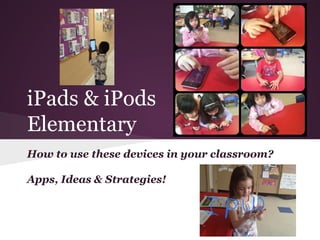
iPads & iPods
Elementary
How to use these devices in your classroom?
Apps, Ideas & Strategies!
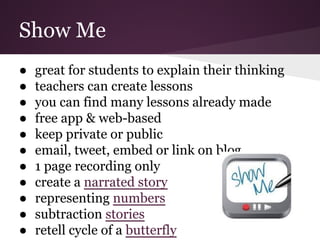
Show Me
● great for students to explain their thinking
● teachers can create lessons
● you can find many lessons already made
● free app & web-based
● keep private or public
● email, tweet, embed or link on blog
● 1 page recording only
● create a narrated story
● representing numbers
● subtraction stories
● retell cycle of a butterfly
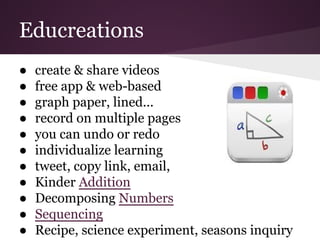
Educreations
● create & share videos
● free app & web-based
● graph paper, lined...
● record on multiple pages
● you can undo or redo
● individualize learning
● tweet, copy link, email,
● Kinder Addition
● Decomposing Numbers
● Sequencing
● Recipe, science experiment, seasons inquiry
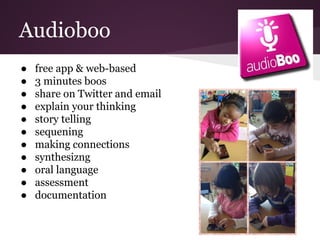
Audioboo
● free app & web-based
● 3 minutes boos
● share on Twitter and email
● explain your thinking
● story telling
● sequening
● making connections
● synthesizng
● oral language
● assessment
● documentation
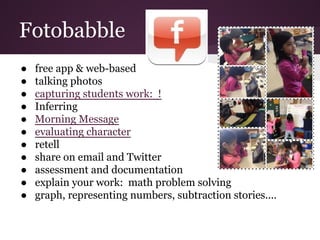
Fotobabble
● free app & web-based
● talking photos
● capturing students work: !
● Inferring
● Morning Message
● evaluating character
● retell
● share on email and Twitter
● assessment and documentation
● explain your work: math problem solving
● graph, representing numbers, subtraction stories....
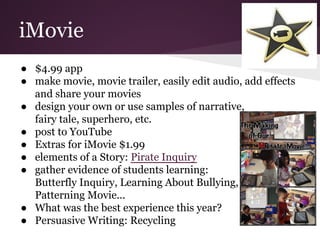
iMovie
● $4.99 app
● make movie, movie trailer, easily edit audio, add effects
and share your movies
● design your own or use samples of narrative,
fairy tale, superhero, etc.
● post to YouTube
● Extras for iMovie $1.99
● elements of a Story: Pirate Inquiry
● gather evidence of students learning:
Butterfly Inquiry, Learning About Bullying,
Patterning Movie...
● What was the best experience this year?
● Persuasive Writing: Recycling
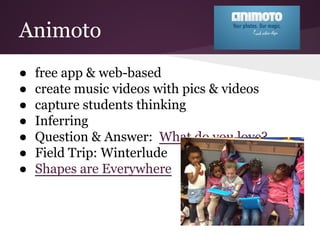
Animoto
● free app & web-based
● create music videos with pics & videos
● capture students thinking
● Inferring
● Question & Answer: What do you love?
● Field Trip: Winterlude
● Shapes are Everywhere
Evernote
● app & web based
● portfolios
● digital collections of students work that
evidences os skills, applied knowledge...
● teacher captures a picture of students
learning, something that a "test" can't do
● Give feedback to your students assessment
tools
● How to create portfolio with Evernote?
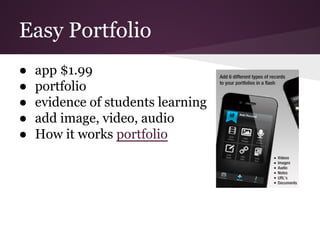
Easy Portfolio
● app $1.99
● portfolio
● evidence of students learning
● add image, video, audio
● How it works portfolio
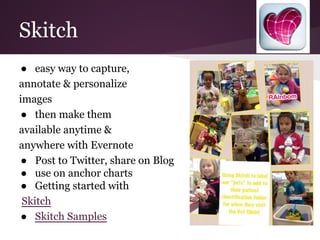
Skitch
● easy way to capture,
annotate & personalize
images
● then make them
available anytime &
anywhere with Evernote
● Post to Twitter, share on Blog
● use on anchor charts
● Getting started with
Skitch
● Skitch Samples
● free app
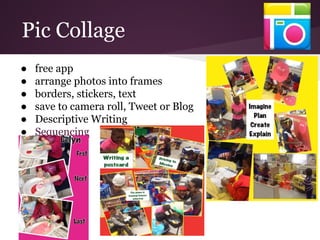
● arrange photos into frames
● borders, stickers, text
● save to camera roll, Tweet or Blog
● Descriptive Writing
● Sequencing
Pic Collage
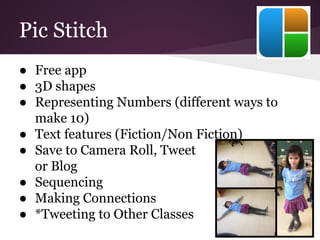
Pic Stitch
● Free app
● 3D shapes
● Representing Numbers (different ways to
make 10)
● Text features (Fiction/Non Fiction)
● Save to Camera Roll, Tweet
or Blog
● Sequencing
● Making Connections
● *Tweeting to Other Classes
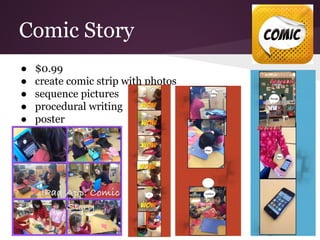
Comic Story
● $0.99
● create comic strip with photos
● sequence pictures
● procedural writing
● poster
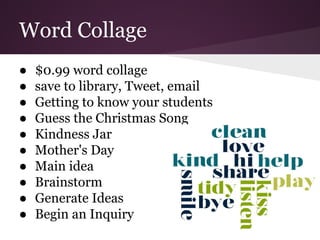
Word Collage
● $0.99 word collage
● save to library, Tweet, email
● Getting to know your students
● Guess the Christmas Song
● Kindness Jar
● Mother's Day
● Main idea
● Brainstorm
● Generate Ideas
● Begin an Inquiry
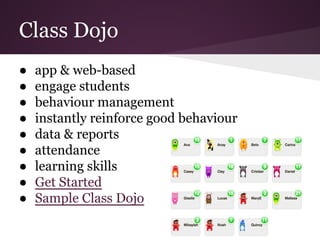
Class Dojo
● app & web-based
● engage students
● behaviour management
● instantly reinforce good behaviour
● data & reports
● attendance
● learning skills
● Get Started
● Sample Class Dojo
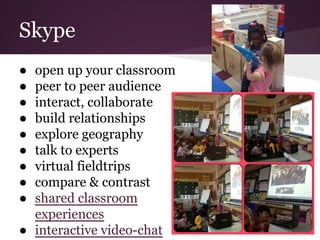
Skype
● open up your classroom
● peer to peer audience
● interact, collaborate
● build relationships
● explore geography
● talk to experts
● virtual fieldtrips
● compare & contrast
● shared classroom
experiences
● interactive video-chat
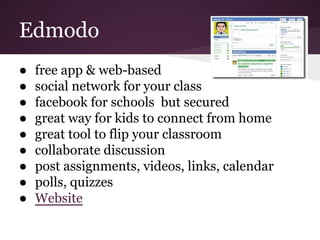
Edmodo
● free app & web-based
● social network for your class
● facebook for schools but secured
● great way for kids to connect from home
● great tool to flip your classroom
● collaborate discussion
● post assignments, videos, links, calendar
● polls, quizzes
● Website
Kidblog
● free app & web-based
● teacher approves before being posted
● kids have an audience to write = motivating
● kids can receive comments = motivating
● great tool to see your students writing
progress
● kids have access from home or school
● embed video
● Mrs. Martel's Kidblog
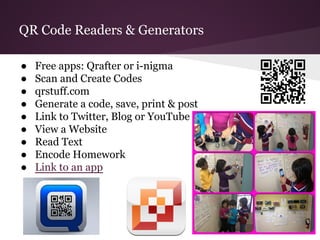
QR Code Readers & Generators
● Free apps: Qrafter or i-nigma
● Scan and Create Codes
● qrstuff.com
● Generate a code, save, print & post
● Link to Twitter, Blog or YouTube
● View a Website
● Read Text
● Encode Homework
● Link to an app
More Apps to Show Learning
40 top apps for education
Questions?

I os devices presentation for blog

  • 1.
    iOS Devices NTIP February20, 2013 Tanya Alvarez @alvareztany Maria Calarco @mscalarco
  • 2.
    iPads & iPods Elementary Howto use these devices in your classroom? Apps, Ideas & Strategies!
  • 3.
    Show Me ● greatfor students to explain their thinking ● teachers can create lessons ● you can find many lessons already made ● free app & web-based ● keep private or public ● email, tweet, embed or link on blog ● 1 page recording only ● create a narrated story ● representing numbers ● subtraction stories ● retell cycle of a butterfly
  • 4.
    Educreations ● create &share videos ● free app & web-based ● graph paper, lined... ● record on multiple pages ● you can undo or redo ● individualize learning ● tweet, copy link, email, ● Kinder Addition ● Decomposing Numbers ● Sequencing ● Recipe, science experiment, seasons inquiry
  • 5.
    Audioboo ● free app& web-based ● 3 minutes boos ● share on Twitter and email ● explain your thinking ● story telling ● sequening ● making connections ● synthesizng ● oral language ● assessment ● documentation
  • 6.
    Fotobabble ● free app& web-based ● talking photos ● capturing students work: ! ● Inferring ● Morning Message ● evaluating character ● retell ● share on email and Twitter ● assessment and documentation ● explain your work: math problem solving ● graph, representing numbers, subtraction stories....
  • 7.
    iMovie ● $4.99 app ●make movie, movie trailer, easily edit audio, add effects and share your movies ● design your own or use samples of narrative, fairy tale, superhero, etc. ● post to YouTube ● Extras for iMovie $1.99 ● elements of a Story: Pirate Inquiry ● gather evidence of students learning: Butterfly Inquiry, Learning About Bullying, Patterning Movie... ● What was the best experience this year? ● Persuasive Writing: Recycling
  • 8.
    Animoto ● free app& web-based ● create music videos with pics & videos ● capture students thinking ● Inferring ● Question & Answer: What do you love? ● Field Trip: Winterlude ● Shapes are Everywhere
  • 9.
    Evernote ● app &web based ● portfolios ● digital collections of students work that evidences os skills, applied knowledge... ● teacher captures a picture of students learning, something that a "test" can't do ● Give feedback to your students assessment tools ● How to create portfolio with Evernote?
  • 10.
    Easy Portfolio ● app$1.99 ● portfolio ● evidence of students learning ● add image, video, audio ● How it works portfolio
  • 11.
    Skitch ● easy wayto capture, annotate & personalize images ● then make them available anytime & anywhere with Evernote ● Post to Twitter, share on Blog ● use on anchor charts ● Getting started with Skitch ● Skitch Samples
  • 12.
    ● free app ●arrange photos into frames ● borders, stickers, text ● save to camera roll, Tweet or Blog ● Descriptive Writing ● Sequencing Pic Collage
  • 13.
    Pic Stitch ● Freeapp ● 3D shapes ● Representing Numbers (different ways to make 10) ● Text features (Fiction/Non Fiction) ● Save to Camera Roll, Tweet or Blog ● Sequencing ● Making Connections ● *Tweeting to Other Classes
  • 14.
    Comic Story ● $0.99 ●create comic strip with photos ● sequence pictures ● procedural writing ● poster
  • 15.
    Word Collage ● $0.99word collage ● save to library, Tweet, email ● Getting to know your students ● Guess the Christmas Song ● Kindness Jar ● Mother's Day ● Main idea ● Brainstorm ● Generate Ideas ● Begin an Inquiry
  • 16.
    Class Dojo ● app& web-based ● engage students ● behaviour management ● instantly reinforce good behaviour ● data & reports ● attendance ● learning skills ● Get Started ● Sample Class Dojo
  • 17.
    Skype ● open upyour classroom ● peer to peer audience ● interact, collaborate ● build relationships ● explore geography ● talk to experts ● virtual fieldtrips ● compare & contrast ● shared classroom experiences ● interactive video-chat
  • 18.
    Edmodo ● free app& web-based ● social network for your class ● facebook for schools but secured ● great way for kids to connect from home ● great tool to flip your classroom ● collaborate discussion ● post assignments, videos, links, calendar ● polls, quizzes ● Website
  • 19.
    Kidblog ● free app& web-based ● teacher approves before being posted ● kids have an audience to write = motivating ● kids can receive comments = motivating ● great tool to see your students writing progress ● kids have access from home or school ● embed video ● Mrs. Martel's Kidblog
  • 20.
    QR Code Readers& Generators ● Free apps: Qrafter or i-nigma ● Scan and Create Codes ● qrstuff.com ● Generate a code, save, print & post ● Link to Twitter, Blog or YouTube ● View a Website ● Read Text ● Encode Homework ● Link to an app
  • 21.
    More Apps toShow Learning 40 top apps for education
  • 22.