HTTP Hypertext Transfer Protocol Refs:  RFC 1945 (HTTP 1.0) RFC 2616 (HTTP 1.1)
HTTP Usage HTTP is the protocol that supports communication between web browsers and web servers. A “Web Server” is a HTTP server Most clients/servers today speak version 1.1, but 1.0 is also in use.
From the RFC “ HTTP is an application-level protocol with the lightness and speed necessary for distributed, hypermedia information systems.”
Transport Independence The RFC states that the HTTP protocol generally takes place over a TCP connection, but the protocol itself is not dependent on a specific transport layer.
Request - Response HTTP has a simple structure: client sends a request server returns a reply. HTTP can support multiple request-reply exchanges over a single TCP connection.
Well Known Address The “well known” TCP port for HTTP servers is port 80. Other ports can be used as well...
HTTP Versions The original version now goes by the name “HTTP Version 0.9” HTTP 0.9 was used for many years. Starting with HTTP 1.0 the version number is part of every request. tells the server what version the client can talk (what options are supported, etc).
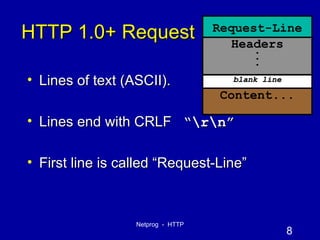
HTTP 1.0+ Request Lines of text (ASCII). Lines end with CRLF  “\r\n” First line is called “Request-Line” Request-Line Headers . . . Content... blank line
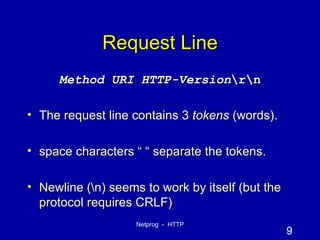
Request Line Method   URI   HTTP-Version \r\n The request line contains 3  tokens  (words). space characters “ “ separate the tokens. Newline (\n) seems to work by itself (but the protocol requires CRLF)
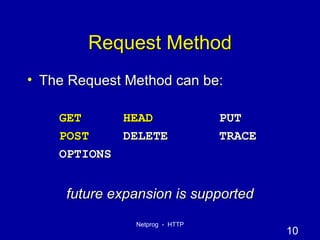
Request Method The Request Method can be: GET HEAD PUT POST DELETE TRACE OPTIONS future expansion is supported
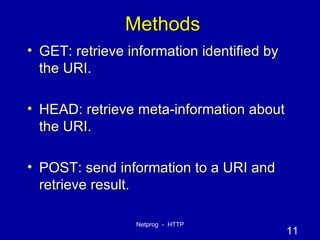
Methods GET: retrieve information identified by the URI. HEAD: retrieve meta-information about the URI. POST: send information to a URI and retrieve result.
Methods (cont.) PUT: Store information in location named by URI. DELETE: remove  entity  identified by URI.
More Methods TRACE: used to trace HTTP forwarding through proxies, tunnels, etc. OPTIONS: used to determine the capabilities of the server, or characteristics of a named resource.
Common Usage GET, HEAD and POST are supported everywhere (including HW#2!). HTTP 1.1 servers often support PUT, DELETE, OPTIONS & TRACE.
URI: Universal Resource Identifier URIs defined in RFC 2396. Absolute URI:  scheme://hostname[:port]/path http://www.cs.rpi.edu:80/blah/foo Relative URI:  /path /blah/foo No server mentioned
URI Usage When dealing with a HTTP 1.1 server, only a  path  is used (no scheme or hostname). HTTP 1.1 servers are required to be capable of handling an absolute URI, but there are still some out there that won’t… When dealing with a  proxy  HTTP server, an absolute URI is used. client has to tell the proxy where to get the document! more on proxy servers in a bit….
HTTP Version Number “ HTTP/1.0 ”  or  “ HTTP/1.1 ” HTTP 0.9 did not include a version number in a request line. If a server gets a request line with no HTTP version number, it assumes 0.9
The Header Lines After the  Request-Line  come a number (possibly zero) of HTTP  header lines . Each header line contains an attribute name followed by a “:” followed by a space and the attribute value. The Name and Value are just text.
Headers Request Headers provide information to the server about the client what kind of client what kind of content will be accepted who is making the request There can be 0 headers (HTTP 1.0) HTTP 1.1 requires a  Host:  header
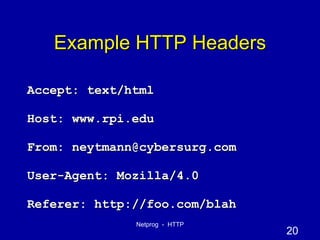
Example HTTP Headers Accept: text/html Host: www.rpi.edu From: neytmann@cybersurg.com User-Agent: Mozilla/4.0 Referer: http://foo.com/blah
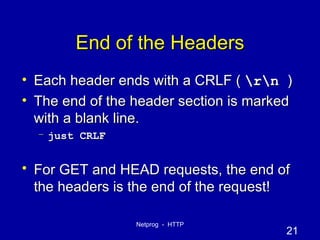
End of the Headers Each header ends with a CRLF (  \r\n  ) The end of the header section is marked with a blank line.  just CRLF For GET and HEAD requests, the end of the headers is the end of the request!
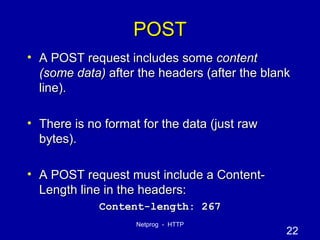
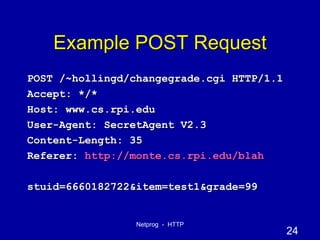
POST A POST request includes some  content (some data)  after the headers (after the blank line). There is no format for the data (just raw bytes). A POST request must include a Content-Length line in the headers: Content-length: 267
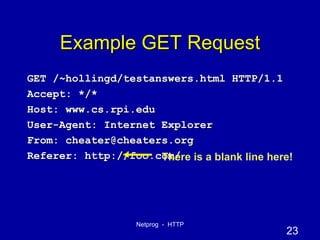
Example GET Request GET /~hollingd/testanswers.html HTTP/1.1 Accept: */* Host: www.cs.rpi.edu User-Agent: Internet Explorer  From: cheater@cheaters.org Referer: http://foo.com/ There is a blank line here!
Example POST Request POST /~hollingd/changegrade.cgi HTTP/1.1 Accept: */* Host: www.cs.rpi.edu User-Agent: SecretAgent V2.3 Content-Length: 35 Referer:  http://monte.cs.rpi.edu/blah stuid=6660182722&item=test1&grade=99
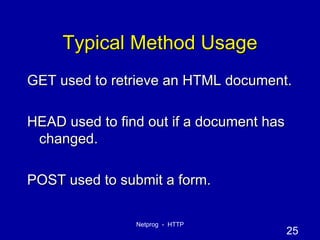
Typical Method Usage GET used to retrieve an HTML document. HEAD used to find out if a document has changed. POST used to submit a form.
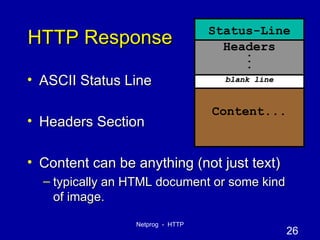
HTTP Response ASCII Status Line Headers Section Content can be anything (not just text) typically an HTML document or some kind of image. Status-Line Headers . . . Content... blank line
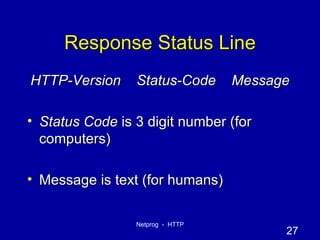
Response Status Line HTTP-Version  Status-Code  Message Status Code  is 3 digit number (for computers) Message is text (for humans)
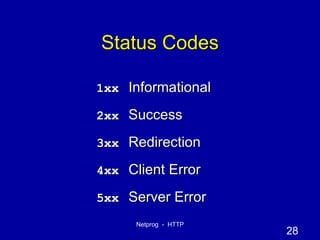
Status Codes 1xx Informational 2xx Success 3xx Redirection 4xx Client Error 5xx Server Error
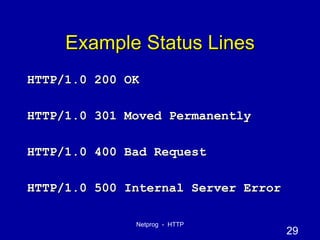
Example Status Lines HTTP/1.0 200 OK HTTP/1.0 301 Moved Permanently HTTP/1.0 400 Bad Request HTTP/1.0 500 Internal Server Error
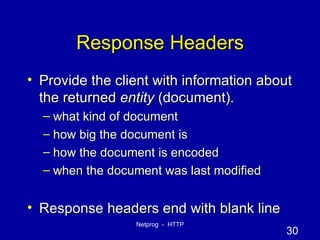
Response Headers Provide the client with information about the returned  entity  (document). what kind of document how big the document is how the document is encoded when the document was last modified Response headers end with blank line
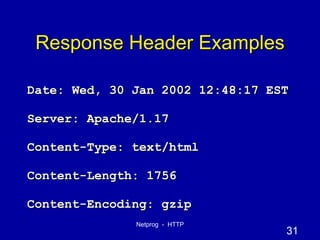
Response Header Examples Date: Wed, 30 Jan 2002 12:48:17 EST Server: Apache/1.17 Content-Type: text/html Content-Length: 1756 Content-Encoding: gzip
Content Content can be anything (sequence of raw bytes). Content-Length header is required for any response that includes content. Content-Type header also required.
Single Request/Reply The client sends a complete request. The server sends back the entire reply. The server closes it’s socket. If the client needs another document it must open a new connection.  This was the default for HTTP 1.0
Persistent Connections  HTTP 1.1 supports persistent connections (this is the default). Multiple requests can be handled over a single TCP connection. The  Connection:  header is used to exchange information about persistence (HTTP/1.1) 1.0 Clients used a  Keep-alive:  header
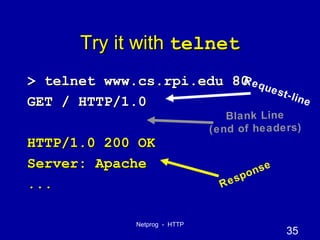
Try it with  telnet > telnet www.cs.rpi.edu 80 GET / HTTP/1.0 HTTP/1.0 200 OK Server: Apache ... Response Request-line Blank Line (end of headers)
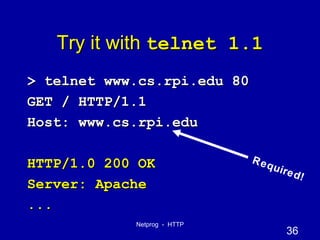
Try it with  telnet 1.1 > telnet www.cs.rpi.edu 80 GET / HTTP/1.1 Host: www.cs.rpi.edu HTTP/1.0 200 OK Server: Apache ... Required!
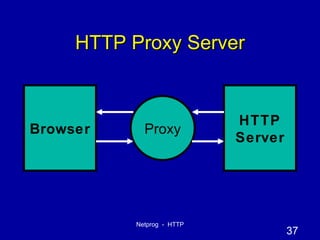
HTTP Proxy Server HTTP Server Browser Proxy
Project #2  HTTP Proxy You need to write a proxy server. Test it with a browser. Test it with telnet Write an abusive client! Write a rude server! Must be able to handle GET, HEAD and POST requests.
Filtering (blocking) Your proxy will be given a list of domain names on the comand line, you should refuse to forward requests to any server whose name is within a specified domain. send back status line:  403 Forbidden .
What you need to know You  need to understand HTTP  You  need  to understand HTTP You need to  understand  HTTP You need to understand  HTTP
The code you need Proxy is both a client and a server Parsing the HTTP request is needed. You will need to parse headers. need to look at Content-length, Connection, etc.
Testing Tell your browser to use a proxy Edit preferences/options. Interrupt a long transfer (press stop). Fill out a form (probably uses POST).
What is expected We should be able to surf through your proxy! We should not be able to kill your proxy by sending a bad request. We should not be able to kill your proxy by using a server that sends bad replies. Proxy should print some info about each request (print the request line).
More Expectations Iterative Server is fine (concurrency is not required). No memory leaks! No crashes, no matter what kind of nonsense we send your proxy. Check every system call for errors!
HTTP V1.1 Details The RFC is 176 pages! we don’t expect you to read it all or to support every nitty-gritty detail. work on creating a working proxy (one you can use through a browser). performance is not a big deal (but it shouldn’t be horribly worse than without your proxy). Don’t worry about persistence, pipelining, chunking, etc. you need to turn off persistence if you  don't want to handle it.
HTTP Headers and HW2 You will need to look at the Content-Length header in a POST. you need to know how many bytes to read after the end of the headers. You will need to either look at  Connection  ( Proxy-Connection ) headers or (at a minimum) to force  Connection: close  as a request header.
Stuff you might need to know (that we have not covered) Converting hostnames to IP addresses. Handling signals (SIGPIPE) Check out section 5.13 in the text Providing Concurrency (not required, but not hard either). just fork the server after calling accept. MAKE SURE YOU TAKE CARE OF ZOMBIES!

Http

  • 1.
    HTTP Hypertext TransferProtocol Refs: RFC 1945 (HTTP 1.0) RFC 2616 (HTTP 1.1)
  • 2.
    HTTP Usage HTTPis the protocol that supports communication between web browsers and web servers. A “Web Server” is a HTTP server Most clients/servers today speak version 1.1, but 1.0 is also in use.
  • 3.
    From the RFC“ HTTP is an application-level protocol with the lightness and speed necessary for distributed, hypermedia information systems.”
  • 4.
    Transport Independence TheRFC states that the HTTP protocol generally takes place over a TCP connection, but the protocol itself is not dependent on a specific transport layer.
  • 5.
    Request - ResponseHTTP has a simple structure: client sends a request server returns a reply. HTTP can support multiple request-reply exchanges over a single TCP connection.
  • 6.
    Well Known AddressThe “well known” TCP port for HTTP servers is port 80. Other ports can be used as well...
  • 7.
    HTTP Versions Theoriginal version now goes by the name “HTTP Version 0.9” HTTP 0.9 was used for many years. Starting with HTTP 1.0 the version number is part of every request. tells the server what version the client can talk (what options are supported, etc).
  • 8.
    HTTP 1.0+ RequestLines of text (ASCII). Lines end with CRLF “\r\n” First line is called “Request-Line” Request-Line Headers . . . Content... blank line
  • 9.
    Request Line Method URI HTTP-Version \r\n The request line contains 3 tokens (words). space characters “ “ separate the tokens. Newline (\n) seems to work by itself (but the protocol requires CRLF)
  • 10.
    Request Method TheRequest Method can be: GET HEAD PUT POST DELETE TRACE OPTIONS future expansion is supported
  • 11.
    Methods GET: retrieveinformation identified by the URI. HEAD: retrieve meta-information about the URI. POST: send information to a URI and retrieve result.
  • 12.
    Methods (cont.) PUT:Store information in location named by URI. DELETE: remove entity identified by URI.
  • 13.
    More Methods TRACE:used to trace HTTP forwarding through proxies, tunnels, etc. OPTIONS: used to determine the capabilities of the server, or characteristics of a named resource.
  • 14.
    Common Usage GET,HEAD and POST are supported everywhere (including HW#2!). HTTP 1.1 servers often support PUT, DELETE, OPTIONS & TRACE.
  • 15.
    URI: Universal ResourceIdentifier URIs defined in RFC 2396. Absolute URI: scheme://hostname[:port]/path http://www.cs.rpi.edu:80/blah/foo Relative URI: /path /blah/foo No server mentioned
  • 16.
    URI Usage Whendealing with a HTTP 1.1 server, only a path is used (no scheme or hostname). HTTP 1.1 servers are required to be capable of handling an absolute URI, but there are still some out there that won’t… When dealing with a proxy HTTP server, an absolute URI is used. client has to tell the proxy where to get the document! more on proxy servers in a bit….
  • 17.
    HTTP Version Number“ HTTP/1.0 ” or “ HTTP/1.1 ” HTTP 0.9 did not include a version number in a request line. If a server gets a request line with no HTTP version number, it assumes 0.9
  • 18.
    The Header LinesAfter the Request-Line come a number (possibly zero) of HTTP header lines . Each header line contains an attribute name followed by a “:” followed by a space and the attribute value. The Name and Value are just text.
  • 19.
    Headers Request Headersprovide information to the server about the client what kind of client what kind of content will be accepted who is making the request There can be 0 headers (HTTP 1.0) HTTP 1.1 requires a Host: header
  • 20.
    Example HTTP HeadersAccept: text/html Host: www.rpi.edu From: neytmann@cybersurg.com User-Agent: Mozilla/4.0 Referer: http://foo.com/blah
  • 21.
    End of theHeaders Each header ends with a CRLF ( \r\n ) The end of the header section is marked with a blank line. just CRLF For GET and HEAD requests, the end of the headers is the end of the request!
  • 22.
    POST A POSTrequest includes some content (some data) after the headers (after the blank line). There is no format for the data (just raw bytes). A POST request must include a Content-Length line in the headers: Content-length: 267
  • 23.
    Example GET RequestGET /~hollingd/testanswers.html HTTP/1.1 Accept: */* Host: www.cs.rpi.edu User-Agent: Internet Explorer From: cheater@cheaters.org Referer: http://foo.com/ There is a blank line here!
  • 24.
    Example POST RequestPOST /~hollingd/changegrade.cgi HTTP/1.1 Accept: */* Host: www.cs.rpi.edu User-Agent: SecretAgent V2.3 Content-Length: 35 Referer: http://monte.cs.rpi.edu/blah stuid=6660182722&item=test1&grade=99
  • 25.
    Typical Method UsageGET used to retrieve an HTML document. HEAD used to find out if a document has changed. POST used to submit a form.
  • 26.
    HTTP Response ASCIIStatus Line Headers Section Content can be anything (not just text) typically an HTML document or some kind of image. Status-Line Headers . . . Content... blank line
  • 27.
    Response Status LineHTTP-Version Status-Code Message Status Code is 3 digit number (for computers) Message is text (for humans)
  • 28.
    Status Codes 1xxInformational 2xx Success 3xx Redirection 4xx Client Error 5xx Server Error
  • 29.
    Example Status LinesHTTP/1.0 200 OK HTTP/1.0 301 Moved Permanently HTTP/1.0 400 Bad Request HTTP/1.0 500 Internal Server Error
  • 30.
    Response Headers Providethe client with information about the returned entity (document). what kind of document how big the document is how the document is encoded when the document was last modified Response headers end with blank line
  • 31.
    Response Header ExamplesDate: Wed, 30 Jan 2002 12:48:17 EST Server: Apache/1.17 Content-Type: text/html Content-Length: 1756 Content-Encoding: gzip
  • 32.
    Content Content canbe anything (sequence of raw bytes). Content-Length header is required for any response that includes content. Content-Type header also required.
  • 33.
    Single Request/Reply Theclient sends a complete request. The server sends back the entire reply. The server closes it’s socket. If the client needs another document it must open a new connection. This was the default for HTTP 1.0
  • 34.
    Persistent Connections HTTP 1.1 supports persistent connections (this is the default). Multiple requests can be handled over a single TCP connection. The Connection: header is used to exchange information about persistence (HTTP/1.1) 1.0 Clients used a Keep-alive: header
  • 35.
    Try it with telnet > telnet www.cs.rpi.edu 80 GET / HTTP/1.0 HTTP/1.0 200 OK Server: Apache ... Response Request-line Blank Line (end of headers)
  • 36.
    Try it with telnet 1.1 > telnet www.cs.rpi.edu 80 GET / HTTP/1.1 Host: www.cs.rpi.edu HTTP/1.0 200 OK Server: Apache ... Required!
  • 37.
    HTTP Proxy ServerHTTP Server Browser Proxy
  • 38.
    Project #2 HTTP Proxy You need to write a proxy server. Test it with a browser. Test it with telnet Write an abusive client! Write a rude server! Must be able to handle GET, HEAD and POST requests.
  • 39.
    Filtering (blocking) Yourproxy will be given a list of domain names on the comand line, you should refuse to forward requests to any server whose name is within a specified domain. send back status line: 403 Forbidden .
  • 40.
    What you needto know You need to understand HTTP You need to understand HTTP You need to understand HTTP You need to understand HTTP
  • 41.
    The code youneed Proxy is both a client and a server Parsing the HTTP request is needed. You will need to parse headers. need to look at Content-length, Connection, etc.
  • 42.
    Testing Tell yourbrowser to use a proxy Edit preferences/options. Interrupt a long transfer (press stop). Fill out a form (probably uses POST).
  • 43.
    What is expectedWe should be able to surf through your proxy! We should not be able to kill your proxy by sending a bad request. We should not be able to kill your proxy by using a server that sends bad replies. Proxy should print some info about each request (print the request line).
  • 44.
    More Expectations IterativeServer is fine (concurrency is not required). No memory leaks! No crashes, no matter what kind of nonsense we send your proxy. Check every system call for errors!
  • 45.
    HTTP V1.1 DetailsThe RFC is 176 pages! we don’t expect you to read it all or to support every nitty-gritty detail. work on creating a working proxy (one you can use through a browser). performance is not a big deal (but it shouldn’t be horribly worse than without your proxy). Don’t worry about persistence, pipelining, chunking, etc. you need to turn off persistence if you don't want to handle it.
  • 46.
    HTTP Headers andHW2 You will need to look at the Content-Length header in a POST. you need to know how many bytes to read after the end of the headers. You will need to either look at Connection ( Proxy-Connection ) headers or (at a minimum) to force Connection: close as a request header.
  • 47.
    Stuff you mightneed to know (that we have not covered) Converting hostnames to IP addresses. Handling signals (SIGPIPE) Check out section 5.13 in the text Providing Concurrency (not required, but not hard either). just fork the server after calling accept. MAKE SURE YOU TAKE CARE OF ZOMBIES!