
HTTP
Hypertext Transfer Protocol
Tricode Professional Services
www.tricode.nl

25-06-2010
Marcel Blok
Index
 Introduction
 Message format
 Methods
 Status codes
 Headers
      General headers
      Request headers
      Response headers
      Entity headers
 Entities
 Chunked transfer
Introduction
The Hypertext Transfer Protocol (HTTP) began as an
extremely basic protocol.

It was designed to do just one thing: allow a client
to send a simple request for a hypertext file and
receive it back from the server.
Modern HTTP remains at its heart a straight-forward
request/reply protocol, but now includes many
new features and capabilities to support the
growing size of the World Wide Web.
Basic communication consists of a request
message sent by a client to a server, which returns
a response back to the client.
Since HTTP/1.1 we have persistent connections.
Multiple requests to the same server use the same
TCP connection.
Message format
All HTTP messages are created to fit a message
structure that is called the generic message
format.
Generic message layout:

<start-line>
<message-headers>
<empty-line>
[ <message-body> ]
[ <message-trailers> ]
HTTP Request message layout:

<start-line>
<general-headers>
<request-headers>
[ <entity-headers> ]
<empty-line>
[ <message-body> ]
[ <message-trailers> ]
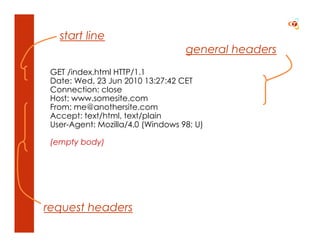
start line
                                   general headers
 GET /index.html HTTP/1.1
 Date: Wed, 23 Jun 2010 13:27:42 CET
 Connection: close
 Host: www.somesite.com
 From: me@anothersite.com
 Accept: text/html, text/plain
 User-Agent: Mozilla/4.0 (Windows 98; U)

 (empty body)


request headers
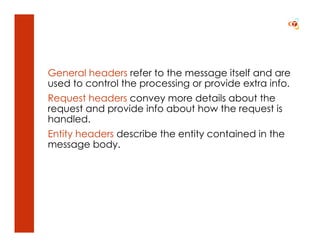
General headers refer to the message itself and are
used to control the processing or provide extra info.
Request headers convey more details about the
request and provide info about how the request is
handled.
Entity headers describe the entity contained in the
message body.
HTTP Response message layout:

<start-line>
<general-headers>
<response-headers>
[ <entity-headers> ]
<empty-line>
[ <message-body> ]
[ <message-trailers> ]
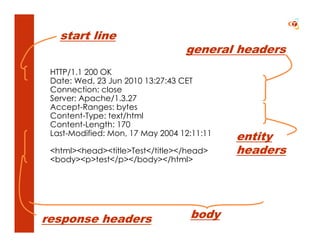
start line
                                  general headers
 HTTP/1.1 200 OK
 Date: Wed, 23 Jun 2010 13:27:43 CET
 Connection: close
 Server: Apache/1.3.27
 Accept-Ranges: bytes
 Content-Type: text/html
 Content-Length: 170
 Last-Modified: Mon, 17 May 2004 12:11:11
                                            entity
 <html><head><title>Test</title></head>     headers
 <body><p>test</p></body></html>


response headers                   body
Methods
All client/server protocols provide a way for the
client to prompt the server to take action,
generally by having the client give the server a
series of commands.
HTTP does not have commands but rather a fixed
set of methods that can be applied to any
thinkable resource.
GET, POST, PUT, DELETE

TRACE, HEAD, OPTIONS
PUT is placing or replacing a resource at a given
location.

PUT is idempotent: it has no side effects. You may
repeat it and the result is the same.
POST is merely sending data to a resource
location. It can be handled by the server in
anyway it wants. It may store the data privately. It
may store it at the current location. It may update
many resources. It may self destruct.
Status codes
Each HTTP response includes both a numeric status
code and a text reason phrase, both of which
indicate the disposition of the corresponding client
request.
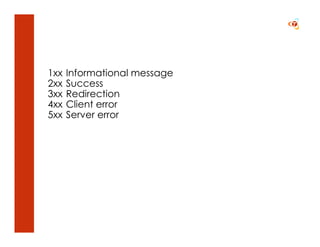
1xx   Informational message
2xx   Success
3xx   Redirection
4xx   Client error
5xx   Server error
Headers
The limited amount of methods may give the
impression that HTTP is quite limited. But much of
the functionality is implemented by the message
headers.
General headers
Cache-Control, Connection, Date, Pragma,
Transfer-Encoding, Upgrade, Via and Warning are
some of the HTTP general headers.
Example

Cache-Control: no-store
Transfer-Encoding: chunked
Upgrade: IRC/6.9
Via: 1.0 myproxy, 1.1 where.com
Request headers
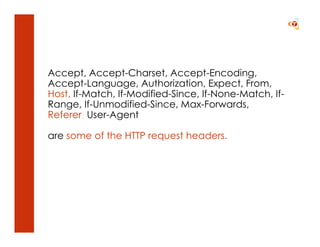
Accept, Accept-Charset, Accept-Encoding,
Accept-Language, Authorization, Expect, From,
Host, If-Match, If-Modified-Since, If-None-Match, If-
Range, If-Unmodified-Since, Max-Forwards,
Referer, User-Agent

are some of the HTTP request headers.
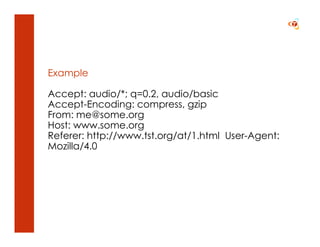
Example

Accept: audio/*; q=0.2, audio/basic
Accept-Encoding: compress, gzip
From: me@some.org
Host: www.some.org
Referer: http://www.tst.org/at/1.html User-Agent:
Mozilla/4.0
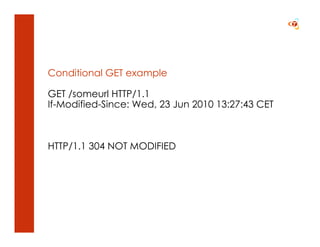
Conditional GET example

GET /someurl HTTP/1.1
If-Modified-Since: Wed, 23 Jun 2010 13:27:43 CET


HTTP/1.1 304 NOT MODIFIED
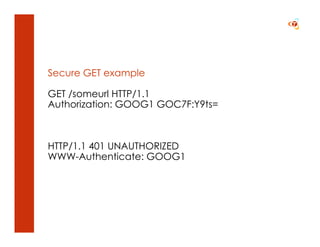
Secure GET example

GET /someurl HTTP/1.1
Authorization: GOOG1 GOC7F:Y9ts=


HTTP/1.1 401 UNAUTHORIZED
WWW-Authenticate: GOOG1
Response headers
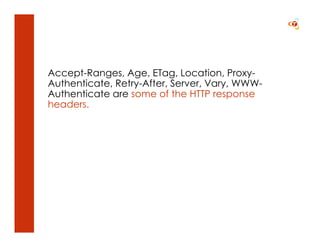
Accept-Ranges, Age, ETag, Location, Proxy-
Authenticate, Retry-After, Server, Vary, WWW-
Authenticate are some of the HTTP response
headers.
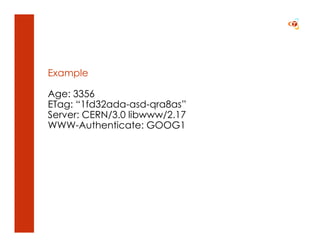
Example

Age: 3356
ETag: “1fd32ada-asd-qra8as”
Server: CERN/3.0 libwww/2.17
WWW-Authenticate: GOOG1
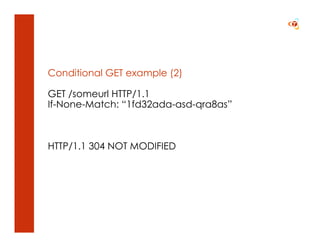
Conditional GET example (2)

GET /someurl HTTP/1.1
If-None-Match: “1fd32ada-asd-qra8as”


HTTP/1.1 304 NOT MODIFIED
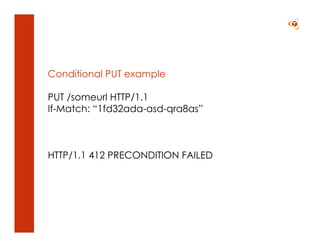
Conditional PUT example

PUT /someurl HTTP/1.1
If-Match: “1fd32ada-asd-qra8as”


HTTP/1.1 412 PRECONDITION FAILED
Entity headers
Entity headers describe the nature of the entity in
the message body, including its type, language
and encoding, to facilitate the proper processing
and/or presentation of the entity by the device
receiving it.
Allow, Content-Encoding, Content-Language,
Content-Length, Content-Location, Content-MD5,
Content-Range, Content-Type, Expires, Last-
Modified are some of the HTTP entity headers.
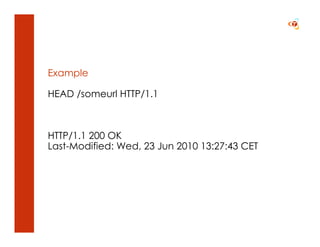
Example

HEAD /someurl HTTP/1.1


HTTP/1.1 200 OK
Last-Modified: Wed, 23 Jun 2010 13:27:43 CET
Entities
While HTTP is naturally associated with hypertext, its
messages can transport a large variety of different
types of files, including images, audio, video and
much more.
To indicate the type of entity contained in an HTTP
message, its sender must identify its media type
and subtype. This is done using the HTTP Content-
Type header, which was borrowed from the
Multipurpose Internet Mail Extensions (MIME)
specification.
Even though HTTP borrows several concepts and
header types from MIME, the protocol is not MIME-
compliant.
Content encoding tells something about the
encoding of the entity.

Transfer-encoding tells something about the entire
HTTP message, and may change from hop to hop.
Chunked transfer
Since HTTP/1.1 uses persistent connections that
allow multiple requests and responses to be sent
over a TCP connection, clients and servers need
some way to identify where one message ends
and the next begins.
The easiest way is to send the Content-Length
header with the message size. But for dynamic
content you may not know this in advance. In this
case you can use chunked transfer encoding.
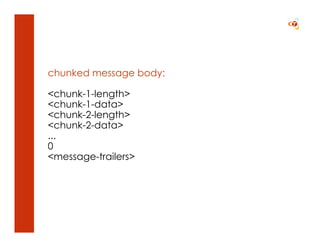
chunked message body:

<chunk-1-length>
<chunk-1-data>
<chunk-2-length>
<chunk-2-data>
...
0
<message-trailers>
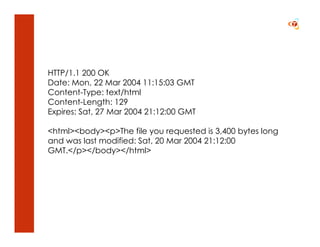
HTTP/1.1 200 OK
Date: Mon, 22 Mar 2004 11:15:03 GMT
Content-Type: text/html
Content-Length: 129
Expires: Sat, 27 Mar 2004 21:12:00 GMT

<html><body><p>The file you requested is 3,400 bytes long
and was last modified: Sat, 20 Mar 2004 21:12:00
GMT.</p></body></html>
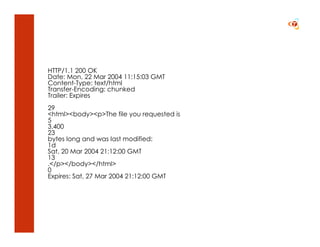
HTTP/1.1 200 OK
Date: Mon, 22 Mar 2004 11:15:03 GMT
Content-Type: text/html
Transfer-Encoding: chunked
Trailer: Expires
29
<html><body><p>The file you requested is
5
3,400
23
bytes long and was last modified:
1d
Sat, 20 Mar 2004 21:12:00 GMT
13
.</p></body></html>
0
Expires: Sat, 27 Mar 2004 21:12:00 GMT
More…?
•   Content negotiation
•   Cache, cache, cache!
•   HTTPS
•   Cookies

• Same Origin Policy
• Cross-Origin Resource Sharing

HTTP

  • 1.
    HTTP Hypertext Transfer Protocol TricodeProfessional Services www.tricode.nl 25-06-2010 Marcel Blok
  • 2.
    Index Introduction Messageformat Methods Status codes Headers General headers Request headers Response headers Entity headers Entities Chunked transfer
  • 3.
  • 4.
    The Hypertext TransferProtocol (HTTP) began as an extremely basic protocol. It was designed to do just one thing: allow a client to send a simple request for a hypertext file and receive it back from the server.
  • 5.
    Modern HTTP remainsat its heart a straight-forward request/reply protocol, but now includes many new features and capabilities to support the growing size of the World Wide Web.
  • 6.
    Basic communication consistsof a request message sent by a client to a server, which returns a response back to the client.
  • 7.
    Since HTTP/1.1 wehave persistent connections. Multiple requests to the same server use the same TCP connection.
  • 8.
  • 9.
    All HTTP messagesare created to fit a message structure that is called the generic message format.
  • 10.
  • 11.
    HTTP Request messagelayout: <start-line> <general-headers> <request-headers> [ <entity-headers> ] <empty-line> [ <message-body> ] [ <message-trailers> ]
  • 12.
    start line general headers GET /index.html HTTP/1.1 Date: Wed, 23 Jun 2010 13:27:42 CET Connection: close Host: www.somesite.com From: me@anothersite.com Accept: text/html, text/plain User-Agent: Mozilla/4.0 (Windows 98; U) (empty body) request headers
  • 13.
    General headers referto the message itself and are used to control the processing or provide extra info. Request headers convey more details about the request and provide info about how the request is handled. Entity headers describe the entity contained in the message body.
  • 14.
    HTTP Response messagelayout: <start-line> <general-headers> <response-headers> [ <entity-headers> ] <empty-line> [ <message-body> ] [ <message-trailers> ]
  • 15.
    start line general headers HTTP/1.1 200 OK Date: Wed, 23 Jun 2010 13:27:43 CET Connection: close Server: Apache/1.3.27 Accept-Ranges: bytes Content-Type: text/html Content-Length: 170 Last-Modified: Mon, 17 May 2004 12:11:11 entity <html><head><title>Test</title></head> headers <body><p>test</p></body></html> response headers body
  • 16.
  • 17.
    All client/server protocolsprovide a way for the client to prompt the server to take action, generally by having the client give the server a series of commands.
  • 18.
    HTTP does nothave commands but rather a fixed set of methods that can be applied to any thinkable resource.
  • 19.
    GET, POST, PUT,DELETE TRACE, HEAD, OPTIONS
  • 20.
    PUT is placingor replacing a resource at a given location. PUT is idempotent: it has no side effects. You may repeat it and the result is the same.
  • 21.
    POST is merelysending data to a resource location. It can be handled by the server in anyway it wants. It may store the data privately. It may store it at the current location. It may update many resources. It may self destruct.
  • 22.
  • 23.
    Each HTTP responseincludes both a numeric status code and a text reason phrase, both of which indicate the disposition of the corresponding client request.
  • 24.
    1xx Informational message 2xx Success 3xx Redirection 4xx Client error 5xx Server error
  • 25.
  • 26.
    The limited amountof methods may give the impression that HTTP is quite limited. But much of the functionality is implemented by the message headers.
  • 27.
  • 28.
    Cache-Control, Connection, Date,Pragma, Transfer-Encoding, Upgrade, Via and Warning are some of the HTTP general headers.
  • 29.
  • 30.
  • 31.
    Accept, Accept-Charset, Accept-Encoding, Accept-Language,Authorization, Expect, From, Host, If-Match, If-Modified-Since, If-None-Match, If- Range, If-Unmodified-Since, Max-Forwards, Referer, User-Agent are some of the HTTP request headers.
  • 32.
    Example Accept: audio/*; q=0.2,audio/basic Accept-Encoding: compress, gzip From: me@some.org Host: www.some.org Referer: http://www.tst.org/at/1.html User-Agent: Mozilla/4.0
  • 33.
    Conditional GET example GET/someurl HTTP/1.1 If-Modified-Since: Wed, 23 Jun 2010 13:27:43 CET HTTP/1.1 304 NOT MODIFIED
  • 34.
    Secure GET example GET/someurl HTTP/1.1 Authorization: GOOG1 GOC7F:Y9ts= HTTP/1.1 401 UNAUTHORIZED WWW-Authenticate: GOOG1
  • 35.
  • 36.
    Accept-Ranges, Age, ETag,Location, Proxy- Authenticate, Retry-After, Server, Vary, WWW- Authenticate are some of the HTTP response headers.
  • 37.
    Example Age: 3356 ETag: “1fd32ada-asd-qra8as” Server:CERN/3.0 libwww/2.17 WWW-Authenticate: GOOG1
  • 38.
    Conditional GET example(2) GET /someurl HTTP/1.1 If-None-Match: “1fd32ada-asd-qra8as” HTTP/1.1 304 NOT MODIFIED
  • 39.
    Conditional PUT example PUT/someurl HTTP/1.1 If-Match: “1fd32ada-asd-qra8as” HTTP/1.1 412 PRECONDITION FAILED
  • 40.
  • 41.
    Entity headers describethe nature of the entity in the message body, including its type, language and encoding, to facilitate the proper processing and/or presentation of the entity by the device receiving it.
  • 42.
    Allow, Content-Encoding, Content-Language, Content-Length,Content-Location, Content-MD5, Content-Range, Content-Type, Expires, Last- Modified are some of the HTTP entity headers.
  • 43.
    Example HEAD /someurl HTTP/1.1 HTTP/1.1200 OK Last-Modified: Wed, 23 Jun 2010 13:27:43 CET
  • 44.
  • 45.
    While HTTP isnaturally associated with hypertext, its messages can transport a large variety of different types of files, including images, audio, video and much more.
  • 46.
    To indicate thetype of entity contained in an HTTP message, its sender must identify its media type and subtype. This is done using the HTTP Content- Type header, which was borrowed from the Multipurpose Internet Mail Extensions (MIME) specification.
  • 47.
    Even though HTTPborrows several concepts and header types from MIME, the protocol is not MIME- compliant.
  • 48.
    Content encoding tellssomething about the encoding of the entity. Transfer-encoding tells something about the entire HTTP message, and may change from hop to hop.
  • 49.
  • 50.
    Since HTTP/1.1 usespersistent connections that allow multiple requests and responses to be sent over a TCP connection, clients and servers need some way to identify where one message ends and the next begins.
  • 51.
    The easiest wayis to send the Content-Length header with the message size. But for dynamic content you may not know this in advance. In this case you can use chunked transfer encoding.
  • 52.
  • 53.
    HTTP/1.1 200 OK Date:Mon, 22 Mar 2004 11:15:03 GMT Content-Type: text/html Content-Length: 129 Expires: Sat, 27 Mar 2004 21:12:00 GMT <html><body><p>The file you requested is 3,400 bytes long and was last modified: Sat, 20 Mar 2004 21:12:00 GMT.</p></body></html>
  • 54.
    HTTP/1.1 200 OK Date:Mon, 22 Mar 2004 11:15:03 GMT Content-Type: text/html Transfer-Encoding: chunked Trailer: Expires 29 <html><body><p>The file you requested is 5 3,400 23 bytes long and was last modified: 1d Sat, 20 Mar 2004 21:12:00 GMT 13 .</p></body></html> 0 Expires: Sat, 27 Mar 2004 21:12:00 GMT
  • 55.
  • 56.
    Content negotiation • Cache, cache, cache! • HTTPS • Cookies • Same Origin Policy • Cross-Origin Resource Sharing