Download as PDF, PPTX

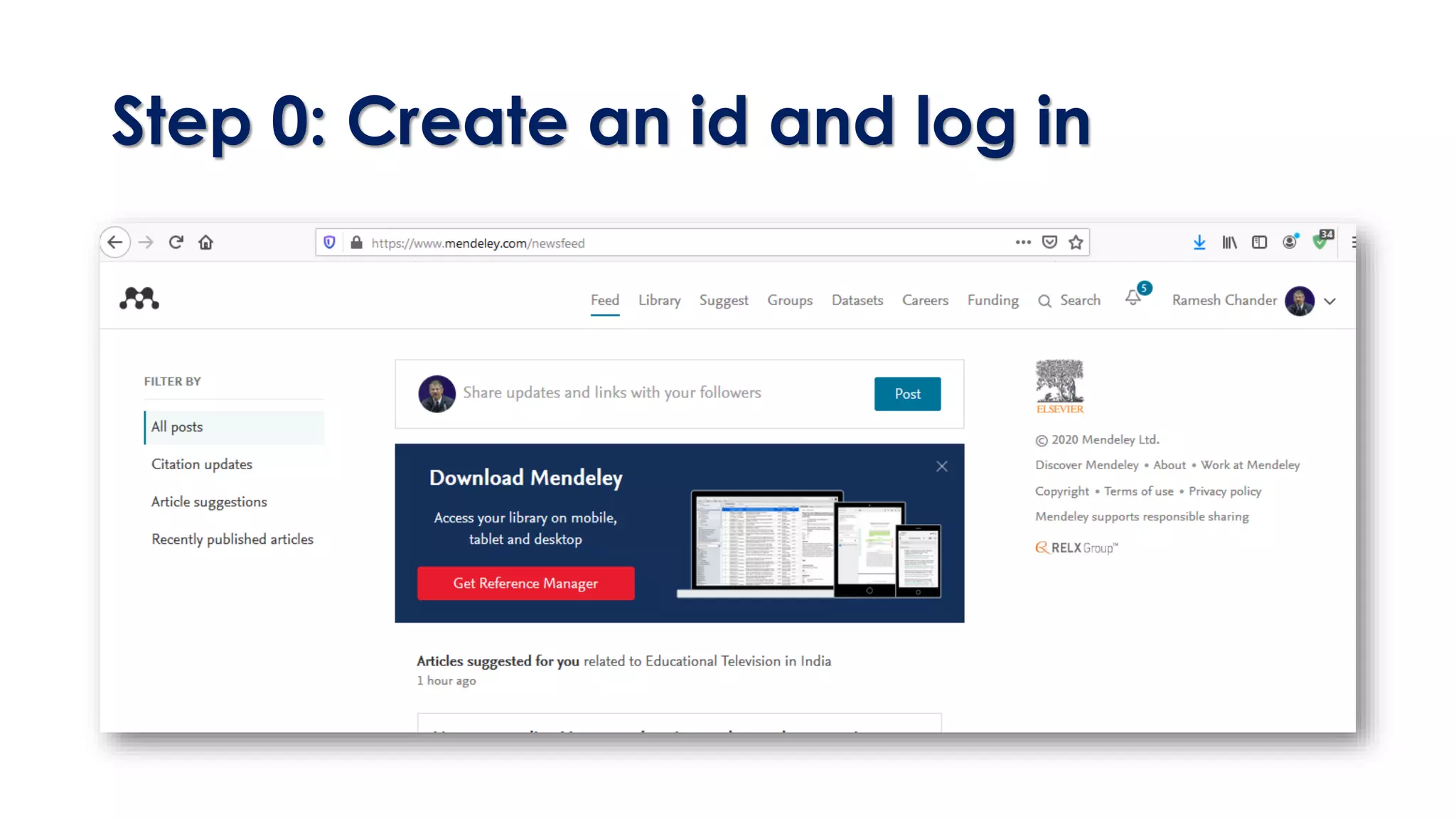
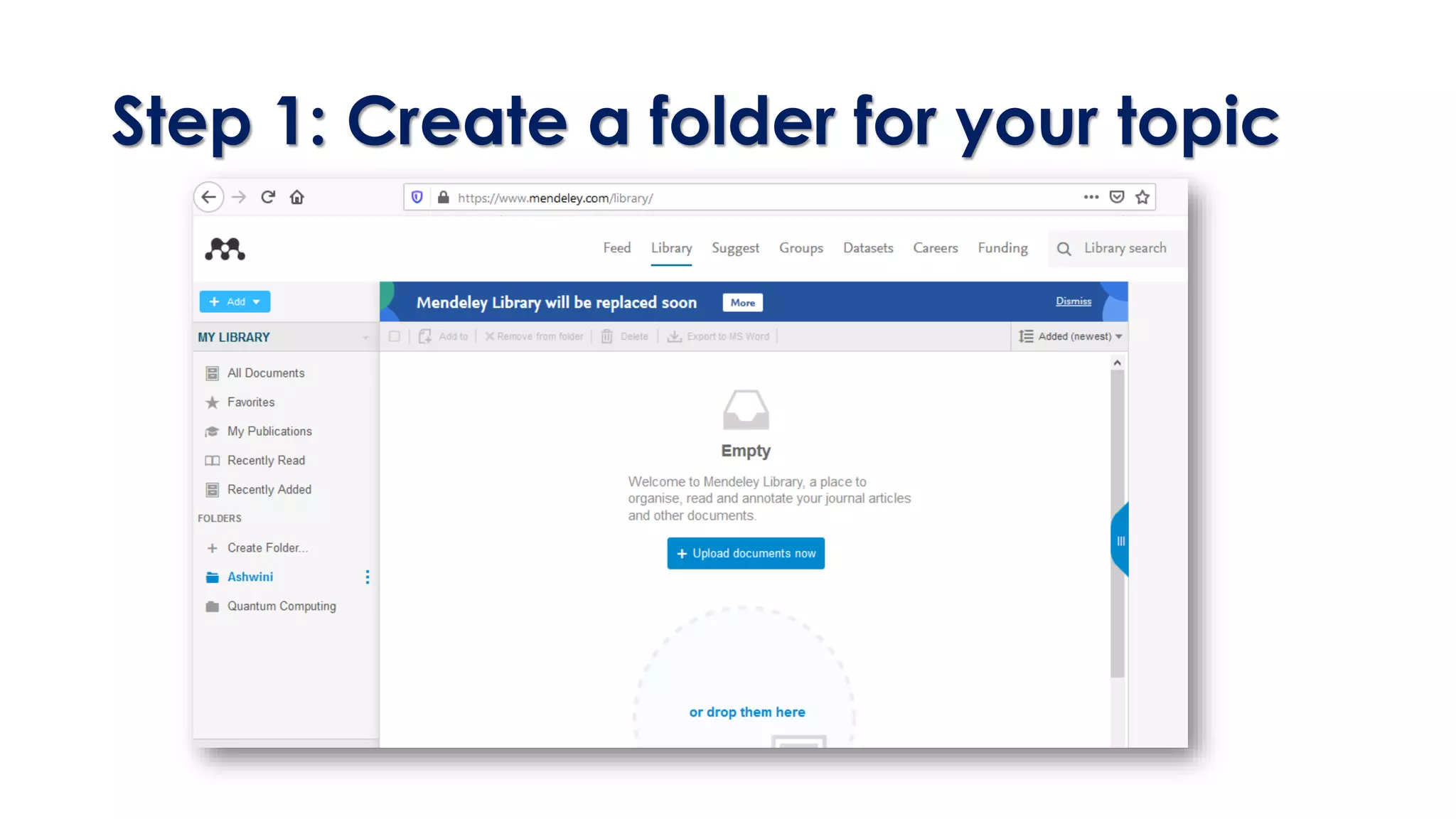
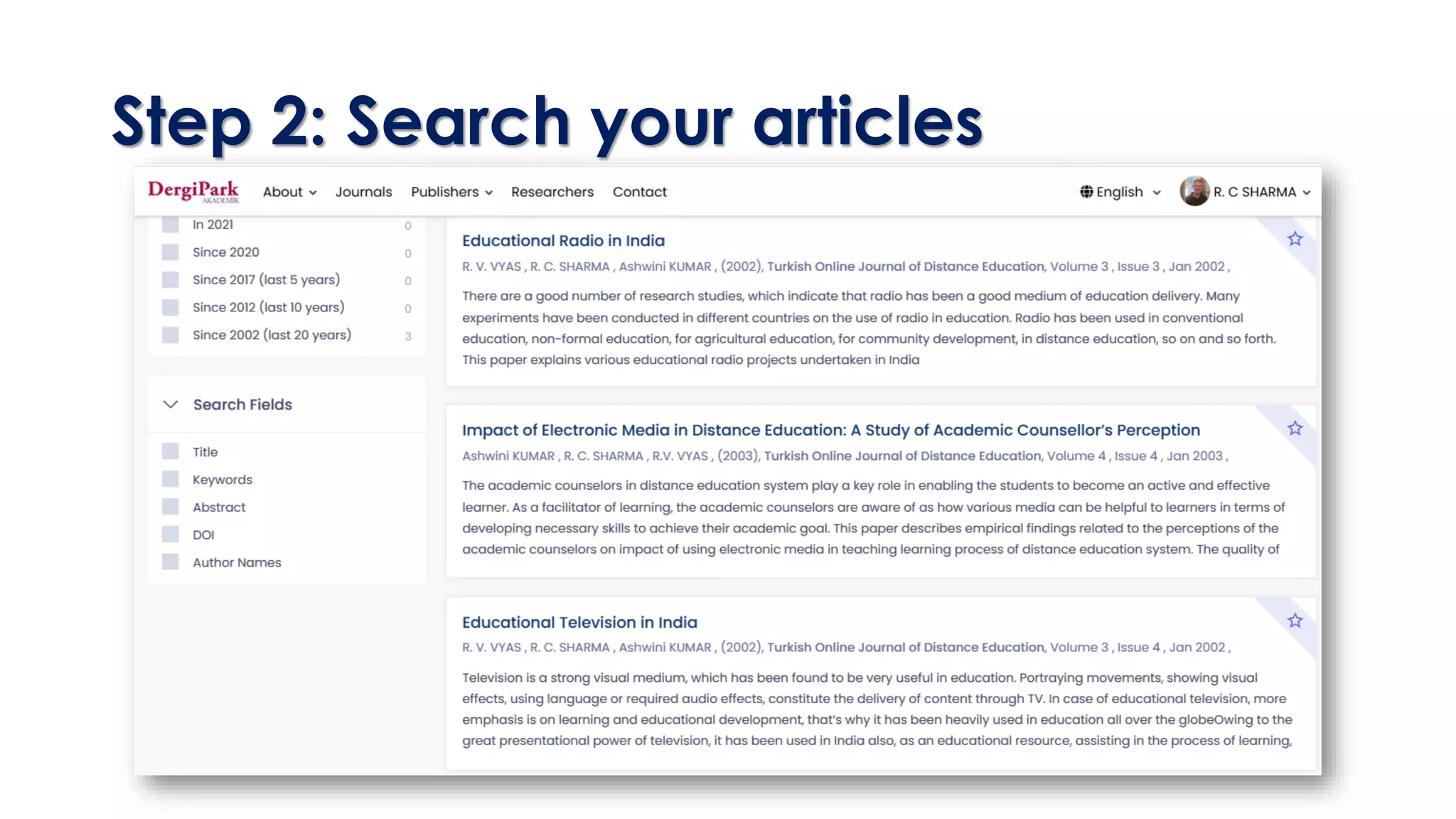
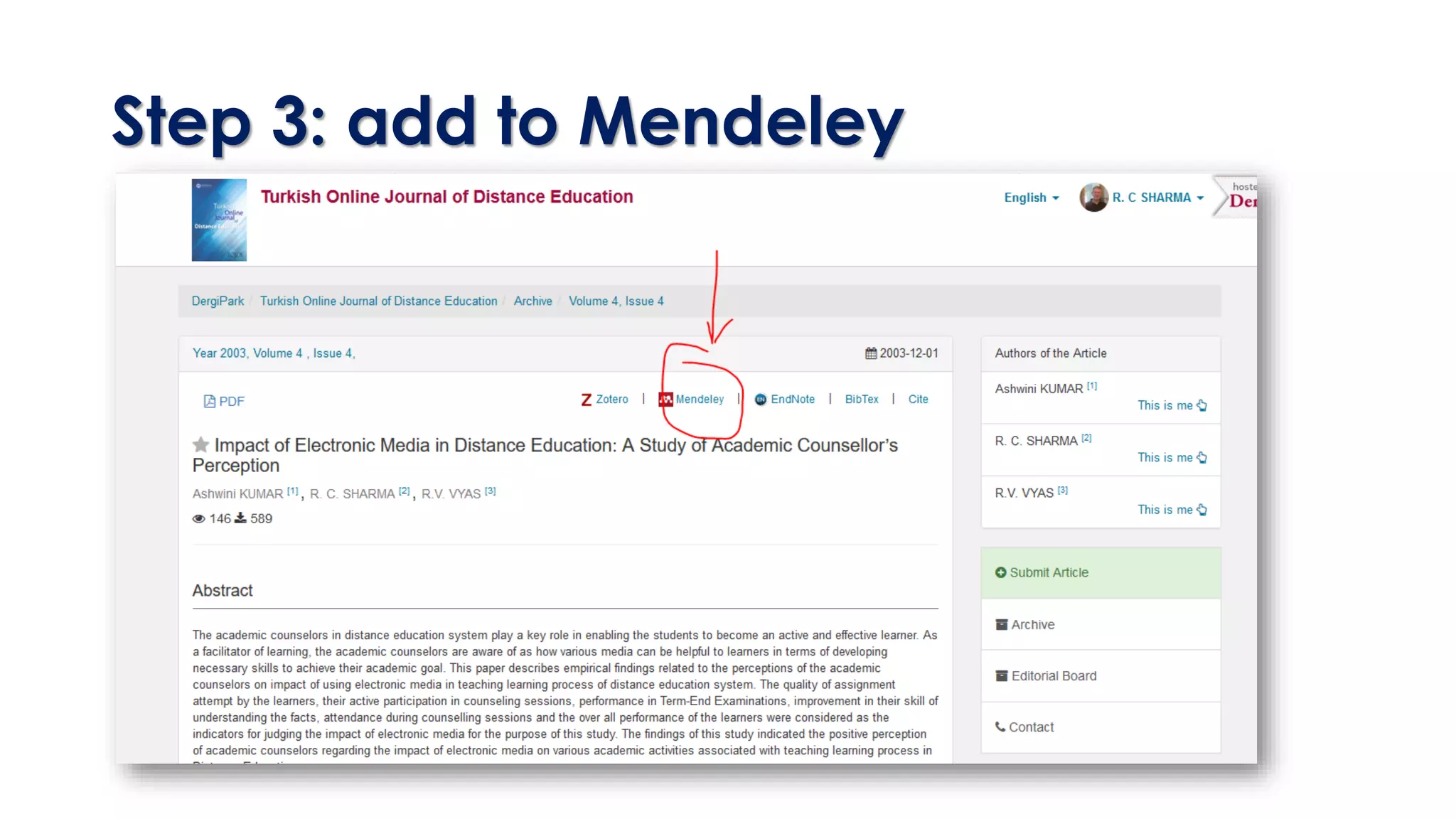
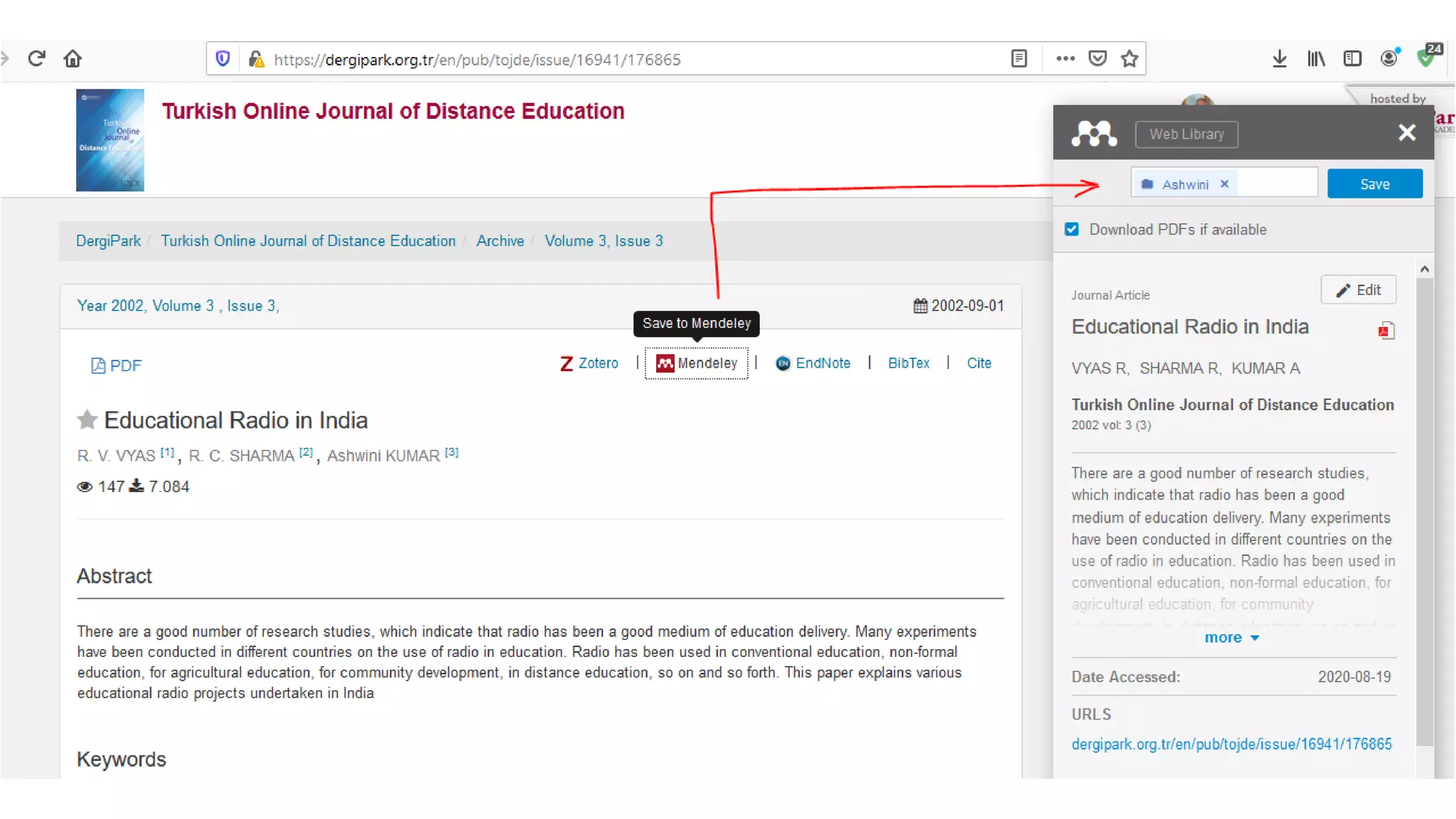
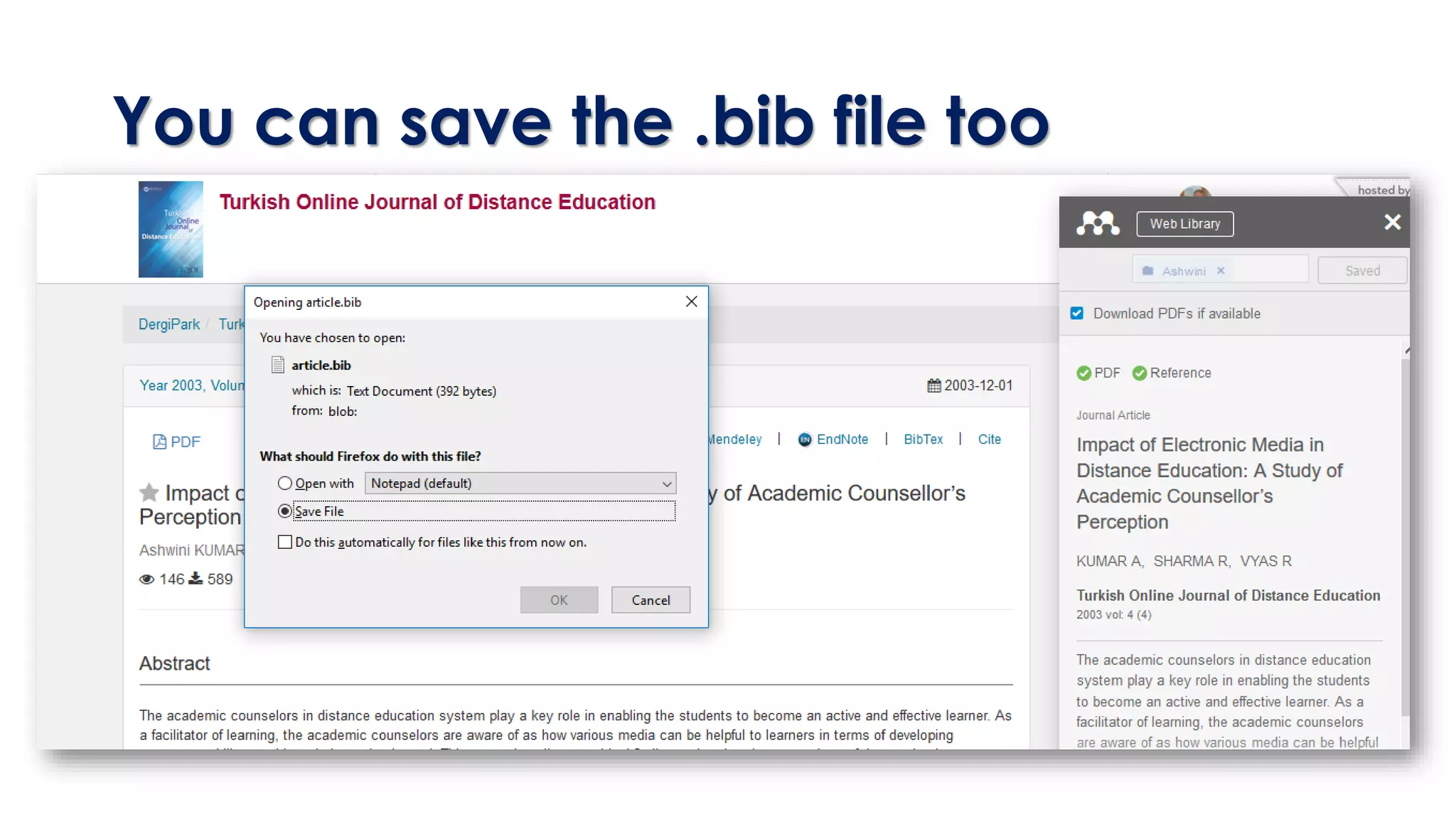
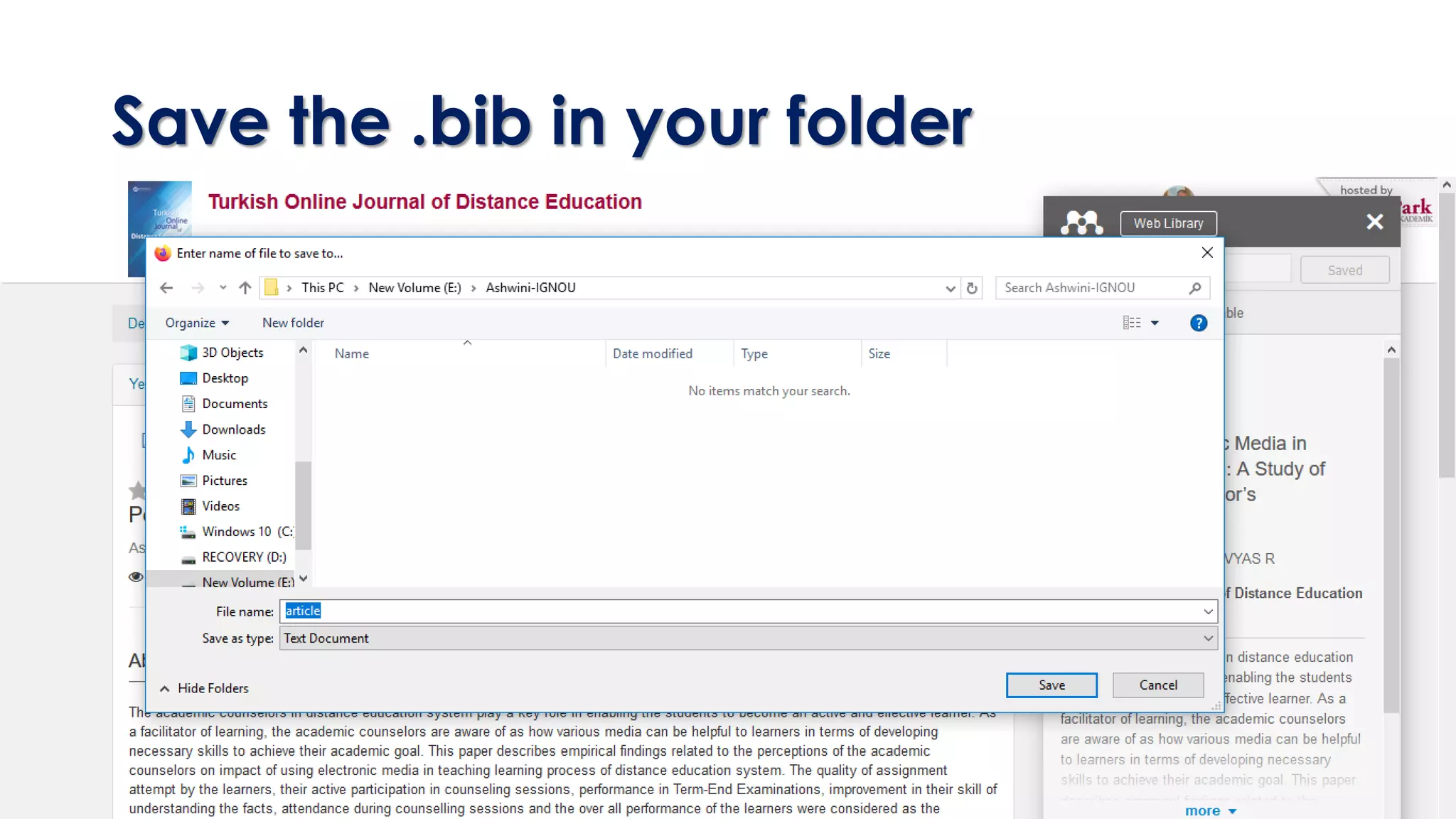
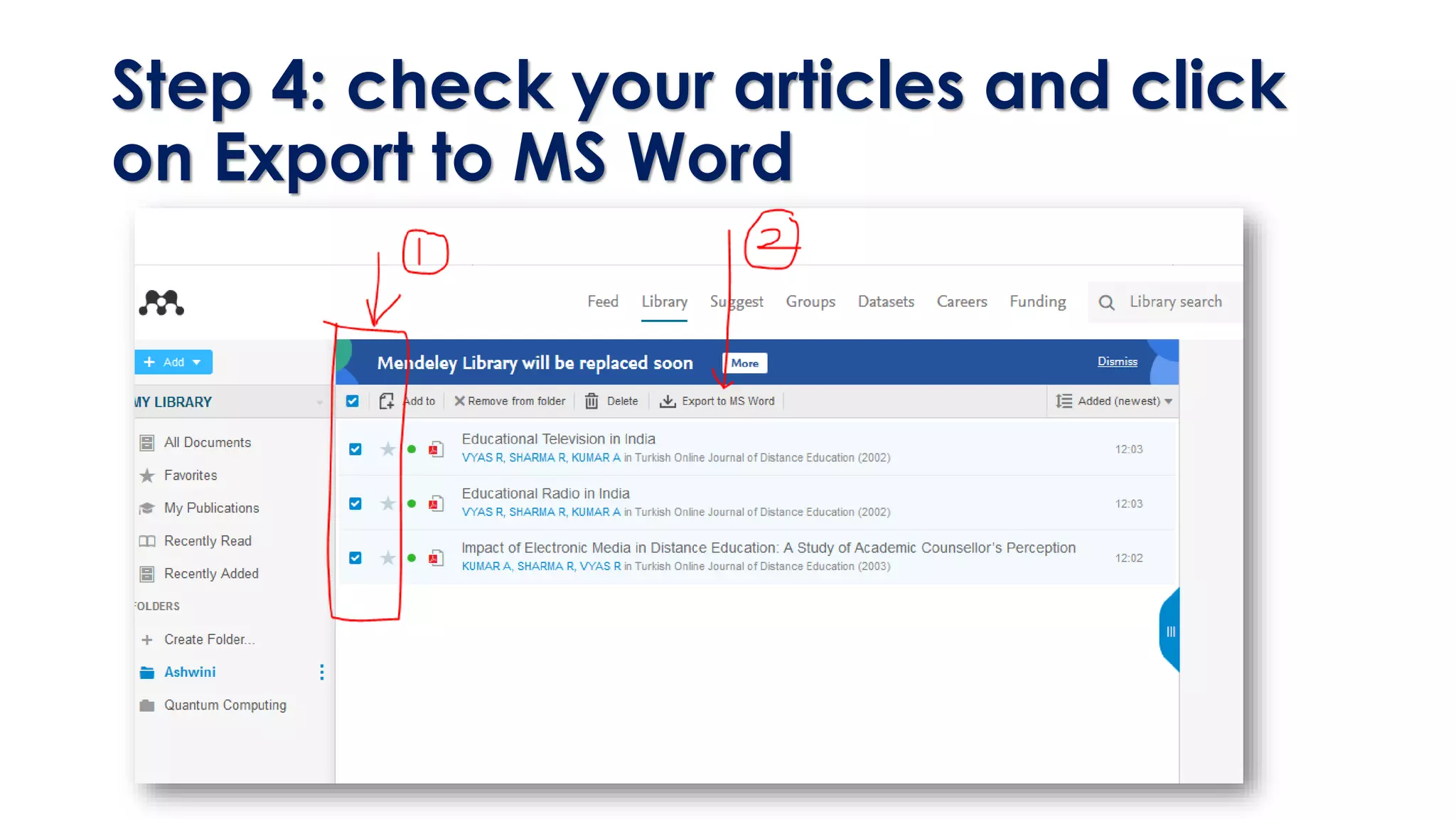
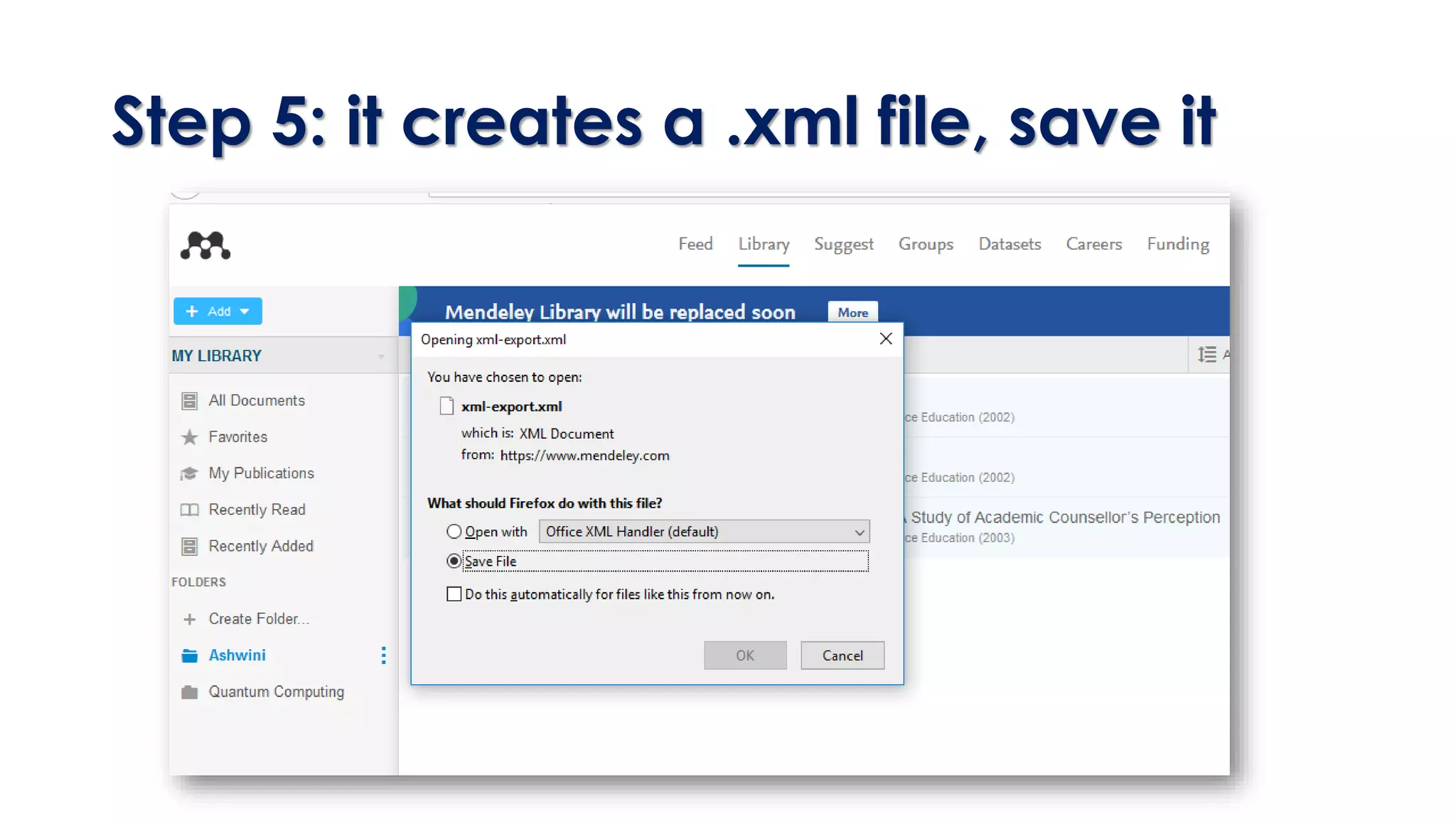
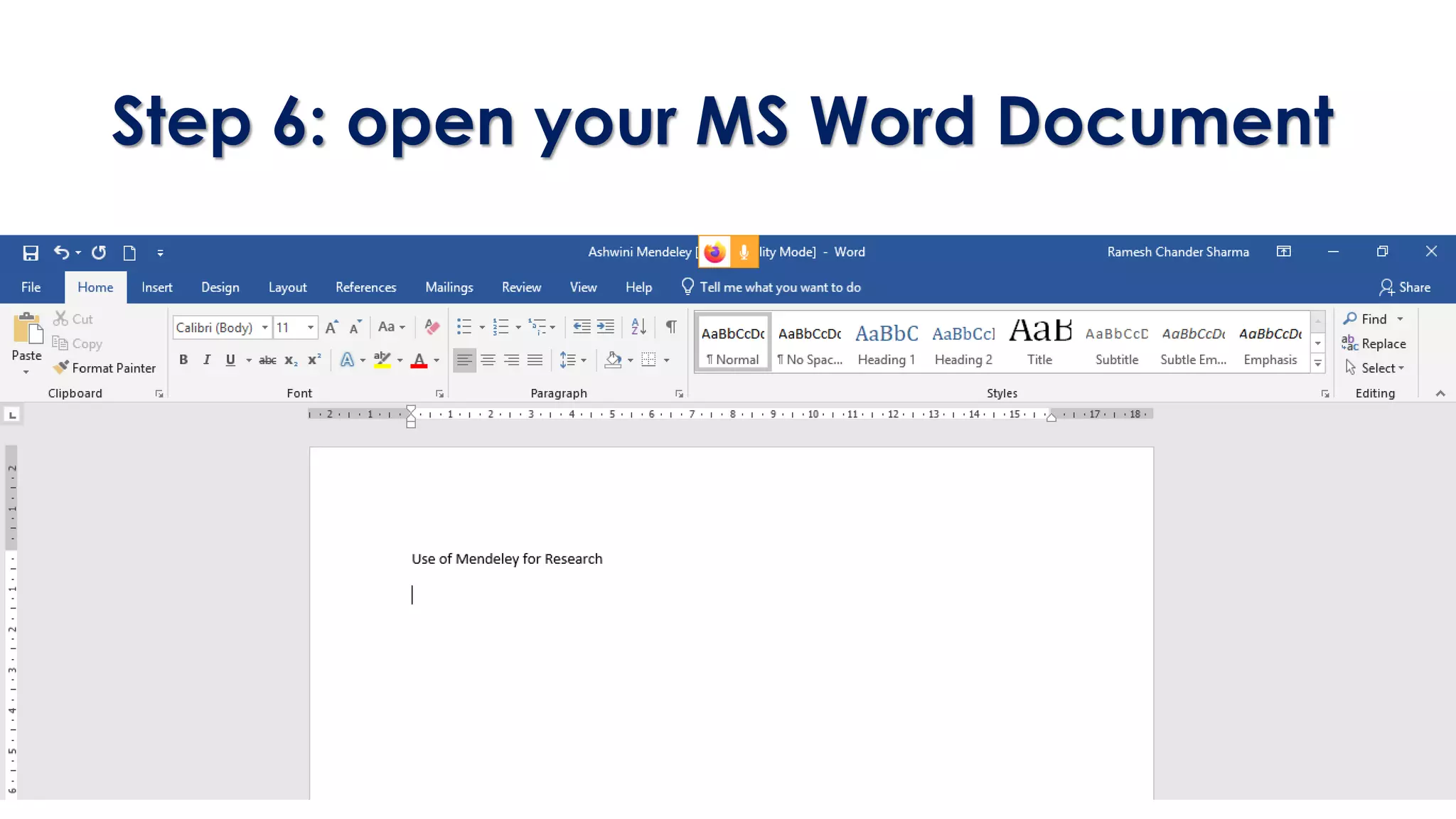
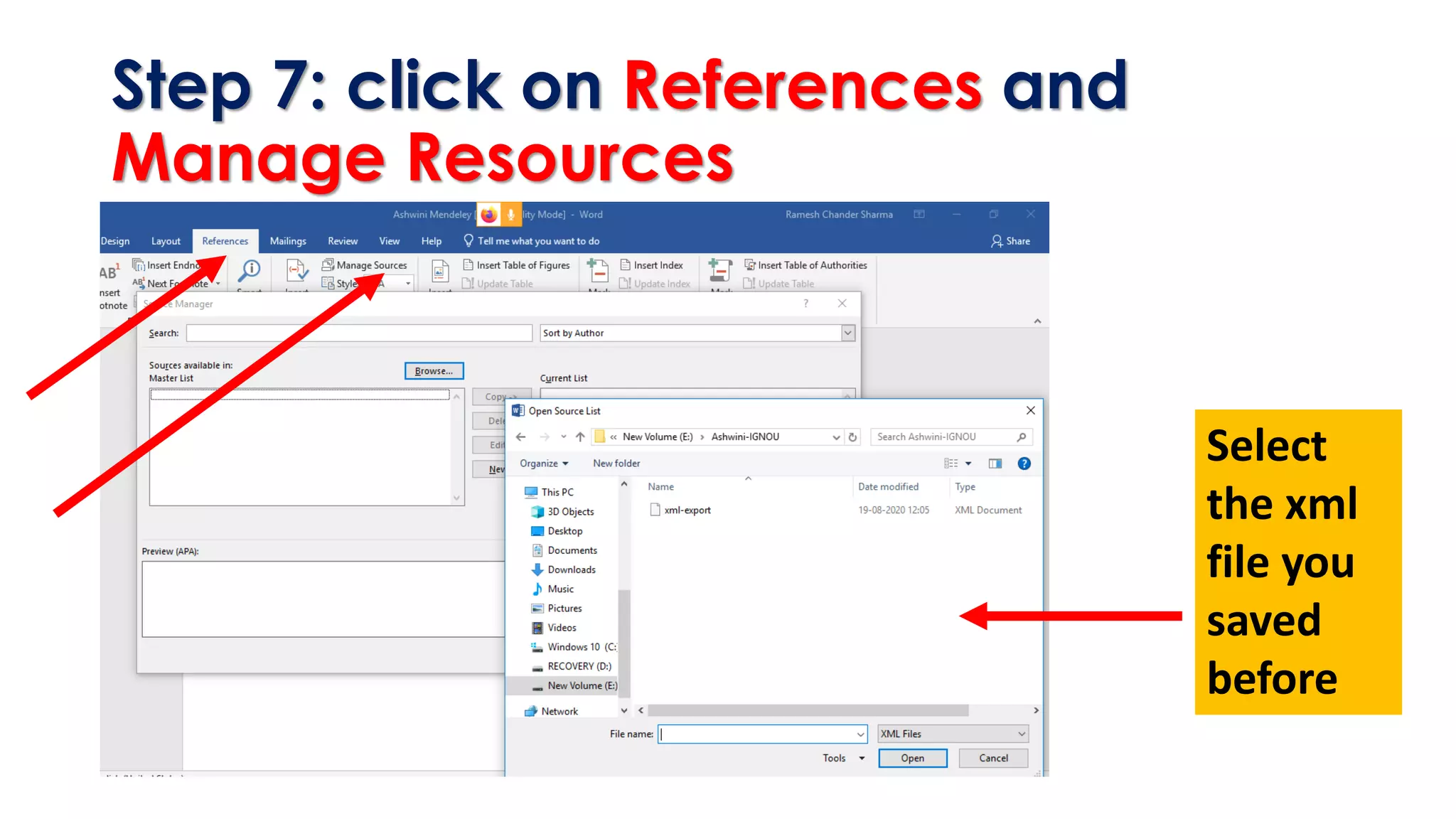
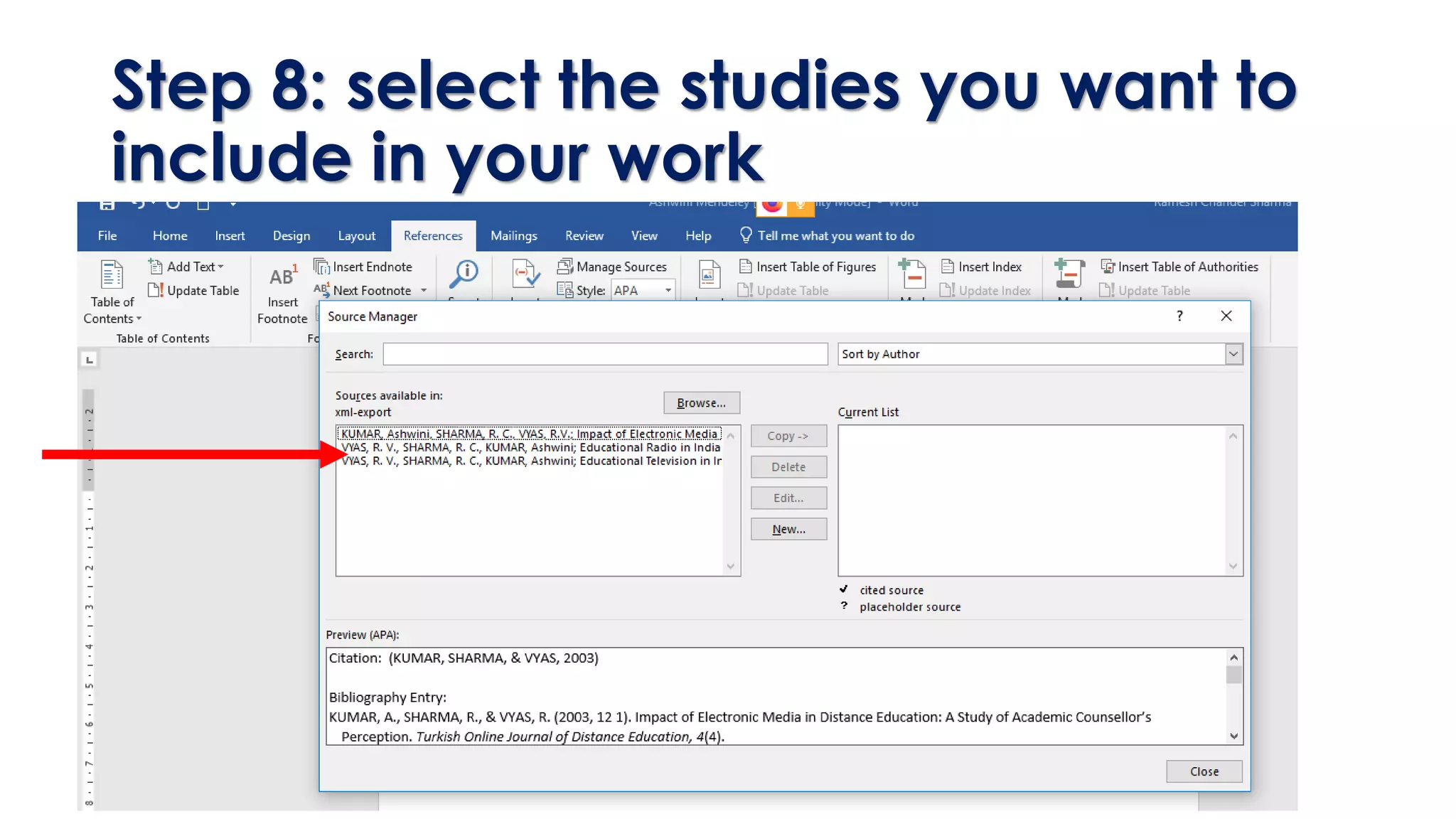
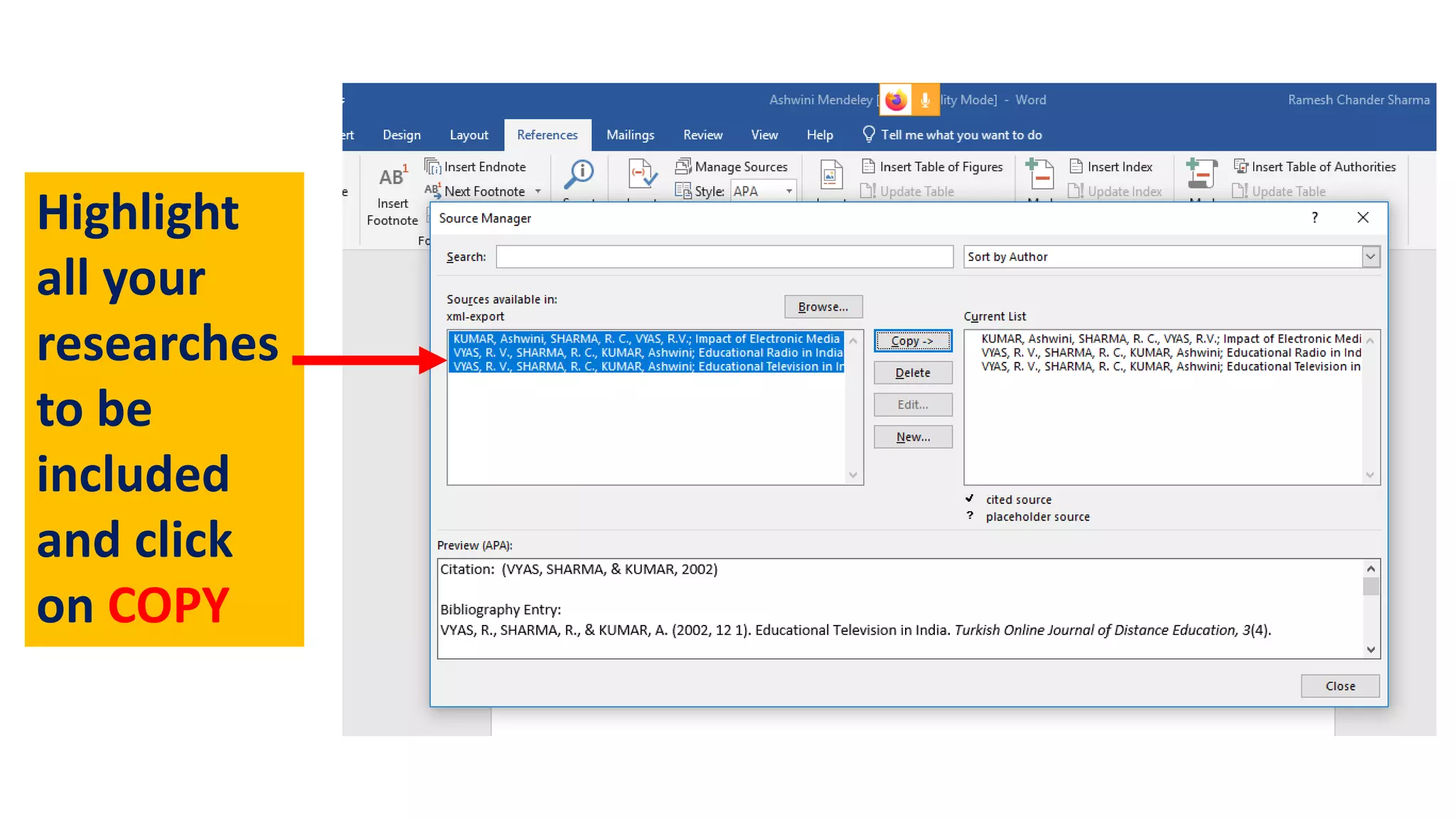
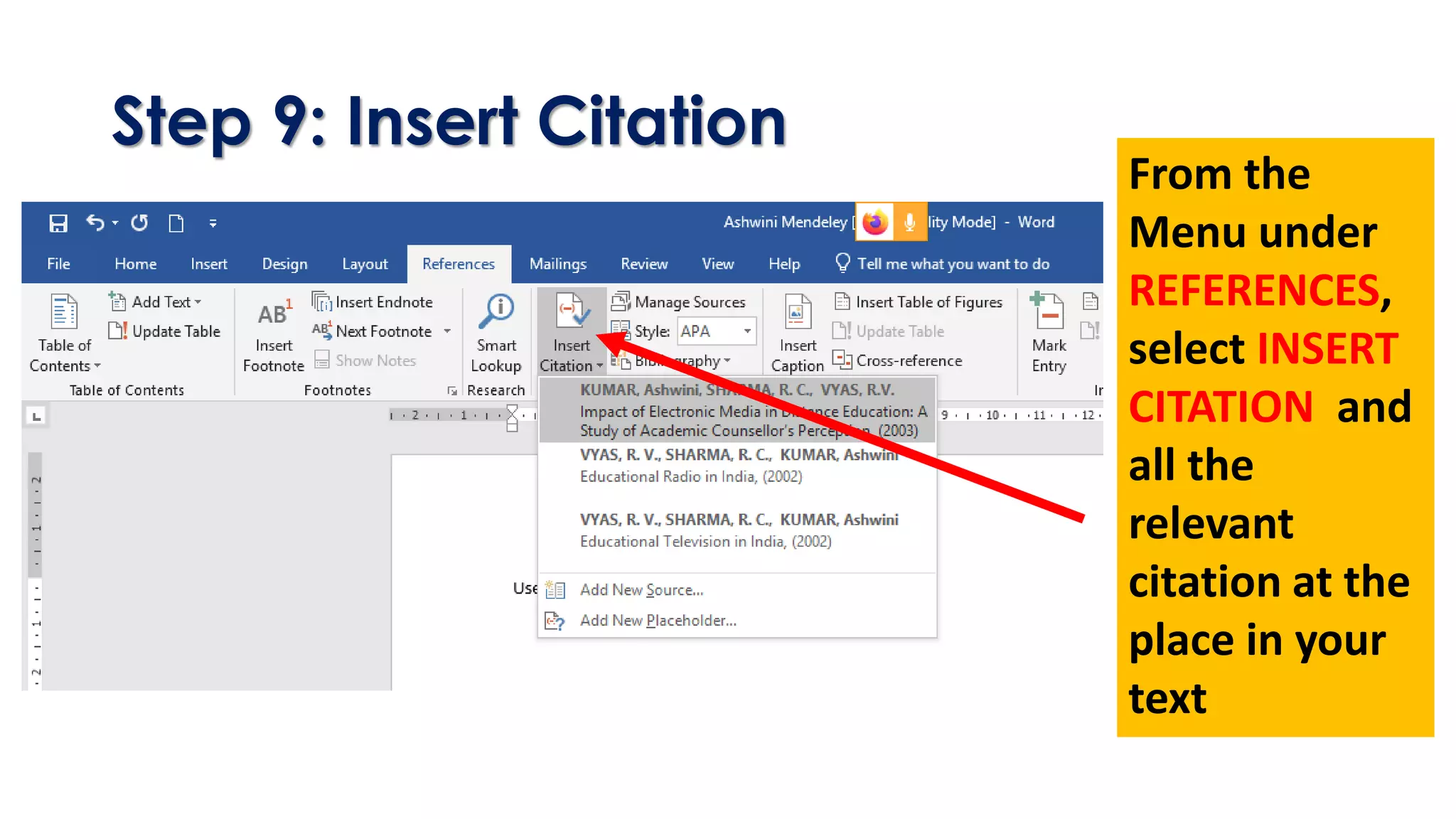
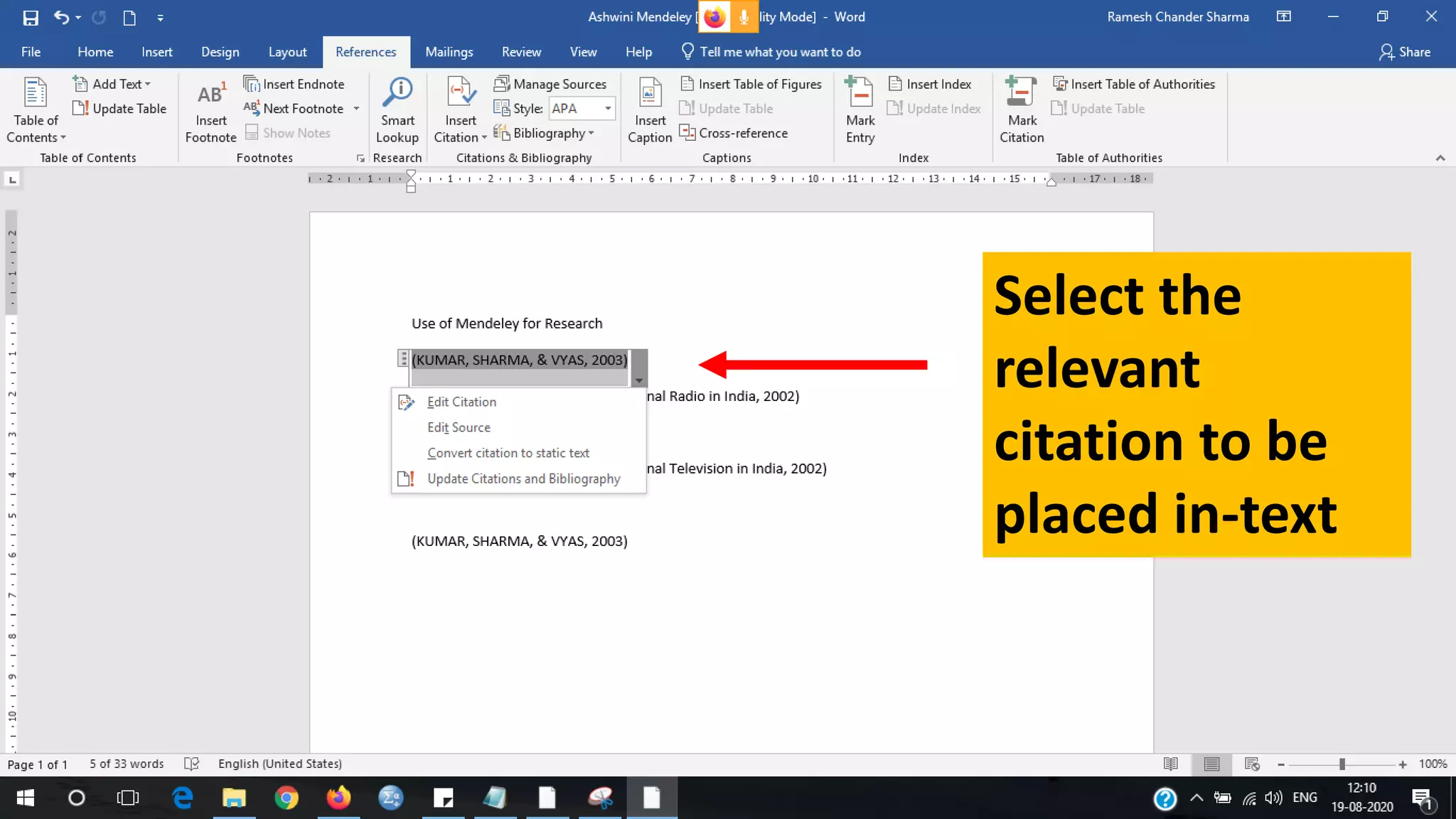
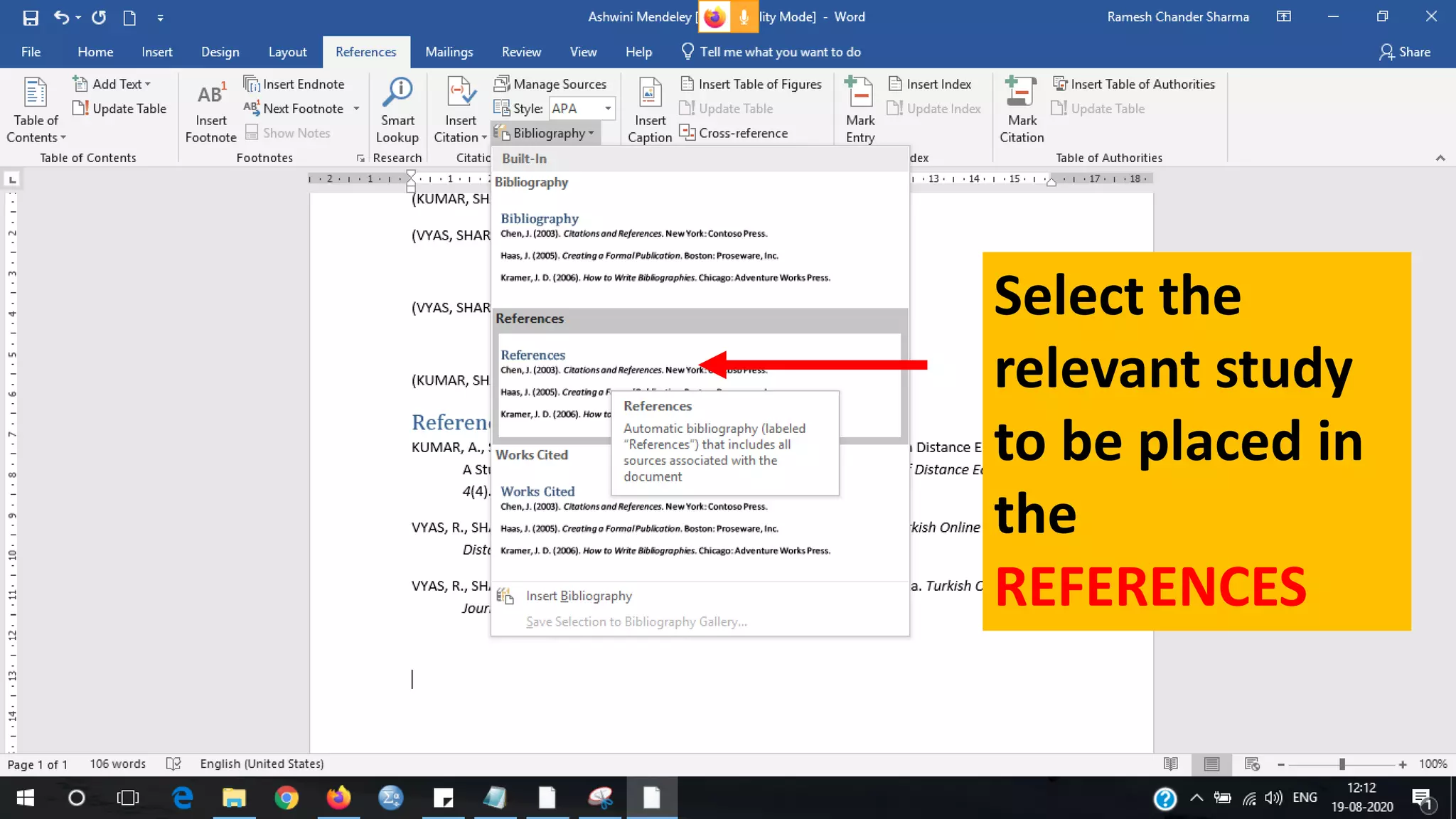
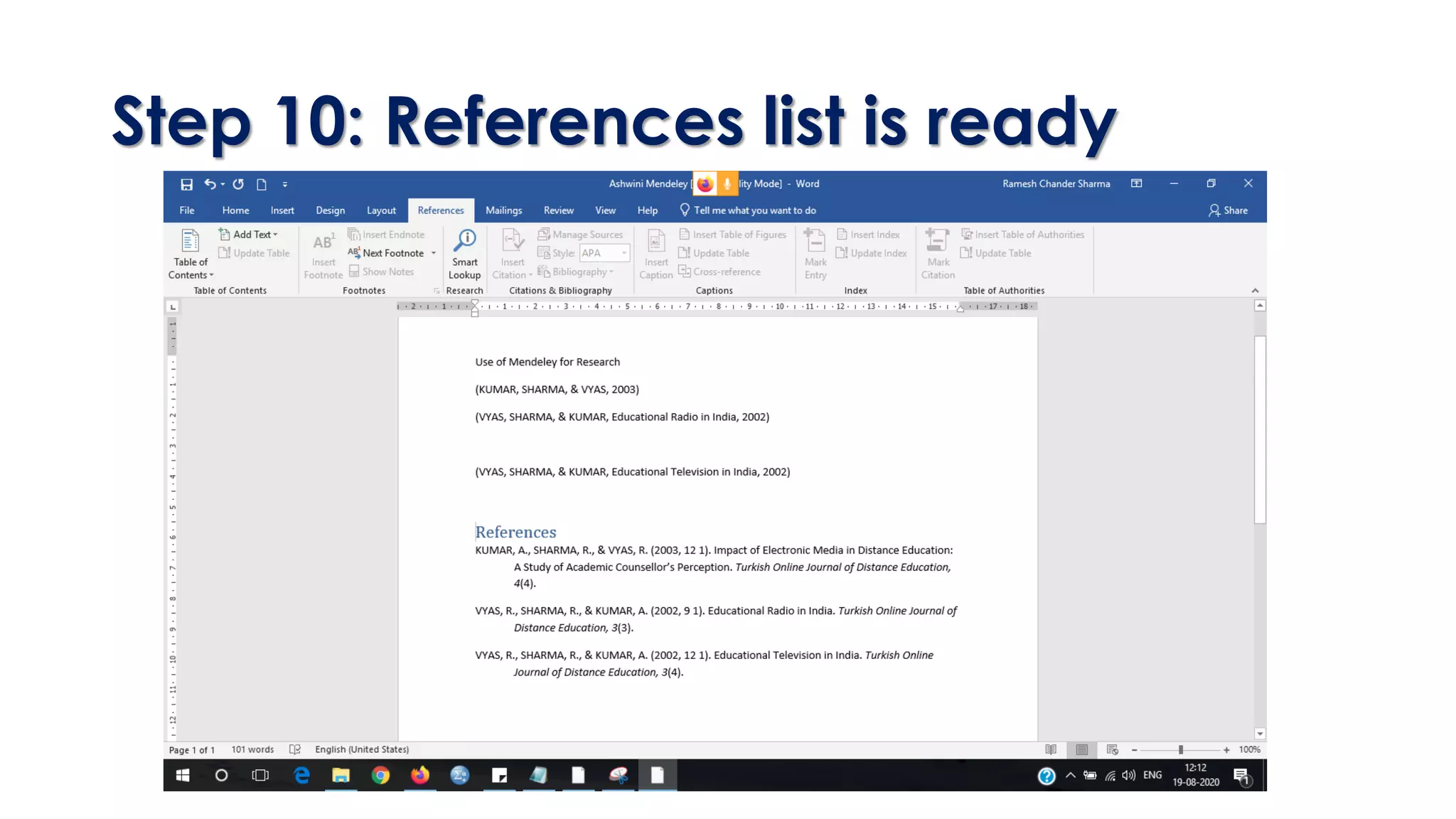

This document provides a step-by-step guide on how to use Mendeley for managing research articles and citations. It includes creating an account, organizing articles in folders, exporting citations to MS Word, and generating a references list. The process involves several actions from searching articles to inserting citations in a document.


