Mendeley Reference Management Tool.
Mohamed A. Alrshah
Ph.D Candidate in Computer Science.
Faculty of Computer Science and Information Technology.
University Putra Malaysia.
Mohamed.asnd@gmail.com, mohamed.a.alrshah@ieee.org.
2015
By
What is Mendeley?
Mendeley is a free software which provides reference management tools
Other reference management softwares you might know:
Endnote, Refworks, Zotero, Procite, etc.
Why this training?
Using Mendeley will help you save time when preparing research and/or
writing articles (thesis, paper, book, etc.)
What is Mendeley?
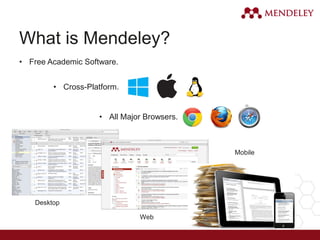
Desktop
Web
Mobile
• Free Academic Software.
• Cross-Platform.
• All Major Browsers.
What can Mendeley do?
It makes you able to:
• manage references .
• manage PDFs.
• generate citations.
• generate reference lists.
• share references.
• Manage your profile as well.
Simply, It is your digital library
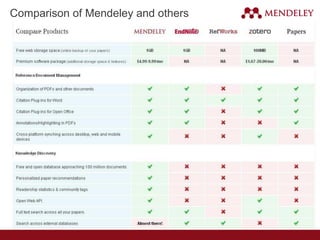
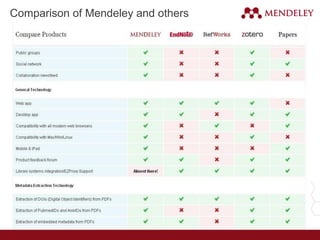
Comparison of Mendeley and others
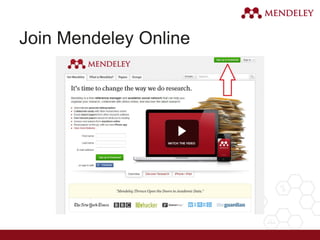
Join Mendeley Online
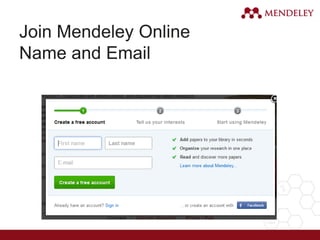
Name and Email
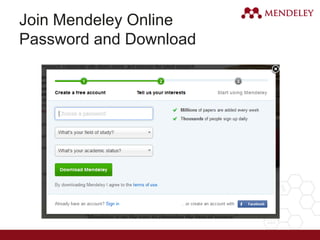
Join Mendeley Online
Password and Download
Organize
Setting Up Your Library
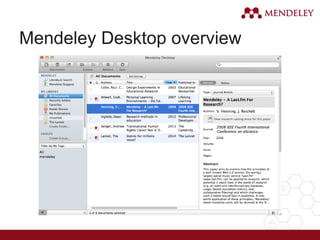
Mendeley Desktop overview
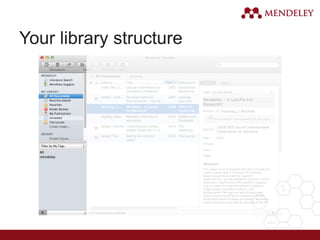
Your library structure
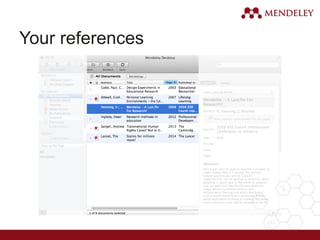
Your references
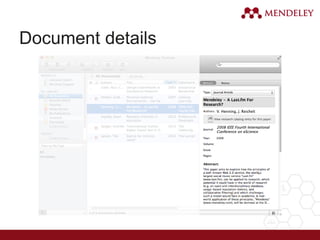
Document details
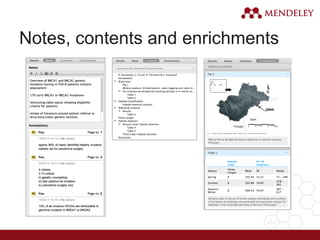
Notes, contents and enrichments
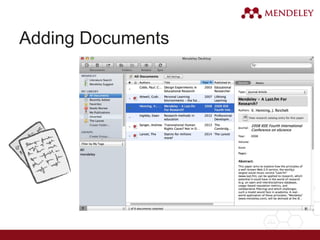
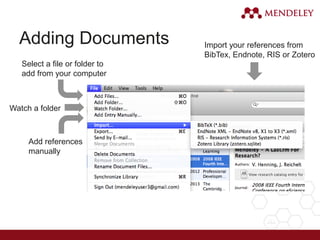
Adding Documents
Adding Documents
Select a file or folder to
add from your computer
Watch a folder
Add references
manually
Import your references from
BibTex, Endnote, RIS or Zotero
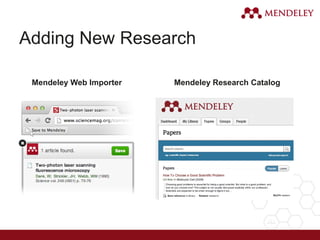
Adding New Research
Mendeley Web Importer Mendeley Research Catalog
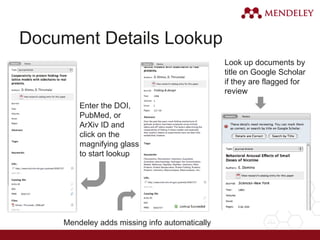
Document Details Lookup
Enter the DOI,
PubMed, or
ArXiv ID and
click on the
magnifying glass
to start lookup
Mendeley adds missing info automatically
Look up documents by
title on Google Scholar
if they are flagged for
review
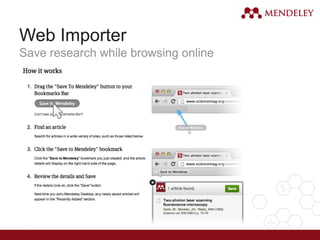
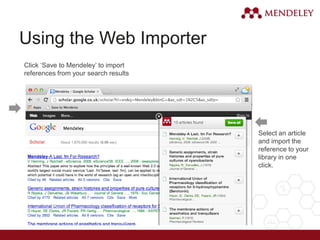
Web Importer
Save research while browsing online
Using the Web Importer
Click ‘Save to Mendeley’ to import
references from your search results
Select an article
and import the
reference to your
library in one
click.
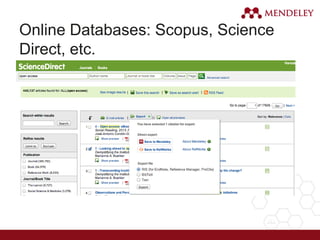
Online Databases: Scopus, Science
Direct, etc.
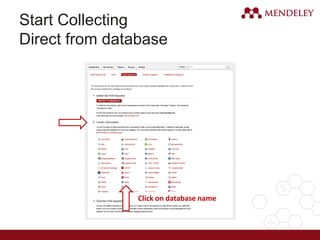
Start Collecting
Direct from database
Click on database name
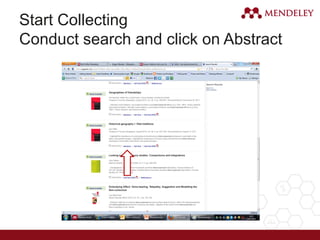
Start Collecting
Conduct search and click on Abstract
Start Collecting
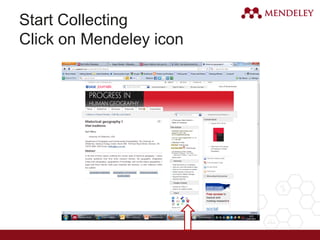
Click on Mendeley icon
Start Collecting
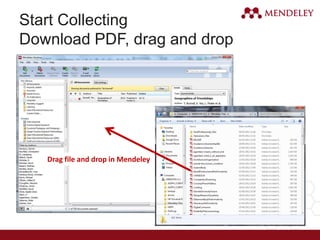
Download PDF, drag and drop
Drag file and drop in Mendeley
Start Collecting
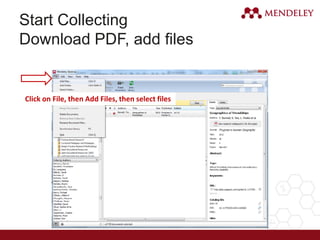
Download PDF, add files
Click on File, then Add Files, then select files
Start Collecting
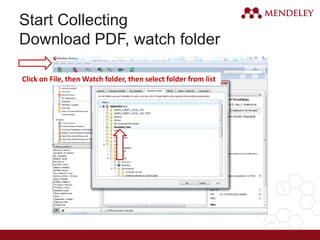
Download PDF, watch folder
Click on File, then Watch folder, then select folder from list
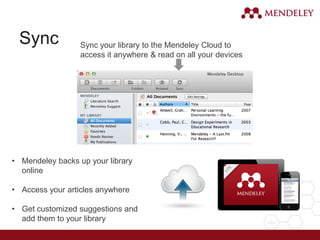
Sync Sync your library to the Mendeley Cloud to
access it anywhere & read on all your devices
• Mendeley backs up your library
online
• Access your articles anywhere
• Get customized suggestions and
add them to your library
Organize
Managing Your Library
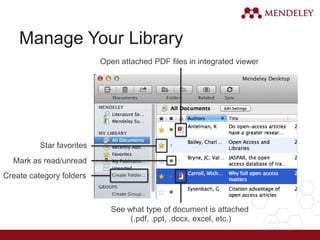
Manage Your Library
Create category folders
See what type of document is attached
(.pdf, .ppt, .docx, excel, etc.)
Open attached PDF files in integrated viewer
Star favorites
Mark as read/unread
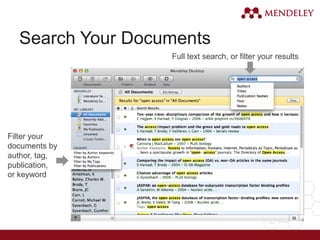
Search Your Documents
Full text search, or filter your results
Filter your
documents by
author, tag,
publication,
or keyword
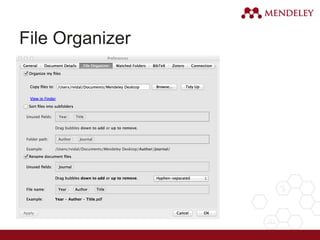
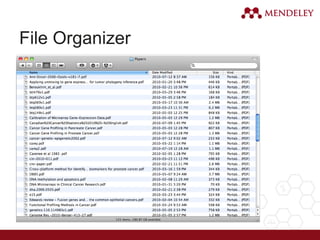
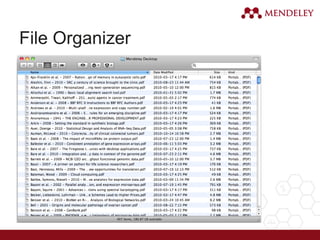
File Organizer
File Organizer
File Organizer
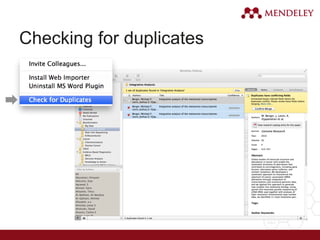
Checking for duplicates
PDF Viewer
Highlight and Annotate Documents
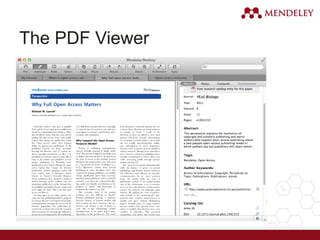
The PDF Viewer
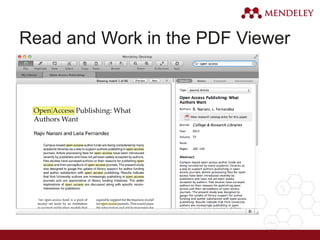
Read and Work in the PDF Viewer
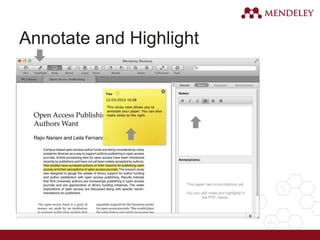
Annotate and Highlight
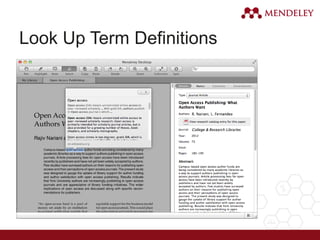
Look Up Term Definitions
Cite
Using the Mendeley Citation Plug-In
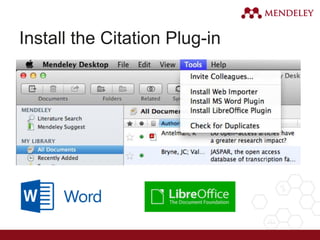
Install the Citation Plug-in
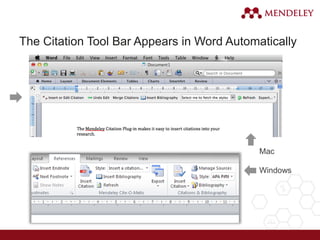
The Citation Tool Bar Appears in Word Automatically
Mac
Windows
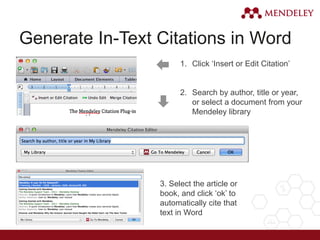
Generate In-Text Citations in Word
1. Click ‘Insert or Edit Citation’
2. Search by author, title or year,
or select a document from your
Mendeley library
3. Select the article or
book, and click ‘ok’ to
automatically cite that
text in Word
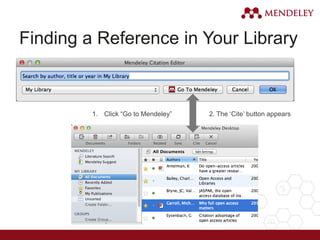
Finding a Reference in Your Library
1. Click “Go to Mendeley” 2. The ‘Cite’ button appears
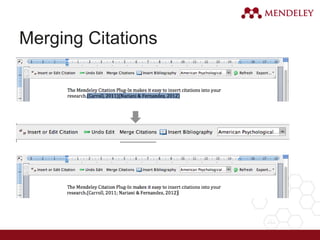
Merging Citations
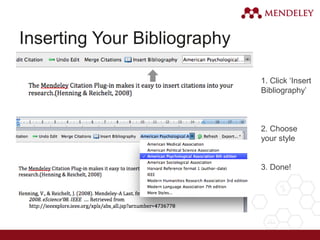
Inserting Your Bibliography
1. Click ‘Insert
Bibliography’
2. Choose
your style
3. Done!
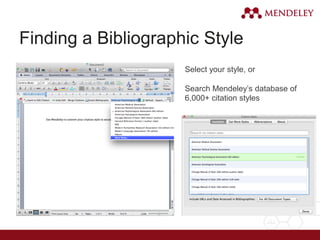
Finding a Bibliographic Style
Select your style, or
Search Mendeley’s database of
6,000+ citation styles
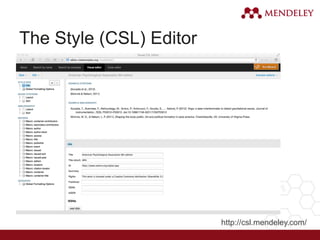
The Style (CSL) Editor
http://csl.mendeley.com/
Collaborate
Join and Create Groups to Share References
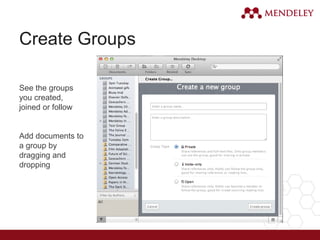
Create Groups
See the groups
you created,
joined or follow
Add documents to
a group by
dragging and
dropping
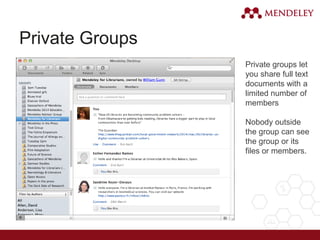
Private Groups
Private groups let
you share full text
documents with a
limited number of
members
Nobody outside
the group can see
the group or its
files or members.
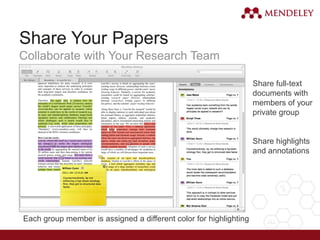
Share Your Papers
Collaborate with Your Research Team
Share full-text
documents with
members of your
private group
Share highlights
and annotations
Each group member is assigned a different color for highlighting
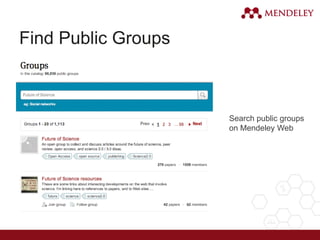
Find Public Groups
Search public groups
on Mendeley Web
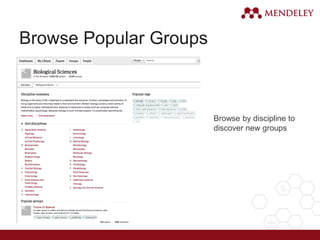
Browse Popular Groups
Browse by discipline to
discover new groups
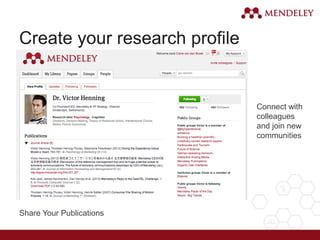
Create your research profile
Share Your Publications
Connect with
colleagues
and join new
communities
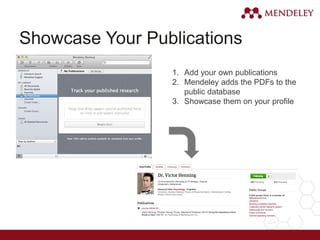
Showcase Your Publications
1. Add your own publications
2. Mendeley adds the PDFs to the
public database
3. Showcase them on your profile
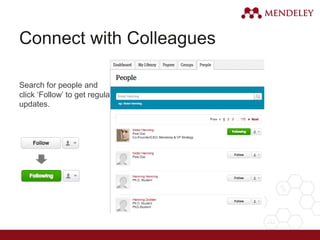
Connect with Colleagues
Search for people and
click ‘Follow’ to get regular
updates.
Discover
New Research, Recommendations, and Impact
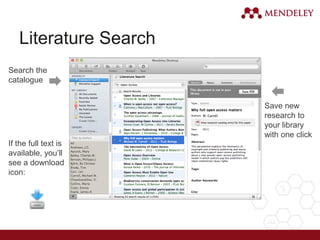
Literature Search
Search the
catalogue
If the full text is
available, you’ll
see a download
icon:
Save new
research to
your library
with one click
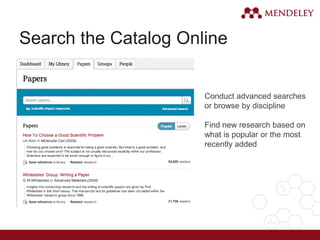
Search the Catalog Online
Conduct advanced searches
or browse by discipline
Find new research based on
what is popular or the most
recently added
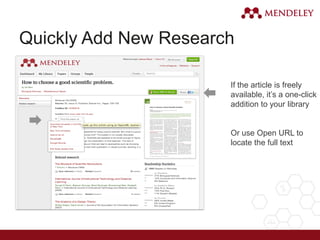
Quickly Add New Research
If the article is freely
available, it’s a one-click
addition to your library
Or use Open URL to
locate the full text
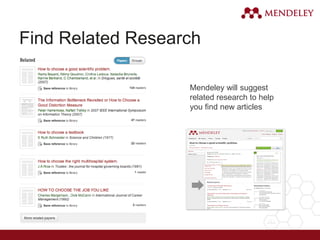
Find Related Research
Mendeley will suggest
related research to help
you find new articles
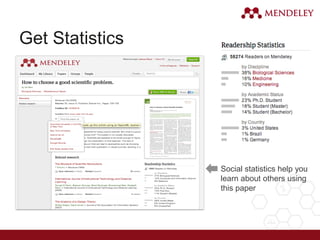
Get Statistics
Social statistics help you
learn about others using
this paper
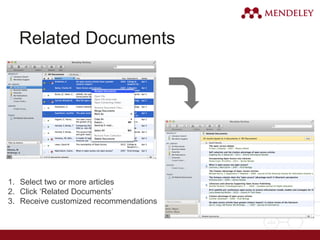
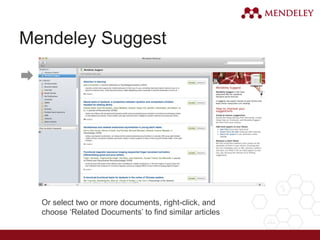
Related Documents
1. Select two or more articles
2. Click ‘Related Documents’
3. Receive customized recommendations
Mendeley Suggest
Or select two or more documents, right-click, and
choose ‘Related Documents’ to find similar articles
Mendeley Open API
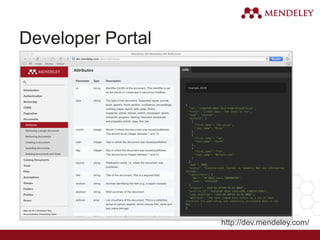
Developer Portal
http://dev.mendeley.com/
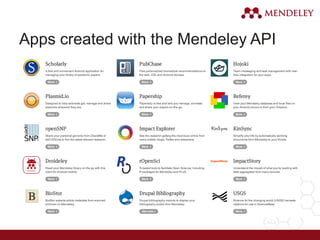
Apps created with the Mendeley API
Stay in touch
Updates, feedback, resources…
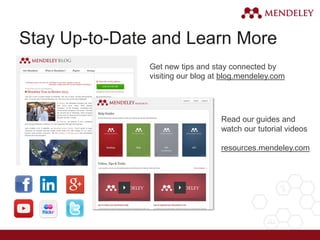
Stay Up-to-Date and Learn More
Get new tips and stay connected by
visiting our blog at blog.mendeley.com
Read our guides and
watch our tutorial videos
resources.mendeley.com
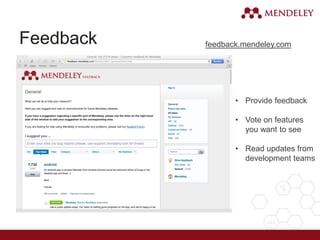
Feedback
• Provide feedback
• Vote on features
you want to see
• Read updates from
development teams
feedback.mendeley.com
www.mendeley.com
Mendeley
“It’s time to change the way we do research”
References
1) P. H. Bamaiyi, Basic Introduction to Mendeley Reference Manage, Universiti Putra
Malaysia (UPM), 2012.
2) Allan Parsons, Introduction to Mendeley, University of Westminster.
3) Indra Lamoot, Introduction to Mendeley, Ethiopian Development Research
Institute, 2005.
4) Carol Shannon, Introduction to Mendeley, University of Michigan Taubman Health
Sciences Library, 2015.
Thank you for attention.
Q&A

Mendeley reference management tool