Downloaded 66 times
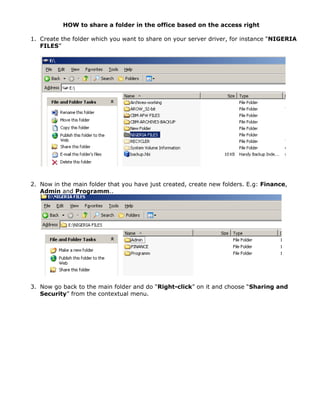
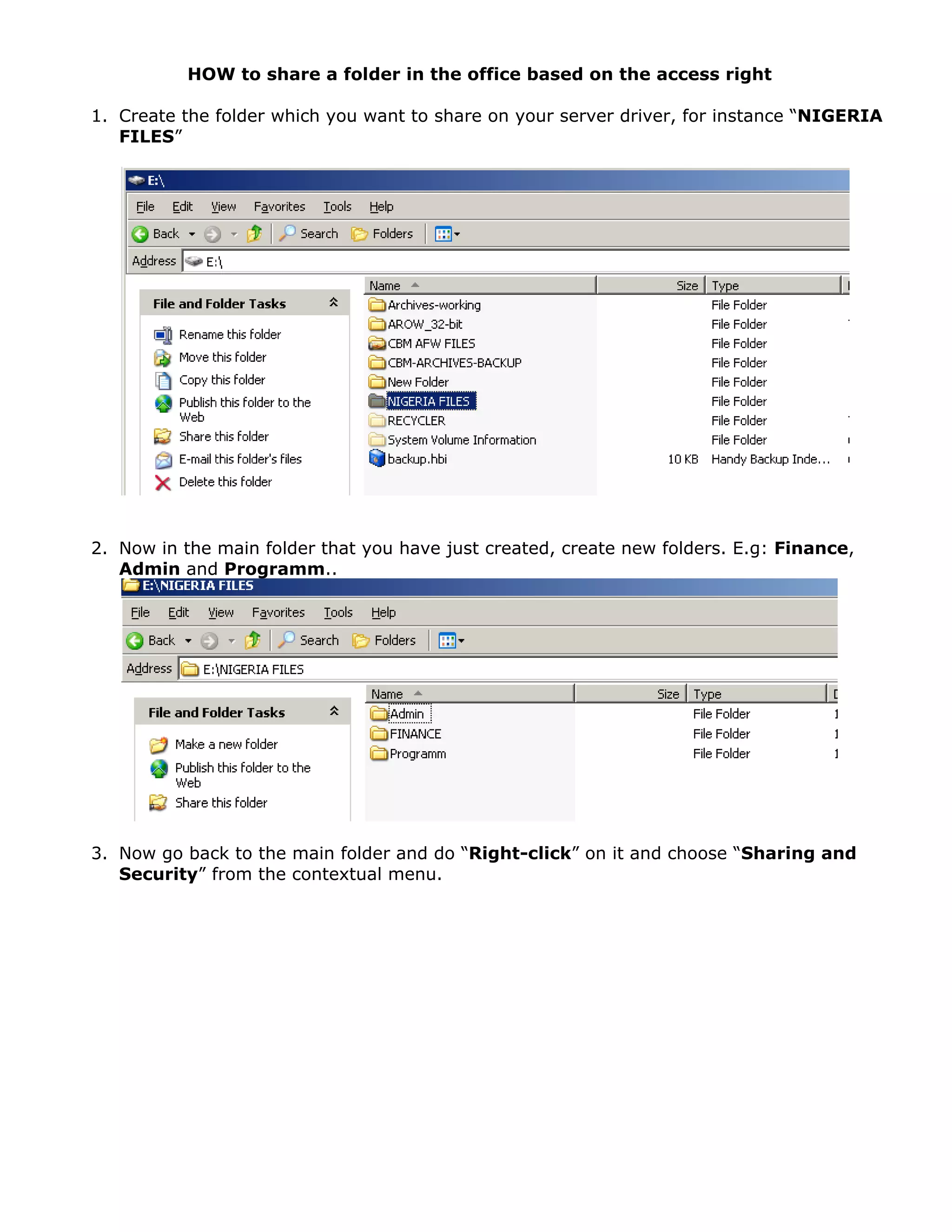
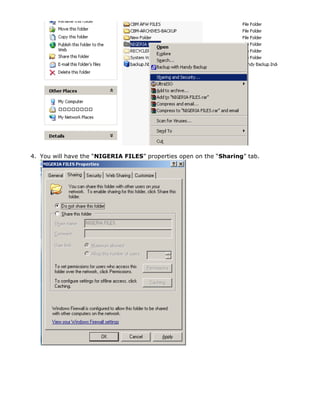
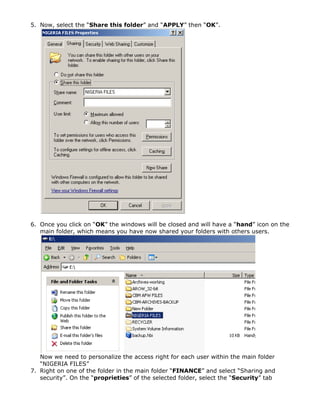
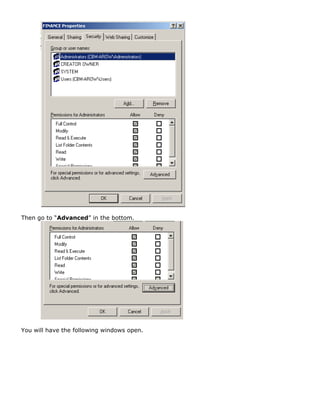
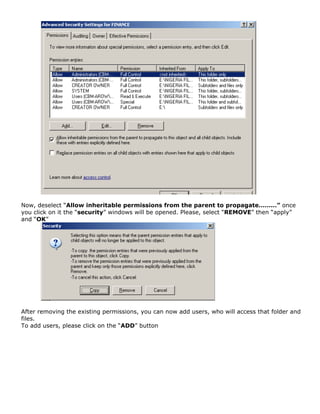
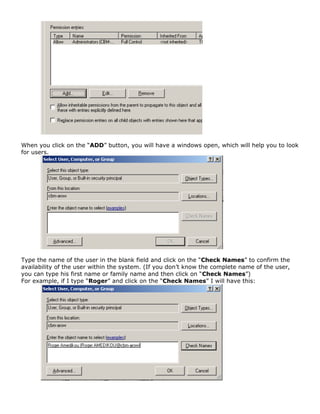
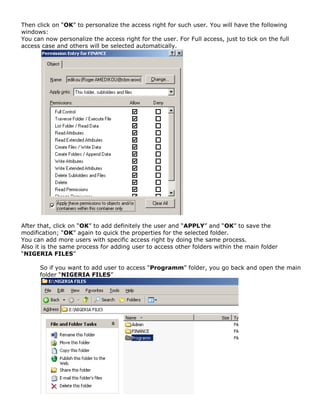
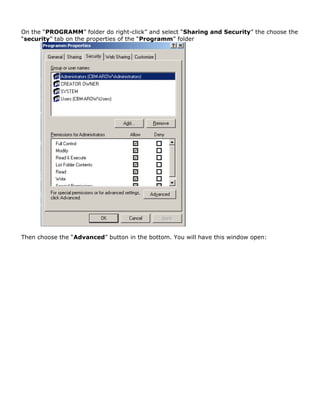
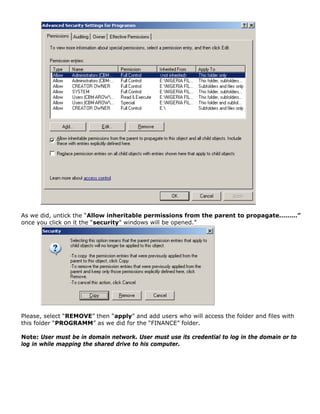

This document provides instructions for sharing folders in an office network and customizing user access permissions. It describes how to: 1. Create a main folder to share called "NIGERIA FILES" and subfolders within it like "Finance", "Admin", and "Programs". 2. Right click the main folder, select "Sharing and Security", then share the folder and apply the changes. This adds a hand icon indicating the folder is shared. 3. Customize access permissions for each subfolder by removing inherited permissions, adding users, and assigning access rights like full access. The same process applies to additional subfolders.

![M.C.A. Internship Project Presentation - Devang Garach [191823011]](https://cdn.slidesharecdn.com/ss_thumbnails/191823011-211107103605-thumbnail.jpg?width=640&height=640&fit=bounds)


