Designing Effective
“PowerPoint
Presentations”
By:
Dr. Shraddha Joshi
M.S. (Ayu), Ph.D.
Shalakya Tantra
Date: 06/01/2024
Why are effective
presentation
important?
2
Power point can put your audience to sleep if you
 Read your slides
 Include too much text or too many graphics.
 Don’t Proofread
 Make each slide different
Luckily, there are 5 keys to help prevent
audience boredom
Designing
Effective PPT
3
Summary
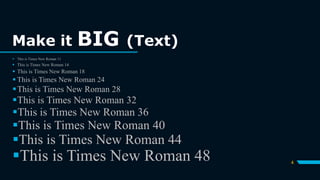
Make it BIG (Text)
4
 This is Times New Roman 11
 This is Times New Roman 14
 This is Times New Roman 18
 This is Times New Roman 24
This is Times New Roman 28
This is Times New Roman 32
This is Times New Roman 36
This is Times New Roman 40
This is Times New Roman 44
This is Times New Roman 48
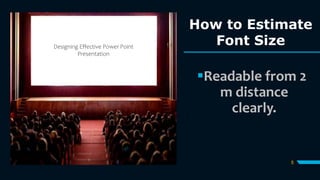
How to Estimate
Font Size
5
Readable from 2
m distance
clearly.
Designing Effective Power Point
Presentation
Keep It Simple
(Text)
 Too many colours.
 Too many Fonts and Styles.
 Then 6*7 rule
No more than 6 lines per slide.
No more than 7 words per line.
6
7
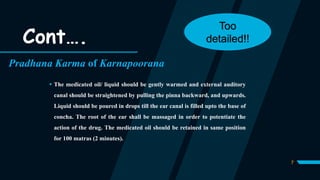
Pradhana Karma of Karnapoorana
 The medicated oil/ liquid should be gently warmed and external auditory
canal should be straightened by pulling the pinna backward, and upwards.
Liquid should be poured in drops till the ear canal is filled upto the base of
concha. The root of the ear shall be massaged in order to potentiate the
action of the drug. The medicated oil should be retained in same position
for 100 matras (2 minutes).
Cont….
Too
detailed!!
8
Pradhana Karma of Karnapoorana
 The medicated oil/ liquid should be gently warmed.
 External auditory canal should be straightened (by pulling the pinna
backward, and upwards).
 Pour the drops till the ear canal is filled upto the base of concha.
 The root of the ear shall be massaged.
 Duration: 100 matras (2 minutes).
Cont…. Simpler!!
Graphs
should be simpler not
much clustered.
$0
$10,000
$20,000
$30,000
$40,000
$50,000
20XX 20XX 20XX 20XX 20XX
9
Pictures
should be
simple
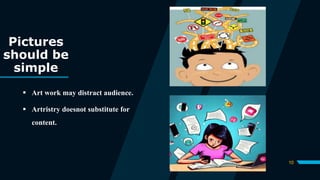
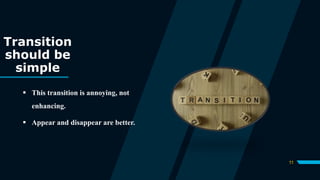
 Art work may distract audience.
 Artristry doesnot substitute for
content.
10
Transition
should be
simple
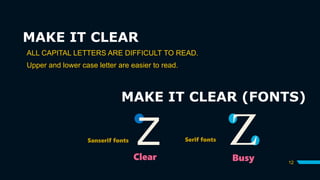
 This transition is annoying, not
enhancing.
 Appear and disappear are better.
11
MAKE IT CLEAR
12
MAKE IT CLEAR (FONTS)
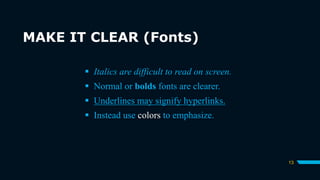
ALL CAPITAL LETTERS ARE DIFFICULT TO READ.
Upper and lower case letter are easier to read.
Z Z
Sanserif fonts Serif fonts
Clear Busy
MAKE IT CLEAR (Fonts)
13
 Italics are difficult to read on screen.
 Normal or bolds fonts are clearer.
 Underlines may signify hyperlinks.
 Instead use colors to emphasize.
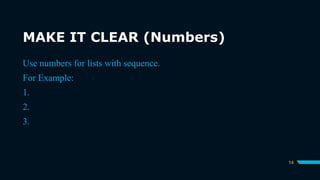
MAKE IT CLEAR (Numbers)
14
Use numbers for lists with sequence.
For Example:
1.
2.
3.
MAKE IT CLEAR (Bullets)
15
Use bullets to show list without
 Priority
 Sequence
 Hierarchy
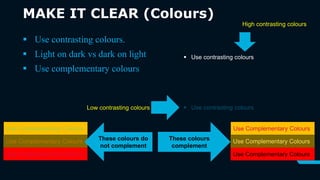
MAKE IT CLEAR (Colours)
16
 Use contrasting colours.
 Light on dark vs dark on light
 Use complementary colours
 Use contrasting colours
Low contrasting colours
High contrasting colours
Use Complementary Colours
These colours do
not complement
Use Complementary Colours
These colours
complement
17
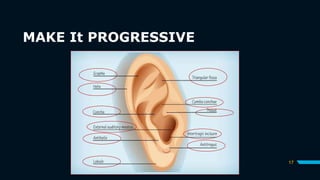
MAKE It PROGRESSIVE
BE CONSISTENT
 Differences draw attention.
 Differences may imply importance.
o Use surprises to attract not distract.
This trick
draws
attention
This
differences
distracts
This
implies
importance
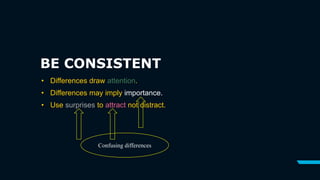
BE CONSISTENT
• Differences draw attention.
• Differences may imply importance.
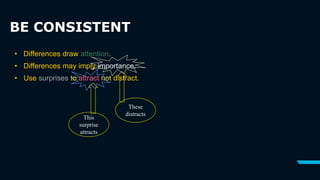
• Use surprises to attract not distract.
Confusing differences
BE CONSISTENT
• Differences draw attention.
• Differences may imply importance.
• Use surprises to attract not distract.
This
surprise
attracts
These
distracts
IN SUMMARY
21
 Big
 Simple
 Clear
 Progressive
 Consistent
THANK
YOU!
Dr. Shraddha Joshi
Mobile no.
7016419716
Email
drsjoshi1993@gmail.com

How to prepare effective powerpointpresentation.pptx

  • 1.
    Designing Effective “PowerPoint Presentations” By: Dr. ShraddhaJoshi M.S. (Ayu), Ph.D. Shalakya Tantra Date: 06/01/2024
  • 2.
    Why are effective presentation important? 2 Powerpoint can put your audience to sleep if you  Read your slides  Include too much text or too many graphics.  Don’t Proofread  Make each slide different Luckily, there are 5 keys to help prevent audience boredom
  • 3.
  • 4.
    Make it BIG(Text) 4  This is Times New Roman 11  This is Times New Roman 14  This is Times New Roman 18  This is Times New Roman 24 This is Times New Roman 28 This is Times New Roman 32 This is Times New Roman 36 This is Times New Roman 40 This is Times New Roman 44 This is Times New Roman 48
  • 5.
    How to Estimate FontSize 5 Readable from 2 m distance clearly. Designing Effective Power Point Presentation
  • 6.
    Keep It Simple (Text) Too many colours.  Too many Fonts and Styles.  Then 6*7 rule No more than 6 lines per slide. No more than 7 words per line. 6
  • 7.
    7 Pradhana Karma ofKarnapoorana  The medicated oil/ liquid should be gently warmed and external auditory canal should be straightened by pulling the pinna backward, and upwards. Liquid should be poured in drops till the ear canal is filled upto the base of concha. The root of the ear shall be massaged in order to potentiate the action of the drug. The medicated oil should be retained in same position for 100 matras (2 minutes). Cont…. Too detailed!!
  • 8.
    8 Pradhana Karma ofKarnapoorana  The medicated oil/ liquid should be gently warmed.  External auditory canal should be straightened (by pulling the pinna backward, and upwards).  Pour the drops till the ear canal is filled upto the base of concha.  The root of the ear shall be massaged.  Duration: 100 matras (2 minutes). Cont…. Simpler!!
  • 9.
    Graphs should be simplernot much clustered. $0 $10,000 $20,000 $30,000 $40,000 $50,000 20XX 20XX 20XX 20XX 20XX 9
  • 10.
    Pictures should be simple  Artwork may distract audience.  Artristry doesnot substitute for content. 10
  • 11.
    Transition should be simple  Thistransition is annoying, not enhancing.  Appear and disappear are better. 11
  • 12.
    MAKE IT CLEAR 12 MAKEIT CLEAR (FONTS) ALL CAPITAL LETTERS ARE DIFFICULT TO READ. Upper and lower case letter are easier to read. Z Z Sanserif fonts Serif fonts Clear Busy
  • 13.
    MAKE IT CLEAR(Fonts) 13  Italics are difficult to read on screen.  Normal or bolds fonts are clearer.  Underlines may signify hyperlinks.  Instead use colors to emphasize.
  • 14.
    MAKE IT CLEAR(Numbers) 14 Use numbers for lists with sequence. For Example: 1. 2. 3.
  • 15.
    MAKE IT CLEAR(Bullets) 15 Use bullets to show list without  Priority  Sequence  Hierarchy
  • 16.
    MAKE IT CLEAR(Colours) 16  Use contrasting colours.  Light on dark vs dark on light  Use complementary colours  Use contrasting colours  Use contrasting colours Low contrasting colours High contrasting colours Use Complementary Colours Use Complementary Colours Use Complementary Colours These colours do not complement Use Complementary Colours Use Complementary Colours Use Complementary Colours These colours complement
  • 17.
  • 18.
    BE CONSISTENT  Differencesdraw attention.  Differences may imply importance. o Use surprises to attract not distract. This trick draws attention This differences distracts This implies importance
  • 19.
    BE CONSISTENT • Differencesdraw attention. • Differences may imply importance. • Use surprises to attract not distract. Confusing differences
  • 20.
    BE CONSISTENT • Differencesdraw attention. • Differences may imply importance. • Use surprises to attract not distract. This surprise attracts These distracts
  • 21.
    IN SUMMARY 21  Big Simple  Clear  Progressive  Consistent
  • 22.
    THANK YOU! Dr. Shraddha Joshi Mobileno. 7016419716 Email drsjoshi1993@gmail.com