Designing Effective
“PowerPoint Presentations”
By: Satyajeet Singh
satyajeet.singh@yahoo.com
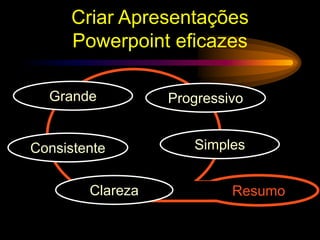
Criar Apresentações
Powerpoint eficazes
Simples
Consistente
Clareza
Grande Progressivo
Resumo
Faz Grande
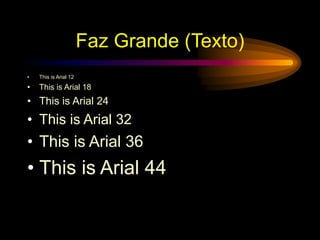
Faz Grande (Texto)
• This is Arial 12
• This is Arial 18
• This is Arial 24
• This is Arial 32
• This is Arial 36
• This is Arial 44
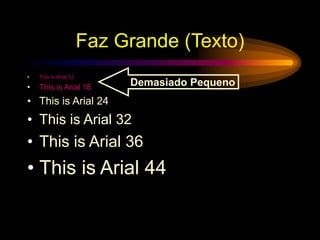
Faz Grande (Texto)
• This is Arial 12
• This is Arial 18
• This is Arial 24
• This is Arial 32
• This is Arial 36
• This is Arial 44
Demasiado Pequeno
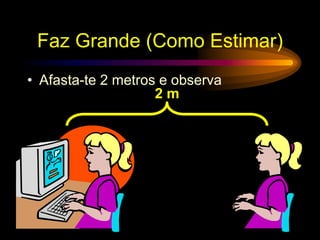
Faz Grande (Como Estimar)
• Afasta-te 2 metros e observa
2 m
Mantém Simples
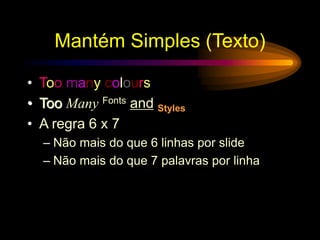
Mantém Simples (Texto)
• Too many colours
• Too Many Fonts and Styles
• A regra 6 x 7
– Não mais do que 6 linhas por slide
– Não mais do que 7 palavras por linha
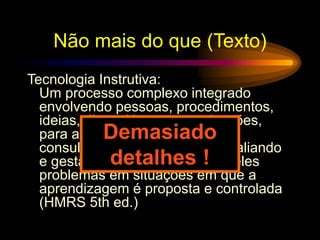
Não mais do que (Texto)
Tecnologia Instrutiva:
Um processo complexo integrado
envolvendo pessoas, procedimentos,
ideias, dispositivos e organizações,
para análise de problemas e
consultoria, implementando, avaliando
e gestão de soluções para aqueles
problemas em situações em que a
aprendizagem é proposta e controlada
(HMRS 5th ed.)
Demasiado
detalhes !
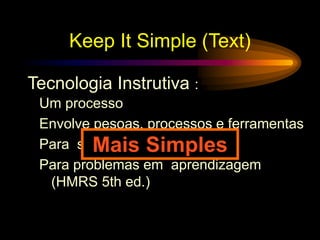
Keep It Simple (Text)
Um processo
Envolve pesoas, processos e ferramentas
Para soluções
Para problemas em aprendizagem
(HMRS 5th ed.)
Tecnologia Instrutiva :
Mais Simples
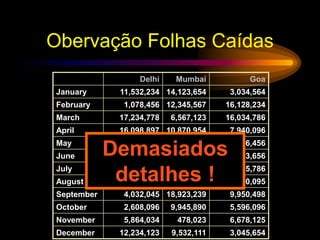
Obervação Folhas Caídas
Delhi Mumbai Goa
January 11,532,234 14,123,654 3,034,564
February 1,078,456 12,345,567 16,128,234
March 17,234,778 6,567,123 16,034,786
April 16,098,897 10,870,954 7,940,096
May 8,036,897 10,345,394 14,856,456
June 16,184,345 678,095 4,123,656
July 8,890,345 15,347,934 18,885,786
August 8,674,234 18,107,110 17,230,095
September 4,032,045 18,923,239 9,950,498
October 2,608,096 9,945,890 5,596,096
November 5,864,034 478,023 6,678,125
December 12,234,123 9,532,111 3,045,654
Demasiados
detalhes !
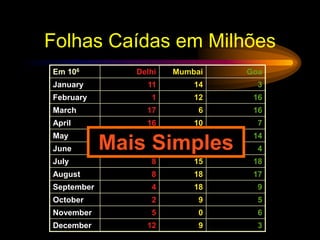
Folhas Caídas em Milhões
Em 106 Delhi Mumbai Goa
January 11 14 3
February 1 12 16
March 17 6 16
April 16 10 7
May 8 10 14
June 16 0 4
July 8 15 18
August 8 18 17
September 4 18 9
October 2 9 5
November 5 0 6
December 12 9 3
Mais Simples
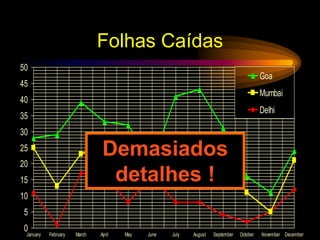
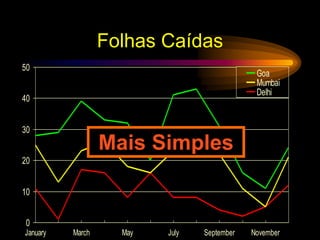
Folhas Caídas
0
5
10
15
20
25
30
35
40
45
50
January February March April May June July August September October November December
Goa
Mumbai
Delhi
Demasiados
detalhes !
Folhas Caídas
0
10
20
30
40
50
January March May July September November
Goa
Mumbai
Delhi
Mais Simples
Mantém Simples(Imagens)
• Desenhos artisiticos pode distrair a
audiência
• Desenhos artísticos não substituem
conteúdo
Mantém Simples(Som)
• Efeitos sonoros também podem distrair
• Utiliza som apenas quando necessário
Mantém Simples(Transições)
• Esta transição é aborrecida
• “Aparecer" e “Desaparecer" são melhores
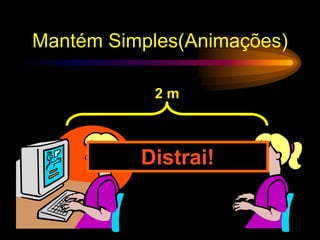
Mantém Simples(Animações)
2 m
Distrai!
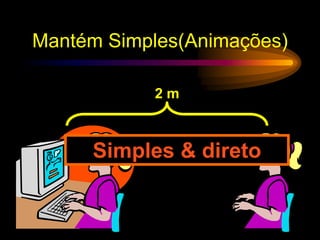
Mantém Simples(Animações)
2 m
Simples & direto
Faz com Clareza
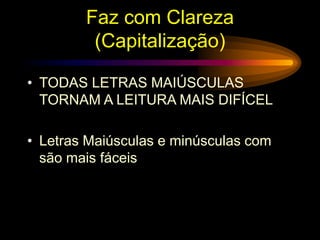
Faz com Clareza
(Capitalização)
• TODAS LETRAS MAIÚSCULAS
TORNAM A LEITURA MAIS DIFÍCEL
• Letras Maiúsculas e minúsculas com
são mais fáceis
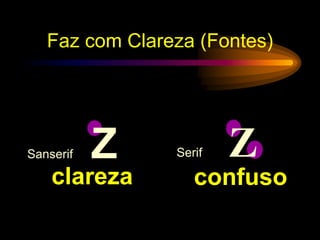
Sanserif Z Serif Z
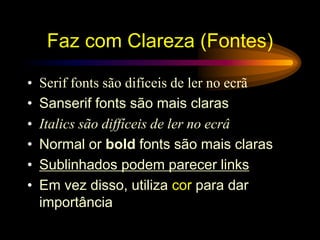
Faz com Clareza (Fontes)
confuso
clareza
• Serif fonts são difíceis de ler no ecrã
• Sanserif fonts são mais claras
• Italics são diffíceis de ler no ecrâ
• Normal or bold fonts são mais claras
• Sublinhados podem parecer links
• Em vez disso, utiliza cor para dar
importância
Faz com Clareza (Fontes)
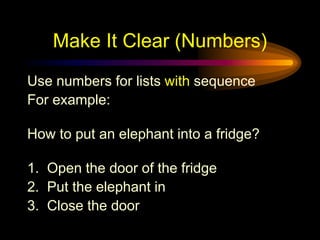
Make It Clear (Numbers)
Use numbers for lists with sequence
For example:
How to put an elephant into a fridge?
1. Open the door of the fridge
2. Put the elephant in
3. Close the door
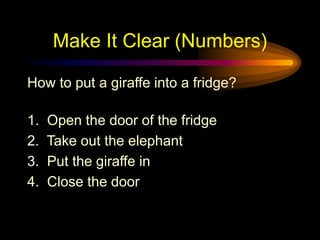
Make It Clear (Numbers)
How to put a giraffe into a fridge?
1. Open the door of the fridge
2. Take out the elephant
3. Put the giraffe in
4. Close the door
Make It Clear (Bullets)
Use bullets to show a list without
• Priority
• Sequence
• Hierarchy, …..
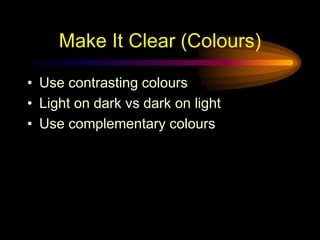
Make It Clear (Colours)
• Use contrasting colours
• Light on dark vs dark on light
• Use complementary colours
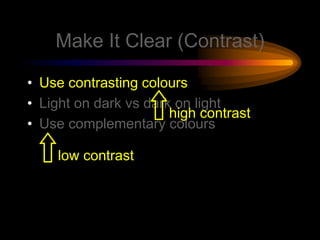
Make It Clear (Contrast)
• Use contrasting colours
• Light on dark vs dark on light
• Use complementary colours
low contrast
high contrast
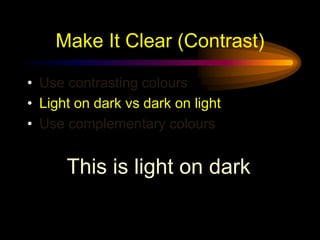
Make It Clear (Contrast)
• Use contrasting colours
• Light on dark vs dark on light
• Use complementary colours
This is light on dark
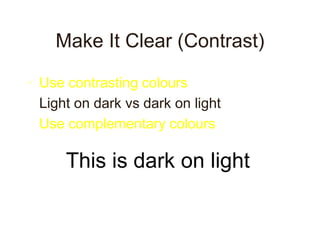
Make It Clear (Contrast)
• Use contrasting colours
• Light on dark vs dark on light
• Use complementary colours
This is dark on light
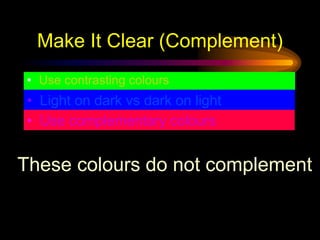
Make It Clear (Complement)
• Use contrasting colours
• Light on dark vs dark on light
• Use complementary colours
These colours do not complement
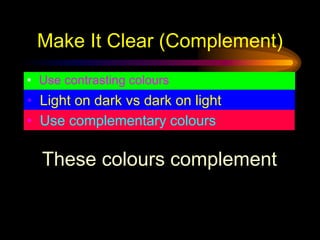
Make It Clear (Complement)
• Use contrasting colours
• Light on dark vs dark on light
• Use complementary colours
These colours complement
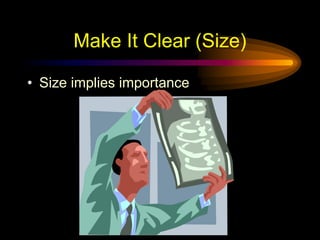
Make It Clear (Size)
• Size implies importance
Make It Clear (Size)
• Size implies importance
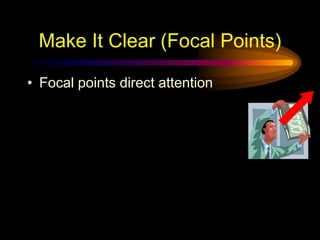
Make It Clear (Focal Points)
• Focal points direct attention
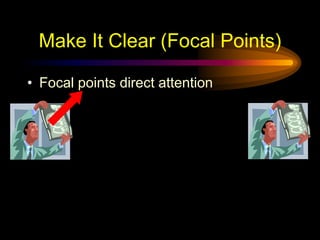
Make It Clear (Focal Points)
• Focal points direct attention
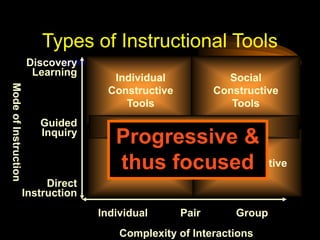
Be Progressive
Complexity of Interactions
Mode
of
Instruction
Individual Pair Group
Direct
Instruction
Guided
Inquiry
Discovery
Learning
Individual
Instructive
Tools
Individual
Constructive
Tools
Social
Constructive
Tools
Social
Communicative
Tools
Informational Tools
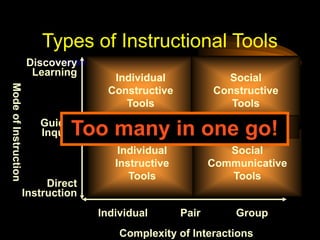
Types of Instructional Tools
Too many in one go!
Complexity of Interactions
Mode
of
Instruction
Individual Pair Group
Direct
Instruction
Guided
Inquiry
Discovery
Learning
Individual
Instructive
Tools
Individual
Constructive
Tools
Social
Constructive
Tools
Social
Communicative
Tools
Informational Tools
Types of Instructional Tools
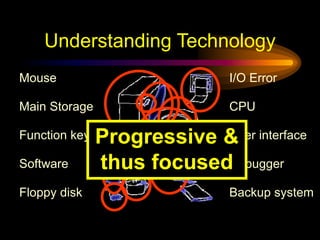
Progressive &
thus focused
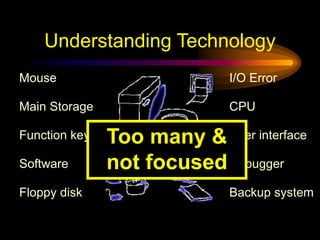
Understanding Technology
Floppy disk
User interface
CPU
I/O Error
Backup system
Software
Mouse
Debugger
Function key
Main Storage
Too many &
not focused
Understanding Technology
Floppy disk
User interface
CPU
I/O Error
Backup system
Software
Mouse
Debugger
Function key
Main Storage
Progressive &
thus focused
Be Consistent
Be Consistent
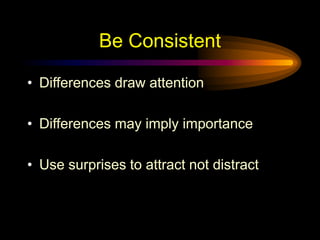
• Differences draw attention
• Differences may imply importance
• Use surprises to attract not distract
Be Consistent
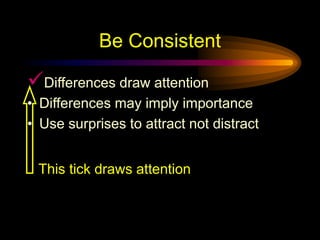
Differences draw attention
• Differences may imply importance
• Use surprises to attract not distract
This tick draws attention
Be Consistent
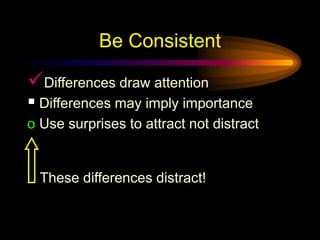
Differences draw attention
 Differences may imply importance
o Use surprises to attract not distract
These differences distract!
Be Consistent
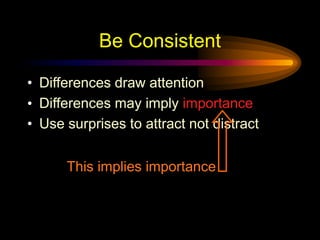
• Differences draw attention
• Differences may imply importance
• Use surprises to attract not distract
This implies importance
Be Consistent
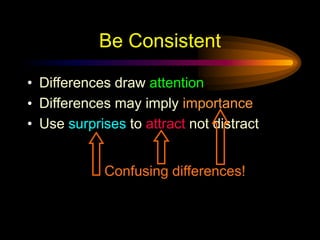
• Differences draw attention
• Differences may imply importance
• Use surprises to attract not distract
Confusing differences!
Be Consistent
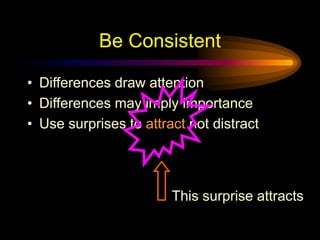
• Differences draw attention
• Differences may imply importance
• Use surprises to attract not distract
This surprise attracts
Be Consistent
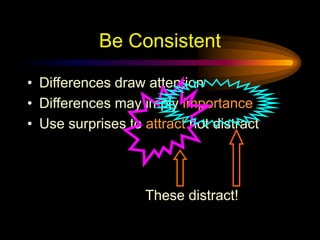
• Differences draw attention
• Differences may imply importance
• Use surprises to attract not distract
These distract!
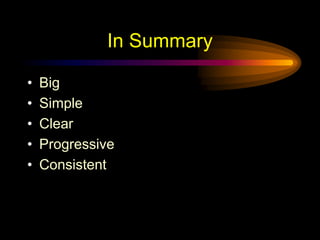
In Summary
• Big
• Simple
• Clear
• Progressive
• Consistent
Some Final Words
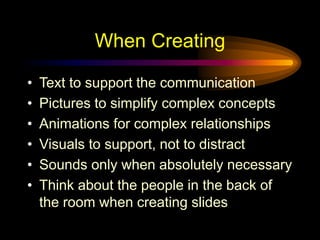
When Creating
• Text to support the communication
• Pictures to simplify complex concepts
• Animations for complex relationships
• Visuals to support, not to distract
• Sounds only when absolutely necessary
• Think about the people in the back of
the room when creating slides
When Presenting
• Speak loudly and clearly with fluctuation
• Direct your words to all aspects of the
room
• Maintain eye contact with your audience
• Ask questions of your audience
– (if applicable)
• Don’t read the slides word-for-word, use
them for reference
Closing Remarks
• Practice your presentation before a
neutral audience
– Ask for feedback
• Be particular about the time allotted for
presentation
• Leave time for questions
Thank You !

Cópia de how-to-make-effective-presentation pt.pptx

  • 1.
    Designing Effective “PowerPoint Presentations” By:Satyajeet Singh satyajeet.singh@yahoo.com
  • 2.
  • 3.
  • 4.
    Faz Grande (Texto) •This is Arial 12 • This is Arial 18 • This is Arial 24 • This is Arial 32 • This is Arial 36 • This is Arial 44
  • 5.
    Faz Grande (Texto) •This is Arial 12 • This is Arial 18 • This is Arial 24 • This is Arial 32 • This is Arial 36 • This is Arial 44 Demasiado Pequeno
  • 6.
    Faz Grande (ComoEstimar) • Afasta-te 2 metros e observa 2 m
  • 7.
  • 8.
    Mantém Simples (Texto) •Too many colours • Too Many Fonts and Styles • A regra 6 x 7 – Não mais do que 6 linhas por slide – Não mais do que 7 palavras por linha
  • 9.
    Não mais doque (Texto) Tecnologia Instrutiva: Um processo complexo integrado envolvendo pessoas, procedimentos, ideias, dispositivos e organizações, para análise de problemas e consultoria, implementando, avaliando e gestão de soluções para aqueles problemas em situações em que a aprendizagem é proposta e controlada (HMRS 5th ed.) Demasiado detalhes !
  • 10.
    Keep It Simple(Text) Um processo Envolve pesoas, processos e ferramentas Para soluções Para problemas em aprendizagem (HMRS 5th ed.) Tecnologia Instrutiva : Mais Simples
  • 11.
    Obervação Folhas Caídas DelhiMumbai Goa January 11,532,234 14,123,654 3,034,564 February 1,078,456 12,345,567 16,128,234 March 17,234,778 6,567,123 16,034,786 April 16,098,897 10,870,954 7,940,096 May 8,036,897 10,345,394 14,856,456 June 16,184,345 678,095 4,123,656 July 8,890,345 15,347,934 18,885,786 August 8,674,234 18,107,110 17,230,095 September 4,032,045 18,923,239 9,950,498 October 2,608,096 9,945,890 5,596,096 November 5,864,034 478,023 6,678,125 December 12,234,123 9,532,111 3,045,654 Demasiados detalhes !
  • 12.
    Folhas Caídas emMilhões Em 106 Delhi Mumbai Goa January 11 14 3 February 1 12 16 March 17 6 16 April 16 10 7 May 8 10 14 June 16 0 4 July 8 15 18 August 8 18 17 September 4 18 9 October 2 9 5 November 5 0 6 December 12 9 3 Mais Simples
  • 13.
    Folhas Caídas 0 5 10 15 20 25 30 35 40 45 50 January FebruaryMarch April May June July August September October November December Goa Mumbai Delhi Demasiados detalhes !
  • 14.
    Folhas Caídas 0 10 20 30 40 50 January MarchMay July September November Goa Mumbai Delhi Mais Simples
  • 15.
    Mantém Simples(Imagens) • Desenhosartisiticos pode distrair a audiência • Desenhos artísticos não substituem conteúdo
  • 16.
    Mantém Simples(Som) • Efeitossonoros também podem distrair • Utiliza som apenas quando necessário
  • 17.
    Mantém Simples(Transições) • Estatransição é aborrecida • “Aparecer" e “Desaparecer" são melhores
  • 18.
  • 19.
  • 20.
  • 21.
    Faz com Clareza (Capitalização) •TODAS LETRAS MAIÚSCULAS TORNAM A LEITURA MAIS DIFÍCEL • Letras Maiúsculas e minúsculas com são mais fáceis
  • 22.
    Sanserif Z SerifZ Faz com Clareza (Fontes) confuso clareza
  • 23.
    • Serif fontssão difíceis de ler no ecrã • Sanserif fonts são mais claras • Italics são diffíceis de ler no ecrâ • Normal or bold fonts são mais claras • Sublinhados podem parecer links • Em vez disso, utiliza cor para dar importância Faz com Clareza (Fontes)
  • 24.
    Make It Clear(Numbers) Use numbers for lists with sequence For example: How to put an elephant into a fridge? 1. Open the door of the fridge 2. Put the elephant in 3. Close the door
  • 25.
    Make It Clear(Numbers) How to put a giraffe into a fridge? 1. Open the door of the fridge 2. Take out the elephant 3. Put the giraffe in 4. Close the door
  • 26.
    Make It Clear(Bullets) Use bullets to show a list without • Priority • Sequence • Hierarchy, …..
  • 27.
    Make It Clear(Colours) • Use contrasting colours • Light on dark vs dark on light • Use complementary colours
  • 28.
    Make It Clear(Contrast) • Use contrasting colours • Light on dark vs dark on light • Use complementary colours low contrast high contrast
  • 29.
    Make It Clear(Contrast) • Use contrasting colours • Light on dark vs dark on light • Use complementary colours This is light on dark
  • 30.
    Make It Clear(Contrast) • Use contrasting colours • Light on dark vs dark on light • Use complementary colours This is dark on light
  • 31.
    Make It Clear(Complement) • Use contrasting colours • Light on dark vs dark on light • Use complementary colours These colours do not complement
  • 32.
    Make It Clear(Complement) • Use contrasting colours • Light on dark vs dark on light • Use complementary colours These colours complement
  • 33.
    Make It Clear(Size) • Size implies importance
  • 34.
    Make It Clear(Size) • Size implies importance
  • 35.
    Make It Clear(Focal Points) • Focal points direct attention
  • 36.
    Make It Clear(Focal Points) • Focal points direct attention
  • 37.
  • 38.
    Complexity of Interactions Mode of Instruction IndividualPair Group Direct Instruction Guided Inquiry Discovery Learning Individual Instructive Tools Individual Constructive Tools Social Constructive Tools Social Communicative Tools Informational Tools Types of Instructional Tools Too many in one go!
  • 39.
    Complexity of Interactions Mode of Instruction IndividualPair Group Direct Instruction Guided Inquiry Discovery Learning Individual Instructive Tools Individual Constructive Tools Social Constructive Tools Social Communicative Tools Informational Tools Types of Instructional Tools Progressive & thus focused
  • 40.
    Understanding Technology Floppy disk Userinterface CPU I/O Error Backup system Software Mouse Debugger Function key Main Storage Too many & not focused
  • 41.
    Understanding Technology Floppy disk Userinterface CPU I/O Error Backup system Software Mouse Debugger Function key Main Storage Progressive & thus focused
  • 42.
  • 43.
    Be Consistent • Differencesdraw attention • Differences may imply importance • Use surprises to attract not distract
  • 44.
    Be Consistent Differences drawattention • Differences may imply importance • Use surprises to attract not distract This tick draws attention
  • 45.
    Be Consistent Differences drawattention  Differences may imply importance o Use surprises to attract not distract These differences distract!
  • 46.
    Be Consistent • Differencesdraw attention • Differences may imply importance • Use surprises to attract not distract This implies importance
  • 47.
    Be Consistent • Differencesdraw attention • Differences may imply importance • Use surprises to attract not distract Confusing differences!
  • 48.
    Be Consistent • Differencesdraw attention • Differences may imply importance • Use surprises to attract not distract This surprise attracts
  • 49.
    Be Consistent • Differencesdraw attention • Differences may imply importance • Use surprises to attract not distract These distract!
  • 50.
    In Summary • Big •Simple • Clear • Progressive • Consistent
  • 51.
  • 52.
    When Creating • Textto support the communication • Pictures to simplify complex concepts • Animations for complex relationships • Visuals to support, not to distract • Sounds only when absolutely necessary • Think about the people in the back of the room when creating slides
  • 53.
    When Presenting • Speakloudly and clearly with fluctuation • Direct your words to all aspects of the room • Maintain eye contact with your audience • Ask questions of your audience – (if applicable) • Don’t read the slides word-for-word, use them for reference
  • 54.
    Closing Remarks • Practiceyour presentation before a neutral audience – Ask for feedback • Be particular about the time allotted for presentation • Leave time for questions
  • 55.