Conversion Web Design
Presented by: Kim Krause Berg
Usability Analyst,
Internet Marketing Ninjas
Founder & Administrator,
Cre8asiteforums
March 19, 2014
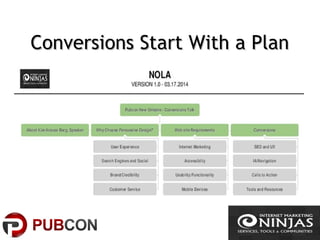
Conversions Start With a PlanConversions Start With a Plan
Why Conversions?Why Conversions?
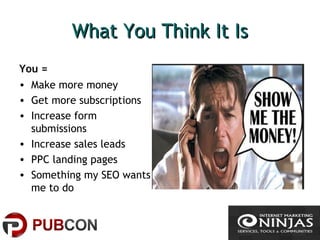
What You Think It IsWhat You Think It Is
You =
• Make more money
• Get more subscriptions
• Increase form
submissions
• Increase sales leads
• PPC landing pages
• Something my SEO wants
me to do
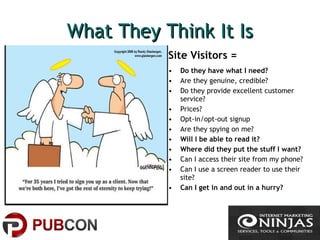
What They Think It IsWhat They Think It Is
Site Visitors =
• Do they have what I need?
• Are they genuine, credible?
• Do they provide excellent customer
service?
• Prices?
• Opt-in/opt-out signup
• Are they spying on me?
• Will I be able to read it?
• Where did they put the stuff I want?
• Can I access their site from my phone?
• Can I use a screen reader to use their
site?
• Can I get in and out in a hurry?
Persuasive Conversions DesignPersuasive Conversions Design
Is Purposeful DesignIs Purposeful Design
Gibbs Rule #57
“Give them what they
want, when they want
it, how they want it, why
they want it, and where
they want it.”
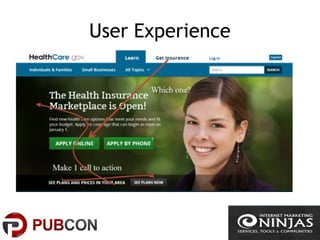
User Experience
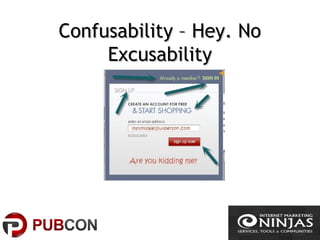
Confusability – Hey. NoConfusability – Hey. No
ExcusabilityExcusability
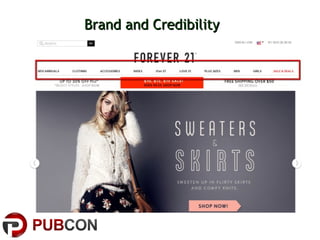
Brand and CredibilityBrand and Credibility
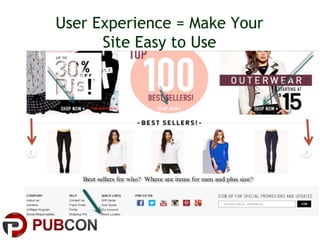
User Experience = Make Your
Site Easy to Use
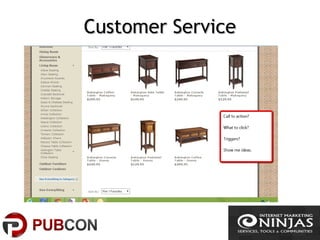
Customer ServiceCustomer Service
Web Site RequirementsWeb Site Requirements
Gather ConversionsGather Conversions
RequirementsRequirements
What is the top
business
requirement?
Who is your target
market/visitors?
Mobile?
Directory?
Why choose your site?
What keywords to people
use to find your site?
Accessibility?
Social?
Prioritize main user tasks
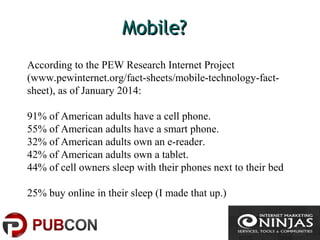
Mobile?Mobile?
According to the PEW Research Internet Project
(www.pewinternet.org/fact-sheets/mobile-technology-fact-
sheet), as of January 2014:
91% of American adults have a cell phone.
55% of American adults have a smart phone.
32% of American adults own an e-reader.
42% of American adults own a tablet.
44% of cell owners sleep with their phones next to their bed
25% buy online in their sleep (I made that up.)
Search Engines & SocialSearch Engines & Social
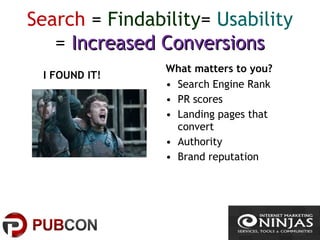
Search = Findability= Usability
= Increased ConversionsIncreased Conversions
I FOUND IT!
What matters to you?
• Search Engine Rank
• PR scores
• Landing pages that
convert
• Authority
• Brand reputation
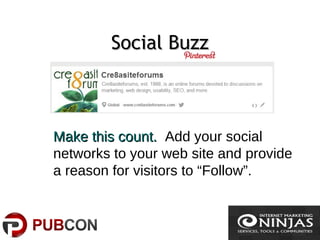
Social BuzzSocial Buzz
Make this count.Make this count. Add your social
networks to your web site and provide
a reason for visitors to “Follow”.
AccessibilityAccessibility
ConversionsConversions
#1 Tactic: Provide the Answers#1 Tactic: Provide the Answers
at the point of the questionat the point of the question
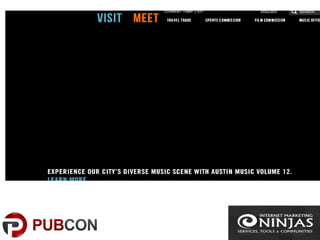
• Before the slider, add
introductory text and
a heading
• Add action words to
navigation link labels
• Make calls to action
obvious
• Avoid gray colored
text
• Test for color
contrasts
• Use common terms
• Remove distractions
• Provide proof
Common Designs thatCommon Designs that
DecreaseDecrease ConversionsConversions
• “Mystery” links
• Unidentified links
• Readability
• Understandability
• Navigation/Poor IA
• Functional/Errors
• Credibility
• No page consistency
• Rendering on various
devices
• Load time
• Ads
• Moving images
• Calls to action below
page fold
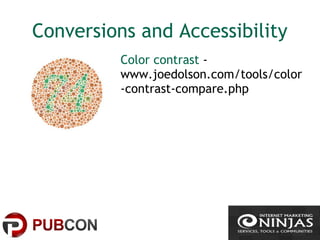
Conversions and Accessibility
Color contrast -
www.joedolson.com/tools/color
-contrast-compare.php
Tools for Accessibility and
Mobile
Firefox and Chrome Extensions for
web development; remove images,
accessibility, color pickers
http://www.themobileplaybook.com/
Free Mobile Emulator
http://mite.keynote.com/
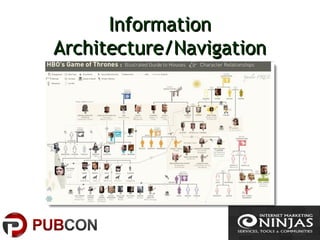
InformationInformation
Architecture/NavigationArchitecture/Navigation
Persuasive Design =Persuasive Design =
Communicate Sense of PlaceCommunicate Sense of Place
• Choose keywords for
content headings
• Research taxonomies.
What terms do your
target visitors use?
• Breadcrumb
navigation
• Scrolling……..easy to
hide call to action
• Anchor text must
meet user
expectations (where
are your taking
them?)
IA ToolsIA Tools
1. Mock Flow – Chrome application
2. Balsamiq - balsamiq.com
3. Slickplan - slickplan.com/
SEO and Usability forSEO and Usability for
Persuasive DesignPersuasive Design – Yes.Yes.
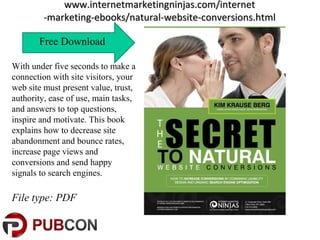
www.internetmarketingninjas.com/internetwww.internetmarketingninjas.com/internet
-marketing-ebooks/natural-website-conversions.html-marketing-ebooks/natural-website-conversions.html
Free Download
With under five seconds to make a
connection with site visitors, your
web site must present value, trust,
authority, ease of use, main tasks,
and answers to top questions,
inspire and motivate. This book
explains how to decrease site
abandonment and bounce rates,
increase page views and
conversions and send happy
signals to search engines.
File type: PDF
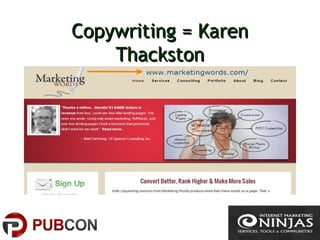
Copywriting = KarenCopywriting = Karen
ThackstonThackston
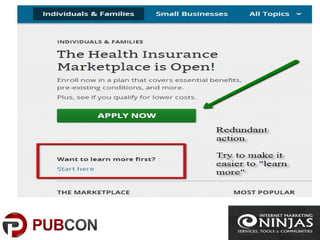
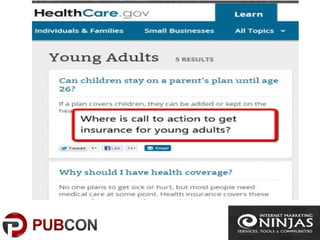
Calls to Action – Make Them Easy toMake Them Easy to
FindFind
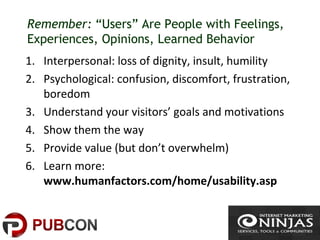
Remember: “Users” Are People with Feelings,
Experiences, Opinions, Learned Behavior
1. Interpersonal: loss of dignity, insult, humility
2. Psychological: confusion, discomfort, frustration,
boredom
3. Understand your visitors’ goals and motivations
4. Show them the way
5. Provide value (but don’t overwhelm)
6. Learn more:
www.humanfactors.com/home/usability.asp
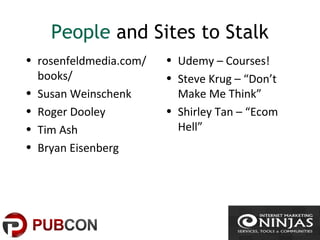
People and Sites to Stalk
• rosenfeldmedia.com/
books/
• Susan Weinschenk
• Roger Dooley
• Tim Ash
• Bryan Eisenberg
• Udemy – Courses!
• Steve Krug – “Don’t
Make Me Think”
• Shirley Tan – “Ecom
Hell”
Tracking ConversionsTracking Conversions
• Tracking code
• Google Analytics
• User testing
• Server logs
• Free Tools -
internetmarketingninjas.com/tools
Invest in:
Usability and
Conversions site
reviews
Find Kim Krause Berg
Internet Marketing Ninjas
Usability and Persuasive Design Audits
Plus, Shopping Cart, Software Application, Mobile,
Accessibility Testing
•https://twitter.com/kim_cre8pc
•https://www.facebook.com/cre8pc
•Cre8asiteforums.com

How to Increase Web Site Conversions with Persuasive Design

  • 1.
    Conversion Web Design Presentedby: Kim Krause Berg Usability Analyst, Internet Marketing Ninjas Founder & Administrator, Cre8asiteforums March 19, 2014
  • 2.
    Conversions Start Witha PlanConversions Start With a Plan
  • 3.
  • 4.
    What You ThinkIt IsWhat You Think It Is You = • Make more money • Get more subscriptions • Increase form submissions • Increase sales leads • PPC landing pages • Something my SEO wants me to do
  • 5.
    What They ThinkIt IsWhat They Think It Is Site Visitors = • Do they have what I need? • Are they genuine, credible? • Do they provide excellent customer service? • Prices? • Opt-in/opt-out signup • Are they spying on me? • Will I be able to read it? • Where did they put the stuff I want? • Can I access their site from my phone? • Can I use a screen reader to use their site? • Can I get in and out in a hurry?
  • 6.
    Persuasive Conversions DesignPersuasiveConversions Design Is Purposeful DesignIs Purposeful Design Gibbs Rule #57 “Give them what they want, when they want it, how they want it, why they want it, and where they want it.”
  • 7.
  • 8.
    Confusability – Hey.NoConfusability – Hey. No ExcusabilityExcusability
  • 9.
  • 10.
    User Experience =Make Your Site Easy to Use
  • 11.
  • 12.
    Web Site RequirementsWebSite Requirements
  • 13.
    Gather ConversionsGather Conversions RequirementsRequirements Whatis the top business requirement? Who is your target market/visitors? Mobile? Directory? Why choose your site? What keywords to people use to find your site? Accessibility? Social? Prioritize main user tasks
  • 14.
    Mobile?Mobile? According to thePEW Research Internet Project (www.pewinternet.org/fact-sheets/mobile-technology-fact- sheet), as of January 2014: 91% of American adults have a cell phone. 55% of American adults have a smart phone. 32% of American adults own an e-reader. 42% of American adults own a tablet. 44% of cell owners sleep with their phones next to their bed 25% buy online in their sleep (I made that up.)
  • 15.
    Search Engines &SocialSearch Engines & Social
  • 16.
    Search = Findability=Usability = Increased ConversionsIncreased Conversions I FOUND IT! What matters to you? • Search Engine Rank • PR scores • Landing pages that convert • Authority • Brand reputation
  • 17.
    Social BuzzSocial Buzz Makethis count.Make this count. Add your social networks to your web site and provide a reason for visitors to “Follow”.
  • 18.
  • 20.
  • 21.
    #1 Tactic: Providethe Answers#1 Tactic: Provide the Answers at the point of the questionat the point of the question • Before the slider, add introductory text and a heading • Add action words to navigation link labels • Make calls to action obvious • Avoid gray colored text • Test for color contrasts • Use common terms • Remove distractions • Provide proof
  • 22.
    Common Designs thatCommonDesigns that DecreaseDecrease ConversionsConversions • “Mystery” links • Unidentified links • Readability • Understandability • Navigation/Poor IA • Functional/Errors • Credibility • No page consistency • Rendering on various devices • Load time • Ads • Moving images • Calls to action below page fold
  • 23.
    Conversions and Accessibility Colorcontrast - www.joedolson.com/tools/color -contrast-compare.php
  • 24.
    Tools for Accessibilityand Mobile Firefox and Chrome Extensions for web development; remove images, accessibility, color pickers http://www.themobileplaybook.com/ Free Mobile Emulator http://mite.keynote.com/
  • 25.
  • 26.
    Persuasive Design =PersuasiveDesign = Communicate Sense of PlaceCommunicate Sense of Place • Choose keywords for content headings • Research taxonomies. What terms do your target visitors use? • Breadcrumb navigation • Scrolling……..easy to hide call to action • Anchor text must meet user expectations (where are your taking them?)
  • 27.
    IA ToolsIA Tools 1.Mock Flow – Chrome application 2. Balsamiq - balsamiq.com 3. Slickplan - slickplan.com/
  • 28.
    SEO and UsabilityforSEO and Usability for Persuasive DesignPersuasive Design – Yes.Yes.
  • 29.
    www.internetmarketingninjas.com/internetwww.internetmarketingninjas.com/internet -marketing-ebooks/natural-website-conversions.html-marketing-ebooks/natural-website-conversions.html Free Download With underfive seconds to make a connection with site visitors, your web site must present value, trust, authority, ease of use, main tasks, and answers to top questions, inspire and motivate. This book explains how to decrease site abandonment and bounce rates, increase page views and conversions and send happy signals to search engines. File type: PDF
  • 30.
    Copywriting = KarenCopywriting= Karen ThackstonThackston
  • 31.
    Calls to Action– Make Them Easy toMake Them Easy to FindFind
  • 34.
    Remember: “Users” ArePeople with Feelings, Experiences, Opinions, Learned Behavior 1. Interpersonal: loss of dignity, insult, humility 2. Psychological: confusion, discomfort, frustration, boredom 3. Understand your visitors’ goals and motivations 4. Show them the way 5. Provide value (but don’t overwhelm) 6. Learn more: www.humanfactors.com/home/usability.asp
  • 35.
    People and Sitesto Stalk • rosenfeldmedia.com/ books/ • Susan Weinschenk • Roger Dooley • Tim Ash • Bryan Eisenberg • Udemy – Courses! • Steve Krug – “Don’t Make Me Think” • Shirley Tan – “Ecom Hell”
  • 36.
    Tracking ConversionsTracking Conversions •Tracking code • Google Analytics • User testing • Server logs • Free Tools - internetmarketingninjas.com/tools Invest in: Usability and Conversions site reviews
  • 37.
    Find Kim KrauseBerg Internet Marketing Ninjas Usability and Persuasive Design Audits Plus, Shopping Cart, Software Application, Mobile, Accessibility Testing •https://twitter.com/kim_cre8pc •https://www.facebook.com/cre8pc •Cre8asiteforums.com