Ready, Set, Go Mobile!
Who We Are
   Hall Internet Marketing
   www.hallme.com
   • 12 Years in Business
   • Twitter @Hall_Web


Jenika Scott
Senior Manager of Client Accounts
jenika@hallme.com
• Twitter @jenika29
• Ext. 109
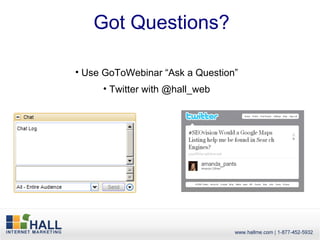
Got Questions?

• Use GoToWebinar “Ask a Question”
     • Twitter with @hall_web
Today
•   The importance of mobile
•   15 point checklist – getting
    started to testing


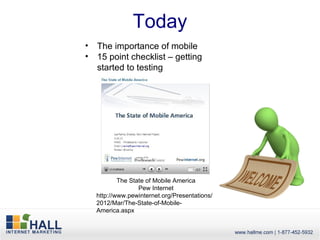
            The State of Mobile America
                   Pew Internet
    http://www.pewinternet.org/Presentations/
    2012/Mar/The-State-of-Mobile-
    America.aspx
Why is mobile so important?
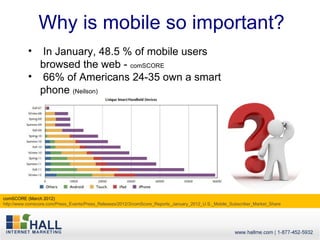
           •  In January, 48.5 % of mobile users
             browsed the web - comSCORE
           • 66% of Americans 24-35 own a smart
             phone (Neilson)


comSCORE (March 2012)
http://www.comscore.com/Press_Events/Press_Releases/2012/3/comScore_Reports_January_2012_U.S._Mobile_Subscriber_Market_Share
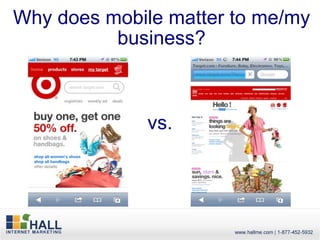
Why does mobile matter to me/my
          business?


              vs.
Getting Started
• How much mobile traffic are you getting?
• Hire a web developer
• Custom mobile site
• Google Sites
• Have a CMS?
• Mobile website builders
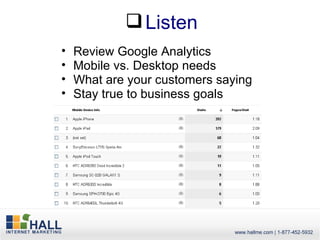
 Listen
•   Review Google Analytics
•   Mobile vs. Desktop needs
•   What are your customers saying
•   Stay true to business goals
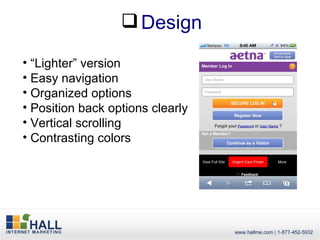
 Design
• “Lighter” version
• Easy navigation
• Organized options
• Position back options clearly
• Vertical scrolling
• Contrasting colors
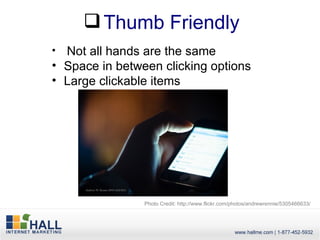
 Thumb Friendly
• Not all hands are the same
• Space in between clicking options
• Large clickable items


                Photo Credit: http://www.flickr.com/photos/andrewrennie/5305466633/
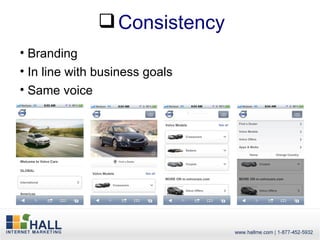
 Consistency
• Branding
• In line with business goals
• Same voice
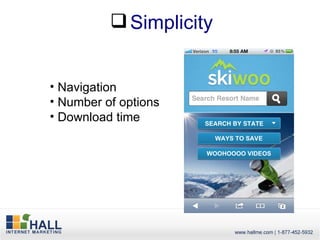
 Simplicity


• Navigation
• Number of options
• Download time
 SEO
• Mobile site options are relevant
• Site should be text based and keyword-rich
• Build links
• Optimize images
• Include a mobile sitemap
 Local Optimization
• Include your business address
• Offer directions
• Or detect location and push directions
• Link your mobile site to directories like
  Google Places
     95% of smartphone users have searched for local information
     61% of users call a business after searching
     59% visit the location

     (source: Google “The Mobile Movement: Understanding Smartphone Users” – 2011)


    Learn More: http://www.hallme.com/blog/1-in-3-mobile-searches-are-local/
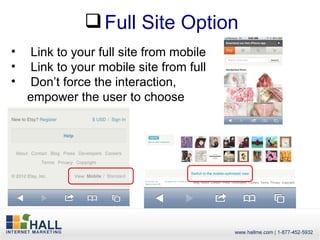
 Full Site Option
•    Link to your full site from mobile
•    Link to your mobile site from full
•    Don’t force the interaction,
    empower the user to choose
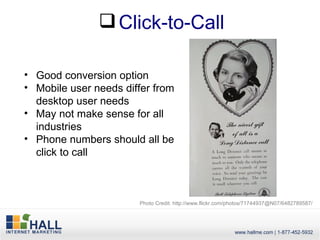
 Click-to-Call

• Good conversion option
• Mobile user needs differ from
  desktop user needs
• May not make sense for all
  industries
• Phone numbers should all be
  click to call


                       Photo Credit: http://www.flickr.com/photos/71744937@N07/6482789587/
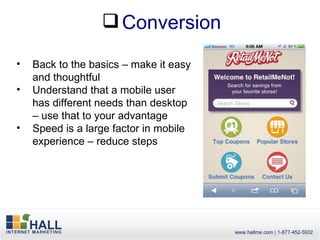
 Conversion

•   Back to the basics – make it easy
    and thoughtful
•   Understand that a mobile user
    has different needs than desktop
    – use that to your advantage
•   Speed is a large factor in mobile
    experience – reduce steps
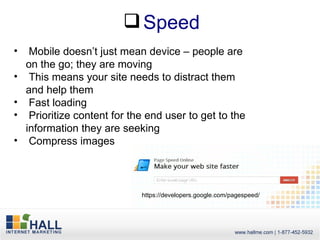
 Speed
•    Mobile doesn’t just mean device – people are
    on the go; they are moving
•    This means your site needs to distract them
    and help them
•    Fast loading
•    Prioritize content for the end user to get to the
    information they are seeking
•    Compress images


                              https://developers.google.com/pagespeed/
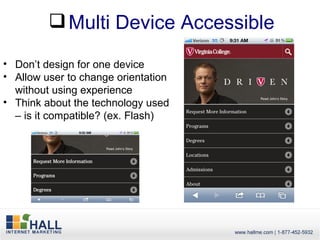
 Multi Device Accessible

• Don’t design for one device
• Allow user to change orientation
  without using experience
• Think about the technology used
  – is it compatible? (ex. Flash)
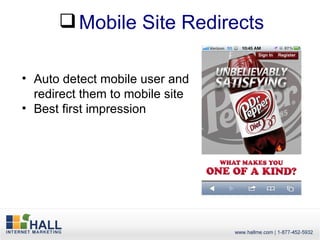
 Mobile Site Redirects

• Auto detect mobile user and
  redirect them to mobile site
• Best first impression
 Analyze
• Analytics
• Review top exit pages and most visited pages
• User Testing (Live/Simulated)
• Communicate with customers/prospects
• Technology is changing – don’t leave your
  mobile site stagnant
• Try new conversions
• Reduce form fields
• Always work to improve the experience no
  matter the medium
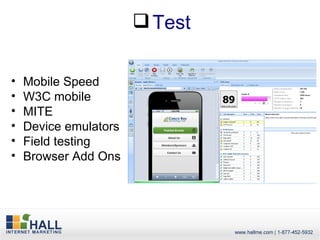
 Test

•   Mobile Speed
•   W3C mobile
•   MITE
•   Device emulators
•   Field testing
•   Browser Add Ons
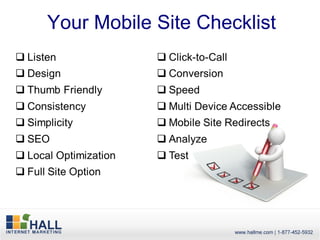
Your Mobile Site Checklist
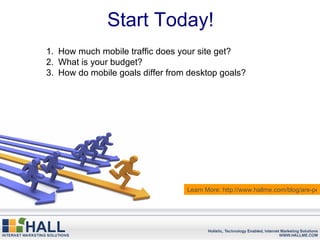
Start Today!
1. How much mobile traffic does your site get?
2. What is your budget?
3. How do mobile goals differ from desktop goals?


                                  Learn More: http://www.hallme.com/blog/are-peo
Recap
• Offering the best experience for the end user
• Mobile goals differ from desktop goals
• Technology is changing


                                 Photo credit http://www.flickr.com/photos/ashevillein/4233288271/
Questions


New Webinar Topics?
Learn More
Follow Hall: @Hall_Web
Follow Jenika: @jenika29

• Blog - http://www.hallme.com/blog
• Webinars - http://www.hallme.com/webinars
•April 10, 2pm
     • How to Run a Successful Paid Search Campaign
• March 13, 2pm
     • How to Make Your CMS SEO Friendly
C
Call us! 1-877-425-5932 (HALL-WEB)
jenika@hallme.com x109


        Download our new eBook: http://bit.ly/hall-
                        ebook

Ready, Set, Go Mobile!

  • 1.
  • 2.
    Who We Are Hall Internet Marketing www.hallme.com • 12 Years in Business • Twitter @Hall_Web Jenika Scott Senior Manager of Client Accounts jenika@hallme.com • Twitter @jenika29 • Ext. 109
  • 3.
    Got Questions? • UseGoToWebinar “Ask a Question” • Twitter with @hall_web
  • 4.
    Today • The importance of mobile • 15 point checklist – getting started to testing The State of Mobile America Pew Internet http://www.pewinternet.org/Presentations/ 2012/Mar/The-State-of-Mobile- America.aspx
  • 5.
    Why is mobileso important? • In January, 48.5 % of mobile users browsed the web - comSCORE • 66% of Americans 24-35 own a smart phone (Neilson) comSCORE (March 2012) http://www.comscore.com/Press_Events/Press_Releases/2012/3/comScore_Reports_January_2012_U.S._Mobile_Subscriber_Market_Share
  • 6.
    Why does mobilematter to me/my business? vs.
  • 7.
    Getting Started • Howmuch mobile traffic are you getting? • Hire a web developer • Custom mobile site • Google Sites • Have a CMS? • Mobile website builders
  • 8.
     Listen • Review Google Analytics • Mobile vs. Desktop needs • What are your customers saying • Stay true to business goals
  • 9.
     Design • “Lighter”version • Easy navigation • Organized options • Position back options clearly • Vertical scrolling • Contrasting colors
  • 10.
     Thumb Friendly •Not all hands are the same • Space in between clicking options • Large clickable items Photo Credit: http://www.flickr.com/photos/andrewrennie/5305466633/
  • 11.
     Consistency • Branding •In line with business goals • Same voice
  • 12.
     Simplicity • Navigation •Number of options • Download time
  • 13.
     SEO • Mobilesite options are relevant • Site should be text based and keyword-rich • Build links • Optimize images • Include a mobile sitemap
  • 14.
     Local Optimization •Include your business address • Offer directions • Or detect location and push directions • Link your mobile site to directories like Google Places 95% of smartphone users have searched for local information 61% of users call a business after searching 59% visit the location (source: Google “The Mobile Movement: Understanding Smartphone Users” – 2011) Learn More: http://www.hallme.com/blog/1-in-3-mobile-searches-are-local/
  • 15.
     Full SiteOption • Link to your full site from mobile • Link to your mobile site from full • Don’t force the interaction, empower the user to choose
  • 16.
     Click-to-Call • Goodconversion option • Mobile user needs differ from desktop user needs • May not make sense for all industries • Phone numbers should all be click to call Photo Credit: http://www.flickr.com/photos/71744937@N07/6482789587/
  • 17.
     Conversion • Back to the basics – make it easy and thoughtful • Understand that a mobile user has different needs than desktop – use that to your advantage • Speed is a large factor in mobile experience – reduce steps
  • 18.
     Speed • Mobile doesn’t just mean device – people are on the go; they are moving • This means your site needs to distract them and help them • Fast loading • Prioritize content for the end user to get to the information they are seeking • Compress images https://developers.google.com/pagespeed/
  • 19.
     Multi DeviceAccessible • Don’t design for one device • Allow user to change orientation without using experience • Think about the technology used – is it compatible? (ex. Flash)
  • 20.
     Mobile SiteRedirects • Auto detect mobile user and redirect them to mobile site • Best first impression
  • 21.
     Analyze • Analytics •Review top exit pages and most visited pages • User Testing (Live/Simulated) • Communicate with customers/prospects • Technology is changing – don’t leave your mobile site stagnant • Try new conversions • Reduce form fields • Always work to improve the experience no matter the medium
  • 22.
     Test • Mobile Speed • W3C mobile • MITE • Device emulators • Field testing • Browser Add Ons
  • 23.
  • 24.
    Start Today! 1. Howmuch mobile traffic does your site get? 2. What is your budget? 3. How do mobile goals differ from desktop goals? Learn More: http://www.hallme.com/blog/are-peo
  • 25.
    Recap • Offering thebest experience for the end user • Mobile goals differ from desktop goals • Technology is changing Photo credit http://www.flickr.com/photos/ashevillein/4233288271/
  • 26.
  • 27.
    Learn More Follow Hall:@Hall_Web Follow Jenika: @jenika29 • Blog - http://www.hallme.com/blog • Webinars - http://www.hallme.com/webinars •April 10, 2pm • How to Run a Successful Paid Search Campaign • March 13, 2pm • How to Make Your CMS SEO Friendly C Call us! 1-877-425-5932 (HALL-WEB) jenika@hallme.com x109 Download our new eBook: http://bit.ly/hall- ebook