STATE LEVEL FDP
ON
HOW TO CREATE ACADEMIC AND
RESEARCH IDENTITY
ORGANIZED BY CENTRAL LIBRARY IN COLLABORATION
WITH IQAC OF RBC EVENING COLLEGE, NIAHATI, NORTH 24
PARGANAS, WEST BENGAL, INDIA
AT: SEMINAR HALL
06th APRIL, 2022
HOW TO CREATE ACADEMIC AND
RESEARCH IDENTITY
Dr. Santosh Kumar Tunga
Librarian and IQAC Coordinator
Rishi Bankim Chandra Evening College
Naihati, North 24 Parganas, West Bengal
https://orcid.org/0000-0001-5534-4861
https://vidwan.inflibnet.ac.in/profile/176188
OUTLINE OF TODAY DISCUSSION
 Concept of Identity, Academic identity, Research
Identity, Author Identity and their importance in
academic domain
 Types of Academic/Research identity and the steps
followed in creating these IDs.
 Points to be remember for increasing your
Academic and Research visibility
 Role of Academicians and Researchers in the
development of Academic and Research Identity
 Tools used for publishing your Research Papers
 Conclusion, Acknowledgment and References
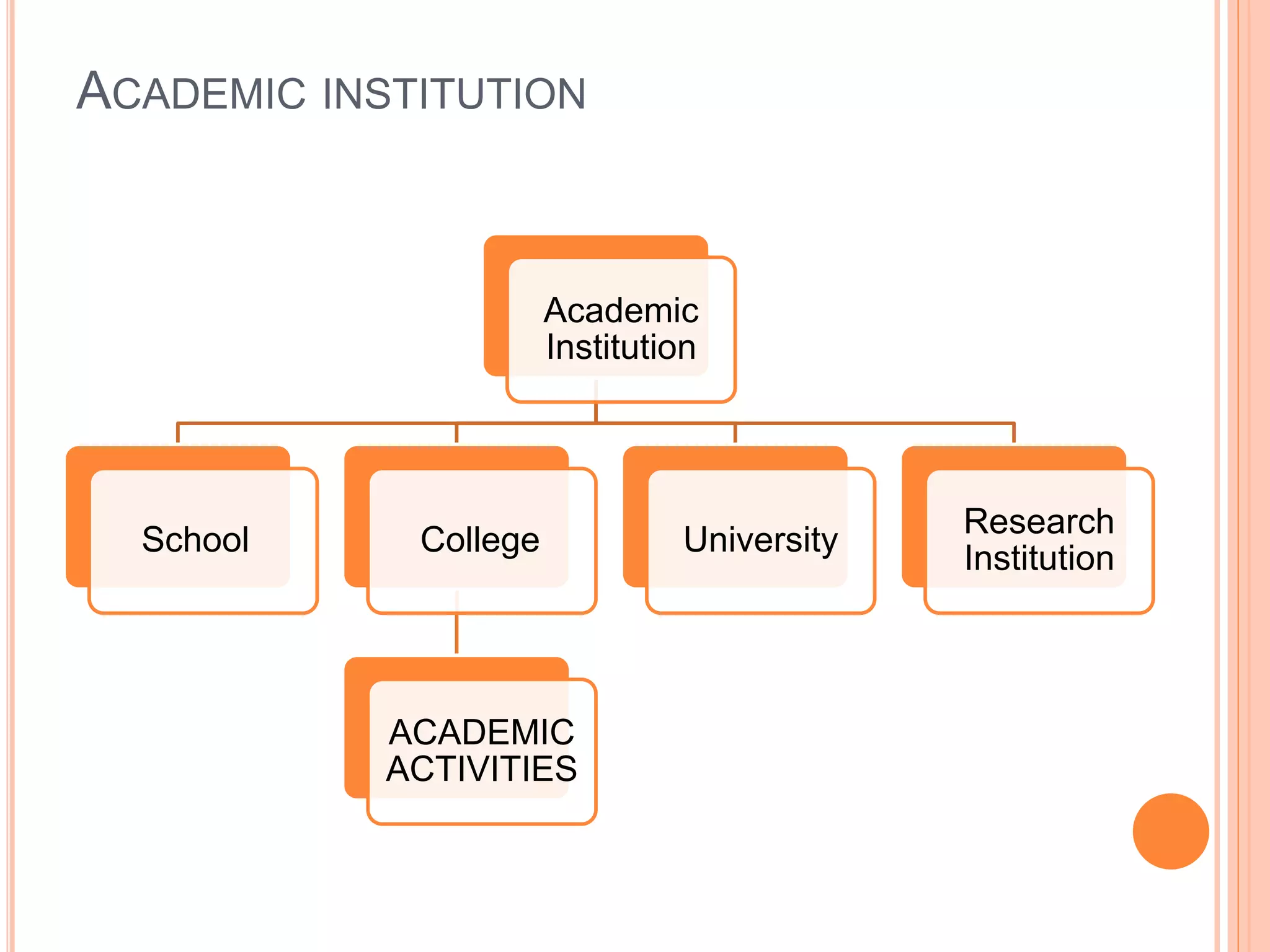
ACADEMIC INSTITUTION
Academic
Institution
School College
ACADEMIC
ACTIVITIES
University
Research
Institution
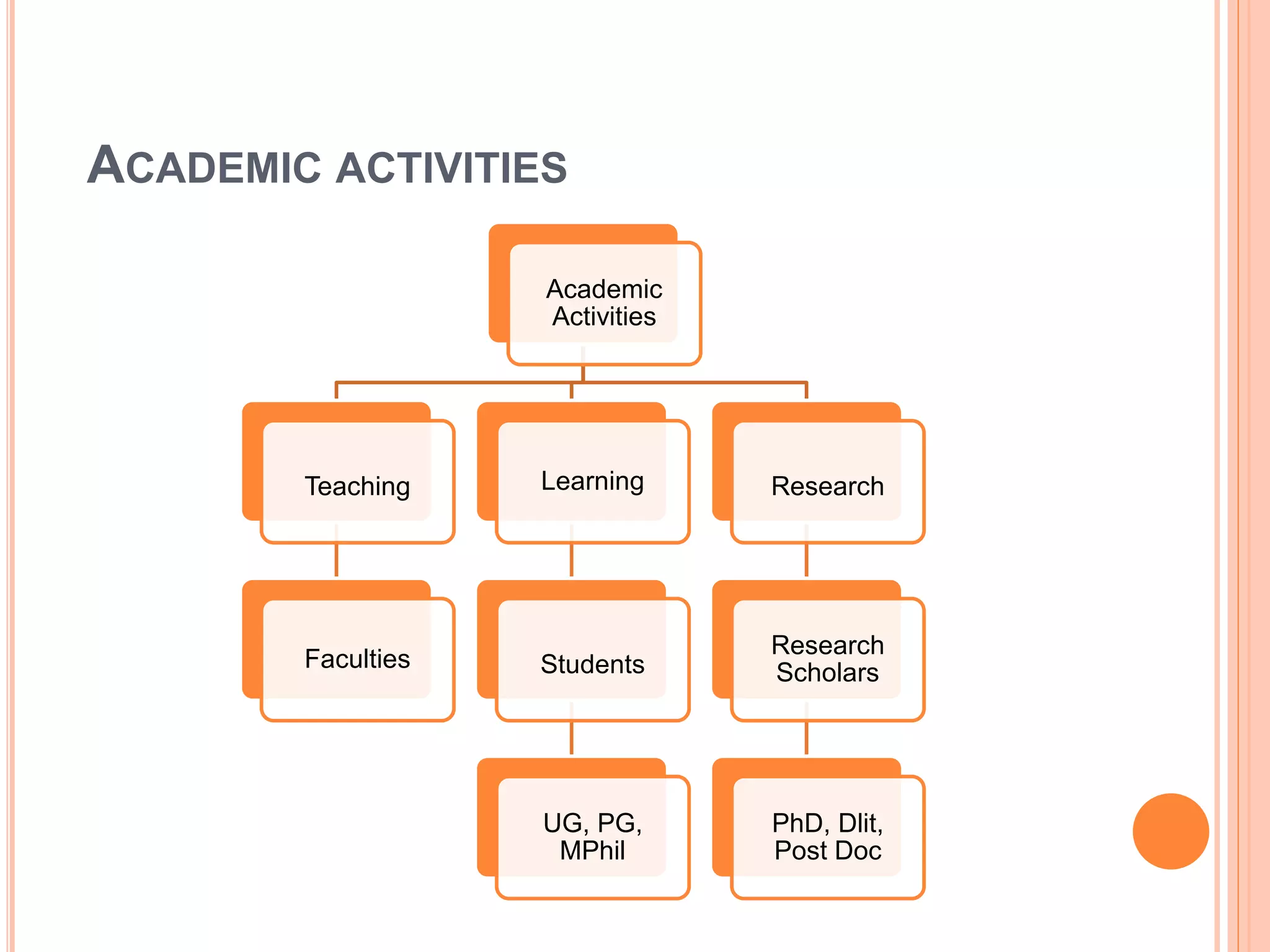
ACADEMIC ACTIVITIES
Academic
Activities
Teaching
Faculties
Learning
Students
UG, PG,
MPhil
Research
Research
Scholars
PhD, Dlit,
Post Doc
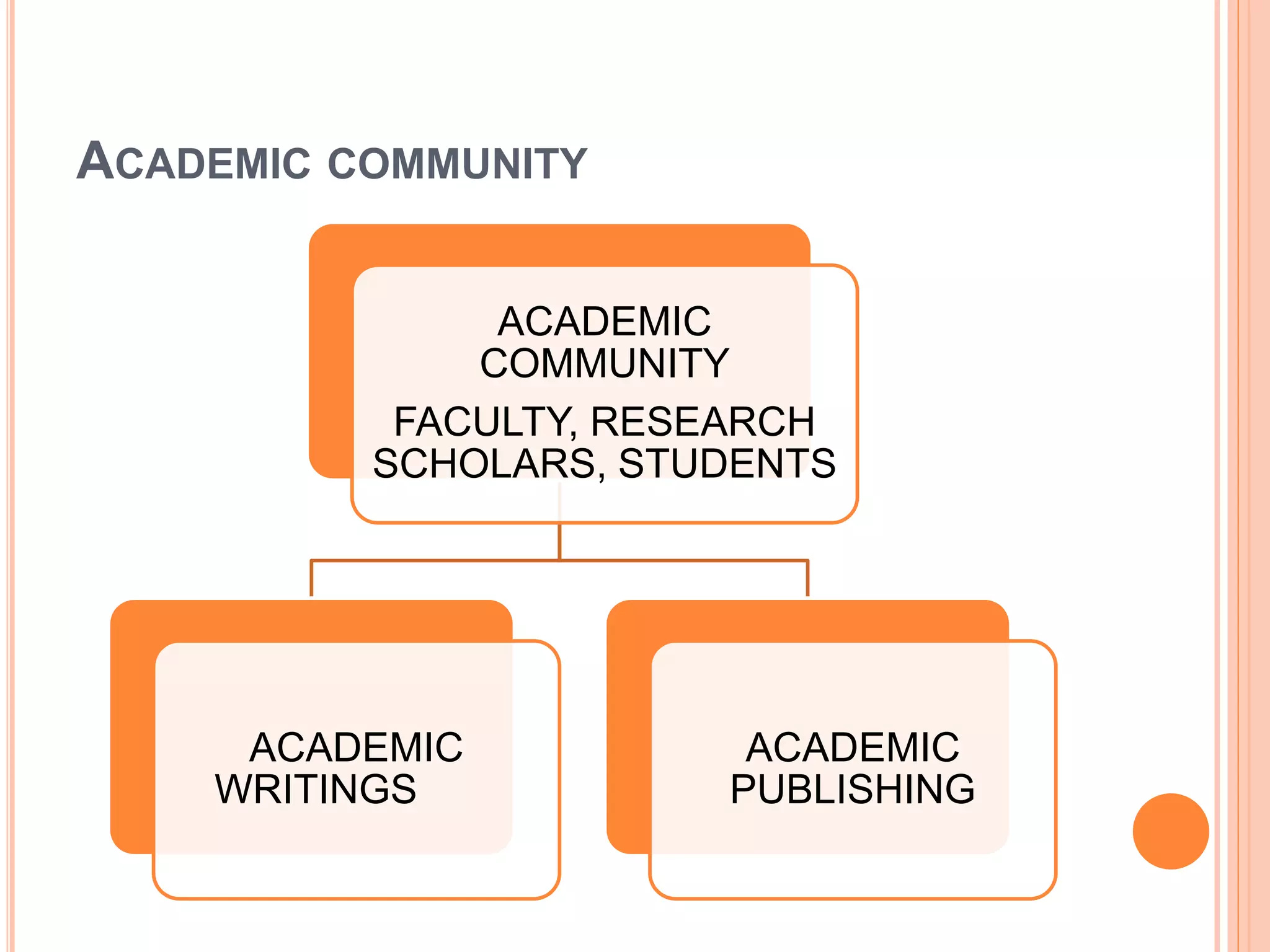
ACADEMIC COMMUNITY
ACADEMIC
COMMUNITY
FACULTY, RESEARCH
SCHOLARS, STUDENTS
ACADEMIC
WRITINGS
ACADEMIC
PUBLISHING
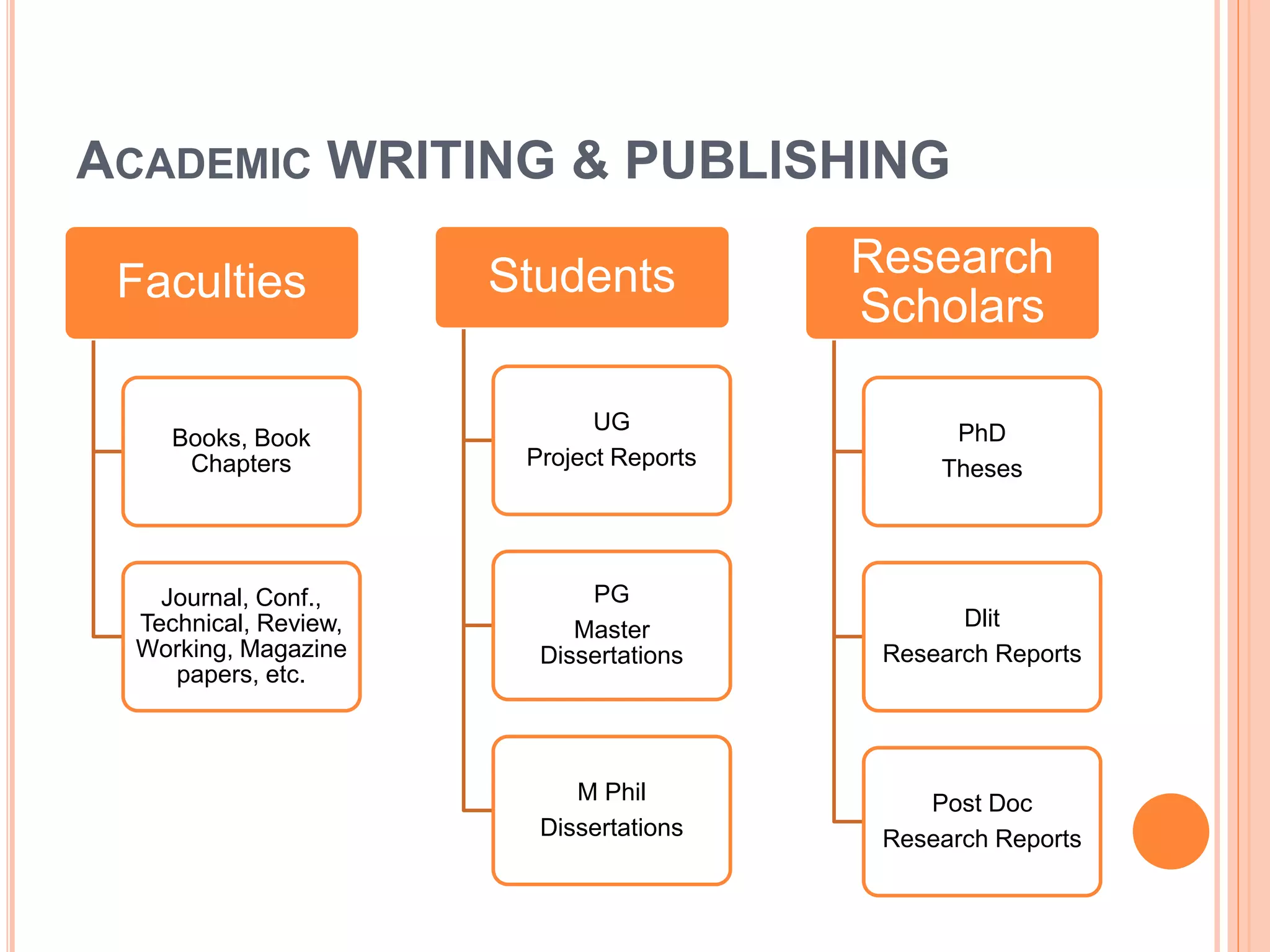
ACADEMIC WRITING & PUBLISHING
Faculties
Books, Book
Chapters
Journal, Conf.,
Technical, Review,
Working, Magazine
papers, etc.
Students
UG
Project Reports
PG
Master
Dissertations
M Phil
Dissertations
Research
Scholars
PhD
Theses
Dlit
Research Reports
Post Doc
Research Reports
ACADEMIC IDENTITY
 Academic identity is defined as the beliefs, values,
and commitments an individual holds toward being
a Author/academic (as distinct from another
professional) and being a particular type of
academic or researcher.
 Academic identification is also being taken up
seriously in recent years with evolving parameters
and indicators for research evaluation that are used
for measuring research impact of individual and
organizations.
ACADEMIC IDENTITY
 Academic identity has been generally defined
as how we see ourselves in an academic domain.
 There is a growing demand for unique identity of
faculty/researcher to facilitate tracking of research
activity in the research eco system.
 Various author or academic or research
identification systems are Vidwan ID, ORCID,
Google Scholar ID, WOS Researcher ID, Scopus
Author ID, ISNI, SSRN Author ID, Microsoft
Academic Search ID
IMPORTANCE OF ACADEMIC IDENTITY
 Showcase their research work to the world
academic environment
 Manage your research publication lists
 Help to be identified by potential collaborators,
 Increase the chance of research collaboration
 Serve the society better
 Help to avoid misidentification
 Create an online presence/visibility in digital
environment
IMPORTANCE OF ACADEMIC IDENTITY CONT…
 Enable research output to be attributed to your
Institution
 Trace the number of citation and track citation
counts.
 helped as online presence for enhancing visibility
and impact of your research works.
 Link to your profiles on your institutional webpage,
individual webpage and more.
 Share your IDs link on social media such as Face
book, WhataApp groups, Telegram, etc.
TYPES OF RESEARCH /ACADEMIC IDENTITY
 Vidwan ID
 ORCID (Open Researcher and Contributor ID)
 Google Scholar ID
 WOS Researcher ID
 Scopus Author ID
 Microsoft Academic Searcher ID
 ISNI (International Standard Name Identifier)
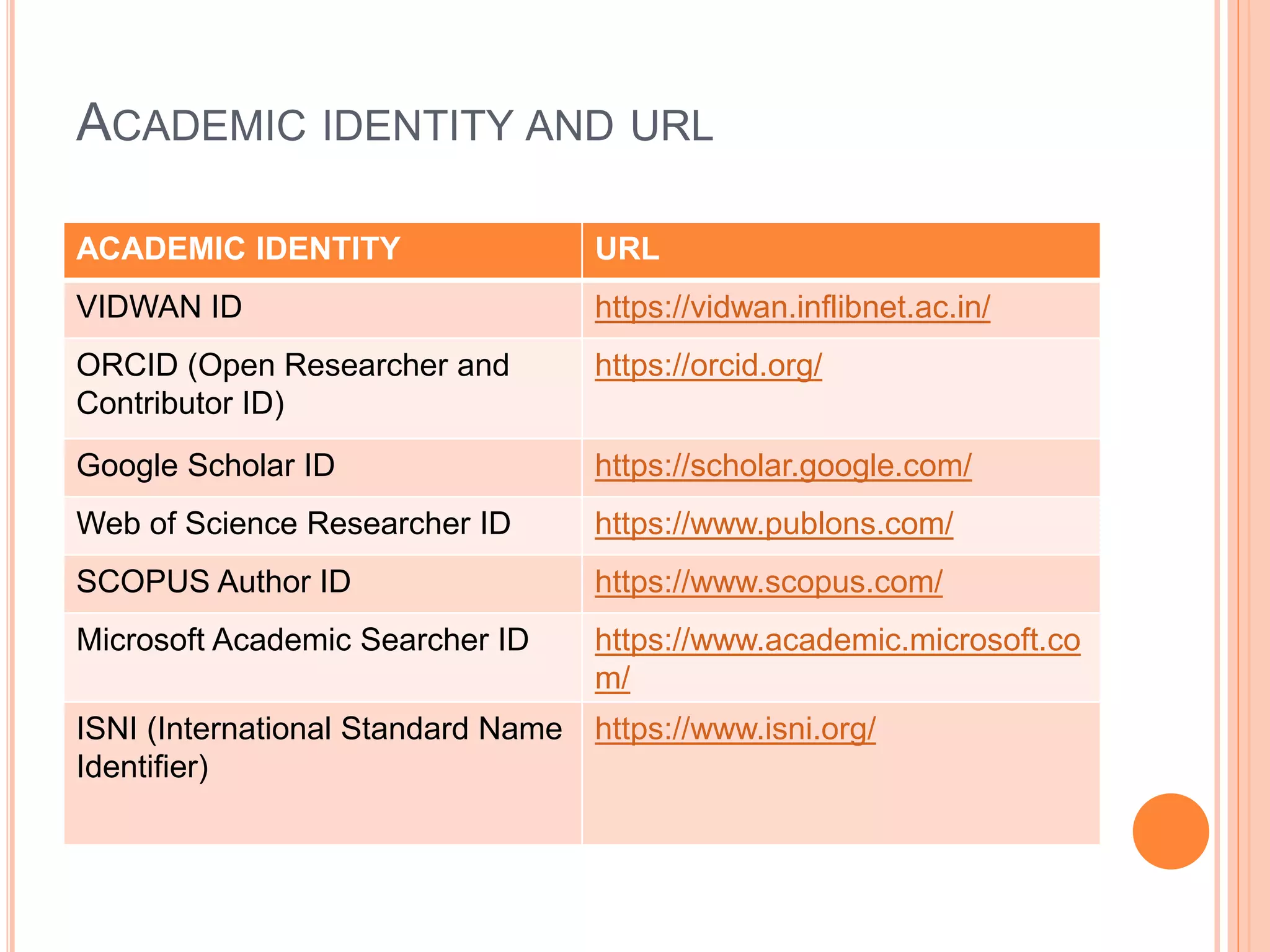
ACADEMIC IDENTITY AND URL
ACADEMIC IDENTITY URL
VIDWAN ID https://vidwan.inflibnet.ac.in/
ORCID (Open Researcher and
Contributor ID)
https://orcid.org/
Google Scholar ID https://scholar.google.com/
Web of Science Researcher ID https://www.publons.com/
SCOPUS Author ID https://www.scopus.com/
Microsoft Academic Searcher ID https://www.academic.microsoft.co
m/
ISNI (International Standard Name
Identifier)
https://www.isni.org/
VIDWAN ID
A UNIQUE IDENTIFIER IN INDIA
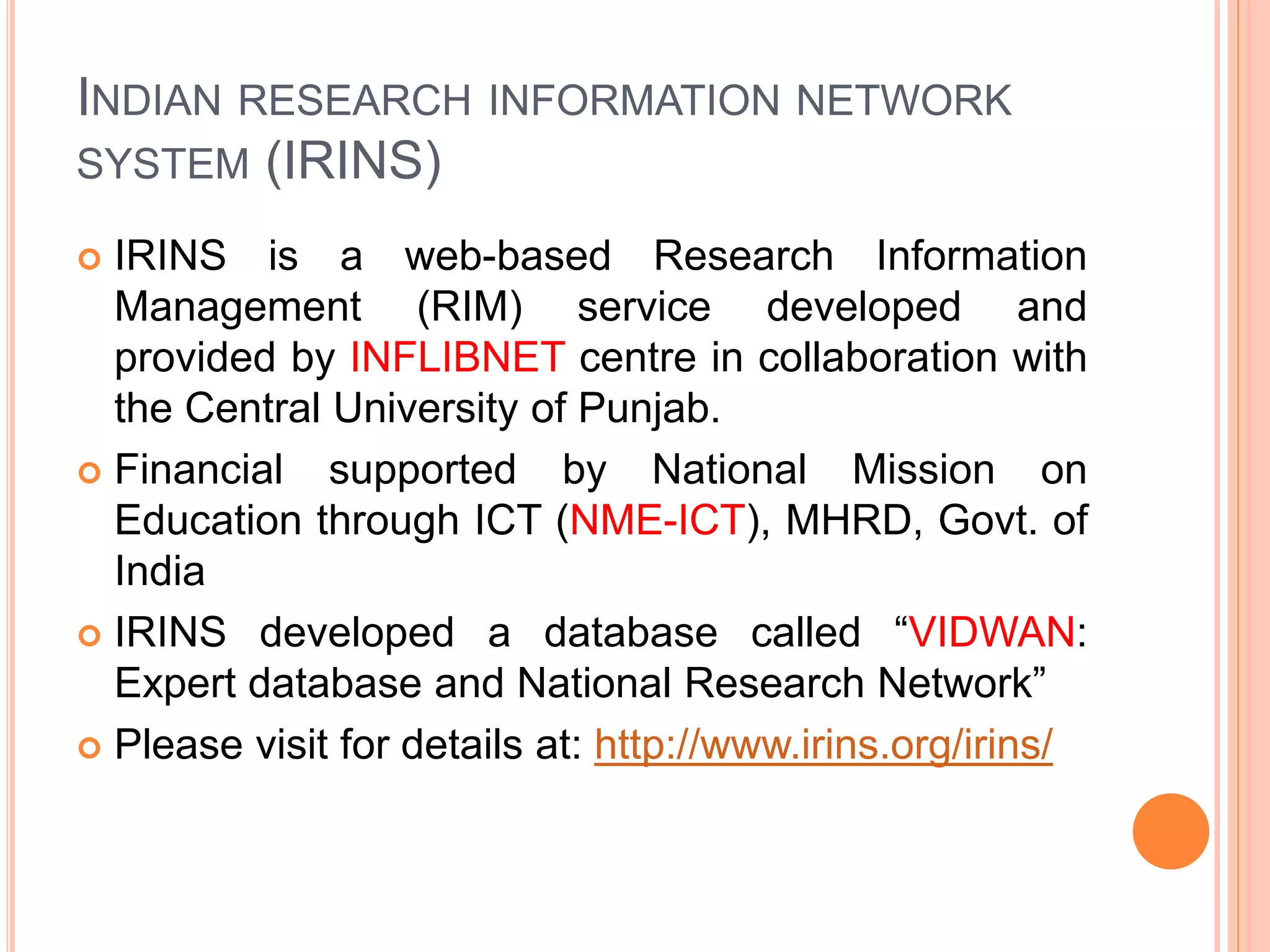
INDIAN RESEARCH INFORMATION NETWORK
SYSTEM (IRINS)
 IRINS is a web-based Research Information
Management (RIM) service developed and
provided by INFLIBNET centre in collaboration with
the Central University of Punjab.
 Financial supported by National Mission on
Education through ICT (NME-ICT), MHRD, Govt. of
India
 IRINS developed a database called “VIDWAN:
Expert database and National Research Network”
 Please visit for details at: http://www.irins.org/irins/
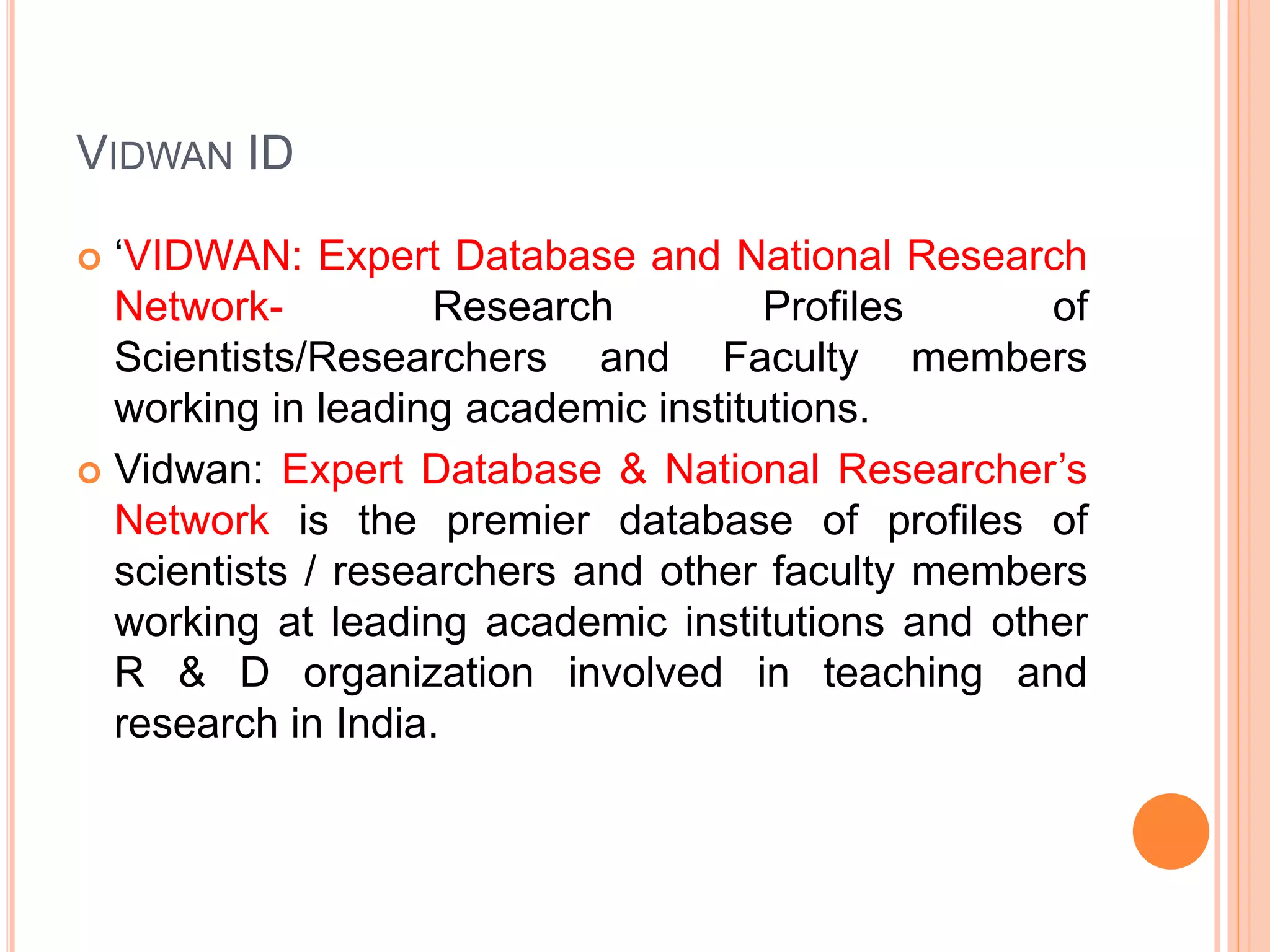
VIDWAN ID
 ‘VIDWAN: Expert Database and National Research
Network- Research Profiles of
Scientists/Researchers and Faculty members
working in leading academic institutions.
 Vidwan: Expert Database & National Researcher’s
Network is the premier database of profiles of
scientists / researchers and other faculty members
working at leading academic institutions and other
R & D organization involved in teaching and
research in India.
VIDWAN CONT…
 The VIDWAN ID: a unique identifier in India
 Researchers will be able to create, edit, and
maintain VIDWAN identifier and record free of
charge.
COMPONENTS OF VIDWAN ID
 Subject Expertise
 Personal Information
 Experiences- past and present
 Qualifications- Master, M Phil, Ph D, etc
 Membership in professional Bodies
 Membership in Committees, sub-committees, etc
 Publications/Works
 Link with other Academic Identities
VIDWAN ID CONT…
 Please visit and registered your name at:
https://vidwan,inflibnet.ac.in
 You must Login through Institutional Email
 Login IDs and passwords have been issued to
experts whose profile is available in the database
with a persistent URL and VIDWAN ID enabling
them to update their profiles.
 The database integrated with ORCID ID to update
publications from the ORCID database.
ORCID (OPEN RESEARCHER & CONTRIBUTOR
ID) ID
A UNIQUE, GLOBAL, PERSISTENT IDENTIFIER
FREE OF CHARGE TO RESEARCHERS
ORCID (OPEN RESEARCHER & CONTRIBUTOR ID)
ID
 It is an non-proprietary alphanumeric code to
uniquely identify scientific and other academic
authors and contributors. For example
https://orcid.org/0000-0001-5534-4861
 We can connect our ID with our Personal
information, professional information, affiliations,
Grants/Awards, Publications, etc.
 Please visit and registered your name at:
https://orcid.org/
 You must register through Institutional Email
ORCID ID CONT…
 A set of Application Programming Interfaces
(APIs), as well as the services and support of
communities of practice that enable interoperability
between an ORCID record and member organizations
so researchers can choose to allow connection of
their iD with their affiliations and contributions
 Researchers will be able to create, edit, and maintain
an ORCID identifier and record free of charge.
ORCID CONT…
 Existing academic identity providers such as Thomas
Reuters and SCOPUS have integrated their identity
system with ORCID to exchange bibliographic
information with each other.
 CrossRef and DataCite are the leading not-for-profit
organizations providing DOI for research publications
and datasets.
 ORCID has launched the service called automatic
update of information related to scholarly work from
CrossRef and DataCite to ORCID.
COMPONENTS OF ORCID ID
 Name
 A short Biography
 Activities- Employment, Education and
Qualifications, Invited Positions and Distinctions,
Membership and Service, Funding and Works
 Website & Social Links
 Keywords
 Countries
GOOGLE SCHOLAR PROFILE
 Google Scholar Citation (GSC) lets authors set up a
profile page that lists their publications and citation
metrics.
 The citation metrics are updated automatically, and
you can choose to have your list of publications
updated automatically or update them yourself.
 Researcher can sign up for a GSC profile as
following steps:
STEPS IN CREATING GOOGLE SCHOLAR
PROFILE
 First, sign in to your Google account (Gmail
account), or create one if you don't yet have one.
We recommend that you use a personal account,
not an account at your institution, so that you
can keep your profile for as long as you wish.
 Once you've signed in to your Google account,
open the Scholar profile sign up form, confirm the
spelling of your name, enter your affiliation,
interests, etc. We recommend that you also enter
your Institute email address; this would make
your profile eligible for inclusion in Google Scholar
search results.
STEPS IN CREATING GOOGLE SCHOLAR
PROFILE CONT…
 On the next page, you'll see groups of articles
written by people with names similar to yours. Add
all articles that you have written; keep in mind your
articles may be in several different groups, and
some groups may occasionally include articles by
several different authors.
 If you publish under several different names, you
may need to do several searches to add all your
articles.
STEPS IN CREATING GOOGLE SCHOLAR
PROFILE
 Once you're done with adding articles, it will ask
you what to do when the article data changes in
Google Scholar.
 You can either have the updates applied to your
profile automatically, or you can choose to review
them beforehand. In either case, you can always go
to your profile and make changes by hand.
STEPS IN CREATING GOOGLE SCHOLAR
PROFILE CONT…
 Finally, you will see your profile. This is a good time
to add a few finishing touches - upload your
professional looking photo, visit your university
email inbox and click on the verification link, double
check the list of articles, and, once you're
completely satisfied, make your profile public. It's
now eligible to appear in Google Scholar when
someone searches for your name!
STEPS IN CREATING GOOGLE SCHOLAR PROFILE
CONT…
 Go to Google scholar and click on the My Profile
link.
 Follow the promotes to set up your profile and
add your publications.
 Review and complete your profile.
STEPS IN CREATING GOOGLE SCHOLAR
PROFILE CONT…
 Ensure you make your profile public if you want
other people to be able to view it, and
 Visit your e-mail inbox and click on the verification
link.
 Please visit and registered your name at:
https://scholar.google.com/citations/
MAKING YOUR PROFILE PUBLIC
 Will my profile be visible to others?
 Your profile is private and visible only to you until
and unless you make your profile public.
 How do I make my profile public?
 Click the "Edit" button next to your name, check the
"Make my profile public" box, and click "Save".
 If the "Edit" button doesn't appear, sign in to the
Google account that you used to create your profile.
MAKING YOUR PROFILE PUBLIC CONT…
 How do I link to my public profile?
 You can share the URL displayed by the browser. It
looks like this:
https://scholar.google.com/citations?user=ID&hl=en
…where ID identifies your Google Scholar profile.
 You can link to it from your homepage, email it to
colleagues, or share it on social media. The link
only works if the profile is public, and only lets other
people see the profile but not make changes to it.
WEB OF SCIENCE (WOS)
RESEARCHERID
WEB OF SCIENCE RESEARCHERID
 A Web of Science ResearcherID is a unique
identifier that connects you to your publications
across the Web of Science ecosystem (e.g., Web of
Science, Publons, and InCites) and provides the
global research community with an invaluable index
to author information.
 Web of Science Group products (Web of
Science, Publons, InCites, EndNote) use a Web of
Science ResearcherID to match and disambiguate
researchers across products.
RESEARCHER ID
 Researcher ID is an identifying system for scientific
authors. The system was introduced in January,
2008 by Thomson Routers.
 Researchers around the world use Researcher ID
track their research publications across web of
science collections.
 Please visit and registered your name at:
http://www.researcherid.com/
RESEARCHER ID CONT…
 Researcher ID profiles moved to Publons on 15th
April, 2019.
 The Publons is a free online system that provides
services for researchers to track and share their
research impact and contributions.
 Publons is the new environment where you can
benefit from the improved Web of Science
Researcher ID, add your publications, track your
citations, and manage your web of science record.
RESEARCHER ID CONT…
 The information about publications, citation metrics
from the web of science core collection, peer-
reviews and journal editing works of one person
can be located in one Publons profile.
 Through the Publons, a researcher can express
his/her interest to be a reviewer for a journal
available in the Publons database.
 To have the Publons profile, registration is required
at : https://publons.com/about/home/
SCOPUS AUTHOR ID
 Scopus is the world’s largest abstract and citation
database of peer-reviewed research literature with
22,000 titles from more than 5,000 international
publishers.
 A Scopus Author ID is automatically generated the
first time one of you publication is indexed in
Scopus.
SCOPUS AUTHOR ID CONT…
 To find your Scopus ID, you may search for your
name or one of your indexed publications in Scopus
and go to your Author Details Page, where you will
find your Scopus Author ID.
 Due to variant publishing names Scopus may
generate multiple IDs for the same author. Ensure
you merge all your IDs to optimize your citation
matrix.
 Please visit and registered your name at:
 https://www.scopus.com/
MICROSOFT ACADEMIC ID
 The website of Microsoft Academic is powered by
Microsoft Academic Group (MAG) data and
Microsoft Academic Knowledge Exploration
(MAKES) hosted API’s
 Data is available for offline processing through
MAG subscriptions.
 Self-hosted API’s used to create real-time
applications, like Microsoft Academic Website, are
available on Azure through MAKES subscriptions.
 Please visit and registered your name at:
https://academic.microsoft.com/
INTERNATIONAL STANDARD NAME IDENTIFIER
(ISNI)
 ISNI is a 14 digit global standard number for
identifying the contributors for their unique work
including researchers, artists, performers,
producers, publishers, aggregators, R&D
organizations and academic institutions.
 The objectives of the ISNI International Authority
(ISNI-IA) is to assign a persistent unique
identification number to the contributor, so that the
issues of name ambiguity can be solved in areas
such as author name in scholarly article, institution
or library name in consortium based access,
organization name in the funding agency, etc.
ISNI CONT…
 Bowker is a registration agency for the individual
and publishing organization to get ISNI number.
 Renggold is also a registration agency for academic
institutions, R&D organizations to get ISNI number.
 BnF (Bibliotheque National de France) also acts as
registration agency for registers of individuals and
publishing organizations in France.
 Please visit and registered your name at:
www.isni.org/
RESEARCHGATE: FIND & SHARE RESEARCH
 ResearchGate is a European commercial social
networking site for scientists and researchers to
share papers.
 Discover scientific knowledge and stay connected
to the world of science, Discover research, Connect
with your scientific community, Measure your
impact.
 ResearchGate is the professional network for
scientists and researchers. We help researchers
connect and make it easy for them to share and
access scientific output, knowledge, and expertise.
IS RESEARCHGATE FREE?
 Creating an account on ResearchGate is free.
 All ResearchGate members will be able to access
content from the participating open access journals.
 You may follow: www.researchgate.net
RESEARCHGATE CONT…
 The site creates profiles with information harvested
from literature databases and other sources, while
permitting researchers to create profiles by
registering on the site.
 Standard elements of a profile include a dashboard-
like overview, citations to published work, contact
and career information, research interests, links to
citations of potential interest, and selected impact
metrics.
FEATURES OF RESEARCHGATE
 Profiles can be augmented by including contact
information, a photograph,
 citations to work that has not been discovered by
ResearchGate, and
 full-text article content for sharing with other
members.
 Site members can follow other researchers and
their work, identify colleagues and coworkers such
as lab personnel,and share details of current
projects.
POINTS TO BE REMEMBERED FOR INCREASING
YOUR ACADEMIC/RESEARCH VISIBILITY
 Maintain a uniform way of mentioning YOUR
NAME in your research publications like Santosh
Kumar Tunga, not SK Tunga, S Tunga, Dr.
Santosh Kr Tunga, Dr. Tunga, etc.
 Update your ONLINE Academic/Research
PROFILEs (as and when required) and your own
website (if any). For example
www.sites.google.com/view/santosh-kumar-tunga
POINTS TO BE REMEMBERED FOR INCREASING
YOUR ACADEMIC/RESEARCH VISIBILITY CONT…
 Include all research publications in an open online
repository so Google Scholar will track when you
have been cited.
 Publish in online and open access publishing
platforms with research features allowing users to
find articles that cite it.
 Publish your research findings in DOI, URL, www
links publication i.e. online platform (eISSN)
POINTS TO BE REMEMBERED CONT…
 Share your publications (if publisher allow) in Social
Networking sites like Academia.edu, Researchgate,
Slide Share, Mendeley, Twitter, FaceBook, Blogs,
Google sites, etc.
 Follow Publication Ethics and Research Ethics in
online academic /Research visibility.
 Attend Academic /Scientific writing, Research
Ethics, Copyright, IPR, Plagiarism in research,
Research visibility courses/workshops.
TOOLS USED FOR POLISHING YOUR RESEARCH
PAPER
TOOLS USED FOR POLISHING YOUR
RESEARCH PAPER
 Use Proper Reference Styles
(APA, MLA, IEEE, Chicago, etc.)
 Use Reference Management Tools
(Mendeley, Zotero, EndNote)
 Use Language Correction Tools
(Grammarly, Ginger, Pro Writing Aid, White Smoka,
Language Tool, etc.)
TOOLS USED FOR POLISHING YOUR
RESEARCH PAPER CONT…
 Many commercial publishers provide charged
Author Support Services like Language Editing,
Scientific Editing, Statistical support/analysis, etc.
 Plagiarism Detection Tools
 Language Editing Services :
http://webshop.elsevier.com/languageservices/lang
uageediting
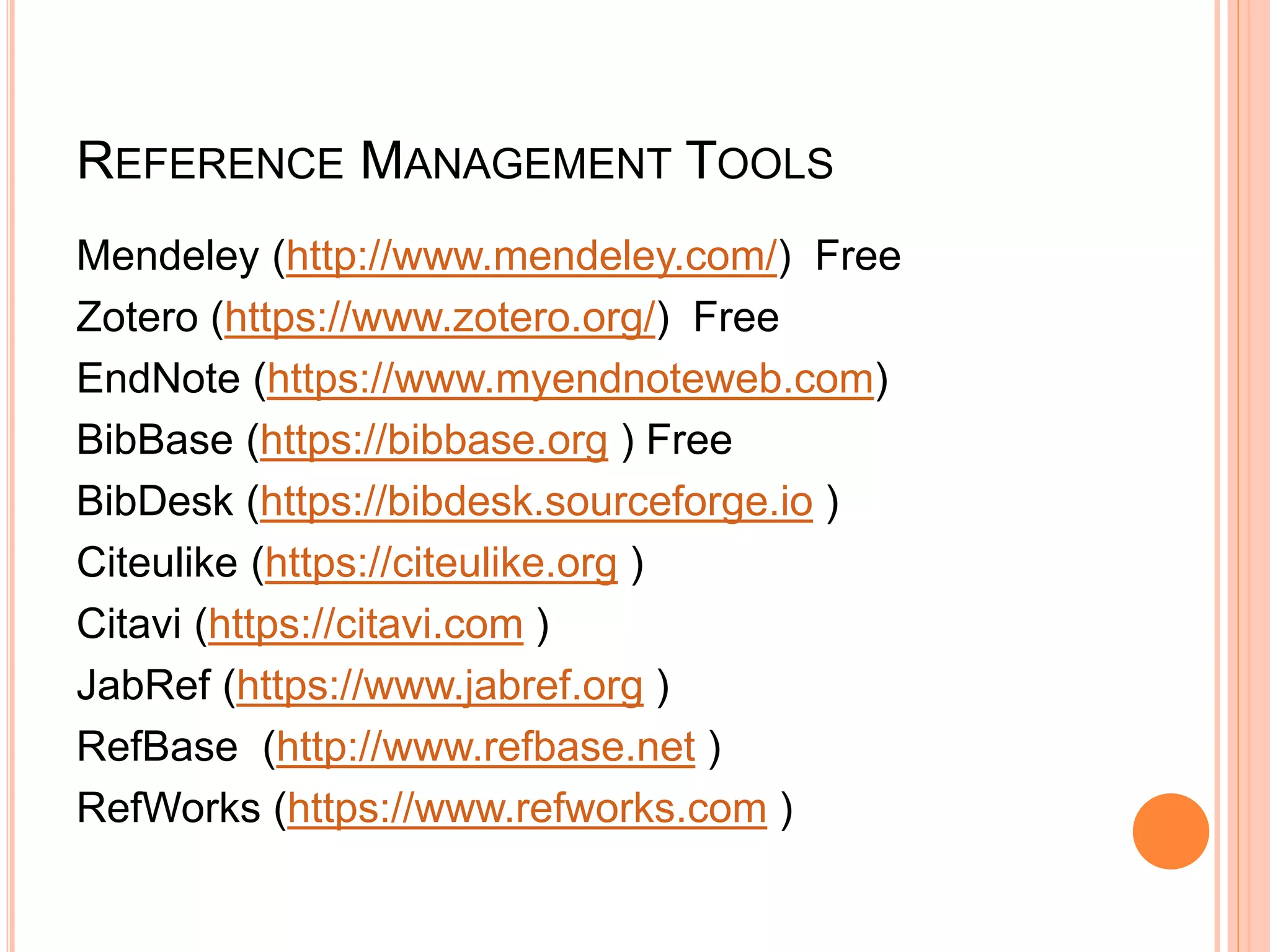
REFERENCE MANAGEMENT TOOLS
Mendeley (http://www.mendeley.com/) Free
Zotero (https://www.zotero.org/) Free
EndNote (https://www.myendnoteweb.com)
BibBase (https://bibbase.org ) Free
BibDesk (https://bibdesk.sourceforge.io )
Citeulike (https://citeulike.org )
Citavi (https://citavi.com )
JabRef (https://www.jabref.org )
RefBase (http://www.refbase.net )
RefWorks (https://www.refworks.com )
LANGUAGE CORRECTION TOOLS
OR
GRAMMAR, STYLE & SPELL CHECKER
SOFTWARE/TOOLS
OR
GRAMMAR CHECKER TOOLS
LANGUAGE CORRECTION TOOLS
 Ginger- Free Writing Assistant
(https://www.gingersoftware.com )
 Grammarly-Free Online Writing Assistant
(https://www.grammarly.com )
 GrammarChecker- Free Grammar Checker
(https://www.grammarchecker.net )
 LanguageTool- online Grammar, Style & Spell
Checker (https://languagetool.org )
LANGUAGE CORRECTION TOOLS CONT…
 ProWritingAid- Free Grammar Checker
(https://prowritingaid.com )
 QuillBot- Free Grammar Checker
(https://quillbot.com )
 Reverso- Spell & Grammar Checker in English
(https://www.reverso.net )
 Writer- Free Grammar Checker (https://writer.com )
PLAGIARISM DETECTION TOOLS
(1) COMMERCIAL PLAGIARISM DETECTION TOOLS
(2) OPEN SOURCE PLAGIAISM DETECTION TOOLS
COMMERCIAL PLAGIARISM DETECTION TOOLS
Turnitin (https://www.turnitin.com)
iThenticate (http://www.ithenticate.com)
Urkund (https://www.urkund.com)
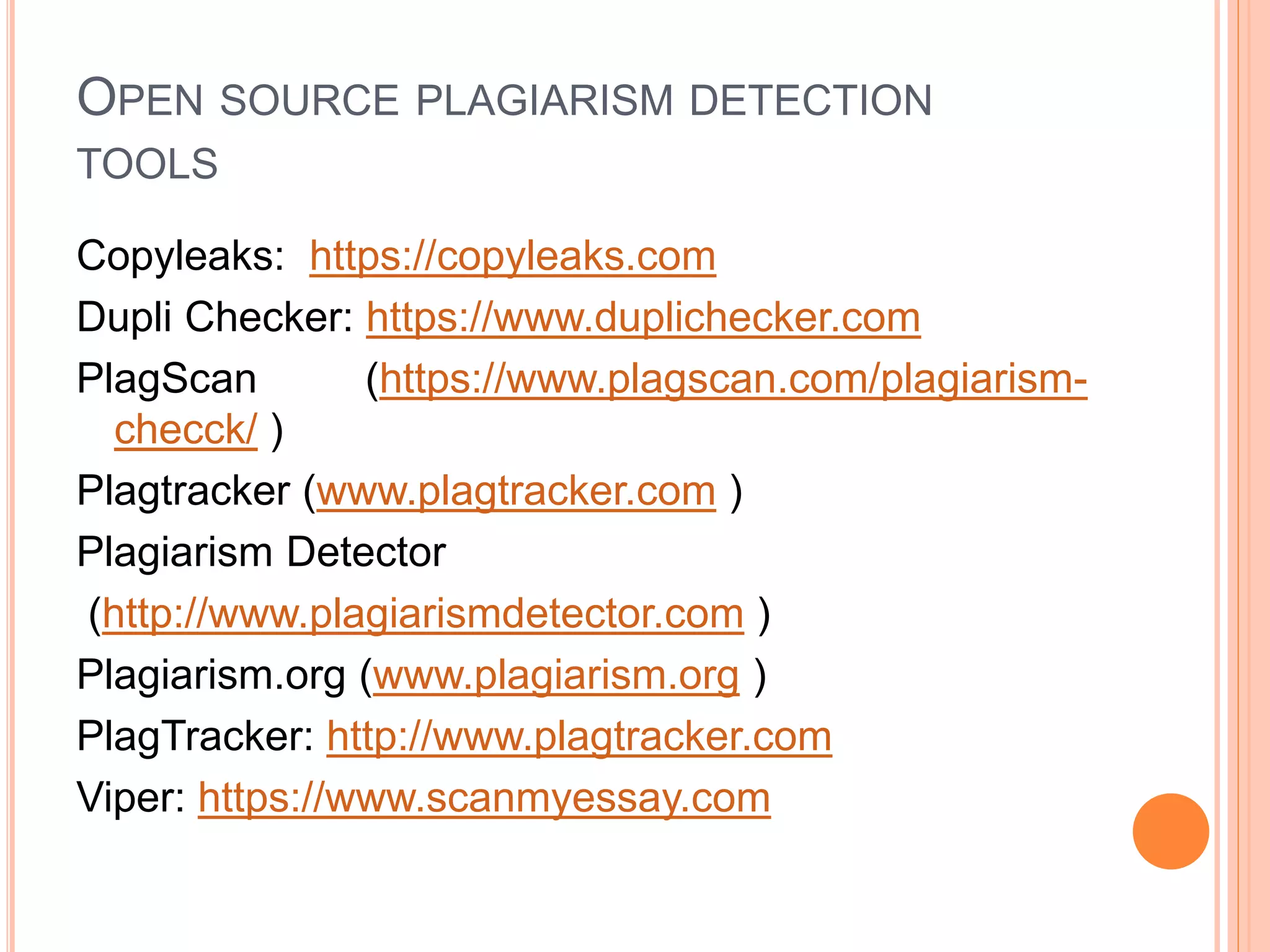
OPEN SOURCE PLAGIARISM DETECTION
TOOLS
Copyleaks: https://copyleaks.com
Dupli Checker: https://www.duplichecker.com
PlagScan (https://www.plagscan.com/plagiarism-
checck/ )
Plagtracker (www.plagtracker.com )
Plagiarism Detector
(http://www.plagiarismdetector.com )
Plagiarism.org (www.plagiarism.org )
PlagTracker: http://www.plagtracker.com
Viper: https://www.scanmyessay.com
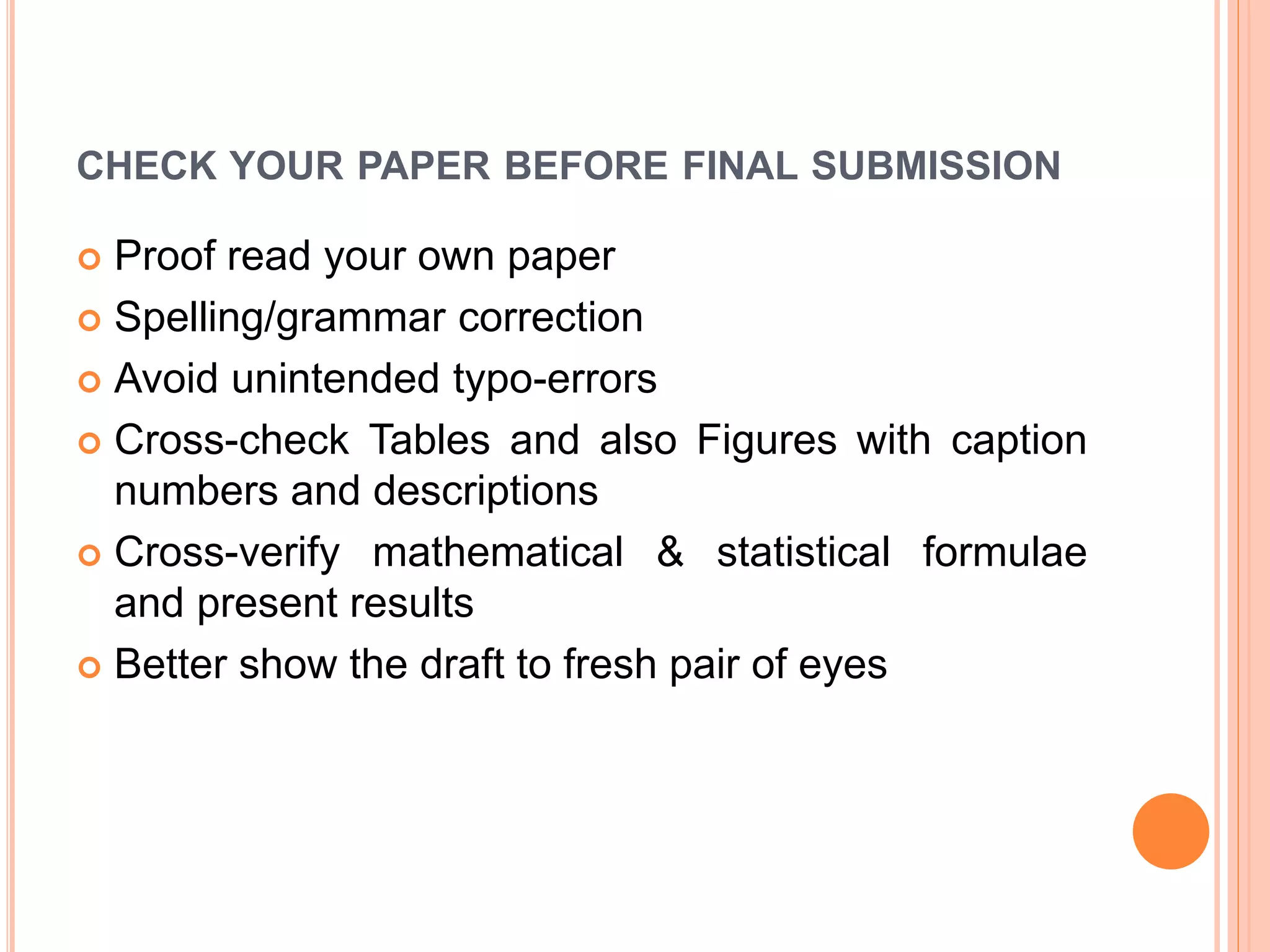
CHECK YOUR PAPER BEFORE FINAL SUBMISSION
 Proof read your own paper
 Spelling/grammar correction
 Avoid unintended typo-errors
 Cross-check Tables and also Figures with caption
numbers and descriptions
 Cross-verify mathematical & statistical formulae
and present results
 Better show the draft to fresh pair of eyes
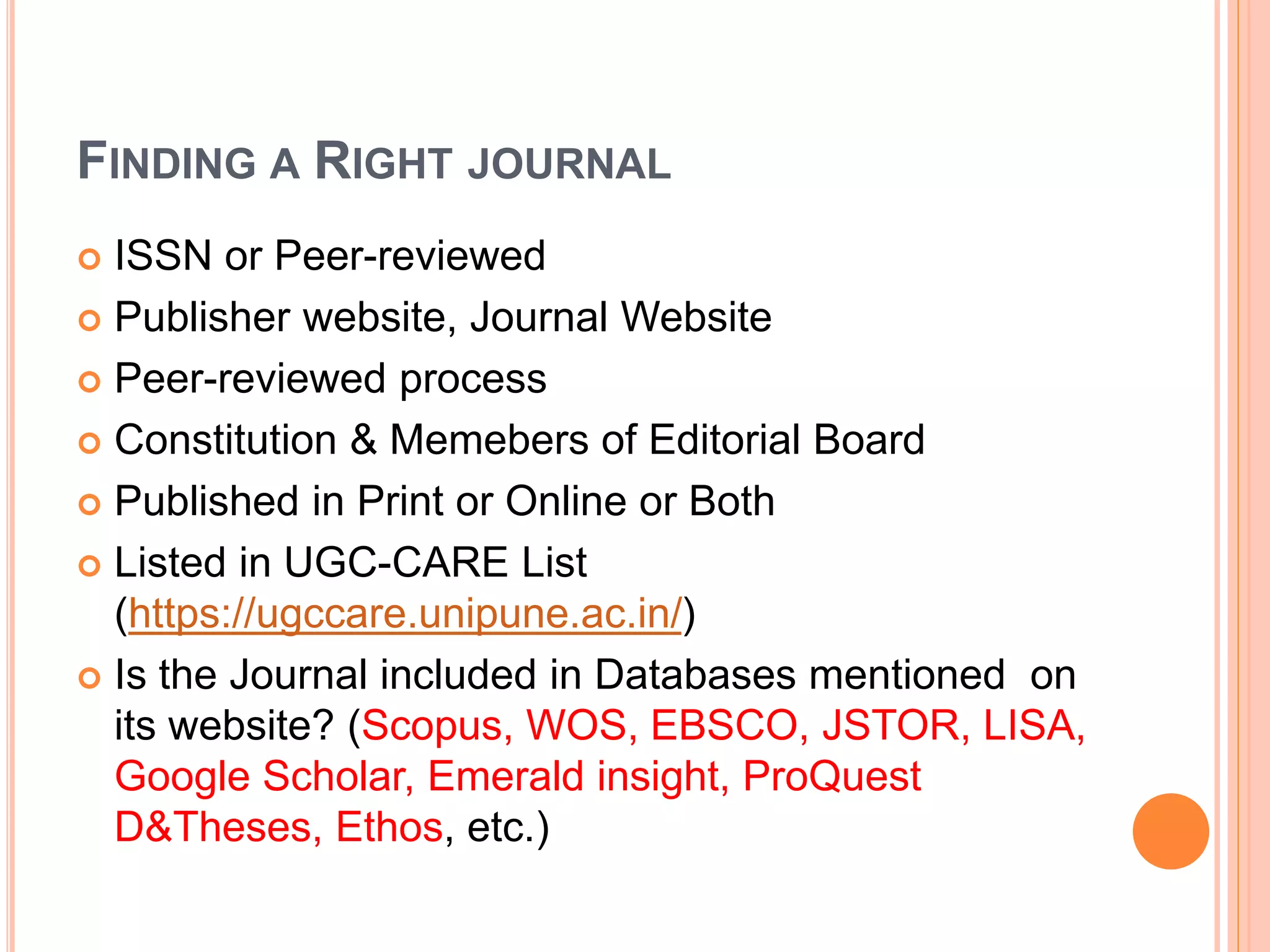
FINDING A RIGHT JOURNAL
 ISSN or Peer-reviewed
 Publisher website, Journal Website
 Peer-reviewed process
 Constitution & Memebers of Editorial Board
 Published in Print or Online or Both
 Listed in UGC-CARE List
(https://ugccare.unipune.ac.in/)
 Is the Journal included in Databases mentioned on
its website? (Scopus, WOS, EBSCO, JSTOR, LISA,
Google Scholar, Emerald insight, ProQuest
D&Theses, Ethos, etc.)
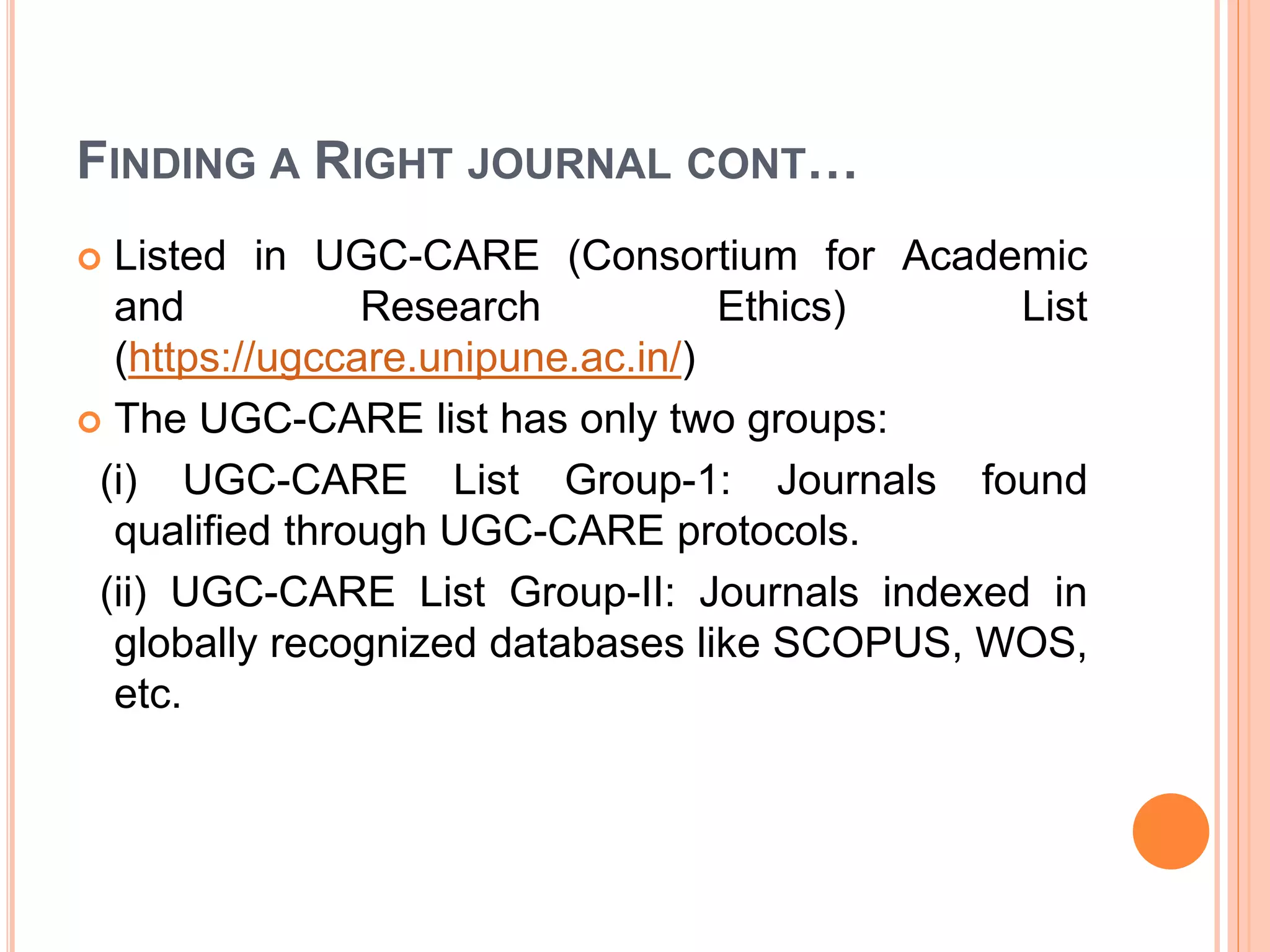
FINDING A RIGHT JOURNAL CONT…
 Listed in UGC-CARE (Consortium for Academic
and Research Ethics) List
(https://ugccare.unipune.ac.in/)
 The UGC-CARE list has only two groups:
(i) UGC-CARE List Group-1: Journals found
qualified through UGC-CARE protocols.
(ii) UGC-CARE List Group-II: Journals indexed in
globally recognized databases like SCOPUS, WOS,
etc.
FINDING A RIGHT JOURNAL CONT…
 Check whether your journal indexed/abstarcted or
not? Various Indexing system are Scopus, WOS,
Google Scholar, EBSCO Discovery, Summon
(ProQuest), DOAJ, Indian Citation Index, ISA, ILSA,
LISA, Index Copernicus, etc.
 Is the Journal published by well-known publisher?
(i) Commercial-Taylor & Francis, Springer, Wiley,
Sage, Elsivier, MacGraw-Hill etc.; (ii) Learned or
Scholarly Societies-AMS, ACS,APS, etc.; and (iii)
University Press-OUP, CUP, etc.
FINDING A RIGHT JOURNAL CONT…
 Verify the member of the publisher or the journal in
Open Access Scholarly Publishers Association
(OASPA)
 Is he publisher or the journal a member of the
Committee on Publication Ethics (COPE)
 Check who are the members of Editorial Board and
peer review process, are these information
mentioned in journal’s website ?
CONCLUSION
 The use of various academic identifiers should be
made mandatory field in various applications such
as research grant, project proposal, ranking
system, honours and awards application, etc.
 Academic institutions and R&D organizations
should encourage faculty members, researchers
and students to get these academic identifiers
specially ORCID, Vidwan and make it as a
mandatory field in the research ecosystem such as
research management systems, faculty profile
management, institutional repositories, e-theses
and dissertations, etc.
ACKNOWLEDGEMENT
 I would like express my sincere thanks to various
Internet sources and also authors of those Internet
sources used to prepare this presentation.
 This presentation is mainly prepared to create an
awareness among faculties, students and research
scholars about the various academic and research
identities.
 These slides have been/being used in my various
talks and presentations both online and offline
mode.
REFERENCES
 https://orcid.org/
 https://vidwan.inflibnet.ac.in/
 https://www.academic.microsoft.com/
 https://www.publons.com/researcher/
 https://scholar.google.com/
 https://www.irins.org/irins/
 www.isni.org/
 https://ugccare.unipune.ac.in/
 https://publicationethics.org
 http://webshop.elsevier.com/languageservices/lang
uageediting
THANK YOU
FURTHER INFORMATION ABOUT “HOW TO
CREATE ACADEMIC AND RESEARCH
IDENTITY” FEEL FREE CONTACT ME AT
MOBILE: 9432080868
TUNGASK@GMAIL.COM

How to Create Academic & Research Identity.ppt

  • 1.
    STATE LEVEL FDP ON HOWTO CREATE ACADEMIC AND RESEARCH IDENTITY ORGANIZED BY CENTRAL LIBRARY IN COLLABORATION WITH IQAC OF RBC EVENING COLLEGE, NIAHATI, NORTH 24 PARGANAS, WEST BENGAL, INDIA AT: SEMINAR HALL 06th APRIL, 2022
  • 2.
    HOW TO CREATEACADEMIC AND RESEARCH IDENTITY Dr. Santosh Kumar Tunga Librarian and IQAC Coordinator Rishi Bankim Chandra Evening College Naihati, North 24 Parganas, West Bengal https://orcid.org/0000-0001-5534-4861 https://vidwan.inflibnet.ac.in/profile/176188
  • 3.
    OUTLINE OF TODAYDISCUSSION  Concept of Identity, Academic identity, Research Identity, Author Identity and their importance in academic domain  Types of Academic/Research identity and the steps followed in creating these IDs.  Points to be remember for increasing your Academic and Research visibility  Role of Academicians and Researchers in the development of Academic and Research Identity  Tools used for publishing your Research Papers  Conclusion, Acknowledgment and References
  • 4.
  • 5.
  • 6.
    ACADEMIC COMMUNITY ACADEMIC COMMUNITY FACULTY, RESEARCH SCHOLARS,STUDENTS ACADEMIC WRITINGS ACADEMIC PUBLISHING
  • 7.
    ACADEMIC WRITING &PUBLISHING Faculties Books, Book Chapters Journal, Conf., Technical, Review, Working, Magazine papers, etc. Students UG Project Reports PG Master Dissertations M Phil Dissertations Research Scholars PhD Theses Dlit Research Reports Post Doc Research Reports
  • 8.
    ACADEMIC IDENTITY  Academicidentity is defined as the beliefs, values, and commitments an individual holds toward being a Author/academic (as distinct from another professional) and being a particular type of academic or researcher.  Academic identification is also being taken up seriously in recent years with evolving parameters and indicators for research evaluation that are used for measuring research impact of individual and organizations.
  • 9.
    ACADEMIC IDENTITY  Academicidentity has been generally defined as how we see ourselves in an academic domain.  There is a growing demand for unique identity of faculty/researcher to facilitate tracking of research activity in the research eco system.  Various author or academic or research identification systems are Vidwan ID, ORCID, Google Scholar ID, WOS Researcher ID, Scopus Author ID, ISNI, SSRN Author ID, Microsoft Academic Search ID
  • 10.
    IMPORTANCE OF ACADEMICIDENTITY  Showcase their research work to the world academic environment  Manage your research publication lists  Help to be identified by potential collaborators,  Increase the chance of research collaboration  Serve the society better  Help to avoid misidentification  Create an online presence/visibility in digital environment
  • 11.
    IMPORTANCE OF ACADEMICIDENTITY CONT…  Enable research output to be attributed to your Institution  Trace the number of citation and track citation counts.  helped as online presence for enhancing visibility and impact of your research works.  Link to your profiles on your institutional webpage, individual webpage and more.  Share your IDs link on social media such as Face book, WhataApp groups, Telegram, etc.
  • 12.
    TYPES OF RESEARCH/ACADEMIC IDENTITY  Vidwan ID  ORCID (Open Researcher and Contributor ID)  Google Scholar ID  WOS Researcher ID  Scopus Author ID  Microsoft Academic Searcher ID  ISNI (International Standard Name Identifier)
  • 13.
    ACADEMIC IDENTITY ANDURL ACADEMIC IDENTITY URL VIDWAN ID https://vidwan.inflibnet.ac.in/ ORCID (Open Researcher and Contributor ID) https://orcid.org/ Google Scholar ID https://scholar.google.com/ Web of Science Researcher ID https://www.publons.com/ SCOPUS Author ID https://www.scopus.com/ Microsoft Academic Searcher ID https://www.academic.microsoft.co m/ ISNI (International Standard Name Identifier) https://www.isni.org/
  • 14.
    VIDWAN ID A UNIQUEIDENTIFIER IN INDIA
  • 15.
    INDIAN RESEARCH INFORMATIONNETWORK SYSTEM (IRINS)  IRINS is a web-based Research Information Management (RIM) service developed and provided by INFLIBNET centre in collaboration with the Central University of Punjab.  Financial supported by National Mission on Education through ICT (NME-ICT), MHRD, Govt. of India  IRINS developed a database called “VIDWAN: Expert database and National Research Network”  Please visit for details at: http://www.irins.org/irins/
  • 16.
    VIDWAN ID  ‘VIDWAN:Expert Database and National Research Network- Research Profiles of Scientists/Researchers and Faculty members working in leading academic institutions.  Vidwan: Expert Database & National Researcher’s Network is the premier database of profiles of scientists / researchers and other faculty members working at leading academic institutions and other R & D organization involved in teaching and research in India.
  • 17.
    VIDWAN CONT…  TheVIDWAN ID: a unique identifier in India  Researchers will be able to create, edit, and maintain VIDWAN identifier and record free of charge.
  • 18.
    COMPONENTS OF VIDWANID  Subject Expertise  Personal Information  Experiences- past and present  Qualifications- Master, M Phil, Ph D, etc  Membership in professional Bodies  Membership in Committees, sub-committees, etc  Publications/Works  Link with other Academic Identities
  • 19.
    VIDWAN ID CONT… Please visit and registered your name at: https://vidwan,inflibnet.ac.in  You must Login through Institutional Email  Login IDs and passwords have been issued to experts whose profile is available in the database with a persistent URL and VIDWAN ID enabling them to update their profiles.  The database integrated with ORCID ID to update publications from the ORCID database.
  • 20.
    ORCID (OPEN RESEARCHER& CONTRIBUTOR ID) ID A UNIQUE, GLOBAL, PERSISTENT IDENTIFIER FREE OF CHARGE TO RESEARCHERS
  • 21.
    ORCID (OPEN RESEARCHER& CONTRIBUTOR ID) ID  It is an non-proprietary alphanumeric code to uniquely identify scientific and other academic authors and contributors. For example https://orcid.org/0000-0001-5534-4861  We can connect our ID with our Personal information, professional information, affiliations, Grants/Awards, Publications, etc.  Please visit and registered your name at: https://orcid.org/  You must register through Institutional Email
  • 22.
    ORCID ID CONT… A set of Application Programming Interfaces (APIs), as well as the services and support of communities of practice that enable interoperability between an ORCID record and member organizations so researchers can choose to allow connection of their iD with their affiliations and contributions  Researchers will be able to create, edit, and maintain an ORCID identifier and record free of charge.
  • 23.
    ORCID CONT…  Existingacademic identity providers such as Thomas Reuters and SCOPUS have integrated their identity system with ORCID to exchange bibliographic information with each other.  CrossRef and DataCite are the leading not-for-profit organizations providing DOI for research publications and datasets.  ORCID has launched the service called automatic update of information related to scholarly work from CrossRef and DataCite to ORCID.
  • 24.
    COMPONENTS OF ORCIDID  Name  A short Biography  Activities- Employment, Education and Qualifications, Invited Positions and Distinctions, Membership and Service, Funding and Works  Website & Social Links  Keywords  Countries
  • 25.
  • 26.
    GOOGLE SCHOLAR PROFILE Google Scholar Citation (GSC) lets authors set up a profile page that lists their publications and citation metrics.  The citation metrics are updated automatically, and you can choose to have your list of publications updated automatically or update them yourself.  Researcher can sign up for a GSC profile as following steps:
  • 27.
    STEPS IN CREATINGGOOGLE SCHOLAR PROFILE  First, sign in to your Google account (Gmail account), or create one if you don't yet have one. We recommend that you use a personal account, not an account at your institution, so that you can keep your profile for as long as you wish.  Once you've signed in to your Google account, open the Scholar profile sign up form, confirm the spelling of your name, enter your affiliation, interests, etc. We recommend that you also enter your Institute email address; this would make your profile eligible for inclusion in Google Scholar search results.
  • 28.
    STEPS IN CREATINGGOOGLE SCHOLAR PROFILE CONT…  On the next page, you'll see groups of articles written by people with names similar to yours. Add all articles that you have written; keep in mind your articles may be in several different groups, and some groups may occasionally include articles by several different authors.  If you publish under several different names, you may need to do several searches to add all your articles.
  • 29.
    STEPS IN CREATINGGOOGLE SCHOLAR PROFILE  Once you're done with adding articles, it will ask you what to do when the article data changes in Google Scholar.  You can either have the updates applied to your profile automatically, or you can choose to review them beforehand. In either case, you can always go to your profile and make changes by hand.
  • 30.
    STEPS IN CREATINGGOOGLE SCHOLAR PROFILE CONT…  Finally, you will see your profile. This is a good time to add a few finishing touches - upload your professional looking photo, visit your university email inbox and click on the verification link, double check the list of articles, and, once you're completely satisfied, make your profile public. It's now eligible to appear in Google Scholar when someone searches for your name!
  • 31.
    STEPS IN CREATINGGOOGLE SCHOLAR PROFILE CONT…  Go to Google scholar and click on the My Profile link.  Follow the promotes to set up your profile and add your publications.  Review and complete your profile.
  • 32.
    STEPS IN CREATINGGOOGLE SCHOLAR PROFILE CONT…  Ensure you make your profile public if you want other people to be able to view it, and  Visit your e-mail inbox and click on the verification link.  Please visit and registered your name at: https://scholar.google.com/citations/
  • 33.
    MAKING YOUR PROFILEPUBLIC  Will my profile be visible to others?  Your profile is private and visible only to you until and unless you make your profile public.  How do I make my profile public?  Click the "Edit" button next to your name, check the "Make my profile public" box, and click "Save".  If the "Edit" button doesn't appear, sign in to the Google account that you used to create your profile.
  • 34.
    MAKING YOUR PROFILEPUBLIC CONT…  How do I link to my public profile?  You can share the URL displayed by the browser. It looks like this: https://scholar.google.com/citations?user=ID&hl=en …where ID identifies your Google Scholar profile.  You can link to it from your homepage, email it to colleagues, or share it on social media. The link only works if the profile is public, and only lets other people see the profile but not make changes to it.
  • 35.
    WEB OF SCIENCE(WOS) RESEARCHERID
  • 36.
    WEB OF SCIENCERESEARCHERID  A Web of Science ResearcherID is a unique identifier that connects you to your publications across the Web of Science ecosystem (e.g., Web of Science, Publons, and InCites) and provides the global research community with an invaluable index to author information.  Web of Science Group products (Web of Science, Publons, InCites, EndNote) use a Web of Science ResearcherID to match and disambiguate researchers across products.
  • 37.
    RESEARCHER ID  ResearcherID is an identifying system for scientific authors. The system was introduced in January, 2008 by Thomson Routers.  Researchers around the world use Researcher ID track their research publications across web of science collections.  Please visit and registered your name at: http://www.researcherid.com/
  • 38.
    RESEARCHER ID CONT… Researcher ID profiles moved to Publons on 15th April, 2019.  The Publons is a free online system that provides services for researchers to track and share their research impact and contributions.  Publons is the new environment where you can benefit from the improved Web of Science Researcher ID, add your publications, track your citations, and manage your web of science record.
  • 39.
    RESEARCHER ID CONT… The information about publications, citation metrics from the web of science core collection, peer- reviews and journal editing works of one person can be located in one Publons profile.  Through the Publons, a researcher can express his/her interest to be a reviewer for a journal available in the Publons database.  To have the Publons profile, registration is required at : https://publons.com/about/home/
  • 40.
    SCOPUS AUTHOR ID Scopus is the world’s largest abstract and citation database of peer-reviewed research literature with 22,000 titles from more than 5,000 international publishers.  A Scopus Author ID is automatically generated the first time one of you publication is indexed in Scopus.
  • 41.
    SCOPUS AUTHOR IDCONT…  To find your Scopus ID, you may search for your name or one of your indexed publications in Scopus and go to your Author Details Page, where you will find your Scopus Author ID.  Due to variant publishing names Scopus may generate multiple IDs for the same author. Ensure you merge all your IDs to optimize your citation matrix.  Please visit and registered your name at:  https://www.scopus.com/
  • 42.
    MICROSOFT ACADEMIC ID The website of Microsoft Academic is powered by Microsoft Academic Group (MAG) data and Microsoft Academic Knowledge Exploration (MAKES) hosted API’s  Data is available for offline processing through MAG subscriptions.  Self-hosted API’s used to create real-time applications, like Microsoft Academic Website, are available on Azure through MAKES subscriptions.  Please visit and registered your name at: https://academic.microsoft.com/
  • 43.
    INTERNATIONAL STANDARD NAMEIDENTIFIER (ISNI)  ISNI is a 14 digit global standard number for identifying the contributors for their unique work including researchers, artists, performers, producers, publishers, aggregators, R&D organizations and academic institutions.  The objectives of the ISNI International Authority (ISNI-IA) is to assign a persistent unique identification number to the contributor, so that the issues of name ambiguity can be solved in areas such as author name in scholarly article, institution or library name in consortium based access, organization name in the funding agency, etc.
  • 44.
    ISNI CONT…  Bowkeris a registration agency for the individual and publishing organization to get ISNI number.  Renggold is also a registration agency for academic institutions, R&D organizations to get ISNI number.  BnF (Bibliotheque National de France) also acts as registration agency for registers of individuals and publishing organizations in France.  Please visit and registered your name at: www.isni.org/
  • 45.
    RESEARCHGATE: FIND &SHARE RESEARCH  ResearchGate is a European commercial social networking site for scientists and researchers to share papers.  Discover scientific knowledge and stay connected to the world of science, Discover research, Connect with your scientific community, Measure your impact.  ResearchGate is the professional network for scientists and researchers. We help researchers connect and make it easy for them to share and access scientific output, knowledge, and expertise.
  • 46.
    IS RESEARCHGATE FREE? Creating an account on ResearchGate is free.  All ResearchGate members will be able to access content from the participating open access journals.  You may follow: www.researchgate.net
  • 47.
    RESEARCHGATE CONT…  Thesite creates profiles with information harvested from literature databases and other sources, while permitting researchers to create profiles by registering on the site.  Standard elements of a profile include a dashboard- like overview, citations to published work, contact and career information, research interests, links to citations of potential interest, and selected impact metrics.
  • 48.
    FEATURES OF RESEARCHGATE Profiles can be augmented by including contact information, a photograph,  citations to work that has not been discovered by ResearchGate, and  full-text article content for sharing with other members.  Site members can follow other researchers and their work, identify colleagues and coworkers such as lab personnel,and share details of current projects.
  • 49.
    POINTS TO BEREMEMBERED FOR INCREASING YOUR ACADEMIC/RESEARCH VISIBILITY  Maintain a uniform way of mentioning YOUR NAME in your research publications like Santosh Kumar Tunga, not SK Tunga, S Tunga, Dr. Santosh Kr Tunga, Dr. Tunga, etc.  Update your ONLINE Academic/Research PROFILEs (as and when required) and your own website (if any). For example www.sites.google.com/view/santosh-kumar-tunga
  • 50.
    POINTS TO BEREMEMBERED FOR INCREASING YOUR ACADEMIC/RESEARCH VISIBILITY CONT…  Include all research publications in an open online repository so Google Scholar will track when you have been cited.  Publish in online and open access publishing platforms with research features allowing users to find articles that cite it.  Publish your research findings in DOI, URL, www links publication i.e. online platform (eISSN)
  • 51.
    POINTS TO BEREMEMBERED CONT…  Share your publications (if publisher allow) in Social Networking sites like Academia.edu, Researchgate, Slide Share, Mendeley, Twitter, FaceBook, Blogs, Google sites, etc.  Follow Publication Ethics and Research Ethics in online academic /Research visibility.  Attend Academic /Scientific writing, Research Ethics, Copyright, IPR, Plagiarism in research, Research visibility courses/workshops.
  • 52.
    TOOLS USED FORPOLISHING YOUR RESEARCH PAPER
  • 53.
    TOOLS USED FORPOLISHING YOUR RESEARCH PAPER  Use Proper Reference Styles (APA, MLA, IEEE, Chicago, etc.)  Use Reference Management Tools (Mendeley, Zotero, EndNote)  Use Language Correction Tools (Grammarly, Ginger, Pro Writing Aid, White Smoka, Language Tool, etc.)
  • 54.
    TOOLS USED FORPOLISHING YOUR RESEARCH PAPER CONT…  Many commercial publishers provide charged Author Support Services like Language Editing, Scientific Editing, Statistical support/analysis, etc.  Plagiarism Detection Tools  Language Editing Services : http://webshop.elsevier.com/languageservices/lang uageediting
  • 55.
    REFERENCE MANAGEMENT TOOLS Mendeley(http://www.mendeley.com/) Free Zotero (https://www.zotero.org/) Free EndNote (https://www.myendnoteweb.com) BibBase (https://bibbase.org ) Free BibDesk (https://bibdesk.sourceforge.io ) Citeulike (https://citeulike.org ) Citavi (https://citavi.com ) JabRef (https://www.jabref.org ) RefBase (http://www.refbase.net ) RefWorks (https://www.refworks.com )
  • 56.
    LANGUAGE CORRECTION TOOLS OR GRAMMAR,STYLE & SPELL CHECKER SOFTWARE/TOOLS OR GRAMMAR CHECKER TOOLS
  • 57.
    LANGUAGE CORRECTION TOOLS Ginger- Free Writing Assistant (https://www.gingersoftware.com )  Grammarly-Free Online Writing Assistant (https://www.grammarly.com )  GrammarChecker- Free Grammar Checker (https://www.grammarchecker.net )  LanguageTool- online Grammar, Style & Spell Checker (https://languagetool.org )
  • 58.
    LANGUAGE CORRECTION TOOLSCONT…  ProWritingAid- Free Grammar Checker (https://prowritingaid.com )  QuillBot- Free Grammar Checker (https://quillbot.com )  Reverso- Spell & Grammar Checker in English (https://www.reverso.net )  Writer- Free Grammar Checker (https://writer.com )
  • 59.
    PLAGIARISM DETECTION TOOLS (1)COMMERCIAL PLAGIARISM DETECTION TOOLS (2) OPEN SOURCE PLAGIAISM DETECTION TOOLS
  • 60.
    COMMERCIAL PLAGIARISM DETECTIONTOOLS Turnitin (https://www.turnitin.com) iThenticate (http://www.ithenticate.com) Urkund (https://www.urkund.com)
  • 61.
    OPEN SOURCE PLAGIARISMDETECTION TOOLS Copyleaks: https://copyleaks.com Dupli Checker: https://www.duplichecker.com PlagScan (https://www.plagscan.com/plagiarism- checck/ ) Plagtracker (www.plagtracker.com ) Plagiarism Detector (http://www.plagiarismdetector.com ) Plagiarism.org (www.plagiarism.org ) PlagTracker: http://www.plagtracker.com Viper: https://www.scanmyessay.com
  • 62.
    CHECK YOUR PAPERBEFORE FINAL SUBMISSION  Proof read your own paper  Spelling/grammar correction  Avoid unintended typo-errors  Cross-check Tables and also Figures with caption numbers and descriptions  Cross-verify mathematical & statistical formulae and present results  Better show the draft to fresh pair of eyes
  • 63.
    FINDING A RIGHTJOURNAL  ISSN or Peer-reviewed  Publisher website, Journal Website  Peer-reviewed process  Constitution & Memebers of Editorial Board  Published in Print or Online or Both  Listed in UGC-CARE List (https://ugccare.unipune.ac.in/)  Is the Journal included in Databases mentioned on its website? (Scopus, WOS, EBSCO, JSTOR, LISA, Google Scholar, Emerald insight, ProQuest D&Theses, Ethos, etc.)
  • 64.
    FINDING A RIGHTJOURNAL CONT…  Listed in UGC-CARE (Consortium for Academic and Research Ethics) List (https://ugccare.unipune.ac.in/)  The UGC-CARE list has only two groups: (i) UGC-CARE List Group-1: Journals found qualified through UGC-CARE protocols. (ii) UGC-CARE List Group-II: Journals indexed in globally recognized databases like SCOPUS, WOS, etc.
  • 65.
    FINDING A RIGHTJOURNAL CONT…  Check whether your journal indexed/abstarcted or not? Various Indexing system are Scopus, WOS, Google Scholar, EBSCO Discovery, Summon (ProQuest), DOAJ, Indian Citation Index, ISA, ILSA, LISA, Index Copernicus, etc.  Is the Journal published by well-known publisher? (i) Commercial-Taylor & Francis, Springer, Wiley, Sage, Elsivier, MacGraw-Hill etc.; (ii) Learned or Scholarly Societies-AMS, ACS,APS, etc.; and (iii) University Press-OUP, CUP, etc.
  • 66.
    FINDING A RIGHTJOURNAL CONT…  Verify the member of the publisher or the journal in Open Access Scholarly Publishers Association (OASPA)  Is he publisher or the journal a member of the Committee on Publication Ethics (COPE)  Check who are the members of Editorial Board and peer review process, are these information mentioned in journal’s website ?
  • 67.
    CONCLUSION  The useof various academic identifiers should be made mandatory field in various applications such as research grant, project proposal, ranking system, honours and awards application, etc.  Academic institutions and R&D organizations should encourage faculty members, researchers and students to get these academic identifiers specially ORCID, Vidwan and make it as a mandatory field in the research ecosystem such as research management systems, faculty profile management, institutional repositories, e-theses and dissertations, etc.
  • 68.
    ACKNOWLEDGEMENT  I wouldlike express my sincere thanks to various Internet sources and also authors of those Internet sources used to prepare this presentation.  This presentation is mainly prepared to create an awareness among faculties, students and research scholars about the various academic and research identities.  These slides have been/being used in my various talks and presentations both online and offline mode.
  • 69.
    REFERENCES  https://orcid.org/  https://vidwan.inflibnet.ac.in/ https://www.academic.microsoft.com/  https://www.publons.com/researcher/  https://scholar.google.com/  https://www.irins.org/irins/  www.isni.org/  https://ugccare.unipune.ac.in/  https://publicationethics.org  http://webshop.elsevier.com/languageservices/lang uageediting
  • 70.
    THANK YOU FURTHER INFORMATIONABOUT “HOW TO CREATE ACADEMIC AND RESEARCH IDENTITY” FEEL FREE CONTACT ME AT MOBILE: 9432080868 TUNGASK@GMAIL.COM