Information Overload?
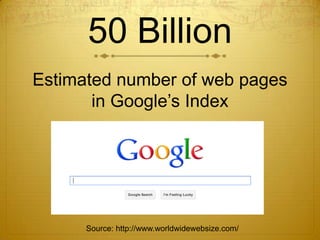
50 Billion
Estimated number of web pages
       in Google’s Index


      Source: http://www.worldwidewebsize.com/
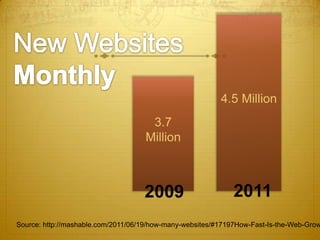
4.5 Million
                                     3.7
                                    Million


                                    2009                     2011
Source: http://mashable.com/2011/06/19/how-many-websites/#17197How-Fast-Is-the-Web-Grow
150,000
           new URLS (websites) created


                        DAILY
Source: http://mashable.com/2011/06/19/how-many-websites/#17197How-Fast-Is-the-Web-Grow
152 Million
# of BLOGS (personal journals)
        on the internet


  Source: http://www.onlineschools.org/state-of-the-internet/soti.html
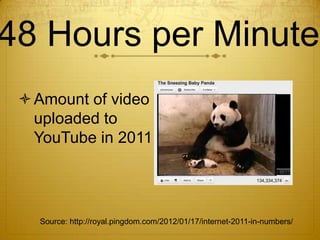
48 Hours per Minute
  Amount of video
   uploaded to
   YouTube in 2011


   Source: http://royal.pingdom.com/2012/01/17/internet-2011-in-numbers/
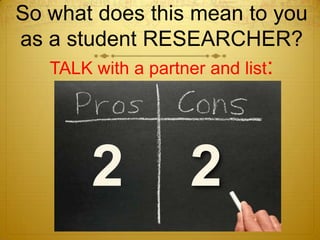
So what does this mean to you
as a student RESEARCHER?
   TALK with a partner and list:


        2            2
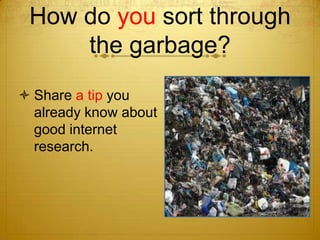
How do you sort through
     the garbage?
 Share a tip you
  already know about
  good internet
  research.
log onto
www.hhsninthgraderesearch
    .wikispaces.com
Search Smart
 The WWW of searching the WWW
Evaluating the WWW
WHO put the information there and
  how do I know they are credible?

WHEN was the information updated?
WHAT information is there? Is it
  thorough, accurate and helpful to my
  research?
Who
  is behind the information?
Identify their CREDIBILITY and AUTHORITY
              on the topic at hand.
If you can’t answer this, don’t use the site.
TIPS: Look for “About” or “About Us” or a link to author
  information. Dig deeper and look for BIAS with “Our
                Mission” or similar links.
Find the Who
   http://fairview.org/
   http://www.cdc.gov/
 How are these sites alike? How are they different?
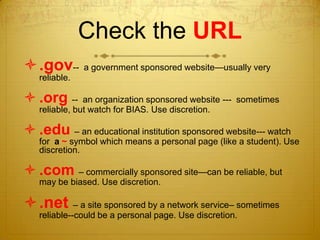
Check the URL
.gov-- a government sponsored website—usually very
   reliable.

 .org --      an organization sponsored website --- sometimes
   reliable, but watch for BIAS. Use discretion.

 .edu – an educational institution sponsored website--- watch
   for a ~ symbol which means a personal page (like a student). Use
   discretion.

 .com – commercially sponsored site—can be reliable, but
   may be biased. Use discretion.

.net – a site sponsored by a network service– sometimes
   reliable--could be a personal page. Use discretion.
When
was the site last updated?
 One of the benefits of the web is that it is
 constantly updated with new information.
   Make sure you are getting the latest!
Find the When
 http://www.wired.com/culture/lifestyle/ne
  ws/2003/05/58861


 http://socialmediatoday.com/dlawrence/
  448330/generation-text-teens-and-cell-
  phones
Why does it matter in this case?
What
information is on the site?

     Does it appear to be accurate and
 thorough? Does it support your research?
 This usually takes some detective work to
                 figure out.
Investigate the
     What
http://zapatopi.net/treeoctopus/
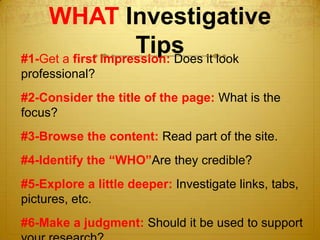
WHAT Investigative
                    Tips it look
#1-Get a first impression: Does
professional?
#2-Consider the title of the page: What is the
focus?
#3-Browse the content: Read part of the site.
#4-Identify the “WHO”Are they credible?
#5-Explore a little deeper: Investigate links, tabs,
pictures, etc.
#6-Make a judgment: Should it be used to support
Put Your Skills to Work
 www.bfro.net
Investigate the WHO, WHEN
 and WHAT.
Make a judgment and support
 your reason.
Are you


Smart?
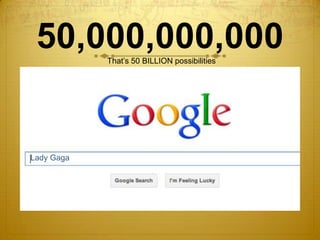
50,000,000,000
            That’s 50 BILLION possibilities


Lady Gaga
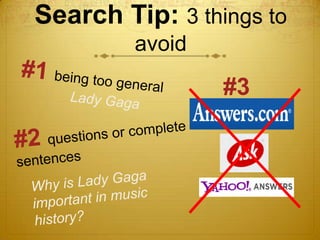
Search Tip: 3 things to
         avoid

                 #3
Search Tips: Things to
           DO
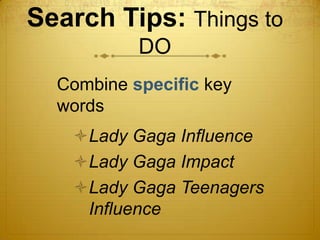
  Combine specific key
  words
   Lady Gaga Influence
   Lady Gaga Impact
   Lady Gaga Teenagers
    Influence
Search Tips: Things to DO

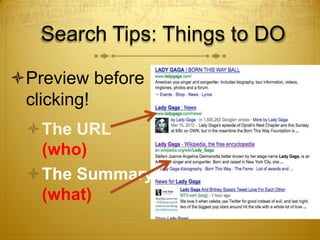
Preview before
 clicking!
 The URL
  (who)
 The Summary
  (what)
Search Tips: Things to DO

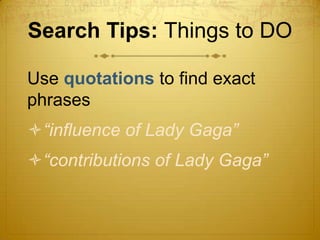
Use quotations to find exact
phrases
“influence of Lady Gaga”
“contributions of Lady Gaga”
Search Tips: Things to
          DO
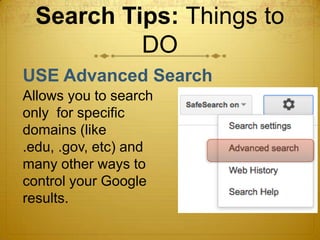
USE Advanced Search
Allows you to search
only for specific
domains (like
.edu, .gov, etc) and
many other ways to
control your Google
results.
Your Turn!
Brainstorm on some search queries for
your research topic. Try each tip at least
once.
  • Combine specific search terms
    • Ex: lady gaga contributions society
  • Use direct “quotations”
    • Ex: “lady gaga’s influence”
  • Use Google Advanced Search
    • Search for .edu, .gov, etc.

Google Smart Powerpoint

  • 1.
  • 2.
    50 Billion Estimated numberof web pages in Google’s Index Source: http://www.worldwidewebsize.com/
  • 3.
    4.5 Million 3.7 Million 2009 2011 Source: http://mashable.com/2011/06/19/how-many-websites/#17197How-Fast-Is-the-Web-Grow
  • 4.
    150,000 new URLS (websites) created DAILY Source: http://mashable.com/2011/06/19/how-many-websites/#17197How-Fast-Is-the-Web-Grow
  • 5.
    152 Million # ofBLOGS (personal journals) on the internet Source: http://www.onlineschools.org/state-of-the-internet/soti.html
  • 6.
    48 Hours perMinute  Amount of video uploaded to YouTube in 2011 Source: http://royal.pingdom.com/2012/01/17/internet-2011-in-numbers/
  • 7.
    So what doesthis mean to you as a student RESEARCHER? TALK with a partner and list: 2 2
  • 8.
    How do yousort through the garbage?  Share a tip you already know about good internet research.
  • 9.
  • 10.
    Search Smart TheWWW of searching the WWW
  • 11.
    Evaluating the WWW WHOput the information there and how do I know they are credible? WHEN was the information updated? WHAT information is there? Is it thorough, accurate and helpful to my research?
  • 12.
    Who isbehind the information? Identify their CREDIBILITY and AUTHORITY on the topic at hand. If you can’t answer this, don’t use the site. TIPS: Look for “About” or “About Us” or a link to author information. Dig deeper and look for BIAS with “Our Mission” or similar links.
  • 14.
    Find the Who http://fairview.org/ http://www.cdc.gov/  How are these sites alike? How are they different?
  • 15.
    Check the URL .gov--a government sponsored website—usually very reliable.  .org -- an organization sponsored website --- sometimes reliable, but watch for BIAS. Use discretion.  .edu – an educational institution sponsored website--- watch for a ~ symbol which means a personal page (like a student). Use discretion.  .com – commercially sponsored site—can be reliable, but may be biased. Use discretion. .net – a site sponsored by a network service– sometimes reliable--could be a personal page. Use discretion.
  • 16.
    When was the sitelast updated? One of the benefits of the web is that it is constantly updated with new information. Make sure you are getting the latest!
  • 17.
    Find the When http://www.wired.com/culture/lifestyle/ne ws/2003/05/58861  http://socialmediatoday.com/dlawrence/ 448330/generation-text-teens-and-cell- phones Why does it matter in this case?
  • 18.
    What information is onthe site? Does it appear to be accurate and thorough? Does it support your research? This usually takes some detective work to figure out.
  • 19.
    Investigate the What http://zapatopi.net/treeoctopus/
  • 20.
    WHAT Investigative Tips it look #1-Get a first impression: Does professional? #2-Consider the title of the page: What is the focus? #3-Browse the content: Read part of the site. #4-Identify the “WHO”Are they credible? #5-Explore a little deeper: Investigate links, tabs, pictures, etc. #6-Make a judgment: Should it be used to support
  • 21.
    Put Your Skillsto Work  www.bfro.net Investigate the WHO, WHEN and WHAT. Make a judgment and support your reason.
  • 22.
  • 23.
    50,000,000,000 That’s 50 BILLION possibilities Lady Gaga
  • 24.
    Search Tip: 3things to avoid #3
  • 25.
    Search Tips: Thingsto DO Combine specific key words Lady Gaga Influence Lady Gaga Impact Lady Gaga Teenagers Influence
  • 26.
    Search Tips: Thingsto DO Preview before clicking! The URL (who) The Summary (what)
  • 27.
    Search Tips: Thingsto DO Use quotations to find exact phrases “influence of Lady Gaga” “contributions of Lady Gaga”
  • 28.
    Search Tips: Thingsto DO USE Advanced Search Allows you to search only for specific domains (like .edu, .gov, etc) and many other ways to control your Google results.
  • 29.
    Your Turn! Brainstorm onsome search queries for your research topic. Try each tip at least once. • Combine specific search terms • Ex: lady gaga contributions society • Use direct “quotations” • Ex: “lady gaga’s influence” • Use Google Advanced Search • Search for .edu, .gov, etc.

Editor's Notes

  • #8 Chris will introduce discussion
  • #9 IPADS! I will help them log in, Chris will organize the posts, then facilitate the sharing---one you find effecitve or one you didn’t know about
  • #15 Chris