Search Engine Strategies The 411 on Searching Effectively
But…. I know all about Google.  Why do I need a class in search strategies???
The Problem: Access to information is not a problem. You have access to information from around the world, and in every language, right at your desk .  The problem comes in finding relevant and useful information.
The Answer: Wise searching saves you time and effort. Knowing how to use search engines is an  essential  21 st  century skill.
THE Standard: Google The whole world has become  ‘ Google-ized’ Search engine of choice for many  Pros: Wide range of responses, sites from all over the world  Cons: Too many responses, not enough focus
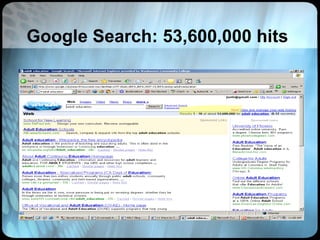
You’re Kidding!!! Not at all. Although Google may be larger and more comprehensive than others, it isn’t always the best choice. The size and number of ‘hits’ sometimes makes it  difficult to use effectively.
Google Search: 53,600,000 hits
So what’s beyond Google? Dogpile:  http://www.dogpile.com Chacha:  http://www.chacha.com Ask.com:  http://www.ask.com Clusty:  http://www.clusty.com Surfwax:  http://www.surfwax.com And  hundreds  more…
Choose the right search engine for your information need! Choosing the Best Search Tool  http://www.noodletools.com/debbie/literacies/information/5locate/adviceengine.html
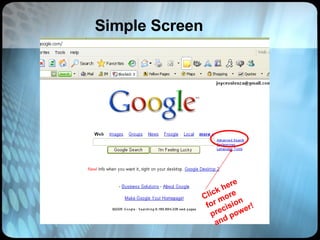
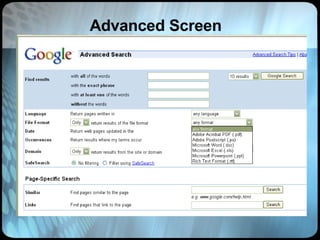
Search Interface Choices Simple vs. Advanced
Simple Screen Click here for more precision and power!
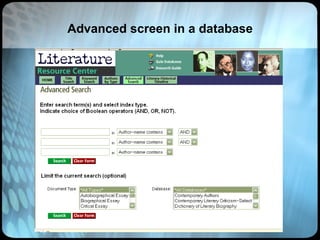
Advanced Screen
Advanced screen in a database
Another decision: Subject / Topic Keyword Full text What’s the difference?
Subject Directories If you need a lot of information on a rather broad topic, your best bet is not a search engine, but a Web directory like the  Open Directory Project ,   Google Directory  or   Yahoo.     A directory is a  subject-tree  style catalogue that organizes the Web into major topics such as Computers and Internet, Education, Government, Health, News, Reference etc.   Under each of these topics is a list of subtopics, and under each of those is another list, and another, and so on, moving from the more general to the more specific.
Subject Directories Google Directory  http://directory.google.com/ Librarian’s Index to the Internet  http://lii.org/ DMOZ (Open Directory Project)  http://www.dmoz.org/ High School Hub  http://highschoolace.com/ace/ace.cfm About.com  http://www.about.com/ CyberDewey  http://www.anthus.com/CyberDewey/CyberDewey.html Awesome Library  http://www.awesomelibrary.org/ St. Ambrose University Library   http://library.sau.edu/bestinfo/Default.htm
Subject Specific Directories OJOSE (science journals)  http://www.ojose.com/ SOSIG (social sciences) (a U.K. Site)  http://www.intute.ac.uk/socialsciences/ Biography Center  http://www.biography-center.com/ PSIGate (physical sciences)  http://www.intute.ac.uk/sciences/ GESource (geography gateway)  http://www.intute.ac.uk/sciences/ National Science Digital Library  http://nsdl.org/ Time Magazine Archive  http://www.time.com/time/magazine/archives/advanced
Keyword Search A  keyword  can simply be any word on a Web page.  Keywords would actually tell a user something about the subject and content of the Web page.  Search engines cannot return hits on keywords that mean the same, but are not actually entered in your  query . A query on heart disease would not return a document that used the word "cardiac" instead of "heart."
Full Text Indexing Full-text indexing systems generally pick up every word in the text except commonly occurring stop words such as "a," "an," "the," "is," "and," "or," and "www."  Some of the search engines discriminate upper case from lower case; others store all words without reference to capitalization.
Stop Words To be or not to be .  Some search engines choke because all the words in the phrase are  stop words -- i.e., unimportant words too short and too common to be considered relevant strings on which to search.    However, if you enclose the query in quotation marks, forcing the search engine to find the words, "to be or not to be" in that precise order, most search engines can  recognize the phrase as a famous quotation from  Hamlet .
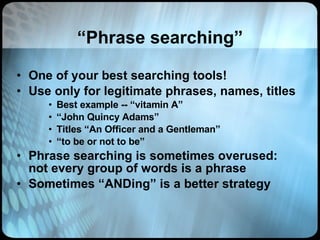
“ Phrase searching” One of your best searching tools! Use only for legitimate phrases, names, titles Best example -- “vitamin A” “ John Quincy Adams” Titles “An Officer and a Gentleman” “ to be or not to be” Phrase searching is sometimes overused: not every group of words is a phrase Sometimes “ANDing” is a better strategy
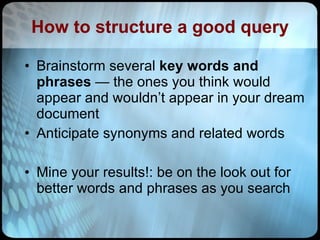
How to structure a good query Brainstorm several  key words and phrases  — the ones you think would appear and wouldn’t appear in your dream document Anticipate synonyms and related words Mine your results!: be on the look out for better words and phrases as you search
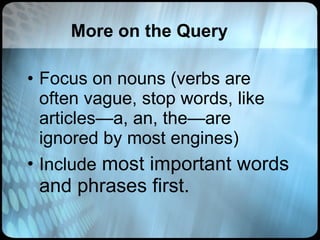
More on the Query Focus on nouns (verbs are often vague, stop words, like articles—a, an, the—are ignored by most engines) Include  most important words and phrases first.
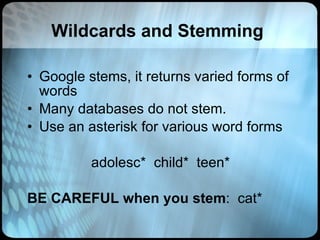
Wildcards and Stemming Google stems, it returns varied forms of words Many databases do not stem. Use an asterisk for various word forms adolesc*  child*  teen* BE CAREFUL when you stem :  cat*
The Boolean Machine http://kathyschrock.net/rbs3k/boolean/ Not And Or
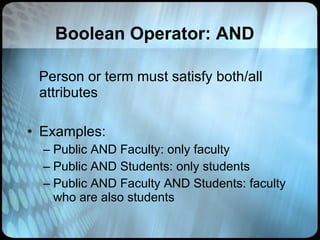
Boolean Operator: AND Person or term must satisfy both/all attributes Examples:  Public AND Faculty: only faculty Public AND Students: only students  Public AND Faculty AND Students: faculty who are also students
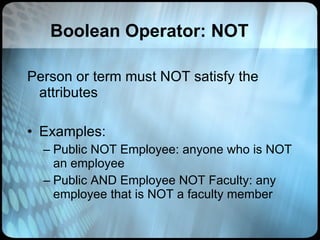
Boolean Operator: NOT Person or term must NOT satisfy the attributes Examples:  Public NOT Employee: anyone who is NOT an employee Public AND Employee NOT Faculty: any employee that is NOT a faculty member
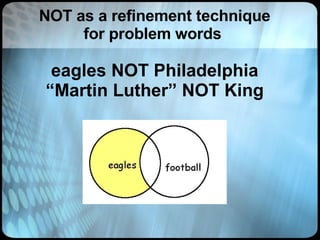
NOT as a refinement technique for problem words  eagles NOT Philadelphia “Martin Luther” NOT King
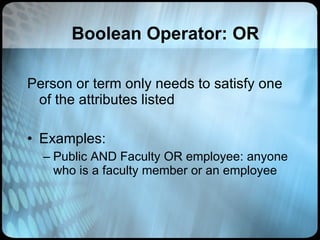
Boolean Operator: OR Person or term only needs to satisfy one of the attributes listed Examples:  Public AND Faculty OR employee: anyone who is a faculty member or an employee
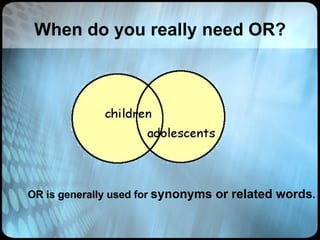
When do you really need OR? OR is generally used for  synonyms or related words .
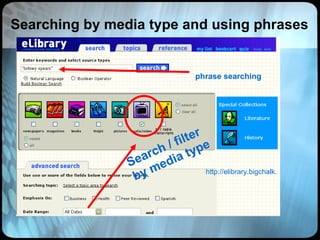
http://elibrary.bigchalk.com/libweb/curriculum/do/search Search / filter by media type Searching by media type and using phrases phrase searching
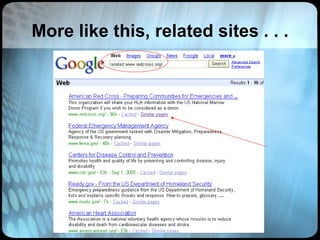
More like this, related sites . . .
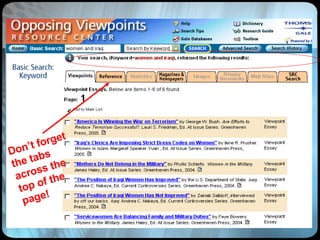
Don’t forget the tabs across the top of the page!
Homework Searching for Success Blog:  http://searchingsuccess.blogspot.com/ Searching for Success Hotlist:  http://tinyurl.com/24m4sr
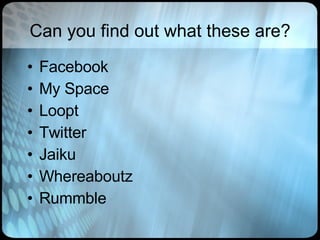
Can you find out what these are? Facebook My Space Loopt Twitter Jaiku Whereaboutz Rummble
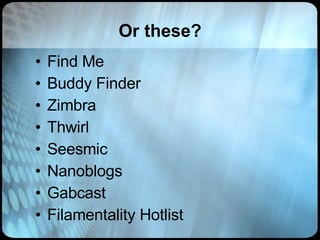
Or these? Find Me Buddy Finder Zimbra Thwirl Seesmic Nanoblogs Gabcast Filamentality Hotlist
Need Help ?  Judith Sotir, AELC Manager WCC Aurora Campus, Room 312 630-801-7900 x 4128 [email_address]
Better Search Options
Social Search Engines A  social search engine  is a type of  search engine  that determines the relevance of  search results  by considering the interactions or contributions of users. Example forms of user input include  social bookmarking  or direct interaction with the search results such as promoting or demoting results the user feels are more or less relevant to their query.  (source: Wikipedia)
Wink Social Search Engine Wink is a community-based  social search  engine. It provides  across social networks, and Web search based on user input. Wink is different from conventional  search engines  in that the relevant results are derived not just from machine algorithms, but directly from user input, such as  social bookmarking , voting up or down, or blocking results that are considered to be spam, thus allowing users to collectively create their own search engine.  www.wink.com
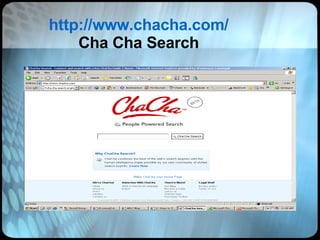
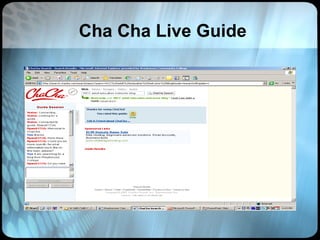
Cha Cha Search Engine ‘ People powered’ search engine Receive top results combining the Web's leading search engines and human intelligence made possible by a vast community of skilled search experts Need more help finding what you're looking for? Click the ' Search with Guide ' button to chat with a search expert
http://www.chacha.com/ Cha Cha Search
Cha Cha Live Guide
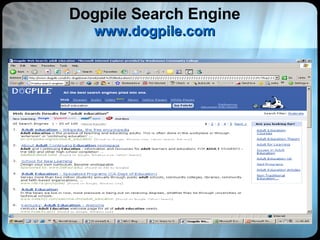
Meta-search Aggregators Dogpile www.dogpile.com   Searches Google, Yahoo, LookSmart, AskJeeves/Teoma, Google ADS, MSN search. Sites that have purchased ranking and inclusion are blended in. Accepts Boolean logic, especially in advanced search modes. Dogpile allows you to see each search engine's results separately in a  useful list for comparison .
Search Aggregator A  search aggregator  is a type of  metasearch engine  which gathers results from multiple search engines simultaneously through RSS search results.  Search aggregators are an increasingly popular way to take advantage of the power of multiple search engines with a flexibility not seen in traditional  metasearch engines .  (source: Wikipedia)
Dogpile Search Engine www.dogpile.com
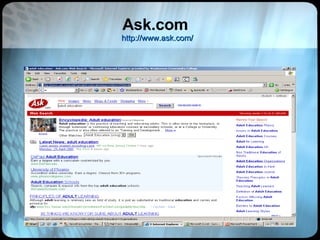
Ask.com  http://www.ask.com/
Meta Search In a meta-search engine, you submit keywords in its search box, and it transmits your search simultaneously to several individual search engines and their databases of web pages. Within a few seconds, you get back results from all the search engines queried.  http://www.lib.berkeley.edu/TeachingLib/Guides/Internet/MetaSearch.html
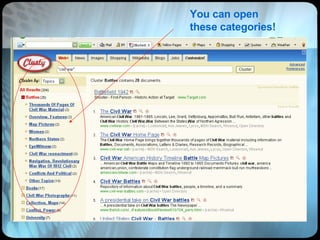
Some search engines also offer  subject / topic cues or clusters Check out this Clusty search…
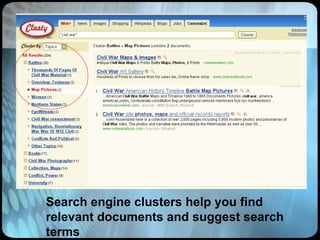
Clusty Search Engine clusty.com Currently searches a number of  free,  search engines and directories,  not  Google or Yahoo. Accepts and "translates" complex searches with Boolean operators and field limiting. Results accompanied with subject subdivisions based on words in search results, giving usually the major themes. Click on these to search within results on each theme.
You can open these categories!
Search engine clusters help you find relevant documents and suggest search terms
Meta-search Engine  Meta = about A  meta-search engine  is a  search engine  that sends user requests to several other search engines and/or databases and aggregates the results into a single list or displays them according to their source. Metasearch engines enable users to enter search criteria once and access several search engines simultaneously.  Essentially, a search engine for search engines ( source: Wikipedia )
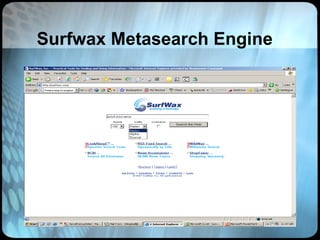
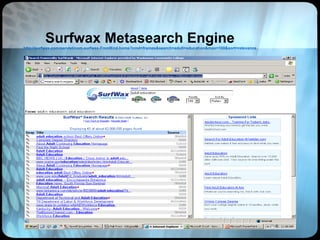
Meta-Search Engines for SERIOUS Deep Digging: Surfwax Metasearch Engine www.surfwax.com A better than average set of search engines. Can mix with educational, US Govt tools, and news sources, or many other categories. Accepts " ",  +/- . Default is AND between words. I recommend fairly simple searches, allowing SurfWax's SiteSnaps and other features to help you dig deeply into results. Click on source link to view complete search results there. Click on to view helpful  "SiteSnap™"  extracted from most sites in frame on right.
Surfwax Metasearch Engine
Surfwax Metasearch Engine http://surfwax.com/servlet/com.surfwax.FrontEnd.home?cmd=frames&search=adult+education&max=100&sort=relevance
Meta Search Engines Clusty  http://clusty.com/ A9: e commerce search  http://a9.com/ Ixquick Metasearch  http://ixquick.com/ Mamma  http://www.mamma.com/ Proteus search aggregator  http://www.thrall.org/proteusbasic.html Dogpile search aggregator  http://www.dogpile.com/ Surfwax  http://www.surfwax.com/
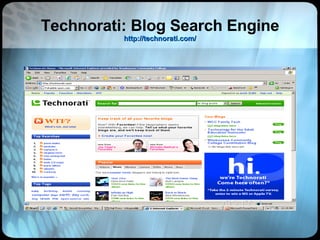
Blog Search Engines Several blog search engines are used to search blog contents (also known as the  blogosphere ), such as  Bloglines ,  BlogScope , and  Technorati . Technorati, which is among the most popular blog search engines, provides current information on both popular searches and  tags  used to categorize blog postings. Research community is working on going beyond simple keyword search, by inventing news ways to navigate through huge amounts of information present in the  blogosphere , as demonstrated by projects like  BlogScope
Technorati: Blog Search Engine http://technorati.com/
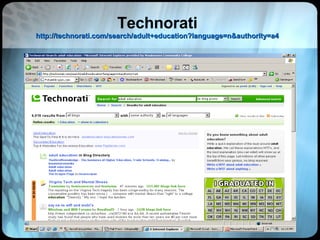
Technorati http://technorati.com/search/adult+education?language=n&authority=a4
Technorati Features Allows searches for ‘any authority’ through ‘a lot of authority’ Provides news from general news services and blogs Searches weblogs ‘tags’ and ‘keywords’ for links
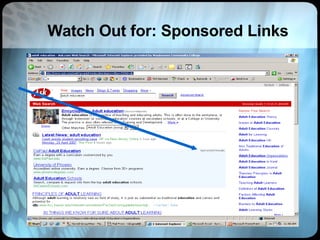
Watch Out for: Sponsored Links
Watch Out For: Cookies A cookie is a small text file placed on your computer when you visit a website.  Not every website uses cookies, but you can expect to receive a cookie if you visit most of the popular websites on the internet, especially ones with advertising.  If you return to a website which previously gave you a cookie, that cookie is transmitted back to the website so that site operator knows you are visiting again.
Cookie Dough Many sites such as portals and news providers such as Yahoo.com allow users to set preferences, for example selecting which categories of news they would like to appear on their homepage.  These preferences are 'remembered' by means of a cookie.  Cookies are used to remember log-in names and passwords, so that users do not need to re-register every time they visit a site.   Many shopping sites such as Amazon.com allow users to create a "shopping cart" of items they wish to purchase.  The computer remembers your purchase list by means of a cookie placed on your computer.
Wikipedia and Citizendium For several years now, the online encyclopedia Wikipedia ( www.wikipedia.org ) has been drawing us into an interactive format for providing information. Citizendium is the new kid on the block.  To be fair, Wikipedia itself has evolved but there are inherent 'flaws', not the least being the relative anonymity of its authors. Citizendium takes on those flaws and ups the ante. I see Wikipedia as more the free-spirited, few rules hippie-type, and Citizendium being its more matured boomer type brother. Viva revolution! Check it out:  http://en.citizendium.org/wiki/Main_Page
Additional Search Engines Google Scholar  http://scholar.google.com/advanced_scholar_search?hl=en&lr = Ice Rocket Blog Search  http://www.icerocket.com/index Yahoo!Search  http://search.yahoo.com/ Killer Info  http://www.killerinfo.com/ AltaVista (Advanced)  http://www.altavista.com/web/adv All the Web (Advanced)  http://alltheweb.com/advanced?advanced=1& Rocket News (for breaking news)  http://www.rocketnews.com/info/portal.jsp
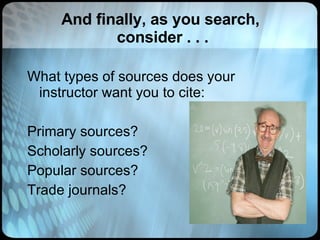
And finally, as you search,  consider . . . What types of sources does your instructor want you to cite: Primary sources? Scholarly sources? Popular sources? Trade journals?

Search Engine Strategies

  • 1.
    Search Engine StrategiesThe 411 on Searching Effectively
  • 2.
    But…. I knowall about Google. Why do I need a class in search strategies???
  • 3.
    The Problem: Accessto information is not a problem. You have access to information from around the world, and in every language, right at your desk . The problem comes in finding relevant and useful information.
  • 4.
    The Answer: Wisesearching saves you time and effort. Knowing how to use search engines is an essential 21 st century skill.
  • 5.
    THE Standard: GoogleThe whole world has become ‘ Google-ized’ Search engine of choice for many Pros: Wide range of responses, sites from all over the world Cons: Too many responses, not enough focus
  • 6.
    You’re Kidding!!! Notat all. Although Google may be larger and more comprehensive than others, it isn’t always the best choice. The size and number of ‘hits’ sometimes makes it difficult to use effectively.
  • 7.
  • 8.
    So what’s beyondGoogle? Dogpile: http://www.dogpile.com Chacha: http://www.chacha.com Ask.com: http://www.ask.com Clusty: http://www.clusty.com Surfwax: http://www.surfwax.com And hundreds more…
  • 9.
    Choose the rightsearch engine for your information need! Choosing the Best Search Tool http://www.noodletools.com/debbie/literacies/information/5locate/adviceengine.html
  • 10.
    Search Interface ChoicesSimple vs. Advanced
  • 11.
    Simple Screen Clickhere for more precision and power!
  • 12.
  • 13.
  • 14.
    Another decision: Subject/ Topic Keyword Full text What’s the difference?
  • 15.
    Subject Directories Ifyou need a lot of information on a rather broad topic, your best bet is not a search engine, but a Web directory like the Open Directory Project ,  Google Directory or  Yahoo.     A directory is a subject-tree style catalogue that organizes the Web into major topics such as Computers and Internet, Education, Government, Health, News, Reference etc.   Under each of these topics is a list of subtopics, and under each of those is another list, and another, and so on, moving from the more general to the more specific.
  • 16.
    Subject Directories GoogleDirectory http://directory.google.com/ Librarian’s Index to the Internet http://lii.org/ DMOZ (Open Directory Project) http://www.dmoz.org/ High School Hub http://highschoolace.com/ace/ace.cfm About.com http://www.about.com/ CyberDewey http://www.anthus.com/CyberDewey/CyberDewey.html Awesome Library http://www.awesomelibrary.org/ St. Ambrose University Library http://library.sau.edu/bestinfo/Default.htm
  • 17.
    Subject Specific DirectoriesOJOSE (science journals) http://www.ojose.com/ SOSIG (social sciences) (a U.K. Site) http://www.intute.ac.uk/socialsciences/ Biography Center http://www.biography-center.com/ PSIGate (physical sciences) http://www.intute.ac.uk/sciences/ GESource (geography gateway) http://www.intute.ac.uk/sciences/ National Science Digital Library http://nsdl.org/ Time Magazine Archive http://www.time.com/time/magazine/archives/advanced
  • 18.
    Keyword Search A keyword can simply be any word on a Web page.  Keywords would actually tell a user something about the subject and content of the Web page. Search engines cannot return hits on keywords that mean the same, but are not actually entered in your query . A query on heart disease would not return a document that used the word "cardiac" instead of "heart."
  • 19.
    Full Text IndexingFull-text indexing systems generally pick up every word in the text except commonly occurring stop words such as "a," "an," "the," "is," "and," "or," and "www."  Some of the search engines discriminate upper case from lower case; others store all words without reference to capitalization.
  • 20.
    Stop Words Tobe or not to be .  Some search engines choke because all the words in the phrase are stop words -- i.e., unimportant words too short and too common to be considered relevant strings on which to search.   However, if you enclose the query in quotation marks, forcing the search engine to find the words, "to be or not to be" in that precise order, most search engines can  recognize the phrase as a famous quotation from Hamlet .
  • 21.
    “ Phrase searching”One of your best searching tools! Use only for legitimate phrases, names, titles Best example -- “vitamin A” “ John Quincy Adams” Titles “An Officer and a Gentleman” “ to be or not to be” Phrase searching is sometimes overused: not every group of words is a phrase Sometimes “ANDing” is a better strategy
  • 22.
    How to structurea good query Brainstorm several key words and phrases — the ones you think would appear and wouldn’t appear in your dream document Anticipate synonyms and related words Mine your results!: be on the look out for better words and phrases as you search
  • 23.
    More on theQuery Focus on nouns (verbs are often vague, stop words, like articles—a, an, the—are ignored by most engines) Include most important words and phrases first.
  • 24.
    Wildcards and StemmingGoogle stems, it returns varied forms of words Many databases do not stem. Use an asterisk for various word forms adolesc* child* teen* BE CAREFUL when you stem : cat*
  • 25.
    The Boolean Machinehttp://kathyschrock.net/rbs3k/boolean/ Not And Or
  • 26.
    Boolean Operator: ANDPerson or term must satisfy both/all attributes Examples: Public AND Faculty: only faculty Public AND Students: only students Public AND Faculty AND Students: faculty who are also students
  • 27.
    Boolean Operator: NOTPerson or term must NOT satisfy the attributes Examples: Public NOT Employee: anyone who is NOT an employee Public AND Employee NOT Faculty: any employee that is NOT a faculty member
  • 28.
    NOT as arefinement technique for problem words eagles NOT Philadelphia “Martin Luther” NOT King
  • 29.
    Boolean Operator: ORPerson or term only needs to satisfy one of the attributes listed Examples: Public AND Faculty OR employee: anyone who is a faculty member or an employee
  • 30.
    When do youreally need OR? OR is generally used for synonyms or related words .
  • 31.
    http://elibrary.bigchalk.com/libweb/curriculum/do/search Search /filter by media type Searching by media type and using phrases phrase searching
  • 32.
    More like this,related sites . . .
  • 33.
    Don’t forget thetabs across the top of the page!
  • 34.
    Homework Searching forSuccess Blog: http://searchingsuccess.blogspot.com/ Searching for Success Hotlist: http://tinyurl.com/24m4sr
  • 35.
    Can you findout what these are? Facebook My Space Loopt Twitter Jaiku Whereaboutz Rummble
  • 36.
    Or these? FindMe Buddy Finder Zimbra Thwirl Seesmic Nanoblogs Gabcast Filamentality Hotlist
  • 37.
    Need Help ? Judith Sotir, AELC Manager WCC Aurora Campus, Room 312 630-801-7900 x 4128 [email_address]
  • 38.
  • 39.
    Social Search EnginesA social search engine is a type of search engine that determines the relevance of search results by considering the interactions or contributions of users. Example forms of user input include social bookmarking or direct interaction with the search results such as promoting or demoting results the user feels are more or less relevant to their query. (source: Wikipedia)
  • 40.
    Wink Social SearchEngine Wink is a community-based social search engine. It provides across social networks, and Web search based on user input. Wink is different from conventional search engines in that the relevant results are derived not just from machine algorithms, but directly from user input, such as social bookmarking , voting up or down, or blocking results that are considered to be spam, thus allowing users to collectively create their own search engine. www.wink.com
  • 41.
    Cha Cha SearchEngine ‘ People powered’ search engine Receive top results combining the Web's leading search engines and human intelligence made possible by a vast community of skilled search experts Need more help finding what you're looking for? Click the ' Search with Guide ' button to chat with a search expert
  • 42.
  • 43.
  • 44.
    Meta-search Aggregators Dogpilewww.dogpile.com Searches Google, Yahoo, LookSmart, AskJeeves/Teoma, Google ADS, MSN search. Sites that have purchased ranking and inclusion are blended in. Accepts Boolean logic, especially in advanced search modes. Dogpile allows you to see each search engine's results separately in a useful list for comparison .
  • 45.
    Search Aggregator A search aggregator is a type of metasearch engine which gathers results from multiple search engines simultaneously through RSS search results. Search aggregators are an increasingly popular way to take advantage of the power of multiple search engines with a flexibility not seen in traditional metasearch engines . (source: Wikipedia)
  • 46.
    Dogpile Search Enginewww.dogpile.com
  • 47.
  • 48.
    Meta Search Ina meta-search engine, you submit keywords in its search box, and it transmits your search simultaneously to several individual search engines and their databases of web pages. Within a few seconds, you get back results from all the search engines queried. http://www.lib.berkeley.edu/TeachingLib/Guides/Internet/MetaSearch.html
  • 49.
    Some search enginesalso offer subject / topic cues or clusters Check out this Clusty search…
  • 50.
    Clusty Search Engineclusty.com Currently searches a number of free, search engines and directories, not Google or Yahoo. Accepts and "translates" complex searches with Boolean operators and field limiting. Results accompanied with subject subdivisions based on words in search results, giving usually the major themes. Click on these to search within results on each theme.
  • 51.
    You can openthese categories!
  • 52.
    Search engine clustershelp you find relevant documents and suggest search terms
  • 53.
    Meta-search Engine Meta = about A meta-search engine is a search engine that sends user requests to several other search engines and/or databases and aggregates the results into a single list or displays them according to their source. Metasearch engines enable users to enter search criteria once and access several search engines simultaneously. Essentially, a search engine for search engines ( source: Wikipedia )
  • 54.
    Meta-Search Engines forSERIOUS Deep Digging: Surfwax Metasearch Engine www.surfwax.com A better than average set of search engines. Can mix with educational, US Govt tools, and news sources, or many other categories. Accepts " ", +/- . Default is AND between words. I recommend fairly simple searches, allowing SurfWax's SiteSnaps and other features to help you dig deeply into results. Click on source link to view complete search results there. Click on to view helpful "SiteSnap™" extracted from most sites in frame on right.
  • 55.
  • 56.
    Surfwax Metasearch Enginehttp://surfwax.com/servlet/com.surfwax.FrontEnd.home?cmd=frames&search=adult+education&max=100&sort=relevance
  • 57.
    Meta Search EnginesClusty http://clusty.com/ A9: e commerce search http://a9.com/ Ixquick Metasearch http://ixquick.com/ Mamma http://www.mamma.com/ Proteus search aggregator http://www.thrall.org/proteusbasic.html Dogpile search aggregator http://www.dogpile.com/ Surfwax http://www.surfwax.com/
  • 58.
    Blog Search EnginesSeveral blog search engines are used to search blog contents (also known as the blogosphere ), such as Bloglines , BlogScope , and Technorati . Technorati, which is among the most popular blog search engines, provides current information on both popular searches and tags used to categorize blog postings. Research community is working on going beyond simple keyword search, by inventing news ways to navigate through huge amounts of information present in the blogosphere , as demonstrated by projects like BlogScope
  • 59.
    Technorati: Blog SearchEngine http://technorati.com/
  • 60.
  • 61.
    Technorati Features Allowssearches for ‘any authority’ through ‘a lot of authority’ Provides news from general news services and blogs Searches weblogs ‘tags’ and ‘keywords’ for links
  • 62.
    Watch Out for:Sponsored Links
  • 63.
    Watch Out For:Cookies A cookie is a small text file placed on your computer when you visit a website.  Not every website uses cookies, but you can expect to receive a cookie if you visit most of the popular websites on the internet, especially ones with advertising.  If you return to a website which previously gave you a cookie, that cookie is transmitted back to the website so that site operator knows you are visiting again.
  • 64.
    Cookie Dough Manysites such as portals and news providers such as Yahoo.com allow users to set preferences, for example selecting which categories of news they would like to appear on their homepage.  These preferences are 'remembered' by means of a cookie. Cookies are used to remember log-in names and passwords, so that users do not need to re-register every time they visit a site.  Many shopping sites such as Amazon.com allow users to create a "shopping cart" of items they wish to purchase.  The computer remembers your purchase list by means of a cookie placed on your computer.
  • 65.
    Wikipedia and CitizendiumFor several years now, the online encyclopedia Wikipedia ( www.wikipedia.org ) has been drawing us into an interactive format for providing information. Citizendium is the new kid on the block. To be fair, Wikipedia itself has evolved but there are inherent 'flaws', not the least being the relative anonymity of its authors. Citizendium takes on those flaws and ups the ante. I see Wikipedia as more the free-spirited, few rules hippie-type, and Citizendium being its more matured boomer type brother. Viva revolution! Check it out: http://en.citizendium.org/wiki/Main_Page
  • 66.
    Additional Search EnginesGoogle Scholar http://scholar.google.com/advanced_scholar_search?hl=en&lr = Ice Rocket Blog Search http://www.icerocket.com/index Yahoo!Search http://search.yahoo.com/ Killer Info http://www.killerinfo.com/ AltaVista (Advanced) http://www.altavista.com/web/adv All the Web (Advanced) http://alltheweb.com/advanced?advanced=1& Rocket News (for breaking news) http://www.rocketnews.com/info/portal.jsp
  • 67.
    And finally, asyou search, consider . . . What types of sources does your instructor want you to cite: Primary sources? Scholarly sources? Popular sources? Trade journals?