















Know your numbers


Google Analytics for Business
         Owners


     www.SearchEngineRankings.com.au
What is Analytics?

• It is the process of tracking and measuring website data to
   maximize your marketing return on investment (ROI).


• It helps to understand visitor behaviour and use the information to
   make decisions that help in achieving business goals.


                     www.SearchEngineRankings.com.au                    2
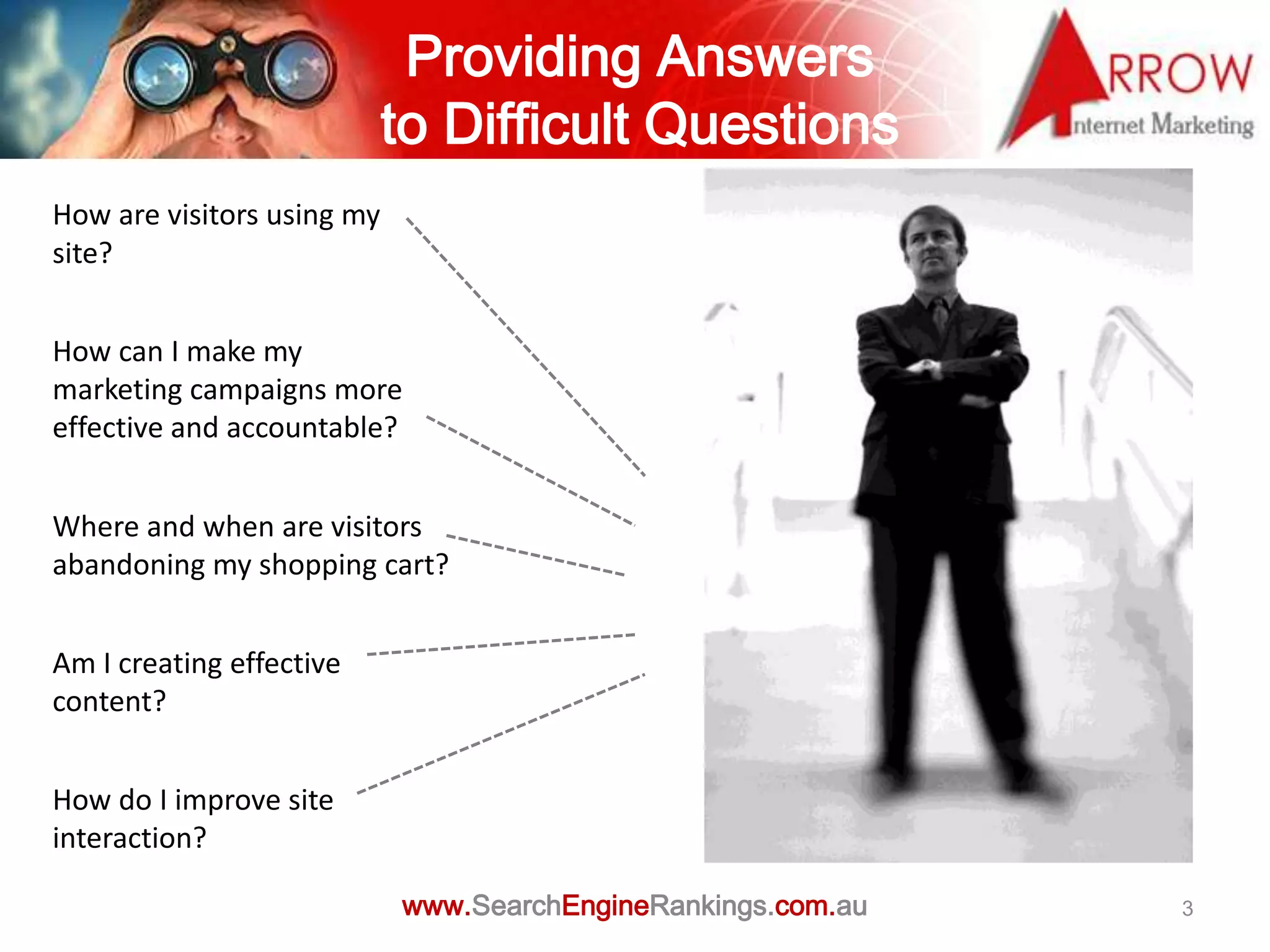
Providing Answers
                            to Difficult Questions
How are visitors using my
site?


How can I make my
marketing campaigns more
effective and accountable?


Where and when are visitors
abandoning my shopping cart?


Am I creating effective
content?


How do I improve site
interaction?

                            www.SearchEngineRankings.com.au   3
Using Analytics

• Types of commercial websites

• What do I want my website to do?

• Site Objectives


                www.SearchEngineRankings.com.au   4
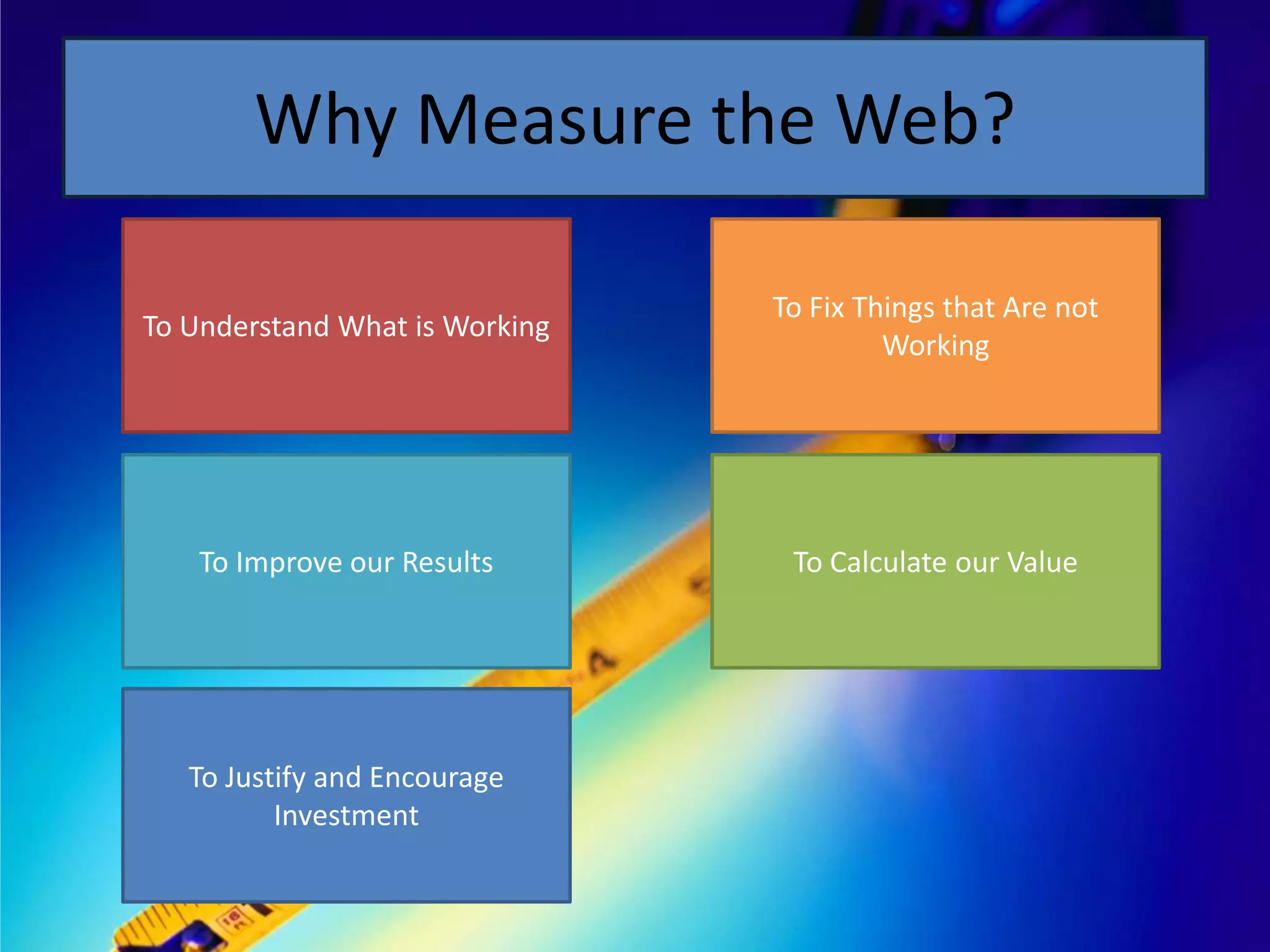
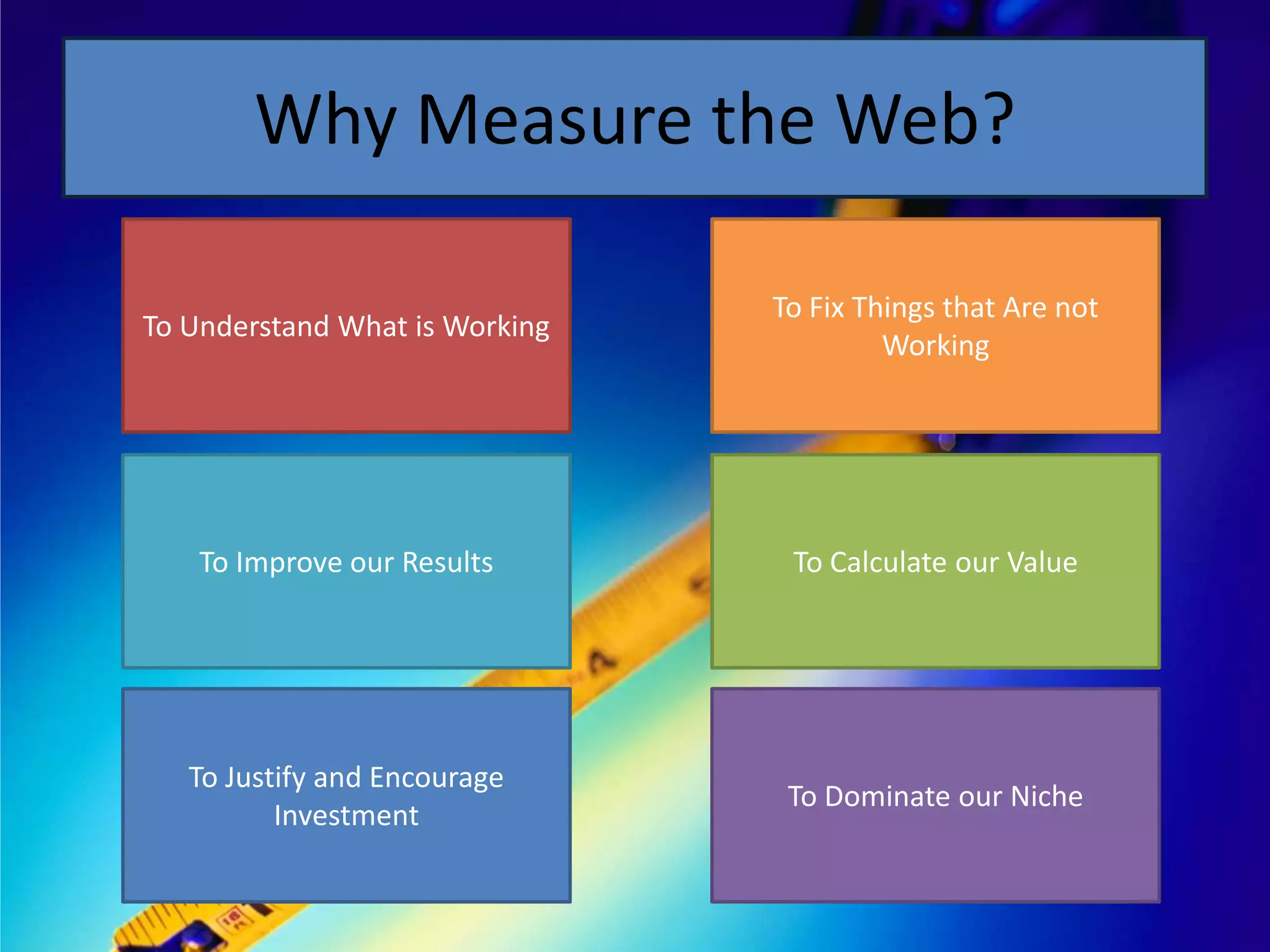
Why Measure the Web?

To Understand What is Working
Why Measure the Web?

                                To Fix Things that Are not
To Understand What is Working
                                         Working
Why Measure the Web?

                                To Fix Things that Are not
To Understand What is Working
                                         Working


    To Improve our Results
Why Measure the Web?

                                To Fix Things that Are not
To Understand What is Working
                                         Working


    To Improve our Results       To Calculate our Value
Why Measure the Web?

                                To Fix Things that Are not
To Understand What is Working
                                         Working


    To Improve our Results       To Calculate our Value


   To Justify and Encourage
          Investment
Why Measure the Web?

                                To Fix Things that Are not
To Understand What is Working
                                         Working


    To Improve our Results       To Calculate our Value


   To Justify and Encourage
                                 To Dominate our Niche
          Investment
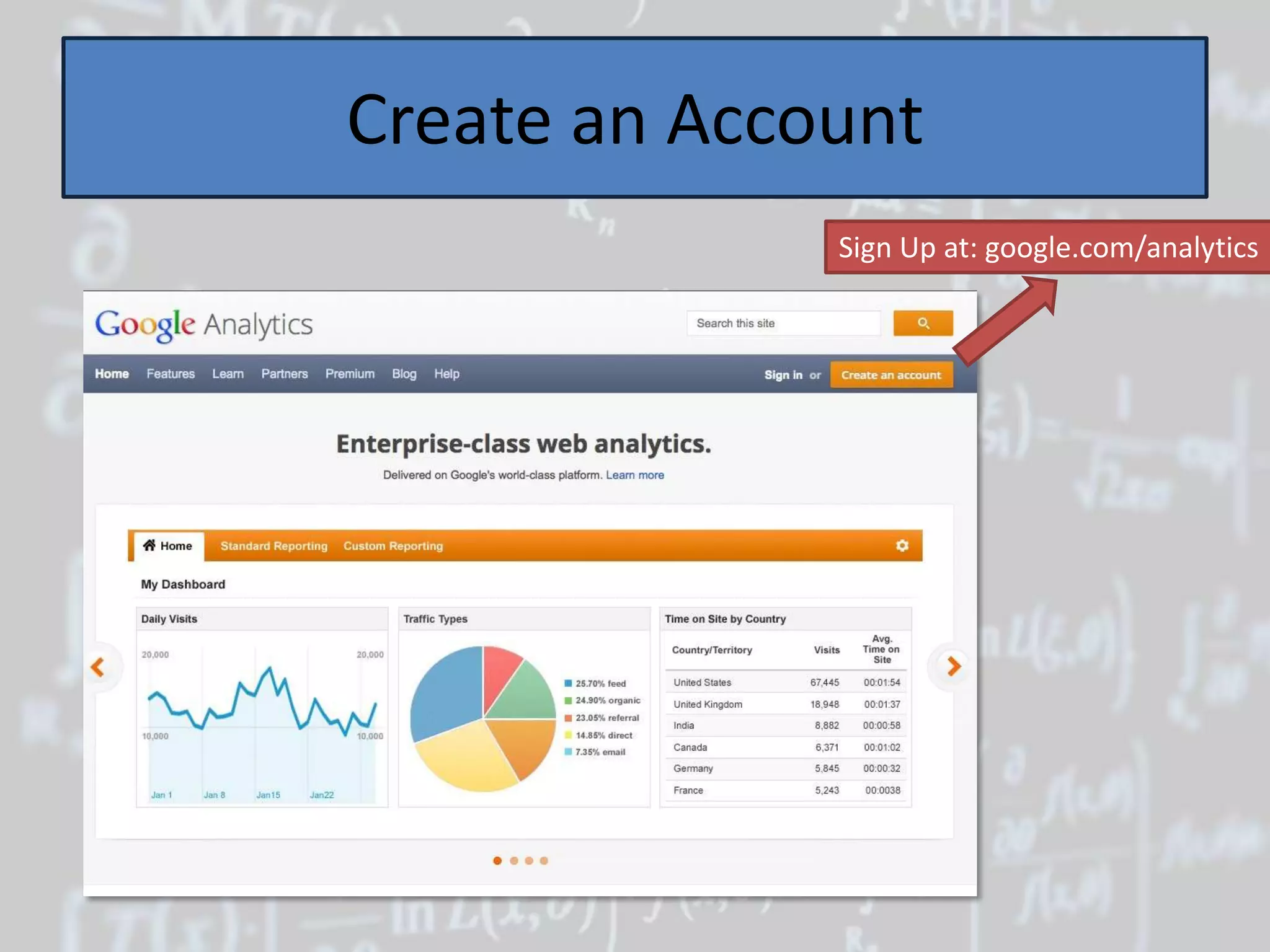
Create an Account
              Sign Up at: google.com/analytics
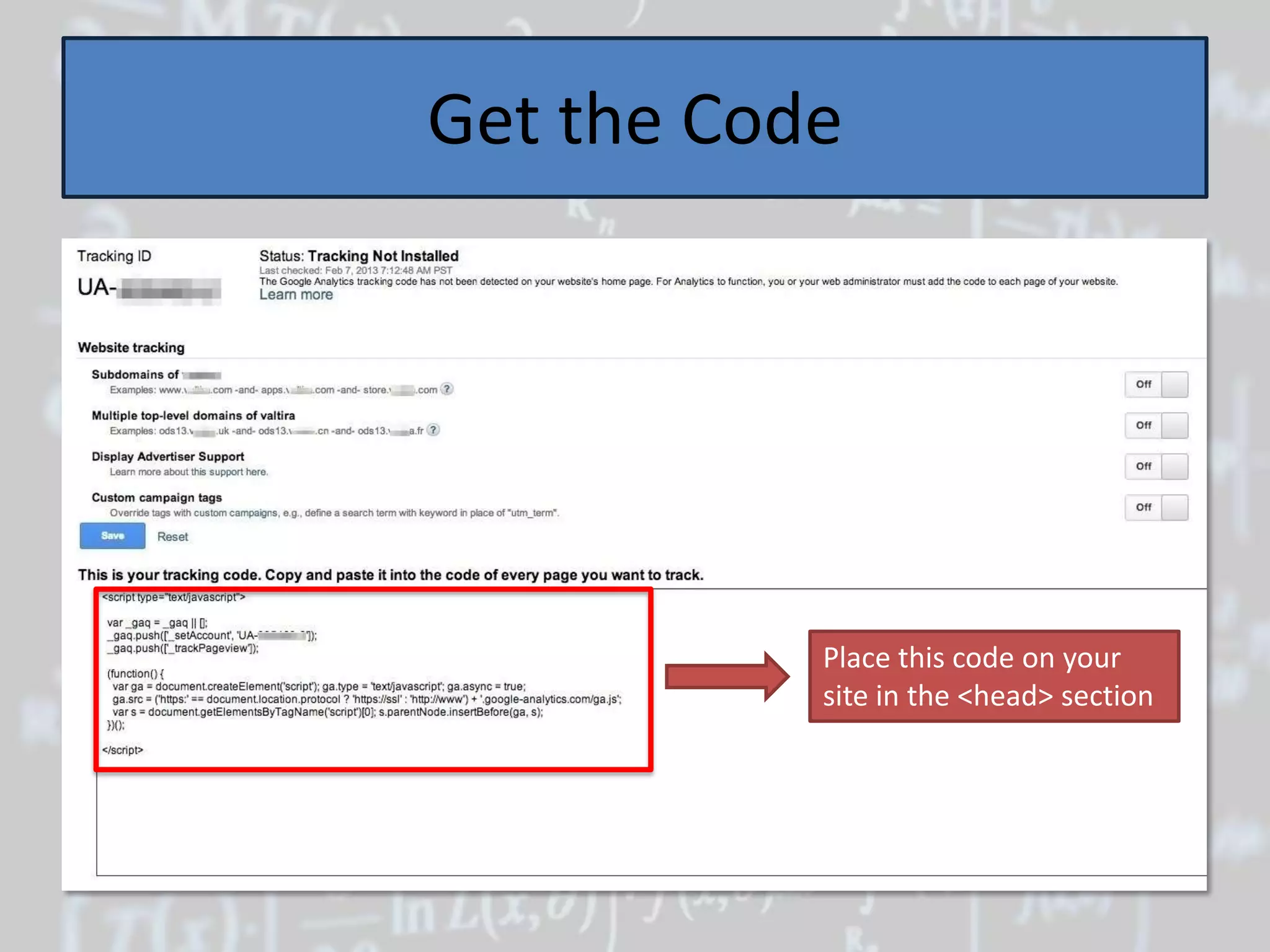
Get the Code


           Place this code on your
           site in the <head> section
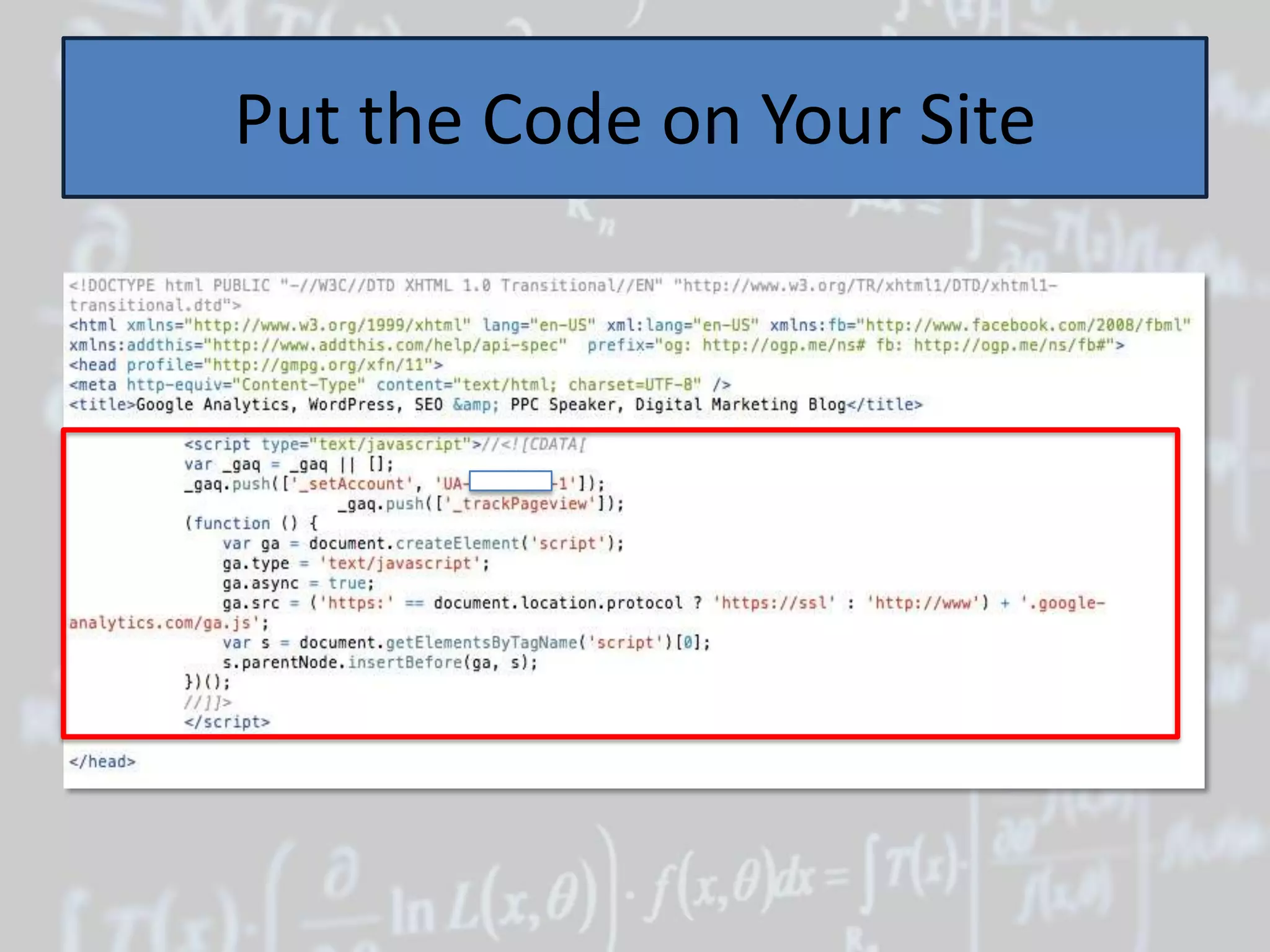
Put the Code on Your Site
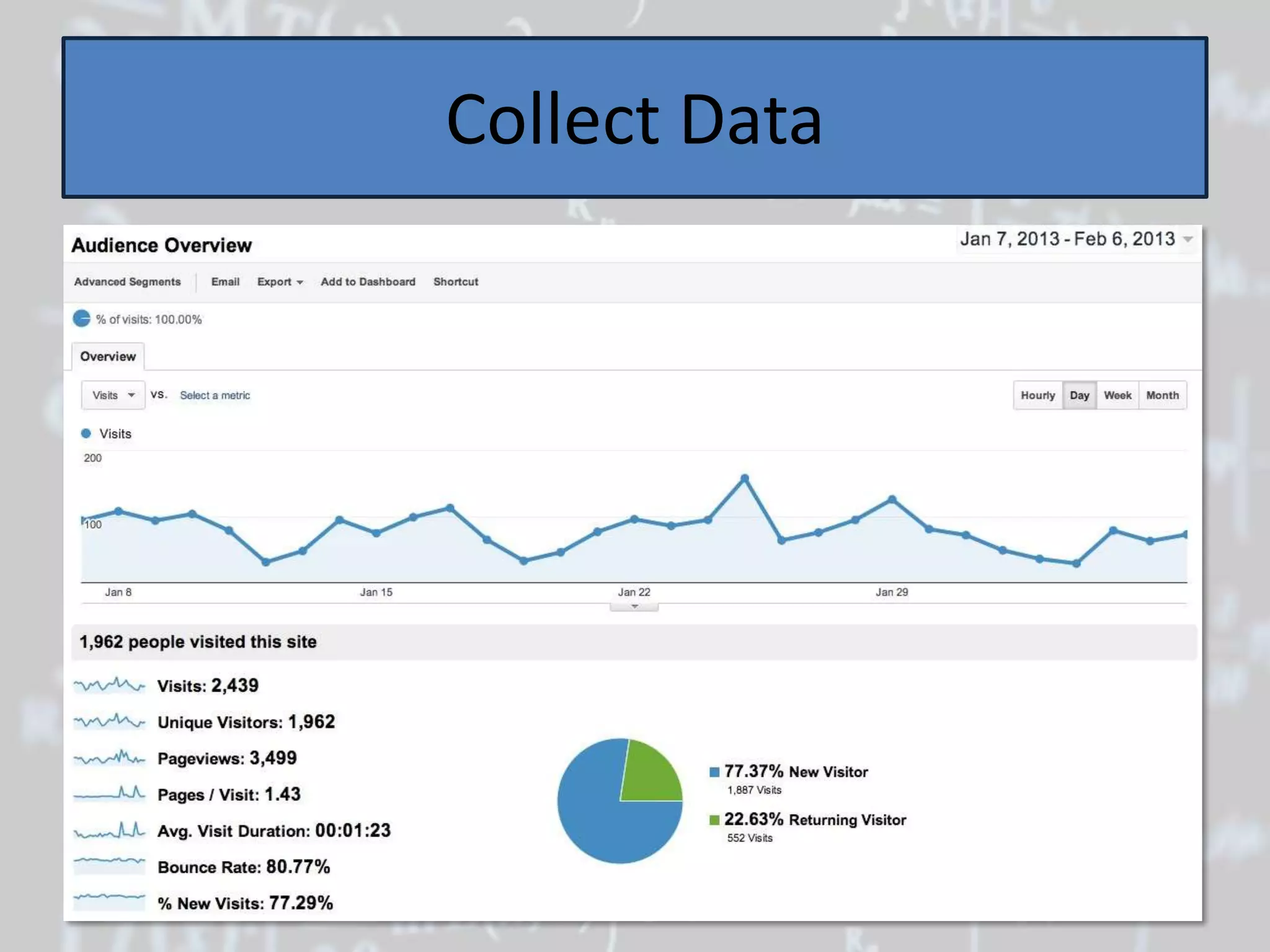
Collect Data
But Don’t Stop There!
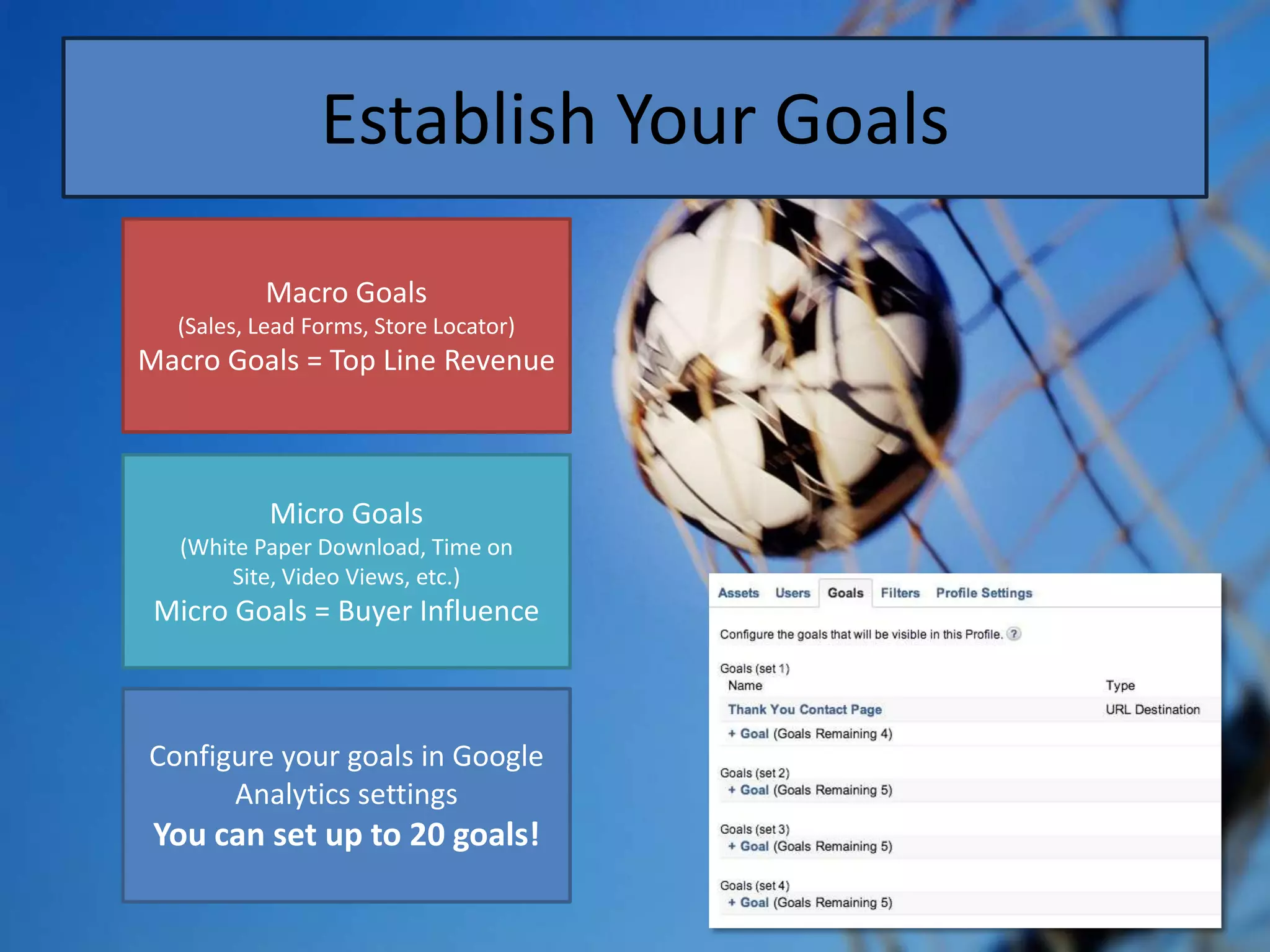
Establish Your Goals

          Macro Goals
  (Sales, Lead Forms, Store Locator)
Macro Goals = Top Line Revenue
Establish Your Goals

           Macro Goals
   (Sales, Lead Forms, Store Locator)
Macro Goals = Top Line Revenue


            Micro Goals
 (White Paper Download, Time on Site,
          Video Views, etc.)
 Micro Goals = Buyer Influence
Establish Your Goals

          Macro Goals
  (Sales, Lead Forms, Store Locator)
Macro Goals = Top Line Revenue


           Micro Goals
   (White Paper Download, Time on
        Site, Video Views, etc.)
 Micro Goals = Buyer Influence


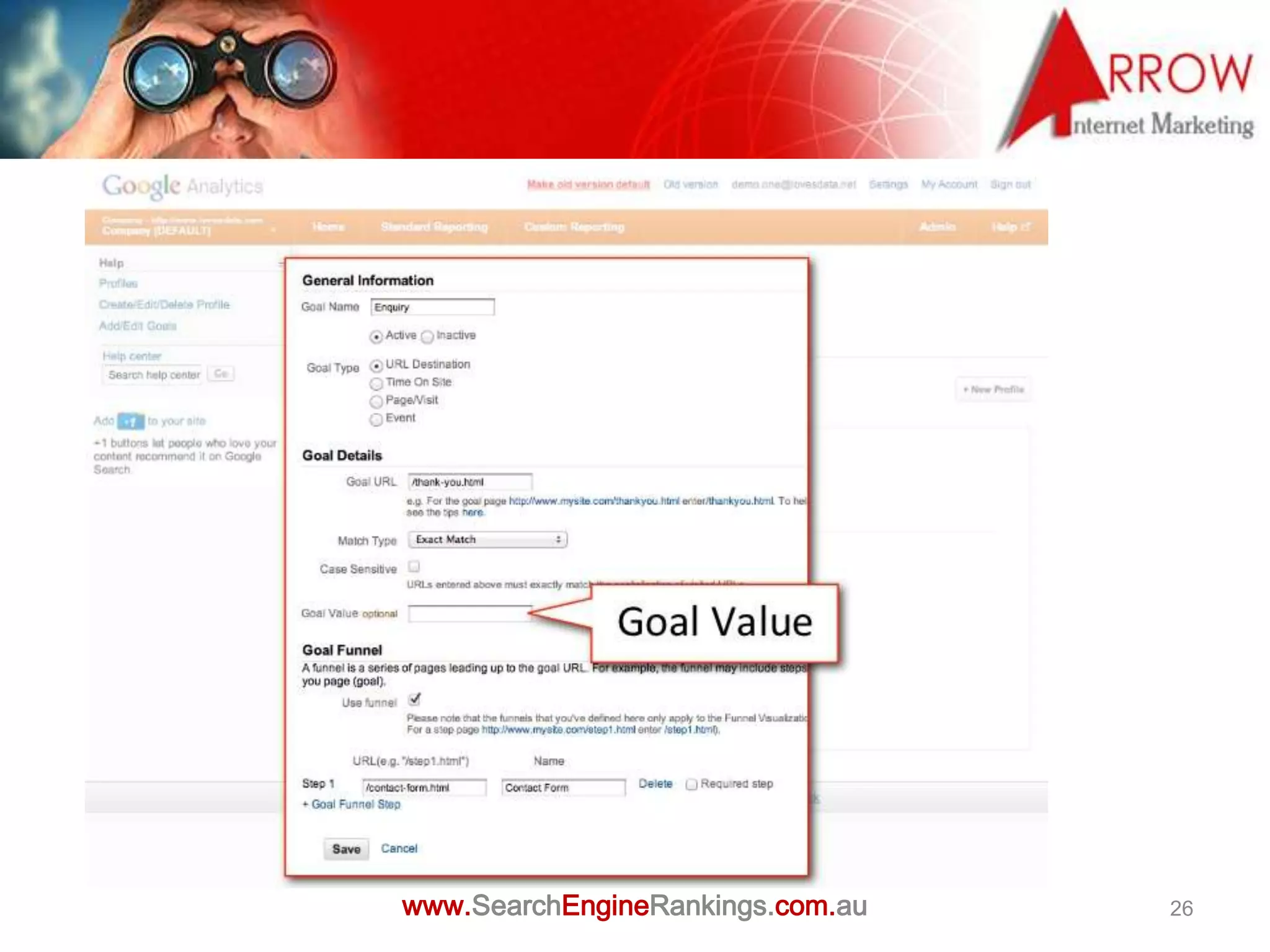
Configure your goals in Google
      Analytics settings
 You can set up to 20 goals!
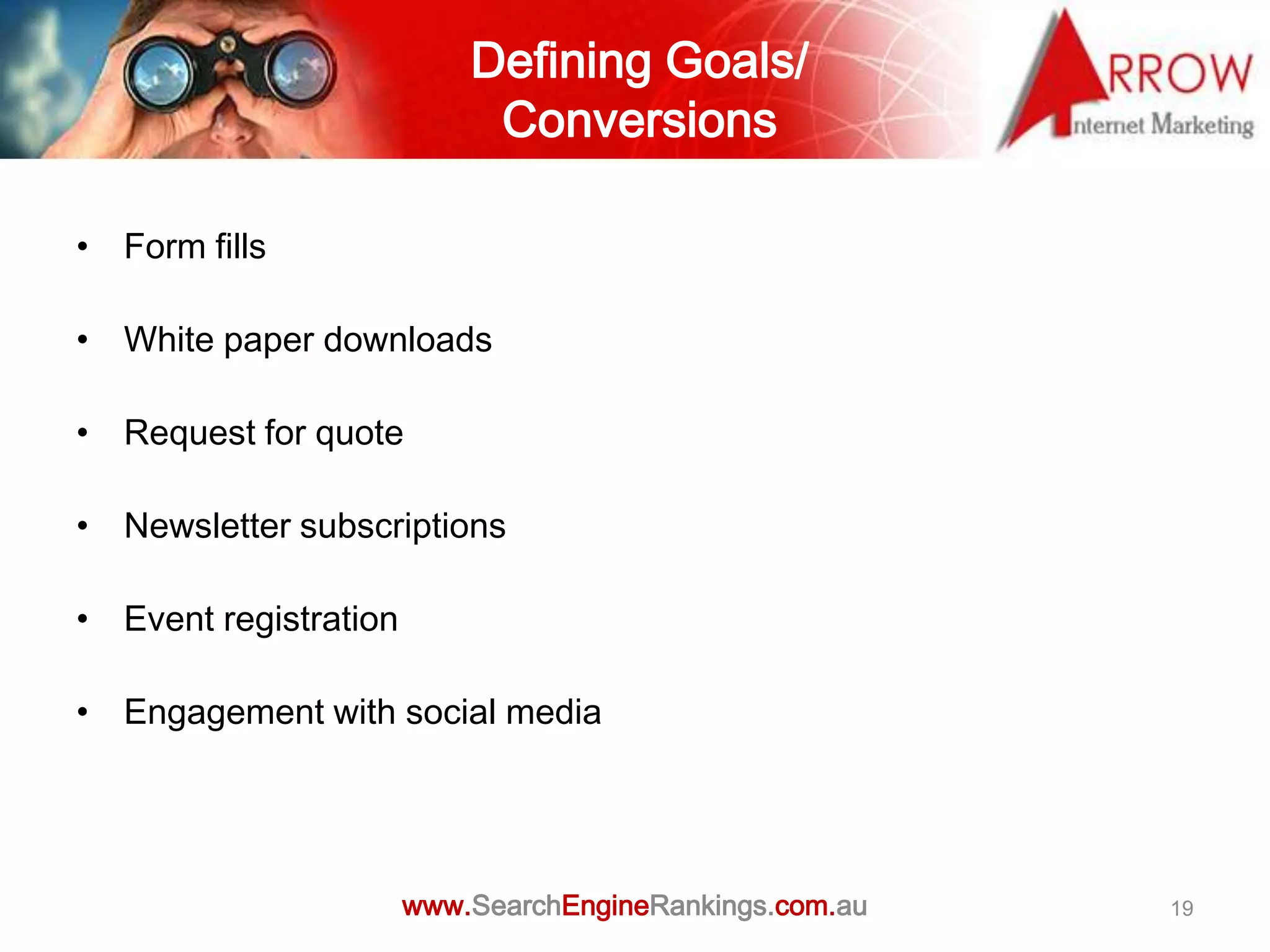
Defining Goals/
                            Conversions

• Form fills

• White paper downloads

• Request for quote

• Newsletter subscriptions

• Event registration

• Engagement with social media


                       www.SearchEngineRankings.com.au   19
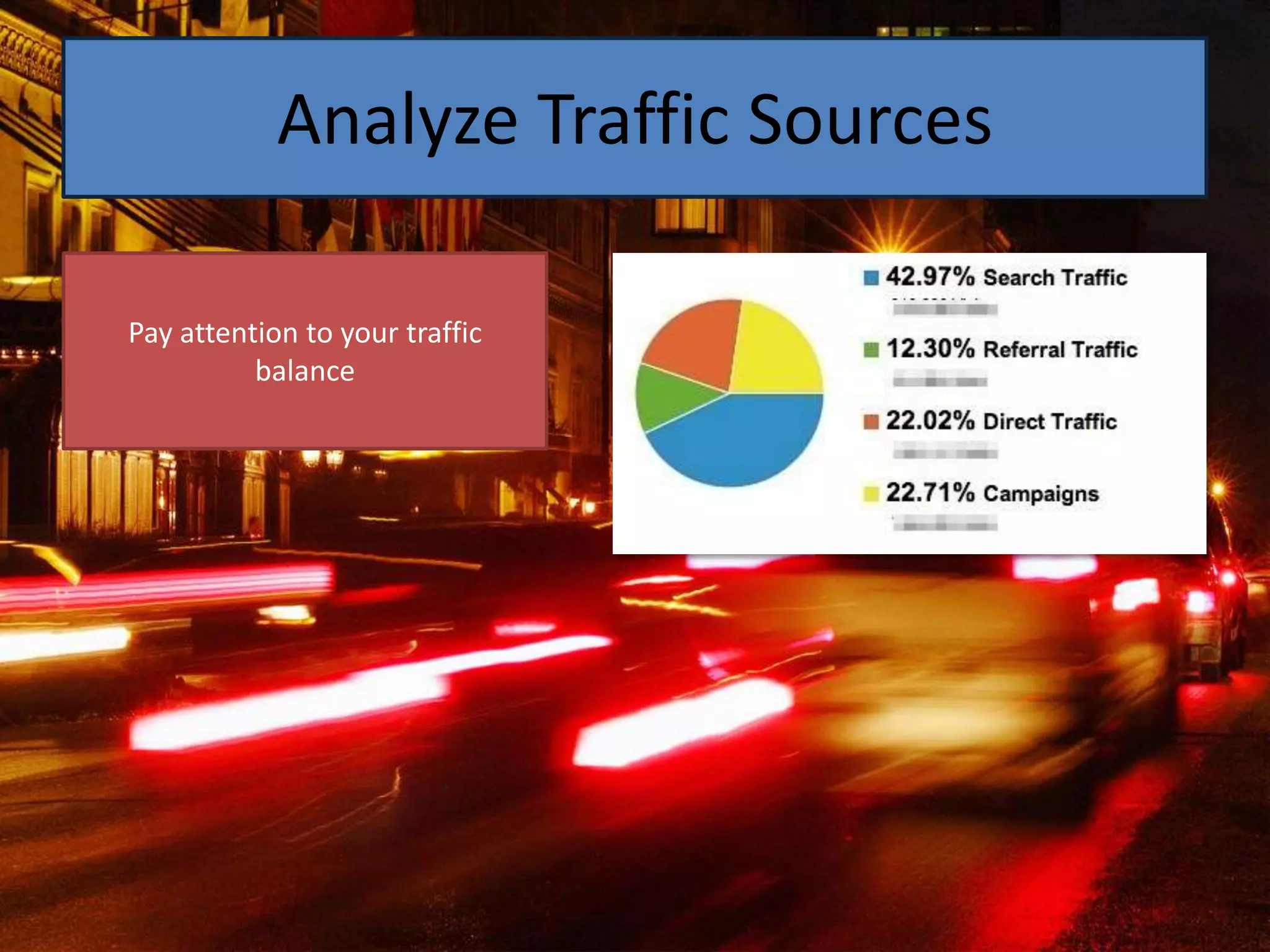
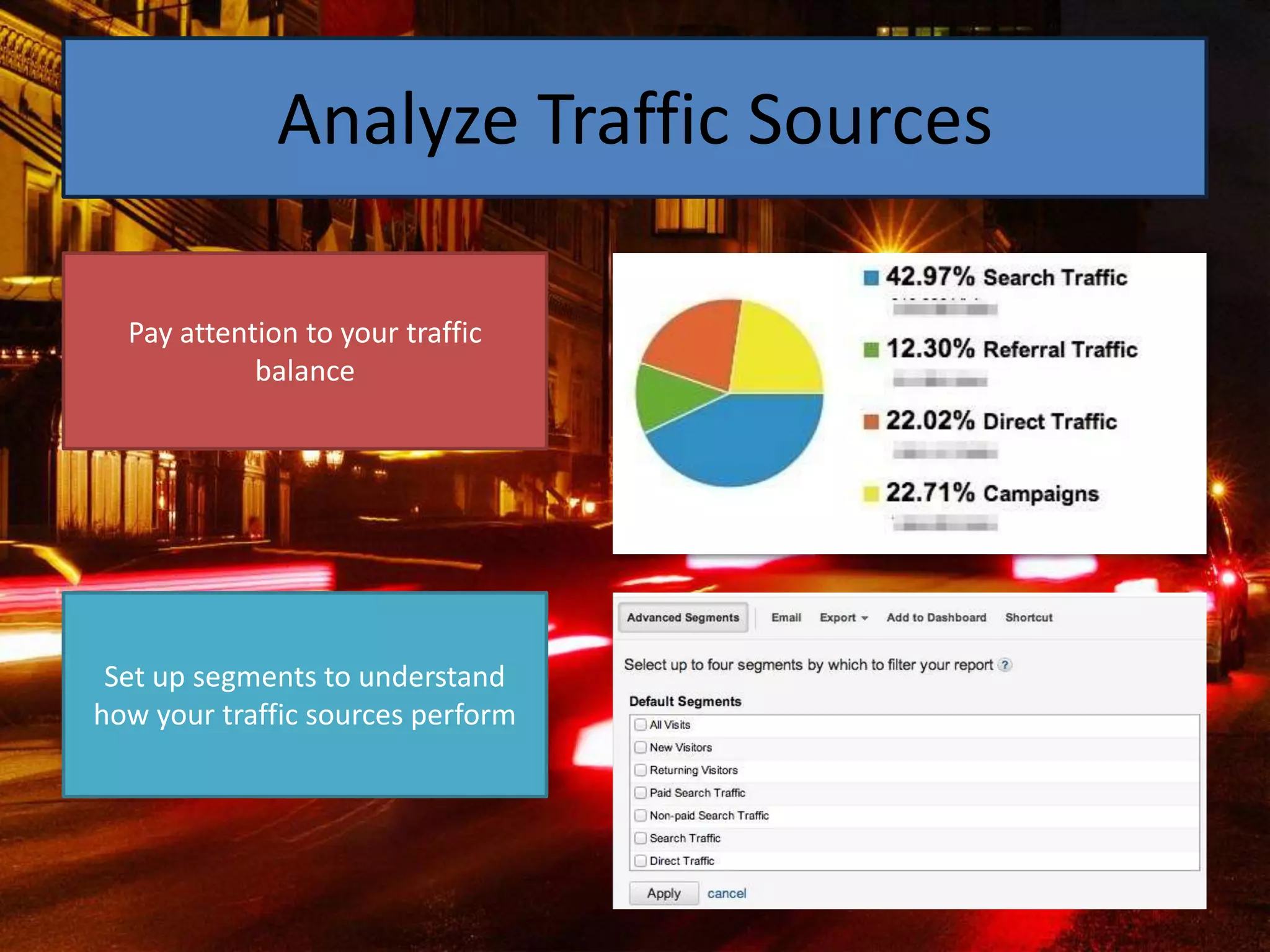
Analyze Traffic Sources

Pay attention to your traffic
          balance
Analyze Traffic Sources

  Pay attention to your traffic
            balance


 Set up segments to understand
how your traffic sources perform
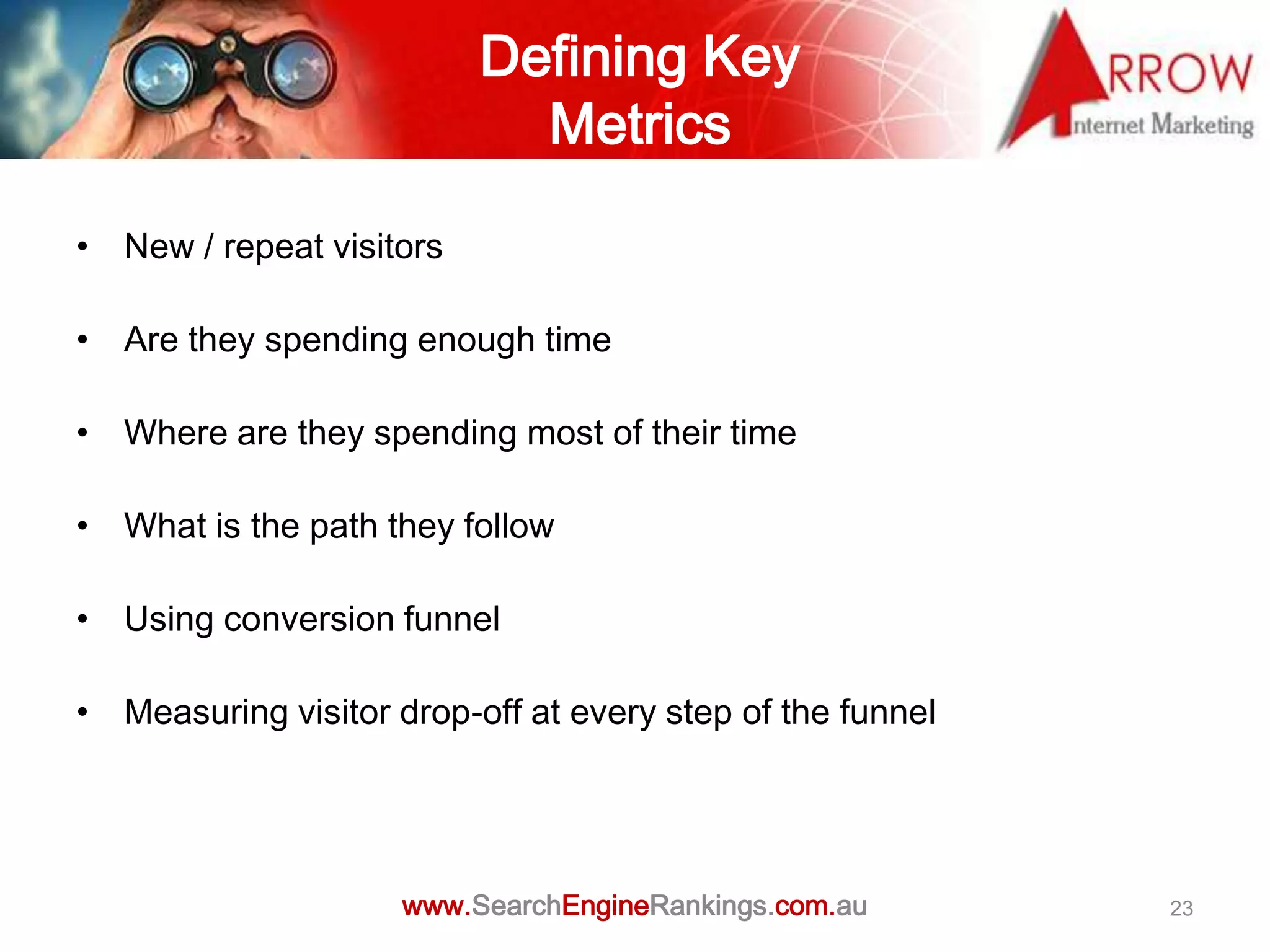
Defining Key
                            Metrics

• New / repeat visitors

• Are they spending enough time

• Where are they spending most of their time

• What is the path they follow

• Using conversion funnel

• Measuring visitor drop-off at every step of the funnel


                     www.SearchEngineRankings.com.au       23
Customize Dashboards
www.SearchEngineRankings.com.au   25
www.SearchEngineRankings.com.au   26
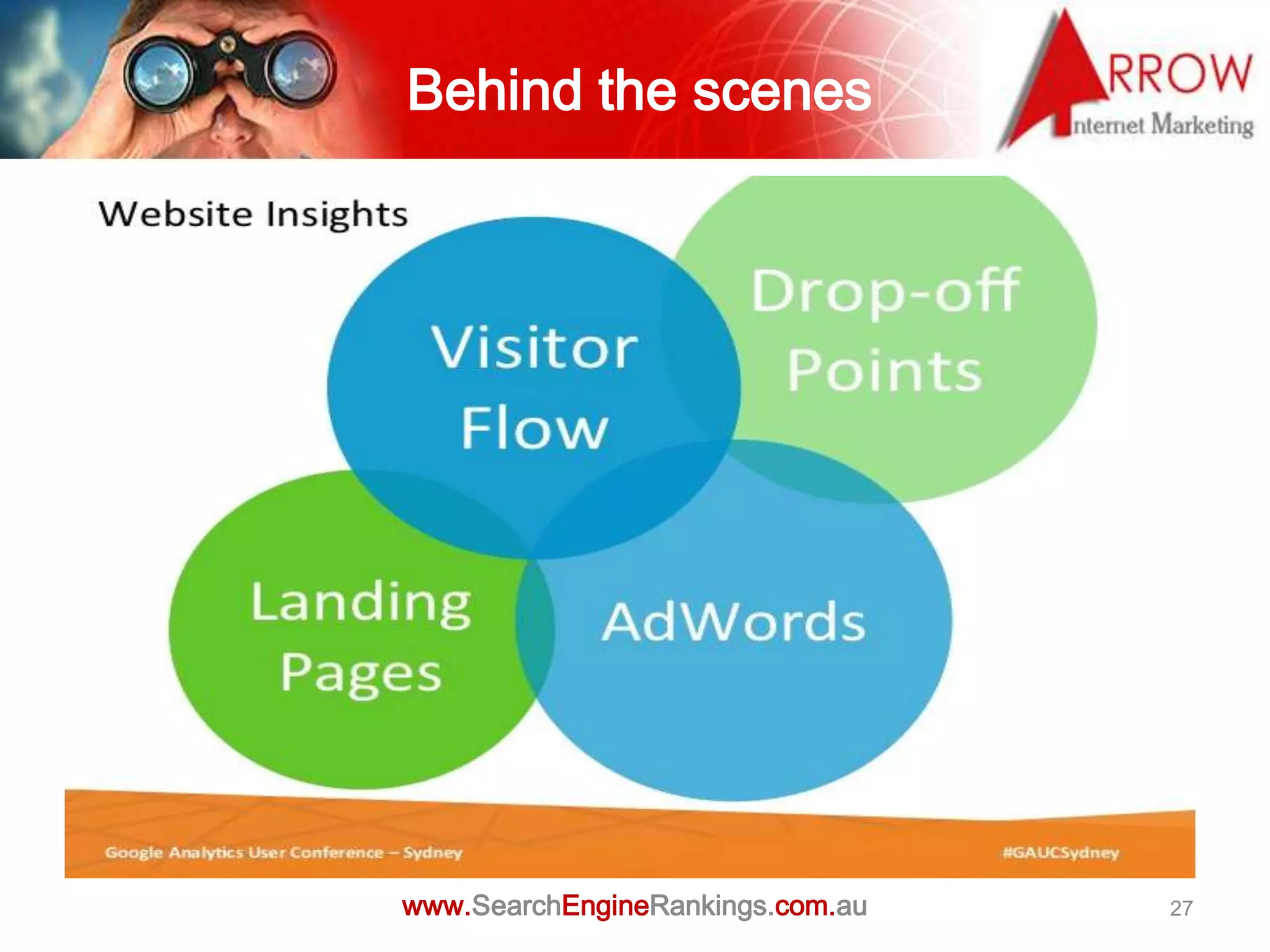
Behind the scenes


www.SearchEngineRankings.com.au   27
Remarketing


www.SearchEngineRankings.com.au   28
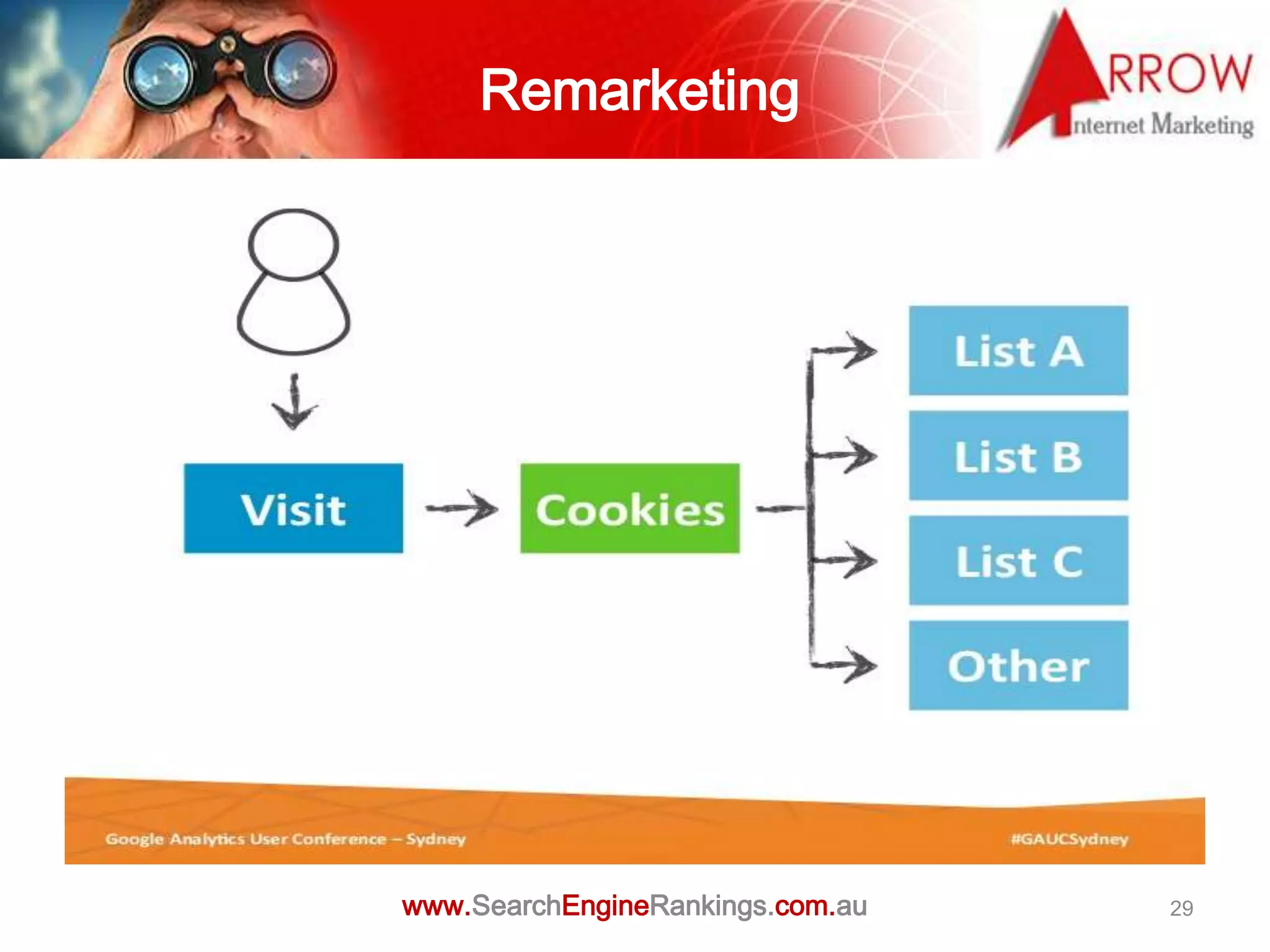
Remarketing


www.SearchEngineRankings.com.au   29
www.SearchEngineRankings.com.au   30
Create Context for
                     your Data

• Don’t focus on a single metric

• How does the performance of each metric compare to

  the site average?

• How does the performance compare to last week, or last

  month?


                 www.SearchEngineRankings.com.au       31
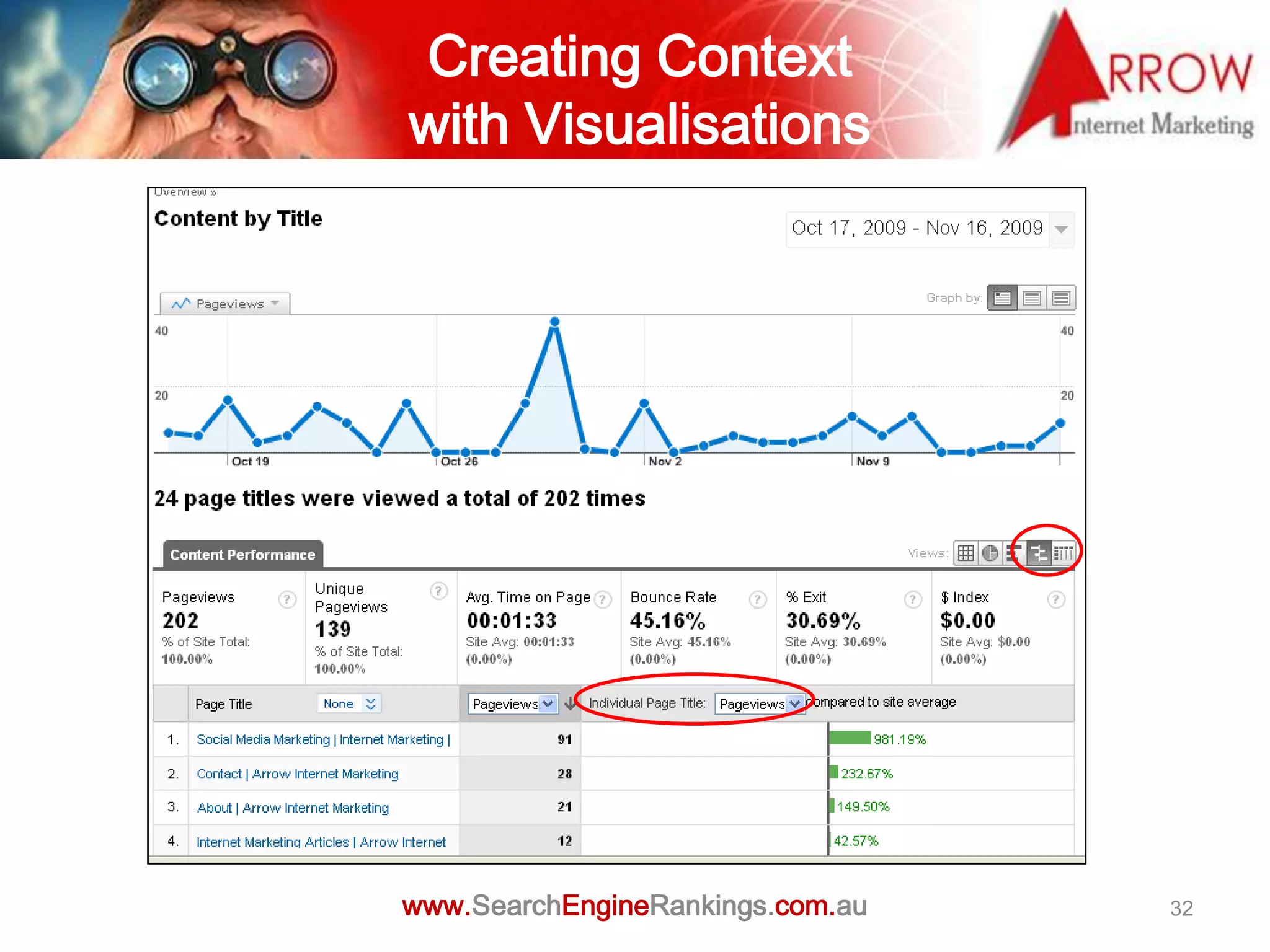
Creating Context
with Visualisations


www.SearchEngineRankings.com.au   32
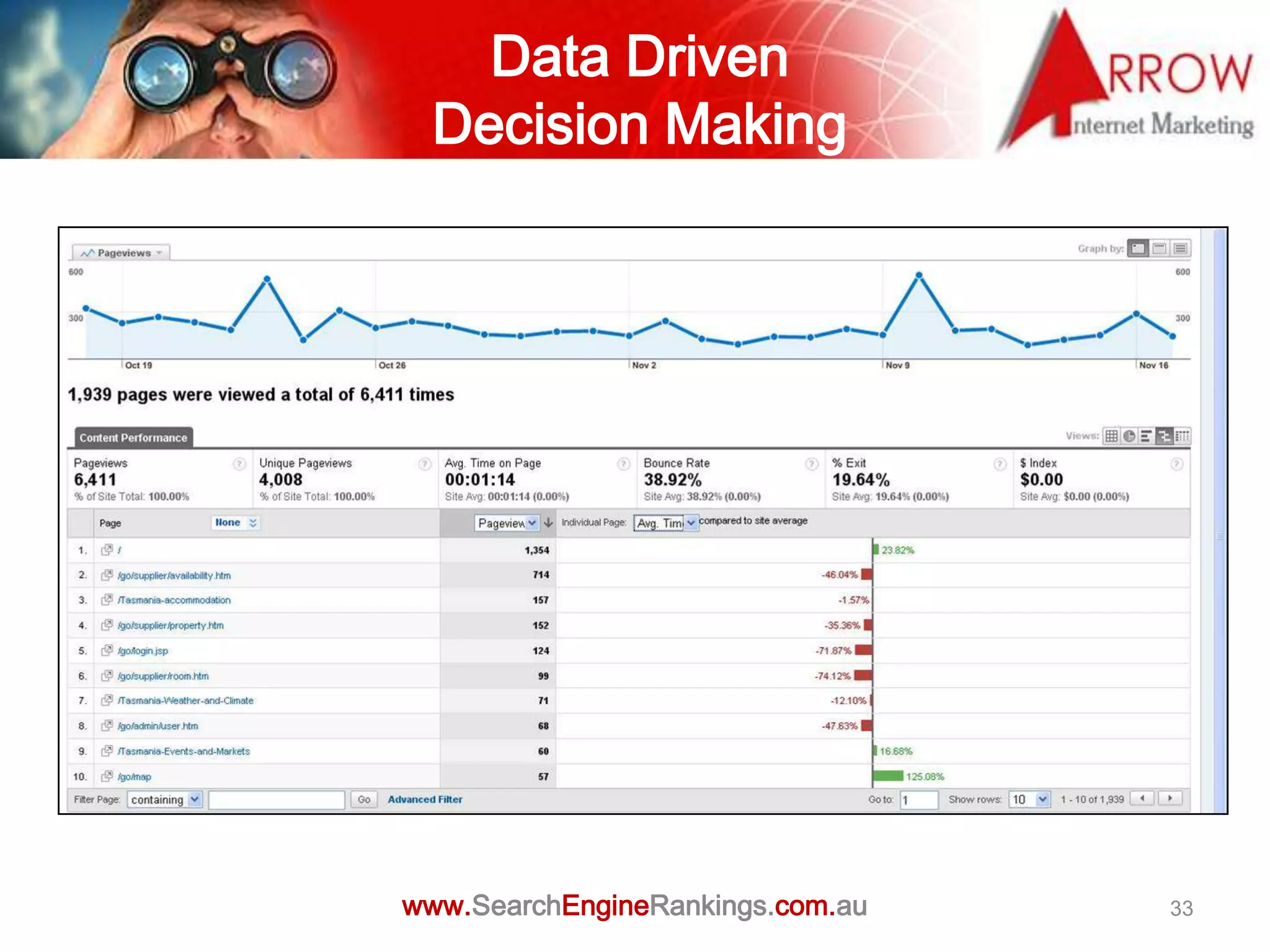
Data Driven
 Decision Making


www.SearchEngineRankings.com.au   33
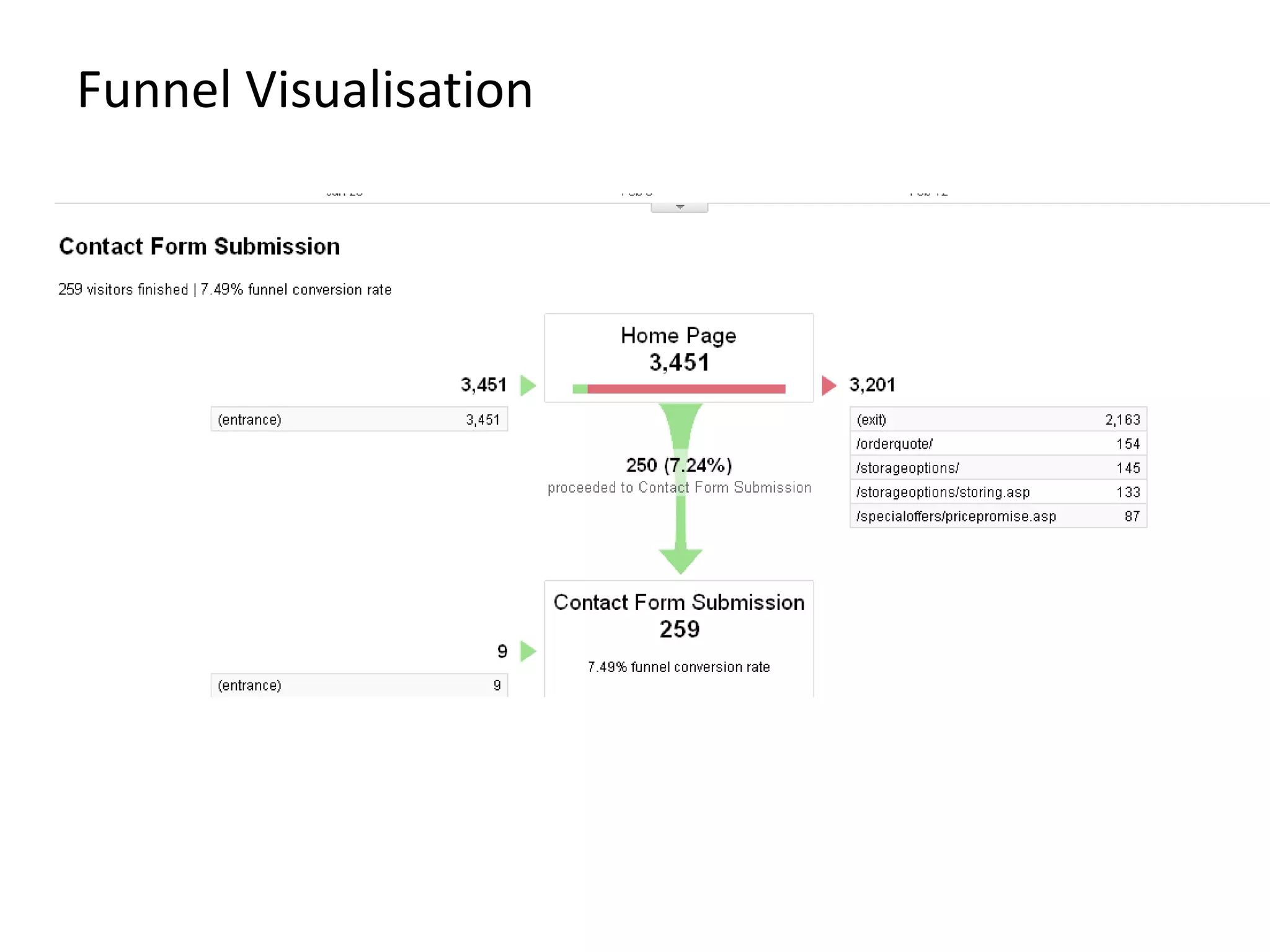
Funnel Visualisation
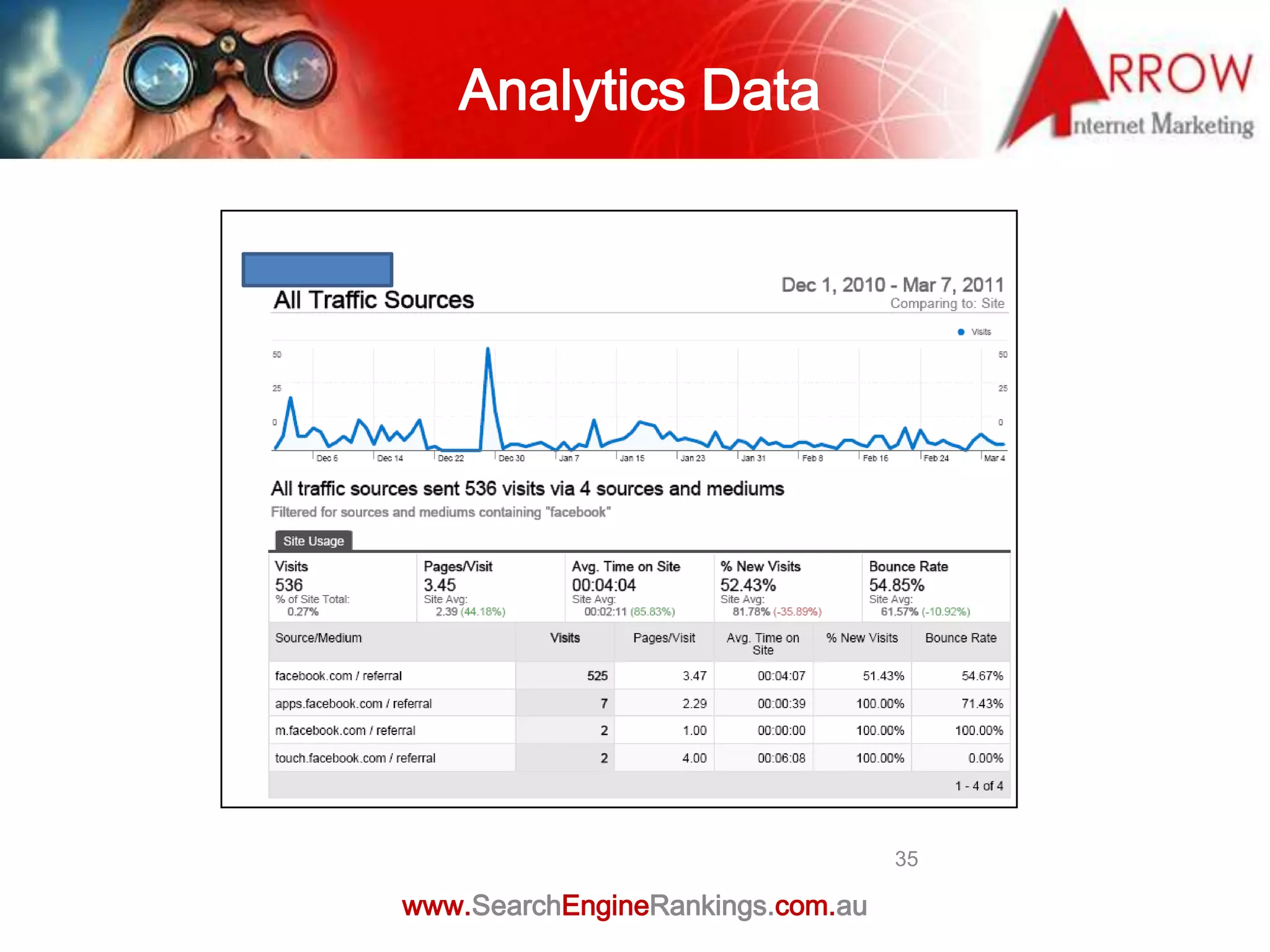
Analytics Data


                                  35

www.SearchEngineRankings.com.au
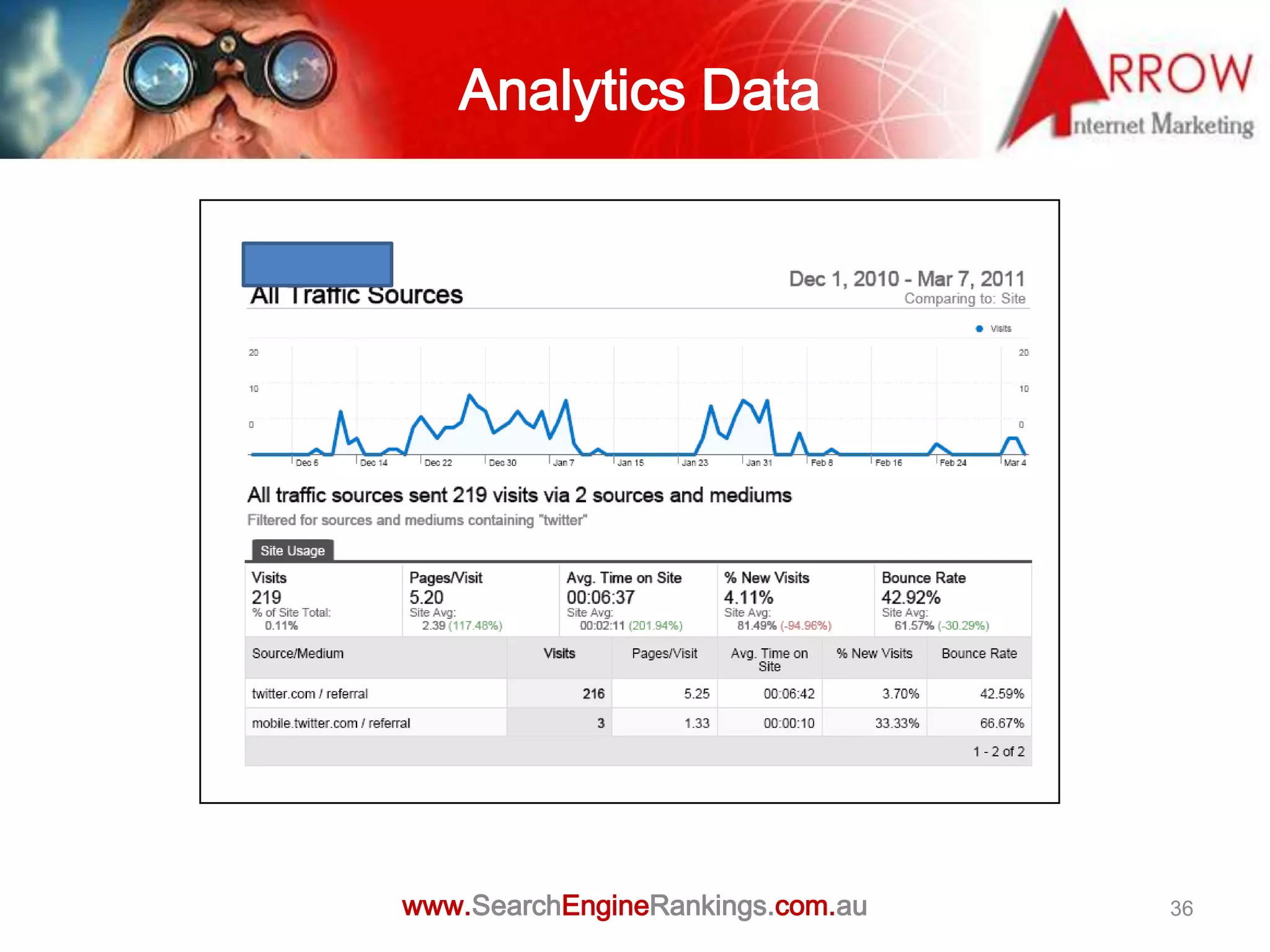
Analytics Data


www.SearchEngineRankings.com.au   36
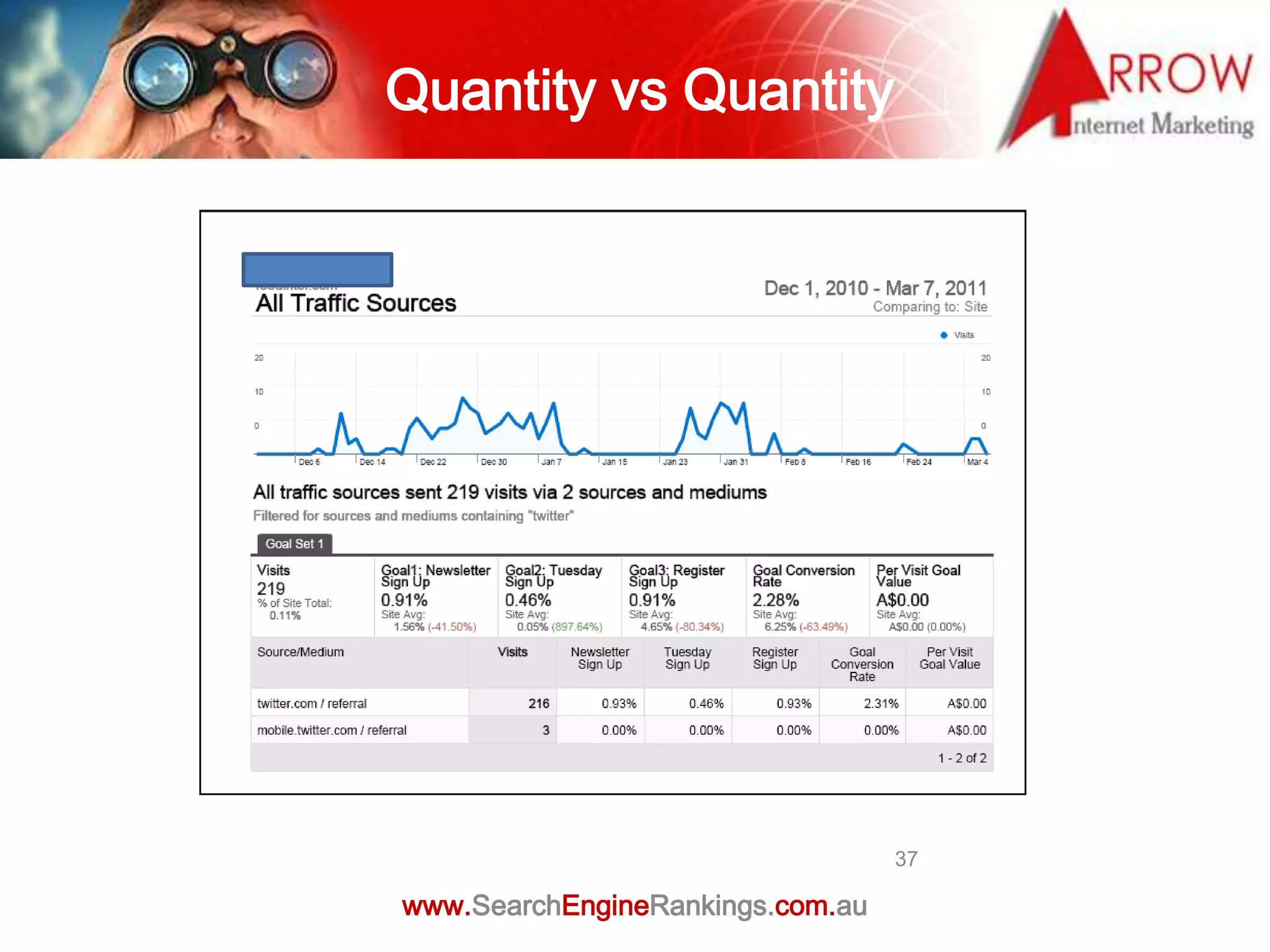
Quantity vs Quantity


                                  37

www.SearchEngineRankings.com.au
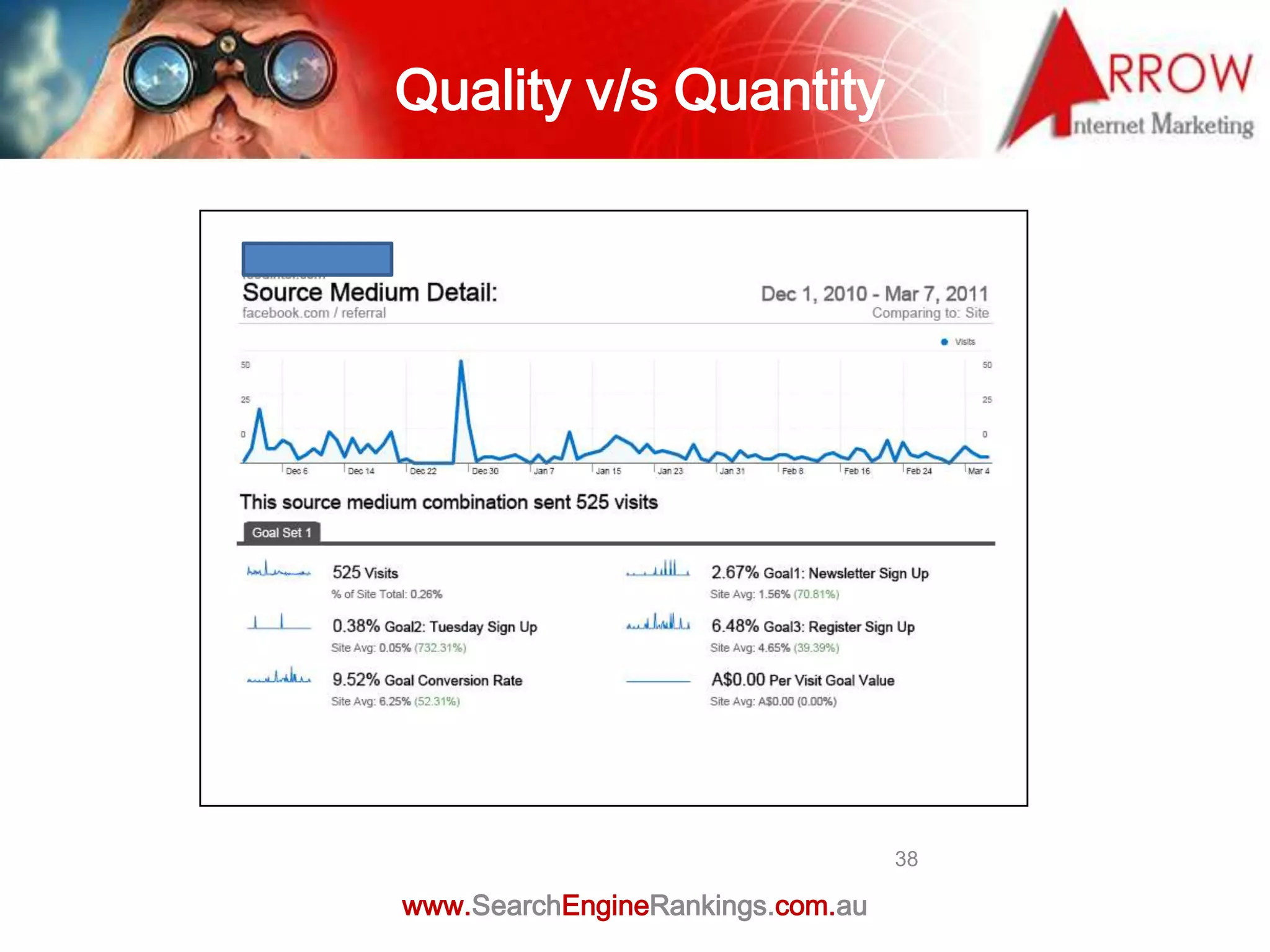
Quality v/s Quantity


                                  38

www.SearchEngineRankings.com.au
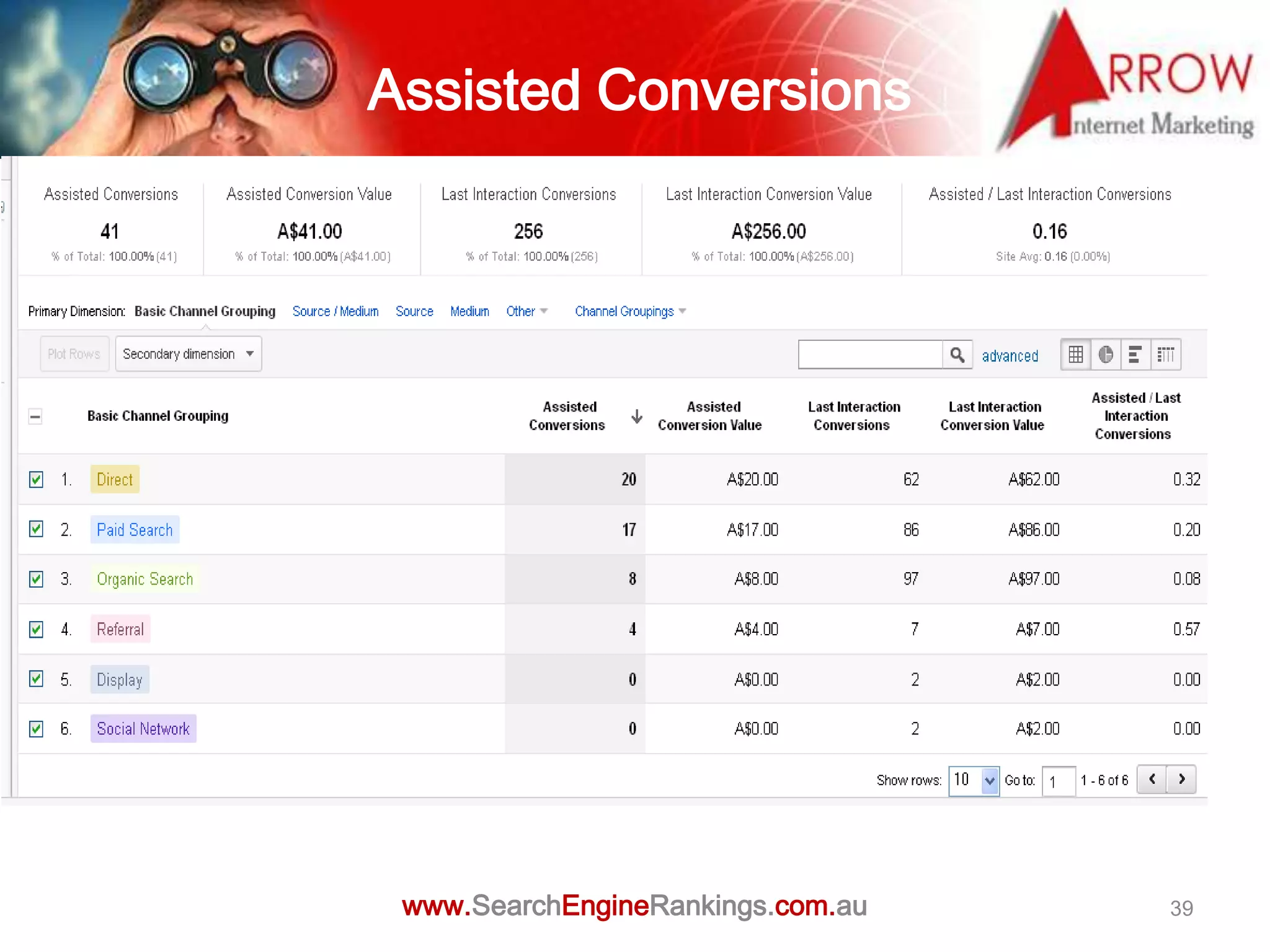
Assisted Conversions


 www.SearchEngineRankings.com.au   39
What Else Can You Do with
   Google Analytics?
Track Mobile Websites & Apps
Make Reports Easy to Read
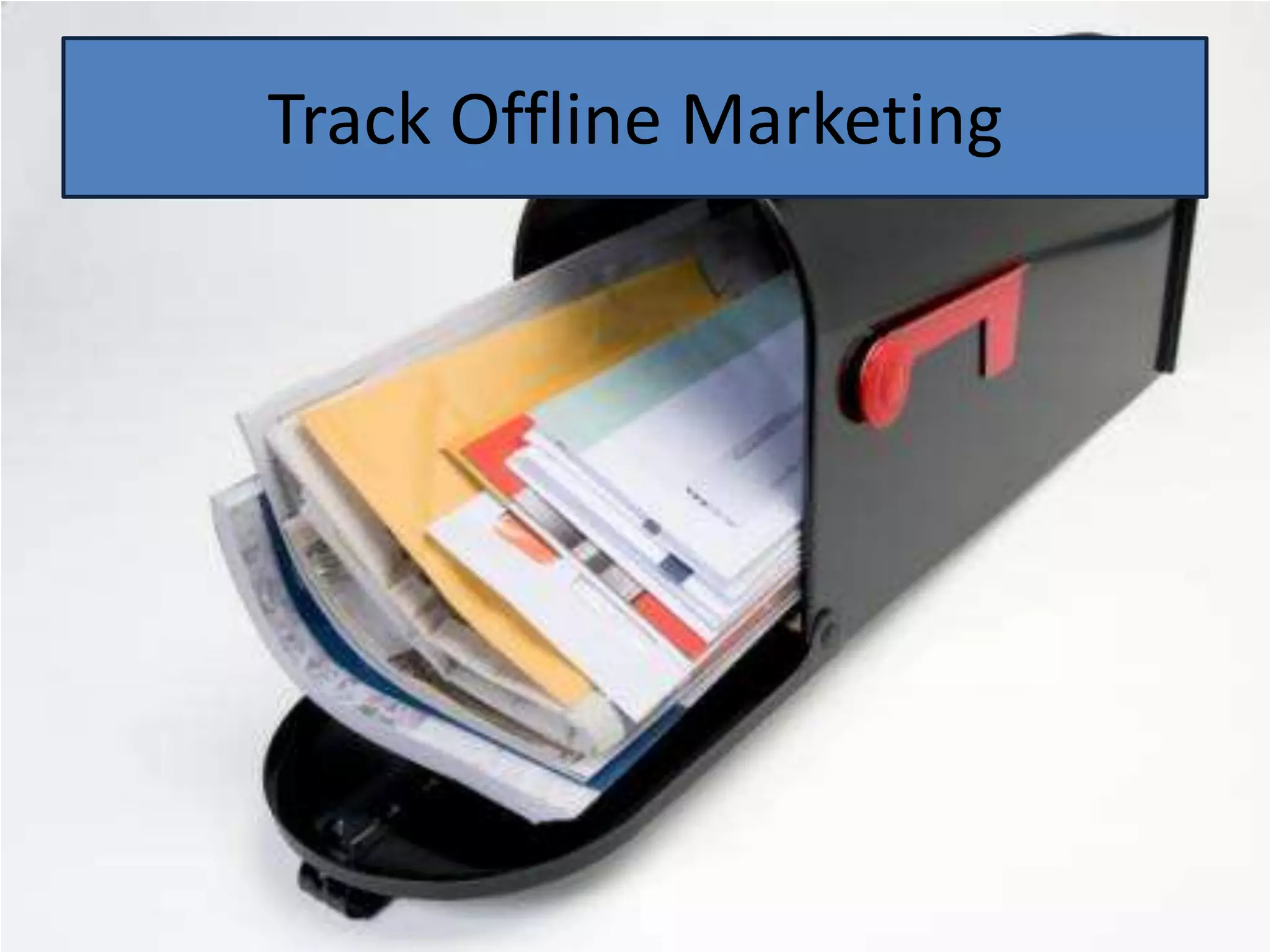
Track Offline Marketing
Track Social Media
Track Video Interactions
Analytics Settings

• Access reports

• Configuration, goals, Filters and users

• Analytics accounts drop-down

• Remove profiles

• Apply Filters

• Add Profiles

• User permissions

                     www.SearchEngineRankings.com.au   46
Report Interface

• Report navigation

• Settings

• Help resources

• Export options and email reports set-up

• Link to help centre

• Calendar / date slider


                      www.SearchEngineRankings.com.au   47
Report Structure

There are 5 main categories:
• Visitors
      Visitor information such as loyalty, language and location
• Traffic sources
    Natural and paid sources of traffic; includes Adwords reports
• Content
    Pages viewed
• Goals
    Conversion rates and goal paths
• E-commerce (if enabled)
    Commerce tracking, visitor loyalty, revenue sources and product
     specific information

                    www.SearchEngineRankings.com.au                  48
Setting date and
               comparison date ranges
• You can either use a calendar or a timeline to select a
  date range


• Select Compare to Past and you’ll be able to set a
  comparison date range


                 www.SearchEngineRankings.com.au            49
Reporting

• Comparing two metrics on the same graph
• Measuring visitor loyalty
• Report formats
• Scheduling & emailing
• Scorecards – It provides aggregates and averages for the displayed
  metrics
•   Site-usage
• Email reports
• Report tabs
• The dashboard
• Keyword reports


                    www.SearchEngineRankings.com.au                50
Bounce Rates

• The definition of Bounce Rate is the percentage of visitors that hit
   your website on a given page and don’t visit any other pages on
   your site.

• The bounce rate at the page level is extremely useful especially in
   case of landing pages for paid campaigns.


                     www.SearchEngineRankings.com.au                     51
Exit Rates

• The definition of Exit Rate is the percentage of visitors that leave
  your site from a given page based on the number of visits to that
  page.


• Sounds similar to bounce rate, what’s the difference?


• Exit Rate is important for determining which page in a process isn’t
  performing up to expectations. For example, if you have mapped out
  a Website Persuasion Architecture, and find visitors are exiting the
  site on a webpage that is a stepping stone to a more important
  page, then you need to review the page’s content/layout etc.


                     www.SearchEngineRankings.com.au                     52
Getting started with
                     Google Analytics
Three simple steps to getting started with Google Analytics:


• Sign up www.google.com/analytics - need a Google account

• Install the tracking code across all the pages of your website

• Use the new ga.js code instead of urchin .js

• Verify

• If running Adwords you can go through the analytics tab on the
   Adwords link the two accounts


                     www.SearchEngineRankings.com.au               53
Understanding
                           the Code

• Understanding the tracking code

• Installing the java script

     If the website uses a template or a Content Management

      System, you can install it on the common area e.g. website

      footer

• Installing the code on a common footer


                      www.SearchEngineRankings.com.au              54
Resources

• Free tools to check if the GA code has been installed properly
   www.sitescanGA.com – it will check for any implementation errors


• You tube channel GA -
   http://www.youtube.com/googleanalytics?hl=en


                    www.SearchEngineRankings.com.au                   55

Google Analytics for Business Owners

  • 1.
    Know your numbers GoogleAnalytics for Business Owners www.SearchEngineRankings.com.au
  • 2.
    What is Analytics? •It is the process of tracking and measuring website data to maximize your marketing return on investment (ROI). • It helps to understand visitor behaviour and use the information to make decisions that help in achieving business goals. www.SearchEngineRankings.com.au 2
  • 3.
    Providing Answers to Difficult Questions How are visitors using my site? How can I make my marketing campaigns more effective and accountable? Where and when are visitors abandoning my shopping cart? Am I creating effective content? How do I improve site interaction? www.SearchEngineRankings.com.au 3
  • 4.
    Using Analytics • Typesof commercial websites • What do I want my website to do? • Site Objectives www.SearchEngineRankings.com.au 4
  • 5.
    Why Measure theWeb? To Understand What is Working
  • 6.
    Why Measure theWeb? To Fix Things that Are not To Understand What is Working Working
  • 7.
    Why Measure theWeb? To Fix Things that Are not To Understand What is Working Working To Improve our Results
  • 8.
    Why Measure theWeb? To Fix Things that Are not To Understand What is Working Working To Improve our Results To Calculate our Value
  • 9.
    Why Measure theWeb? To Fix Things that Are not To Understand What is Working Working To Improve our Results To Calculate our Value To Justify and Encourage Investment
  • 10.
    Why Measure theWeb? To Fix Things that Are not To Understand What is Working Working To Improve our Results To Calculate our Value To Justify and Encourage To Dominate our Niche Investment
  • 11.
    Create an Account Sign Up at: google.com/analytics
  • 12.
    Get the Code Place this code on your site in the <head> section
  • 13.
    Put the Codeon Your Site
  • 14.
  • 15.
  • 16.
    Establish Your Goals Macro Goals (Sales, Lead Forms, Store Locator) Macro Goals = Top Line Revenue
  • 17.
    Establish Your Goals Macro Goals (Sales, Lead Forms, Store Locator) Macro Goals = Top Line Revenue Micro Goals (White Paper Download, Time on Site, Video Views, etc.) Micro Goals = Buyer Influence
  • 18.
    Establish Your Goals Macro Goals (Sales, Lead Forms, Store Locator) Macro Goals = Top Line Revenue Micro Goals (White Paper Download, Time on Site, Video Views, etc.) Micro Goals = Buyer Influence Configure your goals in Google Analytics settings You can set up to 20 goals!
  • 19.
    Defining Goals/ Conversions • Form fills • White paper downloads • Request for quote • Newsletter subscriptions • Event registration • Engagement with social media www.SearchEngineRankings.com.au 19
  • 20.
  • 21.
    Analyze Traffic Sources Payattention to your traffic balance
  • 22.
    Analyze Traffic Sources Pay attention to your traffic balance Set up segments to understand how your traffic sources perform
  • 23.
    Defining Key Metrics • New / repeat visitors • Are they spending enough time • Where are they spending most of their time • What is the path they follow • Using conversion funnel • Measuring visitor drop-off at every step of the funnel www.SearchEngineRankings.com.au 23
  • 24.
  • 25.
  • 26.
  • 27.
  • 28.
  • 29.
  • 30.
  • 31.
    Create Context for your Data • Don’t focus on a single metric • How does the performance of each metric compare to the site average? • How does the performance compare to last week, or last month? www.SearchEngineRankings.com.au 31
  • 32.
  • 33.
    Data Driven DecisionMaking www.SearchEngineRankings.com.au 33
  • 34.
  • 35.
    Analytics Data 35 www.SearchEngineRankings.com.au
  • 36.
  • 37.
    Quantity vs Quantity 37 www.SearchEngineRankings.com.au
  • 38.
    Quality v/s Quantity 38 www.SearchEngineRankings.com.au
  • 39.
  • 40.
    What Else CanYou Do with Google Analytics?
  • 41.
  • 42.
  • 43.
  • 44.
  • 45.
  • 46.
    Analytics Settings • Accessreports • Configuration, goals, Filters and users • Analytics accounts drop-down • Remove profiles • Apply Filters • Add Profiles • User permissions www.SearchEngineRankings.com.au 46
  • 47.
    Report Interface • Reportnavigation • Settings • Help resources • Export options and email reports set-up • Link to help centre • Calendar / date slider www.SearchEngineRankings.com.au 47
  • 48.
    Report Structure There are5 main categories: • Visitors  Visitor information such as loyalty, language and location • Traffic sources  Natural and paid sources of traffic; includes Adwords reports • Content  Pages viewed • Goals  Conversion rates and goal paths • E-commerce (if enabled)  Commerce tracking, visitor loyalty, revenue sources and product specific information www.SearchEngineRankings.com.au 48
  • 49.
    Setting date and comparison date ranges • You can either use a calendar or a timeline to select a date range • Select Compare to Past and you’ll be able to set a comparison date range www.SearchEngineRankings.com.au 49
  • 50.
    Reporting • Comparing twometrics on the same graph • Measuring visitor loyalty • Report formats • Scheduling & emailing • Scorecards – It provides aggregates and averages for the displayed metrics • Site-usage • Email reports • Report tabs • The dashboard • Keyword reports www.SearchEngineRankings.com.au 50
  • 51.
    Bounce Rates • Thedefinition of Bounce Rate is the percentage of visitors that hit your website on a given page and don’t visit any other pages on your site. • The bounce rate at the page level is extremely useful especially in case of landing pages for paid campaigns. www.SearchEngineRankings.com.au 51
  • 52.
    Exit Rates • Thedefinition of Exit Rate is the percentage of visitors that leave your site from a given page based on the number of visits to that page. • Sounds similar to bounce rate, what’s the difference? • Exit Rate is important for determining which page in a process isn’t performing up to expectations. For example, if you have mapped out a Website Persuasion Architecture, and find visitors are exiting the site on a webpage that is a stepping stone to a more important page, then you need to review the page’s content/layout etc. www.SearchEngineRankings.com.au 52
  • 53.
    Getting started with Google Analytics Three simple steps to getting started with Google Analytics: • Sign up www.google.com/analytics - need a Google account • Install the tracking code across all the pages of your website • Use the new ga.js code instead of urchin .js • Verify • If running Adwords you can go through the analytics tab on the Adwords link the two accounts www.SearchEngineRankings.com.au 53
  • 54.
    Understanding the Code • Understanding the tracking code • Installing the java script  If the website uses a template or a Content Management System, you can install it on the common area e.g. website footer • Installing the code on a common footer www.SearchEngineRankings.com.au 54
  • 55.
    Resources • Free toolsto check if the GA code has been installed properly www.sitescanGA.com – it will check for any implementation errors • You tube channel GA - http://www.youtube.com/googleanalytics?hl=en www.SearchEngineRankings.com.au 55

Editor's Notes

  • #5 No analytics reporting is 100%Share analytics data anonymously for benchmarkingDon’t focus on single metrics
  • #53 The visitor who exits might have visited other pages on your site, but just exited on that specific page