What is Firebug?
Firebug integrates with Firefox to put a
wealth of web development tools at your
fingertips while you browse. You can edit,
debug, and monitor CSS, HTML, and
JavaScript live in any web page.
“
”
Why would I use it?
✓ To find errors in your web page
✓ Experiment with and preview changes without
breaking your site
✓ Make simple updates yourself without having to
pay a developer
What can it do?
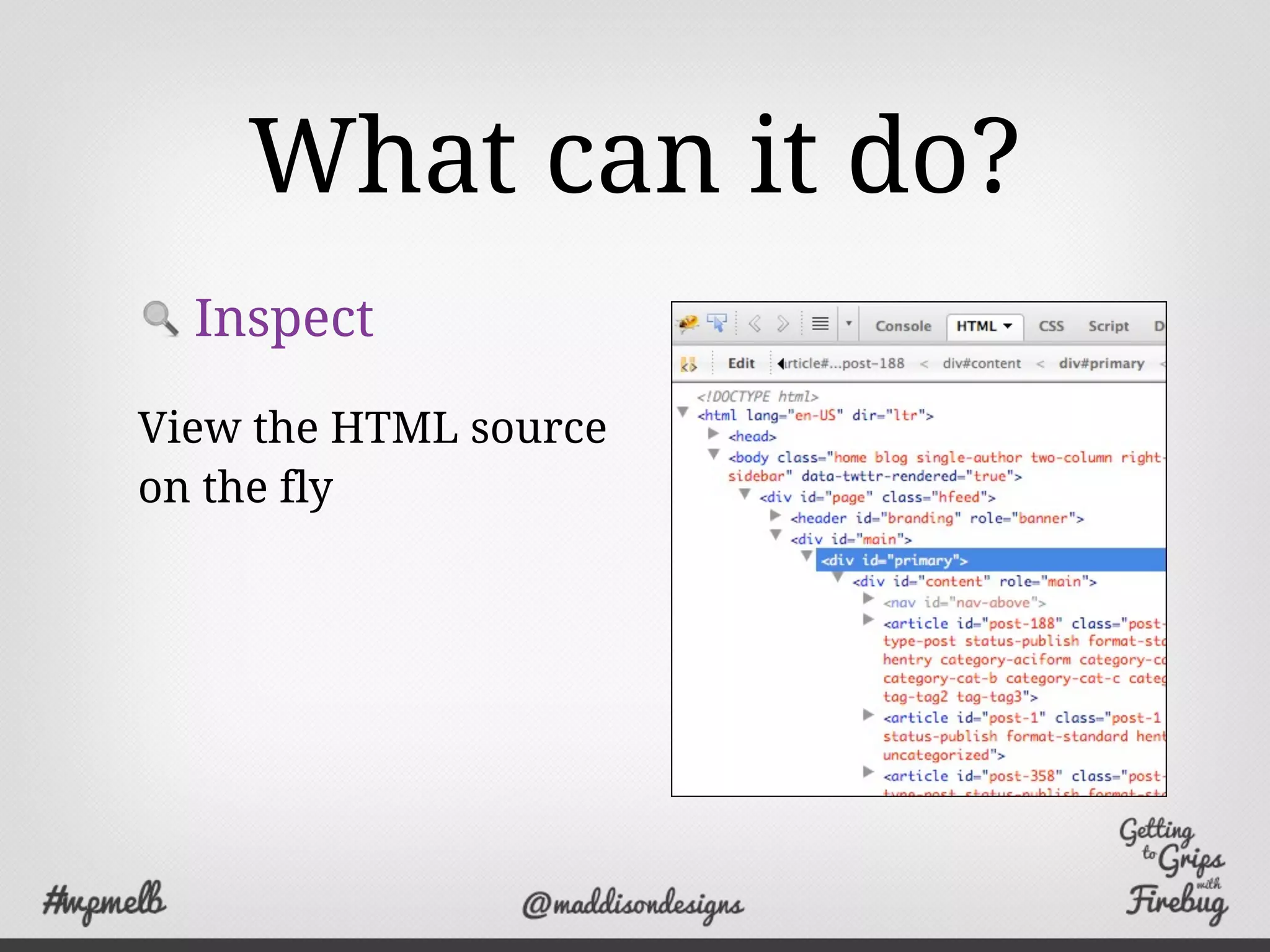
Inspect
View the HTML source
on the fly
What can it do?
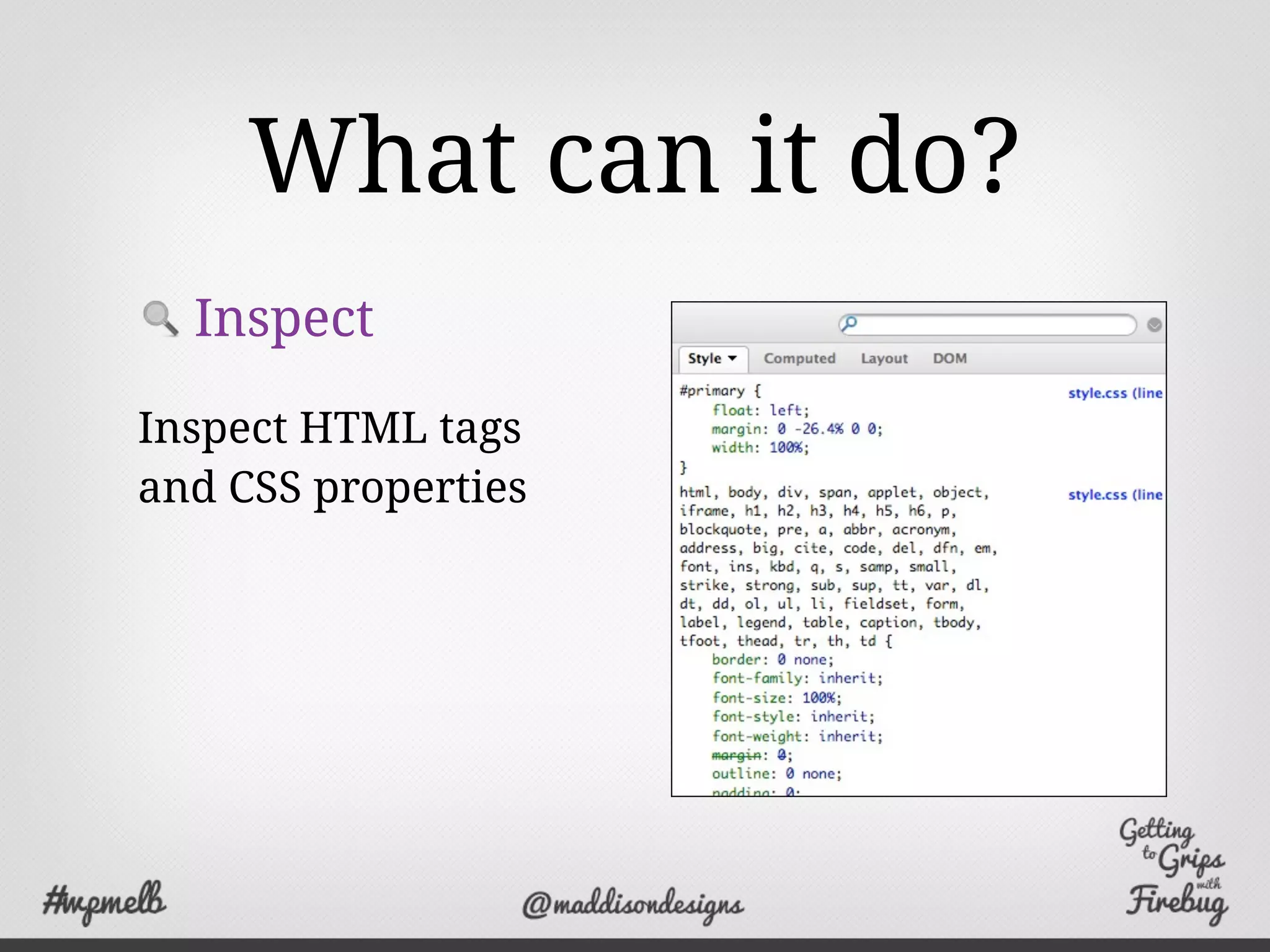
Inspect
Inspect HTML tags
and CSS properties
What can it do?
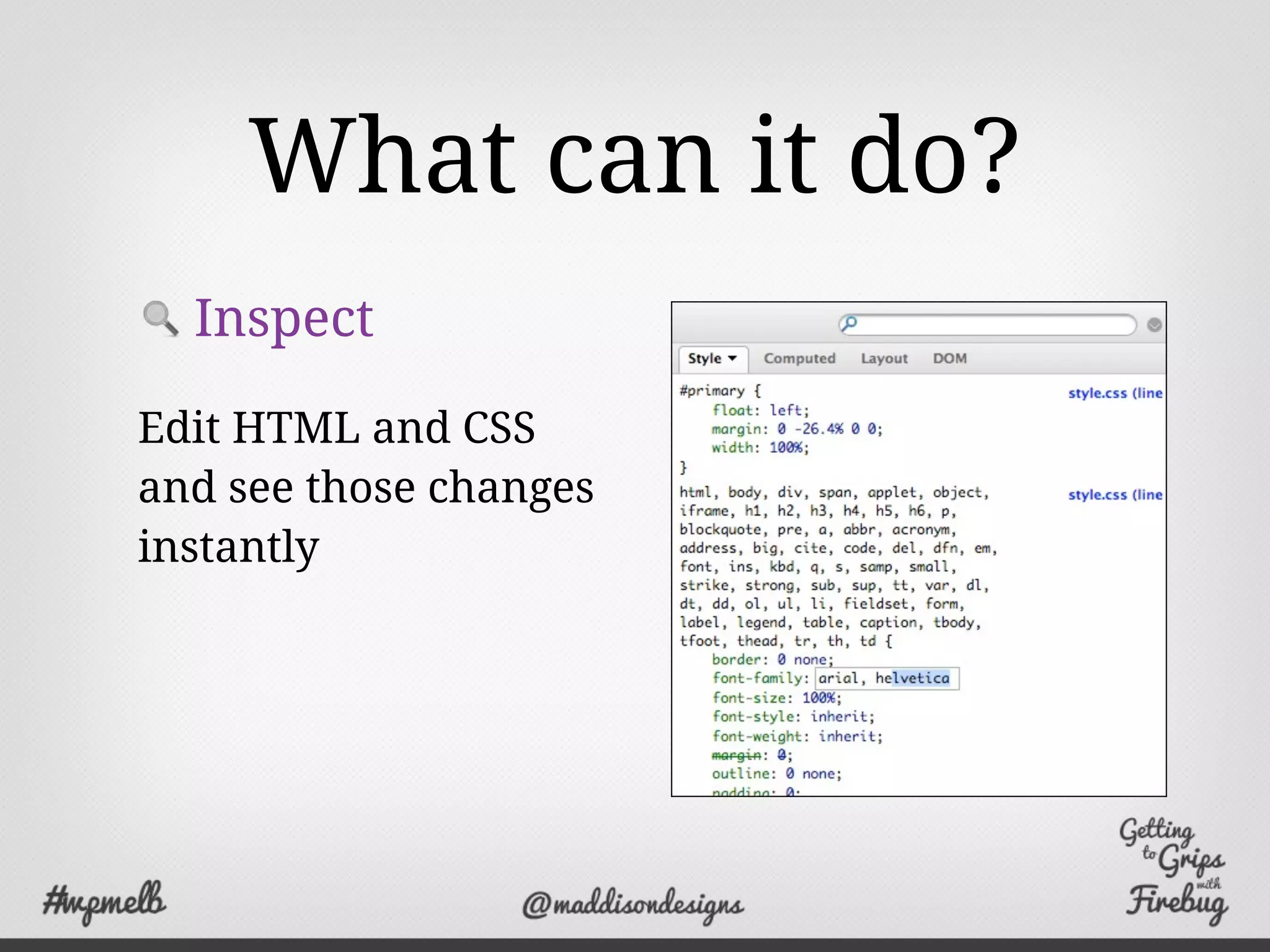
Inspect
Edit HTML and CSS
and see those changes
instantly
What can it do?
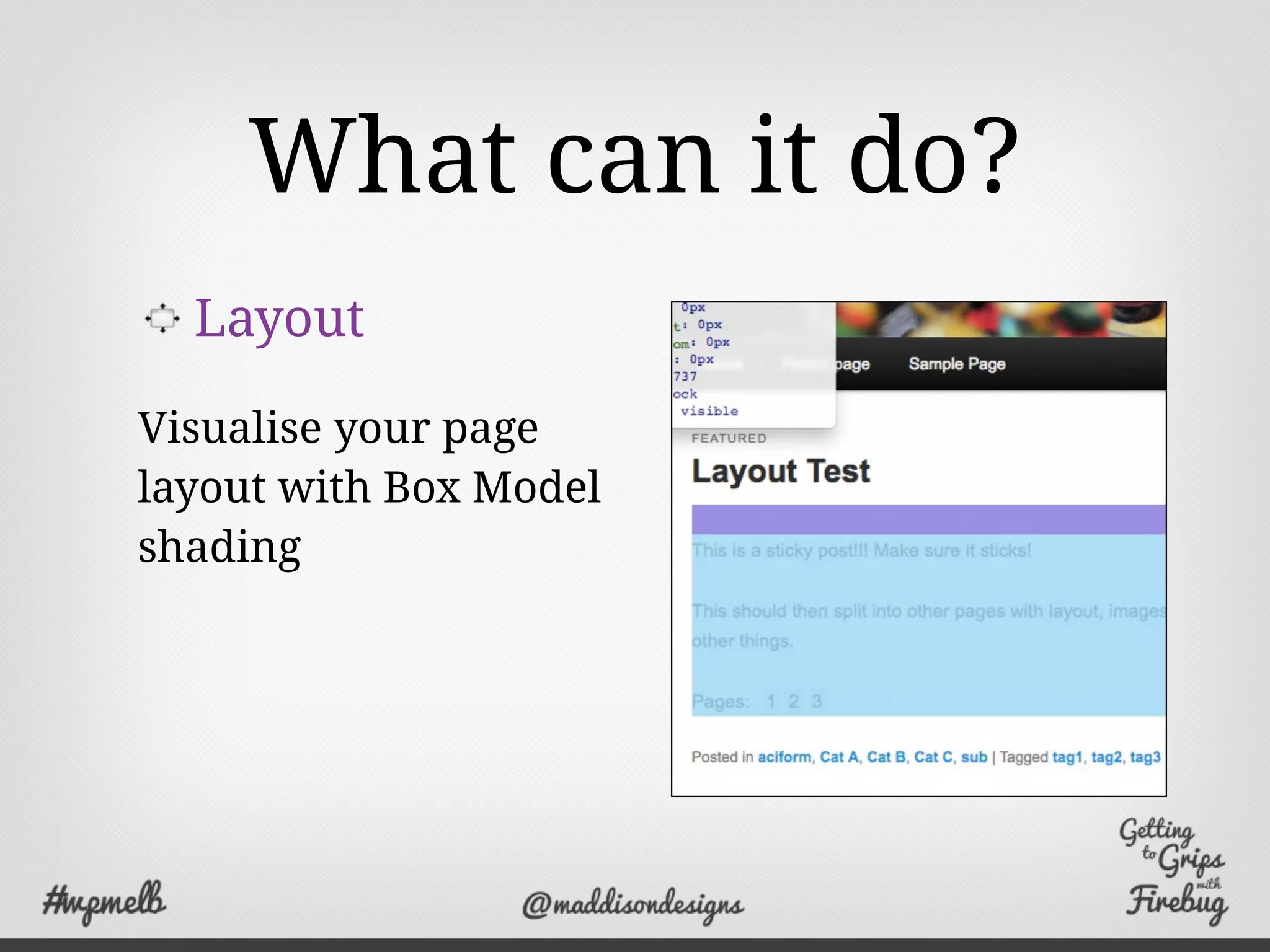
Layout
Visualise your page
layout with Box Model
shading
What can it do?
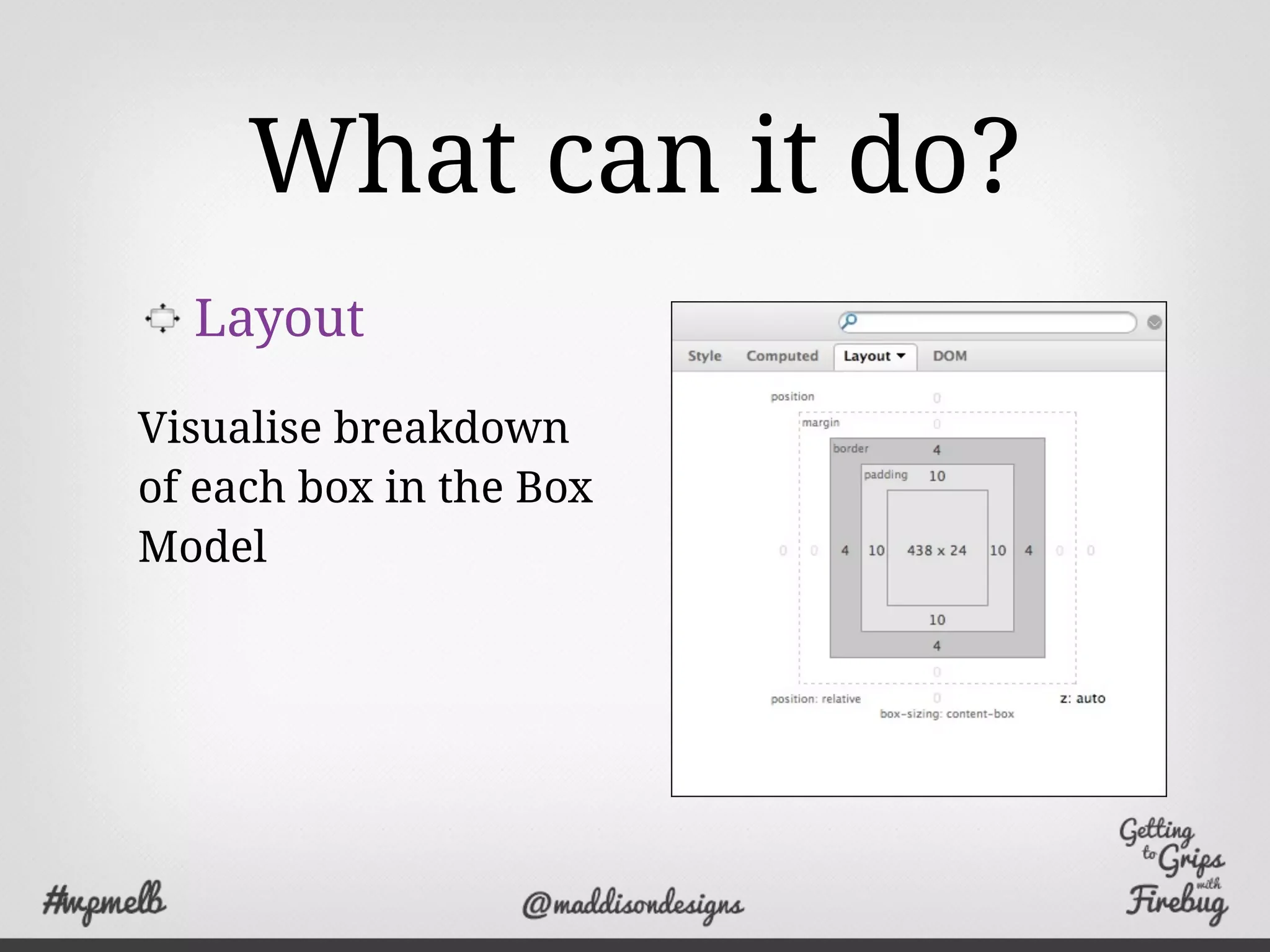
Layout
Visualise breakdown
of each box in the Box
Model
What can it do?
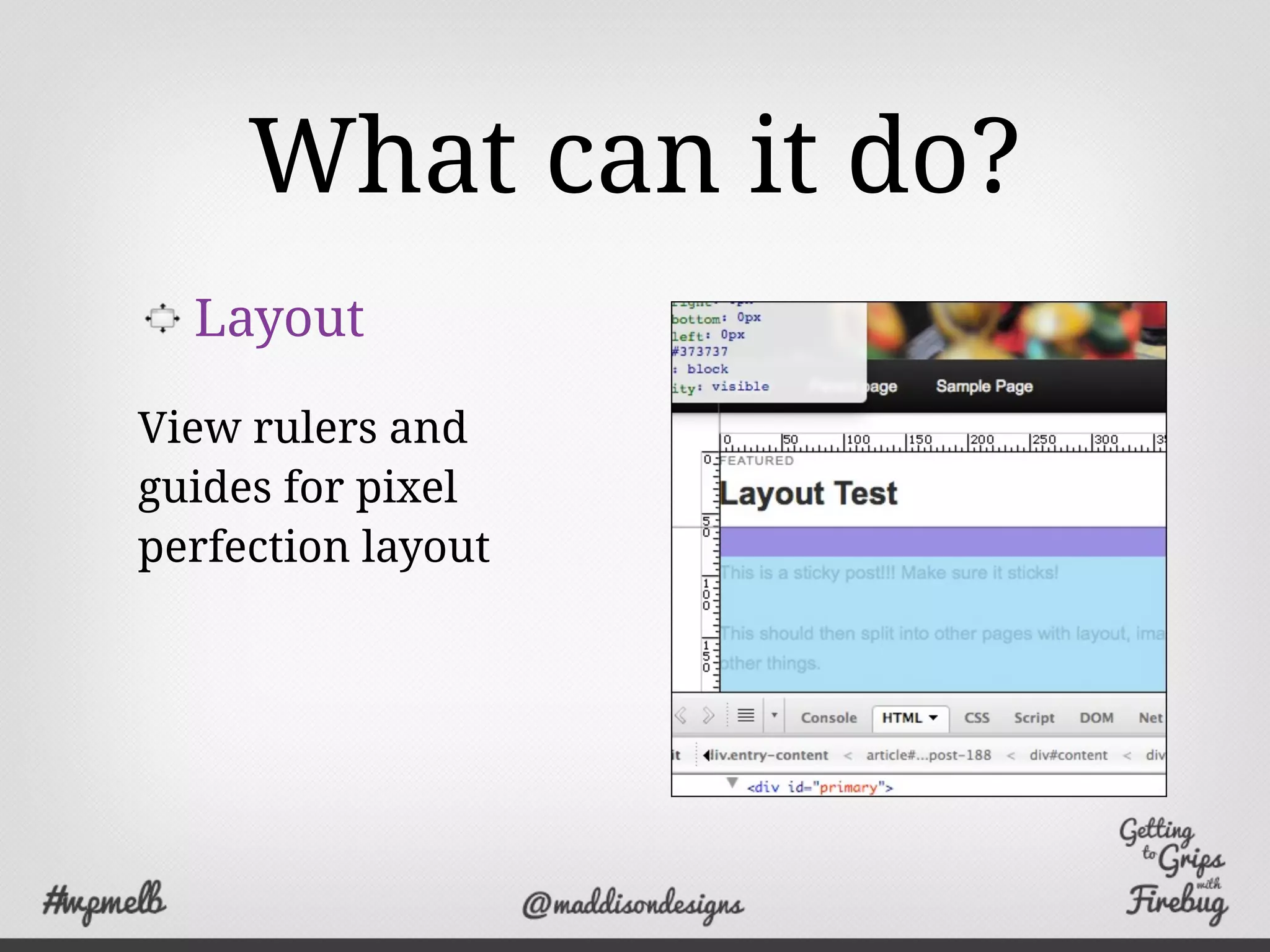
Layout
View rulers and
guides for pixel
perfection layout
That’s not all...
Log - Log events to the console
Profile - Measure site performance
Debug - Provides a powerful debugger
Analyse - Monitor network activity
Where can I get it?
http://getfirebug.com
You can also get a lite version for Chrome
http://getfirebug.com/releases/lite/chrome/
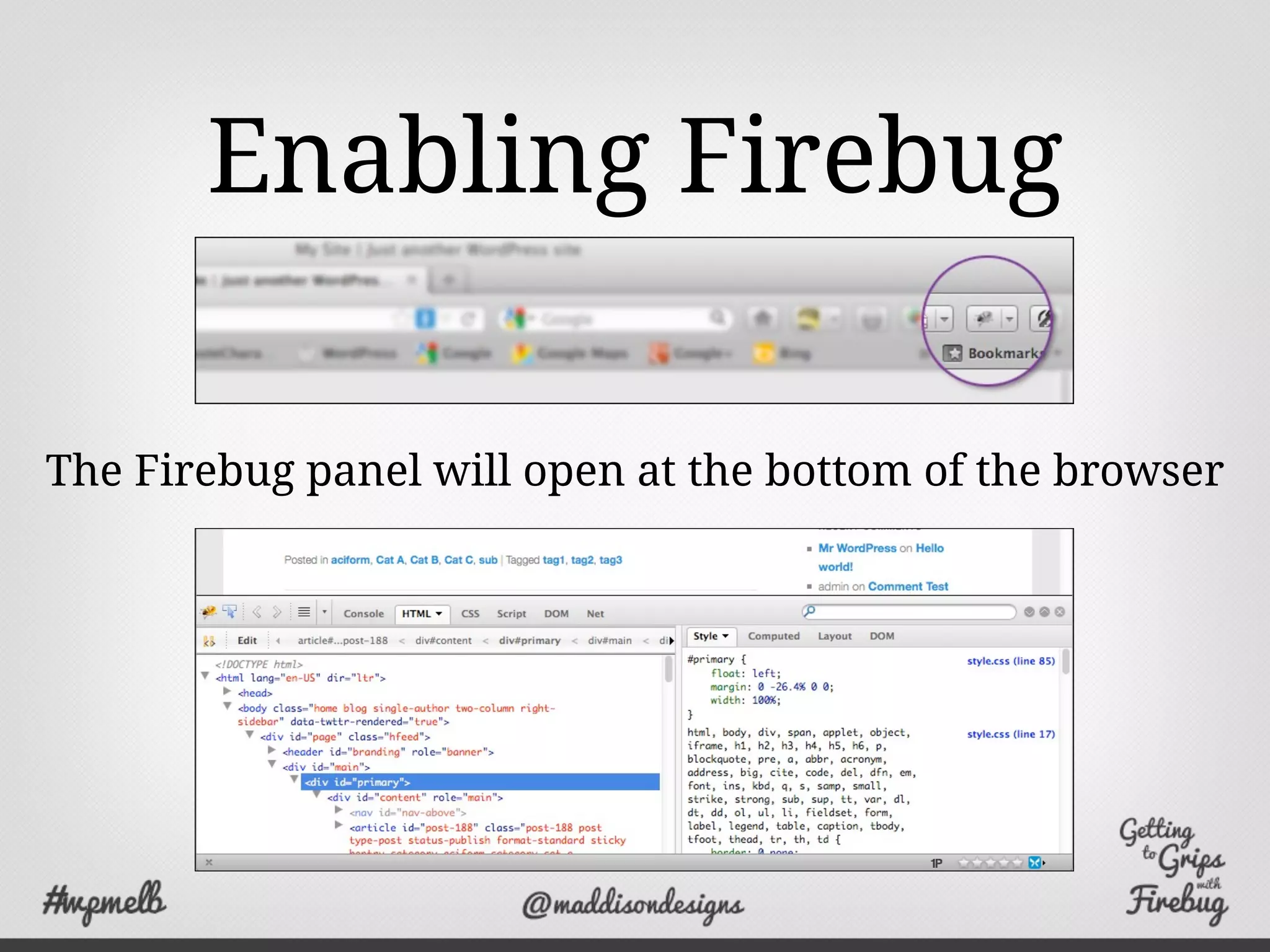
Enabling Firebug
The Firebug panel will open at the bottom of the browser
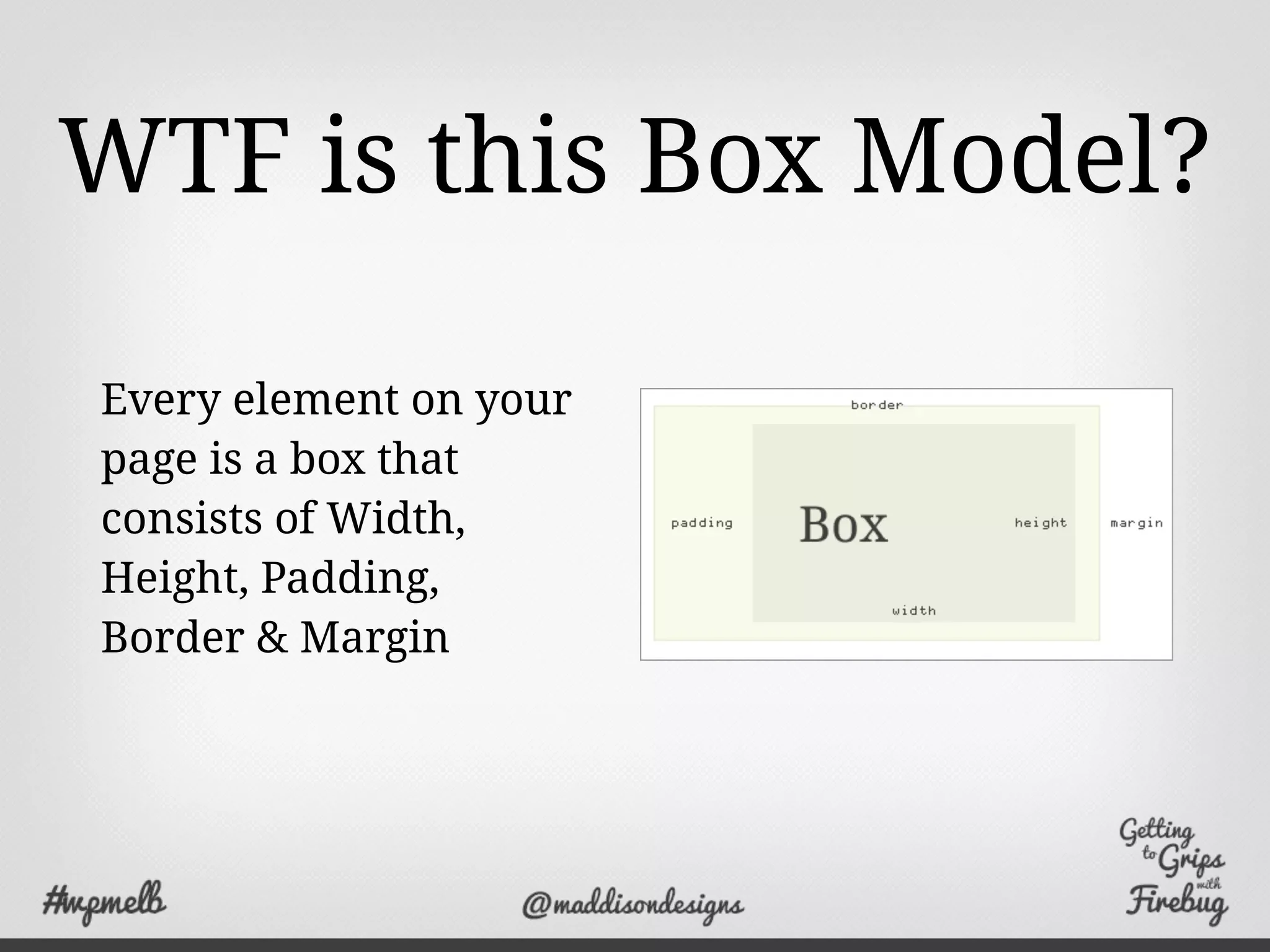
WTF is this Box Model?
Every element on your
page is a box that
consists of Width,
Height, Padding,
Border & Margin
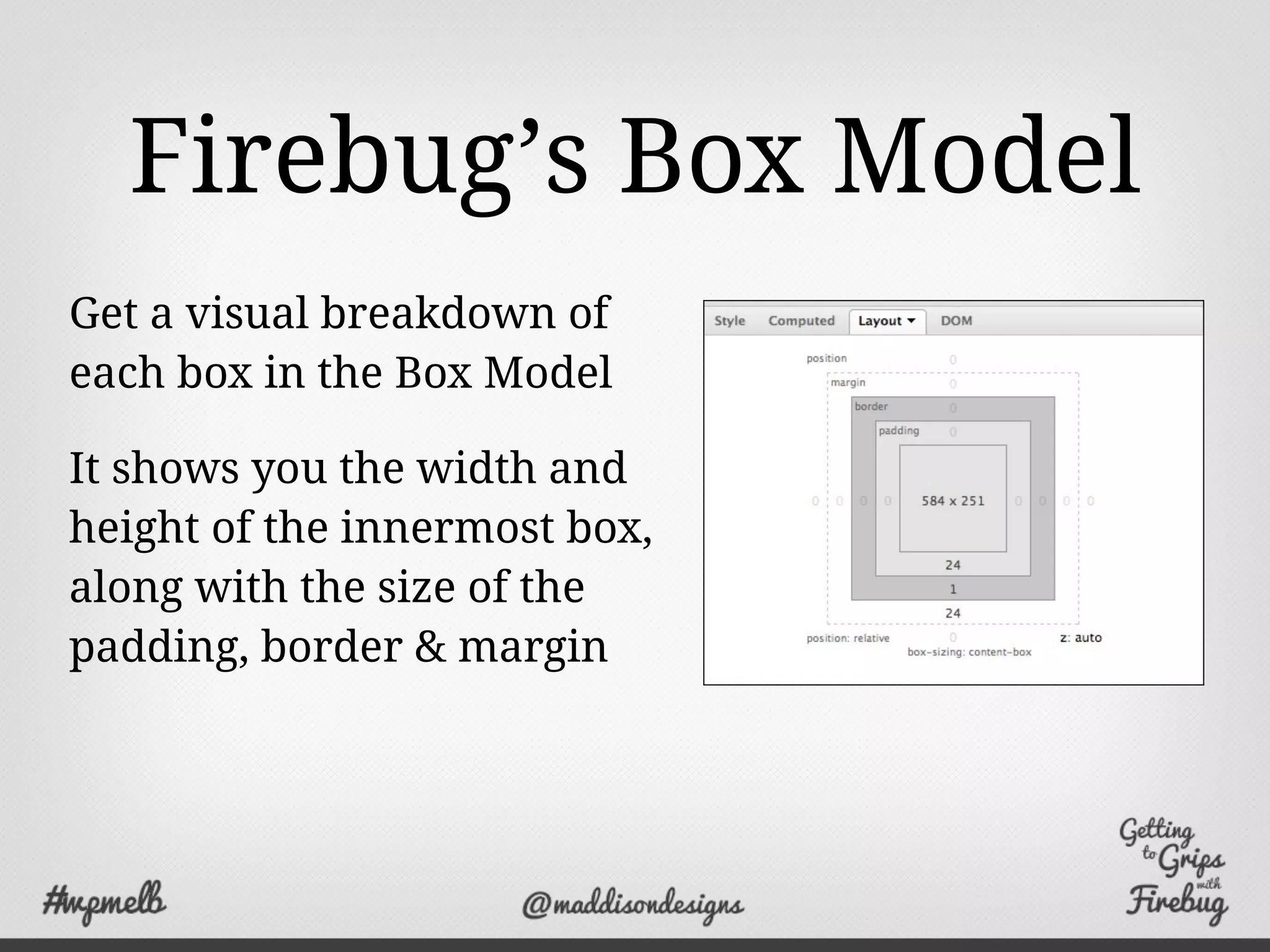
Firebug’s Box Model
Get a visual breakdown of
each box in the Box Model
It shows you the width and
height of the innermost box,
along with the size of the
padding, border & margin
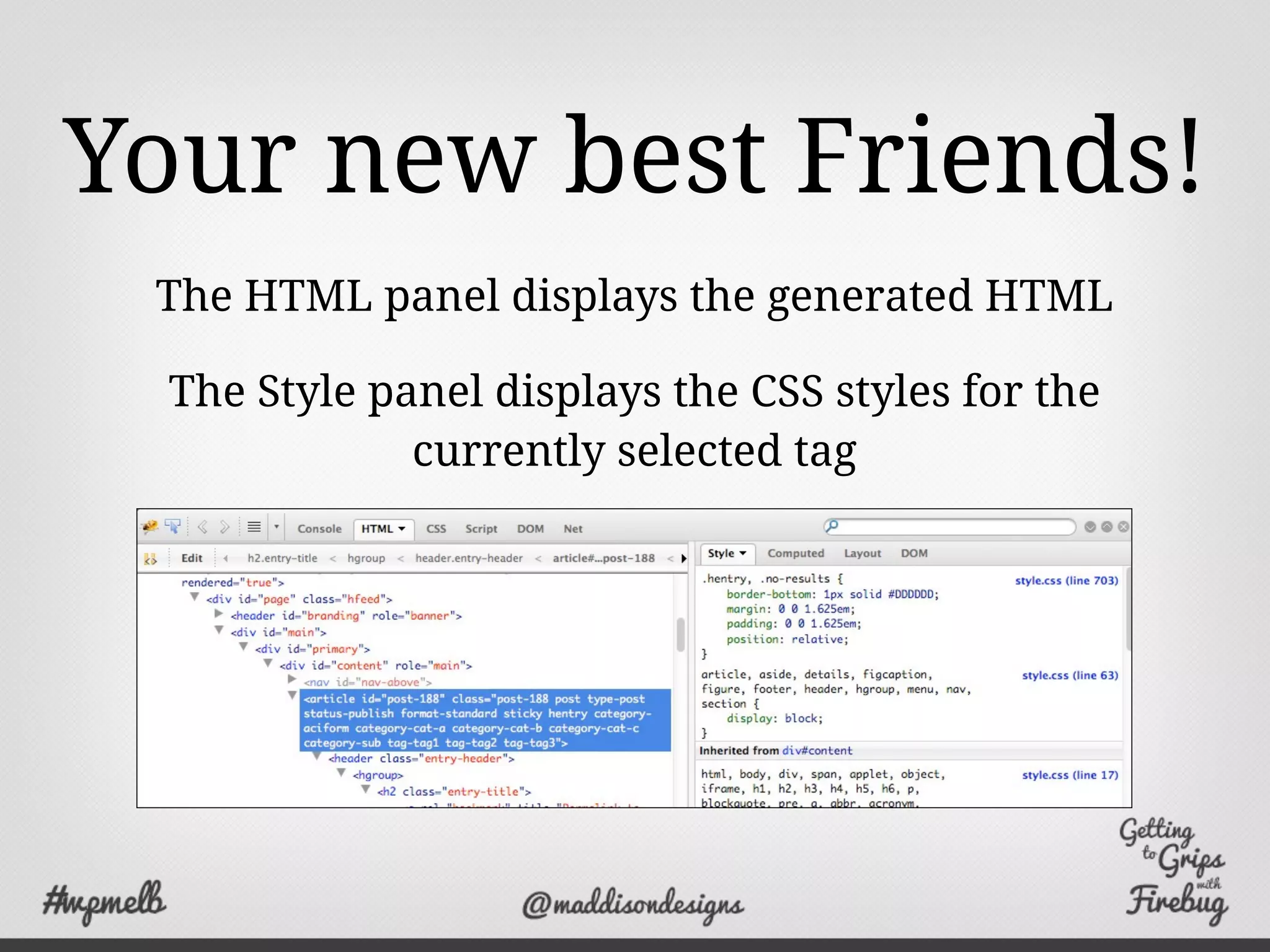
Your new best Friends!
The HTML panel displays the generated HTML
The Style panel displays the CSS styles for the
currently selected tag
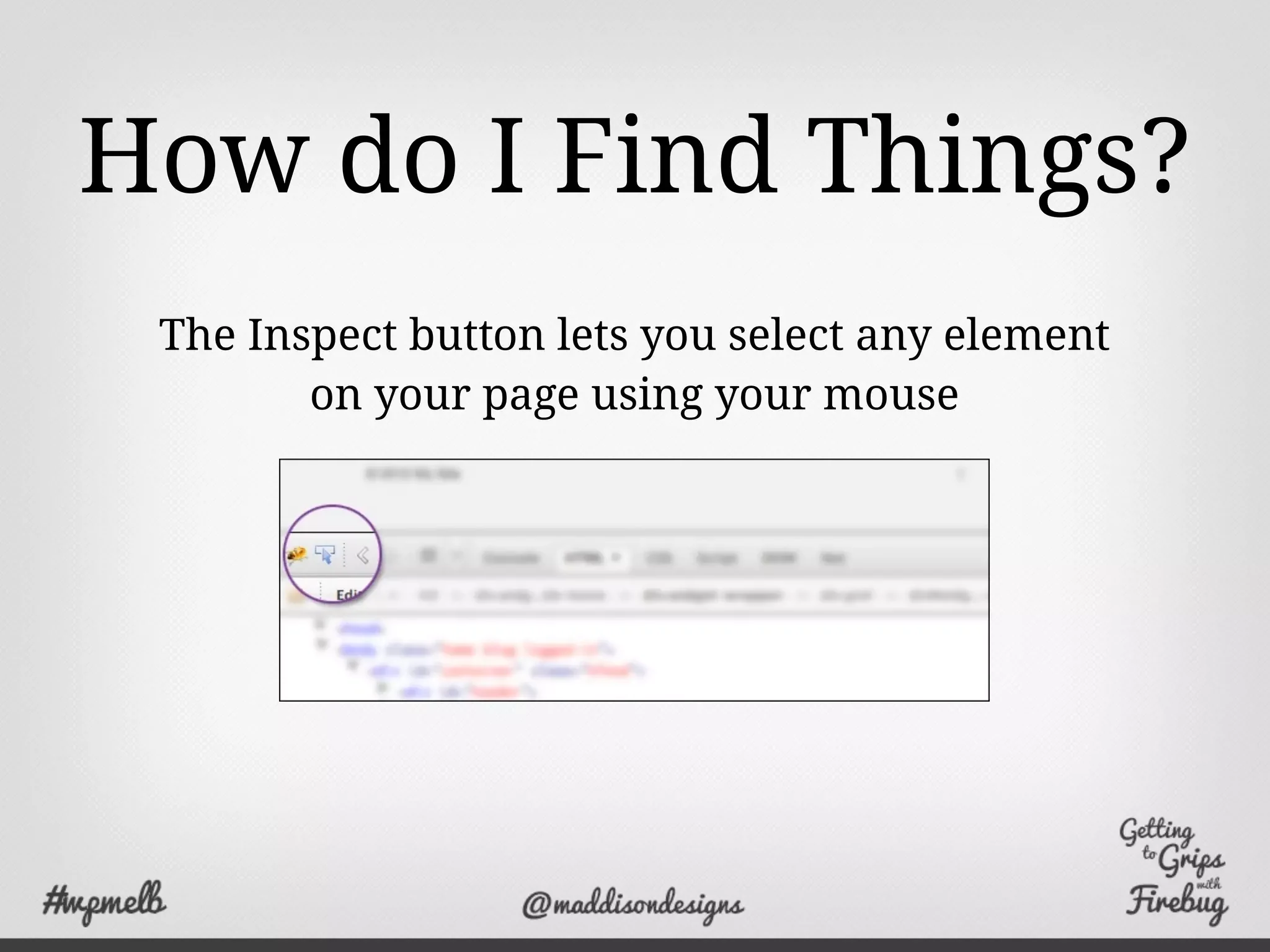
How do I Find Things?
The Inspect button lets you select any element
on your page using your mouse
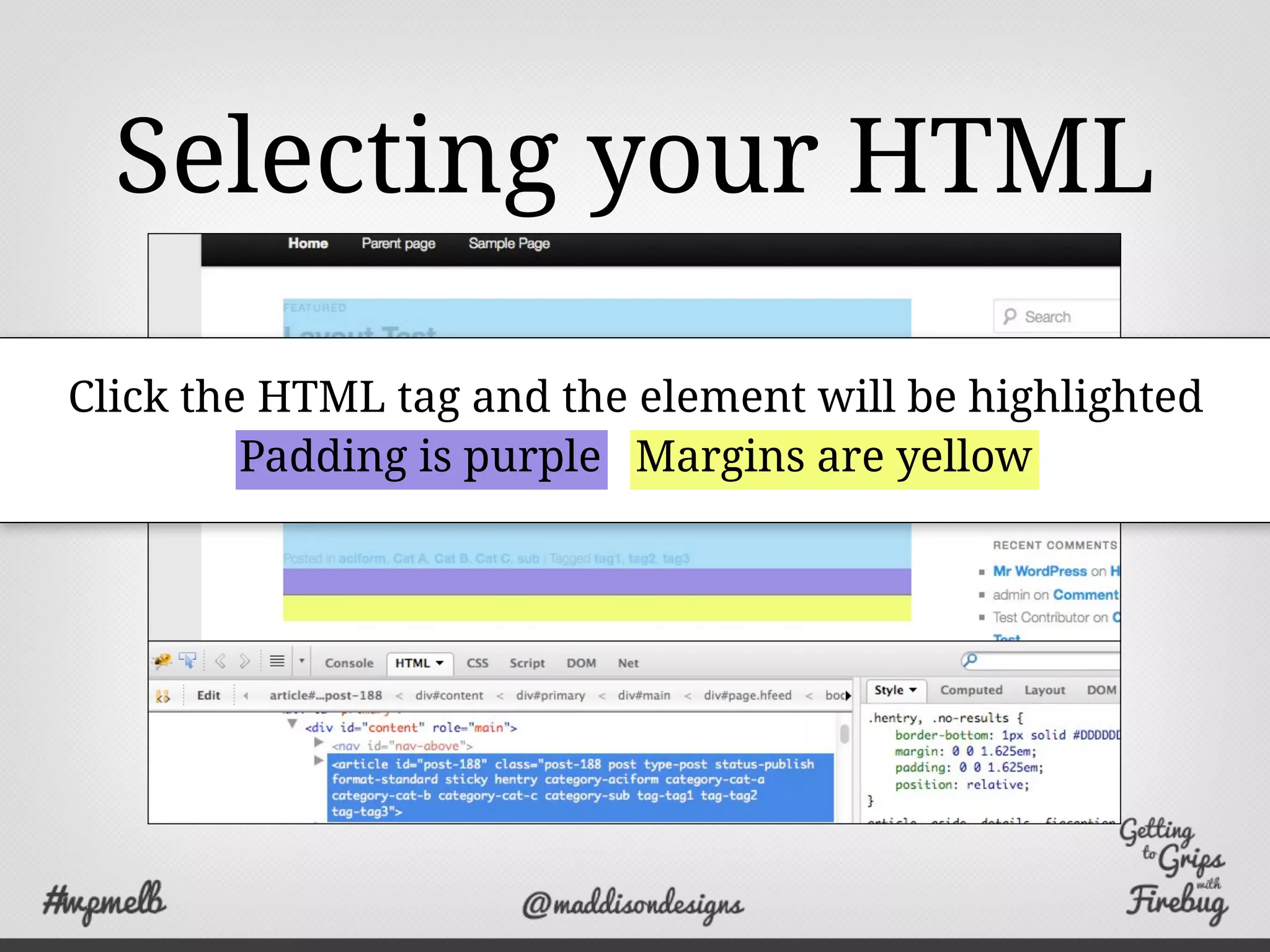
Selecting your HTML
Click the HTML tag and the element will be highlighted
Padding is purple Margins are yellow
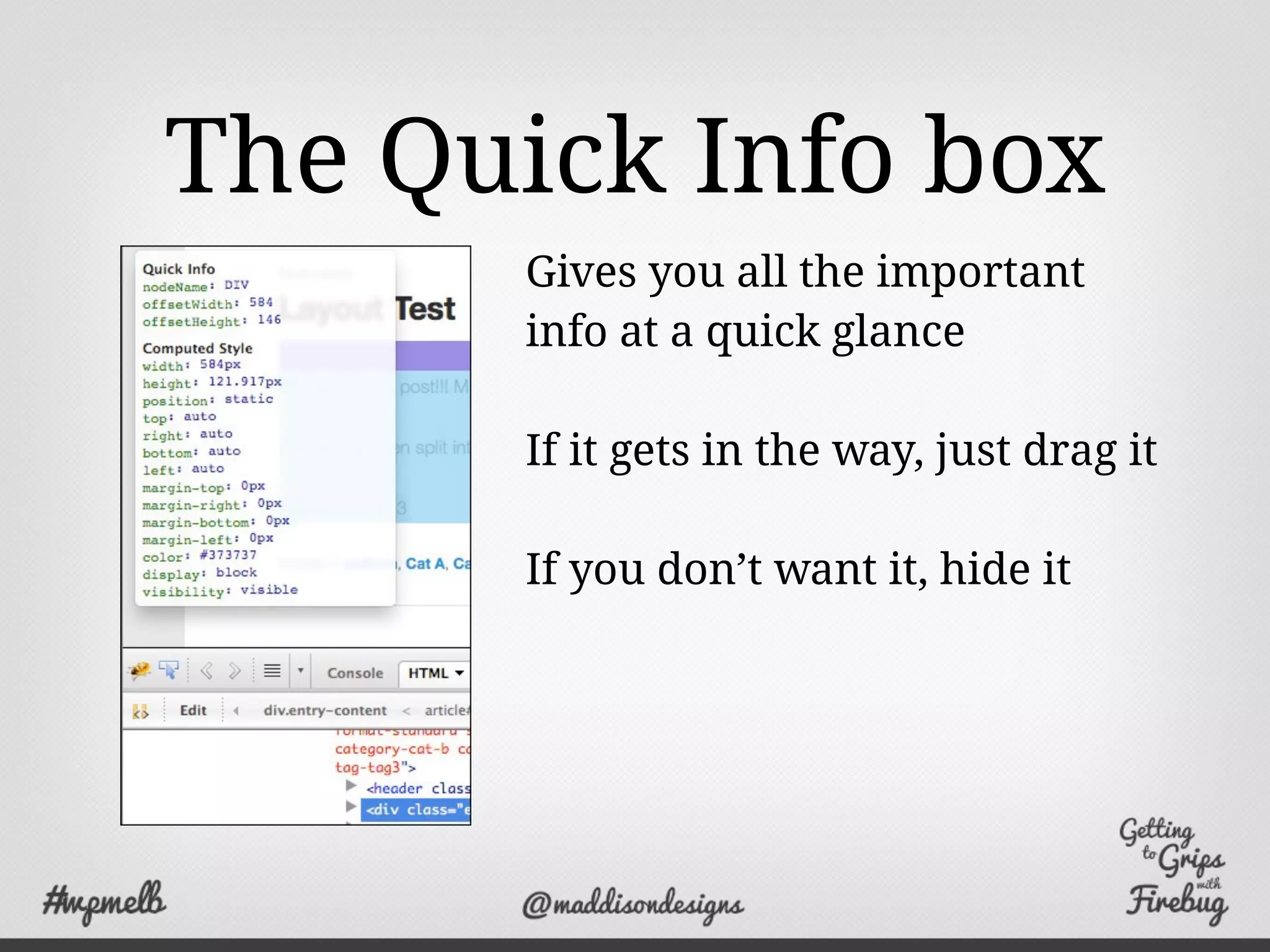
The Quick Info box
Gives you all the important
info at a quick glance
If it gets in the way, just drag it
If you don’t want it, hide it
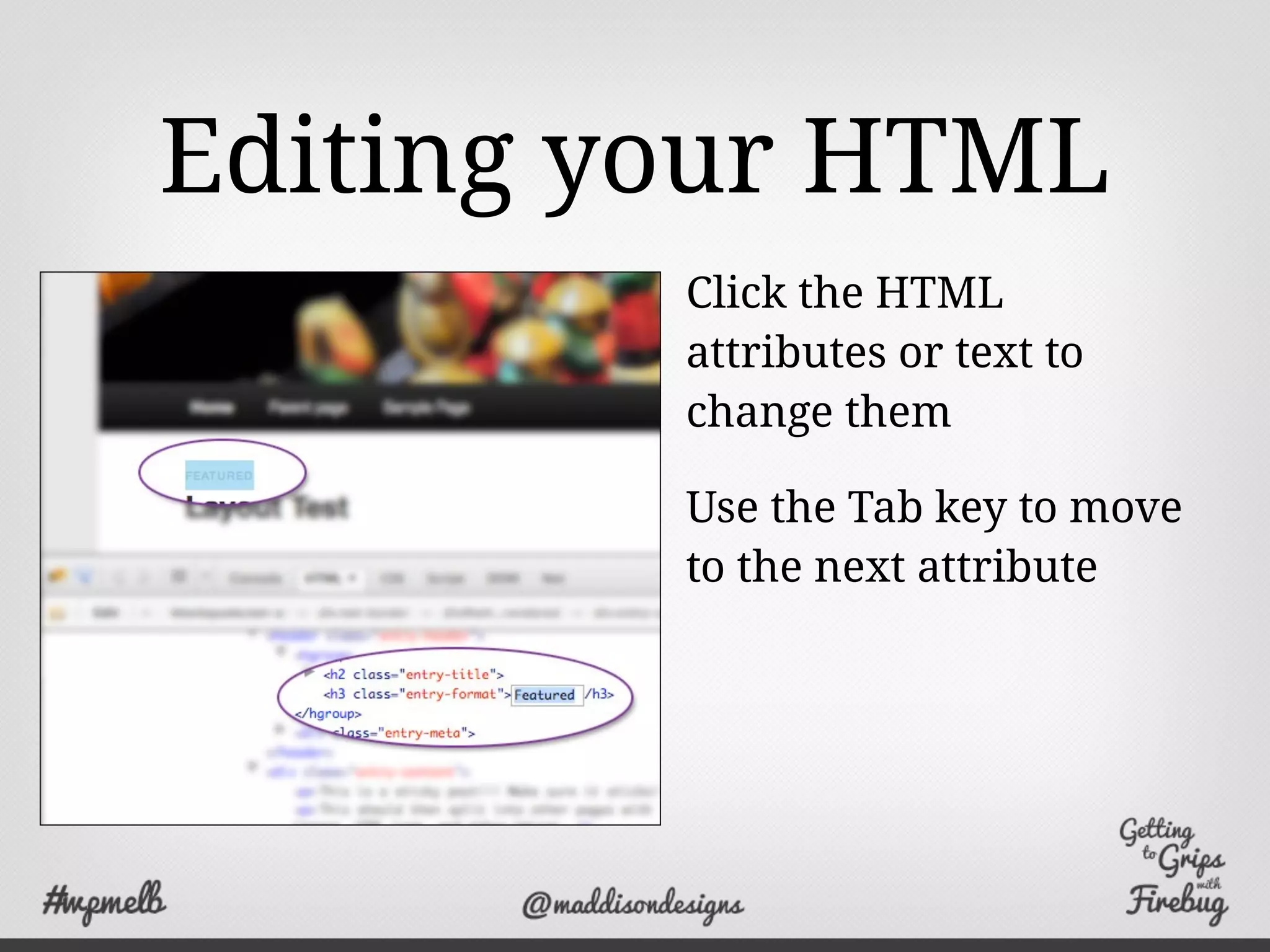
Editing your HTML
Click the HTML
attributes or text to
change them
Use the Tab key to move
to the next attribute
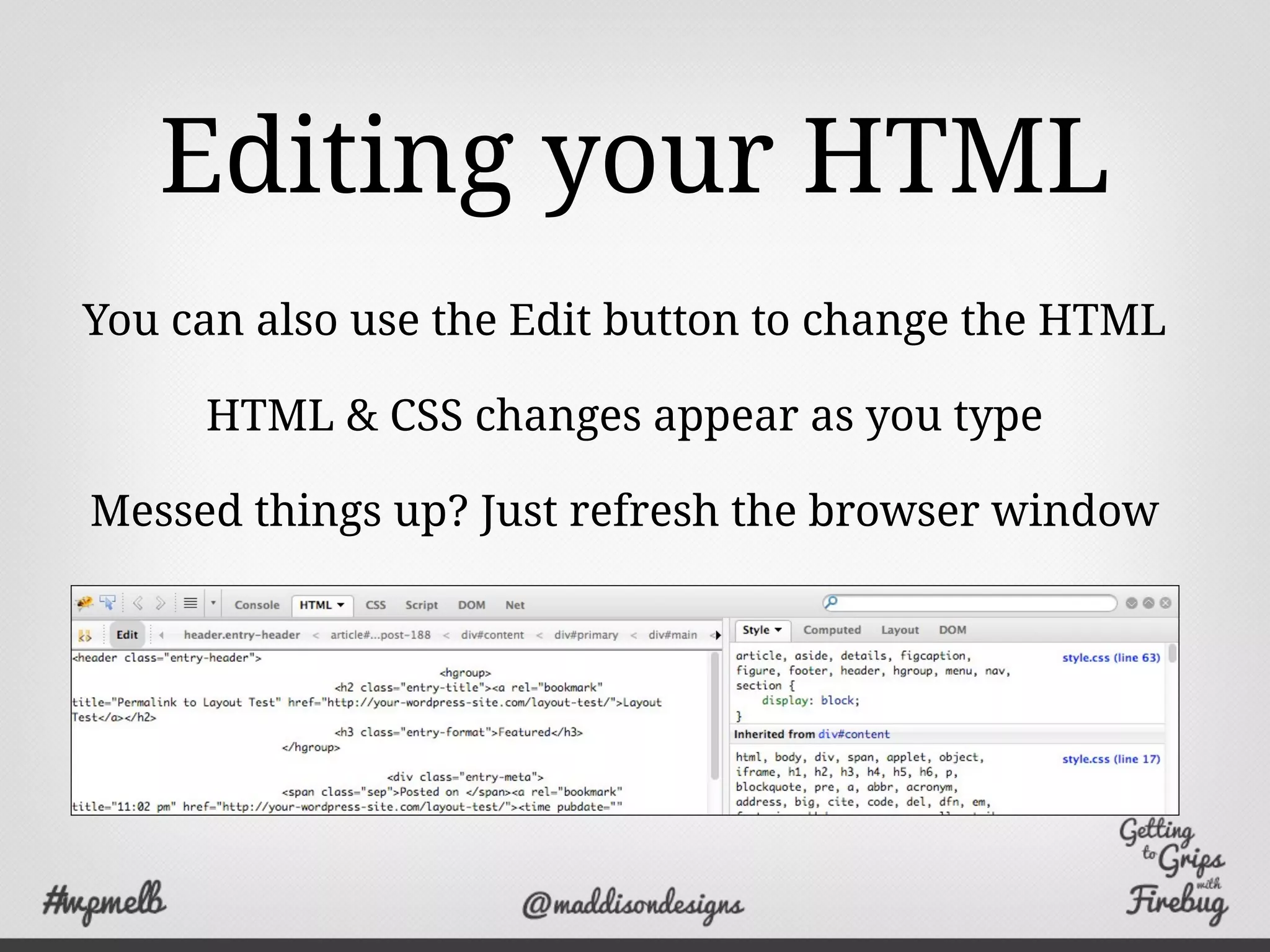
Editing your HTML
You can also use the Edit button to change the HTML
HTML & CSS changes appear as you type
Messed things up? Just refresh the browser window
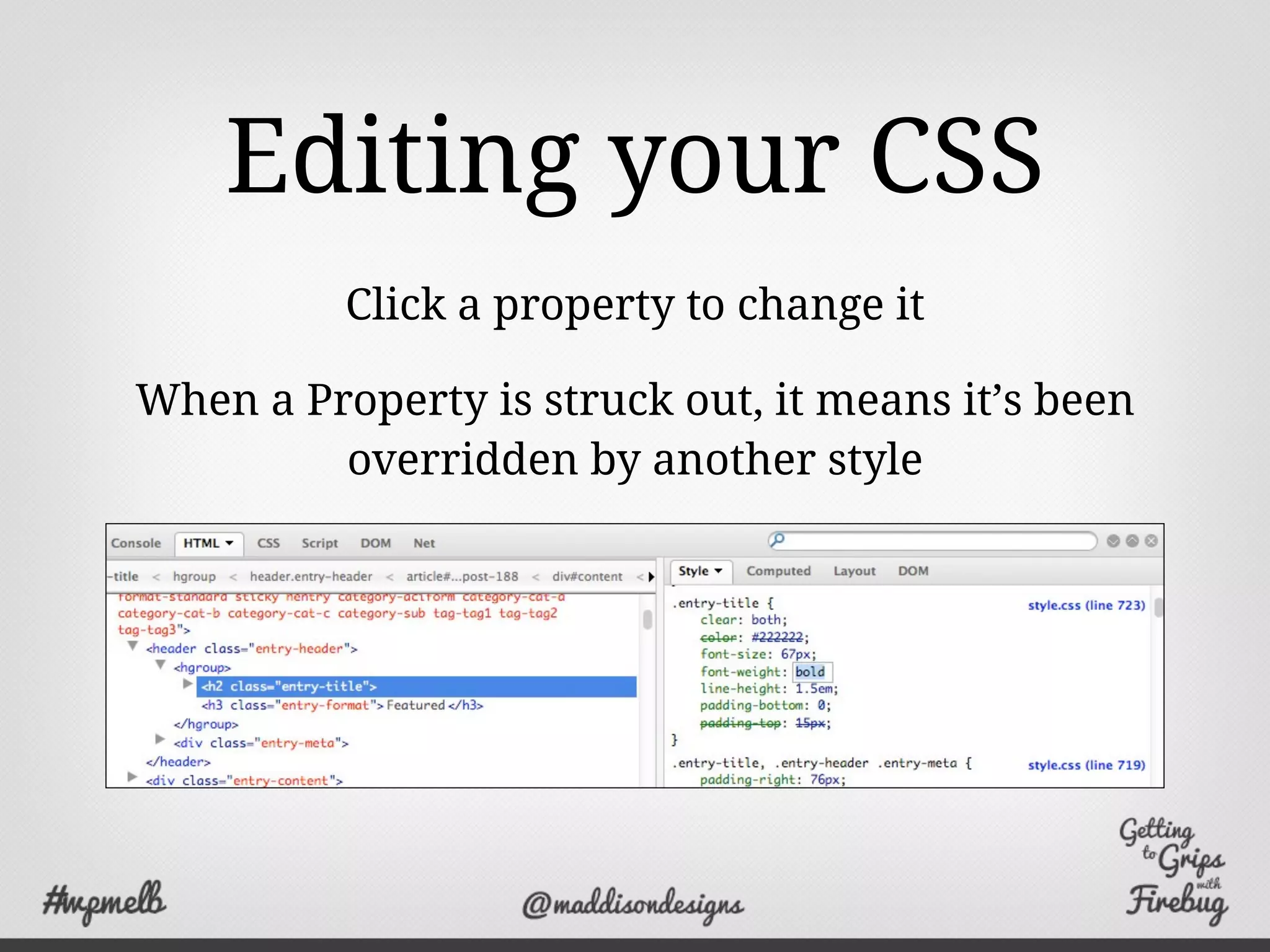
Editing your CSS
Click a property to change it
When a Property is struck out, it means it’s been
overridden by another style
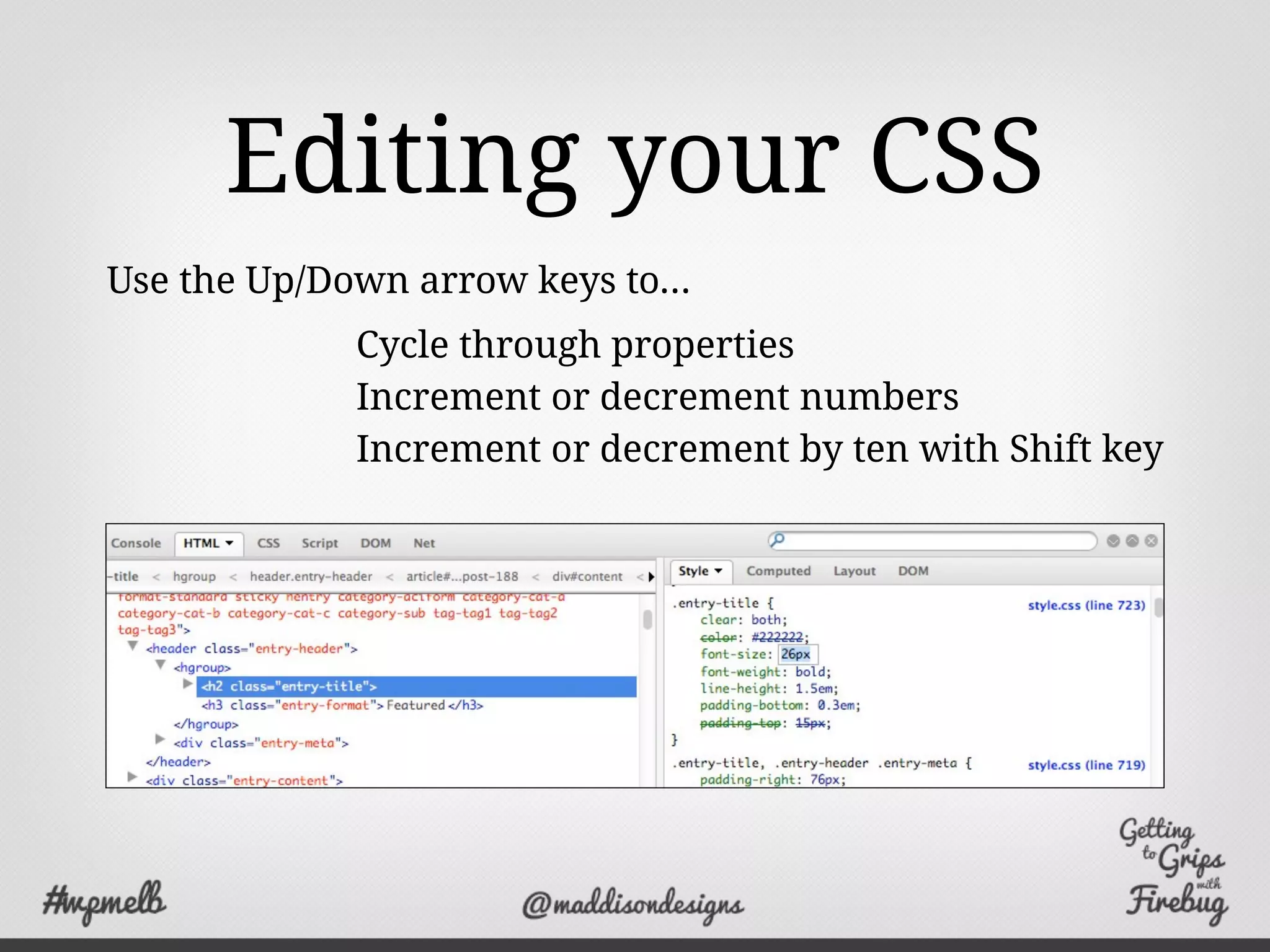
Editing your CSS
Cycle through properties
Increment or decrement numbers
Increment or decrement by ten with Shift key
Use the Up/Down arrow keys to...
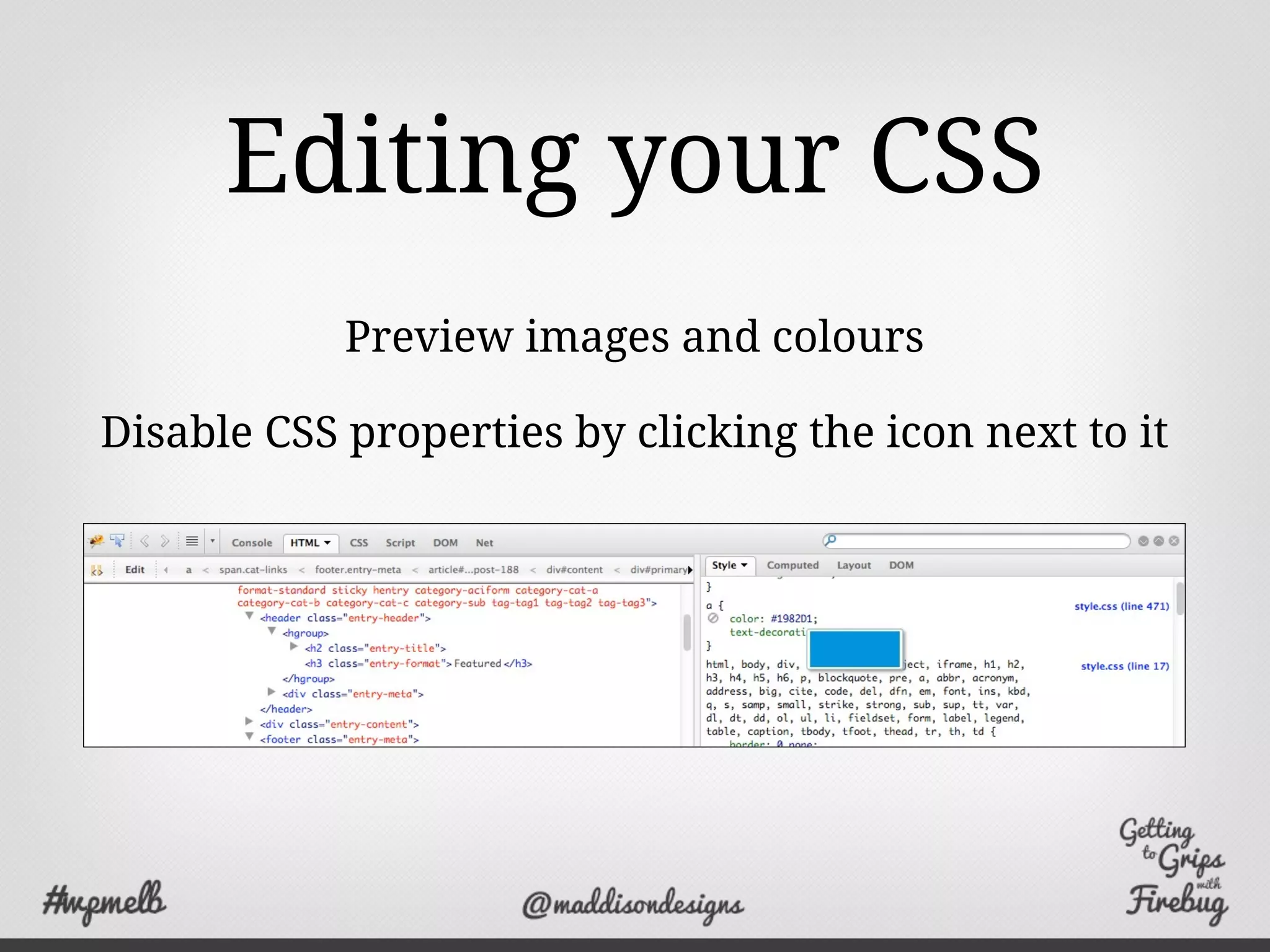
Editing your CSS
Preview images and colours
Disable CSS properties by clicking the icon next to it
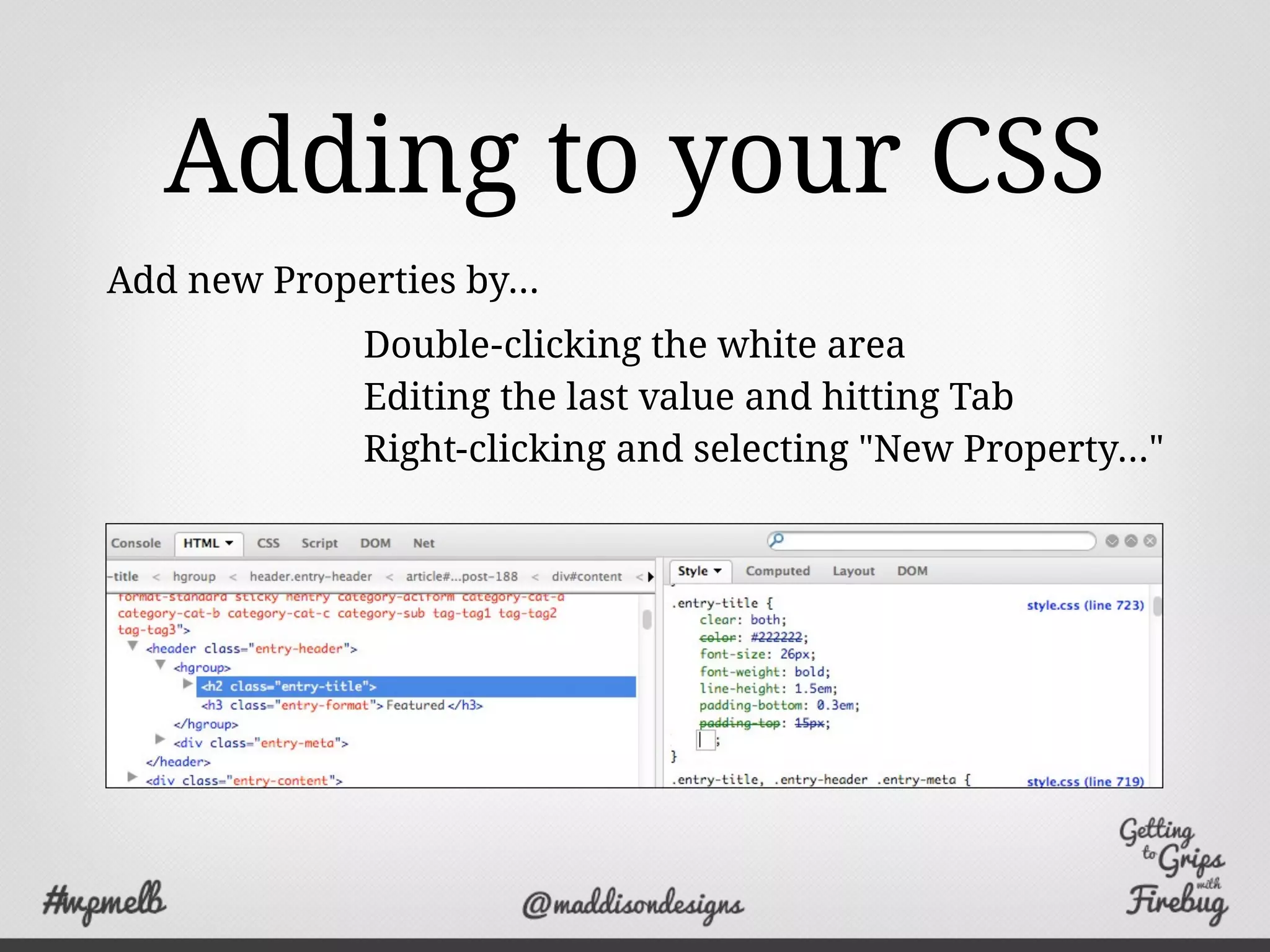
Adding to your CSS
Double-clicking the white area
Editing the last value and hitting Tab
Right-clicking and selecting "New Property..."
Add new Properties by...
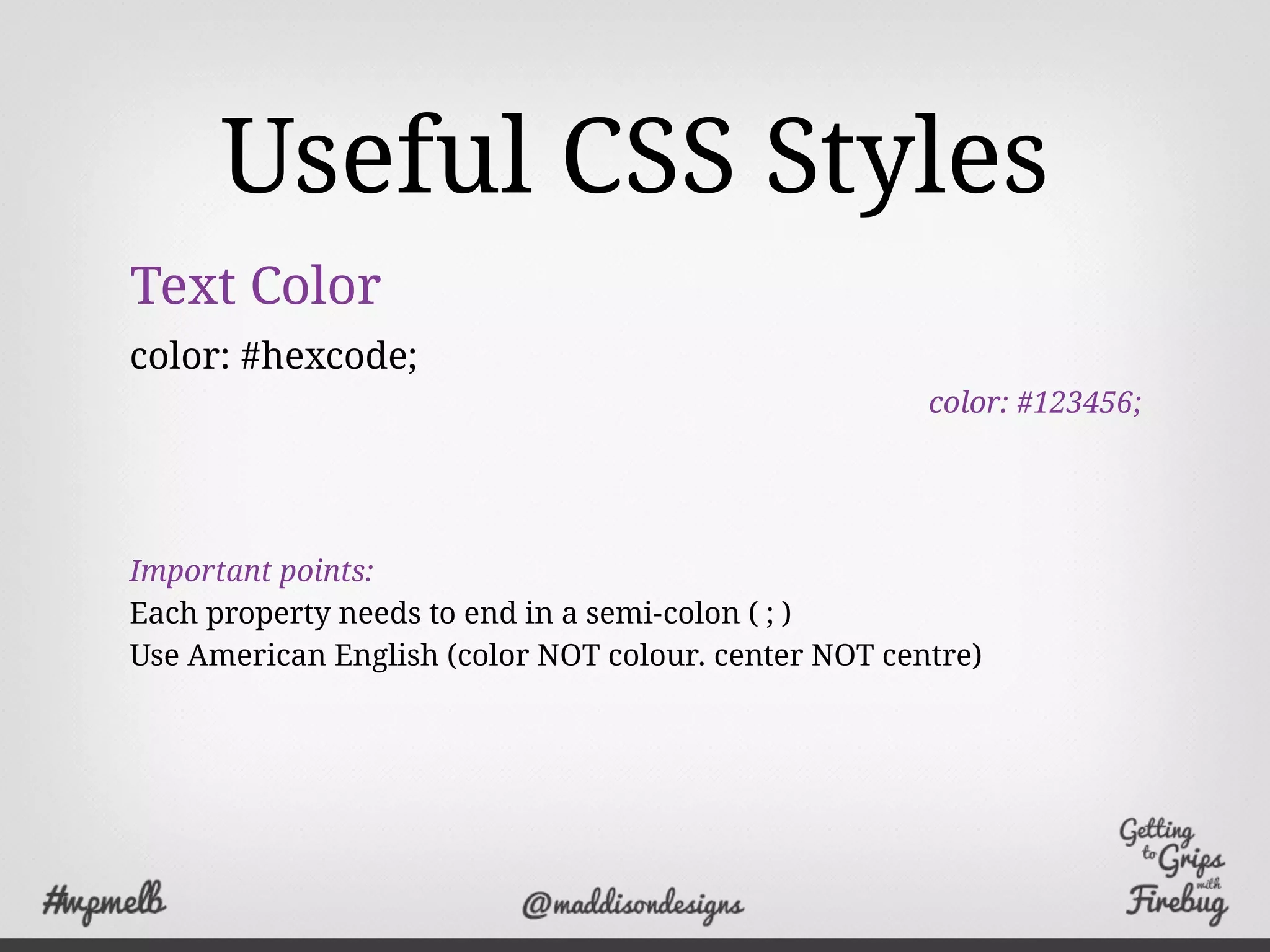
Useful CSS Styles
Text Color
color: #hexcode;
color: #123456;
Important points:
Each property needs to end in a semi-colon ( ; )
Use American English (color NOT colour. center NOT centre)
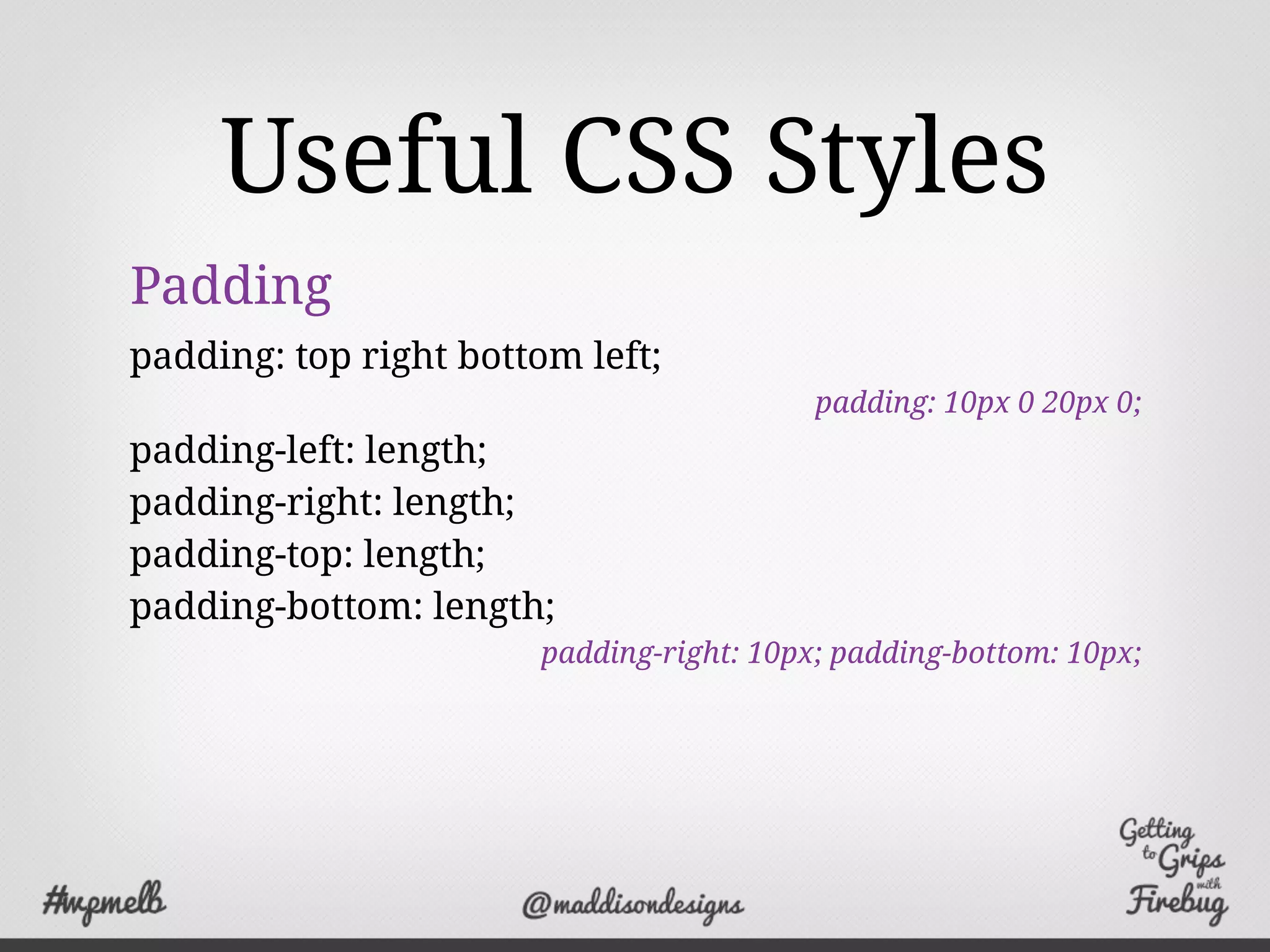
Useful CSS Styles
Padding
padding: top right bottom left;
padding: 10px 0 20px 0;
padding-left: length;
padding-right: length;
padding-top: length;
padding-bottom: length;
padding-right: 10px; padding-bottom: 10px;
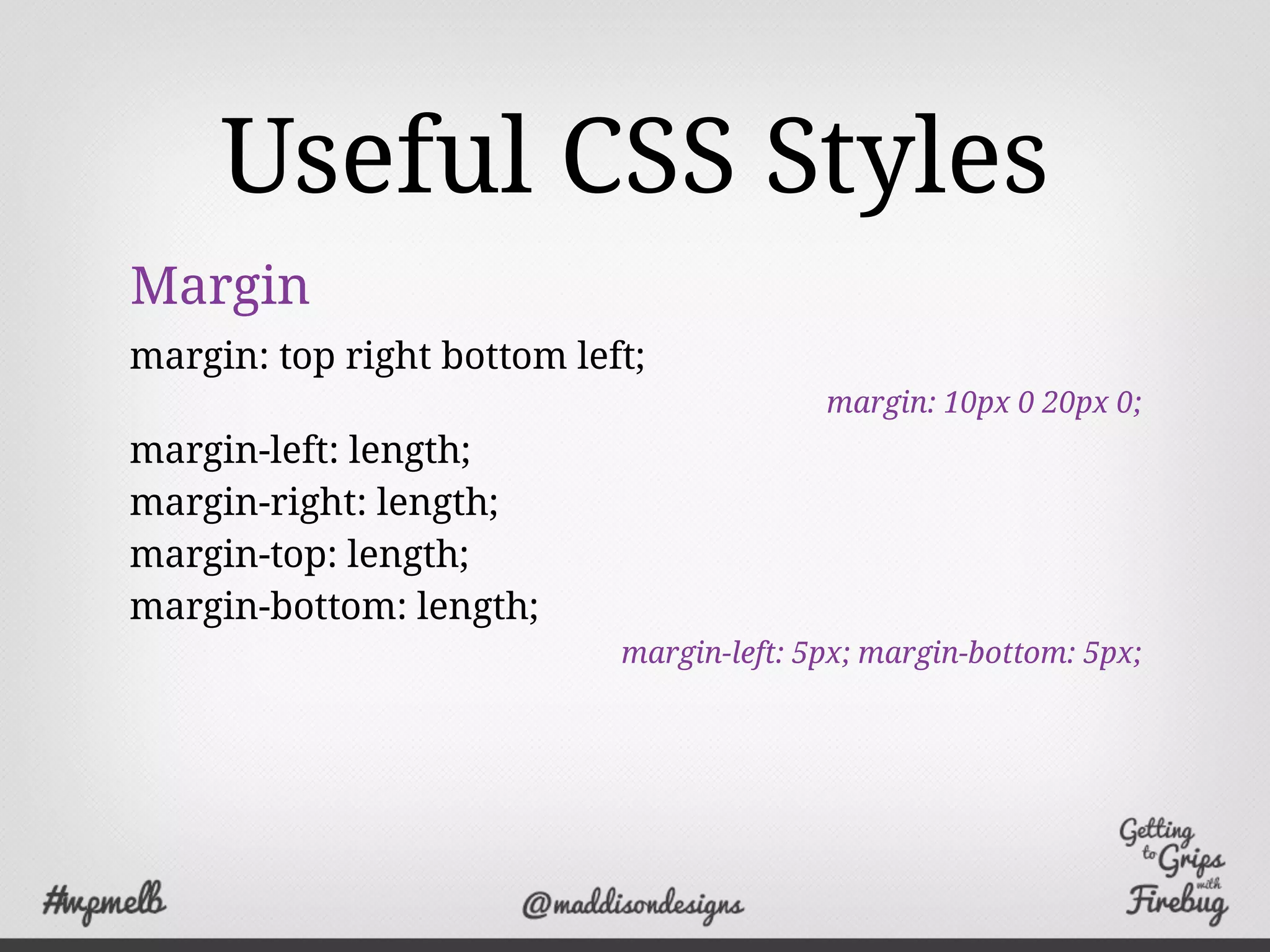
Useful CSS Styles
Margin
margin: top right bottom left;
margin: 10px 0 20px 0;
margin-left: length;
margin-right: length;
margin-top: length;
margin-bottom: length;
margin-left: 5px; margin-bottom: 5px;
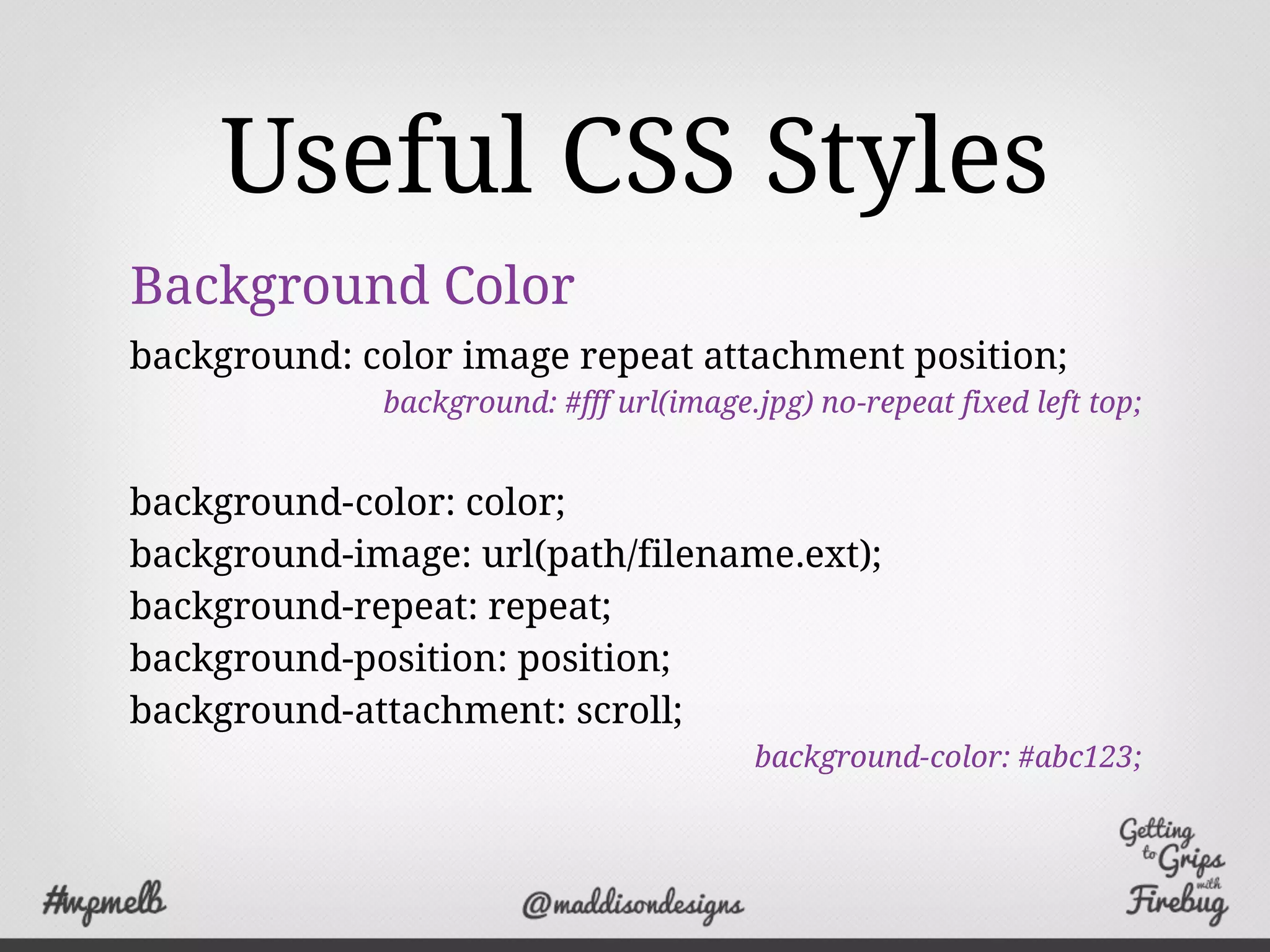
Useful CSS Styles
Background Color
background: color image repeat attachment position;
background: #fff url(image.jpg) no-repeat fixed left top;
background-color: color;
background-image: url(path/filename.ext);
background-repeat: repeat;
background-position: position;
background-attachment: scroll;
background-color: #abc123;
Useful CSS Styles
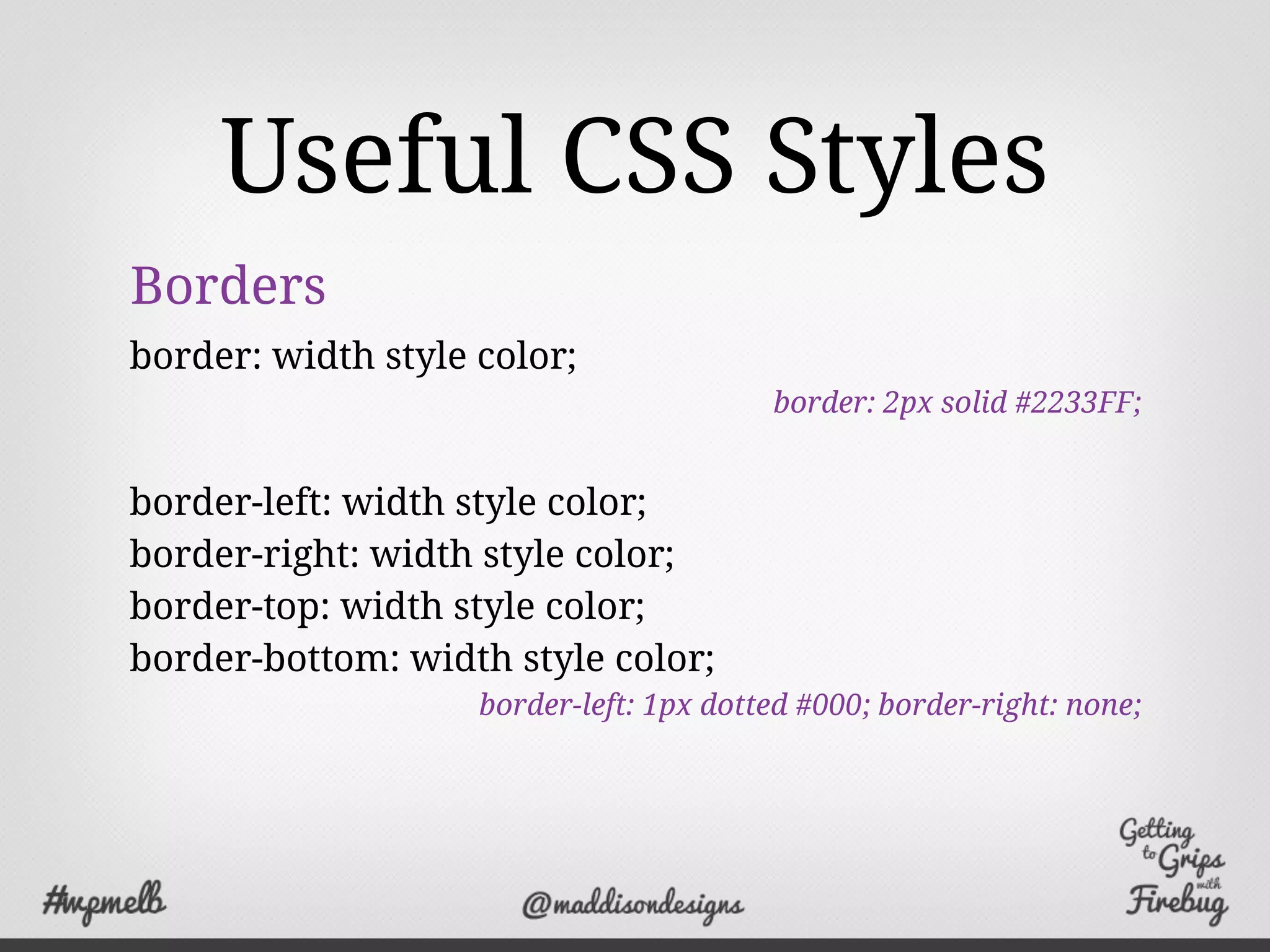
Borders
border: width style color;
border: 2px solid #2233FF;
border-left: width style color;
border-right: width style color;
border-top: width style color;
border-bottom: width style color;
border-left: 1px dotted #000; border-right: none;
Useful CSS Styles
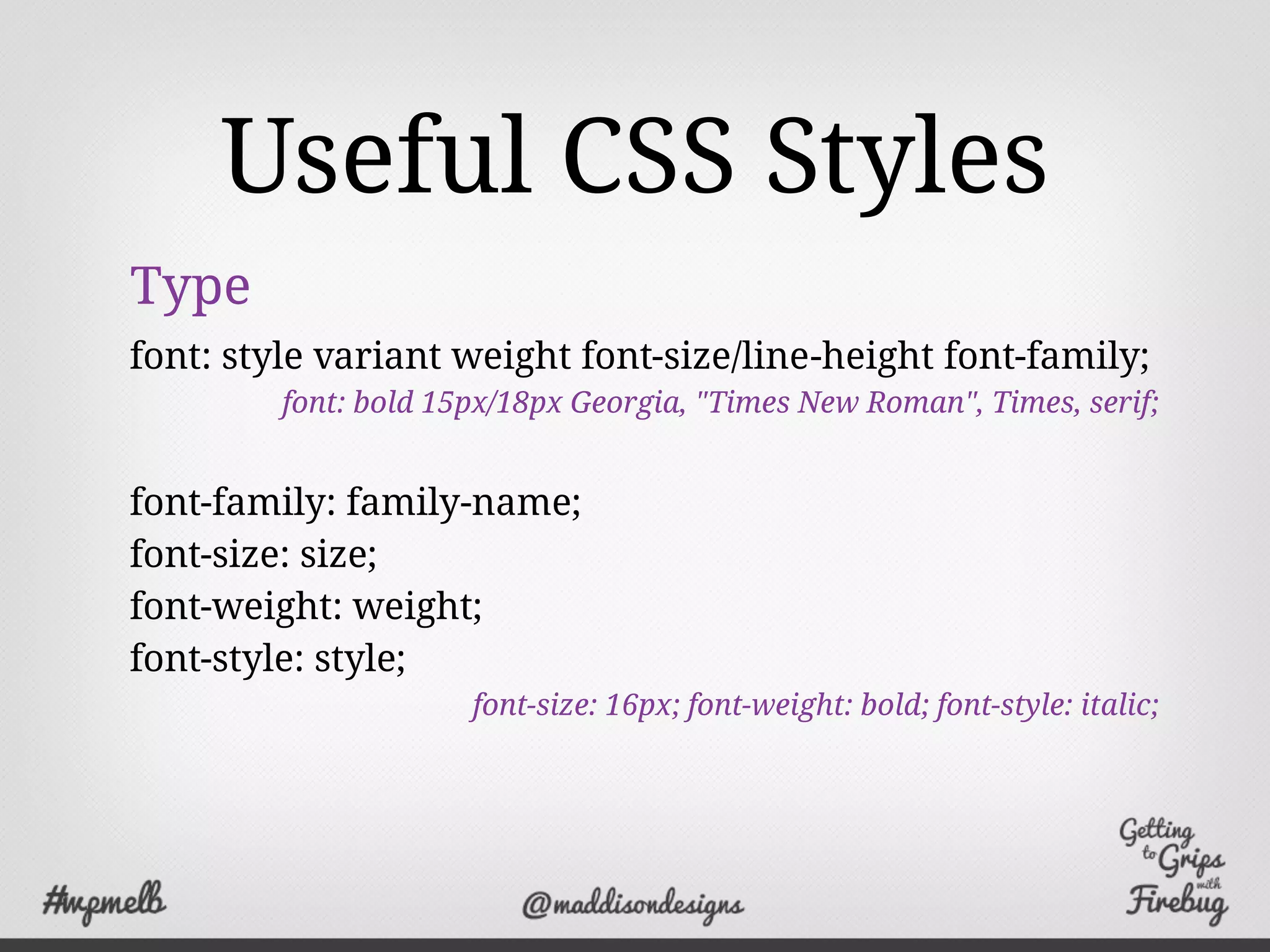
Type
font: style variant weight font-size/line-height font-family;
font: bold 15px/18px Georgia, "Times New Roman", Times, serif;
font-family: family-name;
font-size: size;
font-weight: weight;
font-style: style;
font-size: 16px; font-weight: bold; font-style: italic;
Demo
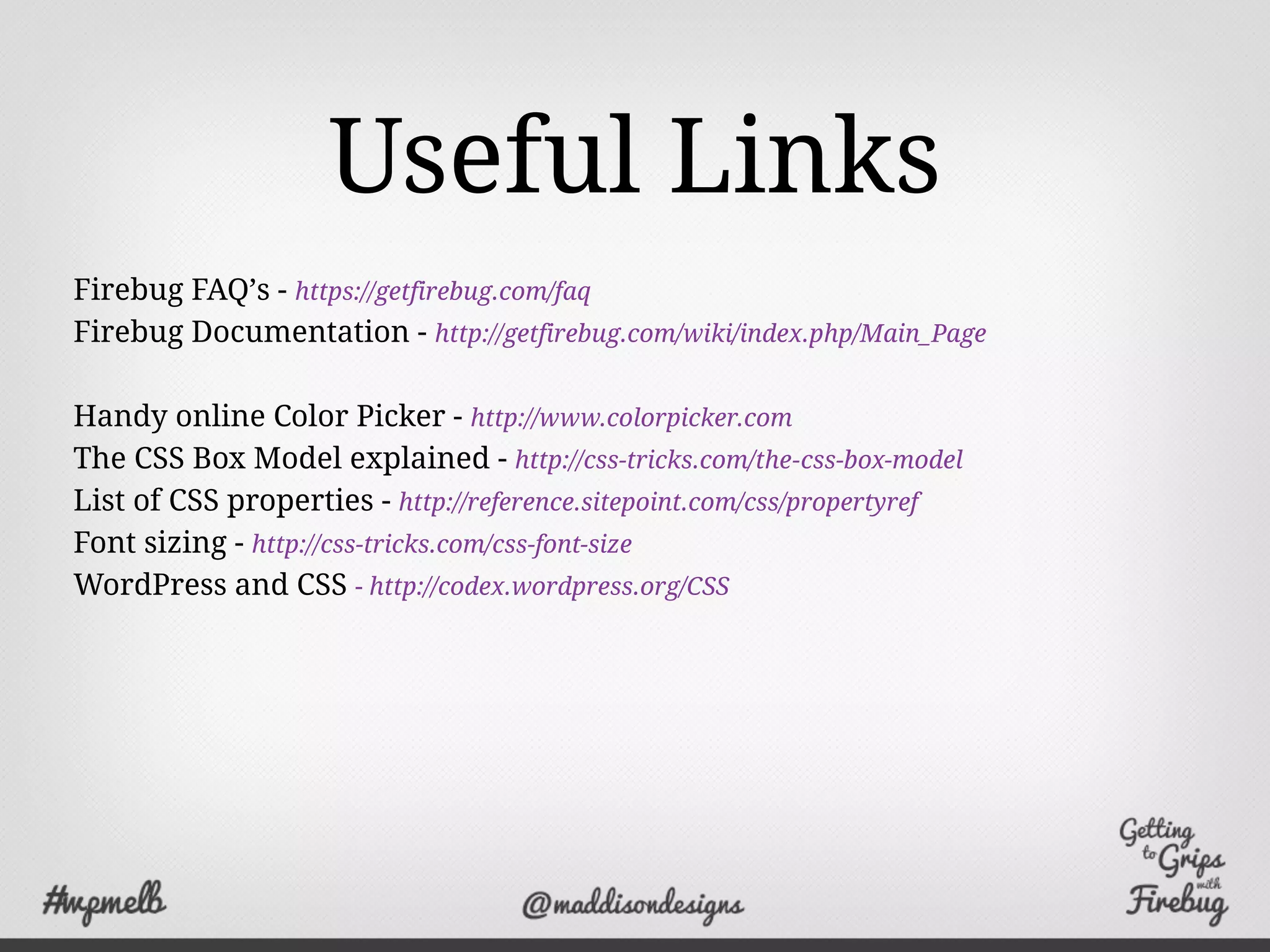
Useful Links
Firebug FAQ’s - https://getfirebug.com/faq
Firebug Documentation - http://getfirebug.com/wiki/index.php/Main_Page
Handy online Color Picker - http://www.colorpicker.com
The CSS Box Model explained - http://css-tricks.com/the-css-box-model
List of CSS properties - http://reference.sitepoint.com/css/propertyref
Font sizing - http://css-tricks.com/css-font-size
WordPress and CSS - http://codex.wordpress.org/CSS
Thank You!
I’m Anthony Hortin
You can find me here
http://maddisondesigns.com
@maddisondesigns
http://easywpguide.com
@easywpguide

Getting to Grips with Firebug

  • 2.
    What is Firebug? Firebugintegrates with Firefox to put a wealth of web development tools at your fingertips while you browse. You can edit, debug, and monitor CSS, HTML, and JavaScript live in any web page. “ ”
  • 3.
    Why would Iuse it? ✓ To find errors in your web page ✓ Experiment with and preview changes without breaking your site ✓ Make simple updates yourself without having to pay a developer
  • 4.
    What can itdo? Inspect View the HTML source on the fly
  • 5.
    What can itdo? Inspect Inspect HTML tags and CSS properties
  • 6.
    What can itdo? Inspect Edit HTML and CSS and see those changes instantly
  • 7.
    What can itdo? Layout Visualise your page layout with Box Model shading
  • 8.
    What can itdo? Layout Visualise breakdown of each box in the Box Model
  • 9.
    What can itdo? Layout View rulers and guides for pixel perfection layout
  • 10.
    That’s not all... Log- Log events to the console Profile - Measure site performance Debug - Provides a powerful debugger Analyse - Monitor network activity
  • 11.
    Where can Iget it? http://getfirebug.com You can also get a lite version for Chrome http://getfirebug.com/releases/lite/chrome/
  • 12.
    Enabling Firebug The Firebugpanel will open at the bottom of the browser
  • 13.
    WTF is thisBox Model? Every element on your page is a box that consists of Width, Height, Padding, Border & Margin
  • 14.
    Firebug’s Box Model Geta visual breakdown of each box in the Box Model It shows you the width and height of the innermost box, along with the size of the padding, border & margin
  • 15.
    Your new bestFriends! The HTML panel displays the generated HTML The Style panel displays the CSS styles for the currently selected tag
  • 16.
    How do IFind Things? The Inspect button lets you select any element on your page using your mouse
  • 17.
    Selecting your HTML Clickthe HTML tag and the element will be highlighted Padding is purple Margins are yellow
  • 18.
    The Quick Infobox Gives you all the important info at a quick glance If it gets in the way, just drag it If you don’t want it, hide it
  • 19.
    Editing your HTML Clickthe HTML attributes or text to change them Use the Tab key to move to the next attribute
  • 20.
    Editing your HTML Youcan also use the Edit button to change the HTML HTML & CSS changes appear as you type Messed things up? Just refresh the browser window
  • 21.
    Editing your CSS Clicka property to change it When a Property is struck out, it means it’s been overridden by another style
  • 22.
    Editing your CSS Cyclethrough properties Increment or decrement numbers Increment or decrement by ten with Shift key Use the Up/Down arrow keys to...
  • 23.
    Editing your CSS Previewimages and colours Disable CSS properties by clicking the icon next to it
  • 24.
    Adding to yourCSS Double-clicking the white area Editing the last value and hitting Tab Right-clicking and selecting "New Property..." Add new Properties by...
  • 25.
    Useful CSS Styles TextColor color: #hexcode; color: #123456; Important points: Each property needs to end in a semi-colon ( ; ) Use American English (color NOT colour. center NOT centre)
  • 26.
    Useful CSS Styles Padding padding:top right bottom left; padding: 10px 0 20px 0; padding-left: length; padding-right: length; padding-top: length; padding-bottom: length; padding-right: 10px; padding-bottom: 10px;
  • 27.
    Useful CSS Styles Margin margin:top right bottom left; margin: 10px 0 20px 0; margin-left: length; margin-right: length; margin-top: length; margin-bottom: length; margin-left: 5px; margin-bottom: 5px;
  • 28.
    Useful CSS Styles BackgroundColor background: color image repeat attachment position; background: #fff url(image.jpg) no-repeat fixed left top; background-color: color; background-image: url(path/filename.ext); background-repeat: repeat; background-position: position; background-attachment: scroll; background-color: #abc123;
  • 29.
    Useful CSS Styles Borders border:width style color; border: 2px solid #2233FF; border-left: width style color; border-right: width style color; border-top: width style color; border-bottom: width style color; border-left: 1px dotted #000; border-right: none;
  • 30.
    Useful CSS Styles Type font:style variant weight font-size/line-height font-family; font: bold 15px/18px Georgia, "Times New Roman", Times, serif; font-family: family-name; font-size: size; font-weight: weight; font-style: style; font-size: 16px; font-weight: bold; font-style: italic;
  • 31.
  • 32.
    Useful Links Firebug FAQ’s- https://getfirebug.com/faq Firebug Documentation - http://getfirebug.com/wiki/index.php/Main_Page Handy online Color Picker - http://www.colorpicker.com The CSS Box Model explained - http://css-tricks.com/the-css-box-model List of CSS properties - http://reference.sitepoint.com/css/propertyref Font sizing - http://css-tricks.com/css-font-size WordPress and CSS - http://codex.wordpress.org/CSS
  • 33.
    Thank You! I’m AnthonyHortin You can find me here http://maddisondesigns.com @maddisondesigns http://easywpguide.com @easywpguide