How to send List Emails of a Lead in Salesforce
Lightning
myguide.org
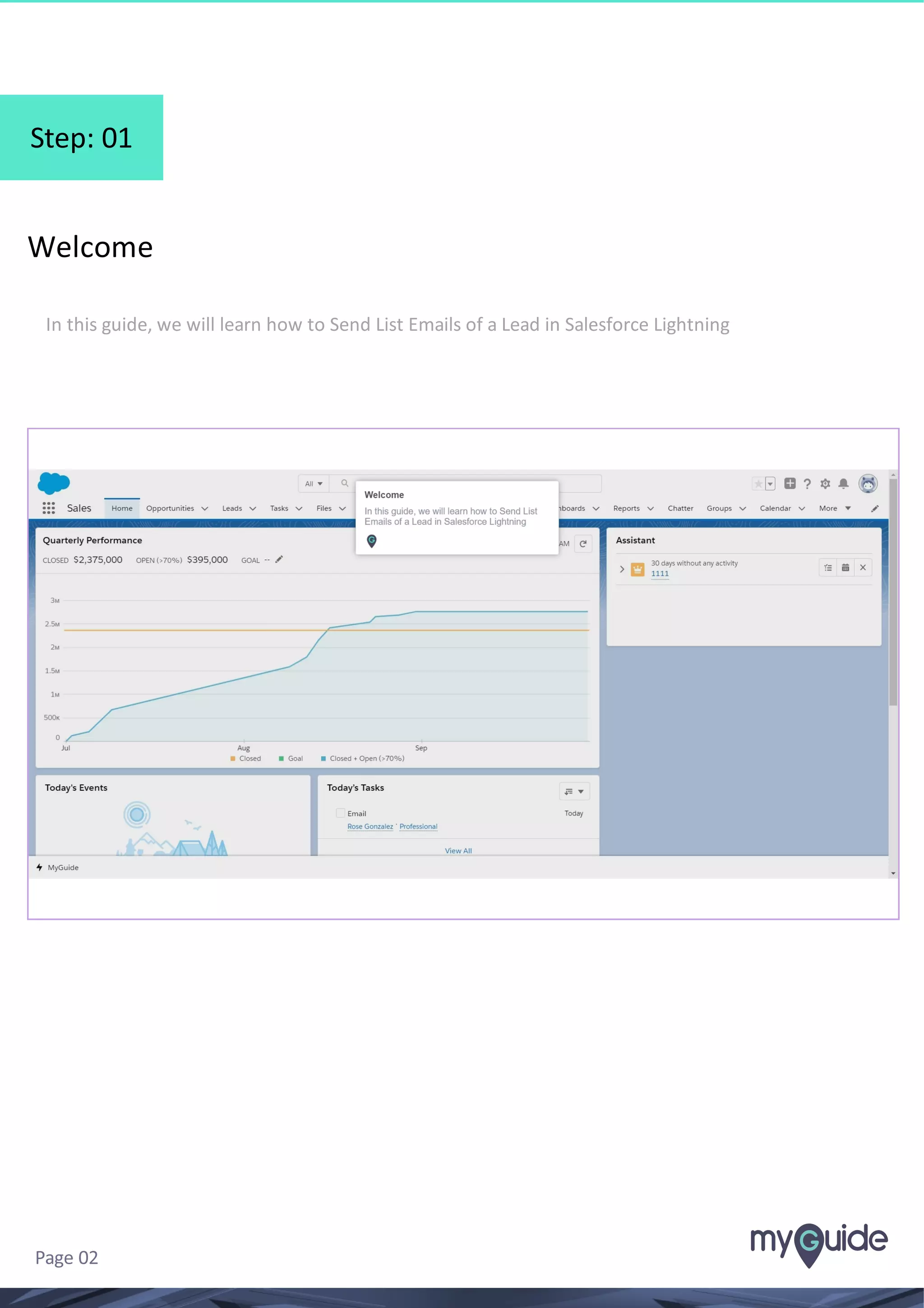
Step: 01
Welcome
In this guide, we will learn how to Send List Emails of a Lead in Salesforce Lightning
Page 02
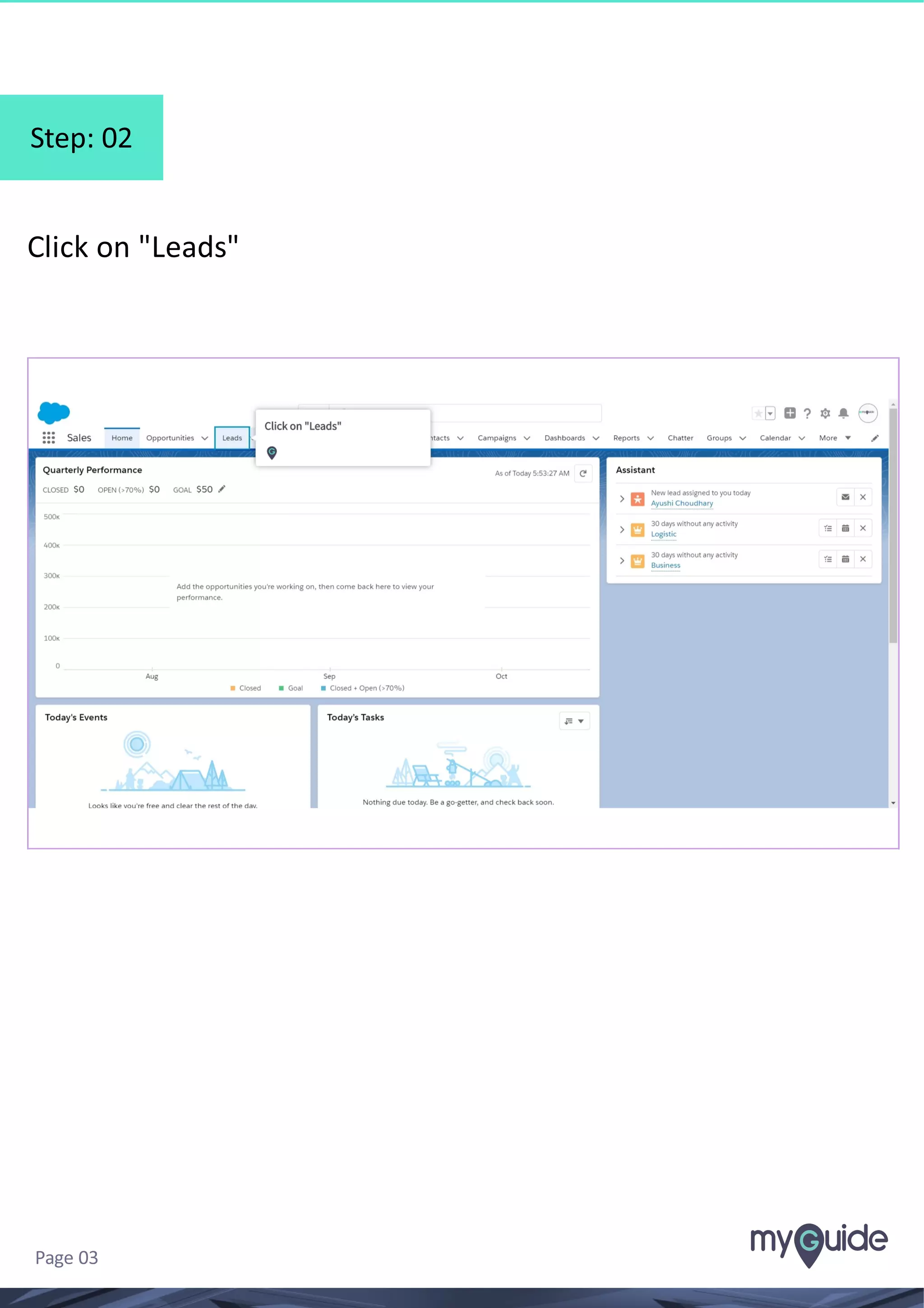
Step: 02
Click on "Leads"
Page 03
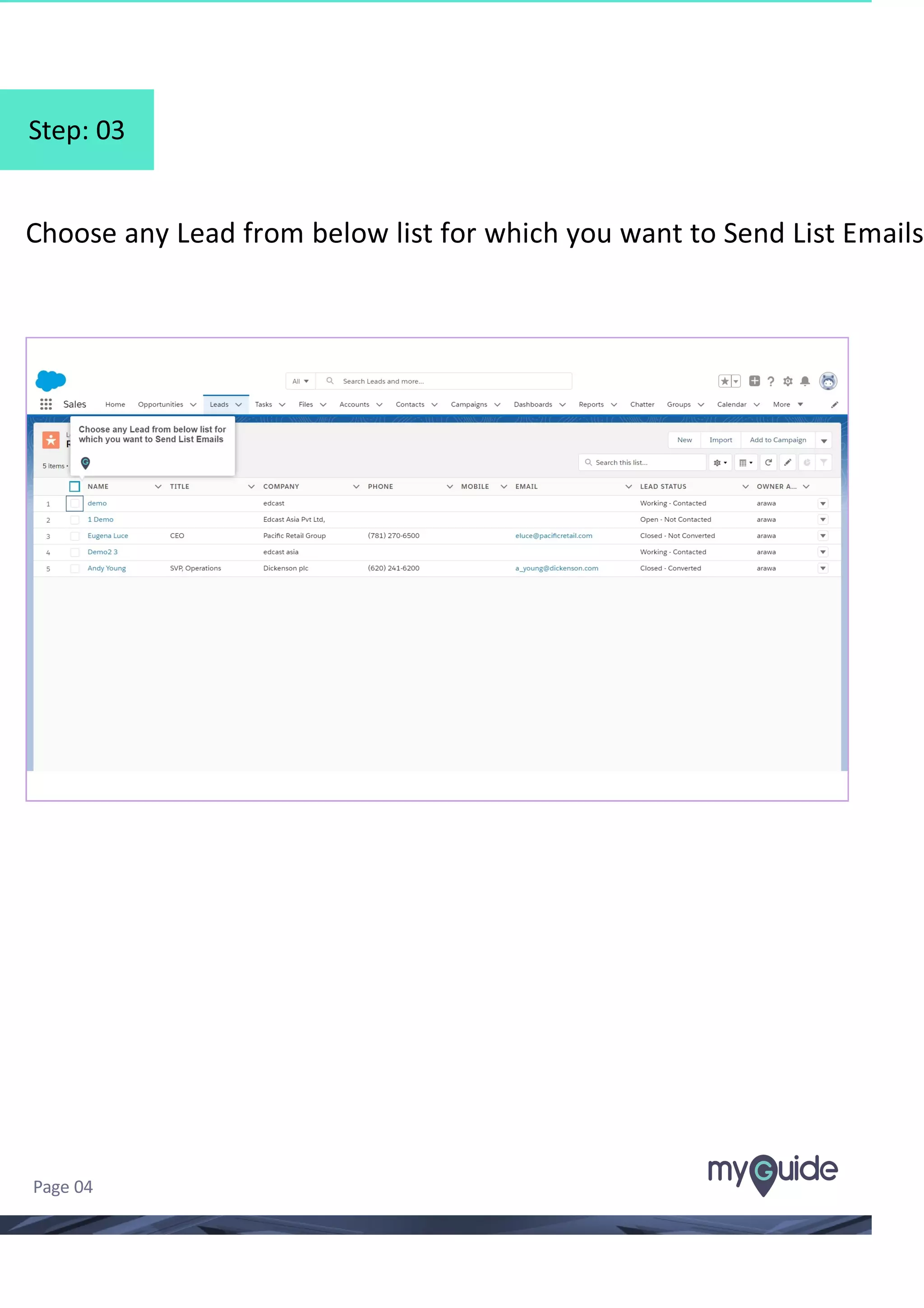
Step: 03
Choose any Lead from below list for which you want to Send List Emails
Page 04
Step: 04
Click on the "Down Arrow" icon
Page 05
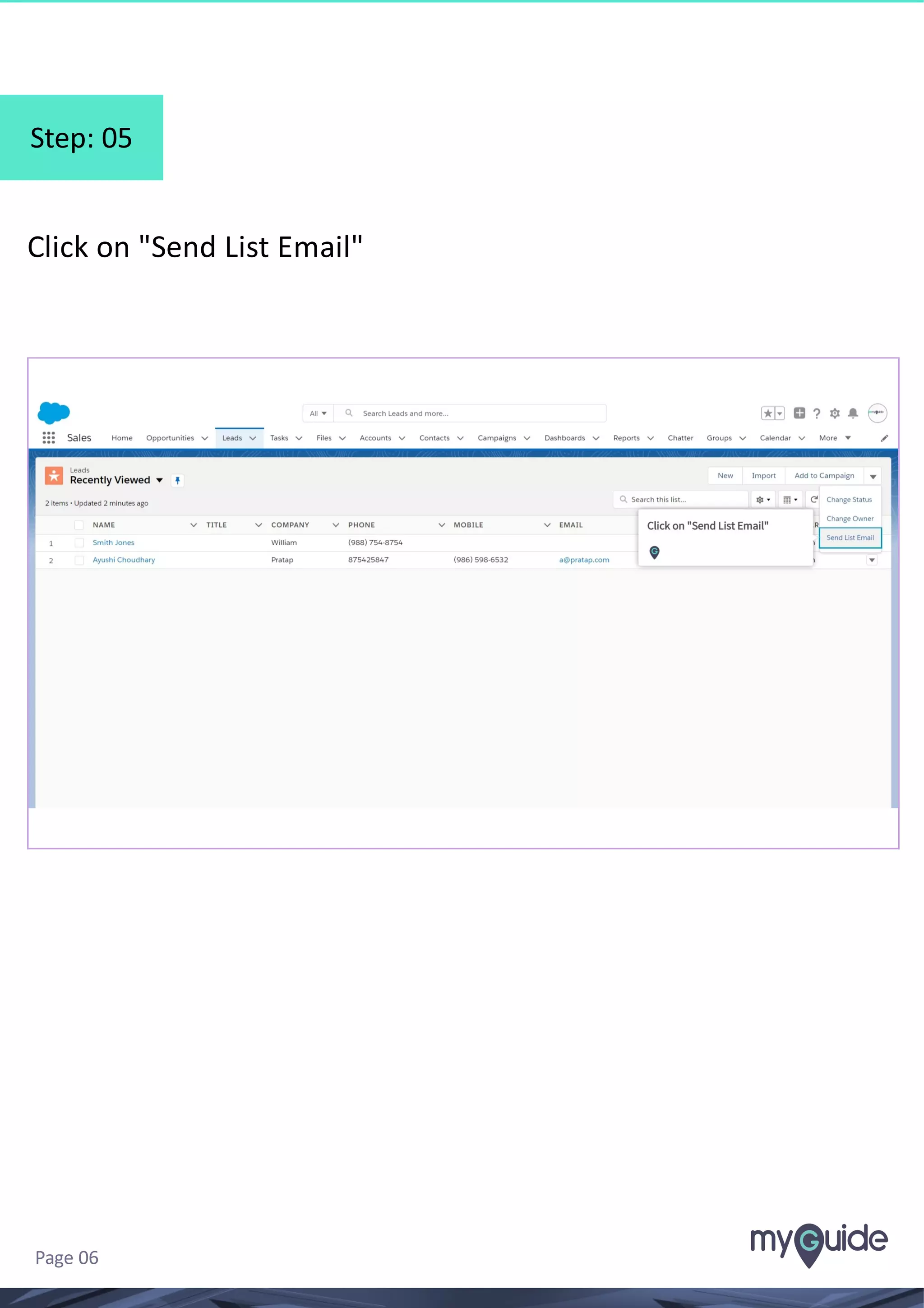
Step: 05
Click on "Send List Email"
Page 06
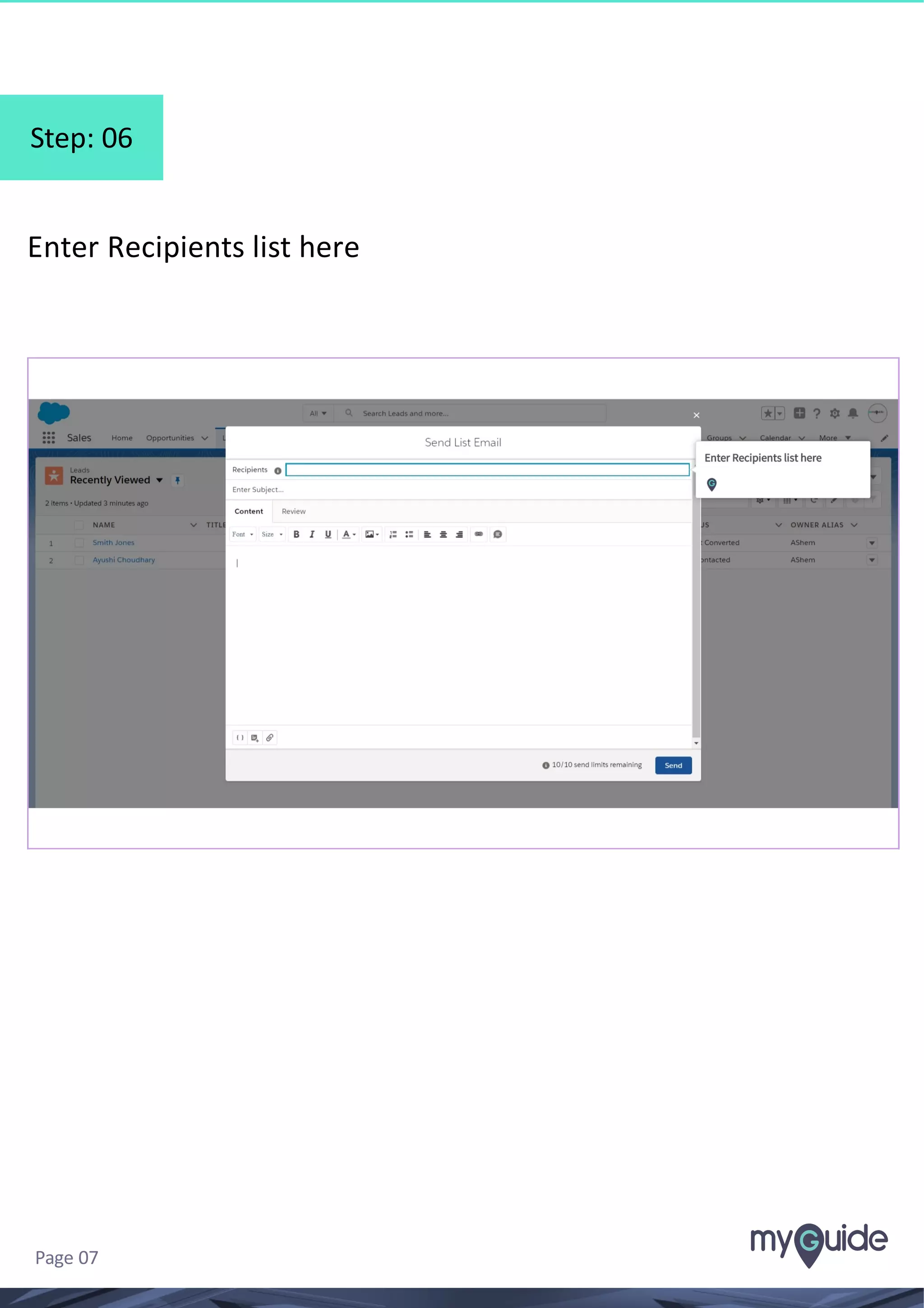
Step: 06
Enter Recipients list here
Page 07
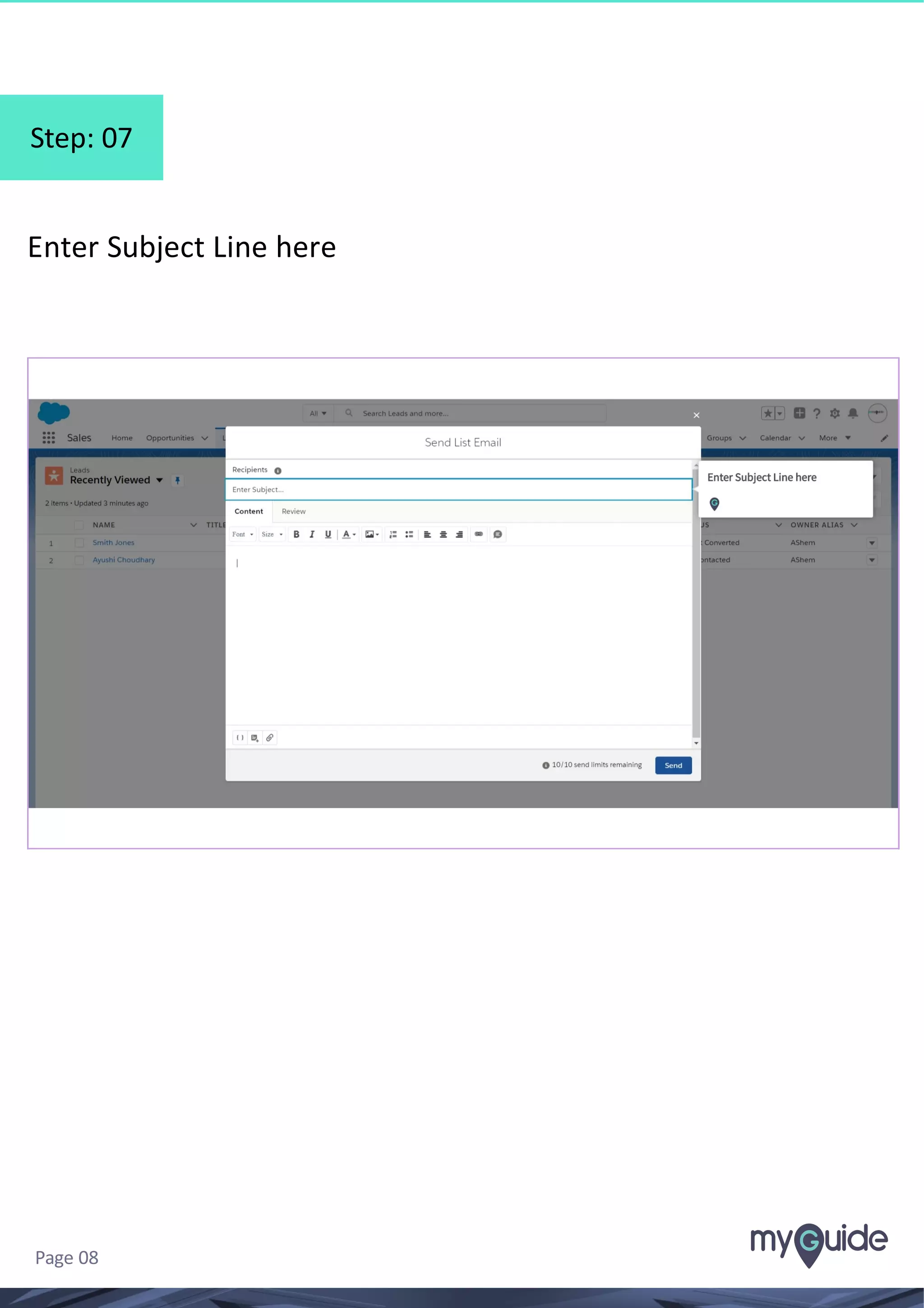
Step: 07
Enter Subject Line here
Page 08
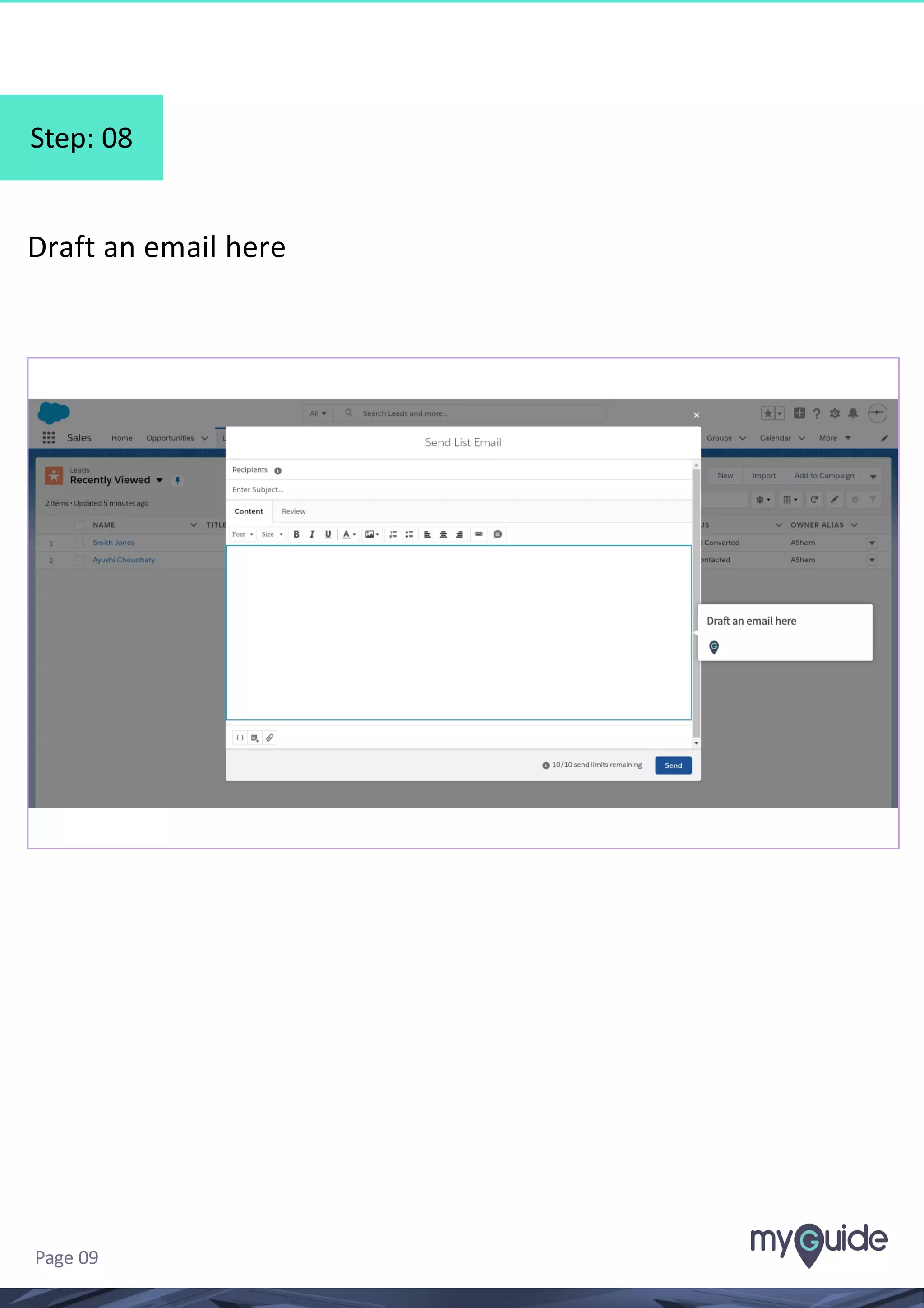
Step: 08
Draft an email here
Page 09
Step: 09
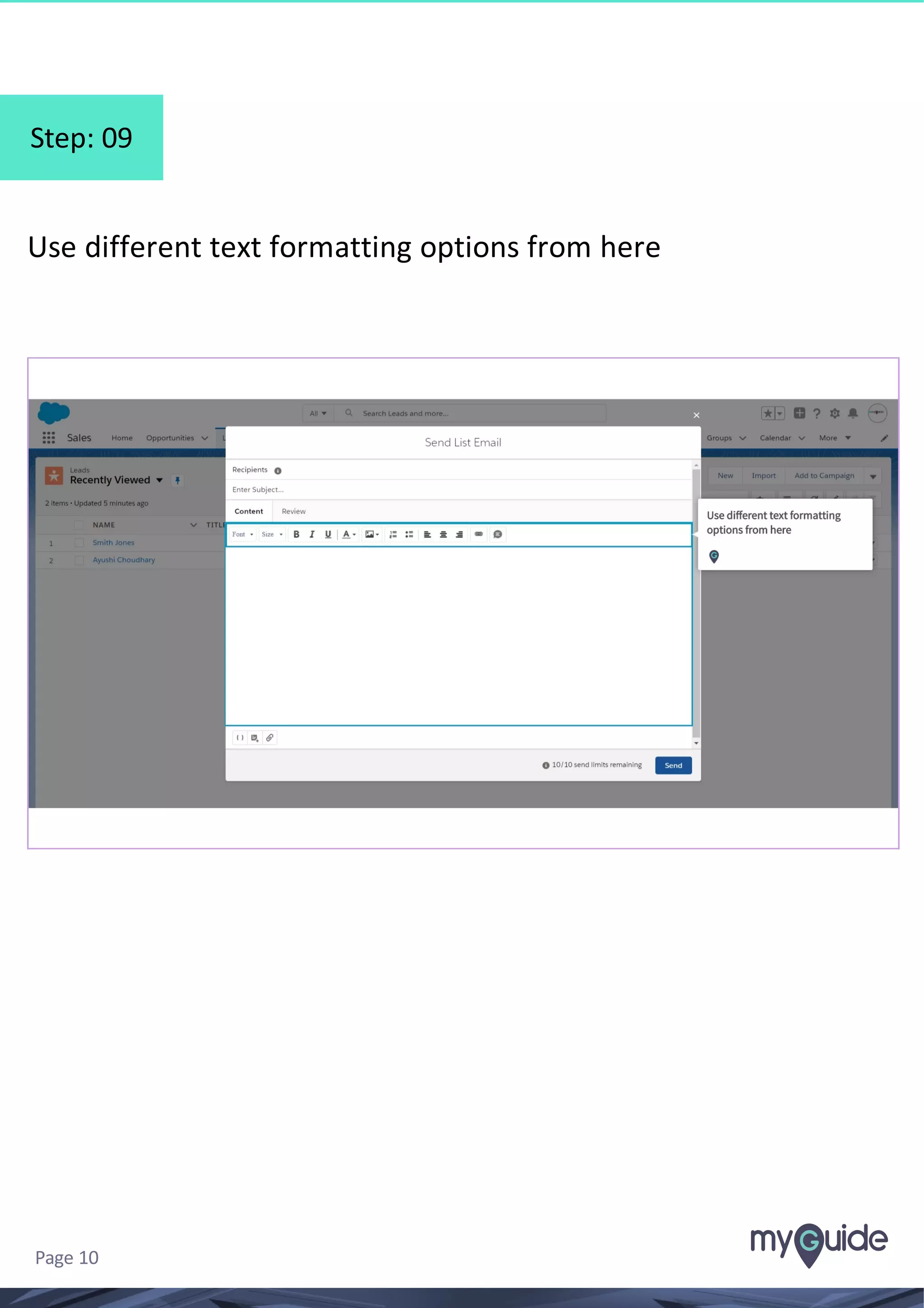
Use different text formatting options from here
Page 10
Step: 10
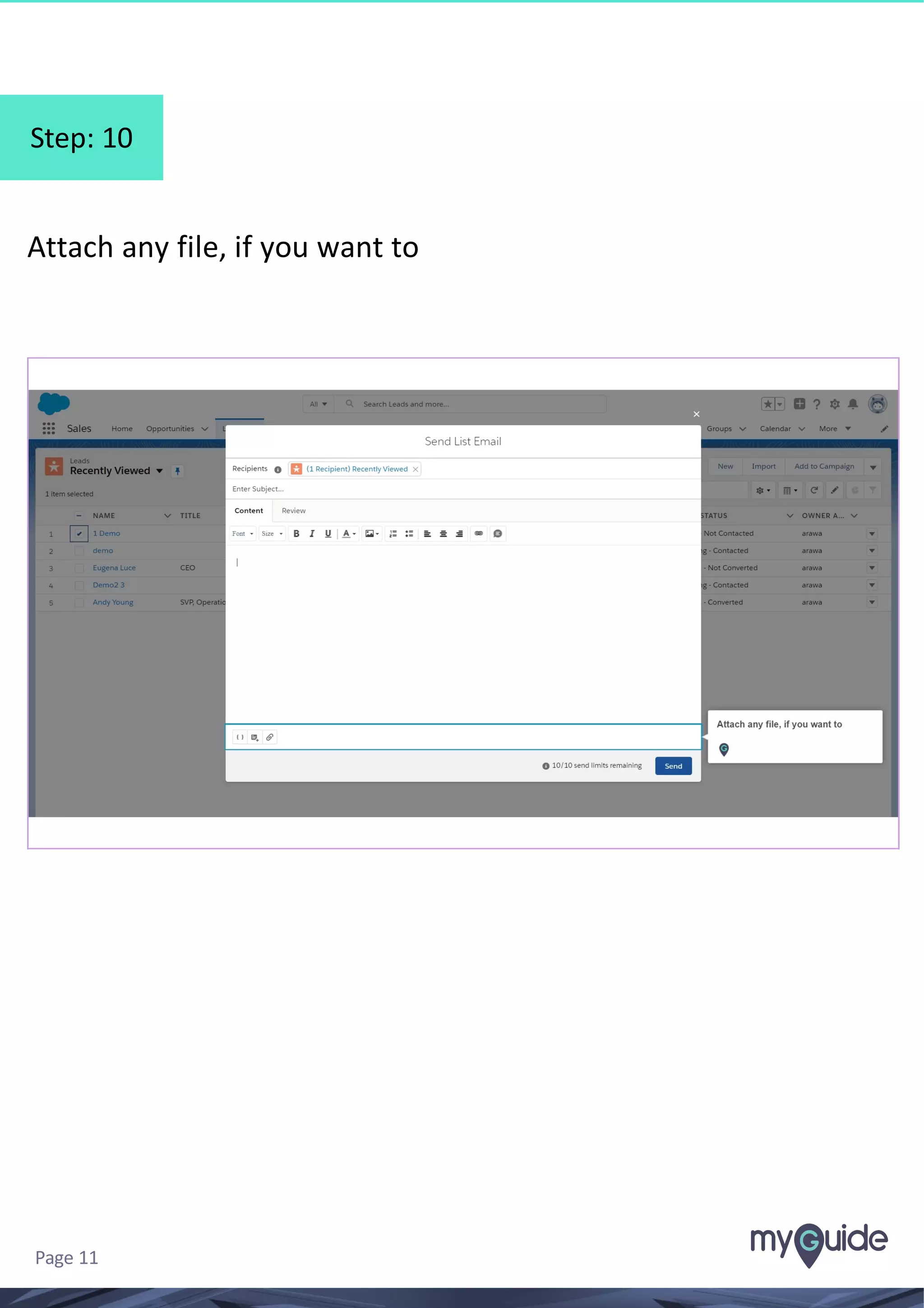
Attach any file, if you want to
Page 11
Step: 11
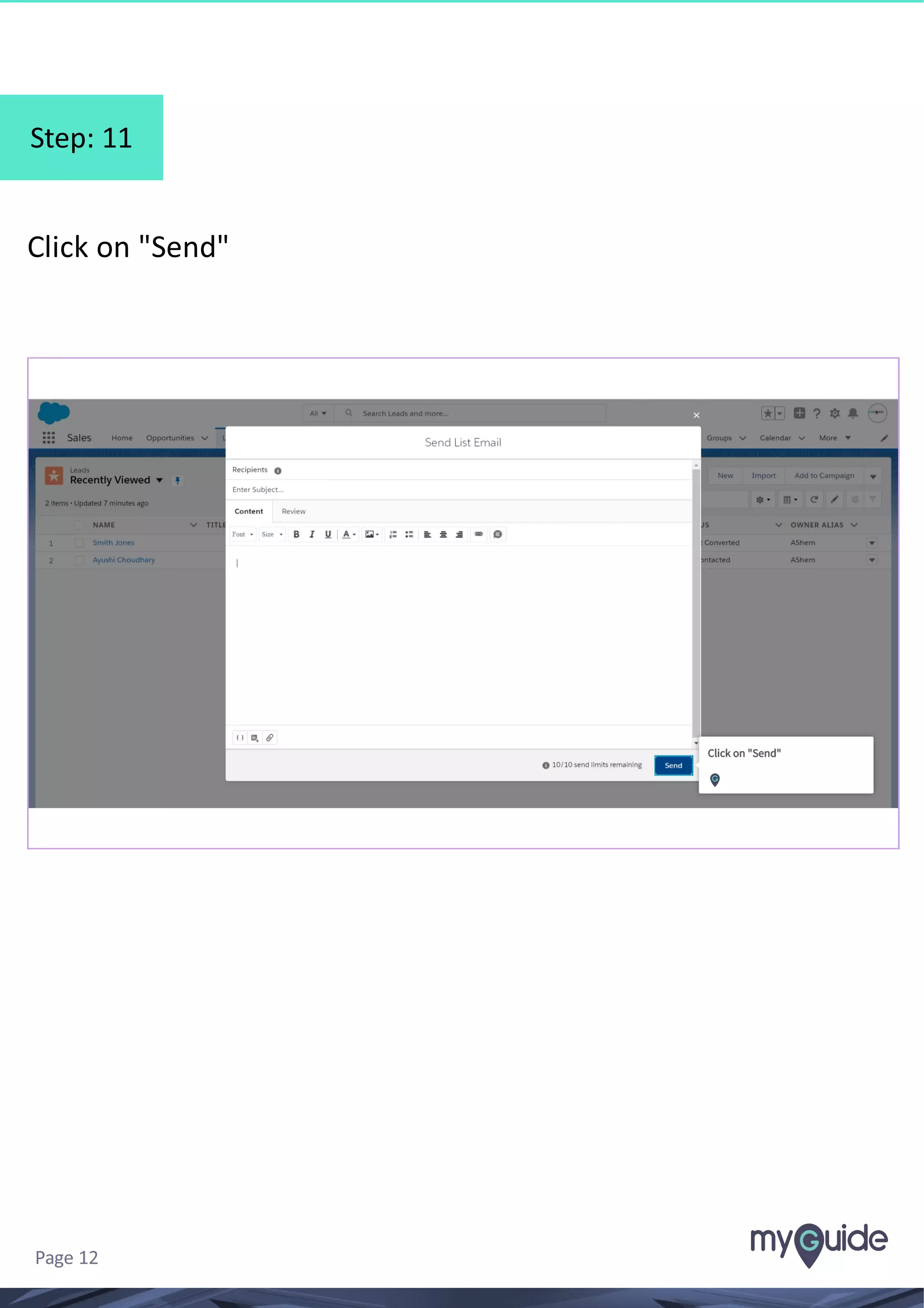
Click on "Send"
Page 12
Step: 12
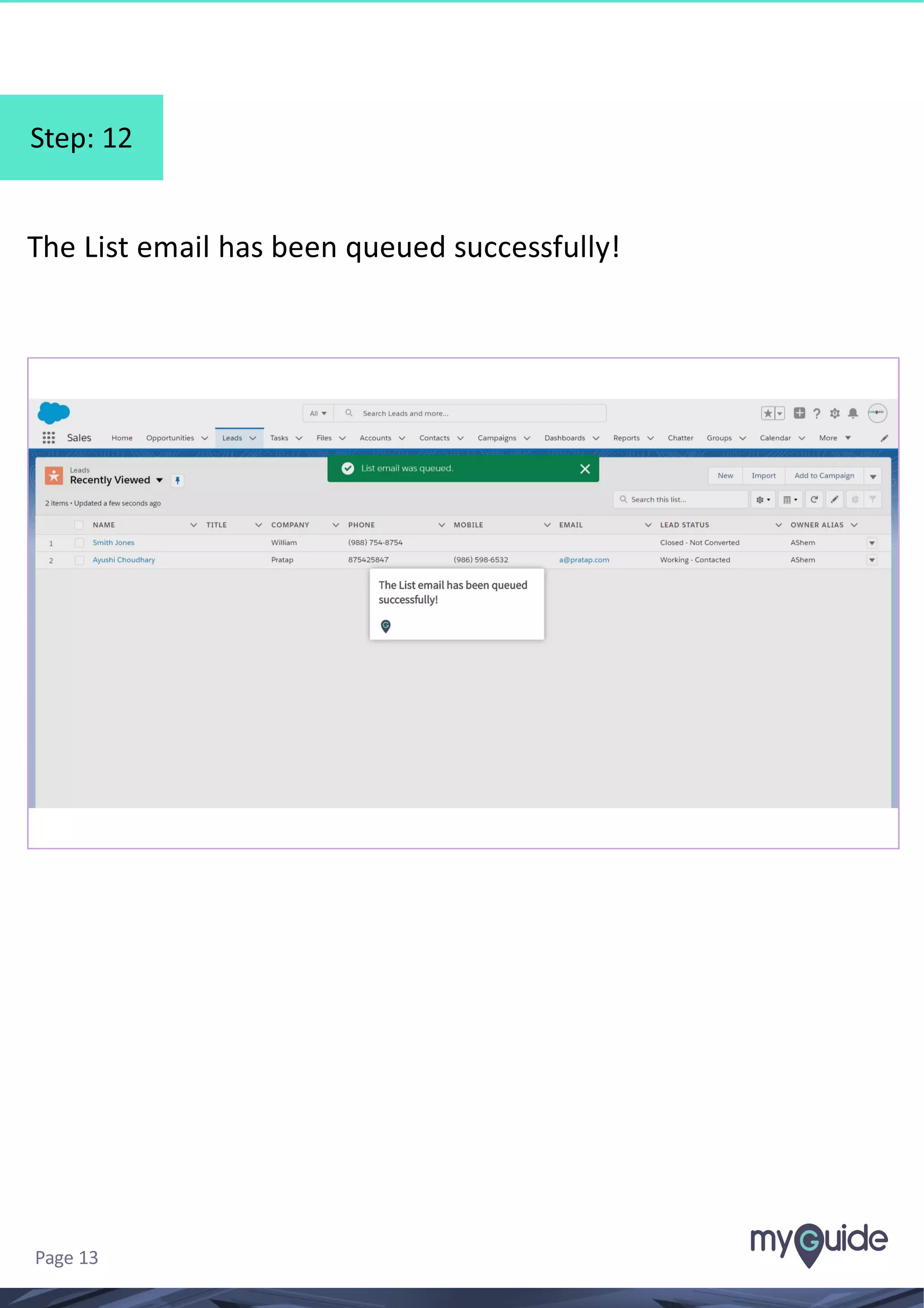
The List email has been queued successfully!
Page 13
Thank You!
myguide.org

How To Send List Emails Of A Lead In Salesforce Lightning #Salesforce