#wcmelb
Anthony Hortin
@maddisondesigns
Getting Started with
WooCommerce
#wcmelb @maddisondesigns
A WordPress eCommerce toolkit that
helps you sell anything. Beautifully.“ ”
#wcmelb @maddisondesigns
✓ WooCommerce 2.0+ has been fully security audited by
the leading WordPress security firm Sucuri.
✓ Use the reports to get a birds-eye view of your stores
performance.
✓ Run complex coupon campaigns.
✓ Setup Intricate tax & shipping options.
✓ Customers can check out quickly and efficiently
✓ Allow customers to leave reviews & ratings for products.
FeaturesFeatures
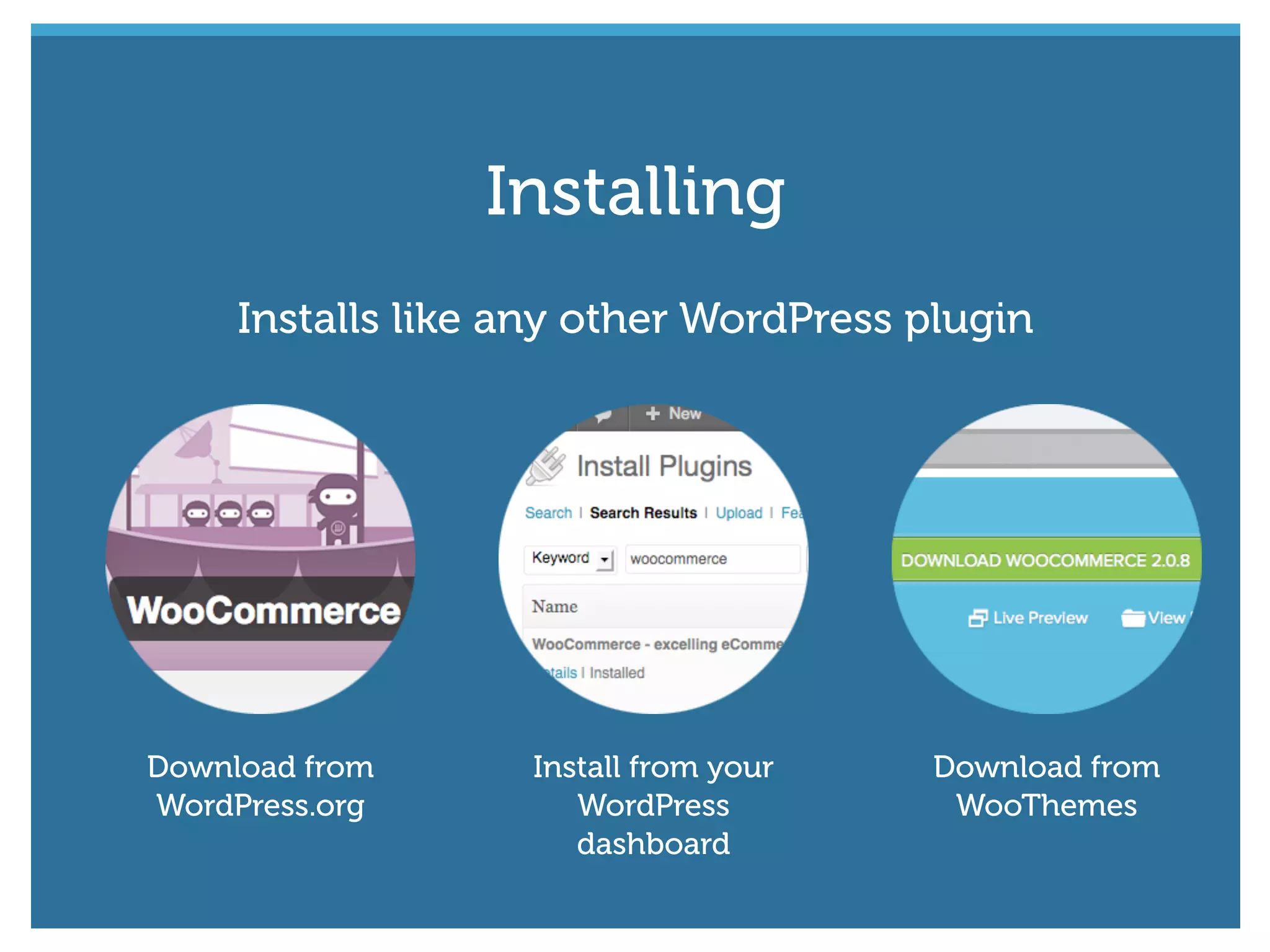
Installs like any other WordPress plugin
Download from
WordPress.org
Install from your
WordPress
dashboard
Download from
WooThemes
Installing
#wcmelb @maddisondesigns
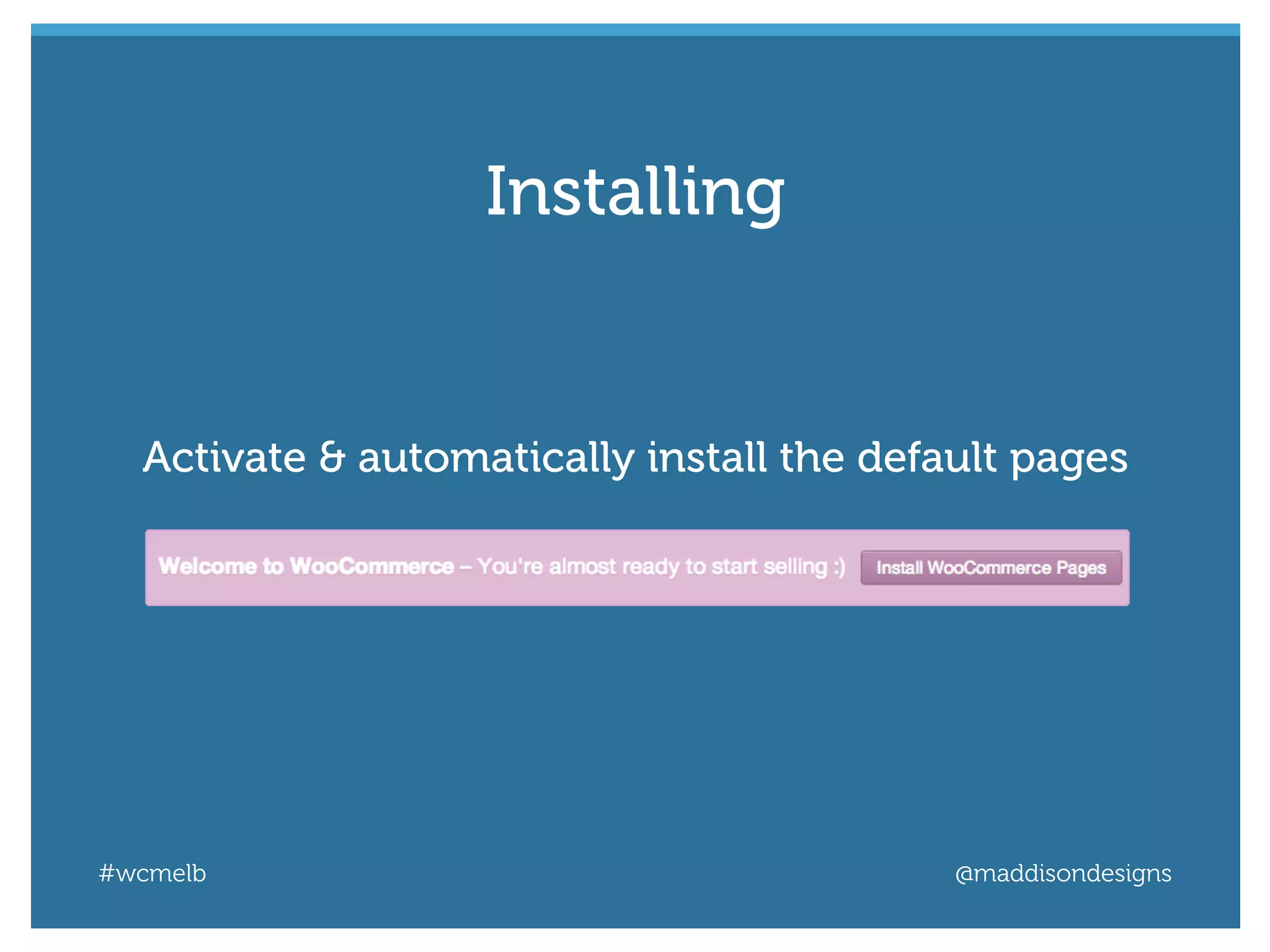
Activate & automatically install the default pages
Installing
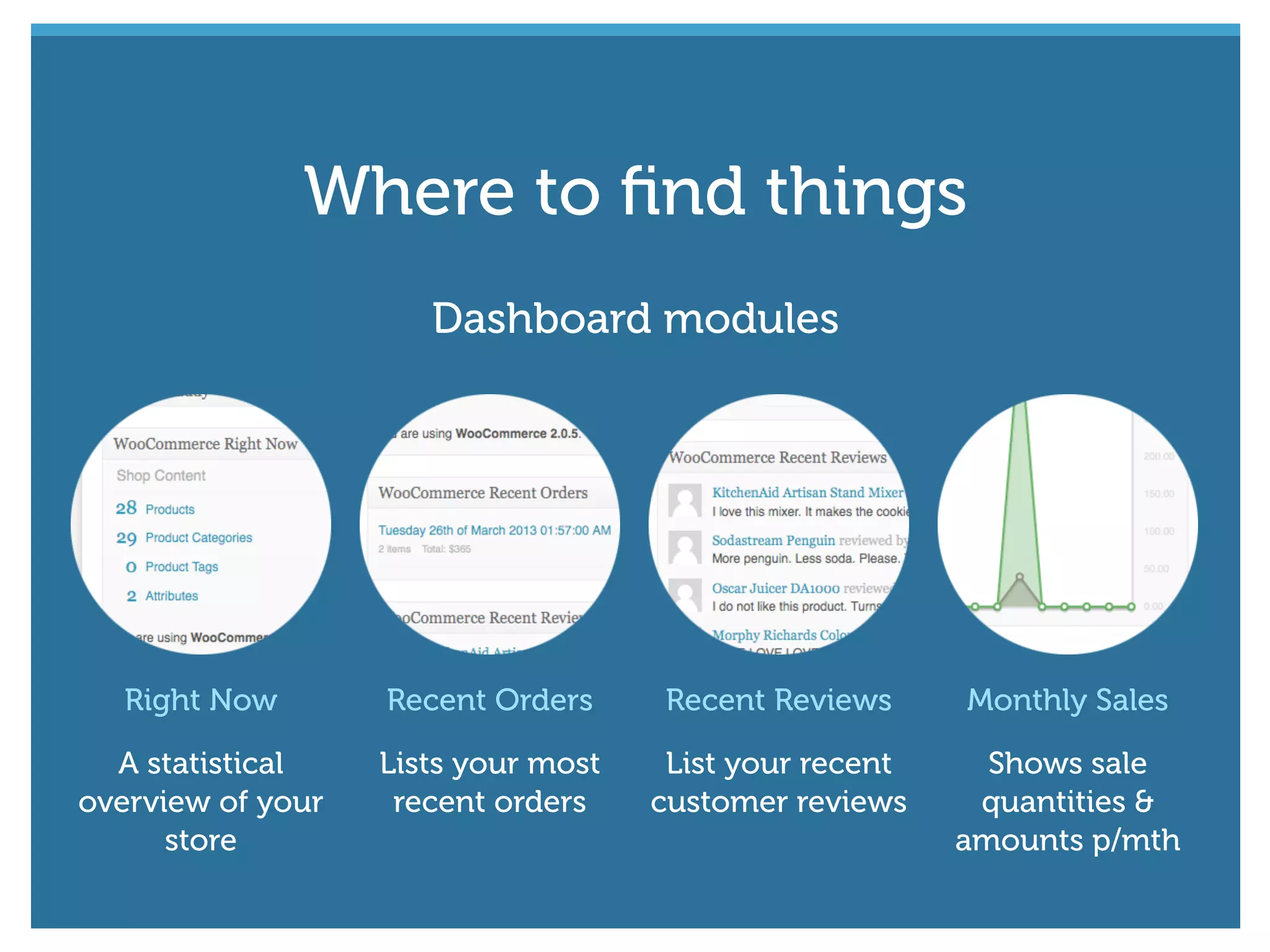
Dashboard modules
Right Now
A statistical
overview of your
store
Recent Orders
Lists your most
recent orders
Recent Reviews
List your recent
customer reviews
Monthly Sales
Shows sale
quantities &
amounts p/mth
Where to find things
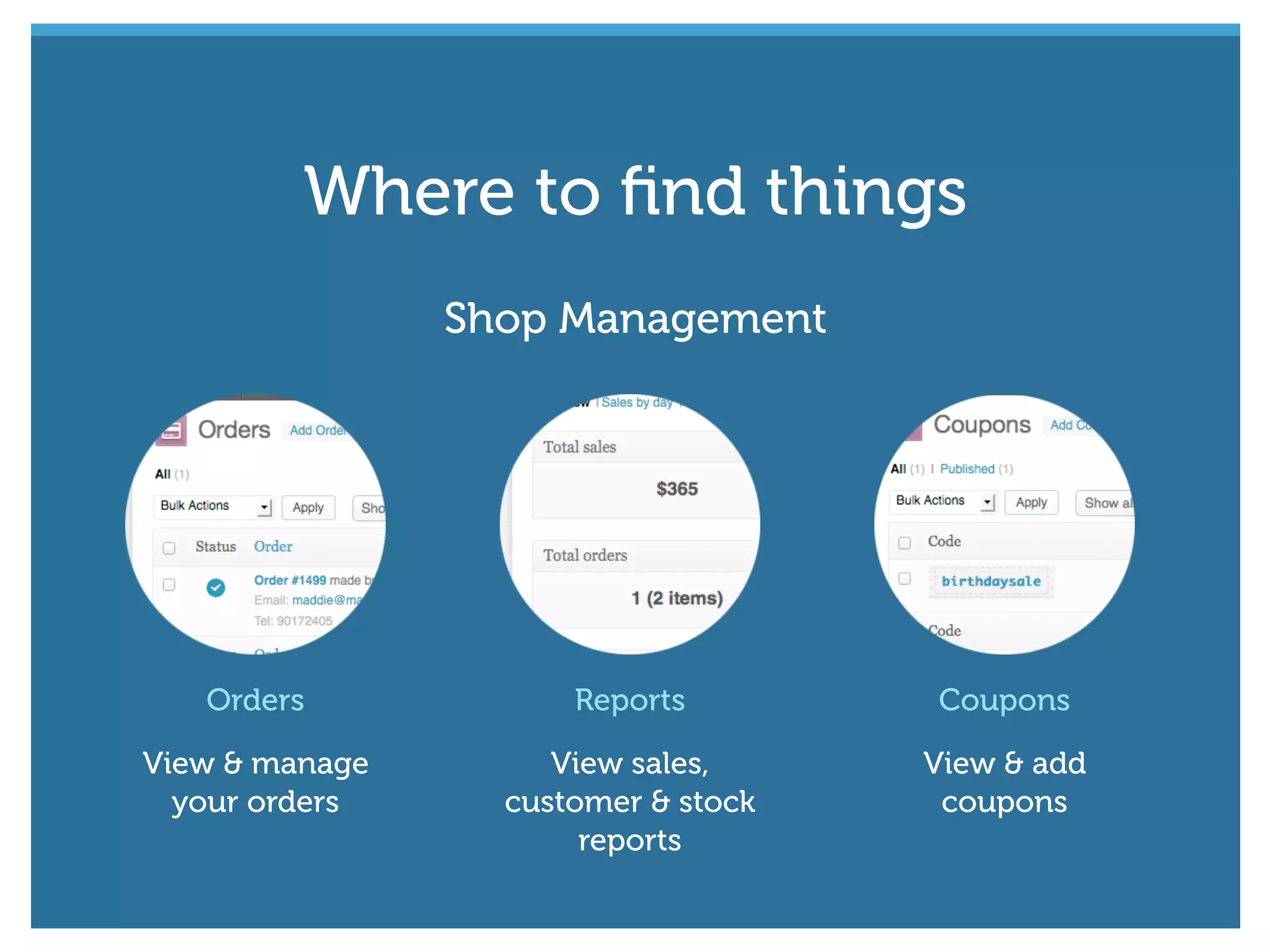
Shop Management
Orders
View & manage
your orders
Reports
View sales,
customer & stock
reports
Coupons
View & add
coupons
Where to find things
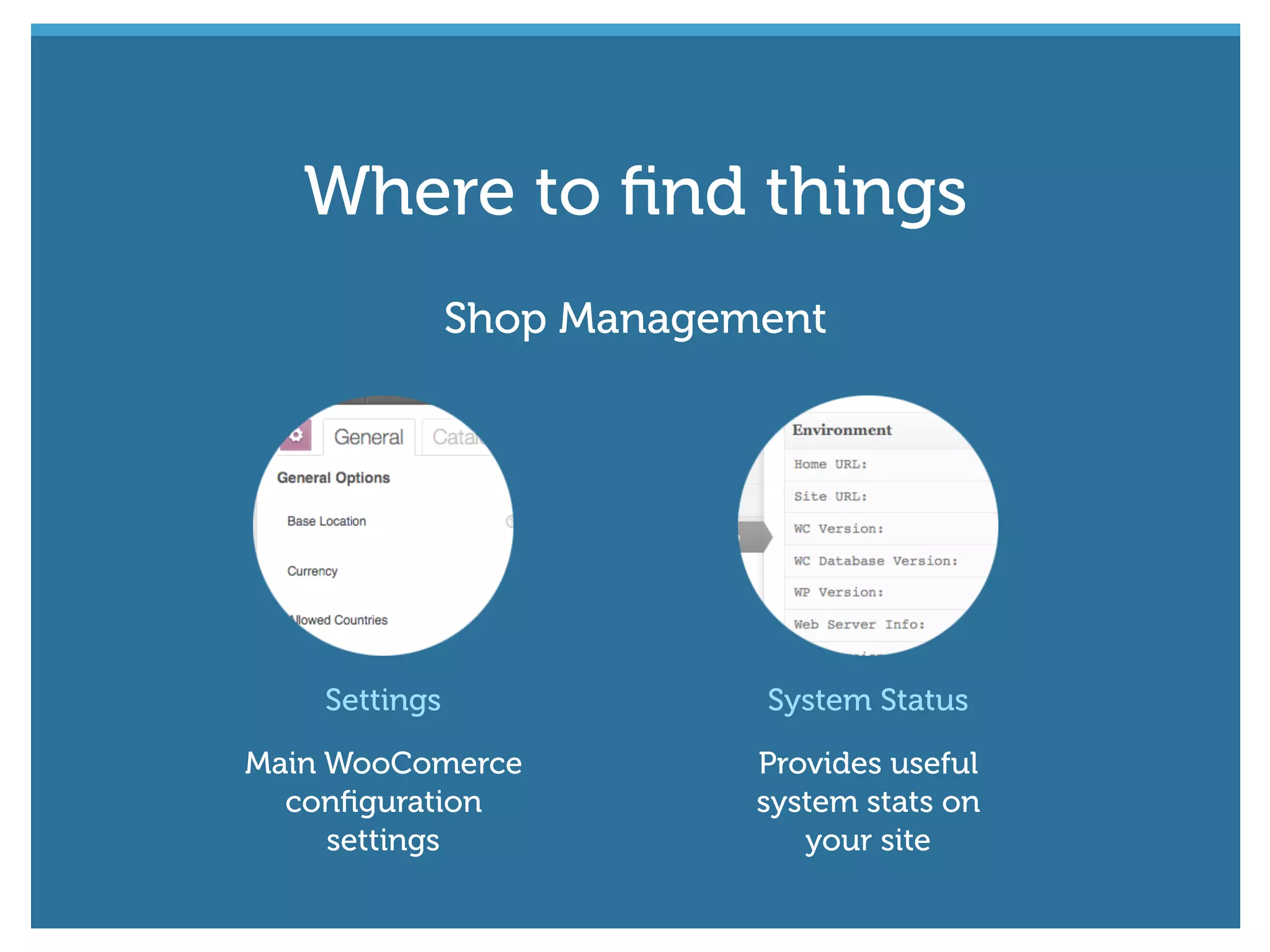
Shop Management
Settings
Main WooComerce
configuration
settings
System Status
Provides useful
system stats on
your site
Where to find things
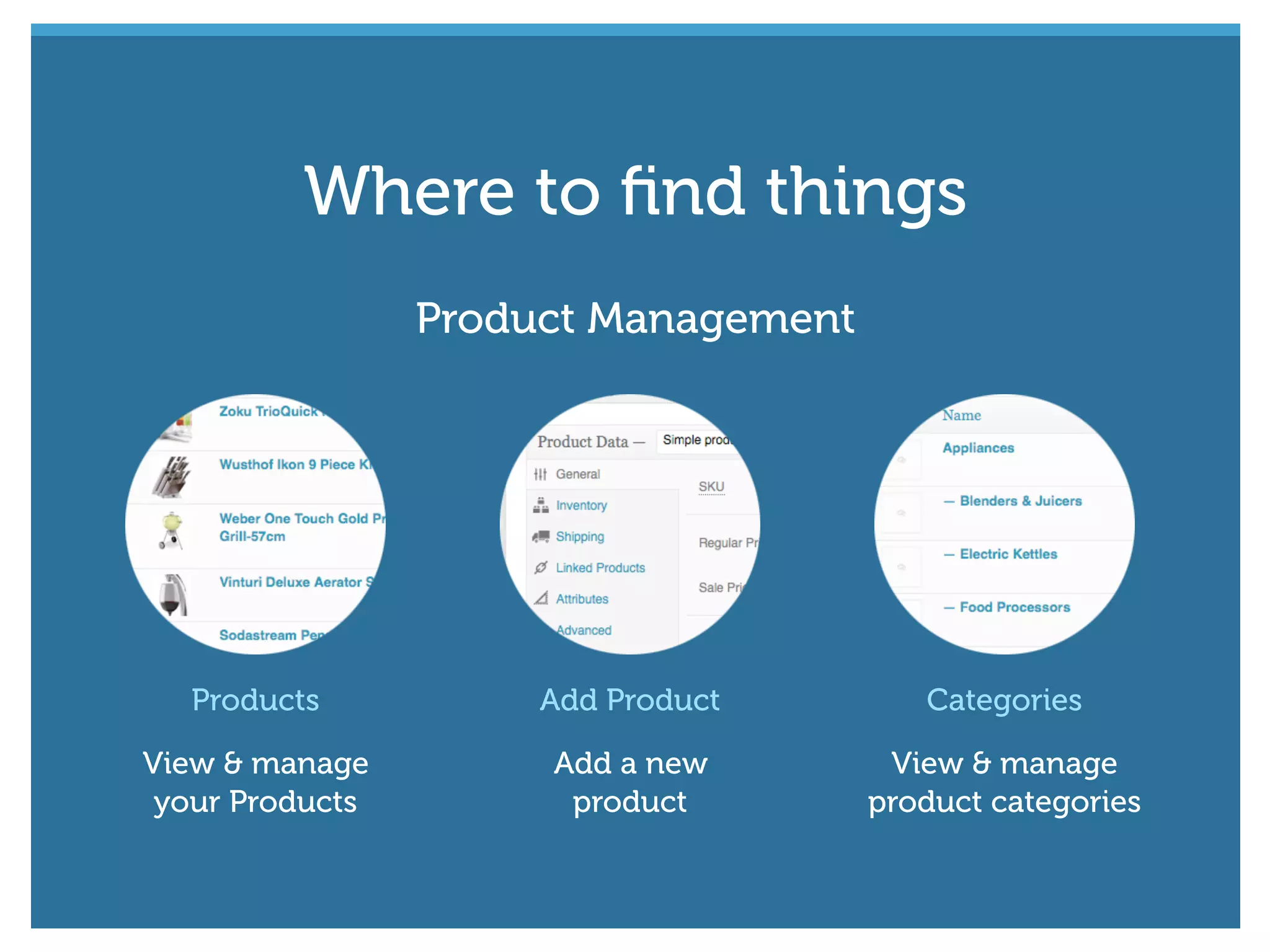
Products
View & manage
your Products
Add Product
Add a new
product
Categories
View & manage
product categories
Product Management
Where to find things
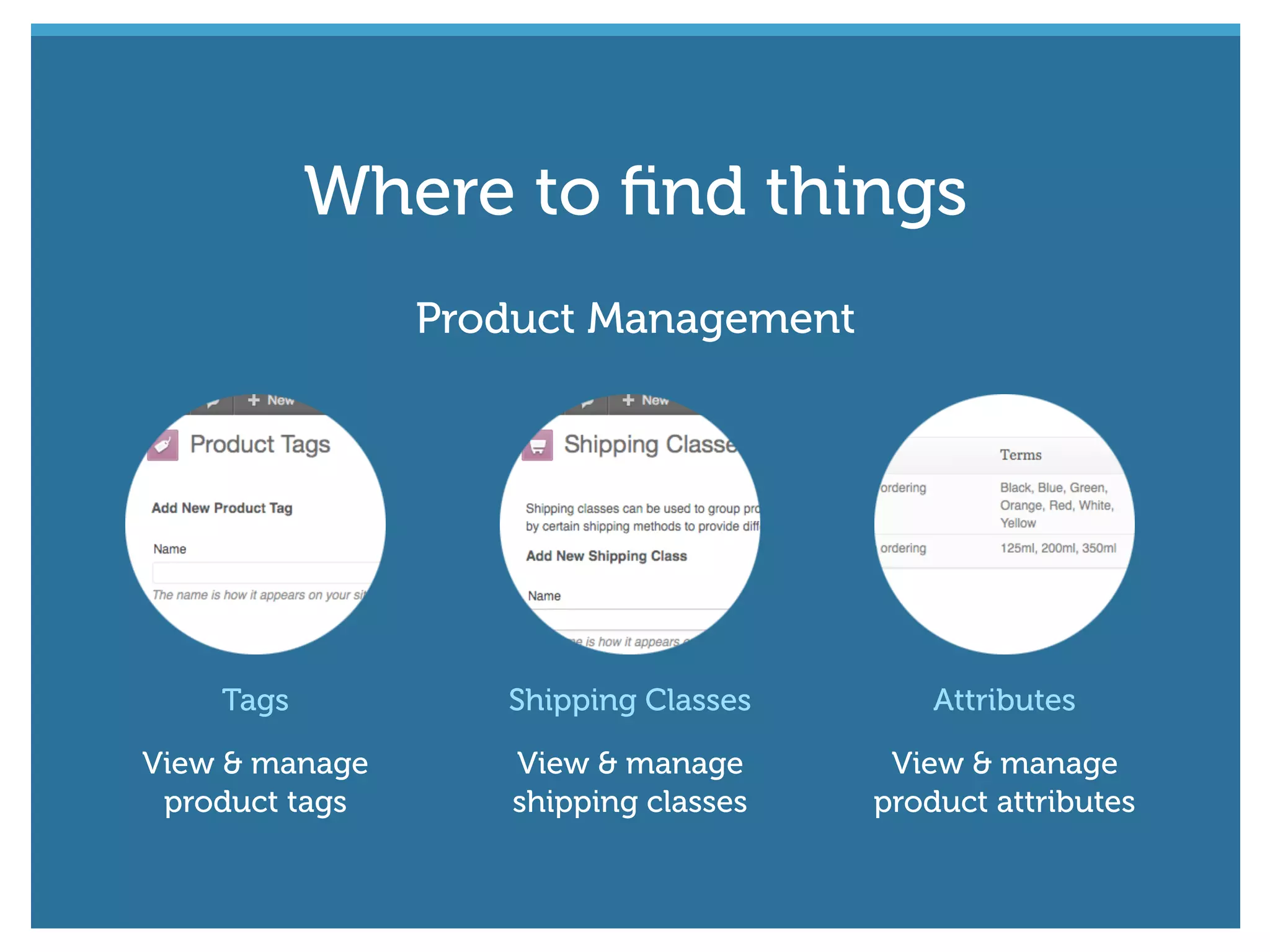
Tags
View & manage
product tags
Shipping Classes
View & manage
shipping classes
Attributes
View & manage
product attributes
Product Management
Where to find things
#wcmelb @maddisondesigns
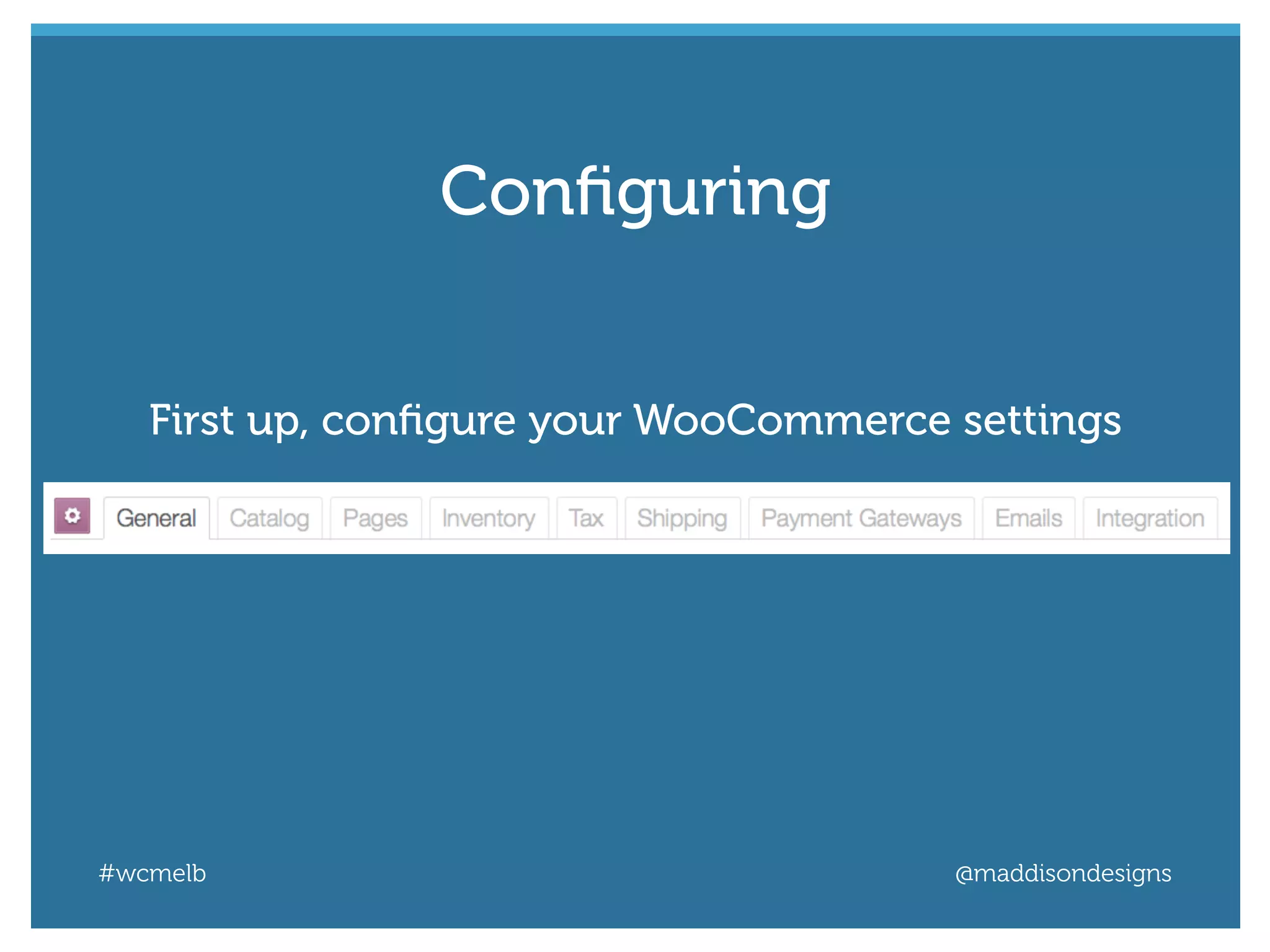
First up, configure your WooCommerce settings
Configuring
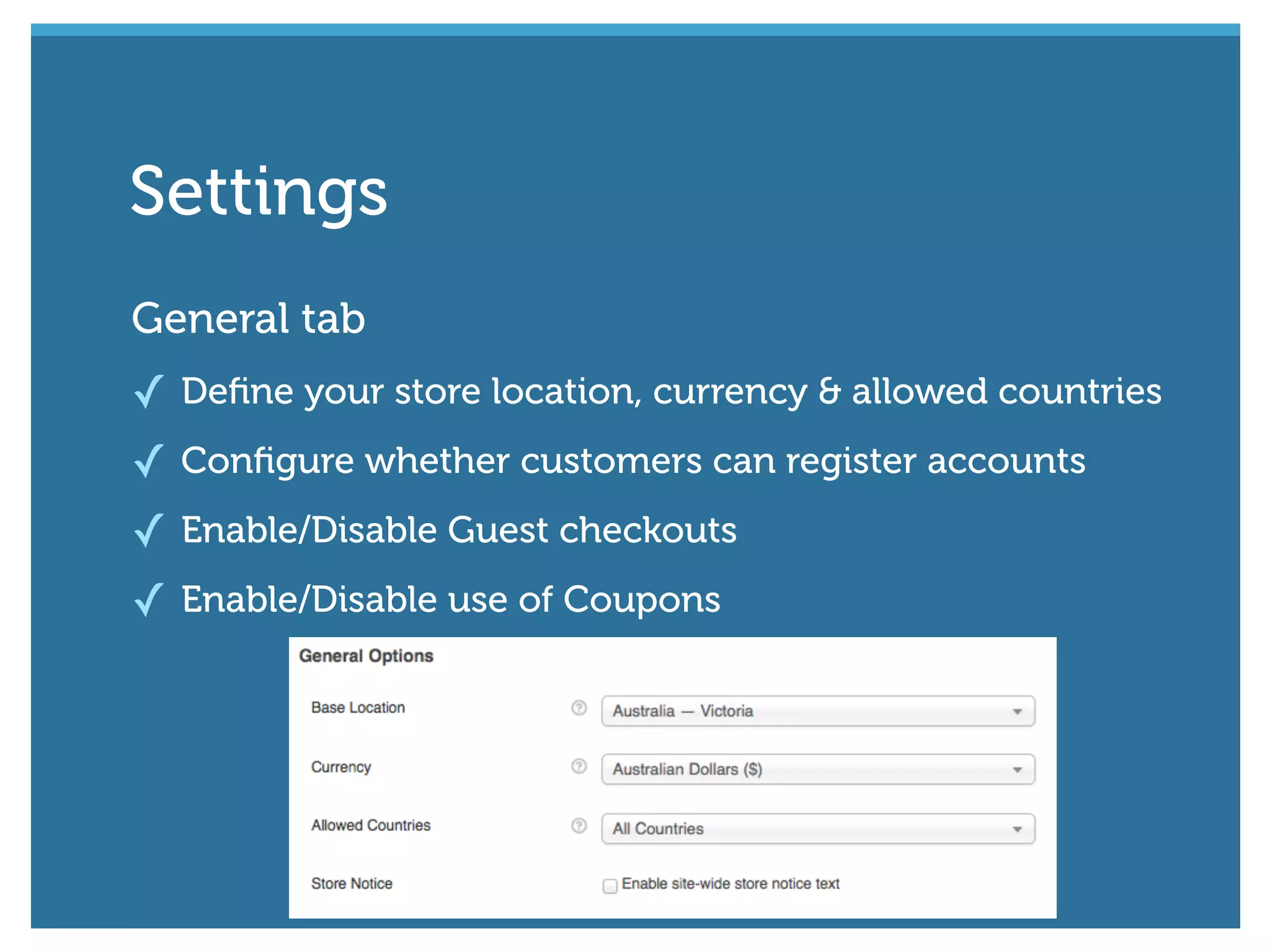
General tab
✓ Define your store location, currency & allowed countries
✓ Configure whether customers can register accounts
✓ Enable/Disable Guest checkouts
✓ Enable/Disable use of Coupons
Settings
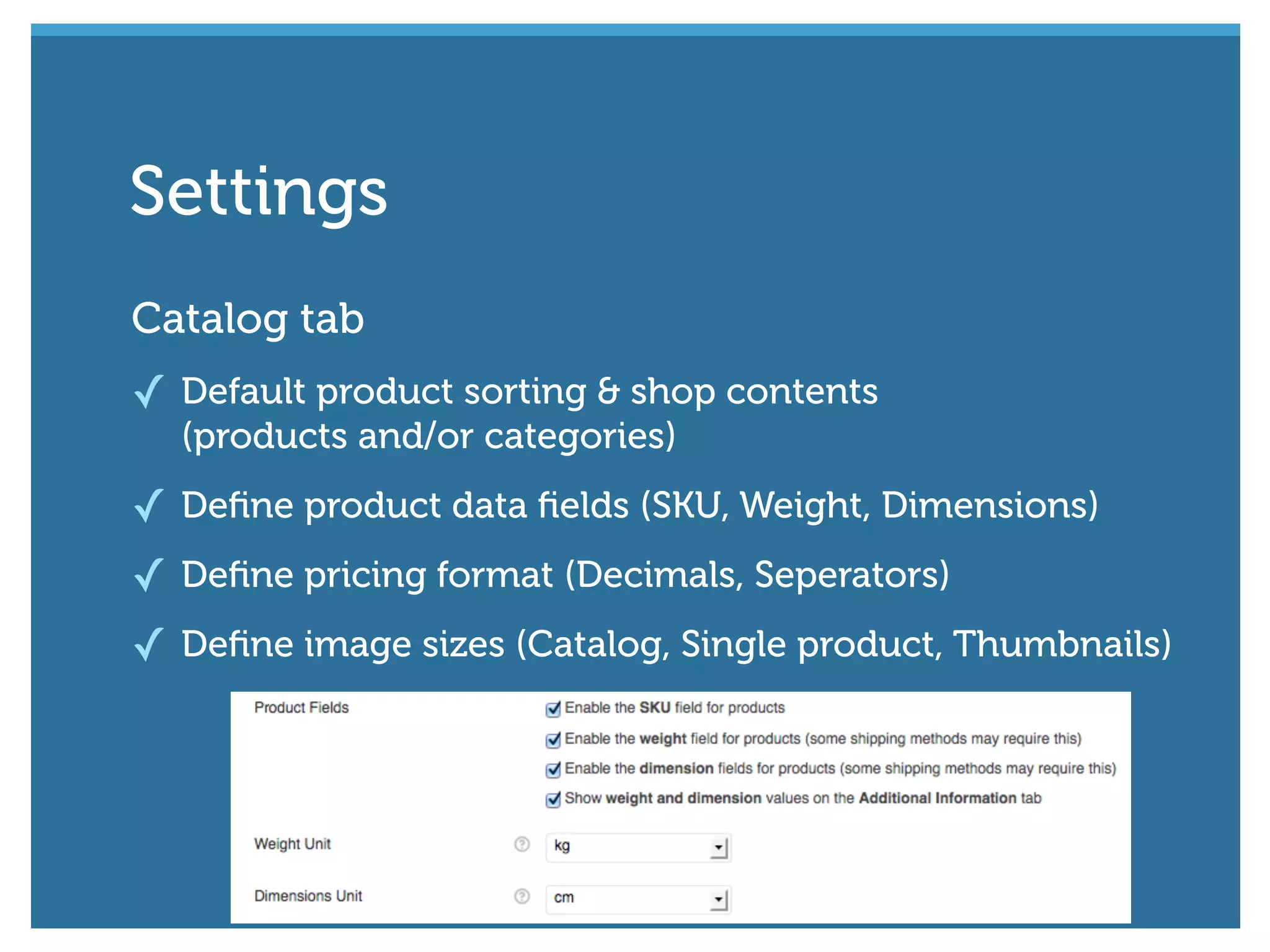
Catalog tab
✓ Default product sorting & shop contents
(products and/or categories)
✓ Define product data fields (SKU, Weight, Dimensions)
✓ Define pricing format (Decimals, Seperators)
✓ Define image sizes (Catalog, Single product, Thumbnails)
Settings
#wcmelb @maddisondesigns
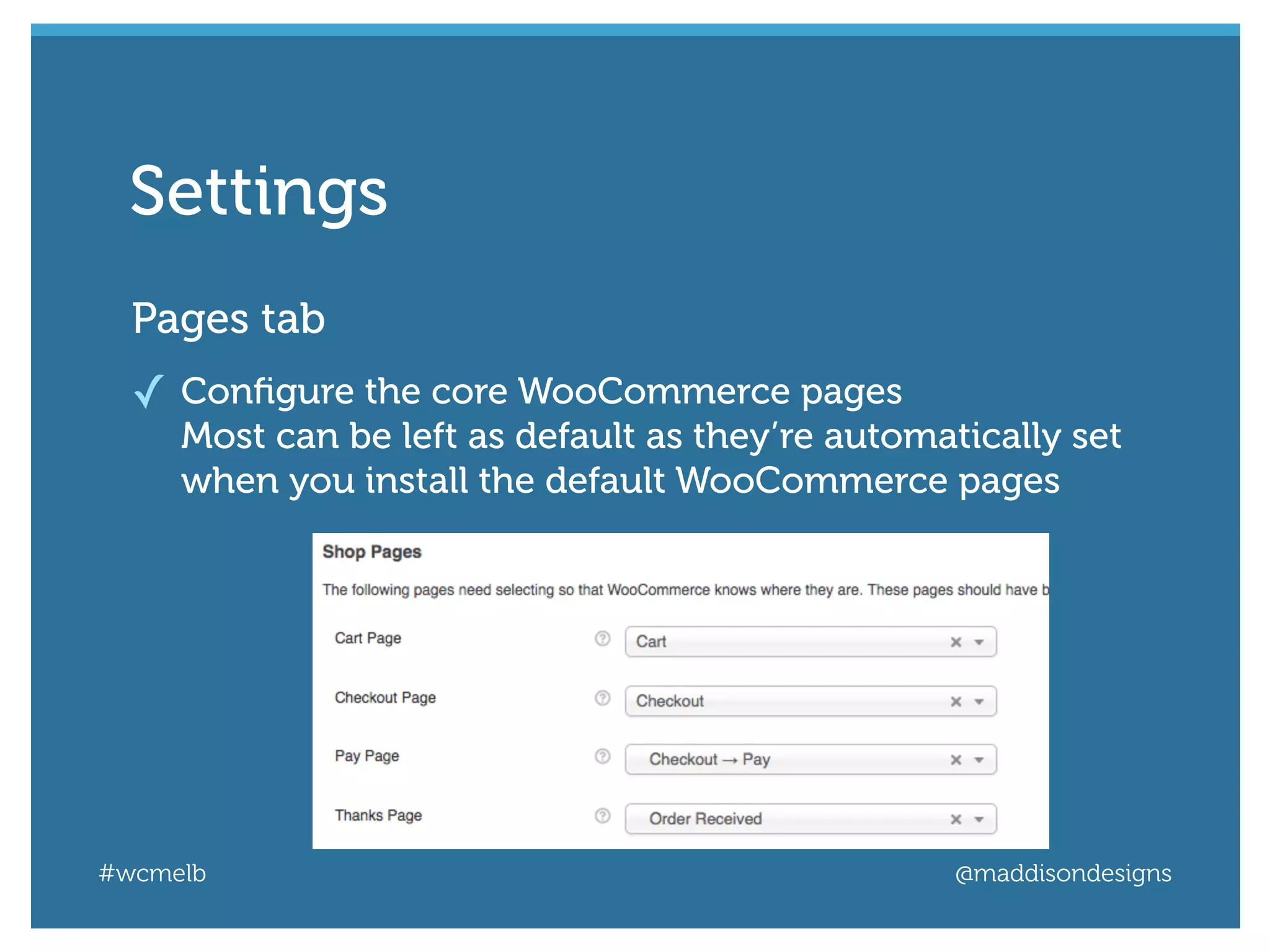
Pages tab
✓ Configure the core WooCommerce pages
Most can be left as default as they’re automatically set
when you install the default WooCommerce pages
Settings
#wcmelb @maddisondesigns
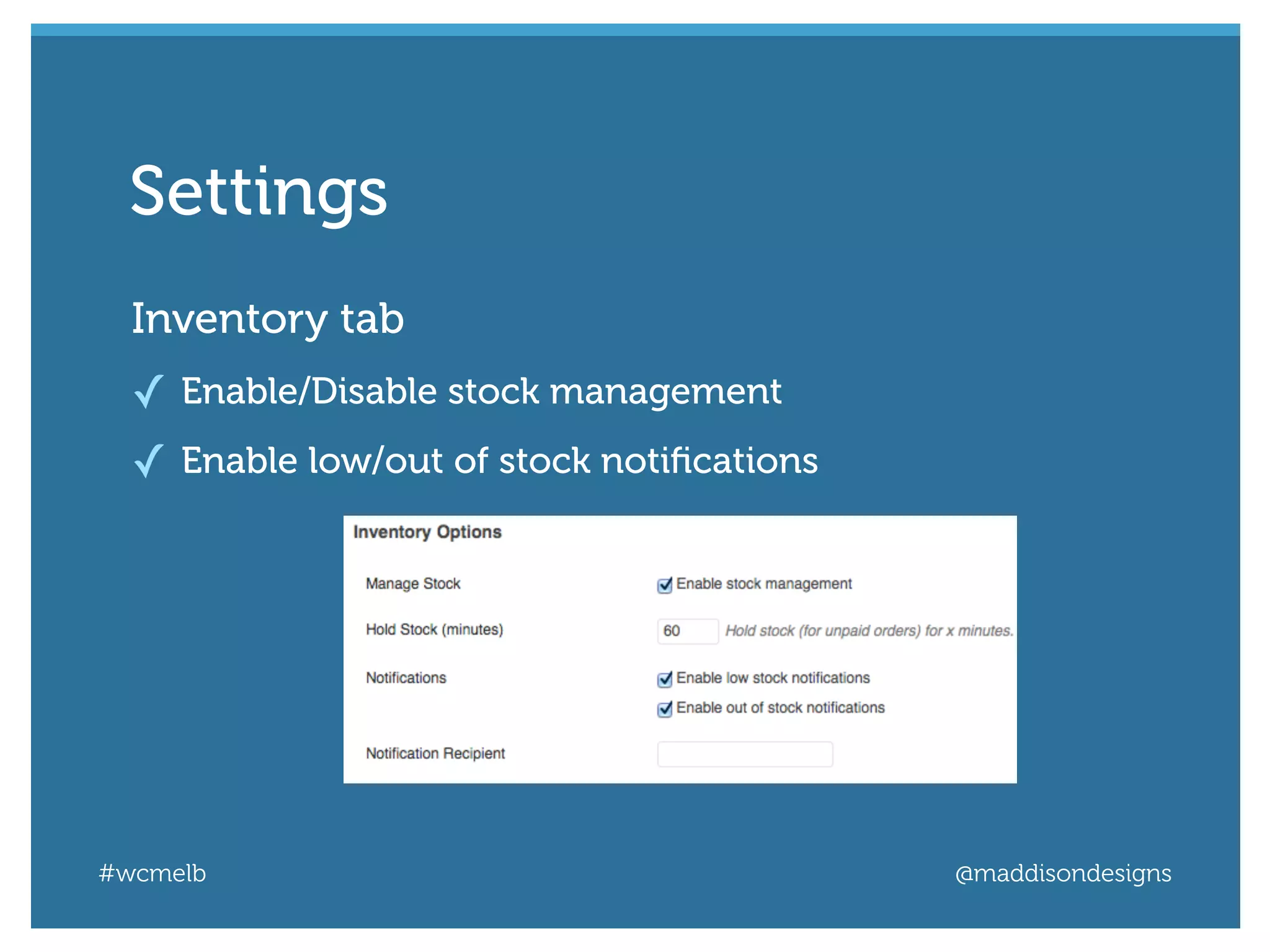
Inventory tab
✓ Enable/Disable stock management
✓ Enable low/out of stock notifications
Settings
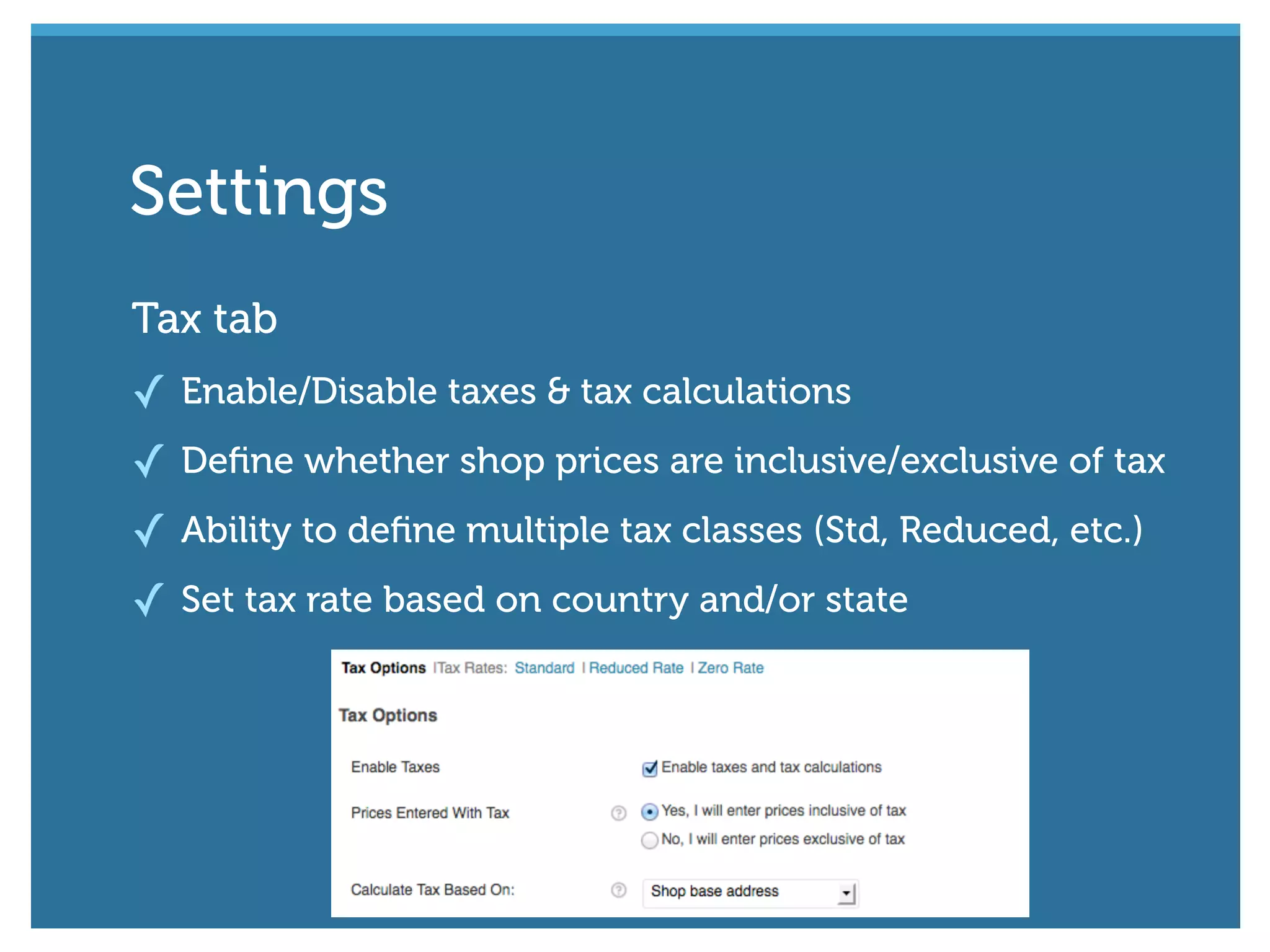
Tax tab
✓ Enable/Disable taxes & tax calculations
✓ Define whether shop prices are inclusive/exclusive of tax
✓ Ability to define multiple tax classes (Std, Reduced, etc.)
✓ Set tax rate based on country and/or state
Settings
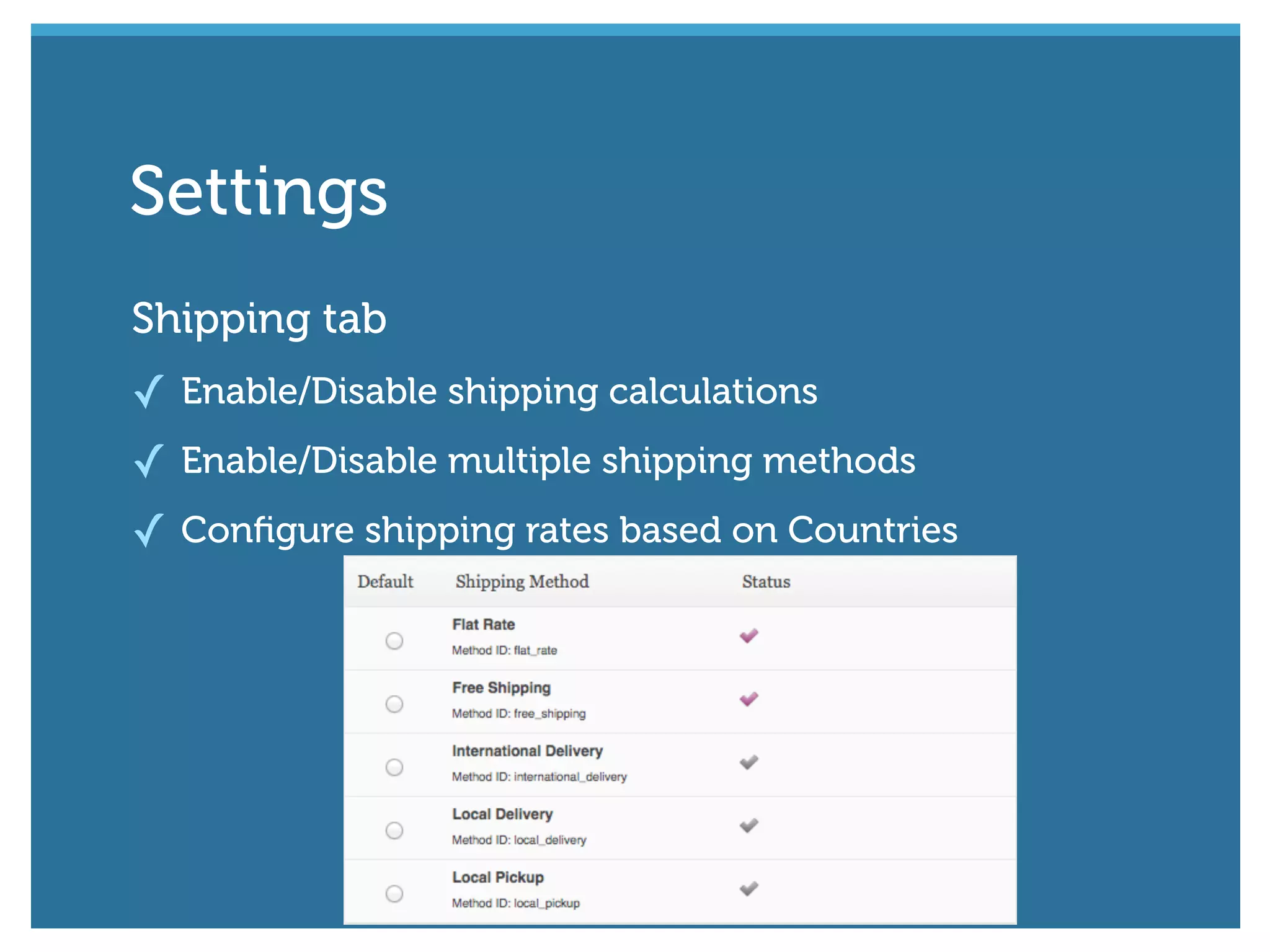
Shipping tab
✓ Enable/Disable shipping calculations
✓ Enable/Disable multiple shipping methods
✓ Configure shipping rates based on Countries
Settings
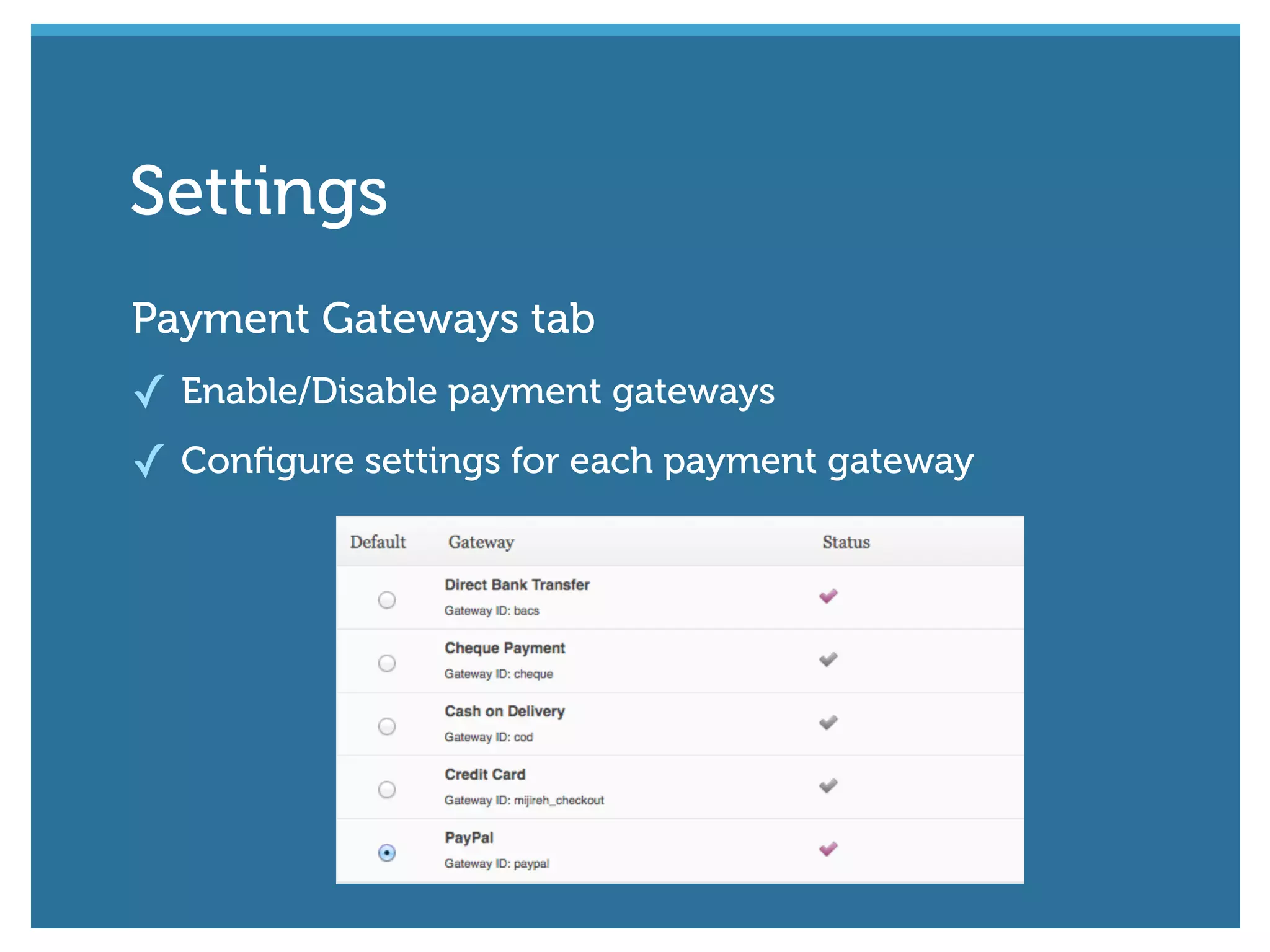
Payment Gateways tab
✓ Enable/Disable payment gateways
✓ Configure settings for each payment gateway
Settings
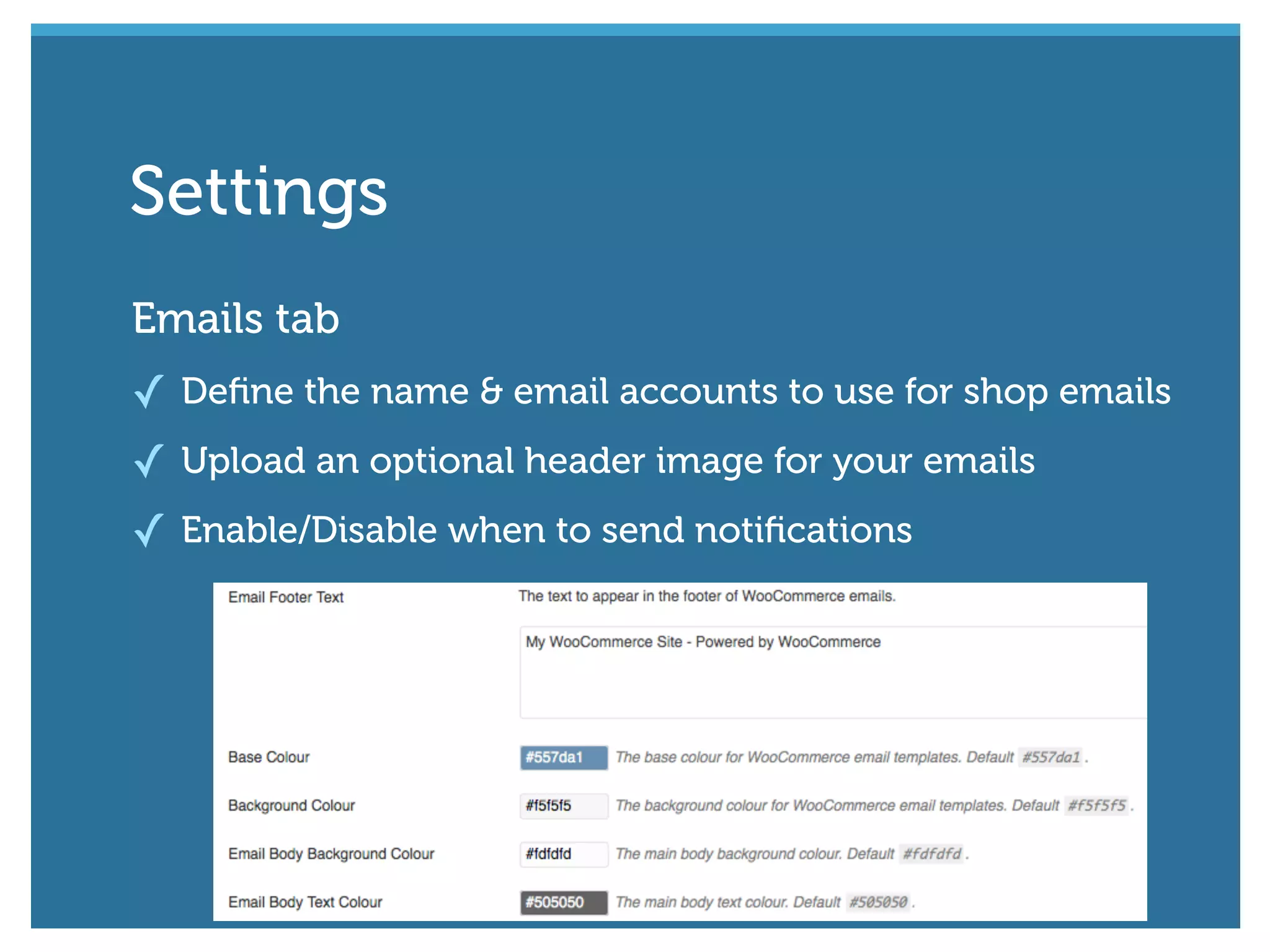
Emails tab
✓ Define the name & email accounts to use for shop emails
✓ Upload an optional header image for your emails
✓ Enable/Disable when to send notifications
Settings
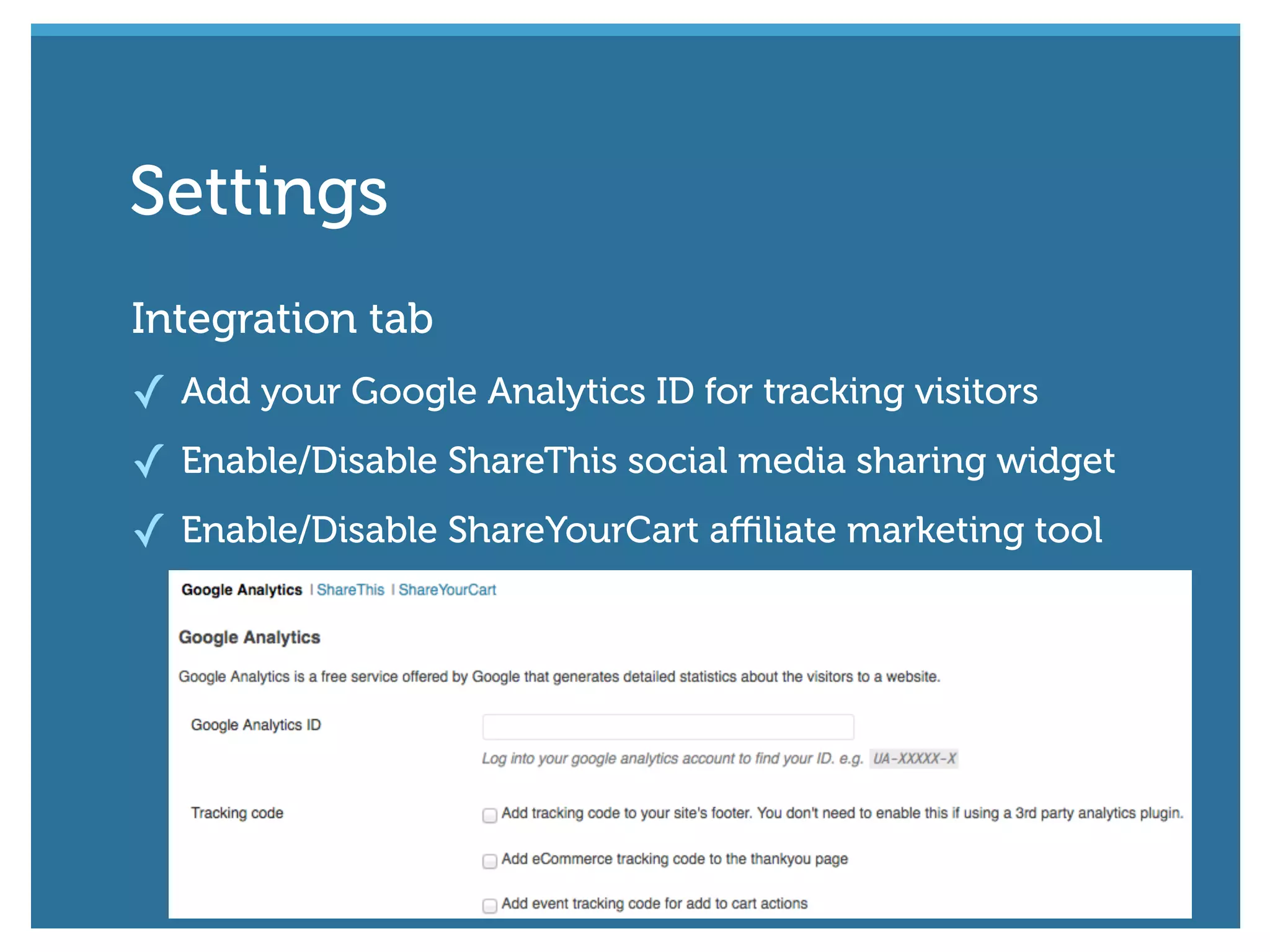
Integration tab
✓ Add your Google Analytics ID for tracking visitors
✓ Enable/Disable ShareThis social media sharing widget
✓ Enable/Disable ShareYourCart affiliate marketing tool
Settings
#wcmelb @maddisondesigns
Manage your products using
the Products menu
Managing Products
#wcmelb @maddisondesigns
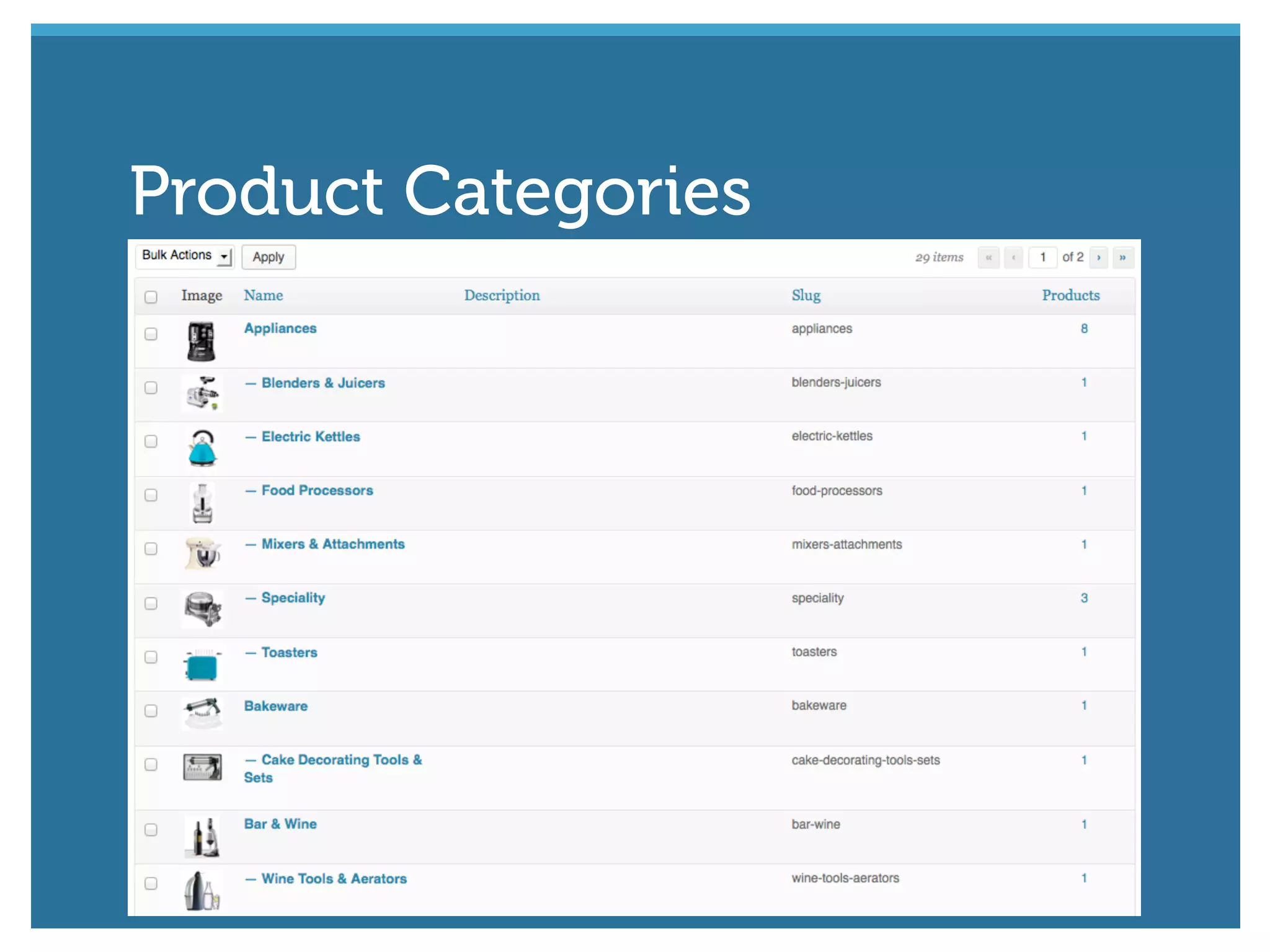
Just like Post Categories, Product Categories
allow you to group all your products.
✓ Drag ‘n drop to change their display order
✓ Add an image for each category
✓ Hierarchical, just like Post Categories
✓ Can also be added when adding a new product
Product Categories
Product Categories
#wcmelb @maddisondesigns
Product Tags are similar to Post Tags. They act as
ad-hoc keywords for your products.
✓ Can be added when adding each product
Product Tags
#wcmelb @maddisondesigns
Shipping classes can be used to group products
of similar type.
✓ Used by certain shipping methods to provide different
rates to different products
Shipping Classes
#wcmelb @maddisondesigns
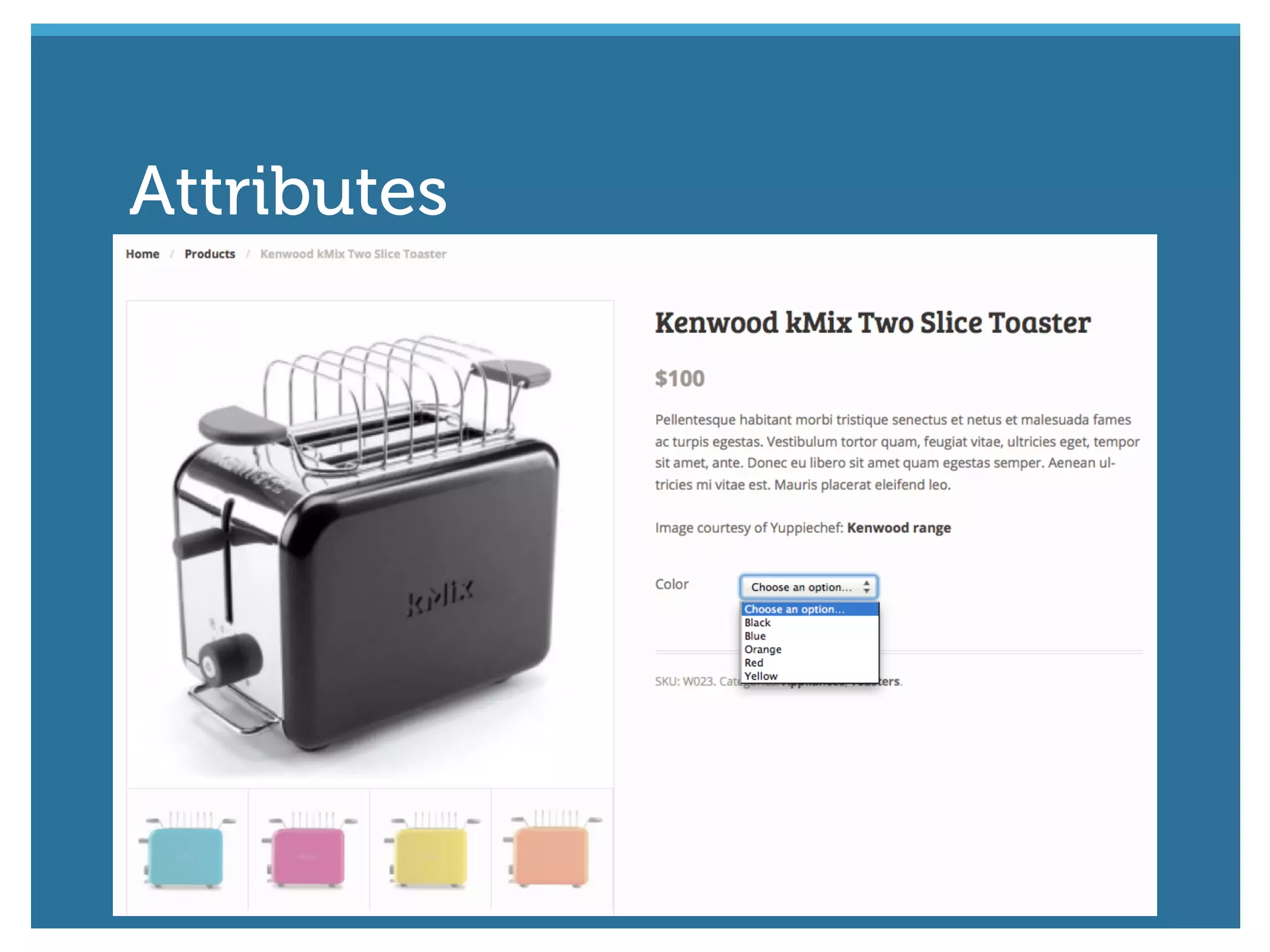
Attributes are used to define extra product data
✓ Commonly used with Variable Products for offering
variations of a product. (eg. Small, Medium, Large)
✓ Drag ‘n drop terms to change their display order
Attributes
Attributes
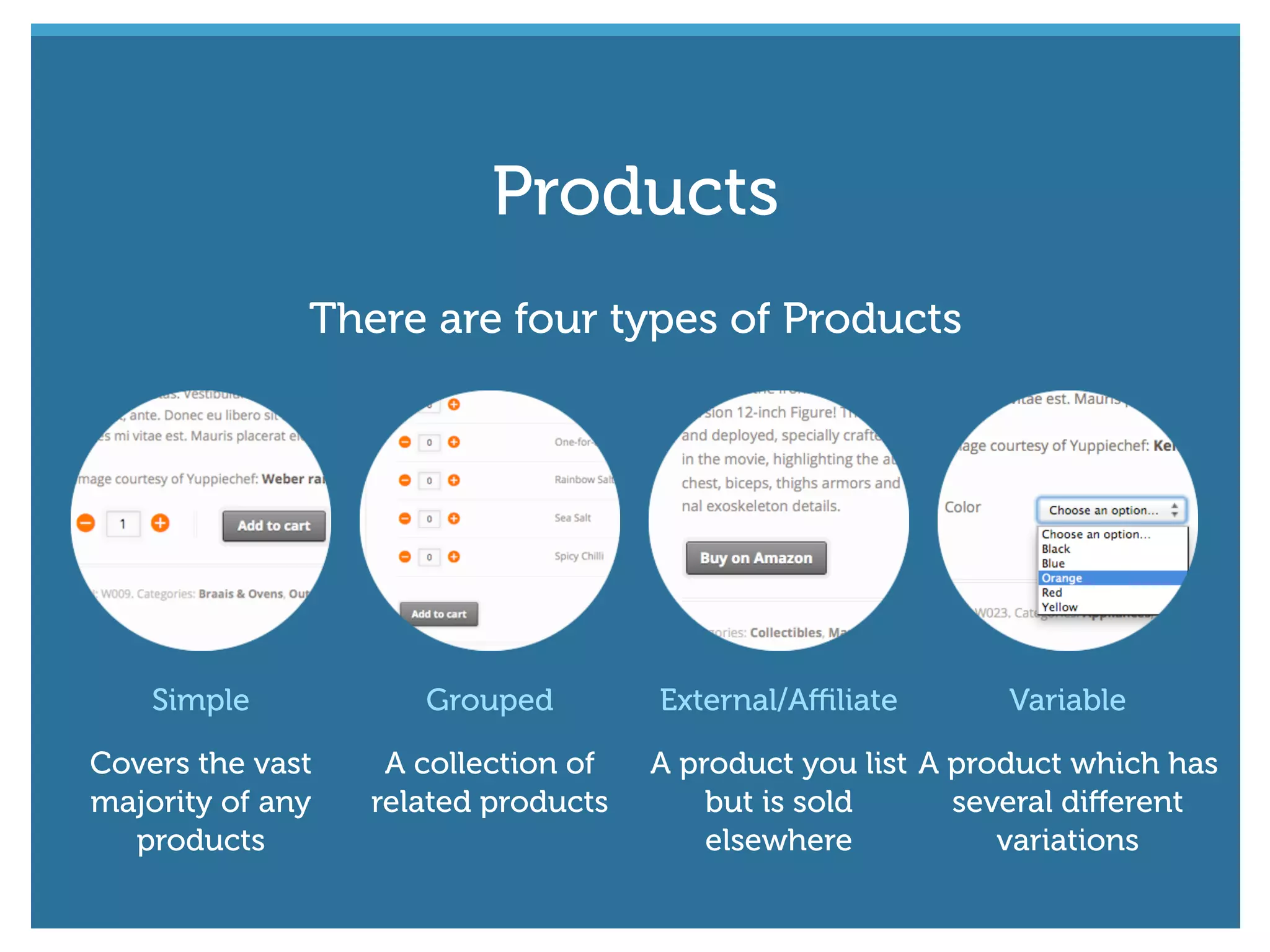
Simple
Covers the vast
majority of any
products
Grouped
A collection of
related products
External/Affiliate
A product you list
but is sold
elsewhere
Variable
A product which has
several different
variations
There are four types of Products
Products
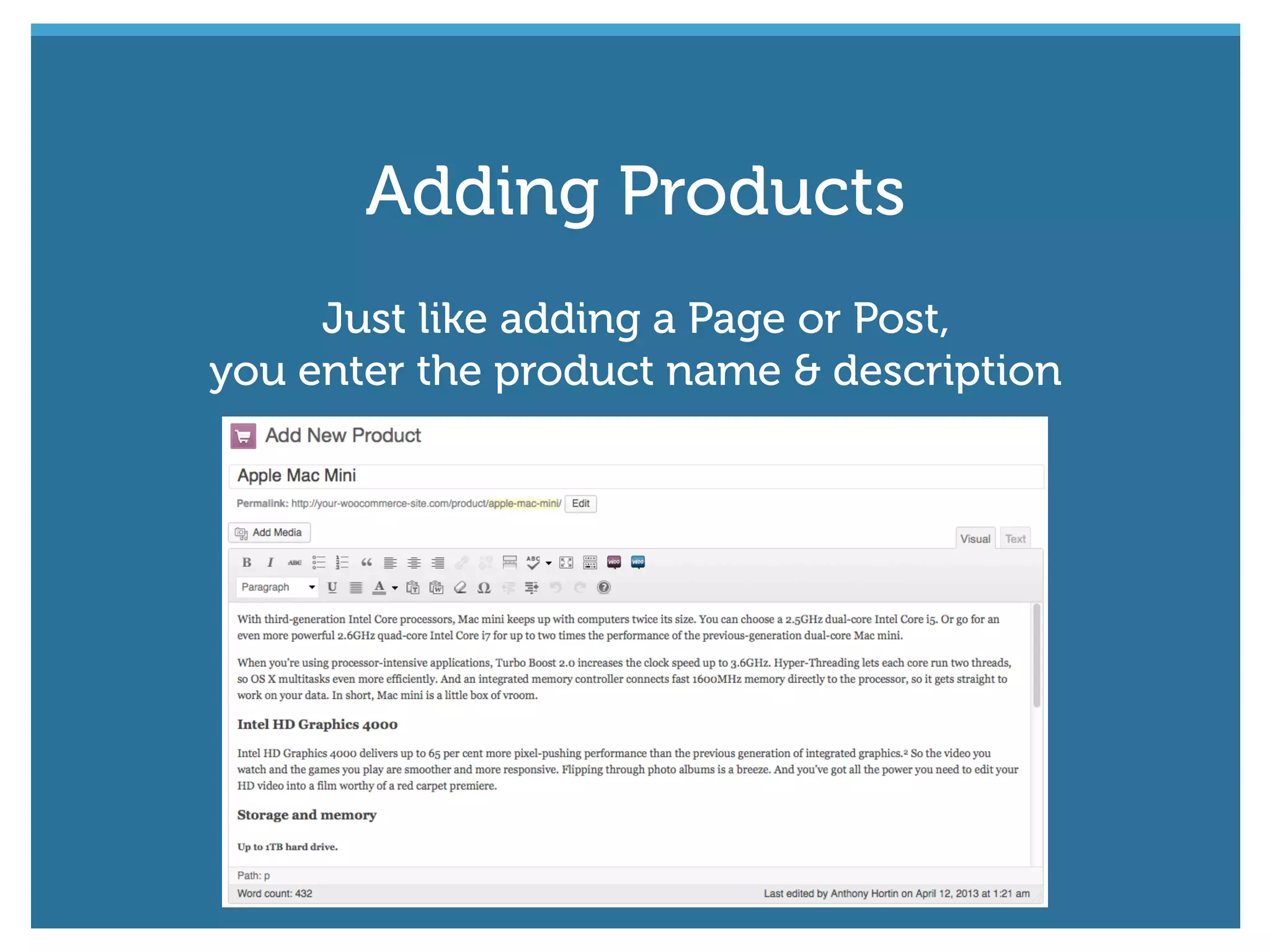
Just like adding a Page or Post,
you enter the product name & description
Adding Products
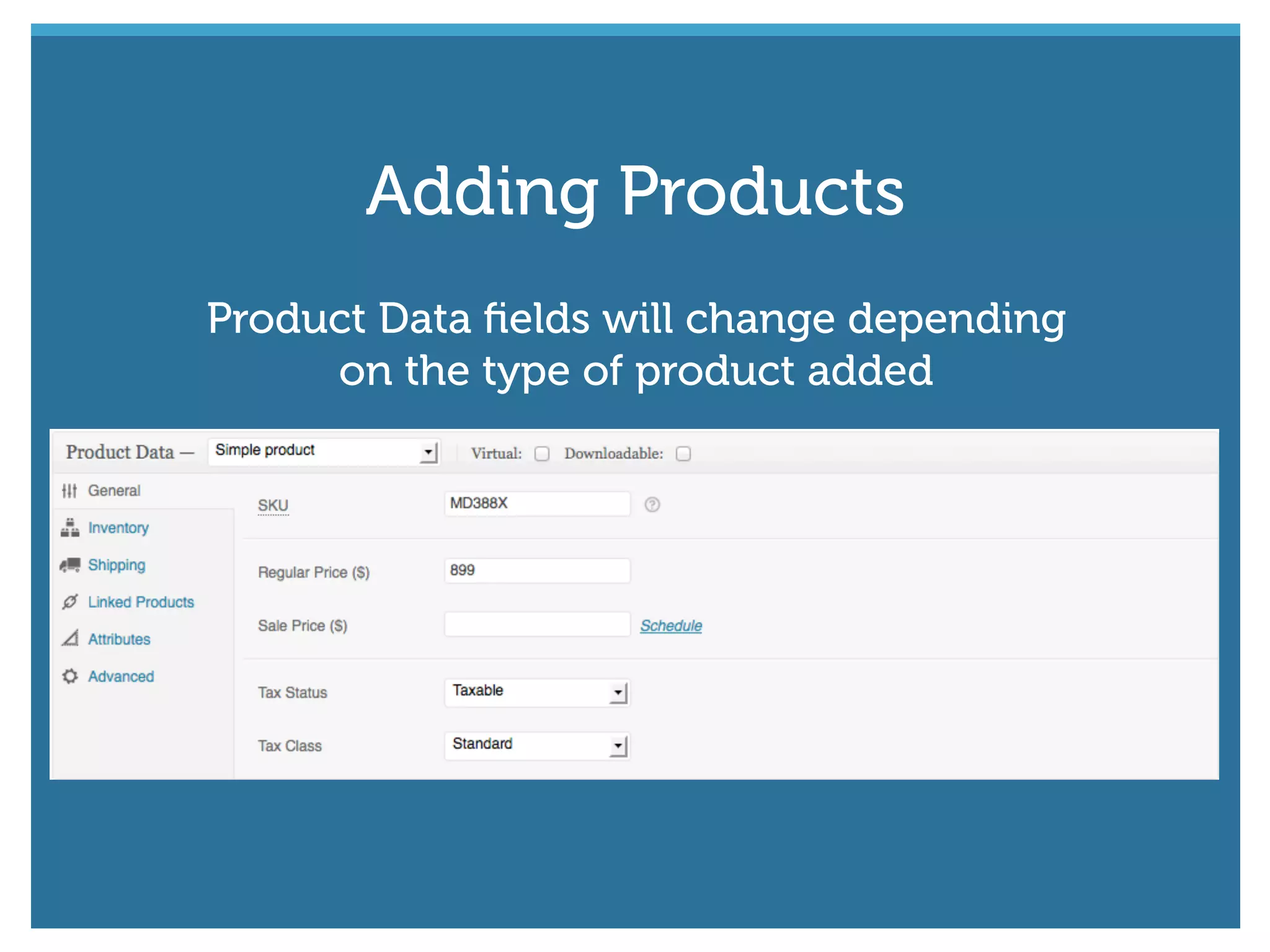
Product Data fields will change depending
on the type of product added
Adding Products
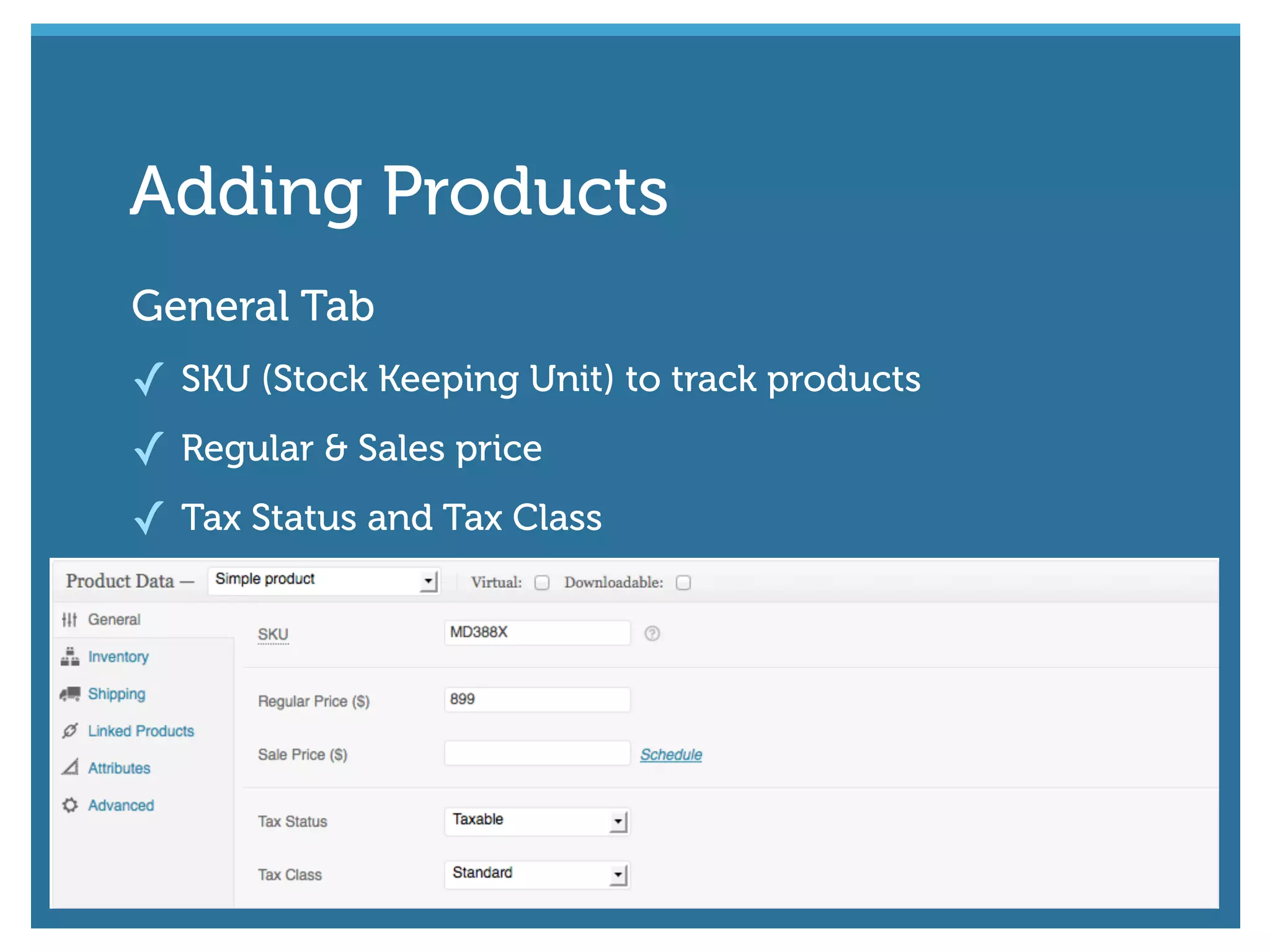
General Tab
✓ SKU (Stock Keeping Unit) to track products
✓ Regular & Sales price
✓ Tax Status and Tax Class
Adding Products
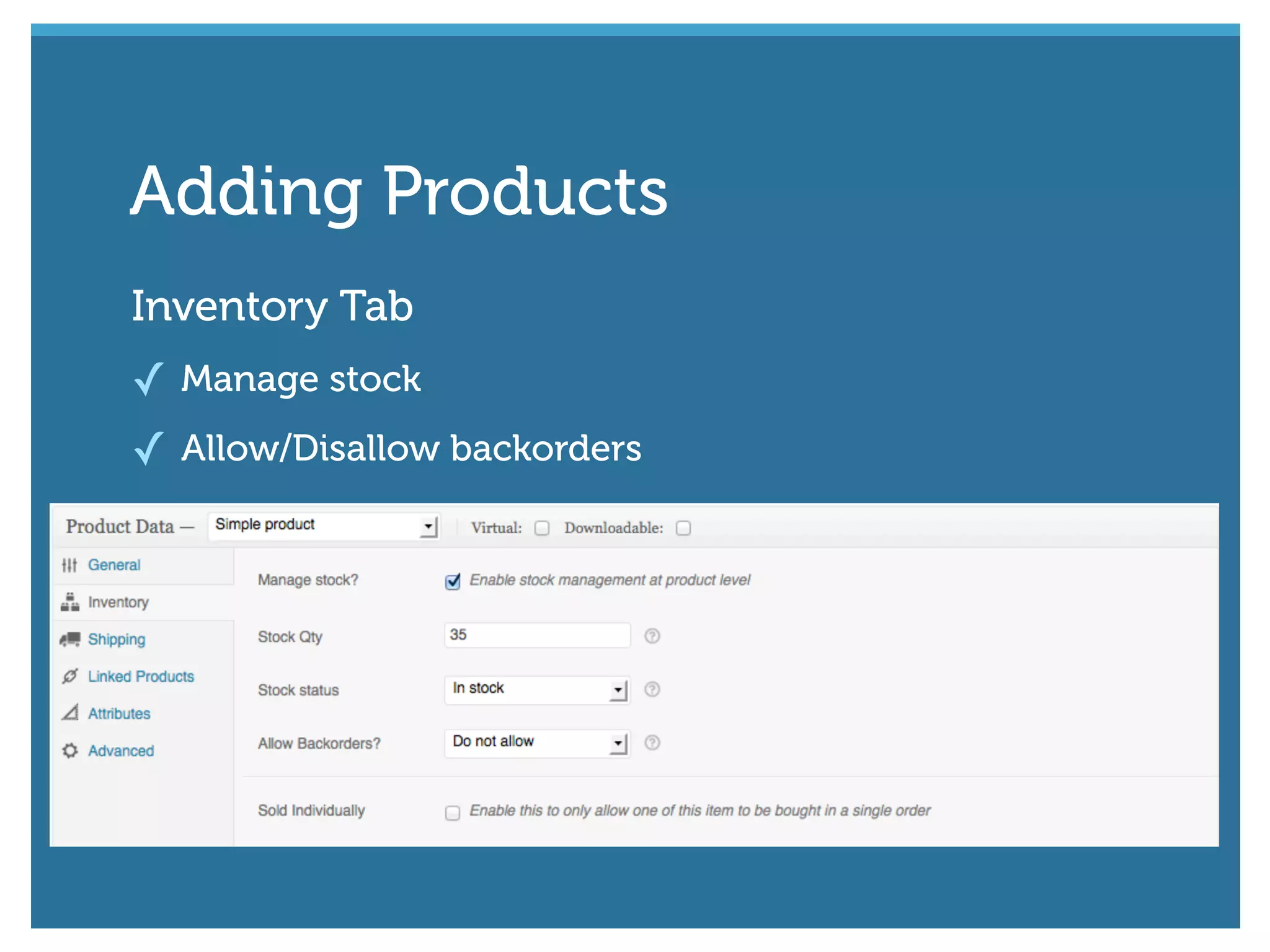
Inventory Tab
✓ Manage stock
✓ Allow/Disallow backorders
Adding Products
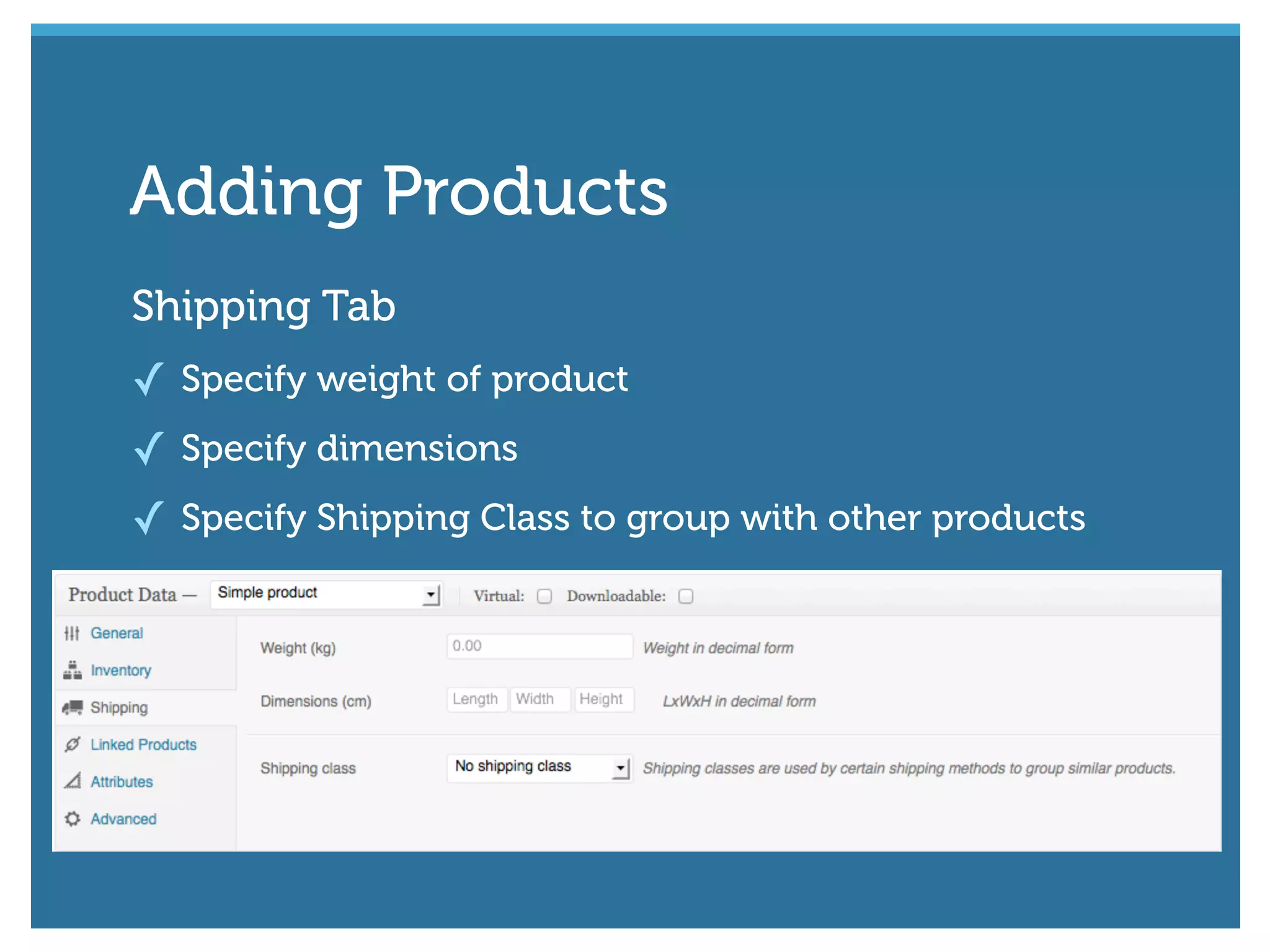
Shipping Tab
✓ Specify weight of product
✓ Specify dimensions
✓ Specify Shipping Class to group with other products
Adding Products
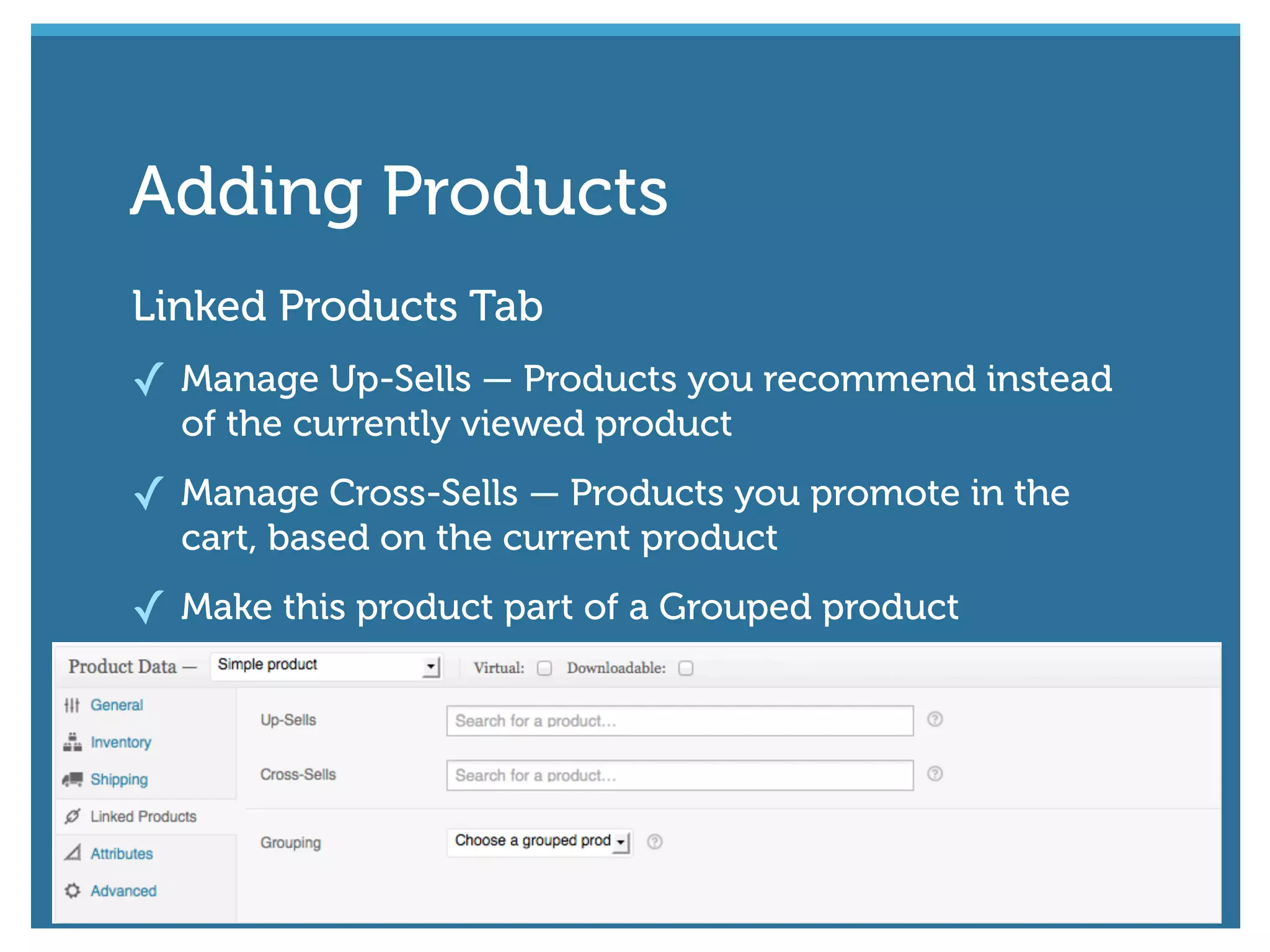
Linked Products Tab
✓ Manage Up-Sells — Products you recommend instead
of the currently viewed product
✓ Manage Cross-Sells — Products you promote in the
cart, based on the current product
✓ Make this product part of a Grouped product
Adding Products
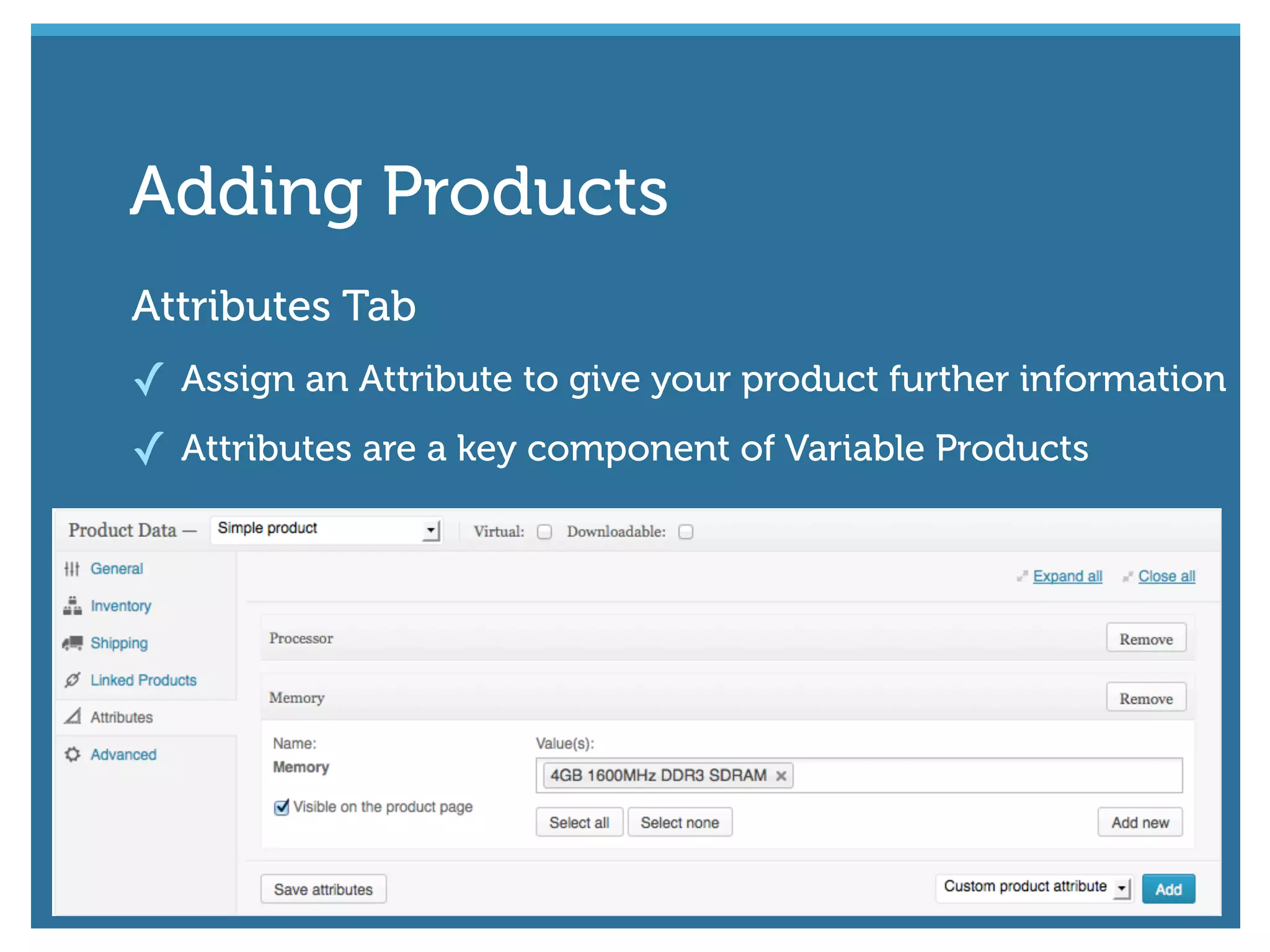
Attributes Tab
✓ Assign an Attribute to give your product further information
✓ Attributes are a key component of Variable Products
Adding Products
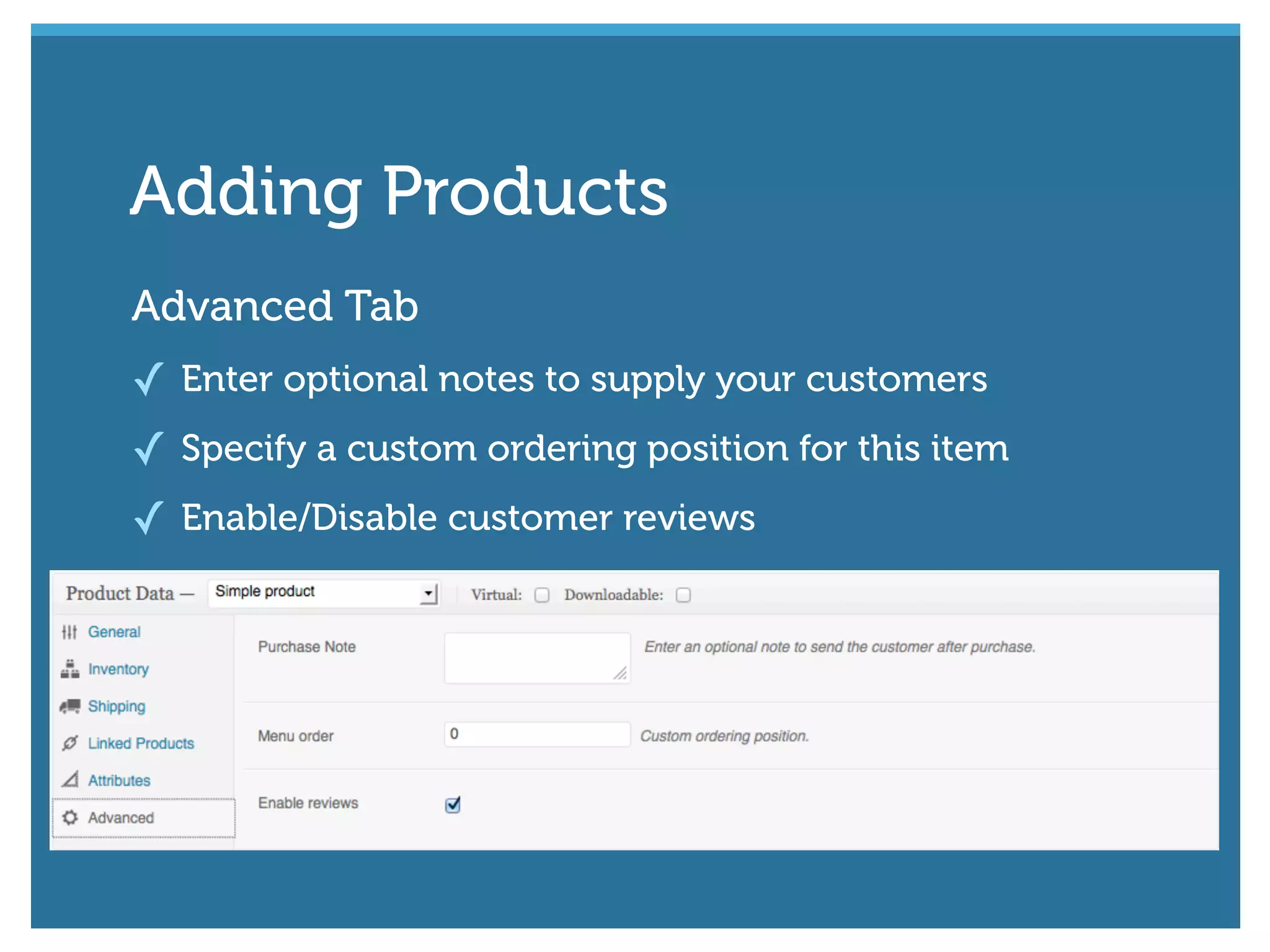
Advanced Tab
✓ Enter optional notes to supply your customers
✓ Specify a custom ordering position for this item
✓ Enable/Disable customer reviews
Adding Products
#wcmelb @maddisondesigns
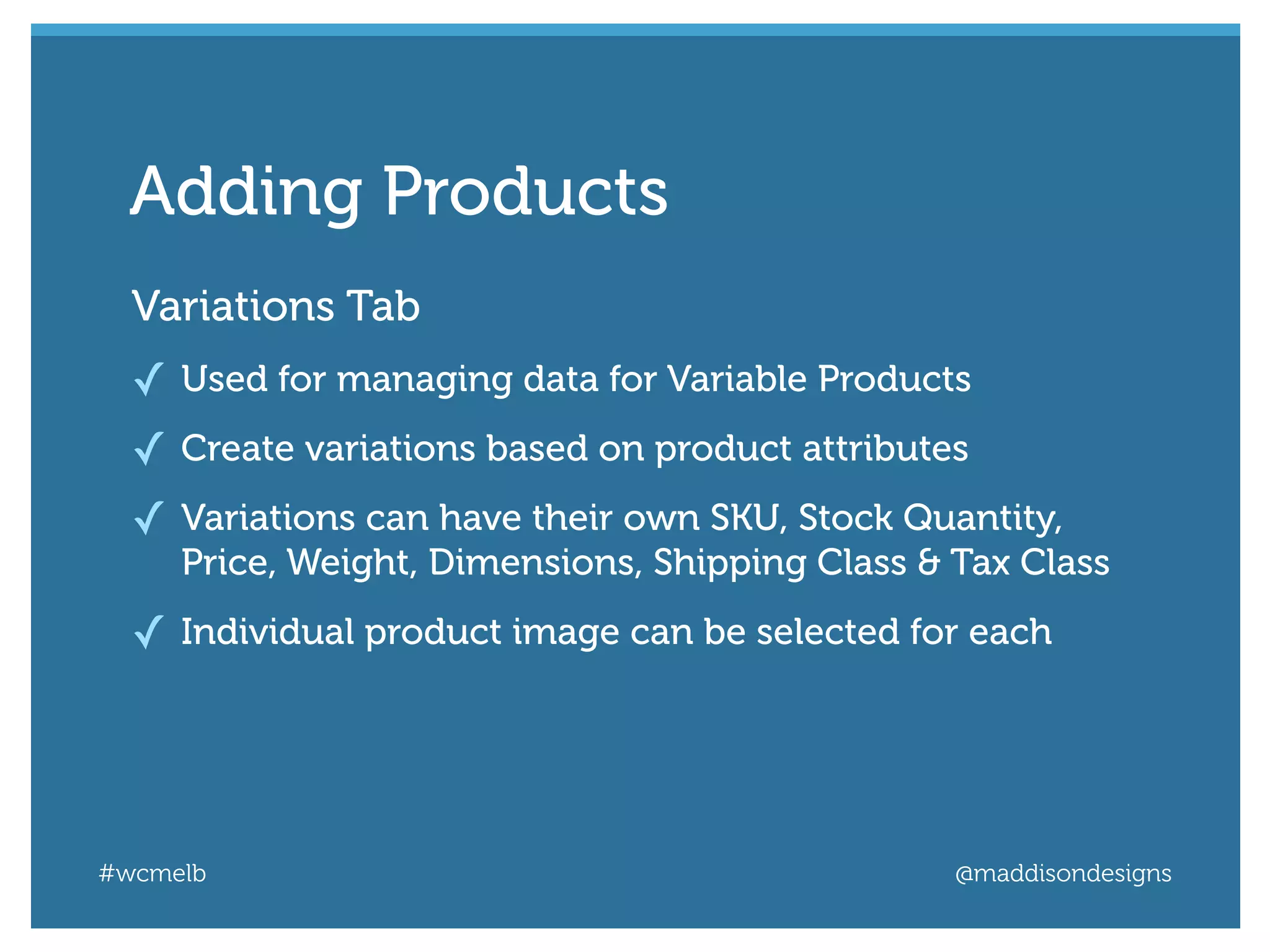
Variations Tab
✓ Used for managing data for Variable Products
✓ Create variations based on product attributes
✓ Variations can have their own SKU, Stock Quantity,
Price, Weight, Dimensions, Shipping Class & Tax Class
✓ Individual product image can be selected for each
Adding Products
Adding Products
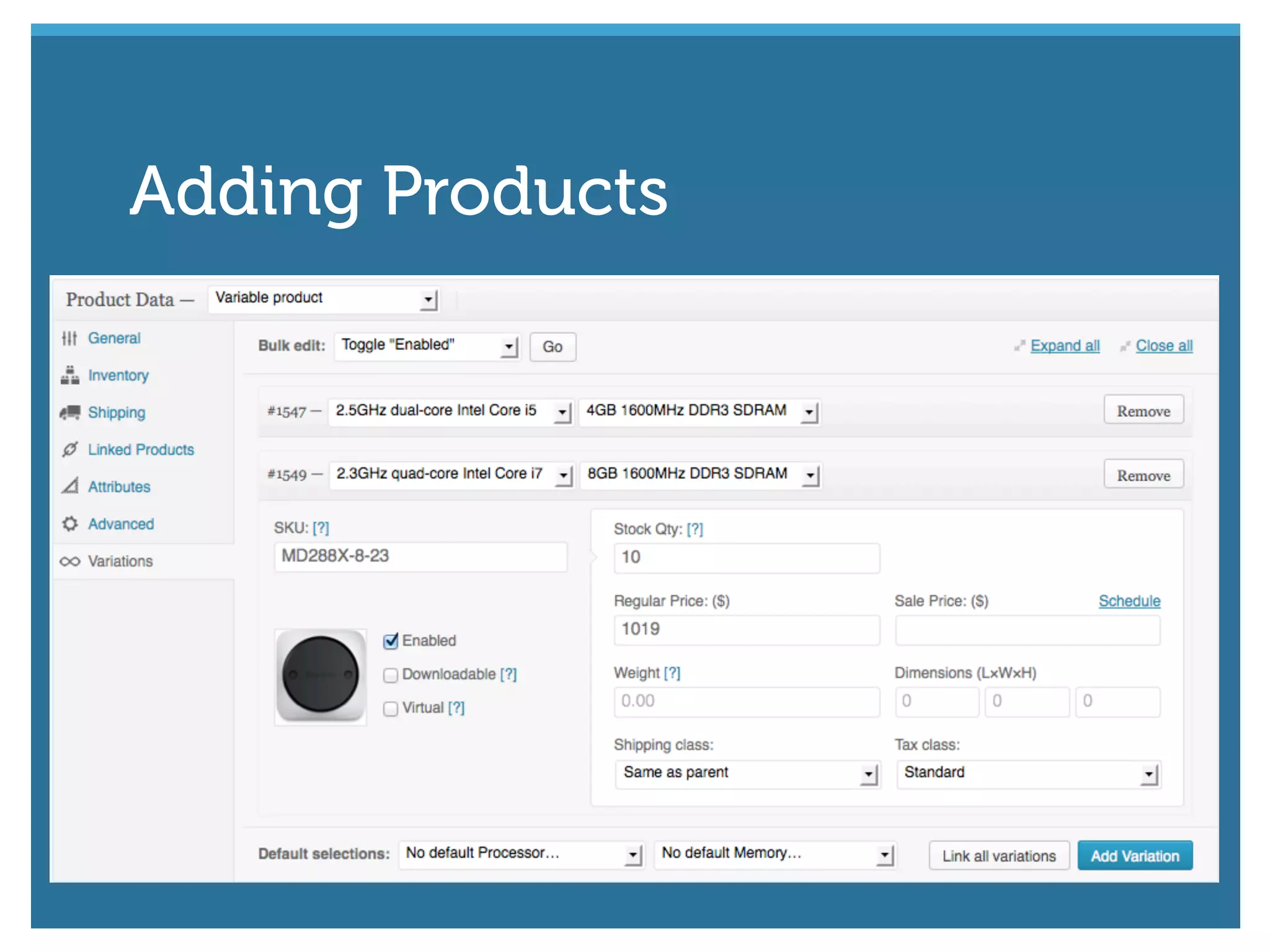
Short Description
Enter a short
description of
the product
Categories
Specify a
Category for
your product
Gallery
Add product
images to create
a gallery
Featured Image
Select a Featured
Image for the
product
Other important content you need to add
Adding Products
#wcmelb @maddisondesigns
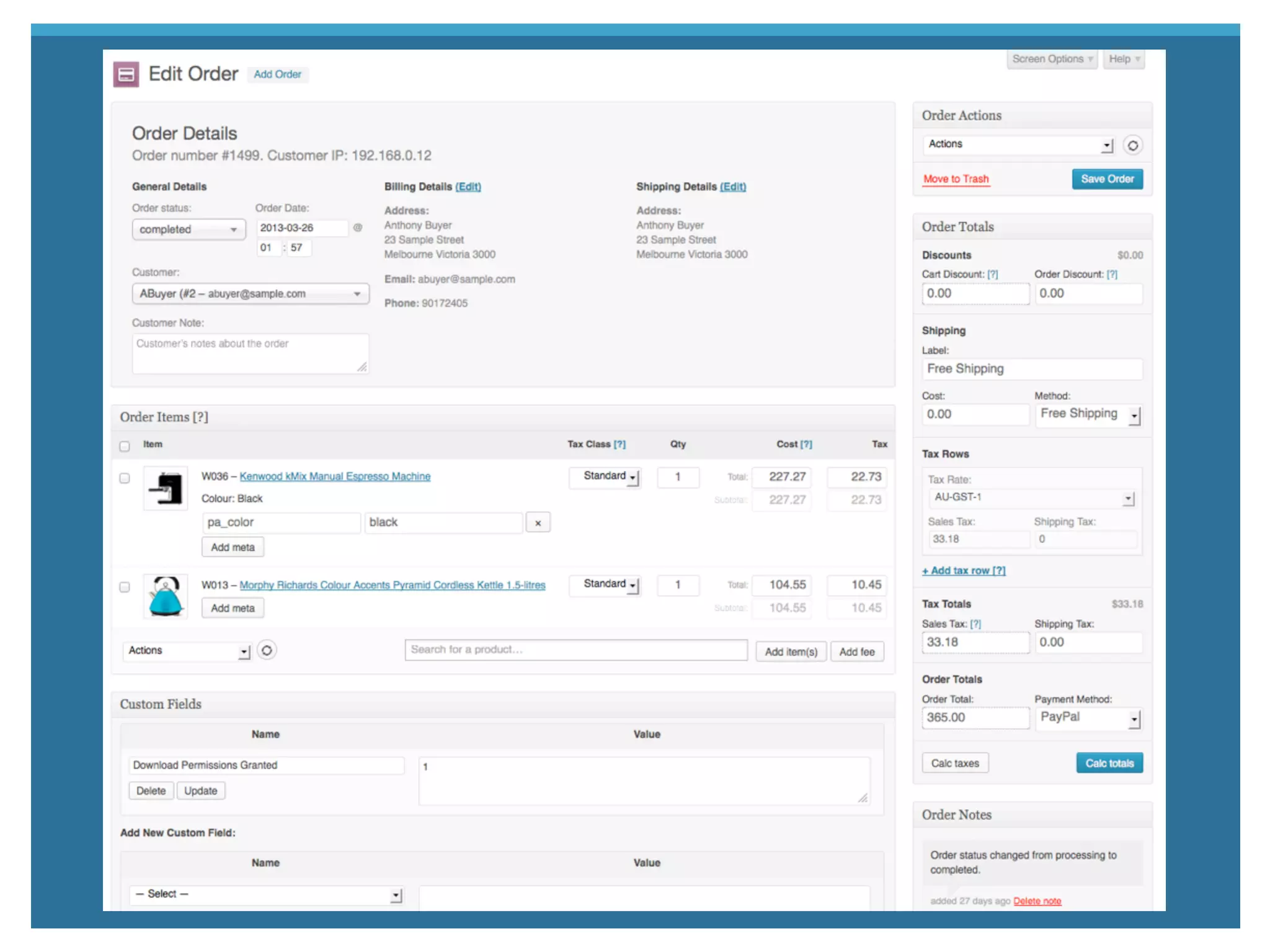
Orders are created when a customer completes
the checkout process
✓ Only visible to Administrators and Shop Managers
✓ Orders have a status (Pending, Failed, Completed etc.)
✓ Orders can be added manually, if need be
Orders
#wcmelb @maddisondesigns
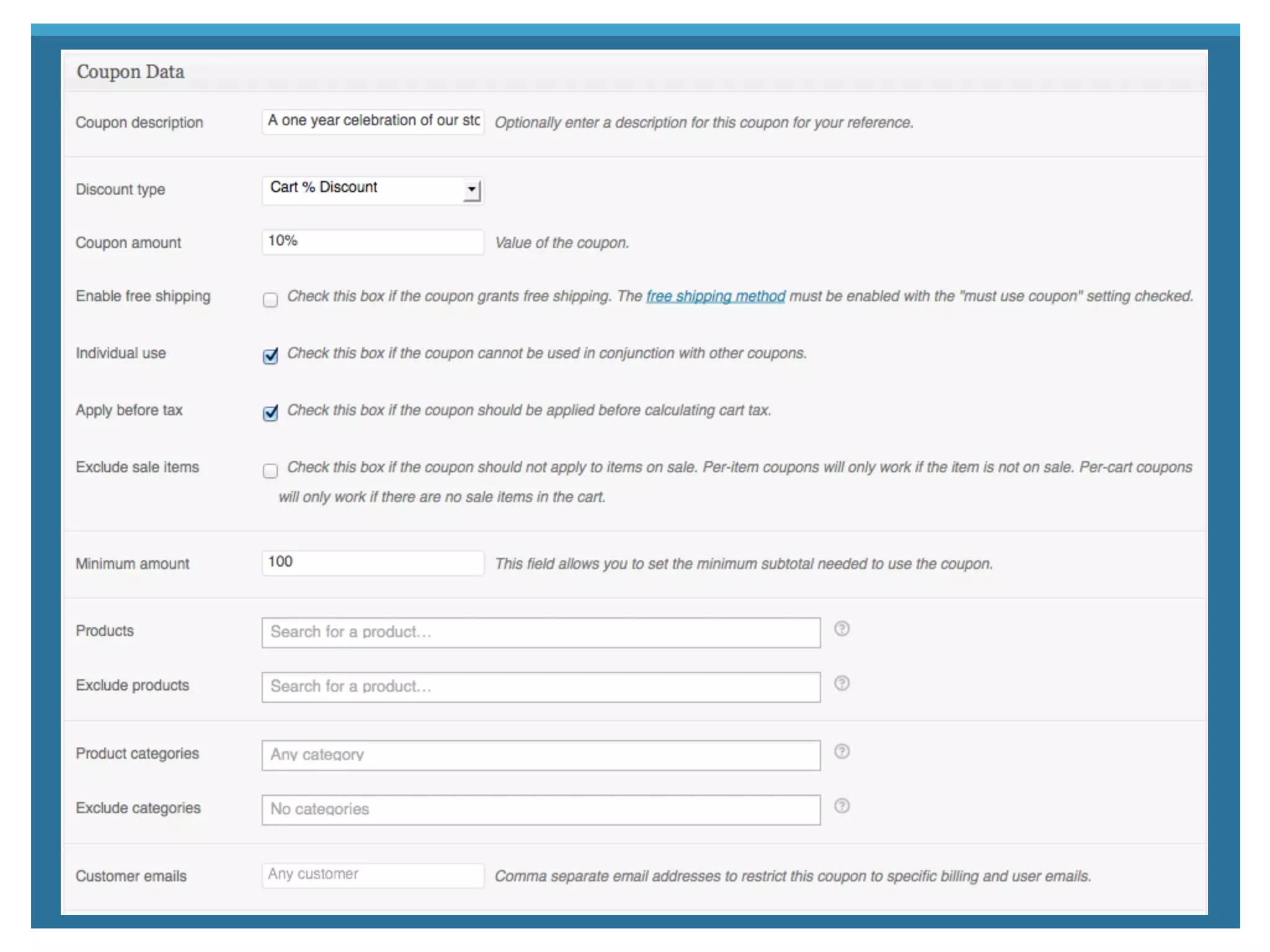
Use coupons to provide customers with discounts
✓ Discounts can be cart or product amounts/percentages
✓ Can include/exclude certain products or categories
✓ Specify an expiry date for limited use coupons
Coupons
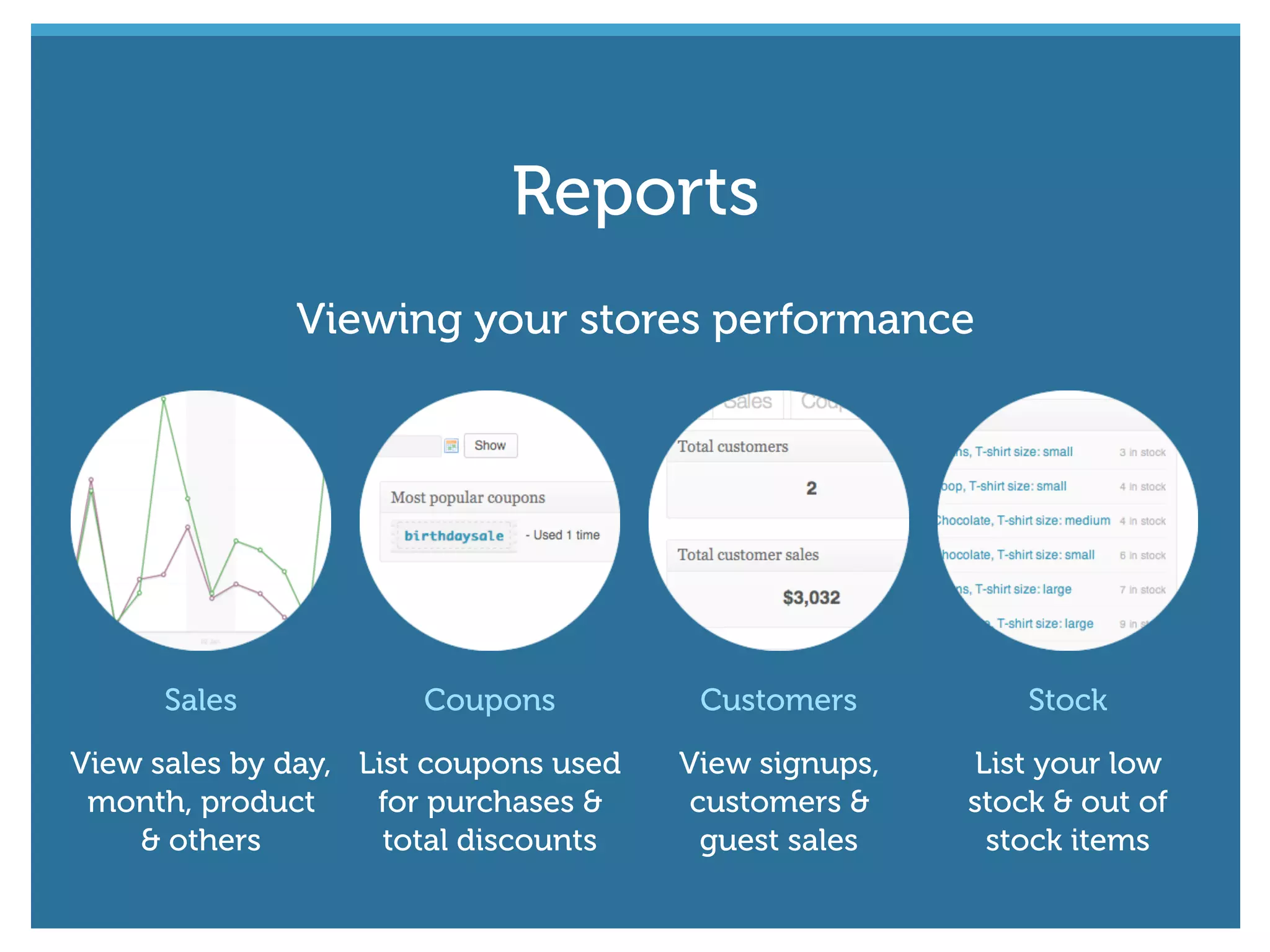
Sales
View sales by day,
month, product
& others
Coupons
List coupons used
for purchases &
total discounts
Customers
View signups,
customers &
guest sales
Stock
List your low
stock & out of
stock items
Viewing your stores performance
Reports
#wcmelb @maddisondesigns
WooCommerce Extensions allow you to add
extra functionality to your store
Extending WooCommerce
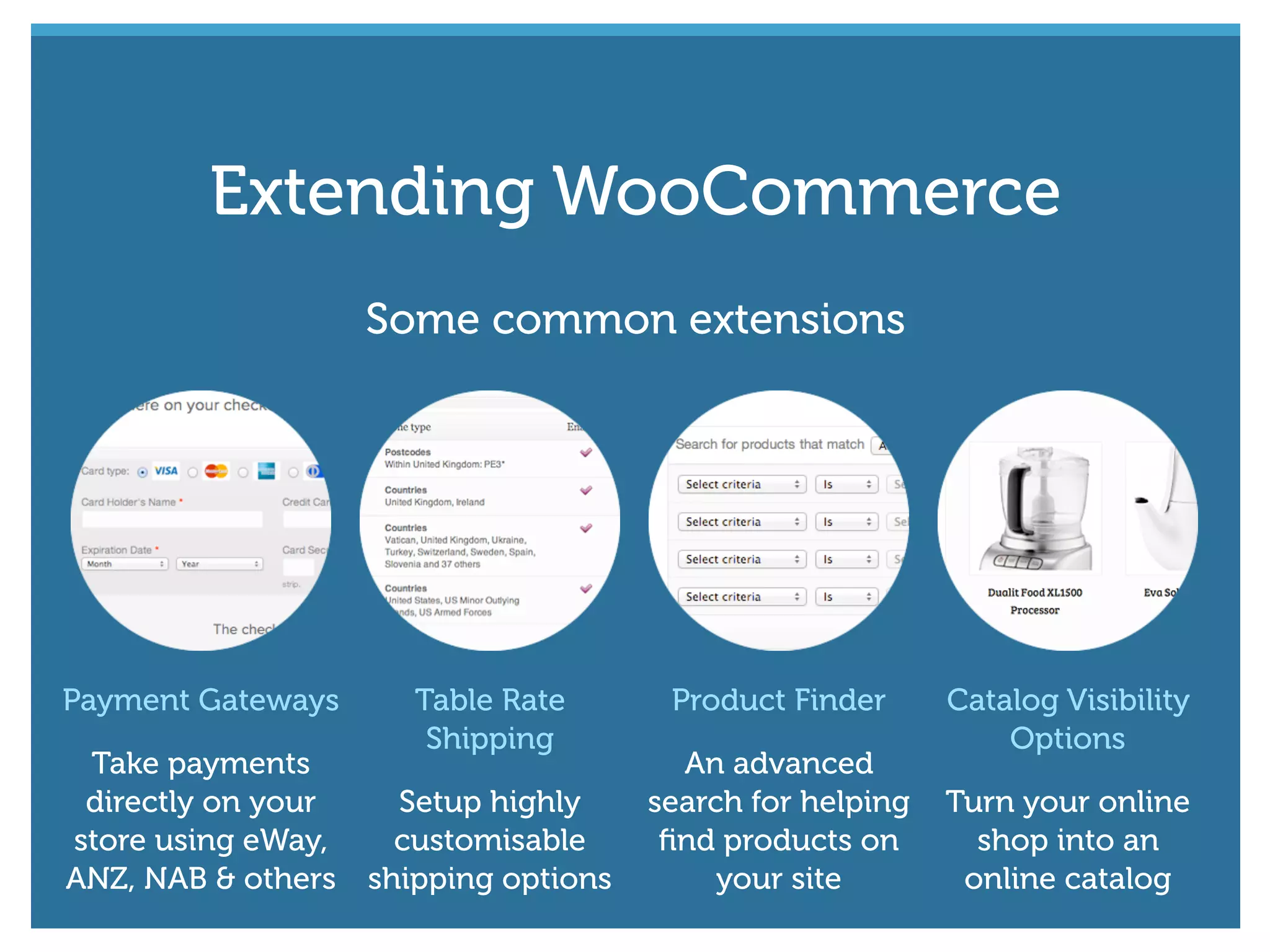
Payment Gateways
Take payments
directly on your
store using eWay,
ANZ, NAB & others
Table Rate
Shipping
Setup highly
customisable
shipping options
Product Finder
An advanced
search for helping
find products on
your site
Catalog Visibility
Options
Turn your online
shop into an
online catalog
Some common extensions
Extending WooCommerce
#wcmelb @maddisondesigns
WordPress Plugin Directory
http://wordpress.org/extend/plugins/woocommerce/
WooThemes WooCommerce site
http://www.woothemes.com/woocommerce/
WooCommerce Documentation
http://docs.woothemes.com/document/woocommerce/
WooCommerce Extensions
http://www.woothemes.com/product-category/woocommerce-extensions/
Links to remember
#wcmelb @maddisondesigns
That’s all folks!☺
Thanks! Questions?
You can find me here...
maddisondesigns.com
easywpguide.com
@maddisondesigns

Getting Started with WooCommerce

  • 1.
  • 2.
    #wcmelb @maddisondesigns A WordPresseCommerce toolkit that helps you sell anything. Beautifully.“ ”
  • 3.
    #wcmelb @maddisondesigns ✓ WooCommerce2.0+ has been fully security audited by the leading WordPress security firm Sucuri. ✓ Use the reports to get a birds-eye view of your stores performance. ✓ Run complex coupon campaigns. ✓ Setup Intricate tax & shipping options. ✓ Customers can check out quickly and efficiently ✓ Allow customers to leave reviews & ratings for products. FeaturesFeatures
  • 4.
    Installs like anyother WordPress plugin Download from WordPress.org Install from your WordPress dashboard Download from WooThemes Installing
  • 5.
    #wcmelb @maddisondesigns Activate &automatically install the default pages Installing
  • 6.
    Dashboard modules Right Now Astatistical overview of your store Recent Orders Lists your most recent orders Recent Reviews List your recent customer reviews Monthly Sales Shows sale quantities & amounts p/mth Where to find things
  • 7.
    Shop Management Orders View &manage your orders Reports View sales, customer & stock reports Coupons View & add coupons Where to find things
  • 8.
    Shop Management Settings Main WooComerce configuration settings SystemStatus Provides useful system stats on your site Where to find things
  • 9.
    Products View & manage yourProducts Add Product Add a new product Categories View & manage product categories Product Management Where to find things
  • 10.
    Tags View & manage producttags Shipping Classes View & manage shipping classes Attributes View & manage product attributes Product Management Where to find things
  • 11.
    #wcmelb @maddisondesigns First up,configure your WooCommerce settings Configuring
  • 12.
    General tab ✓ Defineyour store location, currency & allowed countries ✓ Configure whether customers can register accounts ✓ Enable/Disable Guest checkouts ✓ Enable/Disable use of Coupons Settings
  • 13.
    Catalog tab ✓ Defaultproduct sorting & shop contents (products and/or categories) ✓ Define product data fields (SKU, Weight, Dimensions) ✓ Define pricing format (Decimals, Seperators) ✓ Define image sizes (Catalog, Single product, Thumbnails) Settings
  • 14.
    #wcmelb @maddisondesigns Pages tab ✓Configure the core WooCommerce pages Most can be left as default as they’re automatically set when you install the default WooCommerce pages Settings
  • 15.
    #wcmelb @maddisondesigns Inventory tab ✓Enable/Disable stock management ✓ Enable low/out of stock notifications Settings
  • 16.
    Tax tab ✓ Enable/Disabletaxes & tax calculations ✓ Define whether shop prices are inclusive/exclusive of tax ✓ Ability to define multiple tax classes (Std, Reduced, etc.) ✓ Set tax rate based on country and/or state Settings
  • 17.
    Shipping tab ✓ Enable/Disableshipping calculations ✓ Enable/Disable multiple shipping methods ✓ Configure shipping rates based on Countries Settings
  • 18.
    Payment Gateways tab ✓Enable/Disable payment gateways ✓ Configure settings for each payment gateway Settings
  • 19.
    Emails tab ✓ Definethe name & email accounts to use for shop emails ✓ Upload an optional header image for your emails ✓ Enable/Disable when to send notifications Settings
  • 20.
    Integration tab ✓ Addyour Google Analytics ID for tracking visitors ✓ Enable/Disable ShareThis social media sharing widget ✓ Enable/Disable ShareYourCart affiliate marketing tool Settings
  • 21.
    #wcmelb @maddisondesigns Manage yourproducts using the Products menu Managing Products
  • 22.
    #wcmelb @maddisondesigns Just likePost Categories, Product Categories allow you to group all your products. ✓ Drag ‘n drop to change their display order ✓ Add an image for each category ✓ Hierarchical, just like Post Categories ✓ Can also be added when adding a new product Product Categories
  • 23.
  • 24.
    #wcmelb @maddisondesigns Product Tagsare similar to Post Tags. They act as ad-hoc keywords for your products. ✓ Can be added when adding each product Product Tags
  • 25.
    #wcmelb @maddisondesigns Shipping classescan be used to group products of similar type. ✓ Used by certain shipping methods to provide different rates to different products Shipping Classes
  • 26.
    #wcmelb @maddisondesigns Attributes areused to define extra product data ✓ Commonly used with Variable Products for offering variations of a product. (eg. Small, Medium, Large) ✓ Drag ‘n drop terms to change their display order Attributes
  • 27.
  • 28.
    Simple Covers the vast majorityof any products Grouped A collection of related products External/Affiliate A product you list but is sold elsewhere Variable A product which has several different variations There are four types of Products Products
  • 29.
    Just like addinga Page or Post, you enter the product name & description Adding Products
  • 30.
    Product Data fieldswill change depending on the type of product added Adding Products
  • 31.
    General Tab ✓ SKU(Stock Keeping Unit) to track products ✓ Regular & Sales price ✓ Tax Status and Tax Class Adding Products
  • 32.
    Inventory Tab ✓ Managestock ✓ Allow/Disallow backorders Adding Products
  • 33.
    Shipping Tab ✓ Specifyweight of product ✓ Specify dimensions ✓ Specify Shipping Class to group with other products Adding Products
  • 34.
    Linked Products Tab ✓Manage Up-Sells — Products you recommend instead of the currently viewed product ✓ Manage Cross-Sells — Products you promote in the cart, based on the current product ✓ Make this product part of a Grouped product Adding Products
  • 35.
    Attributes Tab ✓ Assignan Attribute to give your product further information ✓ Attributes are a key component of Variable Products Adding Products
  • 36.
    Advanced Tab ✓ Enteroptional notes to supply your customers ✓ Specify a custom ordering position for this item ✓ Enable/Disable customer reviews Adding Products
  • 37.
    #wcmelb @maddisondesigns Variations Tab ✓Used for managing data for Variable Products ✓ Create variations based on product attributes ✓ Variations can have their own SKU, Stock Quantity, Price, Weight, Dimensions, Shipping Class & Tax Class ✓ Individual product image can be selected for each Adding Products
  • 38.
  • 39.
    Short Description Enter ashort description of the product Categories Specify a Category for your product Gallery Add product images to create a gallery Featured Image Select a Featured Image for the product Other important content you need to add Adding Products
  • 40.
    #wcmelb @maddisondesigns Orders arecreated when a customer completes the checkout process ✓ Only visible to Administrators and Shop Managers ✓ Orders have a status (Pending, Failed, Completed etc.) ✓ Orders can be added manually, if need be Orders
  • 42.
    #wcmelb @maddisondesigns Use couponsto provide customers with discounts ✓ Discounts can be cart or product amounts/percentages ✓ Can include/exclude certain products or categories ✓ Specify an expiry date for limited use coupons Coupons
  • 44.
    Sales View sales byday, month, product & others Coupons List coupons used for purchases & total discounts Customers View signups, customers & guest sales Stock List your low stock & out of stock items Viewing your stores performance Reports
  • 45.
    #wcmelb @maddisondesigns WooCommerce Extensionsallow you to add extra functionality to your store Extending WooCommerce
  • 46.
    Payment Gateways Take payments directlyon your store using eWay, ANZ, NAB & others Table Rate Shipping Setup highly customisable shipping options Product Finder An advanced search for helping find products on your site Catalog Visibility Options Turn your online shop into an online catalog Some common extensions Extending WooCommerce
  • 47.
    #wcmelb @maddisondesigns WordPress PluginDirectory http://wordpress.org/extend/plugins/woocommerce/ WooThemes WooCommerce site http://www.woothemes.com/woocommerce/ WooCommerce Documentation http://docs.woothemes.com/document/woocommerce/ WooCommerce Extensions http://www.woothemes.com/product-category/woocommerce-extensions/ Links to remember
  • 48.
    #wcmelb @maddisondesigns That’s allfolks!☺ Thanks! Questions? You can find me here... maddisondesigns.com easywpguide.com @maddisondesigns