Getting started with Apache Solr
by Nadim, Humayun Kabir
What is Solr?
● Solr is an open source enterprise full text search server based on the
Lucene Java search library.
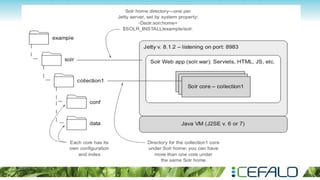
● Solr runs in a Java servlet container such as Tomcat or Jetty
● Solr is free software and a project of the Apache Software Foundation
● Solr is a sub-project of Lucene and can be found at http://lucene.
apache.org/solr/
Key Features
● Optimized for High Volume Web Traffic
● Standards Based Open Interfaces – XML and HTTP
● Comprehensive HTML Administration Interface
● Server statistics exposed over JMX for monitoring
● Scalability through efficient replication
● Flexibility with XML configuration and Plugins
● Push vs Crawl indexing method
● Advanced Full-Text search
● Full Features : http://lucene.apache.org/solr/features.html
Schema.xml
The schema declares:
● what kinds of fields there are
● which field should be used as the
unique/primary key
● which fields are required
● how to index and search each field
The XML consists of a number of parts. We'll look at these in turn:
Field Types
Fields
Misc
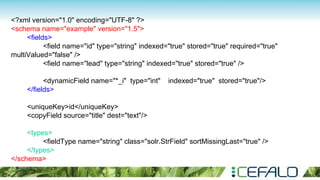
<?xml version="1.0" encoding="UTF-8" ?>
<schema name="example" version="1.5">
<fields>
<field name="id" type="string" indexed="true" stored="true" required="true"
multiValued="false" />
<field name="lead" type="string" indexed="true" stored="true" />
<dynamicField name="*_i" type="int" indexed="true" stored="true"/>
</fields>
<uniqueKey>id</uniqueKey>
<copyField source="title" dest="text"/>
<types>
<fieldType name="string" class="solr.StrField" sortMissingLast="true" />
</types>
</schema>
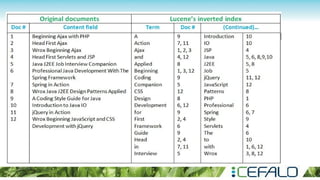
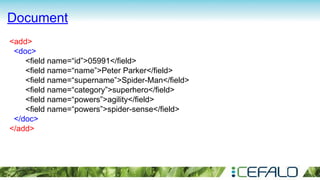
● An index is built of one or more Documents.
● A Document consists of one or more Fields.
● A Field consists of a name, content and metadata telling Solr how to
handle the content.
● For instance, Fields can contain strings, numbers, booleans or dates, as
well as any types you wish to add. A Field can be described using a
number of options that tell Solr how to treat the content during indexing
and searching.
Document
<add>
<doc>
<field name=“id”>05991</field>
<field name=“name”>Peter Parker</field>
<field name=“supername”>Spider-Man</field>
<field name=“category”>superhero</field>
<field name=“powers”>agility</field>
<field name=“powers”>spider-sense</field>
</doc>
</add>
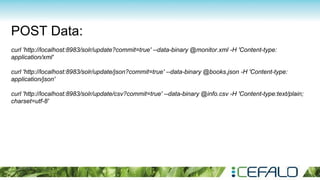
POST Data:
curl 'http://localhost:8983/solr/update?commit=true' --data-binary @monitor.xml -H 'Content-type:
application/xml'
curl 'http://localhost:8983/solr/update/json?commit=true' --data-binary @books.json -H 'Content-type:
application/json'
curl 'http://localhost:8983/solr/update/csv?commit=true' --data-binary @info.csv -H 'Content-type:text/plain;
charset=utf-8'
Update Data
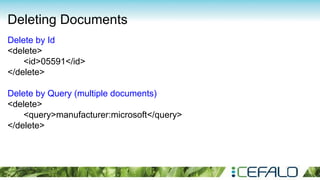
Deleting Documents
Delete by Id
<delete>
<id>05591</id>
</delete>
Delete by Query (multiple documents)
<delete>
<query>manufacturer:microsoft</query>
</delete>
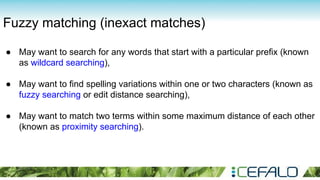
Fuzzy matching (inexact matches)
● May want to search for any words that start with a particular prefix (known
as wildcard searching),
● May want to find spelling variations within one or two characters (known as
fuzzy searching or edit distance searching),
● May want to match two terms within some maximum distance of each other
(known as proximity searching).
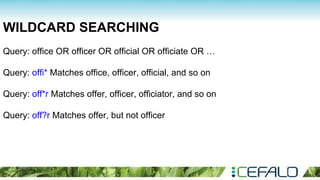
WILDCARD SEARCHING
Query: office OR officer OR official OR officiate OR …
Query: offi* Matches office, officer, official, and so on
Query: off*r Matches offer, officer, officiator, and so on
Query: off?r Matches offer, but not officer
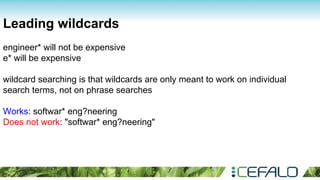
Leading wildcards
engineer* will not be expensive
e* will be expensive
wildcard searching is that wildcards are only meant to work on individual
search terms, not on phrase searches
Works: softwar* eng?neering
Does not work: "softwar* eng?neering"
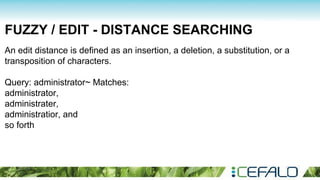
FUZZY / EDIT - DISTANCE SEARCHING
An edit distance is defined as an insertion, a deletion, a substitution, or a
transposition of characters.
Query: administrator~ Matches:
administrator,
administrater,
administratior, and
so forth
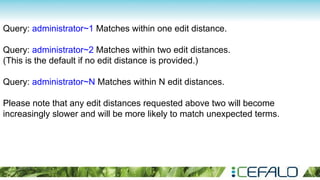
Query: administrator~1 Matches within one edit distance.
Query: administrator~2 Matches within two edit distances.
(This is the default if no edit distance is provided.)
Query: administrator~N Matches within N edit distances.
Please note that any edit distances requested above two will become
increasingly slower and will be more likely to match unexpected terms.
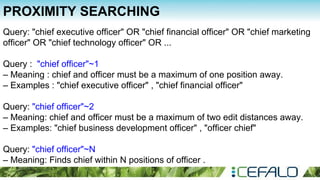
PROXIMITY SEARCHING
Query: "chief executive officer" OR "chief financial officer" OR "chief marketing
officer" OR "chief technology officer" OR ...
Query : "chief officer"~1
– Meaning : chief and officer must be a maximum of one position away.
– Examples : "chief executive officer" , "chief financial officer"
Query: "chief officer"~2
– Meaning: chief and officer must be a maximum of two edit distances away.
– Examples: "chief business development officer" , "officer chief"
Query: "chief officer"~N
– Meaning: Finds chief within N positions of officer .
RANGE SEARCHING
February 2, 2012, and August 2, 2012
Query: created:[2012-02-01T00:00.0Z TO 2012-08-02T00:00.0Z]
Query: yearsOld:[18 TO 21] Matches 18, 19, 20, 21
Query: title:[boat TO boulder] Matches boat, boil, book, boulder, etc.
Query: price:[12.99 TO 14.99] Matches 12.99, 13.000009, 14.99, etc.
Query: yearsOld:{18 TO 21} Matches 19 and 20 but not 18 or 21
Query: yearsOld:[18 TO 21} Matches 18, 19, 20, but not 21
Query: yearsOld:[* TO 21}
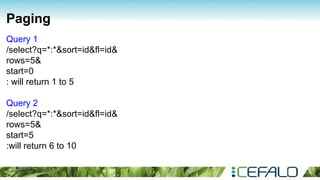
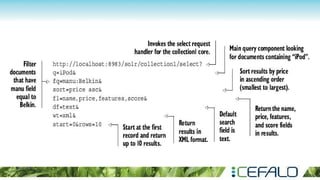
Paging
Query 1
/select?q=*:*&sort=id&fl=id&
rows=5&
start=0
: will return 1 to 5
Query 2
/select?q=*:*&sort=id&fl=id&
rows=5&
start=5
:will return 6 to 10
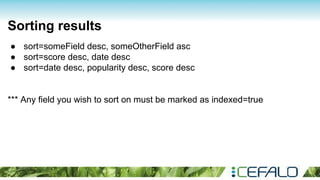
Sorting results
● sort=someField desc, someOtherField asc
● sort=score desc, date desc
● sort=date desc, popularity desc, score desc
*** Any field you wish to sort on must be marked as indexed=true
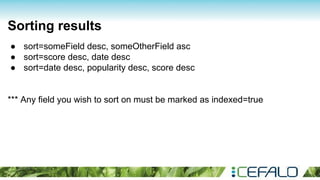
Sorting results
● sort=someField desc, someOtherField asc
● sort=score desc, date desc
● sort=date desc, popularity desc, score desc
*** Any field you wish to sort on must be marked as indexed=true
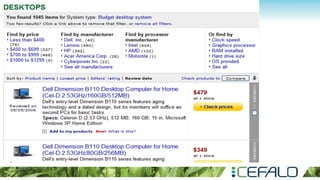
Faceted search
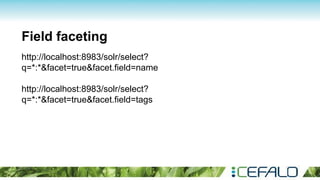
Field faceting
http://localhost:8983/solr/select?
q=*:*&facet=true&facet.field=name
http://localhost:8983/solr/select?
q=*:*&facet=true&facet.field=tags
Query faceting
http://localhost:8983/solr/select?q=*:*&fq=price:[5 TO 25]
http://localhost:8983/solr/select?q=*:*&fq=price:[5 TO 25]&
fq=state:("New York" OR "Georgia" OR "South Carolina")
http://localhost:8983/solr/select?q=*:*&rows=0&facet=true&
facet.query=price:[* TO 5}&
facet.query=price:[5 TO 10}&
facet.query=price:[10 TO 20}&
facet.query=price:[20 TO 50}&
facet.query=price:[50 TO *]
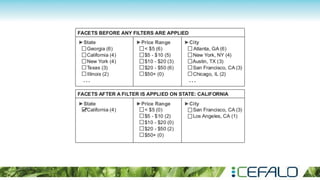
Applying filters to your facets
http://localhost:8983/solr/select?
q=*:*&facet=true&
facet.field=state&
facet.field=city&
facet.query=price:[* TO 10}&
facet.query=price:[10 TO 25}&
facet.query=price:[25 TO 50}&
facet.query=price:[50 TO *]
http://localhost:8983/solr/select?
q=*:*&facet=true&
facet.field=state&
facet.field=city&
facet.query=price:[* TO 10}&
facet.query=price:[10 TO 25}&
facet.query=price:[25 TO 50}&
facet.query=price:[50 TO *]
fq=state:California
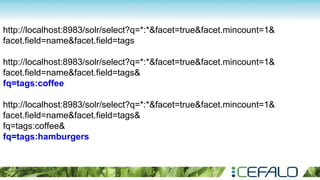
http://localhost:8983/solr/select?q=*:*&facet=true&facet.mincount=1&
facet.field=name&facet.field=tags
http://localhost:8983/solr/select?q=*:*&facet=true&facet.mincount=1&
facet.field=name&facet.field=tags&
fq=tags:coffee
http://localhost:8983/solr/select?q=*:*&facet=true&facet.mincount=1&
facet.field=name&facet.field=tags&
fq=tags:coffee&
fq=tags:hamburgers
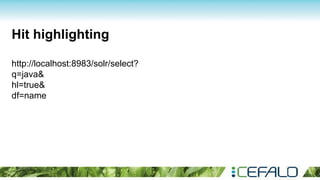
Hit highlighting
http://localhost:8983/solr/select?
q=java&
hl=true&
df=name
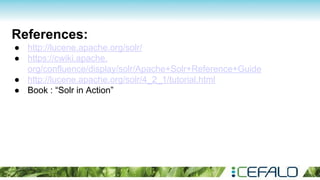
References:
● http://lucene.apache.org/solr/
● https://cwiki.apache.
org/confluence/display/solr/Apache+Solr+Reference+Guide
● http://lucene.apache.org/solr/4_2_1/tutorial.html
● Book : “Solr in Action”
Questions?

Getting started with apache solr