History Cognitive PrinciplesStudent LearningApplications
Fordham Research Contributors: M. Fairfax, J. Gomez, B. Huntington, G. Robertson
1992 1998 1999 2001 20031991
SMART Technologies Inc.
introduces the first
SMART Board
SMART Technologies Inc.
introduces the first
SMART Board
SMART introduces
SMART Notebook
software 2.0
Intel Inc. becomes a
minority investor in SMART
Technologies
SMART unveils Airliner
wirless slate
2005 2007 2009
Board Historical Timeline
SMART introduces first
Plasma
SMART Board
SMART introduces first
Plasma
SMART Board
SMARTBoard for flat-
panel display debuted
SMART Senteo
Interactive Response
System debutes
SMART Board software with
SMART Redorder debutes
Dual touch SMARTBoard
is introduced
History Cognitive PrinciplesStudent LearningApplications
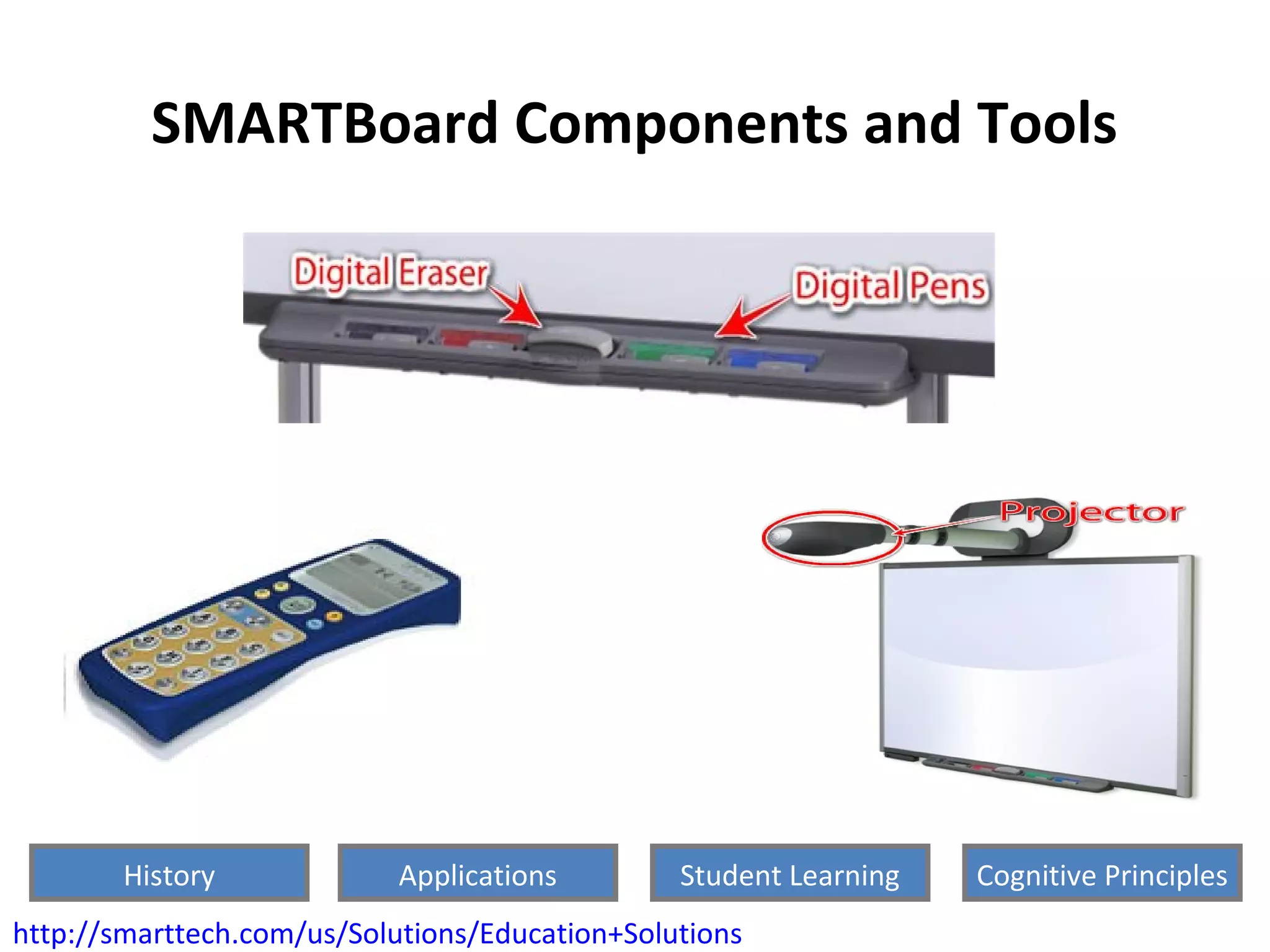
SMARTBoard Components and Tools
http://smarttech.com/us/Solutions/Education+Solutions
History Cognitive PrinciplesStudent LearningApplications
How SMARTBoard software is used in
classrooms today
SMARTBoard Math Tools SMART Response Interactive System
SMART Classroom Suite
Interactive learning software
SMART Notebook Collaborative
learning software
http://smarttech.com/us/Solutions/Education+Solutions
History Cognitive PrinciplesStudent LearningApplications
How are SMARTBoard used in classrooms
today?
Science Class
Math Class
Reading Lesson
http://www.ehow.com/about_5101358_smart-boards-used-classroom.html
History Cognitive PrinciplesStudent LearningApplications
Student Learning Facilitated by
SMARTBoard
• Active engagement
• Participation in groups
• Frequent interaction and feedback
• Connections to real-world contexts
Ex., Penmanship and shape production
• (Roschelle, Pea, Hoadley, Gordin, & Means, 2000; Levy, 2002).
History Cognitive PrinciplesStudent LearningApplications
Types of Learning Facilitated by
SMARTBoards
•Visual Learning
Edwards et al. (2002)
Ex., Understanding fractions
•Auditory Learning
Miller & Glover (2002)
Ex., Student /teacher presentations,
videos, and music. Auditory feedback
Audio-visual pathway problems?
api.ning.com/.../SMARTBoardsKES006.jpg
History Cognitive PrinciplesStudent LearningApplications
Types of Learning Facilitated by
SMART Boards
Tactile Learning
Use of the SMARTBoard pens, fingers instead of
mouse to advance applications and presentations
ex., Smith (2001) handwriting study
But does the actual touch enhance learning?
History Cognitive PrinciplesStudent LearningApplications
Multimedia Principles In the Use of SMART
Boards
Multimedia Principle
Retention is improved through the use of words
AND pictures, rather than words alone.
• http://exchange.smarttech.com/details.html?id=x
History Cognitive PrinciplesStudent LearningApplications
Multimedia Principles In the Use of
SMARTBoard
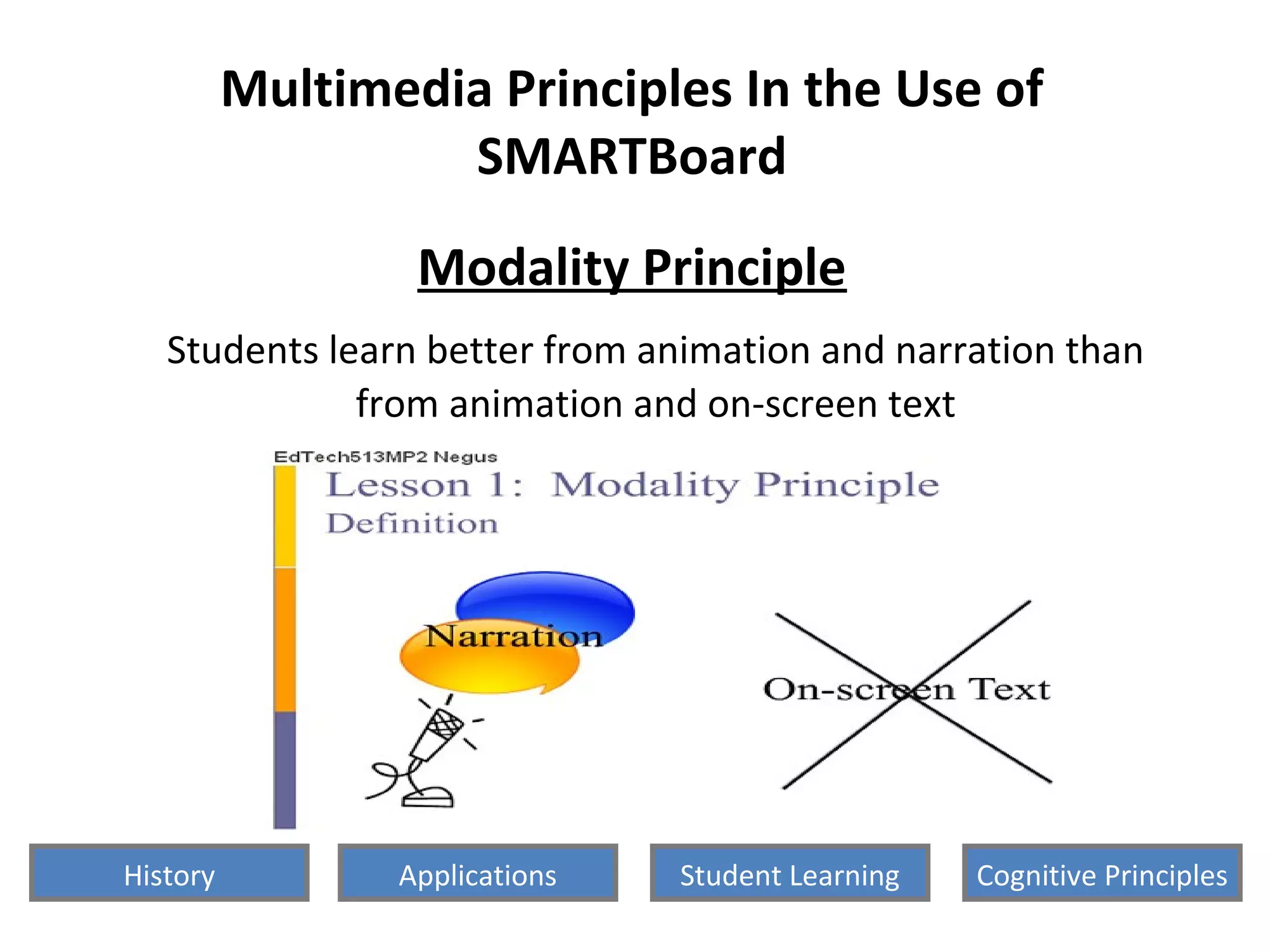
Modality Principle
Students learn better from animation and narration than
from animation and on-screen text
History Cognitive PrinciplesStudent LearningApplications
Multimedia Principles In the Use of SMART
Boards
Direct Manipulation Principle
As the complexity of the materials increase, the impact
of direct manipulation of the learning materials
(animation, pacing) on transfer also increases.
History Cognitive PrinciplesStudent LearningApplications
Possible Changes to Better Incorporate more Multimedia
Principles
• Teachers and professionals who have plans to use SMART
Board technology in their classrooms need to receive training
• Technological training
• Effective multimedia lesson designing to maximize student
learning, and minimize design effects
• Redundancy
• Individual Differences
History Cognitive PrinciplesStudent LearningApplications
Cognitive Principles of Smart Boards
The Constructivism Principle
Students build their knowledge by processing the
information they receive - making connection
between what they know and what they learn
• Ex., Teaching with "Balloons”
History Cognitive PrinciplesStudent LearningApplications
Cognitive Principles of Smart Boards
The Context Principle
What students construct depends on the context
including the students’ mental states
History Cognitive PrinciplesStudent LearningApplications
Cognitive Principles of Smart Boards
The Change Principle
Producing significant conceptual change is difficult but
can be facilitated through a
variety of known mechanisms
http://www.youtube.com/watch?v=nZjHX_DZEl4
History Cognitive PrinciplesStudent LearningApplications
Cognitive Principles of Smart Boards
The Distribution Function Principle
Individuals show a significant variation in their style of
learning along a number of dimensions
History Cognitive PrinciplesStudent LearningApplications
• Mike we need to solve a math problem:
9 + 11 – 1 = ?
History Cognitive PrinciplesStudent LearningApplications
• Mike we need to say a math problem:
9 + 11 – 1 = 10
Good Job!
BUT:  (sin90)(log100)-1
History Cognitive PrinciplesStudent LearningApplications
Cognitive Principles of Smart Boards
The Social Learning Principle
For most students, learning is most effectively carried
out via social interactions
Ex.,
History Cognitive PrinciplesStudent LearningApplications
QUESTIONS?
History Cognitive PrinciplesStudent LearningApplications
References
• Bates, C., Hopkins, A., Kratcoski, A. (2007). Using SMART Boards to Enhance
Student Learning. Journal of the Research Center for Educational Technology
(RCET), 3, 48-51.
• Carey, D., Tablet PC Senses Where, Who. Electronic Engineer Times. December
2006. pg. S94. Retrieved from Lexus-Nexus database October 17, 2010.
http://www.lexisnexis.com.avoserv.library.fordham.edu/hottopics/lnacademic/?verb=sr&
• Edwards J.-A., Hartnell M. & Martin R. (2002) Interactive whiteboards: some
lessons from the classroom. Micro- maths 18, 30–33.
• Industry News. Sound and Video Contractor. May 2006. pg.15. Retrieved from
Lexus-Nexus database October 17, 2010.
• Levy P. (2002) Interactive whiteboards in learning and teaching in two Sheffield
schools: a developmental study. Available at:
http://www.shef.ac.uk/eirg/projects/ wboards. Accessed 10/22/2010.
• Mayer, R., (2005). The Cambridge Handbook of Multimedia Learning. Cambridge
University Press
• Roschelle, J., Pea, R., Hoadley, C., Gordin, D., & Means, B. (2000). Changing how
and what children learn in school with computer-based technologies. The Future
of Children: Children and Computer Technology, 10, 76-101.
History Cognitive PrinciplesStudent LearningApplications
References
• SMART Technologies Support - Product Index - SMART Notebook collaborative
learning software. Retrieved online October 17, 2010.
http://www.smarttech.com/us/Support/Browse+Support/Product+Index/Softwar
e+Products/SMART+Notebook
• Smith H. (2001) SMARTBoard evaluation: final report.
• Smith, Higgins, and Wall. (2005). Interactive whiteboards: boon or bandwagon? A
critical review of the literature. Journal of Computer Assisted Learning, 21, 91–
101.
• Tufte, E.R., The Cognitive Style of PowerPoint: Pitching Out Corrupts Within,
Second Edition. Graphics Press, 2 edition.
• How are Smart Boards used in class? Retrieved October 17, 2010.
http://www.ehow.com/about_5101358_smart-boards-used-classroom.html
• http://www.youtube.com/watch?v=IEsqs4cJXwA&feature=related
• http://api.ning.com/.../SMARTBoardsKES006.jpeg
• http://www.ivci.com/videoconferencing-rear-projection-smart-board-2000i.html
• http://exchange.smarttech.com/details.html?
id=xee4851ecebf04385a99ccc06612e49cd
History Cognitive PrinciplesStudent LearningApplications

Smart board presentation

  • 1.
    History Cognitive PrinciplesStudentLearningApplications Fordham Research Contributors: M. Fairfax, J. Gomez, B. Huntington, G. Robertson
  • 3.
    1992 1998 19992001 20031991 SMART Technologies Inc. introduces the first SMART Board SMART Technologies Inc. introduces the first SMART Board SMART introduces SMART Notebook software 2.0 Intel Inc. becomes a minority investor in SMART Technologies SMART unveils Airliner wirless slate 2005 2007 2009 Board Historical Timeline SMART introduces first Plasma SMART Board SMART introduces first Plasma SMART Board SMARTBoard for flat- panel display debuted SMART Senteo Interactive Response System debutes SMART Board software with SMART Redorder debutes Dual touch SMARTBoard is introduced History Cognitive PrinciplesStudent LearningApplications
  • 4.
    SMARTBoard Components andTools http://smarttech.com/us/Solutions/Education+Solutions History Cognitive PrinciplesStudent LearningApplications
  • 5.
    How SMARTBoard softwareis used in classrooms today SMARTBoard Math Tools SMART Response Interactive System SMART Classroom Suite Interactive learning software SMART Notebook Collaborative learning software http://smarttech.com/us/Solutions/Education+Solutions History Cognitive PrinciplesStudent LearningApplications
  • 6.
    How are SMARTBoardused in classrooms today? Science Class Math Class Reading Lesson http://www.ehow.com/about_5101358_smart-boards-used-classroom.html History Cognitive PrinciplesStudent LearningApplications
  • 7.
    Student Learning Facilitatedby SMARTBoard • Active engagement • Participation in groups • Frequent interaction and feedback • Connections to real-world contexts Ex., Penmanship and shape production • (Roschelle, Pea, Hoadley, Gordin, & Means, 2000; Levy, 2002). History Cognitive PrinciplesStudent LearningApplications
  • 8.
    Types of LearningFacilitated by SMARTBoards •Visual Learning Edwards et al. (2002) Ex., Understanding fractions •Auditory Learning Miller & Glover (2002) Ex., Student /teacher presentations, videos, and music. Auditory feedback Audio-visual pathway problems? api.ning.com/.../SMARTBoardsKES006.jpg History Cognitive PrinciplesStudent LearningApplications
  • 9.
    Types of LearningFacilitated by SMART Boards Tactile Learning Use of the SMARTBoard pens, fingers instead of mouse to advance applications and presentations ex., Smith (2001) handwriting study But does the actual touch enhance learning? History Cognitive PrinciplesStudent LearningApplications
  • 10.
    Multimedia Principles Inthe Use of SMART Boards Multimedia Principle Retention is improved through the use of words AND pictures, rather than words alone. • http://exchange.smarttech.com/details.html?id=x History Cognitive PrinciplesStudent LearningApplications
  • 11.
    Multimedia Principles Inthe Use of SMARTBoard Modality Principle Students learn better from animation and narration than from animation and on-screen text History Cognitive PrinciplesStudent LearningApplications
  • 12.
    Multimedia Principles Inthe Use of SMART Boards Direct Manipulation Principle As the complexity of the materials increase, the impact of direct manipulation of the learning materials (animation, pacing) on transfer also increases. History Cognitive PrinciplesStudent LearningApplications
  • 13.
    Possible Changes toBetter Incorporate more Multimedia Principles • Teachers and professionals who have plans to use SMART Board technology in their classrooms need to receive training • Technological training • Effective multimedia lesson designing to maximize student learning, and minimize design effects • Redundancy • Individual Differences History Cognitive PrinciplesStudent LearningApplications
  • 14.
    Cognitive Principles ofSmart Boards The Constructivism Principle Students build their knowledge by processing the information they receive - making connection between what they know and what they learn • Ex., Teaching with "Balloons” History Cognitive PrinciplesStudent LearningApplications
  • 15.
    Cognitive Principles ofSmart Boards The Context Principle What students construct depends on the context including the students’ mental states History Cognitive PrinciplesStudent LearningApplications
  • 16.
    Cognitive Principles ofSmart Boards The Change Principle Producing significant conceptual change is difficult but can be facilitated through a variety of known mechanisms http://www.youtube.com/watch?v=nZjHX_DZEl4 History Cognitive PrinciplesStudent LearningApplications
  • 17.
    Cognitive Principles ofSmart Boards The Distribution Function Principle Individuals show a significant variation in their style of learning along a number of dimensions History Cognitive PrinciplesStudent LearningApplications
  • 18.
    • Mike weneed to solve a math problem: 9 + 11 – 1 = ? History Cognitive PrinciplesStudent LearningApplications
  • 19.
    • Mike weneed to say a math problem: 9 + 11 – 1 = 10 Good Job! BUT:  (sin90)(log100)-1 History Cognitive PrinciplesStudent LearningApplications
  • 20.
    Cognitive Principles ofSmart Boards The Social Learning Principle For most students, learning is most effectively carried out via social interactions Ex., History Cognitive PrinciplesStudent LearningApplications
  • 21.
  • 22.
    References • Bates, C.,Hopkins, A., Kratcoski, A. (2007). Using SMART Boards to Enhance Student Learning. Journal of the Research Center for Educational Technology (RCET), 3, 48-51. • Carey, D., Tablet PC Senses Where, Who. Electronic Engineer Times. December 2006. pg. S94. Retrieved from Lexus-Nexus database October 17, 2010. http://www.lexisnexis.com.avoserv.library.fordham.edu/hottopics/lnacademic/?verb=sr& • Edwards J.-A., Hartnell M. & Martin R. (2002) Interactive whiteboards: some lessons from the classroom. Micro- maths 18, 30–33. • Industry News. Sound and Video Contractor. May 2006. pg.15. Retrieved from Lexus-Nexus database October 17, 2010. • Levy P. (2002) Interactive whiteboards in learning and teaching in two Sheffield schools: a developmental study. Available at: http://www.shef.ac.uk/eirg/projects/ wboards. Accessed 10/22/2010. • Mayer, R., (2005). The Cambridge Handbook of Multimedia Learning. Cambridge University Press • Roschelle, J., Pea, R., Hoadley, C., Gordin, D., & Means, B. (2000). Changing how and what children learn in school with computer-based technologies. The Future of Children: Children and Computer Technology, 10, 76-101. History Cognitive PrinciplesStudent LearningApplications
  • 23.
    References • SMART TechnologiesSupport - Product Index - SMART Notebook collaborative learning software. Retrieved online October 17, 2010. http://www.smarttech.com/us/Support/Browse+Support/Product+Index/Softwar e+Products/SMART+Notebook • Smith H. (2001) SMARTBoard evaluation: final report. • Smith, Higgins, and Wall. (2005). Interactive whiteboards: boon or bandwagon? A critical review of the literature. Journal of Computer Assisted Learning, 21, 91– 101. • Tufte, E.R., The Cognitive Style of PowerPoint: Pitching Out Corrupts Within, Second Edition. Graphics Press, 2 edition. • How are Smart Boards used in class? Retrieved October 17, 2010. http://www.ehow.com/about_5101358_smart-boards-used-classroom.html • http://www.youtube.com/watch?v=IEsqs4cJXwA&feature=related • http://api.ning.com/.../SMARTBoardsKES006.jpeg • http://www.ivci.com/videoconferencing-rear-projection-smart-board-2000i.html • http://exchange.smarttech.com/details.html? id=xee4851ecebf04385a99ccc06612e49cd History Cognitive PrinciplesStudent LearningApplications

Editor's Notes

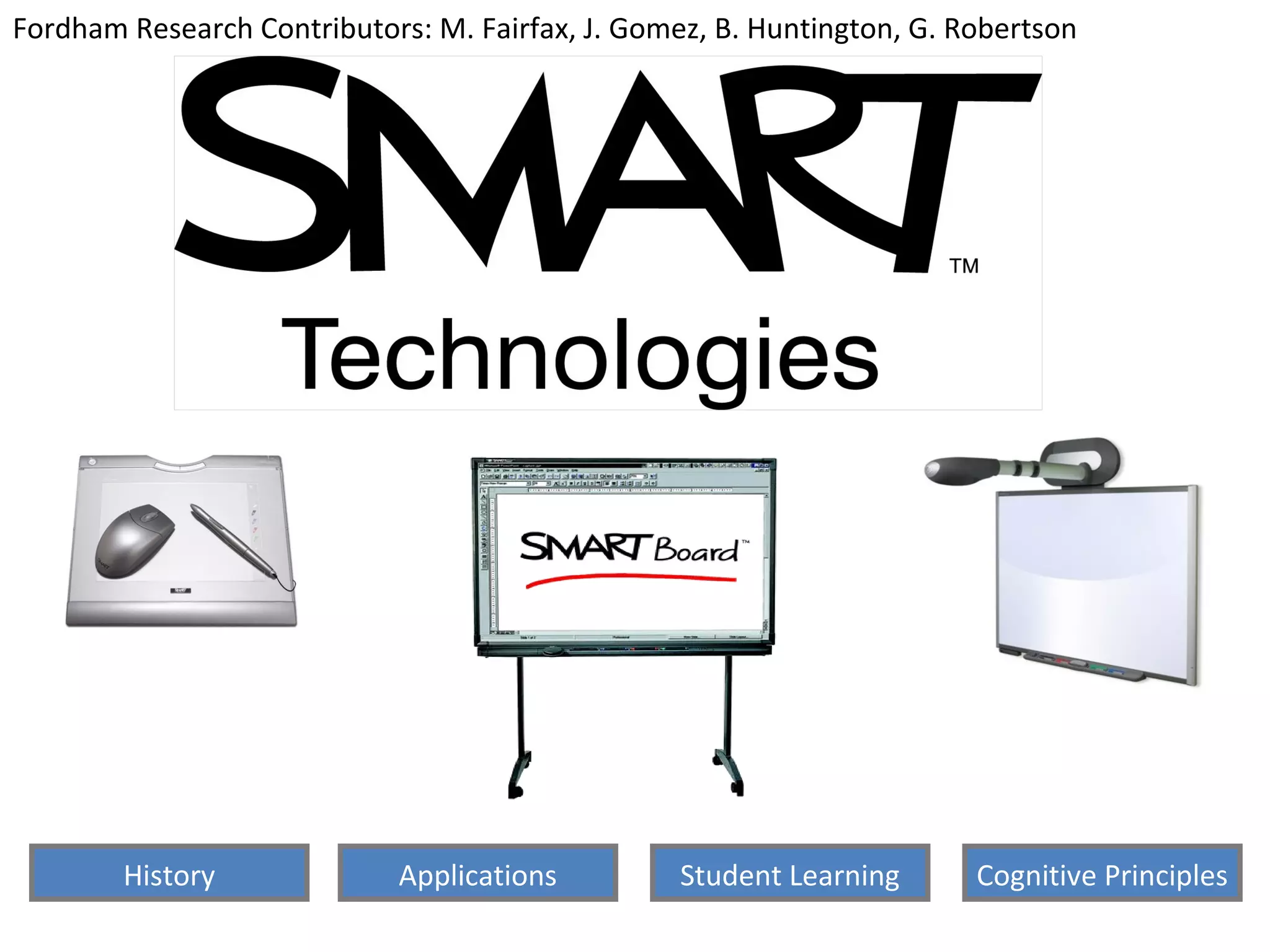
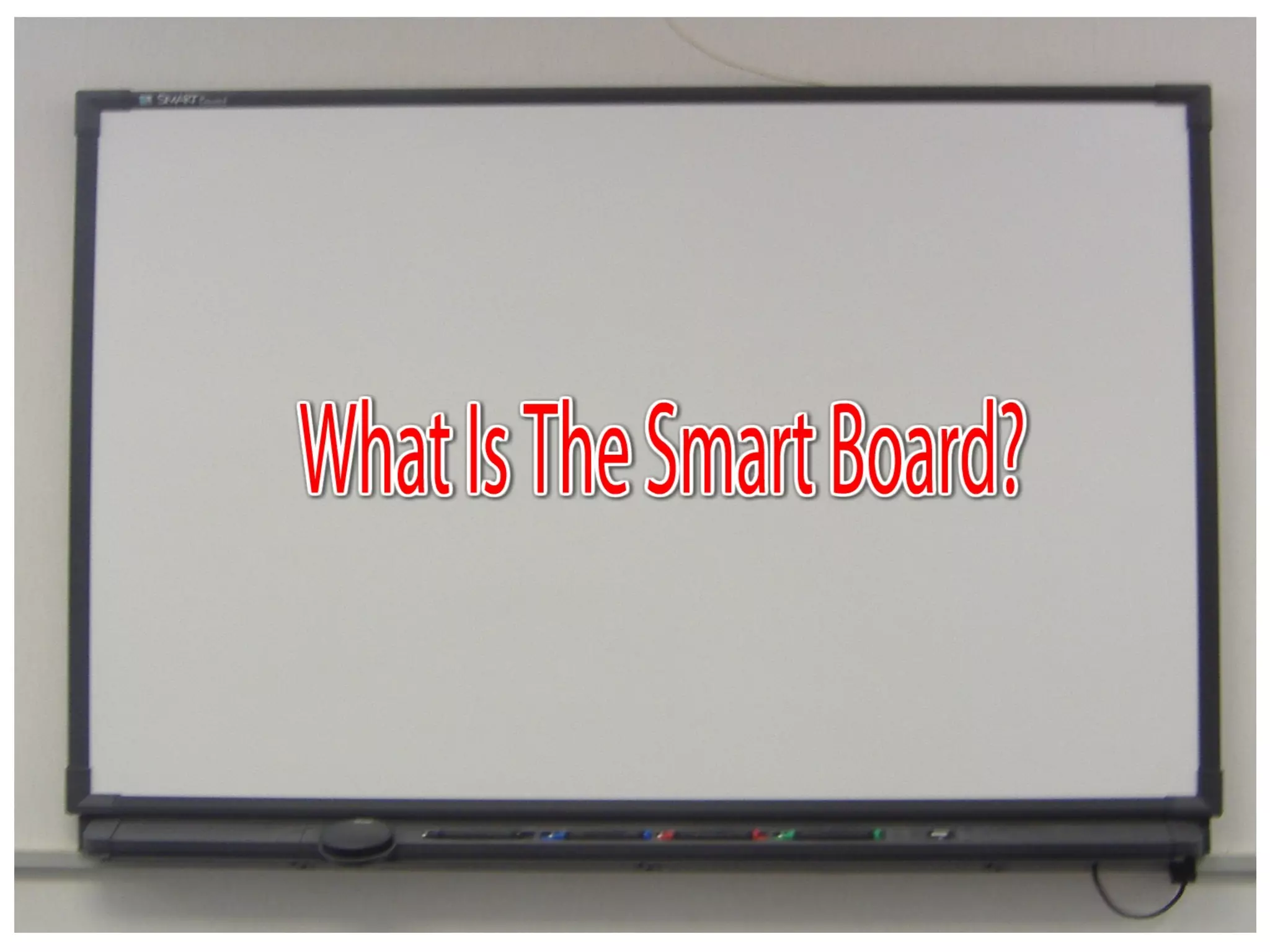
  • #3 For Slide #1 A brief description of what is the smartboard: The first interactive white board that uses touch detection for user input, just like a PC mouse and keyboard detect user input. A projector is used to display the computers video output on the interactive whiteboard, which then acts as a large touch screen.
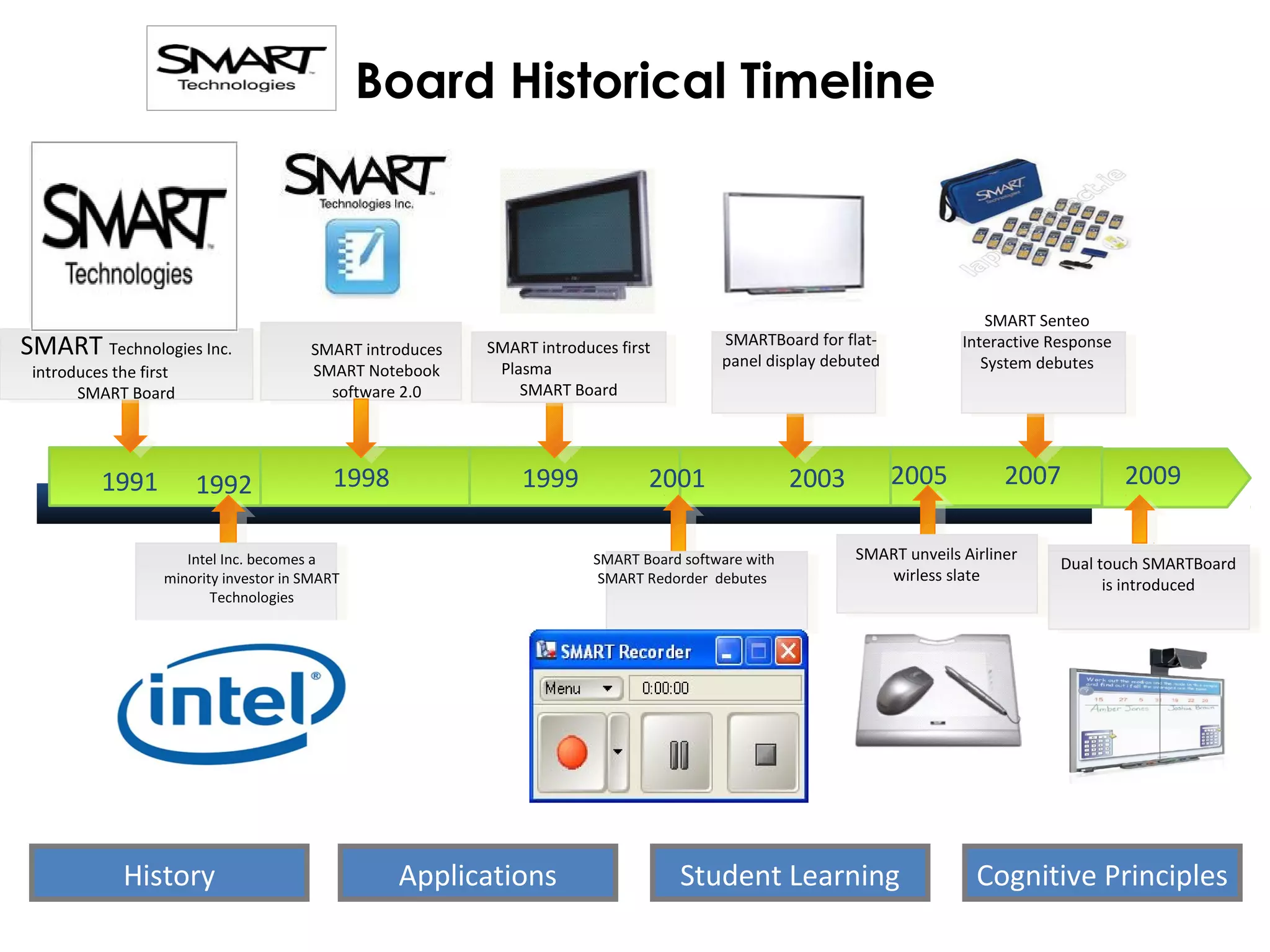
  • #4 Smart Board Advancements Through The Years: In 1998, SMART released its information management software and the SMART Notebook 2.0. 1999 brought the first SMART Board for plasma displays. In 2001 came the SMART Board software with SMART Recorder, as well as meeting productivity software. The first SMART Board for flat-panel displays debuted in 2003. In 2005, SMART unveiled its wireless slate, a tablet PC that lets users manipulate and select on-screen objects, create and save notes and launch applications. In 2007, SMART debuted the Senteo interactive response system, which allows teachers to track student performance and organize assessment results in its built-in grade book In 2008, new SMART products included SMART document camera, collaborative learning software, and the next-generation SMART Board 600i interactive whiteboard system.