Collaboration, Communication and Group Support Systems Very effective computerized methods have evolved to support the complex situations and different settings of work groups . YLER
Collaboration, Communication and Group Support Systems 1. Concepts and Proccess of groupwork 2. Support fo IT-based collaboration and communication. 3. Principles and Capabilities of groupware and group support systems (GSS) 4 . Products and tools for GDSS/GSS and Successful Implementation 5.Emerging Collaboration Tools: From VoIP to Wikis 6. Collaborative Efforts in Design, Planning And Project management
1. Concepts and Proccess of groupwork Characteristic of Groupwork Gains and Losses
CHARACTERISTICS OF GROUPWORK A group  perforsms a task can be permanent or temporary can be at one managerial level or can span several levels Group memebers  may be located in different places may work at different times may work for different organizations.
CHARACTERISTICS OF GROUPWORK There can  be synergy (leading to process and task gains) or conflict in groupwork. be gains and/or losses in productivity from groupwork The task may have to be accomplished very quickly It may be impossible or too expensive for all the team members to meet in one place
    Vista completa en: http://www.xmind.net/share/yeimylorena/gss-gdss/
2.  Supporting Groupwork With Computerized System Groupware Time/Place Communication Framework  Synchronous and Asyncronous Products Synchronous Vs Asyncronous
2.1 GROUPWARE  Can support decision making  directly: e. generating creative solutions to problems  indirectly: e. e-mail prog, chat rooms, IM, teleconferencing. Provide a mechanis for: to share opinions, data, information, knowledge... Computing tecnologies support depending of work occurs purpose of group the task the time/place
2.3 Synchronous and Asyncronous Products Built-in e-mail, messaging system Browser interface Joint Web-page creation Sharing of active hyperlinks File sharing (graphics, video, audio, or other) Built-in search function() Workflow tools Use corporate portals for communication, collaboration and screens Electronic decision rooms Peer to peer networks
2.4 Synchronous       Vs       Asyncronous  Instant messaging Video,Video & multimedia conferencing Shared & smart white board Instant video Brainstorming Polling (voting) and  Other decision support (consensus builder, scheduler) Workspaces Thread discussions User can receive/send e-mail, SMS
Resources Links    Asynchronous Products (Sharing and Storing documents) vignette.com groove.net Virtual Meetings (online meeting and presentations) webex.com gotomeeting.com Real time collaboration (training and customer support) WebEx.com
3. Principles and Capabilities of groupware and group support systems (GSS) Group Decision Support System GDSS Support GSS Electronic Meeting System (EMS) Facilities for GDSS
3.1 Group Decision Support System Concept :                      Is an   Interative  computer-based  system  that   facilitates  the   solution   of semistructured and unstructured   problems   by a  group   of   decision makers Goal:                      improve  the  productivity  of decision-making  meetings , either by  speeding  up the  decision-making process , by improving the  quality  of the  resulting  decision, or both.
3.2. GDSS also Support Structure to the planning process        ->    group on track Unstructured techniques and methods  ->    idea generation External and stored information          ->    easy access asynchronous procomputer discussion   ->   parallel                                                                 processing                                                                 information
Any combination of hardware and software that enhances groupwork either in direct or indirect support of decision making  3.3 GSS
3.4 Electronic Meeting System (EMS)   Support anytime/any place meeting. Communication Planing of a meeting Idea generation Problem solving Issue discussion Negotiation Conflict resolution Is a form of GSS  Collaborative Group activities such document preparation document sharing  Desktop videoconferencing  
3.5 Facilities for GDSS - deploy GDSS/GSS technology 1. In a special-purpose decision room (EMR) 2. Using a multiple-use facility, and 3. Internet or intranet-based groupware Lotus Notes, Groove  WebEx, PlaceWare, GroupSystems, NetMeeting GSS session success depends of quality, activities, and support of facilitator
4. Products and tools for GDSS/GSS and Successful Implementation Organizing a GDSS session. GroupSystem's major products Sucess factors of GDSS/GSS. How create a collaborative culture Implementation Issues of GDSS/GSS
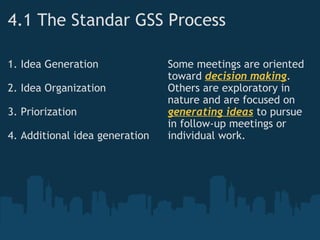
4.1 The Standar GSS Process     1. Idea Generation 2. Idea Organization 3. Priorization 4. Additional idea generation Some meetings are oriented toward  decision making . Others are exploratory in nature and are focused on  generating ideas  to pursue in follow-up meetings or individual work.
4.2 GROUPSYSTEM PRODUCTS Structure of GroupSystem for Windows
GSS must demonstrate cost saving, either throught a more effective and efficient meeting process or throught reduced travel cost. Tangible result are necesary, but not sufficiente; a collaborative culture is necessary 4.3 GSS Sucess Factors Organizational commitment                                  An excutive sponsor User involment and training A user-seductive interface                                    Organizacional culture
4.4 Crafting a Collaboration Culture Steps for create a work enviroment that support collaboration acording Agrew (2000): 1. Know what you want 2. Determinate resource constraints 3. Determinate what technologies can be used to overcome resource constraints. When all is determinated, is necessary to set up group sessions with good faciltitation to guide and train the participant in the tools used.
4.5 Implementation Issues for Online Collaboration (I) to connect business partners, and organization needs oan effective collaborative enviroment Lotus Notes/Domino or  Cybozy Share 360 (cybozu.com) to connect collaborative tools with file management products on an organization's intranet. wiredred.com eRoom server (software.emc.com)
4.5 Implementation Issues for Online Collaboration (II) automatic language transaltion Transclick.com to create a truly collaborative enviroment, protocols are needed for easy integration of different applications and to standardize communication WebDAV Web Distributed Authoring and Versioning protocol (webdav.org)
5. Emerging Collaboration Tools: From VoIP to Wikis VoIP and its advantages Collaborative workflow wiki and wikilogs collaborative hub corporate (enterprise) portal
5.1 Voice Over IP Refers to communications systems that transmit voice over Internet Protocol (IP) - based networks. Corporations are moving to Internet stantard - to cut cost - boost efficiency  - to combinate voice and data pc.telephone.com
5.2 Collaborative Workflow Refers to software products that address project oriented and collaborative types of processes. The goal of collaborative workflow tools is to empower knowlge workers. The focus of an enterprise solution for collaborative workflow is on allowing workers to communicate, negotiate, and collaborate within an integrated environment.
5.3 WIKIS Is a piece of server software available in a Web site that allows users   to freely create and edit Web page content, using any Web browser  It is especially suited  for collaborative writing. What is a wiki blog (bliki)? Wikilog
5.4 Collaboration Hub One of most popular forms of B2B e-commerce is the collaboration hub, whic is used by the members of a supply chain to help improve effectiveness between manufacturing companies, their suppliers, and contract producers by  reducing inventory,  improving flexibility increasing supply-chain transparency through the internet.
5.5 Collaborative Networks In an collaborative network partners at any point in the network can interact with each other, by passing traditional partners. Interaction may occur among several manufactures or distributors, as well as with new players, such as software agent that act as aggregators, B2B exchanges, or logistics providers.  
A corporate (enterprise) software A corporate (enterprise) software:  is a gateway to a corportate Web site that enables communication, collaboration, and access to company information. Provide a single point of access to information and applications available on the Internet, extranets of a specific organization.
6. Collaborative Efforts in Design, Planning And Project management CPFR VMI Project Management
6.1 Collaborative planning, forecasting, and replenishment (CPFR) is an industry-wide project in which suppliers and retailers collaborate in planning and demand forecasting in order to ensure that members of the supply chain will have the right amount of raw materials and finished goods whend they need them. The CPFR Process
6.2 Vendor-Managed Inventory  (VMI) A means of optimizing Supply Chain performance in which the manufacturer is responsible for maintaining the distributor's inventory levels. The manufacturer has access to the distributor's inventory data and is responsible for generating purchase orders. 
VMI models Under the typical business model: When a distributor needs product, they place an order against a manufacturer. The distributor is in total control of the timing and size of the order being placed. The distributor maintains the inventory plan. Vendor Managed Inventory model: The manufacturer receives electronic data (usually via EDI or the internet) that tells him the distributor's sales and stock levels. The manufacturer can view every item that the distributor carriers as well as true point of sale data. The manufacturer is responsible for creating and maintaining the inventory plan. Under VMI, the manufacturer generates the order*, not the distributor.
6.3 Project Manager Developing large-scale projects requires collaboration of a large number of units and individuals inside and outside an organization. Effective and efficient communications and collaboration is a must. Online project management lets you collaborate with project resources, manage project users, analyze risks, assign tasks, coordinate schedules and make your project a success from anywhere in the world. These project management apps are here to save you time, but they can also be very time-consuming and not intuitive. If you have a team who works with you remotely, then this is the right choice.
Project Management and Collaboration Tools
7. Creativity.  Idea generation and  Computerized Support
Creativity     Creativity is a complex concept that is used to generate altenative courses of actions in decision making. Creativity can be learned and fostered with good managerial techniques and a supportive enviroment. Idea generation (i.e., electronic brainstorming) allow participants to generate and share ideas simultaneous and anonymously Creative software programs use association and "thinkin outside box" to trigger new concepts
Resources Links    Vendors of collaborate workflow applications Lotus EpicData FileNet Action Technologies
CONCEPTS GDSS : Predecessor of GSS, provide direct support to decision meetings, ussually in a face- to face setting. Workgroup:  When people work in groups, they perform groupwork Groupware : Computerized tools developed to provide group support
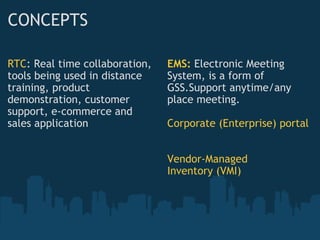
CONCEPTS RTC : Real time collaboration, tools being used in distance training, product demonstration, customer support, e-commerce and sales application EMS:  Electronic Meeting System, is a form of GSS.Support anytime/any place meeting. Corporate (Enterprise) portal Vendor-Managed Inventory (VMI)
Bibliography Turba, et al.   Decision Support and Business Intelligence Systems.  s.l. : Prentice Hall, 2007.

Gdss gss and workgroups

  • 1.
    Collaboration, Communication andGroup Support Systems Very effective computerized methods have evolved to support the complex situations and different settings of work groups . YLER
  • 2.
    Collaboration, Communication andGroup Support Systems 1. Concepts and Proccess of groupwork 2. Support fo IT-based collaboration and communication. 3. Principles and Capabilities of groupware and group support systems (GSS) 4 . Products and tools for GDSS/GSS and Successful Implementation 5.Emerging Collaboration Tools: From VoIP to Wikis 6. Collaborative Efforts in Design, Planning And Project management
  • 3.
    1. Concepts andProccess of groupwork Characteristic of Groupwork Gains and Losses
  • 4.
    CHARACTERISTICS OF GROUPWORKA group  perforsms a task can be permanent or temporary can be at one managerial level or can span several levels Group memebers  may be located in different places may work at different times may work for different organizations.
  • 5.
    CHARACTERISTICS OF GROUPWORKThere can  be synergy (leading to process and task gains) or conflict in groupwork. be gains and/or losses in productivity from groupwork The task may have to be accomplished very quickly It may be impossible or too expensive for all the team members to meet in one place
  • 6.
        Vistacompleta en: http://www.xmind.net/share/yeimylorena/gss-gdss/
  • 7.
    2.  Supporting GroupworkWith Computerized System Groupware Time/Place Communication Framework  Synchronous and Asyncronous Products Synchronous Vs Asyncronous
  • 8.
    2.1 GROUPWARE  Cansupport decision making  directly: e. generating creative solutions to problems  indirectly: e. e-mail prog, chat rooms, IM, teleconferencing. Provide a mechanis for: to share opinions, data, information, knowledge... Computing tecnologies support depending of work occurs purpose of group the task the time/place
  • 9.
    2.3 Synchronous andAsyncronous Products Built-in e-mail, messaging system Browser interface Joint Web-page creation Sharing of active hyperlinks File sharing (graphics, video, audio, or other) Built-in search function() Workflow tools Use corporate portals for communication, collaboration and screens Electronic decision rooms Peer to peer networks
  • 10.
    2.4 Synchronous      Vs       Asyncronous  Instant messaging Video,Video & multimedia conferencing Shared & smart white board Instant video Brainstorming Polling (voting) and  Other decision support (consensus builder, scheduler) Workspaces Thread discussions User can receive/send e-mail, SMS
  • 11.
    Resources Links   Asynchronous Products (Sharing and Storing documents) vignette.com groove.net Virtual Meetings (online meeting and presentations) webex.com gotomeeting.com Real time collaboration (training and customer support) WebEx.com
  • 12.
    3. Principles andCapabilities of groupware and group support systems (GSS) Group Decision Support System GDSS Support GSS Electronic Meeting System (EMS) Facilities for GDSS
  • 13.
    3.1 Group DecisionSupport System Concept :                      Is an Interative computer-based system  that facilitates the solution of semistructured and unstructured problems by a group of decision makers Goal:                     improve the productivity of decision-making meetings , either by speeding up the decision-making process , by improving the quality of the resulting decision, or both.
  • 14.
    3.2. GDSS alsoSupport Structure to the planning process        ->    group on track Unstructured techniques and methods  ->    idea generation External and stored information          ->    easy access asynchronous procomputer discussion   ->   parallel                                                                 processing                                                                 information
  • 15.
    Any combination ofhardware and software that enhances groupwork either in direct or indirect support of decision making  3.3 GSS
  • 16.
    3.4 Electronic MeetingSystem (EMS)   Support anytime/any place meeting. Communication Planing of a meeting Idea generation Problem solving Issue discussion Negotiation Conflict resolution Is a form of GSS  Collaborative Group activities such document preparation document sharing  Desktop videoconferencing  
  • 17.
    3.5 Facilities forGDSS - deploy GDSS/GSS technology 1. In a special-purpose decision room (EMR) 2. Using a multiple-use facility, and 3. Internet or intranet-based groupware Lotus Notes, Groove  WebEx, PlaceWare, GroupSystems, NetMeeting GSS session success depends of quality, activities, and support of facilitator
  • 18.
    4. Products andtools for GDSS/GSS and Successful Implementation Organizing a GDSS session. GroupSystem's major products Sucess factors of GDSS/GSS. How create a collaborative culture Implementation Issues of GDSS/GSS
  • 19.
    4.1 The StandarGSS Process     1. Idea Generation 2. Idea Organization 3. Priorization 4. Additional idea generation Some meetings are oriented toward decision making . Others are exploratory in nature and are focused on generating ideas to pursue in follow-up meetings or individual work.
  • 20.
    4.2 GROUPSYSTEM PRODUCTSStructure of GroupSystem for Windows
  • 21.
    GSS must demonstratecost saving, either throught a more effective and efficient meeting process or throught reduced travel cost. Tangible result are necesary, but not sufficiente; a collaborative culture is necessary 4.3 GSS Sucess Factors Organizational commitment                                  An excutive sponsor User involment and training A user-seductive interface                                    Organizacional culture
  • 22.
    4.4 Crafting aCollaboration Culture Steps for create a work enviroment that support collaboration acording Agrew (2000): 1. Know what you want 2. Determinate resource constraints 3. Determinate what technologies can be used to overcome resource constraints. When all is determinated, is necessary to set up group sessions with good faciltitation to guide and train the participant in the tools used.
  • 23.
    4.5 Implementation Issuesfor Online Collaboration (I) to connect business partners, and organization needs oan effective collaborative enviroment Lotus Notes/Domino or  Cybozy Share 360 (cybozu.com) to connect collaborative tools with file management products on an organization's intranet. wiredred.com eRoom server (software.emc.com)
  • 24.
    4.5 Implementation Issuesfor Online Collaboration (II) automatic language transaltion Transclick.com to create a truly collaborative enviroment, protocols are needed for easy integration of different applications and to standardize communication WebDAV Web Distributed Authoring and Versioning protocol (webdav.org)
  • 25.
    5. Emerging CollaborationTools: From VoIP to Wikis VoIP and its advantages Collaborative workflow wiki and wikilogs collaborative hub corporate (enterprise) portal
  • 26.
    5.1 Voice OverIP Refers to communications systems that transmit voice over Internet Protocol (IP) - based networks. Corporations are moving to Internet stantard - to cut cost - boost efficiency  - to combinate voice and data pc.telephone.com
  • 27.
    5.2 Collaborative WorkflowRefers to software products that address project oriented and collaborative types of processes. The goal of collaborative workflow tools is to empower knowlge workers. The focus of an enterprise solution for collaborative workflow is on allowing workers to communicate, negotiate, and collaborate within an integrated environment.
  • 28.
    5.3 WIKIS Isa piece of server software available in a Web site that allows users to freely create and edit Web page content, using any Web browser  It is especially suited  for collaborative writing. What is a wiki blog (bliki)? Wikilog
  • 29.
    5.4 Collaboration HubOne of most popular forms of B2B e-commerce is the collaboration hub, whic is used by the members of a supply chain to help improve effectiveness between manufacturing companies, their suppliers, and contract producers by  reducing inventory,  improving flexibility increasing supply-chain transparency through the internet.
  • 30.
    5.5 Collaborative NetworksIn an collaborative network partners at any point in the network can interact with each other, by passing traditional partners. Interaction may occur among several manufactures or distributors, as well as with new players, such as software agent that act as aggregators, B2B exchanges, or logistics providers.  
  • 31.
    A corporate (enterprise)software A corporate (enterprise) software:  is a gateway to a corportate Web site that enables communication, collaboration, and access to company information. Provide a single point of access to information and applications available on the Internet, extranets of a specific organization.
  • 32.
    6. Collaborative Effortsin Design, Planning And Project management CPFR VMI Project Management
  • 33.
    6.1 Collaborative planning,forecasting, and replenishment (CPFR) is an industry-wide project in which suppliers and retailers collaborate in planning and demand forecasting in order to ensure that members of the supply chain will have the right amount of raw materials and finished goods whend they need them. The CPFR Process
  • 34.
    6.2 Vendor-Managed Inventory (VMI) A means of optimizing Supply Chain performance in which the manufacturer is responsible for maintaining the distributor's inventory levels. The manufacturer has access to the distributor's inventory data and is responsible for generating purchase orders. 
  • 35.
    VMI models Underthe typical business model: When a distributor needs product, they place an order against a manufacturer. The distributor is in total control of the timing and size of the order being placed. The distributor maintains the inventory plan. Vendor Managed Inventory model: The manufacturer receives electronic data (usually via EDI or the internet) that tells him the distributor's sales and stock levels. The manufacturer can view every item that the distributor carriers as well as true point of sale data. The manufacturer is responsible for creating and maintaining the inventory plan. Under VMI, the manufacturer generates the order*, not the distributor.
  • 36.
    6.3 Project ManagerDeveloping large-scale projects requires collaboration of a large number of units and individuals inside and outside an organization. Effective and efficient communications and collaboration is a must. Online project management lets you collaborate with project resources, manage project users, analyze risks, assign tasks, coordinate schedules and make your project a success from anywhere in the world. These project management apps are here to save you time, but they can also be very time-consuming and not intuitive. If you have a team who works with you remotely, then this is the right choice.
  • 37.
    Project Management andCollaboration Tools
  • 38.
    7. Creativity.  Ideageneration and  Computerized Support
  • 39.
    Creativity     Creativityis a complex concept that is used to generate altenative courses of actions in decision making. Creativity can be learned and fostered with good managerial techniques and a supportive enviroment. Idea generation (i.e., electronic brainstorming) allow participants to generate and share ideas simultaneous and anonymously Creative software programs use association and "thinkin outside box" to trigger new concepts
  • 40.
    Resources Links   Vendors of collaborate workflow applications Lotus EpicData FileNet Action Technologies
  • 41.
    CONCEPTS GDSS :Predecessor of GSS, provide direct support to decision meetings, ussually in a face- to face setting. Workgroup:  When people work in groups, they perform groupwork Groupware : Computerized tools developed to provide group support
  • 42.
    CONCEPTS RTC :Real time collaboration, tools being used in distance training, product demonstration, customer support, e-commerce and sales application EMS:  Electronic Meeting System, is a form of GSS.Support anytime/any place meeting. Corporate (Enterprise) portal Vendor-Managed Inventory (VMI)
  • 43.
    Bibliography Turba, etal. Decision Support and Business Intelligence Systems. s.l. : Prentice Hall, 2007.

Editor's Notes

  • #6 - Some of the need data, information, or knowledge may be located in many sources, some of which may be external to the organization. - expertise of  non-team members
  • #14 The first generation of GDSS was desing to support face-to-face meetings in a decision room is especially useful when controversial decision have to be made (e.g resource location, determining which individuals to lay off.
  • #15 more complete information, knwoledge, and skils
  • #18 Groove run peer to peer mode, where each person works on a copy of the entire conference so that only differences among the files need to be transmitted. GroupSystem offerts groupware products to support a wide variety of group process, specially to support group decision-makin process MeetingRoom LAN version OnLine Web-enable version
  • #20 Often, a GDSS meeting takes longer than unsupported meeting, but participants are generally more thorough in their brainstorming and analysis, and they feel that they have made a better decision by using the system.
  • #22 Having a dedicated, well-trained, personable facilitator is also crital. Good planning is also a key to running sucessful meeting
  • #25 note taht online collaboration is not a panacea for all occasions or all situations. Many times, a face-to-face meetiing is a must. People sometimes need the facial cues and the physical closeness that no computer system can currently provide. (A technology called pervasive computing attemps to remove soem of these limitations by interpretin facial cues)
  • #27 boost -> impulsar Cisco IP Communications replace private branch exchange (PBX)  new speed communicate effectively and provides applications to enhance the academic experience. - Stream video - file sharing - other hight bandwidth applications
  • #29 A wiki supports hyperlinks and has a simple text syntax for creating new pages and cross-links between internal pages-on-the-fly.
  • #33 Collaborative product develoment involves the use of product design and develoment techniques across multiple companies to improve product launch success and reduce cost and time to market Collaborative Planning is designed to synchronize production and distribution plans and product flows, optimize resource utilizations over an expanded capacity base, increase customer responsiveness, and reduce inventories.
  • #34 raw material (materia prima)
  • #35 http://www.vendormanagedinventory.com/ To further define it, let's look at 2 business models:
  • #36 Consignment Inventory: When the supplier places inventory at a customer's location and retains ownership of the inventory. Payment is not made until the item is actually sold. A VMI relationship may or may not involve consignment inventory. *Note: VMI does not change the "ownership" of inventory.   It remains as it did prior to VMI. http://www.vendormanagedinventory.com/
  • #42 GDDS:  Sistemas de Soporte a Decisiones en Grupo, son todas aquellos sistemas que apoyan la toma de decisiones en la gestión empresarial diaria. Basados en metodologías y procesos estadísticos, que hacen de la toma de decisiones un proceso rápido, seguro y confiable.