GDG Location
What’s new in
Android
GDG Location
So… what is new?
What’s new about What’s New in Android?
Android 11
Tools
Libraries
GDG Location
UI
GDG Location
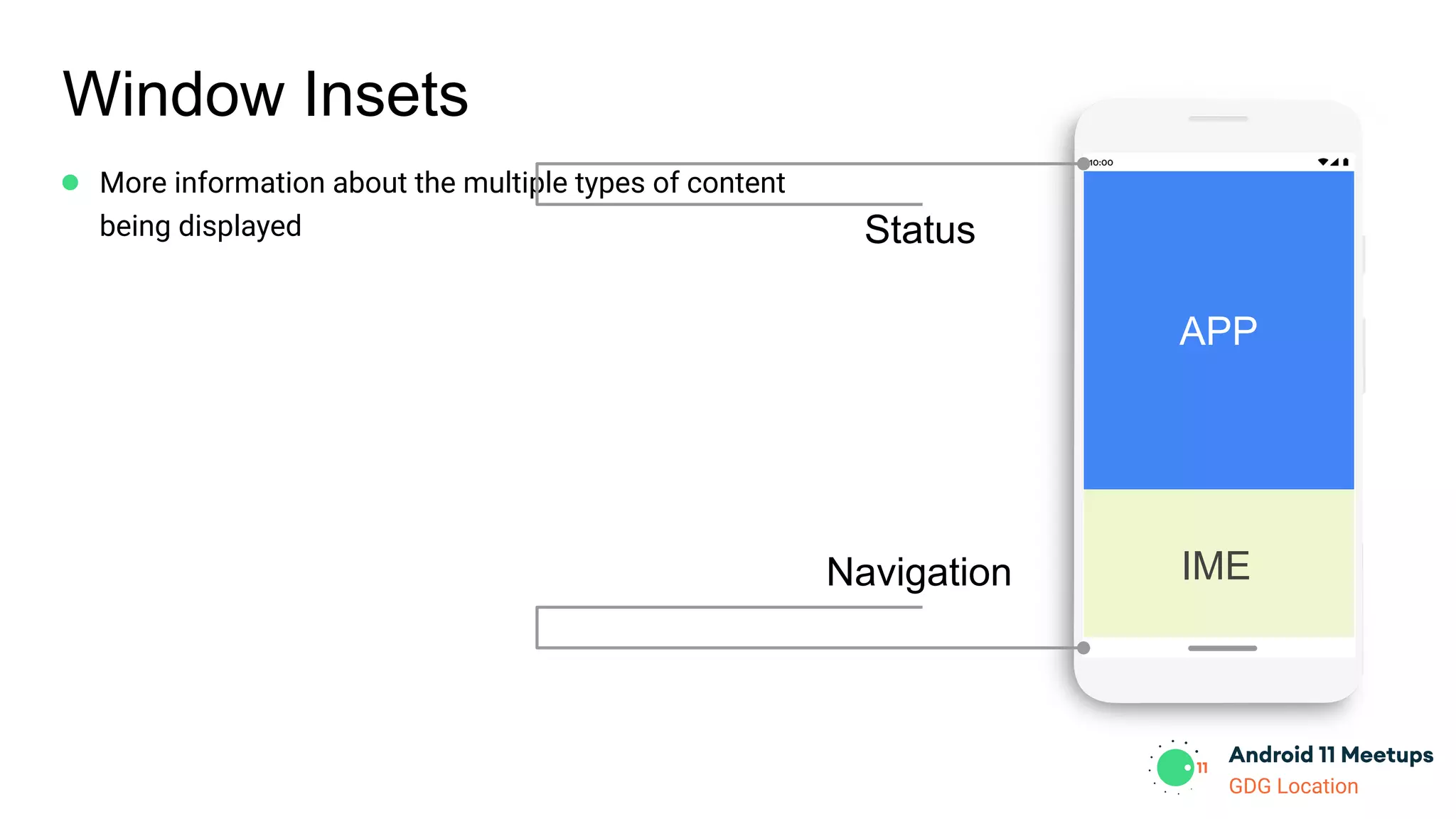
Window Insets
● More information about the multiple types of content
being displayed
APP
Status
Navigation IME
GDG Location
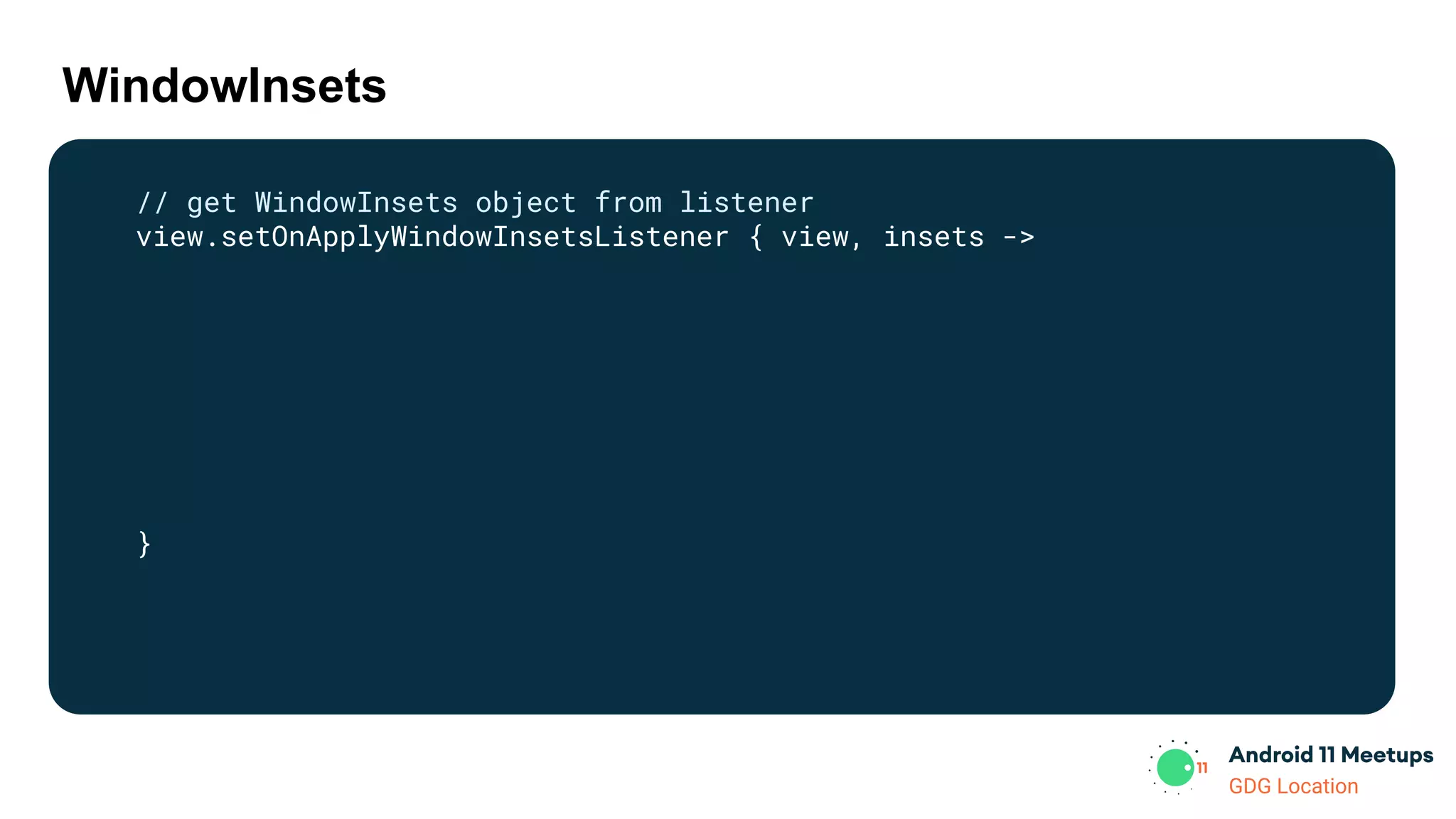
WindowInsets
// get WindowInsets object from listener
view.setOnApplyWindowInsetsListener { view, insets ->
}
GDG Location
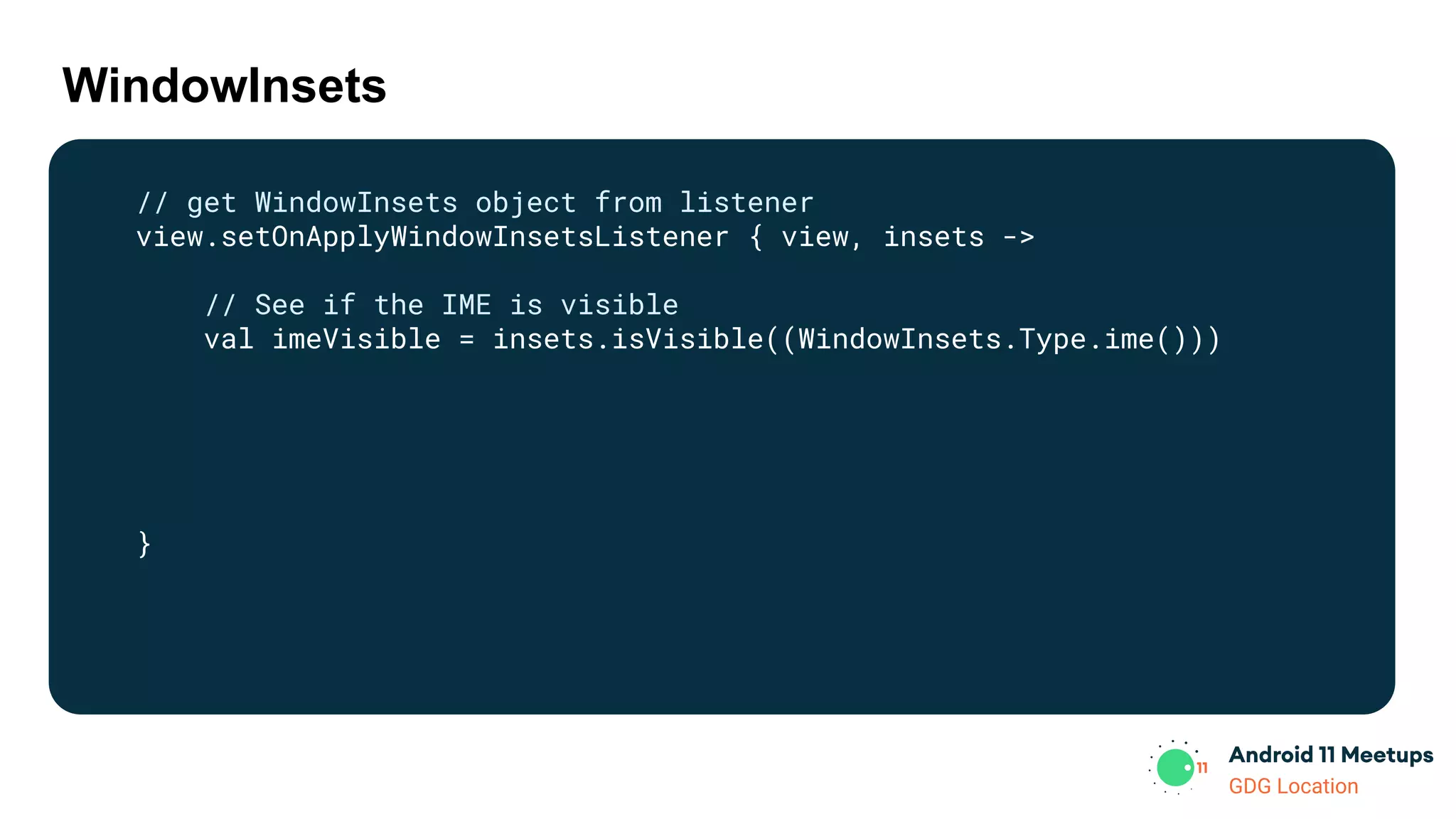
WindowInsets
// get WindowInsets object from listener
view.setOnApplyWindowInsetsListener { view, insets ->
// See if the IME is visible
val imeVisible = insets.isVisible((WindowInsets.Type.ime()))
}
GDG Location
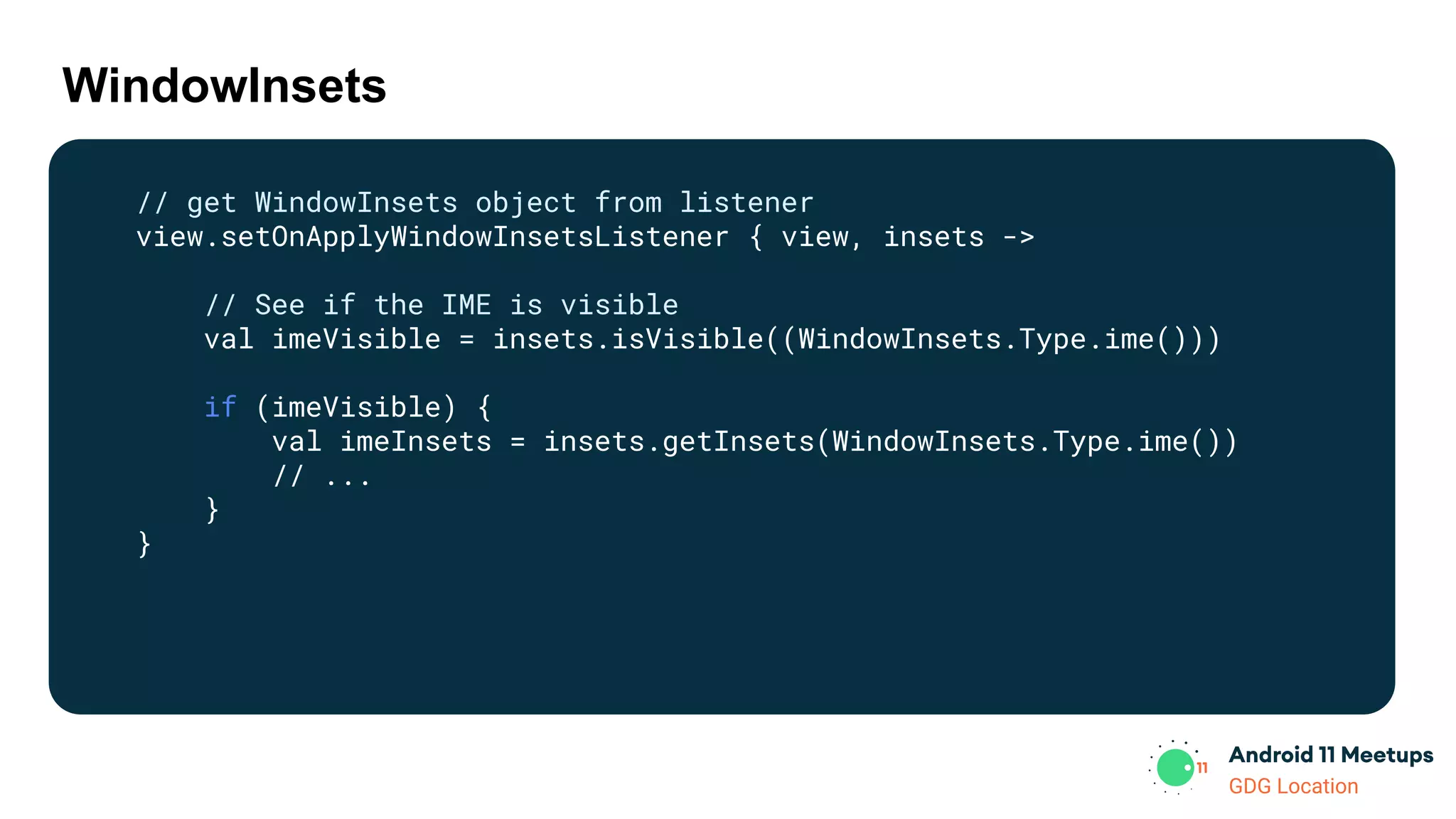
WindowInsets
// get WindowInsets object from listener
view.setOnApplyWindowInsetsListener { view, insets ->
// See if the IME is visible
val imeVisible = insets.isVisible((WindowInsets.Type.ime()))
if (imeVisible) {
val imeInsets = insets.getInsets(WindowInsets.Type.ime())
// ...
}
}
GDG Location
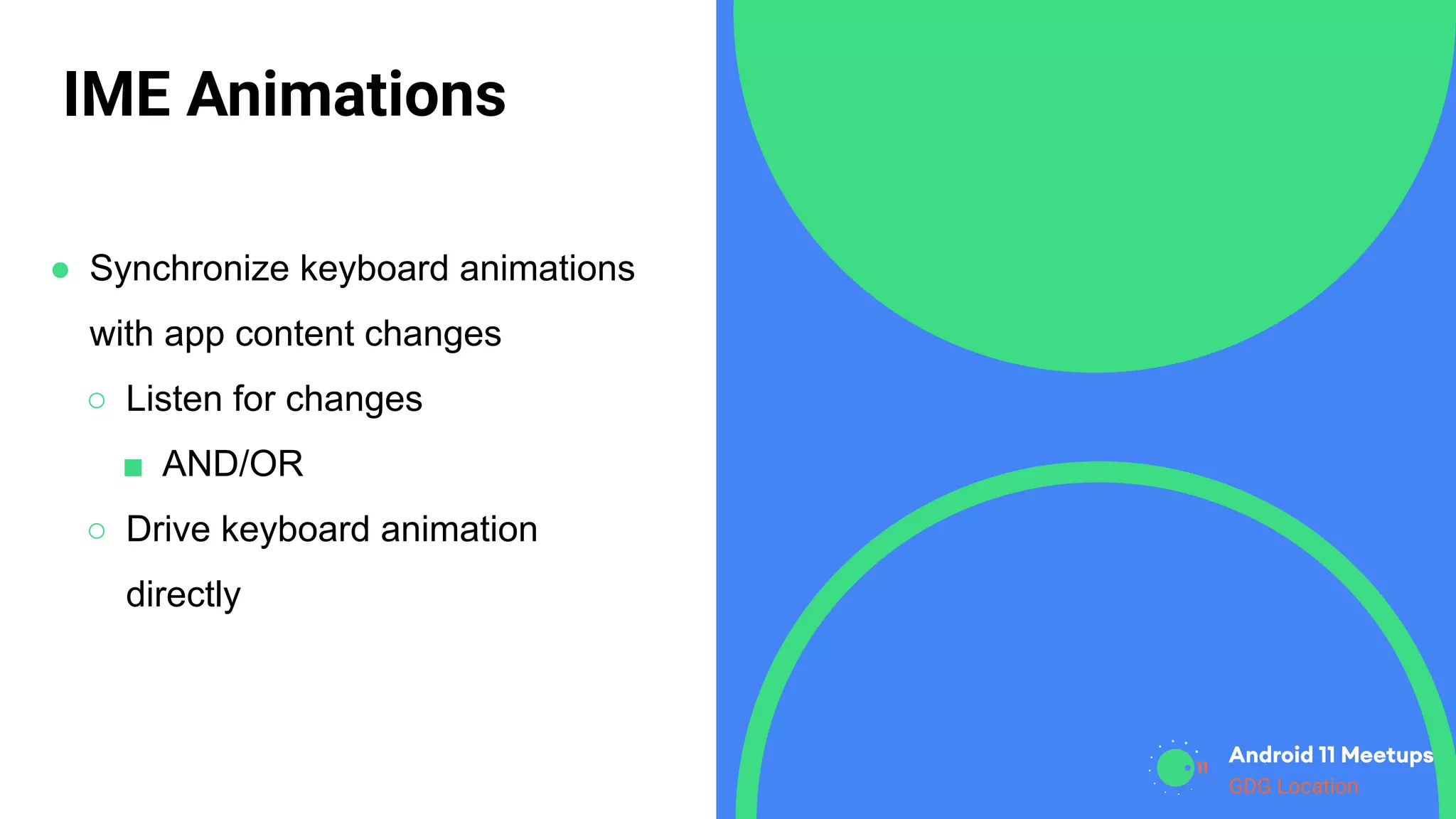
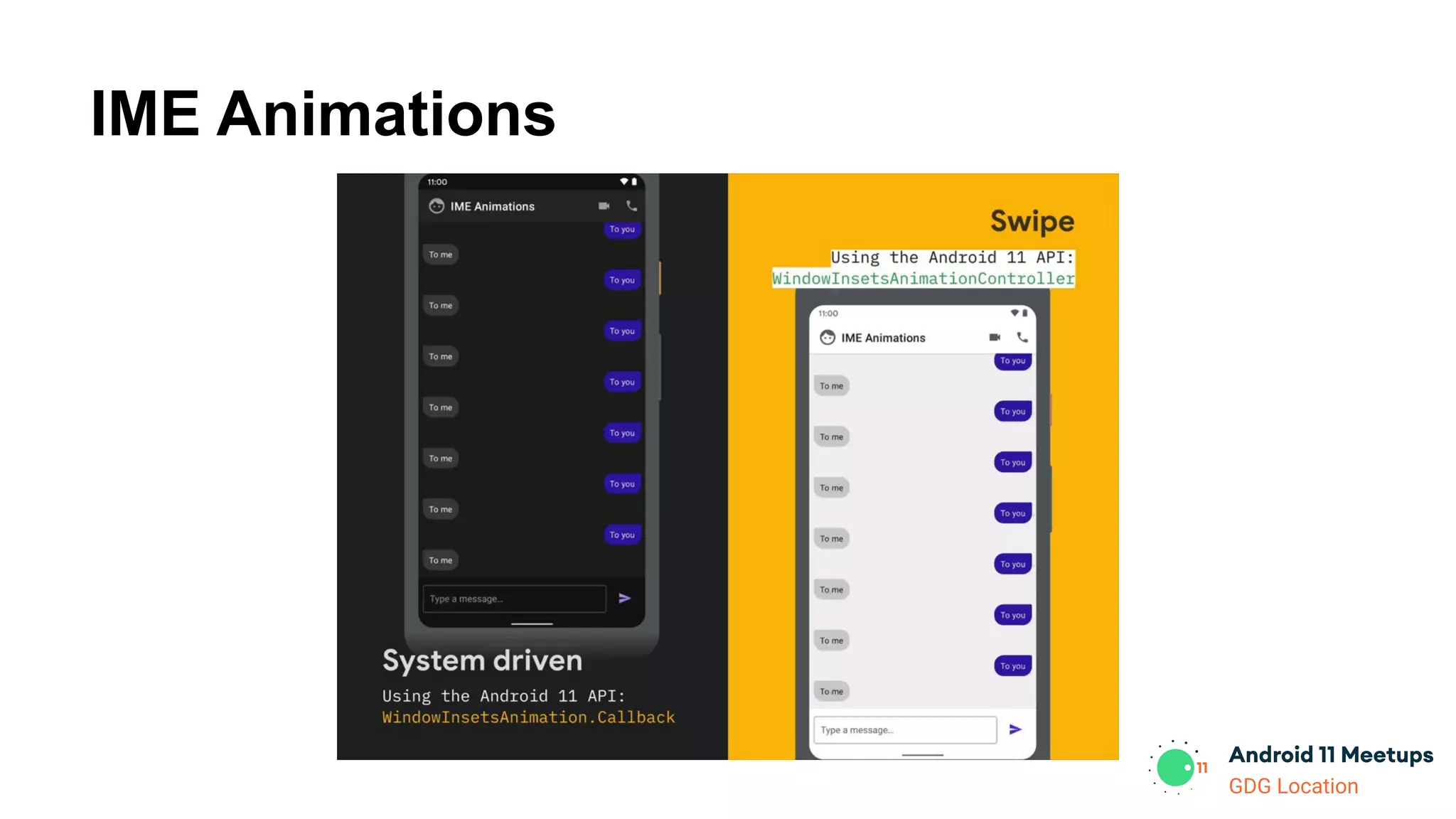
IME Animations
● Synchronize keyboard animations
with app content changes
○ Listen for changes
■ AND/OR
○ Drive keyboard animation
directly
GDG Location
IME Animations
GDG Location
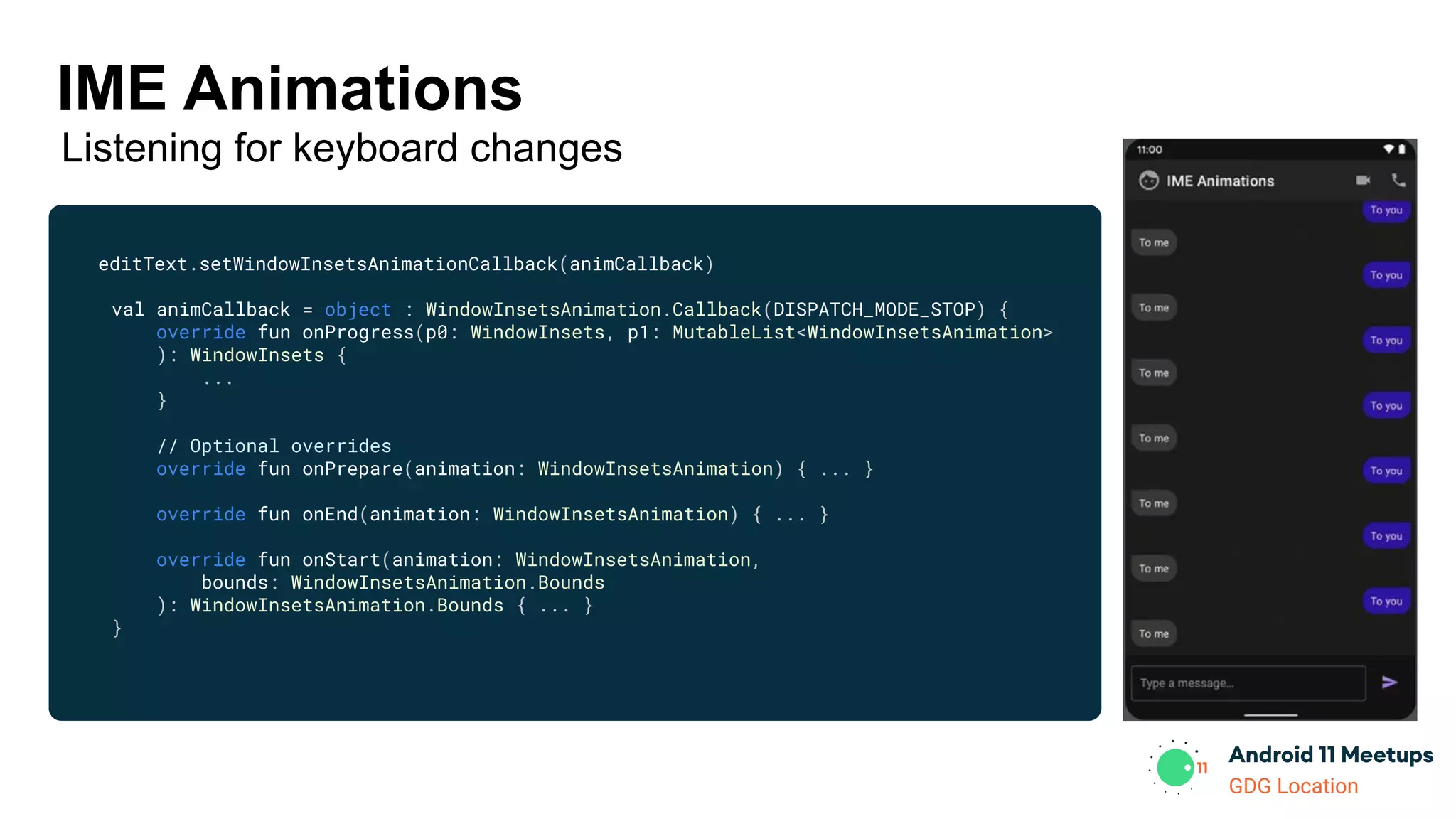
editText.setWindowInsetsAnimationCallback(animCallback)
val animCallback = object : WindowInsetsAnimation.Callback(DISPATCH_MODE_STOP) {
override fun onProgress(p0: WindowInsets, p1: MutableList<WindowInsetsAnimation>
): WindowInsets {
...
}
// Optional overrides
override fun onPrepare(animation: WindowInsetsAnimation) { ... }
override fun onEnd(animation: WindowInsetsAnimation) { ... }
override fun onStart(animation: WindowInsetsAnimation,
bounds: WindowInsetsAnimation.Bounds
): WindowInsetsAnimation.Bounds { ... }
}
IME Animations
Listening for keyboard changes
GDG Location
IME Animations
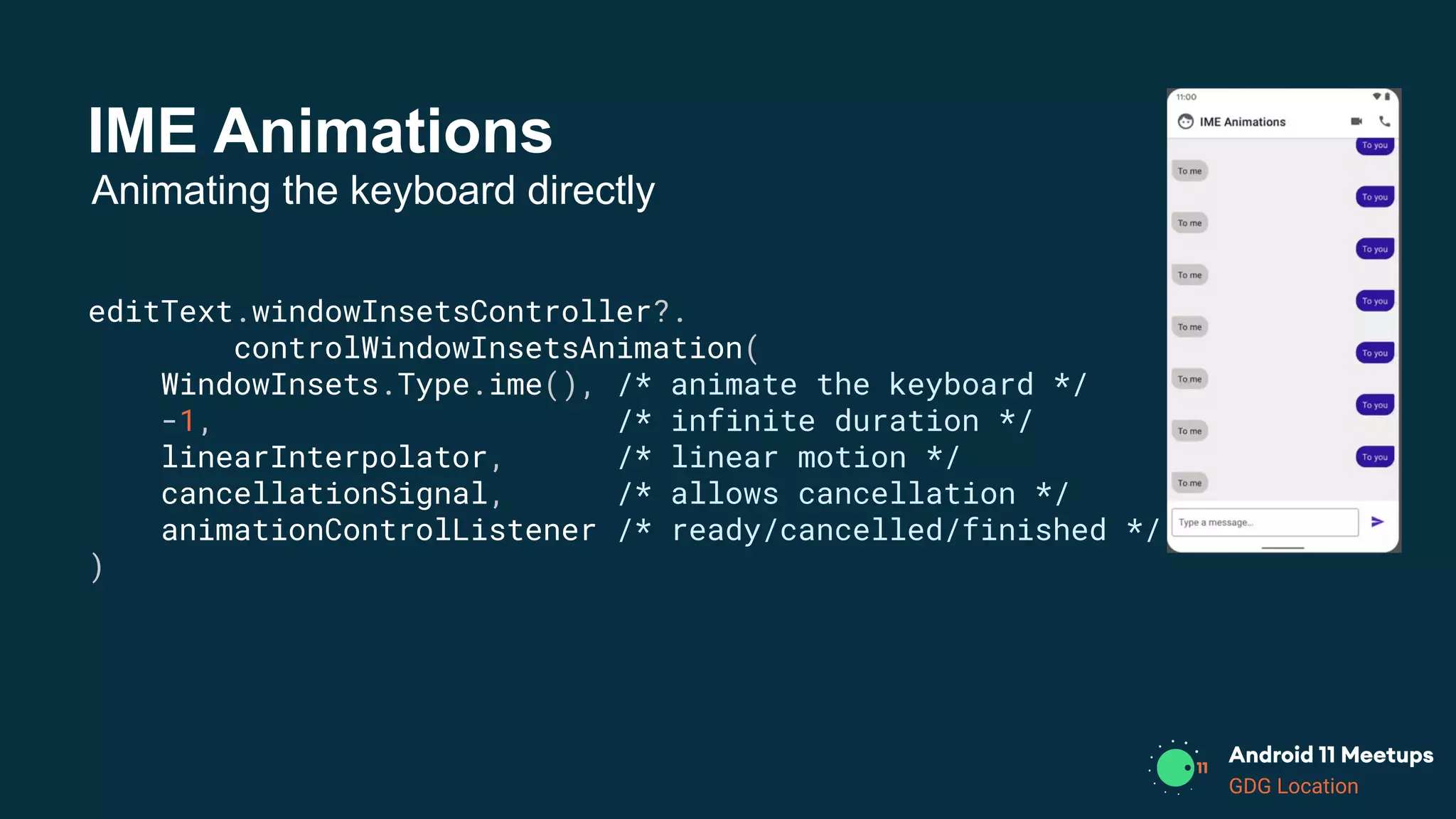
editText.windowInsetsController?.
controlWindowInsetsAnimation(
WindowInsets.Type.ime(), /* animate the keyboard */
-1, /* infinite duration */
linearInterpolator, /* linear motion */
cancellationSignal, /* allows cancellation */
animationControlListener /* ready/cancelled/finished */
)
Animating the keyboard directly
GDG Location
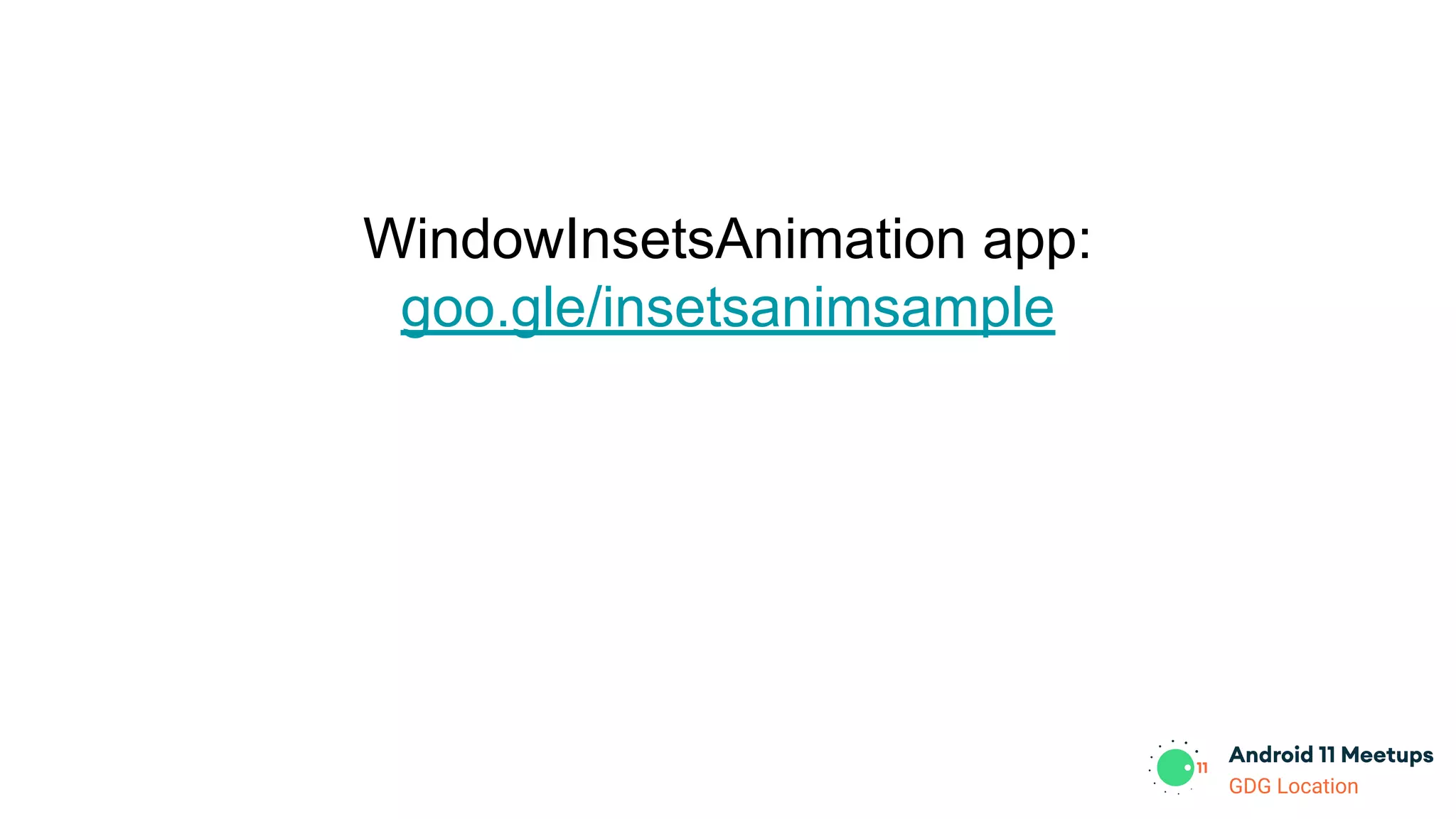
WindowInsetsAnimation app:
goo.gle/insetsanimsample
GDG Location
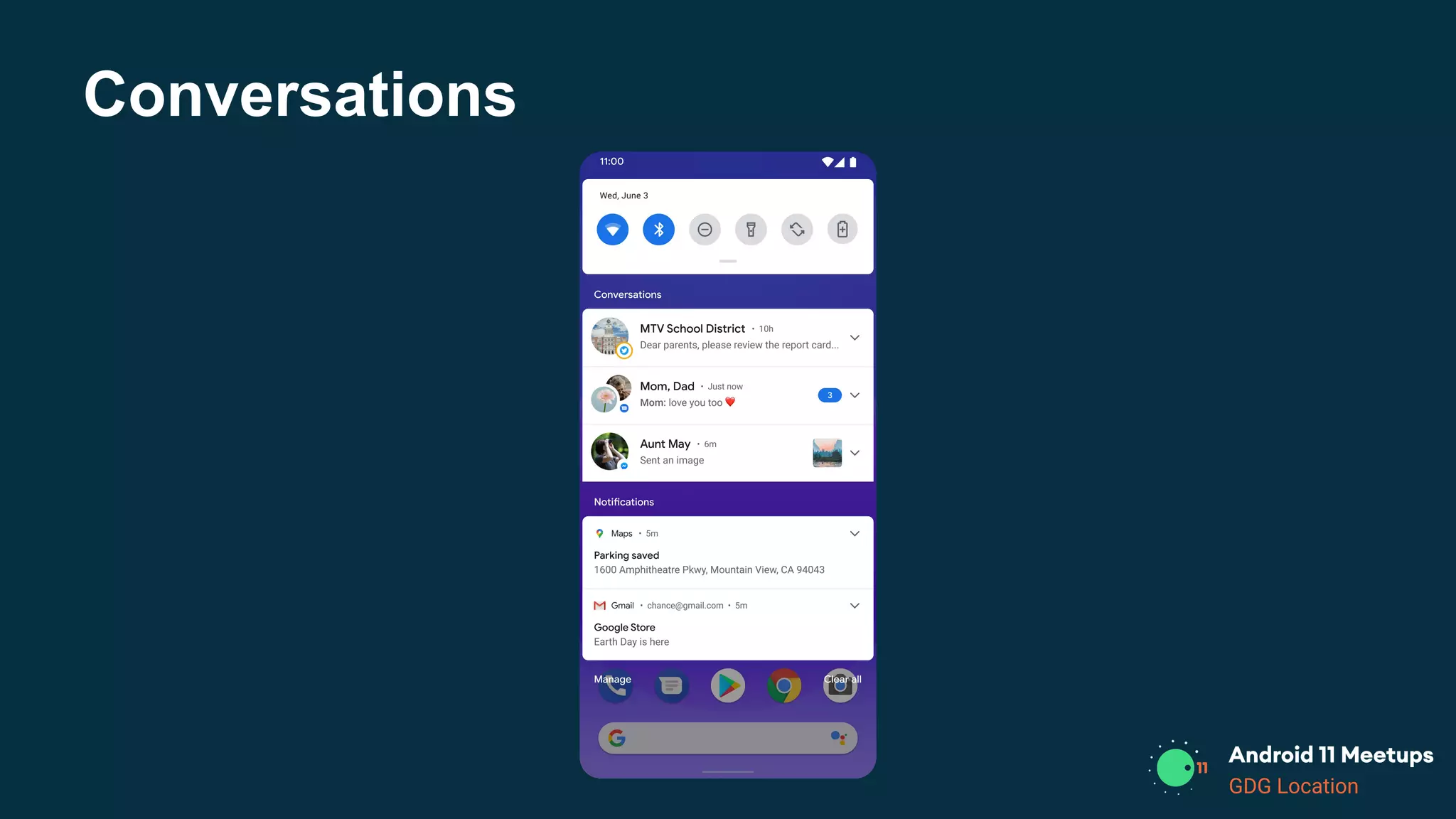
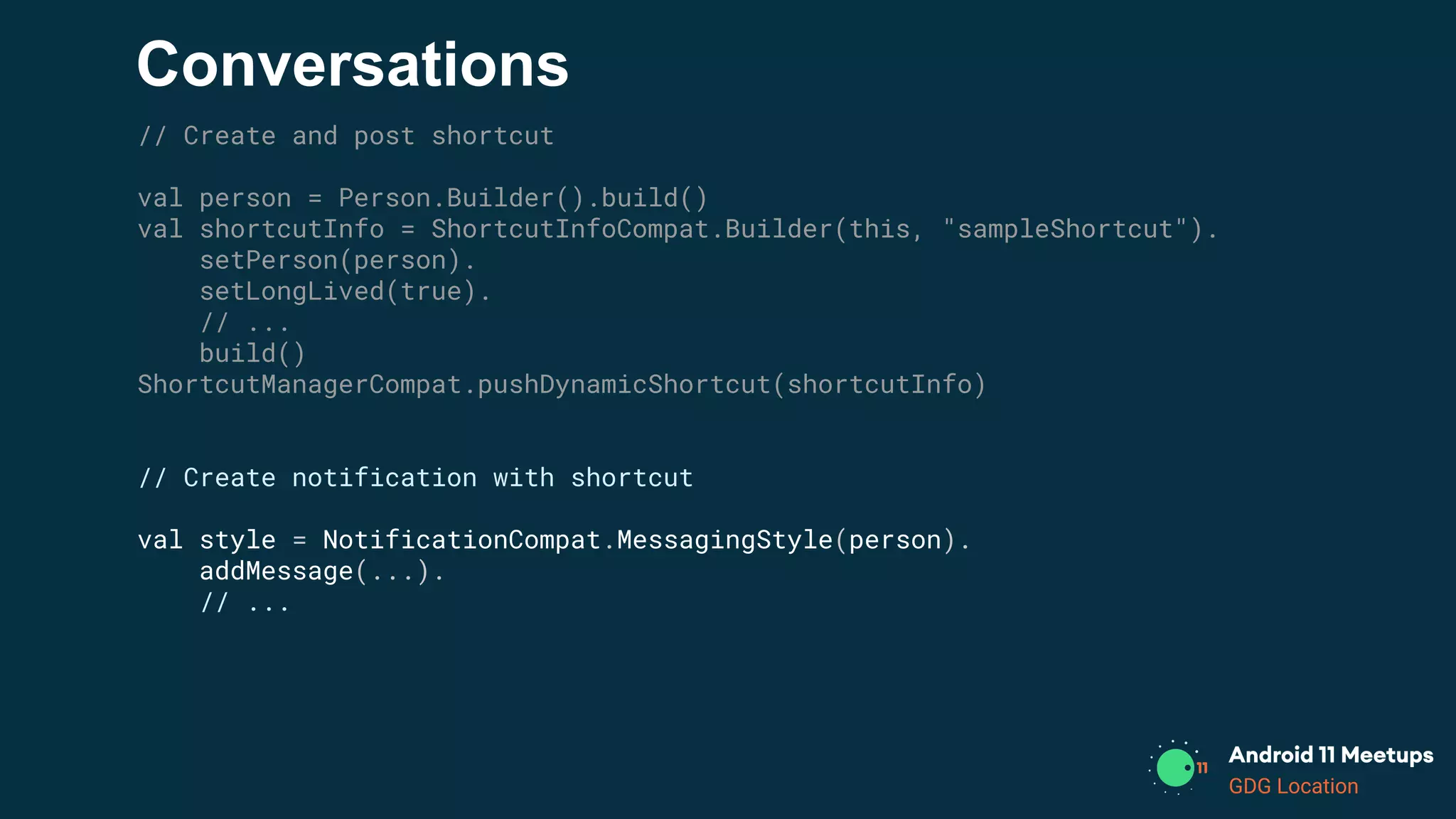
Conversations
GDG Location
Conversations
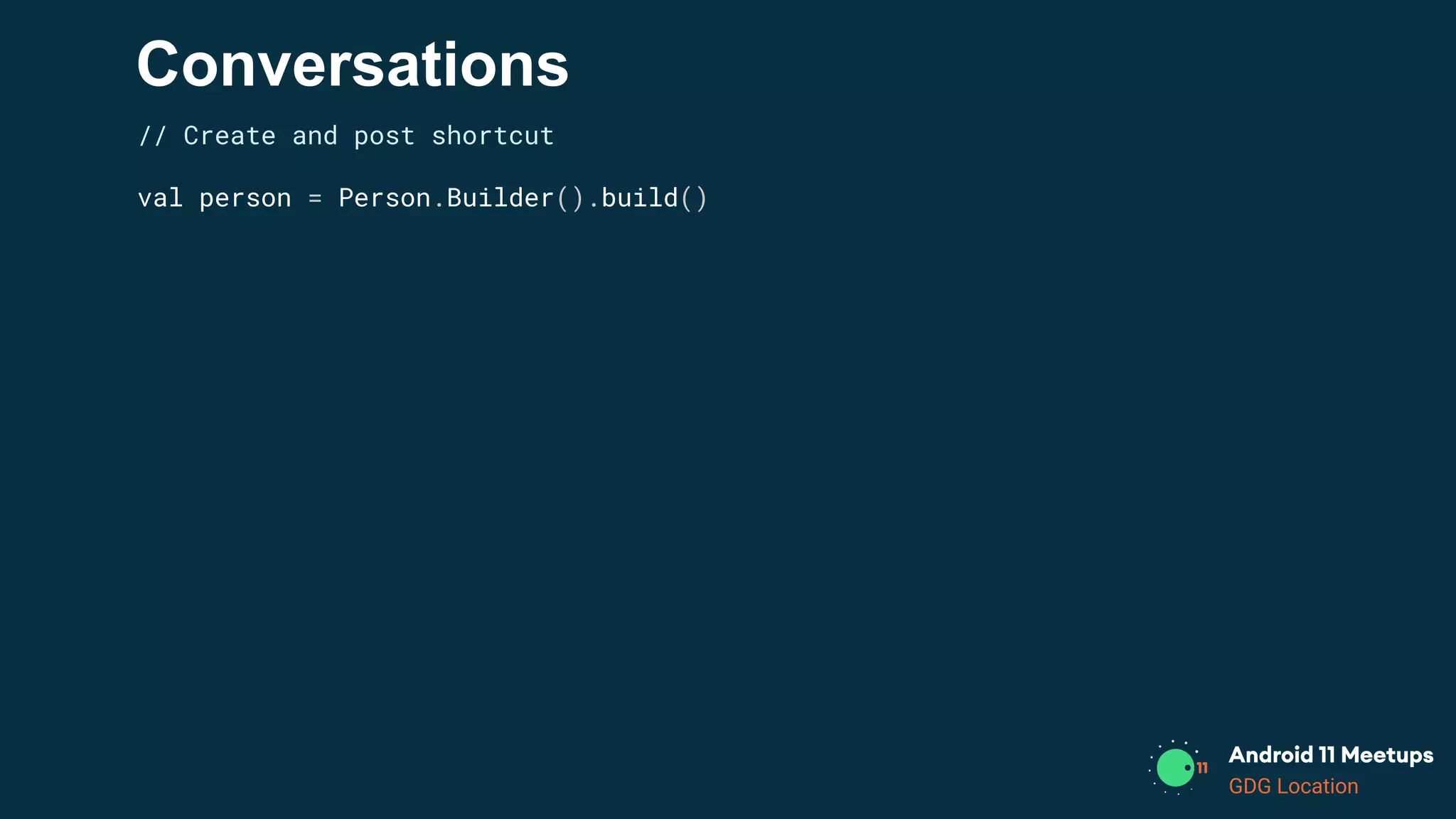
// Create and post shortcut
val person = Person.Builder().build()
GDG Location
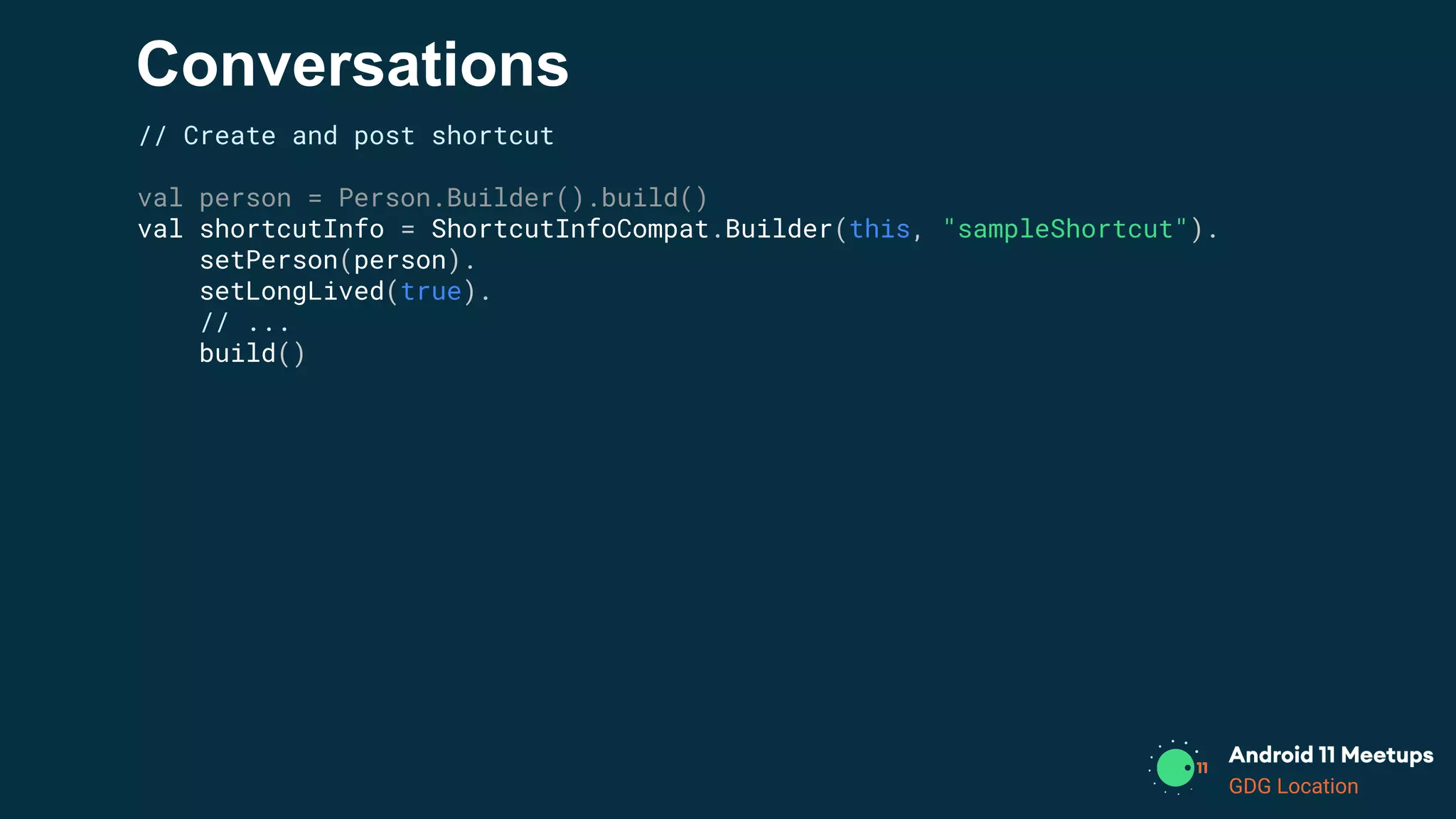
Conversations
// Create and post shortcut
val person = Person.Builder().build()
val shortcutInfo = ShortcutInfoCompat.Builder(this, "sampleShortcut").
setPerson(person).
setLongLived(true).
// ...
build()
GDG Location
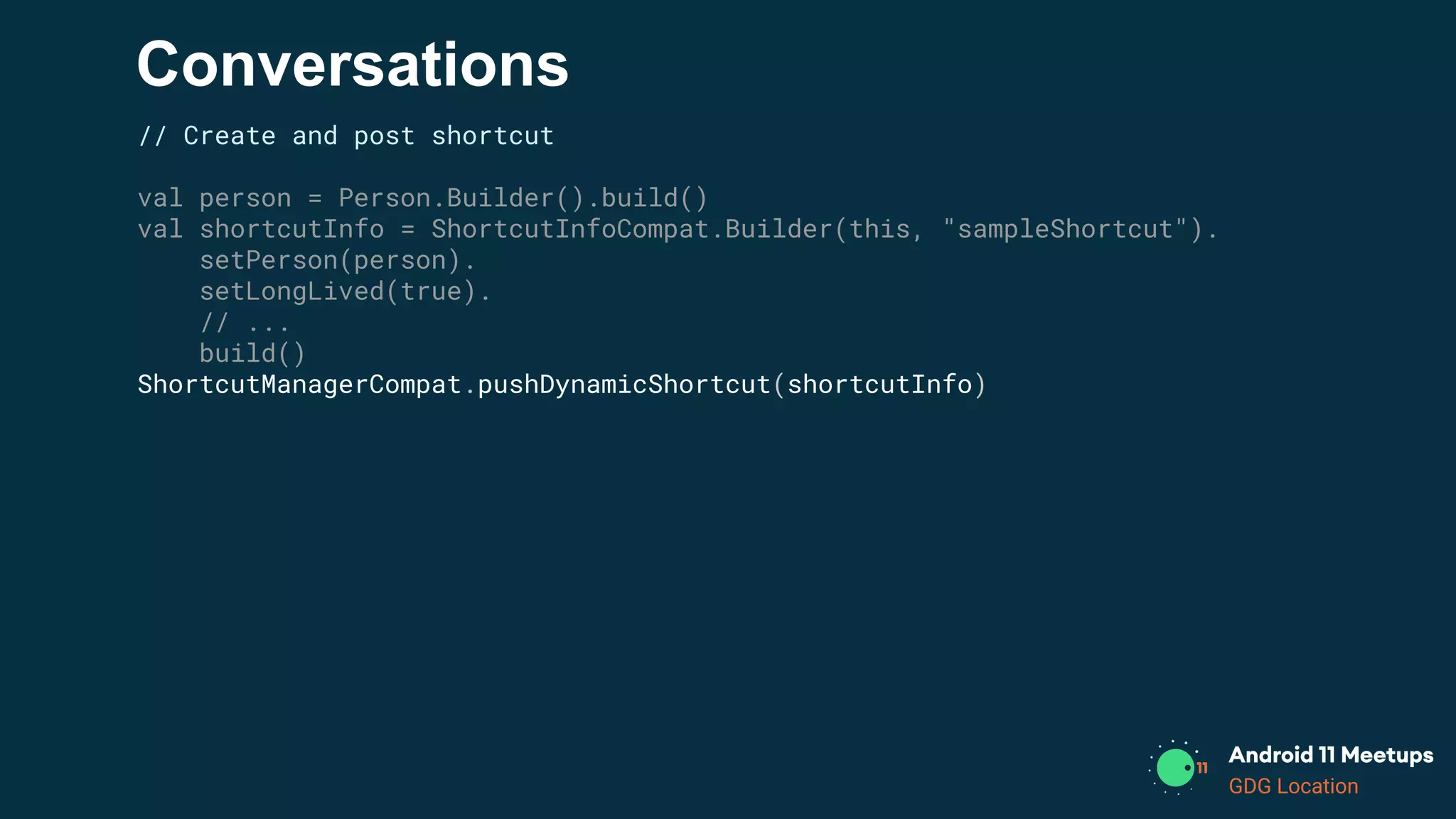
Conversations
// Create and post shortcut
val person = Person.Builder().build()
val shortcutInfo = ShortcutInfoCompat.Builder(this, "sampleShortcut").
setPerson(person).
setLongLived(true).
// ...
build()
ShortcutManagerCompat.pushDynamicShortcut(shortcutInfo)
GDG Location
Conversations
// Create and post shortcut
val person = Person.Builder().build()
val shortcutInfo = ShortcutInfoCompat.Builder(this, "sampleShortcut").
setPerson(person).
setLongLived(true).
// ...
build()
ShortcutManagerCompat.pushDynamicShortcut(shortcutInfo)
// Create notification with shortcut
val style = NotificationCompat.MessagingStyle(person).
addMessage(...).
// ...
GDG Location
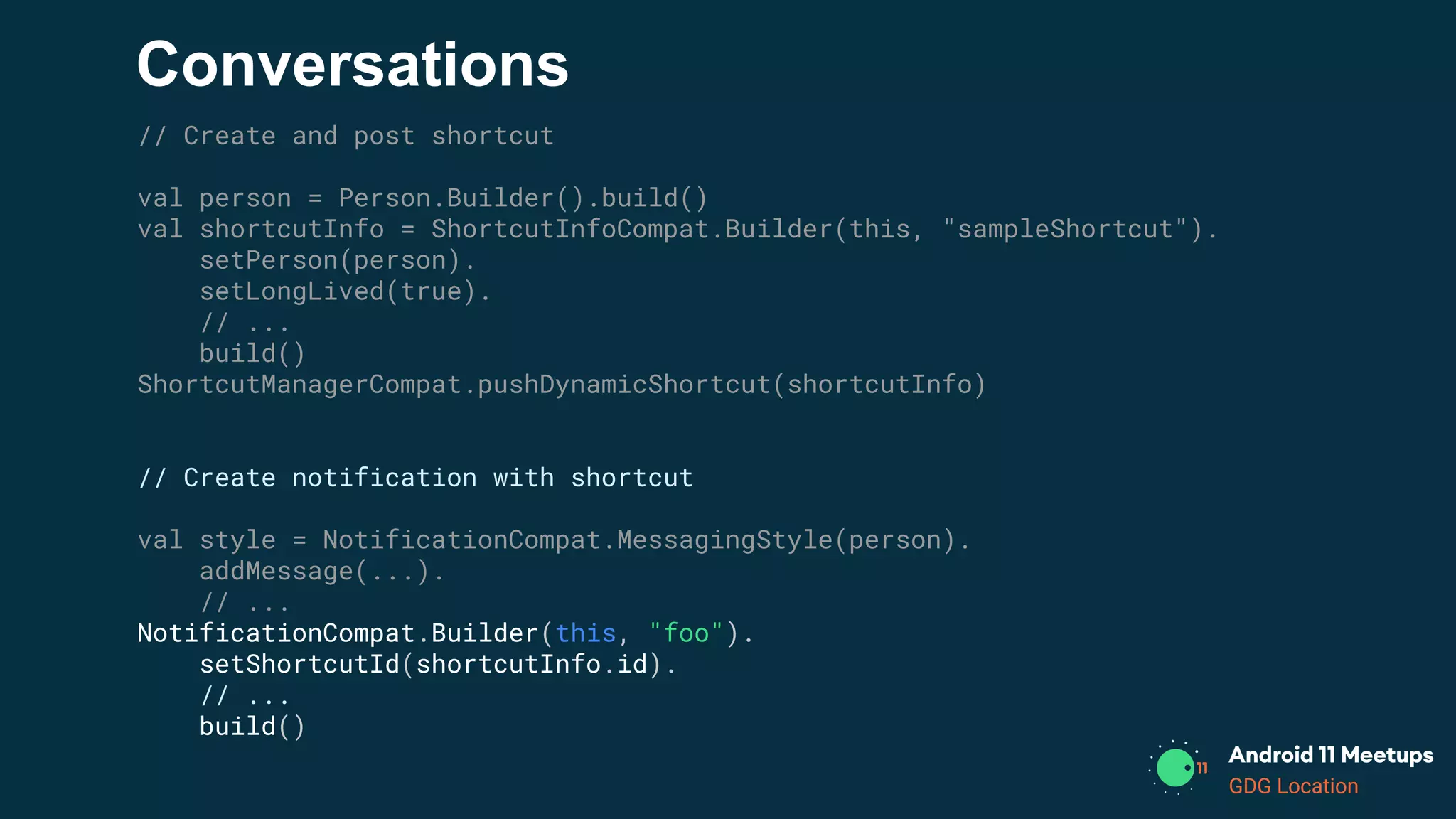
Conversations
// Create and post shortcut
val person = Person.Builder().build()
val shortcutInfo = ShortcutInfoCompat.Builder(this, "sampleShortcut").
setPerson(person).
setLongLived(true).
// ...
build()
ShortcutManagerCompat.pushDynamicShortcut(shortcutInfo)
// Create notification with shortcut
val style = NotificationCompat.MessagingStyle(person).
addMessage(...).
// ...
NotificationCompat.Builder(this, "foo").
setShortcutId(shortcutInfo.id).
// ...
build()
GDG Location
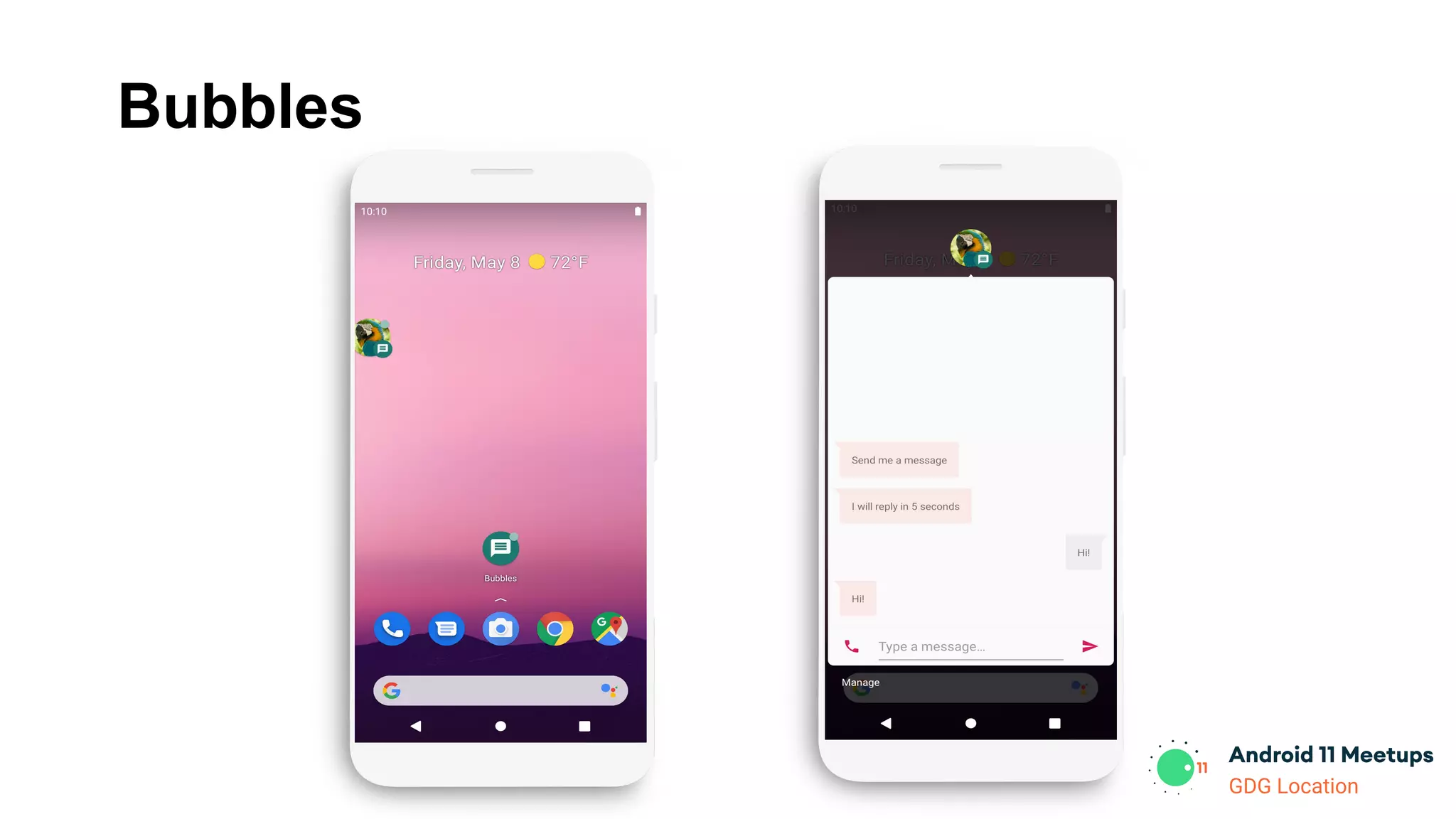
Bubbles
GDG Location
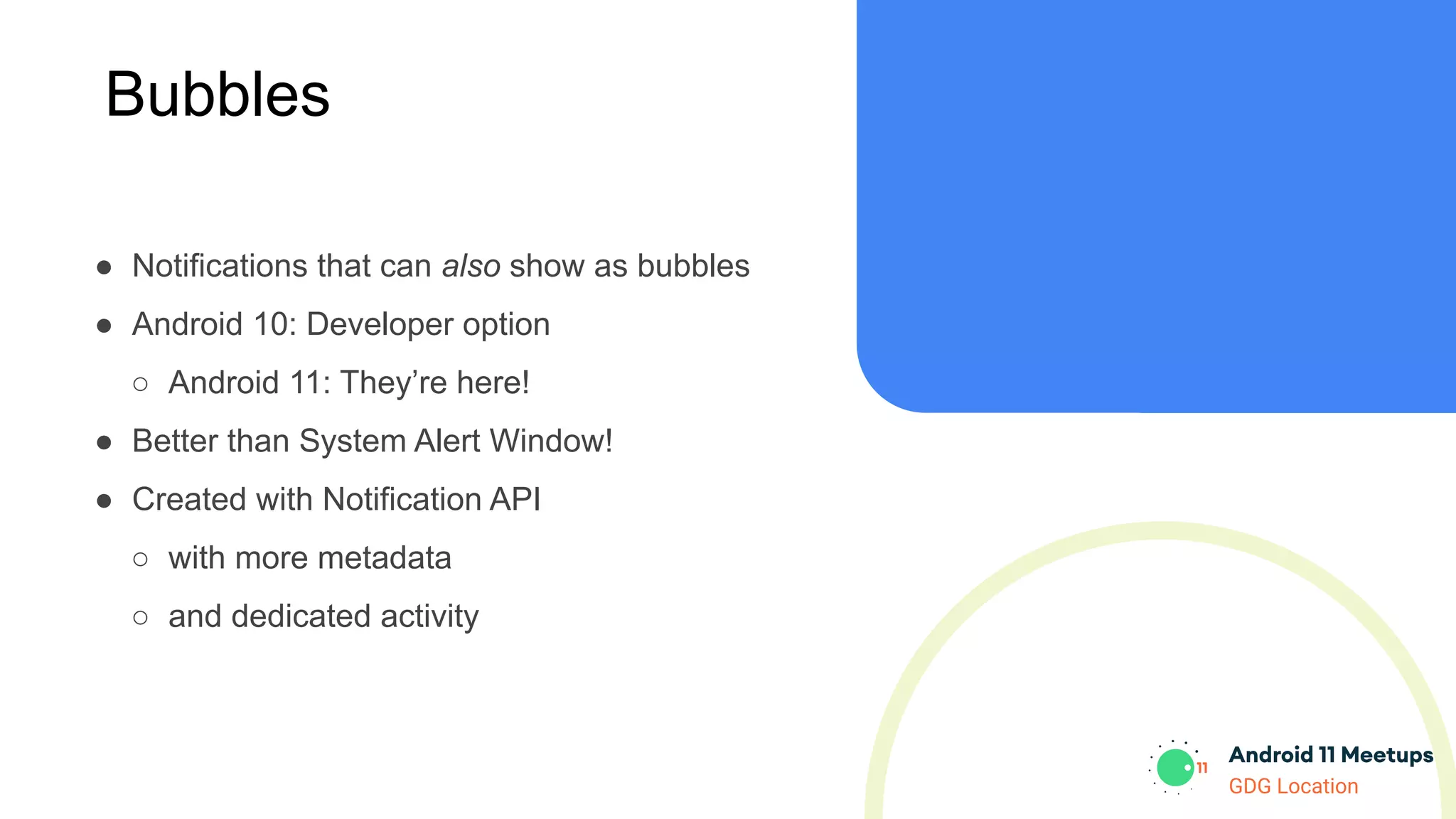
Bubbles
● Notifications that can also show as bubbles
● Android 10: Developer option
○ Android 11: They’re here!
● Better than System Alert Window!
● Created with Notification API
○ with more metadata
○ and dedicated activity
GDG Location
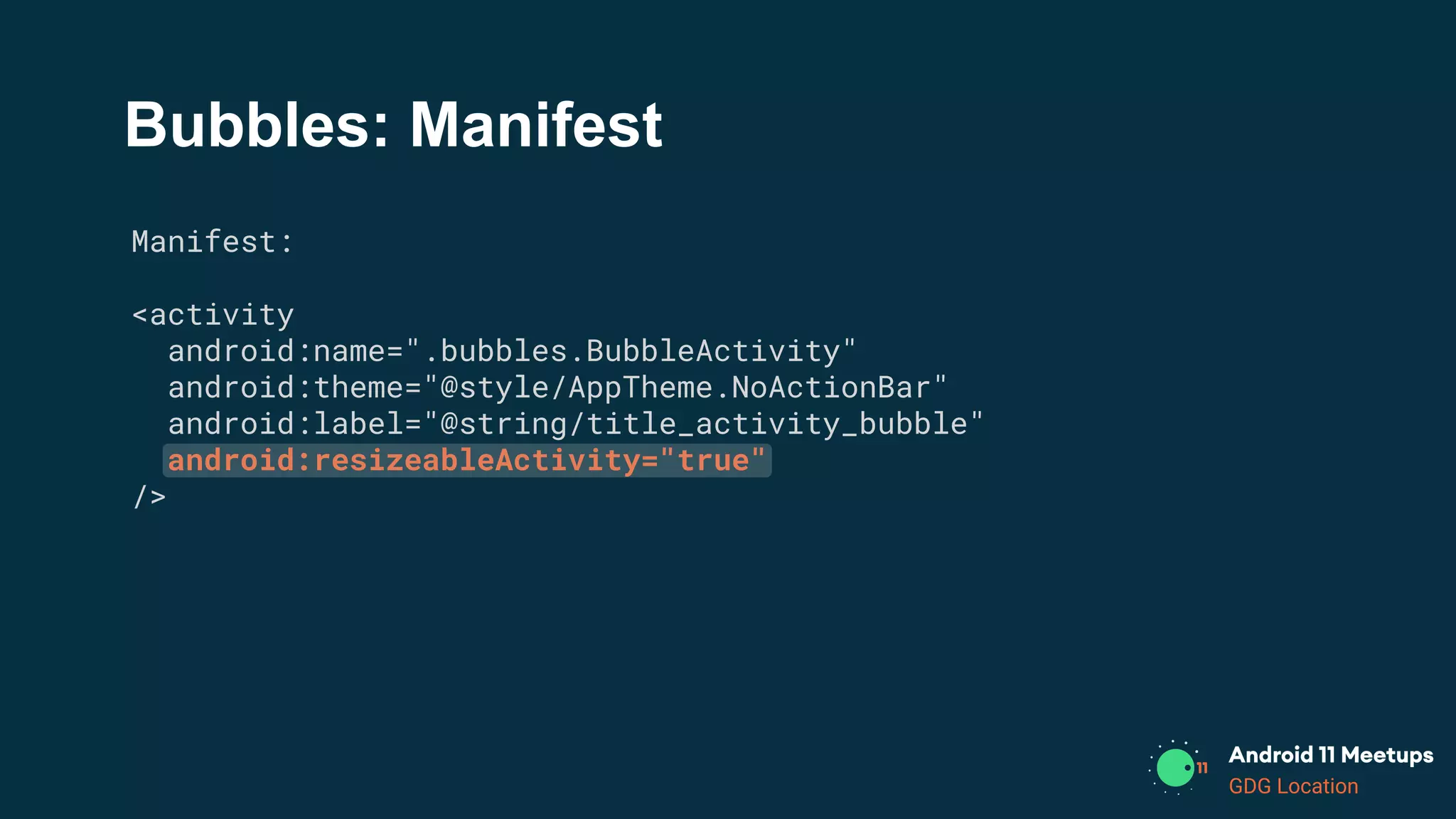
Bubbles: Manifest
Manifest:
<activity
android:name=".bubbles.BubbleActivity"
android:theme="@style/AppTheme.NoActionBar"
android:label="@string/title_activity_bubble"
android:resizeableActivity="true"
/>
GDG Location
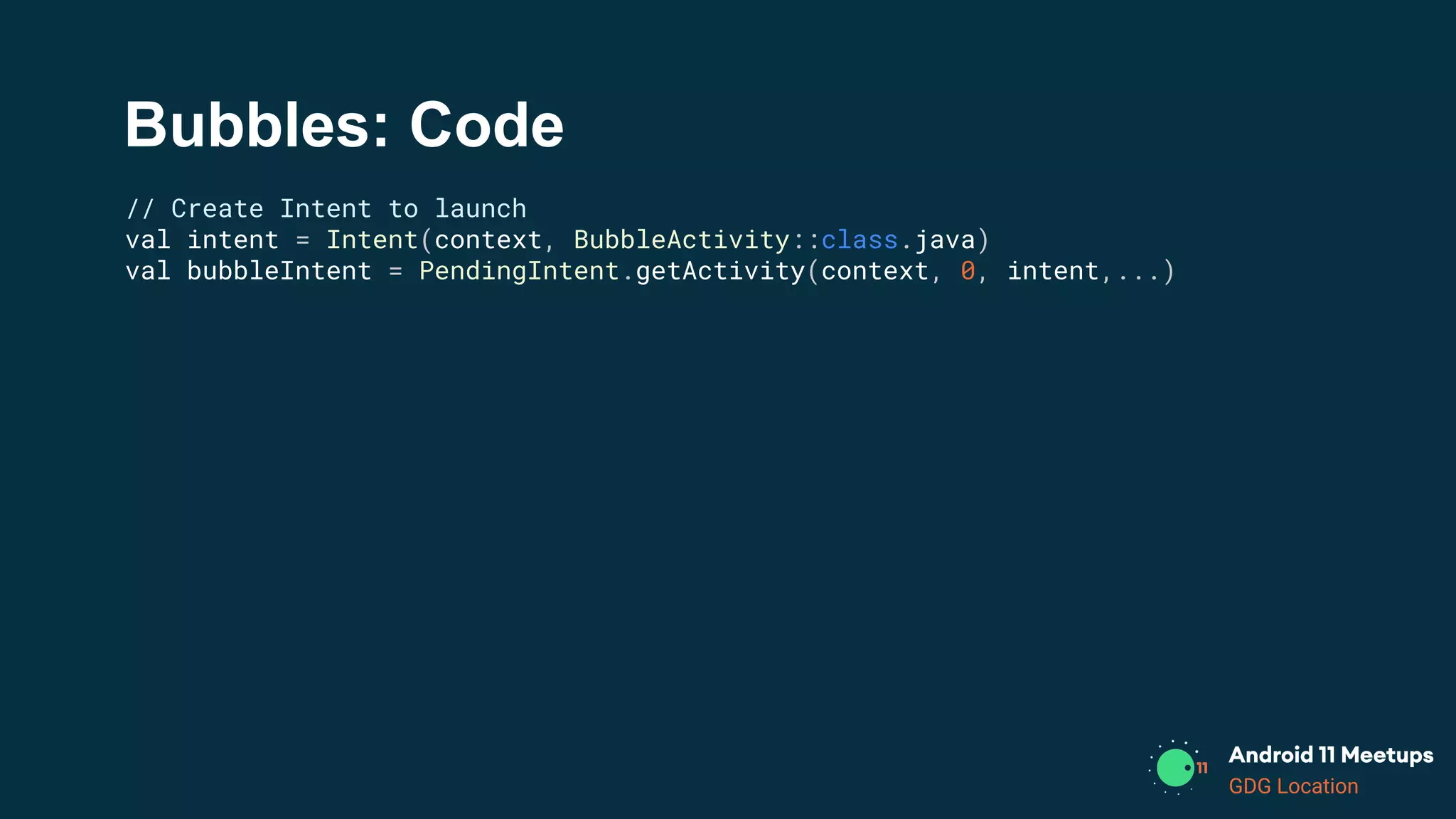
Bubbles: Code
// Create Intent to launch
val intent = Intent(context, BubbleActivity::class.java)
val bubbleIntent = PendingIntent.getActivity(context, 0, intent,...)
GDG Location
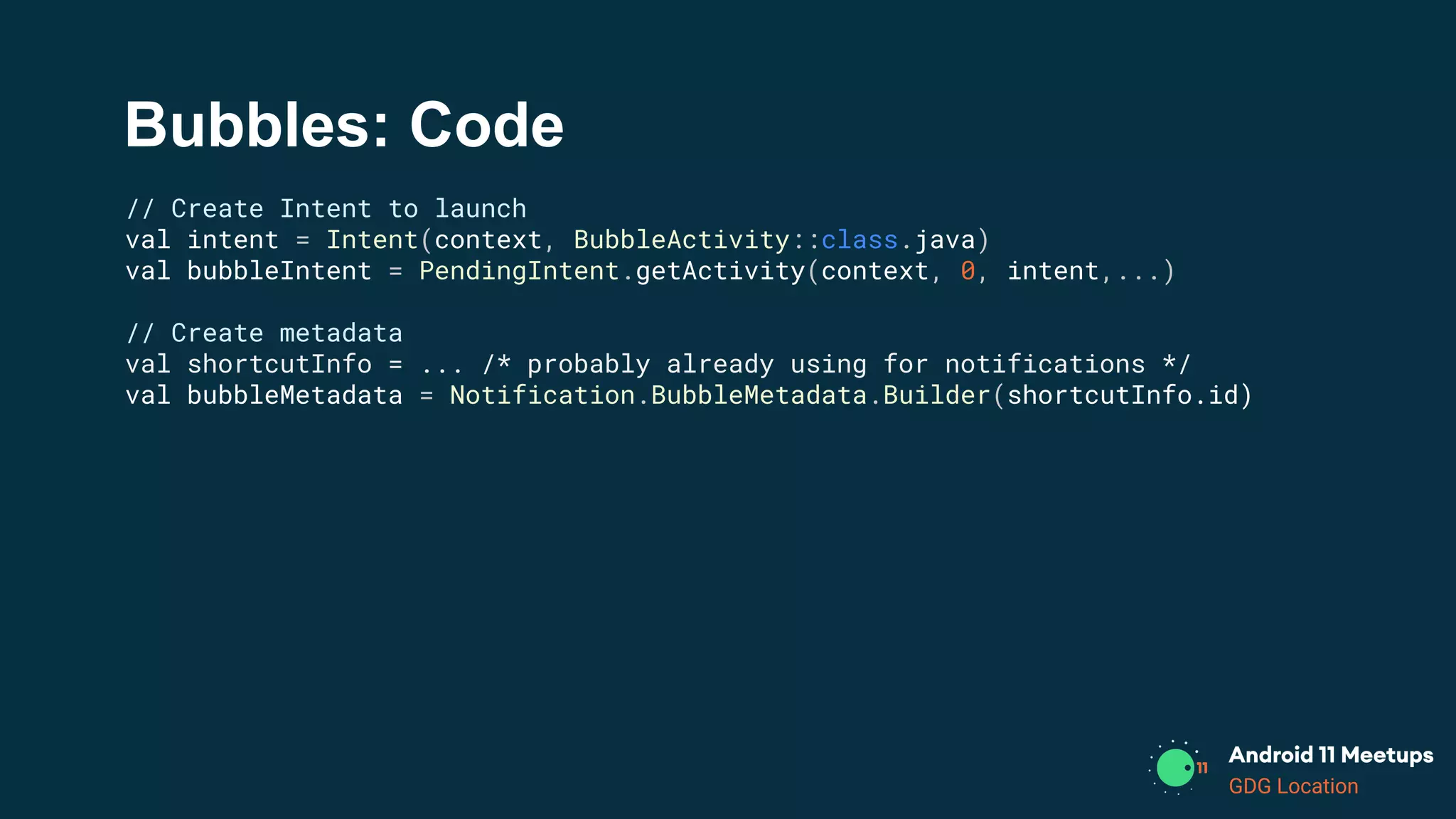
Bubbles: Code
// Create Intent to launch
val intent = Intent(context, BubbleActivity::class.java)
val bubbleIntent = PendingIntent.getActivity(context, 0, intent,...)
// Create metadata
val shortcutInfo = ... /* probably already using for notifications */
val bubbleMetadata = Notification.BubbleMetadata.Builder(shortcutInfo.id)
GDG Location
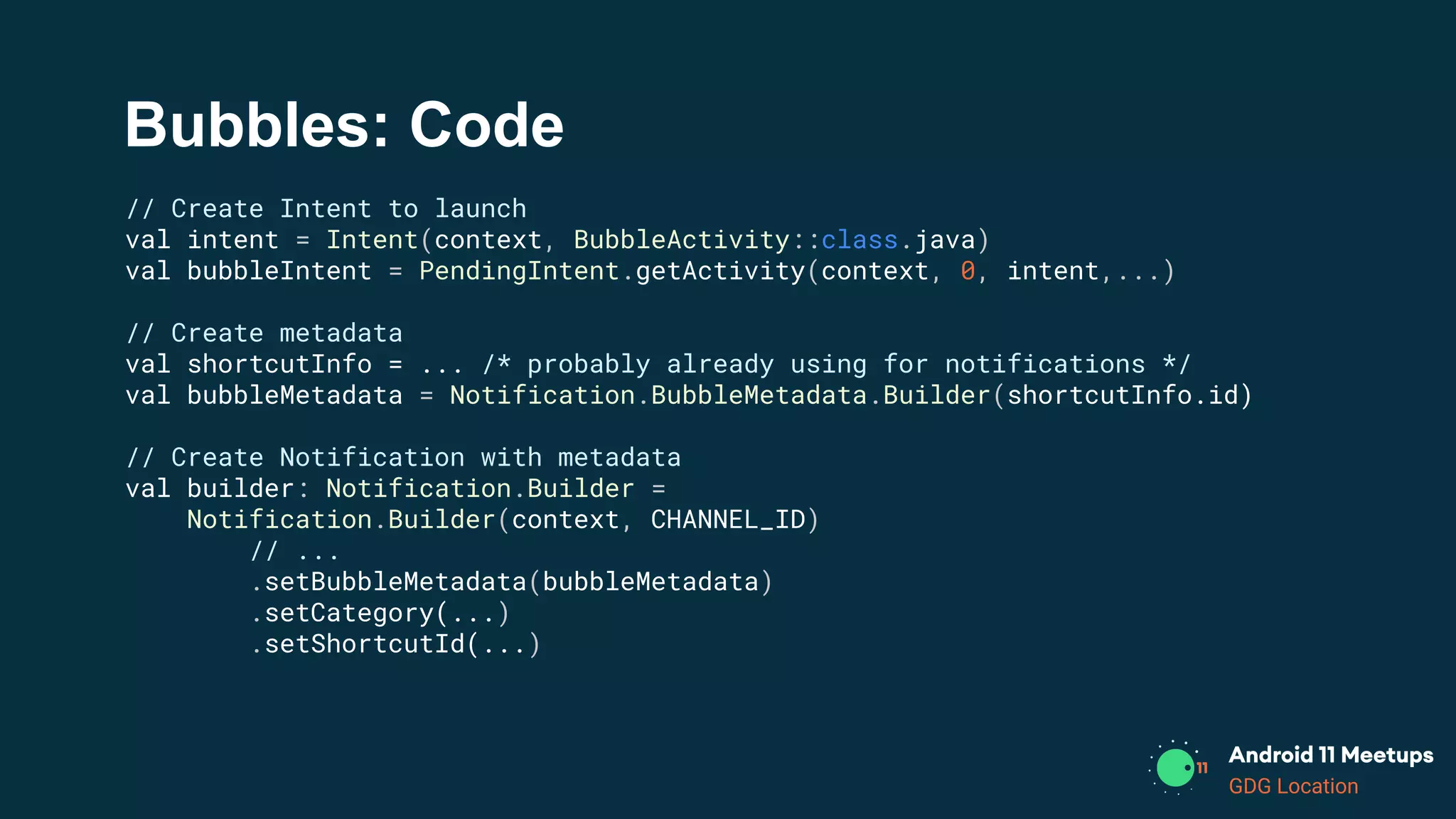
Bubbles: Code
// Create Intent to launch
val intent = Intent(context, BubbleActivity::class.java)
val bubbleIntent = PendingIntent.getActivity(context, 0, intent,...)
// Create metadata
val shortcutInfo = ... /* probably already using for notifications */
val bubbleMetadata = Notification.BubbleMetadata.Builder(shortcutInfo.id)
// Create Notification with metadata
val builder: Notification.Builder =
Notification.Builder(context, CHANNEL_ID)
// ...
.setBubbleMetadata(bubbleMetadata)
.setCategory(...)
.setShortcutId(...)
GDG Location
What’s new in System UI
Android Samples on Github:
user-interface-samples/People
140: Bubbles!
141: Discussing
Conversations
GDG Location
Developer Goodies
GDG Location
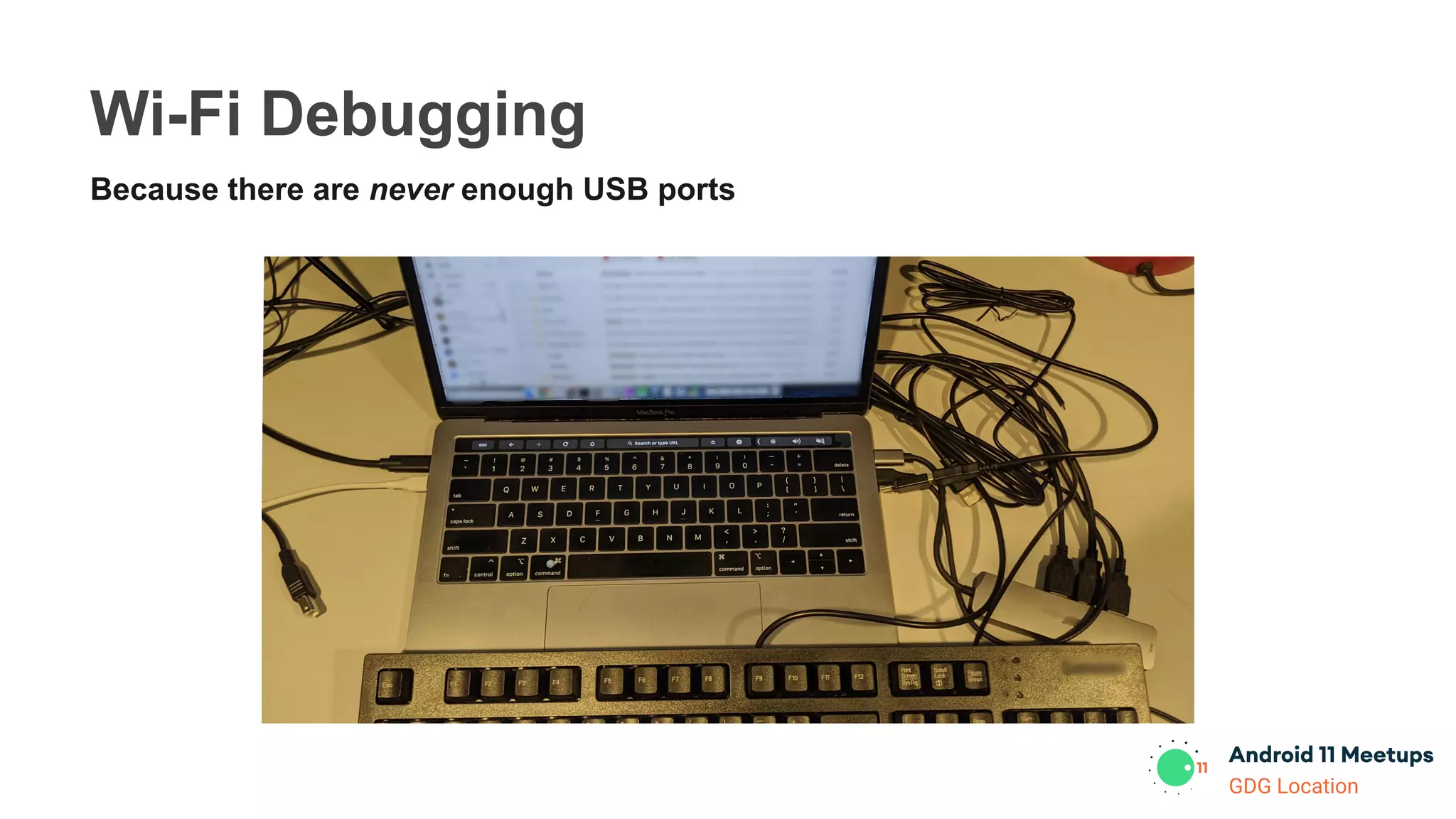
Wi-Fi Debugging
Because there are never enough USB ports
GDG Location
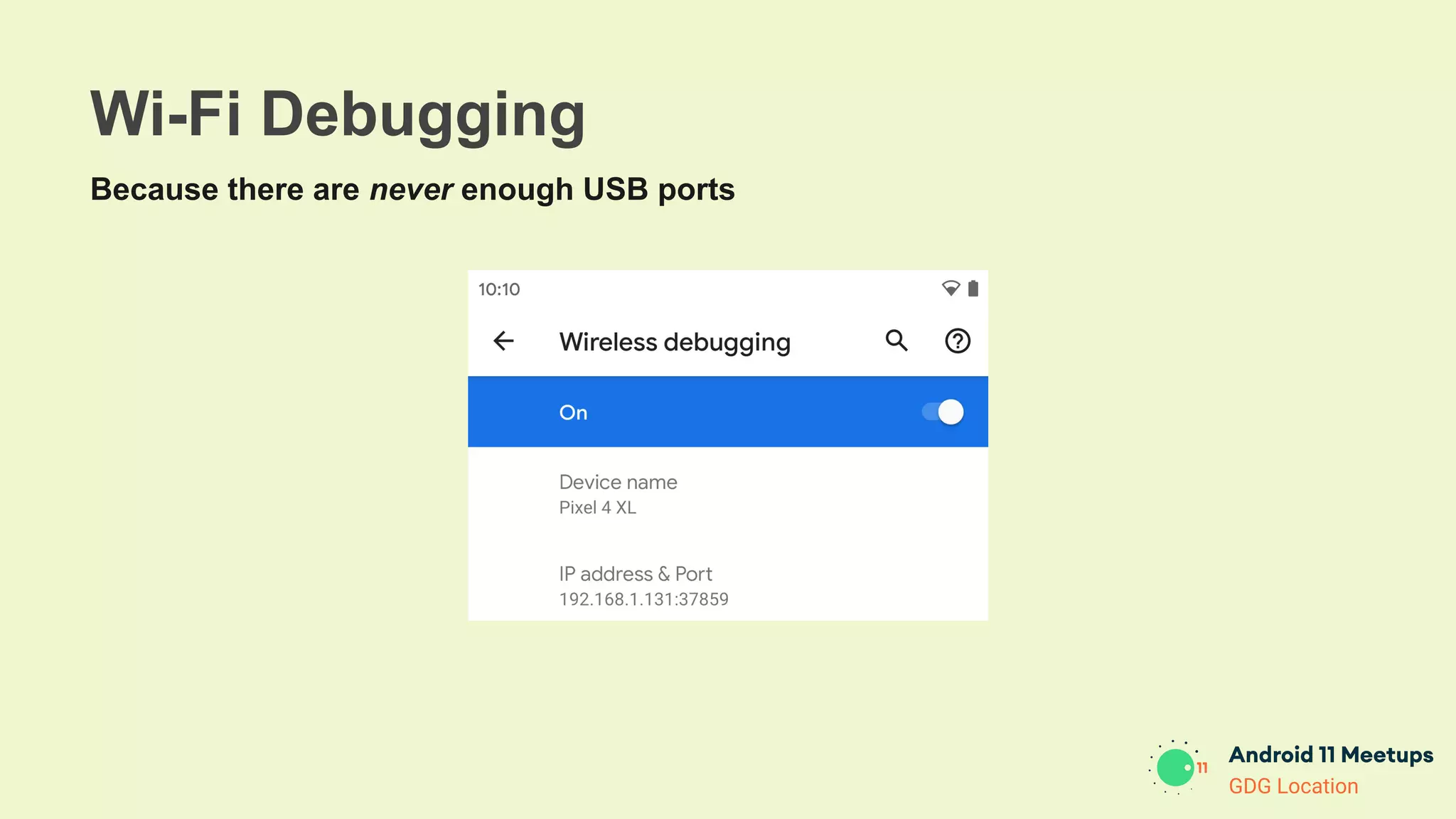
Wi-Fi Debugging
Because there are never enough USB ports
GDG Location
Nullability Annotations
● @RecentlyNullable, @RecentlyNonNull
○ Warnings
● @Nullable, @NonNull
○ Errors
GDG Location
Crash Reasons
Reporting
● API to query why your app crashed
○ Upload reports
GDG Location
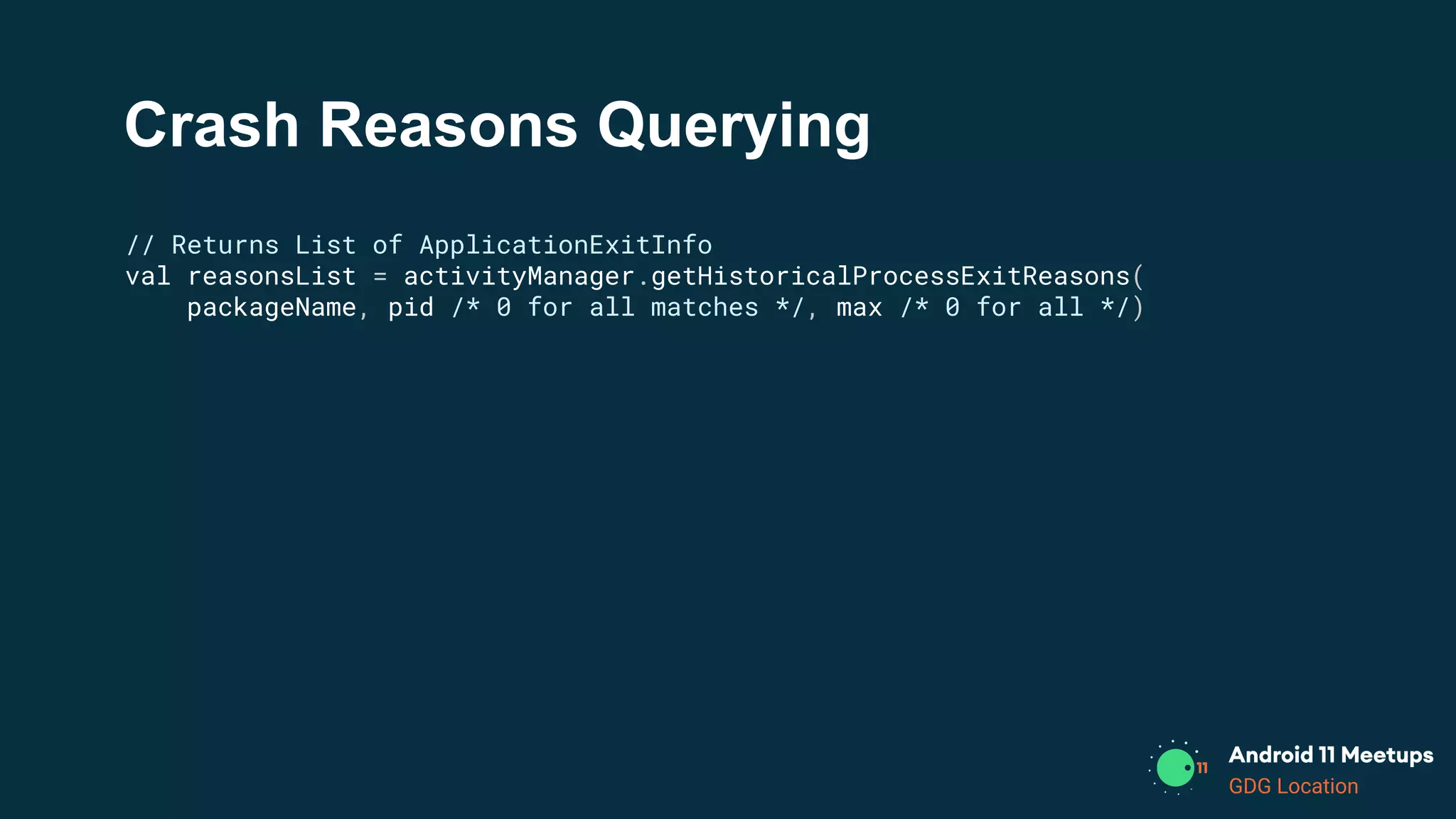
Crash Reasons Querying
// Returns List of ApplicationExitInfo
val reasonsList = activityManager.getHistoricalProcessExitReasons(
packageName, pid /* 0 for all matches */, max /* 0 for all */)
GDG Location
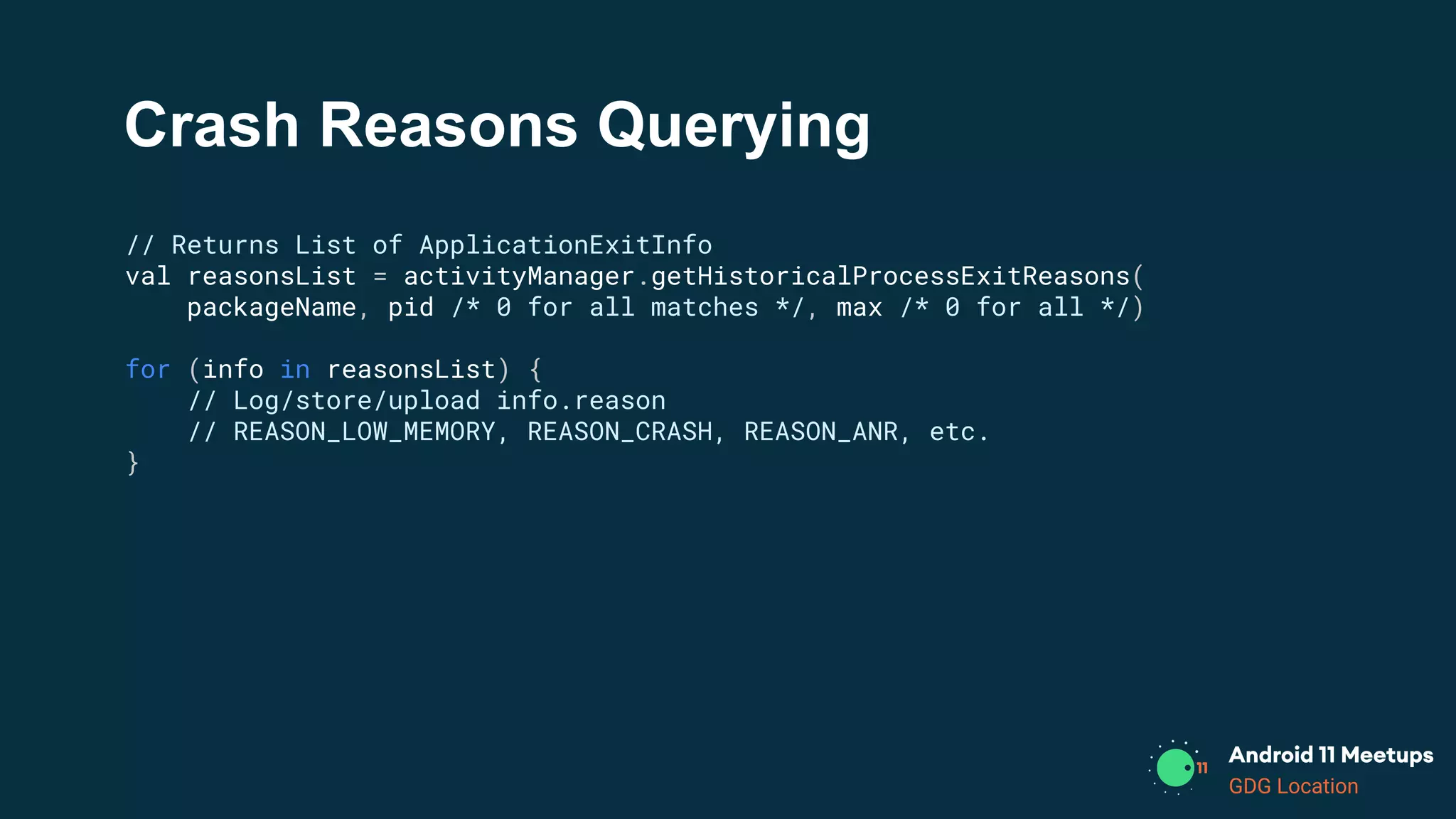
Crash Reasons Querying
// Returns List of ApplicationExitInfo
val reasonsList = activityManager.getHistoricalProcessExitReasons(
packageName, pid /* 0 for all matches */, max /* 0 for all */)
for (info in reasonsList) {
// Log/store/upload info.reason
// REASON_LOW_MEMORY, REASON_CRASH, REASON_ANR, etc.
}
GDG Location
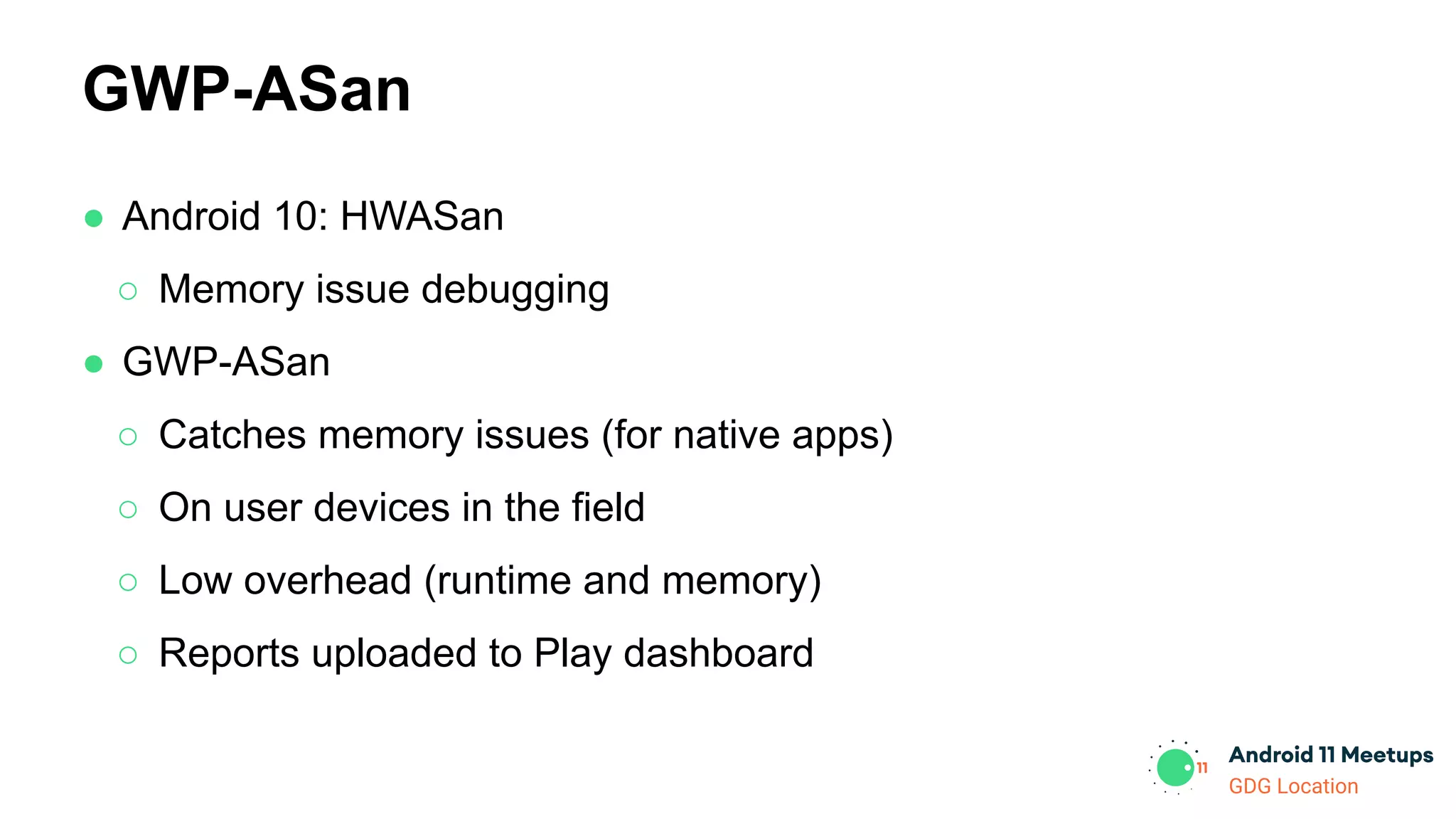
● Android 10: HWASan
○ Memory issue debugging
● GWP-ASan
○ Catches memory issues (for native apps)
○ On user devices in the field
○ Low overhead (runtime and memory)
○ Reports uploaded to Play dashboard
GWP-ASan
GDG Location
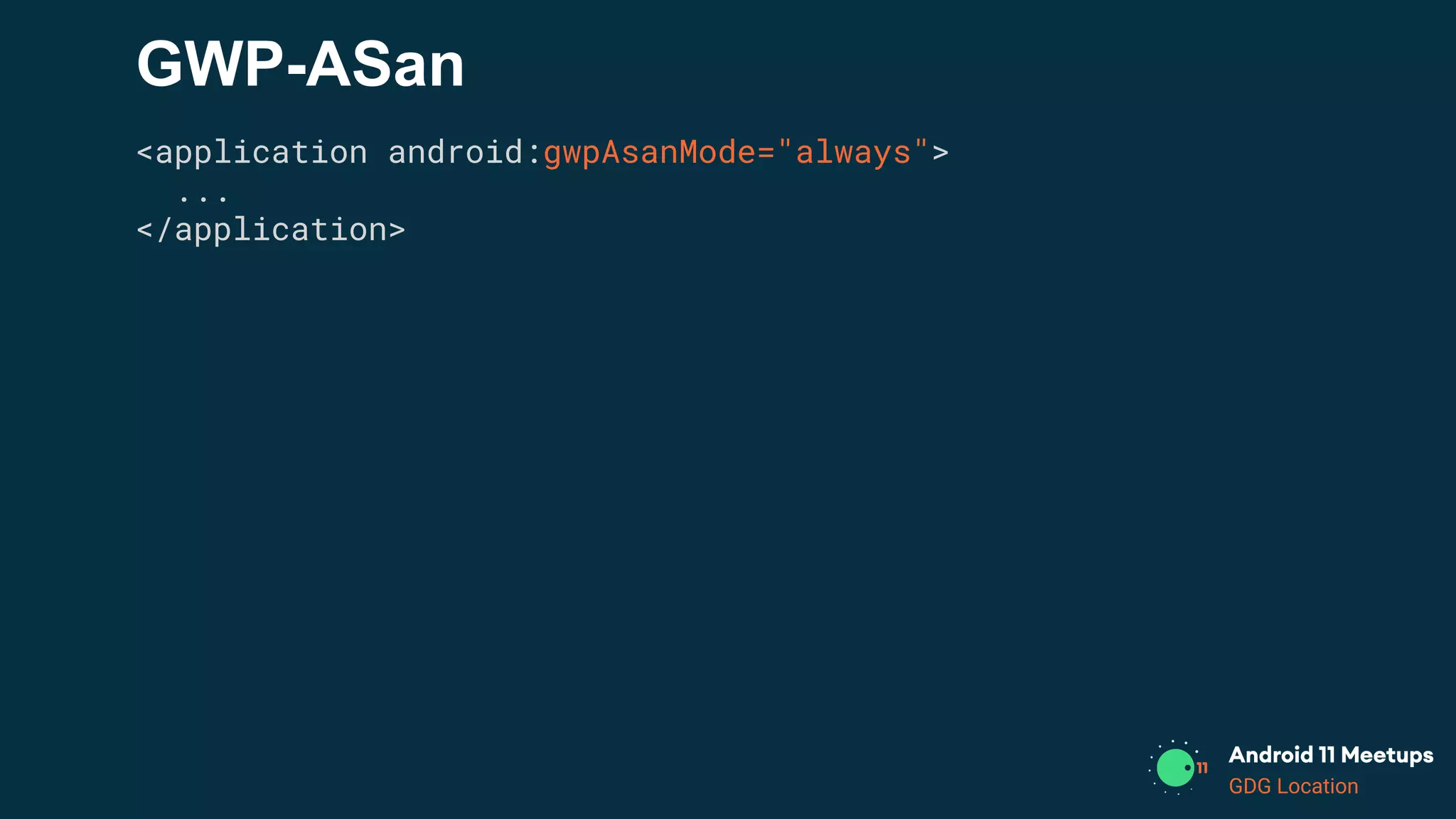
GWP-ASan
<application android:gwpAsanMode="always">
...
</application>
GDG Location
GWP-ASan
<application android:gwpAsanMode="always">
...
</application>
// Bad memory access caught by GWP-ASan triggers exit + report
*** *** *** *** *** *** *** *** *** *** *** *** *** *** *** ***
Build fingerprint: 'google/sargo/sargo:10/RPP3.200320.009/6360804:userdebug/dev-keys'
Revision: 'PVT1.0'
ABI: 'arm64'
Timestamp: 2020-04-06 18:27:08-0700
pid: 16227, tid: 16227, name: 11.test.gwpasan >>> android11.test.gwpasan <<<
uid: 10238
signal 11 (SIGSEGV), code 2 (SEGV_ACCERR), fault addr 0x736ad4afe0
Cause: [GWP-ASan]: Use After Free on a 32-byte allocation at 0x736ad4afe0
backtrace:
#00 pc 000000000037a090 /apex/com.android.art/lib64/libart.so (art::(anonymous namespace)::ScopedCheck::CheckNonHeapValue(char, art::(anonymous namespace)::JniValueType)+448)
#01 pc 0000000000378440 /apex/com.android.art/lib64/libart.so (art::(anonymous namespace)::ScopedCheck::CheckPossibleHeapValue(art::ScopedObjectAccess&, char, art::(anonymous namespace)::JniValueType)+204)
#02 pc 0000000000377bec /apex/com.android.art/lib64/libart.so (art::(anonymous namespace)::ScopedCheck::Check(art::ScopedObjectAccess&, bool, char const*, art::(anonymous namespace)::JniValueType*)+612)
#03 pc 000000000036dcf4 /apex/com.android.art/lib64/libart.so (art::(anonymous namespace)::CheckJNI::NewStringUTF(_JNIEnv*, char const*)+708)
#04 pc 000000000000eda4 /data/app/android11.test.gwpasan/lib/arm64/libmy-test.so (_JNIEnv::NewStringUTF(char const*)+40)
#05 pc 000000000000eab8 /data/app/android11.test.gwpasan/lib/arm64/libmy-test.so (native_get_string(_JNIEnv*)+144)
#06 pc 000000000000edf8 /data/app/android11.test.gwpasan/lib/arm64/libmy-test.so (Java_android11_test_gwpasan_MainActivity_nativeGetString+44)
...
deallocated by thread 16227:
#00 pc 0000000000048970 /apex/com.android.runtime/lib64/bionic/libc.so (gwp_asan::AllocationMetadata::CallSiteInfo::RecordBacktrace(unsigned long (*)(unsigned long*, unsigned long))+80)
#01 pc 0000000000048f30 /apex/com.android.runtime/lib64/bionic/libc.so (gwp_asan::GuardedPoolAllocator::deallocate(void*)+184)
#02 pc 000000000000f130 /data/app/android11.test.gwpasan/lib/arm64/libmy-test.so (std::__ndk1::_DeallocateCaller::__do_call(void*)+20)
...
#08 pc 000000000000ed6c /data/app/android11.test.gwpasan/lib/arm64/libmy-test.so (std::__ndk1::basic_string<char, std::__ndk1::char_traits<char>, std::__ndk1::allocator<char> >::~basic_string()+100)
#09 pc 000000000000ea90 /data/app/android11.test.gwpasan/lib/arm64/libmy-test.so (native_get_string(_JNIEnv*)+104)
#10 pc 000000000000edf8 /data/app/android11.test.gwpasan/lib/arm64/libmy-test.so (Java_android11_test_gwpasan_MainActivity_nativeGetString+44)
...
allocated by thread 16227:
#00 pc 0000000000048970 /apex/com.android.runtime/lib64/bionic/libc.so (gwp_asan::AllocationMetadata::CallSiteInfo::RecordBacktrace(unsigned long (*)(unsigned long*, unsigned long))+80)
#01 pc 0000000000048e4c /apex/com.android.runtime/lib64/bionic/libc.so (gwp_asan::GuardedPoolAllocator::allocate(unsigned long)+368)
#02 pc 000000000003b258 /apex/com.android.runtime/lib64/bionic/libc.so (gwp_asan_malloc(unsigned long)+132)
#03 pc 000000000003bbec /apex/com.android.runtime/lib64/bionic/libc.so (malloc+76)
#04 pc 0000000000010414 /data/app/android11.test.gwpasan/lib/arm64/libmy-test.so (operator new(unsigned long)+24)
...
#10 pc 000000000000ea6c /data/app/android11.test.gwpasan/lib/arm64/libmy-test.so (native_get_string(_JNIEnv*)+68)
#11 pc 000000000000edf8 /data/app/android11.test.gwpasan/lib/arm64/libmy-test.so (Java_android11_test_gwpasan_MainActivity_nativeGetString+44)
...
GDG Location
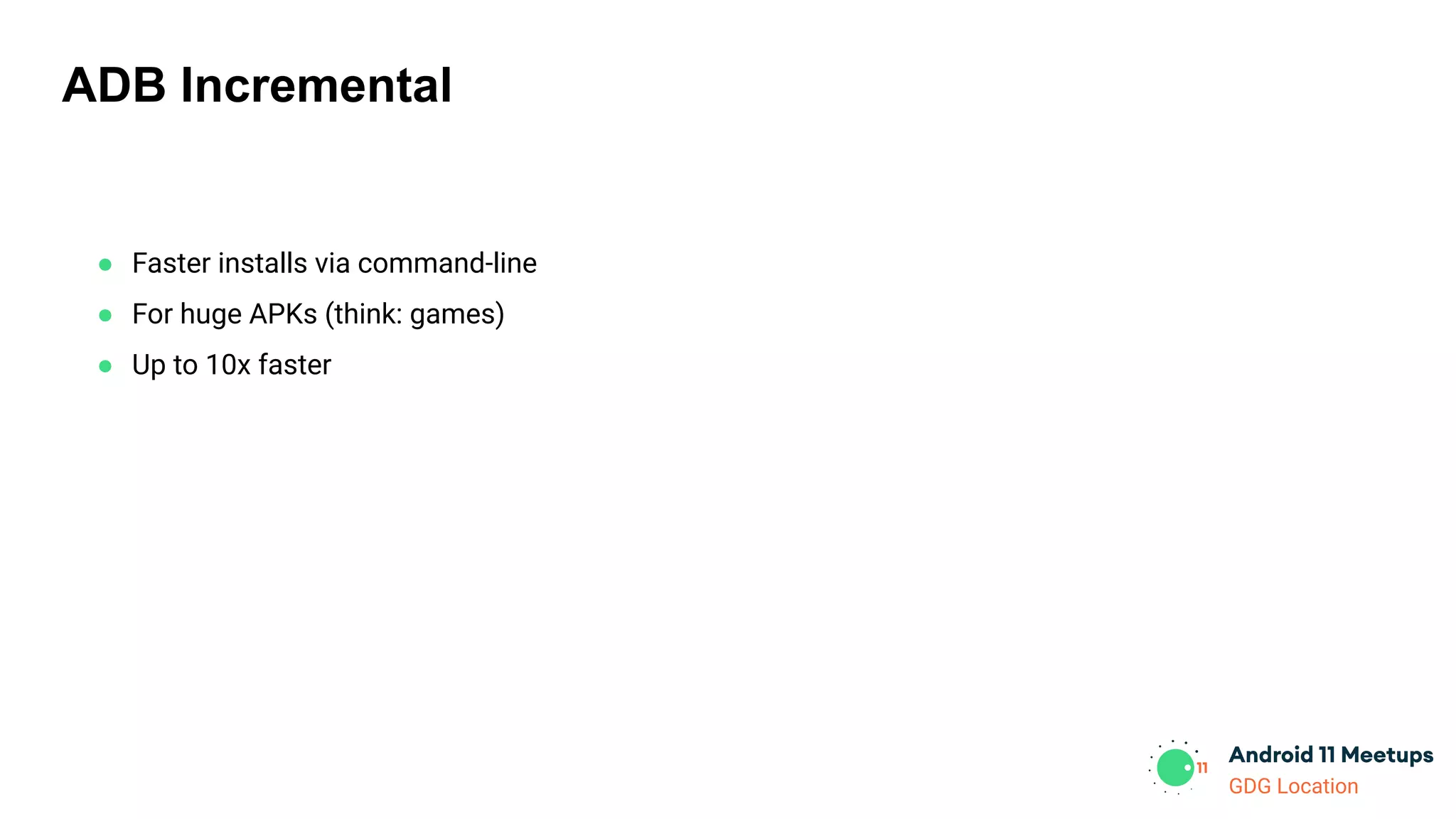
ADB Incremental
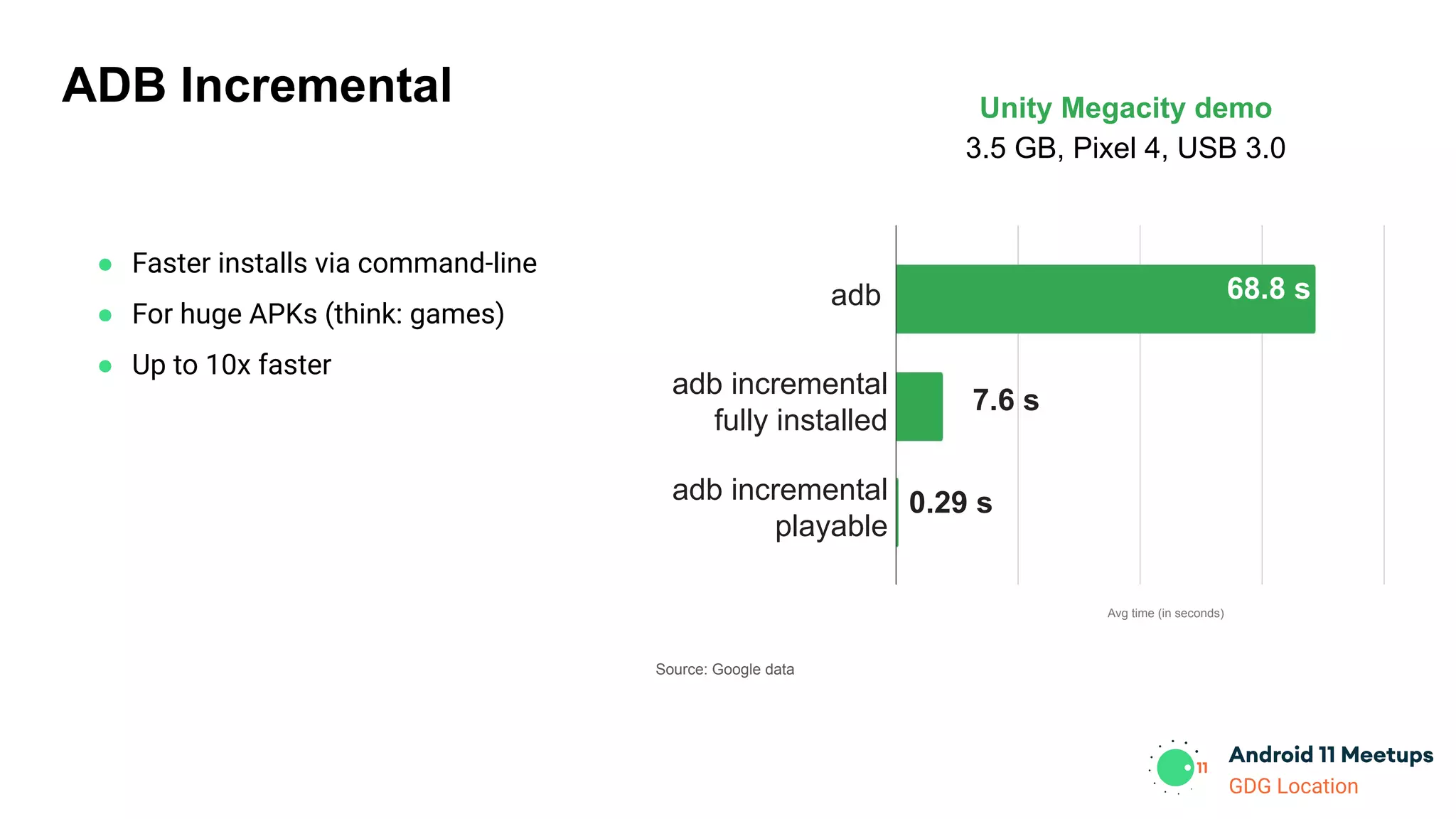
● Faster installs via command-line
● For huge APKs (think: games)
● Up to 10x faster
GDG Location
ADB Incremental
● Faster installs via command-line
● For huge APKs (think: games)
● Up to 10x faster
adb
adb incremental
playable
Avg time (in seconds)
68.8 s
0.29 s
Unity Megacity demo
3.5 GB, Pixel 4, USB 3.0
adb incremental
fully installed
7.6 s
Source: Google data
GDG Location
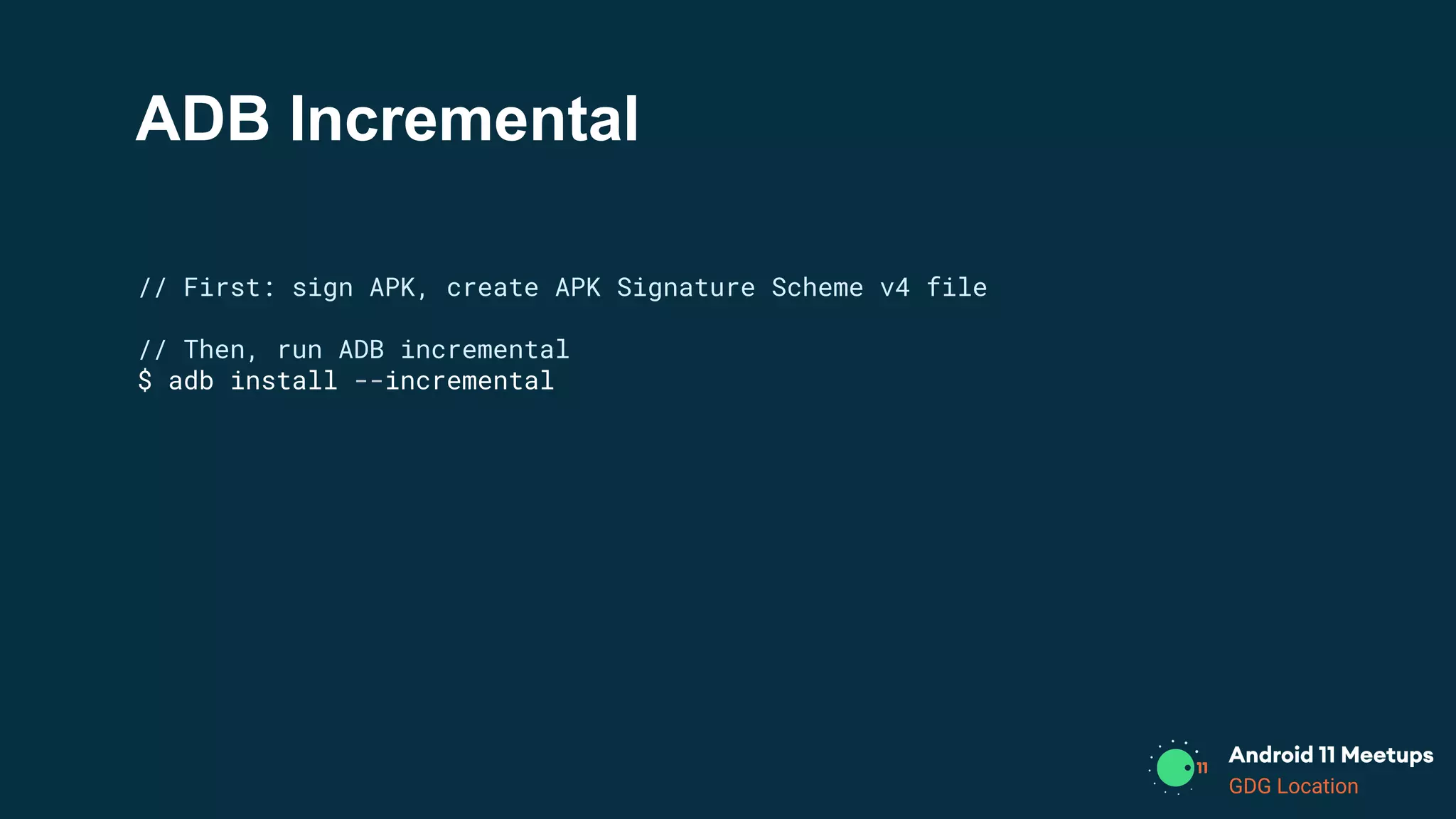
ADB Incremental
// First: sign APK, create APK Signature Scheme v4 file
// Then, run ADB incremental
$ adb install --incremental
GDG Location
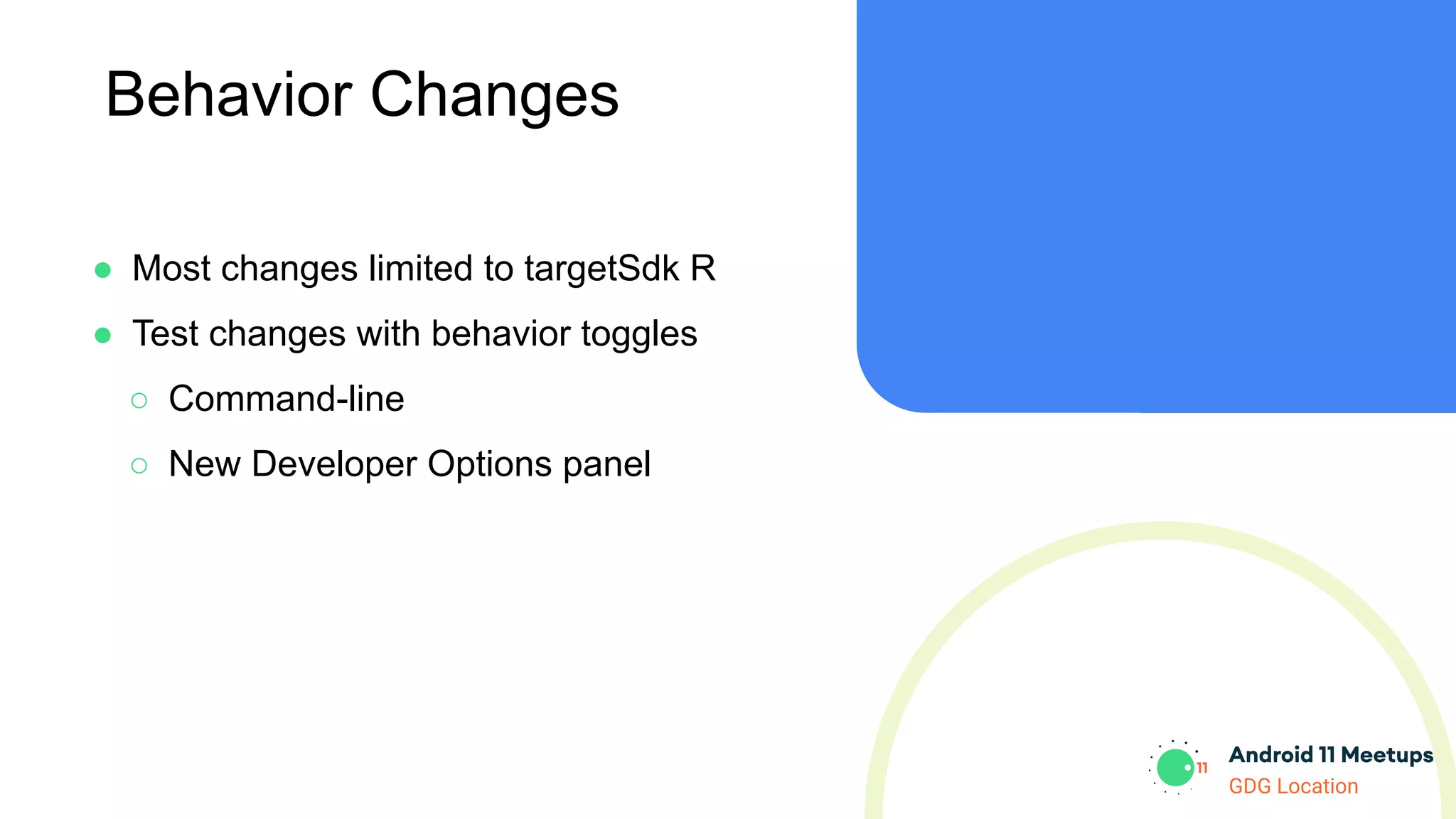
Behavior Changes
● Most changes limited to targetSdk R
● Test changes with behavior toggles
○ Command-line
○ New Developer Options panel
GDG Location
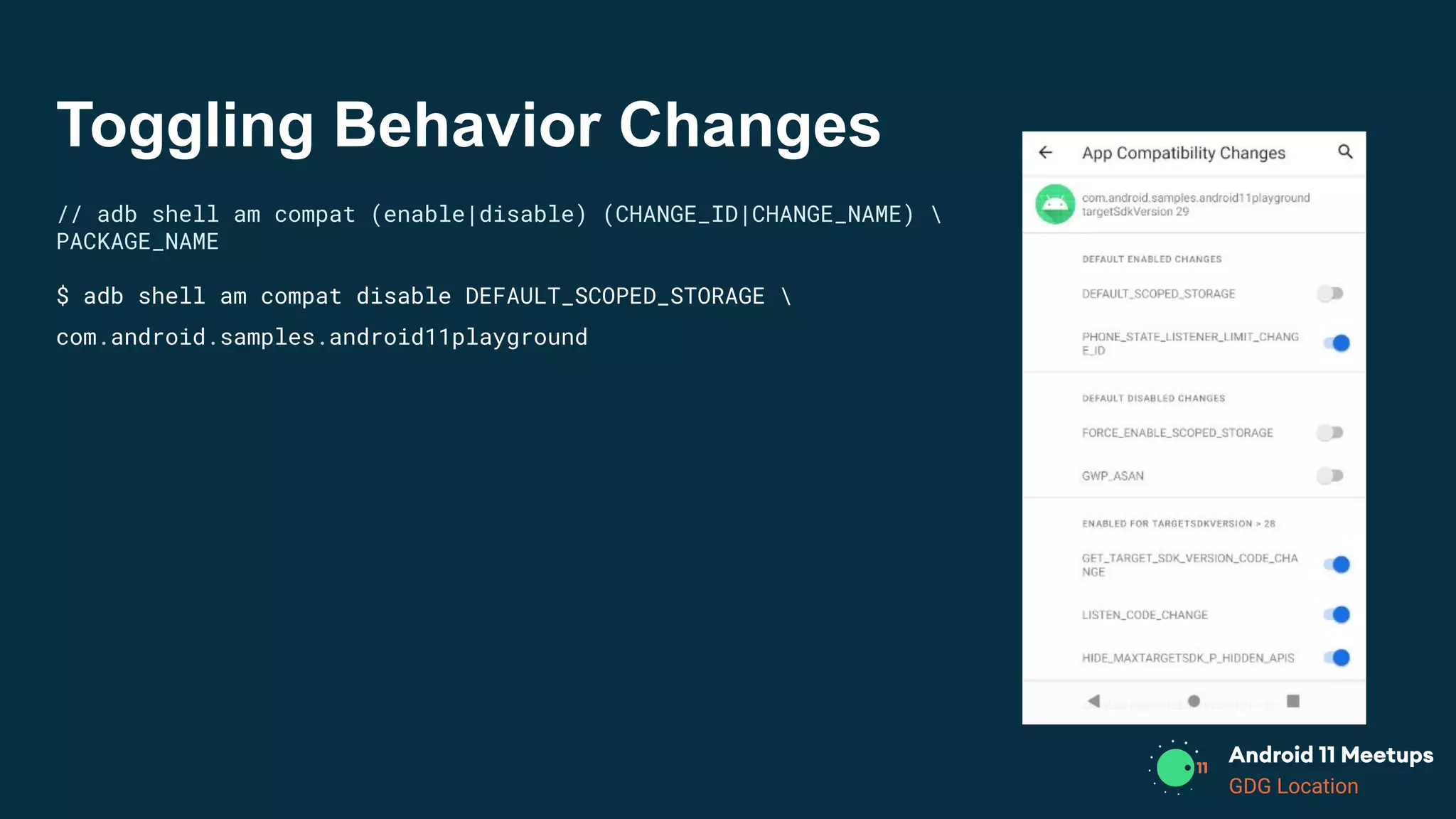
Toggling Behavior Changes
// adb shell am compat (enable|disable) (CHANGE_ID|CHANGE_NAME) 
PACKAGE_NAME
$ adb shell am compat disable DEFAULT_SCOPED_STORAGE 
com.android.samples.android11playground
GDG Location
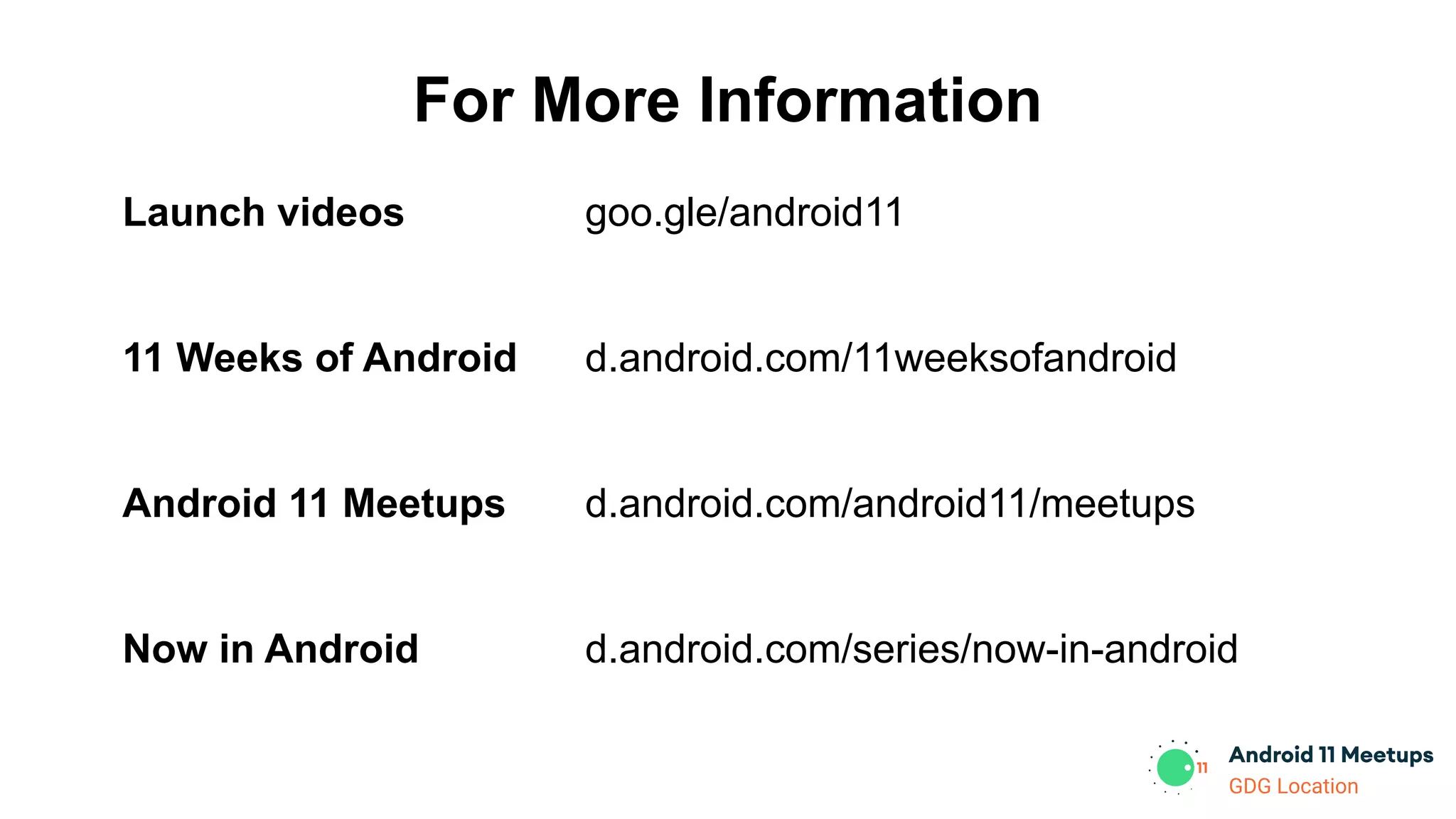
For More Information
Launch videos
11 Weeks of Android
Android 11 Meetups
Now in Android
goo.gle/android11
d.android.com/11weeksofandroid
d.android.com/android11/meetups
d.android.com/series/now-in-android
Thank you!

Gdg san diego android 11 meetups what's new in android - ui and dev tools

  • 1.
  • 2.
    GDG Location So… whatis new? What’s new about What’s New in Android? Android 11 Tools Libraries
  • 3.
  • 4.
    GDG Location Window Insets ●More information about the multiple types of content being displayed APP Status Navigation IME
  • 5.
    GDG Location WindowInsets // getWindowInsets object from listener view.setOnApplyWindowInsetsListener { view, insets -> }
  • 6.
    GDG Location WindowInsets // getWindowInsets object from listener view.setOnApplyWindowInsetsListener { view, insets -> // See if the IME is visible val imeVisible = insets.isVisible((WindowInsets.Type.ime())) }
  • 7.
    GDG Location WindowInsets // getWindowInsets object from listener view.setOnApplyWindowInsetsListener { view, insets -> // See if the IME is visible val imeVisible = insets.isVisible((WindowInsets.Type.ime())) if (imeVisible) { val imeInsets = insets.getInsets(WindowInsets.Type.ime()) // ... } }
  • 8.
    GDG Location IME Animations ●Synchronize keyboard animations with app content changes ○ Listen for changes ■ AND/OR ○ Drive keyboard animation directly
  • 9.
  • 10.
    GDG Location editText.setWindowInsetsAnimationCallback(animCallback) val animCallback= object : WindowInsetsAnimation.Callback(DISPATCH_MODE_STOP) { override fun onProgress(p0: WindowInsets, p1: MutableList<WindowInsetsAnimation> ): WindowInsets { ... } // Optional overrides override fun onPrepare(animation: WindowInsetsAnimation) { ... } override fun onEnd(animation: WindowInsetsAnimation) { ... } override fun onStart(animation: WindowInsetsAnimation, bounds: WindowInsetsAnimation.Bounds ): WindowInsetsAnimation.Bounds { ... } } IME Animations Listening for keyboard changes
  • 11.
    GDG Location IME Animations editText.windowInsetsController?. controlWindowInsetsAnimation( WindowInsets.Type.ime(),/* animate the keyboard */ -1, /* infinite duration */ linearInterpolator, /* linear motion */ cancellationSignal, /* allows cancellation */ animationControlListener /* ready/cancelled/finished */ ) Animating the keyboard directly
  • 12.
  • 13.
  • 14.
    GDG Location Conversations // Createand post shortcut val person = Person.Builder().build()
  • 15.
    GDG Location Conversations // Createand post shortcut val person = Person.Builder().build() val shortcutInfo = ShortcutInfoCompat.Builder(this, "sampleShortcut"). setPerson(person). setLongLived(true). // ... build()
  • 16.
    GDG Location Conversations // Createand post shortcut val person = Person.Builder().build() val shortcutInfo = ShortcutInfoCompat.Builder(this, "sampleShortcut"). setPerson(person). setLongLived(true). // ... build() ShortcutManagerCompat.pushDynamicShortcut(shortcutInfo)
  • 17.
    GDG Location Conversations // Createand post shortcut val person = Person.Builder().build() val shortcutInfo = ShortcutInfoCompat.Builder(this, "sampleShortcut"). setPerson(person). setLongLived(true). // ... build() ShortcutManagerCompat.pushDynamicShortcut(shortcutInfo) // Create notification with shortcut val style = NotificationCompat.MessagingStyle(person). addMessage(...). // ...
  • 18.
    GDG Location Conversations // Createand post shortcut val person = Person.Builder().build() val shortcutInfo = ShortcutInfoCompat.Builder(this, "sampleShortcut"). setPerson(person). setLongLived(true). // ... build() ShortcutManagerCompat.pushDynamicShortcut(shortcutInfo) // Create notification with shortcut val style = NotificationCompat.MessagingStyle(person). addMessage(...). // ... NotificationCompat.Builder(this, "foo"). setShortcutId(shortcutInfo.id). // ... build()
  • 19.
  • 20.
    GDG Location Bubbles ● Notificationsthat can also show as bubbles ● Android 10: Developer option ○ Android 11: They’re here! ● Better than System Alert Window! ● Created with Notification API ○ with more metadata ○ and dedicated activity
  • 21.
  • 22.
    GDG Location Bubbles: Code //Create Intent to launch val intent = Intent(context, BubbleActivity::class.java) val bubbleIntent = PendingIntent.getActivity(context, 0, intent,...)
  • 23.
    GDG Location Bubbles: Code //Create Intent to launch val intent = Intent(context, BubbleActivity::class.java) val bubbleIntent = PendingIntent.getActivity(context, 0, intent,...) // Create metadata val shortcutInfo = ... /* probably already using for notifications */ val bubbleMetadata = Notification.BubbleMetadata.Builder(shortcutInfo.id)
  • 24.
    GDG Location Bubbles: Code //Create Intent to launch val intent = Intent(context, BubbleActivity::class.java) val bubbleIntent = PendingIntent.getActivity(context, 0, intent,...) // Create metadata val shortcutInfo = ... /* probably already using for notifications */ val bubbleMetadata = Notification.BubbleMetadata.Builder(shortcutInfo.id) // Create Notification with metadata val builder: Notification.Builder = Notification.Builder(context, CHANNEL_ID) // ... .setBubbleMetadata(bubbleMetadata) .setCategory(...) .setShortcutId(...)
  • 25.
    GDG Location What’s newin System UI Android Samples on Github: user-interface-samples/People 140: Bubbles! 141: Discussing Conversations
  • 26.
  • 27.
    GDG Location Wi-Fi Debugging Becausethere are never enough USB ports
  • 28.
    GDG Location Wi-Fi Debugging Becausethere are never enough USB ports
  • 29.
    GDG Location Nullability Annotations ●@RecentlyNullable, @RecentlyNonNull ○ Warnings ● @Nullable, @NonNull ○ Errors
  • 30.
    GDG Location Crash Reasons Reporting ●API to query why your app crashed ○ Upload reports
  • 31.
    GDG Location Crash ReasonsQuerying // Returns List of ApplicationExitInfo val reasonsList = activityManager.getHistoricalProcessExitReasons( packageName, pid /* 0 for all matches */, max /* 0 for all */)
  • 32.
    GDG Location Crash ReasonsQuerying // Returns List of ApplicationExitInfo val reasonsList = activityManager.getHistoricalProcessExitReasons( packageName, pid /* 0 for all matches */, max /* 0 for all */) for (info in reasonsList) { // Log/store/upload info.reason // REASON_LOW_MEMORY, REASON_CRASH, REASON_ANR, etc. }
  • 33.
    GDG Location ● Android10: HWASan ○ Memory issue debugging ● GWP-ASan ○ Catches memory issues (for native apps) ○ On user devices in the field ○ Low overhead (runtime and memory) ○ Reports uploaded to Play dashboard GWP-ASan
  • 34.
  • 35.
    GDG Location GWP-ASan <application android:gwpAsanMode="always"> ... </application> //Bad memory access caught by GWP-ASan triggers exit + report *** *** *** *** *** *** *** *** *** *** *** *** *** *** *** *** Build fingerprint: 'google/sargo/sargo:10/RPP3.200320.009/6360804:userdebug/dev-keys' Revision: 'PVT1.0' ABI: 'arm64' Timestamp: 2020-04-06 18:27:08-0700 pid: 16227, tid: 16227, name: 11.test.gwpasan >>> android11.test.gwpasan <<< uid: 10238 signal 11 (SIGSEGV), code 2 (SEGV_ACCERR), fault addr 0x736ad4afe0 Cause: [GWP-ASan]: Use After Free on a 32-byte allocation at 0x736ad4afe0 backtrace: #00 pc 000000000037a090 /apex/com.android.art/lib64/libart.so (art::(anonymous namespace)::ScopedCheck::CheckNonHeapValue(char, art::(anonymous namespace)::JniValueType)+448) #01 pc 0000000000378440 /apex/com.android.art/lib64/libart.so (art::(anonymous namespace)::ScopedCheck::CheckPossibleHeapValue(art::ScopedObjectAccess&, char, art::(anonymous namespace)::JniValueType)+204) #02 pc 0000000000377bec /apex/com.android.art/lib64/libart.so (art::(anonymous namespace)::ScopedCheck::Check(art::ScopedObjectAccess&, bool, char const*, art::(anonymous namespace)::JniValueType*)+612) #03 pc 000000000036dcf4 /apex/com.android.art/lib64/libart.so (art::(anonymous namespace)::CheckJNI::NewStringUTF(_JNIEnv*, char const*)+708) #04 pc 000000000000eda4 /data/app/android11.test.gwpasan/lib/arm64/libmy-test.so (_JNIEnv::NewStringUTF(char const*)+40) #05 pc 000000000000eab8 /data/app/android11.test.gwpasan/lib/arm64/libmy-test.so (native_get_string(_JNIEnv*)+144) #06 pc 000000000000edf8 /data/app/android11.test.gwpasan/lib/arm64/libmy-test.so (Java_android11_test_gwpasan_MainActivity_nativeGetString+44) ... deallocated by thread 16227: #00 pc 0000000000048970 /apex/com.android.runtime/lib64/bionic/libc.so (gwp_asan::AllocationMetadata::CallSiteInfo::RecordBacktrace(unsigned long (*)(unsigned long*, unsigned long))+80) #01 pc 0000000000048f30 /apex/com.android.runtime/lib64/bionic/libc.so (gwp_asan::GuardedPoolAllocator::deallocate(void*)+184) #02 pc 000000000000f130 /data/app/android11.test.gwpasan/lib/arm64/libmy-test.so (std::__ndk1::_DeallocateCaller::__do_call(void*)+20) ... #08 pc 000000000000ed6c /data/app/android11.test.gwpasan/lib/arm64/libmy-test.so (std::__ndk1::basic_string<char, std::__ndk1::char_traits<char>, std::__ndk1::allocator<char> >::~basic_string()+100) #09 pc 000000000000ea90 /data/app/android11.test.gwpasan/lib/arm64/libmy-test.so (native_get_string(_JNIEnv*)+104) #10 pc 000000000000edf8 /data/app/android11.test.gwpasan/lib/arm64/libmy-test.so (Java_android11_test_gwpasan_MainActivity_nativeGetString+44) ... allocated by thread 16227: #00 pc 0000000000048970 /apex/com.android.runtime/lib64/bionic/libc.so (gwp_asan::AllocationMetadata::CallSiteInfo::RecordBacktrace(unsigned long (*)(unsigned long*, unsigned long))+80) #01 pc 0000000000048e4c /apex/com.android.runtime/lib64/bionic/libc.so (gwp_asan::GuardedPoolAllocator::allocate(unsigned long)+368) #02 pc 000000000003b258 /apex/com.android.runtime/lib64/bionic/libc.so (gwp_asan_malloc(unsigned long)+132) #03 pc 000000000003bbec /apex/com.android.runtime/lib64/bionic/libc.so (malloc+76) #04 pc 0000000000010414 /data/app/android11.test.gwpasan/lib/arm64/libmy-test.so (operator new(unsigned long)+24) ... #10 pc 000000000000ea6c /data/app/android11.test.gwpasan/lib/arm64/libmy-test.so (native_get_string(_JNIEnv*)+68) #11 pc 000000000000edf8 /data/app/android11.test.gwpasan/lib/arm64/libmy-test.so (Java_android11_test_gwpasan_MainActivity_nativeGetString+44) ...
  • 36.
    GDG Location ADB Incremental ●Faster installs via command-line ● For huge APKs (think: games) ● Up to 10x faster
  • 37.
    GDG Location ADB Incremental ●Faster installs via command-line ● For huge APKs (think: games) ● Up to 10x faster adb adb incremental playable Avg time (in seconds) 68.8 s 0.29 s Unity Megacity demo 3.5 GB, Pixel 4, USB 3.0 adb incremental fully installed 7.6 s Source: Google data
  • 38.
    GDG Location ADB Incremental //First: sign APK, create APK Signature Scheme v4 file // Then, run ADB incremental $ adb install --incremental
  • 39.
    GDG Location Behavior Changes ●Most changes limited to targetSdk R ● Test changes with behavior toggles ○ Command-line ○ New Developer Options panel
  • 40.
    GDG Location Toggling BehaviorChanges // adb shell am compat (enable|disable) (CHANGE_ID|CHANGE_NAME) PACKAGE_NAME $ adb shell am compat disable DEFAULT_SCOPED_STORAGE com.android.samples.android11playground
  • 41.
    GDG Location For MoreInformation Launch videos 11 Weeks of Android Android 11 Meetups Now in Android goo.gle/android11 d.android.com/11weeksofandroid d.android.com/android11/meetups d.android.com/series/now-in-android
  • 42.