ANDROID


Does not Suck anymore!
Andy Rubin
No plans to leave Google. Oh, and just for
meme completeness -- there are over 900,000
android devices activated each day :-)
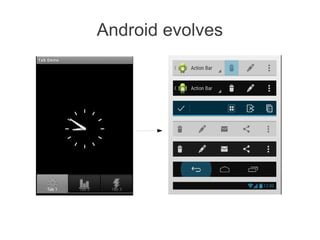
Android evolves
Android Design Patterns


http://developer.android.com/design/index.html
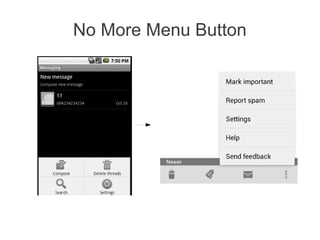
No More Menu Button
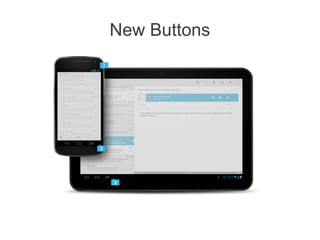
New Buttons
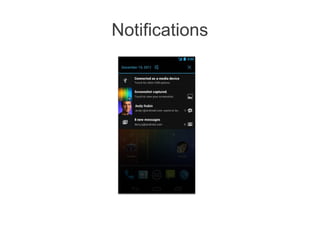
Notifications
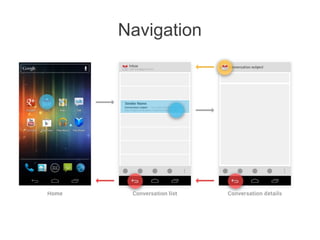
Navigation
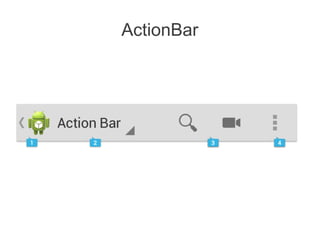
ActionBar
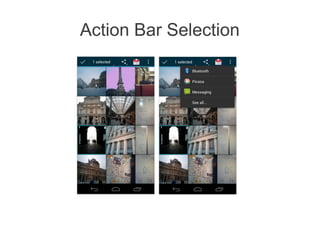
Action Bar Selection
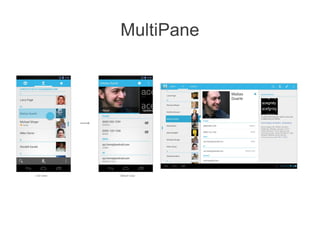
MultiPane
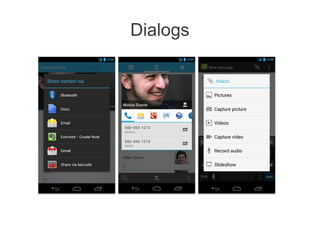
Dialogs
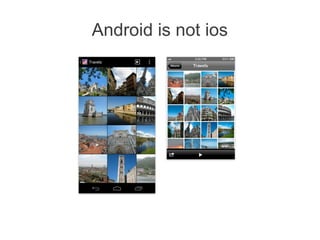
Android is not ios
IOS Design


It was cool 2 years ago
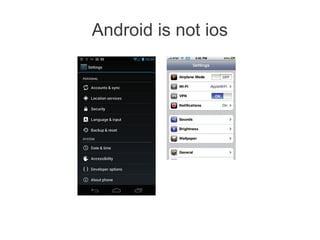
Android is not ios
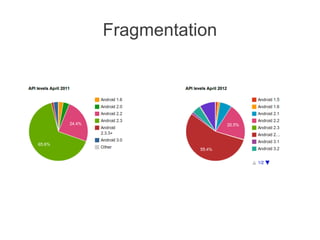
Fragmentation
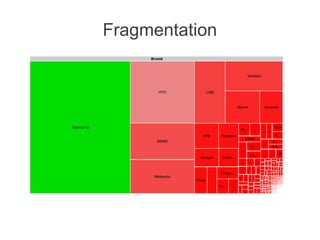
Fragmentation
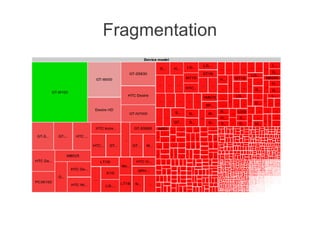
Fragmentation
Shut up and Show me Code Bitch!
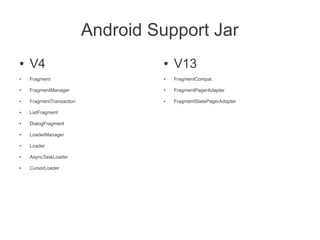
Android Support Jar
●   V4                             ●   V13
●   Fragment                       ●   FragmentCompat

●   FragmentManager                ●   FragmentPagerAdapter

●   FragmentTransaction            ●   FragmentStatePagerAdapter

●   ListFragment

●   DialogFragment

●   LoaderManager

●   Loader

●   AsyncTaskLoader

●   CursorLoader
Support Jar


Just change the import and use latest api's

                It rocks!!!
Fragment
●   Tablet and phone code comes together

●   One ring to rule them all!!!
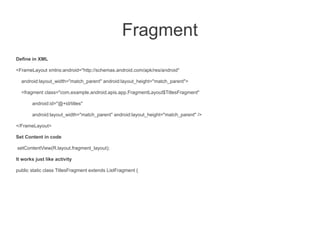
Fragment
Define in XML

<FrameLayout xmlns:android="http://schemas.android.com/apk/res/android"

  android:layout_width="match_parent" android:layout_height="match_parent">

  <fragment class="com.example.android.apis.app.FragmentLayout$TitlesFragment"

       android:id="@+id/titles"

       android:layout_width="match_parent" android:layout_height="match_parent" />

</FrameLayout>

Set Content in code

setContentView(R.layout.fragment_layout);

It works just like activity

public static class TitlesFragment extends ListFragment {
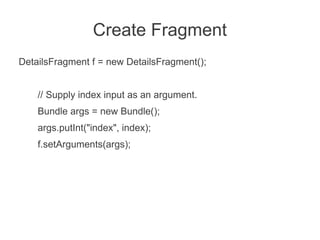
Create Fragment
DetailsFragment f = new DetailsFragment();


    // Supply index input as an argument.
    Bundle args = new Bundle();
    args.putInt("index", index);
    f.setArguments(args);
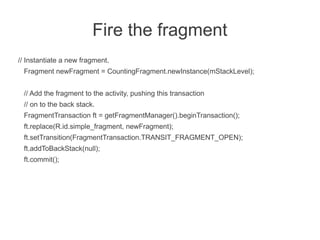
Fire the fragment
// Instantiate a new fragment.
 Fragment newFragment = CountingFragment.newInstance(mStackLevel);


 // Add the fragment to the activity, pushing this transaction
 // on to the back stack.
 FragmentTransaction ft = getFragmentManager().beginTransaction();
 ft.replace(R.id.simple_fragment, newFragment);
 ft.setTransition(FragmentTransaction.TRANSIT_FRAGMENT_OPEN);
 ft.addToBackStack(null);
 ft.commit();
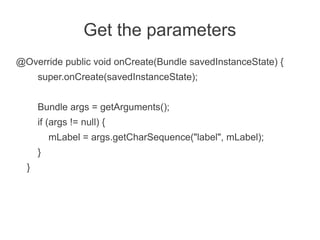
Get the parameters
@Override public void onCreate(Bundle savedInstanceState) {
      super.onCreate(savedInstanceState);


      Bundle args = getArguments();
      if (args != null) {
          mLabel = args.getCharSequence("label", mLabel);
      }
  }
Use XML


As much as you can
Inflate Views
●   Design using XML


●   And @java
View v = inflater.inflate(R.layout.hello_world, container, false);
 View tv = v.findViewById(R.id.text);
DialogFragment
Better Back button support

public static class MyDialogFragment extends DialogFragment {
Other Fragments
●   ListFragment
●   PreferenceFragment
Loaders
●   Loader Callback Methods
onCreateLoader()
OnLoadFinished()
onLoaderReset()
Great Man


●   Jack Wharton
https://github.com/JakeWharton
Libraries
●   ActionBarSherlock
●   ActivityCompat2
●   NotificationCompat2
●   NineOldAndroids
●   SwipeToDismissNOA
●   Android-ViewPagerIndicator
ActionBarSherlock

●   At last you can use great ActionBar
●   Just use
getSupportActionBar()
●   Instead of
getActionBar()
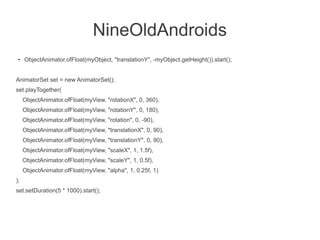
NineOldAndroids
 ●   ObjectAnimator.ofFloat(myObject, "translationY", -myObject.getHeight()).start();


AnimatorSet set = new AnimatorSet();
set.playTogether(
     ObjectAnimator.ofFloat(myView, "rotationX", 0, 360),
     ObjectAnimator.ofFloat(myView, "rotationY", 0, 180),
     ObjectAnimator.ofFloat(myView, "rotation", 0, -90),
     ObjectAnimator.ofFloat(myView, "translationX", 0, 90),
     ObjectAnimator.ofFloat(myView, "translationY", 0, 90),
     ObjectAnimator.ofFloat(myView, "scaleX", 1, 1.5f),
     ObjectAnimator.ofFloat(myView, "scaleY", 1, 0.5f),
     ObjectAnimator.ofFloat(myView, "alpha", 1, 0.25f, 1)
);
set.setDuration(5 * 1000).start();
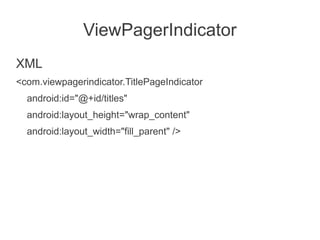
ViewPagerIndicator
XML
<com.viewpagerindicator.TitlePageIndicator
  android:id="@+id/titles"
  android:layout_height="wrap_content"
  android:layout_width="fill_parent" />
ViewPagerIndicator
@Java
//Set the pager with an adapter
ViewPager pager = (ViewPager)findViewById(R.id.pager);
pager.setAdapter(new TestAdapter(getSupportFragmentManager()));


//Bind the title indicator to the adapter
TitlePageIndicator titleIndicator = (TitlePageIndicator)findViewById(R.id.titles);
titleIndicator.setViewPager(pager);
titleIndicator.setOnPageChangeListener(mPageChangeListener);
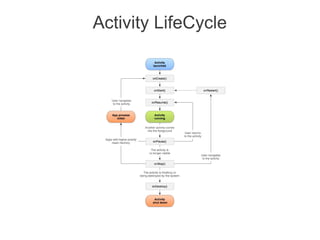
Activity LifeCycle
Activity LifeCycle
public class Activity extends ApplicationContext {
    protected void onCreate(Bundle savedInstanceState);


    protected void onStart();


    protected void onRestart();


    protected void onResume();


    protected void onPause();


    protected void onStop();


    protected void onDestroy();
}
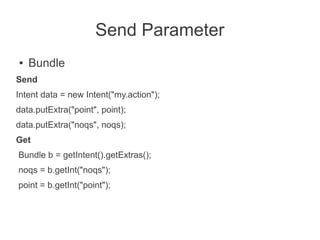
Send Parameter
●   Bundle
Send
Intent data = new Intent("my.action");
data.putExtra("point", point);
data.putExtra("noqs", noqs);
Get
Bundle b = getIntent().getExtras();
noqs = b.getInt("noqs");
point = b.getInt("point");
Send Parameter
Parcelable
protected static class Foo implements Parcelable {
  public static final Parcelable.Creator<Foo> CREATOR = new Parcelable.Creator<Foo>() {
       public Foo createFromParcel(Parcel source) {
           final Foo f = new Foo();
           f.str = (String) source.readValue(Foo.class.getClassLoader());
           return f;
       }


       public Foo[] newArray(int size) {
           throw new UnsupportedOperationException();
       }


  };
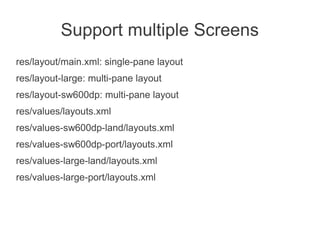
Support multiple Screens
res/layout/main.xml: single-pane layout
res/layout-large: multi-pane layout
res/layout-sw600dp: multi-pane layout
res/values/layouts.xml
res/values-sw600dp-land/layouts.xml
res/values-sw600dp-port/layouts.xml
res/values-large-land/layouts.xml
res/values-large-port/layouts.xml
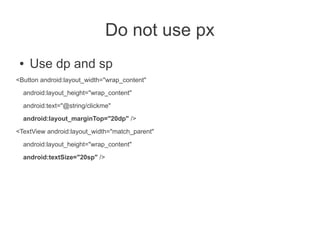
Do not use px
 ●   Use dp and sp
<Button android:layout_width="wrap_content"
  android:layout_height="wrap_content"

  android:text="@string/clickme"
  android:layout_marginTop="20dp" />

<TextView android:layout_width="match_parent"
  android:layout_height="wrap_content"

  android:textSize="20sp" />
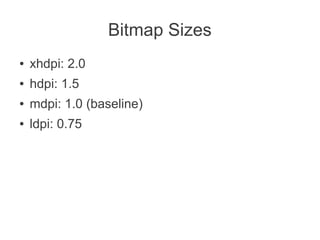
Bitmap Sizes
●   xhdpi: 2.0
●   hdpi: 1.5
●   mdpi: 1.0 (baseline)
●   ldpi: 0.75
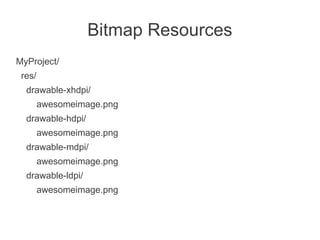
Bitmap Resources
MyProject/
 res/
  drawable-xhdpi/
        awesomeimage.png
  drawable-hdpi/
        awesomeimage.png
  drawable-mdpi/
        awesomeimage.png
  drawable-ldpi/
        awesomeimage.png
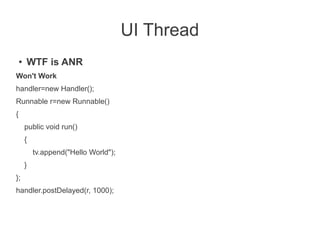
UI Thread
    ●   WTF is ANR
Won't Work
handler=new Handler();
Runnable r=new Runnable()
{
        public void run()
        {
            tv.append("Hello World");
        }
};
handler.postDelayed(r, 1000);
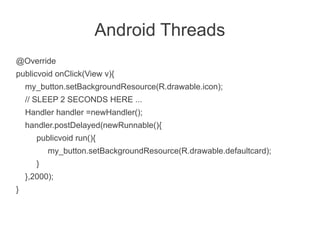
Android Threads
@Override
publicvoid onClick(View v){
    my_button.setBackgroundResource(R.drawable.icon);
    // SLEEP 2 SECONDS HERE ...
    Handler handler =newHandler();
    handler.postDelayed(newRunnable(){
       publicvoid run(){
           my_button.setBackgroundResource(R.drawable.defaultcard);
       }
    },2000);
}
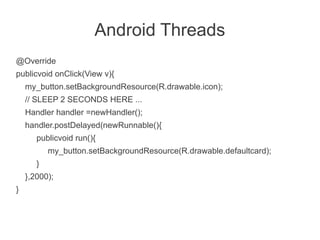
Android Threads
@Override
publicvoid onClick(View v){
    my_button.setBackgroundResource(R.drawable.icon);
    // SLEEP 2 SECONDS HERE ...
    Handler handler =newHandler();
    handler.postDelayed(newRunnable(){
       publicvoid run(){
           my_button.setBackgroundResource(R.drawable.defaultcard);
       }
    },2000);
}
AsyncTask
private class DownloadFilesTask extends AsyncTask<URL, Integer, Long> {
    protected Long doInBackground(URL... urls) {
        int count = urls.length;
        long totalSize = 0;
        for (int i = 0; i < count; i++) {
            totalSize += Downloader.downloadFile(urls[i]);
            publishProgress((int) ((i / (float) count) * 100));
            // Escape early if cancel() is called
            if (isCancelled()) break;
        }
        return totalSize;
    }


    protected void onProgressUpdate(Integer... progress) {
        setProgressPercent(progress[0]);
    }


    protected void onPostExecute(Long result) {
        showDialog("Downloaded " + result + " bytes");
    }
}
new DownloadFilesTask().execute(url1, url2, url3);
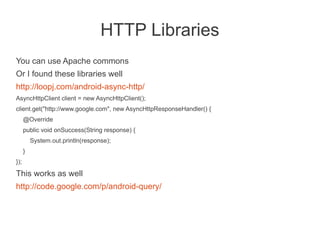
HTTP Libraries
You can use Apache commons
Or I found these libraries well
http://loopj.com/android-async-http/
AsyncHttpClient client = new AsyncHttpClient();
client.get("http://www.google.com", new AsyncHttpResponseHandler() {
      @Override
      public void onSuccess(String response) {
          System.out.println(response);
      }
});
This works as well
http://code.google.com/p/android-query/
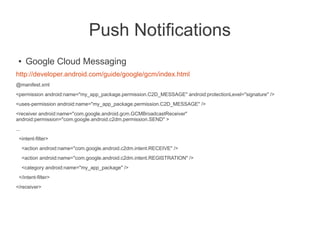
Push Notifications
 ●     Google Cloud Messaging
http://developer.android.com/guide/google/gcm/index.html
@manifest.xml
<permission android:name="my_app_package.permission.C2D_MESSAGE" android:protectionLevel="signature" />
<uses-permission android:name="my_app_package.permission.C2D_MESSAGE" />
<receiver android:name="com.google.android.gcm.GCMBroadcastReceiver"
android:permission="com.google.android.c2dm.permission.SEND" >
...
  <intent-filter>
      <action android:name="com.google.android.c2dm.intent.RECEIVE" />
      <action android:name="com.google.android.c2dm.intent.REGISTRATION" />
      <category android:name="my_app_package" />
  </intent-filter>
</receiver>
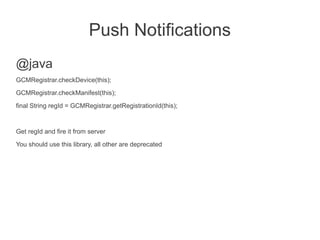
Push Notifications
@java
GCMRegistrar.checkDevice(this);
GCMRegistrar.checkManifest(this);

final String regId = GCMRegistrar.getRegistrationId(this);


Get regId and fire it from server
You should use this library, all other are deprecated
Dependency Injection
 ●   Roboguice
http://code.google.com/p/roboguice/

 ●   Guava
http://code.google.com/p/guava-libraries/
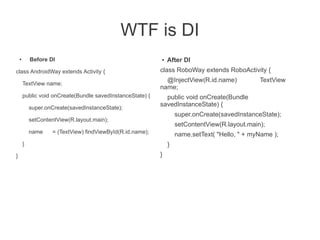
WTF is DI
    ●       Before DI                                       ●   After DI
class AndroidWay extends Activity {                         class RoboWay extends RoboActivity {
                                                              @InjectView(R.id.name)            TextView
        TextView name;
                                                            name;
        public void onCreate(Bundle savedInstanceState) {     public void onCreate(Bundle
            super.onCreate(savedInstanceState);
                                                            savedInstanceState) {
                                                                    super.onCreate(savedInstanceState);
            setContentView(R.layout.main);
                                                                    setContentView(R.layout.main);
            name    = (TextView) findViewById(R.id.name);           name.setText( "Hello, " + myName );
        }                                                       }
}                                                           }
Image Caching
 ●   Google I/O 2012 app has a great image
     caching library
http://code.google.com/p/iosched/
Open Source apps
 ●   Google I/O 2012
http://code.google.com/p/iosched/

 ●   Github app
https://github.com/github/android
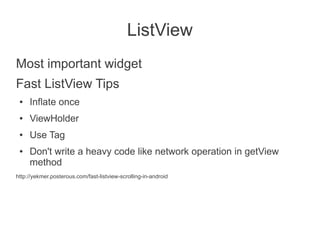
ListView
Most important widget
Fast ListView Tips
 ●   Inflate once
 ●   ViewHolder
 ●   Use Tag
 ●   Don't write a heavy code like network operation in getView
     method
http://yekmer.posterous.com/fast-listview-scrolling-in-android

Android Best Practices

  • 1.
  • 2.
    Andy Rubin No plansto leave Google. Oh, and just for meme completeness -- there are over 900,000 android devices activated each day :-)
  • 3.
  • 4.
  • 5.
  • 6.
  • 7.
  • 8.
  • 9.
  • 10.
  • 11.
  • 12.
  • 13.
  • 14.
    IOS Design It wascool 2 years ago
  • 15.
  • 16.
  • 17.
  • 18.
  • 19.
    Shut up andShow me Code Bitch!
  • 20.
    Android Support Jar ● V4 ● V13 ● Fragment ● FragmentCompat ● FragmentManager ● FragmentPagerAdapter ● FragmentTransaction ● FragmentStatePagerAdapter ● ListFragment ● DialogFragment ● LoaderManager ● Loader ● AsyncTaskLoader ● CursorLoader
  • 21.
    Support Jar Just changethe import and use latest api's It rocks!!!
  • 22.
    Fragment ● Tablet and phone code comes together ● One ring to rule them all!!!
  • 23.
    Fragment Define in XML <FrameLayoutxmlns:android="http://schemas.android.com/apk/res/android" android:layout_width="match_parent" android:layout_height="match_parent"> <fragment class="com.example.android.apis.app.FragmentLayout$TitlesFragment" android:id="@+id/titles" android:layout_width="match_parent" android:layout_height="match_parent" /> </FrameLayout> Set Content in code setContentView(R.layout.fragment_layout); It works just like activity public static class TitlesFragment extends ListFragment {
  • 24.
    Create Fragment DetailsFragment f= new DetailsFragment(); // Supply index input as an argument. Bundle args = new Bundle(); args.putInt("index", index); f.setArguments(args);
  • 25.
    Fire the fragment //Instantiate a new fragment. Fragment newFragment = CountingFragment.newInstance(mStackLevel); // Add the fragment to the activity, pushing this transaction // on to the back stack. FragmentTransaction ft = getFragmentManager().beginTransaction(); ft.replace(R.id.simple_fragment, newFragment); ft.setTransition(FragmentTransaction.TRANSIT_FRAGMENT_OPEN); ft.addToBackStack(null); ft.commit();
  • 26.
    Get the parameters @Overridepublic void onCreate(Bundle savedInstanceState) { super.onCreate(savedInstanceState); Bundle args = getArguments(); if (args != null) { mLabel = args.getCharSequence("label", mLabel); } }
  • 27.
    Use XML As muchas you can
  • 28.
    Inflate Views ● Design using XML ● And @java View v = inflater.inflate(R.layout.hello_world, container, false); View tv = v.findViewById(R.id.text);
  • 29.
    DialogFragment Better Back buttonsupport public static class MyDialogFragment extends DialogFragment {
  • 30.
    Other Fragments ● ListFragment ● PreferenceFragment
  • 31.
    Loaders ● Loader Callback Methods onCreateLoader() OnLoadFinished() onLoaderReset()
  • 32.
    Great Man ● Jack Wharton https://github.com/JakeWharton
  • 33.
    Libraries ● ActionBarSherlock ● ActivityCompat2 ● NotificationCompat2 ● NineOldAndroids ● SwipeToDismissNOA ● Android-ViewPagerIndicator
  • 34.
    ActionBarSherlock ● At last you can use great ActionBar ● Just use getSupportActionBar() ● Instead of getActionBar()
  • 35.
    NineOldAndroids ● ObjectAnimator.ofFloat(myObject, "translationY", -myObject.getHeight()).start(); AnimatorSet set = new AnimatorSet(); set.playTogether( ObjectAnimator.ofFloat(myView, "rotationX", 0, 360), ObjectAnimator.ofFloat(myView, "rotationY", 0, 180), ObjectAnimator.ofFloat(myView, "rotation", 0, -90), ObjectAnimator.ofFloat(myView, "translationX", 0, 90), ObjectAnimator.ofFloat(myView, "translationY", 0, 90), ObjectAnimator.ofFloat(myView, "scaleX", 1, 1.5f), ObjectAnimator.ofFloat(myView, "scaleY", 1, 0.5f), ObjectAnimator.ofFloat(myView, "alpha", 1, 0.25f, 1) ); set.setDuration(5 * 1000).start();
  • 36.
    ViewPagerIndicator XML <com.viewpagerindicator.TitlePageIndicator android:id="@+id/titles" android:layout_height="wrap_content" android:layout_width="fill_parent" />
  • 37.
    ViewPagerIndicator @Java //Set the pagerwith an adapter ViewPager pager = (ViewPager)findViewById(R.id.pager); pager.setAdapter(new TestAdapter(getSupportFragmentManager())); //Bind the title indicator to the adapter TitlePageIndicator titleIndicator = (TitlePageIndicator)findViewById(R.id.titles); titleIndicator.setViewPager(pager); titleIndicator.setOnPageChangeListener(mPageChangeListener);
  • 38.
  • 39.
    Activity LifeCycle public classActivity extends ApplicationContext { protected void onCreate(Bundle savedInstanceState); protected void onStart(); protected void onRestart(); protected void onResume(); protected void onPause(); protected void onStop(); protected void onDestroy(); }
  • 41.
    Send Parameter ● Bundle Send Intent data = new Intent("my.action"); data.putExtra("point", point); data.putExtra("noqs", noqs); Get Bundle b = getIntent().getExtras(); noqs = b.getInt("noqs"); point = b.getInt("point");
  • 42.
    Send Parameter Parcelable protected staticclass Foo implements Parcelable { public static final Parcelable.Creator<Foo> CREATOR = new Parcelable.Creator<Foo>() { public Foo createFromParcel(Parcel source) { final Foo f = new Foo(); f.str = (String) source.readValue(Foo.class.getClassLoader()); return f; } public Foo[] newArray(int size) { throw new UnsupportedOperationException(); } };
  • 43.
    Support multiple Screens res/layout/main.xml:single-pane layout res/layout-large: multi-pane layout res/layout-sw600dp: multi-pane layout res/values/layouts.xml res/values-sw600dp-land/layouts.xml res/values-sw600dp-port/layouts.xml res/values-large-land/layouts.xml res/values-large-port/layouts.xml
  • 44.
    Do not usepx ● Use dp and sp <Button android:layout_width="wrap_content" android:layout_height="wrap_content" android:text="@string/clickme" android:layout_marginTop="20dp" /> <TextView android:layout_width="match_parent" android:layout_height="wrap_content" android:textSize="20sp" />
  • 45.
    Bitmap Sizes ● xhdpi: 2.0 ● hdpi: 1.5 ● mdpi: 1.0 (baseline) ● ldpi: 0.75
  • 46.
    Bitmap Resources MyProject/ res/ drawable-xhdpi/ awesomeimage.png drawable-hdpi/ awesomeimage.png drawable-mdpi/ awesomeimage.png drawable-ldpi/ awesomeimage.png
  • 47.
    UI Thread ● WTF is ANR Won't Work handler=new Handler(); Runnable r=new Runnable() { public void run() { tv.append("Hello World"); } }; handler.postDelayed(r, 1000);
  • 48.
    Android Threads @Override publicvoid onClick(Viewv){ my_button.setBackgroundResource(R.drawable.icon); // SLEEP 2 SECONDS HERE ... Handler handler =newHandler(); handler.postDelayed(newRunnable(){ publicvoid run(){ my_button.setBackgroundResource(R.drawable.defaultcard); } },2000); }
  • 49.
    Android Threads @Override publicvoid onClick(Viewv){ my_button.setBackgroundResource(R.drawable.icon); // SLEEP 2 SECONDS HERE ... Handler handler =newHandler(); handler.postDelayed(newRunnable(){ publicvoid run(){ my_button.setBackgroundResource(R.drawable.defaultcard); } },2000); }
  • 50.
    AsyncTask private class DownloadFilesTaskextends AsyncTask<URL, Integer, Long> { protected Long doInBackground(URL... urls) { int count = urls.length; long totalSize = 0; for (int i = 0; i < count; i++) { totalSize += Downloader.downloadFile(urls[i]); publishProgress((int) ((i / (float) count) * 100)); // Escape early if cancel() is called if (isCancelled()) break; } return totalSize; } protected void onProgressUpdate(Integer... progress) { setProgressPercent(progress[0]); } protected void onPostExecute(Long result) { showDialog("Downloaded " + result + " bytes"); } } new DownloadFilesTask().execute(url1, url2, url3); new DownloadFilesTask().execute(url1, url2, url3);
  • 51.
    HTTP Libraries You canuse Apache commons Or I found these libraries well http://loopj.com/android-async-http/ AsyncHttpClient client = new AsyncHttpClient(); client.get("http://www.google.com", new AsyncHttpResponseHandler() { @Override public void onSuccess(String response) { System.out.println(response); } }); This works as well http://code.google.com/p/android-query/
  • 52.
    Push Notifications ● Google Cloud Messaging http://developer.android.com/guide/google/gcm/index.html @manifest.xml <permission android:name="my_app_package.permission.C2D_MESSAGE" android:protectionLevel="signature" /> <uses-permission android:name="my_app_package.permission.C2D_MESSAGE" /> <receiver android:name="com.google.android.gcm.GCMBroadcastReceiver" android:permission="com.google.android.c2dm.permission.SEND" > ... <intent-filter> <action android:name="com.google.android.c2dm.intent.RECEIVE" /> <action android:name="com.google.android.c2dm.intent.REGISTRATION" /> <category android:name="my_app_package" /> </intent-filter> </receiver>
  • 53.
    Push Notifications @java GCMRegistrar.checkDevice(this); GCMRegistrar.checkManifest(this); final StringregId = GCMRegistrar.getRegistrationId(this); Get regId and fire it from server You should use this library, all other are deprecated
  • 54.
    Dependency Injection ● Roboguice http://code.google.com/p/roboguice/ ● Guava http://code.google.com/p/guava-libraries/
  • 55.
    WTF is DI ● Before DI ● After DI class AndroidWay extends Activity { class RoboWay extends RoboActivity { @InjectView(R.id.name) TextView TextView name; name; public void onCreate(Bundle savedInstanceState) { public void onCreate(Bundle super.onCreate(savedInstanceState); savedInstanceState) { super.onCreate(savedInstanceState); setContentView(R.layout.main); setContentView(R.layout.main); name = (TextView) findViewById(R.id.name); name.setText( "Hello, " + myName ); } } } }
  • 56.
    Image Caching ● Google I/O 2012 app has a great image caching library http://code.google.com/p/iosched/
  • 57.
    Open Source apps ● Google I/O 2012 http://code.google.com/p/iosched/ ● Github app https://github.com/github/android
  • 58.
    ListView Most important widget FastListView Tips ● Inflate once ● ViewHolder ● Use Tag ● Don't write a heavy code like network operation in getView method http://yekmer.posterous.com/fast-listview-scrolling-in-android