Dr Sapna Dileesh
Head of Foundation
Oman Dental College
Let’s play – Gamification in an
ESL Classroom
Do you have a favourite game?
• Could you share what's your favourite
game and why
How often do you include games
in your classroom?
• Put in likert scale –
• Never sometimes always
• 1-5
• 3 sometimes
Why do you think games are good
for English Language Learners?
• Insert qstn on mentimeter
Presentation Objectives
• Identify the principle characteristics of
gamification
• Discuss some of the edtech tools that are
available to gamify the ESL classroom
• Discuss how gamification principles can be
integrated into our ESL classrooms
What is Gamification?
• Gamification is the use of game design
elements in non-game contexts.
Things to consider
• Assess the student
needs prior to
deciding on your
method of
gamification.
• What are your
objectives as a teacher
from the activity.
Why are games so addictive?
Motivation
Intrinsic
Natural inclination
towards
• Assimilation
• Mastery
• Spontaneous interest
• Exploration
Extrinsic
Driven by external
rewards
• Money
• Grades
• Awards
Gamification Activities
• Need to be student-centred
• Meaningful gamification is the integration
of user-centred game design elements into
non-game contexts (Nicholson, 2012).
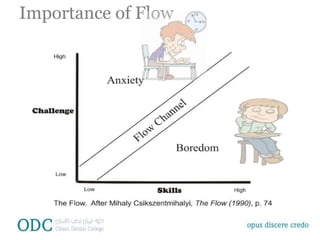
Importance of Flow
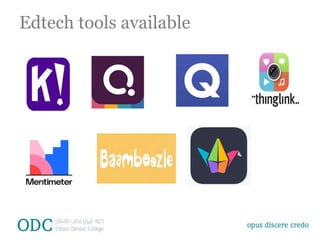
Edtech tools available
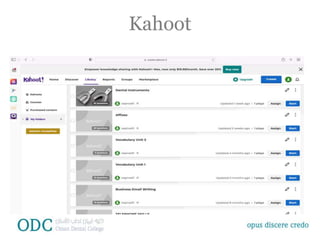
Kahoot
Pros
• Shared experience
• Many publicly created
games available
• Students are likely to be
familiar with it
• Reviewing concepts
Cons
• The speed of a traditional
Kahoot!
• Copying of answers
• Must pay for advacnced
features
Kahoot
Quizizz
Pros
• It is student-paced
• Student progress
dashboard
• Home work mode
• Using memes
• Add audio to the
questions
• Power ups
Cons
• Students answering
different questions, so
loss of excitement
• Not able to isolate one
piece of content for
review and dicussion
Quizlet Live
Pros
• Teamwork and
communication
• Flashcard sets
• A new game every time
Cons
• You need at least six
students
Gimkit
Pros
• New game mechanics
• Backstory
• Quizlet integration
Cons
• Pricing structure
• Limited searchable
gallery
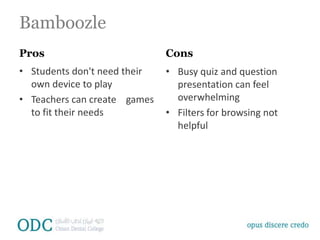
Bamboozle
Pros
• Students don't need their
own device to play
• Teachers can create games
to fit their needs
Cons
• Busy quiz and question
presentation can feel
overwhelming
• Filters for browsing not
helpful
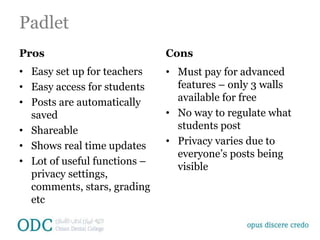
Padlet
Pros
• Easy set up for teachers
• Easy access for students
• Posts are automatically
saved
• Shareable
• Shows real time updates
• Lot of useful functions –
privacy settings,
comments, stars, grading
etc
Cons
• Must pay for advanced
features – only 3 walls
available for free
• No way to regulate what
students post
• Privacy varies due to
everyone’s posts being
visible
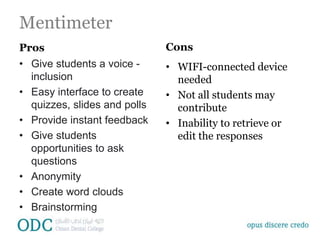
Mentimeter
Pros
• Give students a voice -
inclusion
• Easy interface to create
quizzes, slides and polls
• Provide instant feedback
• Give students
opportunities to ask
questions
• Anonymity
• Create word clouds
• Brainstorming
Cons
• WIFI-connected device
needed
• Not all students may
contribute
• Inability to retrieve or
edit the responses
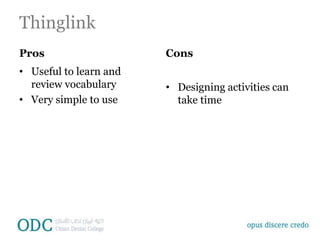
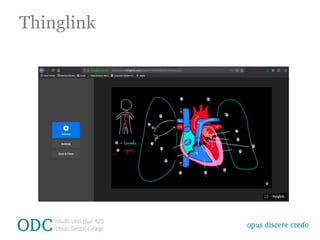
Thinglink
Pros
• Useful to learn and
review vocabulary
• Very simple to use
Cons
• Designing activities can
take time
Thinglink
Why do you think games are good
for English Language Learners?
• Improves student engagement
• Reinforces learning
• Safe environment to experiment without the fear
of failure – mistake driven learning
• Makes learning fun and interactive
• Improves knowledge absorption and retention
• Sparks friendly competition
Why do you think games are good
for English Language Learners?
• Builds community
• Makes us better educators
• Students receive feedback on their progress
• Feedback keeps the students engaged and
motivated
• Students love it!
Some disadvantages
• Overstimulation or game play addiction
• Can be a source of distraction
• Requires technology learning curve
• May take time to design and develop
• May not always be aligned to teaching or
learning objectives
• May not meet the learning needs of all students
• Access to computer/devices and internet
• May replace other learning activities like hands
on activities
• Bamboozle
• Mentimeter
• Google docs

Gamification in English Language TeachingPPT.pptx

  • 1.
    Dr Sapna Dileesh Headof Foundation Oman Dental College Let’s play – Gamification in an ESL Classroom
  • 2.
    Do you havea favourite game? • Could you share what's your favourite game and why
  • 3.
    How often doyou include games in your classroom? • Put in likert scale – • Never sometimes always • 1-5 • 3 sometimes
  • 4.
    Why do youthink games are good for English Language Learners? • Insert qstn on mentimeter
  • 5.
    Presentation Objectives • Identifythe principle characteristics of gamification • Discuss some of the edtech tools that are available to gamify the ESL classroom • Discuss how gamification principles can be integrated into our ESL classrooms
  • 6.
    What is Gamification? •Gamification is the use of game design elements in non-game contexts.
  • 7.
    Things to consider •Assess the student needs prior to deciding on your method of gamification. • What are your objectives as a teacher from the activity.
  • 8.
    Why are gamesso addictive? Motivation Intrinsic Natural inclination towards • Assimilation • Mastery • Spontaneous interest • Exploration Extrinsic Driven by external rewards • Money • Grades • Awards
  • 9.
    Gamification Activities • Needto be student-centred • Meaningful gamification is the integration of user-centred game design elements into non-game contexts (Nicholson, 2012).
  • 10.
  • 11.
  • 12.
    Kahoot Pros • Shared experience •Many publicly created games available • Students are likely to be familiar with it • Reviewing concepts Cons • The speed of a traditional Kahoot! • Copying of answers • Must pay for advacnced features
  • 13.
  • 14.
    Quizizz Pros • It isstudent-paced • Student progress dashboard • Home work mode • Using memes • Add audio to the questions • Power ups Cons • Students answering different questions, so loss of excitement • Not able to isolate one piece of content for review and dicussion
  • 15.
    Quizlet Live Pros • Teamworkand communication • Flashcard sets • A new game every time Cons • You need at least six students
  • 16.
    Gimkit Pros • New gamemechanics • Backstory • Quizlet integration Cons • Pricing structure • Limited searchable gallery
  • 17.
    Bamboozle Pros • Students don'tneed their own device to play • Teachers can create games to fit their needs Cons • Busy quiz and question presentation can feel overwhelming • Filters for browsing not helpful
  • 18.
    Padlet Pros • Easy setup for teachers • Easy access for students • Posts are automatically saved • Shareable • Shows real time updates • Lot of useful functions – privacy settings, comments, stars, grading etc Cons • Must pay for advanced features – only 3 walls available for free • No way to regulate what students post • Privacy varies due to everyone’s posts being visible
  • 19.
    Mentimeter Pros • Give studentsa voice - inclusion • Easy interface to create quizzes, slides and polls • Provide instant feedback • Give students opportunities to ask questions • Anonymity • Create word clouds • Brainstorming Cons • WIFI-connected device needed • Not all students may contribute • Inability to retrieve or edit the responses
  • 20.
    Thinglink Pros • Useful tolearn and review vocabulary • Very simple to use Cons • Designing activities can take time
  • 21.
  • 22.
    Why do youthink games are good for English Language Learners? • Improves student engagement • Reinforces learning • Safe environment to experiment without the fear of failure – mistake driven learning • Makes learning fun and interactive • Improves knowledge absorption and retention • Sparks friendly competition
  • 23.
    Why do youthink games are good for English Language Learners? • Builds community • Makes us better educators • Students receive feedback on their progress • Feedback keeps the students engaged and motivated • Students love it!
  • 24.
    Some disadvantages • Overstimulationor game play addiction • Can be a source of distraction • Requires technology learning curve • May take time to design and develop • May not always be aligned to teaching or learning objectives • May not meet the learning needs of all students • Access to computer/devices and internet • May replace other learning activities like hands on activities
  • 25.