Formatting Your
Manuscript
by Jean Reynolds, Ph.D.
We live in a new era…
…the Age of Electronics.
Our new
world
requires
new
thinking
and new
skills.
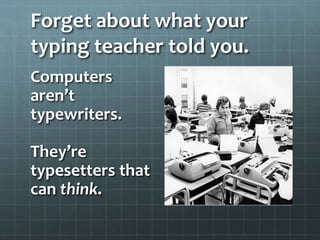
Forget about what your
typing teacher told you.
Computers
aren’t
typewriters.
They’re
typesetters that
can think.
Today’s writers need to be
aware – constantly – of the
brain inside the computer.
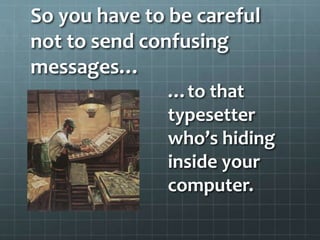
So you have to be careful
not to send confusing
messages…
…to that
typesetter
who’s hiding
inside your
computer.
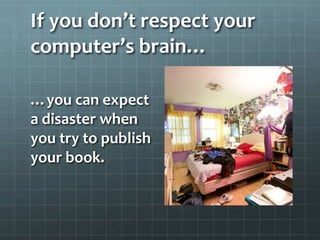
If you don’t respect your
computer’s brain…
…you can expect
a disaster when
you try to publish
your book.
Because we all own computers
(which are actually typesetters!)…
…writing a
manuscript is
no longer
enough.
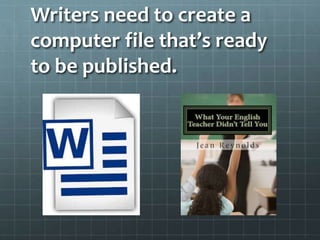
Writers need to create a
computer file that’s ready
to be published.
That means following
some rules.
Use the space bar
only once after a
period and after
a word.
Never use the
space bar for any
other purpose.
Never use the Tab
key.
Set up your
Styles before you
start writing, and
stick to them.
You also have to understand
the power of the…
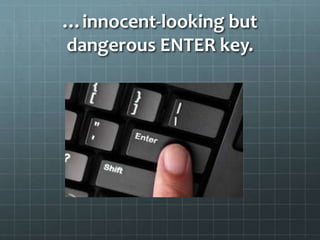
…innocent-looking but
dangerous ENTER key.
Every time you hit the Enter
key…
…hidden
commands
format the next
paragraph.
And then you wonder why one
paragraph looks great…
…but the next one is a
hopeless mess.
Later you may
have to pay
someone big
bucks to fix
your
manuscript.
If you go wild and crazy with
the Tab key and Space bar…
…the hidden
brain inside the
computer tries
to guess what
you’re trying to
do.
It creates a plan for the next
paragraph….
…which
probably won’t
be what you
wanted to do at
all.
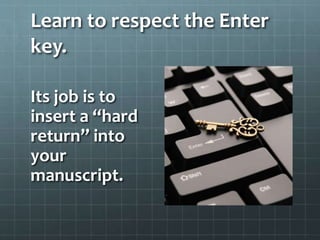
Learn to respect the Enter
key.
Its job is to
insert a “hard
return” into
your
manuscript.
It can be your friend…
…or your
enemy.
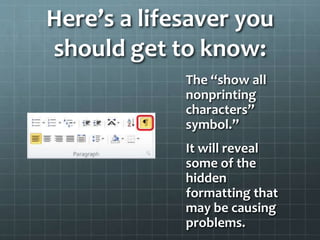
Here’s a lifesaver you
should get to know:
The “show all
nonprinting
characters”
symbol.”
It will reveal
some of the
hidden
formatting that
may be causing
problems.
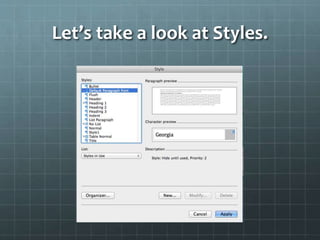
Let’s take a look at Styles.
Rule 1: Limit yourself to a few
Styles.
Recommended Styles for basic writing
tasks:
Heading 1 (for your title)
Normal (for your text)
Some situations call for
additional Styles:
Bullet list
Numerical list
Heading 2
Heading 3
Title (if you’re writing a book)
Let’s review what
you’ve learned.
Computers aren’t typewriters: They’re
typesetters.
Computers can think.
Computers make their own decisions (if you
let them!)
You want to maintain control
of your manuscript.
Use the Space Bar only once after a period and after
a word.
Never use the Space Bar for any other purpose.
Never use the Tab key.
If your run into a formatting problem, try deleting
the hard return at the end of the previous paragraph.
When all else fails, save your document as a .txt file
and start over, using Styles this time.

Formatting Workshop

  • 1.
  • 2.
    We live ina new era… …the Age of Electronics.
  • 3.
  • 4.
    Forget about whatyour typing teacher told you. Computers aren’t typewriters. They’re typesetters that can think.
  • 5.
    Today’s writers needto be aware – constantly – of the brain inside the computer.
  • 6.
    So you haveto be careful not to send confusing messages… …to that typesetter who’s hiding inside your computer.
  • 7.
    If you don’trespect your computer’s brain… …you can expect a disaster when you try to publish your book.
  • 8.
    Because we allown computers (which are actually typesetters!)… …writing a manuscript is no longer enough.
  • 9.
    Writers need tocreate a computer file that’s ready to be published.
  • 10.
    That means following somerules. Use the space bar only once after a period and after a word. Never use the space bar for any other purpose. Never use the Tab key. Set up your Styles before you start writing, and stick to them.
  • 11.
    You also haveto understand the power of the…
  • 12.
  • 13.
    Every time youhit the Enter key… …hidden commands format the next paragraph.
  • 14.
    And then youwonder why one paragraph looks great…
  • 15.
    …but the nextone is a hopeless mess.
  • 16.
    Later you may haveto pay someone big bucks to fix your manuscript.
  • 17.
    If you gowild and crazy with the Tab key and Space bar… …the hidden brain inside the computer tries to guess what you’re trying to do.
  • 18.
    It creates aplan for the next paragraph…. …which probably won’t be what you wanted to do at all.
  • 19.
    Learn to respectthe Enter key. Its job is to insert a “hard return” into your manuscript.
  • 20.
    It can beyour friend… …or your enemy.
  • 21.
    Here’s a lifesaveryou should get to know: The “show all nonprinting characters” symbol.” It will reveal some of the hidden formatting that may be causing problems.
  • 22.
    Let’s take alook at Styles.
  • 23.
    Rule 1: Limityourself to a few Styles. Recommended Styles for basic writing tasks: Heading 1 (for your title) Normal (for your text)
  • 24.
    Some situations callfor additional Styles: Bullet list Numerical list Heading 2 Heading 3 Title (if you’re writing a book)
  • 25.
    Let’s review what you’velearned. Computers aren’t typewriters: They’re typesetters. Computers can think. Computers make their own decisions (if you let them!)
  • 26.
    You want tomaintain control of your manuscript. Use the Space Bar only once after a period and after a word. Never use the Space Bar for any other purpose. Never use the Tab key. If your run into a formatting problem, try deleting the hard return at the end of the previous paragraph. When all else fails, save your document as a .txt file and start over, using Styles this time.