


Find the Bottleneck
of Your System
Load / Stress Test with JMeter
StarNight
Who am I?
潘建宏 / Jian-Hong Pan (StarNight)
About Me : http://about.me/StarNight
出沒在~
GitHub : starnight
PTT : zack2004
plurk : StarNight
Facebook : StarNight
目前繼續在種花店當個打雜園丁 ~
Outline
● The Bottleneck
● Web / HTTP(S)
○ Request / Response Header and Body
● Load / Stress Test
● Apache JMeter
○ Installation
○ UI Description
○ Test Plan
○ Read Result
○ Parsing and Variables
The Bottleneck
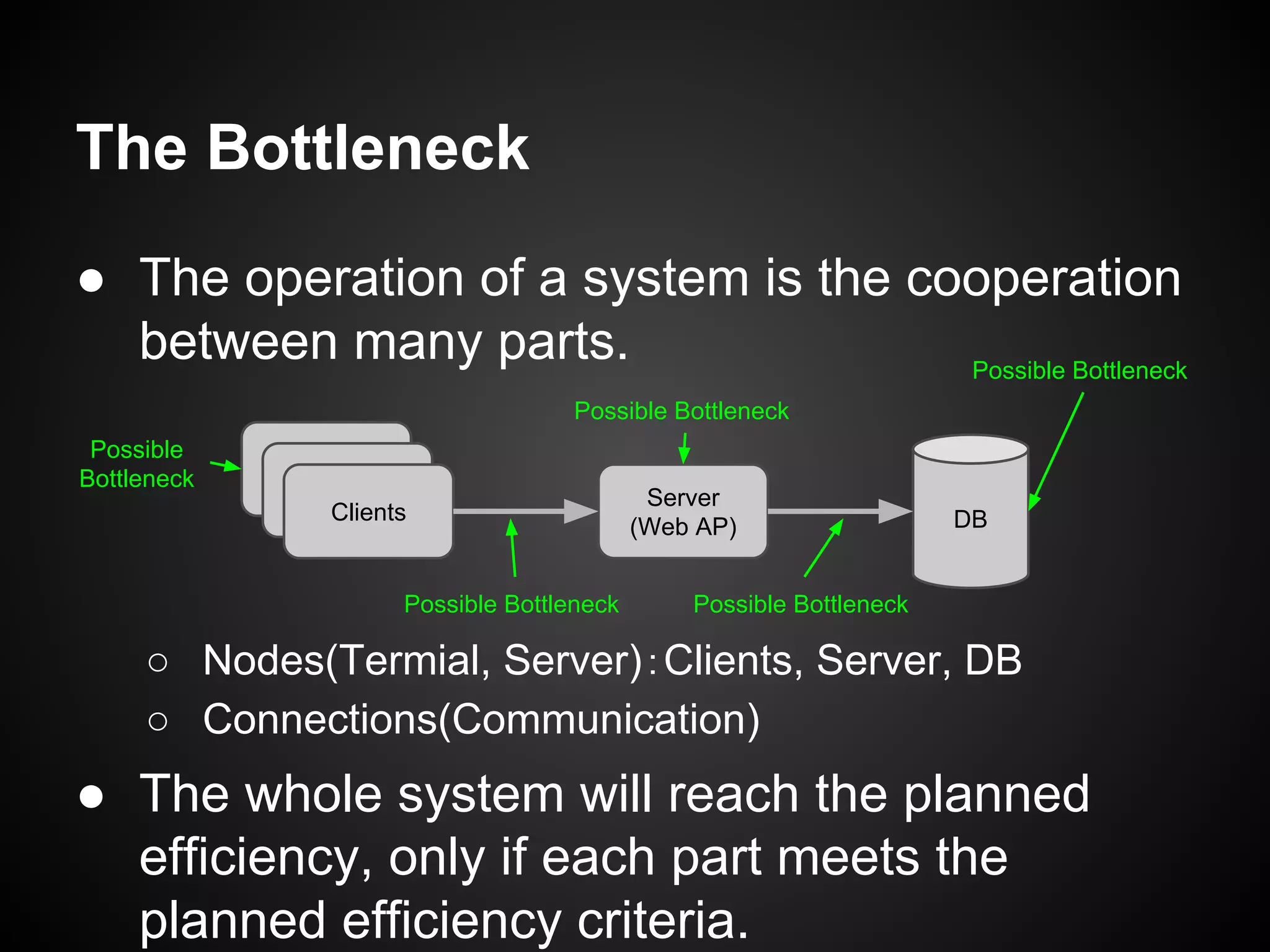
● The operation of a system is the cooperation
between many parts.
○ Nodes(Termial, Server):Clients, Server, DB
○ Connections(Communication)
● The whole system will reach the planned
efficiency, only if each part meets the
planned efficiency criteria.
DB
Server
(Web AP)
Clients
Possible
Bottleneck
Possible Bottleneck
Possible Bottleneck
Possible Bottleneck Possible Bottleneck
Web / HTTP(S)
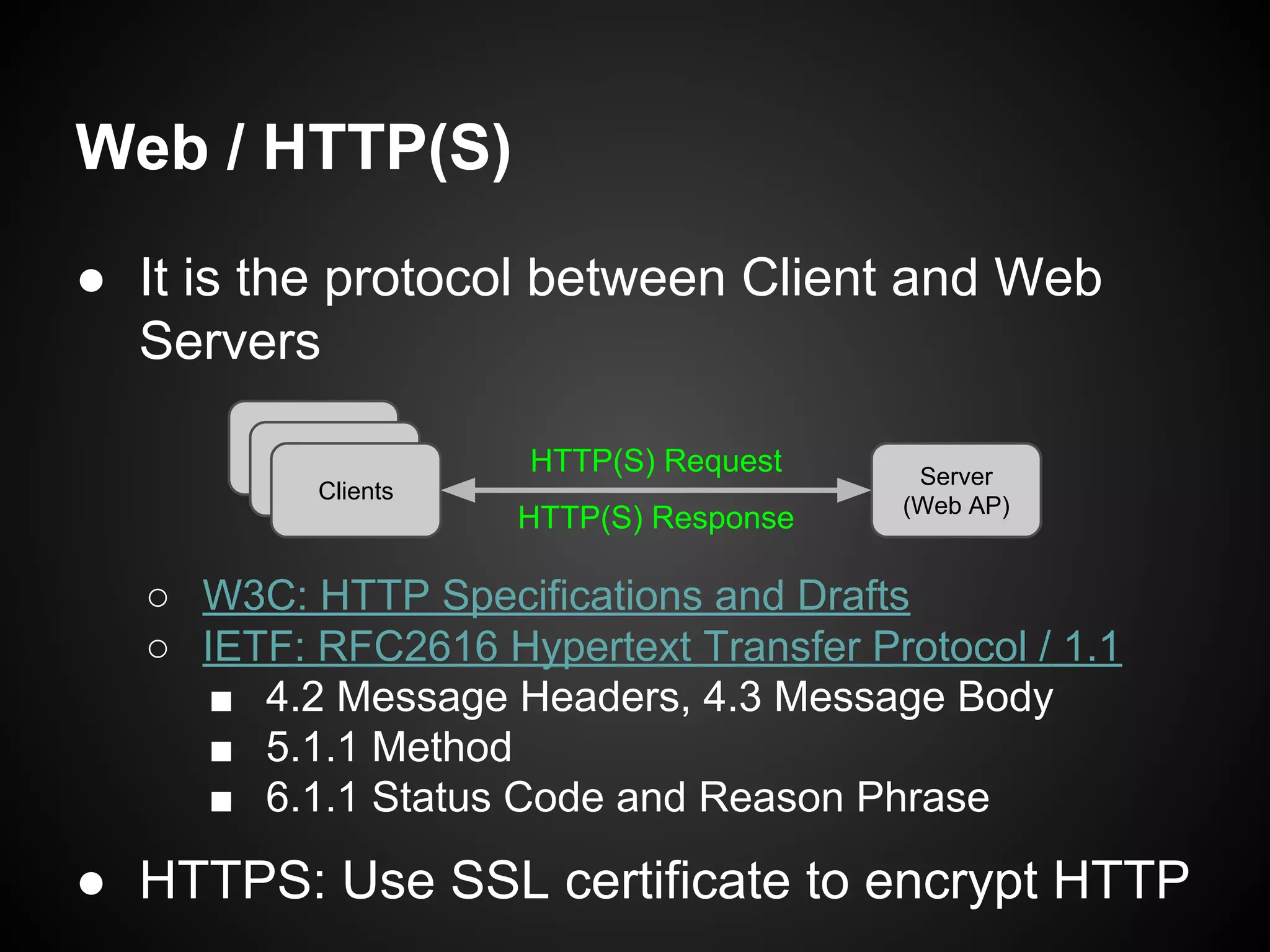
● It is the protocol between Client and Web
Servers
○ W3C: HTTP Specifications and Drafts
○ IETF: RFC 2616 Hypertext Transfer Protocol / 1.1
■ 4.2 Message Headers, 4.3 Message Body
■ 5.1.1 Method
■ 6.1.1 Status Code and Reason Phrase
● HTTPS: Use SSL certificate to encrypt HTTP
Server
(Web AP)
Clients
HTTP(S) Request
HTTP(S) Response
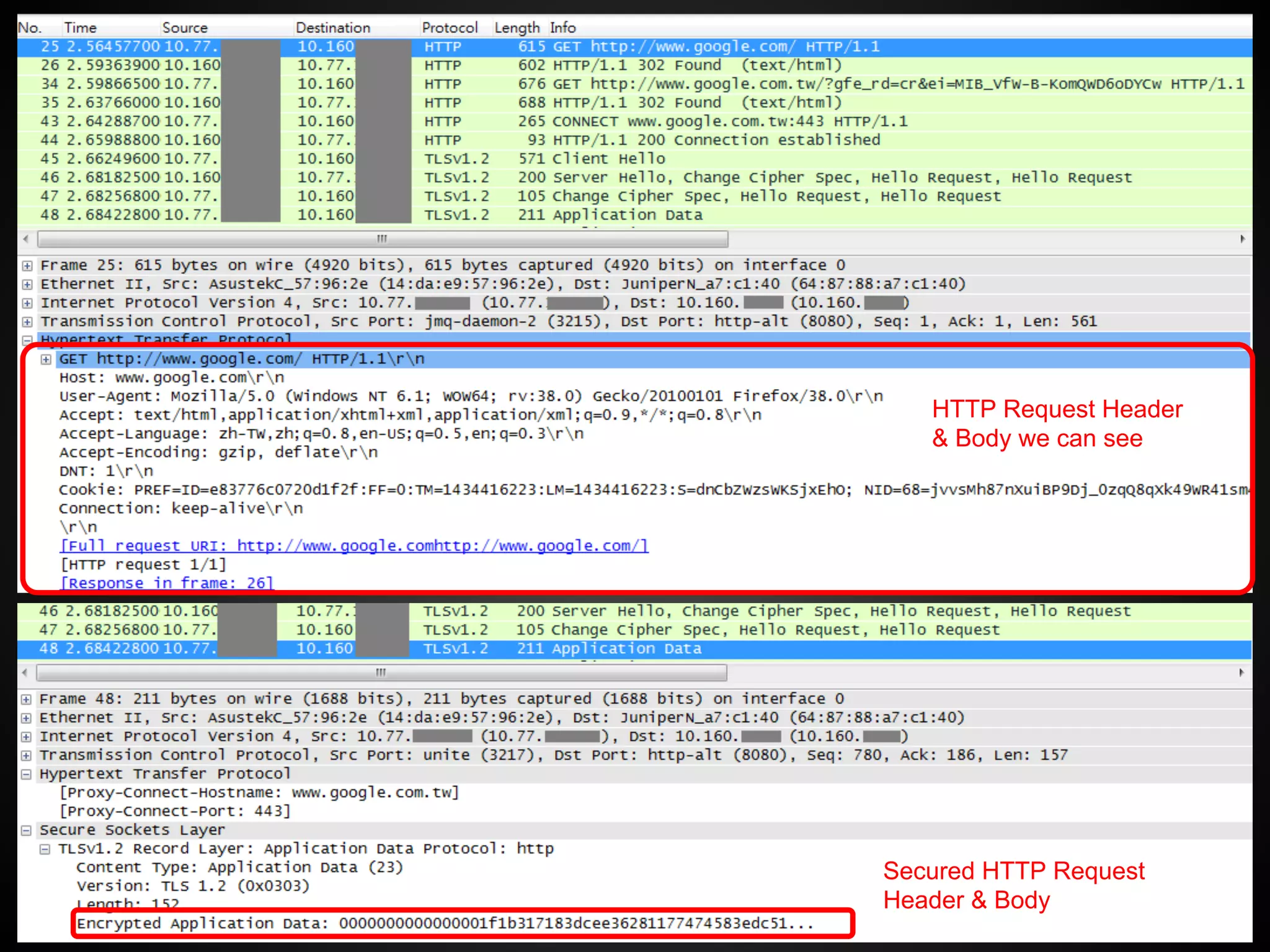
HTTP Request Header
& Body we can see
Secured HTTP Request
Header & Body
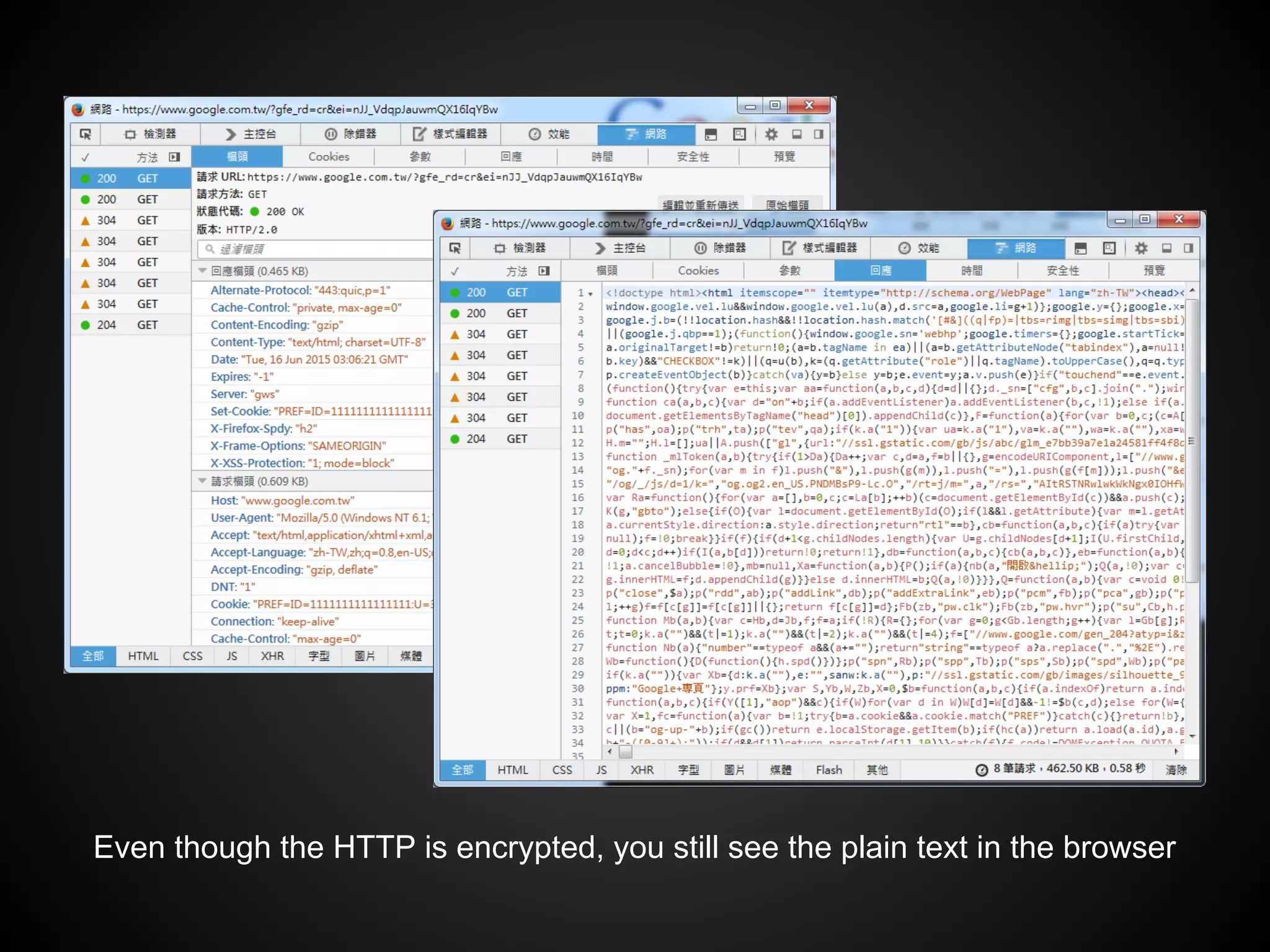
Even though the HTTP is encrypted, you still see the plain text in the browser
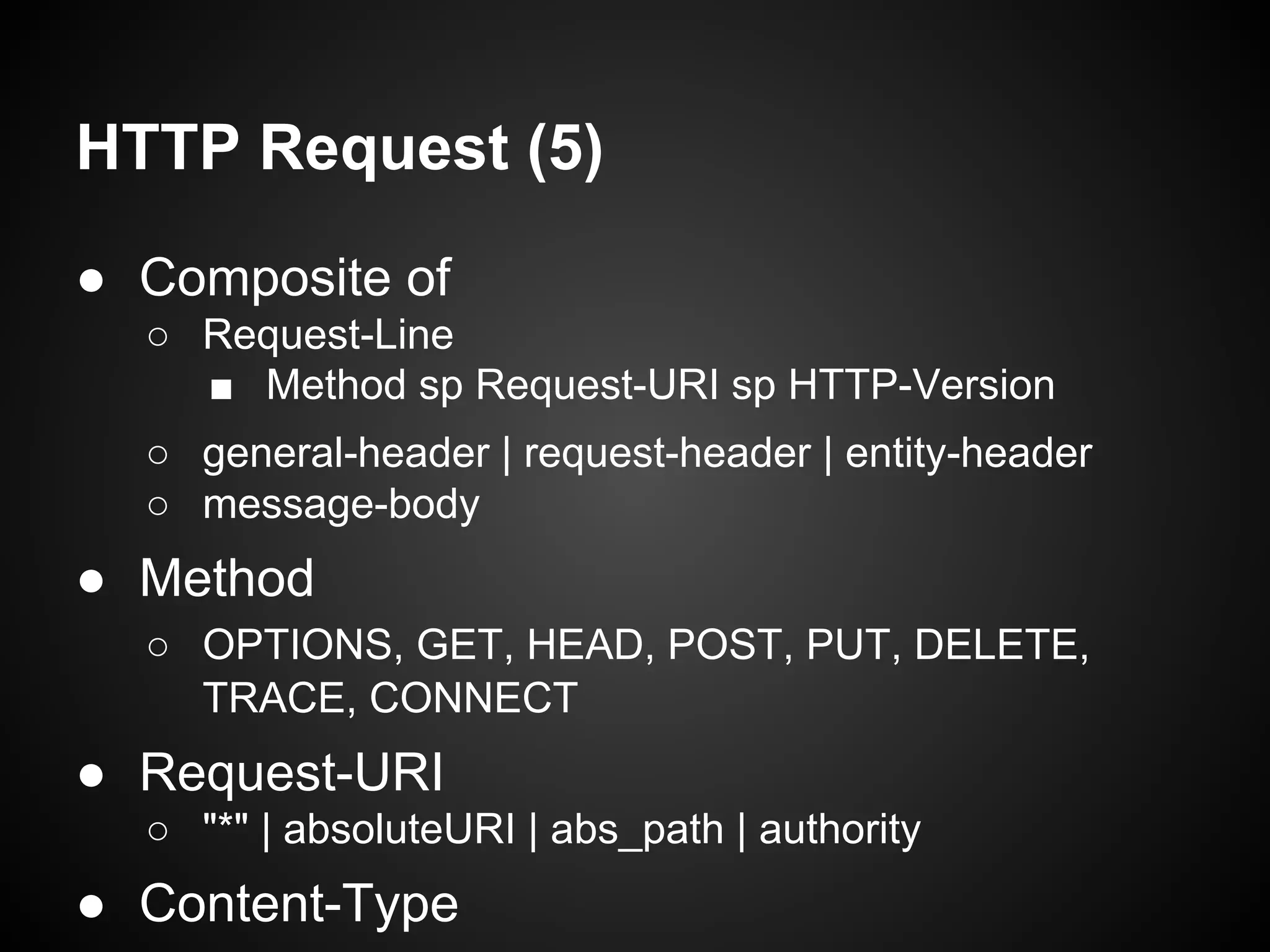
● Composite of
○ Request-Line
■ Method sp Request-URI sp HTTP-Version
○ general-header | request-header | entity-header
○ message-body
● Method
○ OPTIONS, GET, HEAD, POST, PUT, DELETE,
TRACE, CONNECT
● Request-URI
○ "*" | absoluteURI | abs_path | authority
● Content-Type
HTTP Request (5)
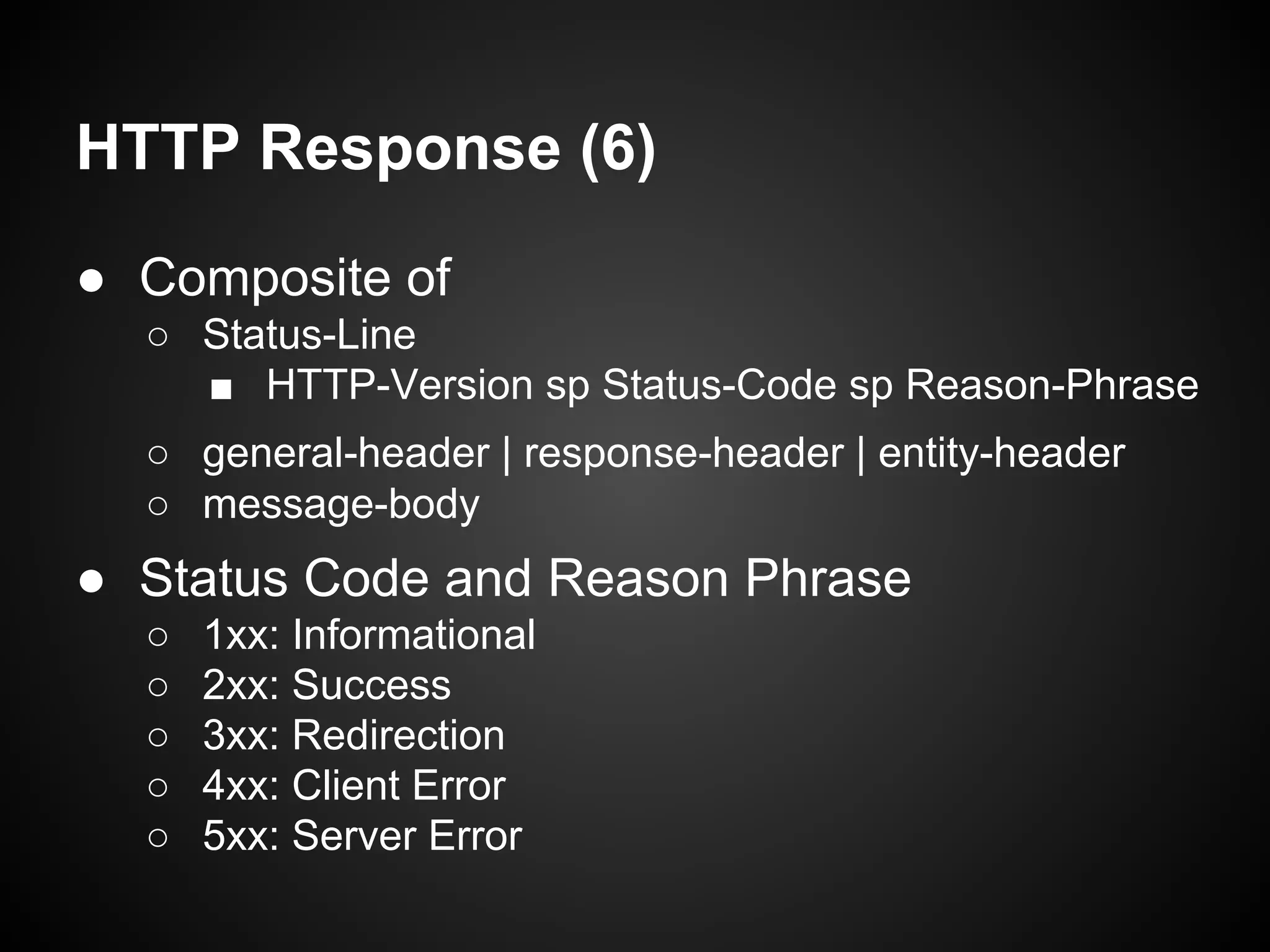
HTTP Response (6)
● Composite of
○ Status-Line
■ HTTP-Version sp Status-Code sp Reason-Phrase
○ general-header | response-header | entity-header
○ message-body
● Status Code and Reason Phrase
○ 1xx: Informational
○ 2xx: Success
○ 3xx: Redirection
○ 4xx: Client Error
○ 5xx: Server Error
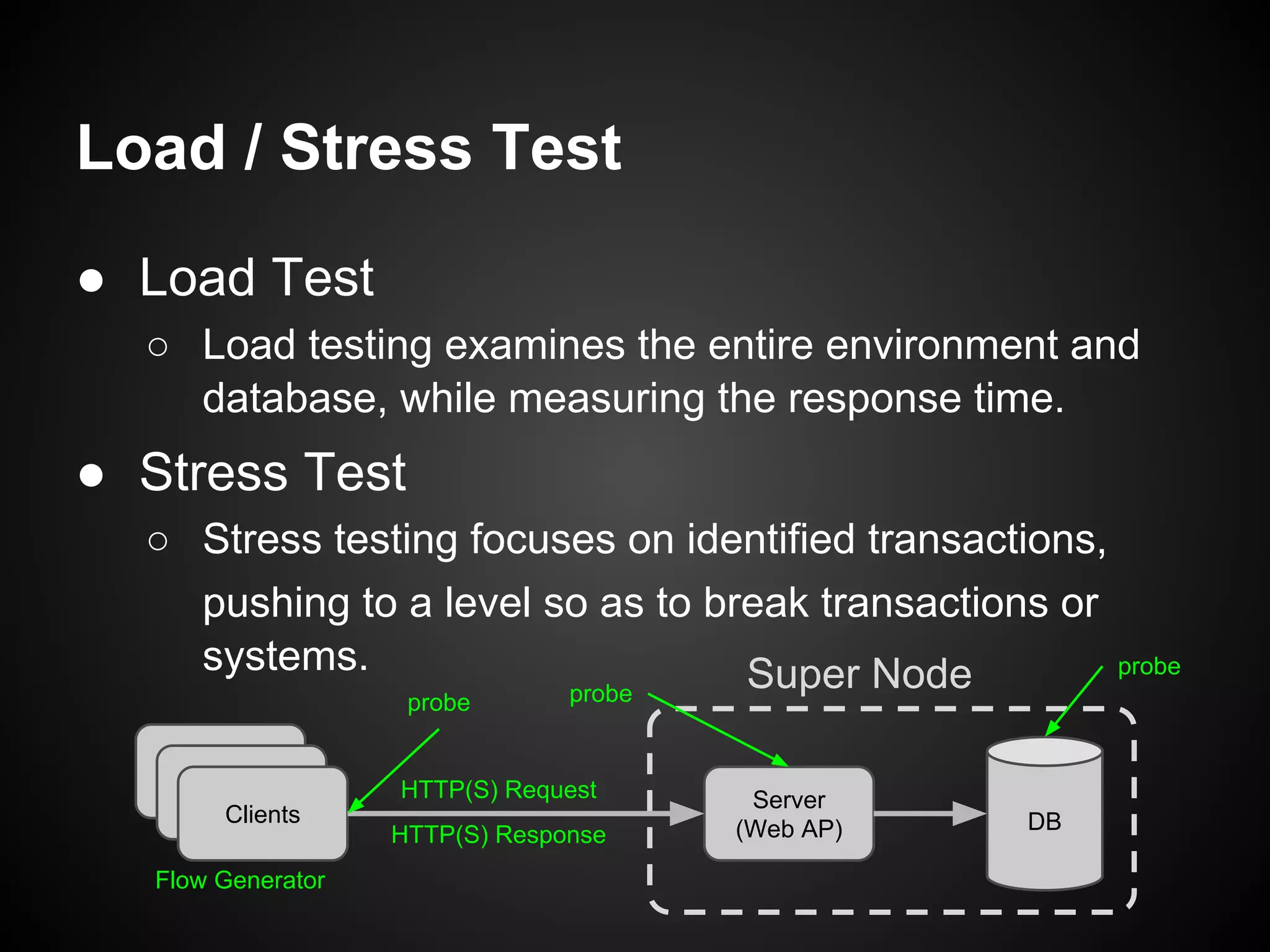
Load / Stress Test
● Load Test
○ Load testing examines the entire environment and
database, while measuring the response time.
● Stress Test
○ Stress testing focuses on identified transactions,
pushing to a level so as to break transactions or
systems.
DB
Server
(Web AP)
Clients
Super Node
HTTP(S) Request
HTTP(S) Response
probe probe
probe
Flow Generator
Apache JMeter
● Java application designed to load test
functional behavior and measure
performance.
It was originally designed for testing Web
Applications but has since expanded to other
test functions.
● http://jmeter.apache.org/
● Apache License Version 2.0
● Getting Started (User’s Manual)
Open Source
is Awesome!
Installation
● Download Page:
○ http://jmeter.apache.org/download_jmeter.cgi
● Requires Java 6 or later
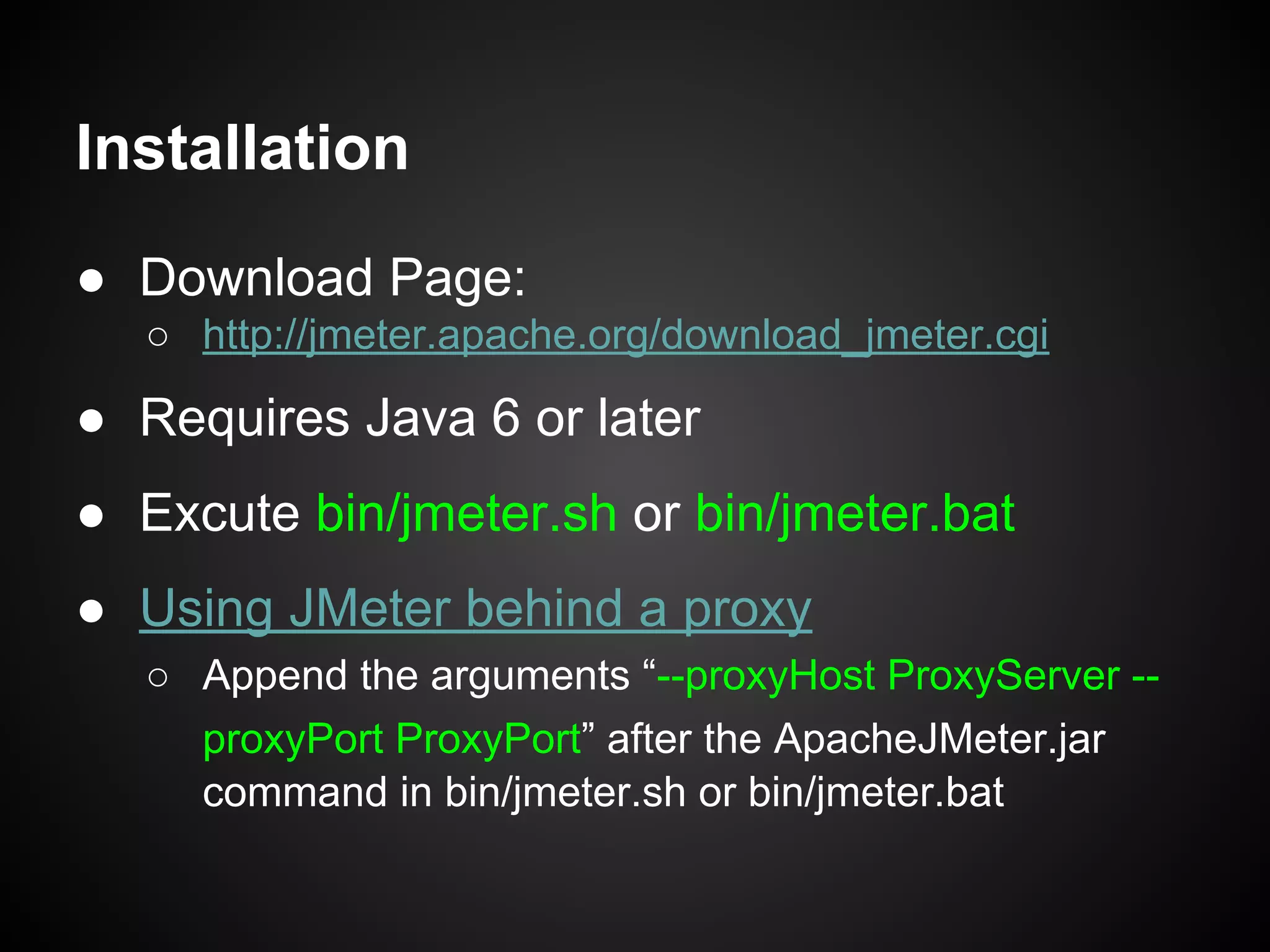
● Excute bin/jmeter.sh or bin/jmeter.bat
● Using JMeter behind a proxy
○ Append the arguments “--proxyHost ProxyServer --
proxyPort ProxyPort” after the ApacheJMeter.jar
command in bin/jmeter.sh or bin/jmeter.bat
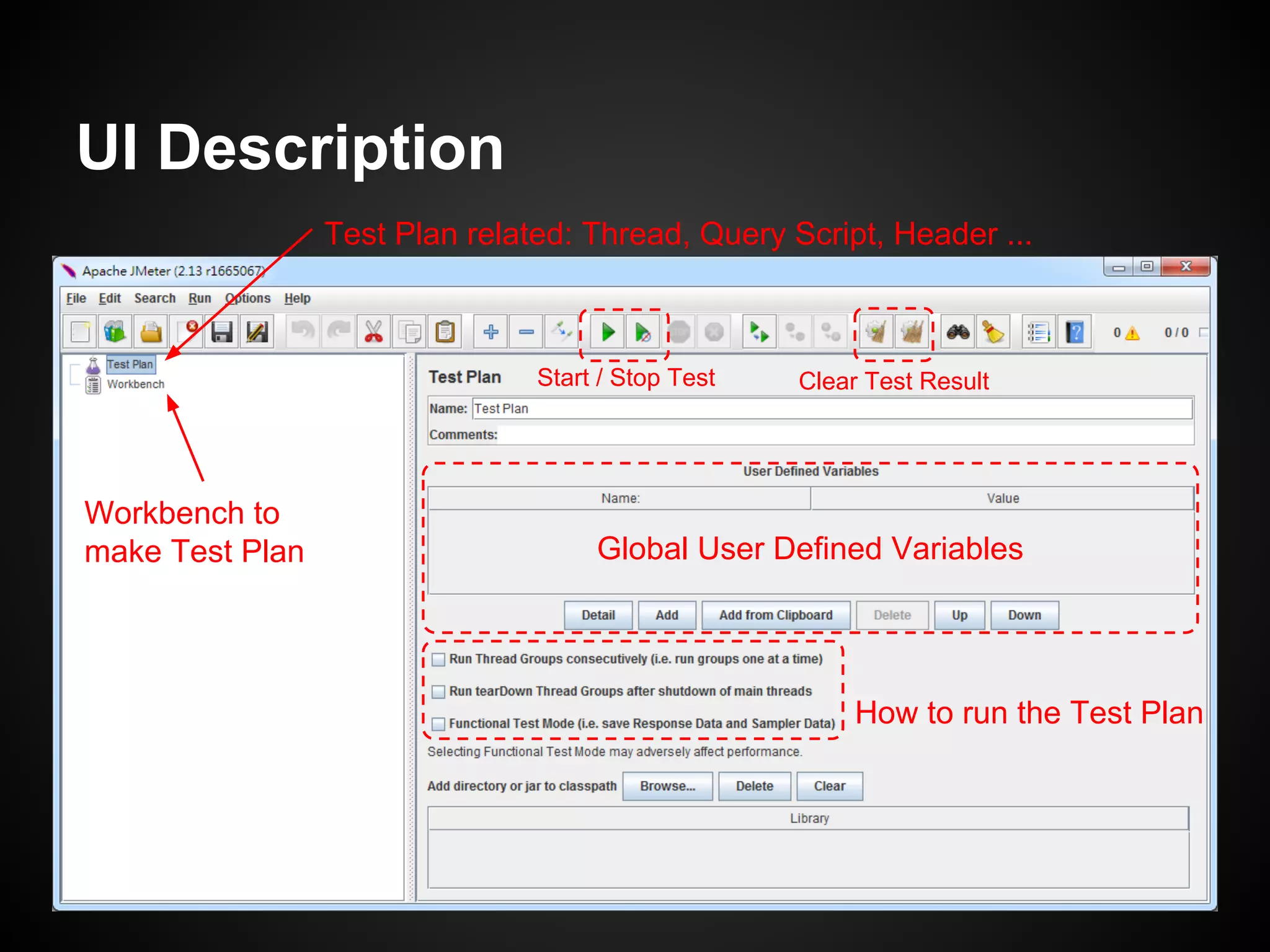
UI Description
Test Plan related: Thread, Query Script, Header ...
Workbench to
make Test Plan
How to run the Test Plan
Global User Defined Variables
Start / Stop Test Clear Test Result
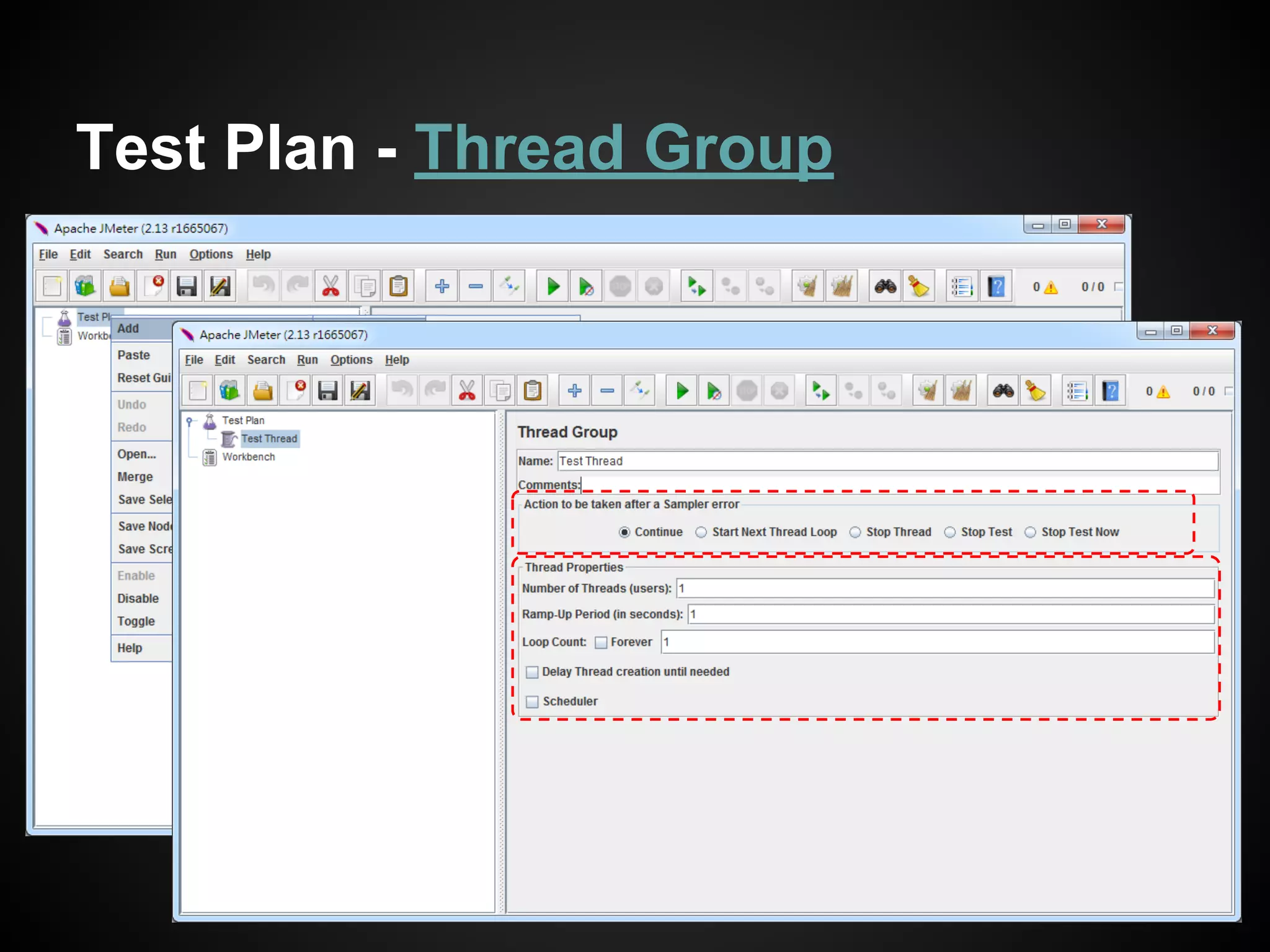
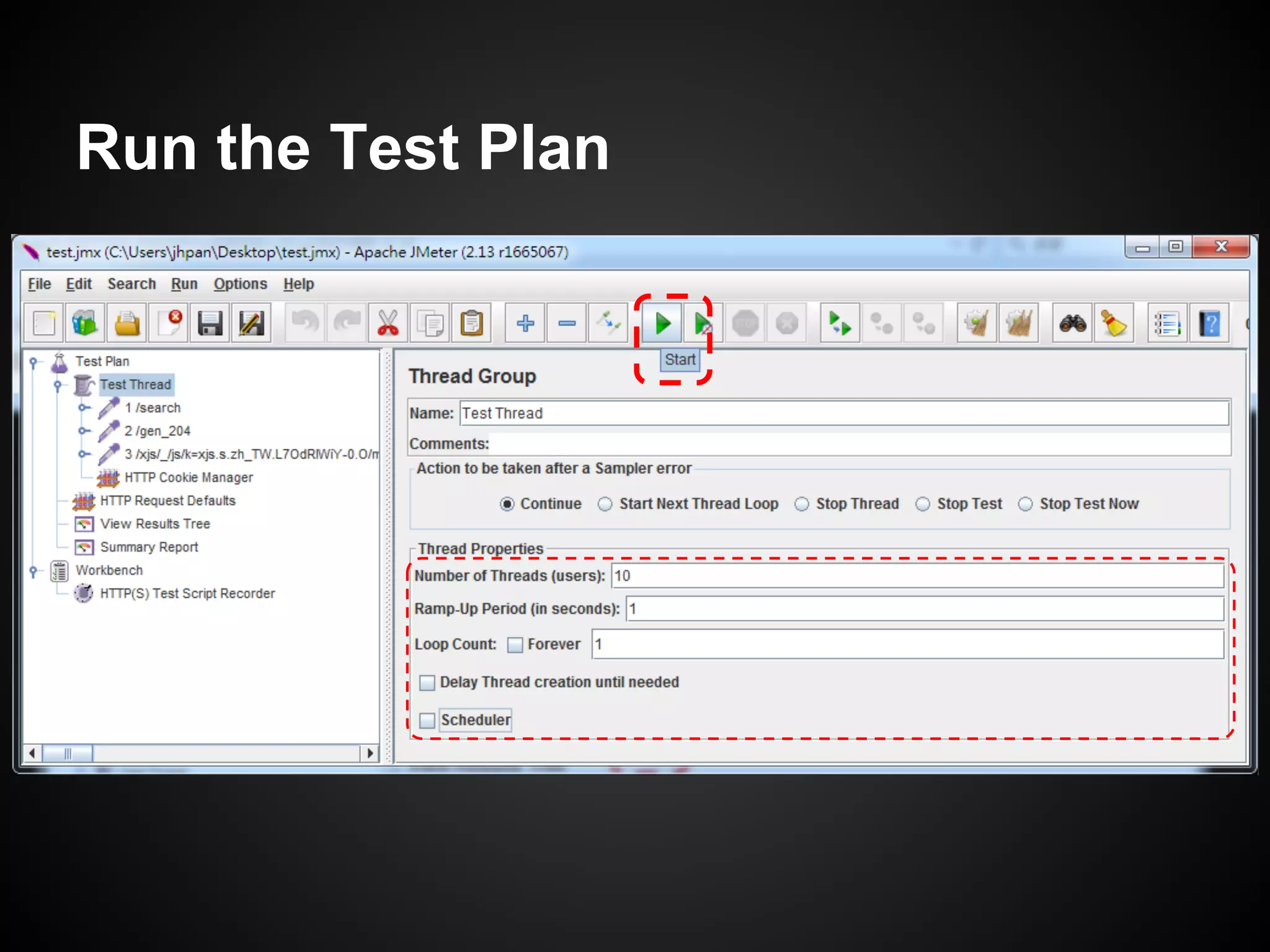
Test Plan - Thread Group
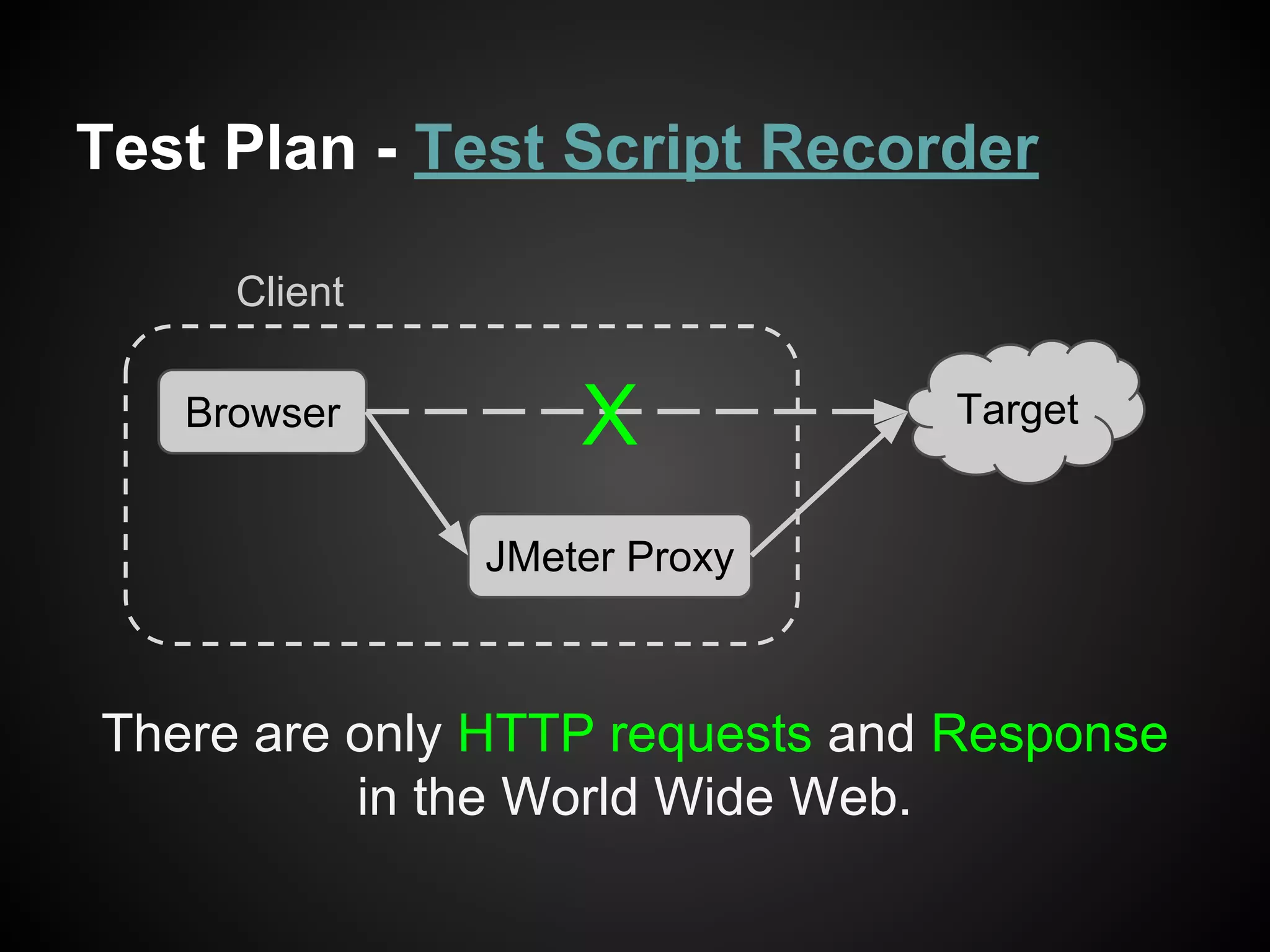
Test Plan - Test Script Recorder
Browser
JMeter Proxy
Target
Client
X
There are only HTTP requests and Response
in the World Wide Web.
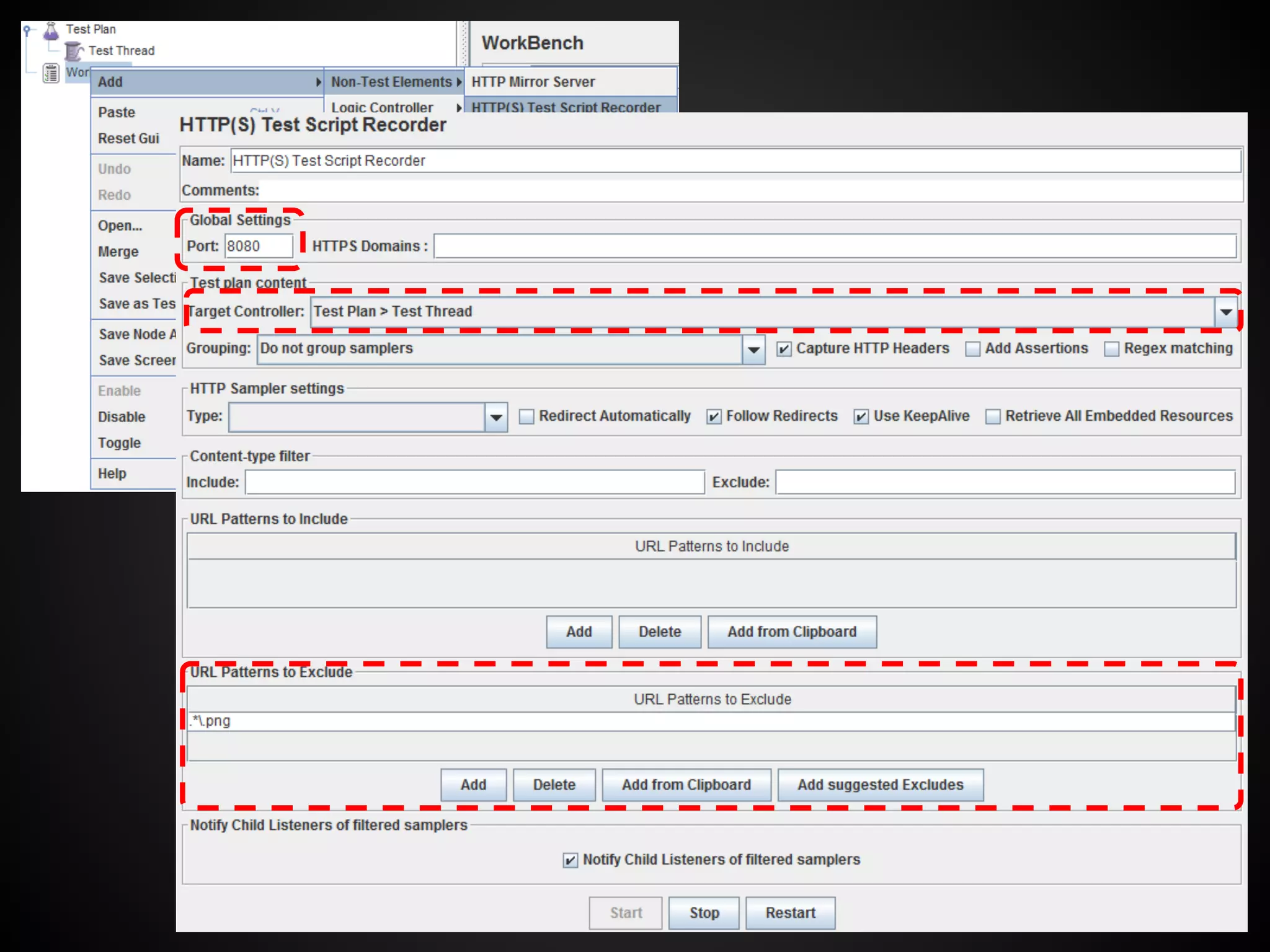
Open a browser which will go through this proxy
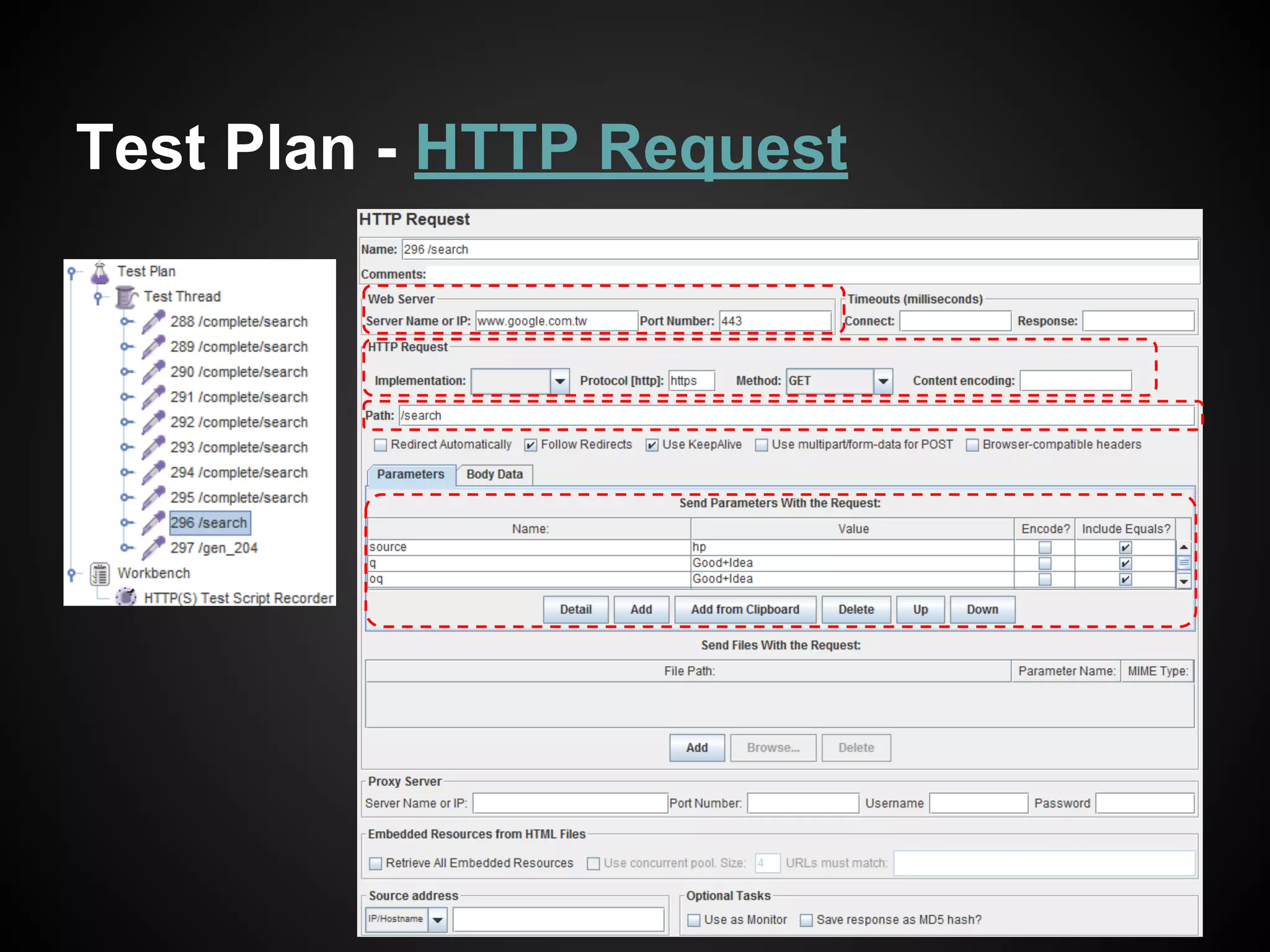
Test Plan - HTTP Request
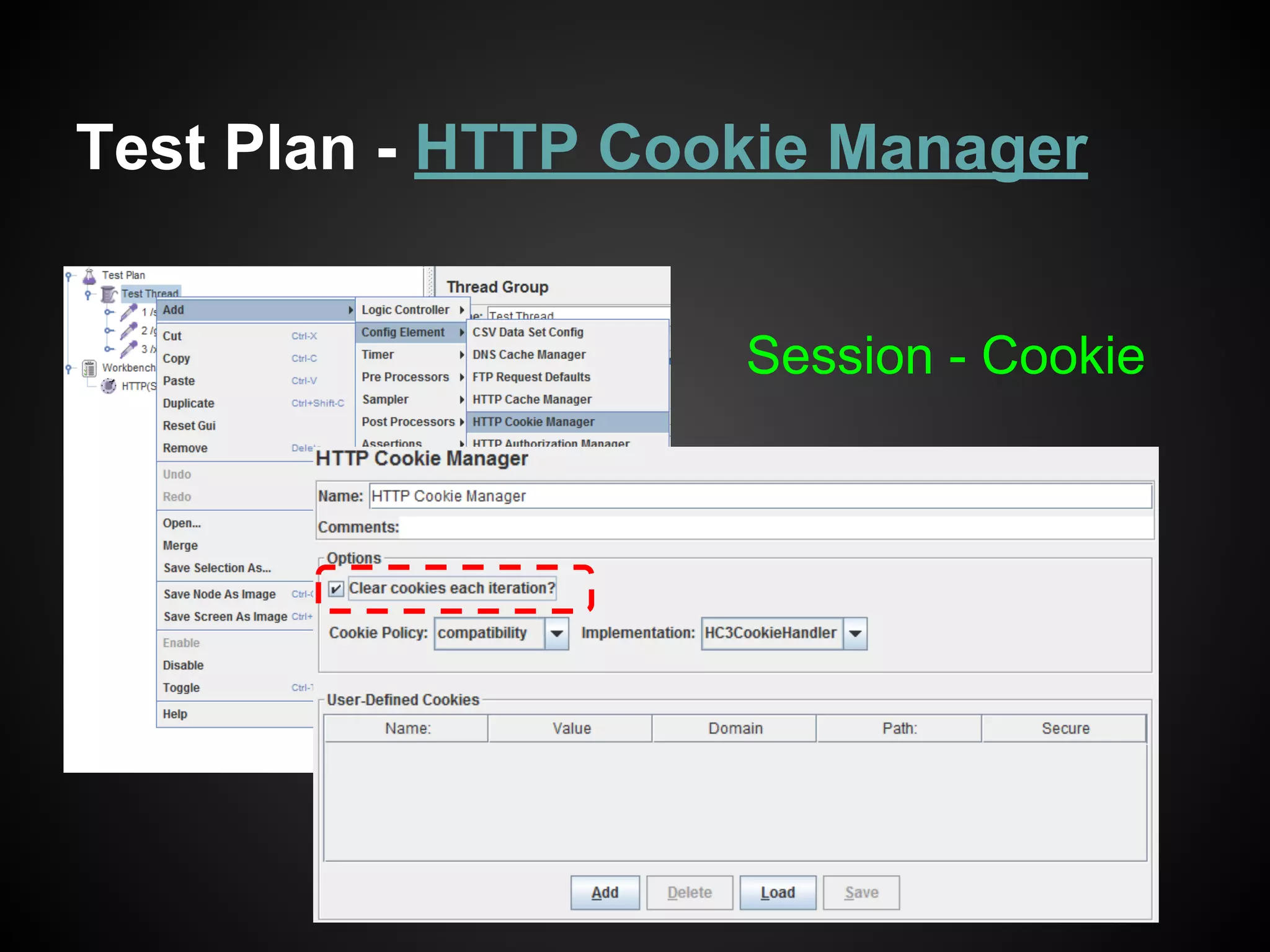
Test Plan - HTTP Cookie Manager
Cookie - Session
IETF: RFC 6265 / 8.4
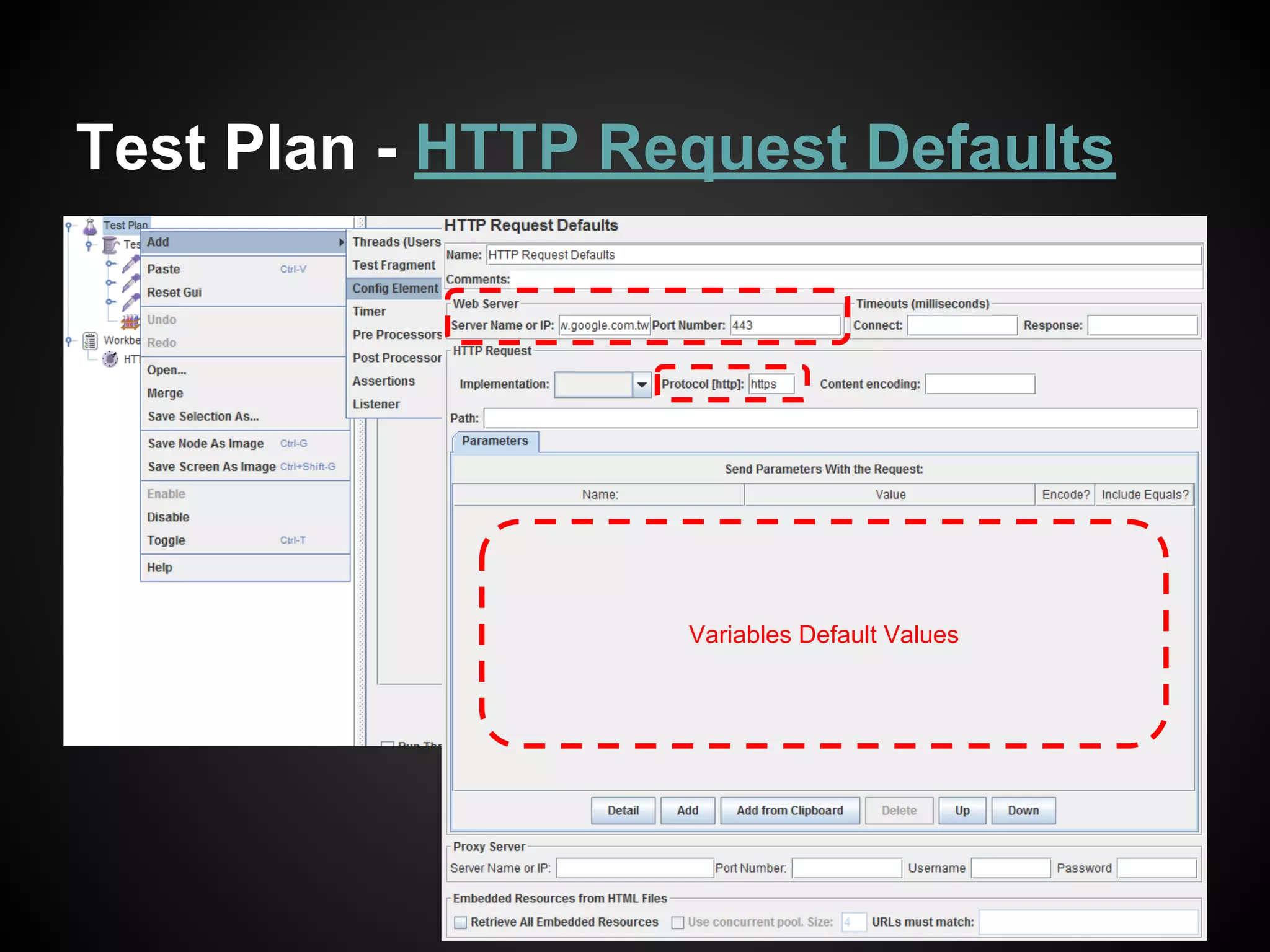
Test Plan - HTTP Request Defaults
Variables Default Values
Test Plan: Many other scenarios
● How to use a CSV file with JMeter
○ Many usernames and paswwords for exmaple
● Upload and Download Scenarios with
Apache JMeter
○ Upload files tests
● And so on ...
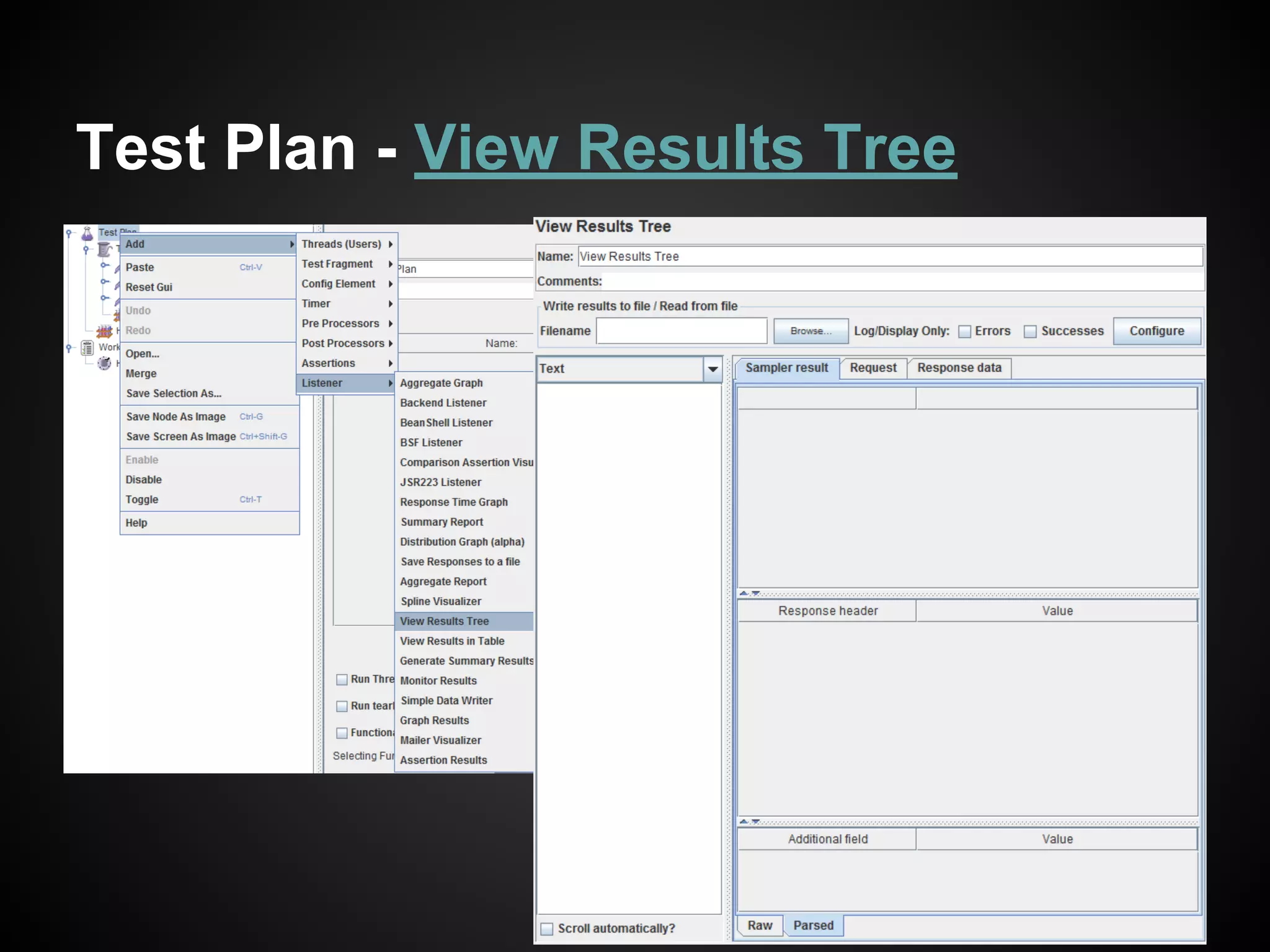
Test Plan - View Results Tree
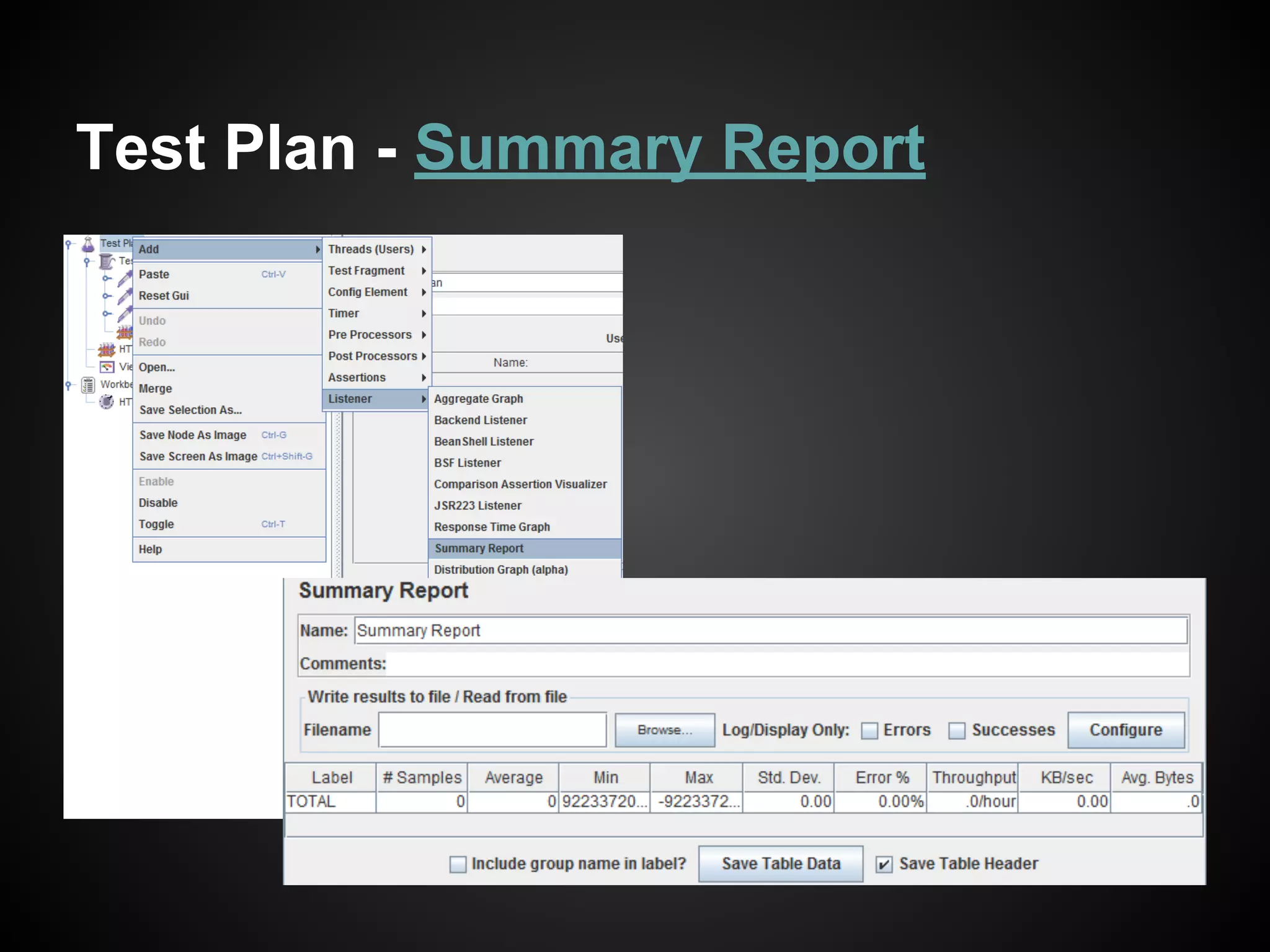
Test Plan - Summary Report
Many other listeners ...
Run the Test Plan
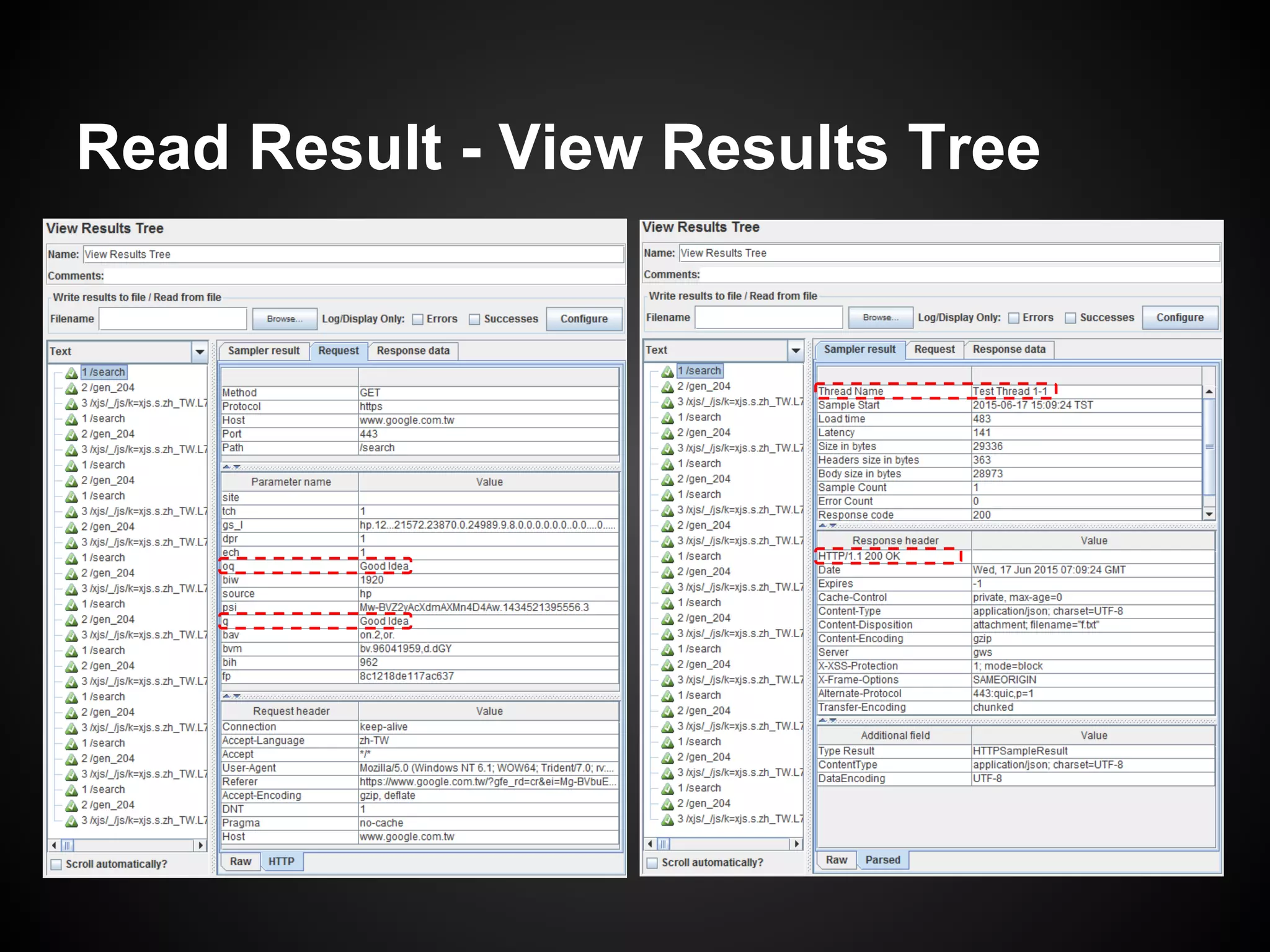
Read Result - View Results Tree
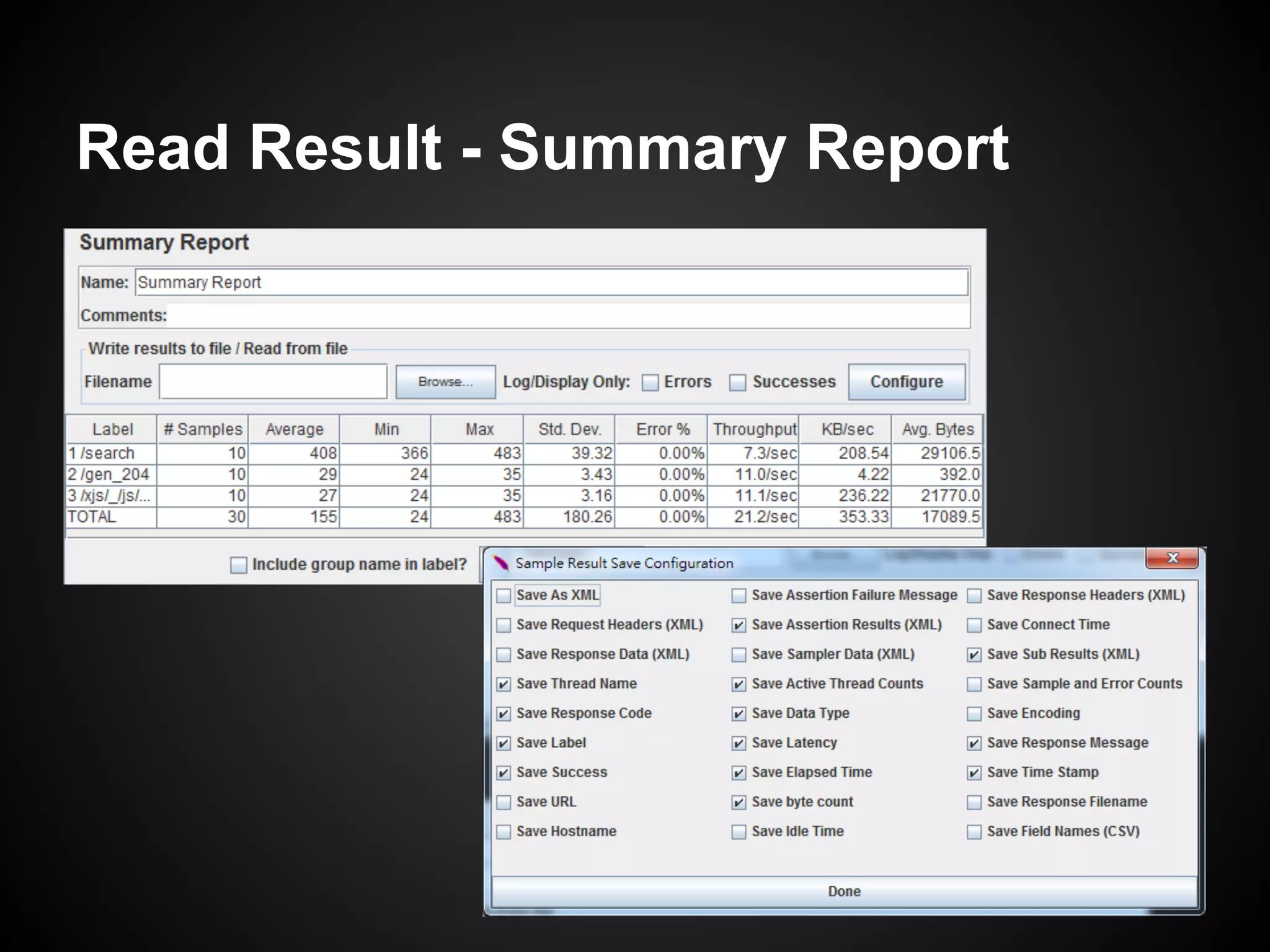
Read Result - Summary Report
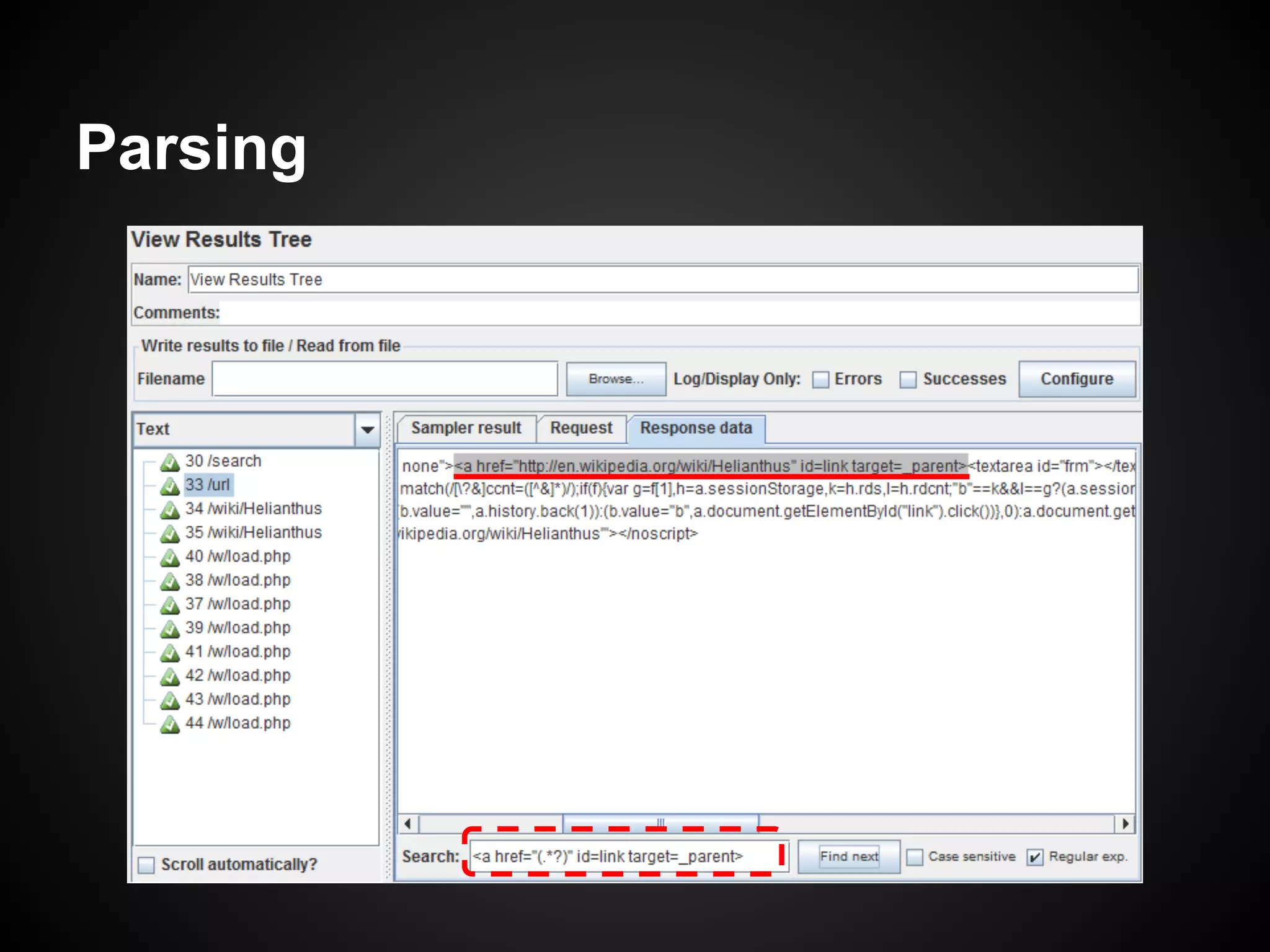
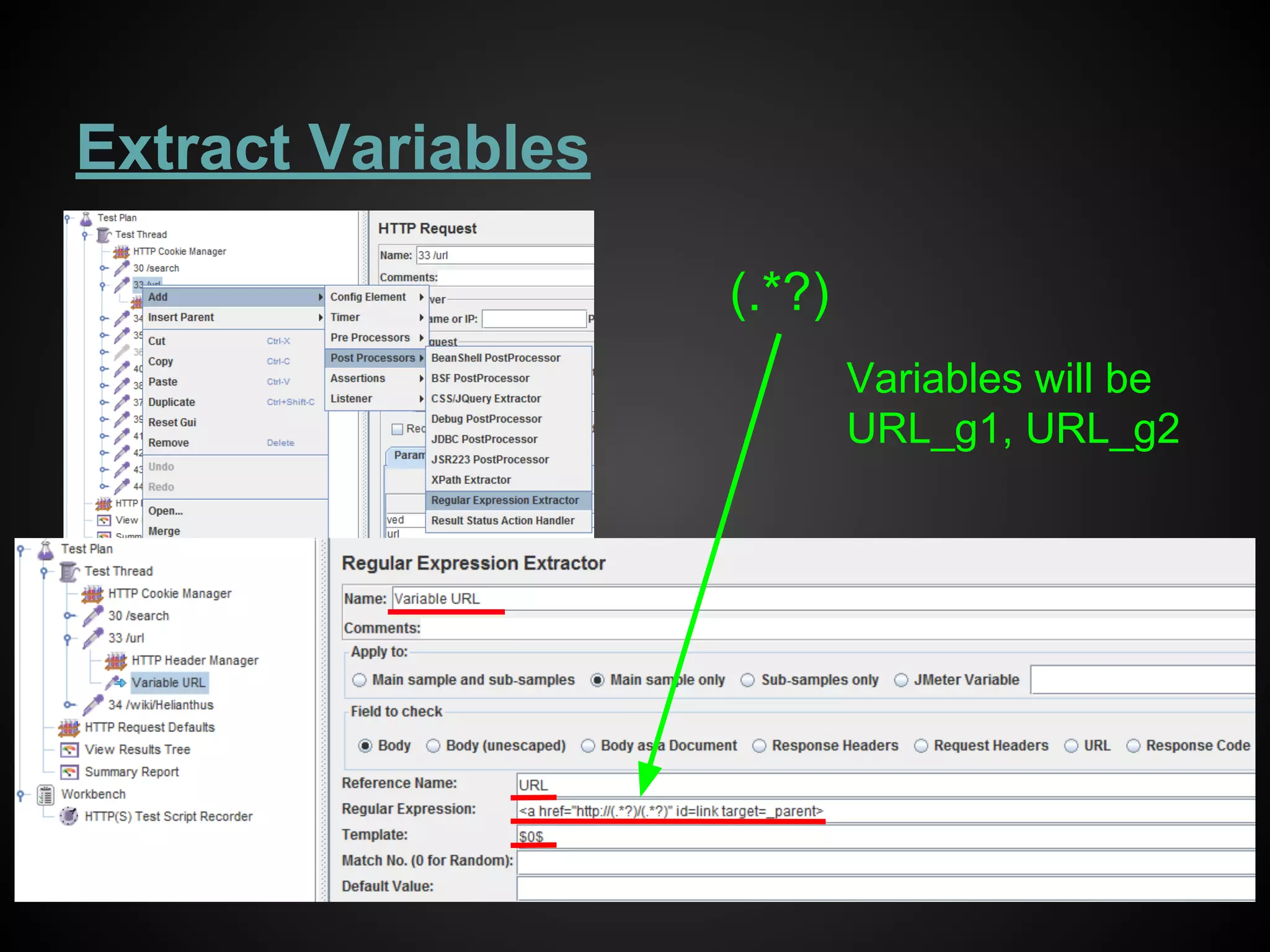
Parsing
Extract Variables
(.*?)
Variables will be
URL_g1, URL_g2
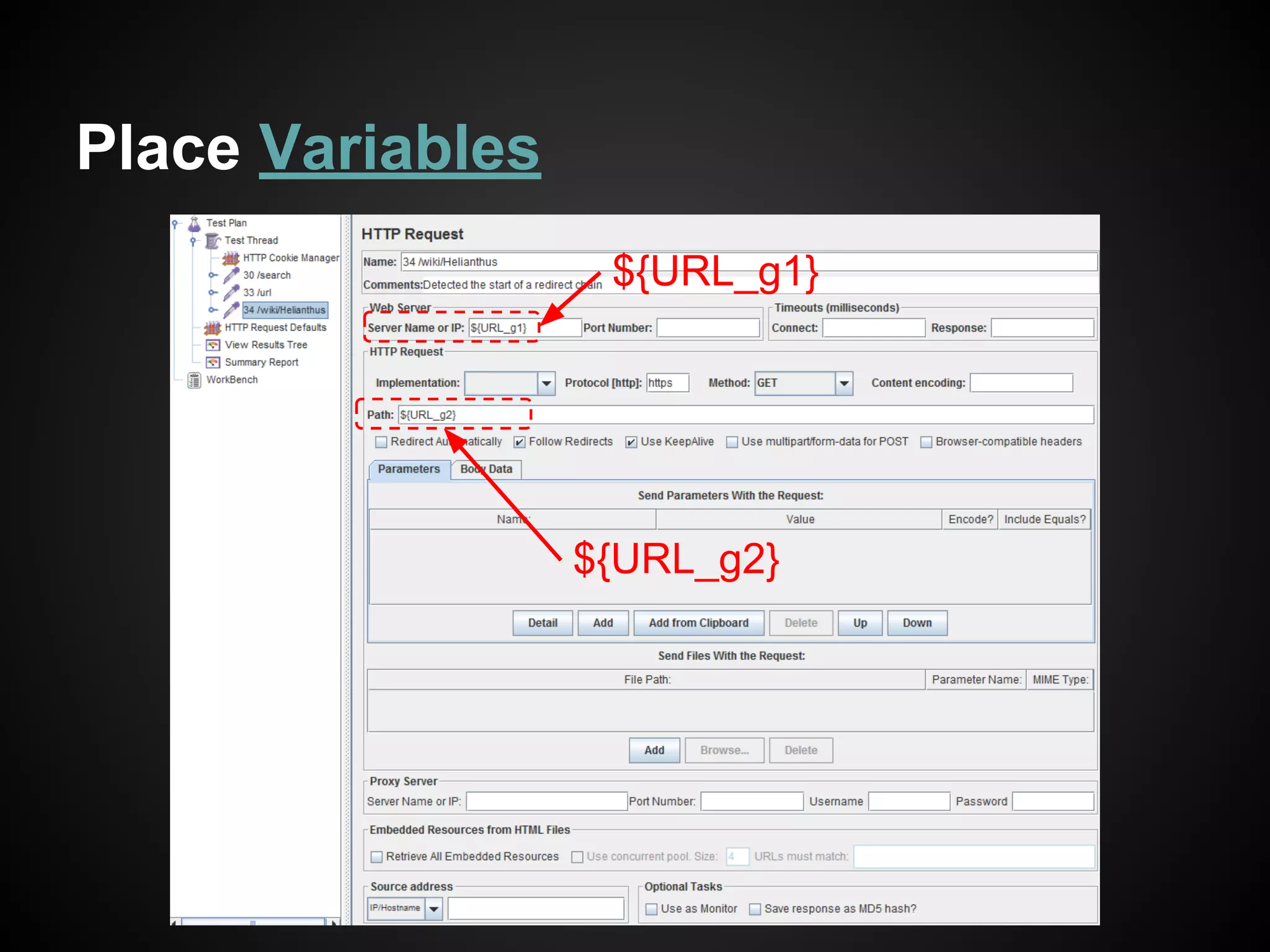
Place Variables
${URL_g1}
${URL_g2}
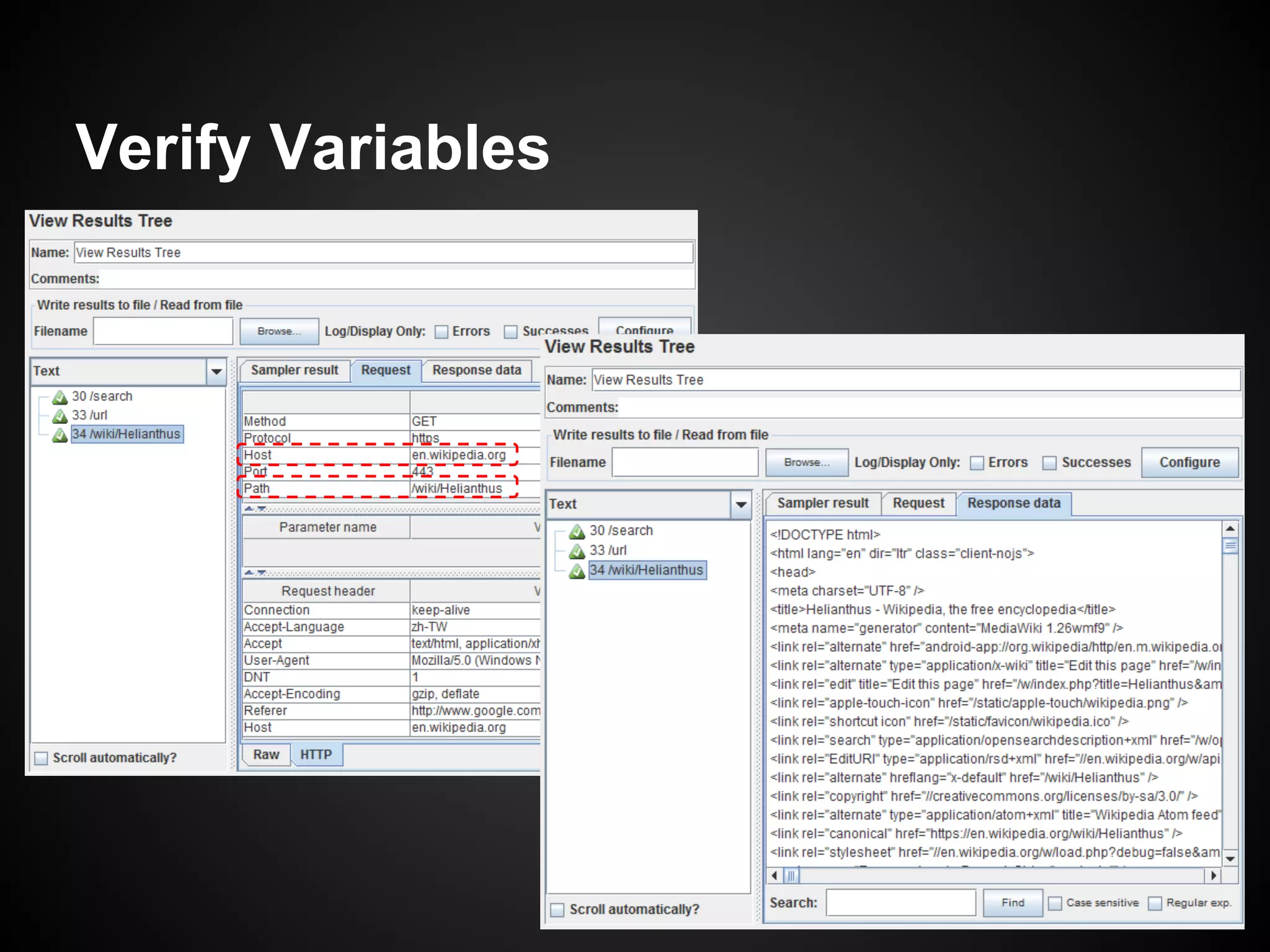
Verify Variables
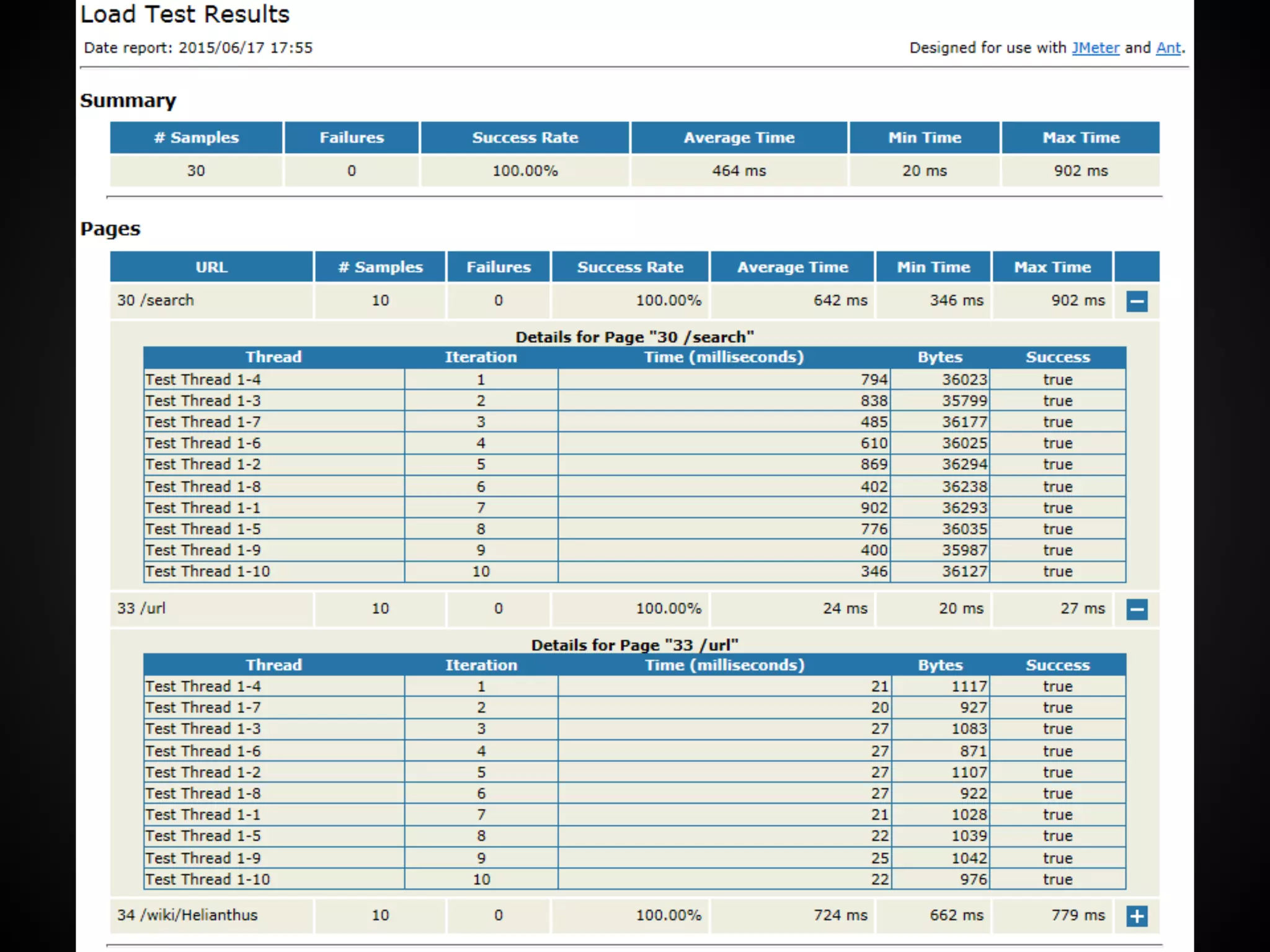
Apache Ant
● 5 Ways To Launch a JMeter
Test without Using the JMeter
GUI
● JMeter Ant Task
● To have a test report in HTML
form
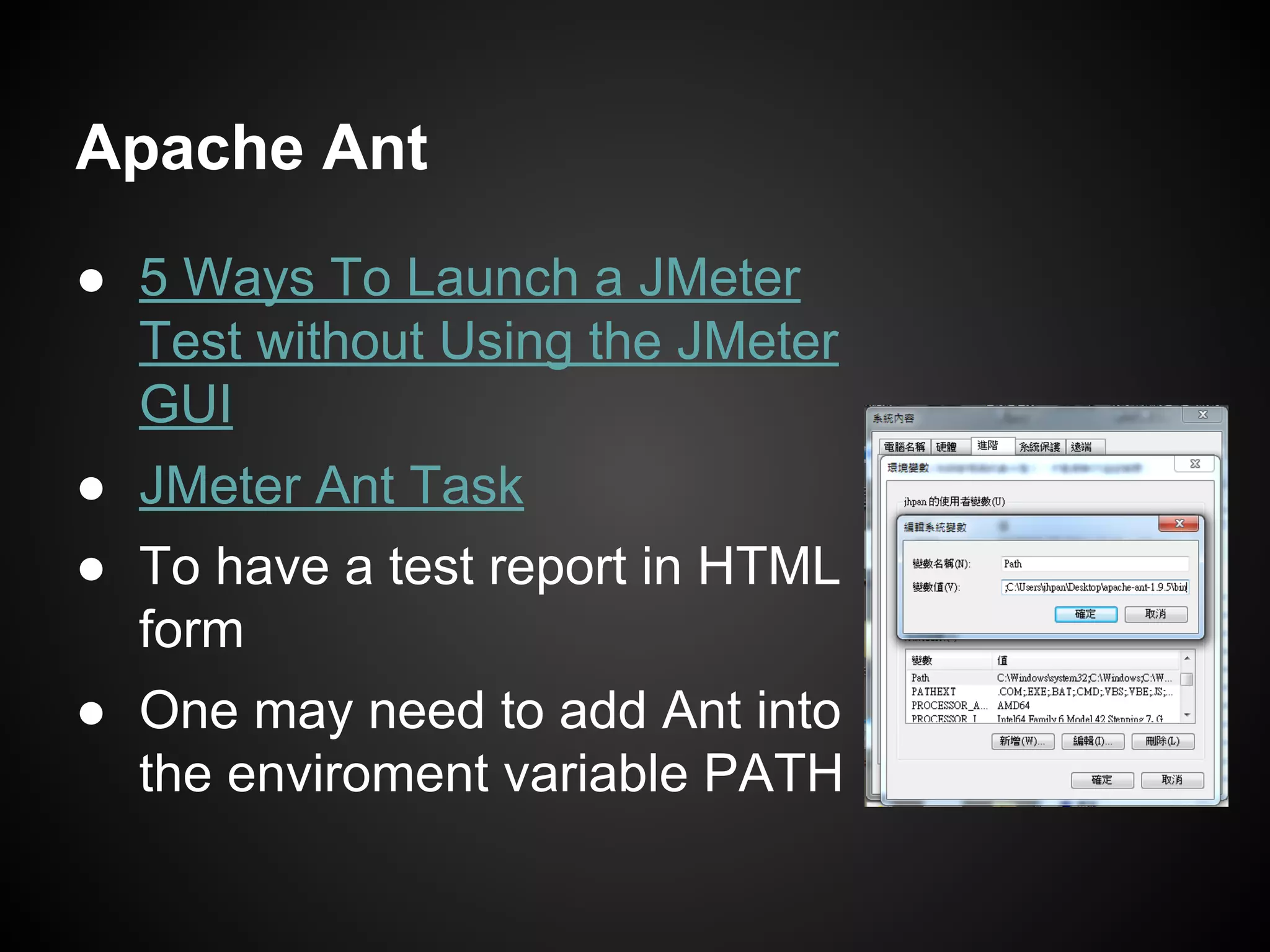
● One may need to add Ant into
the enviroment variable PATH
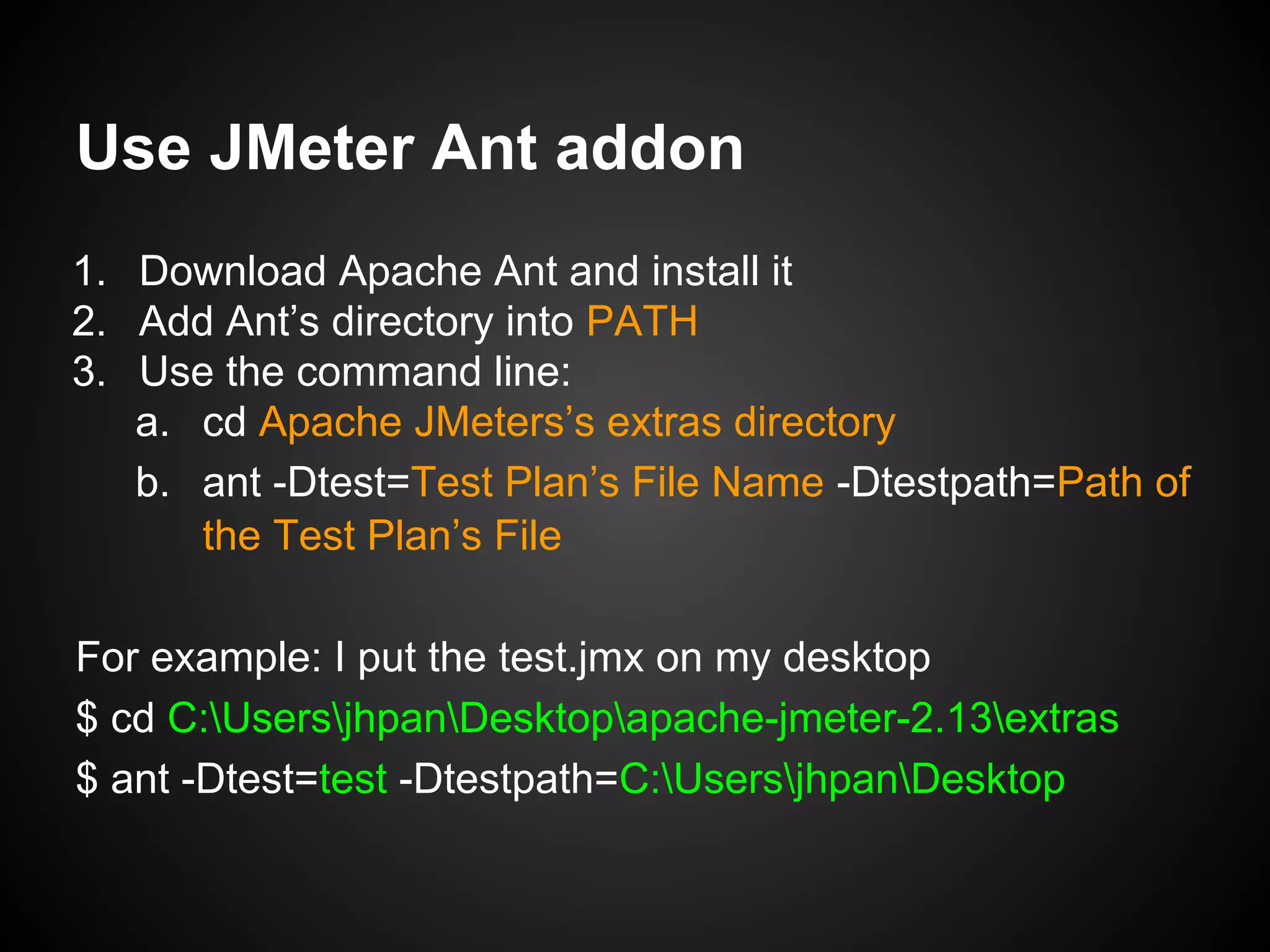
Use JMeter Ant addon
1. Download Apache Ant and install it
2. Add Ant’s directory into PATH
3. Use the command line:
a. cd Apache JMeters’s extras directory
b. ant -Dtest=Test Plan’s File Name -Dtestpath=Path of
the Test Plan’s File
For example: I put the test.jmx on my desktop
$ cd C:UsersjhpanDesktopapache-jmeter-2.13extras
$ ant -Dtest=test -Dtestpath=C:UsersjhpanDesktop
Thank you ~

Find the bottleneck of your system

  • 1.
    Find the Bottleneck ofYour System Load / Stress Test with JMeter StarNight
  • 2.
    Who am I? 潘建宏/ Jian-Hong Pan (StarNight) About Me : http://about.me/StarNight 出沒在~ GitHub : starnight PTT : zack2004 plurk : StarNight Facebook : StarNight 目前繼續在種花店當個打雜園丁 ~
  • 3.
    Outline ● The Bottleneck ●Web / HTTP(S) ○ Request / Response Header and Body ● Load / Stress Test ● Apache JMeter ○ Installation ○ UI Description ○ Test Plan ○ Read Result ○ Parsing and Variables
  • 4.
    The Bottleneck ● Theoperation of a system is the cooperation between many parts. ○ Nodes(Termial, Server):Clients, Server, DB ○ Connections(Communication) ● The whole system will reach the planned efficiency, only if each part meets the planned efficiency criteria. DB Server (Web AP) Clients Possible Bottleneck Possible Bottleneck Possible Bottleneck Possible Bottleneck Possible Bottleneck
  • 5.
    Web / HTTP(S) ●It is the protocol between Client and Web Servers ○ W3C: HTTP Specifications and Drafts ○ IETF: RFC 2616 Hypertext Transfer Protocol / 1.1 ■ 4.2 Message Headers, 4.3 Message Body ■ 5.1.1 Method ■ 6.1.1 Status Code and Reason Phrase ● HTTPS: Use SSL certificate to encrypt HTTP Server (Web AP) Clients HTTP(S) Request HTTP(S) Response
  • 6.
    HTTP Request Header &Body we can see Secured HTTP Request Header & Body
  • 7.
    Even though theHTTP is encrypted, you still see the plain text in the browser
  • 8.
    ● Composite of ○Request-Line ■ Method sp Request-URI sp HTTP-Version ○ general-header | request-header | entity-header ○ message-body ● Method ○ OPTIONS, GET, HEAD, POST, PUT, DELETE, TRACE, CONNECT ● Request-URI ○ "*" | absoluteURI | abs_path | authority ● Content-Type HTTP Request (5)
  • 9.
    HTTP Response (6) ●Composite of ○ Status-Line ■ HTTP-Version sp Status-Code sp Reason-Phrase ○ general-header | response-header | entity-header ○ message-body ● Status Code and Reason Phrase ○ 1xx: Informational ○ 2xx: Success ○ 3xx: Redirection ○ 4xx: Client Error ○ 5xx: Server Error
  • 10.
    Load / StressTest ● Load Test ○ Load testing examines the entire environment and database, while measuring the response time. ● Stress Test ○ Stress testing focuses on identified transactions, pushing to a level so as to break transactions or systems. DB Server (Web AP) Clients Super Node HTTP(S) Request HTTP(S) Response probe probe probe Flow Generator
  • 11.
    Apache JMeter ● Javaapplication designed to load test functional behavior and measure performance. It was originally designed for testing Web Applications but has since expanded to other test functions. ● http://jmeter.apache.org/ ● Apache License Version 2.0 ● Getting Started (User’s Manual) Open Source is Awesome!
  • 12.
    Installation ● Download Page: ○http://jmeter.apache.org/download_jmeter.cgi ● Requires Java 6 or later ● Excute bin/jmeter.sh or bin/jmeter.bat ● Using JMeter behind a proxy ○ Append the arguments “--proxyHost ProxyServer -- proxyPort ProxyPort” after the ApacheJMeter.jar command in bin/jmeter.sh or bin/jmeter.bat
  • 13.
    UI Description Test Planrelated: Thread, Query Script, Header ... Workbench to make Test Plan How to run the Test Plan Global User Defined Variables Start / Stop Test Clear Test Result
  • 14.
    Test Plan -Thread Group
  • 15.
    Test Plan -Test Script Recorder Browser JMeter Proxy Target Client X There are only HTTP requests and Response in the World Wide Web.
  • 16.
    Open a browserwhich will go through this proxy
  • 17.
    Test Plan -HTTP Request
  • 18.
    Test Plan -HTTP Cookie Manager Cookie - Session IETF: RFC 6265 / 8.4
  • 19.
    Test Plan -HTTP Request Defaults Variables Default Values
  • 20.
    Test Plan: Manyother scenarios ● How to use a CSV file with JMeter ○ Many usernames and paswwords for exmaple ● Upload and Download Scenarios with Apache JMeter ○ Upload files tests ● And so on ...
  • 21.
    Test Plan -View Results Tree
  • 22.
    Test Plan -Summary Report
  • 23.
  • 24.
  • 25.
    Read Result -View Results Tree
  • 26.
    Read Result -Summary Report
  • 27.
  • 28.
  • 29.
  • 30.
  • 31.
    Apache Ant ● 5Ways To Launch a JMeter Test without Using the JMeter GUI ● JMeter Ant Task ● To have a test report in HTML form ● One may need to add Ant into the enviroment variable PATH
  • 32.
    Use JMeter Antaddon 1. Download Apache Ant and install it 2. Add Ant’s directory into PATH 3. Use the command line: a. cd Apache JMeters’s extras directory b. ant -Dtest=Test Plan’s File Name -Dtestpath=Path of the Test Plan’s File For example: I put the test.jmx on my desktop $ cd C:UsersjhpanDesktopapache-jmeter-2.13extras $ ant -Dtest=test -Dtestpath=C:UsersjhpanDesktop
  • 34.

Editor's Notes

  • #19 Session: IETF 6265 8.4. Session Identifiers