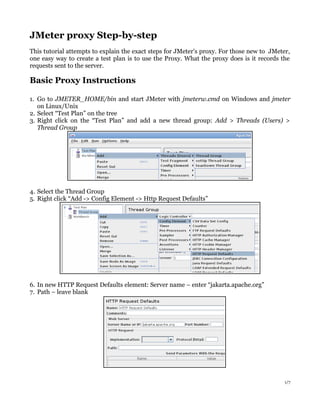
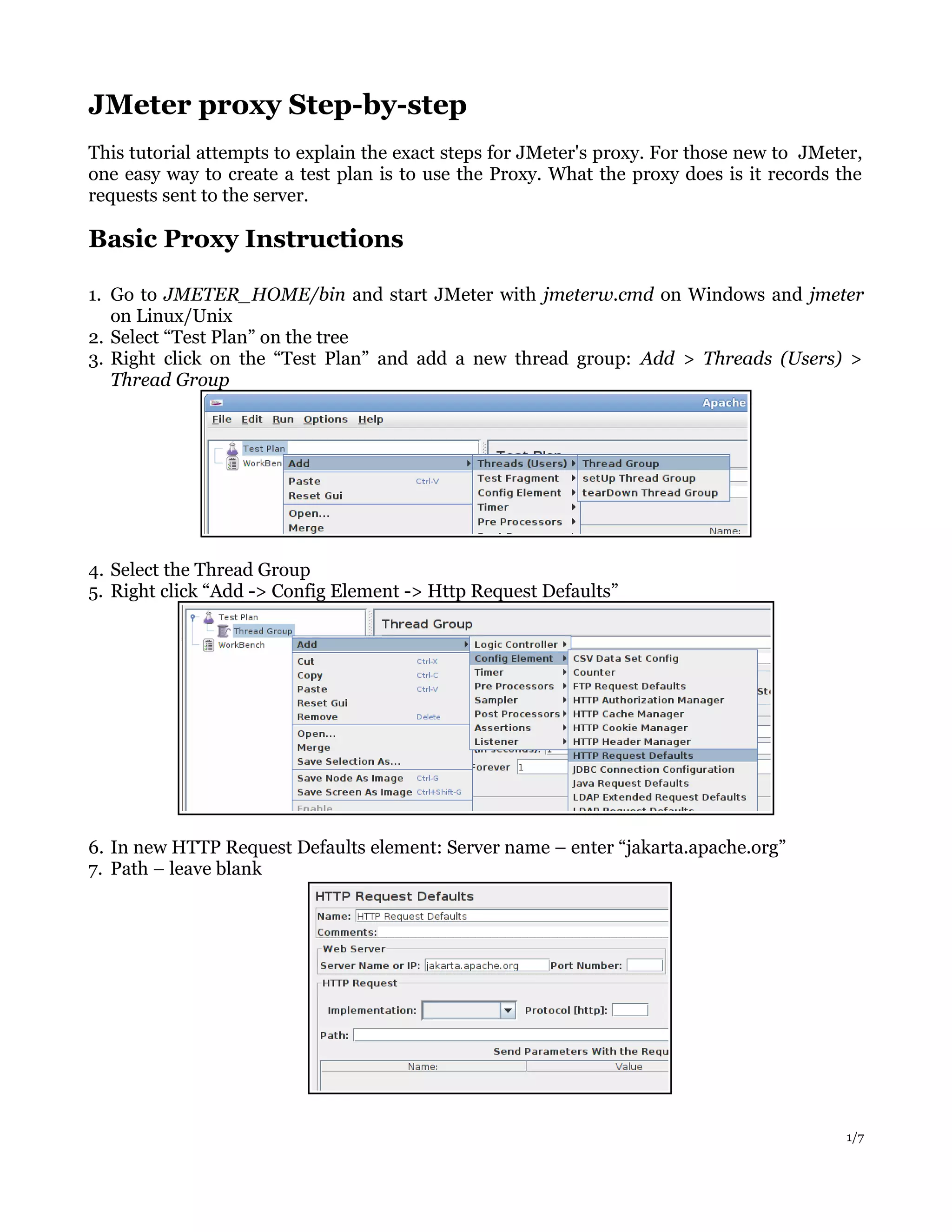
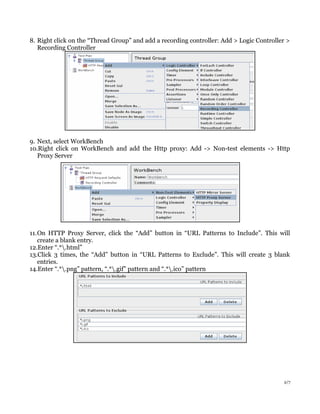
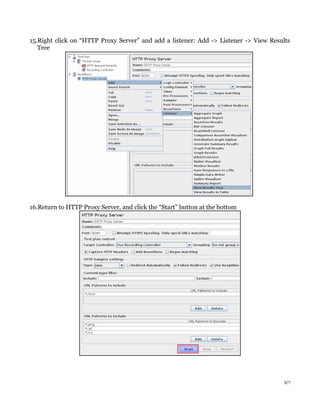
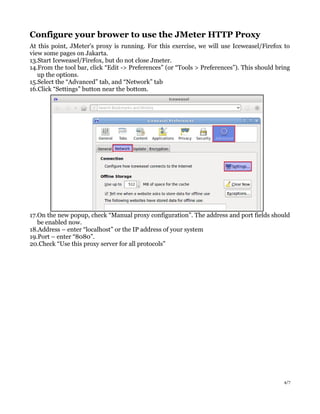
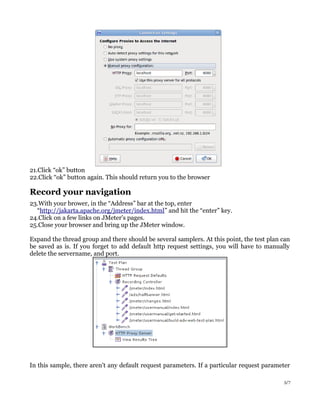
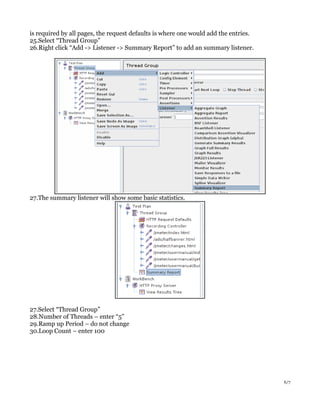
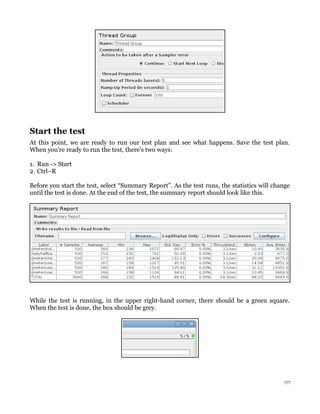

1. The document provides step-by-step instructions for using JMeter's proxy recorder to create a test plan by recording browser requests made to a server. It describes starting JMeter, configuring the proxy server and browser settings, recording a navigation session, and viewing the results. 2. Basic steps include starting JMeter, adding a thread group, configuring HTTP request defaults, adding a recording controller, starting the proxy server, configuring the browser to use the proxy, recording a navigation session in the browser, and viewing the recorded samples in JMeter. 3. The document also provides instructions for running the test plan, including adding a summary listener, setting thread properties, and starting the test to view


