
JMeter
BY NGUYEN QUOC DUNG
1
What will we achieve?
 Have an overview about JMeter
 How to apply JMeter to the automated test in the real project
2
 Introduction
 Load Testing Tools
 Advantages with JMeter
 How it works
 Your Tests vs JMeter Features
 Thread Group
 Sample
 Listener
 Assertion
 Config Element
 Pre/Post Processor
 Demo
3
Introduction
The Apache JMeter™ application is open source software, a 100% pure Java application designed to
load test functional behavior and measure performance. It was originally designed for testing Web
Applications but has since expanded to other test functions.
4
Load testing tools
• Open source tools
• Jmeter
• AB
• Http_Load
• Seige
• Commercial
• LoadRunner
• WebLoad
• Silk Performer
5
6Advantages with JMeter
• Easy to install and use
• Free
• GUI vs Command line
• Just download and run
• Feature rich
• Record from browser
• Read test data from files
• Add logic, variables and functions
• Run a test from multiple machines
• Test many protocols, not just HTTP
How JMeter works?
End Process
Request sends to the
appropriate Server and
simulates numbers of
users
JMeter collects data to
manipulate statically
information
Server Response
JMeter saves all
responses
User requests for
server connection
Server
7
Get Report
8
Setup
• Check whether Java is installed on the computer
• Run CMD and type the command java –version
• If you see the information like below:
java version "1.8.0_131“
Java(TM) SE Runtime Environment (build 1.8.0_131-b11)
Java HotSpot(TM) Client VM (build 25.131-b11, mixed mode)
• Otherwise, if you see this
’java' is not recognized as an internal or external command, operable
program or batch file
• Then please go to this site
http://www.oracle.com/technetwork/java/javase/down
loads/index.html download and install the latest
version of Java
• For Windows, setting Environment Variable for Java
Installation
https://stackoverflow.com/questions/1672281/environment-
variables-for-java-installation
9Download and Install JMeter
• Go to this page:
http://jmeter.apache.org/download_jmeter.cgi
• Download apache-jmeter-x.x.zip under Binaries section.
At the time of my post, it’s version 4.0, so I need to
download the file apache-jmeter-4.0.zip
• Unzip your downloaded file. You will have the folder
like this
• Run JMeter
• Go to /bin folder
• Find the jmeter.bat file (if you don’t see the .bat
extension, you can observe the Type column of
the file, it should be Windows Batch File)
• Double click on this file
• JMeter UI will appear
Your Tests vs JMeter features
Thread Group
Sampler
Listeners
Assertion
Config Elements
Pre/Post Processors
Timer
Simulate the number of users
Send the request and receive the
response
View and Analyze the results
Check if you are incorrect page
I want to configure my server, url,
data
Parse the response and get the
required value
Simulate user time
10
11
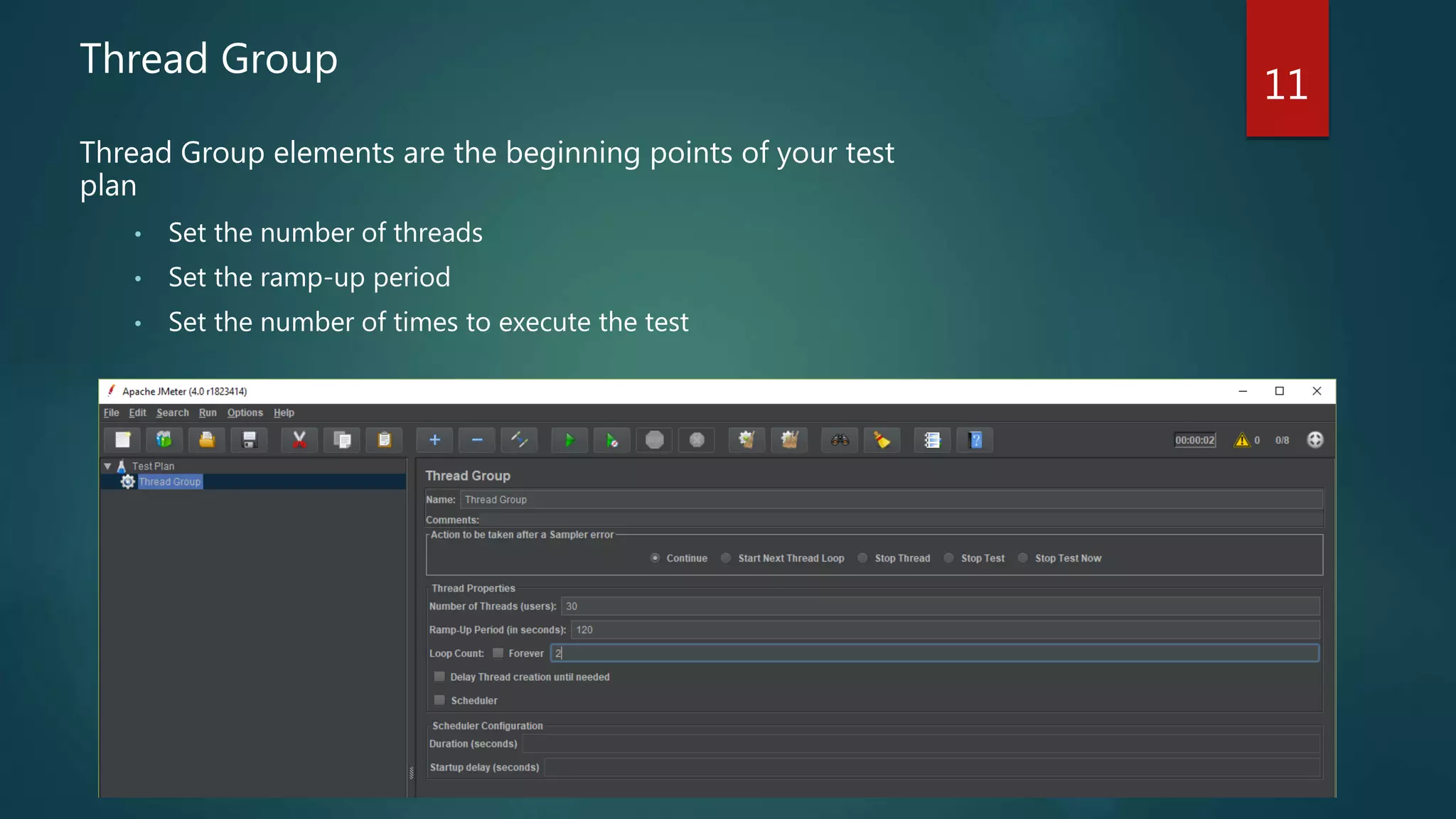
Thread Group
Thread Group elements are the beginning points of your test
plan
• Set the number of threads
• Set the ramp-up period
• Set the number of times to execute the test
12Sampler
Samplers allow JMeter to send
specific types of requests to a server.
They simulate a user request for a
page from the target server
• HTTP Request
• FTP Request
• JDBC Request
• Java Request
• JUnit Request
• LDAP Request
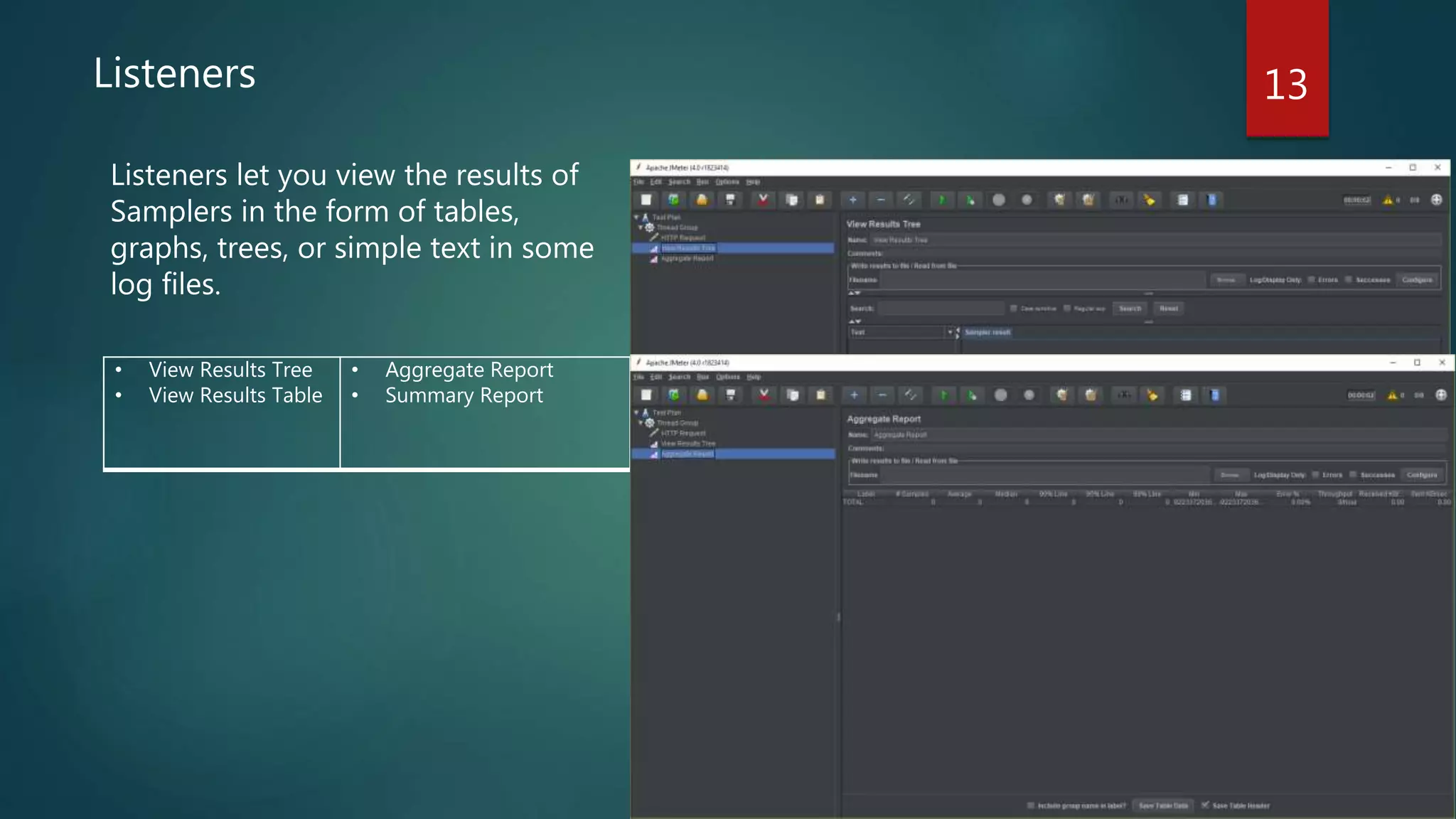
13Listeners
Listeners let you view the results of
Samplers in the form of tables,
graphs, trees, or simple text in some
log files.
• View Results Tree
• View Results Table
• Aggregate Report
• Summary Report
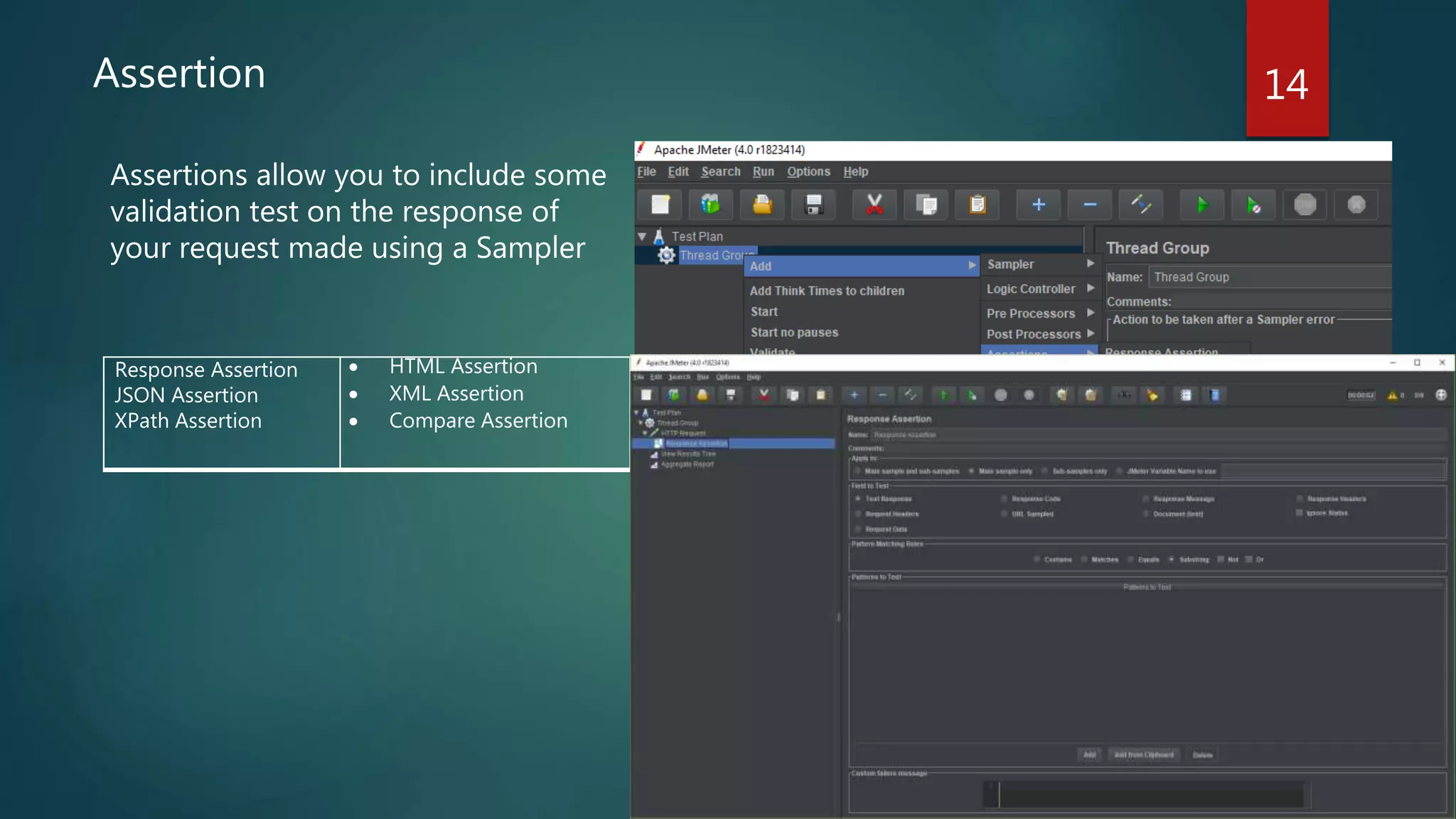
14Assertion
Assertions allow you to include some
validation test on the response of
your request made using a Sampler
Response Assertion
JSON Assertion
XPath Assertion
 HTML Assertion
 XML Assertion
 Compare Assertion
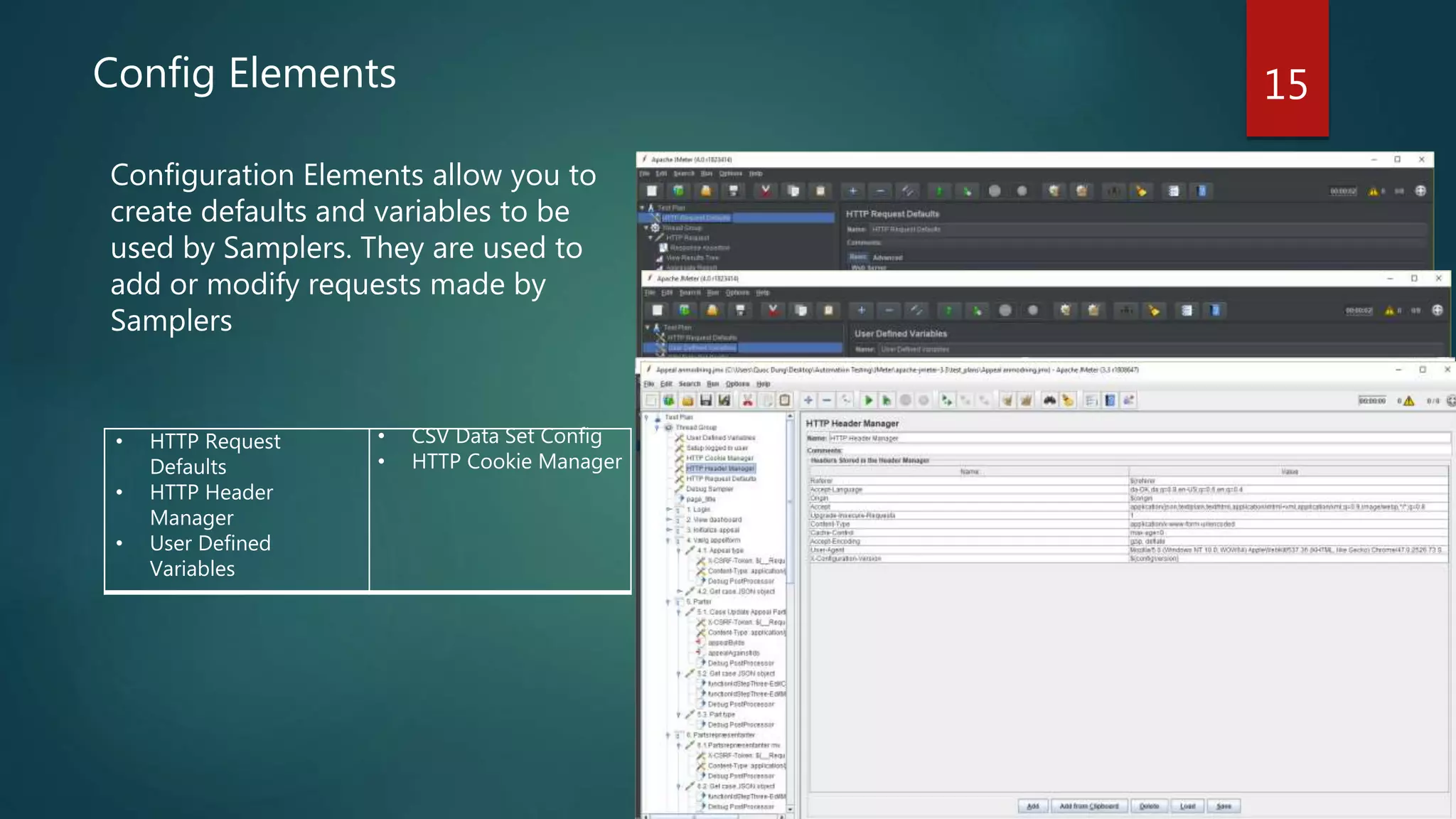
15Config Elements
Configuration Elements allow you to
create defaults and variables to be
used by Samplers. They are used to
add or modify requests made by
Samplers
• HTTP Request
Defaults
• HTTP Header
Manager
• User Defined
Variables
• CSV Data Set Config
• HTTP Cookie Manager
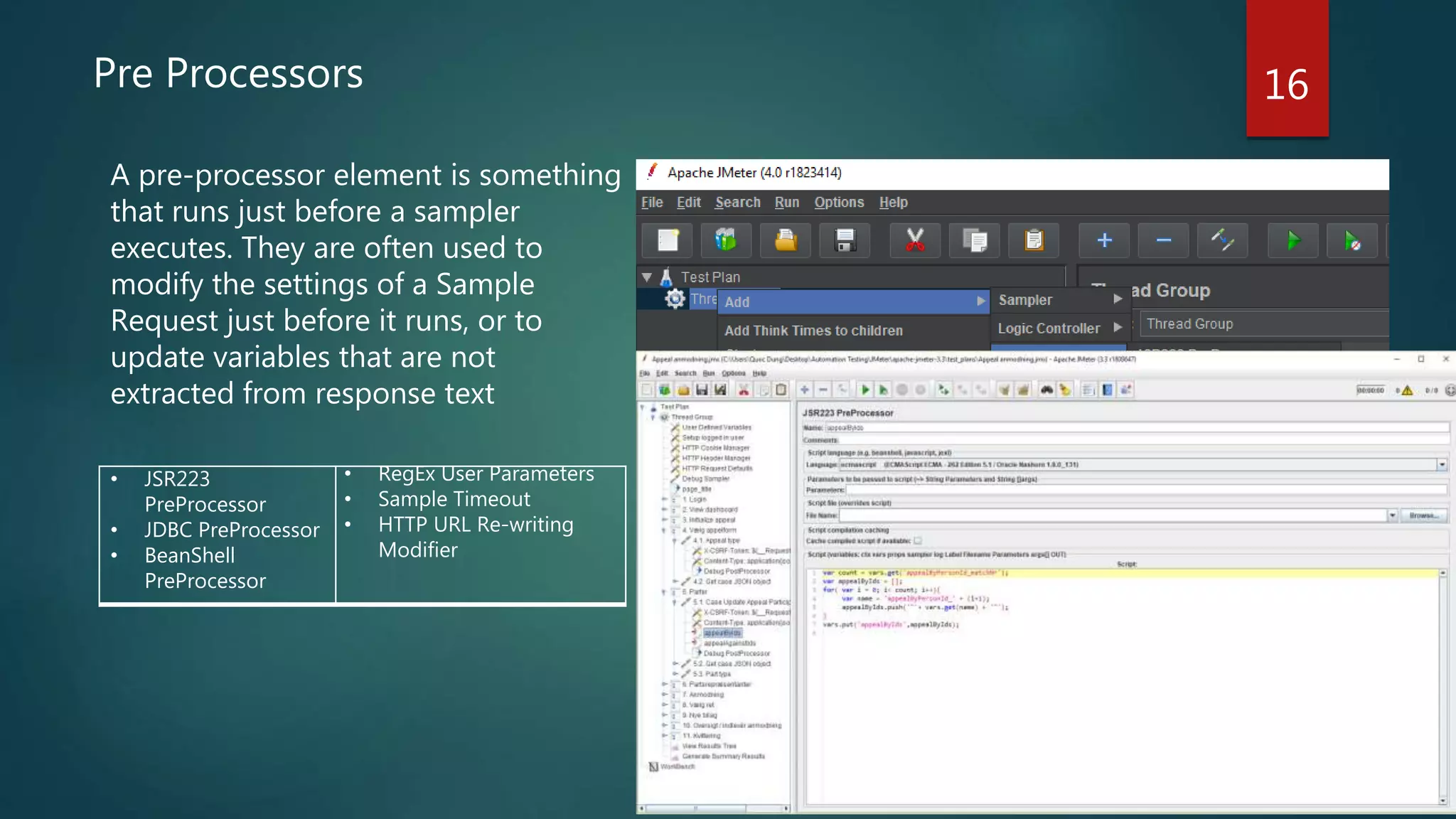
16Pre Processors
A pre-processor element is something
that runs just before a sampler
executes. They are often used to
modify the settings of a Sample
Request just before it runs, or to
update variables that are not
extracted from response text
• JSR223
PreProcessor
• JDBC PreProcessor
• BeanShell
PreProcessor
• RegEx User Parameters
• Sample Timeout
• HTTP URL Re-writing
Modifier
17Post Processors
A post-processor executes after a
sampler finishes its execution. This
element is most often used to process
the response data, for example, to
retrieve a particular value for later use
• JSR223
PostProcessor
• JSON Extractor
• Debug
PostProcessor
• XPath Extractor
• CSS/JQuery Extractor
• Regular Expression
Extractor
Demo 1: Building a Basic Web Test Plan JMeter 18
Scenario
• Create Test Plan accesses to 3 HTTP Requests in http://ritvn.com/
• 3 HTTP Requests are: Homepage, What we do and Who we need
• Run the test with 5 users and Loop 2 times
Steps
1. Adding Thread Group
2. Adding HTTP Requests
3. Adding Listeners
4. Running the Test
5. Optimizing
Demo 2: CSV Data Set Config 19
Scenario
To login success to the system, JMeter need read data of user for login such as
username and password from CSV file
Note
1. File name
2. File encoding
3. Variable Names
• Leave blank to the redundant field
• JMeter supports CSV header lines
4. Delimiter
How to apply JMeter to the automated test in the real
project
20
TeamCity CI job
JMeter script
Run JMeter tests
Translate JMeter
log to test results
Analyze and send report to
team
References 21
• https://jmeter.apache.org/
• https://jmetervn.com/2017/01/28/list-of-all-posts/
• https://www.softwaretestingclass.com/introduction-to-apache-jmeter-tutorial-series-1/
• https://jmetervn.com/2017/02/27/setup-and-install-jmeter/
• https://www.slideshare.net/srirambk/load-testing-jmeter
• https://www.slideshare.net/NexThoughts/apache-jmeter-65352695

JMeter

  • 1.
  • 2.
    What will weachieve?  Have an overview about JMeter  How to apply JMeter to the automated test in the real project 2
  • 3.
     Introduction  LoadTesting Tools  Advantages with JMeter  How it works  Your Tests vs JMeter Features  Thread Group  Sample  Listener  Assertion  Config Element  Pre/Post Processor  Demo 3
  • 4.
    Introduction The Apache JMeter™application is open source software, a 100% pure Java application designed to load test functional behavior and measure performance. It was originally designed for testing Web Applications but has since expanded to other test functions. 4
  • 5.
    Load testing tools •Open source tools • Jmeter • AB • Http_Load • Seige • Commercial • LoadRunner • WebLoad • Silk Performer 5
  • 6.
    6Advantages with JMeter •Easy to install and use • Free • GUI vs Command line • Just download and run • Feature rich • Record from browser • Read test data from files • Add logic, variables and functions • Run a test from multiple machines • Test many protocols, not just HTTP
  • 7.
    How JMeter works? EndProcess Request sends to the appropriate Server and simulates numbers of users JMeter collects data to manipulate statically information Server Response JMeter saves all responses User requests for server connection Server 7 Get Report
  • 8.
    8 Setup • Check whetherJava is installed on the computer • Run CMD and type the command java –version • If you see the information like below: java version "1.8.0_131“ Java(TM) SE Runtime Environment (build 1.8.0_131-b11) Java HotSpot(TM) Client VM (build 25.131-b11, mixed mode) • Otherwise, if you see this ’java' is not recognized as an internal or external command, operable program or batch file • Then please go to this site http://www.oracle.com/technetwork/java/javase/down loads/index.html download and install the latest version of Java • For Windows, setting Environment Variable for Java Installation https://stackoverflow.com/questions/1672281/environment- variables-for-java-installation
  • 9.
    9Download and InstallJMeter • Go to this page: http://jmeter.apache.org/download_jmeter.cgi • Download apache-jmeter-x.x.zip under Binaries section. At the time of my post, it’s version 4.0, so I need to download the file apache-jmeter-4.0.zip • Unzip your downloaded file. You will have the folder like this • Run JMeter • Go to /bin folder • Find the jmeter.bat file (if you don’t see the .bat extension, you can observe the Type column of the file, it should be Windows Batch File) • Double click on this file • JMeter UI will appear
  • 10.
    Your Tests vsJMeter features Thread Group Sampler Listeners Assertion Config Elements Pre/Post Processors Timer Simulate the number of users Send the request and receive the response View and Analyze the results Check if you are incorrect page I want to configure my server, url, data Parse the response and get the required value Simulate user time 10
  • 11.
    11 Thread Group Thread Groupelements are the beginning points of your test plan • Set the number of threads • Set the ramp-up period • Set the number of times to execute the test
  • 12.
    12Sampler Samplers allow JMeterto send specific types of requests to a server. They simulate a user request for a page from the target server • HTTP Request • FTP Request • JDBC Request • Java Request • JUnit Request • LDAP Request
  • 13.
    13Listeners Listeners let youview the results of Samplers in the form of tables, graphs, trees, or simple text in some log files. • View Results Tree • View Results Table • Aggregate Report • Summary Report
  • 14.
    14Assertion Assertions allow youto include some validation test on the response of your request made using a Sampler Response Assertion JSON Assertion XPath Assertion  HTML Assertion  XML Assertion  Compare Assertion
  • 15.
    15Config Elements Configuration Elementsallow you to create defaults and variables to be used by Samplers. They are used to add or modify requests made by Samplers • HTTP Request Defaults • HTTP Header Manager • User Defined Variables • CSV Data Set Config • HTTP Cookie Manager
  • 16.
    16Pre Processors A pre-processorelement is something that runs just before a sampler executes. They are often used to modify the settings of a Sample Request just before it runs, or to update variables that are not extracted from response text • JSR223 PreProcessor • JDBC PreProcessor • BeanShell PreProcessor • RegEx User Parameters • Sample Timeout • HTTP URL Re-writing Modifier
  • 17.
    17Post Processors A post-processorexecutes after a sampler finishes its execution. This element is most often used to process the response data, for example, to retrieve a particular value for later use • JSR223 PostProcessor • JSON Extractor • Debug PostProcessor • XPath Extractor • CSS/JQuery Extractor • Regular Expression Extractor
  • 18.
    Demo 1: Buildinga Basic Web Test Plan JMeter 18 Scenario • Create Test Plan accesses to 3 HTTP Requests in http://ritvn.com/ • 3 HTTP Requests are: Homepage, What we do and Who we need • Run the test with 5 users and Loop 2 times Steps 1. Adding Thread Group 2. Adding HTTP Requests 3. Adding Listeners 4. Running the Test 5. Optimizing
  • 19.
    Demo 2: CSVData Set Config 19 Scenario To login success to the system, JMeter need read data of user for login such as username and password from CSV file Note 1. File name 2. File encoding 3. Variable Names • Leave blank to the redundant field • JMeter supports CSV header lines 4. Delimiter
  • 20.
    How to applyJMeter to the automated test in the real project 20 TeamCity CI job JMeter script Run JMeter tests Translate JMeter log to test results Analyze and send report to team
  • 21.
    References 21 • https://jmeter.apache.org/ •https://jmetervn.com/2017/01/28/list-of-all-posts/ • https://www.softwaretestingclass.com/introduction-to-apache-jmeter-tutorial-series-1/ • https://jmetervn.com/2017/02/27/setup-and-install-jmeter/ • https://www.slideshare.net/srirambk/load-testing-jmeter • https://www.slideshare.net/NexThoughts/apache-jmeter-65352695

Editor's Notes

  • #12 Set the Number of Threads (Users): Number of users to simulate. Set the Ramp-Up Period: The ramp-up period tells JMeter how long to take to “ramp-up” to the full number of threads chosen. If 10 threads are used, and the ramp-up period is 100 seconds, then JMeter will take 100 seconds to get all 10 threads up and running. Each thread will start 10(100/10) seconds after the previous thread was begun. For example, the test started at 01:48:02 Another example: If there are 30 threads and a ramp-up period of 120seconds, then each successive thread will be delayed by 4 seconds.Ramp-up needs to be long enough to avoid too large a workload at the start of a test, and short enough that the last threads start running before the first ones finish (unless one wants that to happen).You Should start with Ramp-up = number of threads and adjust up or down as needed.NOTE: If Ramp-up = 0, so the test will be held until all threads were created, then start them all at the same time. Set the Loop Count – the number of times to execute the test for each thread group. Alternatively, forever can be selected causing the test to run until manually stopped, or until meet the stop condition, such as stop test when has an error, or reach the End Time, run out of the Duration time, etc.If “Loop Forever” checkbox is checked, it means the request will be executed forever for each thread group, until the test has been stopped (by facing the error, reaching the End Time or Duration Time defined in Scheduler Configuration, see section below)By default, the thread group is configured to loop once through its elements.