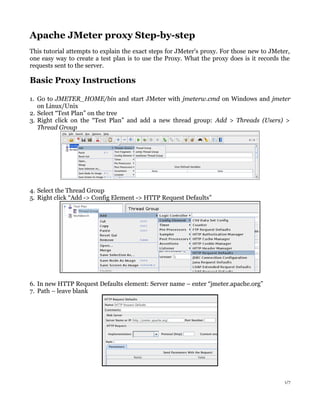
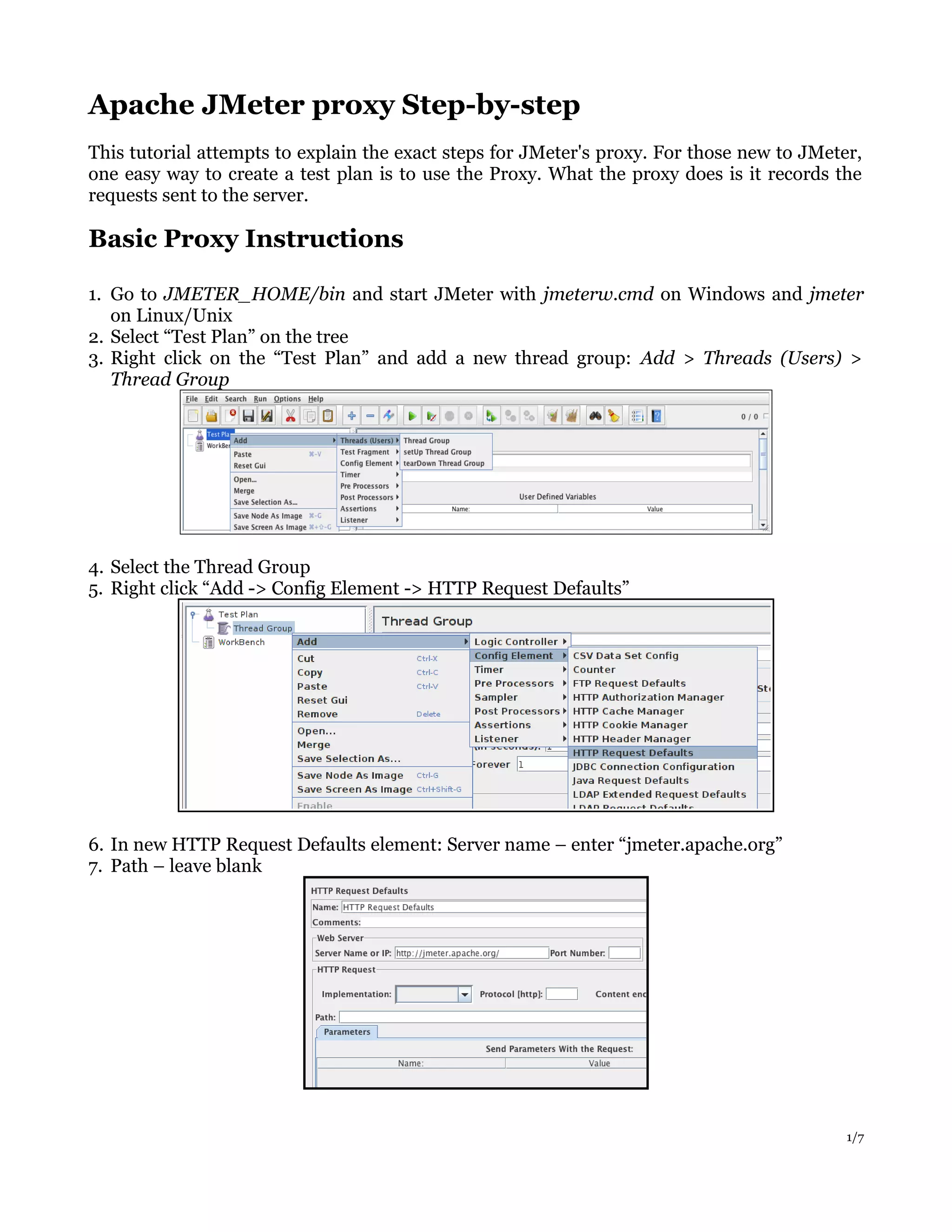
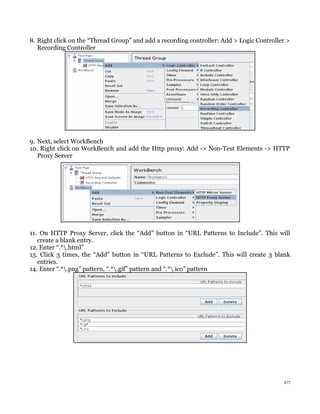
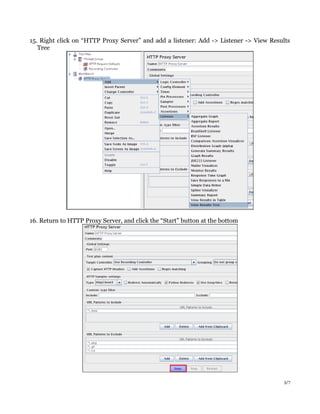
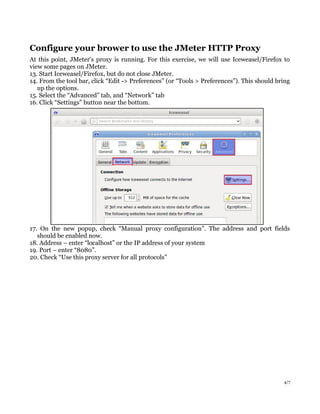
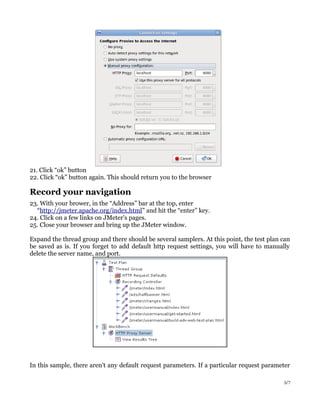
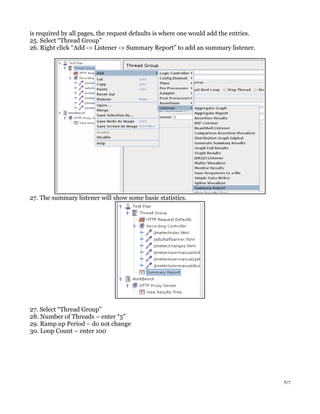
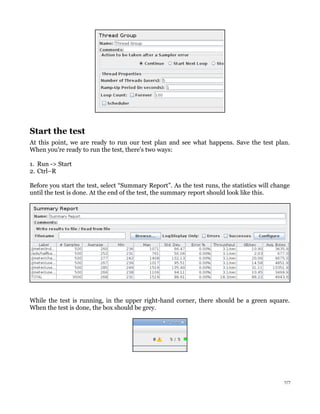
The document provides step-by-step instructions for using JMeter's proxy recorder to create a test plan by recording browser activity. It explains how to start the JMeter proxy server, configure a browser to use the proxy, record navigation on a test site, and view the results in JMeter. The test plan can then be modified, such as setting thread properties before running the test, to load test the site and view statistics in the summary report.