TEACHING CASE
WHAT IS IT? HOW DO YOU WRITE IT? WHY SHOULD YOU USE IT?
JULIE GOLDMAN
2014
Final Project
write a case study based on a researcher’s project

it can be the same researcher and project you used
for the midterm

craft a narrative that describes the project and highlight
the project’s needs and challenges

the teaching case show teach users about an aspect(s) of
research data management

present your case to the class in a 30-minute presentation
What is a Teaching Case?
case studies present problems that the user must attempt
to solve within acceptable practices

includes pre-determined questions and open
discussion

focuses on a topic or area that is a “teachable moment” or
useful for educating others

highlights specific data management practices or needs of
a specific discipline or type of research

prepares the user for similar situations in the future
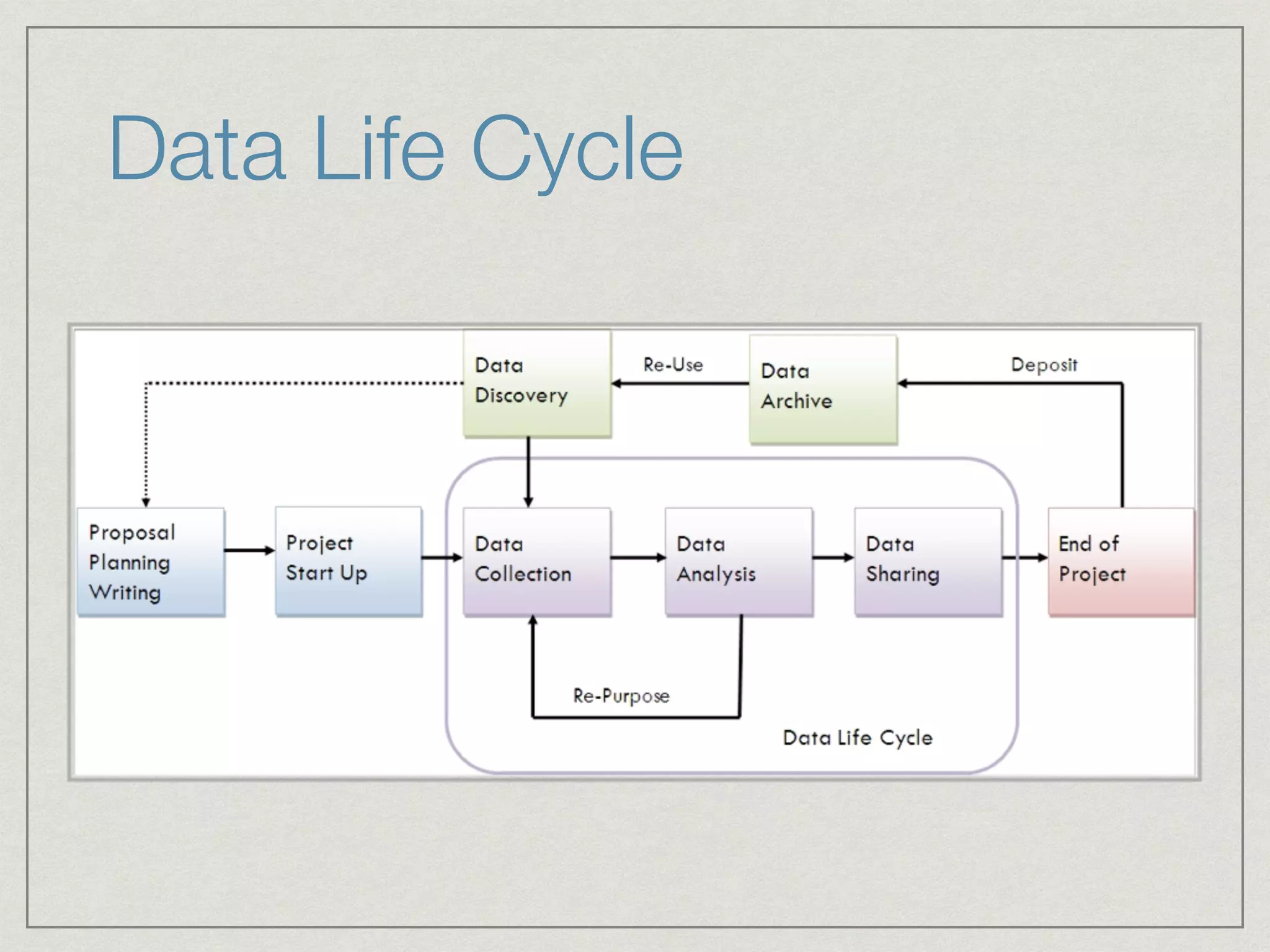
Data Life Cycle
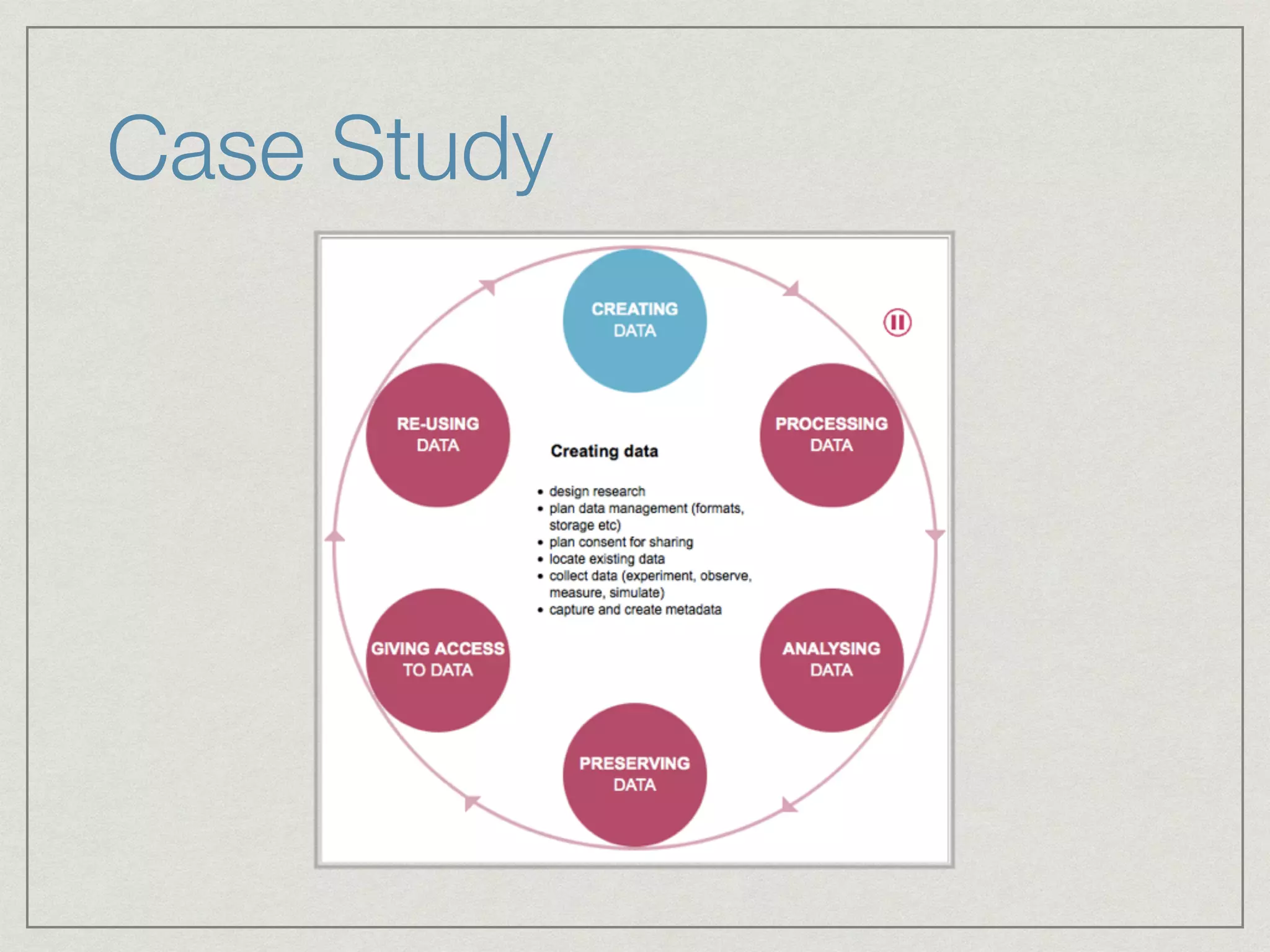
Case Study
Case Method
“The case method packs more
experience into every hour of learning
than any other instructional approach.”
Harvard Business Publishing,

	 	 	 Hints for Case Teaching
Case Narrative
Keep your audience in mind

Use short-story-writing techniques

Opening

Present situations and scenes without any attempt at
analysis

Provide relevant details 

Use as much dialogue as possible

Endings
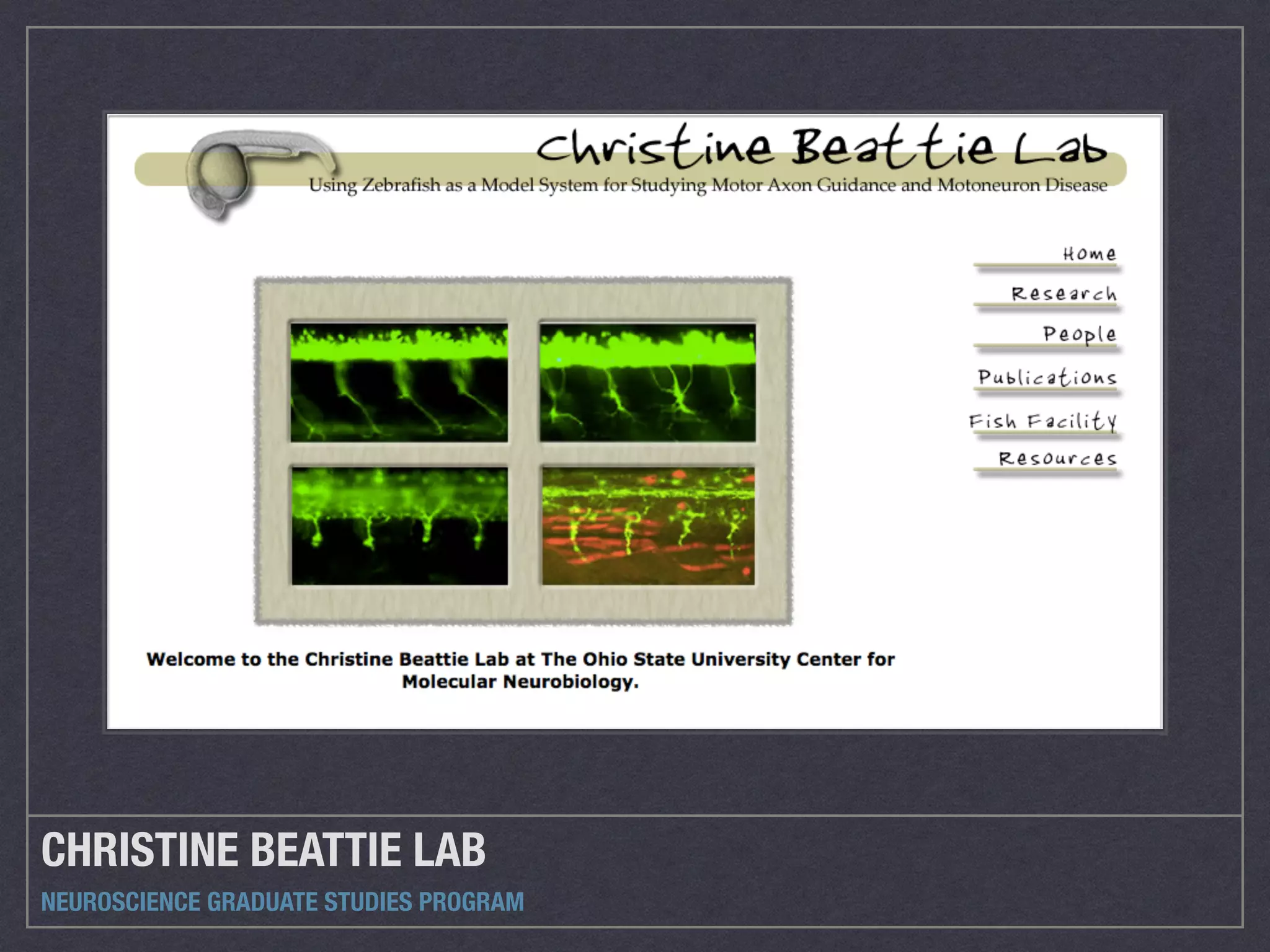
CHRISTINE BEATTIE LAB
NEUROSCIENCE GRADUATE STUDIES PROGRAM
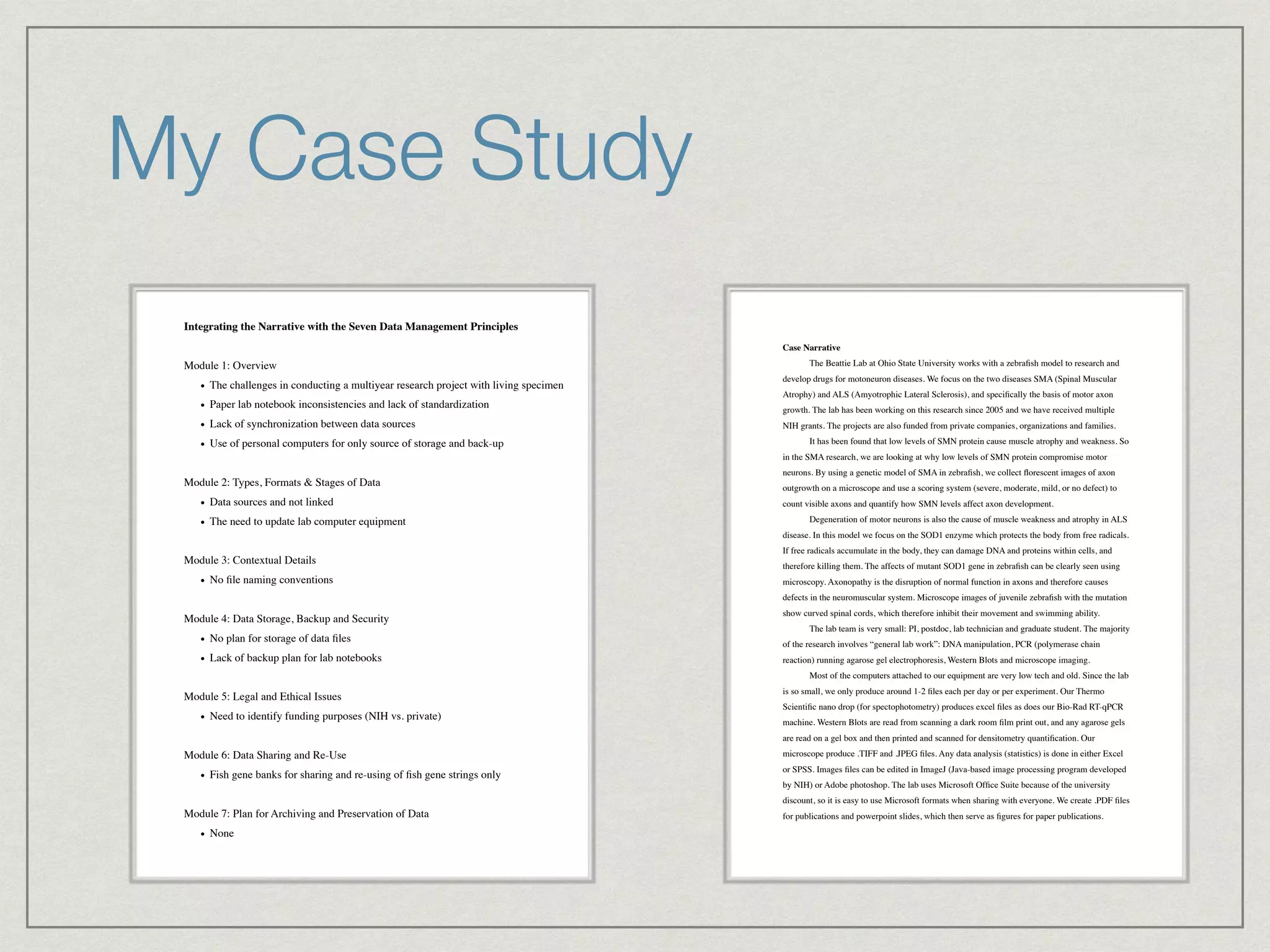
My Case Study
Integrating the Narrative with the Seven Data Management Principles!
!
Module 1: Overview!
• The challenges in conducting a multiyear research project with living specimen!
• Paper lab notebook inconsistencies and lack of standardization!
• Lack of synchronization between data sources!
• Use of personal computers for only source of storage and back-up!
!
Module 2: Types, Formats & Stages of Data!
• Data sources and not linked!
• The need to update lab computer equipment!
!
Module 3: Contextual Details!
• No file naming conventions!
!
Module 4: Data Storage, Backup and Security!
• No plan for storage of data files!
• Lack of backup plan for lab notebooks!
!
Module 5: Legal and Ethical Issues!
• Need to identify funding purposes (NIH vs. private)!
!
Module 6: Data Sharing and Re-Use!
• Fish gene banks for sharing and re-using of fish gene strings only!
!
Module 7: Plan for Archiving and Preservation of Data!
• None!
!
Case Narrative !
! The Beattie Lab at Ohio State University works with a zebrafish model to research and
develop drugs for motoneuron diseases. We focus on the two diseases SMA (Spinal Muscular
Atrophy) and ALS (Amyotrophic Lateral Sclerosis), and specifically the basis of motor axon
growth. The lab has been working on this research since 2005 and we have received multiple
NIH grants. The projects are also funded from private companies, organizations and families. !
! It has been found that low levels of SMN protein cause muscle atrophy and weakness. So
in the SMA research, we are looking at why low levels of SMN protein compromise motor
neurons. By using a genetic model of SMA in zebrafish, we collect florescent images of axon
outgrowth on a microscope and use a scoring system (severe, moderate, mild, or no defect) to
count visible axons and quantify how SMN levels affect axon development.!
! Degeneration of motor neurons is also the cause of muscle weakness and atrophy in ALS
disease. In this model we focus on the SOD1 enzyme which protects the body from free radicals.
If free radicals accumulate in the body, they can damage DNA and proteins within cells, and
therefore killing them. The affects of mutant SOD1 gene in zebrafish can be clearly seen using
microscopy. Axonopathy is the disruption of normal function in axons and therefore causes
defects in the neuromuscular system. Microscope images of juvenile zebrafish with the mutation
show curved spinal cords, which therefore inhibit their movement and swimming ability.!
! The lab team is very small: PI, postdoc, lab technician and graduate student. The majority
of the research involves “general lab work”: DNA manipulation, PCR (polymerase chain
reaction) running agarose gel electrophoresis, Western Blots and microscope imaging.!
! Most of the computers attached to our equipment are very low tech and old. Since the lab
is so small, we only produce around 1-2 files each per day or per experiment. Our Thermo
Scientific nano drop (for spectophotometry) produces excel files as does our Bio-Rad RT-qPCR
machine. Western Blots are read from scanning a dark room film print out, and any agarose gels
are read on a gel box and then printed and scanned for densitometry quantification. Our
microscope produce .TIFF and .JPEG files. Any data analysis (statistics) is done in either Excel
or SPSS. Images files can be edited in ImageJ (Java-based image processing program developed
by NIH) or Adobe photoshop. The lab uses Microsoft Office Suite because of the university
discount, so it is easy to use Microsoft formats when sharing with everyone. We create .PDF files
for publications and powerpoint slides, which then serve as figures for paper publications.!
My Case Study
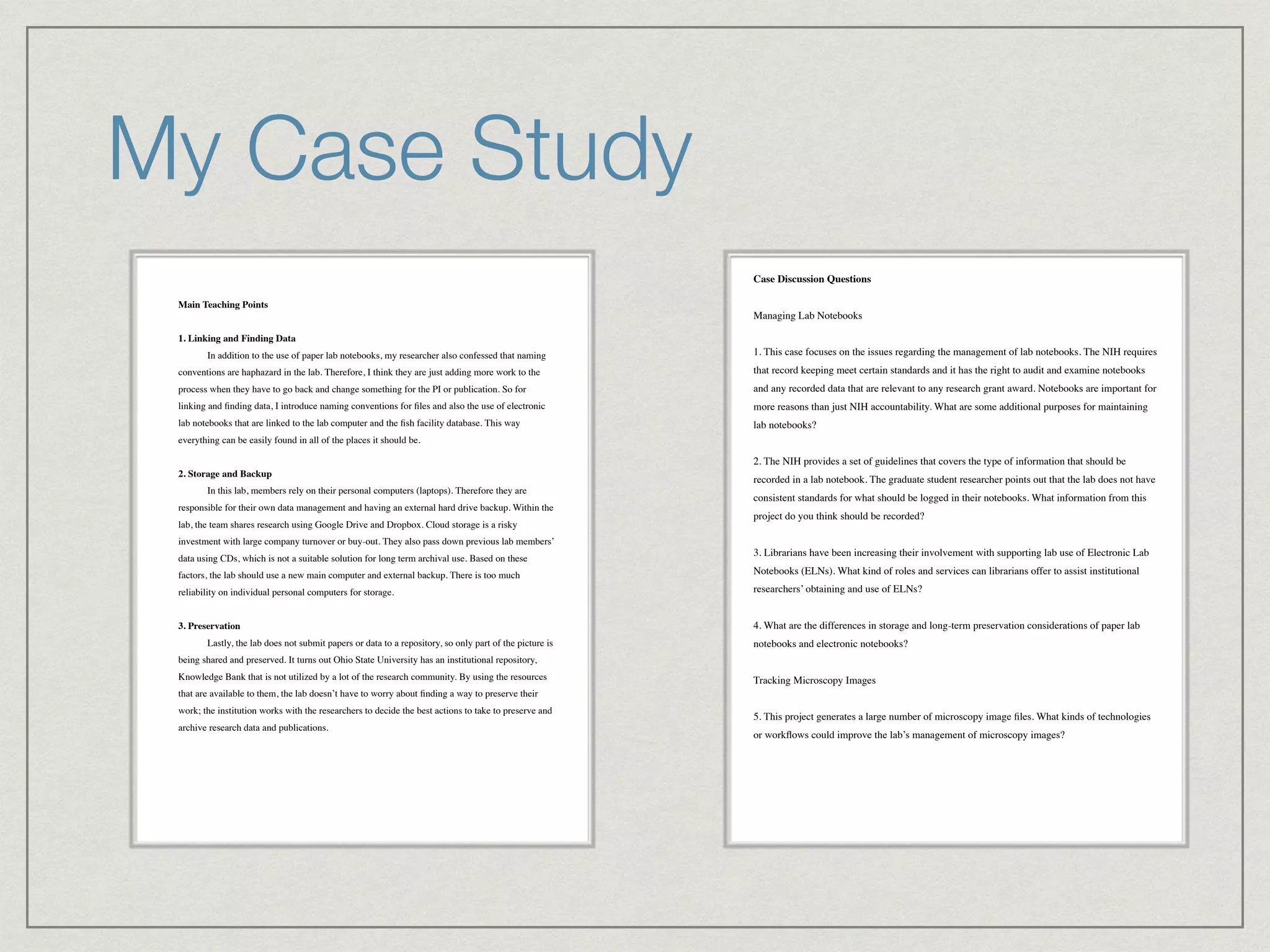
Main Teaching Points !
!
1. Linking and Finding Data!
! In addition to the use of paper lab notebooks, my researcher also confessed that naming
conventions are haphazard in the lab. Therefore, I think they are just adding more work to the
process when they have to go back and change something for the PI or publication. So for
linking and finding data, I introduce naming conventions for files and also the use of electronic
lab notebooks that are linked to the lab computer and the fish facility database. This way
everything can be easily found in all of the places it should be.!
!
2. Storage and Backup!
! In this lab, members rely on their personal computers (laptops). Therefore they are
responsible for their own data management and having an external hard drive backup. Within the
lab, the team shares research using Google Drive and Dropbox. Cloud storage is a risky
investment with large company turnover or buy-out. They also pass down previous lab members’
data using CDs, which is not a suitable solution for long term archival use. Based on these
factors, the lab should use a new main computer and external backup. There is too much
reliability on individual personal computers for storage.!
!
3. Preservation!
! Lastly, the lab does not submit papers or data to a repository, so only part of the picture is
being shared and preserved. It turns out Ohio State University has an institutional repository,
Knowledge Bank that is not utilized by a lot of the research community. By using the resources
that are available to them, the lab doesn’t have to worry about finding a way to preserve their
work; the institution works with the researchers to decide the best actions to take to preserve and
archive research data and publications.

up in the NIH grant. Publications are considered the “electronic” form of data conservation
around here.!
!
Case Discussion Questions!
!
Managing Lab Notebooks!
!
1. This case focuses on the issues regarding the management of lab notebooks. The NIH requires
that record keeping meet certain standards and it has the right to audit and examine notebooks
and any recorded data that are relevant to any research grant award. Notebooks are important for
more reasons than just NIH accountability. What are some additional purposes for maintaining
lab notebooks?!
!
2. The NIH provides a set of guidelines that covers the type of information that should be
recorded in a lab notebook. The graduate student researcher points out that the lab does not have
consistent standards for what should be logged in their notebooks. What information from this
project do you think should be recorded?!
!
3. Librarians have been increasing their involvement with supporting lab use of Electronic Lab
Notebooks (ELNs). What kind of roles and services can librarians offer to assist institutional
researchers’ obtaining and use of ELNs?!
!
4. What are the differences in storage and long-term preservation considerations of paper lab
notebooks and electronic notebooks?!
!
Tracking Microscopy Images!
!
5. This project generates a large number of microscopy image files. What kinds of technologies
or workflows could improve the lab’s management of microscopy images?!
!
!
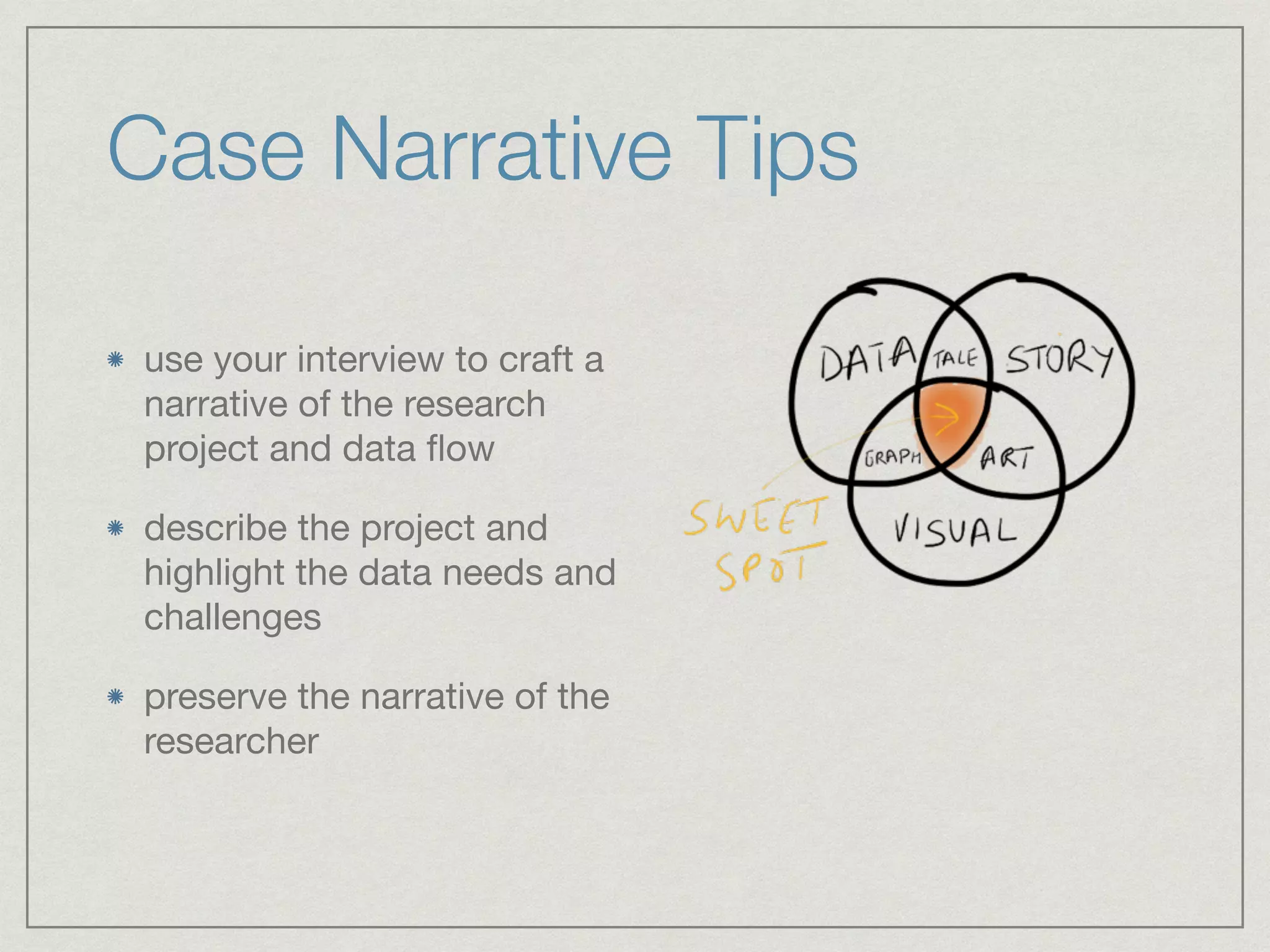
Case Narrative Tips
use your interview to craft a
narrative of the research
project and data flow

describe the project and
highlight the data needs and
challenges

preserve the narrative of the
researcher
Teaching Points Tips
use these to elaborate on the need for more
information or change in the data flow during the
research process

focus on topics or areas you feel are “teachable
moments” or useful for educating users

highlight specific RDM practices or needs
Teaching Points and Seven
Data Management Principles
concepts included in the narrative of the data
story coupled with a module of the SDMP

this gives a clear overview of the topics and areas
of focus of the case study

allows users to understand what parts of RDM
they will be learning about
Discussion Questions
integrate discussion
between users of the case
study to understand the
concepts covered in a data
management plan

help users understand
common practices for
similar research
environments
End Product: Teaching
Case
includes the case narrative
and teaching points and
discussion questions

give a clear picture of the
data life cycle and identify
the data needs and
challenges

teaching points include
“teachable moments” and
highlight specific RDM
practices
End Product: Presentation
present your case narrative,
teaching points and
discussion questions

describe the process you
went through to create an
educational teaching case

30-minutes
QUESTIONS?
REMEMBER…
	 	 THIS IS ALL ON THE WEBSITE

Teaching Case Studies

  • 1.
    TEACHING CASE WHAT ISIT? HOW DO YOU WRITE IT? WHY SHOULD YOU USE IT? JULIE GOLDMAN 2014
  • 2.
    Final Project write acase study based on a researcher’s project it can be the same researcher and project you used for the midterm craft a narrative that describes the project and highlight the project’s needs and challenges the teaching case show teach users about an aspect(s) of research data management present your case to the class in a 30-minute presentation
  • 3.
    What is aTeaching Case? case studies present problems that the user must attempt to solve within acceptable practices includes pre-determined questions and open discussion focuses on a topic or area that is a “teachable moment” or useful for educating others highlights specific data management practices or needs of a specific discipline or type of research prepares the user for similar situations in the future
  • 4.
  • 5.
  • 6.
    Case Method “The casemethod packs more experience into every hour of learning than any other instructional approach.” Harvard Business Publishing, Hints for Case Teaching
  • 7.
    Case Narrative Keep youraudience in mind Use short-story-writing techniques Opening Present situations and scenes without any attempt at analysis Provide relevant details Use as much dialogue as possible Endings
  • 8.
    CHRISTINE BEATTIE LAB NEUROSCIENCEGRADUATE STUDIES PROGRAM
  • 9.
    My Case Study Integratingthe Narrative with the Seven Data Management Principles! ! Module 1: Overview! • The challenges in conducting a multiyear research project with living specimen! • Paper lab notebook inconsistencies and lack of standardization! • Lack of synchronization between data sources! • Use of personal computers for only source of storage and back-up! ! Module 2: Types, Formats & Stages of Data! • Data sources and not linked! • The need to update lab computer equipment! ! Module 3: Contextual Details! • No file naming conventions! ! Module 4: Data Storage, Backup and Security! • No plan for storage of data files! • Lack of backup plan for lab notebooks! ! Module 5: Legal and Ethical Issues! • Need to identify funding purposes (NIH vs. private)! ! Module 6: Data Sharing and Re-Use! • Fish gene banks for sharing and re-using of fish gene strings only! ! Module 7: Plan for Archiving and Preservation of Data! • None! ! Case Narrative ! ! The Beattie Lab at Ohio State University works with a zebrafish model to research and develop drugs for motoneuron diseases. We focus on the two diseases SMA (Spinal Muscular Atrophy) and ALS (Amyotrophic Lateral Sclerosis), and specifically the basis of motor axon growth. The lab has been working on this research since 2005 and we have received multiple NIH grants. The projects are also funded from private companies, organizations and families. ! ! It has been found that low levels of SMN protein cause muscle atrophy and weakness. So in the SMA research, we are looking at why low levels of SMN protein compromise motor neurons. By using a genetic model of SMA in zebrafish, we collect florescent images of axon outgrowth on a microscope and use a scoring system (severe, moderate, mild, or no defect) to count visible axons and quantify how SMN levels affect axon development.! ! Degeneration of motor neurons is also the cause of muscle weakness and atrophy in ALS disease. In this model we focus on the SOD1 enzyme which protects the body from free radicals. If free radicals accumulate in the body, they can damage DNA and proteins within cells, and therefore killing them. The affects of mutant SOD1 gene in zebrafish can be clearly seen using microscopy. Axonopathy is the disruption of normal function in axons and therefore causes defects in the neuromuscular system. Microscope images of juvenile zebrafish with the mutation show curved spinal cords, which therefore inhibit their movement and swimming ability.! ! The lab team is very small: PI, postdoc, lab technician and graduate student. The majority of the research involves “general lab work”: DNA manipulation, PCR (polymerase chain reaction) running agarose gel electrophoresis, Western Blots and microscope imaging.! ! Most of the computers attached to our equipment are very low tech and old. Since the lab is so small, we only produce around 1-2 files each per day or per experiment. Our Thermo Scientific nano drop (for spectophotometry) produces excel files as does our Bio-Rad RT-qPCR machine. Western Blots are read from scanning a dark room film print out, and any agarose gels are read on a gel box and then printed and scanned for densitometry quantification. Our microscope produce .TIFF and .JPEG files. Any data analysis (statistics) is done in either Excel or SPSS. Images files can be edited in ImageJ (Java-based image processing program developed by NIH) or Adobe photoshop. The lab uses Microsoft Office Suite because of the university discount, so it is easy to use Microsoft formats when sharing with everyone. We create .PDF files for publications and powerpoint slides, which then serve as figures for paper publications.!
  • 10.
    My Case Study MainTeaching Points ! ! 1. Linking and Finding Data! ! In addition to the use of paper lab notebooks, my researcher also confessed that naming conventions are haphazard in the lab. Therefore, I think they are just adding more work to the process when they have to go back and change something for the PI or publication. So for linking and finding data, I introduce naming conventions for files and also the use of electronic lab notebooks that are linked to the lab computer and the fish facility database. This way everything can be easily found in all of the places it should be.! ! 2. Storage and Backup! ! In this lab, members rely on their personal computers (laptops). Therefore they are responsible for their own data management and having an external hard drive backup. Within the lab, the team shares research using Google Drive and Dropbox. Cloud storage is a risky investment with large company turnover or buy-out. They also pass down previous lab members’ data using CDs, which is not a suitable solution for long term archival use. Based on these factors, the lab should use a new main computer and external backup. There is too much reliability on individual personal computers for storage.! ! 3. Preservation! ! Lastly, the lab does not submit papers or data to a repository, so only part of the picture is being shared and preserved. It turns out Ohio State University has an institutional repository, Knowledge Bank that is not utilized by a lot of the research community. By using the resources that are available to them, the lab doesn’t have to worry about finding a way to preserve their work; the institution works with the researchers to decide the best actions to take to preserve and archive research data and publications.
 up in the NIH grant. Publications are considered the “electronic” form of data conservation around here.! ! Case Discussion Questions! ! Managing Lab Notebooks! ! 1. This case focuses on the issues regarding the management of lab notebooks. The NIH requires that record keeping meet certain standards and it has the right to audit and examine notebooks and any recorded data that are relevant to any research grant award. Notebooks are important for more reasons than just NIH accountability. What are some additional purposes for maintaining lab notebooks?! ! 2. The NIH provides a set of guidelines that covers the type of information that should be recorded in a lab notebook. The graduate student researcher points out that the lab does not have consistent standards for what should be logged in their notebooks. What information from this project do you think should be recorded?! ! 3. Librarians have been increasing their involvement with supporting lab use of Electronic Lab Notebooks (ELNs). What kind of roles and services can librarians offer to assist institutional researchers’ obtaining and use of ELNs?! ! 4. What are the differences in storage and long-term preservation considerations of paper lab notebooks and electronic notebooks?! ! Tracking Microscopy Images! ! 5. This project generates a large number of microscopy image files. What kinds of technologies or workflows could improve the lab’s management of microscopy images?! ! !
  • 11.
    Case Narrative Tips useyour interview to craft a narrative of the research project and data flow describe the project and highlight the data needs and challenges preserve the narrative of the researcher
  • 12.
    Teaching Points Tips usethese to elaborate on the need for more information or change in the data flow during the research process focus on topics or areas you feel are “teachable moments” or useful for educating users highlight specific RDM practices or needs
  • 13.
    Teaching Points andSeven Data Management Principles concepts included in the narrative of the data story coupled with a module of the SDMP this gives a clear overview of the topics and areas of focus of the case study allows users to understand what parts of RDM they will be learning about
  • 14.
    Discussion Questions integrate discussion betweenusers of the case study to understand the concepts covered in a data management plan help users understand common practices for similar research environments
  • 15.
    End Product: Teaching Case includesthe case narrative and teaching points and discussion questions give a clear picture of the data life cycle and identify the data needs and challenges teaching points include “teachable moments” and highlight specific RDM practices
  • 16.
    End Product: Presentation presentyour case narrative, teaching points and discussion questions describe the process you went through to create an educational teaching case 30-minutes
  • 17.
    QUESTIONS? REMEMBER… THISIS ALL ON THE WEBSITE