Flipping the Flip: 
Organizing students around a wiki 
and training colleagues to do 
likewise 
Fall Blog Festival Sept 21, 2014 
Vance Stevens 
HCT / CERT / KBZAC Al Ain UAE
My slides are always posted 
at Slideshare.net 
http://slideshare.net/vances 
I’ve noticed that in the first few slides on sets posted at 
Slideshare.net the hyperlinks don’t work. So, there are 
some intro slides here to work around this problem. 
http://www.slideshare.net/vances/fall-blogfest2014
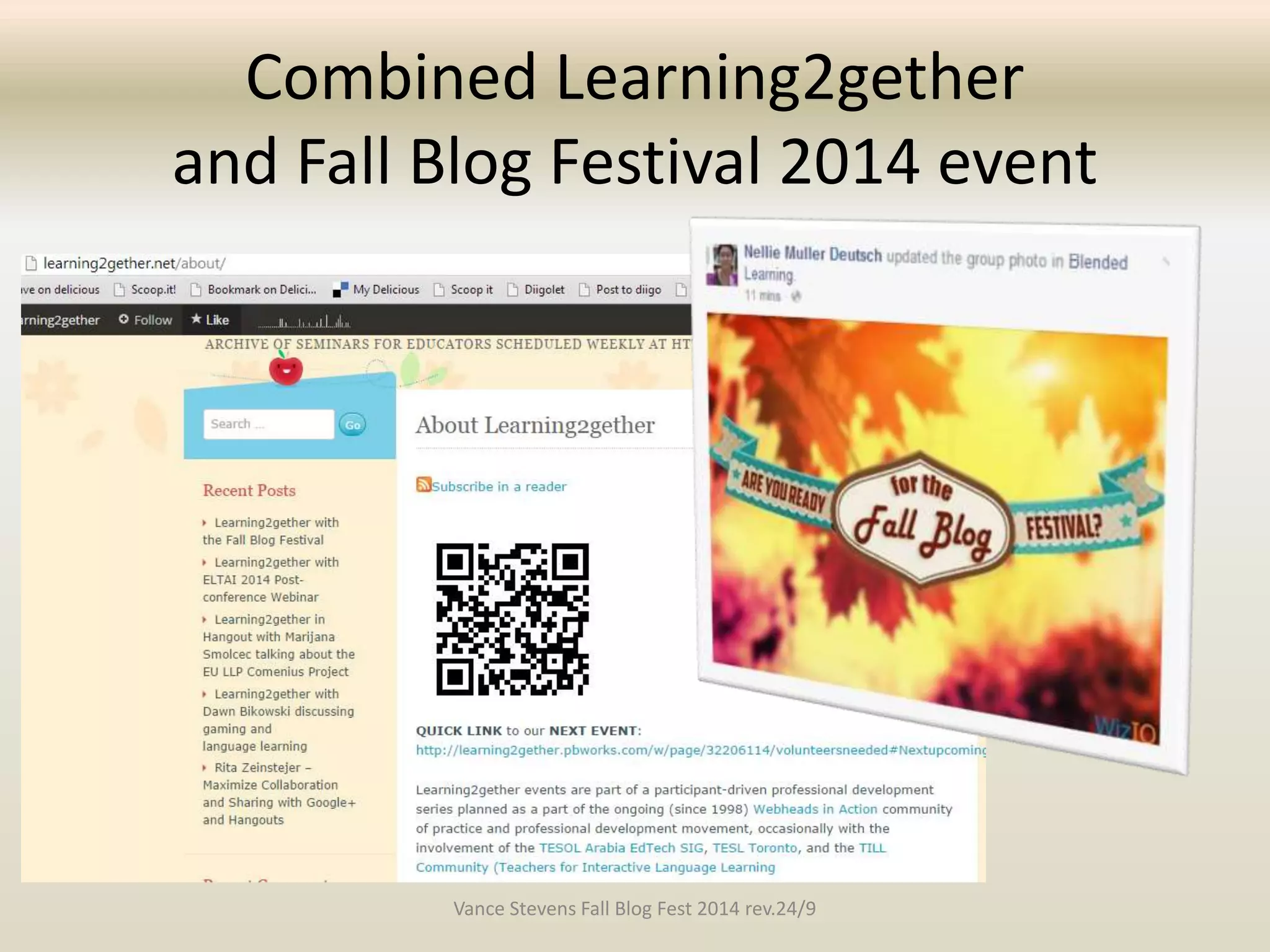
Combined Learning2gether 
and Fall Blog Festival 2014 event 
Vance Stevens Fall Blog Fest 2014 rev.24/9
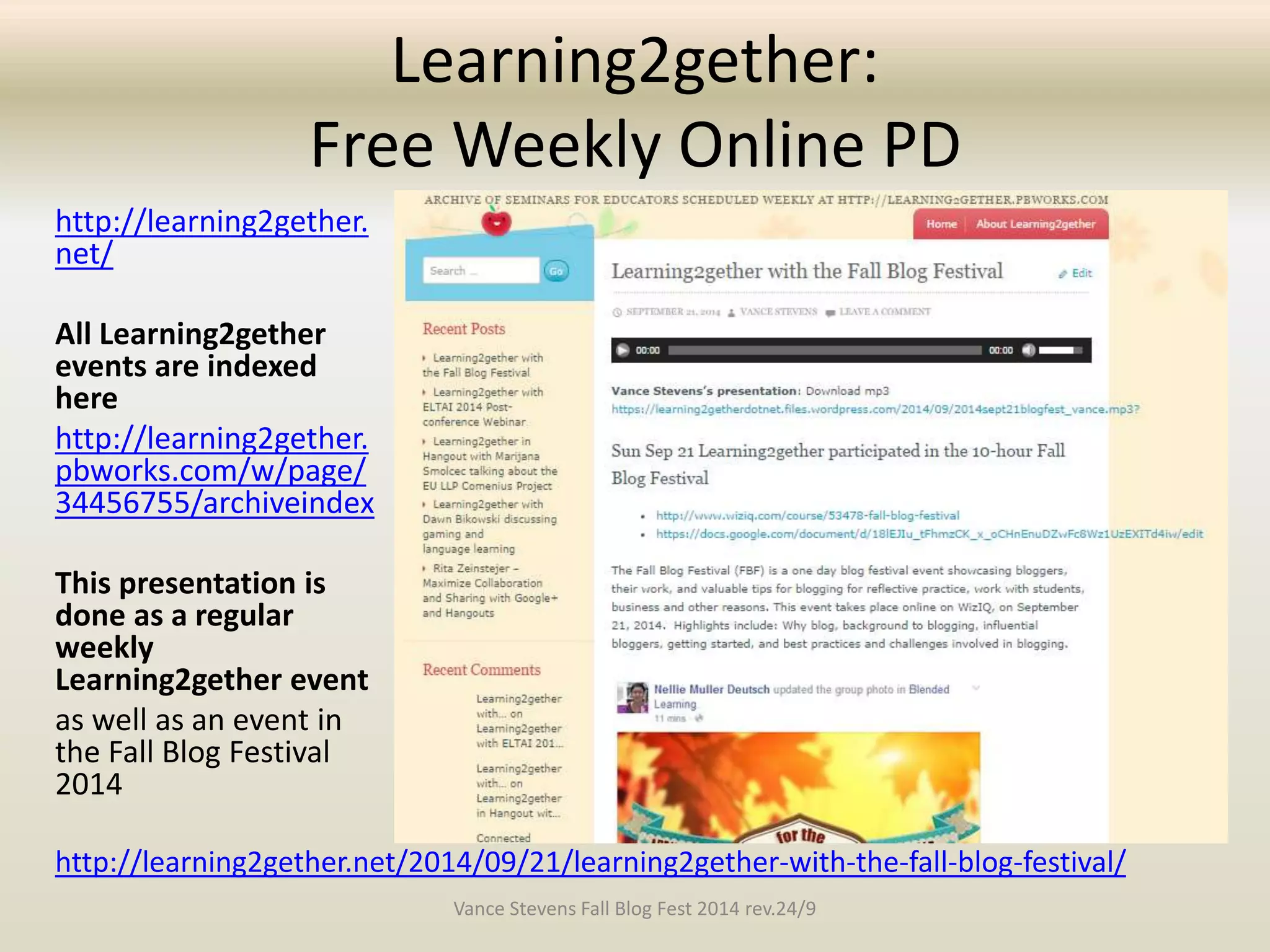
Learning2gether: 
Free Weekly Online PD 
http://learning2gether. 
net/ 
All Learning2gether 
events are indexed 
here 
http://learning2gether. 
pbworks.com/w/page/ 
34456755/archiveindex 
This presentation is 
done as a regular 
weekly 
Learning2gether event 
as well as an event in 
the Fall Blog Festival 
2014 
http://learning2gether.net/2014/09/21/learning2gether-with-the-fall-blog-festival/ 
Vance Stevens Fall Blog Fest 2014 rev.24/9
Toolkit for Shared Learning 
This is part of an ongoing PD blog initiative where I work 
http://toolkit4learning.blogspot.ae/2014/09/organizing-students-around-wikis-and.html 
Vance Stevens Fall Blog Fest 2014 rev.24/9
Flipping the flip? 
• I use a wiki with my students where I teach at 
http://kbzac.pbworks.com 
• Colleagues have started to appreciate using the 
wiki in courses we teach mutually 
• I have been asked to help train teachers to 
create their own wikis at 
http://kbzpd.pbworks.com 
• As I teach my colleagues I model how a wiki can 
archive the learning in such as way as to train 
others who might use it later in a flipped context 
Vance Stevens Fall Blog Fest 2014 rev.24/9
Flip-as-You-Go 
This begs the question 
• Is it best to prepare the course in advance 
(so that students can theoretically use it to 
prepare beforehand?) 
• Or to create the course as you teach it? 
(You explain, demonstrate, archive what you 
did at the end of each lesson) 
• Or both? 
This presentation is an examination of the latter 
approach, a sort of Flip-as-You-Go method 
Vance Stevens Fall Blog Fest 2014 rev.24/9
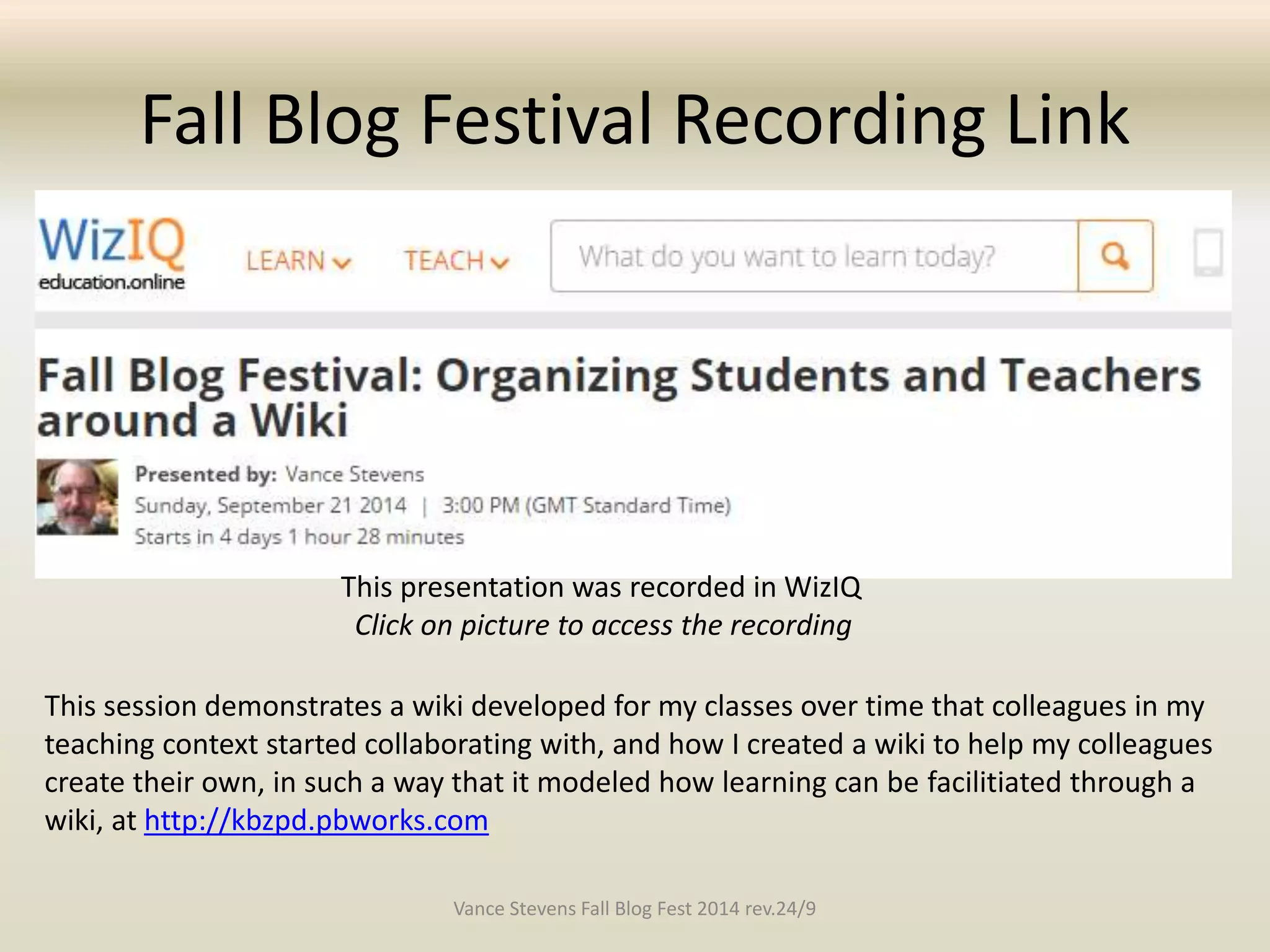
Fall Blog Festival Recording Link 
This presentation was recorded in WizIQ 
Click on picture to access the recording 
This session demonstrates a wiki developed for my classes over time that colleagues in my 
teaching context started collaborating with, and how I created a wiki to help my colleagues 
create their own, in such a way that it modeled how learning can be facilitiated through a 
wiki, at http://kbzpd.pbworks.com 
Vance Stevens Fall Blog Fest 2014 rev.24/9
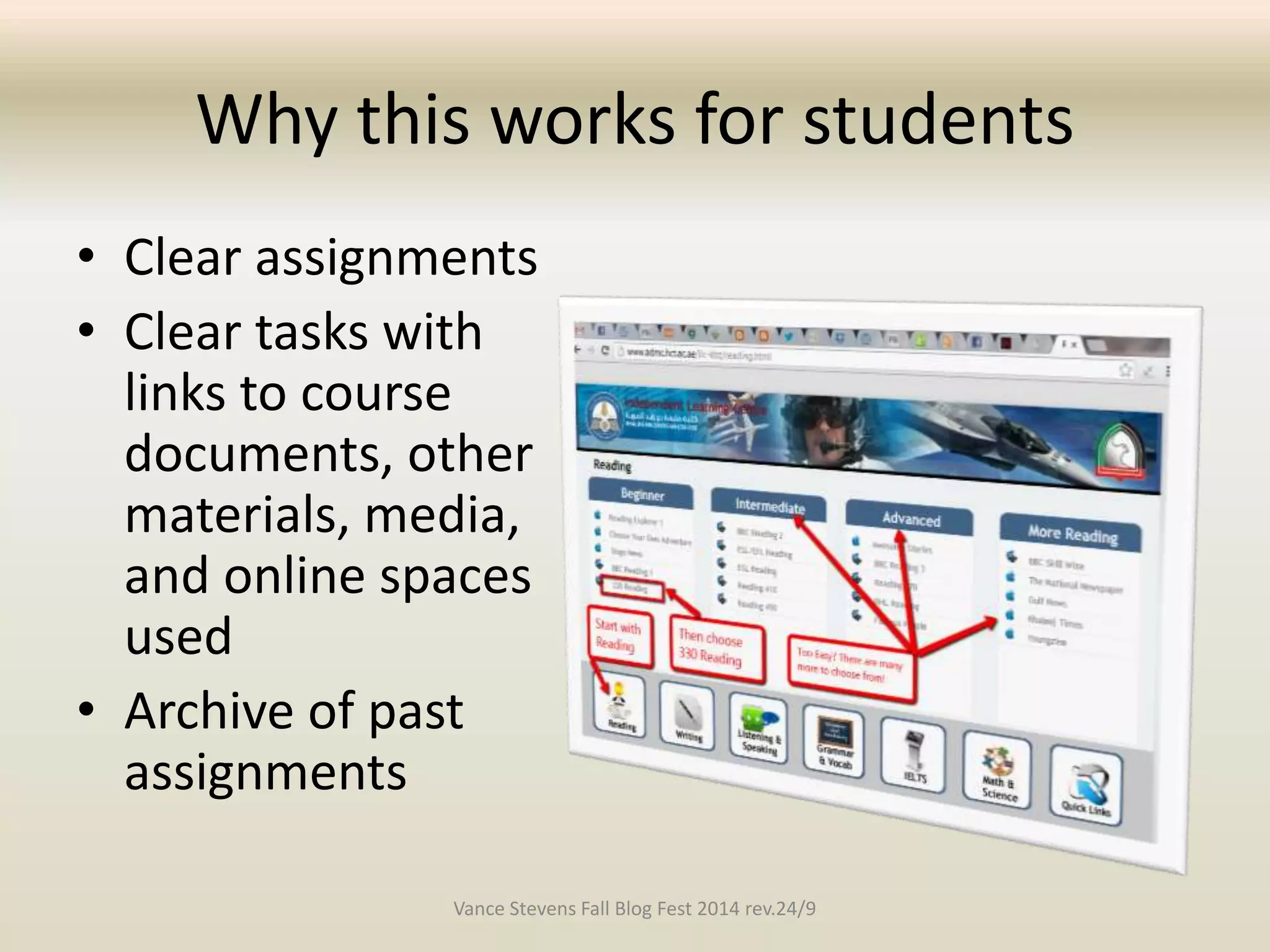
Why this works for students 
• Clear assignments 
• Clear tasks with 
links to course 
documents, other 
materials, media, 
and online spaces 
used 
• Archive of past 
assignments 
Vance Stevens Fall Blog Fest 2014 rev.24/9
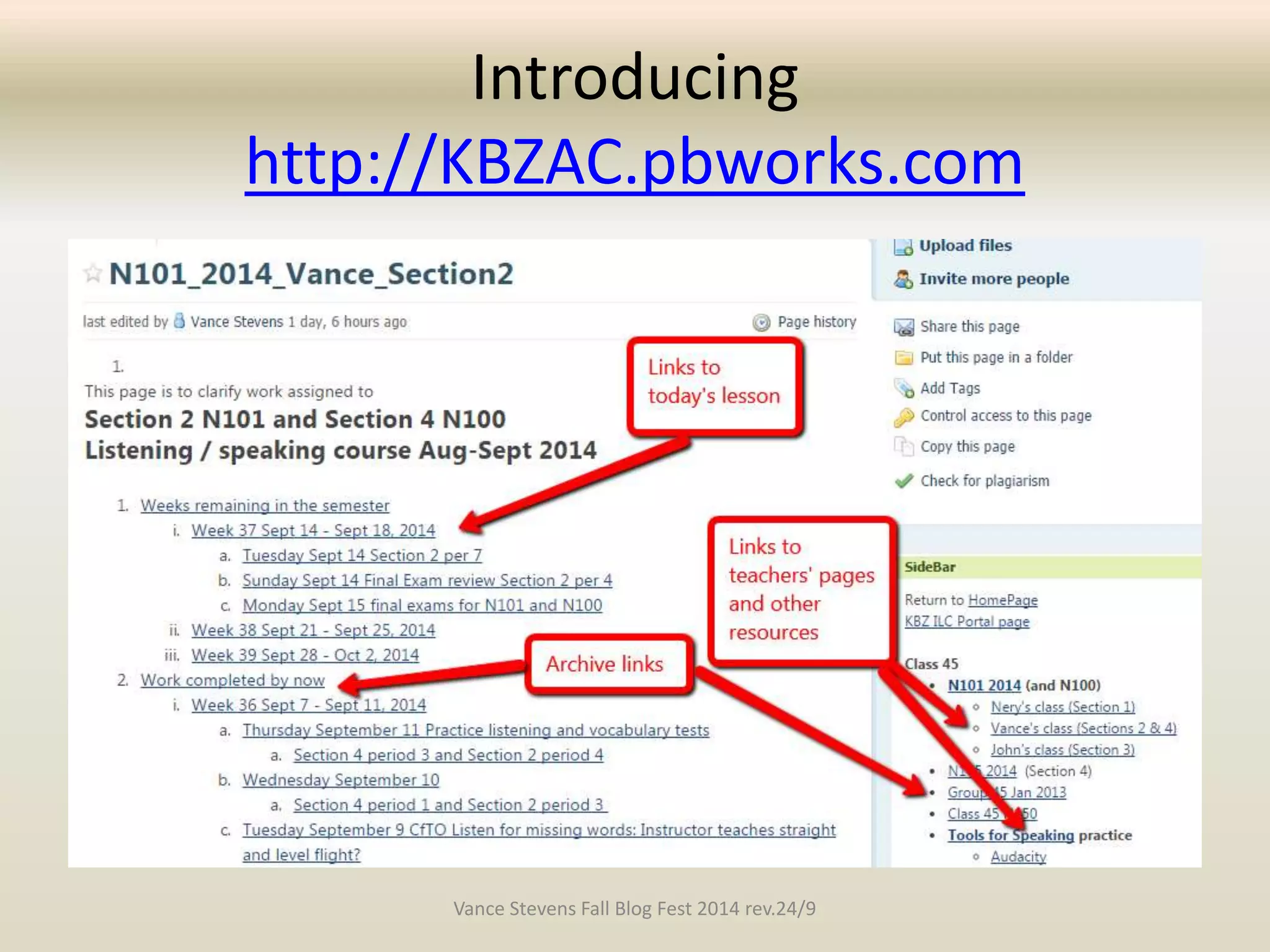
Introducing 
http://KBZAC.pbworks.com 
Vance Stevens Fall Blog Fest 2014 rev.24/9
Affordances for teachers 
• Clarity in setting up courses so others may 
follow them 
• Create record of syllabuses taught, useful 
when repeating similar courses 
• Create library of materials used; media, 
documents, etc. 
• Open and shareable 
– Can share resources by links 
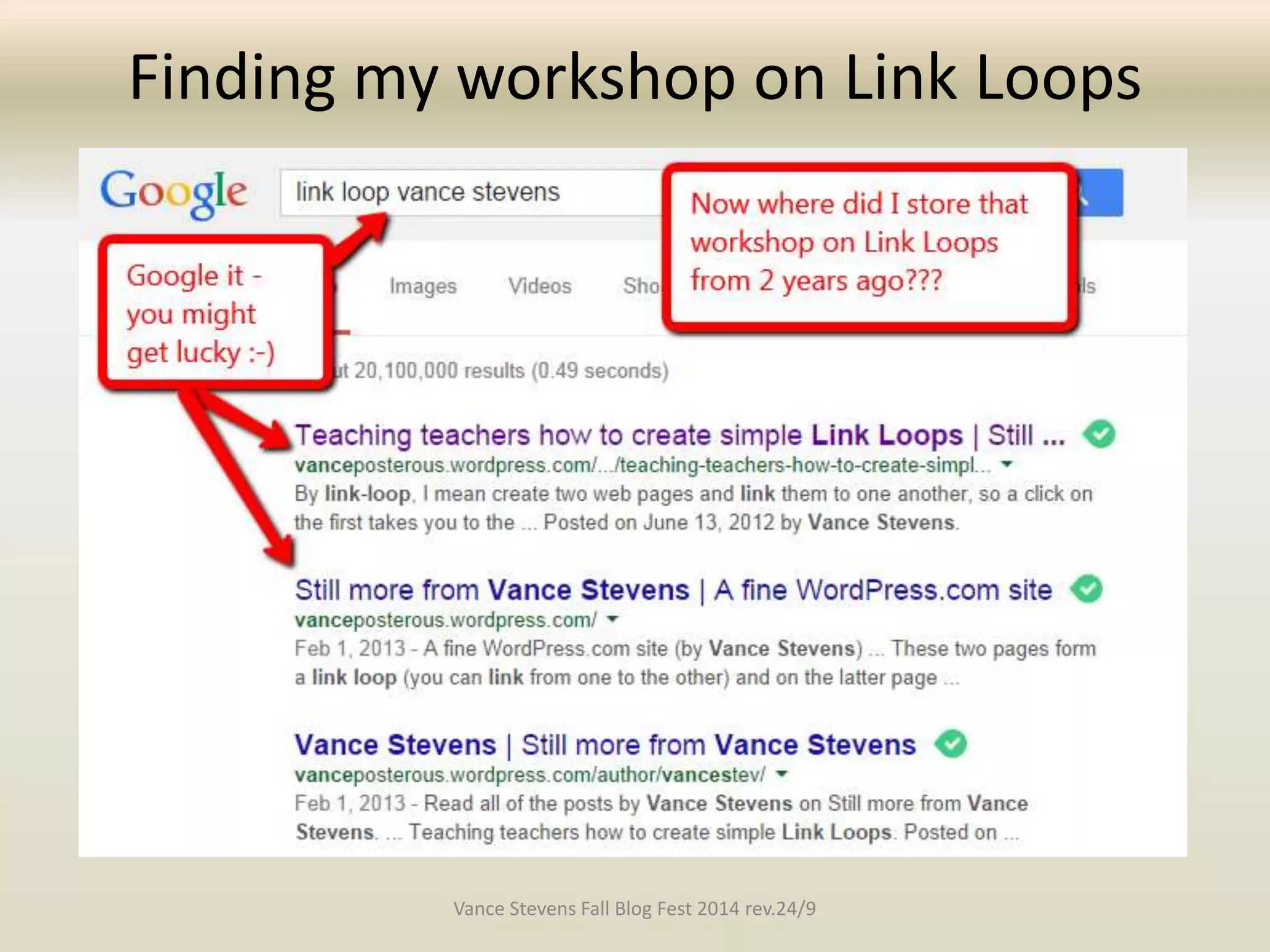
– Can GOOGLE for resources 
Vance Stevens Fall Blog Fest 2014 rev.24/9
Open and shareable 
• A colleague remembered I had set up 
instructions for students to download and 
install Audacity 
• She asked me where are they? 
• (I didn’t know offhand; it’s an organically 
developed site) 
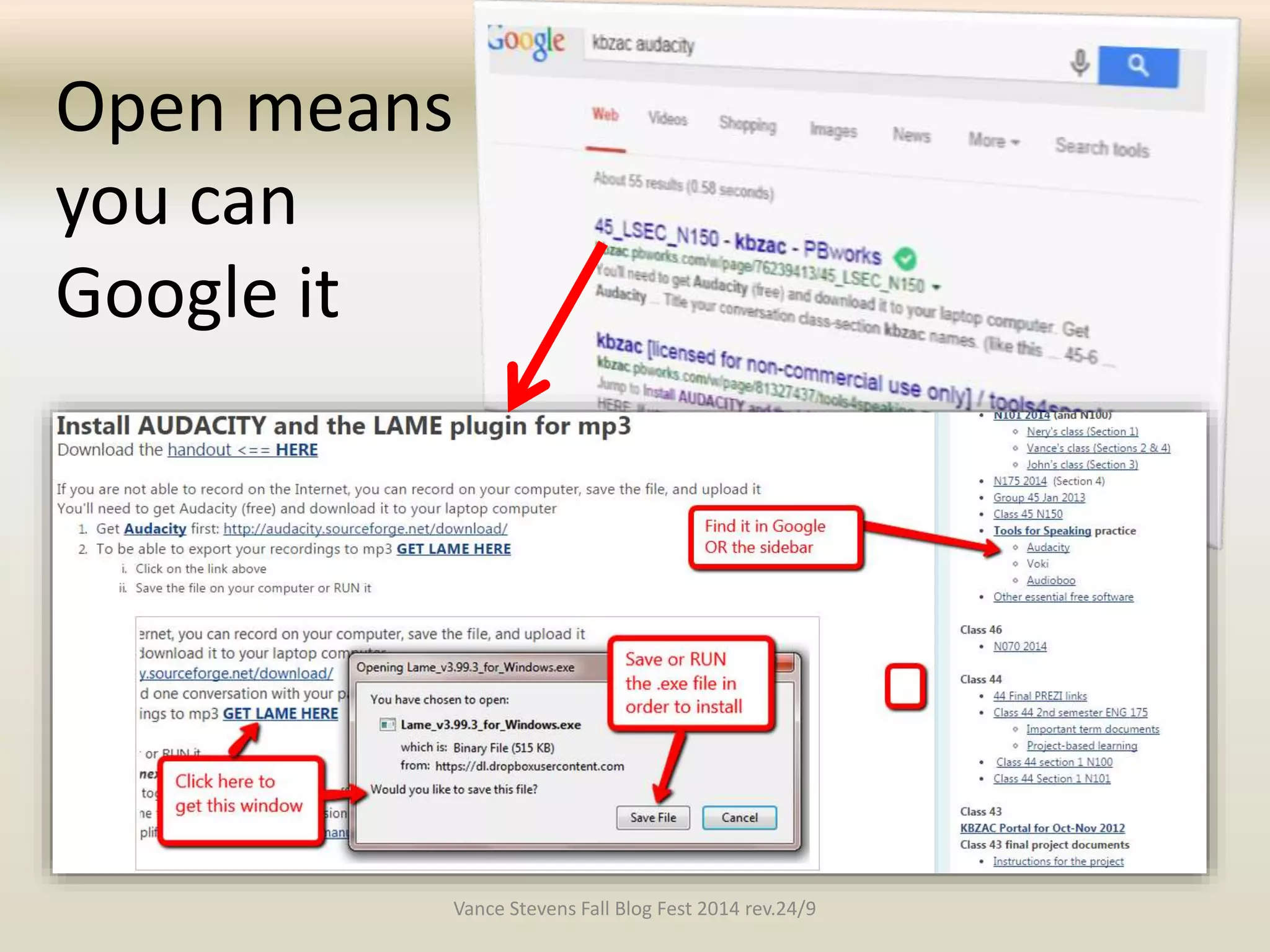
• I suggested we Google “kbzac” and “audacity” 
• We were feeling lucky  Bingo! 
Vance Stevens Fall Blog Fest 2014 rev.24/9
Open means 
you can 
Google it 
Vance Stevens Fall Blog Fest 2014 rev.24/9
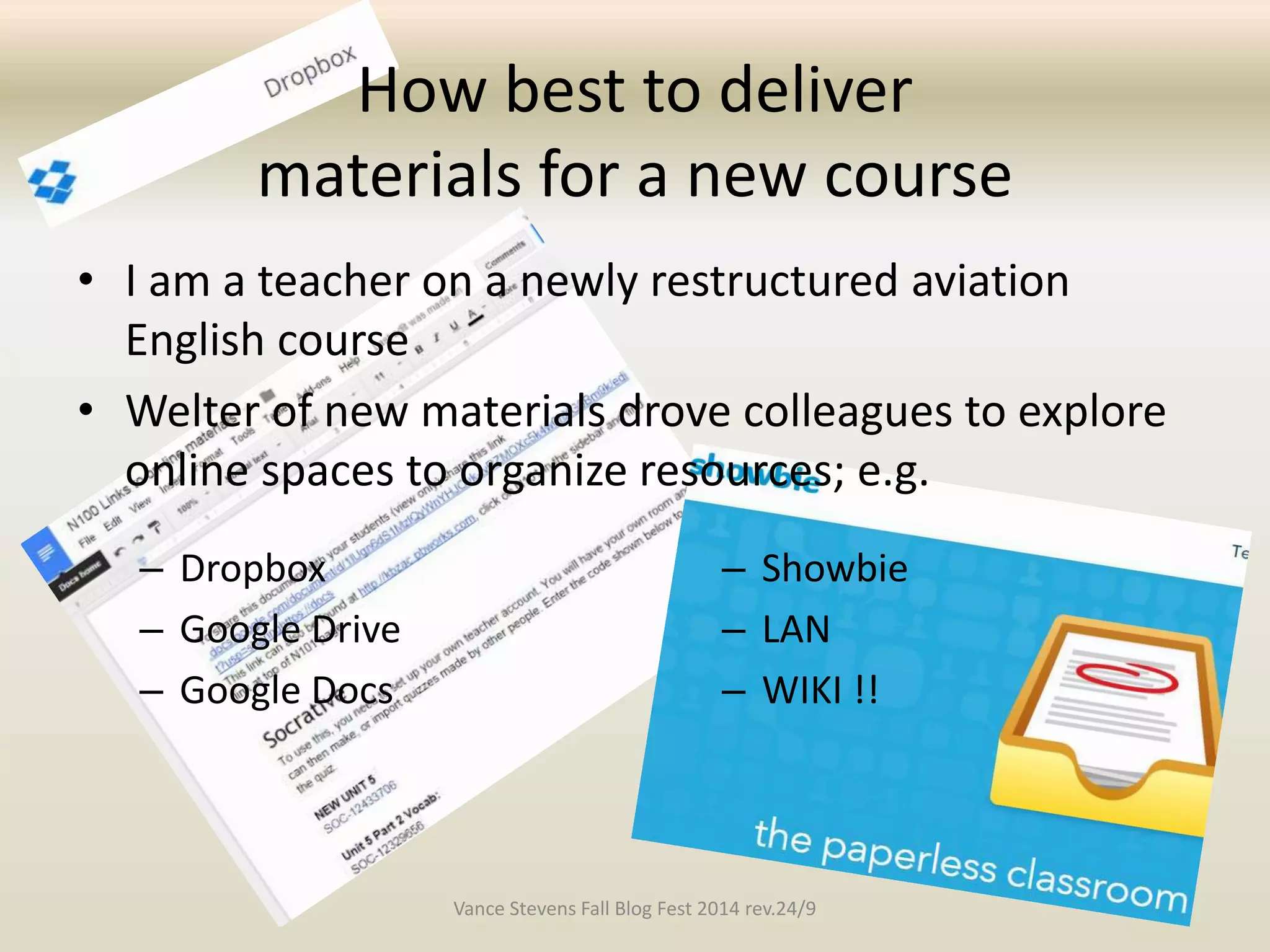
How best to deliver 
materials for a new course 
• I am a teacher on a newly restructured aviation 
English course 
• Welter of new materials drove colleagues to explore 
online spaces to organize resources; e.g. 
– Dropbox 
– Google Drive 
– Google Docs 
– Showbie 
– LAN 
– WIKI !! 
Vance Stevens Fall Blog Fest 2014 rev.24/9
Some preferred the Wiki Way 
• Small team used my wiki for collaboration on 
course development and implementation 
– We could set up common materials, notices, 
assessment strategies on one page 
– Each team member could have own page 
– Facilitated sharing because wiki members 
uploaded files to the wiki (each has a link) 
– From the wiki we could link to spaces others were 
using (though not the other way around ) 
Vance Stevens Fall Blog Fest 2014 rev.24/9
Introducing 
http://KBZPD.pbworks.com 
Other teachers wanted to use the wiki approach 
• I started teaching them by creating a wiki 
where I could archive lessons so others could 
catch up 
• The archive can then morph into a flipped 
lesson 
• This models approach to online course design 
that teachers could adopt in creating their 
own wikis organically for students 
Vance Stevens Fall Blog Fest 2014 rev.24/9
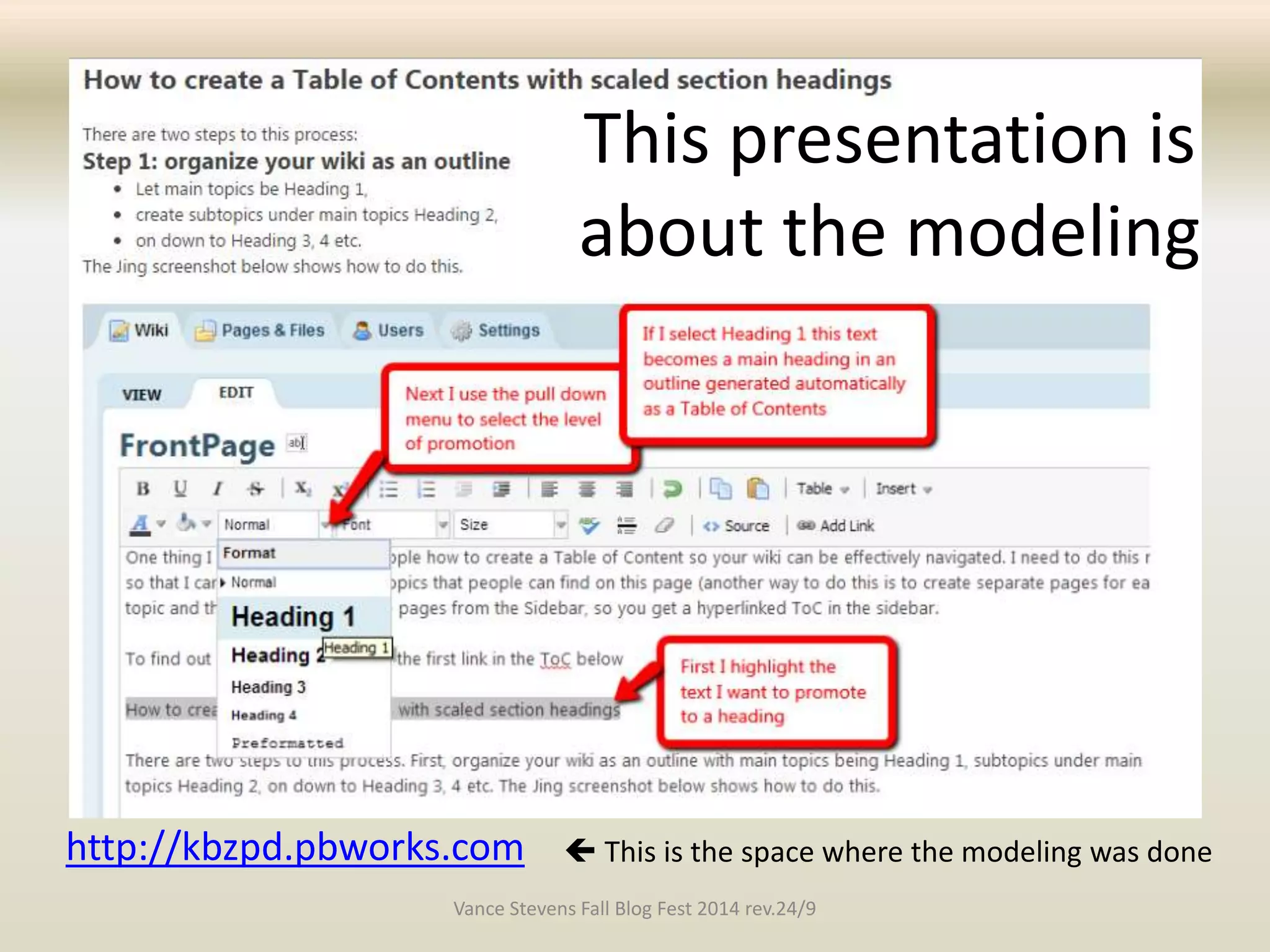
http://kbzpd.pbworks.com 
This presentation is 
about the modeling 
 This is the space where the modeling was done 
Vance Stevens Fall Blog Fest 2014 rev.24/9
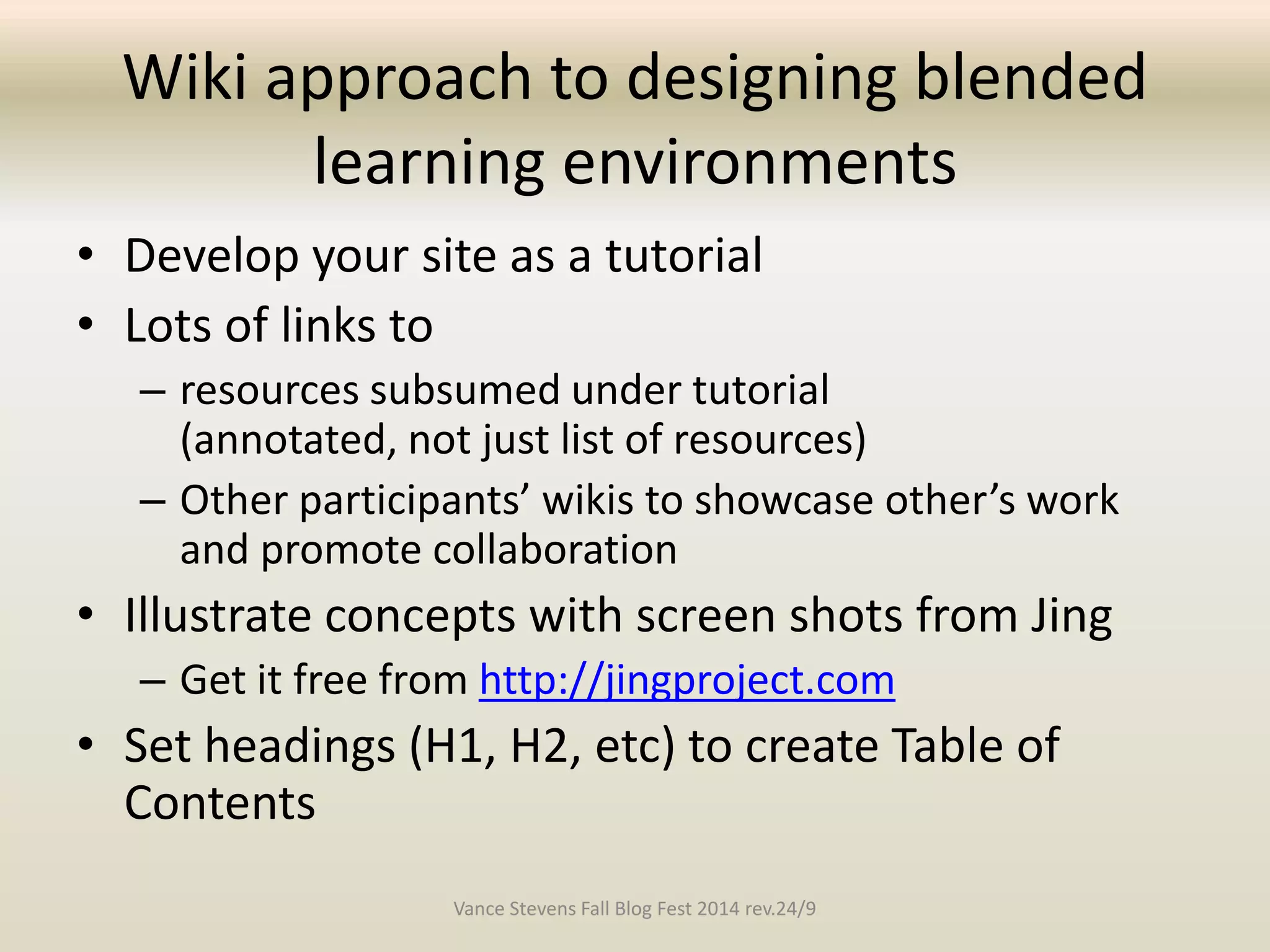
Wiki approach to designing blended 
learning environments 
• Develop your site as a tutorial 
• Lots of links to 
– resources subsumed under tutorial 
(annotated, not just list of resources) 
– Other participants’ wikis to showcase other’s work 
and promote collaboration 
• Illustrate concepts with screen shots from Jing 
– Get it free from http://jingproject.com 
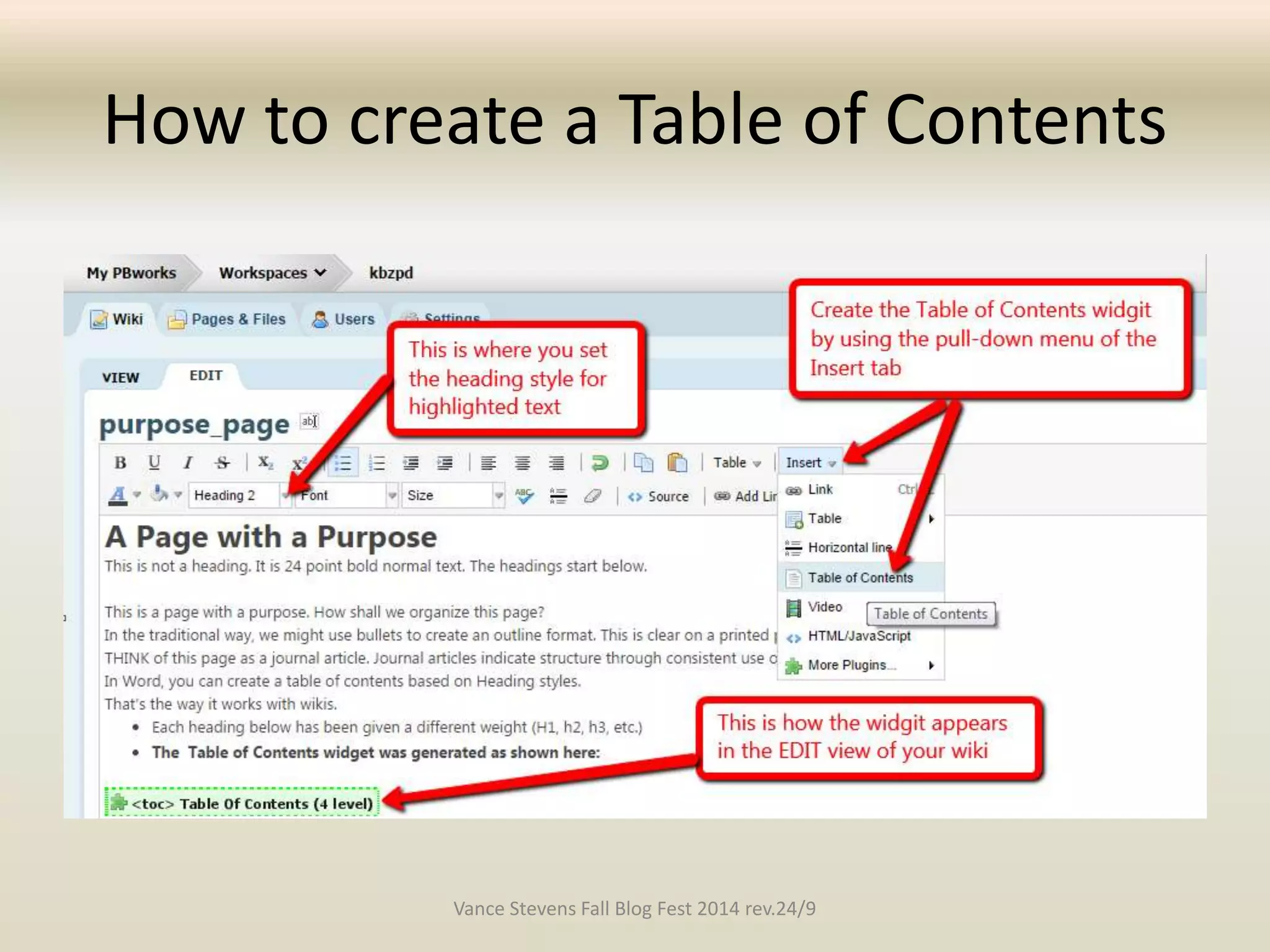
• Set headings (H1, H2, etc) to create Table of 
Contents 
Vance Stevens Fall Blog Fest 2014 rev.24/9
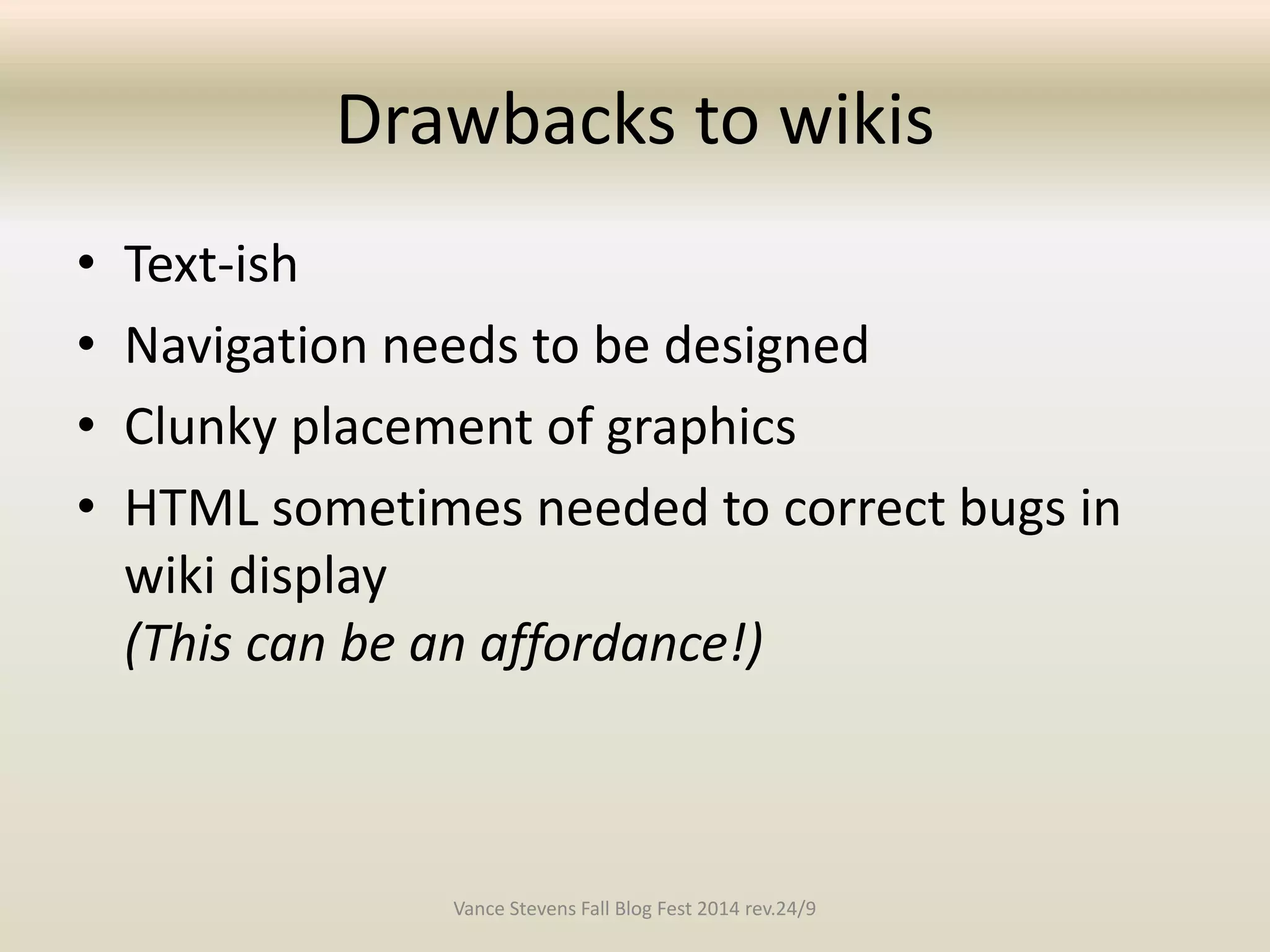
Drawbacks to wikis 
• Text-ish 
• Navigation needs to be designed 
• Clunky placement of graphics 
• HTML sometimes needed to correct bugs in 
wiki display 
(This can be an affordance!) 
Vance Stevens Fall Blog Fest 2014 rev.24/9
Affordances of wikis 
• Revision history, can revert to previous versions 
• Sidebar and Table of Contents to facilitate 
navigation 
• Education resources stored at the wiki 
– Each resource has a link 
– File sharing; others can download 
• From the wiki itself or 
• from those links 
– generous space allocation 
• HTML can be used to augment, embed, etc. 
Vance Stevens Fall Blog Fest 2014 rev.24/9
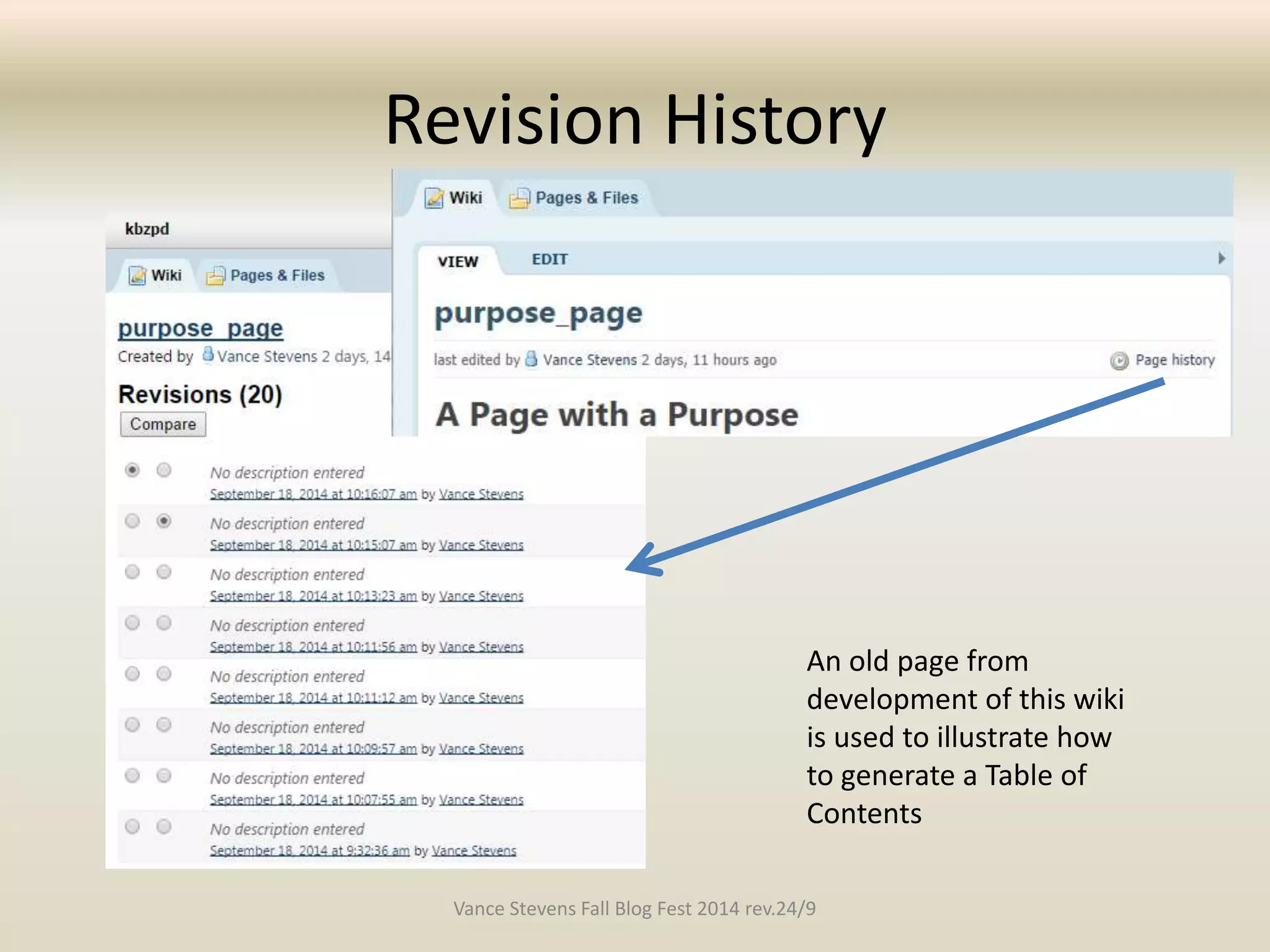
Revision History 
An old page from 
development of this wiki 
is used to illustrate how 
to generate a Table of 
Contents 
Vance Stevens Fall Blog Fest 2014 rev.24/9
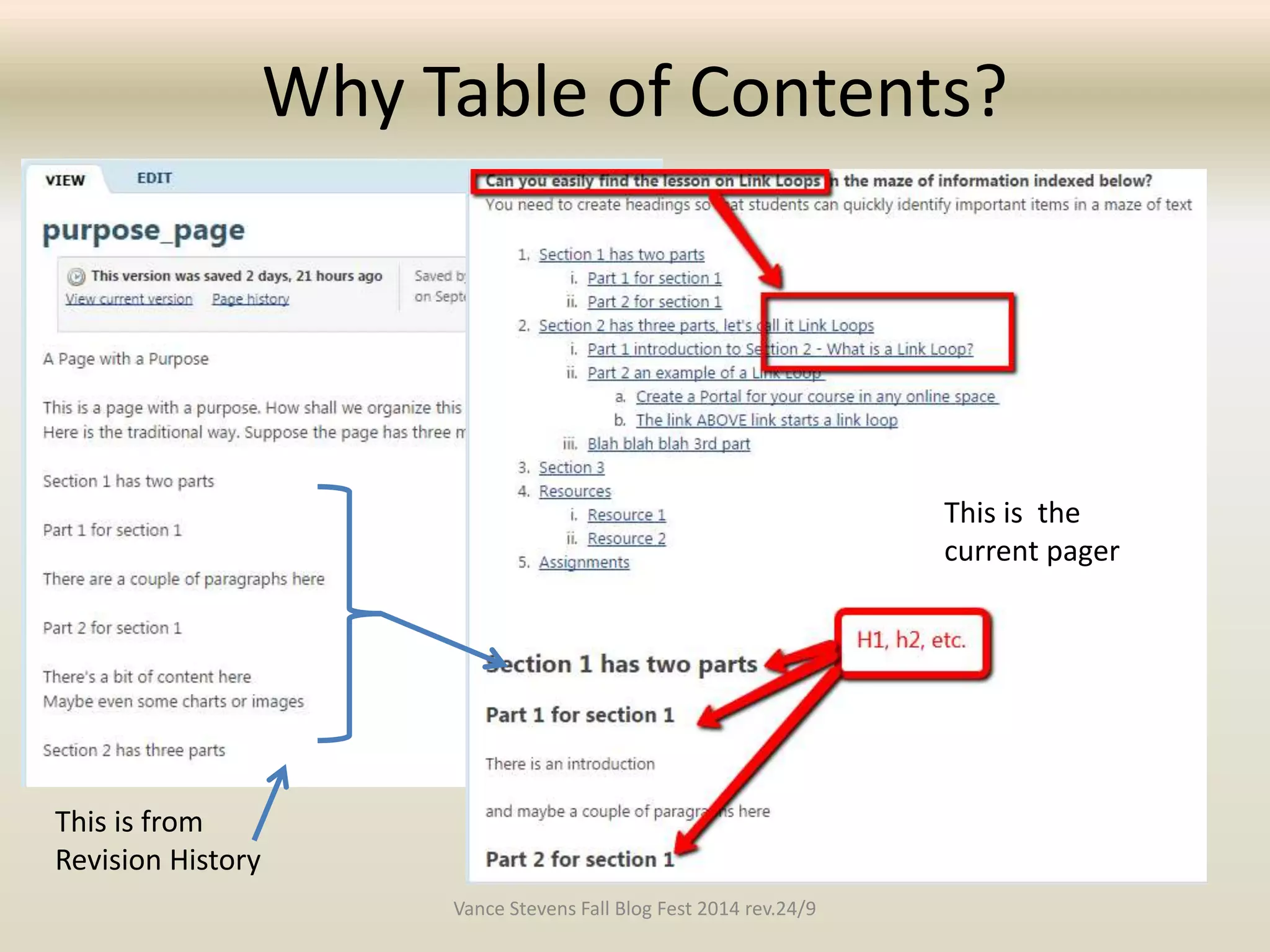
Why Table of Contents? 
This is from 
Revision History 
This is the 
current pager 
Vance Stevens Fall Blog Fest 2014 rev.24/9
How to create a Table of Contents 
Vance Stevens Fall Blog Fest 2014 rev.24/9
Finding my workshop on Link Loops 
Vance Stevens Fall Blog Fest 2014 rev.24/9
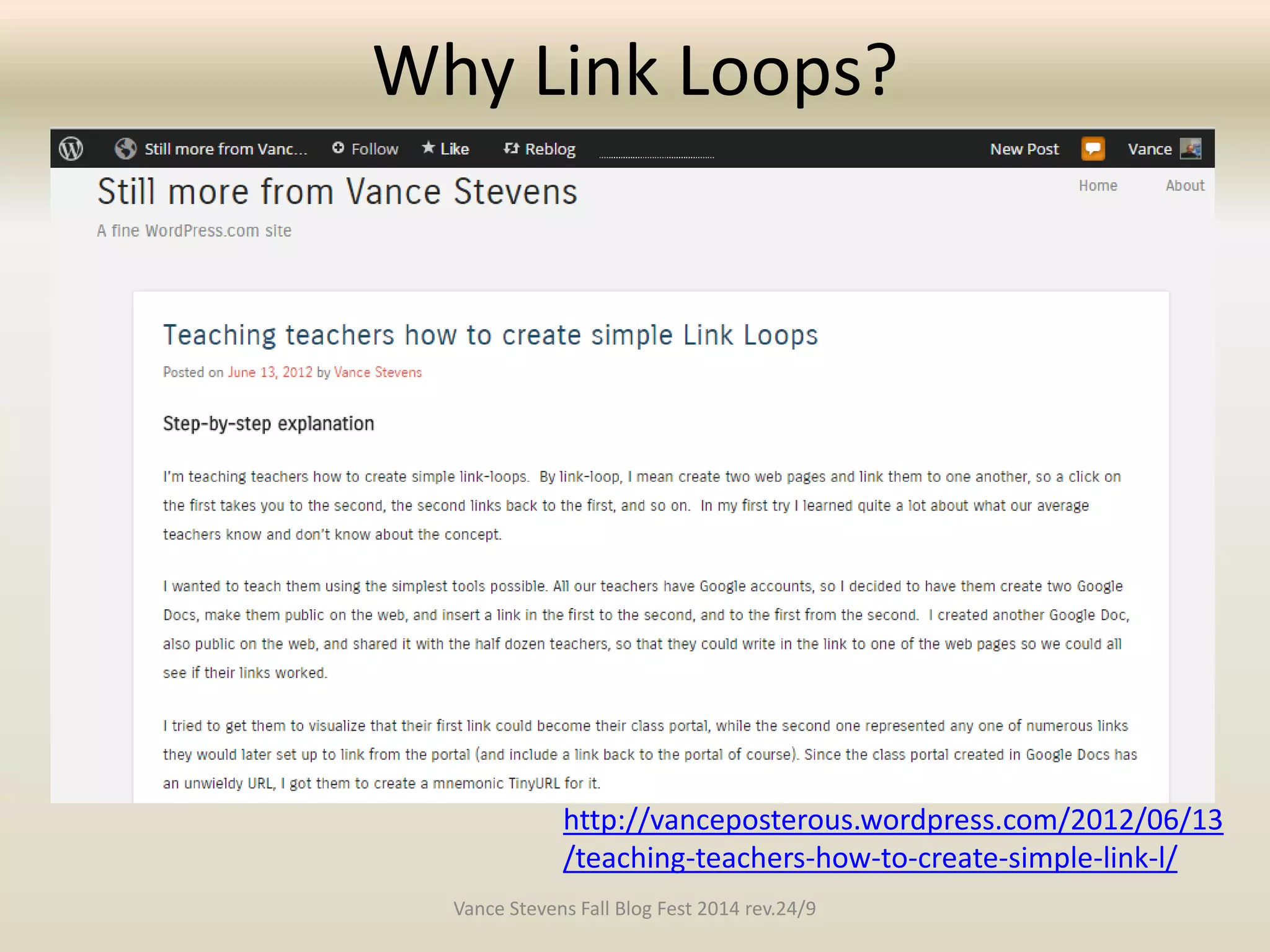
Why Link Loops? 
http://vanceposterous.wordpress.com/2012/06/13 
/teaching-teachers-how-to-create-simple-link-l/ 
Vance Stevens Fall Blog Fest 2014 rev.24/9
What are link loops? 
• Not everyone understands the concept of 
hyperlinking, so in training we may have to 
start there 
• Link to from a teacher’s portal to anything 
else, and from there link back again 
Find this explained here in KBZPD wiki 
http://kbzpd.pbworks.com/w/page/85843726/purpose_page 
#Section2hasthreepartsletscallitLinkLoops 
Vance Stevens Fall Blog Fest 2014 rev.24/9
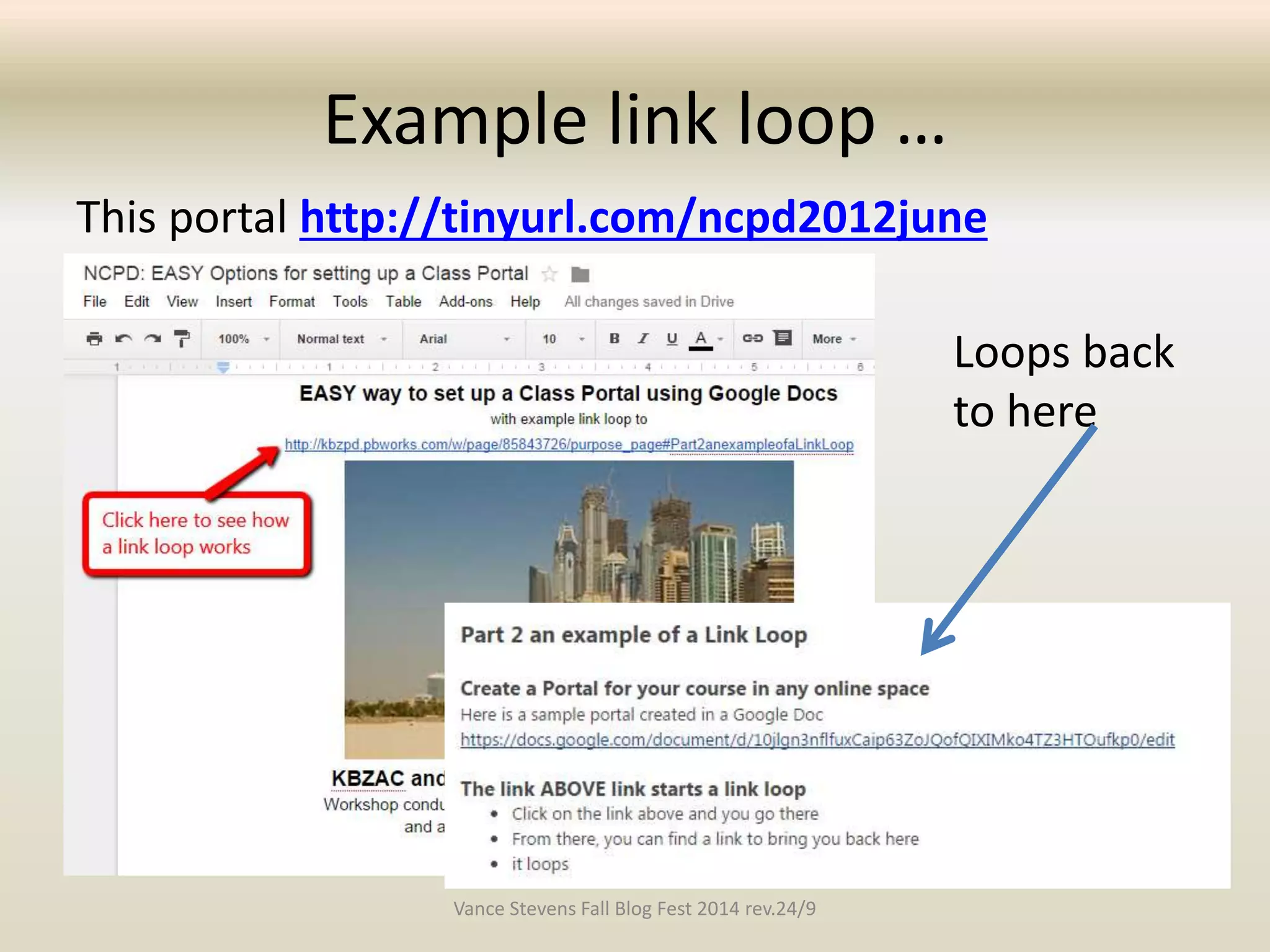
Example link loop … 
This portal http://tinyurl.com/ncpd2012june 
Loops back 
to here 
Vance Stevens Fall Blog Fest 2014 rev.24/9
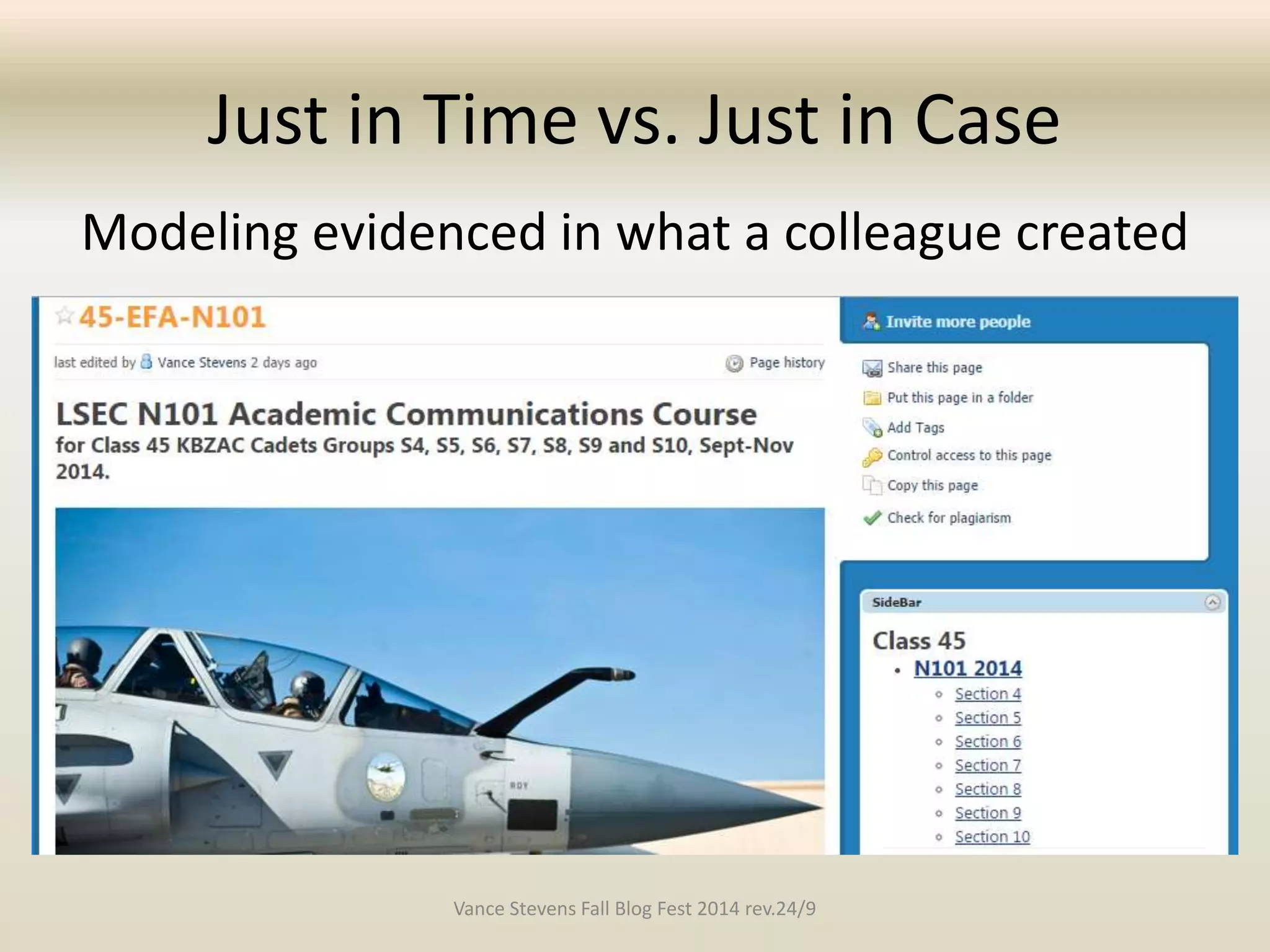
Just in Time vs. Just in Case 
Modeling evidenced in what a colleague created 
Vance Stevens Fall Blog Fest 2014 rev.24/9
Thanks for your interest in this 
presentation by Vance Stevens at 
the Fall Blog Festival, 2014 
More information about this presentation from 
vancestev@gmail.com 
• http://www.slideshare.net/vances/fall-blogfest2014 
• Learning2gether: 
http://learning2gether.net/2014/09/21/learning2gether-with- 
the-fall-blog-festival/ 
• WizIQ recording - http://www.wiziq.com/online-class/ 
2092922-fall-blog-festival-organizing-students-and-teachers- 
around-a-wiki

Flipping the flip: Organizing students around a wiki and training colleagues to do likewise

  • 1.
    Flipping the Flip: Organizing students around a wiki and training colleagues to do likewise Fall Blog Festival Sept 21, 2014 Vance Stevens HCT / CERT / KBZAC Al Ain UAE
  • 2.
    My slides arealways posted at Slideshare.net http://slideshare.net/vances I’ve noticed that in the first few slides on sets posted at Slideshare.net the hyperlinks don’t work. So, there are some intro slides here to work around this problem. http://www.slideshare.net/vances/fall-blogfest2014
  • 3.
    Combined Learning2gether andFall Blog Festival 2014 event Vance Stevens Fall Blog Fest 2014 rev.24/9
  • 4.
    Learning2gether: Free WeeklyOnline PD http://learning2gether. net/ All Learning2gether events are indexed here http://learning2gether. pbworks.com/w/page/ 34456755/archiveindex This presentation is done as a regular weekly Learning2gether event as well as an event in the Fall Blog Festival 2014 http://learning2gether.net/2014/09/21/learning2gether-with-the-fall-blog-festival/ Vance Stevens Fall Blog Fest 2014 rev.24/9
  • 5.
    Toolkit for SharedLearning This is part of an ongoing PD blog initiative where I work http://toolkit4learning.blogspot.ae/2014/09/organizing-students-around-wikis-and.html Vance Stevens Fall Blog Fest 2014 rev.24/9
  • 6.
    Flipping the flip? • I use a wiki with my students where I teach at http://kbzac.pbworks.com • Colleagues have started to appreciate using the wiki in courses we teach mutually • I have been asked to help train teachers to create their own wikis at http://kbzpd.pbworks.com • As I teach my colleagues I model how a wiki can archive the learning in such as way as to train others who might use it later in a flipped context Vance Stevens Fall Blog Fest 2014 rev.24/9
  • 7.
    Flip-as-You-Go This begsthe question • Is it best to prepare the course in advance (so that students can theoretically use it to prepare beforehand?) • Or to create the course as you teach it? (You explain, demonstrate, archive what you did at the end of each lesson) • Or both? This presentation is an examination of the latter approach, a sort of Flip-as-You-Go method Vance Stevens Fall Blog Fest 2014 rev.24/9
  • 8.
    Fall Blog FestivalRecording Link This presentation was recorded in WizIQ Click on picture to access the recording This session demonstrates a wiki developed for my classes over time that colleagues in my teaching context started collaborating with, and how I created a wiki to help my colleagues create their own, in such a way that it modeled how learning can be facilitiated through a wiki, at http://kbzpd.pbworks.com Vance Stevens Fall Blog Fest 2014 rev.24/9
  • 9.
    Why this worksfor students • Clear assignments • Clear tasks with links to course documents, other materials, media, and online spaces used • Archive of past assignments Vance Stevens Fall Blog Fest 2014 rev.24/9
  • 10.
    Introducing http://KBZAC.pbworks.com VanceStevens Fall Blog Fest 2014 rev.24/9
  • 11.
    Affordances for teachers • Clarity in setting up courses so others may follow them • Create record of syllabuses taught, useful when repeating similar courses • Create library of materials used; media, documents, etc. • Open and shareable – Can share resources by links – Can GOOGLE for resources Vance Stevens Fall Blog Fest 2014 rev.24/9
  • 12.
    Open and shareable • A colleague remembered I had set up instructions for students to download and install Audacity • She asked me where are they? • (I didn’t know offhand; it’s an organically developed site) • I suggested we Google “kbzac” and “audacity” • We were feeling lucky  Bingo! Vance Stevens Fall Blog Fest 2014 rev.24/9
  • 13.
    Open means youcan Google it Vance Stevens Fall Blog Fest 2014 rev.24/9
  • 14.
    How best todeliver materials for a new course • I am a teacher on a newly restructured aviation English course • Welter of new materials drove colleagues to explore online spaces to organize resources; e.g. – Dropbox – Google Drive – Google Docs – Showbie – LAN – WIKI !! Vance Stevens Fall Blog Fest 2014 rev.24/9
  • 15.
    Some preferred theWiki Way • Small team used my wiki for collaboration on course development and implementation – We could set up common materials, notices, assessment strategies on one page – Each team member could have own page – Facilitated sharing because wiki members uploaded files to the wiki (each has a link) – From the wiki we could link to spaces others were using (though not the other way around ) Vance Stevens Fall Blog Fest 2014 rev.24/9
  • 16.
    Introducing http://KBZPD.pbworks.com Otherteachers wanted to use the wiki approach • I started teaching them by creating a wiki where I could archive lessons so others could catch up • The archive can then morph into a flipped lesson • This models approach to online course design that teachers could adopt in creating their own wikis organically for students Vance Stevens Fall Blog Fest 2014 rev.24/9
  • 17.
    http://kbzpd.pbworks.com This presentationis about the modeling  This is the space where the modeling was done Vance Stevens Fall Blog Fest 2014 rev.24/9
  • 18.
    Wiki approach todesigning blended learning environments • Develop your site as a tutorial • Lots of links to – resources subsumed under tutorial (annotated, not just list of resources) – Other participants’ wikis to showcase other’s work and promote collaboration • Illustrate concepts with screen shots from Jing – Get it free from http://jingproject.com • Set headings (H1, H2, etc) to create Table of Contents Vance Stevens Fall Blog Fest 2014 rev.24/9
  • 19.
    Drawbacks to wikis • Text-ish • Navigation needs to be designed • Clunky placement of graphics • HTML sometimes needed to correct bugs in wiki display (This can be an affordance!) Vance Stevens Fall Blog Fest 2014 rev.24/9
  • 20.
    Affordances of wikis • Revision history, can revert to previous versions • Sidebar and Table of Contents to facilitate navigation • Education resources stored at the wiki – Each resource has a link – File sharing; others can download • From the wiki itself or • from those links – generous space allocation • HTML can be used to augment, embed, etc. Vance Stevens Fall Blog Fest 2014 rev.24/9
  • 21.
    Revision History Anold page from development of this wiki is used to illustrate how to generate a Table of Contents Vance Stevens Fall Blog Fest 2014 rev.24/9
  • 22.
    Why Table ofContents? This is from Revision History This is the current pager Vance Stevens Fall Blog Fest 2014 rev.24/9
  • 23.
    How to createa Table of Contents Vance Stevens Fall Blog Fest 2014 rev.24/9
  • 24.
    Finding my workshopon Link Loops Vance Stevens Fall Blog Fest 2014 rev.24/9
  • 25.
    Why Link Loops? http://vanceposterous.wordpress.com/2012/06/13 /teaching-teachers-how-to-create-simple-link-l/ Vance Stevens Fall Blog Fest 2014 rev.24/9
  • 26.
    What are linkloops? • Not everyone understands the concept of hyperlinking, so in training we may have to start there • Link to from a teacher’s portal to anything else, and from there link back again Find this explained here in KBZPD wiki http://kbzpd.pbworks.com/w/page/85843726/purpose_page #Section2hasthreepartsletscallitLinkLoops Vance Stevens Fall Blog Fest 2014 rev.24/9
  • 27.
    Example link loop… This portal http://tinyurl.com/ncpd2012june Loops back to here Vance Stevens Fall Blog Fest 2014 rev.24/9
  • 28.
    Just in Timevs. Just in Case Modeling evidenced in what a colleague created Vance Stevens Fall Blog Fest 2014 rev.24/9
  • 29.
    Thanks for yourinterest in this presentation by Vance Stevens at the Fall Blog Festival, 2014 More information about this presentation from vancestev@gmail.com • http://www.slideshare.net/vances/fall-blogfest2014 • Learning2gether: http://learning2gether.net/2014/09/21/learning2gether-with- the-fall-blog-festival/ • WizIQ recording - http://www.wiziq.com/online-class/ 2092922-fall-blog-festival-organizing-students-and-teachers- around-a-wiki