WHAT IN THE
WORLD WIDE WEB
IS A WIKI?
By Jessica Jundef
Professional Development for Middle School
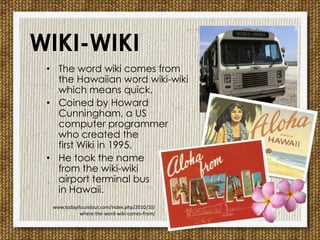
• The word wiki comes from
the Hawaiian word wiki-wiki
which means quick.
• Coined by Howard
Cunningham, a US
computer programmer
who created the
first Wiki in 1995.
• He took the name
from the wiki-wiki
airport terminal bus
in Hawaii.
WIKI-WIKI
www.todayifoundout.com/index.php/2010/10/
where-the-word-wiki-comes-from/
A wiki is a
collaborative
website where
a community of
users are
allowed to
add, delete
and modify
content.
WHAT’S A WIKI?
(Shelly, p. 314)
For more info check out this video
by Common Craft: Wikis in Plain English
WIKI+ENCYCLOPEDIA=
WIKIPEDIA
One of the
most viewed
wikis on the
internet.
WHAT CAN A TEACHER
DO WITH A WIKI?
Image from: http://teacheronline.us/flip/lecture_cap_print.html
(Shelly, p.314)
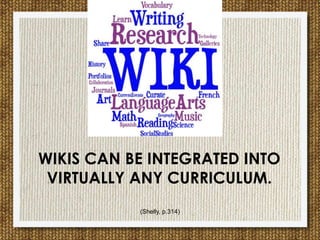
WIKIS CAN BE INTEGRATED INTO
VIRTUALLY ANY CURRICULUM.
WIKIS AS ORGANIZERS
Image from http://www.lakeshorelearning.com/
• Use a wiki to create and curate online
materials for students.
• Project details, website
links, documents, handouts, images, vide
os, and calendars can all be accessed
easily by students from any device with
internet access.
WIKIS FOR RESEARCH
• Students can compile their individual research to
create a class wiki on a specific topic.
• They can also edit and contribute to the research of
other classmates.
• Students can organize and share reliable resources by
citing their sources.
• Research wikis can be used to collect information for
any topic across the curriculum from Art to Algebra.
CCSS.ELA-Literacy.RH.6-8.1 Cite specific textual evidence to support analysis of primary and secondary sources.
CCSS.ELA-Literacy.RH.6-8.2 Determine the central ideas or information of a primary or secondary source; provide an
accurate summary of the source distinct from prior knowledge or opinions.
WIKIS FOR COMMENTING
• The comment section provides a forum for students
to learn the delicate art of commenting which is an
excellent skill to develop as the importance of
social media and the internet continue to grow.
• Commenting also provides an outlet for students to
reflect and challenge their peers by commenting
on their work and engaging in group discussion.
CCSS.ELA-Literacy.SL.6.1 Engage effectively in a range of collaborative discussions (one-on-one, in
groups, and teacher-led) with diverse partners on grade 6 topics, texts, and issues, building on
others’ ideas and expressing their own clearly.
• With the comment tool that is
featured in all wikis, students
can provide meaningful and
insightful commentary on
student work, research, and
reading materials.
WIKIS AS GALLERIES
• Use the wiki as a virtual gallery.
• Allow students to upload their original
fine or digital art to the gallery wiki.
• Use these images as inspiration for a
creative writing project.
• Invite
students, teachers, parents, community
members, Twitter followers, Skype
friends, or any art lovers around the globe
to visit the class gallery and comment.
CCSS.ELA-Literacy.W.6.6 Use technology, including the Internet, to produce and publish writing as
well as to interact and collaborate with others; demonstrate sufficient command of keyboarding
skills to type a minimum of three pages in a single sitting.
WIKIS FOR PORTFOLIOS
• Wikis are an excellent
way for students to
create an
e-portfolio.
• Each year they can
continue to update and
add writing
samples, images, present
ations, videos, etc. to
their wiki.
• This will provide an
excellent
documentation of the
students’ academic
careers.
WIKIS FOR PD
• Create a private wiki for teachers.
• Teachers can post their most successful
lesson plans by topic.
• This wiki will serve as a resource for
teachers to learn from each other and
inspire teachers to update their lesson
plans.
• Commenting would be encourage so
that teachers would have the opportunity
to ask questions and give complements.
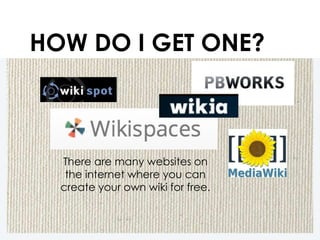
HOW DO I GET ONE?
There are many websites on
the internet where you can
create your own wiki for free.
CREATE AN ACCOUNT
ADD ACCOUNT DETAILS
CONGRATULATIONS
Welcome to your wiki.
Now let’s add some content.
EDIT YOUR HOME PAGE
Click on Pages
Click Edit
This changes the
webpage into an
editable page
much like a Word
Document
FILL YOUR PAGE
Delete
default
text Add your own content
Text, images, links, do
cuments, videos, etc.
Add content
Click on Pages
Type in content
Select all default
text and delete.
SAVE AND SHARE
Click Save
and the
document
turns back into
a webpage.
Share this URL
and invite others
to view your wiki.
SOURCES
• Hiskey, Daven. “2010 October.” Today I Found Out RSS.
N.p., n.d. Web 04 June 2013
• Shelly, Gary B., Glenda A. Gunter, and Randolph E. Gunter.
Teachers Discovering Computers: Integrating Technology in a
Connected World. Boston, MA: Course Technology Cengage
Learning, 2012. Print.
• “Teachers First – Thinking Teachers Teaching Thinkers.”
TeachersFirst: More Wiki Ideas for the Classroom. The Source for
Learning, Inc., n.d. Web. 04 June 2013
• “Wiki.” Wikipedia. Wikimedia Foundation, 06 Apr. 2013. Web. 04
June 2013
BY JESSICA JUNDEF
JJUNDEF@GMAIL.COM
For Intro to Educational Technology
Summer 2013

Wiki

  • 1.
    WHAT IN THE WORLDWIDE WEB IS A WIKI? By Jessica Jundef Professional Development for Middle School
  • 2.
    • The wordwiki comes from the Hawaiian word wiki-wiki which means quick. • Coined by Howard Cunningham, a US computer programmer who created the first Wiki in 1995. • He took the name from the wiki-wiki airport terminal bus in Hawaii. WIKI-WIKI www.todayifoundout.com/index.php/2010/10/ where-the-word-wiki-comes-from/
  • 3.
    A wiki isa collaborative website where a community of users are allowed to add, delete and modify content. WHAT’S A WIKI? (Shelly, p. 314) For more info check out this video by Common Craft: Wikis in Plain English
  • 4.
    WIKI+ENCYCLOPEDIA= WIKIPEDIA One of the mostviewed wikis on the internet.
  • 5.
    WHAT CAN ATEACHER DO WITH A WIKI? Image from: http://teacheronline.us/flip/lecture_cap_print.html
  • 6.
    (Shelly, p.314) WIKIS CANBE INTEGRATED INTO VIRTUALLY ANY CURRICULUM.
  • 7.
    WIKIS AS ORGANIZERS Imagefrom http://www.lakeshorelearning.com/ • Use a wiki to create and curate online materials for students. • Project details, website links, documents, handouts, images, vide os, and calendars can all be accessed easily by students from any device with internet access.
  • 8.
    WIKIS FOR RESEARCH •Students can compile their individual research to create a class wiki on a specific topic. • They can also edit and contribute to the research of other classmates. • Students can organize and share reliable resources by citing their sources. • Research wikis can be used to collect information for any topic across the curriculum from Art to Algebra. CCSS.ELA-Literacy.RH.6-8.1 Cite specific textual evidence to support analysis of primary and secondary sources. CCSS.ELA-Literacy.RH.6-8.2 Determine the central ideas or information of a primary or secondary source; provide an accurate summary of the source distinct from prior knowledge or opinions.
  • 9.
    WIKIS FOR COMMENTING •The comment section provides a forum for students to learn the delicate art of commenting which is an excellent skill to develop as the importance of social media and the internet continue to grow. • Commenting also provides an outlet for students to reflect and challenge their peers by commenting on their work and engaging in group discussion. CCSS.ELA-Literacy.SL.6.1 Engage effectively in a range of collaborative discussions (one-on-one, in groups, and teacher-led) with diverse partners on grade 6 topics, texts, and issues, building on others’ ideas and expressing their own clearly. • With the comment tool that is featured in all wikis, students can provide meaningful and insightful commentary on student work, research, and reading materials.
  • 10.
    WIKIS AS GALLERIES •Use the wiki as a virtual gallery. • Allow students to upload their original fine or digital art to the gallery wiki. • Use these images as inspiration for a creative writing project. • Invite students, teachers, parents, community members, Twitter followers, Skype friends, or any art lovers around the globe to visit the class gallery and comment. CCSS.ELA-Literacy.W.6.6 Use technology, including the Internet, to produce and publish writing as well as to interact and collaborate with others; demonstrate sufficient command of keyboarding skills to type a minimum of three pages in a single sitting.
  • 11.
    WIKIS FOR PORTFOLIOS •Wikis are an excellent way for students to create an e-portfolio. • Each year they can continue to update and add writing samples, images, present ations, videos, etc. to their wiki. • This will provide an excellent documentation of the students’ academic careers.
  • 12.
    WIKIS FOR PD •Create a private wiki for teachers. • Teachers can post their most successful lesson plans by topic. • This wiki will serve as a resource for teachers to learn from each other and inspire teachers to update their lesson plans. • Commenting would be encourage so that teachers would have the opportunity to ask questions and give complements.
  • 13.
    HOW DO IGET ONE? There are many websites on the internet where you can create your own wiki for free.
  • 14.
  • 15.
  • 16.
    CONGRATULATIONS Welcome to yourwiki. Now let’s add some content.
  • 17.
    EDIT YOUR HOMEPAGE Click on Pages Click Edit This changes the webpage into an editable page much like a Word Document
  • 18.
    FILL YOUR PAGE Delete default textAdd your own content Text, images, links, do cuments, videos, etc.
  • 19.
    Add content Click onPages Type in content Select all default text and delete. SAVE AND SHARE Click Save and the document turns back into a webpage. Share this URL and invite others to view your wiki.
  • 20.
    SOURCES • Hiskey, Daven.“2010 October.” Today I Found Out RSS. N.p., n.d. Web 04 June 2013 • Shelly, Gary B., Glenda A. Gunter, and Randolph E. Gunter. Teachers Discovering Computers: Integrating Technology in a Connected World. Boston, MA: Course Technology Cengage Learning, 2012. Print. • “Teachers First – Thinking Teachers Teaching Thinkers.” TeachersFirst: More Wiki Ideas for the Classroom. The Source for Learning, Inc., n.d. Web. 04 June 2013 • “Wiki.” Wikipedia. Wikimedia Foundation, 06 Apr. 2013. Web. 04 June 2013
  • 21.
    BY JESSICA JUNDEF JJUNDEF@GMAIL.COM ForIntro to Educational Technology Summer 2013