Prepared by –
Pradnya Phulore
Sarvesh Sawant
Points to be covered
•   What is i-Mouse?
•   Benefits of i-Mouse
•   Block Diagram of i-Mouse
•   Literature Survey
•   Existing System
•   Proposed System
•   Architectural design
•   System requirements
•   Conclusion
•   Future Scope
•   References
What is i-Mouse?
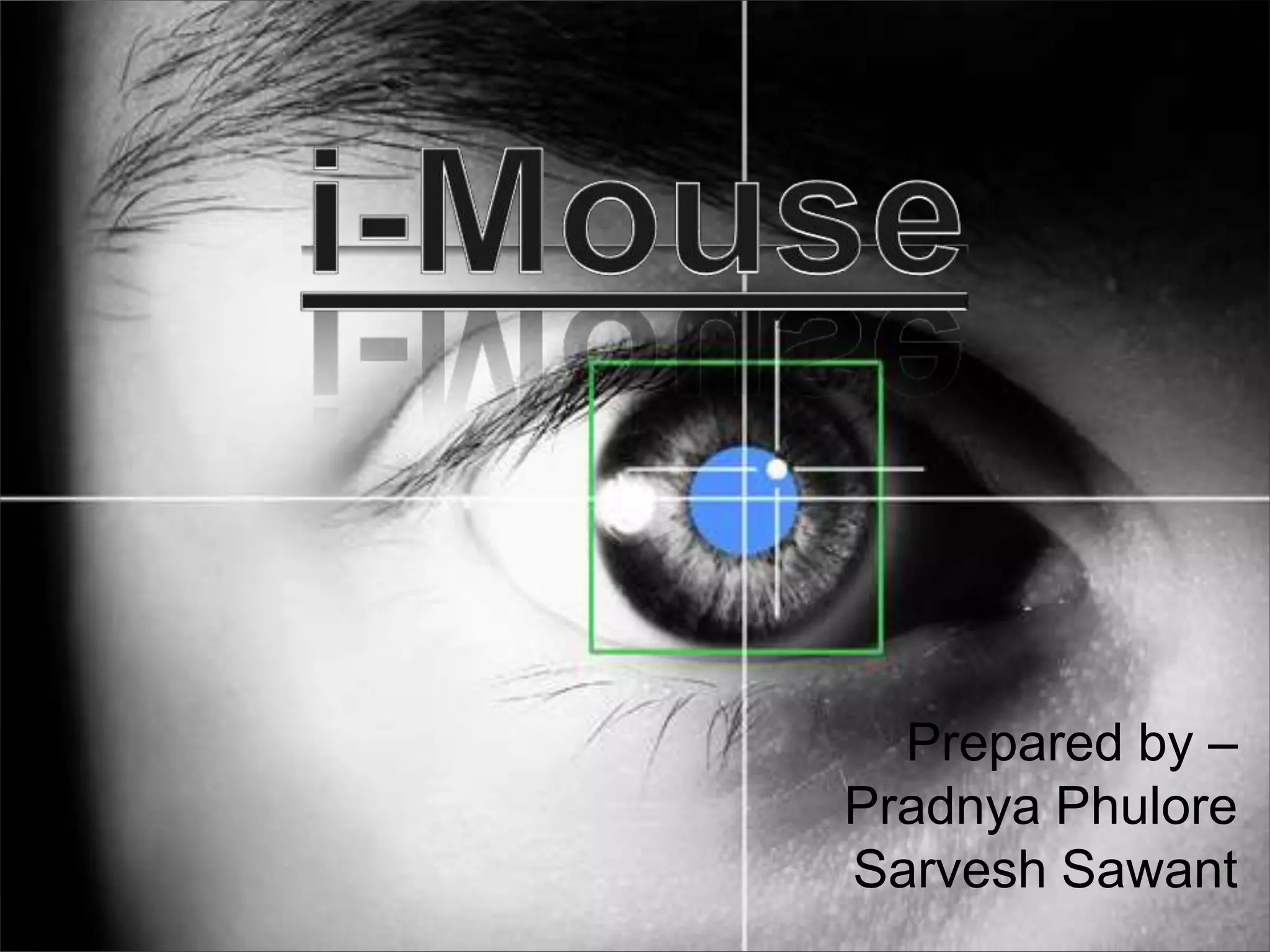
• ‘i-Mouse’ is the equivalent of the conventional
  computer mouse but it is entirely controlled by
  Eyes.
• The i-Mouse offers people with extreme
  disabilities the opportunity to control a computer
  simply by moving his or her eyes or head.
Benefits of i-Mouse
•   Low System Requirements
•   Low cost
•   High compatibility
•   User friendly
•   Application useful for handicapped people
•   Easier computer control
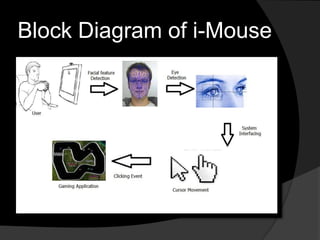
Block Diagram of i-Mouse
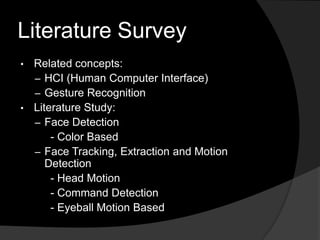
Literature Survey
• Related concepts:
  – HCI (Human Computer Interface)
  – Gesture Recognition
• Literature Study:
  – Face Detection
      - Color Based
  – Face Tracking, Extraction and Motion
     Detection
      - Head Motion
      - Command Detection
      - Eyeball Motion Based
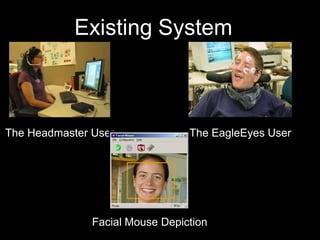
Existing System


The Headmaster User              The EagleEyes User


               Facial Mouse Depiction
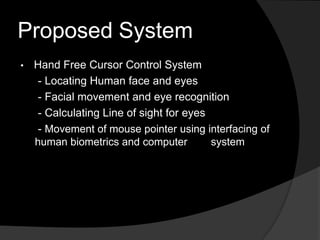
Proposed System
•   Hand Free Cursor Control System
     - Locating Human face and eyes
     - Facial movement and eye recognition
     - Calculating Line of sight for eyes
     - Movement of mouse pointer using interfacing of
    human biometrics and computer         system
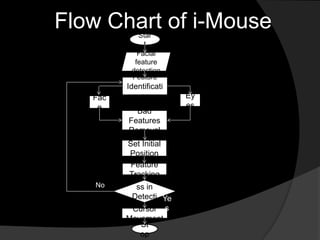
Flow Chart of i-Mouse
            Star
              t
            Facial
           feature
          detection
          Feature
         Identificati
   Fac       on         Ey
    e                   es
           Bad
         Features
         Removal
         Set Initial
         Position
          Feature
         Tracking
           Succe
   No      ss in
          Detecti Ye
           on?
          Cursor s
         Movement
            St
            op
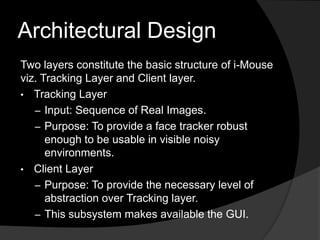
Architectural Design
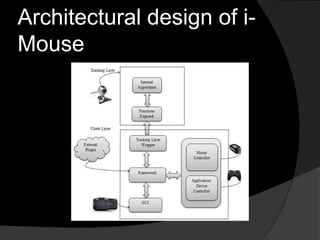
Two layers constitute the basic structure of i-Mouse
viz. Tracking Layer and Client layer.
• Tracking Layer
   – Input: Sequence of Real Images.
   – Purpose: To provide a face tracker robust
      enough to be usable in visible noisy
      environments.
• Client Layer
   – Purpose: To provide the necessary level of
      abstraction over Tracking layer.
   – This subsystem makes available the GUI.
Architectural design of i-
Mouse
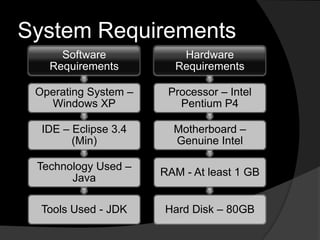
System Requirements
     Software            Hardware
   Requirements         Requirements

 Operating System –    Processor – Intel
   Windows XP            Pentium P4

  IDE – Eclipse 3.4     Motherboard –
        (Min)           Genuine Intel

 Technology Used –
                      RAM - At least 1 GB
       Java

  Tools Used - JDK    Hard Disk – 80GB
Conclusion
• The motivation behind developing i-Mouse is
  that it facilitates the hands free cursor control
  which reduces the dependency on the typical
  mouse.
• The project aims at providing a means of cursor
  control to disabled people and a new and
  interactive option to the existing users.
Future Scope
• Need for the System
• Identification of product project
• Identification of project deliverables
  – External deliverables
  – Internal deliverables
References
• 1992 Association for Computing Machinery,
  Figure 1 (Hewett et al., 2004).
• The Perceptual Window: Head Motion as a new
  Input Stream François Bérard CLIPS-IMAG BP
  53 38041 Grenoble Cedex 9 FRANCE, seventh
  IFIP conference on Human-Computer Interaction
  (INTERACT), p. 238-244, 1999.
• A. Gee and R. Cipolla. Estimating gaze from a
  single view of a face. In 12th IAPR International
  Conference on Pattern Recognition, volume I,
  pages 758–760, Jerusalem, Israel,1994.
• Hands-free navigation in VR environments by
  tracking the head, Sing Bing Kang, March 1997
i-Mouse

i-Mouse

  • 1.
    Prepared by – PradnyaPhulore Sarvesh Sawant
  • 2.
    Points to becovered • What is i-Mouse? • Benefits of i-Mouse • Block Diagram of i-Mouse • Literature Survey • Existing System • Proposed System • Architectural design • System requirements • Conclusion • Future Scope • References
  • 3.
    What is i-Mouse? •‘i-Mouse’ is the equivalent of the conventional computer mouse but it is entirely controlled by Eyes. • The i-Mouse offers people with extreme disabilities the opportunity to control a computer simply by moving his or her eyes or head.
  • 4.
    Benefits of i-Mouse • Low System Requirements • Low cost • High compatibility • User friendly • Application useful for handicapped people • Easier computer control
  • 5.
  • 6.
    Literature Survey • Relatedconcepts: – HCI (Human Computer Interface) – Gesture Recognition • Literature Study: – Face Detection - Color Based – Face Tracking, Extraction and Motion Detection - Head Motion - Command Detection - Eyeball Motion Based
  • 7.
    Existing System The HeadmasterUser The EagleEyes User Facial Mouse Depiction
  • 8.
    Proposed System • Hand Free Cursor Control System - Locating Human face and eyes - Facial movement and eye recognition - Calculating Line of sight for eyes - Movement of mouse pointer using interfacing of human biometrics and computer system
  • 9.
    Flow Chart ofi-Mouse Star t Facial feature detection Feature Identificati Fac on Ey e es Bad Features Removal Set Initial Position Feature Tracking Succe No ss in Detecti Ye on? Cursor s Movement St op
  • 10.
    Architectural Design Two layersconstitute the basic structure of i-Mouse viz. Tracking Layer and Client layer. • Tracking Layer – Input: Sequence of Real Images. – Purpose: To provide a face tracker robust enough to be usable in visible noisy environments. • Client Layer – Purpose: To provide the necessary level of abstraction over Tracking layer. – This subsystem makes available the GUI.
  • 11.
  • 12.
    System Requirements Software Hardware Requirements Requirements Operating System – Processor – Intel Windows XP Pentium P4 IDE – Eclipse 3.4 Motherboard – (Min) Genuine Intel Technology Used – RAM - At least 1 GB Java Tools Used - JDK Hard Disk – 80GB
  • 13.
    Conclusion • The motivationbehind developing i-Mouse is that it facilitates the hands free cursor control which reduces the dependency on the typical mouse. • The project aims at providing a means of cursor control to disabled people and a new and interactive option to the existing users.
  • 14.
    Future Scope • Needfor the System • Identification of product project • Identification of project deliverables – External deliverables – Internal deliverables
  • 15.
    References • 1992 Associationfor Computing Machinery, Figure 1 (Hewett et al., 2004). • The Perceptual Window: Head Motion as a new Input Stream François Bérard CLIPS-IMAG BP 53 38041 Grenoble Cedex 9 FRANCE, seventh IFIP conference on Human-Computer Interaction (INTERACT), p. 238-244, 1999. • A. Gee and R. Cipolla. Estimating gaze from a single view of a face. In 12th IAPR International Conference on Pattern Recognition, volume I, pages 758–760, Jerusalem, Israel,1994. • Hands-free navigation in VR environments by tracking the head, Sing Bing Kang, March 1997