Evaluation on website
Unit 13
navigation
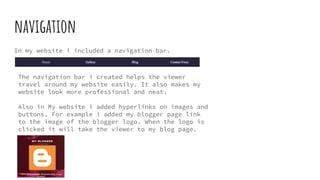
In my website i included a navigation bar.
The navigation bar i created helps the viewer
travel around my website easily. It also makes my
website look more professional and neat.
Also in My website i added hyperlinks on images and
buttons. For example i added my blogger page link
to the image of the blogger logo. When the logo is
clicked it will take the viewer to my blog page.
use of grid/structure
I kept my layout plain and simple. I didn't want to put too much writing
because the viewer doesn't want to read and essay. I kept the writing short
and added more pictures of posters and logos.
colour
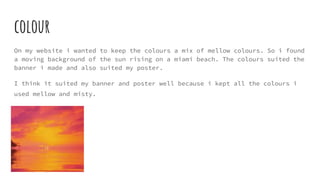
On my website i wanted to keep the colours a mix of mellow colours. So i found
a moving background of the sun rising on a miami beach. The colours suited the
banner i made and also suited my poster.
I think it suited my banner and poster well because i kept all the colours i
used mellow and misty.
interactivity: dynamic or static content
On my website, i have many different interactive buttons and images. For
example i have a slideshow which can be seen on the gallery page. It shows the
viewer all of the poster made from my class.
I also have a moving background. This is also interactive to the viewer
because it moves.
use of imagery
I used many different types of images on my website. For example I added a
photo of my poster on the home page. I added this so the viewer knew what they
was looking at when entering the site.
I also added images of social media logos and the logo of the international
reggae poster composition. I did this so viewers can press the image and know
exactly where the link will take them.
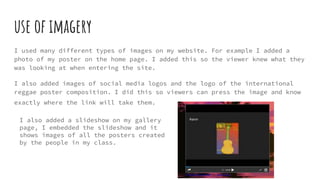
I also added a slideshow on my gallery
page, I embedded the slideshow and it
shows images of all the posters created
by the people in my class.

Evaluation on website

  • 1.
  • 2.
    navigation In my websitei included a navigation bar. The navigation bar i created helps the viewer travel around my website easily. It also makes my website look more professional and neat. Also in My website i added hyperlinks on images and buttons. For example i added my blogger page link to the image of the blogger logo. When the logo is clicked it will take the viewer to my blog page.
  • 3.
    use of grid/structure Ikept my layout plain and simple. I didn't want to put too much writing because the viewer doesn't want to read and essay. I kept the writing short and added more pictures of posters and logos.
  • 4.
    colour On my websitei wanted to keep the colours a mix of mellow colours. So i found a moving background of the sun rising on a miami beach. The colours suited the banner i made and also suited my poster. I think it suited my banner and poster well because i kept all the colours i used mellow and misty.
  • 5.
    interactivity: dynamic orstatic content On my website, i have many different interactive buttons and images. For example i have a slideshow which can be seen on the gallery page. It shows the viewer all of the poster made from my class. I also have a moving background. This is also interactive to the viewer because it moves.
  • 6.
    use of imagery Iused many different types of images on my website. For example I added a photo of my poster on the home page. I added this so the viewer knew what they was looking at when entering the site. I also added images of social media logos and the logo of the international reggae poster composition. I did this so viewers can press the image and know exactly where the link will take them. I also added a slideshow on my gallery page, I embedded the slideshow and it shows images of all the posters created by the people in my class.