ERP Maintenance and
Upgrades
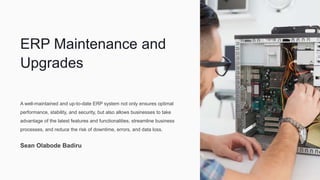
A well-maintained and up-to-date ERP system not only ensures optimal
performance, stability, and security, but also allows businesses to take
advantage of the latest features and functionalities, streamline business
processes, and reduce the risk of downtime, errors, and data loss.
Sean Olabode Badiru
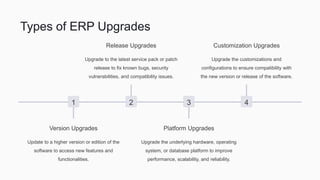
Types of ERP Upgrades
1
Version Upgrades
Update to a higher version or edition of the
software to access new features and
functionalities.
2
Release Upgrades
Upgrade to the latest service pack or patch
release to fix known bugs, security
vulnerabilities, and compatibility issues.
3
Platform Upgrades
Upgrade the underlying hardware, operating
system, or database platform to improve
performance, scalability, and reliability.
4
Customization Upgrades
Upgrade the customizations and
configurations to ensure compatibility with
the new version or release of the software.
Benefits of Regular Maintenance
Cost Savings 💰
Prevent costly downtime, errors,
and data loss by detecting and
fixing issues early through routine
maintenance and monitoring.
Business Continuity 🏢
Ensure reliable and secure access
to critical data and applications by
maintaining a stable and well-
performing IT infrastructure.
Data Quality 📊
Improve the accuracy,
completeness, and consistency of
data by enforcing data governance
policies and data cleansing
activities.
User Satisfaction 😃
Increase user adoption and satisfaction by providing an intuitive and responsive ERP system that meets their business needs.
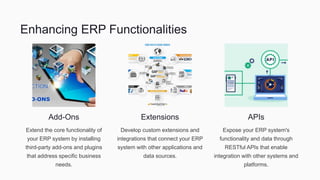
Enhancing ERP Functionalities
Add-Ons
Extend the core functionality of
your ERP system by installing
third-party add-ons and plugins
that address specific business
needs.
Extensions
Develop custom extensions and
integrations that connect your ERP
system with other applications and
data sources.
APIs
Expose your ERP system's
functionality and data through
RESTful APIs that enable
integration with other systems and
platforms.
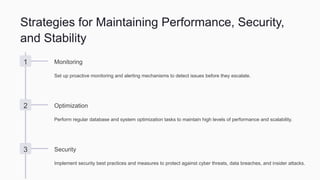
Strategies for Maintaining Performance, Security,
and Stability
1 Monitoring
Set up proactive monitoring and alerting mechanisms to detect issues before they escalate.
2 Optimization
Perform regular database and system optimization tasks to maintain high levels of performance and scalability.
3 Security
Implement security best practices and measures to protect against cyber threats, data breaches, and insider attacks.
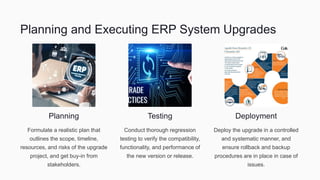
Planning and Executing ERP System Upgrades
Planning
Formulate a realistic plan that
outlines the scope, timeline,
resources, and risks of the upgrade
project, and get buy-in from
stakeholders.
Testing
Conduct thorough regression
testing to verify the compatibility,
functionality, and performance of
the new version or release.
Deployment
Deploy the upgrade in a controlled
and systematic manner, and
ensure rollback and backup
procedures are in place in case of
issues.
Change Management for Upgrades and
Enhancements
1 Communication 🗣️
Communicate the benefits, risks,
and impacts of the upgrade or
enhancement to stakeholders
and users.
2 Training 👨🏫
Provide adequate training,
support, and documentation to
help users adapt to the changes
and maximize the value of the
new features.
3 Testing ️
Enforce stringent testing and
validation procedures to ensure
no negative impacts on critical
business processes and
workflows.
Risks of Avoiding Maintenance
Downtime
System interruptions and outages due
to hardware or software failures,
security breaches, or data corruption.
Errors
Inaccurate or incomplete data due to
software bugs, data entry errors, or
data integration issues.
Costs
Higher total cost of ownership due to
emergency repairs, reactive support,
and lost productivity.
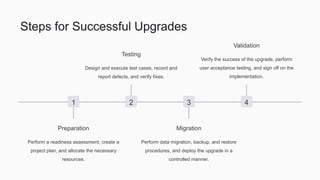
Steps for Successful Upgrades
1
Preparation
Perform a readiness assessment, create a
project plan, and allocate the necessary
resources.
2
Testing
Design and execute test cases, record and
report defects, and verify fixes.
3
Migration
Perform data migration, backup, and restore
procedures, and deploy the upgrade in a
controlled manner.
4
Validation
Verify the success of the upgrade, perform
user acceptance testing, and sign off on the
implementation.
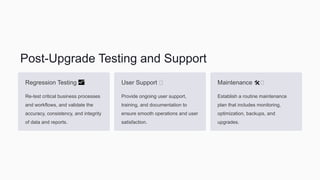
Post-Upgrade Testing and Support
Regression Testing 📈
Re-test critical business processes
and workflows, and validate the
accuracy, consistency, and integrity
of data and reports.
User Support ️
Provide ongoing user support,
training, and documentation to
ensure smooth operations and user
satisfaction.
Maintenance 🛠️
Establish a routine maintenance
plan that includes monitoring,
optimization, backups, and
upgrades.
Conclusion and Key Takeaways
• ERP maintenance and upgrades are critical for ensuring optimal performance, stability, and security.
• ERP upgrades can fall into one of several categories, including version, release, platform, and customization upgrades.
• Regular maintenance provides benefits such as cost savings, business continuity, data quality, and user satisfaction.
• Enhancing ERP functionalities can be achieved through add-ons, extensions, and APIs.
• Strategies for maintaining performance, security, and stability include monitoring, optimization, and security measures.
• Effective planning and execution of ERP system upgrades require careful consideration of risks, impacts, resources, and timelines.
• Change management processes, including communication, training, and testing, are important for successful upgrades and
enhancements.
• Avoiding maintenance can result in downtime, errors, and higher costs.
• Success of upgrades requires thorough testing, migration, validation, and ongoing support.
Sean Bode Badiru
bodebadiru

ERP Maintenance and Upgrades

  • 1.
    ERP Maintenance and Upgrades Awell-maintained and up-to-date ERP system not only ensures optimal performance, stability, and security, but also allows businesses to take advantage of the latest features and functionalities, streamline business processes, and reduce the risk of downtime, errors, and data loss. Sean Olabode Badiru
  • 2.
    Types of ERPUpgrades 1 Version Upgrades Update to a higher version or edition of the software to access new features and functionalities. 2 Release Upgrades Upgrade to the latest service pack or patch release to fix known bugs, security vulnerabilities, and compatibility issues. 3 Platform Upgrades Upgrade the underlying hardware, operating system, or database platform to improve performance, scalability, and reliability. 4 Customization Upgrades Upgrade the customizations and configurations to ensure compatibility with the new version or release of the software.
  • 3.
    Benefits of RegularMaintenance Cost Savings 💰 Prevent costly downtime, errors, and data loss by detecting and fixing issues early through routine maintenance and monitoring. Business Continuity 🏢 Ensure reliable and secure access to critical data and applications by maintaining a stable and well- performing IT infrastructure. Data Quality 📊 Improve the accuracy, completeness, and consistency of data by enforcing data governance policies and data cleansing activities. User Satisfaction 😃 Increase user adoption and satisfaction by providing an intuitive and responsive ERP system that meets their business needs.
  • 4.
    Enhancing ERP Functionalities Add-Ons Extendthe core functionality of your ERP system by installing third-party add-ons and plugins that address specific business needs. Extensions Develop custom extensions and integrations that connect your ERP system with other applications and data sources. APIs Expose your ERP system's functionality and data through RESTful APIs that enable integration with other systems and platforms.
  • 5.
    Strategies for MaintainingPerformance, Security, and Stability 1 Monitoring Set up proactive monitoring and alerting mechanisms to detect issues before they escalate. 2 Optimization Perform regular database and system optimization tasks to maintain high levels of performance and scalability. 3 Security Implement security best practices and measures to protect against cyber threats, data breaches, and insider attacks.
  • 6.
    Planning and ExecutingERP System Upgrades Planning Formulate a realistic plan that outlines the scope, timeline, resources, and risks of the upgrade project, and get buy-in from stakeholders. Testing Conduct thorough regression testing to verify the compatibility, functionality, and performance of the new version or release. Deployment Deploy the upgrade in a controlled and systematic manner, and ensure rollback and backup procedures are in place in case of issues.
  • 7.
    Change Management forUpgrades and Enhancements 1 Communication 🗣️ Communicate the benefits, risks, and impacts of the upgrade or enhancement to stakeholders and users. 2 Training 👨🏫 Provide adequate training, support, and documentation to help users adapt to the changes and maximize the value of the new features. 3 Testing ️ Enforce stringent testing and validation procedures to ensure no negative impacts on critical business processes and workflows.
  • 8.
    Risks of AvoidingMaintenance Downtime System interruptions and outages due to hardware or software failures, security breaches, or data corruption. Errors Inaccurate or incomplete data due to software bugs, data entry errors, or data integration issues. Costs Higher total cost of ownership due to emergency repairs, reactive support, and lost productivity.
  • 9.
    Steps for SuccessfulUpgrades 1 Preparation Perform a readiness assessment, create a project plan, and allocate the necessary resources. 2 Testing Design and execute test cases, record and report defects, and verify fixes. 3 Migration Perform data migration, backup, and restore procedures, and deploy the upgrade in a controlled manner. 4 Validation Verify the success of the upgrade, perform user acceptance testing, and sign off on the implementation.
  • 10.
    Post-Upgrade Testing andSupport Regression Testing 📈 Re-test critical business processes and workflows, and validate the accuracy, consistency, and integrity of data and reports. User Support ️ Provide ongoing user support, training, and documentation to ensure smooth operations and user satisfaction. Maintenance 🛠️ Establish a routine maintenance plan that includes monitoring, optimization, backups, and upgrades.
  • 11.
    Conclusion and KeyTakeaways • ERP maintenance and upgrades are critical for ensuring optimal performance, stability, and security. • ERP upgrades can fall into one of several categories, including version, release, platform, and customization upgrades. • Regular maintenance provides benefits such as cost savings, business continuity, data quality, and user satisfaction. • Enhancing ERP functionalities can be achieved through add-ons, extensions, and APIs. • Strategies for maintaining performance, security, and stability include monitoring, optimization, and security measures. • Effective planning and execution of ERP system upgrades require careful consideration of risks, impacts, resources, and timelines. • Change management processes, including communication, training, and testing, are important for successful upgrades and enhancements. • Avoiding maintenance can result in downtime, errors, and higher costs. • Success of upgrades requires thorough testing, migration, validation, and ongoing support.
  • 12.